radio Seat Leon 5D 2014 MEDIA SYSTEM PLUS - NAVI SYSTEM
[x] Cancel search | Manufacturer: SEAT, Model Year: 2014, Model line: Leon 5D, Model: Seat Leon 5D 2014Pages: 64, PDF Size: 1.71 MB
Page 43 of 64
Telephone management (PHONE)
WARNING
Making calls and managing the preinstalla-
tion for mobile phones while driving can
distract you from the traffic and cause an ac-
cident.
● Always stay alert and drive responsibly.
● Select volume settings that allow you to
easily hear signals from outside the vehicle
at all times (e.g. emergency service sirens).
● In areas with no or poor network coverage,
under certain circumstances in tunnels, ga-
rages and underpasses, telephone conversa-
tions may cut out or it may be impossible to
make calls, even in an emergency. WARNING
A loose or incorrectly secured mobile phone
could be thrown inside the vehicle and cause
injury in the event of sudden manoeuvres,
braking or accidents.
● While driving, the mobile phone must al-
ways be correctly secured, outside of the
working radius of the airbag. WARNING
If you carry a mobile phone that is switched
on directly over a pacemaker, this may cause
interference in its functioning.
● Between the antenna of the mobile phone
and the pacemaker there must be a minimum
distance of 20 centimetres for the mobile phone not to affect the functioning of the
pacemaker.
●
Do not carry your mobile phone in your
breast pocket, directly over the pacemaker,
when it is switched on.
● If you suspect your mobile phone is causing
interference, switch it off immediately. Note
● Telephone conversations inside the vehicle
can be affected by high speed, poor atmos-
pheric conditions and the road surface, as
well as by the quality of the network.
● The instructions that appear on the screen
related to the telephone menu depend on the
mobile device used. There may be differen-
ces.
● Take into account the instruction manuals
of the mobile phone and the supplier of the
accessories, and any instructions for using
the headset.
● In areas with poor coverage there may be
anomalies in the reception and calls may be
interrupted.
● If you detect any strange behaviour be-
tween your mobile phone and the radio, re-
start your mobile by switching it off and on
again.
● Consult the compatibility list to ensure
your mobile phone will work properly.
● Most electronic devices are shielded
against high-frequency radio signals. On cer- tain occasions, nevertheless, electronic
equipment might not be protected against
the radio frequency signals of the telephone
management (Phone). This may produce in-
terference.
Places with special regulations
Switch off the mobile phone and the prein-
stallation for mobile telephones in places
with risk of explosion. These areas are com-
mon but are not always clearly marked
››› in Introduction on page 41
. They include, for
e x
ample:
● Areas with piping and reservoirs containing
chemical products.
● Below deck, on boats and ferries.
● Near vehicles that run on liquefied gas
(such as propane or butane).
● In places where there are chemical sub-
stances or particles such as flour, dust or
metal chips in the air.
● In any other place where you must turn off
the engine of your vehicle. WARNING
Switch off your mobile phone in places with
risk of explosion! Your mobile phone will au-
tomatically connect to the mobile phone net-
work as soon as the Bluetooth connection is
cut from the mobile preinstallation. » 41
Page 45 of 64
Telephone management (PHONE)
mobile phone. If they coincide, you must
confirm it on both devices.
Onc e the link
is complete, the main menu
PHONE
will be shown.
Linking and connecting mobile telephones
You can link up to 20
mobile telephones to
the infotainment system, but only one mobile
phone can be connected as hands-free, and
only one device as BT audio at any time.
When you turn on the infotainment system
the connection is automatically established
with the mobile phone that was last connec-
ted. If it cannot establish a connection with
that mobile phone, the telephone manager
will automatically try to establish a connec-
tion with the next mobile phone that appears
on the list of linked devices.
The working radius of the Bluetooth connec-
tion is a maximum of 10 metres . If this work-
ing radius is exceeded, the connection estab-
lished through Bluetooth will be interrupted.
The connection is automatically re-establish-
ed as
soon as this device comes back into
the Bluetooth working radius.
If the maximum number of linked devices is
reached and you wish to link another one to
the system, it will automatically replace the
one that has recently been used the least. If you wish to replace it with another one, the
user must erase it beforehand. To do so:
●
Press the unit button Setup within the tele-
phone context.
● Press the function button Bluetooth setup .
● Press the function button My devices .
● In the list of devices linked, press the func-
tion button remove after the mobile phone to
be deleted and then press Delete to confirm
the process. Note
● The behaviour may vary depending on the
device connected.
● For some android mobile devices you must
accept the request to access the PBAP phone-
book after linking, to be able to access the
phonebook. It is recommended to activate
the option “always” so as not to have to ac-
cept it every time you connect. General information
Please refer to the notes on using a mobile
phone in the vehicle without connection to
exterior antenna
›››
Booklet Instruction Man-
ual, chapter Accessories and technical modi-
fications .
On ly
use devices that support Bluetooth. At
your SEAT dealership, or on the Internet, you will find information about products that sup-
port Bluetooth.
Take into account the instruction manual of
the mobile phone and of the manufacturer of
the accessories. In areas with poor coverage
there may be anomalies in the reception and
calls may be interrupted.
Most electronic devices are shielded against
radio frequency signals (high-frequency). On
some occasions, nevertheless, electronic de-
vices cannot be protected against the radio
frequency signals from the telephone manag-
er. This may produce interference.
Note
● There may be restrictions on the use of
Bluetooth devices in some countries. Infor-
mation is available from the local authorities.
● To connect the telephone manager to a de-
vice via Bluetooth technology, read the corre-
sponding instruction manual for the particu-
lar safety instructions. Only use products
that support Bluetooth. Bluetooth
® Bluetooth
®
Bluetooth technology is used to connect a
mobile phone to the vehicle's telephone
manager. To use the telephone manager with
a mobile phone with Bluetooth, the linking
process must be carried out once. »
43
Page 46 of 64
Telephone management (PHONE)
If a connection has already been established,
some mobile telephones with Bluetooth are
recognised and a connection is established
with them automatically when the ignition is
switched on. For this purpose, the mobile
phone and its Bluetooth must be connected,
and all the live Bluetooth connections with
other devices must be closed.
The Bluetooth wireless connection is free.
Bluetooth R
is a registered trademark of Blue-
tooth ®
SIG, Inc.
Bluetooth ®
profiles
When you connect a mobile phone to the tel-
ephone manager, the data exchange is
through one of the 2 Bluetooth profiles.
● Hands-free Bluetooth profile (HFP): If a mo-
b i
le phone is connected to the telephone
manager through the HFP, calls can be made
wirelessly through the hands-free device.
● Advanced audio profile (A2DP): Bluetooth
profile for transmitting audio signals with
stereo quality.
Voice control Many radio, media, telephone and navigation
functions may be activated through voice
commands. The voice control of the infotainment system
is only available for the language that has
been selected in system settings
››› page 53 .
V oic
e control settings ››› page 54.
When voice control is activated, you can
choose what text and icons take on the col-
our of the different functions:
● Red (RADIO and MEDIA) ››› page 45 and
››› page 45
● Green (PHONE) ››› page 46
● Blue (NAV) ››› page 46
Start and stop the voice control
● To activate the voice control, briefly press
the button on the multi-function steering
wheel . It can also be activated with the
VOICE button in the MIB.
● When voice control is activated, a rising
signal will sound and a menu containing the
main commands will be displayed (the menu
will be displayed if this option ››› page 54 is
activated in the voice control settings). The
spoken instructions will guide you through
the following “dialogue”.
● Pronounce the desired order and follow the
instructions of the “dialogue”. A function can
often be activated with different spoken com-
mands. In case of doubt, try to give a com-
mand. ●
When an action is carried out (e.g. calling a
contact), the voice control automatically de-
activates and must be reactivated when nee-
ded again. There are certain commands after
which the voice control does not end and
waits with What do you wish to do now? .
● To manually end voice control, keep the
button pressed on the multi-function steering
wheel until you hear the corresponding con-
firmation (falling sound), or press the but-
ton on the di
splay. You can also press the
VOICE button twice to deactivate voice con-
trol. (Voice control is deactivated in the fol-
lowing ways: by briefly pressing the VOICE
button or Command on the steering wheel
twice; or by pressing VOICE or Command on
the steering wheel for a few moments, and
touching the screen or any button on the ra-
dio).
Help with voice control
The first time you use the voice control, listen
to the Help.
● Press the function button .
● Give the “
Help” command in the language
established in the System setting, and follow
the dialogue instructions.
Operation during the dialogue
While the infotainment system transmits a
spoken indication, the display will show the
symbol .
44
Page 47 of 64
Telephone management (PHONE)
● Briefly press the button on the multi-
f u
nction steering wheel to interrupt the spo-
ken indication of the infotainment system
and give the next command.
IMPORTANT: The system will ONLY recognise
a command when the
“active” symbol is
displayed on the panel or the touch screen.
If you make a mistake when giving a com-
mand or give an incomplete command, and it
has no effect, you can repeat the command.
The symbol remains active.
● Briefly pr
ess the button of the multi-
function steering wheel to repeat the com-
mand.
Instructions for voice control
For optimum functioning of the voice control,
follow these instructions:
● Speak slowly and clearly, as far as possi-
ble. The system will not recognise mispro-
nounced words, or words and figures in
which syllables are omitted.
● Telephone numbers must be indicated fig-
ure by figure or in blocks of numbers in units,
tens or hundreds.
● Speak at a normal volume, without exag-
gerated intonation or long pauses.
● Avoid noise from the exterior and nearby
(for example, conversations inside the vehi- cle). Close all doors, windows and the sliding
roof.
●
Do not aim the air from the diffusers at the
roof of the passenger compartment.
● If you are driving very fast, speak a little
louder.
You can access the instructions by saying:
“Instructions, tutorial, introduction”. You can
also li
sten to the instructions in parts. These
are divided into 7 blocks. To access them,
give any of the previous commands followed
by “part +
xample “Tutorial
part 1 ”.
Voice control (RADIO) – Red
ButtonMain radio commands (FM)
Next station
Previous station
Station
Scan mode
AM mode:
DAB band Voice control (MEDIA) – Red
ButtonMain media commands
Next source
Previous source
Next track
Previous track
Mix Mode
Repeat track mode
Repeat all mode
Scan mode»
45
Page 53 of 64
Telephone management (PHONE)Editing speed
dial keys that
have been as-
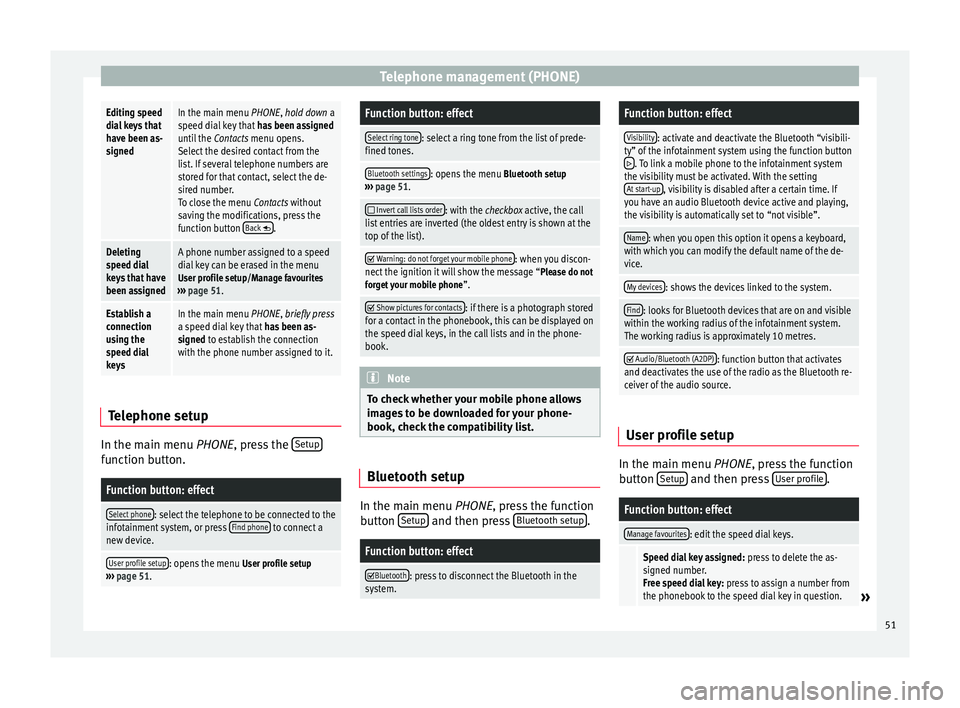
signedIn the main menu PHONE, hold down a
speed dial key that
has been assigned
until the Contacts menu opens.
Select the desired contact from the
list. If several telephone numbers are
stored for that contact, select the de-
sired number.
To close the menu Contacts without
saving the modifications, press the
function button Back
.
Deleting
speed dial
keys that have
been assignedA phone number assigned to a speed
dial key can be erased in the menu
User profile setup/Manage favourites
››› page 51.
Establish a
connection
using the
speed dial
keysIn the main menu PHONE, briefly press
a speed dial key that has been as-
signed to establish the connection
with the phone number assigned to it. Telephone setup
In the main menu
PHONE
, press the Set
upfunction button.
Function button: effect
Select phone: select the telephone to be connected to the
infotainment system, or press Find phone to connect a
new device.
User profile setup: opens the menu User profile setup
››› page 51.
Function button: effect
Select ring tone: select a ring tone from the list of prede-
fined tones.
Bluetooth settings: opens the menu Bluetooth setup
››› page 51.
Invert call lists order: with the checkbox active, the call
list entries are inverted (the oldest entry is shown at the
top of the list).
Warning: do not forget your mobile phone: when you discon-
nect the ignition it will show the message “Please do not forget your mobile phone ”.
Show pictures for contacts: if there is a photograph stored
for a contact in the phonebook, this can be displayed on
the speed dial keys, in the call lists and in the phone-
book. Note
To check whether your mobile phone allows
images to be downloaded for your phone-
book, check the compatibility list. Bluetooth setup
In the main menu
PHONE, press the function
b utt
on Setup and then press
Bluetooth setup .
Function button: effect
Bluetooth: press to disconnect the Bluetooth in the
system.
Function button: effect
Visibility: activate and deactivate the Bluetooth “visibili-
ty” of the infotainment system using the function button
. To link a mobile phone to the infotainment system
the visibility must be activated. With the setting At start-up
, visibility is disabled after a certain time. If
you have an audio Bluetooth device active and playing,
the visibility is automatically set to “not visible”.
Name: when you open this option it opens a keyboard,
with which you can modify the default name of the de-
vice.
My devices: shows the devices linked to the system.
Find: looks for Bluetooth devices that are on and visible
within the working radius of the infotainment system.
The working radius is approximately 10 metres.
Audio/Bluetooth (A2DP): function button that activates
and deactivates the use of the radio as the Bluetooth re-
ceiver of the audio source. User profile setup
In the main menu
PHONE
, press the function
b
utton Setup and then press
User profile .
Function button: effect
Manage favourites: edit the speed dial keys.
Speed dial key assigned:
press to delete the as-
signed number.
Free speed dial key: press to assign a number from
the phonebook to the speed dial key in question.
» 51
Page 56 of 64
Setup
Voice command settings ●
Press the infotainment button MENU to
open the main menu System setup (SETUP).
● Pr e
ss the function button SETUP to access
the system setup.
● Press the function button Voice control .
When you close a menu, the changes will
take effect automatically.
Summary of the indications and function
buttons
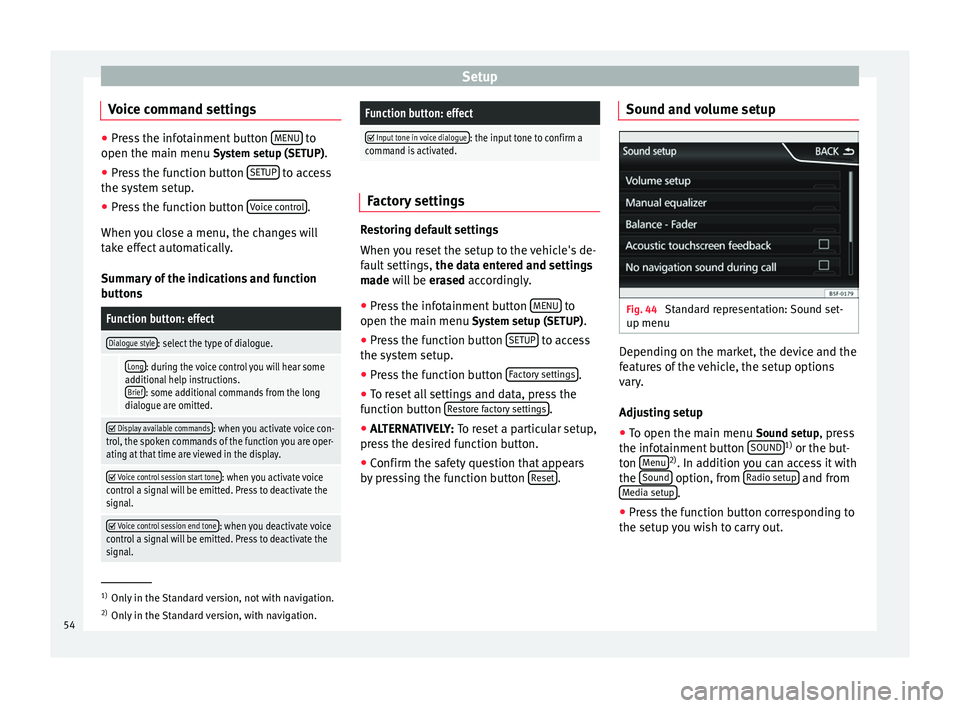
Function button: effect
Dialogue style: select the type of dialogue.
Long: during the voice control you will hear some
additional help instructions. Brief
: some additional commands from the long
dialogue are omitted.
Display available commands: when you activate voice con-
trol, the spoken commands of the function you are oper-
ating at that time are viewed in the display.
Voice control session start tone: when you activate voice
control a signal will be emitted. Press to deactivate the
signal.
Voice control session end tone: when you deactivate voice
control a signal will be emitted. Press to deactivate the
signal.
Function button: effect
Input tone in voice dialogue: the input tone to confirm a
command is activated. Factory settings
Restoring default settings
When you reset the setup to the vehicle's de-
fault settings,
the data entered and settings
made will be erased
accordingly.
● Press the infotainment button MENU to
open the main menu System setup (SETUP)
.
● Press the function button SETUP to access
the system setup.
● Press the function button Factory settings .
● To reset all settings and data, press the
function button Restore factory settings .
● ALTERNATIVELY: To reset a particular setup,
pr e
ss the desired function button.
● Confirm the safety question that appears
by pressing the function button Reset .Sound and volume setup
Fig. 44
Standard representation: Sound set-
up menu Depending on the market, the device and the
features of the vehicle, the setup options
vary.
Adjusting setup
● To open the main menu Sound setup
, press
the infotainment button SOUND 1)
or the but-
ton Menu 2)
. In addition you can access it with
the Sound option, from
Radio setup and from
Media setup .
● Press the function button corresponding to
the setup you wish to carry out. 1)
Only in the Standard version, not with navigation.
2) Only in the Standard version, with navigation.
54
Page 57 of 64
Abbreviations
When you close a menu, the changes will
take effect automatically.
Summary of the indications and function
buttonsFunction button: effect
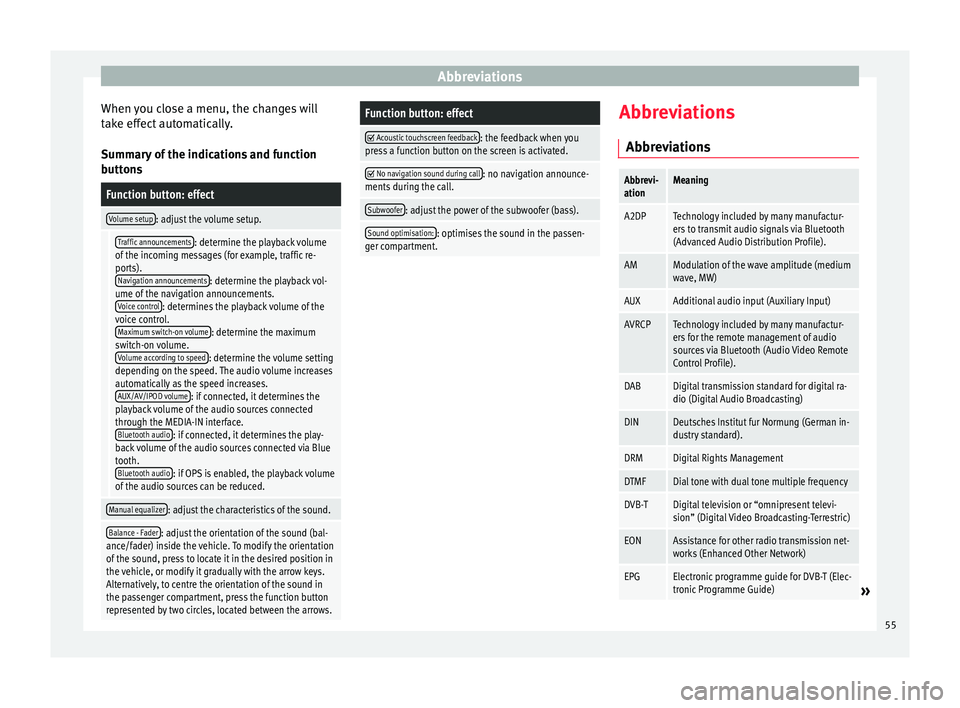
Volume setup: adjust the volume setup.
Traffic announcements: determine the playback volume
of the incoming messages (for example, traffic re-
ports). Navigation announcements
: determine the playback vol-
ume of the navigation announcements. Voice control
: determines the playback volume of the
voice control. Maximum switch-on volume
: determine the maximum
switch-on volume. Volume according to speed
: determine the volume setting
depending on the speed. The audio volume increases
automatically as the speed increases. AUX/AV/IPOD volume
: if connected, it determines the
playback volume of the audio sources connected
through the MEDIA-IN interface. Bluetooth audio
: if connected, it determines the play-
back volume of the audio sources connected via Blue
tooth. Bluetooth audio
: if OPS is enabled, the playback volume
of the audio sources can be reduced.
Manual equalizer: adjust the characteristics of the sound.
Balance - Fader: adjust the orientation of the sound (bal-
ance/fader) inside the vehicle. To modify the orientation
of the sound, press to locate it in the desired position in
the vehicle, or modify it gradually with the arrow keys.
Alternatively, to centre the orientation of the sound in
the passenger compartment, press the function button
represented by two circles, located between the arrows.
Function button: effect
Acoustic touchscreen feedback: the feedback when you
press a function button on the screen is activated.
No navigation sound during call: no navigation announce-
ments during the call.
Subwoofer: adjust the power of the subwoofer (bass).
Sound optimisation:: optimises the sound in the passen-
ger compartment. Abbreviations
Abbreviations
Abbrevi-
ationMeaning
A2DPTechnology included by many manufactur-
ers to transmit audio signals via Bluetooth
(Advanced Audio Distribution Profile).
AMModulation of the wave amplitude (medium
wave, MW)
AUXAdditional audio input (Auxiliary Input)
AVRCPTechnology included by many manufactur-
ers for the remote management of audio
sources via Bluetooth (Audio Video Remote
Control Profile).
DABDigital transmission standard for digital ra-
dio (Digital Audio Broadcasting)
DINDeutsches Institut fur Normung (German in-
dustry standard).
DRMDigital Rights Management
DTMFDial tone with dual tone multiple frequency
DVB-TDigital television or “omnipresent televi-
sion” (Digital Video Broadcasting-Terrestric)
EONAssistance for other radio transmission net-
works (Enhanced Other Network)
EPGElectronic programme guide for DVB-T (Elec-
tronic Programme Guide)» 55
Page 58 of 64
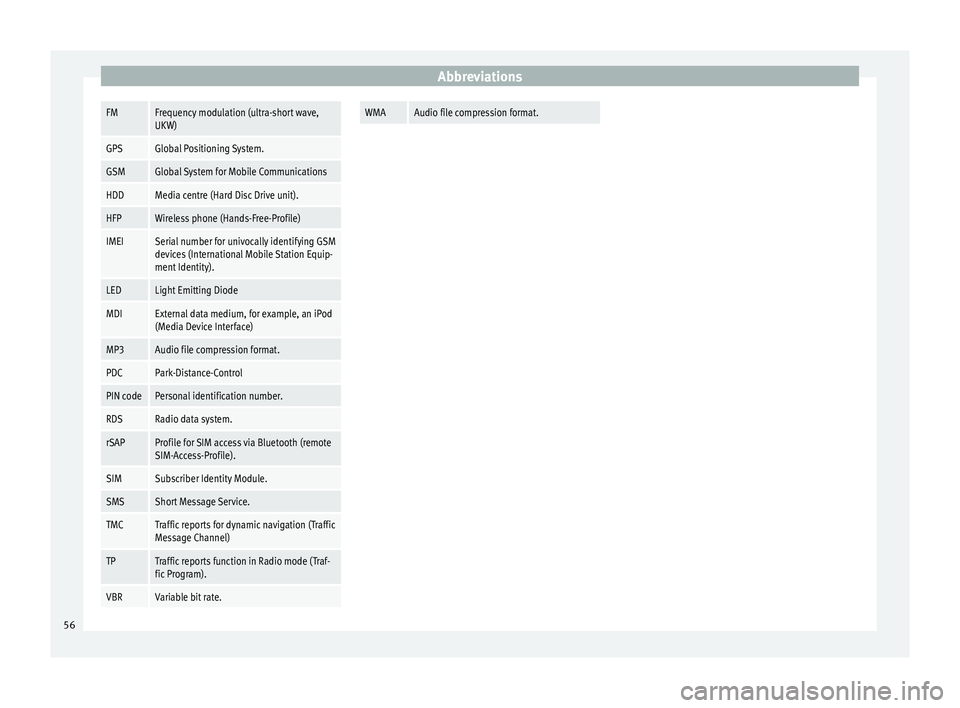
AbbreviationsFMFrequency modulation (ultra-short wave,
UKW)
GPSGlobal Positioning System.
GSMGlobal System for Mobile Communications
HDDMedia centre (Hard Disc Drive unit).
HFPWireless phone (Hands-Free-Profile)
IMEISerial number for univocally identifying GSM
devices (International Mobile Station Equip-
ment Identity).
LEDLight Emitting Diode
MDIExternal data medium, for example, an iPod
(Media Device Interface)
MP3Audio file compression format.
PDCPark-Distance-Control
PIN codePersonal identification number.
RDSRadio data system.
rSAPProfile for SIM access via Bluetooth (remote
SIM-Access-Profile).
SIMSubscriber Identity Module.
SMSShort Message Service.
TMCTraffic reports for dynamic navigation (Traffic
Message Channel)
TPTraffic reports function in Radio mode (Traf-
fic Program).
VBRVariable bit rate.
WMAAudio file compression format.
56
Page 59 of 64
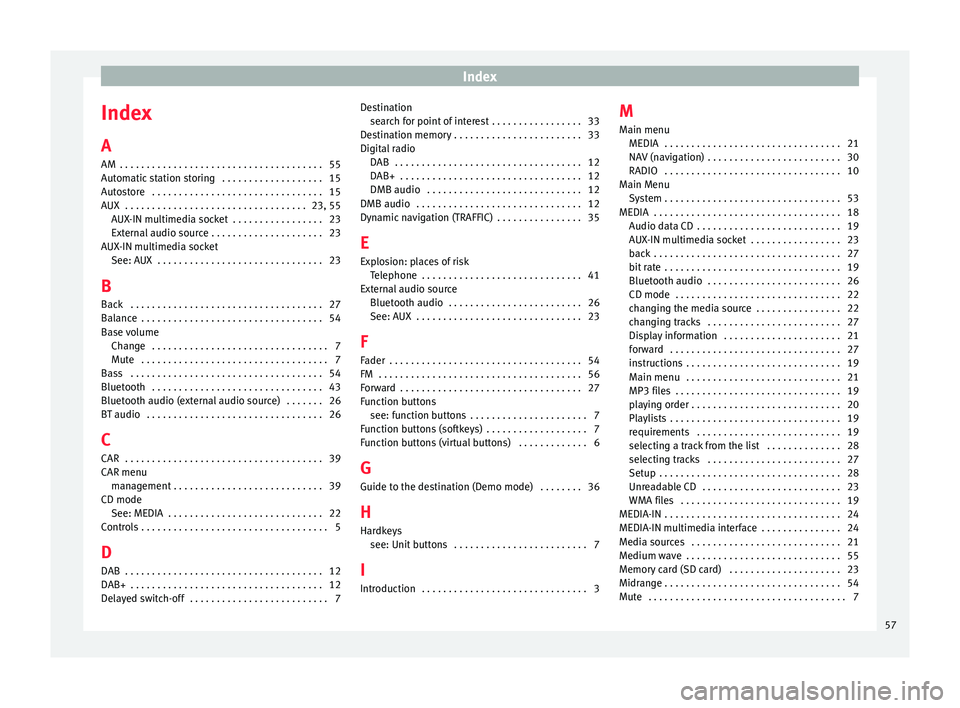
Index
Index
A
AM . . . . . . . . . . . . . . . . . . . . . . . . . . . . . . . . . . . . . . 55
Automatic station storing . . . . . . . . . . . . . . . . . . . 15
Autostore . . . . . . . . . . . . . . . . . . . . . . . . . . . . . . . . 15
AUX . . . . . . . . . . . . . . . . . . . . . . . . . . . . . . . . . . 23, 55 AUX-IN multimedia socket . . . . . . . . . . . . . . . . . 23
External audio source . . . . . . . . . . . . . . . . . . . . . 23
AUX-IN multimedia socket See: AUX . . . . . . . . . . . . . . . . . . . . . . . . . . . . . . . 23
B Back . . . . . . . . . . . . . . . . . . . . . . . . . . . . . . . . . . . . 27
Balance . . . . . . . . . . . . . . . . . . . . . . . . . . . . . . . . . . 54
Base volume Change . . . . . . . . . . . . . . . . . . . . . . . . . . . . . . . . . 7
Mute . . . . . . . . . . . . . . . . . . . . . . . . . . . . . . . . . . . 7
Bass . . . . . . . . . . . . . . . . . . . . . . . . . . . . . . . . . . . . 54
Bluetooth . . . . . . . . . . . . . . . . . . . . . . . . . . . . . . . . 43
Bluetooth audio (external audio source) . . . . . . . 26
BT audio . . . . . . . . . . . . . . . . . . . . . . . . . . . . . . . . . 26
C
CAR . . . . . . . . . . . . . . . . . . . . . . . . . . . . . . . . . . . . . 39
CAR menu management . . . . . . . . . . . . . . . . . . . . . . . . . . . . 39
CD mode See: MEDIA . . . . . . . . . . . . . . . . . . . . . . . . . . . . . 22
Controls . . . . . . . . . . . . . . . . . . . . . . . . . . . . . . . . . . . 5
D
DAB . . . . . . . . . . . . . . . . . . . . . . . . . . . . . . . . . . . . . 12
DAB+ . . . . . . . . . . . . . . . . . . . . . . . . . . . . . . . . . . . . 12
Delayed switch-off . . . . . . . . . . . . . . . . . . . . . . . . . . 7 Destination
search for point of interest . . . . . . . . . . . . . . . . . 33
Destination memory . . . . . . . . . . . . . . . . . . . . . . . . 33
Digital radio DAB . . . . . . . . . . . . . . . . . . . . . . . . . . . . . . . . . . . 12
DAB+ . . . . . . . . . . . . . . . . . . . . . . . . . . . . . . . . . . 12
DMB audio . . . . . . . . . . . . . . . . . . . . . . . . . . . . . 12
DMB audio . . . . . . . . . . . . . . . . . . . . . . . . . . . . . . . 12
Dynamic navigation (TRAFFIC) . . . . . . . . . . . . . . . . 35
E
Explosion: places of risk Telephone . . . . . . . . . . . . . . . . . . . . . . . . . . . . . . 41
External audio source Bluetooth audio . . . . . . . . . . . . . . . . . . . . . . . . . 26
See: AUX . . . . . . . . . . . . . . . . . . . . . . . . . . . . . . . 23
F
Fader . . . . . . . . . . . . . . . . . . . . . . . . . . . . . . . . . . . . 54
FM . . . . . . . . . . . . . . . . . . . . . . . . . . . . . . . . . . . . . . 56
Forward . . . . . . . . . . . . . . . . . . . . . . . . . . . . . . . . . . 27
Function buttons see: function buttons . . . . . . . . . . . . . . . . . . . . . . 7
Function buttons (softkeys) . . . . . . . . . . . . . . . . . . . 7
Function buttons (virtual buttons) . . . . . . . . . . . . . 6
G Guide to the destination (Demo mode) . . . . . . . . 36
H
Hardkeys see: Unit buttons . . . . . . . . . . . . . . . . . . . . . . . . . 7
I
Introduction . . . . . . . . . . . . . . . . . . . . . . . . . . . . . . . 3 M
Main menu MEDIA . . . . . . . . . . . . . . . . . . . . . . . . . . . . . . . . . 21
NAV (navigation) . . . . . . . . . . . . . . . . . . . . . . . . . 30
RADIO . . . . . . . . . . . . . . . . . . . . . . . . . . . . . . . . . 10
Main Menu System . . . . . . . . . . . . . . . . . . . . . . . . . . . . . . . . . 53
MEDIA . . . . . . . . . . . . . . . . . . . . . . . . . . . . . . . . . . . 18 Audio data CD . . . . . . . . . . . . . . . . . . . . . . . . . . . 19
AUX-IN multimedia socket . . . . . . . . . . . . . . . . . 23
back . . . . . . . . . . . . . . . . . . . . . . . . . . . . . . . . . . . 27
bit rate . . . . . . . . . . . . . . . . . . . . . . . . . . . . . . . . . 19
Bluetooth audio . . . . . . . . . . . . . . . . . . . . . . . . . 26
CD mode . . . . . . . . . . . . . . . . . . . . . . . . . . . . . . . 22
changing the media source . . . . . . . . . . . . . . . . 22
changing tracks . . . . . . . . . . . . . . . . . . . . . . . . . 27
Display information . . . . . . . . . . . . . . . . . . . . . . 21
forward . . . . . . . . . . . . . . . . . . . . . . . . . . . . . . . . 27
instructions . . . . . . . . . . . . . . . . . . . . . . . . . . . . . 19
Main menu . . . . . . . . . . . . . . . . . . . . . . . . . . . . . 21
MP3 files . . . . . . . . . . . . . . . . . . . . . . . . . . . . . . . 19
playing order . . . . . . . . . . . . . . . . . . . . . . . . . . . . 20
Playlists . . . . . . . . . . . . . . . . . . . . . . . . . . . . . . . . 19
requirements . . . . . . . . . . . . . . . . . . . . . . . . . . . 19
selecting a track from the list . . . . . . . . . . . . . . 28
selecting tracks . . . . . . . . . . . . . . . . . . . . . . . . . 27
Setup . . . . . . . . . . . . . . . . . . . . . . . . . . . . . . . . . . 28
Unreadable CD . . . . . . . . . . . . . . . . . . . . . . . . . . 23
WMA files . . . . . . . . . . . . . . . . . . . . . . . . . . . . . . 19
MEDIA-IN . . . . . . . . . . . . . . . . . . . . . . . . . . . . . . . . . 24
MEDIA-IN multimedia interface . . . . . . . . . . . . . . . 24
Media sources . . . . . . . . . . . . . . . . . . . . . . . . . . . . 21
Medium wave . . . . . . . . . . . . . . . . . . . . . . . . . . . . . 55
Memory card (SD card) . . . . . . . . . . . . . . . . . . . . . 23
Midrange . . . . . . . . . . . . . . . . . . . . . . . . . . . . . . . . . 54
Mute . . . . . . . . . . . . . . . . . . . . . . . . . . . . . . . . . . . . . 7
57
Page 60 of 64
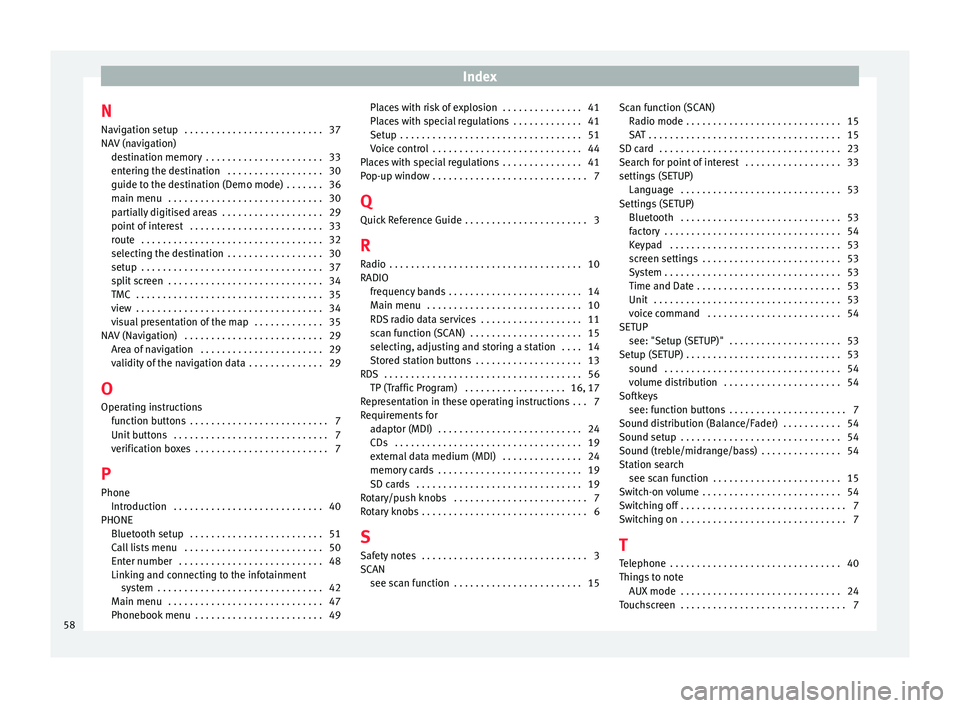
Index
N Navigation setup . . . . . . . . . . . . . . . . . . . . . . . . . . 37
NAV (navigation) destination memory . . . . . . . . . . . . . . . . . . . . . . 33
entering the destination . . . . . . . . . . . . . . . . . . 30
guide to the destination (Demo mode) . . . . . . . 36
main menu . . . . . . . . . . . . . . . . . . . . . . . . . . . . . 30
partially digitised areas . . . . . . . . . . . . . . . . . . . 29
point of interest . . . . . . . . . . . . . . . . . . . . . . . . . 33
route . . . . . . . . . . . . . . . . . . . . . . . . . . . . . . . . . . 32
selecting the destination . . . . . . . . . . . . . . . . . . 30
setup . . . . . . . . . . . . . . . . . . . . . . . . . . . . . . . . . . 37
split screen . . . . . . . . . . . . . . . . . . . . . . . . . . . . . 34
TMC . . . . . . . . . . . . . . . . . . . . . . . . . . . . . . . . . . . 35
view . . . . . . . . . . . . . . . . . . . . . . . . . . . . . . . . . . . 34
visual presentation of the map . . . . . . . . . . . . . 35
NAV (Navigation) . . . . . . . . . . . . . . . . . . . . . . . . . . 29 Area of navigation . . . . . . . . . . . . . . . . . . . . . . . 29
validity of the navigation data . . . . . . . . . . . . . . 29
O Operating instructions function buttons . . . . . . . . . . . . . . . . . . . . . . . . . . 7
Unit buttons . . . . . . . . . . . . . . . . . . . . . . . . . . . . . 7
verification boxes . . . . . . . . . . . . . . . . . . . . . . . . . 7
P Phone Introduction . . . . . . . . . . . . . . . . . . . . . . . . . . . . 40
PHONE Bluetooth setup . . . . . . . . . . . . . . . . . . . . . . . . . 51
Call lists menu . . . . . . . . . . . . . . . . . . . . . . . . . . 50
Enter number . . . . . . . . . . . . . . . . . . . . . . . . . . . 48
Linking and connecting to the infotainmentsystem . . . . . . . . . . . . . . . . . . . . . . . . . . . . . . . 42
Main menu . . . . . . . . . . . . . . . . . . . . . . . . . . . . . 47
Phonebook menu . . . . . . . . . . . . . . . . . . . . . . . . 49 Places with risk of explosion . . . . . . . . . . . . . . . 41
Places with special regulations . . . . . . . . . . . . . 41
Setup . . . . . . . . . . . . . . . . . . . . . . . . . . . . . . . . . . 51
Voice control . . . . . . . . . . . . . . . . . . . . . . . . . . . . 44
Places with special regulations . . . . . . . . . . . . . . . 41
Pop-up window . . . . . . . . . . . . . . . . . . . . . . . . . . . . . 7
Q
Quick Reference Guide . . . . . . . . . . . . . . . . . . . . . . . 3
R Radio . . . . . . . . . . . . . . . . . . . . . . . . . . . . . . . . . . . . 10
RADIO frequency bands . . . . . . . . . . . . . . . . . . . . . . . . . 14
Main menu . . . . . . . . . . . . . . . . . . . . . . . . . . . . . 10
RDS radio data services . . . . . . . . . . . . . . . . . . . 11
scan function (SCAN) . . . . . . . . . . . . . . . . . . . . . 15
selecting, adjusting and storing a station . . . . 14
Stored station buttons . . . . . . . . . . . . . . . . . . . . 13
RDS . . . . . . . . . . . . . . . . . . . . . . . . . . . . . . . . . . . . . 56 TP (Traffic Program) . . . . . . . . . . . . . . . . . . . 16, 17
Representation in these operating instructions . . . 7
Requirements for adaptor (MDI) . . . . . . . . . . . . . . . . . . . . . . . . . . . 24
CDs . . . . . . . . . . . . . . . . . . . . . . . . . . . . . . . . . . . 19
external data medium (MDI) . . . . . . . . . . . . . . . 24
memory cards . . . . . . . . . . . . . . . . . . . . . . . . . . . 19
SD cards . . . . . . . . . . . . . . . . . . . . . . . . . . . . . . . 19
Rotary/push knobs . . . . . . . . . . . . . . . . . . . . . . . . . 7
Rotary knobs . . . . . . . . . . . . . . . . . . . . . . . . . . . . . . . 6
S
Safety notes . . . . . . . . . . . . . . . . . . . . . . . . . . . . . . . 3
SCAN see scan function . . . . . . . . . . . . . . . . . . . . . . . . 15 Scan function (SCAN)
Radio mode . . . . . . . . . . . . . . . . . . . . . . . . . . . . . 15
SAT . . . . . . . . . . . . . . . . . . . . . . . . . . . . . . . . . . . . 15
SD card . . . . . . . . . . . . . . . . . . . . . . . . . . . . . . . . . . 23
Search for point of interest . . . . . . . . . . . . . . . . . . 33
settings (SETUP) Language . . . . . . . . . . . . . . . . . . . . . . . . . . . . . . 53
Settings (SETUP) Bluetooth . . . . . . . . . . . . . . . . . . . . . . . . . . . . . . 53
factory . . . . . . . . . . . . . . . . . . . . . . . . . . . . . . . . . 54
Keypad . . . . . . . . . . . . . . . . . . . . . . . . . . . . . . . . 53
screen settings . . . . . . . . . . . . . . . . . . . . . . . . . . 53
System . . . . . . . . . . . . . . . . . . . . . . . . . . . . . . . . . 53
Time and Date . . . . . . . . . . . . . . . . . . . . . . . . . . . 53
Unit . . . . . . . . . . . . . . . . . . . . . . . . . . . . . . . . . . . 53
voice command . . . . . . . . . . . . . . . . . . . . . . . . . 54
SETUP see: "Setup (SETUP)" . . . . . . . . . . . . . . . . . . . . . 53
Setup (SETUP) . . . . . . . . . . . . . . . . . . . . . . . . . . . . . 53 sound . . . . . . . . . . . . . . . . . . . . . . . . . . . . . . . . . 54
volume distribution . . . . . . . . . . . . . . . . . . . . . . 54
Softkeys see: function buttons . . . . . . . . . . . . . . . . . . . . . . 7
Sound distribution (Balance/Fader) . . . . . . . . . . . 54
Sound setup . . . . . . . . . . . . . . . . . . . . . . . . . . . . . . 54
Sound (treble/midrange/bass) . . . . . . . . . . . . . . . 54
Station search see scan function . . . . . . . . . . . . . . . . . . . . . . . . 15
Switch-on volume . . . . . . . . . . . . . . . . . . . . . . . . . . 54
Switching off . . . . . . . . . . . . . . . . . . . . . . . . . . . . . . . 7
Switching on . . . . . . . . . . . . . . . . . . . . . . . . . . . . . . . 7
T Telephone . . . . . . . . . . . . . . . . . . . . . . . . . . . . . . . . 40
Things to note AUX mode . . . . . . . . . . . . . . . . . . . . . . . . . . . . . . 24
Touchscreen . . . . . . . . . . . . . . . . . . . . . . . . . . . . . . . 7
58