radio Seat Leon 5D 2014 NAVI SYSTEM PLUS
[x] Cancel search | Manufacturer: SEAT, Model Year: 2014, Model line: Leon 5D, Model: Seat Leon 5D 2014Pages: 84, PDF Size: 2.08 MB
Page 19 of 84
Audio and Media Mode
found on the FM frequency band, the radio
will be muted.
Additional DAB services
The function buttons refer to the menu that
appears when the View button is pressed
››› Fig. 11 .Function button: effect
Preset list: Preset buttons display
››› Fig. 11.
Station information: Simultaneous displaying of Radio Text
››› Fig. 12 A and slideshow B instead of the preset
buttons.
Radio text: Radio Text is displayed instead of preset but-
tons.
Presentation: The slideshows are displayed in full screen. Note
● Not all DAB stations support Radio Text and
slideshows.
● Radio stations are responsible for the con-
tent of the information they transmit. Preset buttons
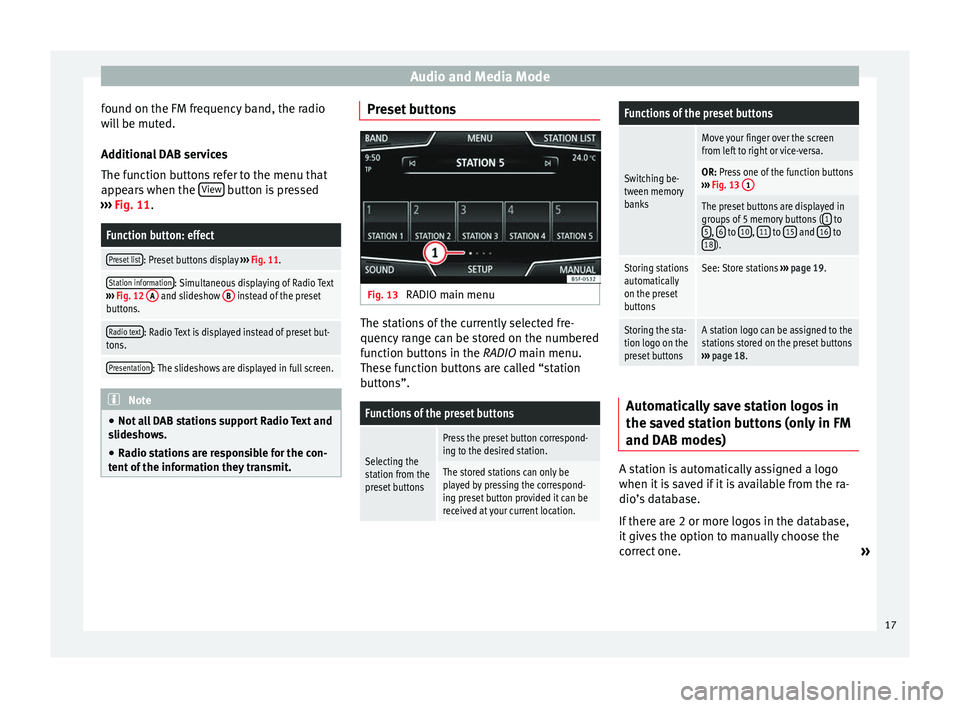
Fig. 13
RADIO main menu The stations of the currently selected fre-
quency range can be stored on the numbered
function buttons in the RADIO main menu.
The se f
unction buttons are called “station
buttons”.
Functions of the preset buttons
Selecting the
station from the
preset buttons
Press the preset button correspond-
ing to the desired station.
The stored stations can only be
played by pressing the correspond-
ing preset button provided it can be
received at your current location.
Functions of the preset buttons
Switching be-
tween memory
banks
Move your finger over the screen
from left to right or vice-versa.
OR: Press one of the function buttons
››› Fig. 13 1
The preset buttons are displayed in
groups of 5 memory buttons ( 1 to
5, 6 to 10, 11 to 15 and 16 to
18).
Storing stations
automatically
on the preset
buttonsSee: Store stations ››› page 19.
Storing the sta-
tion logo on the
preset buttonsA station logo can be assigned to the
stations stored on the preset buttons
››› page 18. Automatically save station logos in
the saved station buttons (only in FM
and DAB modes)
A station is automatically assigned a logo
when it is saved if it is available from the ra-
dio’s database.
If there are 2 or more logos in the database,
it gives the option to manually choose the
correct one.
»
17
Page 20 of 84

Audio and Media Mode
Note
Not all stations are stored in the database
and therefore it is not always possible to as-
sign logos automatically. Manually save station logos in the
saved station buttons
The station logos can be imported from a
compatible data medium (for example, mem-
ory card or memories with USB port).
● Press the function button Setup and then
Station logos .
● Press the station button where you wish to
store the logo of a station.
● Select the source where the logo is stored
(for example, SD card 1 ). We recommend sav-
ing logos in the memory unit’s root directory.
● Select the station logo.
● Repeat the process to assign other logos;
press the infotainment button RADIO to re-
turn to the RADIO main menu.
● If you wish to change the logo of a preset
button that already has one assigned to it, it
must first be deleted from the button in ques-
tion. Select, tune and store a station
Fig. 14
RADIO main menu Fig. 15
Radio mode: list of stations.Selecting stations
Select stations
with the arrow
buttonsPress either the function button or ››› Fig. 14.
This will change between available
stations ››› page 21.
Selecting stations
Selecting sta-
tions from the
station list
Press the Station
››› Fig. 14 function
button to open the station list.
Search through the list and press the
required station to select it.
To close the station list, press the BACK function button ››› Fig. 15.
The station list closes automatically
after a period of inactivity.
Manually tuning in a station frequency.
Viewing the fre-
quency dialPress the Manual function button
››› Fig. 14.
Changing the
frequency in
stepsTurn the setting knob.
OR: Press the + or – keys on the di-
al that appears on the screen.
Browsing the
frequency band
quickly
Press and hold one of the arrow but-
tons on the left of the multifunction
steering wheel. After releasing the ar-
row button, the unit automatically
tunes to the next available radio sta-
tion.
OR: Place your finger on the slider in
the frequency range and drag it to
move the button. 18
Page 21 of 84
Audio and Media ModeManually tuning in a station frequency.
Hiding the fre-
quency band
Briefly press the setting knob
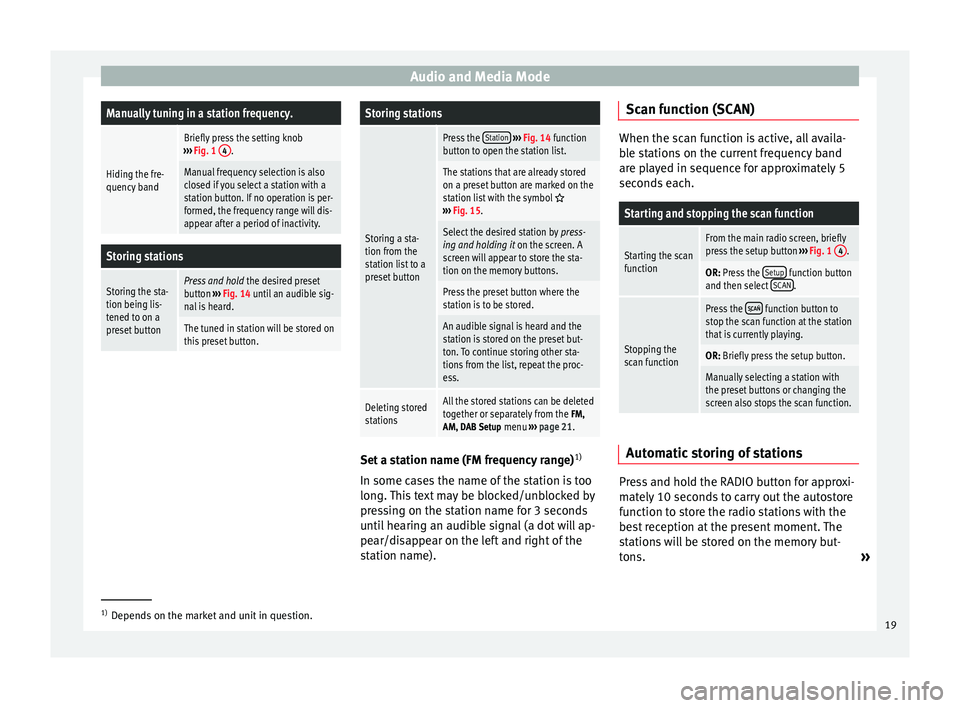
››› Fig. 1 4.
Manual frequency selection is also
closed if you select a station with a
station button. If no operation is per-
formed, the frequency range will dis-
appear after a period of inactivity.
Storing stations
Storing the sta-
tion being lis-
tened to on a
preset buttonPress and hold
the desired preset
button ››› Fig. 14 until an audible sig-
nal is heard.
The tuned in station will be stored on
this preset button.
Storing stations
Storing a sta-
tion from the
station list to a
preset button
Press the Station
››› Fig. 14 function
button to open the station list.
The stations that are already stored
on a preset button are marked on the
station list with the symbol
››› Fig. 15.
Select the desired station by press-
ing and holding it on the screen. A
screen will appear to store the sta-
tion on the memory buttons.
Press the preset button where the
station is to be stored.
An audible signal is heard and the
station is stored on the preset but-
ton. To continue storing other sta-
tions from the list, repeat the proc-
ess.
Deleting stored
stationsAll the stored stations can be deleted
together or separately from the FM,
AM, DAB Setup menu ››› page 21. Set a station name (FM frequency range)
1)
In some cases the name of the station is too
long. This text may be blocked/unblocked by
pressing on the station name for 3 seconds
until hearing an audible signal (a dot will ap-
pear/disappear on the left and right of the
station name). Scan function (SCAN) When the scan function is active, all availa-
ble stations on the current frequency band
are played in sequence for approximately 5
seconds each.
Starting and stopping the scan function
Starting the scan
functionFrom the main radio screen, briefly
press the setup button
››› Fig. 1 4.
OR: Press the Setup function button
and then select SCAN.
Stopping the
scan function
Press the function button to
stop the scan function at the station
that is currently playing.
OR: Briefly press the setup button.
Manually selecting a station with
the preset buttons or changing the
screen also stops the scan function. Automatic storing of stations
Press and hold the RADIO button for approxi-
mately 10 seconds to carry out the autostore
function to store the radio stations with the
best reception at the present moment. The
stations will be stored on the memory but-
tons.
»1)
Depends on the market and unit in question.
19
Page 22 of 84

Audio and Media Mode
Note
This function can take several minutes, dur-
ing which time the radio will remain muted. In
addition, any stored stations assigned previ-
ously will be deleted. Station list (only in FM mode)
Fig. 16
Standard representation: FM station
list menu Stations that are available at a certain time
are displayed on the station list screen (
STA-
TIONS function button). This list may be ar-
ranged by station group or alphabetically. Traffic news station TP (Traffic
Program)
Fig. 17
RADIO main menu with TP display. Fig. 18
Radio mode: List of stations with TP
display. Traffic news monitoring with the TP function
is only possible when a traffic news station is
available. Stations with a traffic news func-
tion are accompanied on the
RADIO
main
menu b
y a TP indicator ››› Fig. 17 and
››
› Fig. 18. Some st ations that do not broadcast their
own traffic news support the TP function by
broadcasting traffic reports by other stations
(EON).
Switching the TP function on and off
● Using the Setup (FM, AM, DAB) menu, acti-
vat
e or deactivate the Traffic station (TP) by pressing it
››› page 21 .
If the s
tation being listened to does not have
the TP f
unction, a crossed out TP will be dis-
played on the left-hand side, halfway down
the screen.
Active TP function and station selection
While traffic news monitoring is activated,
the letters TP will be displayed on the left-
hand side, halfway down the screen while in
Audio mode ››› Fig. 17. Traffic announce-
ments br
oadcast by the current station or a
linked traffic news station will interrupt the
current audio mode.
In
FM mode, the selected station must sup-
port the TP function.
If a station is selected without the TP func-
tion, the radio tries to find stations with this
function in the background.
In AM mode or
media mode, the unit will al-
ways automatically tune to a traffic news sta-
tion in the background, provided a TP station
20
Page 23 of 84

Audio and Media Mode
is available. This procedure may take some
time, depending on the situation.
Incoming traffic announcement In active Audio mode, an incoming traffic an-
nouncement will play automatically.
During the traffic announcement, a pop-up
window is displayed and the radio changes,
depending on the case, to the traffic news
station (EON).
The media mode is paused and the volume is
adjusted to the preset level
›››
page 72.
The volume of the traffic announcement can
be modified with the volume control . The
adjusted volume setting will be applied to
subsequent announcements.
● Press the Cancel function button to end the
current traffic announcement. The TP function
remains switched on.
● OR: Press the D
e activate function button to
end the traffic announcement and disconnect
the TP function permanently.
Setup (FM, AM, DAB) FM setup
Select the
FM frequency band by pressing
the RADIO Infotainment button. OR: Press function button
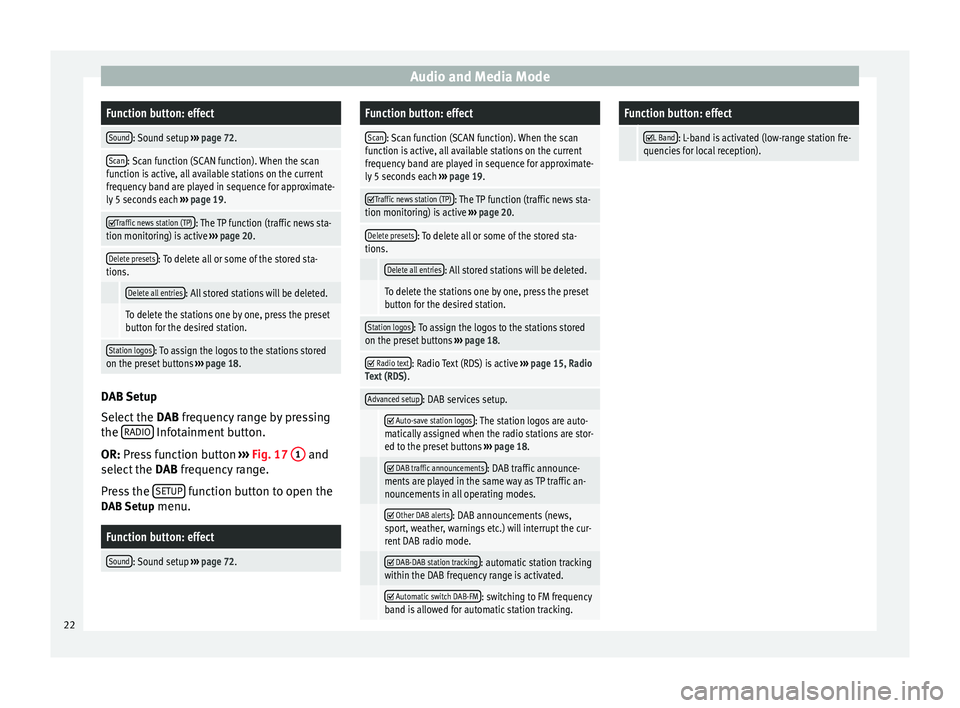
››› Fig. 17 1 and
select the FM frequency band.
Pr e
ss the SETUP function button to open the
FM Setup menu.
Function button: effect
Sound: Sound setup ››› page 72.
Scan: Scan function (SCAN function). When the scan
function is active, all available stations on the current
frequency band are played in sequence for approximate-
ly 5 seconds each ››› page 19.
Traffic news station (TP): The TP function (traffic news sta-
tion monitoring) is active ››› page 20.
Delete presets: To delete all or some of the stored sta-
tions.
Delete all entries: All stored stations will be deleted.
To delete the stations one by one, press the preset
button for the desired station.
Station logos: To manually assign or delete the logos of
the stored stations on the preset buttons ››› page 18.
Radio text: Radio Text is active
››› page 15, Radio Text
(RDS).
Advanced setup: Setup of the RDS (radio data system).
Auto-save station logosa)
: Logos can be automatical-
ly assigned to the stations stored on the preset but-
tons if they are available in the Infotainment sys-
tem. Also see ››› page 18.
Function button: effect
Alternative frequency (AF): The automatic station
tracking by RDS is active. When the checkbox is
deactivated, automatic station tracking will be dis-
connected. The regional RDS
function button will be
inactive (grey colour).
Radio data system (RDS)a)
: The Radio Data System
(RDS) is deactivated ››› page 15. If the checkbox
is deactivated, the traffic news station functions
(TP), Radio Text, station name and programme type
will not be available.
Regional RDS: Setting automatic station tracking by
RDS ››› page 15.
Fixed: The unit only switches to alternative fre-
quencies for the selected station if the same
regional service is being broadcast.
Automatic: the unit always switches to the sta-
tion's frequency that currently offers the best
reception. As a result, regional programmes
may be interrupted.
a) This depends on the country and unit in question.
AM Setup
Select the AM
frequency band by pressing
the RADIO Infotainment button.
OR: Press function button
›
›
› Fig. 17 1 and
select the AM frequency band.
Pr e
ss the SETUP function button to open the
AM Setup menu.
»
21
Page 24 of 84
Audio and Media ModeFunction button: effect
Sound: Sound setup
››› page 72.
Scan: Scan function (SCAN function). When the scan
function is active, all available stations on the current
frequency band are played in sequence for approximate-
ly 5 seconds each ››› page 19.
Traffic news station (TP): The TP function (traffic news sta-
tion monitoring) is active ››› page 20.
Delete presets: To delete all or some of the stored sta-
tions.
Delete all entries: All stored stations will be deleted.
To delete the stations one by one, press the preset
button for the desired station.
Station logos: To assign the logos to the stations stored
on the preset buttons ››› page 18. DAB Setup
Select the
DAB frequency range by pressing
the RADIO Infotainment button.
OR: Press function button
›
›
› Fig. 17 1 and
select the DAB frequency range.
Pr e
ss the SETUP function button to open the
DAB Setup menu.
Function button: effect
Sound: Sound setup ››› page 72.
Function button: effect
Scan: Scan function (SCAN function). When the scan
function is active, all available stations on the current
frequency band are played in sequence for approximate-
ly 5 seconds each ››› page 19.
Traffic news station (TP): The TP function (traffic news sta-
tion monitoring) is active ››› page 20.
Delete presets: To delete all or some of the stored sta-
tions.
Delete all entries: All stored stations will be deleted.
To delete the stations one by one, press the preset
button for the desired station.
Station logos: To assign the logos to the stations stored
on the preset buttons ››› page 18.
Radio text: Radio Text (RDS) is active
››› page 15, Radio
Text (RDS) .
Advanced setup: DAB services setup.
Auto-save station logos: The station logos are auto-
matically assigned when the radio stations are stor-
ed to the preset buttons ››› page 18.
DAB traffic announcements: DAB traffic announce-
ments are played in the same way as TP traffic an-
nouncements in all operating modes.
Other DAB alerts: DAB announcements (news,
sport, weather, warnings etc.) will interrupt the cur-
rent DAB radio mode.
DAB-DAB station tracking: automatic station tracking
within the DAB frequency range is activated.
Automatic switch DAB-FM: switching to FM frequency
band is allowed for automatic station tracking.
Function button: effect
L Band: L-band is activated (low-range station fre-
quencies for local reception). 22
Page 28 of 84
Audio and Media Mode
MEDIA main menu function buttonsFunction button: effect
SOURCE
Indicates the media source being played.
Press to select another media source
››› page 27.
JUKEBOX: Internal hard drive (SSD)
››› page 34.
CD/DVD: Internal CD and DVD drive
››› page 30.
SD CARD 1, SD CARD 2: SD memory card
››› page 30.
USB: External data storage device connec-
ted to the USB port ››› page 31.
AUX: External audio source connected to
AUX IN multimedia socket ››› page 32.
BT AUDIO: Bluetooth ®
audio ››› page 33.
WLAN: External audio source connected by
WLAN ››› page 36
SELEC-
TIONOpens the track list ››› page 28.
/ Changes track in Media mode or fast for-
ward/rewind
››› page 27.
Playback stops. The function button
changes to .
Playback is resumed. The function but-
ton changes to .
Function button: effect
Playing similar tracks.
Creates a virtual playlist that includes
tracks similar to the one being played if
available using Gracenote®.
SETTINGSOpens the
Media Setup menu ››› page 36.
RE-
PEAT
Repeat all tracks.
Repeats all the tracks that are on the same
memory level as the track being played at
that moment. If in the Media Setup menu
Mix/Repeat including subfolders is activated,
it also includes the subfolders
››› page 36.
Repeat the current track.
MIX
Random play.
Includes all tracks that are on the same
memory level as the track being played at
that moment. If in the
Media Setup menu
Mix/Repeat including subfolders is activated,
it also includes the subfolders
››› page 36. Messages and symbols on the MEDIA main
menu
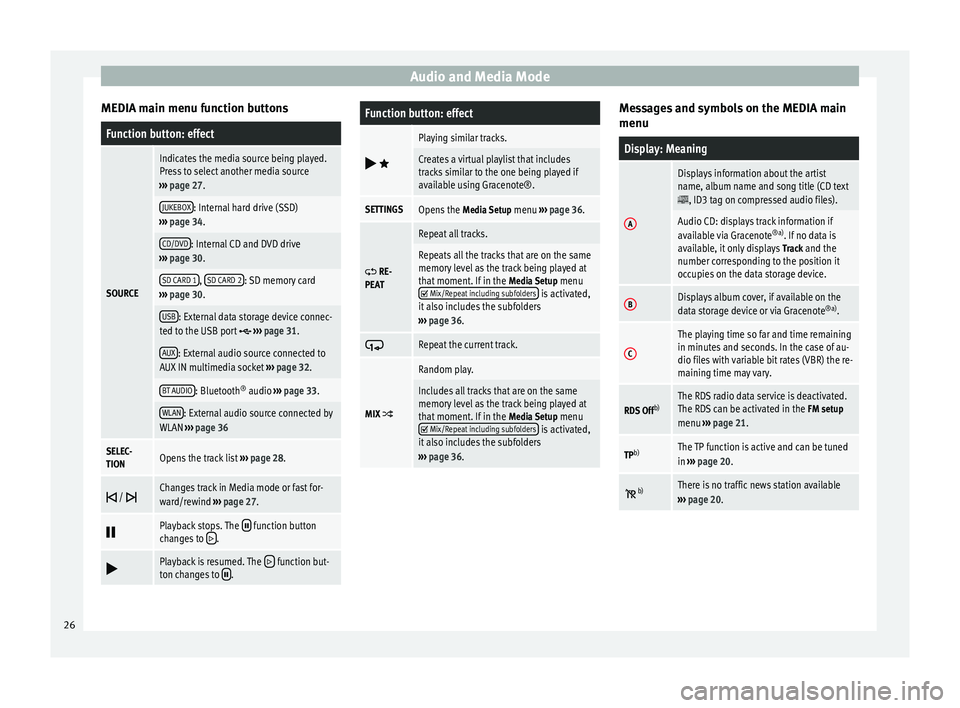
Display: Meaning
A
Displays information about the artist
name, album name and song title (CD text
, ID3 tag on compressed audio files).
Audio CD: displays track information if
available via Gracenote
®a)
. If no data is
available, it only displays Track and the
number corresponding to the position it
occupies on the data storage device.
BDisplays album cover, if available on the
data storage device or via Gracenote ®a)
.
C
The playing time so far and time remaining
in minutes and seconds. In the case of au-
dio files with variable bit rates (VBR) the re-
maining time may vary.
RDS Off b)The RDS radio data service is deactivated.
The RDS can be activated in the
FM setup
menu ››› page 21.
TPb)The TP function is active and can be tuned
in
››› page 20.
b)There is no traffic news station available
››› page 20. 26
Page 54 of 84

CAR menu
CAR menu Introduction to managing the
CAR menu Car menu By pressing the “CAR” infotainment button
you will access its main menu with the follow-
ing options:
● VIEW
● MINIPLAYER (Radio and Media function)
● PREVIOUS-NEXT (to change screen)
● SETUP ›››
Booklet Instruction Manual,
chapter System setup (CAR)
With the function button View you can access
the following information:
● OFFROAD*
● CONSUMERS
● DRIVING DATA
● ECOTRAINER*
● VEHICLE STATUS Offroad*
Fig. 42
CAR Menu Offroad. ●
Press the CAR button on the Infotainment
system.
● Press the VIEW function button and then
select OFFROAD.
If the corresponding equipment is available,
the information that appears is the following: Compass.
Altimeter: altitude above sea level.
Turning angle of steered wheels.
1 2
3 Electrical consumer
Fig. 43
Comfort consumption. By pressing the
Consumption button, informa-
tion on the status of the vehicle's main con-
sumption devices is obtained. It is shown via
a consumption indicator bar in l/h (gal/h) 1)
. 1)
In the case of Gas (CNG) vehicles, the units are in
kg/h.
52
Page 68 of 84
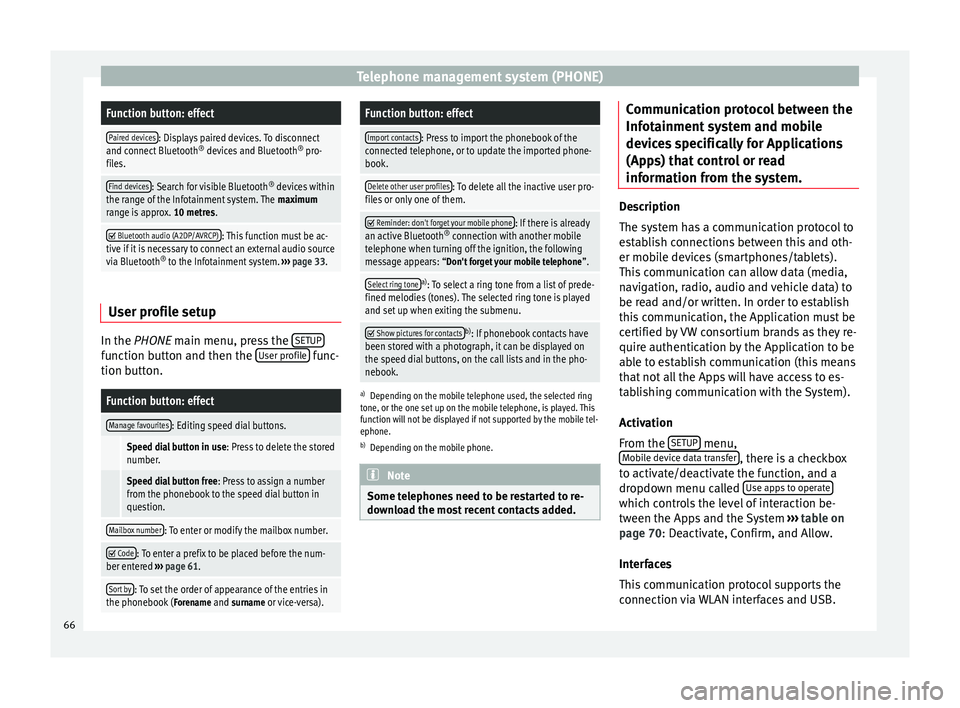
Telephone management system (PHONE)Function button: effect
Paired devices: Displays paired devices. To disconnect
and connect Bluetooth ®
devices and Bluetooth ®
pro-
files.
Find devices: Search for visible Bluetooth ®
devices within
the range of the Infotainment system. The maximum
range is approx. 10 metres.
Bluetooth audio (A2DP/AVRCP): This function must be ac-
tive if it is necessary to connect an external audio source
via Bluetooth ®
to the Infotainment system. ››› page 33. User profile setup
In the
PHONE
main menu, press the S
ETUPfunction button and then the
User profile func-
tion button.
Function button: effect
Manage favourites: Editing speed dial buttons.
Speed dial button in use : Press to delete the stored
number.
Speed dial button free : Press to assign a number
from the phonebook to the speed dial button in
question.
Mailbox number: To enter or modify the mailbox number.
Code: To enter a prefix to be placed before the num-
ber entered ››› page 61.
Sort by: To set the order of appearance of the entries in
the phonebook ( Forename and surname or vice-versa).
Function button: effect
Import contacts: Press to import the phonebook of the
connected telephone, or to update the imported phone-
book.
Delete other user profiles: To delete all the inactive user pro-
files or only one of them.
Reminder: don't forget your mobile phone: If there is already
an active Bluetooth ®
connection with another mobile
telephone when turning off the ignition, the following
message appears: “Don't forget your mobile telephone ”.
Select ring tonea)
: To select a ring tone from a list of prede-
fined melodies (tones). The selected ring tone is played
and set up when exiting the submenu.
Show pictures for contactsb)
: If phonebook contacts have
been stored with a photograph, it can be displayed on
the speed dial buttons, on the call lists and in the pho-
nebook.
a) Depending on the mobile telephone used, the selected ring
tone, or the one set up on the mobile telephone, is played. This
function will not be displayed if not supported by the mobile tel-
ephone.
b) Depending on the mobile phone. Note
Some telephones need to be restarted to re-
download the most recent contacts added. Communication protocol between the
Infotainment system and mobile
devices specifically for Applications
(Apps) that control or read
information from the system.
Description
The system has a communication protocol to
establish connections between this and oth-
er mobile devices (smartphones/tablets).
This communication can allow data (media,
navigation, radio, audio and vehicle data) to
be read and/or written. In order to establish
this communication, the Application must be
certified by VW consortium brands as they re-
quire authentication by the Application to be
able to establish communication (this means
that not all the Apps will have access to es-
tablishing communication with the System).
Activation
From the
SETUP menu,
Mobile device data transfer , there is a checkbox
to activate/deactivate the function, and a
dropdown menu called Use apps to operate which controls the level of interaction be-
tween the Apps and the System
›››
table on
page 70 : Deactivate, Confirm, and Allow.
Int er
faces
This communication protocol supports the
connection via WLAN interfaces and USB.
66
Page 75 of 84
Abbreviations
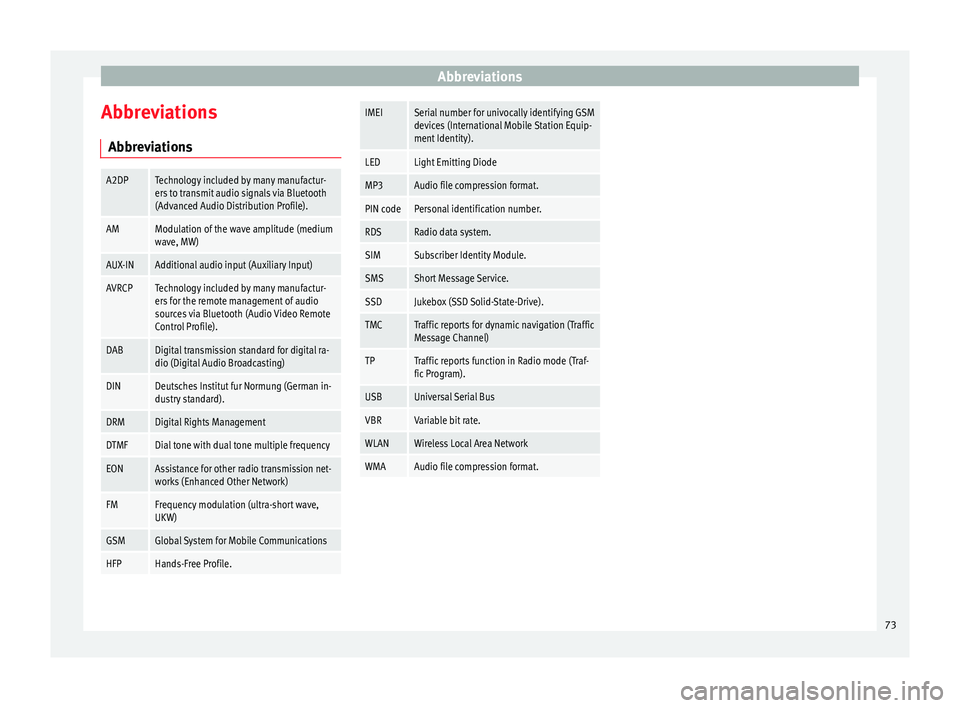
Abbreviations AbbreviationsA2DPTechnology included by many manufactur-
ers to transmit audio signals via Bluetooth
(Advanced Audio Distribution Profile).
AMModulation of the wave amplitude (medium
wave, MW)
AUX-INAdditional audio input (Auxiliary Input)
AVRCPTechnology included by many manufactur-
ers for the remote management of audio
sources via Bluetooth (Audio Video Remote
Control Profile).
DABDigital transmission standard for digital ra-
dio (Digital Audio Broadcasting)
DINDeutsches Institut fur Normung (German in-
dustry standard).
DRMDigital Rights Management
DTMFDial tone with dual tone multiple frequency
EONAssistance for other radio transmission net-
works (Enhanced Other Network)
FMFrequency modulation (ultra-short wave,
UKW)
GSMGlobal System for Mobile Communications
HFPHands-Free Profile.
IMEISerial number for univocally identifying GSM
devices (International Mobile Station Equip-
ment Identity).
LEDLight Emitting Diode
MP3Audio file compression format.
PIN codePersonal identification number.
RDSRadio data system.
SIMSubscriber Identity Module.
SMSShort Message Service.
SSDJukebox (SSD Solid-State-Drive).
TMCTraffic reports for dynamic navigation (Traffic
Message Channel)
TPTraffic reports function in Radio mode (Traf-
fic Program).
USBUniversal Serial Bus
VBRVariable bit rate.
WLANWireless Local Area Network
WMAAudio file compression format. 73