sport mode Seat Leon 5D 2014 Owner's Guide
[x] Cancel search | Manufacturer: SEAT, Model Year: 2014, Model line: Leon 5D, Model: Seat Leon 5D 2014Pages: 284, PDF Size: 5.85 MB
Page 170 of 284

Operation
Operating mode Fig. 164
In the windscreen: field of vision of
the Lane Assist system camera. Using the camera located in the windscreen,
the Lane Assist system detects the possible
lines dividing the lanes. When the vehicle in-
voluntarily approaches a dividing line it has
detected, the system notifies the driver with
a
corrective steering movement
.
Thi s move-
ment can be over-regulated at any time.
No warning is produced with the turn signals
activated, given that the Lane Assist system
understands that a lane change is required.
Steering wheel vibration
The following situations cause vibration in
the steering wheel and require the driver to
take active control of driving:
● When the limits of the very nature of the
system are reached. ●
When the maximum rotational torque dur-
ing the corrective steering movement is not
enough to keep the vehicle inside the lane.
● When no lane is detected during the correc-
tive steering movement.
Switching the Lane Assist system on or off
Through the Easy Connect system
● Push the Easy Connect button CAR ●
Push the Setup function button
● Press the function button driver assistance to
open the menu.
Alternatively: through the driv
in
g assist but-
ton on the turn signal level*.
The Lane centring guide is activated/deactiva- ted in the Easy Connect system using the CAR button and the button on the
Setup function
››› page 81 .
Self -de
activation:
the Lane Assist system can
be automatically deactivated if there is a sys-
tem malfunction. The control lamp disap-
pears.
Hands-Off Function
● If the driver does not exert any physical ac-
tion on the steering wheel for approximately
10 to 12 sec. the function deactivates.
● Visual and audible warnings on the instru-
ment panel. ●
The function switches off 2 seconds after
the warning.
The lane assist system is active but it is not
available (the control lamp is lit up yellow)
● When driving at speeds below 65 km/h (38
mph).
● When the Lane Assist system does not de-
tect the dividing lines of the road. For exam-
ple, in the event warnings indicating road
works, and snow, dirt, moisture or reflec-
tions.
● When the radius of a curve is too small.
● When no road markings can be seen.
● When the distance to the next marking to
too great.
● When the system does not detect any clear
and active steering movement during a long
period of time.
● Temporarily, in the event of very dynamic
driving styles.
● If a turn signal is activated.
● With the stability control system (ESC) in
Sport mode or switched off. Note
● Before starting a journey, verify that the
field of vision of the camera is not covered
››› Fig. 164.
● Alw
ays keep the field of vision of the cam-
era clean. 168
Page 171 of 284

Driver assistance systems
Switching off the Lane Assist system
in the following situations Due to the limits of the Lane Assist system,
switch it off in the following situations:
● When more attention is required of the
driver
● When driving in a sporty style
● In unfavourable weather conditions
● On roads in poor condition
● In areas of road works Note
The Lane Assist system deactivates when
driving below 60 km/h (40 mph). SEAT driving modes (SEAT Drive
Profile)*
Introduction SEAT Drive Profile enables the driver to
choose between four profiles or modes,
Nor-
mal , Sport
, Eco
and Individual
, that modify the
behaviour of various vehicle functions, pro-
viding different driving experiences. In the FR and X-PERIENCE models equipped
with dynamic chassis control and Navi Sys-
tem Plus, the
Comfort profile is also availa-
b l
e.
In the Leon Cupra model the four profiles are Comfort, Sport, Cupra and Individual.
The Individual profile can be configured ac-
cor
ding to personal preferences. The other
profiles are fixed.
Description Depending on the equipment fitted in the ve-
hicle, SEAT Drive Profile can operate on the
following functions:
Engine
Depending on the profile selected, the en-
gine responds more spontaneously or more
in harmony with the movements of the accel-
erator. Additionally, when
Eco
mode is selec-
ted, the Start-stop function is automatically
activated.
In vehicles with automatic transmission, the
gear change points are modified to position
them in lower or higher engine speed ranges.
Additionally, the Eco1)
mode activates the In- ertia function, enabling consumption to be
further reduced.
In manual gearbox vehicles,
Eco1)
mode cau-
ses the gear change recommendation indica-
tions that appear on the instrument panel to
vary, facilitating more efficient driving.
Dynamic chassis control (DCC)
DCC continuously adapts the shock absorb-
ers to the condition of the road and current
driving conditions, according to the pre-set
programme.
In the event of a fault in the DCC, the follow-
ing message is displayed on the instrument
screen Fault: damping setting.
Address
Power steering becomes more robust in Sport
mode to enable a sportier driving style. In the
Leon Cupra the power steering becomes
more robust in Cupra mode.
Air conditioning
In vehicles with Climatronic, this can operate
in eco 1)
mode, especially restricting fuel con-
sumption. »1)
In the Leon Cupra model, Eco mode is selected
through the Individual profile.
169
Technical specifications
Advice
Operation
Safety
The essentials
Page 172 of 284
Operation
Ambient lighting
The ambient lighting guides located in the in-
terior front door panels of the Leon FR and
the Leon Cupra change colour from white to
red depending on the driving mode selected.
Adaptive Cruise Control (ACC) 1)
According to the active driving profile, the ac-
celeration gradient of the adaptive cruise
control varies.
Electronic self-locking differential 1)
The self-locking differential adapts its behav-
iour depending on the driving profile chosen.
Normal mode or Cupra mode can be selected
to prioritise improved traction in sport driv-
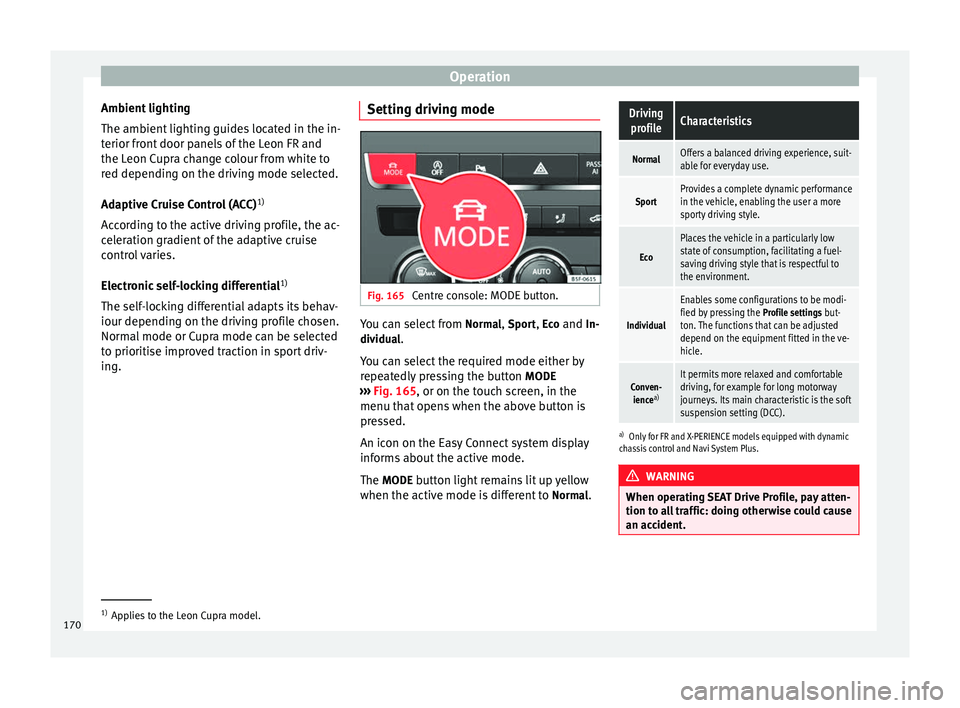
ing. Setting driving mode Fig. 165
Centre console: MODE button. You can select from
Normal
, Sport
, Eco
and In-
dividual .
You can select the required mode either by
repeatedly pressing the button MODE
››› Fig. 165 , or on the touch screen, in the
menu th at
opens when the above button is
pressed.
An icon on the Easy Connect system display
informs about the active mode.
The MODE
button light remains lit up yellow
when the active mode is different to Normal
.
Driving
profileCharacteristics
NormalOffers a balanced driving experience, suit-
able for everyday use.
SportProvides a complete dynamic performance
in the vehicle, enabling the user a more
sporty driving style.
Eco
Places the vehicle in a particularly low
state of consumption, facilitating a fuel-
saving driving style that is respectful to
the environment.
Individual
Enables some configurations to be modi-
fied by pressing the Profile settings but-
ton. The functions that can be adjusted
depend on the equipment fitted in the ve-
hicle.
Conven- ience a)It permits more relaxed and comfortable
driving, for example for long motorway
journeys. Its main characteristic is the soft
suspension setting (DCC).
a)
Only for FR and X-PERIENCE models equipped with dynamic
chassis control and Navi System Plus. WARNING
When operating SEAT Drive Profile, pay atten-
tion to all traffic: doing otherwise could cause
an accident. 1)
Applies to the Leon Cupra model.
170
Page 173 of 284
Driver assistance systems
Note
● When the vehicle is switched off it will al-
ways store the driving profile that was selec-
ted when the ignition key was removed. Nev-
ertheless, when the engine is restarted the
engine and the gear will not restart in its
sportier mode in order to save fuel. For en-
gine and gear to revert to a sportier mode,
select the corresponding driving profile again
on the Easy Connect system screen.
● Your speed and driving style must always
be adjusted to visibility, weather, and traffic
conditions.
● The eco mode is not available when towing
a tr ai
ler. Setting driving mode
3 Applies to the model: Leon Cupra
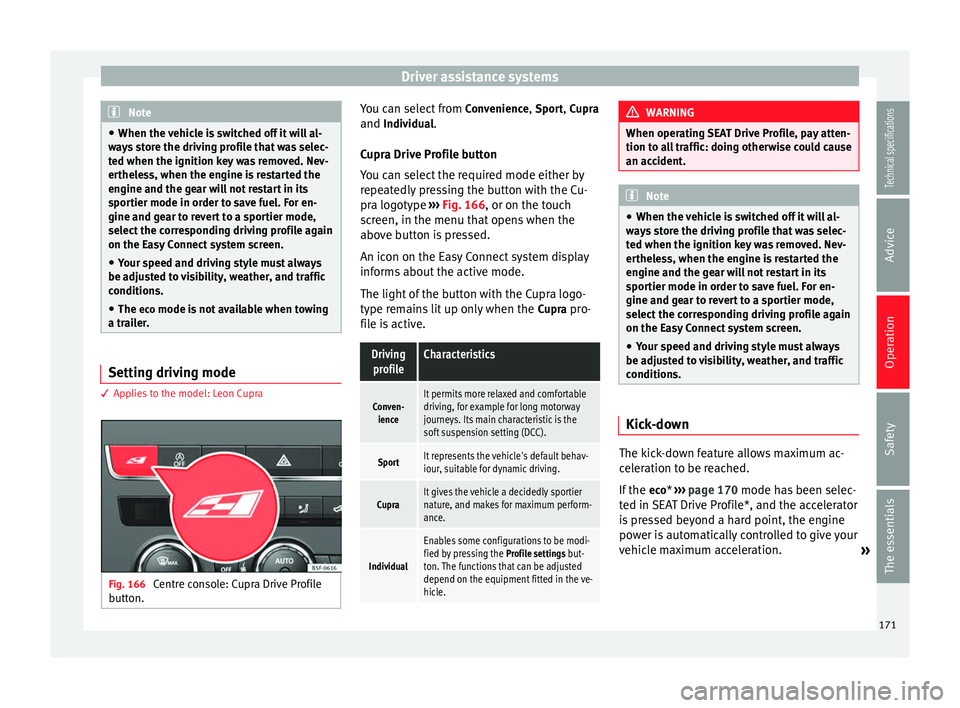
Fig. 166
Centre console: Cupra Drive Profile
button. You can select from
Convenience, Sport,
Cupra
and
Individual.
Cupr a Drive Profile button
You can select the required mode either by
repeatedly pressing the button with the Cu-
pra logotype ››› Fig. 166, or on the touch
screen, in the menu that opens when the
above button is pressed.
An icon on the Easy Connect system display
informs about the active mode.
The light of the button with the Cupra logo-
type remains lit up only when the Cupra pro-
file is active.
Driving profileCharacteristics
Conven- ienceIt permits more relaxed and comfortable
driving, for example for long motorway
journeys. Its main characteristic is the
soft suspension setting (DCC).
SportIt represents the vehicle's default behav-
iour, suitable for dynamic driving.
CupraIt gives the vehicle a decidedly sportier
nature, and makes for maximum perform-
ance.
Individual
Enables some configurations to be modi-
fied by pressing the Profile settings but-
ton. The functions that can be adjusted
depend on the equipment fitted in the ve-
hicle. WARNING
When operating SEAT Drive Profile, pay atten-
tion to all traffic: doing otherwise could cause
an accident. Note
● When the vehicle is switched off it will al-
ways store the driving profile that was selec-
ted when the ignition key was removed. Nev-
ertheless, when the engine is restarted the
engine and the gear will not restart in its
sportier mode in order to save fuel. For en-
gine and gear to revert to a sportier mode,
select the corresponding driving profile again
on the Easy Connect system screen.
● Your speed and driving style must always
be adjusted to visibility, weather, and traffic
conditions. Kick-down
The kick-down feature allows maximum ac-
celeration to be reached.
If the
eco
* ›››
page 170 mode has been selec-
t ed in S
EAT Drive Profile*, and the accelerator
is pressed beyond a hard point, the engine
power is automatically controlled to give your
vehicle maximum acceleration. »
171
Technical specifications
Advice
Operation
Safety
The essentials
Page 180 of 284

Operation
to be reduced accordingly. The weight of the
vehicle and trailer combination must be re-
duced by 10% for every further 1000 m (or
part thereof). The gross combination weight
is the actual weight of the laden vehicle plus
the actual weight of the laden trailer. When
possible, operate the trailer with the maxi-
mum permitted drawbar load on the ball joint
of the t
owing bracket, but do not exceed the
specified limit.
The figures for trailer weights
and drawbar
loads that are given on the data plate of the
to
wing bracket are for certification purposes
only. The correct figures for your specific
model, which may be lower than these fig-
ures for the towing bracket, are given in the
vehicle documentation or in ››› chapter Tech-
nical Data .
Distributing the load
Distribute loads in the trailer so that heavy
objects are as near to the axle as possible.
Loads carried in the trailer must be secured
to prevent them moving.
Tyre pressure
Set tyre pressure to the maximum permissi-
ble pressure shown on the sticker on the in-
side of the fuel tank flap. Set the tyre pres-
sure of the trailer tyres in accordance with the
trailer manufacturer's recommendations. Exterior mirrors
Check whether you can see enough of the
road behind the trailer with the standard rear
vision mirrors. If this is not the case, you
should have additional exterior mirrors fitted.
Both exterior mirrors should be mounted on
hinged extension brackets. Adjust the mirrors
to give sufficient vision to the rear.
Tow rope
Always use a cable between the vehicle and
the trailer
››› page 178.
Tr
ailer rear lights
The trailer's rear lights should comply with
the statutory safety regulations ››› page 178. WARNING
Never transport people in a trailer. This could
result in fatal accidents. Note
● Towing a trailer places additional demands
on the vehicle. We recommend additional
services between the normal inspection inter-
vals if the vehicle is used frequently for tow-
ing a trailer.
● Find out whether special regulations apply
to towing a trailer in your country. Hitching and connecting the trailer
Fig. 171
Schematic diagram: assignment of
the pins of the trailer's electrical socket.
Key of the Schematic diagram ››› Fig. 171:
PinMeaning
1Left turn signal
2Rear fog light
3Earth, pins 1, 2, 4 to 8
4Right turn signal
5Tail light, right
6Brake lights
7Tail light, left
8Reverse lights
9Permanent live
10Cable without positive charge
11Earth, pin 10178
Page 193 of 284

Intelligent technology
sportier, more direct and noticeably more dy-
namic driving sensation.
Four-wheel drive 3
Valid for vehicles: with four-wheel drive
On all-wheel drive models, the engine power
is distributed to all four wheels
General notes
On four-wheel drive vehicles, the engine
power is distributed to all four wheels. The
distribution of power is controlled automati-
cally according to your driving style and the
road conditions. Also see ›››
page 143, Brak-
ing and stability systems .
The all-wheel drive is specially designed to
complement the superior engine power. This
combination gives the vehicle exceptional
handling and performance capabilities, both
on normal roads and in more difficult condi-
tions, such as snow and ice. Even so (or per-
haps especially for this reason), it is impor-
tant to observe certain safety points ››› .
Winter tyres
Thanks to all-wheel drive, your vehicle will
have plenty of traction in winter conditions,
even with the standard tyres. Nevertheless,
we still recommend that winter tyres or all-
season tyres be fitted on all four wheels to
giv e ev
en better braking response. Snow chains
On roads where snow chains are mandatory,
this also applies to cars with four-wheel drive
››› page 216.
Chan
ging tyres
On vehicles with four-wheel drive, all four
tyres must have the same rolling circumfer-
ence. Also avoid using tyres with varying
tread depths ››› page 210.
Off
-roader?
Your SEAT is not an off-road vehicle: it does
not have enough ground clearance to be
used as such. It is therefore best to avoid
rough tracks and uneven terrain as much as
possible. WARNING
● Even with all-wheel drive, you should al-
ways adjust your speed to suit the condi-
tions. Do not let the extra safety features
tempt you into taking any risks when driving.
Risk of accident!
● The braking capability of your vehicle is
limited by the tyres' grip. It is therefore no
different from a car without four-wheel drive.
So do not be tempted to drive too fast on firm
or slippery roads just because the vehicle
still has good acceleration in these condi-
tions. Risk of accident!
● On wet roads bear in mind that the front
wheels may start to “aquaplane” and lose contact with the road if the car is driven too
fast. If this should happen, there will be no
sudden increase in engine speed to warn the
driver, as occurs with a front-wheel drive car.
For this reason you should always choose a
driving speed suitable for the road condi-
tions. Risk of accident!
Power Management
This system helps to ensure reliable
starting The power management controls the distribu-
tion of electrical energy and thus helps to en-
sure that there is always enough power avail-
able to start the engine.
If a vehicle with a conventional electrical sys-
tem is left parked for a long time, the battery
will gradually lose its charge because certain
electrical devices, such as the electronic
gearbox lock continues to draw current even
when the ignition is off. In some cases there
may not be enough power available to start
the engine.
Your vehicle is equipped with an intelligent
power management system to control the
distribution of electrical energy. This signifi-
cantly improves reliability when starting the
engine, and also prolongs the useful life of
the battery.
»
191
Technical specifications
Advice
Operation
Safety
The essentials
Page 215 of 284

Wheels
control of the vehicle and a serious or fatal
accident.
●
If the warning lamp lights up, stop im-
mediately and check the tyres.
● If the tyres are inflated at different pres-
sures or if a tyre pressure is too low, this will
increase tyre wear, negatively affecting vehi-
cle stability and increasing braking distan-
ces.
● If tyres are inflated at different pressures or
a tyre pressure is too low, a tyre may be dam-
aged and burst resulting in a loss of control
of the vehicle.
● The driver is responsible for ensuring that
all of the vehicle tyres are correctly inflated
to the right pressure. The recommended tyre
pressure is indicated on the label
››› page 243.
● The ty r
e monitoring system can only oper-
ate correctly if all of the tyres are inflated to
the correct pressure when cold.
● Driving with tyres at the wrong pressure
can damage them and result in an accident.
Ensure that the tyre pressures of all the tyres
correspond to the vehicle load.
● Before starting a journey, always inflate
tyres to the correct pressure.
● Tyres with insufficient pressure are subjec-
ted to more flexing. Due to this, the tyre
could become excessively hot, causing tread
separation and also tyre blow-out.
● With an overloaded vehicle at high speed,
the tyres can overheat and burst resulting in
a loss of vehicle control. ●
Tyre pressures which are too high or too
low reduce the useful life of the tyre, affect-
ing vehicle performance.
● If a tyre has not been punctured and it does
not have to be changed immediately, drive to
the nearest specialised workshop at a moder-
ate speed and have the tyre checked and in-
flated to the correct pressure. WARNING
Observe the safety warnings ››› in Control
and warning lamps on page 71. Note
● If excessively low tyre pressure is detected
with the ignition on, an audible warning will
sound. In the event that there is a fault in the
system, an audible warning will sound.
● Driving on dirt tracks for a long period of
time or driving in a sporty style can tempora-
rily deactivate the TPMS. The control lamp
shows a fault, but disappears when road con-
ditions or the driving style change. Tyre monitoring indicator
Fig. 179
Instrument panel: warning of loss of
tyre pressure. The tyre monitor indicator compares wheel
revolutions and, with this information, the
tread of each wheel using the ABS sensors. If
the rolling circumference of one or more
wheels has changed, the tyre monitoring in-
dicator will indicate this on the instrument
panel through a warning lamp and a warning
to the driver
››› Fig. 179 . When only one spe-
c ific
tyre is affected, its position within the
vehicle will be indicated.
Loss of pressure: Check left tyre pressure!
Wheel tread change
The wheel tread changes when: ● Tyre pressure is manually changed
● Tyre pressure is insufficient
● Tyre structure is damaged »
213
Technical specifications
Advice
Operation
Safety
The essentials
Page 216 of 284

Advice
● The vehicle is unbalanced because of a
load
● The wheels on an axle are subject to a
heavier load (e.g. with a heavy load).
● The vehicle is fitted with snow chains
● The temporary spare wheel is fitted
● The wheel on one axle is changed
There may be a delay in the reaction of the
tyre
monitoring indicator or it may not in-
dic
ate anything under certain circumstances
(e.g. sporty driving, snow-covered or un-
paved roads, or when driving with snow
chains).
Calibrating the tyre monitoring
indicator Fig. 180
Glove compartment: tyre control
switch. After changing the tyre pressure or replacing
one or more wheels, the tyre monitoring indi-
cator must be recalibrated. Do the same, for
example, when the front and rear wheels are
swapped.
● Switch the ignition on.
● Store the new tyre pressure in the Easy
Connect system with the button and the
function button Setup
›››
page 17 or us-
ing the switch located in the glove compart-
ment* ››› Fig. 180 .
When driv in
g, the system self-calibrates the
tyre pressure provided by the driver and the
wheels fitted. After a long journey with varied
speeds the programmed values are collected
and monitored.
With the wheels under very heavy loads, the
tyre pressure must be increased to the total
recommended tyre pressure before the cali-
bration ››› page 243
. Note
● The tyre monitoring indicator does not
function when there is a fault in the ESC or
ABS ››› page 143.
● An err oneou
s indication may be given when
snow chains are in use because they increase
the tread of the wheel. Compact temporary spare
wheel
General information Fig. 181
Compact temporary spare wheel:
raised floor panel. The temporary spare wheel has been de-
signed to be used for short periods of time.
Have the tyres checked, and if necessary, re-
placed as soon as possible at a SEAT Official
Service or at a specialised workshop.
Please note the following restrictions when
using the compact temporary spare wheel.
The compact temporary spare wheel is de-
signed specifically for this model. For this
reason, do not use a temporary spare wheel
from a different type of vehicle.
214
Page 245 of 284

Technical specifications
Note
In practice, and considering all the factors
mentioned here, consumption values can dif-
fer from those calculated in the current Euro-
pean regulations. Weights
Kerb weight refers to the basic model with a
fuel tank filled to 90% capacity and without
optional extras. The figure quoted includes
75 kg to allow for the weight of the driver.
Special versions, optional equipment fittings
or retro-fitting accessories will increase the
weight of the vehicle
››› .
WARNING
● Please note that the centre of gravity may
shift when transporting heavy objects; this
may affect vehicle handling and lead to an ac-
cident. Always adjust your speed and driving
style to suit road conditions and require-
ments.
● Never exceed the gross axle weight rating
or the gross vehicle weight rating. If the per-
missible axle load or the permissible total
weight is exceeded, the driving characteris-
tics of the vehicle may change, which could
lead to accidents, injuries and damage to the
vehicle. Towing a trailer
Trailer weights Trailer weight
The trailer weights and drawbar loads ap-
proved are selected in intensive trials accord-
ing to precisely defined criteria. The ap-
proved trailer weights apply to vehicles in the
EU and generally for maximum speeds of 80
km/h (100 km/h in c
er
tain circumstances).
The figures may be different in other coun-
tries. All data in the official vehicle documen-
tation takes precedence over these data at all
times ››› .
Drawbar loads
The maximum
permitted drawbar load on the
b
all joint of the towing bracket must not ex-
ceed
80 kg.
In the interest of road safety, we recommend
that you always tow approaching the maxi-
mum drawbar load. The response of the trail-
er on the road will be poor, if the drawbar
load is too small.
If the maximum permissible drawbar load
cannot be met (e.g. with small, empty and
light-weight single axle trailers or tandem
axle trailers with a wheelbase of less than 1
metre), a minimum of 4% of the actual trailer
weight is legally required for the drawbar
load. WARNING
● For safety reasons, do not exceed the 80
km/h (50 mph) limit. This is also valid in
countries where higher speeds are permitted.
● Never exceed the maximum trailer weights
or the drawbar load. If the permissible axle
load or the permissible total weight is excee-
ded, the driving characteristics of the vehicle
may change, leading to accidents, injuries
and damage to the vehicle. Wheels
Tyre pressure, snow chains, wheel
bolts Tyre pressures
The sticker with the tyre pressure values can
be found on the inside of the fuel tank flap.
The tyre pressure values given there are for
cold
tyres. The slightly raised pressures of
w arm ty
res must not be reduced. ››› Snow chains
Snow chains may be fitted only to the front
wheels, and only for the following tyres:
»
243
Technical specifications
Advice
Operation
Safety
The essentials
Page 274 of 284

Index
Engine coolant . . . . . . . . . . . . . . . . . . . . . . . . . . . 203 G 12 plus-plus . . . . . . . . . . . . . . . . . . . . . . . . . 203
G 13 . . . . . . . . . . . . . . . . . . . . . . . . . . . . . . . . . . 203
Specifications . . . . . . . . . . . . . . . . . . . . . . . . . . 203
Engine fault control lamp . . . . . . . . . . . . . . . . . . . . . . . . . . . . 71
Engine management control lamp . . . . . . . . . . . . . . . . . . . . . . . . . . . . 71
Engine oil . . . . . . . . . . . . . . . . . . . . . . . . . . . . . . . 200 Changing . . . . . . . . . . . . . . . . . . . . . . . . . . . . . . 202
Checking oil level . . . . . . . . . . . . . . . . . . . . . . . 201
Consumption . . . . . . . . . . . . . . . . . . . . . . . . . . 201
Engine oil dipstick . . . . . . . . . . . . . . . . . . . . . . 201
Inspection service . . . . . . . . . . . . . . . . . . . . . . 200
Longlife inspection service . . . . . . . . . . . . . . . 200
Oil properties . . . . . . . . . . . . . . . . . . . . . . . . . . 201
Replace . . . . . . . . . . . . . . . . . . . . . . . . . . . . . . . 200
Service intervals . . . . . . . . . . . . . . . . . . . . . . . . 200
Specifications . . . . . . . . . . . . . . . . . . . . . . . . . . 200
Temperature display . . . . . . . . . . . . . . . . . . . . . . 77
Topping up . . . . . . . . . . . . . . . . . . . . . . . . . . . . 202
Environment Ecological driving . . . . . . . . . . . . . . . . . . . . . . . 142
Environmental friendliness . . . . . . . . . . . . . . . 140
Environmental tip Leaks . . . . . . . . . . . . . . . . . . . . . . . . . . . . . . . . . 199
Environmental tips Filling the tank . . . . . . . . . . . . . . . . . . . . . . . . . 194
Refuelling . . . . . . . . . . . . . . . . . . . . . . . . . . . . . 193
Environment warning . . . . . . . . . . . . . . . . . . . . . . 174
Equipment . . . . . . . . . . . . . . . . . . . . . . . . . . . . . . 113
ESC Electronic stability control . . . . . . . . . . . . . . . . 143
Multi-collision brake . . . . . . . . . . . . . . . . . . . . . 144
Sport Mode . . . . . . . . . . . . . . . . . . . . . . . . . . . . 145
Ethanol (fuel) . . . . . . . . . . . . . . . . . . . . . . . . . . . . 195 Exhaust gas filtration system
Catalytic converter . . . . . . . . . . . . . . . . . . . . . . 141
Exhaust tail pipe: Cleaning . . . . . . . . . . . . . . . . . 186
Extending the luggage compartment . . . . . . . . . . . . . . . . 109
Exterior lighting Changing a bulb . . . . . . . . . . . . . . . . . . . . . . . . 233
Exterior mirrors adjusting . . . . . . . . . . . . . . . . . . . . . . . . . . . . . . 104
Adjusting . . . . . . . . . . . . . . . . . . . . . . . . . . . . . . . 13
Exterior view . . . . . . . . . . . . . . . . . . . . . . . . . . . . . . . 5
F Fastening rings . . . . . . . . . . . . . . . . . . . . . . . . . . . 119
Fault in the gearbox (warning lamp) . . . . . . . . . . 139
Faults Panoramic sliding sunroof . . . . . . . . . . . . . . . . . 93
Faults in the gearbox (warning lamps) . . . . . . . . 139
Faulty bulbs Changing a bulb . . . . . . . . . . . . . . . . . . . . . . . . 233
Filling the fuel tank . . . . . . . . . . . . . . . . . . . . . . . 193
Floor mats . . . . . . . . . . . . . . . . . . . . . . . . . . . . . . . . 42
Fog light . . . . . . . . . . . . . . . . . . . . . . . . . . . . . . . . . 97
Folding down the back seats . . . . . . . . . . . . . . . . 109
Folding table . . . . . . . . . . . . . . . . . . . . . . . . . . . . . 111
Four wheel drive . . . . . . . . . . . . . . . . . . . . . . . . . . 191
Front airbags . . . . . . . . . . . . . . . . . . . . . . . . . . . . . 50
Front armrest . . . . . . . . . . . . . . . . . . . . . . . . . . . . 108
Front Assist City Emergency braking function . . . . . . . . . . . 165
malfunction . . . . . . . . . . . . . . . . . . . . . . . . . . . . 162
on-screen messages . . . . . . . . . . . . . . . . . . . . 162
operating . . . . . . . . . . . . . . . . . . . . . . . . . . . . . . 163
radar sensor . . . . . . . . . . . . . . . . . . . . . . . . . . . 163
switching off temporarily . . . . . . . . . . . . . . . . . 164
system limitations . . . . . . . . . . . . . . . . . . . . . . 164
see also Front Assist Monitoring system . . . . . 161 Fr
ont Assist monitoring system
malfunction . . . . . . . . . . . . . . . . . . . . . . . . . . . . 162
on-screen messages . . . . . . . . . . . . . . . . . . . . 162
operating . . . . . . . . . . . . . . . . . . . . . . . . . . . . . . 163
Front Assist Monitoring system . . . . . . . . . . . . . . 161 City Emergency braking function . . . . . . . . . . . 165
radar sensor . . . . . . . . . . . . . . . . . . . . . . . . . . . 163
Front Assist Monitoring System switching off temporarily . . . . . . . . . . . . . . . . . 164
system limitations . . . . . . . . . . . . . . . . . . . . . . 164
Front head restraints . . . . . . . . . . . . . . . . . . . . . . . 41
Front headrests . . . . . . . . . . . . . . . . . . . . . . . . . . . 41
Front passenger front airbag Deactivating . . . . . . . . . . . . . . . . . . . . . . . . . . . . 11
Front seats Manually adjusting . . . . . . . . . . . . . . . . . . . . . . . 12
Fuel . . . . . . . . . . . . . . . . . . . . . . . . . . . . . . . . 31, 195 Consumption . . . . . . . . . . . . . . . . . . . . . . . . . . 241
diesel . . . . . . . . . . . . . . . . . . . . . . . . . . . . . . . . . 196
Ethanol . . . . . . . . . . . . . . . . . . . . . . . . . . . . . . . 195
Fuel gauge . . . . . . . . . . . . . . . . . . . . . . . . . . . . . 70
natural gas . . . . . . . . . . . . . . . . . . . . . . . . . . . . 196
Fuel consumption . . . . . . . . . . . . . . . . . . . . . . . . . 242
Fuel tank cap Opening and closing . . . . . . . . . . . . . . . . . . . . . 31
Fuel tank flap Opening and closing . . . . . . . . . . . . . . . . . . . . . 31
Full-LED headlights . . . . . . . . . . . . . . . . . . . . . . . 233
Fuses . . . . . . . . . . . . . . . . . . . . . . . . . . . . . . . 33, 231 Fuse box . . . . . . . . . . . . . . . . . . . . . . . . . . . . . . 232
Identifying blown fuses . . . . . . . . . . . . . . . . . . 233
Identifying by colours . . . . . . . . . . . . . . . . . . . . 232
Preparation before replacing . . . . . . . . . . . . . . 233
Replacement . . . . . . . . . . . . . . . . . . . . . . . . . . . 233
272