air condition Seat Leon 5D 2015 Owner's Guide
[x] Cancel search | Manufacturer: SEAT, Model Year: 2015, Model line: Leon 5D, Model: Seat Leon 5D 2015Pages: 308, PDF Size: 5.93 MB
Page 165 of 308

Air conditioning
Air recirculation mode Basic pointsAir recirculation:
Manual recirculation
Air recirculation mode prevents the ambient
air from ent
erin
g the interior.
When the outside temperature is very high,
selecting manual air recirculation mode for a
short period refreshes the vehicle interior
more quickly.
For safety reasons, air recirculation mode is
switched off when the button is press-
ed or the air distributor turned to .
Switching the manual air recirculation mode
on and off
To switch system on: press the button un-
til the warning lamp lights up.
To switch system off: press the button un-
til the warning lamp goes off.
Functioning mode of automatic air recircula-
tion (air conditioning menu)
With the automatic air recirculation mode ac-
tivated, the entry of fresh air into the cabin
interior is enabled. If the system detects a
high concentration of hazardous substances
in the ambient air, air recirculation mode is
switched on automatically. When the level of impurities drops to within a normal range, re-
cir
c
ulation mode is switched off.
The system is unable to detect unpleasant
smells.
The air recirculation will not connect auto-
matically in versions without humidity sensor
and in the following external conditions:
● The outside temperature is lower than +3°C
(+38°F).
● The cooling system is switched off and the
outside temper
ature is below +10°C (+50°F).
● The cooling system is switched off, the out-
side temper
ature is below +15°C (+59°F) and
the windscreen wipers are switched on.
Activation/deactivation of automatic air recir-
culation is done in the air conditioner menu,
under Configuration. WARNING
Observe the safety warnings ›››
in Intro-
duction on pag e 160
.
● If the cooling system is switched off and air
recir
culation mode switched on, the windows
can mist over very quickly, considerably limit-
ing visibility.
● Switch air recirculation mode off when it is
not requir
ed. CAUTION
Do not smoke when air recirculation is
swit c
hed on in vehicles with an air condition-
er. The smoke taken in could lie on the cool-
ing system vaporiser and on the activated
charcoal cartridge of the dust and pollen fil-
ter, leading to a permanently unpleasant
smell. Note
Climatronic: air recirculation mode is activa-
ted t o pr
event exhaust gas or unpleasant
odours from entering the vehicle interior
when it is in reverse and while the automatic
windscreen wiper is working. 163
Technical data
Advice
Operation
Emergencies
Safety
Page 183 of 308

Driver assistance systems
The control lamp swit
c hes off. For vehicles
with a driver information system* the driver
will be informed that ASR is enabled.
Disconnection of the ESC
In some versions of the model, besides the
traction control system (ASR), the electronic
stability programme (ESC) can also be
switched off. ● Press the button ›››
Fig. 190 for approxi-
mately 1 second to switch off the ASR func-
tion.
● Press the button ›››
Fig. 190 for approxi-
mately 3 seconds to switch off the Electronic
Stability programme (ESC), including the ASR
function.
● The ASR and ESC function are reconnected
by pr
essing the button ››› Fig. 190.
● OR: activate or deactivate the ASR or ESC
fu
nction in the Easy Connect system by
means of the button and the function
b utt
on
s Setup and
E
SC
System .
WARNING
You should switch on the ESC Sport mode on-
ly if the tr
affic conditions and your driving
ability allow you to do so safely: risk of skid-
ding!
● With ESC in Sport mode, the stabilising
function w
ill be limited to allow for a sportier
drive. The driving wheels could spin and the
vehicle could “skid”. ●
If the E SC/ASR i
s deactivated, the vehicle
stabilisation function is not available. Note
If the ASR is disconnected or the ESC’s Sport
mode i s sel
ected, cruise control* will be
switched off. Brakes
New brake pads
F
or the fir
s
t 400 km (250 miles), new brake
pads have not yet reached their maximum
braking capacity, and need to be “run in”
first. However, you can compensate for the
slightly reduced braking effect by applying
more pressure on the brake pedal. Avoid
overloading the brakes while running them
in.
Wear
The rate of wear on the brake pads depends
a great deal on how you drive and the condi-
tions in which the vehicle is operated. This is
a particular problem in urban traffic and
short stretches, or with very sporty driving.
Depending on the speed, the braking force
and the environmental conditions (for exam-
ple, the temperature, air humidity, etc.)
noises may be produced on braking. Wet roads or road salt
In cert
ain situations (for example, on driving
through flooded areas, in severe downpours
or after washing the vehicle) the braking ac-
tion could be delayed if the discs and pads
are damp, or frozen in winter. In this case the
brakes should be “dried” by pressing the
brake pedal several times.
At high speed and with the windscreen wip-
ers activated, the brake pads will briefly
touch the brake discs. This takes place, al-
though unnoticeable to the driver, at regular
intervals to improve the response time of the
brakes when they are wet.
The effectiveness of the brakes can also be
temporarily reduced if the vehicle is driven
for some distance without using the brakes
when there is a lot of salt on the road in win-
ter. The layer of salt that accumulates on the
discs and pads can be removed by gently ap-
plying the brakes a few times.
Corrosion
There may be a tendency for corrosion to
form on the discs and dirt to build up on the
brake pads if the vehicle is used infrequently
or the brakes are not used very often.
If the brakes are not used frequently, or if
rust has formed on the disks, it is advisable
to clean off the pads and disks by braking
firmly a few times at a moderately high speed
››› .
»
181
Technical data
Advice
Operation
Emergencies
Safety
Page 184 of 308

Operation
Fault in the brake system
If the br
ak
e pedal travel should ever increase
suddenly, this may mean that one of the two
brake circuits has failed. Drive immediately
to the nearest specialised workshop and
have the fault repaired. Drive there slowly
and remember that you will have to apply
more pressure on the brake pedal and allow
for longer stopping distances.
Low brake fluid level
Malfunctions can occur in the brake system if
the brake fluid level is too low. The brake flu-
id level is monitored electronically.
Brake servo
The brake servo increases the pressure you
apply to the brake pedal. It works only when
the engine is running. WARNING
● App ly
the brakes heavily to clean the brake
system only in a suitable traffic situation. Do
not put other road users in danger: there is
risk of causing an accident.
● Ensure the vehicle does not move while in
neutral, when the en
gine is stopped. Failure
to follow this instruction could result in an
accident.
● If the brake fluid loses its viscosity and is
subj
ected to heavy use, vapour bubbles can
form in the brake system. This reduces the ef-
ficiency of the brakes. CAUTION
● Never l et
the brakes “drag” by leaving your
foot on the pedal when it is not necessary to
brake. This overheats the brakes, resulting in
longer stopping distances and greater wear.
● Before driving down a long, steep gradient,
it is
advisable to reduce speed and select a
lower gear. This makes use of engine braking
and relieves the brakes. If you still have to
use the brakes, it is better to brake firmly at
intervals than to apply the brakes continu-
ously. Note
● If the br ak
e servo is out of action, for exam-
ple when the car is being towed, you will
have to press the brake pedal considerably
harder than normal to make up for the lack of
servo assistance.
● If you wish to equip the vehicle with acces-
sories s
uch as a front spoiler or wheel covers,
it is important that the flow of air to the front
wheels is not obstructed, otherwise the
brakes can overheat. Hill driving assistant*
This function is only included in vehicles with
E
SC.
The hi l
l driving assistant helps the driver to
move off and upward on a hill when the vehi-
cle is stationary. The system maintains brake pressure for ap-
prox
imately two seconds after the driver
takes his foot off the brake pedal to prevent
the vehicle from lurching backward when it is
started. During these 2 seconds, the driver
has enough time to release the clutch pedal
and accelerate without the vehicle moving
and without having to use the handbrake,
making start-up easier, more comfortable
and safer.
These are the basic operation conditions:
● being on a ramp or hill/slope,
● doors closed,
● vehicle completely stationary,
● engine running and foot on the brake,
● besides having a gear engaged or being in
neutral f
or manual gear change and with the
selector lever at position S, D or R for an au-
tomatic gearbox.
This system is also active when reversing up-
hill. WARNING
● If y
ou do not start the vehicle immediately
after taking your foot off the brake pedal, the
vehicle may start to roll back under certain
conditions. Depress the brake pedal or use
the hand brake immediately.
● If the engine stalls, depress the brake ped-
al or u
se the hand brake immediately.182
Page 186 of 308

Operation
If the selector lever is placed in position R
durin g the s
t
opping phase, the engine will
start up again.
Change from position D to P to prevent the
engine from accidentally starting when
changing and passing by position R. Note
● You c an c
ontrol whether the engine should
switch off or not by reducing or increasing the
brake force applied. While the vehicle re-
mains stopped, the engine will not stop if the
brake pedal is slightly pressed, in traffic jams
with frequent stopping and starting for exam-
ple. As soon as strong pressure is applied to
the brake pedal, the engine will stop.
● In vehicles with manual gearbox, during
the stop
ping phases the brake pedal must re-
main depressed to prevent the vehicle from
moving.
● If the engine “stalls” in vehicles with man-
ual g
earbox, it can be directly started up
again by immediately pressing the clutch
pedal. General notes
The system can interrupt the Start-Stop mode
fr
equently
f
or different reasons. The engine does not switch off
Befor
e the stopping phase, the system veri-
fies whether certain conditions are met. The
engine does not switch off, in the following
situations for example:
● The engine has not yet reached the mini-
mum required t
emperature for the Start-Stop
mode.
● The interior temperature selected for the air
conditioner ha
s not yet been reached.
● The interior temperature is very high/low.
● Defrost function button activated
›››
page 45.
● The parking aid* is switched on.
● The battery is very low.
● The steering wheel is overly turned or is be-
ing turned.
● If
there is a danger of misting.
● After engaging reverse gear.
● In case of a very steep gradient.
● In the CUPRA version with automatic gear-
box, when it i
s in Tiptronic mode or in its
sports driving position ( S).
The indication is shown on the instrument
panel display, and in addition, the driver in-
formation system* shows, . The engine starts by itself
During a s
topping phase the normal Start-
Stop mode can be interrupted in the follow-
ing situations: The engine restarts by itself
without involvement from the driver.
● The interior temperature differs from the
value select
ed on the air conditioner.
● Defrost function button activated
›››
page 45.
● The brake has been pressed several times
consec
utively.
● The battery is too low.
● High power consumption. Note
In vehicles with an automatic gearbox, if the
select or l
ever is placed in position D, N or S
after engaging reverse gear, the vehicle must
be driven at a speed faster than 10 km/h (5
mph) for the system to return to conditions in
which the engine can be stopped. 184
Page 187 of 308

Driver assistance systems
Manually switching on/off the Start-
St op sy
s
tem Fig. 191
Centre console: Start-Stop system
b utt
on If you do not wish to use the system, you can
sw
it
c
h it off manually.
– To manually switch on/off the Start-Stop
syst
em, press the button . The button
symbo l
r
emains lit up yellow when the sys-
tem is switched off. Note
The system is automatically switched on each
time the engine i s
deliberately stopped dur-
ing a stopping phase. The engine will start
automatically. Driver messages on the instrument
p
anel
di
splay Start-Stop system deactivated.
Start the engine manually
This driv
er message is displayed when cer-
tain conditions are not met during the stop-
ping phase and the Start-Stop system cannot
restart the engine. The engine must be star-
ted manually.
Start-Stop system: Fault! Func-
tion not available There is a fault in the Start-Stop system. Take
the vehicle to a workshop to have the fault
repaired. Cruise control system (GRA)*
Operation Fig. 192
Instrument panel display: CCS status
indic ation
s Read the additional information carefully
› ›
›
page 40
The cruise control system (CCS) is able to
maintain the set speed from 20 km/h (15
mph).
The CSS only reduces vehicle speed by ceas-
ing to accelerate, not by actively braking the
vehicle ››› .
C ontr
o
l lamp
When the warning lamp is lit, cruise con-
trol is active. »
185
Technical data
Advice
Operation
Emergencies
Safety
Page 188 of 308

Operation
Several warning and indication lamps light
up f or a f
ew sec
onds when the ignition is
switched on, signalling that the function is
being verified. They will switch off after a few
seconds.
Displayed on the CCS screen
Status Fig. 192:
CCS temporarily switched off. The set
speed is displayed in small figures.
System error. Contact a specialised work-
shop.
CCS switched on. The speed memory is
empty.
The CCS is switched on. The set speed is
displayed in large figures. WARNING
Use of the cruise control could cause acci-
dents and sev
ere injuries if it is not possible
to drive at a constant speed maintaining the
safety distance.
● Do not use the cruise control in heavy traf-
fic, if the dis
tance from the vehicle in front is
insufficient, on steep roads, with several
bends or in slippery circumstances (snow,
ice, rain or loose gravel), or on flooded roads.
● Never use the CCS when driving off-road or
on unpav
ed roads.
● Always adapt your speed and the distance
to the v
ehicles ahead in line with visibility, A
B
C
D weather conditions, the condition of the road
and the traffic
s
ituation.
● To avoid unexpected operation of the cruise
contro
l system, turn it off every time you fin-
ish using it.
● It is dangerous to use a set speed which is
too high for the pr
evailing road, traffic or
weather conditions.
● When travelling down hills, the CCS cannot
maintain a c
onstant speed. The vehicle tends
to accelerate under its own weight. Select a
lower gear or use the foot brake to slow the
vehicle. WARNING
Observe the safety warnings ›››
in Warning
and indication l amp
s on page 109. Operating the cruise control system*
Read the additional information carefully
› ›
›
page 40
The value indicated in the table in brackets
(in mph, miles per hour) only refers to instru-
ment panels with indications in miles.
Changing gear in CCS mode
The CCS decelerates as soon as the clutch
pedal is pressed, intervening again automati-
cally after a gear is engaged. Travelling down hills with the CCS
When travel
ling down hills the CCS cannot
maintain a constant speed. Slow the vehicle
down using the brake pedal and reduce
gears if required.
Automatic off
The cruise control system (CCS) is switched
off automatically or temporarily:
● If the system detects a fault that could af-
fect the w
orking order of the CCS.
● If you press and maintain the accelerator
pedal f
or a certain time, driving faster than
the stored speed.
● If the dynamic driving control systems in-
terv
ene (e.g. ASR or ESC).
● If the airbag is triggered.
186
Page 189 of 308
Driver assistance systems
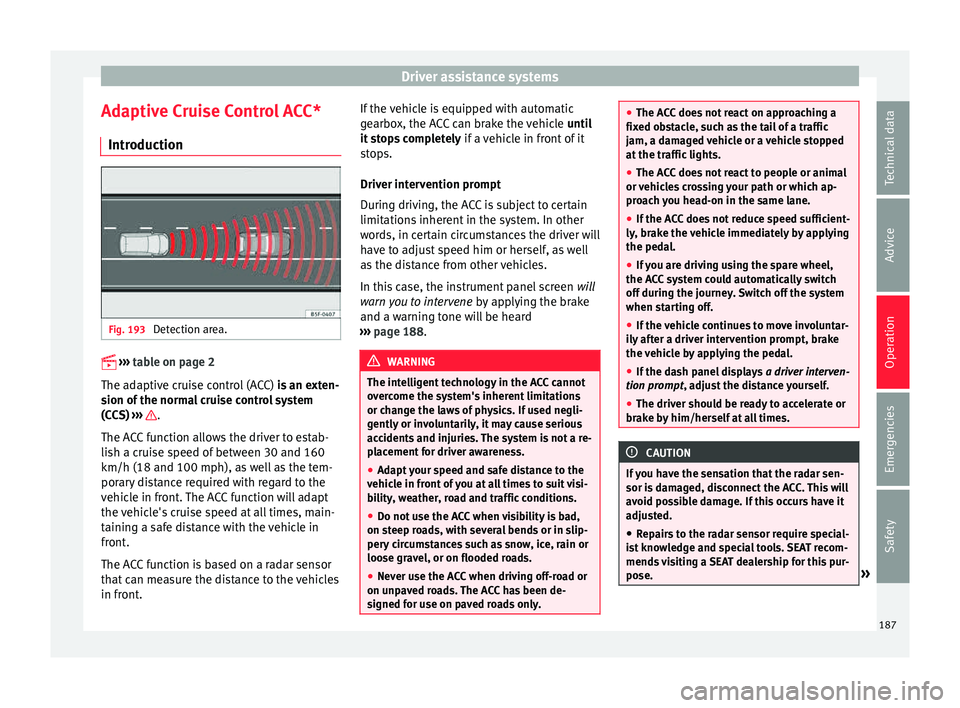
Adaptive Cruise Control ACC* Intr oduction Fig. 193
Detection area.
›› ›
table on page 2
The adaptive cruise control (ACC) is an exten-
sion of the normal cruise control system
(CCS) ››› .
The A C
C
function allows the driver to estab-
lish a cruise speed of between 30 and 160
km/h (18 and 100 mph), as well as the tem-
porary distance required with regard to the
vehicle in front. The ACC function will adapt
the vehicle's cruise speed at all times, main-
taining a safe distance with the vehicle in
front.
The ACC function is based on a radar sensor
that can measure the distance to the vehicles
in front. If the vehicle is equipped with automatic
gearbo
x, the ACC can brake the vehicle until
it stops completely if a vehicle in front of it
stops.
Driver intervention prompt
During driving, the ACC is subject to certain
limitations inherent in the system. In other
words, in certain circumstances the driver will
have to adjust speed him or herself, as well
as the distance from other vehicles.
In this case, the instrument panel screen will
warn you to intervene by applying the brake
and a warning tone will be heard
››› page 188. WARNING
The intelligent technology in the ACC cannot
ov er
come the system's inherent limitations
or change the laws of physics. If used negli-
gently or involuntarily, it may cause serious
accidents and injuries. The system is not a re-
placement for driver awareness.
● Adapt your speed and safe distance to the
vehicl
e in front of you at all times to suit visi-
bility, weather, road and traffic conditions.
● Do not use the ACC when visibility is bad,
on steep r
oads, with several bends or in slip-
pery circumstances such as snow, ice, rain or
loose gravel, or on flooded roads.
● Never use the ACC when driving off-road or
on unpav
ed roads. The ACC has been de-
signed for use on paved roads only. ●
The AC C
does not react on approaching a
fixed obstacle, such as the tail of a traffic
jam, a damaged vehicle or a vehicle stopped
at the traffic lights.
● The ACC does not react to people or animal
or vehic
les crossing your path or which ap-
proach you head-on in the same lane.
● If the ACC does not reduce speed sufficient-
ly, brak
e the vehicle immediately by applying
the pedal.
● If you are driving using the spare wheel,
the ACC
system could automatically switch
off during the journey. Switch off the system
when starting off.
● If the vehicle continues to move involuntar-
ily af
ter a driver intervention prompt, brake
the vehicle by applying the pedal.
● If the dash panel displays a driv
er interven-
tion prompt, adjust the distance yourself.
● The driver should be ready to accelerate or
brake b
y him/herself at all times. CAUTION
If you have the sensation that the radar sen-
sor is d
amaged, disconnect the ACC. This will
avoid possible damage. If this occurs have it
adjusted.
● Repairs to the radar sensor require special-
ist
knowledge and special tools. SEAT recom-
mends visiting a SEAT dealership for this pur-
pose. » 187
Technical data
Advice
Operation
Emergencies
Safety
Page 192 of 308

Operation
●
Rep air
s to the radar sensor require special-
ist knowledge and special tools. SEAT recom-
mends visiting a SEAT dealership for this pur-
pose.
● Clean away the snow with a brush and the
ice pref
erably with a solvent-free de-icer
spray. Operating the Adaptive Cruise Control
AC
C Fig. 196
On the left of the steering column:
thir d l
ev
er for operating the Adaptive Cruise
Control. Fig. 197
On the left of the steering column:
third l ev
er for operating the Adaptive Cruise
Control. When the Adaptive Cruise Control (ACC) is
c
onnect
ed, the gr
een control lamp will
light up on the instrument panel, and the
programmed speed and ACC status will be
displayed ››› Fig. 194.
Conditions for the adaptive cruise control to
be activated ● The selector lever must be at the D or S po-
sition or in the tiptronic
selection track. In
manual gearbox any forward gear must be
engaged, except the 1st gear.
● In vehicles with manual gearbox, if there is
no programmed s
peed, drive at least at
30 km/h (18 mph). Speed control
When the ACC
is connected, speed can be
programmed and adjusted. The programmed
speed must be different from the speed at
which the vehicle travels if the distance is be-
ing adjusted at the time.
What functions can be operated?
If you activate the ACC the current speed can
be programmed as the “control speed”.
During driving, control can be operated at
any time and the speed also modified.
The following settings can also be adjusted:
● Distance.
● Driving Programme.
● Driving style.
Activatin
g/Deactivating
Any speed 1)
between 30 and 160 km/h (19
and 100 mph) can be adjusted.
Activating the ACC
● Pull the lever to position 1
› ›
› Fig. 196
.
ACC standby will be shown on the instrument
panel display. 1)
Different speed limits apply in each country and
depend on the unit indic
ated on the speedometer.
190
Page 195 of 308
Driver assistance systems
● To r
e
sume control, apply the brake and turn
the lever to position 2 .
WARNING
It is dangerous to activate control and resume
the progr ammed s
peed if the road, traffic or
weather conditions do not permit this. Risk of
accident! Setting the distance
Fig. 199
Control lever for: setting the dis-
t anc
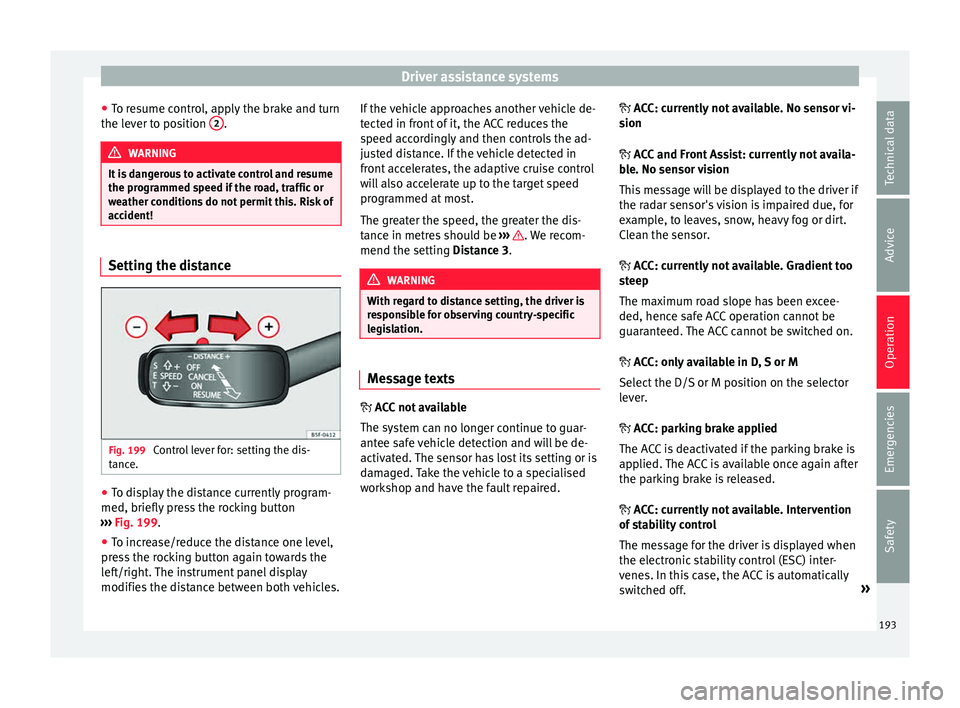
e. ●
To display the distance currently program-
med, briefly pre
ss the rocking button
››› Fig. 199.
● To increase/reduce the distance one level,
pres
s the rocking button again towards the
left/right. The instrument panel display
modifies the distance between both vehicles. If the vehicle approaches another vehicle de-
tected in fr
ont of it, the ACC reduces the
speed accordingly and then controls the ad-
justed distance. If the vehicle detected in
front accelerates, the adaptive cruise control
will also accelerate up to the target speed
programmed at most.
The greater the speed, the greater the dis-
tance in metres should be ››› . We recom-
mend the settin g
Di
stance 3. WARNING
With regard to distance setting, the driver is
re s
ponsible for observing country-specific
legislation. Message texts
AC
C not available
The sy
stem can no longer continue to guar-
antee safe vehicle detection and will be de-
activated. The sensor has lost its setting or is
damaged. Take the vehicle to a specialised
workshop and have the fault repaired. ACC: currently not available. No sensor vi-
s
ion
ACC and Front Assist: currently not availa-
ble. No sensor vision
This message will be displayed to the driver if
the radar sensor's vision is impaired due, for
example, to leaves, snow, heavy fog or dirt.
Clean the sensor.
ACC: currently not available. Gradient too
steep
The maximum road slope has been excee-
ded, hence safe ACC operation cannot be
guaranteed. The ACC cannot be switched on.
ACC: only available in D, S or M
Select the D/S or M position on the selector
lever.
ACC: parking brake applied
The ACC is deactivated if the parking brake is
applied. The ACC is available once again after
the parking brake is released.
ACC: currently not available. Intervention
of stability control
The message for the driver is displayed when
the electronic stability control (ESC) inter-
venes. In this case, the ACC is automatically
switched off. »
193
Technical data
Advice
Operation
Emergencies
Safety
Page 203 of 308

Driver assistance systems
City Emergency braking function Fig. 205
On the instrument panel display:
pr e-w
arnin
g message The City Emergency braking function is part
of
the Fr
ont
Assist monitoring and is active
whenever the system is switched on.
Depending on the equipment, the pre-warn-
ing function can be switched on or off in the
Easy Connect system with the button and
the f u
nction b
uttons and
Driv
er As
s ist›››
pag
e 28.
The C ity Emergency braking function picks
up, at speeds between 5 km/h (3 mph) and
30 km/h (19 mph) approximately, the traffic
situation in front of the vehicle up to a dis-
tance of about 10 m. If the system detects a possible collision with
a v
ehic
le in front of it, the vehicle prepares
for a possible emergency braking ››› .
If the driv
er f
ails to react to a possible colli-
sion, the system may brake the vehicle auto-
matically, by progressively increasing braking
effect driving to reduce speed in the event of
a collision. The system can thus help to re-
duce the consequences of an accident.
Status display
Automatic deceleration by means of the City
Emergency braking function is displayed on
the instrument panel by means of the pre-
warning ››› Fig. 205 1)
. WARNING
The smart technology included in the City
Emerg ency
braking function cannot defy the
laws of physics. The driver is always respon-
sible for braking in time.
● Adapt your speed and safe distance to the
vehicl
e in front of you at all times to suit visi-
bility, weather, road and traffic conditions.
● The City Emergency braking function alone
cannot pr
event accidents or serious injury.
● In complex driving situations, the City
Emergency
braking function may issue unnec-
essary warnings and intervene inopportunely in braking, such as in work areas or if there
are met
a
l rails.
● If the operation of the City Emergency brak-
ing fu
nction is impaired, for example, by dirt
or because the radar sensor has lost its set-
tings, the system may issue unnecessary
warnings and intervene inopportunely in the
braking.
● During driving, the City Emergency braking
function doe
s not react to people or animals
or vehicles crossing your path or which ap-
proach you head-on in the same lane. Note
● When the City Emer
gency braking function
causes a braking, the brake pedal is “hard-
er”.
● Automatic interventions on the brakes by
the City Emer
gency braking function may be
interrupted by pressing the clutch, accelera-
tor or moving the wheel.
● The City Emergency braking function can
brake the
vehicle until it stops completely.
However, the brake system does not halt the
vehicle permanently. Use the foot brake!
● If several inopportune intervenes occur,
switc
h off the Front Assist and with it the City
Emergency braking function. Take it to a spe-
cialised workshop, SEAT recommends visiting
a SEAT dealership. »1)
The symbol on the instrument panels with colour
dis p
lay is in colour. 201
Technical data
Advice
Operation
Emergencies
Safety