parking brake Seat Leon 5D 2016 User Guide
[x] Cancel search | Manufacturer: SEAT, Model Year: 2016, Model line: Leon 5D, Model: Seat Leon 5D 2016Pages: 324, PDF Size: 6.93 MB
Page 174 of 324
Operation
WARNING
Never switch off the engine while the vehicle
is mo
ving. This could cause loss of control of
the vehicle, accidents and serious injury.
● The airbags and belt tensioners do not
work when the ignition i
s switched off.
● The brake servo does not work with the en-
gine off. Ther
efore, you need to press the
break pedal harder to brake the vehicle.
● Power steering does not work when the en-
gine is not
running. You need more strength
to steer when the engine is switched off.
● If the ignition is switched off, the steering
column c
ould be locked, making it impossible
to control the vehicle. CAUTION
If the engine is made to work hard for a long
time, it m a
y overheat after being switched
off. To prevent damage to the engine before
switching it off, leave it idle for approx. 2 mi-
nutes in neutral. Note
After switching off the engine, the cooling fan
ma y
continue to operate in the engine com-
partment for a few more minutes, even with
the ignition off. The radiator fan is automati-
cally switched off. “My Beat” Function
For vehicles with a convenience key there is
the “My
B
eat” function. This feature provides
an additional indication of the vehicle igni-
tion system.
When accessing the vehicle, e.g. by opening
the doors with the remote control, the START ENGINE STOP button flashes, drawing at-
tention t o the r
elevant starter system button.
Upon switching the ignition on/off, the light
of the START ENGINE STOP button flashes. With
the en gine sw
it
ched off, after a few seconds,
the STOP ENGINE START button stops flashing
and g oe
s
out.
With the engine running, the START ENGINE STOP button light stays on, indi-
c atin
g th
at the engine is running. Upon
switching the ignition off with the START ENGINE STOP button, it starts flashing
ag ain.
In v
ehicles with the Start-Stop system , the
“My Beat” function also offers additional in-
formation:
● When the engine stops during the Stop
phase, the light
of the START ENGINE STOP but-
t on s
t
ays on, since, even though the engine
is off, the Start-Stop system is active.
● When the engine cannot be stated again
with the St
art-Stop system, ›››
page 191, and
needs to be started manually, the START ENGINE STOP button flashes to indicate
thi s
f
act.
Braking and parking Electronic
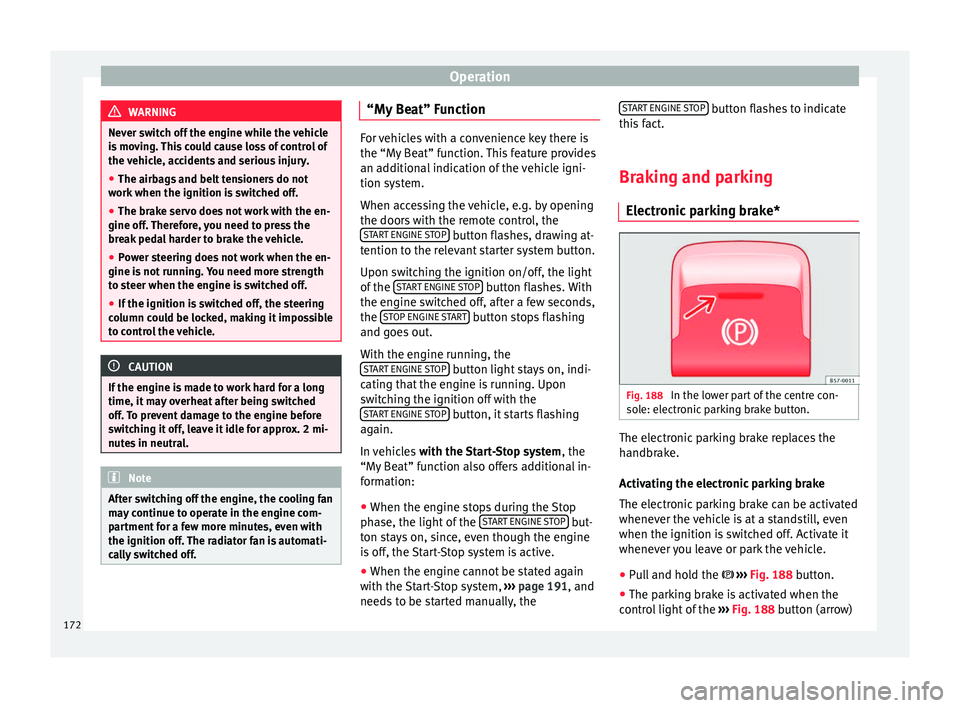
parking brake* Fig. 188
In the lower part of the centre con-
so l
e: el
ectronic parking brake button. The electronic parking brake replaces the
h
andbr
ak
e.
Activating the electronic parking brake
The electronic parking brake can be activated
whenever the vehicle is at a standstill, even
when the ignition is switched off. Activate it
whenever you leave or park the vehicle.
● Pull and hold the ›››
Fig. 188 button.
● The parking brake is activated when the
contro
l light of the ››› Fig. 188 button (arrow)
172
Page 175 of 324
Driving
and the r ed control light of the display in
the d a
sh panel are on.
● Release the button.
Rele
asing the electronic parking brake
● Switch the ignition on.
● Press the button ›››
Fig. 188. At the same
time step hard on the brake pedal or, if the
engine is running, press the accelerator ped-
al slightly.
● The control light of the ›››
Fig. 188 button
(arrow) and the red control light of the dis-
play in the dash panel go out.
Automatic release of the electronic parking
brake on starting the engine
The electronic parking brake is automatically
switched off when starting if, after the driv-
er's door is closed and the driver's seat belt
fastened, any of the following situations take
place:
● On vehicles with an automatic gearbox: A
gear r
ange is engaged or the vehicle is
switched to another one and the accelerator
pedal is lightly pressed.
● In vehicles with a manual gearbox: The
clutc
h pedal is pressed fully before starting
off and the accelerator is pedal lightly press-
ed.
● To facilitate certain manoeuvres there are
exc
eptions that allow the automatic parking brake to be released without the driver's seat
belt being f
astened.
The parking brake can be prevented from be-
ing automatically released by continuously
pulling up the ››› Fig. 188 switch when
starting off.
The electronic parking brake is not discon-
nected until the button is released. This
can facilitate starting off when a heavy load
is towed ››› page 234.
Automatic activation of the electronic park-
ing brake when exiting the vehicle incorrect-
ly
In vehicles with automatic transmission, the
electronic parking brake is activated auto-
matically when exiting the vehicle incorrectly
if: ● The selector lever is in the D/S or R posi-
tion or in the
Tiptronic selection track.
● AND: the vehicle is stationary.
● AND: the driv
er door is
open.
Emergency braking function
Only use the emergency brake function if you
are unable to stop the vehicle with the foot
brake ››› .
● Pull and hold the › ›
›
Fig. 188 button in
this position to forcefully stop the vehicle. At the same time, an acoustic warning can be
heard.
●
T
o stop the braking process, release the
button or pr
ess the accelerator. WARNING
The improper use of the electronic parking
brak e c
an cause accidents and serious injury.
● Never use the electronic parking brake to
stop the
vehicle, unless it is an emergency.
The braking distance can be much longer. Al-
ways use the foot brake.
● Never accelerate from the engine when a
gear r
ange or a gear is engaged and the en-
gine is running. The vehicle could move, even
if the electronic parking brake is activated. CAUTION
To prevent the vehicle from unintentionally
mov in
g when parking it, first apply the elec-
tronic parking brake and then remove your
foot from the brake pedal. Note
● In v ehic
les with a manual gearbox, releas-
ing the clutch and accelerating at the same
time automatically disconnects the electronic
parking brake.
● If the vehicle battery is flat, it will not be
poss
ible to disconnect the electronic parking
brake. Use the jump-start ›››
page 61. » 173
Technical data
Advice
Operation
Emergencies
Safety
Page 176 of 324

Operation
●
When the electr onic
parking brake is ap-
plied or released, noises may be heard.
● The system performs automatic and audi-
ble t
ests sporadically in the parked vehicle if
some time elapses without the electronic
parking brake being used. Using the handbrake
Fig. 189
Handbrake between the front seats. The handbrake should be applied firmly to
pr
ev
ent
the vehicle from accidentally rolling
away.
Always apply the handbrake when you leave
your vehicle and when you park.
Applying the handbrake
– Pull the handbrake lever up firmly
›››
Fig. 189. Releasing the handbrake
– Pull the lever up slightly and press the re-
lea
se knob in the direction of the arrow
››› Fig. 189 and guide the handbrake lever
down fully ››› .
A lw
a
ys pull the handbrake all the way up, so
there is less risk of driving off with it still en-
gaged ››› .
The h andbr
ak
e warning lamp lights up
when the handbrake is applied and the igni-
tion switched on. The warning lamp turns off
when the handbrake is released.
If you drive faster than 6 km/h (4 mph) with
the handbrake on, the following message*
will appear on the instrument panel: HAND-
BRAKE ON. You will also hear an audible
warning. WARNING
● Never u se the h
andbrake to stop the vehi-
cle when it is in motion. The braking distance
is considerably longer, because braking is
only applied to the rear wheels. Risk of acci-
dent!
● If the handbrake is only partially released,
this w
ill cause the rear brakes to overheat,
which can impair the function of the brake
system and could lead to an accident. This al-
so causes premature wear on the rear brake
pads. CAUTION
Always apply the handbrake before you leave
the v ehic
le. Put it in 1st gear as well. Parking
The handbrake should always be firmly ap-
plied when the
v
ehicle is parked.
Always note the following points when park-
ing the vehicle: – Use the brake pedal to stop the vehicle.
– Apply the handbrake.
– Put it in 1st gear.
– Switch the engine off and remove the key
from the ignition. T
urn the steering wheel
slightly to engage the steering lock.
– Never leave a vehicle key in the vehicle.
Additiona
l notes on parking the vehicle on
gradients:
Turn the steering wheel so that the vehicle
rolls against the kerb if it started to roll.
● If the vehicle is parked facing downhil
l,
turn the front wheels so that they point to-
wards the kerb .
● If the vehicle is parked facing uphill
, turn
the front wheels so that they point away from
the kerb.
174
Page 181 of 324
Driving
ability allow you to do so safely: risk of
skid
din
g!
● With ESC in Sport mode, the stabilising
function w
ill be limited to allow for a sportier
drive. The driving wheels could spin and the
vehicle could “skid”.
● If the ESC/ASR is deactivated, the vehicle
stab
ilisation function is not available. Note
If the ASR is disconnected or the ESC’s Sport
mode i s sel
ected, cruise control* will be
switched off. Hill driving assistant
The hill driving assistant helps the driver to
mo
v
e off
and upward on a hill when the vehi-
cle is stationary.
The system maintains brake pressure for ap-
proximately two seconds after the driver
takes his foot off the brake pedal to prevent
the vehicle from lurching backward when it is
started. During these 2 seconds, the driver
has enough time to release the clutch pedal
and accelerate without the vehicle moving
and without having to use the handbrake,
making start-up easier, more comfortable
and safer.
These are the basic operation conditions: ●
being on a ramp or hi
ll/slope,
● doors closed,
● vehicle completely stationary,
● engine running and foot on the brake,
● besides having a gear engaged or being in
neutral f
or manual gear change and with the
selector lever at position S, D or R for an au-
tomatic gearbox.
This system is also active when reversing up-
hill. WARNING
● If y
ou do not start the vehicle immediately
after taking your foot off the brake pedal, the
vehicle may start to roll back under certain
conditions. Depress the brake pedal or use
the hand brake immediately.
● If the engine stalls, depress the brake ped-
al or u
se the hand brake immediately.
● When following a line of traffic uphill, if you
want t
o prevent the vehicle from rolling back
accidentally when starting off, hold the brake
pedal down for a few seconds before starting
off. Note
The Official Service or a specialist workshop
can t el
l you if your vehicle is equipped with
this system. Manual gearbox
Ch an
gin
g gear Read the additional information carefully
›› ›
page 42
In some countries the clutch pedal must be
fully pressed down for the engine to start.
Selecting reverse gear ● Engage reverse gear only when the vehicle
is s
topped.
Changing down gears
While driving, changing down a gear must al-
ways be done gradually, i.e. to the gear di-
rectly below and when the engine speed is
not too high ››› . Changing down while by-
p a
s
sing one or various gears at high speeds
or at high engine speeds can damage the
clutch and the gearbox, even if the clutch
pedal remains depressed ››› .
WARNING
When the engine is running, the vehicle will
st ar
t to move as soon as a gear is engaged
and the clutch released. This is also the case
with the electronic parking brake switched
on.
● Never engage reverse gear when the vehi-
cle i
s moving. » 179
Technical data
Advice
Operation
Emergencies
Safety
Page 182 of 324
Operation
WARNING
If the gear is changed down inappropriately
by sel
ecting a gear that is too low, you may
lose control of the vehicle, causing an acci-
dent and serious injuries. CAUTION
When travelling at high speeds or at high en-
gine speed s, sel
ecting a gear that is too low
can cause considerable damage to the clutch
and the gearbox. This can also occur if the
clutch pedal is pressed and held and it does
not engage. CAUTION
To prevent damage and avoid premature
we ar
, please observe the following:
● Do not rest your hand on the gear lever
while driv
ing. The pressure applied by your
hand is transmitted to the gearbox selector
forks.
● Always ensure that the vehicle is complete-
ly st
opped before engaging the reverse gear.
● Always press the clutch to the floor when
chan
ging gears.
● Never hold the vehicle “on the clutch” on
hill
s with the engine on. Automatic gearbox/DSG auto-
m
atic
g
earbox*
Introduction
›› ›
table on page 2
Your vehicle is equipped with an electronical-
ly controlled manual gearbox. Torque be-
tween the engine and the gearbox is trans-
mitted via two independent clutches. They re-
place the torque converter found on conven-
tional automatic gearboxes and allow for
smooth, uninterrupted acceleration of the ve-
hicle.
The tiptronic system allows the driver to
change gears manually if desired
››› page 182, Changing gears in tiptronic
mode*.
Selector lever positions Read the additional information carefully
› ›
›
page 43
The selector lever position engaged is high-
lighted on the display in the instrument clus-
ter. With the selector lever in the manual
gearbox positions G, D, E and S, the engaged
gear is also indicated on the display. P – Parking lock
When the selector l
ever is in this position,
the driven wheels are locked mechanically.
The parking lock must be engaged only when
the vehicle is stationary ››› .
The int erloc
k
button (the button on the selec-
tor lever handle) must be pressed in and si-
multaneously the brake pedal must be de-
pressed before moving the selector lever ei-
ther in or out of position P.
R – Reverse gear
Reverse gear must be engaged only when the
vehicle is stationary and the engine is idling
››› .
T o mo
v
e the selector lever to position R, the
interlock button must be pressed in and at
the same time the brake pedal must be de-
pressed. The reverse lights come on when
the selector lever is in the R position with the
ignition on.
N – Neutral (idling)
With the selector lever in this position, the
gear is in neutral.
D/S – Permanent drive (forward) position
The selector lever in the D/S position enables
the gears to be controlled in normal mode (D)
or Sport mode (S). To select Sport mode (S),
move the selector lever backwards. Moving
the lever again will select normal mode (D).
180
Page 183 of 324
Driving
The selected driving mode is shown on the
in s
trument
panel display.
In normal mode (D), the gearbox automatical-
ly selects the best gear ratio. This depends
on the engine load, the road speed and the
dynamic gear control programme (DCP).
Sport mode (S) must be selected for a sporty
driving style. This setting makes use of the
engine's maximum power output. When ac-
celerating the gear shifts will be noticeable.
Press the brake pedal to move the selector
lever from N to D/S when the vehicle is sta-
tionary or at speeds below 3 km/h (2 mph)
››› .
Under c er
t
ain circumstances (e.g. when driv-
ing in mountains) it can be advantageous to
switch temporarily to tiptronic mode
››› page 182, in order to manually select gear
ratios to suit the driving conditions. WARNING
● Tak e c
are not to accidentally press the ac-
celerator pedal when the vehicle is stopped.
The vehicle could otherwise start moving im-
mediately (in some cases even if the parking
brake is engaged) resulting in the risk of an
accident.
● Never move the selector lever to R or P
when driving. F
ailure to follow this instruc-
tion could result in an accident.
● With selector lever in any position (except
P) the vehic
le must always be held with the foot brake when the engine is running. This is
becau
se an aut
omatic gearbox still transmits
power even at idling speed, and the vehicle
tends to “creep”. The accelerator pedal must
on no account be pressed inadvertently when
a gear is engaged with the vehicle stationary.
The vehicle could otherwise start moving im-
mediately (in some cases even if the parking
brake is engaged) resulting in the risk of an
accident.
● While you are selecting a gear and the vehi-
cle i
s stopped with the engine running, do
not accelerate. Failure to follow this instruc-
tion could result in an accident.
● As a driver you should never leave your ve-
hicle if
the engine is running and a gear is en-
gaged. If you have to leave your vehicle while
the engine is running, you must apply the
handbrake and engage the parking lock (P).
● To avoid accidents, apply the handbrake
and put the sel
ector lever in position P before
opening the bonnet and working on the vehi-
cle with the engine running. Please always
observe the important safety warnings
››› page 262, Work in the engine compart-
ment. Note
● If the sel ect
or lever is moved accidentally
to N when driving, release the accelerator and
let the engine speed drop to idling before se-
lecting gear range D or S again.
● Should the power supply to the selector
lever be int
errupted in position P, the selector lever will be locked. If this should happen the
manua
l
release can be used ›››
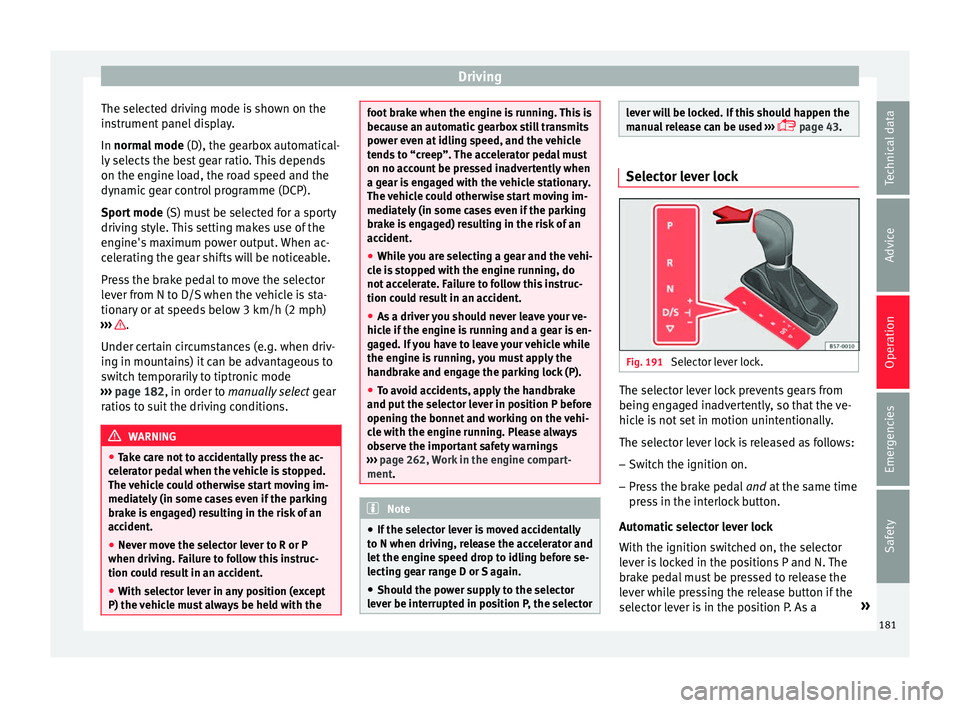
page 43. Selector lever lock
Fig. 191
Selector lever lock. The selector lever lock prevents gears from
bein g en
g
aged inadvertently, so that the ve-
hicle is not set in motion unintentionally.
The selector lever lock is released as follows:
– Switch the ignition on.
– Press the brake pedal and at
the same time
press in the interlock button.
Automatic selector lever lock
With the ignition switched on, the selector
lever is locked in the positions P and N. The
brake pedal must be pressed to release the
lever while pressing the release button if the
selector lever is in the position P. As a »
181
Technical data
Advice
Operation
Emergencies
Safety
Page 185 of 324
Driving
Changing gear manually with the selector
l ev
er
It
is possible to change to tiptronic mode,
both when the vehicle is stopped and while
driving.
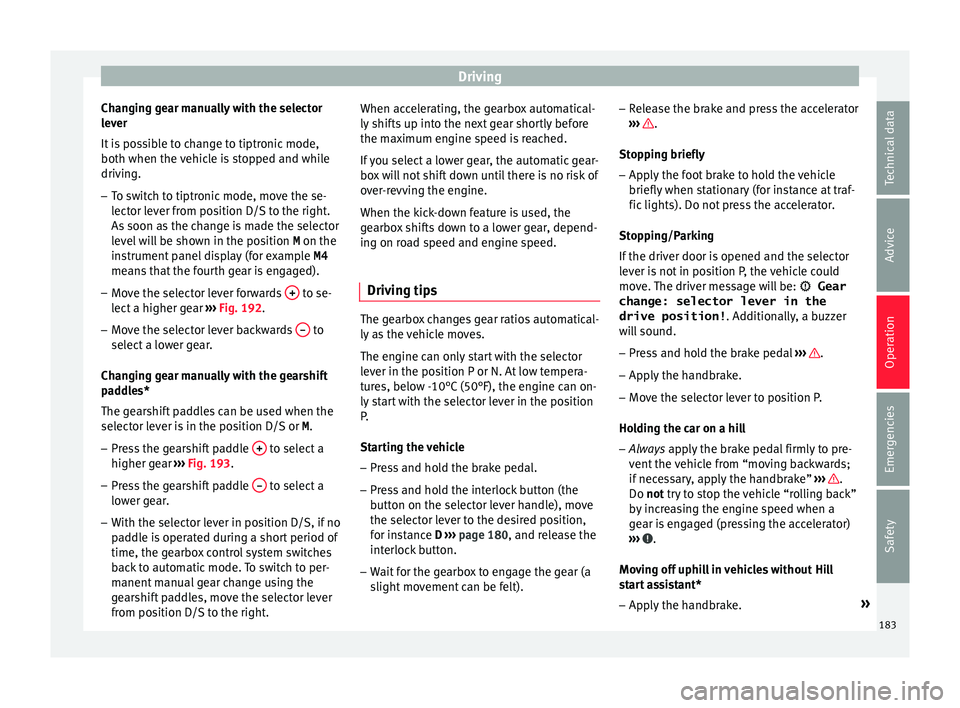
– To switch to tiptronic mode, move the se-
lector l
ever from position D/S to the right.
As soon as the change is made the selector
level will be shown in the position M on the
instrument panel display (for example M4
means that the fourth gear is engaged).
– Move the selector lever forwards + to se-
l ect
a higher g
ear ››› Fig. 192.
– Move the selector lever backwards – to
sel ect
a lo
wer gear.
Changing gear manually with the gearshift
paddles*
The gearshift paddles can be used when the
selector lever is in the position D/S or M.
– Press the gearshift paddle + to select a
higher g e
ar ›
›› Fig. 193.
– Press the gearshift paddle – to select a
lo w
er g
ear.
– With the selector lever in position D/S, if no
pad
dle is operated during a short period of
time, the gearbox control system switches
back to automatic mode. To switch to per-
manent manual gear change using the
gearshift paddles, move the selector lever
from position D/S to the right. When accelerating, the gearbox automatical-
ly shifts
up into the next gear shortly before
the maximum engine speed is reached.
If you select a lower gear, the automatic gear-
box will not shift down until there is no risk of
over-revving the engine.
When the kick-down feature is used, the
gearbox shifts down to a lower gear, depend-
ing on road speed and engine speed.
Driving tips The gearbox changes gear ratios automatical-
ly
a
s
the vehicle moves.
The engine can only start with the selector
lever in the position P or N. At low tempera-
tures, below -10°C (50°F), the engine can on-
ly start with the selector lever in the position
P.
Starting the vehicle
– Press and hold the brake pedal.
– Press and hold the interlock button (the
button on the sel
ector lever handle), move
the selector lever to the desired position,
for instance D ›››
page 180, and release the
interlock button.
– Wait for the gearbox to engage the gear (a
slight mo
vement can be felt). –
Rele
ase the brake and press the accelerator
››› .
St op
pin
g briefly
– Apply the foot brake to hold the vehicle
briefly when st
ationary (for instance at traf-
fic lights). Do not press the accelerator.
Stopping/Parking
If the driver door is opened and the selector
lever is not in position P, the vehicle could
move. The driver message will be: Gear
change: selector lever in the
drive position! . Additionally, a buzzer
will sound.
– Press and hold the brake pedal ›››
.
– Apply the handbrake.
– Move the selector lever to position P.
Ho l
din
g the car on a hill
– Always apply the brake pedal firmly to pre-
vent
the vehicle from “moving backwards;
if necessary, apply the handbrake” ››› .
Do not tr y
t
o stop the vehicle “rolling back”
by increasing the engine speed when a
gear is engaged (pressing the accelerator)
››› .
Mo v
in
g off uphill in vehicles without Hill
start assistant*
– Apply the handbrake. »
183
Technical data
Advice
Operation
Emergencies
Safety
Page 186 of 324
Operation
– Onc e
y
ou have engaged a gear press the
accelerator carefully and disengage the
handbrake.
Moving off uphill in vehicles with Hill start
assistant*
– Once you have engaged a gear, release the
footbr
ake and press the accelerator
››› page 179, Hill driving assistant .
Driving down hills: in some situations (on
mountain roads or when towing a trailer or
caravan) it can be advantageous to switch
temporarily to the manual gearbox pro-
gramme so that the gear ratios can be selec-
ted manually to suit the driving conditions
››› .
On l ev
el
ground it is sufficient to move the
selector lever to position P. On slopes, first
engage the parking brake and then put the
selection lever into the P position. This
avoids overloading the locking mechanism
and it will be easier to move the selector lev-
er from position P. WARNING
Observe the safety warnings ›››
in Selector
lev er po
sitions on page 181.
● Never allow the brake to rub and do not use
the brake ped
al too often or for long periods.
Constant braking causes overheating in the
brakes. This could significantly reduce brak- ing power, increase braking distance or even
re
s
ult in the total failure of the brake system.
● To avoid rolling back on gradients always
hold the
vehicle with the footbrake or hand-
brake if you have to stop. CAUTION
● If y
ou stop the vehicle on a gradient, do not
attempt to stop it from rolling by depressing
the accelerator when a gear has been selec-
ted. This could cause overheating and dam-
age the automatic gearbox. Apply the hand-
brake firmly or press the brake pedal in order
to prevent the vehicle from rolling back.
● If you allow the car to roll with the selector
lever in po
sition N with the engine switched
off, the automatic gearbox will be damaged
as it will not be lubricated.
● In certain driving situations or traffic condi-
tions, suc
h as frequently starting, prolonged
“creeping” of the vehicle or traffic jams with
continuous stoppages, the gearbox could
overheat causing damage! If the warning
lamp lights up, stop the vehicle as soon as
possible and wait for the gearbox to cool
››› page 187. Kick-down feature
The kick-down feature allows maximum ac-
c
el
er
ation to be reached. When the accelerator pedal is pressed right
down pa
st the point of resistance at full throt-
tle, the gearbox will shift down to a lower
gear, depending on road speed and engine
speed. The upshift to the next higher gear is
delayed until the engine reaches maximum
rpm. WARNING
Please note that if the road surface is slip-
pery or w
et, the kick-down feature could
cause the driving wheels to spin, which could
result in skidding. Launch control programme
3 V
alid for vehicles: with Launch-Control/6-Speed
D
SG with diesel engines superior to 125 kW and pet-
rol engines superior to 140 kW.
The Launch control programme enables maxi-
mum acceleration.
Important: the engine must have reached op-
erating temperature and the steering wheel
must not be turned.
The engine speed for launch-control is differ-
ent on petrol and diesel engines. To use the
launch-control you must disconnect the anti-
slip regulation (ASR) through the Easy Con-
nect system menu ›››
page 110. The warning
lamp will stay switched on or will flash
slowly depending on whether or not the vehi-
cle has a driver information system*.
184
Page 195 of 324
Driver assistance systems
● The int erior t
emper
ature selected for the air
conditioner has not yet been reached.
● The interior temperature is very high/low.
● Defrost function button activated
›››
page 45.
● The parking aid* is switched on.
● The battery is very low.
● The steering wheel is overly turned or is be-
ing turned.
● If
there is a danger of misting.
● After engaging reverse gear.
● In case of a very steep gradient.
● In the CUPRA version with automatic gear-
box, when it i
s in Tiptronic mode or in its
sports driving position ( S).
The indication is shown on the instrument
panel display, and in addition, the driver in-
formation system* shows, .
The engine starts by itself
During a stopping phase the normal Start-
Stop mode can be interrupted in the follow-
ing situations: The engine restarts by itself
without involvement from the driver.
● The interior temperature differs from the
value select
ed on the air conditioner.
● Defrost function button activated
›››
page 45. ●
The brake h
as been pressed several times
consecutively.
● The battery is too low.
● High power consumption. Note
In vehicles with an automatic gearbox, if the
select or l
ever is placed in position D, N or S
after engaging reverse gear, the vehicle must
be driven at a speed faster than 10 km/h (6
mph) for the system to return to conditions in
which the engine can be stopped. Manually switching on/off the Start-
St
op sy
s
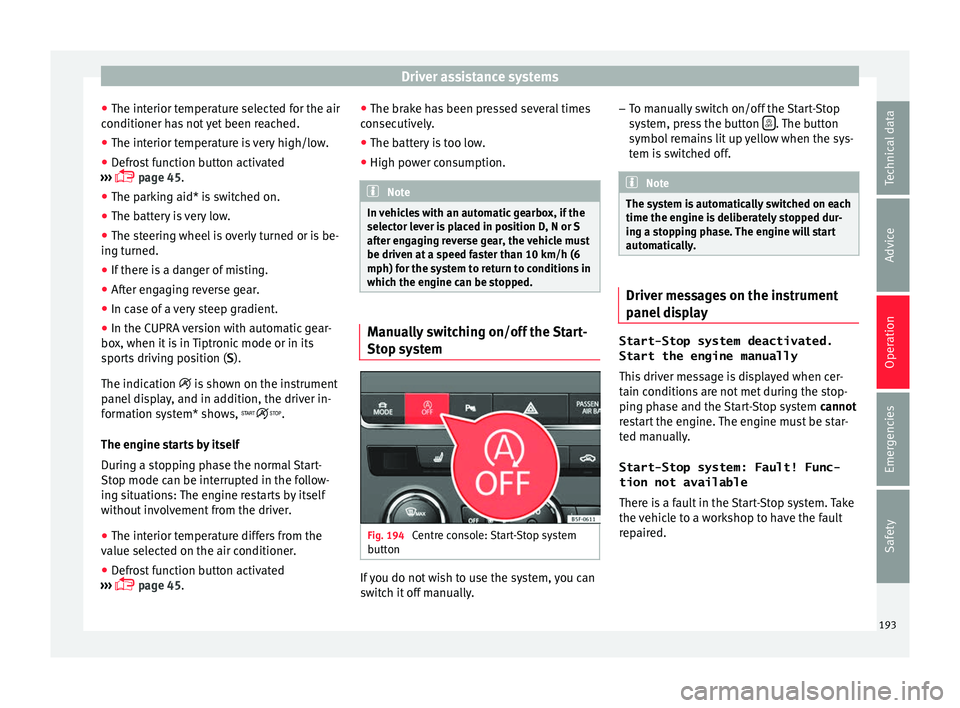
tem Fig. 194
Centre console: Start-Stop system
b utt
on If you do not wish to use the system, you can
sw
it
c
h it off manually. –
To manual
ly switch on/off the Start-Stop
system, press the button . The button
symbo l
r
emains lit up yellow when the sys-
tem is switched off. Note
The system is automatically switched on each
time the engine i s
deliberately stopped dur-
ing a stopping phase. The engine will start
automatically. Driver messages on the instrument
p
anel
di
splay Start-Stop system deactivated.
Start the engine manually
This driv
er message is displayed when cer-
tain conditions are not met during the stop-
ping phase and the Start-Stop system cannot
restart the engine. The engine must be star-
ted manually.
Start-Stop system: Fault! Func-
tion not available There is a fault in the Start-Stop system. Take
the vehicle to a workshop to have the fault
repaired.
193
Technical data
Advice
Operation
Emergencies
Safety
Page 196 of 324
Operation
Auto Hold Function* D e
s
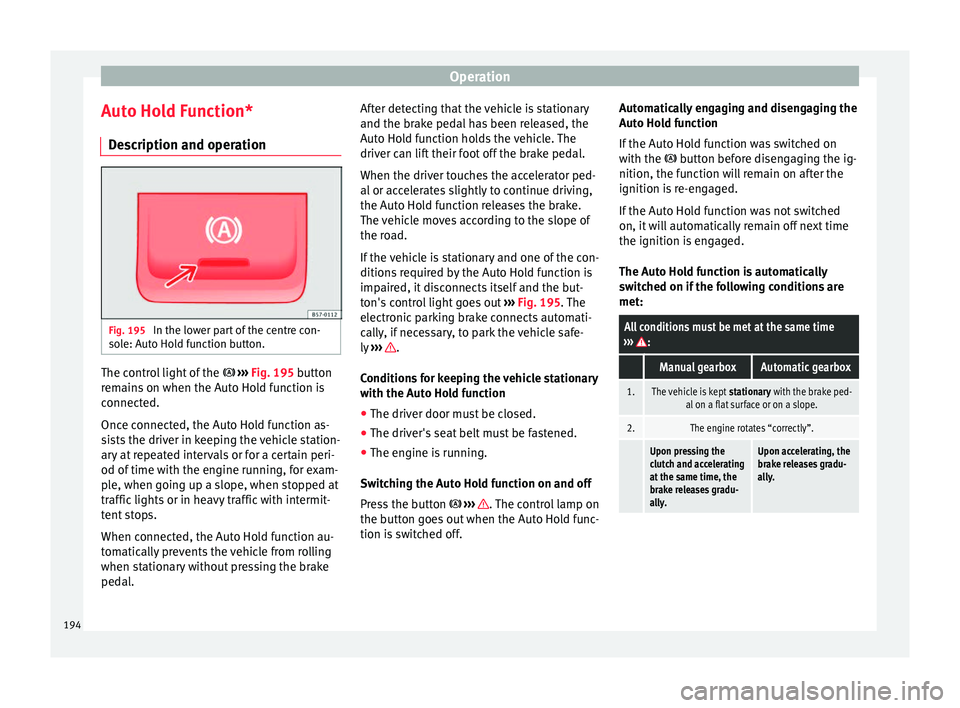
cription and operation Fig. 195
In the lower part of the centre con-
so l
e: Aut
o Hold function button. The control light of the
› ›
›
Fig. 195 button
remains on when the Auto Hold function is
connected.
Once connected, the Auto Hold function as-
sists the driver in keeping the vehicle station-
ary at repeated intervals or for a certain peri-
od of time with the engine running, for exam-
ple, when going up a slope, when stopped at
traffic lights or in heavy traffic with intermit-
tent stops.
When connected, the Auto Hold function au-
tomatically prevents the vehicle from rolling
when stationary without pressing the brake
pedal. After detecting that the vehicle is stationary
and the brake ped
al has been released, the
Auto Hold function holds the vehicle. The
driver can lift their foot off the brake pedal.
When the driver touches the accelerator ped-
al or accelerates slightly to continue driving,
the Auto Hold function releases the brake.
The vehicle moves according to the slope of
the road.
If the vehicle is stationary and one of the con-
ditions required by the Auto Hold function is
impaired, it disconnects itself and the but-
ton's control light goes out ››› Fig. 195. The
electronic parking brake connects automati-
cally, if necessary, to park the vehicle safe-
ly ››› .
C ondition
s
for keeping the vehicle stationary
with the Auto Hold function
● The driver door must be closed.
● The driver's seat belt must be fastened.
● The engine is running.
Switc
hing the Auto Hold function on and off
Press the button ››› . The control lamp on
the b utt
on g
oes out when the Auto Hold func-
tion is switched off. Automatically engaging and disengaging the
Auto Hol
d function
If the Auto Hold function was switched on
with the button before disengaging the ig-
nition, the function will remain on after the
ignition is re-engaged.
If the Auto Hold function was not switched
on, it will automatically remain off next time
the ignition is engaged.
The Auto Hold function is automatically
switched on if the following conditions are
met:
All conditions must be met at the same time
››› :
Manual gearboxAutomatic gearbox
1.The vehicle is kept stationary with the brake ped-
al on a flat surface or on a slope.
2.The engine rotates “correctly”.
Upon pressing the
clutch and accelerating
at the same time, the
brake releases gradu-
ally.Upon accelerating, the
brake releases gradu-
ally. 194