park assist Seat Leon 5D 2016 Owner's Guide
[x] Cancel search | Manufacturer: SEAT, Model Year: 2016, Model line: Leon 5D, Model: Seat Leon 5D 2016Pages: 324, PDF Size: 6.93 MB
Page 229 of 324

Driver assistance systems
●
Ple a
se observe information on towing a
trailer ››› page 230.
● The display on the Easy Connect screen
shows
a slight time delay. Rear parking aid*
The rear Parking Aid assists the driver in
park
in
g by means of audible warning
sounds.
Description
There are sensors integrated in the rear
bumper. When the sensors detect an obsta-
cle, you are alerted by audible warnings.
Make particularly sure that the sensors are
not covered by adhesives, residues and the
like, as this could affect the system's opera-
tion. Cleaning instructions ››› page 248.
The approximate measurement range of the
rear sensors is:
side area0.60 m
central area1.60 m As you approach the obstacle, the time inter-
v
al
betw
een the audible warnings will be re-
duced. When you reach around 0.30 m the
warning will be constant: Do not continue to
move forward (or backward) ››› in Generalinformation on page 226,
››
›
in General in-
f orm
ation on p
age 226 !
If you maintain separation from the obstacle,
the volume of the warning begins to reduce
after four seconds (does not affect the tone
of the constant warning).
Activating/Deactivating
When engaging reverse gear, the parking aid
is automatically switched on. This is con-
firmed with a short warning.
On disengaging reverse gear, the Parking Aid
system is disconnected immediately.
Parking system plus* Fig. 219
Represented area. Parking system plus assists you audibly and
v
i
s
ually when parking. There are sensors integrated in the front and
rear b
umpers. When they detect an obstacle,
you are alerted by audible warnings and visu-
ally on the Easy Connect system.
In the event of danger of a frontal collision,
the audible warnings come from the front of
the vehicle, and in the event of the danger of
a rear-end collision they come from the rear.
Make particularly sure that the sensors are
not covered by adhesives, residues and the
like, as this could affect the system's opera-
tion. Cleaning instructions ››› page 248.
The approximate measurement range of the
sensors is:
1.20 m
0.60 m
1.60 m
0.60 m
As you approach the obstacle, the time inter-
val between the audible warnings will be re-
duced. When you reach around 0.30 m the
warning will be constant: do not continue to
move forward (or backward)!
If you maintain separation from the obstacle,
the volume of the warning begins to reduce
after four seconds (does not affect the tone
of the constant warning). A B
C
D
227
Technical data
Advice
Operation
Emergencies
Safety
Page 230 of 324
Operation
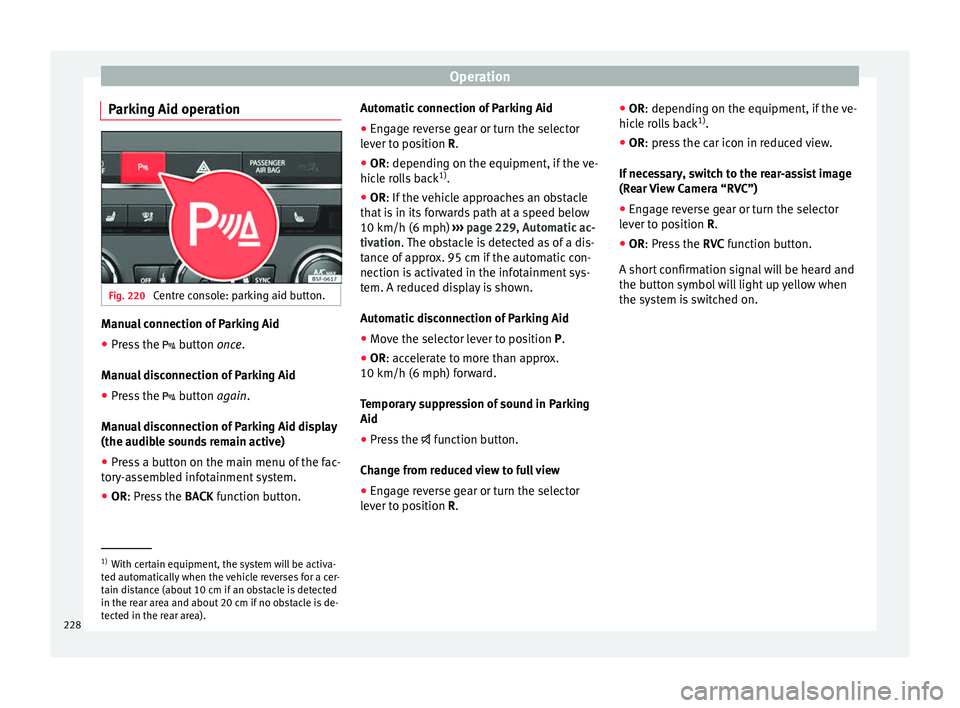
Parking Aid operation Fig. 220
Centre console: parking aid button. Manual connection of Parking Aid
● Press the butt
on once.
Manual disconnection of Parking Aid
● Press the button
again.
Manual disconnection of Parking Aid display
(the audible sounds remain active)
● Press a button on the main menu of the fac-
tory
-assembled infotainment system.
● OR: Press the BACK fu
nction button. Automatic connection of Parking Aid
● Engage reverse gear or turn the selector
lever t
o position R.
● OR: depending on the equipment, if the
ve-
hicle rolls back 1)
.
● OR: If the vehicle approaches an obstacle
that
is in its forwards path at a speed below
10 km/h (6 mph) ››› page 229, Automatic ac-
tivation. The obstacle is detected as of a dis-
tance of approx. 95 cm if the automatic con-
nection is activated in the infotainment sys-
tem. A reduced display is shown.
Automatic disconnection of Parking Aid
● Move the selector lever to position P.
● OR: accelerate to more than approx.
10 km/h (6 mph) for
ward.
Temporary suppression of sound in Parking
Aid
● Press the function b
utton.
Change from reduced view to full view
● Engage reverse gear or turn the selector
lever t
o position R. ●
OR: depending on the equipment, if the
ve-
hicle rolls back 1)
.
● OR: press the car icon in reduced view.
If nec
essary, switch to the rear-assist image
(Rear View Camera “RVC”)
● Engage reverse gear or turn the selector
lever t
o position R.
● OR: Press the RVC fu
nction button.
A short confirmation signal will be heard and
the button symbol will light up yellow when
the system is switched on. 1)
With certain equipment, the system will be activa-
ted aut om
atically when the vehicle reverses for a cer-
tain distance (about 10 cm if an obstacle is detected
in the rear area and about 20 cm if no obstacle is de-
tected in the rear area).
228
Page 231 of 324

Driver assistance systems
Automatic activation Fig. 221
Miniature indication of automatic ac-
tiv ation When the Parking System Plus is switched on
aut
om
atic
ally, a miniature of the vehicle will
be displayed and the segments will be
shown on the left side of the screen
››› Fig. 221.
Automatic activation occurs when slowly ap-
proaching an obstacle located in front of the
vehicle. It only operates every time the speed
is reduced below approximately 10 km/h (6
mph) for the first time.
If the parking aid is switched off using the
button, the following actions must be carried
out in order for it to automatically switch on:
● Switch off the ignition and switch it on
again. ●
OR: ac
cel
erate above 10 km/h (6 mph) be-
fore reducing speed below this number
again.
● OR: place the selector lever in position P
and then mov
e it from this position.
● OR: switch on and off the automatic activa-
tion in the Ea
sy Connect system menu.
The automatic activation with parking aid
miniature indication can be switched on and
off from the Easy Connect system menu
››› page 27:
● Switch the ignition on.
● Select: CAR button > Settings
> Parking
and manoeuvring .
● Select the Automatic activation op-
tion. When the f
u
nction button check box is
activated , the function is on.
If the system has been activated automatical-
ly, an audible sound warning will only be giv-
en when obstacles in front are at a distance
of less than 50 cm. CAUTION
The automatic connection of the Parking Aid
only w
orks when you are driving slowly. If
driving style is not adapted to the circum-
stances, an accident and serious injury or
damage may be caused. Segments of the visual indication
Fig. 222
Parking Aid display on the Easy Con-
nect sy
s
tem screen. The distance of separation from the obstacle
c
an be e
s
timated using the segments around
the vehicle.
The optical indication of the segments works
as follows:
a white segment is dis-
played when the obstacle is not within
the vehicle's trajectory or the direction
of travel is in the opposite direction to
its location.
obstacles located in the
vehicle's trajectory and which are more
than 30 cm away from the vehicle are
displayed in yellow.
obstacles that are less than
30 cm away from the vehicle are dis-
played in red. »
White segments:
Yellow segments:
Red segments:
229
Technical data
Advice
Operation
Emergencies
Safety
Page 233 of 324
Driver assistance systems
The Easy Connect system screen will only dis-
p l
a
y objects detected at the front, and the ve-
hicle's trajectory will be hidden.
Braked manoeuvre function* 3 Valid only with Parking system plus
If an o
bstacle is detected while reversing, the
braked manoeuvre function activates the
emergency brake. Depending on the equip-
ment, the braked manoeuvre function can al-
so activate the emergency brake while mov-
ing forwards.
The emergency braking function helps to
minimise collisions. The vehicle's speed
must be no higher than 10 km/h.
The braked manoeuvre function is active or
inactive when the parking light is lit or off, re-
spectively. If the emergency brake has been
activated, the function will remain inactive
until the gear is changed.
The limitations of Parking Aid apply.
The braked manoeuvre function is configured
in the Easy Connect system with the but-
t on and the f
u
nction buttons SETUP and
P ark
in
g and manoeuvring .
● on – enables use of the braked ma-
noeu
vre function.
● off – disab
les use of the braked ma-
noeuvre function. Temporary suppression of emergency brak-
ing
● When de activ
ating the function with the
Braked m
anoeuvre button, which appears on
the P ark
in
g aid screen of the Easy Connect
system.
● When any of the doors, the rear lid or the
bonnet are opened.
R
ear Assist “Rear View Cam-
era”*
Operatin
g and safety warnings WARNING
● The Re ar As
sist does not make it possible
to precisely calculate the distance from ob-
stacles (people, vehicles, etc.) and nor can it
overcome the system's own limits, hence us-
ing it may cause serious accidents and inju-
ries if used negligently or without due care.
The driver should be aware of his/her sur-
roundings at all times to ensure safe driving.
● The camera lens expands and distorts the
field of
vision and displays the objects on the
screen in a different, vague manner. The per-
ception of distances is also distorted by this
effect.
● Some objects may, due to the resolution of
the disp
lay screen - not be displayed in a sat-
isfactory manner or may not be displayed at all. Take special care with thin posts, fences,
rai
lin
gs or trees that might not be displayed
on screen and could damage the vehicle.
● The rear assist has blind spots where it is
not pos
sible to represent people or objects
(small children, animals and certain objects
cannot be detected in its field of vision). Mon-
itor the vehicle's surrounding area at all
times.
● Keep the camera lens clean, free of ice and
snow
, and do not cover it.
● The system is not a replacement for driver
awar
eness. Supervise the parking operation
at all times, as well as the vehicle's surround-
ing area. Adapt your speed and driving style
at all times to suit visibility, weather, road
and traffic conditions.
● Do not be distracted from the traffic by
looking at
the screen.
● The images on the rear assist screen are
only tw
o-dimensional. Due to a lack of spatial
depth, protruding parts or holes in the road,
for example, are more difficult to detect or
may not be seen at all.
● Vehicle load modifies the representation of
the orientation lines
displayed. The width
represented by the lines diminishes with ve-
hicle load. Pay special attention to the vehi-
cle's surroundings when the inside of the ve-
hicle of the luggage compartment is carrying
a heavy load.
● In the following situations, the objects or
other vehic
les shown in the navigation sys-
tem display appear to be further away or » 231
Technical data
Advice
Operation
Emergencies
Safety
Page 234 of 324
Operation
closer than they really are: Pay special atten-
tion:
– On mov in
g from a horizontal plane to a
slope.
– On moving from a slope to a horizontal
plane.
– If the vehicle is heavily loaded at the
rear.
– When the vehicle approaches objects
that are not on the ground surface or are
jutting out from it. These objects may al-
so be outside the camera's angle of vi-
sion when reversing. Note
● It i s
important to take great care and pay
special attention if you are not yet familiar
with the system.
● Rear assist will not be available if the vehi-
cle's
rear lid is open. Instructions for use
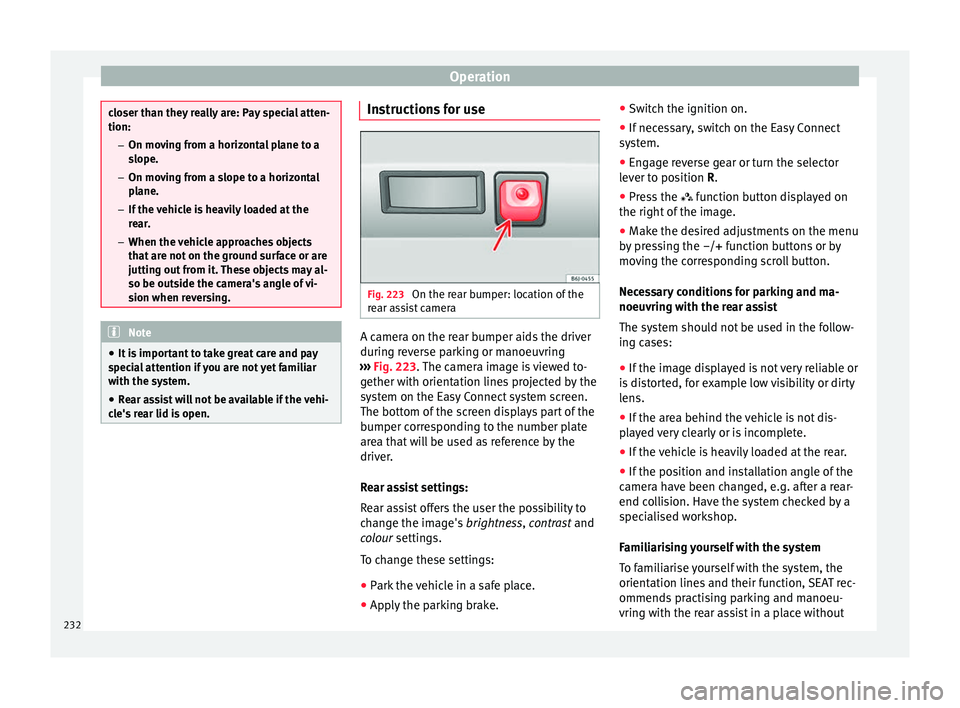
Fig. 223
On the rear bumper: location of the
r e
ar a
ssist camera A camera on the rear bumper aids the driver
durin
g r
ev
erse parking or manoeuvring
››› Fig. 223. The camera image is viewed to-
gether with orientation lines projected by the
system on the Easy Connect system screen.
The bottom of the screen displays part of the
bumper corresponding to the number plate
area that will be used as reference by the
driver.
Rear assist settings:
Rear assist offers the user the possibility to
change the image's brightness, contrast and
colour settings.
To change these settings:
● Park the vehicle in a safe place.
● Apply the parking brake. ●
Switc
h the ignition on.
● If necessary, switch on the Easy Connect
syst
em.
● Engage reverse gear or turn the selector
lever t
o position R.
● Press the function b
utton displayed on
the right of the image.
● Make the desired adjustments on the menu
by pr
essing the –/+ function buttons or by
moving the corresponding scroll button.
Necessary conditions for parking and ma-
noeuvring with the rear assist
The system should not be used in the follow-
ing cases:
● If the image displayed is not very reliable or
is di
storted, for example low visibility or dirty
lens.
● If the area behind the vehicle is not dis-
pla
yed very clearly or is incomplete.
● If the vehicle is heavily loaded at the rear.
● If the position and installation angle of the
camera h
ave been changed, e.g. after a rear-
end collision. Have the system checked by a
specialised workshop.
Familiarising yourself with the system
To familiarise yourself with the system, the
orientation lines and their function, SEAT rec-
ommends practising parking and manoeu-
vring with the rear assist in a place without
232
Page 235 of 324

Driver assistance systems
too much traffic or in a car park when there
ar e g
ood w
eather and visibility conditions.
Cleaning the camera lens
Keep the camera lens clean and clear of snow
and ice:
● Moisten the lens using a normal alcohol-
based gl
ass cleaning product and clean the
lens with a dry cloth.
● Remove snow using a small brush.
● Use de-icing spray to remove any ice. CAUTION
● Never u se abr
asive cleaning products to
clean the camera lens.
● Do not use hot or warm water to remove ice
or snow fr
om the camera lens. Doing so could
damage the camera. Parking and manoeuvring with the
r
e
ar a
ssist Fig. 224
Display on the Easy Connect system
s c
r
een: orientation lines. Switching the system on and off
●
The rear assist will switch on when the igni-
tion i s
on or the en
gine running, on engaging
reverse gear (manual gearbox) or on chang-
ing the selector lever to the R position (auto-
matic gearbox).
● The system switches off 8 seconds after
diseng
aging reverse gear (manual gearbox)
or removing the selector lever from the R po-
sition (automatic gearbox). The system will
also disconnect immediately after the igni-
tion is switched off. ●
The camera w
ill stop transmitting images
above the speed of 15 km/h (9 mph) with re-
verse engaged.
In combination with the Parking System Plus
››› page 225, the camera image will cease to
be transmitted immediately when reverse
gear is disengaged or when the selector lever
is moved from the R position, and the optical
information provided by the Parking Aid sys-
tem will be displayed.
Also in combination with the system, the rear
assist image can also be concealed:
● By pressing one of the Infotainment system
button
s on the display.
● OR: By pressing the miniature vehicle that
appear
s on the left of the screen (which
switches to the full-screen mode of the Park-
ing System Plus's optical system).
If you wish to display the rear assist image
again:
● Disengage reverse, or change the selector
lever's
position, engage reverse again or
move the selector lever to position R.
● OR: Press the RVC function b
utton1)
»1)
WARNING: the RVC function b
utton will only be ac-
tivated and available when the reverse gear is en-
gaged or the selector lever is set to position R.
233
Technical data
Advice
Operation
Emergencies
Safety
Page 255 of 324

Intelligent technology
CAUTION
● Do not u se so
lvents, wax polish, shoe
cream, stain removers, leather cleaning prod-
ucts or any similar products on Alcantara.
● To avoid damage, stubborn stains should
be remov
ed by a specialised workshop.
● On no account use brushes, hard sponges
or simil
ar utensils. Seat belts
–
Keep the seat belts clean.
– For cleaning, use a mild solution of soap
and w at
er
.
– Check the condition of the seat belts at reg-
ular int
ervals.
The retract function may not operate properly
in very dirty belts. Make sure that the inertia
reel seat belts are completely dry before al-
lowing them to retract. CAUTION
● Do not r emo
ve the seat belts from the vehi-
cle to clean them.
● Do not use chemical cleaning agents on the
seat belt
s, as this can damage the webbing.
Ensure that the seat belts do not come into
contact with corrosive fluids.
● If you find any damage to the belt webbing,
belt fitting
s, the belt retractor or the buckle, the belt in question must be replaced by a
spec
i
alised workshop. Intelligent technology
El ectr
omec
hanical steering Electro-mechanical power steering assists
the driver when s
t
eering.
Electro-mechanical power steering adapts
electronically to the speed of the car, torque
and turning angle.
If the power steering should fail at any time
or the engine is switched off (for instance
when being towed), the car can still be
steered. However, more effort than normal
will be required to turn the steering wheel.
Driver warning lamps and messages (in red) Faulty steering! To
park the vehicle
If the warning lamp remains on and the driver
indication appears, the power steering could
be faulty.
Do not continue driving. Seek specialist as-
sistance. (in yellow) Steering: System
fault! You may continue driving.
If the warning lamp comes on, the steering
could react with more difficultly or more sen-
sitivity than normal. In addition, when driving
in a straight line the steering wheel may be
off-centre. »
253Technical data
Advice
Operation
Emergencies
Safety
Page 263 of 324
Checking and refilling levels
● Mo v
e a
way from the vehicle or switch off
objects that may cause sparks or a fire.
● If you continue to smell gas, do not contin-
ue driving!
● Seek
specialist assistance. Have the fault
repair
ed. WARNING
Failure to act when you can smell gas in the
vehic l
e or when refuelling can cause serious
injuries.
● Carry out the necessary operations.
● Leave the danger zone.
● If necessary, warn the emergency services. WARNING
The vehicle is not prepared to use liquefied
nat ur
al gas (LNG) and this fuel must not be
added under any circumstances. Liquefied
natural gas can cause the natural gas tank to
explode, resulting in serious injury. Note
Have the natural gas system checked regular-
ly b y
a specialised workshop, according to
the Maintenance Programme. 261
Technical data
Advice
Operation
Emergencies
Safety
Page 309 of 324

Index
Index
A
ABS se
e
Anti-lock brake system . . . . . . . . . . . . . . . 176
ACC . . . . . . . . . . . . . . . . . . . . . . . . . . . . . . . . . . . . 196 radar sensor . . . . . . . . . . . . . . . . . . . . . . . . . . . 199
Accessories . . . . . . . . . . . . . . . . . . . . . . . . . 150, 245
Adaptive cruise control . . . . . . . . . . . . . . . . . . . . 196 function to avoid overtaking on the wrongside . . . . . . . . . . . . . . . . . . . . . . . . . . . . . . . . 204
indications on the display . . . . . . . . . . . . . . . . 198
malfunction . . . . . . . . . . . . . . . . . . . . . . . . . . . . 197
radar sensor . . . . . . . . . . . . . . . . . . . . . . . . . . . 199
special driving situations . . . . . . . . . . . . . . . . . 205
warning and control lamp . . . . . . . . . . . . . . . . 198
Adaptive Cruise Control deactivating temporarily . . . . . . . . . . . . . . . . . 204
operating . . . . . . . . . . . . . . . . . . . . . . . . . . . . . . 200
Additional electrical appliances (efficiency pro- gramme) . . . . . . . . . . . . . . . . . . . . . . . . . . . . . . . 35
Adjusting front head restraints . . . . . . . . . . . . . . . . . . . . . . 69
front seats . . . . . . . . . . . . . . . . . . . . . . . . . . . . . 143
Adjusting the head restraints front head restraints . . . . . . . . . . . . . . . . . . . . . 144
Adjustment CAR menu . . . . . . . . . . . . . . . . . . . . . . . . . . . . . 110
front head restraints . . . . . . . . . . . . . . . . . . . . . 144
lights . . . . . . . . . . . . . . . . . . . . . . . . . . . . . . . . . 137
rear head restraints . . . . . . . . . . . . . . . . . 69, 144
seats . . . . . . . . . . . . . . . . . . . . . . . . . . . . . . . . . . 66
Airbag covers . . . . . . . . . . . . . . . . . . . . . . . . . . . . . 16
Airbags . . . . . . . . . . . . . . . . . . . . . . . . . . . . . . . . . . 76 description . . . . . . . . . . . . . . . . . . . . . . . . . . . . . 77 Airbag system . . . . . . . . . . . . . . . . . . . . . . . . . . 16, 76
activation . . . . . . . . . . . . . . . . . . . . . . . . . . . . . . 77
deactivation of front airbag . . . . . . . . . . . . . . . . 80
description . . . . . . . . . . . . . . . . . . . . . . . . . . . . . 77
front airbags . . . . . . . . . . . . . . . . . . . . . . . . . 16, 78
functioning . . . . . . . . . . . . . . . . . . . . . . . . . . . . . 77
head-protection airbags . . . . . . . . . . . . . . . . . . 18
knee airbag . . . . . . . . . . . . . . . . . . . . . . . . . . . . . 17
side airbags . . . . . . . . . . . . . . . . . . . . . . . . . . . . 18
Air conditioning Climatronic . . . . . . . . . . . . . . . . . . . . . . . . 45, 163
heating and fresh air . . . . . . . . . . . . . . . . . . . . . 48
manual air conditioning . . . . . . . . . . . . . . . . . . . 47
user instructions . . . . . . . . . . . . . . . . . . . . . . . . 165
Air outlets . . . . . . . . . . . . . . . . . . . . . . . . . . . . . . . 166
Air recirculation . . . . . . . . . . . . . . . . . . . . . . . . . . 166
Alcantara: cleaning . . . . . . . . . . . . . . . . . . . . . . . 252
Anchoring the front tow line. . . . . . . . . . . . . . . . . . . . . . . . . 89
Anti-freeze . . . . . . . . . . . . . . . . . . . . . . . . . . . . . . . 51
Anti-lock brake system . . . . . . . . . . . . . . . . . . . . . 176
Anti-puncture . . . . . . . . . . . . . . . . . . . . . . . . . . 56, 85
Anti-puncture kit . . . . . . . . . . . . . . . . . . . . . . . . 56, 85 check after 10 minutes . . . . . . . . . . . . . . . . . . . . 87
Anti-puncture set . . . . . . . . . . . . . . . . . . . . . . . . . . 85
Anti-theft alarm . . . . . . . . . . . . . . . . . . . . . 116, 124 vehicle interior monitoring and anti-tow sys-tem . . . . . . . . . . . . . . . . . . . . . . . . . . . . . . . . . 126
Anti-theft alarm system trailer . . . . . . . . . . . . . . . . . . . . . . . . . . . . . . . . . 242
see also Anti-theft alarm system . . . . . . . . . . . 116
Anti-theft security system . . . . . . . . . . 10, 116, 122
Anti-tow protection . . . . . . . . . . . . . . . . . . . . . . . 126
Aspects to take into account before starting the vehicle . . . . . . . . . . . . . . . . . . . . . . . . . . . . . . . . . 65
ASR see Traction control system . . . . . . . . . . . . . . . 176 Assistance systems
ACC . . . . . . . . . . . . . . . . . . . . . . . . . . . . . . . . . . 196
adaptive cruise control . . . . . . . . . . . . . . . . . . . 196
Auto Hold function . . . . . . . . . . . . . . . . . . . . . . 194
cruise control system . . . . . . . . . . . . . . . . . . . . 195
Emergency Assist . . . . . . . . . . . . . . . . . . . . . . . 217
Front Assist . . . . . . . . . . . . . . . . . . . . . . . . . . . . 207
parking aid . . . . . . . . . . . . . . . . . . . . . . . 225, 227
Pedestrian Monitoring system . . . . . . . . . . . . . 212
Traffic Jam Assist . . . . . . . . . . . . . . . . . . . . . . . . 216
traffic sign detection system . . . . . . . . . . . . . . 222
tyre monitoring . . . . . . . . . . . . . . . . . . . . . . . . . 276
tyre monitoring indicator . . . . . . . . . . . . . . . . . 277
Assistance Systems fatigue detection . . . . . . . . . . . . . . . . . . . . . . . 224
tyre monitoring systems . . . . . . . . . . . . . . . . . 275
Assisted starting . . . . . . . . . . . . . . . . . . . . . . . . . . 61
Audible signal lights . . . . . . . . . . . . . . . . . . . . . . . . . . . . . . . . . 131
Audible warning signal seat belt not fastened . . . . . . . . . . . . . . . . . . . . 71
warning and control lamps . . . . . . . . . . . . . . . 109
Auto Hold . . . . . . . . . . . . . . . . . . . . . . . . . . . . . . . 194
Auto Hold function . . . . . . . . . . . . . . . . . . . . . . . . 194
Auto Lock (central locking) . . . . . . . . . . . . . . . . . 116
Automatic car washes switching the Auto Hold function off . . . . . . . . 195
Automatic dipped beam control . . . . . . . . . . . . . 132
Automatic gear safety interlock for ignition key . . . . . . . . . . . . 167
Automatic gearbox . . . . . . . . . . . . . . . . . . . . . . . . 180 backup programme . . . . . . . . . . . . . . . . . . . . . 186
downhill speed control . . . . . . . . . . . . . . . . . . 185
driving tips . . . . . . . . . . . . . . . . . . . . . . . . . . . . 183
kick-down feature . . . . . . . . . . . . . . . . . . . . . . . 184
launch control programme . . . . . . . . . . . . . . . . 184
manual release of selector lever . . . . . . . . . . . . 43
307
Page 310 of 324
Index
selector lever lock . . . . . . . . . . . . . . . . . . . . . . . 181
sel ect
or l
ever positions . . . . . . . . . . . . . . . . . . 180
steering wheel with gearshift paddles . . . . . . 182
tiptronic . . . . . . . . . . . . . . . . . . . . . . . . . . 180, 182
AUX-IN . . . . . . . . . . . . . . . . . . . . . . . . . . . . . . . . . . 115
B Battery . . . . . . . . . . . . . . . . . . . . . . . . . . . . . . . . . . 122
Before starting the vehicle . . . . . . . . . . . . . . . . . . 65
Belt tightening . . . . . . . . . . . . . . . . . . . . . . . . . . . . 75
Bench seat . . . . . . . . . . . . . . . . . . . . . . . . . . . . . . 147
Biodiesel . . . . . . . . . . . . . . . . . . . . . . . . . . . . . . . . 259
Bonnet . . . . . . . . . . . . . . . . . . . . . . . . . . . . . 12, 262 opening the bonnet . . . . . . . . . . . . . . . . . . . . . 263
Brake emergency braking function . . . . . . . . . . . . . . 173
Brake assist system . . . . . . . . . . . . . . . . . . . . . . . 176
Brake fluid . . . . . . . . . . . . . . . . . . . . . . . . . . . . . . . 52
Brakes . . . . . . . . . . . . . . . . . . . . . . . . . . . . . . . . . . 175 brake fluid . . . . . . . . . . . . . . . . . . . . . . . . . . . . . 267
brake servo . . . . . . . . . . . . . . . . . . . . . . . . . . . . 175
electronic parking brake . . . . . . . . . . . . . . . . . 172
new brake pads . . . . . . . . . . . . . . . . . . . . . . . . 175
Braking brake assist system . . . . . . . . . . . . . . . . . . . . . 176
moving off on hills . . . . . . . . . . . . . . . . . . . . . . 179
C
Camera cleaning . . . . . . . . . . . . . . . . . . . . . . . . . . . . . . 248
cleanliness . . . . . . . . . . . . . . . . . . . . . . . . . . . . 222
Lane Assist . . . . . . . . . . . . . . . . . . . . . . . . . . . . 215
Capacities . . . . . . . . . . . . . . . . . . . . . . . . . . . . . . . . 50 fuel tank . . . . . . . . . . . . . . . . . . . . . . . . . . . . . . 108
windscreen washer water . . . . . . . . . . . . . . . . 268
Capacity natural gas tank . . . . . . . . . . . . . . . . . . . . . . . . 257 Car-care products . . . . . . . . . . . . . . . . . . . . . . . . . 246
Catalytic
converter . . . . . . . . . . . . . . . . . . . . . . . . 189
malfunction . . . . . . . . . . . . . . . . . . . . . . . . . . . . 189
CCS . . . . . . . . . . . . . . . . . . . . . . . . . . . . . . . . . . . . . 39
CD-ROM player (navigation) . . . . . . . . . . . . . . . . 149
Central locking anti-theft alarm . . . . . . . . . . . . . . . . . . . . . . . . . 124
central locking switch . . . . . . . . . . . . . . . . . . . . 119
electric windows . . . . . . . . . . . . . . . . . . . . . . . . 128
Keyless Access . . . . . . . . . . . . . . . . . . . . . . . . . 120
manual locking . . . . . . . . . . . . . . . . . . . . . . . . . . 11
programming . . . . . . . . . . . . . . . . . . . . . . . . . . 119
remote control key . . . . . . . . . . . . . . . . . . . . . . 118
selective unlocking system . . . . . . . . . . . . . . . 118
sliding/tilting sunroof . . . . . . . . . . . . . . . . . . . 128
Central locking system . . . . . . . . . . . . . . . . . . . . . 116
Cetane number (diesel fuel) . . . . . . . . . . . . . . . . 259
Changing parts . . . . . . . . . . . . . . . . . . . . . . . . . . . . . . . . . 245
Changing a bulb . . . . . . . . . . . . . . . . . . . . . . . . . . . 93 rear light bulbs . . . . . . . . . . . . . . . . . . . . . . . . . . 97
rear light in the side panel . . . . . . . . . . . . . . . . . 98
Changing a wheel . . . . . . . . . . . . . . . . . . . . . . . . . 57 subsequent work . . . . . . . . . . . . . . . . . . . . . . . . 59
Changing bulbs fog light . . . . . . . . . . . . . . . . . . . . . . . . . . . . . . . . 96
number plate light . . . . . . . . . . . . . . . . . . . . . . 100
Changing gear engaging gears (manual gearbox) . . . . . . . . . 179
Changing main headlight turn signal . . . . . . . . . . . . . . . . . . . . . . . . . . . . . . 95
Changing settings CAR menu . . . . . . . . . . . . . . . . . . . . . . . . . . . . . . 27
Changing the blades . . . . . . . . . . . . . . . . . . . . . . . 87
Changing the main beam headlight bulb main beam headlight . . . . . . . . . . . . . . . . . . . . . 96 Changing the main headlight bulb
day light . . . . . . . . . . . . . . . . . . . . . . . . . . . . . . . 95
dipped headlight . . . . . . . . . . . . . . . . . . . . . . . . 95
Changing the wiper blades . . . . . . . . . . . . . . . . . . 63
Charging the battery . . . . . . . . . . . . . . . . . . . . . . 270
Checking levels engine compartment . . . . . . . . . . . . . . . . . . . . 262
Child-proof locking electric windows . . . . . . . . . . . . . . . . . . . . . . . . 127
Child seat categorisation in groups . . . . . . . . . . . . . . . . . . 84
Child seats . . . . . . . . . . . . . . . . . . . . . . . . . . . . 19, 84 ISOFIX system . . . . . . . . . . . . . . . . . . . . . . . . . . . 21
safety instructions . . . . . . . . . . . . . . . . . . . . 19, 83
securing with seat belt . . . . . . . . . . . . . . . . . . . . 20
Top Tether system . . . . . . . . . . . . . . . . . . . . . 21, 23
City Emergency braking function . . . . . . . . . . . . . 211
Cleaning . . . . . . . . . . . . . . . . . . . . . . . . . . . . . . . . 246 alcantara . . . . . . . . . . . . . . . . . . . . . . . . . . . . . . 252
carbon parts . . . . . . . . . . . . . . . . . . . . . . . . . . . 249
Easy Connect control panel . . . . . . . . . . . . . . . 250
exhaust pipe . . . . . . . . . . . . . . . . . . . . . . . . . . . 250
fabrics . . . . . . . . . . . . . . . . . . . . . . . . . . . . . . . . 250
leather . . . . . . . . . . . . . . . . . . . . . . . . . . . . . . . . 251
natural leather . . . . . . . . . . . . . . . . . . . . . . . . . 252
plastic parts . . . . . . . . . . . . . . . . . . . . . . 249, 250
radio display . . . . . . . . . . . . . . . . . . . . . . . . . . . 250
seat belts . . . . . . . . . . . . . . . . . . . . . . . . . . . . . 253
trims . . . . . . . . . . . . . . . . . . . . . . . . . . . . . . . . . 248
washing the vehicle . . . . . . . . . . . . . . . . . . . . . 246
wheels . . . . . . . . . . . . . . . . . . . . . . . . . . . . . . . . 249
windows . . . . . . . . . . . . . . . . . . . . . . . . . . . . . . 249
Climatronic . . . . . . . . . . . . . . . . . . . . . . . . . . . . . . . 45
Close . . . . . . . . . . . . . . . . . . . . . . . . . . . . . . . . . . . 116
308