clutch Seat Leon SC 2014 User Guide
[x] Cancel search | Manufacturer: SEAT, Model Year: 2014, Model line: Leon SC, Model: Seat Leon SC 2014Pages: 284, PDF Size: 5.85 MB
Page 150 of 284
Operation
Note
The Official Service or a specialist workshop
can tell you if your vehicle is equipped with
this system. Start-Stop system*
Description and operation The Start-Stop system helps save fuel and re-
duce CO
2 emissions.
In Start-Stop mode, the engine will automati-
cally switch off when the vehicle stops, when
stopping at traffic lights for example. The ig-
nition remains switched on during the stop-
ping phase. The engine automatically
switches back on when required.
As soon as the ignition is switched on, the
Start-Stop function is automatically activa-
ted.
Basic requirements for the Start-Stop mode ● The driver door must be closed.
● The driver must have their seat belt fas-
tened.
● The bonnet must be closed.
● The vehicle must have travelled at more
than 4 km/h (2 mph) since the last stop.
● The vehicle cannot be towing a trailer. WARNING
● Never switch the engine off until the vehi-
cle is stationary. The brake servo and power
steering functions will not be completely cov-
ered under warranty. More force may also be
needed to turn the steering wheel or to brake.
As you cannot steer and brake in the normal
manner, there is a greater risk of accidents
and serious injury.
● Never remove the key from the ignition if
the vehicle is in motion. Otherwise, the steer-
ing could lock making it impossible to steer
the vehicle.
● To avoid injury, make sure that the Start-
Stop system is switched off when working in
the engine compartment ››› page 149. CAUTION
The Start-Stop system must always be
switched off when driving through flooded
areas ››› page 149. Stop/Start the engine
Vehicles with a manual gearbox
– When the vehicle is stopped, put it into
neutral and release the clutch pedal. The
engine will switch off. The warning lamp
will appear on the instrument panel dis-
play. –
When the clutch pedal is pressed the en-
gine will start up again. The warning lamp
will switch off.
Vehicles with an automatic gearbox
– Use the foot brake to bring the vehicle to a
stop and keep the brake pedal pressed
down with your foot. The engine will switch
off. The warning lamp will appear in the
di s
play.
– When you take your foot off the brake pedal
the engine will start up again. The warning
lamp will switch off.
Additional information related to the
automatic gearbox
The engine stops when the selector lever is in
the positions P, D, N and S, in addition to
when in manual mode. With the selector lev-
er in position P, the engine will also remain
switched off when you take your foot off the
brake pedal. In order to start the engine up
again the accelerator must be pressed, or an-
other gear engaged or the brake released.
If the selector lever is placed in position R
during the stopping phase, the engine will
start up again.
Change from position D to P to prevent the
engine from accidentally starting when
changing and passing by position R.
148
Page 151 of 284
Driver assistance systems
Note
● You can control whether the engine should
switch off or not by reducing or increasing the
brake force applied. While the vehicle re-
mains stopped, the engine will not stop if the
brake pedal is slightly pressed, in traffic jams
with frequent stopping and starting for exam-
ple. As soon as strong pressure is applied to
the brake pedal, the engine will stop.
● In vehicles with manual gearbox, during
the stopping phases the brake pedal must re-
main depressed to prevent the vehicle from
moving.
● If the engine “stalls” in vehicles with man-
ual gearbox, it can be directly started up
again by immediately pressing the clutch
pedal. General notes
The system can interrupt the Start-Stop mode
frequently for different reasons.
The engine does not switch off
Before the stopping phase, the system veri-
fies whether certain conditions are met. The
engine
does not
sw
it ch off, in the following
situations for example:
● The engine has not yet reached the mini-
mum required temperature for the Start-Stop
mode. ●
The interior temperature selected for the air
conditioner has not yet been reached.
● The interior temperature is very high/low.
● Defrost function button activated
››› page 26.
● The park
ing aid* is switched on.
● The battery is very low.
● The steering wheel is overly turned or is be-
ing turned.
● If there is a danger of misting.
● After engaging reverse gear.
● In case of a very steep gradient.
The indication is shown on the instrument
panel display, and in addition, the driver in-
formation system* shows, .
The engine starts by itself
During a stopping phase the normal Start-
Stop mode can be interrupted in the follow-
ing situations: The engine restarts by itself
without involvement from the driver.
● The interior temperature differs from the
value selected on the air conditioner.
● Defrost function button activated
››› page 26.
● The brak
e has been pressed several times
consecutively.
● The battery is too low.
● High power consumption. Note
In vehicles with an automatic gearbox, if the
selector lever is placed in position D, N or S
after engaging reverse gear, the vehicle must
be driven at a speed faster than 10 km/h (5
mph) for the system to return to conditions in
which the engine can be stopped. Manually switching on/off the Start-
Stop system
Fig. 147
Centre console: Start-Stop system
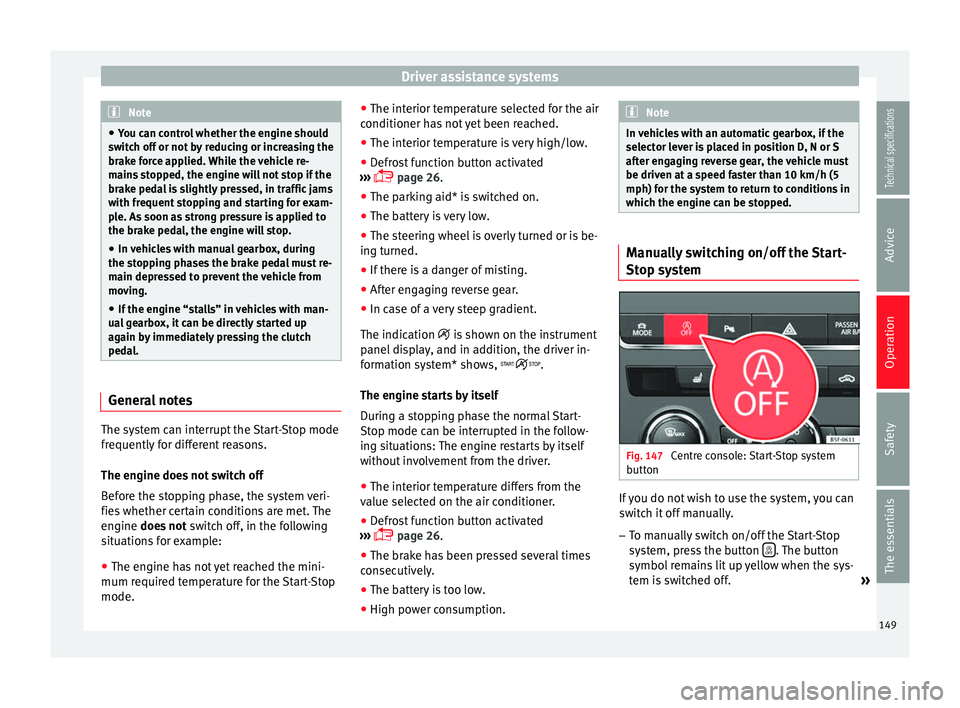
button If you do not wish to use the system, you can
switch it off manually.
– To manually switch on/off the Start-Stop
system, press the button . The button
symbol remains lit up yellow when the sys-
tem is switched off. »
149
Technical specifications
Advice
Operation
Safety
The essentials
Page 153 of 284
Driver assistance systems
System error. Contact a specialised work-
shop.
CCS switched on. The speed memory is
empty.
The CCS is switched on. The set speed is
displayed in large figures. WARNING
Observe the safety warnings ››› in Control
and warning lamps on page 71. Operating the cruise control system*
Read the additional information carefully
››› page 21
The value indicated in the table in brackets
(in mph, miles per hour) only refers to instru-
ment panels with indications in miles.
Changing gear in CCS mode
The CCS decelerates as soon as the clutch
pedal is pressed, intervening again automati-
cally after a gear is engaged.
Travelling down hills with the CCS
When travelling down hills the CCS cannot
maintain a constant speed. Slow the vehicle
down using the brake pedal and reduce
gears if required. B C
D Automatic off
The cruise control system (CCS) is switched
off automatically or temporarily:
●
If the system detects a fault that could af-
fect the working order of the CCS.
● If you press and maintain the accelerator
pedal for a certain time, driving faster than
the stored speed.
● If the dynamic driving control systems in-
tervene (e.g. ASR or ESC).
● If the airbag is triggered.
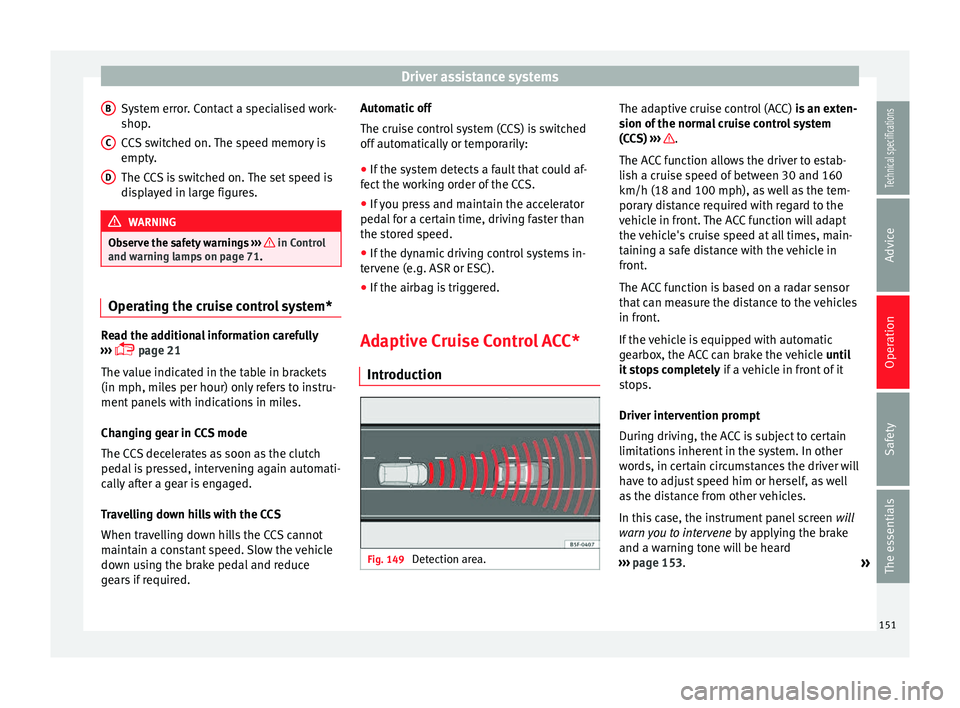
Adaptive Cruise Control ACC* Introduction Fig. 149
Detection area. The adaptive cruise control (ACC)
is an exten-
sion of the normal cruise control system
(CCS)
›
›› .
The ACC function allows the driver to estab-
lish a cruise speed of between 30 and 160
km/h (18 and 100 mph), as well as the tem-
porary distance required with regard to the
vehicle in front. The ACC function will adapt
the vehicle's cruise speed at all times, main-
taining a safe distance with the vehicle in
front.
The ACC function is based on a radar sensor
that can measure the distance to the vehicles
in front.
If the vehicle is equipped with automatic
gearbox, the ACC can brake the vehicle until
it stops completely if a vehicle in front of it
stops.
Driver intervention prompt
During driving, the ACC is subject to certain
limitations inherent in the system. In other
words, in certain circumstances the driver will
have to adjust speed him or herself, as well
as the distance from other vehicles.
In this case, the instrument panel screen will
warn you to intervene by applying the brake
and a warning tone will be heard
››› page 153 .
»
151Technical specifications
Advice
Operation
Safety
The essentials
Page 160 of 284
Operation
ACC: currently not available. No sensor
v i
sion
ACC and Front Assist: currently not
available. No sensor vision
This message will be displayed to the driver if
the radar sensor's vision is impaired due, for
example, to leaves, snow, heavy fog or dirt.
Clean the sensor.
ACC: currently not available. Gradient too
st
eep
The maximum road slope has been excee-
ded, hence safe ACC operation cannot be
guaranteed. The ACC cannot be switched on.
ACC: only available in D, S or M
Select the D/S or M position on the selector
lever.
ACC: parking brake applied
The ACC is deactivated if the parking brake is
applied. The ACC is available once again after
the parking brake is released.
ACC: currently not available. Intervention
of stability control
The message for the driver is displayed when
the electronic stability control (ESC) inter-
venes. In this case, the ACC is automatically
switched off. ACC: Take action!
The message for the driver is displayed if,
when the vehicle starts up on a hill with a
mild slope, the vehicle rolls back even al-
though the ACC is activated. Apply the brake
to stop the vehicle from moving/colliding
with another vehicle.
ACC: speed limit
The mes
sage for the driver is displayed if, in
vehicles with manual gearbox, the current
speed is too low for the ACC mode.
The speed to be stored must be at least 30
km/h. The cruise control system switches off
if the speed falls below 20 km/h.
ACC: available as of the 2nd gear
The ACC is operational as of the 2nd gear
(manual gearbox).
ACC: engine speed
The message for the driver is displayed if,
when the AAC accelerates or brakes, the driv-
er does not shift up or down a gear in time,
which means exceeding or not reaching the
permissible engine speed. The AAC switches
itself off. A buzzer warning is heard.
ACC: clutch pressed
Vehicles with a manual gearbox: pressing the
clutch pedal for longer abandons control
mode.
Three white dots appear if a setting made
with the control lever cannot be performed.
For example, if when the vehicle is stationary
the ACC cannot be activated because the
driver is not wearing the seat belt.
Door open
Vehicles with automatic gearbox: the ACC
cannot be activated with the vehicle station-
ary and the door open.
Deactivating the Adaptive Cruise
Control ACC temporarily in certain
situations In the following situations the Adaptive
Cruise Control (ACC) should be deactivated
due to the system's limitations
››› :
● When changing lanes, on tight bends and
roundabouts, in acceleration and decelera-
tion lanes on motorways or in sections with
road works to prevent involuntary accelera-
tion to reach the programmed speed.
● When going through a tunnel, as operation
could be affected.
● On roads with several lanes, when other ve-
hicles are driving more slowly in the overtak-
ing lane. In this case, slower vehicles will be
overtaken on the right.
158
Page 164 of 284
Operation
Automatic braking
If the driver also fails to react to the pre-warn-
ing, the system may brake the vehicle auto-
matically, by progressively increasing braking
effect driving at a speed of between approxi-
mately 5 km/h (3 mph) and 210 km/h
(130 mph). By reducing speed in case of a
possible collision, the system may contribute
to reducing the consequences of an accident.
Front assist
If the Front Assist notices that the driver is
not braking sufficiently in case of a collision
hazard, the system can increase braking ef-
fect and thus avert the collision when driving
at a speed of between approximately 5 km/h
(3 mph) and 210 km/h (130 mph). Front as-
sist only acts while the brake pedal is press-
ed down hard. WARNING
The intelligent technology in the Front Assist
cannot change the laws of physics. The driver
is always responsible for braking in time. If
the Front Assist issues a warning, then, de-
pending on the traffic circumstances, you
must brake immediately or dodge the obsta-
cle.
● Adapt your speed and safe distance to the
vehicle in front of you at all times to suit visi-
bility, weather, road and traffic conditions.
● The Front Assist alone cannot avoid acci-
dents and serious injuries. ●
In complex driving situations, the Front As-
sist may issue unnecessary warnings and in-
tervene unnecessarily in braking, such as in
traffic islands.
● If the operation of the Front Assist is im-
paired, for example, by dirt or because the ra-
dar sensor has lost its settings, the system
may issue unnecessary warnings and inter-
vene inopportunely in the braking.
● During driving, the Front Assist does not re-
act to people or animals or vehicles crossing
your path or which approach you head-on in
the same lane.
● The driver must always be ready to take
over the control of the vehicle. Note
● When the Front Assist causes a braking,
the brake pedal is “harder”.
● Automatic interventions by the Front Assist
on the brakes may be interrupted by pressing
the clutch, accelerator or moving the wheel.
● If the Front Assist does not work as descri-
bed in this chapter (e.g. in intervenes several
times unnecessarily), switch it off. Have the
system checked by a specialised workshop.
SEAT recommends visiting a SEAT dealership. On-screen warning lamps and
messages
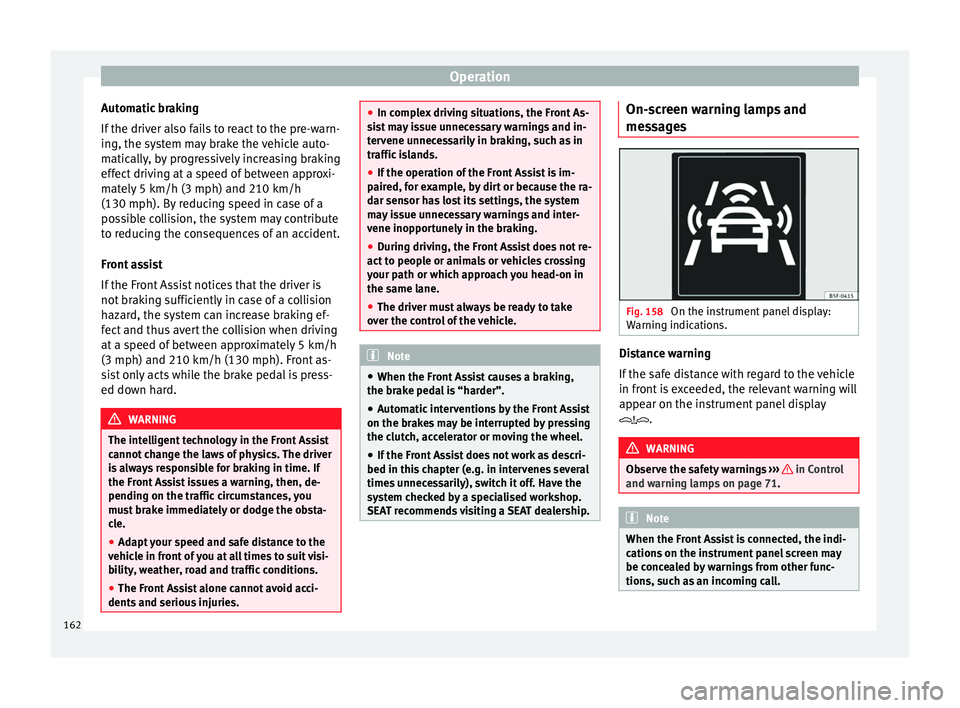
Fig. 158
On the instrument panel display:
Warning indications. Distance warning
If the safe distance with regard to the vehicle
in front is exceeded, the relevant warning will
appear on the instrument panel display
.
WARNING
Observe the safety warnings ››› in Control
and warning lamps on page 71. Note
When the Front Assist is connected, the indi-
cations on the instrument panel screen may
be concealed by warnings from other func-
tions, such as an incoming call. 162
Page 168 of 284
Operation
in braking, such as in work areas or if there
are metal rails.
●
If the operation of the City Emergency brak-
ing function is impaired, for example, by dirt
or because the radar sensor has lost its set-
tings, the system may issue unnecessary
warnings and intervene inopportunely in the
braking.
● During driving, the City Emergency braking
function does not react to people or animals
or vehicles crossing your path or which ap-
proach you head-on in the same lane. Note
● When the City Emergency braking function
causes a braking, the brake pedal is “hard-
er”.
● Automatic interventions on the brakes by
the City Emergency braking function may be
interrupted by pressing the clutch, accelera-
tor or moving the wheel.
● The City Emergency braking function can
brake the vehicle until it stops completely.
However, the brake system does not halt the
vehicle permanently. Use the foot brake!
● If several inopportune intervenes occur,
switch off the Front Assist and with it the City
Emergency braking function. Take it to a spe-
cialised workshop, SEAT recommends visiting
a SEAT dealership.
● If numerous unnecessary interventions oc-
cur, the City Emergency braking function may
switch off automatically. Lane Assist system*
Introduction WARNING
The intelligent technology in the Lane Assist
system cannot change the limits imposed by
the laws of physics and by the very nature of
the system. Careless or uncontrolled use of
the Lane Assist system may cause accidents
and injury. The system is not a replacement
for driver awareness.
● Always adapt your speed and the distance
to the vehicles ahead in line with visibility,
weather conditions, the condition of the road
and the traffic situation.
● Always keep your hands on the steering
wheel so it can be turned at any time.
● The Lane Assist system does not detect all
road markings. The road surfaces, road struc-
tures or objects in poor condition can be in-
correctly detected as road markings under
certain circumstances by the Lane Assist sys-
tem. In such situations, switch the Lane As-
sist system off immediately.
● Please observe the indications on the in-
strument panel and act as is necessary.
● Always pay attention to the vehicle's sur-
roundings.
● When the area of vision of the camera be-
comes dirty, covered or is damaged, the Lane
Assist system function can be affected. CAUTION
In order to avoid influencing the operation of
the system, the following points must be tak-
en into account:
● Regularly clean the area of vision of the
camera and keep it in a clean state, without
snow or ice.
● Do not cover the area of vision of the cam-
era.
● Check that the area of vision of the wind-
screen camera is not damaged. Note
● The Lane Assist system has been exclusive-
ly developed for driving on paved roads only.
● If the Lane Assist system does not work as
described in this chapter, do not use it and
contact a specialised workshop.
● If there is a fault in the system, have it
checked by a specialised workshop. 166
Page 226 of 284
Advice
8. Start the engine of the vehicle with the flat battery and wait 2 or 3 minutes until the
engine is “running”.
Removing the jump leads
9. Before you remove the jump leads, switch off the dipped beam headlights (if they
are switched on).
10.Turn on the heater blower and heated rear window in the vehicle with the flat battery.
This helps minimise voltage peaks which
are generated when the leads are discon-
nected.
11. When the engine is running, disconnect
the l e
ads in reverse order to the details
given above.
Connect the battery clamps so they have
good metal-to-metal contact with the battery
terminals.
If the engine fails to start, switch off the start-
er after about 10 seconds and try again after
about 1 minute. WARNING
● Please note the safety warnings referring to
working in the engine compartment
››› page 198.
● The b att
ery providing assistance must have
the same voltage as the flat battery (12V) and
approximately the same capacity (see imprint on battery). Failure to comply could result in
an explosion.
●
Never use jump leads when one of the bat-
teries is frozen. Danger of explosion! Even af-
ter the battery has thawed, battery acid could
leak and cause chemical burns. If a battery
freezes, it should be replaced.
● Keep sparks, flames and lighted cigarettes
away from batteries, danger of explosion.
Failure to comply could result in an explo-
sion.
● Observe the instructions provided by the
manufacturer of the jump leads.
● Do not connect the negative cable from the
other vehicle directly to the negative terminal
of the flat battery. The gas emitted from the
battery could be ignited by sparks. Danger of
explosion.
● Do not attach the negative cable from the
other vehicle to parts of the fuel system or to
the brake line.
● The non-insulated parts of the battery
clamps must not be allowed to touch. The
jump lead attached to the positive battery
terminal must not touch metal parts of the ve-
hicle, this can cause a short circuit.
● Position the leads in such a way that they
cannot come into contact with any moving
parts in the engine compartment.
● Do not lean on the batteries. This could re-
sult in chemical burns. Note
The vehicles must not touch each other, oth-
erwise electricity could flow as soon as the
positive terminals are connected. Towing and tow-starting the
vehicle
General information Read the additional information carefully
››› page 35
Points to observe when tow-starting or tow-
ing away
If you use a tow rope:
Notes for the driver of the towing vehicle
– The tow rope must be taut before you drive
off.
– Release the clutch very carefully when start-
ing the vehicle (manual gearbox), or accel-
erate gently (automatic gearbox).
Driving style
Towing requires some experience, especially
when using a tow rope
. Both drivers should
be f
amiliar with the technique required for
towing. Inexperienced drivers should not at-
tempt to tow.
224
Page 228 of 284
Advice
Vehicles with towline anchorage
On the right of the rear bumper there is a cov-
er which covers a threaded hole. – Take the towline anchorage out of the vehi-
cle tool set ››› page 220 .
– To r
emove the bumper cover, just press the
upper side of the cover inwards (arrow) and
remo
ve the cover by levering on the lower
››› Fig. 192 side.
– Scr
ew the towline anchorage into the screw
connection as far as it will go ››› Fig. 193
and tighten with the wheel brace.
After use, unscrew the towline anchorage
and put it back in the vehicle tool kit. Replace
the cover on the bumper. The towline anchor-
age should always be kept in the vehicle. WARNING
● If the towline anchorage is not screwed in
as far as the stop, there is a risk of the screw
connection shearing off during towing (acci-
dent risk).
● If your car has a towing bracket, only use
special towing ropes. Risk of accident! CAUTION
In vehicles fitted with a towing bracket, only
use special tow bars to prevent damage to
the ball joint. These tow bars have been spe-
cially approved for use with towing brackets. Tow-starting
As a general rule, tow-starting is not recom-
mended.
– Engage 2nd or 3rd gear before moving off.
– Press the clutch and hold the pedal down.
– Switch the ignition on.
– Once both vehicles are moving, release the
clutch.
– As soon as the engine has started, press
the clutch and move the gear lever to neu-
tral.
If the engine will not start, it is best to try
starting it using the battery of another vehi-
cle ›››
page 223 before attempting to tow
s t
art. You should only try to tow-start the en-
gine if jump starting is not successful. Tow-
starting is an attempt to start the engine via
the movement of the wheels.
When tow-starting a vehicle with a petrol en-
gine
, do not tow it more than a short dis-
tance, otherwise unburned fuel can enter the
catalytic converter. WARNING
The risk of accidents is high when tow-start-
ing, for example, the towed vehicle can easily
be driven into the towing vehicle. CAUTION
Do not tow vehicles for more than 50 km. Risk
of damage to the catalytic converter. Towing vehicles with a manual
gearbox
Towing is relatively straightforward.
Please observe the relevant instructions
››› page 224.
The v
ehicle can be towed using a tow bar or
tow rope in the normal way, with all four
wheels on the road; it can also be towed with
either the front or rear wheels lifted off the
road. The maximum towing speed is 50 km/h
(30 mph).
To
wing a vehicle equipped with
automatic gearbox Certain restrictions must be observed when
towing your vehicle.
Please observe the relevant instructions
››› page 224 .
The v
ehicle can be towed with a tow bar or
tow rope in the normal way, with all four
wheels on the ground. When doing so,
please note the following points:
226
Page 272 of 284
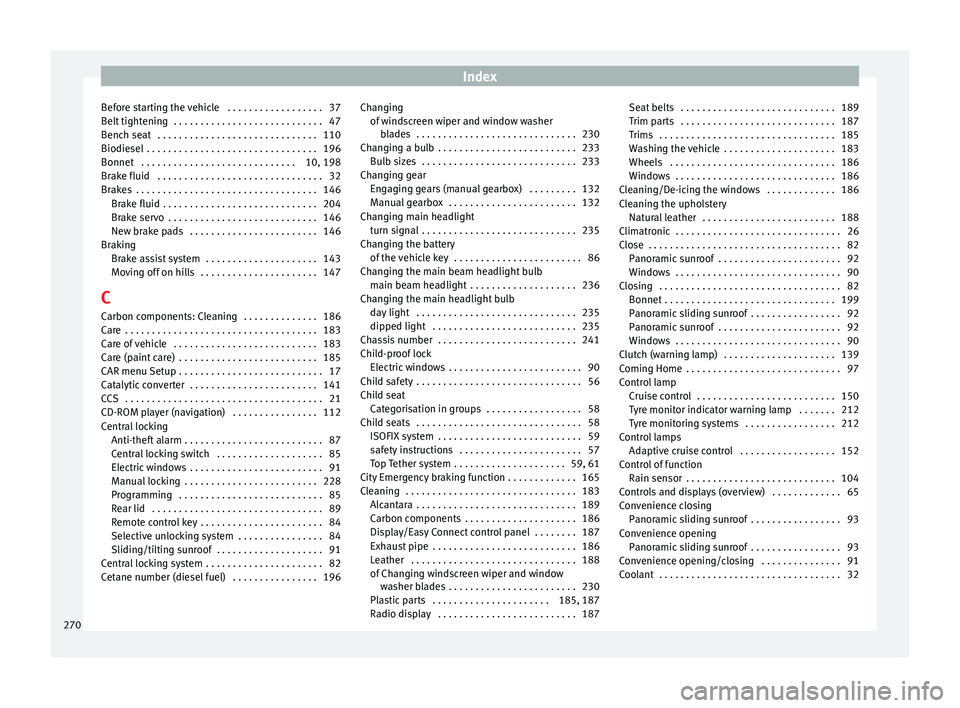
Index
Before starting the vehicle . . . . . . . . . . . . . . . . . . 37
Belt tightening . . . . . . . . . . . . . . . . . . . . . . . . . . . . 47
Bench seat . . . . . . . . . . . . . . . . . . . . . . . . . . . . . . 110
Biodiesel . . . . . . . . . . . . . . . . . . . . . . . . . . . . . . . . 196
Bonnet . . . . . . . . . . . . . . . . . . . . . . . . . . . . . 10, 198
Brake fluid . . . . . . . . . . . . . . . . . . . . . . . . . . . . . . . 32
Brakes . . . . . . . . . . . . . . . . . . . . . . . . . . . . . . . . . . 146 Brake fluid . . . . . . . . . . . . . . . . . . . . . . . . . . . . . 204
Brake servo . . . . . . . . . . . . . . . . . . . . . . . . . . . . 146
New brake pads . . . . . . . . . . . . . . . . . . . . . . . . 146
Braking Brake assist system . . . . . . . . . . . . . . . . . . . . . 143
Moving off on hills . . . . . . . . . . . . . . . . . . . . . . 147
C Carbon components: Cleaning . . . . . . . . . . . . . . 186
Care . . . . . . . . . . . . . . . . . . . . . . . . . . . . . . . . . . . . 183
Care of vehicle . . . . . . . . . . . . . . . . . . . . . . . . . . . 183
Care (paint care) . . . . . . . . . . . . . . . . . . . . . . . . . . 185
CAR menu Setup . . . . . . . . . . . . . . . . . . . . . . . . . . . 17
Catalytic converter . . . . . . . . . . . . . . . . . . . . . . . . 141
CCS . . . . . . . . . . . . . . . . . . . . . . . . . . . . . . . . . . . . . 21
CD-ROM player (navigation) . . . . . . . . . . . . . . . . 112
Central locking Anti-theft alarm . . . . . . . . . . . . . . . . . . . . . . . . . . 87
Central locking switch . . . . . . . . . . . . . . . . . . . . 85
Electric windows . . . . . . . . . . . . . . . . . . . . . . . . . 91
Manual locking . . . . . . . . . . . . . . . . . . . . . . . . . 228
Programming . . . . . . . . . . . . . . . . . . . . . . . . . . . 85
Rear lid . . . . . . . . . . . . . . . . . . . . . . . . . . . . . . . . 89
Remote control key . . . . . . . . . . . . . . . . . . . . . . . 84
Selective unlocking system . . . . . . . . . . . . . . . . 84
Sliding/tilting sunroof . . . . . . . . . . . . . . . . . . . . 91
Central locking system . . . . . . . . . . . . . . . . . . . . . . 82
Cetane number (diesel fuel) . . . . . . . . . . . . . . . . 196 Changing
of windscreen wiper and window washerblades . . . . . . . . . . . . . . . . . . . . . . . . . . . . . . 230
Changing a bulb . . . . . . . . . . . . . . . . . . . . . . . . . . 233 Bulb sizes . . . . . . . . . . . . . . . . . . . . . . . . . . . . . 233
Changing gear Engaging gears (manual gearbox) . . . . . . . . . 132
Manual gearbox . . . . . . . . . . . . . . . . . . . . . . . . 132
Changing main headlight turn signal . . . . . . . . . . . . . . . . . . . . . . . . . . . . . 235
Changing the battery of the vehicle key . . . . . . . . . . . . . . . . . . . . . . . . 86
Changing the main beam headlight bulb main beam headlight . . . . . . . . . . . . . . . . . . . . 236
Changing the main headlight bulb day light . . . . . . . . . . . . . . . . . . . . . . . . . . . . . . 235
dipped light . . . . . . . . . . . . . . . . . . . . . . . . . . . 235
Chassis number . . . . . . . . . . . . . . . . . . . . . . . . . . 241
Child-proof lock Electric windows . . . . . . . . . . . . . . . . . . . . . . . . . 90
Child safety . . . . . . . . . . . . . . . . . . . . . . . . . . . . . . . 56
Child seat Categorisation in groups . . . . . . . . . . . . . . . . . . 58
Child seats . . . . . . . . . . . . . . . . . . . . . . . . . . . . . . . 58 ISOFIX system . . . . . . . . . . . . . . . . . . . . . . . . . . . 59
safety instructions . . . . . . . . . . . . . . . . . . . . . . . 57
Top Tether system . . . . . . . . . . . . . . . . . . . . . 59, 61
City Emergency braking function . . . . . . . . . . . . . 165
Cleaning . . . . . . . . . . . . . . . . . . . . . . . . . . . . . . . . 183 Alcantara . . . . . . . . . . . . . . . . . . . . . . . . . . . . . . 189
Carbon components . . . . . . . . . . . . . . . . . . . . . 186
Display/Easy Connect control panel . . . . . . . . 187
Exhaust pipe . . . . . . . . . . . . . . . . . . . . . . . . . . . 186
Leather . . . . . . . . . . . . . . . . . . . . . . . . . . . . . . . 188
of Changing windscreen wiper and windowwasher blades . . . . . . . . . . . . . . . . . . . . . . . . 230
Plastic parts . . . . . . . . . . . . . . . . . . . . . . 185, 187
Radio display . . . . . . . . . . . . . . . . . . . . . . . . . . 187 Seat belts . . . . . . . . . . . . . . . . . . . . . . . . . . . . . 189
Trim parts . . . . . . . . . . . . . . . . . . . . . . . . . . . . . 187
Trims . . . . . . . . . . . . . . . . . . . . . . . . . . . . . . . . . 185
Washing the vehicle . . . . . . . . . . . . . . . . . . . . . 183
Wheels . . . . . . . . . . . . . . . . . . . . . . . . . . . . . . . 186
Windows . . . . . . . . . . . . . . . . . . . . . . . . . . . . . . 186
Cleaning/De-icing the windows . . . . . . . . . . . . . 186
Cleaning the upholstery Natural leather . . . . . . . . . . . . . . . . . . . . . . . . . 188
Climatronic . . . . . . . . . . . . . . . . . . . . . . . . . . . . . . . 26
Close . . . . . . . . . . . . . . . . . . . . . . . . . . . . . . . . . . . . 82 Panoramic sunroof . . . . . . . . . . . . . . . . . . . . . . . 92
Windows . . . . . . . . . . . . . . . . . . . . . . . . . . . . . . . 90
Closing . . . . . . . . . . . . . . . . . . . . . . . . . . . . . . . . . . 82 Bonnet . . . . . . . . . . . . . . . . . . . . . . . . . . . . . . . . 199
Panoramic sliding sunroof . . . . . . . . . . . . . . . . . 92
Panoramic sunroof . . . . . . . . . . . . . . . . . . . . . . . 92
Windows . . . . . . . . . . . . . . . . . . . . . . . . . . . . . . . 90
Clutch (warning lamp) . . . . . . . . . . . . . . . . . . . . . 139
Coming Home . . . . . . . . . . . . . . . . . . . . . . . . . . . . . 97
Control lamp Cruise control . . . . . . . . . . . . . . . . . . . . . . . . . . 150
Tyre monitor indicator warning lamp . . . . . . . 212
Tyre monitoring systems . . . . . . . . . . . . . . . . . 212
Control lamps Adaptive cruise control . . . . . . . . . . . . . . . . . . 152
Control of function Rain sensor . . . . . . . . . . . . . . . . . . . . . . . . . . . . 104
Controls and displays (overview) . . . . . . . . . . . . . 65
Convenience closing Panoramic sliding sunroof . . . . . . . . . . . . . . . . . 93
Convenience opening Panoramic sliding sunroof . . . . . . . . . . . . . . . . . 93
Convenience opening/closing . . . . . . . . . . . . . . . 91
Coolant . . . . . . . . . . . . . . . . . . . . . . . . . . . . . . . . . . 32
270