park assist Seat Leon SC 2014 Owner's manual
[x] Cancel search | Manufacturer: SEAT, Model Year: 2014, Model line: Leon SC, Model: Seat Leon SC 2014Pages: 284, PDF Size: 5.85 MB
Page 5 of 284
Table of Contents
Table of Contents
The essentials . . . . . . . . . . . . . . . . . . . . . . . . 5
Exterior view . . . . . . . . . . . . . . . . . . . . . . . . . . . . 5
Interior view . . . . . . . . . . . . . . . . . . . . . . . . . . . . 7
How it works . . . . . . . . . . . . . . . . . . . . . . . . . . . . 9
Unlocking and locking . . . . . . . . . . . . . . . . . . . . 9
Before driving . . . . . . . . . . . . . . . . . . . . . . . . . . . 11
Starting the vehicle . . . . . . . . . . . . . . . . . . . . . . 14
Lights and visibility . . . . . . . . . . . . . . . . . . . . . . 15
Easy Connect . . . . . . . . . . . . . . . . . . . . . . . . . . . 17
Driver information system . . . . . . . . . . . . . . . . . 19
Cruise control . . . . . . . . . . . . . . . . . . . . . . . . . . . 21
Warning lamps . . . . . . . . . . . . . . . . . . . . . . . . . . 22
Gearbox lever . . . . . . . . . . . . . . . . . . . . . . . . . . . 24
Air conditioning . . . . . . . . . . . . . . . . . . . . . . . . . 26
Level control . . . . . . . . . . . . . . . . . . . . . . . . . . . . 31
Action in the event of a puncture . . . . . . . . . . . 33
Emergency towing of the vehicle . . . . . . . . . . . 35
Safety . . . . . . . . . . . . . . . . . . . . . . . . . . . . . . . . 37
Safe driving . . . . . . . . . . . . . . . . . . . . . . . . . . . . 37
Safety first! . . . . . . . . . . . . . . . . . . . . . . . . . . . . . 37
Advice about driving . . . . . . . . . . . . . . . . . . . . . 37
Sitting position for vehicle occupants . . . . . . . 38
Pedal area . . . . . . . . . . . . . . . . . . . . . . . . . . . . . . 42
Seat belts . . . . . . . . . . . . . . . . . . . . . . . . . . . . . . 43
The reasons why we should wear seat belts . . 43
How to properly adjust your seatbelt . . . . . . . . 46
Seat belt tensioners . . . . . . . . . . . . . . . . . . . . . . 47
Airbag system . . . . . . . . . . . . . . . . . . . . . . . . . . 48
Brief introduction . . . . . . . . . . . . . . . . . . . . . . . . 48
Airbag overview . . . . . . . . . . . . . . . . . . . . . . . . . 50
Deactivating airbags . . . . . . . . . . . . . . . . . . . . . 54
Transporting children safety . . . . . . . . . . . . . . . 56
Safety for children . . . . . . . . . . . . . . . . . . . . . . . 56
Child seats . . . . . . . . . . . . . . . . . . . . . . . . . . . . . 58 Operation
. . . . . . . . . . . . . . . . . . . . . . . . . . . . . 65
Controls and displays . . . . . . . . . . . . . . . . . . . . 65
Overview . . . . . . . . . . . . . . . . . . . . . . . . . . . . . . . 64
Instruments and warning/control lamps . . . . . 66
Instruments . . . . . . . . . . . . . . . . . . . . . . . . . . . . 66
Control lamps . . . . . . . . . . . . . . . . . . . . . . . . . . . 71
Driver information system . . . . . . . . . . . . . . . . . 72
Information system . . . . . . . . . . . . . . . . . . . . . . 72
Driving data . . . . . . . . . . . . . . . . . . . . . . . . . . . . 76
Speed warning function . . . . . . . . . . . . . . . . . . . 79
Service interval display . . . . . . . . . . . . . . . . . . . 80
Introduction to the Easy Connect system* . . . . 81
System Settings (CAR)* . . . . . . . . . . . . . . . . . . . 81
Opening and closing . . . . . . . . . . . . . . . . . . . . . 82
Central locking system . . . . . . . . . . . . . . . . . . . . 82
Anti-theft alarm system* . . . . . . . . . . . . . . . . . . 87
Rear lid (luggage compartment) . . . . . . . . . . . . 89
Electric windows . . . . . . . . . . . . . . . . . . . . . . . . . 90
Panoramic sliding sunroof* . . . . . . . . . . . . . . . . 92
Lights and visibility . . . . . . . . . . . . . . . . . . . . . . 94
Lights . . . . . . . . . . . . . . . . . . . . . . . . . . . . . . . . . 94
Visibility . . . . . . . . . . . . . . . . . . . . . . . . . . . . . . . 101
Windscreen wiper and window wiper systems . 102
Rear vision mirror . . . . . . . . . . . . . . . . . . . . . . . . 104
Seats and head restraints . . . . . . . . . . . . . . . . . 106
Adjusting the seats and headrests . . . . . . . . . . 106
Seat functions . . . . . . . . . . . . . . . . . . . . . . . . . . 107
Transport and practical equipment . . . . . . . . . 111
Storage compartments . . . . . . . . . . . . . . . . . . . 111
Storing objects . . . . . . . . . . . . . . . . . . . . . . . . . . 114
Roof carrier . . . . . . . . . . . . . . . . . . . . . . . . . . . . . 122
Air conditioning . . . . . . . . . . . . . . . . . . . . . . . . . 124
Heating, ventilation and cooling . . . . . . . . . . . . 124
Driving . . . . . . . . . . . . . . . . . . . . . . . . . . . . . . . . 129
Ignition lock . . . . . . . . . . . . . . . . . . . . . . . . . . . . 129
Braking and parking . . . . . . . . . . . . . . . . . . . . . 131
Manual gearbox . . . . . . . . . . . . . . . . . . . . . . . . . 132 Automatic gearbox/DSG automatic gearbox* . 132
Run-in and economical driving . . . . . . . . . . . . . 140
Driver assistance systems
. . . . . . . . . . . . . . . . . 143
Braking and stability systems . . . . . . . . . . . . . . 143
Start-Stop system* . . . . . . . . . . . . . . . . . . . . . . . 148
Cruise control system (CCS)* . . . . . . . . . . . . . . . 150
Adaptive Cruise Control ACC* . . . . . . . . . . . . . . 151
Monitoring system Front Assist* . . . . . . . . . . . . 161
Lane Assist system* . . . . . . . . . . . . . . . . . . . . . . 166
SEAT driving modes (SEAT Drive Profile)* . . . . . 169
Tiredness detection (break recommendation)* 172
Parking aid . . . . . . . . . . . . . . . . . . . . . . . . . . . . . 173
Towing bracket device . . . . . . . . . . . . . . . . . . . . 177
Trailer towing . . . . . . . . . . . . . . . . . . . . . . . . . . . 177
Advice . . . . . . . . . . . . . . . . . . . . . . . . . . . . . . . . 182
Care and maintenance . . . . . . . . . . . . . . . . . . . . 182
Accessories and modifications to the vehicle . 182
Care and cleaning . . . . . . . . . . . . . . . . . . . . . . . 183
Vehicle exterior care . . . . . . . . . . . . . . . . . . . . . . 183
Care of the vehicle interior . . . . . . . . . . . . . . . . . 187
Intelligent technology . . . . . . . . . . . . . . . . . . . . 190
Electro-mechanical steering . . . . . . . . . . . . . . . 190
Progressive steering . . . . . . . . . . . . . . . . . . . . . 190
Four-wheel drive . . . . . . . . . . . . . . . . . . . . . . . . . 191
Power Management . . . . . . . . . . . . . . . . . . . . . . 191
Checking and refilling levels . . . . . . . . . . . . . . . 193
Refuelling . . . . . . . . . . . . . . . . . . . . . . . . . . . . . . 193
Fuel . . . . . . . . . . . . . . . . . . . . . . . . . . . . . . . . . . . 195
Bonnet . . . . . . . . . . . . . . . . . . . . . . . . . . . . . . . . 198
Engine oil . . . . . . . . . . . . . . . . . . . . . . . . . . . . . . 200
Cooling system . . . . . . . . . . . . . . . . . . . . . . . . . . 203
Brake fluid . . . . . . . . . . . . . . . . . . . . . . . . . . . . . 204
Windscreen washer reservoir . . . . . . . . . . . . . . 204
Battery . . . . . . . . . . . . . . . . . . . . . . . . . . . . . . . . . 205
Wheels . . . . . . . . . . . . . . . . . . . . . . . . . . . . . . . . 208
Wheels and tyres . . . . . . . . . . . . . . . . . . . . . . . . 208
Tyre monitoring systems . . . . . . . . . . . . . . . . . . 212
3
Page 20 of 284
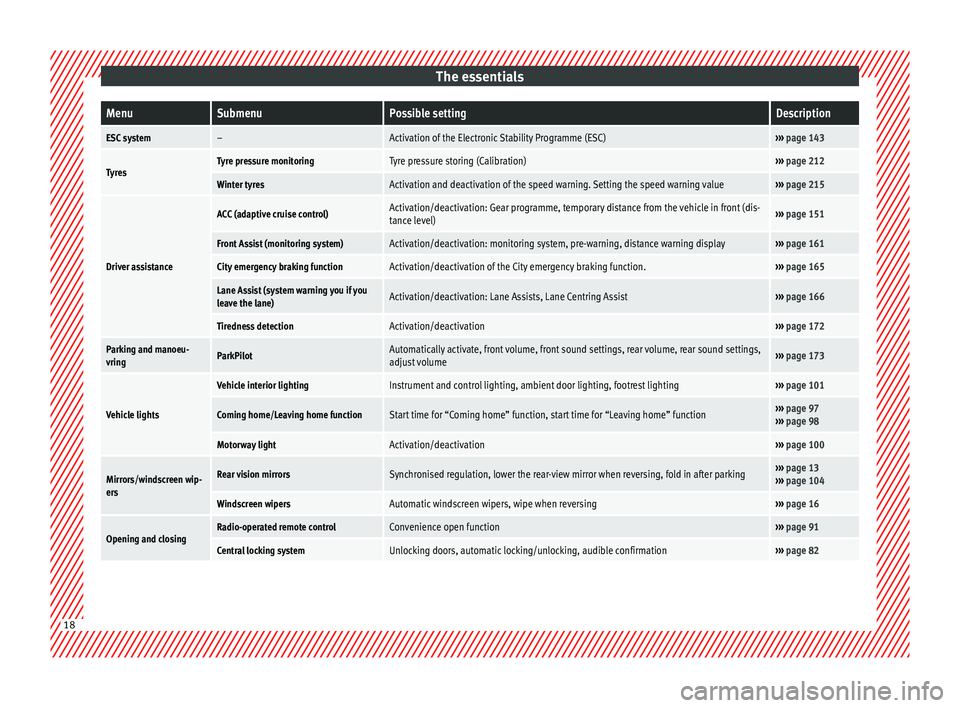
The essentialsMenuSubmenuPossible settingDescription
ESC system–Activation of the Electronic Stability Programme (ESC)›››
page 143
TyresTyre pressure monitoringTyre pressure storing (Calibration)››› page 212
Winter tyresActivation and deactivation of the speed warning. Setting the speed warning value››› page 215
Driver assistance
ACC (adaptive cruise control)Activation/deactivation: Gear programme, temporary distance from the vehicle in front (dis-
tance level)››› page 151
Front Assist (monitoring system)Activation/deactivation: monitoring system, pre-warning, distance warning display››› page 161
City emergency braking functionActivation/deactivation of the City emergency braking function.››› page 165
Lane Assist (system warning you if you
leave the lane)Activation/deactivation: Lane Assists, Lane Centring Assist››› page 166
Tiredness detectionActivation/deactivation››› page 172
Parking and manoeu-
vringParkPilotAutomatically activate, front volume, front sound settings, rear volume, rear sound settings,
adjust volume››› page 173
Vehicle lights
Vehicle interior lightingInstrument and control lighting, ambient door lighting, footrest lighting››› page 101
Coming home/Leaving home functionStart time for “Coming home” function, start time for “Leaving home” function››› page 97
››› page 98
Motorway lightActivation/deactivation››› page 100
Mirrors/windscreen wip-
ersRear vision mirrorsSynchronised regulation, lower the rear-view mirror when reversing, fold in after parking››› page 13
››› page 104
Windscreen wipersAutomatic windscreen wipers, wipe when reversing››› page 16
Opening and closingRadio-operated remote controlConvenience open function››› page 91
Central locking systemUnlocking doors, automatic locking/unlocking, audible confirmation››› page 82 18
Page 21 of 284
The essentialsMenuSubmenuPossible settingDescription
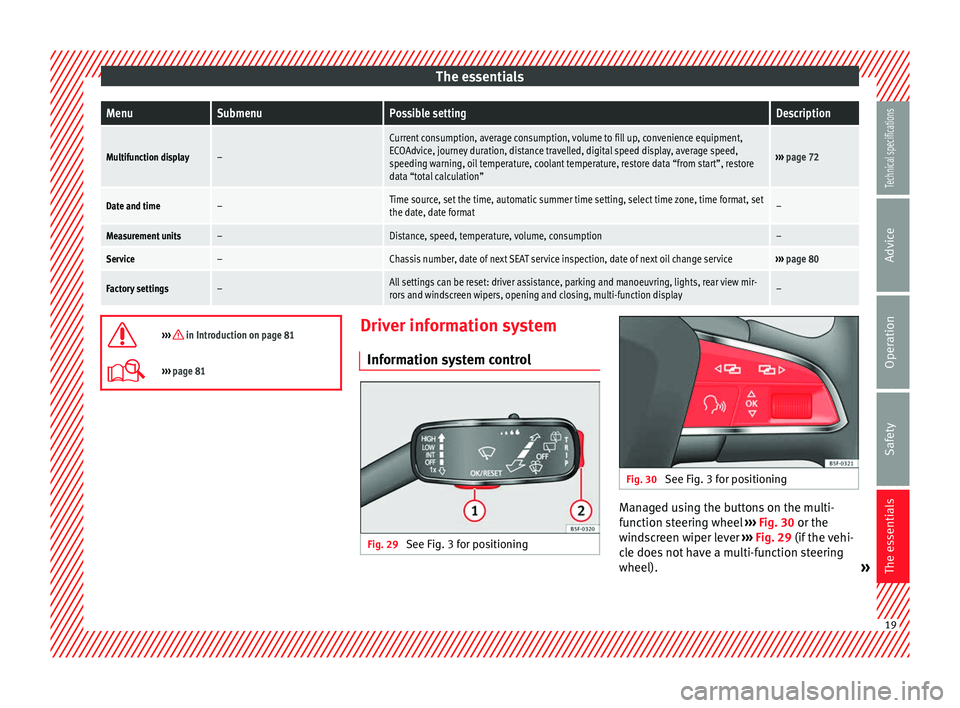
Multifunction display–
Current consumption, average consumption, volume to fill up, convenience equipment,
ECOAdvice, journey duration, distance travelled, digital speed display, average speed,
speeding warning, oil temperature, coolant temperature, restore data “from start”, restore
data “total calculation”
›››
page 72
Date and time–Time source, set the time, automatic summer time setting, select time zone, time format, set
the date, date format–
Measurement units–Distance, speed, temperature, volume, consumption–
Service–Chassis number, date of next SEAT service inspection, date of next oil change service››› page 80
Factory settings–All settings can be reset: driver assistance, parking and manoeuvring, lights, rear view mir-
rors and windscreen wipers, opening and closing, multi-function display–
››› in Introduction on page 81
›››
page 81 Driver information system
Information system control Fig. 29
See Fig. 3 for positioning Fig. 30
See Fig. 3 for positioning Managed using the buttons on the multi-
function steering wheel
››› Fig. 30 or the
w ind
screen wiper lever ››› Fig. 29 (if the vehi-
cle does not have a multi-function steering
wheel). » 19
Technical specifications
Advice
Operation
Safety
The essentials
Page 67 of 284
Controls and displays
Operation
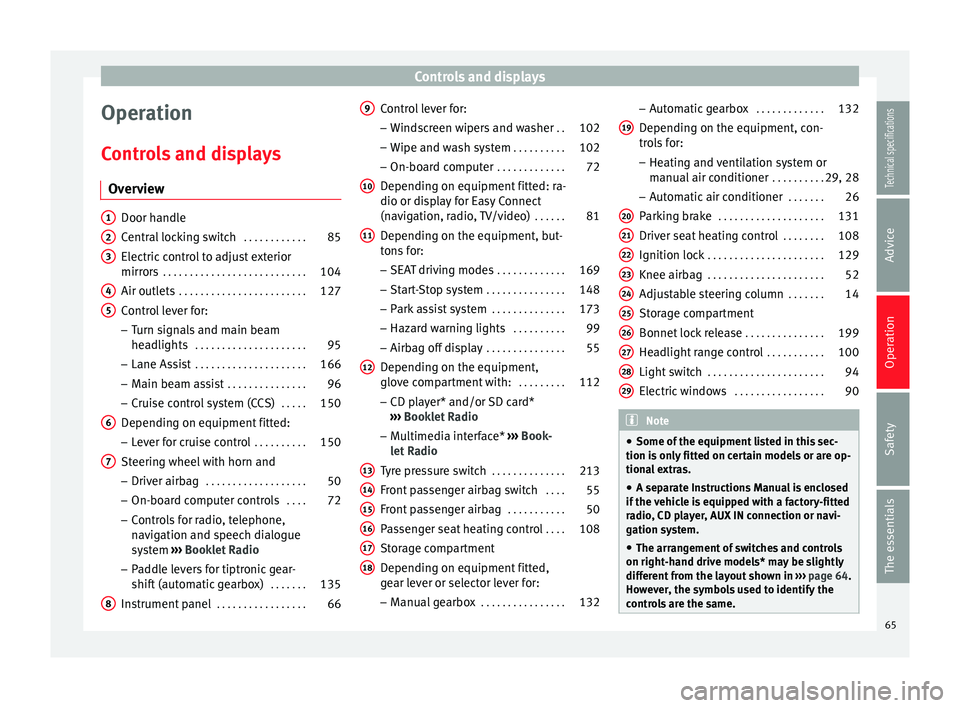
Controls and displays Overview Door handle
Central locking switch
. . . . . . . . . . . .85
Electric control to adjust exterior
mirrors . . . . . . . . . . . . . . . . . . . . . . . . . . . 104
Air outlets . . . . . . . . . . . . . . . . . . . . . . . . 127
Control lever for:
– Turn signals and main beam
headlights . . . . . . . . . . . . . . . . . . . . . 95
– Lane Assist . . . . . . . . . . . . . . . . . . . . . 166
– Main beam assist . . . . . . . . . . . . . . . 96
– Cruise control system (CCS) . . . . .150
Depending on equipment fitted:
– Lever for cruise control . . . . . . . . . .150
Steering wheel with horn and – Driver airbag . . . . . . . . . . . . . . . . . . . 50
– On-board computer controls . . . .72
– Controls for radio, telephone,
navigation and speech dialogue
system ›››
Booklet Radio
– Paddle levers for tiptronic gear-
shift (automatic gearbox) . . . . . . .135
Instrument panel . . . . . . . . . . . . . . . . . 66
1 2
3
4
5
6
7
8 Control lever for:
– Windscreen wipers and washer . .102
– Wipe and wash system . . . . . . . . . .102
– On-board computer . . . . . . . . . . . . .72
Depending on equipment fitted: ra-
dio or display for Easy Connect
(navigation, radio, TV/video) . . . . . .81
Depending on the equipment, but-
tons for:
– SEAT driving modes . . . . . . . . . . . . .169
– Start-Stop system . . . . . . . . . . . . . . . 148
– Park assist system . . . . . . . . . . . . . .173
– Hazard warning lights . . . . . . . . . .99
– Airbag off display . . . . . . . . . . . . . . . 55
Depending on the equipment,
glove compartment with: . . . . . . . . .112
– CD player* and/or SD card*
››› Booklet Radio
– Multimedia interface* ››› Book-
let Radio
Tyre pressure switch . . . . . . . . . . . . . .213
Front passenger airbag switch . . . .55
Front passenger airbag . . . . . . . . . . .50
Passenger seat heating control . . . .108
Storage compartment
Depending on equipment fitted,
gear lever or selector lever for:
– Manual gearbox . . . . . . . . . . . . . . . . 132
9
10
11
12
13
14
15
16
17
18 –
Automatic gearbox . . . . . . . . . . . . .132
Depending on the equipment, con-
trols for: – Heating and ventilation system or
manual air conditioner . . . . . . . . . .29, 28
– Automatic air conditioner . . . . . . .26
Parking brake . . . . . . . . . . . . . . . . . . . . 131
Driver seat heating control . . . . . . . .108
Ignition lock . . . . . . . . . . . . . . . . . . . . . . 129
Knee airbag . . . . . . . . . . . . . . . . . . . . . . 52
Adjustable steering column . . . . . . .14
Storage compartment
Bonnet lock release . . . . . . . . . . . . . . .199
Headlight range control . . . . . . . . . . .100
Light switch . . . . . . . . . . . . . . . . . . . . . . 94
Electric windows . . . . . . . . . . . . . . . . . 90 Note
● Some of the equipment listed in this sec-
tion is only fitted on certain models or are op-
tional extras.
● A separate Instructions Manual is enclosed
if the vehicle is equipped with a factory-fitted
radio, CD player, AUX IN connection or navi-
gation system.
● The arrangement of switches and controls
on right-hand drive models* may be slightly
different from the layout shown in ››› page 64.
However, the symbols used to identify the
controls are the same. 19
20
21
22
23
24
25
26
27
28
29
65Technical specifications
Advice
Operation
Safety
The essentials
Page 73 of 284
Instruments and warning/control lamps
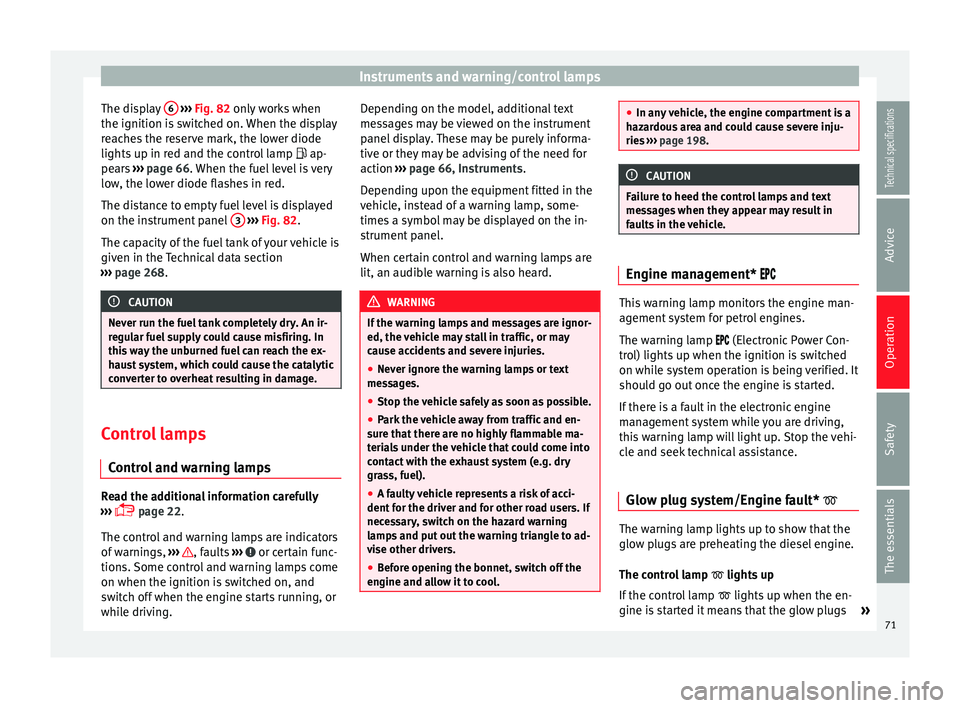
The display 6
››› Fig. 82 only works when
the ignition i s
switched on. When the display
reaches the reserve mark, the lower diode
lights up in red and the control lamp
ap-
pears ››› page 66. When the fuel level is very
low
, the lower diode flashes in red.
The distance to empty fuel level is displayed
on the instrument panel 3
››› Fig. 82 .
The c ap
acity of the fuel tank of your vehicle is
given in the Technical data section
››› page 268. CAUTION
Never run the fuel tank completely dry. An ir-
regular fuel supply could cause misfiring. In
this way the unburned fuel can reach the ex-
haust system, which could cause the catalytic
converter to overheat resulting in damage. Control lamps
Control and warning lamps Read the additional information carefully
››› page 22
.
The c ontr
ol and warning lamps are indicators
of warnings, ››› , faults
››› or certain func-
tions. Some control and warning lamps come
on when the ignition is switched on, and
switch off when the engine starts running, or
while driving. Depending on the model, additional text
messages may be viewed on the instrument
panel display. These may be purely informa-
tive or they may be advising of the need for
action
››› page 66, Instruments .
D ependin
g upon the equipment fitted in the
vehicle, instead of a warning lamp, some-
times a symbol may be displayed on the in-
strument panel.
When certain control and warning lamps are
lit, an audible warning is also heard. WARNING
If the warning lamps and messages are ignor-
ed, the vehicle may stall in traffic, or may
cause accidents and severe injuries.
● Never ignore the warning lamps or text
messages.
● Stop the vehicle safely as soon as possible.
● Park the vehicle away from traffic and en-
sure that there are no highly flammable ma-
terials under the vehicle that could come into
contact with the exhaust system (e.g. dry
grass, fuel).
● A faulty vehicle represents a risk of acci-
dent for the driver and for other road users. If
necessary, switch on the hazard warning
lamps and put out the warning triangle to ad-
vise other drivers.
● Before opening the bonnet, switch off the
engine and allow it to cool. ●
In any vehicle, the engine compartment is a
hazardous area and could cause severe inju-
ries ››› page 198. CAUTION
Failure to heed the control lamps and text
messages when they appear may result in
faults in the vehicle. Engine management*
This warning lamp monitors the engine man-
agement system for petrol engines.
The warning lamp (Electronic Power Con-
trol) lights up when the ignition is switched
on while system operation is being verified. It
should go out once the engine is started.
If there is a fault in the electronic engine
management system while you are driving,
this warning lamp will light up. Stop the vehi-
cle and seek technical assistance.
Glow plug system/Engine fault* The warning lamp lights up to show that the
glow plugs are preheating the diesel engine.
The control lamp
lights up
If the control lamp lights up when the en-
gine is started it means that the glow plugs »
71Technical specifications
Advice
Operation
Safety
The essentials
Page 83 of 284
Introduction to the Easy Connect system*
service intervals permitted in the
››› Book-
let Maintenance Programme. Introduction to the Easy
Connect system*
System Settings (CAR)* Introduction To select the settings menus, press the Easy
Connect
button and the
Setup function
button.
The actual number of menus available and
the name of the various options in these me-
nus will depend on the vehicle’s electronics
and equipment. WARNING
Any distraction may lead to an accident, with
the risk of injury. Operating the Easy Connect
system while driving could distract you from
traffic. CAR menu Setup
Read the additional information carefully
››› page 17
Pressing the menu button will always take
you to the last menu used.
When the function button check box is activa-
ted , the function is active. Pressing the menu button
will always take
you to the last menu used.
Any changes made using the settings menus
are automatically saved on closing those me-
nus.Function buttons in the ve-
hicle’s settings menuPage
ESC system››› page 143
Tyres››› page 212
Driver assistance››› table on page 18
Parking and manoeuvring››› page 173
Vehicle lights››› table on page 18
Rear vision mirrors and wind-
screen wipers››› table on page 18
Opening and closing››› table on page 18
Multifunction display››› page 19
Date and time››› table on page 18
Units››› table on page 18
Service››› page 67
Factory settings››› table on page 18 81
Technical specifications
Advice
Operation
Safety
The essentials
Page 99 of 284
Lights and visibility
● When the drivers of other oncoming vehi-
cles (such as a truck) can see over a guard
rail in the centre of the road.
● If the camera is damaged or the power sup-
ply is cut off.
● In fog, snow and heavy rain.
● With dust and sand turbulence.
● With loose gravel in the field of vision of
the camera.
● When the field of vision of the camera is
misted up, dirty or covered by stickers, snow,
ice, etc. WARNING
The convenience features of the main beam
assist should not encourage the taking of
risks. The system is not a replacement for
driver concentration.
● You are always in control of the main beam
and adapting it to the light, visibility and traf-
fic conditions.
● It is possible that the main beam headlight
control does not recognise all driving situa-
tions and is limited under certain circumstan-
ces.
● When the field of vision of the camera is
dirty, covered or damaged, operation of the
main beam control may be affected. This also
applies when changes are made to the vehi- cle lighting system, for example, if additional
headlights are installed.
CAUTION
To avoid affecting the operation of the sys-
tem, take the following points into considera-
tion:
● Clean the field of vision of the camera regu-
larly and make sure it is free of snow and ice.
● Do not cover the field of vision of the cam-
era.
● Check that the windscreen is not damaged
in the area of the field of vision of the camera. Note
Main beam and headlight flasher can be
turned on and off manually at any time with
the turn signal and main beam lever
››› page 95. Fog lights
The warning lamps
or also show, on the
light switch or instrument panel, when the
fog lights are on. ●
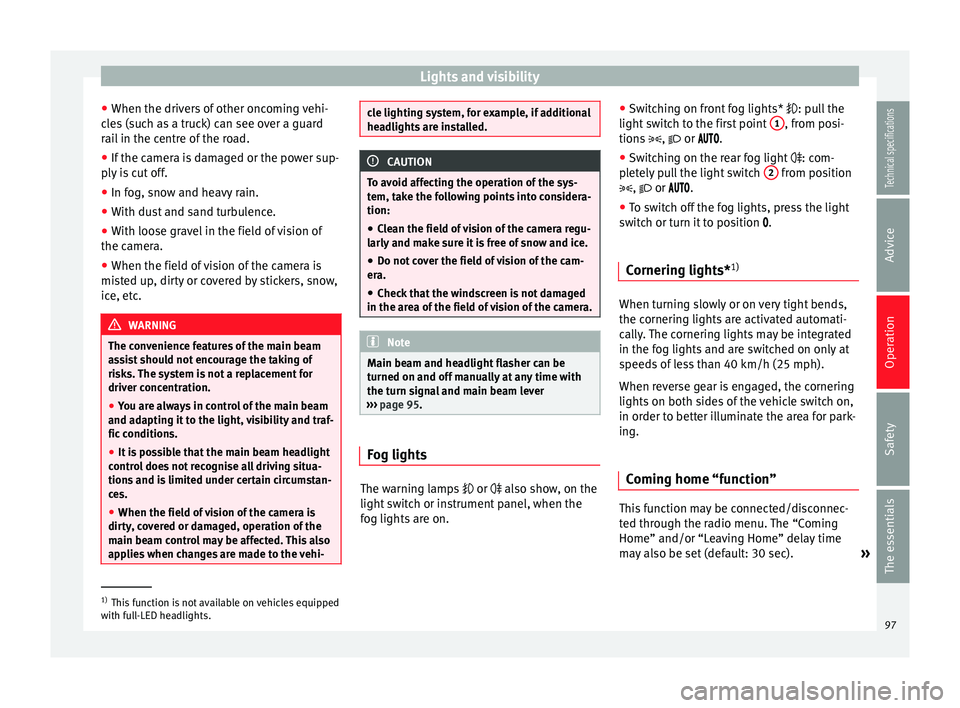
Switching on front fog lights* : pull the
light switch to the first point 1 , from posi-
tions ,
or .
● Switching on the rear fog light
: com-
pletely pull the light switch 2 from position
,
or .
● To switch off the fog lights, press the light
switch or turn it to position
.
Cornering lights* 1) When turning slowly or on very tight bends,
the cornering lights are activated automati-
cally. The cornering lights may be integrated
in the fog lights and are switched on only at
speeds of less than 40 km/h (25 mph).
When reverse gear is engaged, the cornering
lights on both sides of the vehicle switch on,
in order to better illuminate the area for park-
ing.
Coming home “function” This function may be connected/disconnec-
ted through the radio menu. The “Coming
Home” and/or “Leaving Home” delay time
may also be set (default: 30 sec).
»1)
This function is not available on vehicles equipped
with full-LED headlights. 97
Technical specifications
Advice
Operation
Safety
The essentials
Page 134 of 284
Operation
● Secure the vehicle as usual by applying the
handbrake firmly and putting it in 1st gear. WARNING
● Take measures to reduce the risk of injury
when you leave your vehicle unattended.
● Never park where the hot exhaust system
could ignite inflammable materials, such as
dry grass, low bushes, spilt fuel etc.
● Never allow vehicle occupants to remain in
the vehicle when it is locked. They would be
unable to open the vehicle from the inside,
and could become trapped in the vehicle in
an emergency. In the event of an emergency,
locked doors will delay assistance to vehicle
occupants.
● Never leave children alone in the vehicle.
They could set the vehicle in motion, for ex-
ample, by releasing the handbrake or the
gearbox lever.
● Depending on weather conditions, it may
become extremely hot or cold inside the vehi-
cle. This can be fatal. Manual gearbox
Changing gears Read the additional information carefully
››› page 24
In some countries the clutch pedal must be
fully pressed down for the engine to start. Selecting reverse gear
● Engage reverse gear only when the vehicle
is stopped.
Changing down gears
While driving, changing down a gear must al-
ways be done gradually, i.e. to the gear di-
rectly below and when the engine speed is
not too high ››› . Changing down while by-
passing one or various gears at high speeds
or at high engine speeds can damage the
clutch and the gearbox, even if the clutch
pedal remains depressed ››› .
WARNING
When the engine is running, the vehicle will
start to move as soon as a gear is engaged
and the clutch released. This is also the case
with the electro-mechanical parking brake
switched on.
● Never engage reverse gear when the vehi-
cle is moving. WARNING
If the gear is changed down inappropriately
by selecting a gear that is too low, you may
lose control of the vehicle, causing an acci-
dent and serious injuries. CAUTION
When travelling at high speeds or at high en-
gine speeds, selecting a gear that is too low can cause considerable damage to the clutch
and the gearbox. This can also occur if the
clutch pedal is pressed and held and it does
not engage.
CAUTION
To prevent damage and avoid premature
wear, please observe the following:
● Do not rest your hand on the gear lever
while driving. The pressure applied by your
hand is transmitted to the gearbox selector
forks.
● Always ensure that the vehicle is complete-
ly stopped before engaging the reverse gear.
● Always press the clutch to the floor when
changing gears.
● Never hold the vehicle “on the clutch” on
hills with the engine on. Automatic gearbox/DSG
automatic gearbox*
Introduction Your vehicle is equipped with an electronical-
ly controlled manual gearbox. Torque be-
tween the engine and the gearbox is trans-
mitted via two independent clutches. They re-
place the torque converter found on conven-
tional automatic gearboxes and allow for
132
Page 138 of 284
Operation
When accelerating, the gearbox automatical-
ly shifts up into the next gear shortly before
the maximum engine speed is reached.
If you select a lower gear, the automatic gear-
box will not shift down until there is no risk of
overrevving the engine.
When the kick-down feature is used, the
gearbox shifts down to a lower gear, depend-
ing on road speed and engine speed.
Driving tips The gearbox changes gear ratios automatical-
ly as the vehicle moves.
The engine can only start with the selector
lever in the position P or N. At low tempera-
tures, below -10°C (50°F), the engine can on-
ly start with the selector lever in the position
P.
Starting the vehicle
– Press and hold the brake pedal.
– Press and hold the interlock button (the
button on the selector lever handle), move
the selector lever to the desired position,
for instance D
› ››
page 133, and release the
interlock button.
– Wait for the gearbox to engage the gear (a
slight movement can be felt). –
Release the brake and press the accelerator
››› .
Stopping briefly – Apply the foot brake to hold the vehicle
briefly when stationary (for instance at traf-
fic lights). Do not press the accelerator.
Stopping/Parking
If the driver door is opened and the selector
lever is not in position P, the vehicle could
move. The driver message will be: Gear
change: selector lever in the drive position!. Additionally, a buzzer will sound.
– Press and hold the brake pedal ››› .
– Apply the handbrake.
– Move the selector lever to position P.
Holding the car on a hill – Always apply the brake pedal firmly to pre-
v ent
the vehicle from “moving backwards;
if necessary, apply the handbrake” ››› .
Do not
try to stop the vehicle “rolling back”
b
y increasing the engine speed when a
gear is engaged (pressing the accelerator)
››› .
Moving off uphill in vehicles without Hill
start assistant* – Apply the handbrake. –
Once you have engaged a gear press the
accelerator carefully and disengage the
handbrake.
Moving off uphill in vehicles with Hill start
assistant* – Once you have engaged a gear, release the
footbrake and press the accelerator
››› page 147, Hill driving assistant*.
Driving down hills: in some situations (on
mountain roads or when towing a trailer or
caravan) it can be advantageous to switch
temporarily to the manual gearbox pro-
gramme so that the gear ratios can be selec-
ted manually to suit the driving conditions
››› .
On level ground it is sufficient to move the
selector lever to position P. On slopes, first
engage the parking brake and then put the
selection lever into the P position. This
avoids overloading the locking mechanism
and it will be easier to move the selector lev-
er from position P. WARNING
Observe the safety warnings ››› in Selector
lever positions on page 133.
● Never allow the brake to rub and do not use
the brake pedal too often or for long periods.
Constant braking causes overheating in the 136
Page 151 of 284
Driver assistance systems
Note
● You can control whether the engine should
switch off or not by reducing or increasing the
brake force applied. While the vehicle re-
mains stopped, the engine will not stop if the
brake pedal is slightly pressed, in traffic jams
with frequent stopping and starting for exam-
ple. As soon as strong pressure is applied to
the brake pedal, the engine will stop.
● In vehicles with manual gearbox, during
the stopping phases the brake pedal must re-
main depressed to prevent the vehicle from
moving.
● If the engine “stalls” in vehicles with man-
ual gearbox, it can be directly started up
again by immediately pressing the clutch
pedal. General notes
The system can interrupt the Start-Stop mode
frequently for different reasons.
The engine does not switch off
Before the stopping phase, the system veri-
fies whether certain conditions are met. The
engine
does not
sw
it ch off, in the following
situations for example:
● The engine has not yet reached the mini-
mum required temperature for the Start-Stop
mode. ●
The interior temperature selected for the air
conditioner has not yet been reached.
● The interior temperature is very high/low.
● Defrost function button activated
››› page 26.
● The park
ing aid* is switched on.
● The battery is very low.
● The steering wheel is overly turned or is be-
ing turned.
● If there is a danger of misting.
● After engaging reverse gear.
● In case of a very steep gradient.
The indication is shown on the instrument
panel display, and in addition, the driver in-
formation system* shows, .
The engine starts by itself
During a stopping phase the normal Start-
Stop mode can be interrupted in the follow-
ing situations: The engine restarts by itself
without involvement from the driver.
● The interior temperature differs from the
value selected on the air conditioner.
● Defrost function button activated
››› page 26.
● The brak
e has been pressed several times
consecutively.
● The battery is too low.
● High power consumption. Note
In vehicles with an automatic gearbox, if the
selector lever is placed in position D, N or S
after engaging reverse gear, the vehicle must
be driven at a speed faster than 10 km/h (5
mph) for the system to return to conditions in
which the engine can be stopped. Manually switching on/off the Start-
Stop system
Fig. 147
Centre console: Start-Stop system
button If you do not wish to use the system, you can
switch it off manually.
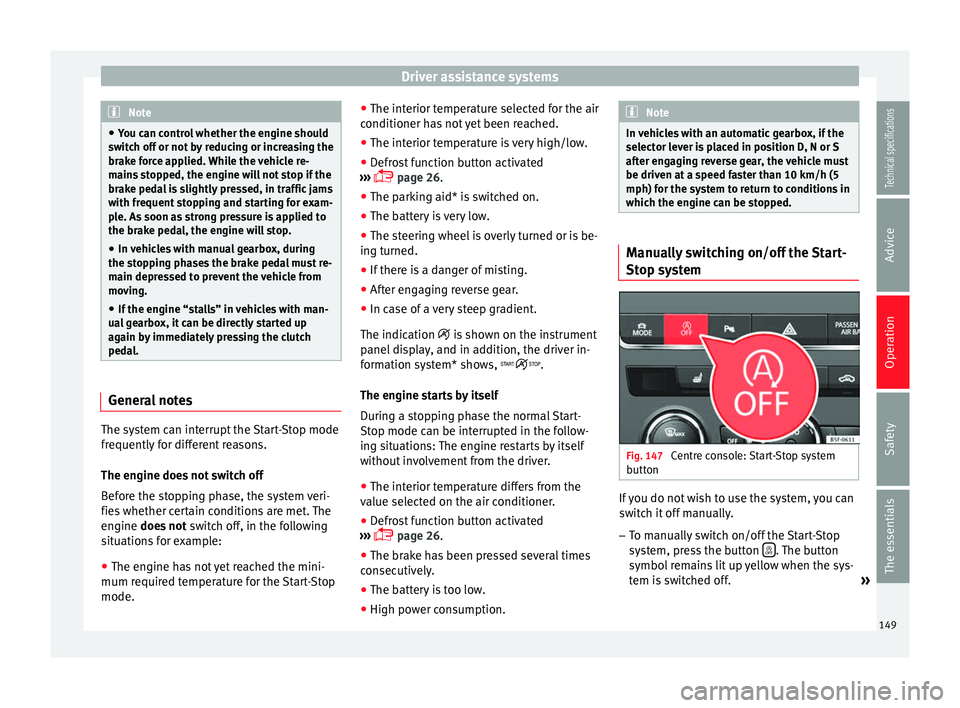
– To manually switch on/off the Start-Stop
system, press the button . The button
symbol remains lit up yellow when the sys-
tem is switched off. »
149
Technical specifications
Advice
Operation
Safety
The essentials