display Seat Mii 2013 User Guide
[x] Cancel search | Manufacturer: SEAT, Model Year: 2013, Model line: Mii, Model: Seat Mii 2013Pages: 306, PDF Size: 4.3 MB
Page 37 of 306
35
Opening and closing
Central locking
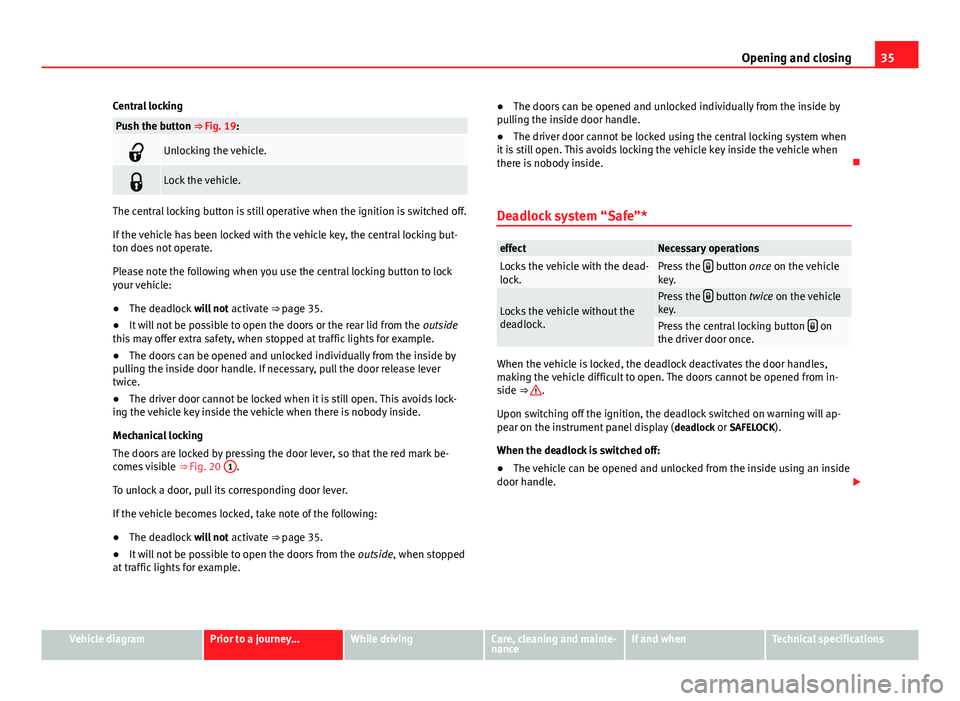
Push the button ⇒ Fig. 19:
Unlocking the vehicle.
Lock the vehicle.
The central locking button is still operative when the ignition is switched off.
If the vehicle has been locked with the vehicle key, the central locking but-
ton does not operate.
Please note the following when you use the central locking button to lock
your vehicle:
● The deadlock will not activate ⇒ page 35.
● It will not be possible to open the doors or the rear lid from the outside
this may offer extra safety, when stopped at traffic lights for example.
● The doors can be opened and unlocked individually from the inside by
pulling the inside door handle. If necessary, pull the door release lever
twice.
● The driver door cannot be locked when it is still open. This avoids lock-
ing the vehicle key inside the vehicle when there is nobody inside.
Mechanical locking
The doors are locked by pressing the door lever, so that the red mark be-
comes visible ⇒ Fig. 20 1
.
To unlock a door, pull its corresponding door lever.
If the vehicle becomes locked, take note of the following:
● The deadlock will not activate ⇒ page 35.
● It will not be possible to open the doors from the outside, when stopped
at traffic lights for example. ●
The doors can be opened and unlocked individually from the inside by
pulling the inside door handle.
● The driver door cannot be locked using the central locking system when
it is still open. This avoids locking the vehicle key inside the vehicle when
there is nobody inside.
Deadlock system “Safe”*
effectNecessary operationsLocks the vehicle with the dead-
lock.Press the button once on the vehicle
key.
Locks the vehicle without the
deadlock.Press the button twice on the vehicle
key.
Press the central locking button on
the driver door once.
When the vehicle is locked, the deadlock deactivates the door handles,
making the vehicle difficult to open. The doors cannot be opened from in-
side ⇒
.
Upon switching off the ignition, the deadlock switched on warning will ap-
pear on the instrument panel display ( deadlock or SAFELOCK).
When the deadlock is switched off:
● The vehicle can be opened and unlocked from the inside using an inside
door handle.
Vehicle diagramPrior to a journey...While drivingCare, cleaning and mainte-
nanceIf and whenTechnical specifications
Page 39 of 306
37
Opening and closing
Doors Introduction
Additional information and warnings:
● Vehicle key set ⇒ page 28
● Central locking and locking system ⇒ page 32
● Emergency locking and unlocking ⇒ page 244
WARNING
If a door is not correctly closed, it could open unexpectedly when driving
and cause serious injuries.
● Always stop immediately and close the door.
● When closing, ensure that the door has closed correctly. A closed
door should be flush with the corresponding parts of the bodywork.
● Open and close doors only when nobody is in the way of the door.
WARNING
A door held open by its retainer could be blown closed by the wind or
close if the vehicle is on a hill causing injury.
● When opening and closing doors, always use the door handle.
Note
On the display of the SEAT Portable System (supplied by SEAT), ⇒ page 222
can be seen if at least one vehicle door has been left open or is not correctly
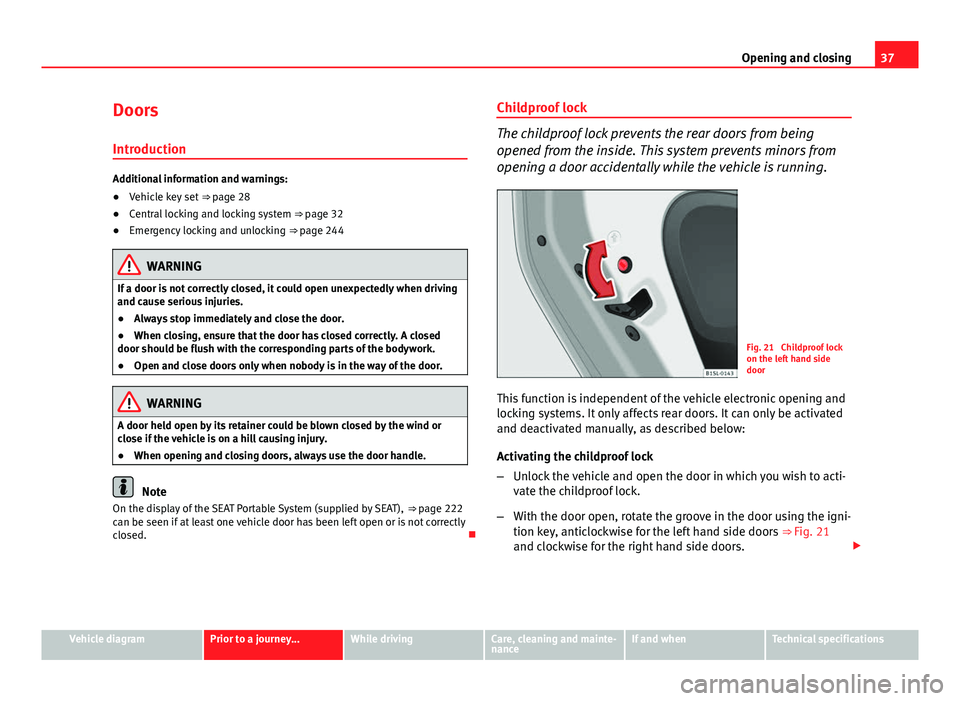
closed. Childproof lock
The childproof lock prevents the rear doors from being
opened from the inside. This system prevents minors from
opening a door accidentally while the vehicle is running.
Fig. 21 Childproof lock
on the left hand side
door
This function is independent of the vehicle electronic opening and
locking systems. It only affects rear doors. It can only be activated
and deactivated manually, as described below:
Activating the childproof lock
– Unlock the vehicle and open the door in which you wish to acti-
vate the childproof lock.
– With the door open, rotate the groove in the door using the igni-
tion key, anticlockwise for the left hand side doors ⇒ Fig. 21
and clockwise for the right hand side doors.
Vehicle diagramPrior to a journey...While drivingCare, cleaning and mainte-
nanceIf and whenTechnical specifications
Page 41 of 306
39
Opening and closing
Rear lid
Introduction
Additional information and warnings:
● Exterior detail ⇒ page 6
● Central locking ⇒ page 32
● Transporting ⇒ page 95
● Emergency locking and unlocking ⇒ page 244
WARNING
Careless and unsuitable locking, opening and closing of the rear lid can
cause accidents and serious injury.
● Open and close the rear lid only when nobody is in the way.
● Do not close the rear lid by pushing it down with your hand on the
rear window. The rear window could break and cause injury.
● Ensure the rear lid is locked after closing, otherwise, it may open un-
expectedly while driving. A closed rear lid should be flush with the corre-
sponding parts of the bodywork.
● Always keep the rear lid closed while driving to avoid toxic gases en-
tering the vehicle interior.
● Do not open the rear lid when there is a load installed, for example a
carrier system. Likewise, the rear lid cannot be opened when a load is at-
tached to it, for example bicycles. An open rear lid could close itself if
there is an additional weight on it. If necessary, press down on the rear
lid and remove the load.
● Close and lock both the rear lid and all the other doors when you are
not using the vehicle. Ensure that nobody remains inside the vehicle.
WARNING (Continued)
● Never allow children to play inside or around the vehicle without su-
pervision, especially if the rear lid is open. Children could enter the lug-
gage compartment, close the rear lid and become trapped. Depending on
the time of the year, temperatures inside a locked and closed vehicle can
be extremely high or extremely low resulting in serious injuries and ill-
ness or even death, particularly for young children.
● Never leave children or disabled people alone in the vehicle. If the ve-
hicle key or the central locking button is used, they may be locked in the
vehicle.
CAUTION
Before opening the rear lid, ensure that there is sufficient free space to
open and close it, for example if you are in a garage.
Note
On the display of the Portable Navigation System (supplied by SEAT)
⇒ page 222 can be seen if the rear lid has been left open or is not correctly
shut.
Vehicle diagramPrior to a journey...While drivingCare, cleaning and mainte-
nanceIf and whenTechnical specifications
Page 59 of 306
57
Ensuring you are correctly and safely seated
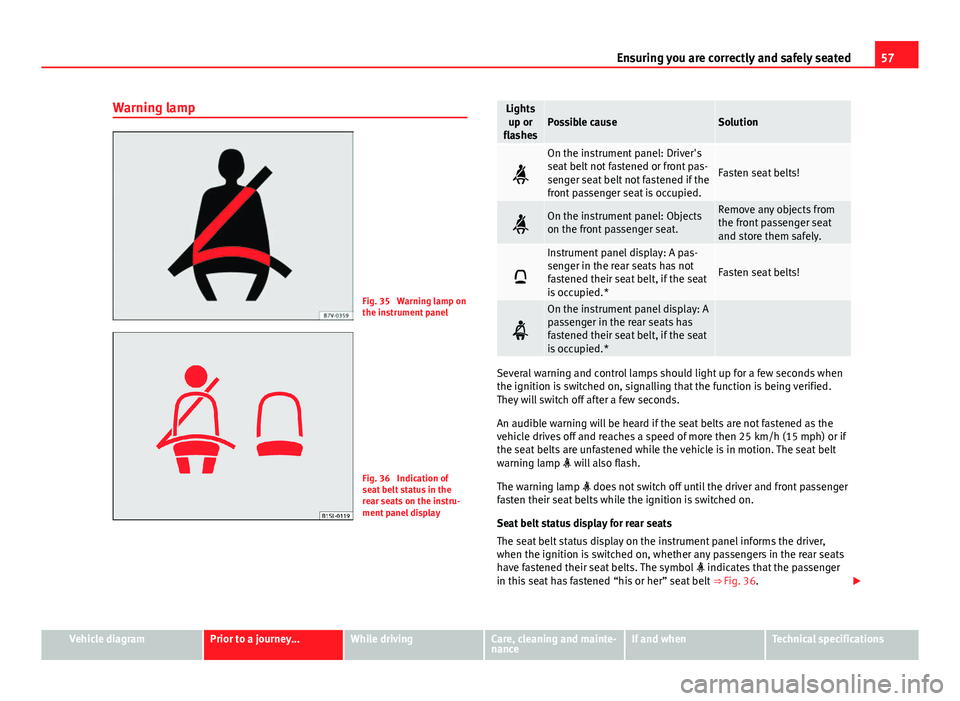
Warning lamp
Fig. 35 Warning lamp on
the instrument panel
Fig. 36 Indication of
seat belt status in the
rear seats on the instru-
ment panel display
Lights up or
flashesPossible causeSolution
On the instrument panel: Driver's
seat belt not fastened or front pas-
senger seat belt not fastened if the
front passenger seat is occupied.
Fasten seat belts!
On the instrument panel: Objects
on the front passenger seat.Remove any objects from
the front passenger seat
and store them safely.
Instrument panel display: A pas-
senger in the rear seats has not
fastened their seat belt, if the seat
is occupied.*
Fasten seat belts!
On the instrument panel display: A
passenger in the rear seats has
fastened their seat belt, if the seat
is occupied.*
Several warning and control lamps should light up for a few seconds when
the ignition is switched on, signalling that the function is being verified.
They will switch off after a few seconds.
An audible warning will be heard if the seat belts are not fastened as the
vehicle drives off and reaches a speed of more then 25 km/h (15 mph) or if
the seat belts are unfastened while the vehicle is in motion. The seat belt
warning lamp will also flash.
The warning lamp does not switch off until the driver and front passenger
fasten their seat belts while the ignition is switched on.
Seat belt status display for rear seats
The seat belt status display on the instrument panel informs the driver,
when the ignition is switched on, whether any passengers in the rear seats
have fastened their seat belts. The symbol indicates that the passenger
in this seat has fastened “his or her” seat belt ⇒ Fig. 36.
Vehicle diagramPrior to a journey...While drivingCare, cleaning and mainte-
nanceIf and whenTechnical specifications
Page 60 of 306

58Ensuring you are correctly and safely seated
The seat belt status is displayed for around 30 seconds when a seat belt in
the rear seats is fastened or unfastened. You can switch off this display by
pressing the 0.0 / SET
button.
The seat belt status flashes for a maximum of 30 seconds when a seat belt
in the rear seats is unfastened while the vehicle is in motion. An audible
warning will also be heard if the vehicle is travelling at over 25 km/h
(15 mph).
WARNING
Unbuckled or badly buckled seat belts increase the risk of severe or even
fatal injuries. The optimal protection from seat belts can be achieved only
if you use them properly.
Frontal collisions and the laws of physics
Fig. 37 Vehicle about to
hit a wall: the vehicle oc-
cupants are not wearing
seat belts
Fig. 38 The vehicle hits
the wall: the vehicle oc-
cupants are not wearing
seat belts
It is easy to explain how the laws of physics work in the case of a head-on
collision: when a vehicle starts moving ⇒ Fig. 37 it generates a certain
amount of energy known as “kinetic energy” both in the vehicle and in the
vehicle occupants.
The higher the speed and the greater the weight of the vehicle, the more
energy there is to be absorbed in an accident.
The most significant factor, however, is the speed of the vehicle. If the
speed doubles from 25 km/h (15 mph) to 50 km/h (30 mph), for example,
the kinetic energy is multiplied by four.
The amount of kinetic energy depends on the speed of the vehicle and the
weight of the vehicle and its passengers. The higher the speed and the
greater the weight of the vehicle and the vehicle occupants, the more ener-
gy there is to be absorbed in an accident.
Vehicle occupants not wearing seat belts are not “attached” to the vehicle.
As a result, in a frontal collision they will continue to move forward at the
speed their vehicle was travelling just before the impact until something
stops them! Because the vehicle occupants in our example are not restrain-
ed by seat belts, all of the occupants' kinetic energy has to be absorbed at
the point of impact ⇒ Fig. 38.
Page 121 of 306
119
Starting, changing gears, parking
While driving
Starting, changing gears, parking
Stopping and starting the engine Introduction
Immobiliser display
When an invalid key is used or in the event of a system fault, is dis-
played on the instrument panel. The engine cannot be started.
Pushing or towing
For technical reasons, the vehicle must not be push- or tow-started. Jump
starting is preferable.
Additional information and warnings:
● Vehicle key set ⇒ page 28
● Changing gear ⇒ page 124
● Braking, stopping and parking ⇒ page 134
● Steering ⇒ page 147
● Refuelling ⇒ page 171
● Fuel ⇒ page 177
● Emergency locking and unlocking ⇒ page 244
● Jump starting ⇒ page 275
● Tow starting and towing away ⇒ page 278
WARNING
Switching off the engine while driving makes stopping the vehicle diffi-
cult. As a consequence you may lose control of the vehicle and there is a
risk of serious accident.
● The assisted braking and steering systems, the airbag system, seat
belts and certain safety equipment are only active while the engine is
running.
● The engine should only be switched off when the vehicle is at a
standstill.
WARNING
While the engine is running or starting it could help reduce the risk of se-
rious injury.
● Never start or leave the engine running in poorly ventilated or closed
spaces. Exhaust gas contains carbon monoxide, a toxic, colourless and
odourless gas. Carbon monoxide can cause people to lose conscious-
ness. It can also cause death.
● Never leave the vehicle unattended if the engine is running. The vehi-
cle could move off suddenly or something unexpected could happen re-
sulting in damage and serious injury.
● Never use start boosters. Cold start sprays could explode or increase
the engine speed unexpectedly.
Vehicle diagramPrior to a journey...While drivingCare, cleaning and mainte-
nanceIf and whenTechnical specifications
Page 125 of 306
123
Starting, changing gears, parking
The electronic immobilizer will be activated again automatically as soon as
you remove the key from the ignition lock.
For this reason, the vehicle can only be used with a genuine SEAT key with
the correct code. Coded keys can be obtained from SEAT dealerships
⇒ page 28.
If an unauthorised key is used, the signal appears on the instrument
panel display. The vehicle cannot be started in this case
Note
The correct operation of the vehicle is only guaranteed when original SEAT
keys are used.
Vehicle diagramPrior to a journey...While drivingCare, cleaning and mainte-
nanceIf and whenTechnical specifications
Page 127 of 306
125
Starting, changing gears, parking
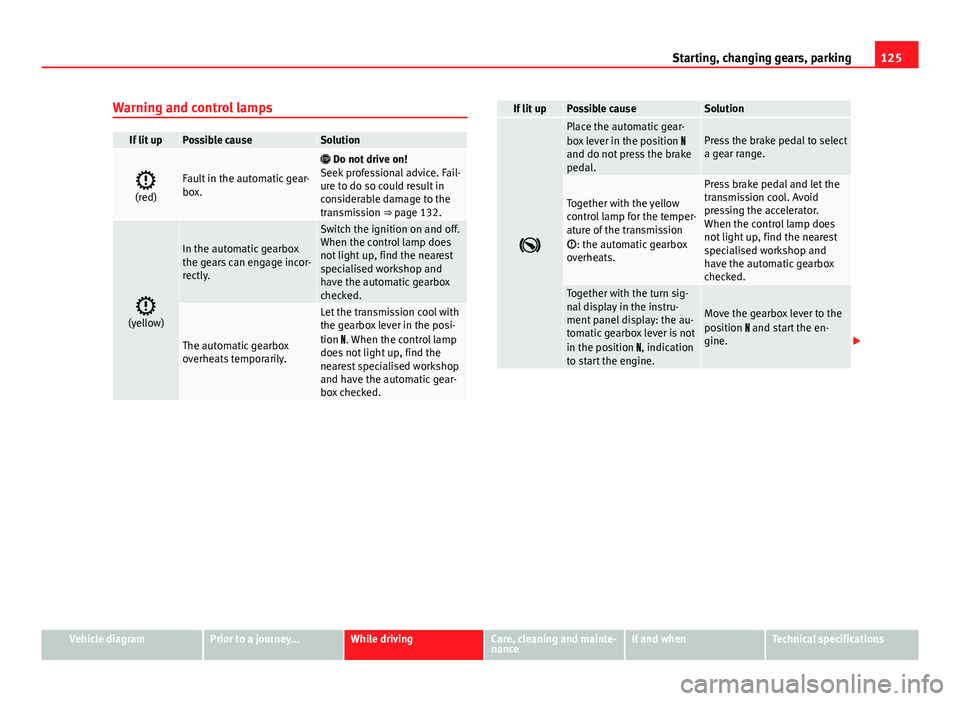
Warning and control lamps
If lit upPossible causeSolution
(red)Fault in the automatic gear-
box.
Do not drive on!
Seek professional advice. Fail-
ure to do so could result in
considerable damage to the
transmission ⇒ page 132.
(yellow)
In the automatic gearbox
the gears can engage incor-
rectly.
Switch the ignition on and off.
When the control lamp does
not light up, find the nearest
specialised workshop and
have the automatic gearbox
checked.
The automatic gearbox
overheats temporarily.
Let the transmission cool with
the gearbox lever in the posi-
tion . When the control lamp
does not light up, find the
nearest specialised workshop
and have the automatic gear-
box checked.
If lit upPossible causeSolution
Place the automatic gear-
box lever in the position
and do not press the brake
pedal.Press the brake pedal to select
a gear range.
Together with the yellow
control lamp for the temper-
ature of the transmission
: the automatic gearbox
overheats.
Press brake pedal and let the
transmission cool. Avoid
pressing the accelerator.
When the control lamp does
not light up, find the nearest
specialised workshop and
have the automatic gearbox
checked.
Together with the turn sig-
nal display in the instru-
ment panel display: the au-
tomatic gearbox lever is not
in the position , indication
to start the engine.
Move the gearbox lever to the
position and start the en-
gine.
Vehicle diagramPrior to a journey...While drivingCare, cleaning and mainte-
nanceIf and whenTechnical specifications
Page 131 of 306
129
Starting, changing gears, parking
● When changing gear, always make sure the clutch pedal is pushed right
to the floor.
● Never hold the vehicle on the clutch on hills.
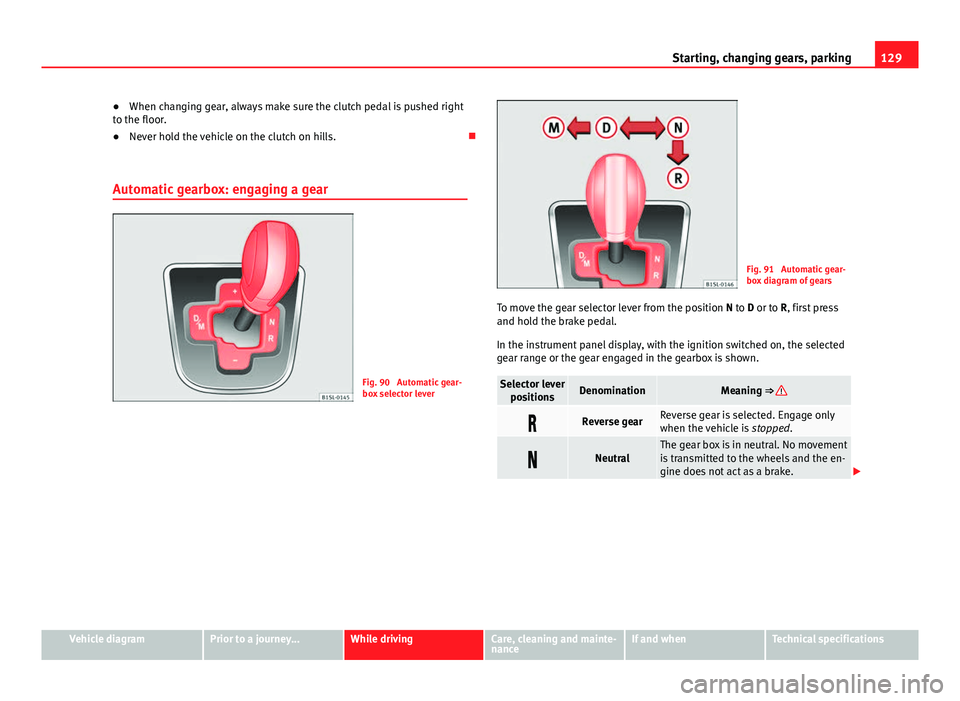
Automatic gearbox: engaging a gear
Fig. 90 Automatic gear-
box selector lever
Fig. 91 Automatic gear-
box diagram of gears
To move the gear selector lever from the position N to D or to R, first press
and hold the brake pedal.
In the instrument panel display, with the ignition switched on, the selected
gear range or the gear engaged in the gearbox is shown.
Selector lever positionsDenominationMeaning ⇒
Reverse gearReverse gear is selected. Engage only
when the vehicle is stopped.
NeutralThe gear box is in neutral. No movement
is transmitted to the wheels and the en-
gine does not act as a brake.
Vehicle diagramPrior to a journey...While drivingCare, cleaning and mainte-
nanceIf and whenTechnical specifications
Page 134 of 306
132Starting, changing gears, parking
Automatic gearbox malfunction
Back-up programme
When automatic gearbox warning and control lamps light up on the instru-
ment panel, there may be a system malfunction ⇒ page 124. In the event of
some faults the automatic gearbox functions using a backup programme.
When the backup programme is activated, it is possible to drive the vehicle,
however, at low speeds and within a selected range of gears.
With the manual gearbox, in some cases it is not possible to drive with all
the gears.
In all cases the automatic gearbox must be checked at a specialised work-
shop.
Automatic gearbox overheating
The automatic gearbox can overheat with a prolonged start up, or when
stopping and starting continuously. This overheating is displayed with a
warning lamp in the instrument panel. Additionally, an audible warning
can be heard. Stop and let the gearbox cool ⇒
.
The vehicle moves forward or back despite having selected a gear range
When the vehicle does not move in the required direction, the system may
not have the gear range correctly engaged. Press the brake pedal and en-
gage the gear range again. If the vehicle still does not move in the required
direction, there is a system malfunction. Seek specialist assistance and
have the system checked.
CAUTION
● When the gearbox is displayed as overheating for the first time, the vehi-
cle must be parked safely or must be driven at a speed of more than 20 km/
h (12 mph).
● When the warning lamp lights up and the audible warning is sounded,
the vehicle must be parked safely and the engine switched off. Let the gear-
box cool down.
● To prevent damage to the gearbox, driving must only be continued when
the warning lamps are no longer lit up. While the gearbox is overheated,
starting up and driving at walking speed should be avoided.
Recommended gear display
In some vehicles, the recommended gear for reducing fuel consumption is
displayed on the instrument panel:
displayMeaning
Optimum gear.
Recommendation to change up a gear.
Recommendation to change down a gear.
WARNING
The recommended gear display is intended as a guideline only; it should
never replace the driver's attention to driving carefully.
● Responsibility for selecting the correct gear for each situation contin-
ues to lie with the driver, for example when overtaking or climbing a hill.