ignition Seat Mii 2013 User Guide
[x] Cancel search | Manufacturer: SEAT, Model Year: 2013, Model line: Mii, Model: Seat Mii 2013Pages: 306, PDF Size: 4.3 MB
Page 44 of 306
42Opening and closing
Windows
Introduction
Additional information and warnings:
● SEAT information system ⇒ page 22
● Central locking and locking system ⇒ page 32
WARNING
Careless use of the electric windows can cause serious injury.
● Only operate the electric windows when nobody is in the way.
● Never leave children or disabled people alone in the vehicle if the
doors are to be locked. The windows cannot be opened in case of an
emergency.
● Always take all the keys with you whenever you leave the vehicle. Af-
ter turning off the ignition, the windows can be opened and closed for a
short time using the buttons on the door as long as the driver door or
passenger side door is not open.
CAUTION
When the windows are open, rain can enter into the vehicle, dampening the
interior equipment and causing damage to the vehicle. Opening and closing the electric windows
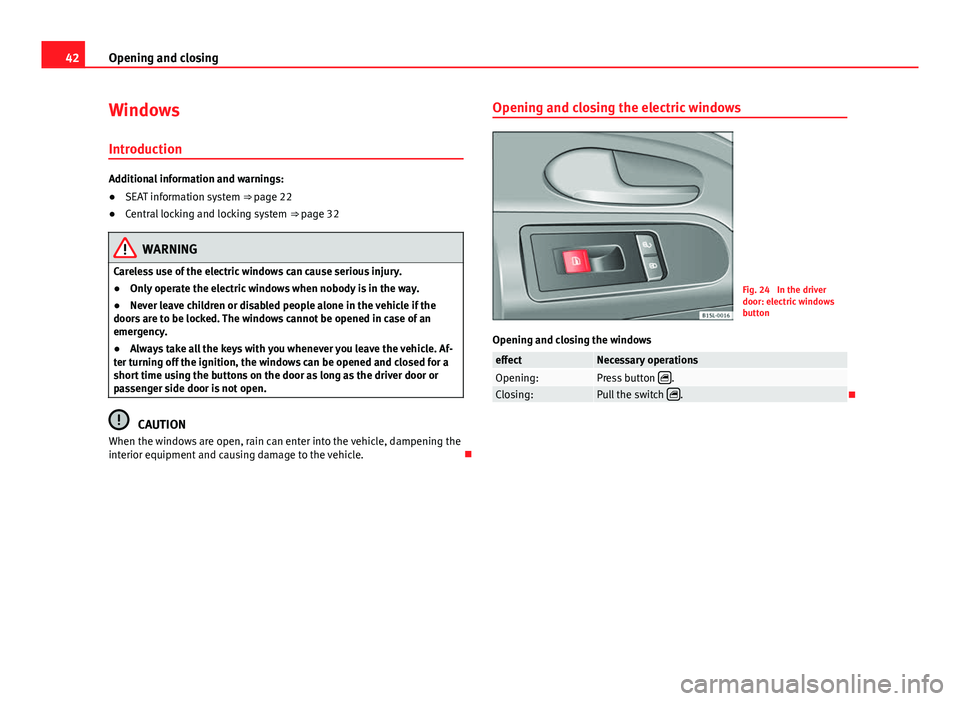
Fig. 24 In the driver
door: electric windows
button
Opening and closing the windows
effectNecessary operationsOpening:Press button .Closing:Pull the switch .
Page 56 of 306
54Ensuring you are correctly and safely seated
Seat functions
Introduction
Additional information and warnings:
● Adjust the seat position ⇒ page 47
● Seat belts ⇒ page 56
● Airbag system ⇒ page 65
● Child seats (accessories) ⇒ page 74
● Exterior mirrors ⇒ page 93
WARNING
Inappropriate use of the seat functions can cause severe injuries.
● Assume the proper sitting position before your trip and remain in it
throughout. This also applies to the other occupants.
● Keep hands, fingers, feet and other limbs away from the seat operat-
ing and adjustment radius.
Seat heating*
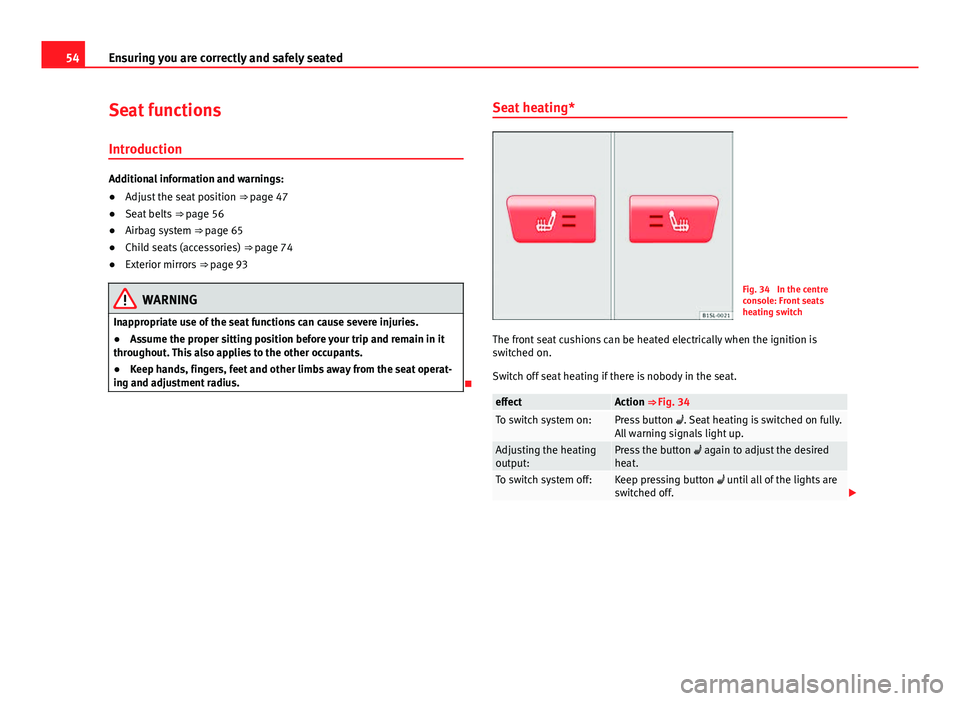
Fig. 34 In the centre
console: Front seats
heating switch
The front seat cushions can be heated electrically when the ignition is
switched on.
Switch off seat heating if there is nobody in the seat.
effectAction ⇒ Fig. 34To switch system on:Press button . Seat heating is switched on fully.
All warning signals light up.
Adjusting the heating
output:Press the button again to adjust the desired
heat.
To switch system off:Keep pressing button until all of the lights are
switched off.
Page 59 of 306
57
Ensuring you are correctly and safely seated
Warning lamp
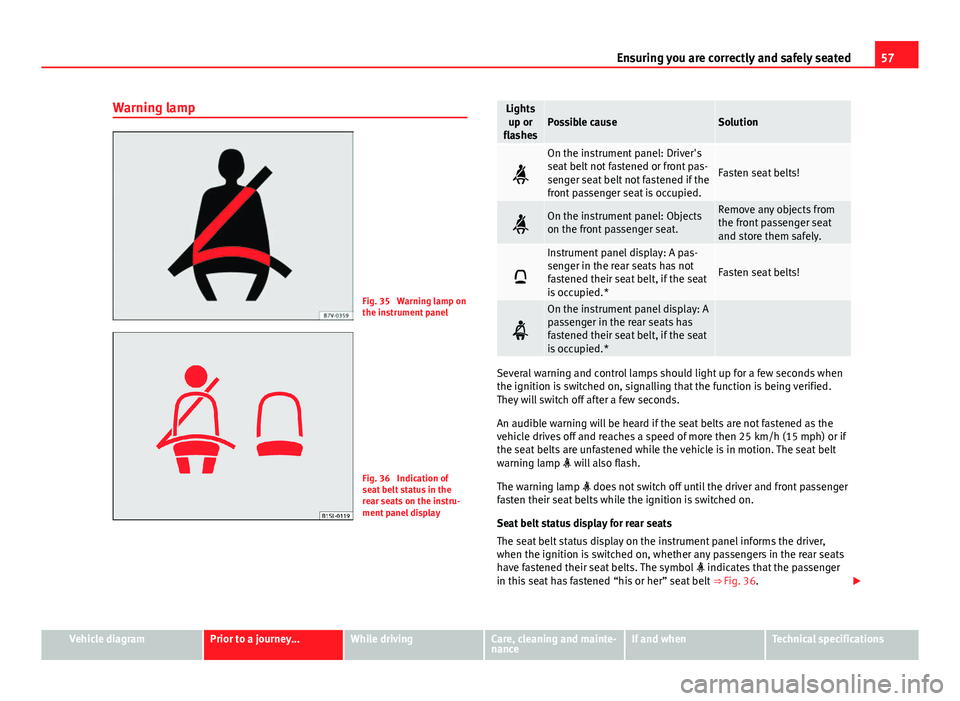
Fig. 35 Warning lamp on
the instrument panel
Fig. 36 Indication of
seat belt status in the
rear seats on the instru-
ment panel display
Lights up or
flashesPossible causeSolution
On the instrument panel: Driver's
seat belt not fastened or front pas-
senger seat belt not fastened if the
front passenger seat is occupied.
Fasten seat belts!
On the instrument panel: Objects
on the front passenger seat.Remove any objects from
the front passenger seat
and store them safely.
Instrument panel display: A pas-
senger in the rear seats has not
fastened their seat belt, if the seat
is occupied.*
Fasten seat belts!
On the instrument panel display: A
passenger in the rear seats has
fastened their seat belt, if the seat
is occupied.*
Several warning and control lamps should light up for a few seconds when
the ignition is switched on, signalling that the function is being verified.
They will switch off after a few seconds.
An audible warning will be heard if the seat belts are not fastened as the
vehicle drives off and reaches a speed of more then 25 km/h (15 mph) or if
the seat belts are unfastened while the vehicle is in motion. The seat belt
warning lamp will also flash.
The warning lamp does not switch off until the driver and front passenger
fasten their seat belts while the ignition is switched on.
Seat belt status display for rear seats
The seat belt status display on the instrument panel informs the driver,
when the ignition is switched on, whether any passengers in the rear seats
have fastened their seat belts. The symbol indicates that the passenger
in this seat has fastened “his or her” seat belt ⇒ Fig. 36.
Vehicle diagramPrior to a journey...While drivingCare, cleaning and mainte-
nanceIf and whenTechnical specifications
Page 69 of 306
67
Ensuring you are correctly and safely seated
Types of front passenger front airbag systems
There are 2 different SEAT front passenger airbag systems:ABCharacteristics of the passenger
front airbag without disabling.Characteristics of the front passen-
ger front airbag that can be disabled
manually ⇒ page 71.
- * Control lamp on the instru-
ment panel.– Control lamp on the instrument
panel.
- Front passenger airbag located in
dash panel.- PASSENGER AIR BAG control
lamp on the dash panel.
- Key switch in the glove compart-
ment on the front passenger side of
the dash panel.
- Front passenger airbag located in
dash panel.
- Description: airbag system- Description: airbag system with
front passenger front airbag disa-
bling.
- Description: airbag system without
disabling.* Control lamps
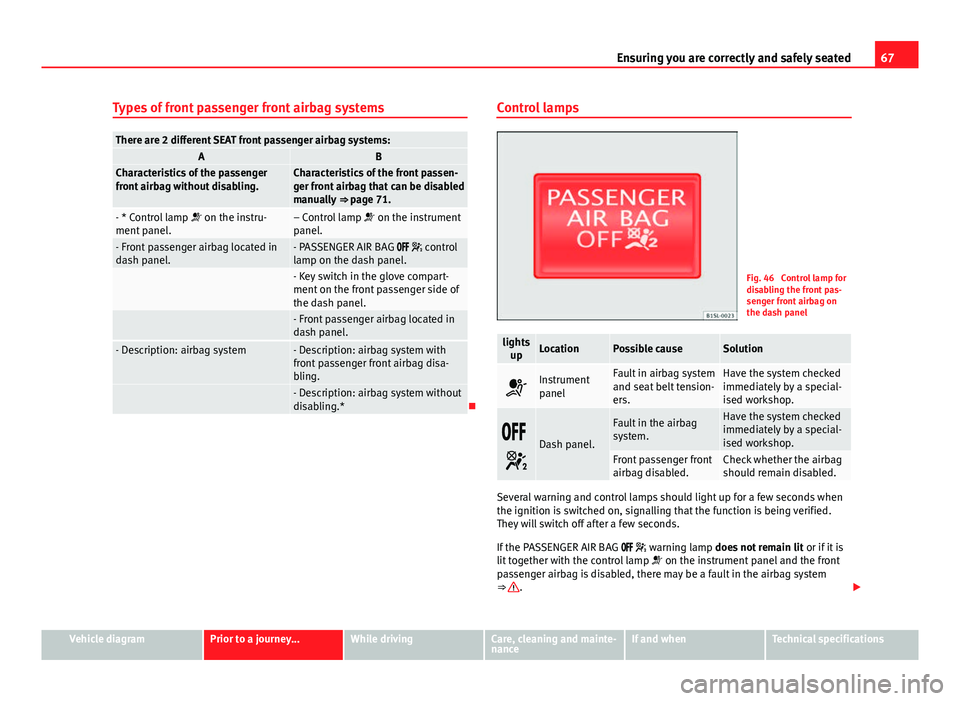
Fig. 46 Control lamp for
disabling the front pas-
senger front airbag on
the dash panel
lights
upLocationPossible causeSolution
Instrument
panelFault in airbag system
and seat belt tension-
ers.Have the system checked
immediately by a special-
ised workshop.
Dash panel.
Fault in the airbag
system.Have the system checked
immediately by a special-
ised workshop.
Front passenger front
airbag disabled.Check whether the airbag
should remain disabled.
Several warning and control lamps should light up for a few seconds when
the ignition is switched on, signalling that the function is being verified.
They will switch off after a few seconds.
If the PASSENGER AIR BAG warning lamp does not remain lit or if it is
lit together with the control lamp on the instrument panel and the front
passenger airbag is disabled, there may be a fault in the airbag system
⇒
.
Vehicle diagramPrior to a journey...While drivingCare, cleaning and mainte-
nanceIf and whenTechnical specifications
Page 71 of 306
69
Ensuring you are correctly and safely seated
● Optimised seat belts for all seats.
● Seat belt tension devices for driver and passenger.
● Seat belt force limiters for driver and passenger.
● Seat belt warning lamp
● Front airbags for driver and passenger.
● Side airbags for driver and passenger.
● Airbag control lamp .
● Control units and sensors.
● Head restraints optimised for rear-end collision.
● Adjustable steering column.
● If necessary, anchor points for child seats for the rear seats.
● Where applicable, mountings for the child seat upper retaining strap. Situations when the front and side airbags do not deploy:
●
If the ignition is switched off during the collision.
● In frontal collisions when the deceleration measured by the control unit
is too low.
● In minor side collisions.
● In rear collisions.
● In the event of the vehicle overturning.
● When the impact speed is lower than the reference value set in the con-
trol unit.
Vehicle diagramPrior to a journey...While drivingCare, cleaning and mainte-
nanceIf and whenTechnical specifications
Page 73 of 306
71
Ensuring you are correctly and safely seated
When the front airbags are triggered they fill the zones marked in
red ⇒ Fig. 47 and ⇒ Fig. 48 (radius of action). Therefore, objects should
never be placed or mounted in these areas ⇒
, Factory-fitted accessories
are outside the range of the front airbag for the driver and the front passen-
ger, e.g. the baseplate for the mobile phone support.
The airbag covers fold out of the steering wheel ⇒ Fig. 47 or dash panel
⇒ Fig. 48 when the driver and front passenger airbags are triggered. The air-
bag covers remain connected to the steering wheel or the dash panel.
WARNING
The airbag is deployed at high speed in fractions of a second.
● Always keep the deployment areas of the front airbags vacant.
● Never secure objects to the covers or in the deployment area of the
airbag modules, e.g. drink holders or phone supports.
● The deployment space between the front passengers and the airbags
must not in any case be occupied by other passenger, pets and objects.
● Never fix any object to the windscreen above the front airbag on the
front passenger side.
● Do not alter, cover or stick anything to the steering wheel hub or the
surface of the airbag module on the passenger side of the dash panel.
WARNING
Front airbags are deployed in front of the steering wheel ⇒ Fig. 47 and
the dash panel ⇒ Fig. 48.
● When driving, always hold the steering wheel on the outer edge of
the ring with both hands: 9 o'clock and 3 o'clock position.
WARNING (Continued)
● Adjust the driver seat so that there is a distance of at least 25 cm
(10 inches) between the centre of your chest and the hub of the steering
wheel. If you physical constitution prevents you from meeting these re-
quirements, make sure you contact a specialised workshop.
● Adjust the front passenger seat so there is as much distance as possi-
ble between the front passenger and the dash panel.
Deactivating and activating the front passenger front
airbag using the key switch
Fig. 49 On front passen-
ger side: key switch for
disabling and enabling
the front passenger front
airbag
The front passenger front airbag must be disabled when a rear-facing child
seat is mounted.
Disabling the front passenger front airbag
● Switch the ignition off.
● Open the door on the front passenger side.
● Unfold the key shaft ⇒ page 28.
Vehicle diagramPrior to a journey...While drivingCare, cleaning and mainte-
nanceIf and whenTechnical specifications
Page 74 of 306
72Ensuring you are correctly and safely seated
● Using the vehicle key, turn the key switch to OFF ⇒ Fig. 49.
● Close the door on the front passenger side.
● The PASSENGER AIR BAG control lamp on the dash panel will re-
main lit while the ignition is switched on ⇒ page 67.
Activating the front passenger front airbag
● Switch the ignition off.
● Open the door on the front passenger side.
● Unfold the key shaft ⇒ page 28.
● Using the vehicle key, turn the key switch to ON ⇒ Fig. 49.
● Close the door on the front passenger side.
● Check that the PASSENGER AIR BAG OFF control lamp on the dash
panel does not light up ⇒ page 67 while the ignition is switched on.
How to know whether the front passenger front airbag is disabled
Disabling of the front passenger airbag is only indicated by the PASSENGER
AIR BAG control lamp that remains lit on the dash panel ( re-
mains yellow) ⇒ page 67.
If the control lamp on the dash panel does not remain lit or is lit in
combination with the control lamp on the instrument panel, a child re-
straint system cannot be mounted on the front passenger seat for safety
reasons. The front passenger front airbag may deploy during an accident.
WARNING
The front passenger front airbag must only be disabled in special cases.
● Disable and activate the front passenger front airbag when the igni-
tion is switched off to avoid damage to the airbag system.
● It is the driver's responsibility to ensure that the key operated switch
is set to the correct position.
WARNING (Continued)
● Only disable the front passenger front airbag when a child seat is to
be mounted under exceptional circumstances.
● As soon as the child seat is no longer needed on the front passenger
seat, reconnect the front passenger front airbag.
Page 84 of 306
82Lights and visibility
Lights and visibility
Lights Introduction
The legal requirements regarding the use of vehicle lights in each country
must be observed.
The driver is personally responsible for the correct use and adjustment of
the lights in all situations.
Additional information and warnings:
● Exterior detail ⇒ page 6
● SEAT information system ⇒ page 22
● Changing bulbs ⇒ page 266
WARNING
If the headlights are set too high and the main beam is not used correct-
ly, there is a risk of dazzling or distracting other road users. This could
result in a serious accident.
● Always make sure that the headlights are correctly adjusted.
● Never use the main beam or flashed headlamps as this could dazzle
other drivers.
Control lamps
lights upPossible causeSolution
Rear fog light switched on.⇒ page 84.
Fog lights switched on⇒ page 84.
Left or right turn signal.
The control lamp flashes twice
as fast when a vehicle turn sig-
nal is faulty.If necessary, check the vehicle
lighting.
Main beam on or flasher on.⇒ page 83.
Several warning and control lamps should light up for a few seconds when
the ignition is switched on, signalling that the function is being verified.
They will switch off after a few seconds.
WARNING
If the warning lamps are ignored, the vehicle may stall in traffic, or may
cause accidents and severe injuries.
● Never ignore the warning lamps.
● Stop the vehicle safely as soon as possible.
● Park the vehicle at a suitable distance away from the traffic ensuring
that the exhaust system is not in contact with inflammable material, for
example, dry grass, fuel, oil, etc.
● A faulty vehicle represents a risk of accident for the driver and for oth-
er road users. If necessary, switch on the hazard warning lamps and put
out the warning triangle to advise other drivers.
Page 85 of 306
83
Lights and visibility
CAUTION
Failure to heed the warning lamps when they appear may result in faults in
the vehicle.
Turn signal and headlight lever
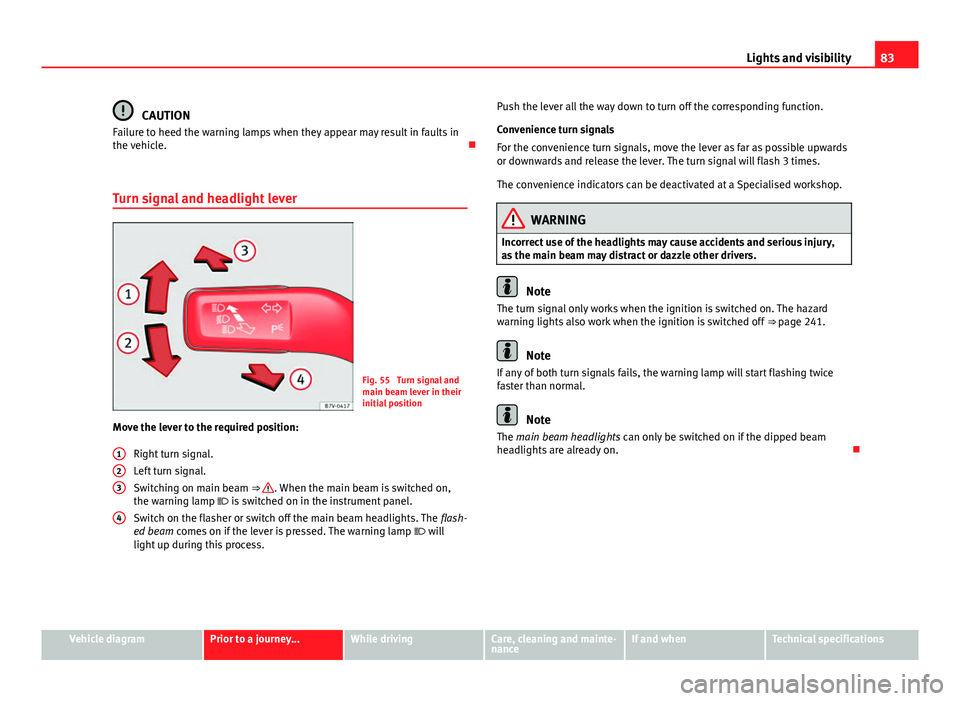
Fig. 55 Turn signal and
main beam lever in their
initial position
Move the lever to the required position:
Right turn signal.
Left turn signal.
Switching on main beam ⇒
. When the main beam is switched on,
the warning lamp is switched on in the instrument panel.
Switch on the flasher or switch off the main beam headlights. The flash-
ed beam comes on if the lever is pressed. The warning lamp will
light up during this process.
123
4
Push the lever all the way down to turn off the corresponding function.
Convenience turn signals
For the convenience turn signals, move the lever as far as possible upwards
or downwards and release the lever. The turn signal will flash 3 times.
The convenience indicators can be deactivated at a Specialised workshop.
WARNING
Incorrect use of the headlights may cause accidents and serious injury,
as the main beam may distract or dazzle other drivers.
Note
The turn signal only works when the ignition is switched on. The hazard
warning lights also work when the ignition is switched off ⇒ page 241.
Note
If any of both turn signals fails, the warning lamp will start flashing twice
faster than normal.
Note
The main beam headlights can only be switched on if the dipped beam
headlights are already on.
Vehicle diagramPrior to a journey...While drivingCare, cleaning and mainte-
nanceIf and whenTechnical specifications
Page 86 of 306
84Lights and visibility
Turning on and off lights
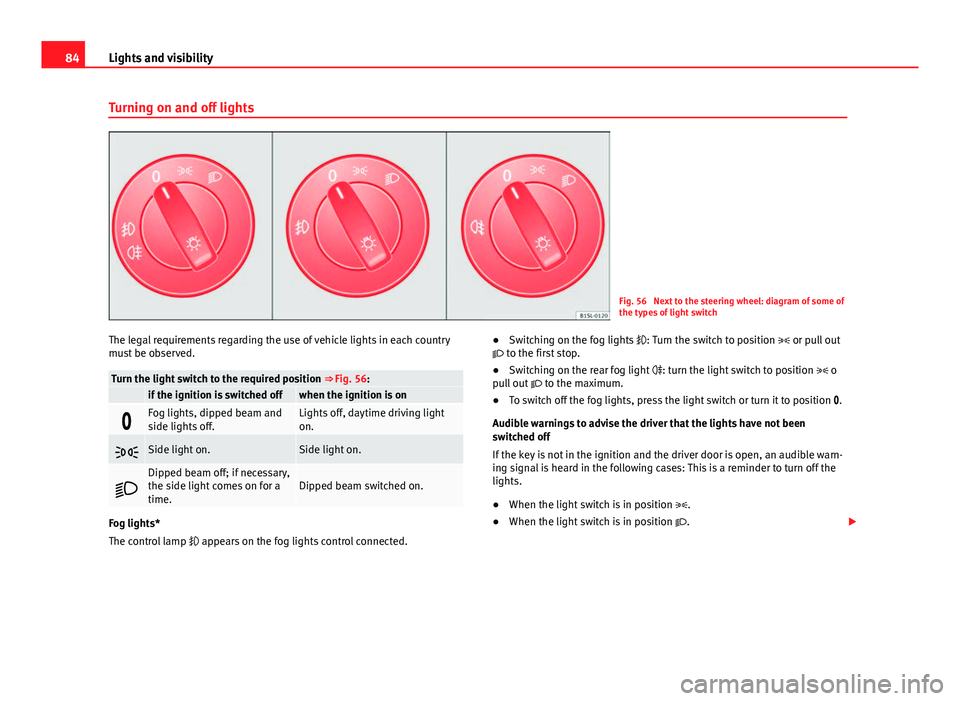
Fig. 56 Next to the steering wheel: diagram of some of
the types of light switch
The legal requirements regarding the use of vehicle lights in each country
must be observed.
Turn the light switch to the required position ⇒ Fig. 56: if the ignition is switched offwhen the ignition is on
Fog lights, dipped beam and
side lights off.Lights off, daytime driving light
on.
Side light on.Side light on.
Dipped beam off; if necessary,
the side light comes on for a
time.Dipped beam switched on.
Fog lights*
The control lamp appears on the fog lights control connected. ●
Switching on the fog lights : Turn the switch to position or pull out
to the first stop.
● Switching on the rear fog light : turn the light switch to position o
pull out to the maximum.
● To switch off the fog lights, press the light switch or turn it to position .
Audible warnings to advise the driver that the lights have not been
switched off
If the key is not in the ignition and the driver door is open, an audible warn-
ing signal is heard in the following cases: This is a reminder to turn off the
lights.
● When the light switch is in position .
● When the light switch is in position .