light Seat Mii 2013 User Guide
[x] Cancel search | Manufacturer: SEAT, Model Year: 2013, Model line: Mii, Model: Seat Mii 2013Pages: 306, PDF Size: 4.3 MB
Page 27 of 306
25
Before starting the engine
Prior to a journey... Before starting the engine
Tips for driving
Introduction
Depending upon how you expect to use your vehicle, it may a good idea to
protect the engine from below. A guard underneath the engine may help to
reduce the risk of damage to the lower part of the vehicle and the oil sump
when driving over kerbs, or along dirt tracks or rough roads... Before instal-
lation, SEAT recommends going to a SEAT dealership.
Additional information and warnings:
● Ensure you are correctly seated ⇒ page 47
● Transporting ⇒ page 95
● Starting, changing gears, parking ⇒ page 119
● Ecological driving ⇒ page 144
● Notes for the user ⇒ page 233
WARNING
Driving under the influence of alcohol, drugs, medication or narcotics
may result in severe accidents and even loss of life.
● Alcohol, drugs, medication and narcotics may significantly alter per-
ception, affect reaction times and safety while driving, which could result
in the loss of control of the vehicle.
Journey preparations and safe driving
Check list
For your own safety, for the safety of passengers in the car, and for that of
other road users, the following should be checked before and during each
journey
⇒
:
Check that the lights and turn signals operate correctly.
Check the tyre pressures (
⇒ page 210) and level of fuel
(⇒ page 171).
Ensure there is good visibility through all the windows.
Make sure that all objects and bags in the storage compartments, in
the luggage compartment and, where applicable, on the roof, are se-
curely fastened
⇒ page 95.
Ensure there is nothing obstructing the free passage of the foot ped-
als.
Use child retention systems appropriate for the child's body weight
and height
⇒ page 74.
Correctly adjust front seat, head rests and rear-view mirrors to suit
your height
⇒ page 47, ⇒ page 93.
Wear close-fitting shoes which do not prevent you from using the
pedals correctly.
The driver's floor mat should be fixed to the floor, leaving the pedal
area unobstructed.
Before starting out, ensure you are correctly seated and remain in
this position throughout the journey. This applies to all passengers
in the vehicle
⇒ page 47.
Vehicle diagramPrior to a journey...While drivingCare, cleaning and mainte-
nanceIf and whenTechnical specifications
Page 32 of 306
30Opening and closing
Note
If the buttons of the vehicle key are pressed ⇒ Fig. 12 or one of the central
locking buttons ⇒ page 32 is pressed repeatedly in short succession, the
central locking briefly disconnects as protection against overloading. The
vehicle is then unlocked. Lock the vehicle if necessary.
Vehicle mechanical key
Fig. 13 Vehicle mechani-
cal key
The vehicle key set may include a mechanical key ⇒ Fig. 13.
Duplicate keys
To obtain a spare key and other vehicle keys, the vehicle chassis number is
required.
Each new key must contain a microchip and be coded with the data from the
vehicle electronic immobiliser. A vehicle key will not work if it does not con-
tain microchip or the microchip has not been encoded. This is also true for
keys cut for the vehicle.
The vehicle keys or new spare keys can be obtained from a SEAT dealership,
a Specialised workshop or approved key service qualified to create this kind
of key. Control lamp on the vehicle key
Fig. 14 Control lamp on
the vehicle key
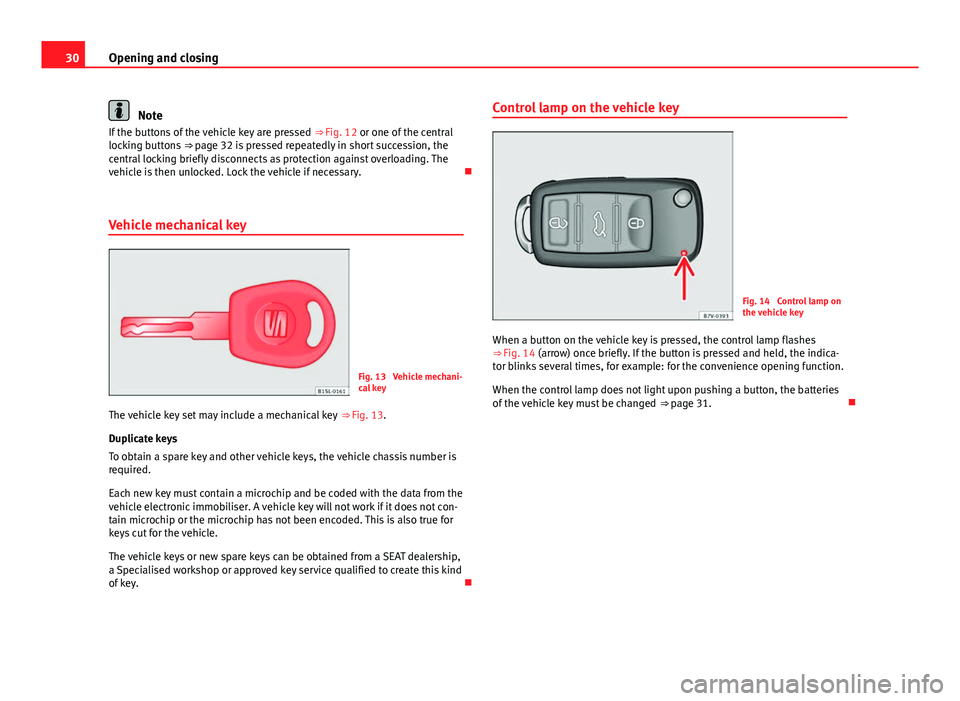
When a button on the vehicle key is pressed, the control lamp flashes
⇒ Fig. 14 (arrow) once briefly. If the button is pressed and held, the indica-
tor blinks several times, for example: for the convenience opening function.
When the control lamp does not light upon pushing a button, the batteries
of the vehicle key must be changed ⇒ page 31.
Page 37 of 306
35
Opening and closing
Central locking
Push the button ⇒ Fig. 19:
Unlocking the vehicle.
Lock the vehicle.
The central locking button is still operative when the ignition is switched off.
If the vehicle has been locked with the vehicle key, the central locking but-
ton does not operate.
Please note the following when you use the central locking button to lock
your vehicle:
● The deadlock will not activate ⇒ page 35.
● It will not be possible to open the doors or the rear lid from the outside
this may offer extra safety, when stopped at traffic lights for example.
● The doors can be opened and unlocked individually from the inside by
pulling the inside door handle. If necessary, pull the door release lever
twice.
● The driver door cannot be locked when it is still open. This avoids lock-
ing the vehicle key inside the vehicle when there is nobody inside.
Mechanical locking
The doors are locked by pressing the door lever, so that the red mark be-
comes visible ⇒ Fig. 20 1
.
To unlock a door, pull its corresponding door lever.
If the vehicle becomes locked, take note of the following:
● The deadlock will not activate ⇒ page 35.
● It will not be possible to open the doors from the outside, when stopped
at traffic lights for example. ●
The doors can be opened and unlocked individually from the inside by
pulling the inside door handle.
● The driver door cannot be locked using the central locking system when
it is still open. This avoids locking the vehicle key inside the vehicle when
there is nobody inside.
Deadlock system “Safe”*
effectNecessary operationsLocks the vehicle with the dead-
lock.Press the button once on the vehicle
key.
Locks the vehicle without the
deadlock.Press the button twice on the vehicle
key.
Press the central locking button on
the driver door once.
When the vehicle is locked, the deadlock deactivates the door handles,
making the vehicle difficult to open. The doors cannot be opened from in-
side ⇒
.
Upon switching off the ignition, the deadlock switched on warning will ap-
pear on the instrument panel display ( deadlock or SAFELOCK).
When the deadlock is switched off:
● The vehicle can be opened and unlocked from the inside using an inside
door handle.
Vehicle diagramPrior to a journey...While drivingCare, cleaning and mainte-
nanceIf and whenTechnical specifications
Page 38 of 306
36Opening and closing
Control lamp on the driver door
When the vehicle is locked:MeaningThe red LED flashes for approximately 2
seconds at short intervals and then more
slowly.The deadlock is switched on.
The red LED flashes for about two sec-
onds then turns off. After 30 seconds, the
LED flashes again.The deadlock is switched off.
The red LED flashes for about two sec-
onds at short intervals. Subsequently,
the light will remain switched on for
about. 30 seconds.There is a fault in the locking
system. Contact a specialised
workshop.
WARNING
Careless use of the deadlock can cause serious injury.
● Never leave anybody inside the vehicle if this is locked using the key.
When the deadlock is activated, doors cannot be opened from the inside!
● When the doors are locked, it is difficult to get to passengers in the
vehicle interior in case of an emergency. Passengers could remain trap-
ped inside in case of emergency.
Page 49 of 306
47
Ensuring you are correctly and safely seated
Ensuring you are correctly and safely seated Adjusting the seat position
Introduction
Number of seats
The vehicle has a total of 4 seats: 2 front seats and 2 rear seats. Each seat is
equipped with a seat belt.
Additional information and warnings:
● Seat functions ⇒ page 54
● Seat belts ⇒ page 56
● Airbag system ⇒ page 65
● Child seats (accessories) ⇒ page 74
WARNING
An incorrect sitting position in the vehicle can lead to severe injuries or
death in the event of sudden braking or manoeuvres, collision or acci-
dents or if the airbag deploys.
● Before the vehicle moves, assume the proper sitting position and
maintain it throughout the trip. This also includes fastening the seat
belt.
● Never transport more people than there are seats with a seat belt
available in the vehicle.
WARNING (Continued)
● Children must always be protected with an approved child restraint
system suited to their height and weight ⇒ page 74, ⇒ page 65.
● Always keep your feet in the footwell while the vehicle is in motion.
Never, for example, put your feet on the surface of a seat or on the dash
panel and never put them out of a window. Otherwise the airbag and seat
belt offer insufficient protection and the risk of injury in the event of an
accident is increased.
WARNING
Before every trip, adjust the seat, the seat belt and the head restraints
and instruct your passengers to fasten their seat belts properly.
● Move the front passenger seat back as far as possible.
● Adjust the driver seat so that there is a distance of at least 25 cm be-
tween the centre of your chest and the hub of the steering wheel. Adjust
the driver seat so that you are able to press the accelerator, brake and
clutch pedals to the floor with your knees slightly angled and that the
distance between your knees and the dash panel is at least 10 cm. If your
physical constitution prevents you from meeting these requirements,
contact a specialised workshop to make any modifications required.
● Never drive with the seat backrest tilted far back. The further the seat
backrests are tilted to the rear, the greater the risk of injury due to incor-
rect positioning of the belt web or to the incorrect sitting position!
● Never drive with the seat backrest tilted forwards. Should a front air-
bag deploy, it could throw the seat backrest backwards and injure the
passengers of the rear seats.
● Sit as far away as possible from the steering wheel and the dash pan-
el.
Vehicle diagramPrior to a journey...While drivingCare, cleaning and mainte-
nanceIf and whenTechnical specifications
Page 51 of 306
49
Ensuring you are correctly and safely seated
Correct sitting position
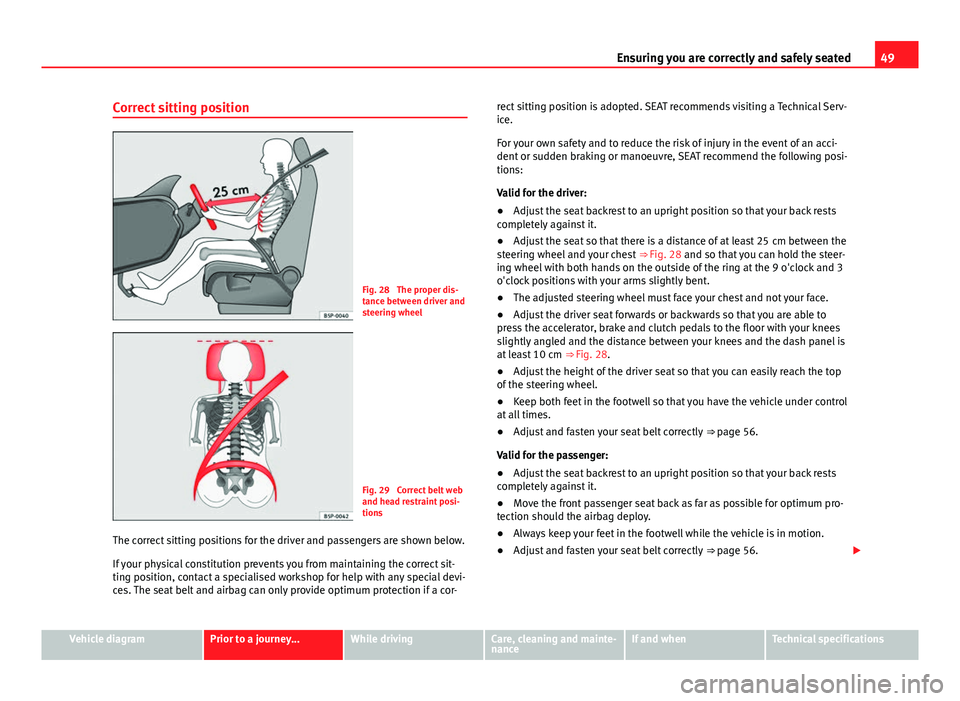
Fig. 28 The proper dis-
tance between driver and
steering wheel
Fig. 29 Correct belt web
and head restraint posi-
tions
The correct sitting positions for the driver and passengers are shown below.
If your physical constitution prevents you from maintaining the correct sit-
ting position, contact a specialised workshop for help with any special devi-
ces. The seat belt and airbag can only provide optimum protection if a cor- rect sitting position is adopted. SEAT recommends visiting a Technical Serv-
ice.
For your own safety and to reduce the risk of injury in the event of an acci-
dent or sudden braking or manoeuvre, SEAT recommend the following posi-
tions:
Valid for the driver:
●
Adjust the seat backrest to an upright position so that your back rests
completely against it.
● Adjust the seat so that there is a distance of at least 25 cm between the
steering wheel and your chest ⇒ Fig. 28 and so that you can hold the steer-
ing wheel with both hands on the outside of the ring at the 9 o'clock and 3
o'clock positions with your arms slightly bent.
● The adjusted steering wheel must face your chest and not your face.
● Adjust the driver seat forwards or backwards so that you are able to
press the accelerator, brake and clutch pedals to the floor with your knees
slightly angled and the distance between your knees and the dash panel is
at least 10 cm ⇒ Fig. 28.
● Adjust the height of the driver seat so that you can easily reach the top
of the steering wheel.
● Keep both feet in the footwell so that you have the vehicle under control
at all times.
● Adjust and fasten your seat belt correctly ⇒ page 56.
Valid for the passenger:
● Adjust the seat backrest to an upright position so that your back rests
completely against it.
● Move the front passenger seat back as far as possible for optimum pro-
tection should the airbag deploy.
● Always keep your feet in the footwell while the vehicle is in motion.
● Adjust and fasten your seat belt correctly ⇒ page 56.
Vehicle diagramPrior to a journey...While drivingCare, cleaning and mainte-
nanceIf and whenTechnical specifications
Page 55 of 306
53
Ensuring you are correctly and safely seated
Adjust the steering wheel before your trip and only when the vehicle is sta-
tionary.
● Push the lever ⇒ Fig. 33 1
downwards.
● Adjust the steering wheel so that you can hold onto the steering wheel
with both hands on the outside of the ring at the 9 o'clock and 3 o'clock
positions and your arms slightly bent.
● Push the lever firmly upwards until it is flush to the steering column
⇒
.
Adjust the correct distance between the driver and the steering wheel
⇒ Fig. 28 using the controls on the driver seat ⇒ page 50.
WARNING
Incorrect use of the steering wheel adjustment function and an incorrect
adjustment of the steering wheel can result in severe or fatal injury.
● After adjusting the steering column, push the lever ⇒ Fig. 33 1
firm-
ly upwards to ensure the steering wheel does not accidentally change po-
sition while driving.
● Never adjust the steering wheel while the vehicle is in motion. If you
need to adjust the steering wheel while the vehicle is in motion, stop
safely and make the proper adjustment.
● The adjusted steering wheel should be facing your chest and not your
face so as not to hinder the driver's front airbag protection in the event of
an accident.
● When driving, always hold the steering wheel with both hands on the
outside of the ring at the 9 o'clock and 3 o'clock positions to reduce inju-
ries when the driver's front airbag deploys.
● Never hold the steering wheel at the 12 o'clock position or in any oth-
er manner (e.g. in the centre of the steering wheel). In such cases, if the
driver's airbag deploys, you may sustain injuries to your arms, hands and
head.
Vehicle diagramPrior to a journey...While drivingCare, cleaning and mainte-
nanceIf and whenTechnical specifications
Page 56 of 306
54Ensuring you are correctly and safely seated
Seat functions
Introduction
Additional information and warnings:
● Adjust the seat position ⇒ page 47
● Seat belts ⇒ page 56
● Airbag system ⇒ page 65
● Child seats (accessories) ⇒ page 74
● Exterior mirrors ⇒ page 93
WARNING
Inappropriate use of the seat functions can cause severe injuries.
● Assume the proper sitting position before your trip and remain in it
throughout. This also applies to the other occupants.
● Keep hands, fingers, feet and other limbs away from the seat operat-
ing and adjustment radius.
Seat heating*
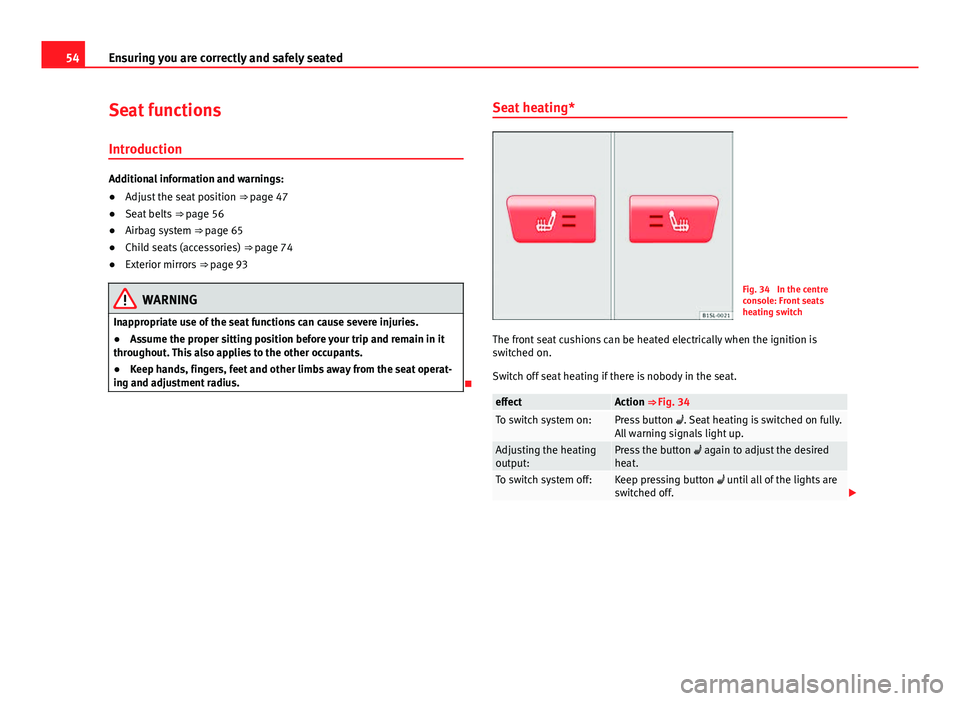
Fig. 34 In the centre
console: Front seats
heating switch
The front seat cushions can be heated electrically when the ignition is
switched on.
Switch off seat heating if there is nobody in the seat.
effectAction ⇒ Fig. 34To switch system on:Press button . Seat heating is switched on fully.
All warning signals light up.
Adjusting the heating
output:Press the button again to adjust the desired
heat.
To switch system off:Keep pressing button until all of the lights are
switched off.
Page 59 of 306
57
Ensuring you are correctly and safely seated
Warning lamp
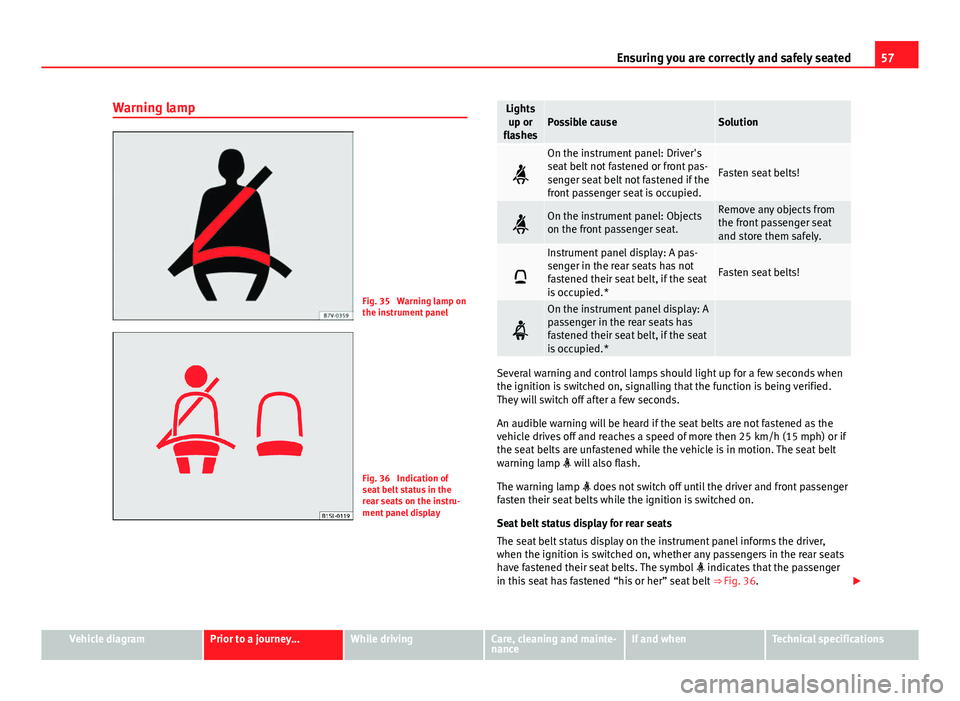
Fig. 35 Warning lamp on
the instrument panel
Fig. 36 Indication of
seat belt status in the
rear seats on the instru-
ment panel display
Lights up or
flashesPossible causeSolution
On the instrument panel: Driver's
seat belt not fastened or front pas-
senger seat belt not fastened if the
front passenger seat is occupied.
Fasten seat belts!
On the instrument panel: Objects
on the front passenger seat.Remove any objects from
the front passenger seat
and store them safely.
Instrument panel display: A pas-
senger in the rear seats has not
fastened their seat belt, if the seat
is occupied.*
Fasten seat belts!
On the instrument panel display: A
passenger in the rear seats has
fastened their seat belt, if the seat
is occupied.*
Several warning and control lamps should light up for a few seconds when
the ignition is switched on, signalling that the function is being verified.
They will switch off after a few seconds.
An audible warning will be heard if the seat belts are not fastened as the
vehicle drives off and reaches a speed of more then 25 km/h (15 mph) or if
the seat belts are unfastened while the vehicle is in motion. The seat belt
warning lamp will also flash.
The warning lamp does not switch off until the driver and front passenger
fasten their seat belts while the ignition is switched on.
Seat belt status display for rear seats
The seat belt status display on the instrument panel informs the driver,
when the ignition is switched on, whether any passengers in the rear seats
have fastened their seat belts. The symbol indicates that the passenger
in this seat has fastened “his or her” seat belt ⇒ Fig. 36.
Vehicle diagramPrior to a journey...While drivingCare, cleaning and mainte-
nanceIf and whenTechnical specifications
Page 65 of 306
63
Ensuring you are correctly and safely seated
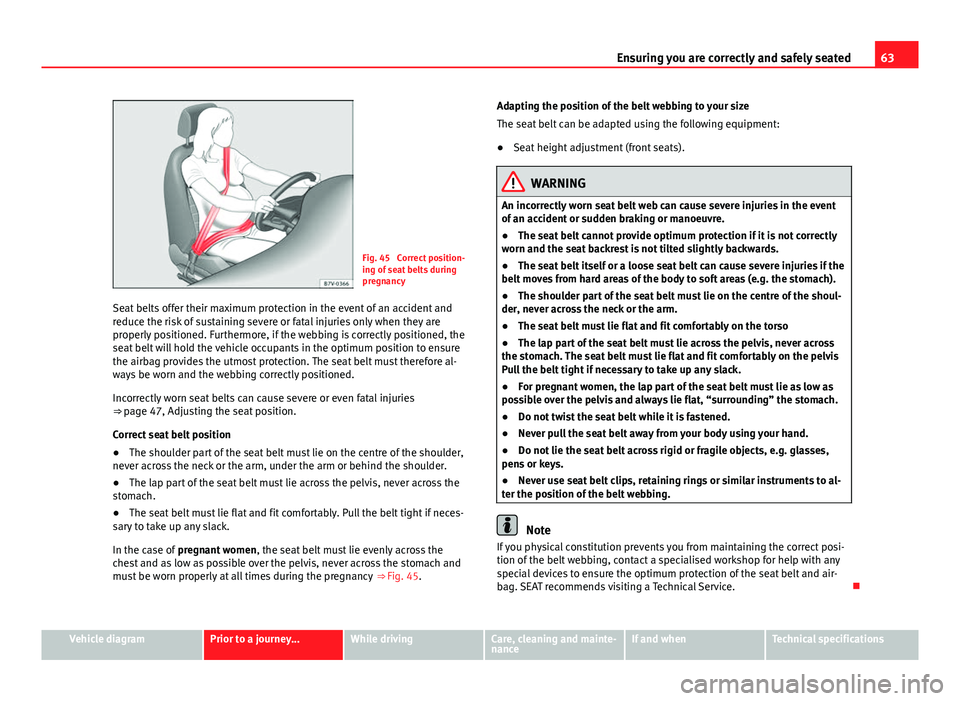
Fig. 45 Correct position-
ing of seat belts during
pregnancy
Seat belts offer their maximum protection in the event of an accident and
reduce the risk of sustaining severe or fatal injuries only when they are
properly positioned. Furthermore, if the webbing is correctly positioned, the
seat belt will hold the vehicle occupants in the optimum position to ensure
the airbag provides the utmost protection. The seat belt must therefore al-
ways be worn and the webbing correctly positioned.
Incorrectly worn seat belts can cause severe or even fatal injuries
⇒ page 47, Adjusting the seat position.
Correct seat belt position
● The shoulder part of the seat belt must lie on the centre of the shoulder,
never across the neck or the arm, under the arm or behind the shoulder.
● The lap part of the seat belt must lie across the pelvis, never across the
stomach.
● The seat belt must lie flat and fit comfortably. Pull the belt tight if neces-
sary to take up any slack.
In the case of pregnant women , the seat belt must lie evenly across the
chest and as low as possible over the pelvis, never across the stomach and
must be worn properly at all times during the pregnancy ⇒ Fig. 45. Adapting the position of the belt webbing to your size
The seat belt can be adapted using the following equipment:
●
Seat height adjustment (front seats).
WARNING
An incorrectly worn seat belt web can cause severe injuries in the event
of an accident or sudden braking or manoeuvre.
● The seat belt cannot provide optimum protection if it is not correctly
worn and the seat backrest is not tilted slightly backwards.
● The seat belt itself or a loose seat belt can cause severe injuries if the
belt moves from hard areas of the body to soft areas (e.g. the stomach).
● The shoulder part of the seat belt must lie on the centre of the shoul-
der, never across the neck or the arm.
● The seat belt must lie flat and fit comfortably on the torso
● The lap part of the seat belt must lie across the pelvis, never across
the stomach. The seat belt must lie flat and fit comfortably on the pelvis
Pull the belt tight if necessary to take up any slack.
● For pregnant women, the lap part of the seat belt must lie as low as
possible over the pelvis and always lie flat, “surrounding” the stomach.
● Do not twist the seat belt while it is fastened.
● Never pull the seat belt away from your body using your hand.
● Do not lie the seat belt across rigid or fragile objects, e.g. glasses,
pens or keys.
● Never use seat belt clips, retaining rings or similar instruments to al-
ter the position of the belt webbing.
Note
If you physical constitution prevents you from maintaining the correct posi-
tion of the belt webbing, contact a specialised workshop for help with any
special devices to ensure the optimum protection of the seat belt and air-
bag. SEAT recommends visiting a Technical Service.
Vehicle diagramPrior to a journey...While drivingCare, cleaning and mainte-
nanceIf and whenTechnical specifications