light Seat Mii 2013 Repair Manual
[x] Cancel search | Manufacturer: SEAT, Model Year: 2013, Model line: Mii, Model: Seat Mii 2013Pages: 306, PDF Size: 4.3 MB
Page 155 of 306
153
Driver assistance systems
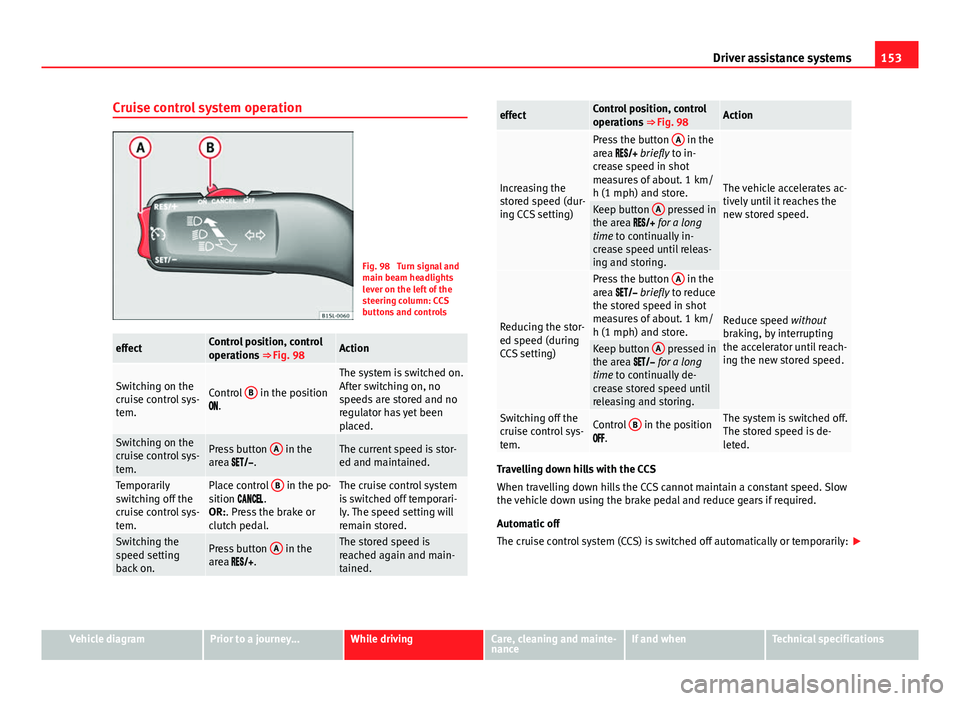
Cruise control system operation
Fig. 98 Turn signal and
main beam headlights
lever on the left of the
steering column: CCS
buttons and controls
effectControl position, control
operations ⇒ Fig. 98Action
Switching on the
cruise control sys-
tem.Control B in the position
.
The system is switched on.
After switching on, no
speeds are stored and no
regulator has yet been
placed.
Switching on the
cruise control sys-
tem.Press button A in the
area .The current speed is stor-
ed and maintained.
Temporarily
switching off the
cruise control sys-
tem.Place control B in the po-
sition .
OR:. Press the brake or
clutch pedal.The cruise control system
is switched off temporari-
ly. The speed setting will
remain stored.
Switching the
speed setting
back on.Press button A in the
area .The stored speed is
reached again and main-
tained.
effectControl position, control
operations ⇒ Fig. 98Action
Increasing the
stored speed (dur-
ing CCS setting)
Press the button A in the
area briefly to in-
crease speed in shot
measures of about. 1 km/
h (1 mph) and store.
The vehicle accelerates ac-
tively until it reaches the
new stored speed.
Keep button A pressed in
the area for a long
time to continually in-
crease speed until releas-
ing and storing.
Reducing the stor-
ed speed (during
CCS setting)
Press the button A in the
area briefly to reduce
the stored speed in shot
measures of about. 1 km/
h (1 mph) and store.
Reduce speed without
braking, by interrupting
the accelerator until reach-
ing the new stored speed.
Keep button A pressed in
the area for a long
time to continually de-
crease stored speed until
releasing and storing.
Switching off the
cruise control sys-
tem.Control B in the position
.The system is switched off.
The stored speed is de-
leted.
Travelling down hills with the CCS
When travelling down hills the CCS cannot maintain a constant speed. Slow
the vehicle down using the brake pedal and reduce gears if required.
Automatic off
The cruise control system (CCS) is switched off automatically or temporarily:
Vehicle diagramPrior to a journey...While drivingCare, cleaning and mainte-
nanceIf and whenTechnical specifications
Page 158 of 306
156Driver assistance systems
Note
If the City Safety Assist function activates a brake, the brake pedal range is
reduced. This makes the brake pedal seem “harder”.
Note
Automatic brake intervention by the City Safety Assist function can be can-
celled by pressing the clutch pedal, the accelerator pedal or by a corrective
intervention.
Note
During the automatic braking by the City Safety Assist function you may
hear unusual noises. This is normal and is produced in the brakes system.
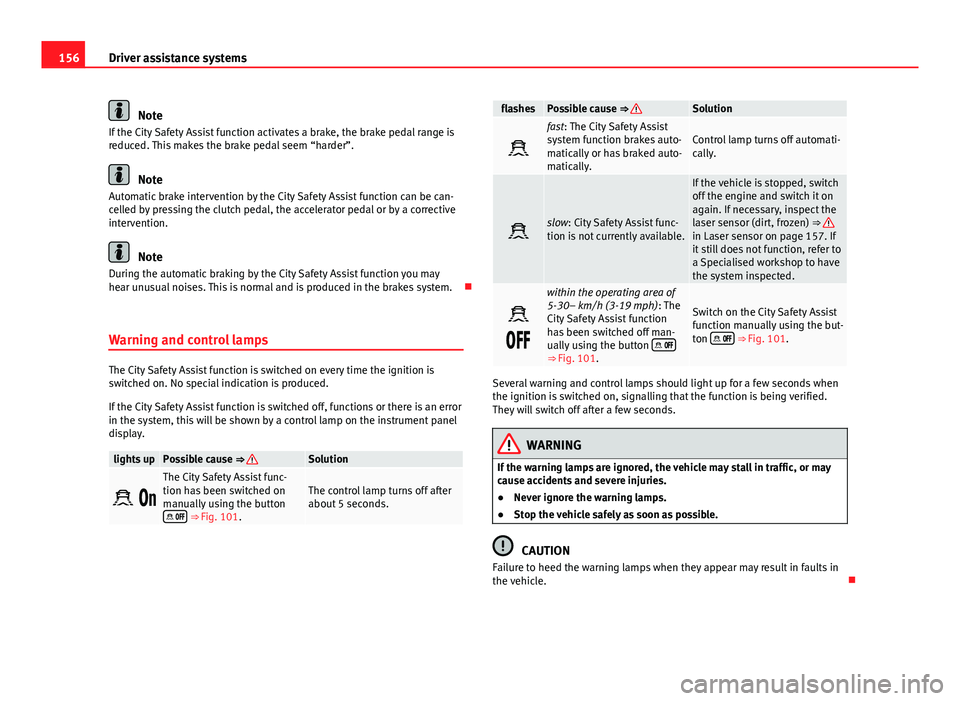
Warning and control lamps
The City Safety Assist function is switched on every time the ignition is
switched on. No special indication is produced.
If the City Safety Assist function is switched off, functions or there is an error
in the system, this will be shown by a control lamp on the instrument panel
display.
lights upPossible cause ⇒ Solution
The City Safety Assist func-
tion has been switched on
manually using the button
⇒ Fig. 101.
The control lamp turns off after
about 5 seconds.
flashesPossible cause ⇒ Solution
fast: The City Safety Assist
system function brakes auto-
matically or has braked auto-
matically.Control lamp turns off automati-
cally.
slow: City Safety Assist func-
tion is not currently available.
If the vehicle is stopped, switch
off the engine and switch it on
again. If necessary, inspect the
laser sensor (dirt, frozen) ⇒
in Laser sensor on page 157. If
it still does not function, refer to
a Specialised workshop to have
the system inspected.
within the operating area of
5-30– km/h (3-19 mph): The
City Safety Assist function
has been switched off man-
ually using the button
⇒
Fig. 101.
Switch on the City Safety Assist
function manually using the but-
ton
⇒ Fig. 101.
Several warning and control lamps should light up for a few seconds when
the ignition is switched on, signalling that the function is being verified.
They will switch off after a few seconds.
WARNING
If the warning lamps are ignored, the vehicle may stall in traffic, or may
cause accidents and severe injuries.
● Never ignore the warning lamps.
● Stop the vehicle safely as soon as possible.
CAUTION
Failure to heed the warning lamps when they appear may result in faults in
the vehicle.
Page 160 of 306
158Driver assistance systems
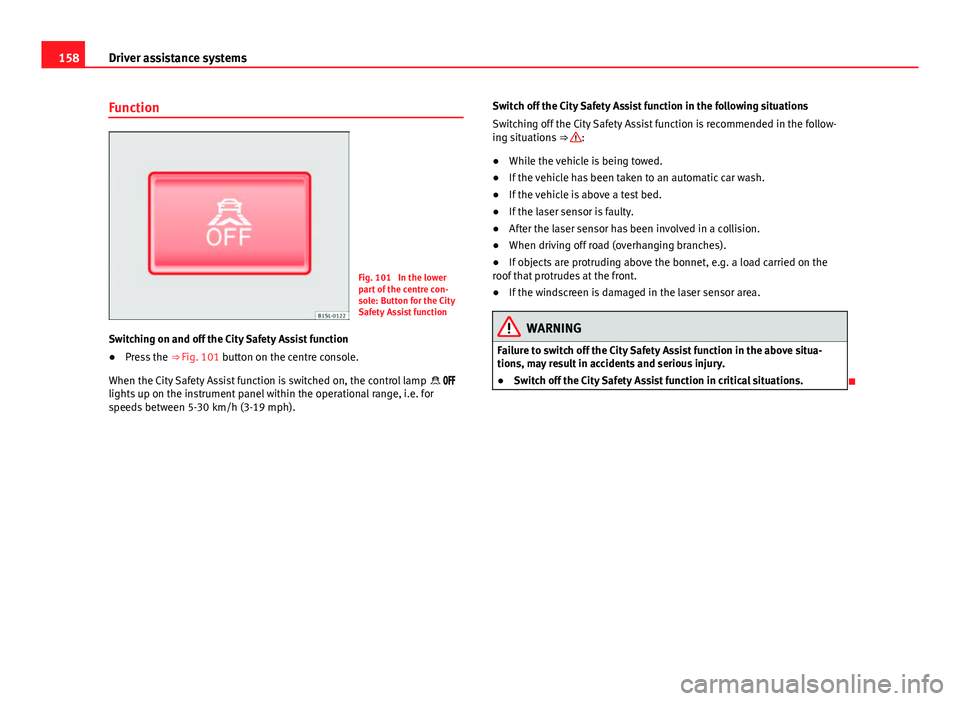
Function
Fig. 101 In the lower
part of the centre con-
sole: Button for the City
Safety Assist function
Switching on and off the City Safety Assist function
● Press the ⇒ Fig. 101 button on the centre console.
When the City Safety Assist function is switched on, the control lamp
lights up on the instrument panel within the operational range, i.e. for
speeds between 5-30 km/h (3-19 mph). Switch off the City Safety Assist function in the following situations
Switching off the City Safety Assist function is recommended in the follow-
ing situations
⇒
:
● While the vehicle is being towed.
● If the vehicle has been taken to an automatic car wash.
● If the vehicle is above a test bed.
● If the laser sensor is faulty.
● After the laser sensor has been involved in a collision.
● When driving off road (overhanging branches).
● If objects are protruding above the bonnet, e.g. a load carried on the
roof that protrudes at the front.
● If the windscreen is damaged in the laser sensor area.
WARNING
Failure to switch off the City Safety Assist function in the above situa-
tions, may result in accidents and serious injury.
● Switch off the City Safety Assist function in critical situations.
Page 162 of 306
160Driver assistance systems
Malfunction in the laser sensor
If the laser sensor operation is impaired, for example due to heavy rain,
spray, snow or dirt, the City Safety Assist system function is temporarily
switched off. On the instrument panel display the control lamp flashes.
When the fault in the laser sensor has been rectified, the City Safety Assist
system function automatically becomes available. The control lamp
switches off.
The following conditions could prevent the City Safety Assist system from
functioning:
● Tight bends.
● Accelerator pressed all the way down to the floor.
● If the City Safety Assist system is switched off or there is a fault
⇒ page 156.
● If the laser sensor is dirty, covered or overheated ⇒ page 157.
● In the event of snow, heavy rain or dense fog.
● If there are vehicles in front.
● Vehicles changing lanes.
● Vehicles moving in the opposite direction in the same lane.
● Very dirty vehicles with a low degree of reflection.
● Presence of thick dust.
Hill hold
Introduction
Additional information and warnings:
● SEAT information system ⇒ page 22
● Braking, stopping and parking ⇒ page 134 ●
Vehicle battery ⇒ page 193
● Wheels and tyres ⇒ page 210
● Accessories, parts replacement, repairs and modifications ⇒ page 222
● Jump starting ⇒ page 275
WARNING
The smart technology included in the hill hold cannot change the laws of
physics. Do not let the extra convenience afforded by the hill hold tempt
you into taking any risks when driving.
● Any accidental movement of the vehicle could result in serious injury.
● The hill hold is not a replacement for driver awareness.
● Adjust your speed and driving style to visibility, weather, road and
traffic conditions.
● The hill hold cannot always keep the vehicle at a standstill on a slope
or brake sufficiently when travelling downhill (e.g. on slippery or frozen
surfaces).
Warning lamps
lights upPossible causeSolution
The Start-Stop system is ena-
bled.
The Start-Stop system is ena-
bled but the engine cannot be
automatically stopped.Contact a specialised
workshop.
The Start-Stop system cannot
start the engine.Start the engine by hand
using the vehicle's key
⇒ page 120.
There is a fault in the alternator.⇒ page 193
Page 163 of 306
161
Driver assistance systems
flashesPossible causeSolution
The Start-Stop system is not
available.Contact a specialised
workshop.
Some warning and control lamps will light up briefly when the ignition is
switched on to check certain functions. They will switch off after a few sec-
onds.
WARNING
If the warning lamps are ignored when they light up, the vehicle may
stall in traffic and cause accidents and severe injuries.
● Never ignore the warning lamps.
● Stop the vehicle at the next opportunity.
CAUTION
Failure to heed the control lamps when they light up may result in damage
to the vehicle. Start-Stop system
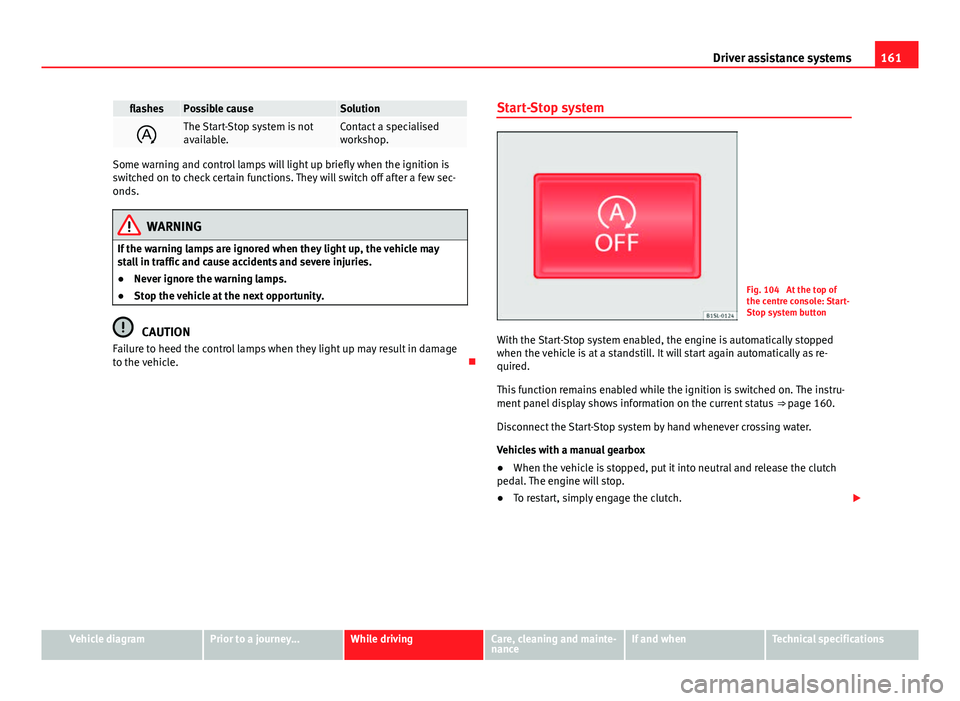
Fig. 104 At the top of
the centre console: Start-
Stop system button
With the Start-Stop system enabled, the engine is automatically stopped
when the vehicle is at a standstill. It will start again automatically as re-
quired.
This function remains enabled while the ignition is switched on. The instru-
ment panel display shows information on the current status ⇒ page 160.
Disconnect the Start-Stop system by hand whenever crossing water.
Vehicles with a manual gearbox
● When the vehicle is stopped, put it into neutral and release the clutch
pedal. The engine will stop.
● To restart, simply engage the clutch.
Vehicle diagramPrior to a journey...While drivingCare, cleaning and mainte-
nanceIf and whenTechnical specifications
Page 164 of 306
162Driver assistance systems
Vehicles with an automatic gearbox
● When the vehicle is at a standstill, depress the brake or keep it pressed
down. The engine switches off.
● The engine will start again as soon as you release the brake pedal.
● With the selector lever set to position P, the engine will not start until a
range of gears is selected or the accelerator pedal is depressed.
Important conditions for the engine to stop automatically
● The driver's seat belt must be fastened.
● The driver door must be closed.
● The bonnet must be closed.
● The engine must have reached a minimum temperature.
● The vehicle must have moved since the last time the engine was stop-
ped.
● The vehicle's battery must be sufficiently charged.
● The battery temperature must not be too low or too high.
● The vehicle must not be on a very steep slope.
Conditions for the engine to restart automatically
The engine can be automatically restarted in the following cases:
● If the vehicle starts to moves.
● If the battery voltage drops.
Conditions requiring engine start-up using the key
The engine must be started by hand using the vehicle's key in the following
cases:
● If the driver unbuckles his/her seat belt.
● If the driver door is opened.
● If the bonnet is opened. Switching the Start-Stop system on and off
●
Press the button situated in the centre console ⇒ Fig. 104.
● The button will light up when the Start-Stop system is switched off.
The engine will start immediately if the vehicle is in Stop mode when the
system is switched off by hand.
WARNING
The brake servo and the electromechanical steering do not work when
the engine is switched off.
● The vehicle must never be allowed to move with the engine switched
off.
● Disconnect the Start-Stop system before working in the engine com-
partment.
CAUTION
The vehicle's battery could be damaged if the vehicle is used for long peri-
ods at very high outside temperatures.
Note
In some cases, it may be necessary to start the engine by hand using the
key. Refer to the corresponding control lamp on the instrument panel.
Hill driving assistant*
This function is only included in vehicles with ESC. The hill driving assistant helps the driver to move off and upwards on a hill
when the vehicle is stationary.
Page 167 of 306
165
Air conditioning
Note
When the cooling system is turned off, air coming from the outside will not
be dried. To avoid fogging up the windows, SEAT recommends leaving the
cooler (compressor) on. To do this, press the AC
button. The button lamp
should light up.
Note
The maximum heat output required to defrost windows as quickly as possi-
ble is only available when the engine has reached its normal running tem-
perature.
Note
Keep the air intake slots in front of the windscreen free of snow, ice and
leaves to ensure heating and cooling are not impaired, and to prevent the
windows from misting over.
Vehicle diagramPrior to a journey...While drivingCare, cleaning and mainte-
nanceIf and whenTechnical specifications
Page 170 of 306

168Air conditioning
The air conditioning operates most effectively with the windows closed.
However, if the vehicle has heated up after standing in the sun for some
time, the air inside can be cooled more quickly by opening the windows
briefly.
Setting for conditions of optimal visibility
When the air conditioning is switched on, the temperature and the air hu-
midity in the vehicle interior drop. Hence, when the outside air humidity is
high, the windows do not mist over and comfort for the vehicle occupants is
improved:
● Disable air recirculation mode ⇒ page 169.
● Set the fan to the required setting.
● Turn the temperature control to the centre position.
● Open and direct the air outlets in the dash panel ⇒ page 169.
● Turn the air distribution control to the defrost position.
● Press the AC
button to turn on cooling. The button will light up.
The cooling system does not switch on
If the air conditioning system cannot be switched on, this may be caused by
the following: ●
The engine is not running.
● The fan is switched off.
● The air conditioner fuse has blown.
● The outside temperature is lower than approximately +2 °C (+36 °F).
● The air conditioner compressor has been temporarily switched off be-
cause the engine coolant temperature is too high.
● Another fault in the vehicle. Have the air conditioner checked by a speci-
alised workshop.
Things to note
If the humidity and temperature outside the vehicle are high, condensation
can drip off the evaporator in the cooling system and form a pool under-
neath the vehicle. This is normal and does not indicate a leak!Note
After starting it, any residual humidity in the air conditioner could mist over
the windscreen. Switch on the defrost function as soon as possible to clear
the windscreen of condensation.
Page 175 of 306
173
At the filling station
lights upGauge position
⇒ Fig. 108Possible cause ⇒ Solution
a)Red mark (ar-
row)The fuel tank is almost
empty.
The reserve tank is being
used ⇒ page 288.Refuel as soon as
possible ⇒ .
–The vehicle is running in
natural gas operating
mode.–
a)This only applies to vehicles with the fuel gauge on the instrument panel ⇒ Fig. 108.
flashes
for about 10 sec- ondsState of the barsPossible cause ⇒ Solution
and
the seg-
ments re-
maining a)Reserve zone
(four small seg- ments)The fuel tank is almost
empty.
The reserve tank is being
used ⇒ page 288.Refuel as soon as
possible ⇒ .
–The vehicle is running in
natural gas operating
mode.–
a)This only applies to vehicles with the fuel gauge on the instrument panel display.
Several warning and control lamps should light up for a few seconds when
the ignition is switched on, signalling that the function is being verified.
They will switch off after a few seconds.
In natural gas engines
The warning lamp lights up when both fuel types (petrol and natural gas)
have reached reserve level.
The warning lamp lights up when the vehicle is running in natural gas op-
erating mode. The warning lamp
switches off when the natural gas is exhausted. The
engine changes to operate with petrol.
Problem: If the vehicle is left parked for a long time immediately after refuel-
ling, the gas level indicator does not accurately indicate the same level
shown after refuelling when the vehicle is started up again. This is not due
to a leak in the system, but to a drop in pressure in the gas tank for techni-
cal reasons after a cooling phase immediately after refuelling.
WARNING
Driving with insufficient fuel reserve could result in the vehicle breaking
down in traffic and a serious accident.
● If the fuel level is too low then the fuel supply to the engine can be-
come irregular especially on slopes.
● If the engine “is choked” or stalls due to lack of or irregularity of the
fuel supply, the power steering as well as all of the driver assistance sys-
tems including braking assistance will stop working.
● Always refuel when there is only one quarter of the fuel tank left to
avoid running out of fuel.
CAUTION
● Always pay attention to any lit control lamps and to the corresponding
descriptions and instructions to avoid damage to the vehicle.
● Never run the fuel tank completely dry. An irregular fuel supply may lead
to ignition faults and unburnt fuel could enter the exhaust system. This
could damage the catalytic converter.
Note
The arrow next to the fuel pump symbol on the instrument panel ⇒ Fig. 108
indicates the side of the vehicle on which the tank flap is located.
Vehicle diagramPrior to a journey...While drivingCare, cleaning and mainte-
nanceIf and whenTechnical specifications
Page 178 of 306
176At the filling station
Note
● The filling nozzles of natural gas pumps can differ in the way they are
operated. If you are unacquainted with the pump, it is advisable that a
member of staff of the service station performs the refuelling operation.
● Noises heard when refuelling are normal and do not indicate the pres-
ence of a fault in the system.
● The vehicle natural gas system is prepared both for refuelling with a
small compressor (slow refuel) and a large compressor (fast refuel) in natu-
ral gas service stations.
Refilling precautions
Checklist
Never work on the engine or in the engine compartment if you are not famil-
iar with the operations to be carried out, the applicable safety standards
and if you do not have the instruments, liquids and tools necessary
⇒ page 180, Working in the engine compartment ! In such a case, have any
work carried out by a Specialised workshop. Check the following regularly,
preferably when you refuel:
Windscreen washer fluid level
⇒ page 89
Engine oil level
⇒ page 185
Engine coolant level
⇒ page 189
Brake fluid level
⇒ page 134
Tyre pressure ⇒ page 210
Vehicle lighting required to guarantee road safety:
– Turn signals
– Side lights, dipped beam headlights and main beam headlights
– Rear lights
– Brake lights
– Rear fog light ⇒ page 82
Information on bulb replacement ⇒ page 266.