brake light Seat Mii 2014 User Guide
[x] Cancel search | Manufacturer: SEAT, Model Year: 2014, Model line: Mii, Model: Seat Mii 2014Pages: 219, PDF Size: 4.19 MB
Page 95 of 219

Driving
weather, and road and traffic conditions
permit.
WARNING
Driving without the brake servo may signifi-
cantly increase the braking distance and re-
sult in a severe accident.
● Never allow the vehicle to move forwards
when the engine is switched off.
● If the brake servo does not operate or the
vehicle must be towed, then the brake pedal
will have to be pressed with more force given
that the braking distance will be increased
when the brake servo does not operate. CAUTION
● Never make the brakes “slip” by pressing
the pedal gently, if it is not really necessary
to brake. Continuously pressing on the brake
pedal will heat the brakes. This could signifi-
cantly reduce braking power, increase brak-
ing distance or even result in the total failure
of the brake system.
● Reduce speed or change down a gear when
faced with steep and long slopes. This allows
you to use the engine braking effect and to
reduce the strain on the brake system. Other-
wise, the brakes may overheat and fail. Only
use the brakes to reduce speed or to stop. Note
Make use, when having the front brake pads
checked, and have the rear pads checked al-
so. The thickness of the brake pads should be
checked visually and regularly, by looking
through the openings in the wheel rims or
from underneath the vehicle. If necessary, re-
move the wheels to check them thoroughly.
SEAT recommends taking your car in for tech-
nical service. Changing gear
Introduction When reverse gear is engaged and the
ignition is switched on the following takes
place:
● Reverse lights light up.
● The rear wiper blade performs one move-
ment when the windscreen wiper is activa-
ted.
● If necessary, connect the parking distance
warning system. WARNING
Rapid acceleration can cause loss of traction
and skidding, especially on slippery ground.
This could cause loss of control of the vehicle
resulting in an accident and considerable
damage. ●
Use rapid acceleration only when visibility,
weather, road conditions and traffic permit. WARNING
Do not allow the brakes to “rub” for a pro-
longed period of time, or brake frequently or
for long periods of time. Continuous braking
heats up the brakes. This could significantly
reduce braking power, increase braking dis-
tance or even result in the total failure of the
brake system. Warning and control lamps
(red)It lights up
Fault in the auto-
matic gearbox.
Do not drive on!
Seek professional advice. Failure to
do so could result in considerable
damage to the transmission
››› page 97.
(yellow)It lights up
In the automatic
gearbox the
gears can en-
gage incorrectly.Switch the ignition on and off.
When the control lamp does not
light up, find the nearest special-
ised workshop and have the auto-
matic gearbox checked.
»
93
Technical specifications
Advice
Operation
Safety
Page 96 of 219

Operation
(yellow)It lights up
The automatic
gearbox over-
heats temporari-
ly.Let the transmission cool with the
gearbox lever in the position .
When the control lamp does not
light up, find the nearest special-
ised workshop and have the auto-
matic gearbox checked.
It lights up
Place the automatic
gearbox lever in the
position
and do not
press the brake pedal.
Press the brake pedal to select
a gear range.
Together with the yel-
low control lamp for
the temperature of the
transmission
: the
automatic gearbox
overheats.
Press brake pedal and let the
transmission cool. Avoid
pressing the accelerator. When
the control lamp does not light
up, find the nearest special-
ised workshop and have the
automatic gearbox checked.
Together with the turn
signal display in the
instrument panel dis-
play: the automatic
gearbox lever is not in
the position
, indica-
tion to start the en-
gine.
Move the gearbox lever to the
position and start the en-
gine.
Flashes
An automatic gearbox
in the vehicle does
not guarantee that the
vehicle will not roll
away.Apply the handbrake.
Flashes
In the instrument pan-
el display, in addition
to the control lamp re-
questing the brake
pedal to be pressed
: indicated for start-
ing the engine.
Move the gearbox lever to the
position and start the en-
gine.
On the instrument
panel display: Whilst
driving in a forward di-
rection, try to move
the automatic gearbox
lever to the position
.
Stop the vehicle and move the
gearbox lever to the position in order to subsequently
change to the position .
On the instrument
panel display: The au-
tomatic gearbox lever
was placed in the po-
sition
or , but the
brake pedal was not
pressed.
Press the brake pedal, move
the gearbox lever to the posi-
tion
, and subsequently to
the required position or . When switching on the ignition some warn-
ing and control lamps light up for a short
time to check the operations. They will switch
off after a few seconds.Manual gearbox: engaging gears
Fig. 81
Gear shift pattern of a 5-speed man-
ual gearbox The position of each of the gears is shown on
the gear stick
››› Fig. 81 .
● Keep the c
lutch pedal pushed all the way
down.
● Move the gearbox lever to the required po-
sition ››› .
● Release the clutch pedal to engage clutch.
In some countries, it is necessary to press the
clutch pedal to the floor to start the engine.
Selecting reverse gear
● Engage reverse gear only when the vehicle
is stopped.
● Keep the clutch pedal pushed all the way
down ››› .
94
Page 99 of 219

Driving
Driving down hills
The steeper the gradient, the lower the gear
you will need to select. The lowest gears in-
crease the engine braking work. Never go
down hills with the selector lever in neutral
N .
● You shou
ld reduce speed accordingly.
● Place the lever in the position D to the left
on the Tiptronic shift gate M
››› page 96.
● Gently pull the selector lever back – to
change down a gear.
Starting when going up a slope
The steeper the gradient, the lower the gear
you will need.
When stopping on a slope with a gear range
engaged, the vehicle must be prevented from
rolling backwards by always pressing the
brake pedal or pulling the handbrake lever
up. When starting, release the brake pedal or
the handbrake ››› .
Kick-down
The kickdown system provides maximum ac-
celeration when the gear selector lever is in
the position D
, or in the Tiptronic position M
.
When the accelerator pedal is pressed right
down, the automatic gearbox will shift down
to a lower gear, depending on road speed
and engine speed. This takes advantage of the maximum acceleration of the vehicle
››› .
When the accelerator is pressed to the floor,
the automatic gearbox shifts to the next gear
only after the engine reaches the specified
maximum engine speed. WARNING
Rapid acceleration can cause loss of traction
and skidding, especially on slippery ground.
This could cause loss of control of the vehicle
resulting in an accident and serious injury.
● Always adapt your driving style to suit the
flow of traffic.
● Only use the kick-down function or rapid
acceleration if visibility, weather, road and
traffic conditions so permit.
● Never put other road users in danger by ac-
celerating or with your driving style. CAUTION
If you stop on a hill with a gear range engag-
ed, do not try to prevent the vehicle from roll-
ing back by pressing on the accelerator. Oth-
erwise, the automatic gearbox may overheat
causing damage. Automatic gearbox malfunction
Back-up programme
When automatic gearbox warning and control
lamps light up on the instrument panel, there
may be a system malfunction
››› page 93. In
the event of some faults the automatic gear-
box functions using a backup programme.
When the programme is activated, it is possi-
ble to drive the vehicle, however, at low
speeds and within a selected range of gears.
With the manual gearbox, in some cases it is
not possible to drive with all the gears .
In all cases the automatic gearbox must be
checked at a specialised workshop.
Automatic gearbox overheating
The automatic gearbox can overheat with a
prolonged start up, or when stopping and
starting continuously. This overheating is dis-
played with a warning lamp in the instru-
ment panel. Additionally, an audible warning
can be heard. Stop and let the gearbox cool
››› .
The vehicle moves forward or back despite
having selected a gear range
When the vehicle does not move in the re-
quired direction, the system may not have
the gear range correctly engaged. Press the
brake pedal and engage the gear range
again. If the vehicle still does not move in the »
97
Technical specifications
Advice
Operation
Safety
Page 100 of 219
Operation
required direction, there is a system malfunc-
tion. Seek specialist assistance and have the
system checked. CAUTION
● When the gearbox is displayed as overheat-
ing for the first time, the vehicle must be
parked safely or must be driven at a speed of
more than 20 km/h (12 mph).
● When the warning lamp lights up and the
audible warning is heard, the vehicle must be
parked safely and the engine switched off.
Let the gearbox cool down.
● To prevent damage to the gearbox, driving
must only be continued when the warning
lamps are no longer lit up. While the gearbox
is overheated, starting up and driving, even
at a slow speed should be avoided. Recommended gear display
In some vehicles, the recommended gear for
reducing fuel consumption is displayed on
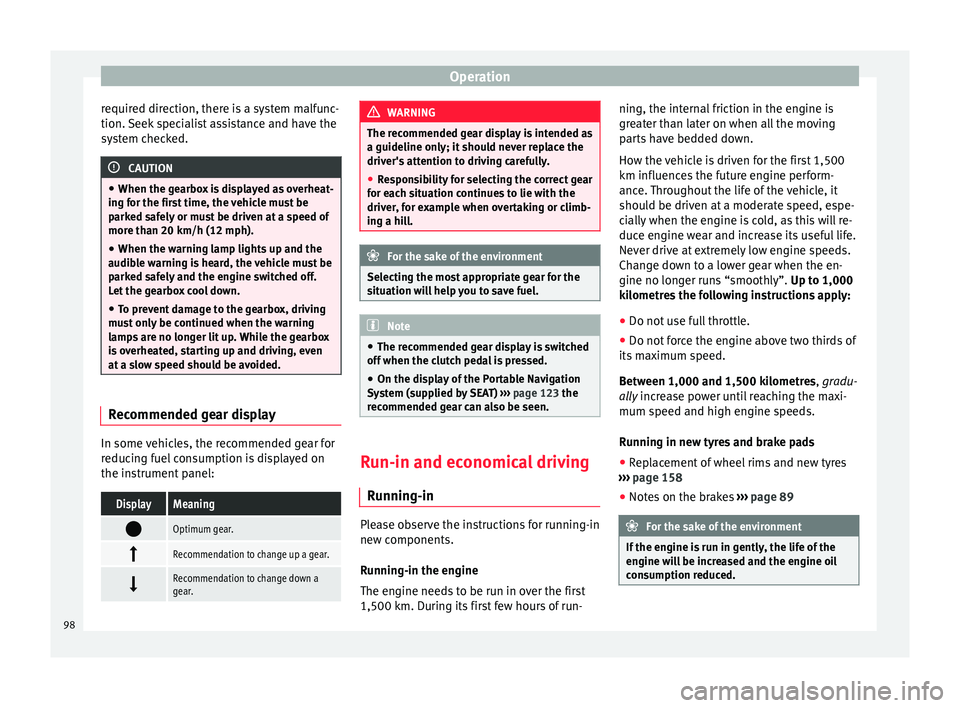
the instrument panel:DisplayMeaning
Optimum gear.
Recommendation to change up a gear.
Recommendation to change down a
gear. WARNING
The recommended gear display is intended as
a guideline only; it should never replace the
driver's attention to driving carefully.
● Responsibility for selecting the correct gear
for each situation continues to lie with the
driver, for example when overtaking or climb-
ing a hill. For the sake of the environment
Selecting the most appropriate gear for the
situation will help you to save fuel. Note
● The recommended gear display is switched
off when the clutch pedal is pressed.
● On the display of the Portable Navigation
System (supplied by SEAT) ››› page 123 the
recommended gear can also be seen. Run-in and economical driving
Running-in Please observe the instructions for running-in
new components.
Running-in the engine
The engine needs to be run in over the first
1,500 km. During its first few hours of run-ning, the internal friction in the engine is
greater than later on when all the moving
parts have bedded down.
How the vehicle is driven for the first 1,500
km influences the future engine perform-
ance. Throughout the life of the vehicle, it
should be driven at a moderate speed, espe-
cially when the engine is cold, as this will re-
duce engine wear and increase its useful life.
Never drive at extremely low engine speeds.
Change down to a lower gear when the en-
gine no longer runs “smoothly”.
Up to 1,000
k i
lometres the following instructions apply:
● Do not use full throttle.
● Do not force the engine above two thirds of
its maximum speed.
Between 1,000 and 1,500 kilometres, gradu-
ally increase power until reaching the maxi-
mum speed and high en
gine speeds.
Running in new tyres and brake pads
● Replacement of wheel rims and new tyres
››› page 158
● Notes on the brakes ››› page 89 For the sake of the environment
If the engine is run in gently, the life of the
engine will be increased and the engine oil
consumption reduced. 98
Page 110 of 219

Operation
WARNING
Use of the cruise control could cause acci-
dents and severe injuries if it is not possible
to drive at a constant speed maintaining the
safety distance.
● Do not use the cruise control in heavy traf-
fic, if the distance from the vehicle in front is
insufficient, on steep roads, with several
bends or in slippery circumstances (snow,
ice, rain or loose gravel), or on flooded roads.
● Never use the CCS when driving off-road or
on unpaved roads.
● Always adapt your speed and the distance
to the vehicles ahead in line with visibility,
weather conditions, the condition of the road
and the traffic situation.
● To avoid unexpected operation of the cruise
control system, turn it off every time you fin-
ish using it. ●
It is dangerous to use a set speed which is
too high for the prevailing road, traffic or
weather conditions.
● When travelling down hills, the CCS cannot
maintain a constant speed. The vehicle tends
to accelerate under its own weight. Select a
lower gear or use the foot brake to slow the
vehicle. Control lampIt lights
upPossible cause
This cruise control system maintains the
set speed of the vehicle. Several warning and control lamps light up
for a few seconds when the ignition is switch-
ed on, signalling that the function is being
verified. They will switch off after a few sec-
onds.
WARNING
If the warning lamps are ignored, the vehicle
may stall in traffic, or may cause accidents
and severe injuries.
● Never ignore the warning lamps. CAUTION
Failure to heed the warning lamps when they
appear may result in faults in the vehicle. 108
Page 111 of 219

Driver assistance systems
Cruise control system operation Fig. 87
Turn signal and main beam head-
lights lever on the left of the steering column:
CCS buttons and controls.FunctionControl position, control operations ››› Fig. 87Action
Switch on the CCS.Control B in the position .The system is switched on. After switching on, no speeds are
stored and no regulator has yet been placed.
Activating the CCSPress button A in the area .The current speed is stored and maintained.
Temporarily switch off CCSPlace control B in the position.
OR: Press the brake or clutch pedal.The cruise control system is switched off temporarily. The
speed setting will remain stored.
Switch on the CCS again.Press button A in the area .The stored speed is reached again and maintained.
Increasing the stored speed
(during CCS setting)
Press the button A in the area briefly to increase speed in shot measures of
about. 1 km/h (1 mph) and store.
The vehicle accelerates actively until it reaches the new stored
speed.
Keep button A pressed in the area for a long time
to continually increase
speed until releasing and storing.» 109
Technical specifications
Advice
Operation
Safety
Page 113 of 219

Driver assistance systems
system is not a replacement for driver aware-
ness.
●
Always adapt your speed and the distance
to the vehicles ahead in line with visibility,
weather conditions, the condition of the road
and the traffic situation.
● The City Safety Assist function does not re-
act to people, animals or vehicles that cross
or move in the opposite direction in the same
lane.
● If after switching on the City Safety Assist
function the vehicle begins to move, slow the
vehicle with the foot brake. CAUTION
If you suspect that the City Safety Assist ra-
dar feature is damaged, switch it off. This will
avoid additional damage.
● Any repair of the radar sensor requires spe-
cialist knowledge. SEAT recommends taking
your car in for technical service. Note
● If the City Safety Assist function activates a
brake, the brake pedal range is reduced. This
makes the brake pedal seem “harder”.
● Automatic brake intervention by the City
Safety Assist function can be cancelled by
pressing the clutch pedal, the accelerator
pedal or by a corrective intervention.
● During automatic braking by the City Safety
Assist function you may hear unusual noises. This is normal and is produced in the brake
system.
Warning and control lamps
The City Safety Assist function is switched on
every time the ignition is switched on. No
special indication is produced.
If the City Safety Assist function is switched
off or on, or if there is an error in the system,
it will be shown by a control lamp on the in-
strument panel display.It lights
upPossible cause
››› Solution
The City Safety As-
sist function has
been switched on
manually using
the button
›››
Fig. 90.
The control lamp
turns off after about
5 seconds.
FlashesPossible cause
››› Solution
Fast: The City Safe-
ty Assist system
function brakes
automatically or
has braked auto-
matically.
Control lamp turns
off automatically.
FlashesPossible cause
››› Solution
Slow: City Safety
Assist function is
not currently avail-
able.
If the vehicle is stop-
ped, switch off the
engine and switch it
on again. If necessa-
ry, inspect the radar
sensor (dirt, frost)
›››
in Radar sen-
sor on page 112. If
it still does not func-
tion, refer to a Speci-
alised workshop to
have the system in-
spected.
Within the operat-
ing area of
5-30 km/h
(3-19 mph): The
City Safety Assist
function has been
switched off man-
ually using the
button
››› Fig. 90.
Switch on the City
Safety Assist func-
tion manually using
the button
››› Fig. 90. Several warning and control lamps should
light up for a few seconds when the ignition
is switched on, signalling that the function is
being verified. They will switch off after a few
seconds.
»
111
Technical specifications
Advice
Operation
Safety
Page 117 of 219

Driver assistance systems
WARNING
● If you do not start the vehicle immediately
after taking your foot off the brake pedal, the
vehicle may start to roll back under certain
conditions. Depress the brake pedal or use
the hand brake immediately.
● If the engine stalls, depress the brake ped-
al or use the hand brake immediately.
● When following a line of traffic uphill, if you
want to prevent the vehicle from rolling back
accidentally when starting off, hold the brake
pedal down for a few seconds before starting
off. Note
The Official Service or a specialist workshop
can tell you if your vehicle is equipped with
this system. Start-Stop system
Warning lampsIt
lights upPossible causeSolution
The Start-Stop system
is enabled.
It
lights upPossible causeSolution
The Start-Stop system
is enabled but the en-
gine cannot be auto-
matically stopped.Contact a special-
ised workshop.
The Start-Stop system
cannot start the en-
gine.Start the engine by
hand using the ve-
hicle's key
››› page 86.
There is a fault in the
alternator.››› page 154
Flash-
esPossible causeSolution
The Start-Stop system
is not available.Contact a special-
ised workshop.
Some warning and control lamps will light up
briefly when the ignition is switched on to
check certain functions. They will switch off
after a few seconds.
WARNING
Observe the safety warnings ››› in Control
and warning lamps on page 40. Start-Stop system
Fig. 93
At the top of the centre console: Start-
Stop system button With the Start-Stop system enabled, the en-
gine is automatically stopped when the vehi-
cle is at a standstill. It will start again auto-
matically as required.
This function remains enabled while the igni-
tion is switched on. The instrument panel dis-
play shows information on the current status
››› page 115 .
Di s
connect the Start-Stop system by hand
whenever crossing water.
Vehicles with a manual gearbox
● When the vehicle is stopped, put it into
neutral and release the clutch pedal. The en-
gine will stop.
● To restart, simply engage the clutch. »
115
Technical specifications
Advice
Operation
Safety
Page 118 of 219

Operation
Vehicles with an automatic gearbox
● When the vehicle is at a standstill, depress
the brake or keep it pressed down. The en-
gine switches off.
● The engine will start again as soon as you
release the brake pedal.
● With the selector lever set to position N,
the en gine w
ill not start until a range of gears
is selected or the accelerator pedal is de-
pressed.
Important conditions for the engine to stop
automatically
● The driver's seat belt must be fastened.
● The driver door must be closed.
● The bonnet must be closed.
● The engine must have reached a minimum
temperature.
● The vehicle must have moved since the last
time the engine was stopped.
● The vehicle's battery must be sufficiently
charged.
● The battery temperature must not be too
low or too high.
● The vehicle must not be on a very steep
slope. Conditions for the engine to restart
automatically
The engine can be automatically restarted in
the following cases:
●
If the vehicle starts to moves.
● If the battery voltage drops.
Conditions requiring engine start-up using
the key
The engine has to be manually started in the
following cases:
● If the driver unbuckles his/her seat belt.
● If the driver door is opened.
● If the bonnet is opened.
Switching the Start-Stop system on and off
● Press the button situated in the centre
console ››› Fig. 93
.
● The button will light up when the Start-Stop
system is switched off.
The engine will start immediately if the vehi-
cle is in Stop mode when the system is
switched off by hand. WARNING
The smart technology included in the hill
hold cannot change the laws of physics. Do
not let the extra convenience afforded by the hill hold tempt you into taking any risks
when driving.
●
Any accidental movement of the vehicle
could result in serious injury.
● The hill hold is not a replacement for driver
awareness.
● Adjust your speed and driving style to visi-
bility, weather, road and traffic conditions.
● The hill hold cannot always keep the vehi-
cle at a standstill on a slope or brake suffi-
ciently when travelling downhill (e.g. on slip-
pery or frozen surfaces). WARNING
The brake servo and the electromechanical
steering do not work when the engine is
switched off.
● The vehicle must never be allowed to move
with the engine switched off.
● Disconnect the Start-Stop system before
working in the engine compartment. CAUTION
The vehicle's battery could be damaged if the
vehicle is used for long periods at very high
outside temperatures. Note
In some cases, it may be necessary to start
the engine by hand using the key. Refer to 116
Page 129 of 219

Care and maintenance
SEAT recommends the use of car washes
without brushes.
To remove traces of wax on windows and to
prevent wiper blades from scratching, please
observe the following ››› page 128, Cleaning
windows and exterior mirrors .
Washing the car by hand
When washing the car by hand, use plenty of
water to soften the dirt first, and rinse off as
well as possible.
Then clean the vehicle with a soft sponge,
glove or
brush using only slight pressure.
Start at the roof and work downwards. Spe-
cial car shampoo should only be used for
ver
y persistent dirt.
Rinse the sponge or glove thoroughly and of-
ten.
Wheels, sills and similar should be cleaned
last. Use a second sponge for this. WARNING
Sharp components on the vehicle may cause
injury.
● Protect arms and hands from sharp edges
when cleaning the vehicle undercarriage or
the interior of the wheel hubs. WARNING
After the vehicle has been washed, the brak-
ing effect will be reduced (and the braking
distance increased) due to moisture (and ice
in winter) on the brakes.
● “Dry the brakes and remove ice” by braking
carefully. Ensure that you are not endanger-
ing other road-users or breaking traffic regu-
lations in the process. CAUTION
● The temperature of the water must not ex-
ceed +60 °C (+140 °F).
● To avoid damage to the paintwork, do not
wash the vehicle in full sun.
● Do not use rough sponges or similar which
could damage the surface to clean away the
traces of insects.
● Never wipe the headlights with a dry cloth
or sponge, always moisten first. It is best to
use soapy water.
● Washing the vehicle in low temperatures:
When washing the vehicle with a hose, do
not direct water into the lock cylinders or the
gaps around the doors or roof. Locks and
seals could freeze! CAUTION
To prevent damage to the vehicle, please ob-
serve the following before entering an auto-
matic car wash: ●
Compare the distance between the vehicle
wheels and the distance between the guide-
rails of the car wash to prevent damage to the
wheels and tyres!
● Switch off the rain sensor before taking the
vehicle to an automatic car wash.
● Compare the height and width of your vehi-
cle with the available height and width when
entering and driving through the car wash.
● Fold in exterior mirrors Electrically retracta-
ble exterior mirrors must not be folded in or
out by hand. Always use the electrical power
control.
● To avoid damaging the bonnet paintwork,
rest the windscreen wipers on the windscreen
after drying the wiper blades. Do not let them
fall!
● Lock the rear lid to prevent it from opening
unexpectedly while inside the car wash. Washing the vehicle with high
pressure cleaning apparatus
When cleaning the vehicle with a high-pres-
sure cleaner, always follow the operating in-
structions for the equipment. Pay special at-
tention to the required pressure of the jet
and the
distance
between the jet and the ve-
hic
le ››› .
Keep a suitable distance from soft materials,
such as rubber hoses or insulating material, »
127
Technical specifications
Advice
Operation
Safety