ignition Seat Mii 2014 User Guide
[x] Cancel search | Manufacturer: SEAT, Model Year: 2014, Model line: Mii, Model: Seat Mii 2014Pages: 219, PDF Size: 4.19 MB
Page 43 of 219
Cockpit
Control functions of the instrument
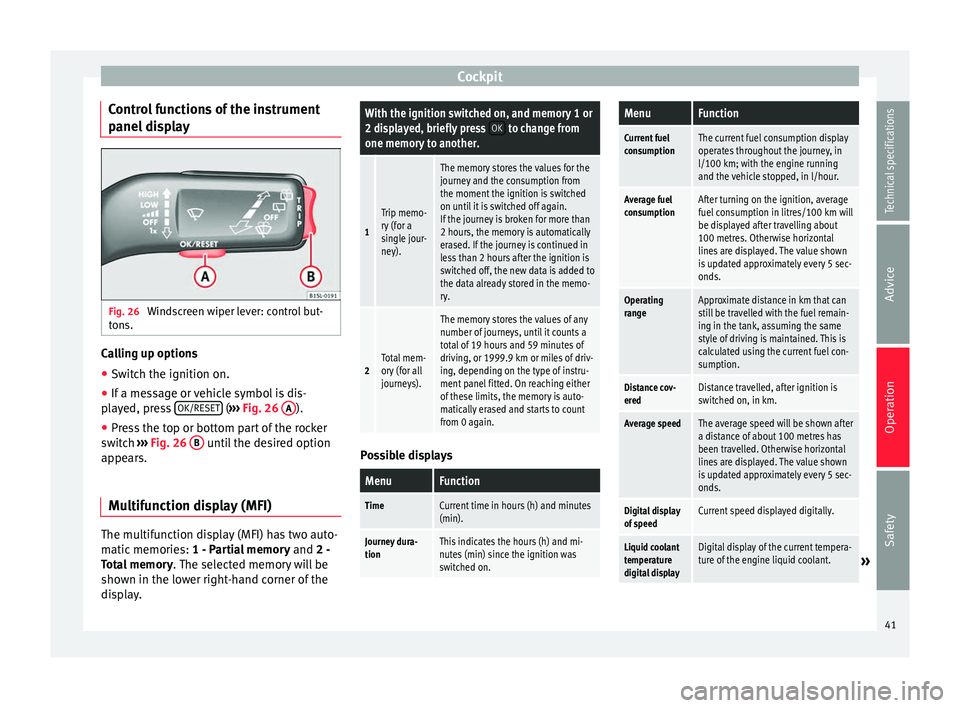
panel display Fig. 26
Windscreen wiper lever: control but-
tons. Calling up options
● Switch the ignition on.
● If a message or vehicle symbol is dis-
played, press OK/RESET (
››› Fig. 26 A ).
● Press the top or bottom part of the rocker
switch ››› Fig. 26 B until the desired option
appears.
Multifunction display (MFI) The multifunction display (MFI) has two auto-
matic memories:
1 - Partial memory and 2 -
Total memory . The selected memory will be
shown in the lower right-hand corner of the
display.With the ignition switched on, and memory 1 or
2 displayed, briefly press OK to change from
one memory to another.
1
Trip memo-
ry (for a
single jour-
ney).
The memory stores the values for the
journey and the consumption from
the moment the ignition is switched
on until it is switched off again.
If the journey is broken for more than
2 hours, the memory is automatically
erased. If the journey is continued in
less than 2 hours after the ignition is
switched off, the new data is added to
the data already stored in the memo-
ry.
2Total mem-
ory (for all
journeys).
The memory stores the values of any
number of journeys, until it counts a
total of 19 hours and 59 minutes of
driving, or 1999.9 km or miles of driv-
ing, depending on the type of instru-
ment panel fitted. On reaching either
of these limits, the memory is auto-
matically erased and starts to count
from 0 again. Possible displays
MenuFunction
TimeCurrent time in hours (h) and minutes
(min).
Journey dura-
tionThis indicates the hours (h) and mi-
nutes (min) since the ignition was
switched on.
MenuFunction
Current fuel
consumptionThe current fuel consumption display
operates throughout the journey, in
l/100 km; with the engine running
and the vehicle stopped, in l/hour.
Average fuel
consumptionAfter turning on the ignition, average
fuel consumption in litres/100 km will
be displayed after travelling about
100 metres. Otherwise horizontal
lines are displayed. The value shown
is updated approximately every 5 sec-
onds.
Operating
rangeApproximate distance in km that can
still be travelled with the fuel remain-
ing in the tank, assuming the same
style of driving is maintained. This is
calculated using the current fuel con-
sumption.
Distance cov-
eredDistance travelled, after ignition is
switched on, in km.
Average speedThe average speed will be shown after
a distance of about 100 metres has
been travelled. Otherwise horizontal
lines are displayed. The value shown
is updated approximately every 5 sec-
onds.
Digital display
of speedCurrent speed displayed digitally.
Liquid coolant
temperature
digital displayDigital display of the current tempera-
ture of the engine liquid coolant.»
41
Technical specifications
Advice
Operation
Safety
Page 45 of 219
Opening and closing
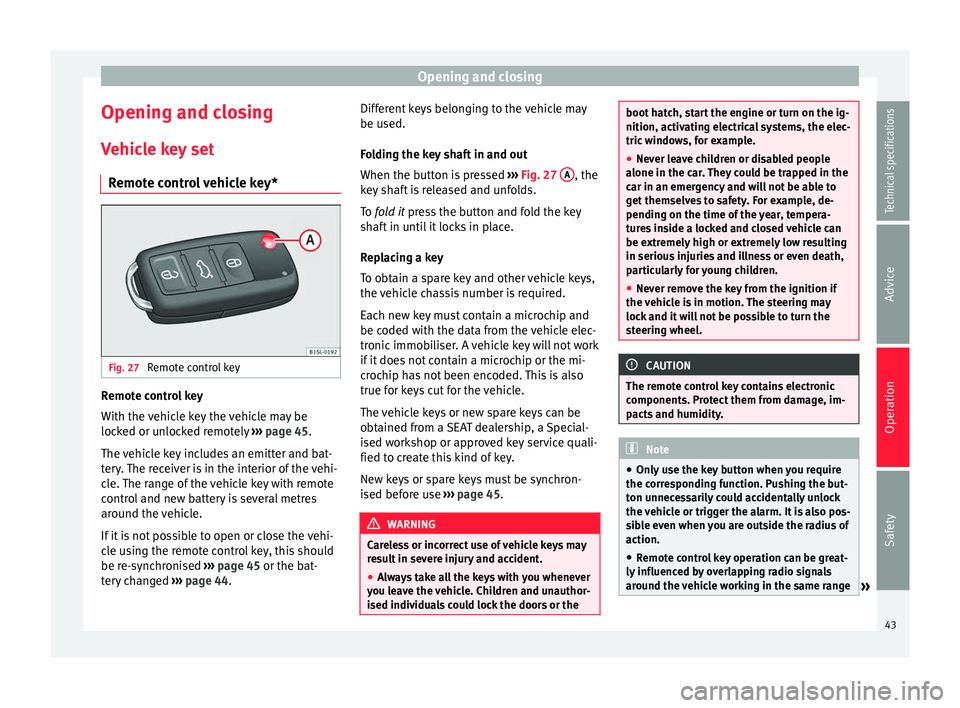
Opening and closing Vehicle key set Remote control vehicle key* Fig. 27
Remote control key Remote control key
With the vehicle key the vehicle may be
locked or unlocked remotely
››› page 45.
The vehicle key includes an emitter and bat-
tery. The receiver is in the interior of the vehi-
cle. The range of the vehicle key with remote
control and new battery is several metres
around the vehicle.
If it is not possible to open or close the vehi-
cle using the remote control key, this should
be re-synchronised ››› page 45 or the bat-
tery changed ››› page 44. Different keys belonging to the vehicle may
be used.
Folding the key shaft in and out
When the button is pressed
››› Fig. 27 A , the
key shaft is released and unfolds.
To fold it
press the button and fold the key
sh
aft in until it locks in place.
Replacing a key
To obtain a spare key and other vehicle keys,
the vehicle chassis number is required.
Each new key must contain a microchip and
be coded with the data from the vehicle elec-
tronic immobiliser. A vehicle key will not work
if it does not contain a microchip or the mi-
crochip has not been encoded. This is also
true for keys cut for the vehicle.
The vehicle keys or new spare keys can be
obtained from a SEAT dealership, a Special-
ised workshop or approved key service quali-
fied to create this kind of key.
New keys or spare keys must be synchron-
ised before use ››› page 45. WARNING
Careless or incorrect use of vehicle keys may
result in severe injury and accident.
● Always take all the keys with you whenever
you leave the vehicle. Children and unauthor-
ised individuals could lock the doors or the boot hatch, start the engine or turn on the ig-
nition, activating electrical systems, the elec-
tric windows, for example.
●
Never leave children or disabled people
alone in the car. They could be trapped in the
car in an emergency and will not be able to
get themselves to safety. For example, de-
pending on the time of the year, tempera-
tures inside a locked and closed vehicle can
be extremely high or extremely low resulting
in serious injuries and illness or even death,
particularly for young children.
● Never remove the key from the ignition if
the vehicle is in motion. The steering may
lock and it will not be possible to turn the
steering wheel. CAUTION
The remote control key contains electronic
components. Protect them from damage, im-
pacts and humidity. Note
● Only use the key button when you require
the corresponding function. Pushing the but-
ton unnecessarily could accidentally unlock
the vehicle or trigger the alarm. It is also pos-
sible even when you are outside the radius of
action.
● Remote control key operation can be great-
ly influenced by overlapping radio signals
around the vehicle working in the same range » 43Technical specifications
Advice
Operation
Safety
Page 47 of 219
Opening and closing
SEAT recommend having the batteries
changed in a specialised workshop.
The battery is located to the rear of the vehi-
cle key, under a cover.
Changing the battery
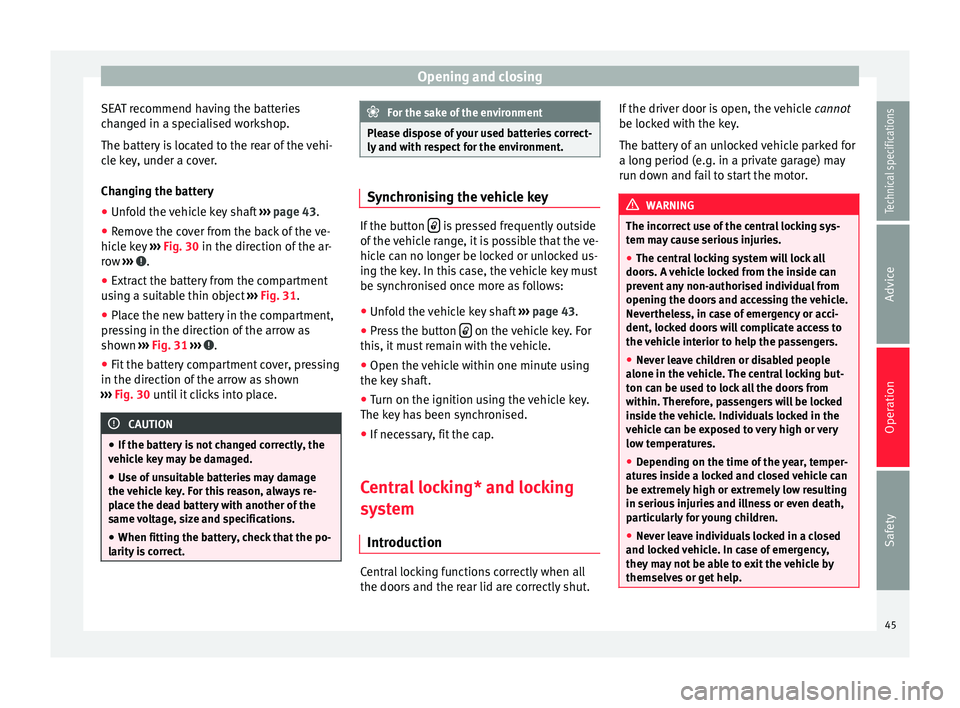
● Unfold the vehicle key shaft ››› page 43.
● Remove the cover from the back of the ve-
hicle key ››› Fig. 30 in the direction of the ar-
r o
w ››› .
● Extract the battery from the compartment
using a suitable thin object ››› Fig. 31 .
● Plac
e the new battery in the compartment,
pressing in the direction of the arrow as
shown ››› Fig. 31 ››› .
● Fit the battery compartment cover, pressing
in the direction of the arrow as shown
››› Fig. 30 until it clicks into place. CAUTION
● If the battery is not changed correctly, the
vehicle key may be damaged.
● Use of unsuitable batteries may damage
the vehicle key. For this reason, always re-
place the dead battery with another of the
same voltage, size and specifications.
● When fitting the battery, check that the po-
larity is correct. For the sake of the environment
Please dispose of your used batteries correct-
ly and with respect for the environment. Synchronising the vehicle key
If the button
is pressed frequently outside
of the vehicle range, it is possible that the ve-
hicle can no longer be locked or unlocked us-
ing the key. In this case, the vehicle key must
be synchronised once more as follows:
● Unfold the vehicle key shaft ›››
page 43.
● Press the button on the vehicle key. For
this, it must remain with the vehicle.
● Open the vehicle within one minute using
the key shaft.
● Turn on the ignition using the vehicle key.
The key has been synchronised.
● If necessary, fit the cap.
Central locking* and locking
system Introduction Central locking functions correctly when all
the doors and the rear lid are correctly shut.If the driver door is open, the vehicle
cannot
be locked with the key.
The battery of an unlocked vehicle parked for
a long period (e.g. in a private garage) may
run down and fail to start the motor. WARNING
The incorrect use of the central locking sys-
tem may cause serious injuries.
● The central locking system will lock all
doors. A vehicle locked from the inside can
prevent any non-authorised individual from
opening the doors and accessing the vehicle.
Nevertheless, in case of emergency or acci-
dent, locked doors will complicate access to
the vehicle interior to help the passengers.
● Never leave children or disabled people
alone in the vehicle. The central locking but-
ton can be used to lock all the doors from
within. Therefore, passengers will be locked
inside the vehicle. Individuals locked in the
vehicle can be exposed to very high or very
low temperatures.
● Depending on the time of the year, temper-
atures inside a locked and closed vehicle can
be extremely high or extremely low resulting
in serious injuries and illness or even death,
particularly for young children.
● Never leave individuals locked in a closed
and locked vehicle. In case of emergency,
they may not be able to exit the vehicle by
themselves or get help. 45
Technical specifications
Advice
Operation
Safety
Page 48 of 219

Operation
Description of the central locking
system The central locking system allows all doors
and the rear lid to be locked and unlocked
centrally.
● From outside, using the vehicle key.
● From inside, by pushing the central locking
button ››› page 48.
The c entr
al locking system can be activated
or deactivated at a specialised workshop.
In case of a vehicle key fault or central lock-
ing system fault, all doors can be locked or
unlocked manually.
Locking the vehicle after the airbags have
been deployed
If the airbags are deployed due to an acci-
dent, the vehicle will be automatically and
completely unlocked. Depending on the
amount of damage, it can be locked follow-
ing an accident in the following ways:
FunctionNecessary operations
Lock the vehicle,
by pushing the
central locking
button:– Turn off the ignition and turn it on
again.
– Push the central locking button
.
FunctionNecessary operations
Use the key to lock the vehicle:– Turn off the ignition and turn it on
again.
OR: Remove the key from the igni-
tion.
– Open any door just once.
– Lock the vehicle with the key. Note
If the buttons of the vehicle key are pressed
››› page 43 or one of the central locking but-
t on
s ››› Fig. 34 is pressed repeatedly in short
suc
cession, the central locking briefly discon-
nects as protection against overloading. In
this case, the vehicle remains unlocked for
about 30 seconds. If neither the door or the
boot is opened during this time, the vehicle
will then automatically lock. Locking and unlocking the vehicle
from the exterior
Fig. 32
Buttons on the vehicle key Fig. 33
Vehicle mechanical key46
Page 50 of 219
Operation
Locking and unlocking the vehicle
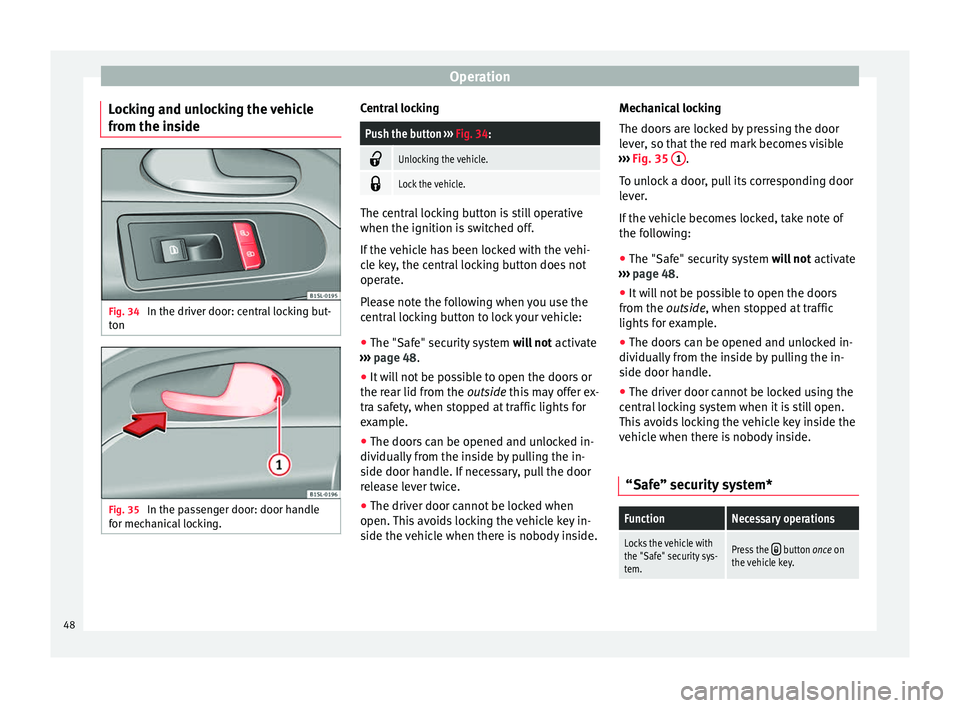
from the inside Fig. 34
In the driver door: central locking but-
ton Fig. 35
In the passenger door: door handle
for mechanical locking. Central lockingPush the button
››› Fig. 34:
Unlocking the vehicle.
Lock the vehicle.
The central locking button is still operative
when the ignition is switched off.
If the vehicle has been locked with the vehi-
cle key, the central locking button does not
operate.
Please note the following when you use the
central locking button to lock your vehicle:
● The "Safe" security system will not activate
››› page 48 .
● It w
ill not be possible to open the doors or
the rear lid from the outside this may offer ex-
tra s
afety, when stopped at traffic lights for
example.
● The doors can be opened and unlocked in-
dividually from the inside by pulling the in-
side door handle. If necessary, pull the door
release lever twice.
● The driver door cannot be locked when
open. This avoids locking the vehicle key in-
side the vehicle when there is nobody inside. Mechanical locking
The doors are locked by pressing the door
lever, so that the red mark becomes visible
››› Fig. 35 1 .
To unlock a door, pull its corresponding door
lever.
If the vehicle becomes locked, take note of
the following:
● The "Safe" security system will not activate
››› page 48 .
● It w
ill not be possible to open the doors
from the outside, when stopped at traffic
lights
for example.
● The doors can be opened and unlocked in-
dividually from the inside by pulling the in-
side door handle.
● The driver door cannot be locked using the
central locking system when it is still open.
This avoids locking the vehicle key inside the
vehicle when there is nobody inside.
“Safe” security system*
FunctionNecessary operations
Locks the vehicle with
the "Safe" security sys-
tem.Press the button once on
the vehicle key. 48
Page 51 of 219

Opening and closingFunctionNecessary operations
Locks the vehicle with-
out the "Safe" security
system.
Press the button twice on
the vehicle key.
Press the central locking but-
ton on the driver door
once. When the vehicle is locked, the "Safe" securi-
ty system deactivates the door handles, mak-
ing the vehicle difficult to open. The doors
cannot be opened from inside
››› .
Upon switching off the ignition, the instru-
ment panel display will show that the “dead-
lock” is activated or ( SAFELOCK
or SAFELOCK
).
When the deadlock is switched off:
● The vehicle can be opened and unlocked
from the inside using an inside door handle.
Control lamp on the driver door
When the vehicle is
locked:Meaning
The red LED flashes for ap-
proximately 2 seconds at
short intervals and then more
slowly.The "Safe" security
system is switched on.
The red LED flashes for about
two seconds then turns off. Af-
ter 30 seconds, the LED flash-
es again.The "Safe" security
system is switched off.
When the vehicle is
locked:Meaning
The red LED flashes for about
two seconds at short inter-
vals. Subsequently, the light
will remain switched on for
about. 30 seconds.There is a fault in the
locking system. Con-
tact a specialised
workshop. WARNING
Careless use of the "Safe" security system
can cause serious injury.
● Never leave anybody inside the vehicle if it
has been locked using the key. When the
"Safe" security system is activated, doors
cannot be opened from the inside!
● When the doors are locked, it is difficult to
get to passengers in the vehicle interior in
case of an emergency. Passengers could re-
main trapped inside and unable to unlock the
doors in case of an emergency. Doors
Introduction WARNING
If a door is not correctly closed, it could open
unexpectedly when driving and cause serious
injuries. ●
Always stop immediately and close the
door.
● When closing, ensure that the door has
closed correctly. A closed door should be
flush with the corresponding parts of the
bodywork.
● Open and close doors only when nobody is
in the way of the door. WARNING
A door held open by its retainer could be
blown closed by the wind or close if the vehi-
cle is on a hill, causing injury.
● When opening and closing doors, always
use the door handle. Note
On the display of the SEAT Portable System
(supplied by SEAT), ››› page 123 can be seen
if at least one vehicle door has been left open
or is not correctly closed. 49
Technical specifications
Advice
Operation
Safety
Page 52 of 219
Operation
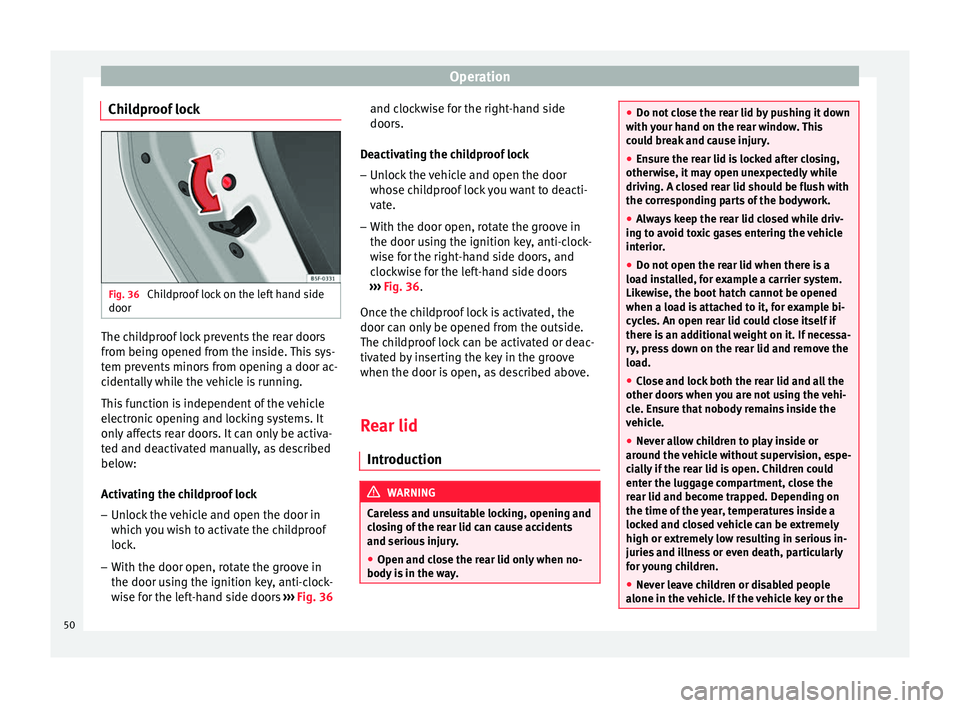
Childproof lock Fig. 36
Childproof lock on the left hand side
door The childproof lock prevents the rear doors
from being opened from the inside. This sys-
tem prevents minors from opening a door ac-
cidentally while the vehicle is running.
This function is independent of the vehicle
electronic opening and locking systems. It
only affects rear doors. It can only be activa-
ted and deactivated manually, as described
below:
Activating the childproof lock
– Unlock the vehicle and open the door in
which you wish to activate the childproof
lock.
– With the door open, rotate the groove in
the door using the ignition key, anti-clock-
wise for the left-hand side doors ››› Fig. 36 and clockwise for the right-hand side
doors.
Deactivating the childproof lock – Unlock the vehicle and open the door
whose childproof lock you want to deacti-
vate.
– With the door open, rotate the groove in
the door using the ignition key, anti-clock-
wise for the right-hand side doors, and
clockwise for the left-hand side doors
››› Fig. 36 .
Onc e the c
hildproof lock is activated, the
door can only be opened from the outside.
The childproof lock can be activated or deac-
tivated by inserting the key in the groove
when the door is open, as described above.
Rear lid Introduction WARNING
Careless and unsuitable locking, opening and
closing of the rear lid can cause accidents
and serious injury.
● Open and close the rear lid only when no-
body is in the way. ●
Do not close the rear lid by pushing it down
with your hand on the rear window. This
could break and cause injury.
● Ensure the rear lid is locked after closing,
otherwise, it may open unexpectedly while
driving. A closed rear lid should be flush with
the corresponding parts of the bodywork.
● Always keep the rear lid closed while driv-
ing to avoid toxic gases entering the vehicle
interior.
● Do not open the rear lid when there is a
load installed, for example a carrier system.
Likewise, the boot hatch cannot be opened
when a load is attached to it, for example bi-
cycles. An open rear lid could close itself if
there is an additional weight on it. If necessa-
ry, press down on the rear lid and remove the
load.
● Close and lock both the rear lid and all the
other doors when you are not using the vehi-
cle. Ensure that nobody remains inside the
vehicle.
● Never allow children to play inside or
around the vehicle without supervision, espe-
cially if the rear lid is open. Children could
enter the luggage compartment, close the
rear lid and become trapped. Depending on
the time of the year, temperatures inside a
locked and closed vehicle can be extremely
high or extremely low resulting in serious in-
juries and illness or even death, particularly
for young children.
● Never leave children or disabled people
alone in the vehicle. If the vehicle key or the 50
Page 58 of 219
OperationIt lights
upPossible causeSolution
Front fog lights switch-
ed on›››
page 56
Left or right turn sig-
nal.
The control lamp flash-
es twice as fast when a
vehicle turn signal is
faulty.
If necessary,
check the vehi-
cle's lights.
Main beam on or
flasher on.›››
page 57 Several warning and control lamps light up
for a few seconds when the ignition is switch-
ed on, signalling that the function is being
verified. They will switch off after a few sec-
onds.
WARNING
Observe the safety warnings ››› in Control
and warning lamps on page 40. Turning on and off lights
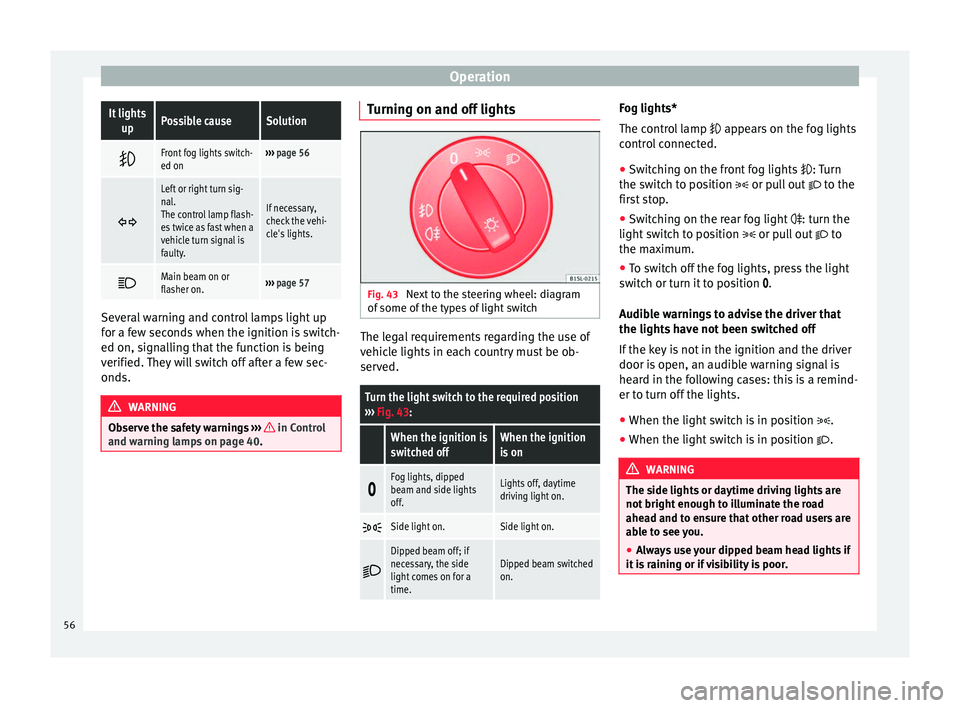
Fig. 43
Next to the steering wheel: diagram
of some of the types of light switch The legal requirements regarding the use of
vehicle lights in each country must be ob-
served.
Turn the light switch to the required position
››› Fig. 43:
When the ignition is
switched offWhen the ignition
is on
Fog lights, dipped
beam and side lights
off.Lights off, daytime
driving light on.
Side light on.Side light on.
Dipped beam off; if
necessary, the side
light comes on for a
time.Dipped beam switched
on. Fog lights*
The control lamp
appears on the fog lights
c ontr
ol connected.
● Switching on the front fog lights
: Turn
the switch to position or pull out to the
first stop.
● Switching on the rear fog light
: turn the
light switch to position or pull out to
the maximum.
● To switch off the fog lights, press the light
switch or turn it to position
.
Audible warnings to advise the driver that
the lights have not been switched off
If the key is not in the ignition and the driver
door is open, an audible warning signal is
heard in the following cases: this is a remind-
er to turn off the lights.
● When the light switch is in position .
● When the light switch is in position . WARNING
The side lights or daytime driving lights are
not bright enough to illuminate the road
ahead and to ensure that other road users are
able to see you.
● Always use your dipped beam head lights if
it is raining or if visibility is poor. 56
Page 59 of 219
Lights and visibility
Lights and visibility: functions Parking light remains on both sides
If when switching off the ignition, the light
control remains in the position
and the ve-
hic
le is closed from outside, both headlights,
in addition to the side lights and the rear
lights will light up.
Daytime driving light
The daytime driving light consists of individu-
al lights in the front headlamps.
When the daytime driving light is switched
on, only the individual lights come on ››› .
The daytime lights are switched on each time
the ignition is turned on if the light switch is
in position .
Switching the daytime driving light on and
off
To switch the daytime driving light on or off,
it is necessary to fit or remove the corre-
sponding fuse. Ask for professional assis-
tance for this. WARNING
If the road is not well-lit and the vehicle is
not clearly visible to other drivers, an acci-
dent may occur.
● Never use the daytime driving light if the
road is not well-lit as a result of the weather conditions and poor visibility. The daytime
driving lights are not bright enough to illumi-
nate the road ahead and to ensure that other
road users are able to see you.
●
The rear lights do not come on with the
daytime driving light. A vehicle which does
not have the rear lights on may not be visible
to other drivers in the darkness, if it is rain-
ing or in conditions of poor visibility. Note
The headlights, rear lights and turn signals
may mist up temporarily on the inside in cool
or damp weather. This is normal and in no
way effects the useful life of the vehicle light-
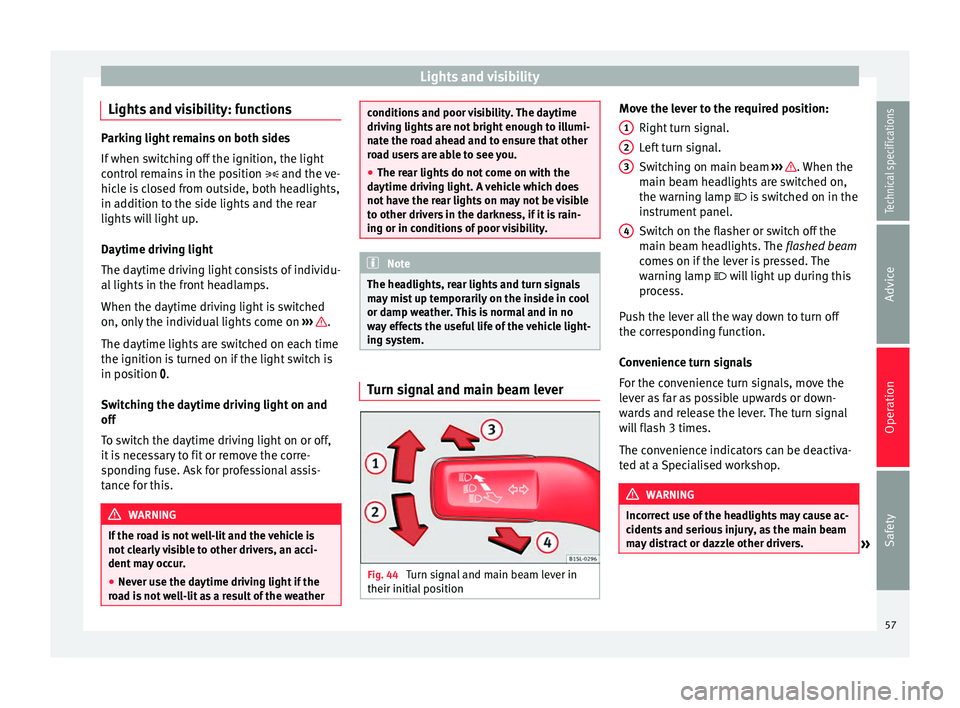
ing system. Turn signal and main beam lever
Fig. 44
Turn signal and main beam lever in
their initial position Move the lever to the required position:
Right turn signal.
Left turn signal.
Switching on main beam ››› . When the
main beam headlights are switched on,
the warning lamp is switched on in the
instrument panel.
Switch on the flasher or switch off the
main beam headlights. The flashed beam
comes on if the lever is pressed. The
warning lamp
will light up during this
pr
ocess.
Push the lever all the way down to turn off
the corresponding function.
Convenience turn signals
For the convenience turn signals, move the
lever as far as possible upwards or down-
wards and release the lever. The turn signal
will flash 3 times.
The convenience indicators can be deactiva-
ted at a Specialised workshop. WARNING
Incorrect use of the headlights may cause ac-
cidents and serious injury, as the main beam
may distract or dazzle other drivers. » 1
2
3
4
57
Technical specifications
Advice
Operation
Safety
Page 60 of 219

Operation
Note
● The turn signal only works when the igni-
tion is switched on. The hazard warning
lights also work when the ignition is switch-
ed off ››› page 170.
● If an
y of both turn signals fails, the warning
lamp will start flashing twice faster than nor-
mal.
● The main beam headlights can only be
sw
itched on if the dipped beam headlights
are already on. Adjusting the headlights
In those countries where vehicles drive on
the other side of the road to the home coun-
try, the asymmetric dipped beam may dazzle
drivers of oncoming vehicles.
For this reason, stickers may be needed to
cover the headlights when driving abroad.
For further information, please refer to a spe-
cialised workshop. SEAT recommends visiting
a technical service.
Note
The use of stickers to cover headlights is only
permitted over a short period. To modify the
direction of the headlamps more permanent-
ly, please take the vehicle to a specialised
workshop. SEAT recommends taking your car
in for technical service. Headlight range control, lighting of
instruments and controls
Fig. 45
Next to the steering wheel: Headlight
range control Headlamp height adjustment
The headlight range control
››› Fig. 45 is
modified ac c
ording to the value of the head-
light beam and the vehicle load status. This
offers the driver optimum visibility and the
headlights do not dazzle oncoming drivers
››› .
The headlights can only be adjusted when
the dipped beam is switched on.
To reset, turn switch ››› Fig. 45:
ValueVehicle load status a)
–Two front occupants, luggage compart-
ment empty
To reset, turn switch
››› Fig. 45:
ValueVehicle load status a)
1All seats occupied, luggage compartment
empty
2All seats occupied, luggage compartment
full
3Driver only, luggage compartment full
a)
If the vehicle load does not correspond to those shown in the
table, it is possible to select intermediary positions.
Instrument and switch lighting
When the side lights or dipped beam head-
lights are switched on, the lighting for instru-
ments and controls lights up at a constant
brightness. WARNING
Heavy objects in the vehicle may mean that
the headlights dazzle and distract other driv-
ers. This could result in a serious accident.
● Adjust the light beam to the vehicle load
status so that it does not blind other drivers. Reading light
But-
ton/SwitchFunction
Switching off the reading light.
58