brake light Seat Mii 2015 Owner's Guide
[x] Cancel search | Manufacturer: SEAT, Model Year: 2015, Model line: Mii, Model: Seat Mii 2015Pages: 232, PDF Size: 4.23 MB
Page 137 of 232

Driving
● When l e
av
ing the vehicle, take all keys with
you.
● Lock the vehicle.
Additiona
l information for steep slopes and
hills
Before switching off the engine, rotate the
steering wheel so that if the vehicle should
move, it will be held by the kerb.
● On slopes, turn the front wheels so that
they are ag
ainst the edge of the kerb.
● Uphill, turn the wheels towards the centre
of the ro
ad. WARNING
The components of the exhaust system reach
ver y
high temperatures. This could cause a
fire and considerable damage.
● Always park your vehicle so that no part of
the exhau
st system can come in contact with
flammable materials (such as wood,
leaves,dried grass, or spilled fuel). CAUTION
● Spec i
al care should be taken when parking
in areas with high kerbs or fixed barriers. Ob-
jects protruding from the ground may dam-
age the bumper or other parts of the vehicle
during manoeuvres. To avoid damage, stop
before the wheels touch the barrier or kerb. ●
Spec i
al attention is required when driving
through entrances, over ramps, kerbs or oth-
er objects. The vehicle underbody, bumpers,
mudguards and running gear, and the engine
and exhaust system could be damaged as
you drive over these objects. Information on the brakes
For the first 200 to 300 km, the new brak
e
p
ads have not yet reached their maximum
braking capacity, and need to be “run in”
first ››› . The slightly reduced braking effect
c an be c
ompen
sated for by increasing pres-
sure on the brake pedal. While running in,
the full braking distance or emergency brak-
ing distance is larger then when the brake
pads have been run in. While running in,
avoid full power braking or situations requir-
ing braking performance. For example, in
heavy traffic.
The rate of wear of the brake pads depends
to a great extent on the conditions in which
the vehicle is used and the way the vehicle is
driven. If the vehicle is used frequently in city
traffic or for short trips or driven sport style,
visit a specialised workshop regularly, more
frequently than advised in the Maintenance
Programme, to have the brake pads checked.
If you drive with wet brakes, for example, af-
ter crossing areas of water, in heavy rainfall
or even after washing the car, the effect of the brakes is lessened as the brake discs are
wet or ev
en frozen (in winter). At higher
speed, “dry” the brakes as quickly as possi-
ble by braking gently several times. Only do
this without endangering vehicles behind
you or any other road users ››› .
A l a
y
er of salt on the discs and brake pads
will reduce the effectiveness of the brakes
and increase braking distance. If you drive for
a prolonged period on salted roads without
braking then brake carefully several times to
eliminate the layer of salt on the brakes ››› .
If the
v
ehicle remains parked for considera-
ble lengths of time, is used little, or if the
brakes are not used, there may be corrosion
on the brake discs and a build up of dirt on
the brake pads. If the brakes are not used fre-
quently, or if rust has formed on the discs,
SEAT recommends cleaning the pads and
discs by braking firmly a few times at a mod-
erately high speed. Only do this without en-
dangering vehicles behind you or any other
road users ››› .
F au
lt
s in the brake system
During braking, if you notice that the vehicle
does not react as usual (that the braking dis-
tance has increased suddenly) it may be pos-
sible that there is a fault in the braking sys-
tem. This is indicated by the warning lamp
. Take the vehicle to a specialised work-
shop immediately and have the fault re-
paired. Drive at a moderate speed and be »
135
Technical data
Advice
Operation
Emergencies
Safety
Page 139 of 232

Driving
Changing gear Intr oduction When reverse gear is engaged and the igni-
tion is
sw
itched on the following takes place:
● Reverse lights light up.
● The rear wiper blade performs one move-
ment when the wind
screen wiper is activa-
ted.
● If necessary, connect the parking distance
warning sy
stem. WARNING
Rapid acceleration can cause loss of traction
and skid din
g, especially on slippery ground.
This could cause loss of control of the vehicle
resulting in an accident and considerable
damage.
● Use rapid acceleration only when visibility,
weather
, road conditions and traffic permit. WARNING
Do not allow the brakes to “rub” for a pro-
long ed period of
time, or brake frequently or
for long periods of time. Continuous braking
heats up the brakes. This could significantly
reduce braking power, increase braking dis-
tance or even result in the total failure of the
brake system. Control and warning lamps
It lights up red
Fault in the auto-
matic gearbox.
Do not drive on!
Seek professional advice. Failure to
do so could result in considerable
damage to the transmission
››› page 141.
It lights up yellow
In the automatic
gearbox the
gears can en-
gage incorrectly.Switch the ignition on and off.
When the control lamp does not
light up, find the nearest special-
ised workshop and have the auto-
matic gearbox checked.
The automatic
gearbox over-
heats temporari-
ly.Let the transmission cool with the
gearbox lever in the position .
When the control lamp does not
light up, find the nearest special-
ised workshop and have the auto-
matic gearbox checked.
It lights up
Place the automatic
gearbox lever in the
position
and do not
press the brake pedal.
Press the brake pedal to select
a gear range.
It lights up
Together with the yel-
low control lamp for
the temperature of the
transmission
: the
automatic gearbox
overheats.
Press brake pedal and let the
transmission cool. Avoid
pressing the accelerator. When
the control lamp does not light
up, find the nearest special-
ised workshop and have the
automatic gearbox checked.
Together with the turn
signal display in the
instrument panel dis-
play: the automatic
gearbox lever is not in
the position
, indica-
tion to start the en-
gine.
Move the gearbox lever to the
position and start the en-
gine.
Flashes
An automatic gearbox
in the vehicle does
not guarantee that the
vehicle will not roll
away.Apply the handbrake.
Flashes
In the instrument pan-
el display, in addition
to the control lamp re-
questing the brake
pedal to be pressed
: indicated for start-
ing the engine.
Move the gearbox lever to the
position and start the en-
gine.» 137
Technical data
Advice
Operation
Emergencies
Safety
Page 140 of 232

Operation
Flashes
On the instrument
panel display: Whilst
driving in a forward di-
rection, try to move
the automatic gearbox
lever to the position
.
Stop the vehicle and move the
gearbox lever to the position in order to subsequently
change to the position .
On the instrument
panel display: The au-
tomatic gearbox lever
was placed in the po-
sition
or , but the
brake pedal was not
pressed.
Press the brake pedal, move
the gearbox lever to the posi-
tion
, and subsequently to
the required position or . When switching on the ignition some warn-
in
g and indic
ation l
amps light up for a short
time to check the operations. They will switch
off after a few seconds. Manual gear change Fig. 144
Gear shift pattern of a 5-speed man-
ual g
e
arbox Read the additional information carefully
› ›
›
page 27
Shifting down a gear
Shifting down a gear while driving must be
carried out gear by gear, i.e. to the gear im-
mediately preceding the current gear and at
an engine speed that is not excessive ››› .
At high s
peed
s, or high engine speeds, skip-
ping one or various gears when shifting
down a gear can cause damage to the clutch
and the gearbox, even if the clutch is not en-
gaged during the process ››› .
WARNING
When the engine is running, the vehicle will
st ar
t to move as soon as a gear is engaged
and the clutch released. ●
Never en g
age the reverse gear when a vehi-
cle is moving forward. WARNING
As a consequence of shifting down a gear in-
c orr ectly
, you may lose control of the vehicle
and cause an accident with serious conse-
quences. CAUTION
If, at high speeds or high engine speeds, the
ge ar l
ever is shifted down to a gear that is too
low, serious damage can be caused to the
clutch and gearbox. This may also happen if
you press the clutch pedal and it does not en-
gage. CAUTION
To prevent damage and avoid premature
we ar
, please observe the following:
● While driving, do not leave your hand rest-
ing on the ge
ar stick. The pressure applied by
your hand is transmitted to the gearbox se-
lector forks.
● Always ensure that the vehicle is complete-
ly st
opped before engaging the reverse gear.
● When changing gear, always make sure the
clutc
h pedal is pushed right to the floor.
● Never hold the vehicle “on the clutch” on
hill
s with the engine on. 138
Page 143 of 232

Driving
Automatic gearbox malfunction Back-up programme
When autom
atic
gearbox warning and indica-
tion lamps light up on the instrument panel,
there may be a system malfunction
››› page 137. In the event of some faults the
automatic gearbox functions using a backup
programme. When the programme is activa-
ted, it is possible to drive the vehicle, howev-
er, at low speeds and within a selected range
of gears.
With the manual gearbox, in some cases it is
not possible to drive with all the gears .
In all cases the automatic gearbox must be
checked at a specialised workshop.
Automatic gearbox overheating
The automatic gearbox can overheat with a
prolonged start up, or when stopping and
starting continuously. This overheating is dis-
played with a warning lamp in the instru-
ment panel. Additionally, an audible warning
can be heard. Stop and let the gearbox cool
››› .
The v
ehic
le moves forward or back despite
having selected a gear range
When the vehicle does not move in the re-
quired direction, the system may not have
the gear range correctly engaged. Press the
brake pedal and engage the gear range again. If the vehicle still does not move in the
required dir
ection, there is a system malfunc-
tion. Seek specialist assistance and have the
system checked. CAUTION
● When the ge arbo
x is displayed as overheat-
ing for the first time, the vehicle must be
parked safely or must be driven at a speed of
more than 20 km/h (12 mph).
● When the warning lamp lights up and the
audible w
arning is heard, the vehicle must be
parked safely and the engine switched off.
Let the gearbox cool down.
● To prevent damage to the gearbox, driving
must
only be continued when the warning
lamps are no longer lit up. While the gearbox
is overheated, starting up and driving, even
at a slow speed should be avoided. Recommended gear display
In some vehicles, the recommended gear for
r
educ
in
g fuel consumption is displayed on
the instrument panel:
DisplayMeaning
Optimum gear.
Recommendation to change up a gear.
Recommendation to change down a
gear. WARNING
The recommended gear display is intended as
a guideline only; it shou
ld never replace the
driver's attention to driving carefully.
● Responsibility for selecting the correct gear
for eac
h situation continues to lie with the
driver, for example when overtaking or climb-
ing a hill. For the sake of the environment
Selecting the most appropriate gear for the
sit uation w
ill help you to save fuel. Note
● The rec ommended g
ear display is switched
off when the clutch pedal is pressed.
● On the display of the Portable Navigation
Sys
tem (supplied by SEAT) ››› page 164 the
recommended gear can also be seen. Run-in and economical driving
R u
nnin
g in Please observe the instructions for running-in
new c
omponents.
R u
nning-in the engine
The engine needs to be run in over the first
1,500 km. During its first few hours of »
141
Technical data
Advice
Operation
Emergencies
Safety
Page 153 of 232

Driver assistance systems
WARNING
Do not be distracted from traffic to look at the
sc r
een. Note
● SEA T r
ecommends practising using the
parking distance warning system in a traffic-
free zone or in a car park to familiarise your-
self with the system and its operation.
● Representation of the registered area on
the scr
een of the portable navigation system
may take up to 5 seconds.
● Note the Instruction Manual provided for
the device of
the additional information relat-
ing to the Portable Navigation System (sup-
plied by SEAT) ››› page 164. Cruise control* (Cruise control
sy
s
t
em - CCS)
Control lamp
It lights upPossible cause
This cruise control system maintains the
set speed of the vehicle.
Several warning and indication lamps light
up f
or a f
ew sec
onds when the ignition is
switched on, signalling that the function is being verified. They will switch off after a few
seconds. WARNING
If the warning lamps are ignored, the vehicle
ma y
stall in traffic, or may cause accidents
and severe injuries.
● Never ignore the warning lamps. CAUTION
Failure to heed the warning lamps when they
appe ar m
ay result in faults in the vehicle. Cruise control operation
Read the additional information carefully
› ›
›
page 25
The cruise control system (CCS) is able to in-
dividually maintain the set speed when driv-
ing forwards from approx. 20 km/h (15 mph).
The CCS only slows down by reducing the ac-
celerator but not by braking ››› .
T r
av
elling down hills with the CCS
When travelling down hills the CCS cannot
maintain a constant speed. Slow the vehicle
down using the brake pedal and reduce
gears if required. Automatic off
The cruise c
ontrol system (CCS) is switched
off automatically or temporarily:
● If the system detects a fault that could af-
fect the w
orking order of the CCS.
● If you increase the stored speed by press-
ing the acc
elerator pedal for a certain time.
● if the brake or clutch pedal is depressed.
● If the gear is changed with the manual
gearbo
x.
● If the airbag is triggered. WARNING
Use of the cruise control could cause acci-
dents and sev
ere injuries if it is not possible
to drive at a constant speed maintaining the
safety distance.
● Do not use the cruise control in heavy traf-
fic, if the dis
tance from the vehicle in front is
insufficient, on steep roads, with several
bends or in slippery circumstances (snow,
ice, rain or loose gravel), or on flooded roads.
● Never use the CCS when driving off-road or
on unpav
ed roads.
● Always adapt your speed and the distance
to the v
ehicles ahead in line with visibility,
weather conditions, the condition of the road
and the traffic situation.
● To avoid unexpected operation of the cruise
contro
l system, turn it off every time you fin-
ish using it. » 151
Technical data
Advice
Operation
Emergencies
Safety
Page 155 of 232

Driver assistance systems
Warning and control lamp The City Safety Assist function is switched on
ever
y
time the ignition is switched on. No
special indication is produced.
If the City Safety Assist function is switched
off or on, or if there is an error in the system,
it will be shown by a control lamp on the in-
strument panel display.
It lights up
The City Safety Assist
function has been
switched on manual-
ly using the button
››› Fig. 152.
The control lamp turns off after
about 5 seconds.
Flashes
Fast: The City Safety
Assist system func-
tion brakes automat-
ically or has braked
automatically.
Control lamp turns off automati-
cally.
Slow: City Safety As-
sist function is not
currently available.
If the vehicle is stopped, switch
off the engine and switch it on
again. If necessary, inspect the
radar sensor (dirt, frost)
›››
in
Radar sensor on page 154. If it
still does not function, refer to a
Specialised workshop to have
the system inspected.
Flashes
Within the operating
area of 5-30 km/h
(3-19 mph): The City
Safety Assist func-
tion has been
switched off manual-
ly using the button
››› Fig. 152.
Switch on the City Safety Assist
function manually using the
button
››› Fig. 152. Several warning and indication lamps should
light up f
or a f
ew seconds when the ignition
is switched on, signalling that the function is
being verified. They will switch off after a few
seconds. WARNING
If the warning lamps are ignored, the vehicle
ma y
stall in traffic, or may cause accidents
and severe injuries.
● Never ignore the warning lamps.
● Stop the vehicle safely as soon as possible. CAUTION
Failure to heed the warning lamps when they
appe ar m
ay result in faults in the vehicle. Radar sensor
Fig. 150
In the windscreen: City Safety Assist
f u
nction r
adar sensor. Fig. 151
Radar sensor detection area. A radar sensor on the windscreen
››
›
Fig. 150
allows the system to detect driving situations
in front of the vehicle.
Vehicles ahead can be detected up to a dis-
tance of about 10 m. »
153
Technical data
Advice
Operation
Emergencies
Safety
Page 158 of 232

Operation
Hill driving assistant* Oper ation This function is only included in vehicles with
ESC.
The hi
l
l driving assistant helps the driver to
move off and upward on a hill when the vehi-
cle is stationary.
The system maintains brake pressure for ap-
proximately two seconds after the driver
takes his foot off the brake pedal to prevent
the vehicle from lurching backward when it is
started. During these 2 seconds, the driver
has enough time to release the clutch pedal
and accelerate without the vehicle moving
and without having to use the handbrake,
making start-up easier, more comfortable
and safer.
These are the basic operation conditions:
● being on a ramp or hill/slope,
● doors closed,
● vehicle completely stationary,
● engine running and foot on the brake,
● besides having a gear engaged or being in
neutral f
or manual gear change and with the
selector lever at positions S, D or R in vehi-
cles with an automatic gearbox.
This system is also active when reversing up-
hill. WARNING
● If y
ou do not start the vehicle immediately
after taking your foot off the brake pedal, the
vehicle may start to roll back under certain
conditions. Depress the brake pedal or use
the hand brake immediately.
● If the engine stalls, depress the brake ped-
al or u
se the hand brake immediately.
● When following a line of traffic uphill, if you
want t
o prevent the vehicle from rolling back
accidentally when starting off, hold the brake
pedal down for a few seconds before starting
off. Note
The Official Service or a specialist workshop
can t el
l you if your vehicle is equipped with
this system. Start-Stop System
C ontr
o
l lamps
It lights up
The Start-Stop system is enabled.
It lights up
The Start-Stop sys-
tem is enabled but
the engine cannot
be automatically
stopped.
Contact a specialised workshop.
It lights up
The Start-Stop sys-
tem cannot start the
engine.Start the engine by hand using
the vehicle's key
››› page 130.
There is a fault in the
alternator.››› page 193
Flashes
The Start-Stop sys-
tem is not available.Contact a specialised workshop.
Some warning and indication lamps will light
up briefly
when the ignition i
s
switched on to
check certain functions. They will switch off
after a few seconds. WARNING
Observe the safety warnings ›››
in On the
ins trument
panel on page 27. 156
Page 159 of 232
Driver assistance systems
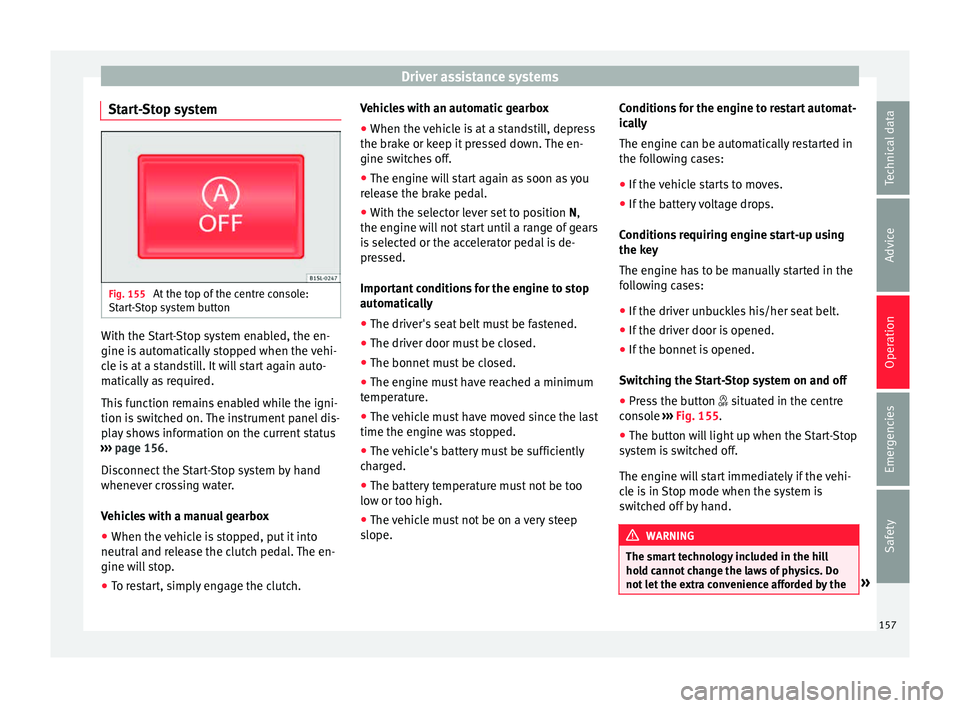
Start-Stop system Fig. 155
At the top of the centre console:
St ar
t
-Stop system button With the Start-Stop system enabled, the en-
gine i
s
aut
omatically stopped when the vehi-
cle is at a standstill. It will start again auto-
matically as required.
This function remains enabled while the igni-
tion is switched on. The instrument panel dis-
play shows information on the current status
››› page 156.
Disconnect the Start-Stop system by hand
whenever crossing water.
Vehicles with a manual gearbox
● When the vehicle is stopped, put it into
neutral and r
elease the clutch pedal. The en-
gine will stop.
● To restart, simply engage the clutch. Vehicles with an automatic gearbox
●
When the vehicle is at a standstill, depress
the brake or k
eep it pressed down. The en-
gine switches off.
● The engine will start again as soon as you
rele
ase the brake pedal.
● With the selector lever set to position N,
the engine wi
ll not start until a range of gears
is selected or the accelerator pedal is de-
pressed.
Important conditions for the engine to stop
automatically
● The driver's seat belt must be fastened.
● The driver door must be closed.
● The bonnet must be closed.
● The engine must have reached a minimum
temperat
ure.
● The vehicle must have moved since the last
time the engine wa
s stopped.
● The vehicle's battery must be sufficiently
char
ged.
● The battery temperature must not be too
low or too high.
● The
vehicle must not be on a very steep
slope. Condition
s for the engine to restart automat-
ical
ly
The engine can be automatically restarted in
the following cases:
● If the vehicle starts to moves.
● If the battery voltage drops.
Conditions
requiring engine start-up using
the key
The engine has to be manually started in the
following cases:
● If the driver unbuckles his/her seat belt.
● If the driver door is opened.
● If the bonnet is opened.
Switc
hing the Start-Stop system on and off
● Press the button situat
ed in the centre
console ››› Fig. 155.
● The button will light up when the Start-Stop
syst
em is switched off.
The engine will start immediately if the vehi-
cle is in Stop mode when the system is
switched off by hand. WARNING
The smart technology included in the hill
hol d c
annot change the laws of physics. Do
not let the extra convenience afforded by the » 157
Technical data
Advice
Operation
Emergencies
Safety
Page 170 of 232
Advice
SEAT recommends the use of car washes
w ithout
bru
shes.
To remove traces of wax on windows and to
prevent wiper blades from scratching, please
observe the following ››› page 169, Cleaning
windows and exterior mirrors .
Washing the car by hand
When washing the car by hand, use plenty of
water to soften the dirt first, and rinse off as
well as possible.
Then clean the vehicle with a soft sponge,
glove or brush using only slight pressure.
Start at the roof and work downwards. Spe-
cial car shampoo should only be used for
very persistent dirt.
Rinse the sponge or glove thoroughly and of-
ten.
Wheels, sills and similar should be cleaned
last. Use a second sponge for this. WARNING
Sharp components on the vehicle may cause
injury .
● Pr
otect arms and hands from sharp edges
when cle
aning the vehicle undercarriage or
the interior of the wheel hubs. WARNING
After the vehicle has been washed, the brak-
ing eff ect
will be reduced (and the braking
distance increased) due to moisture (and ice
in winter) on the brakes.
● “Dry the brakes and remove ice” by braking
caref
ully. Ensure that you are not endanger-
ing other road-users or breaking traffic regu-
lations in the process. CAUTION
● The wat er t
emperature should not exceed
+60 °C (+140 °F).
● To avoid damage to the paintwork, do not
wash the
vehicle in full sun.
● Do not use rough sponges or similar which
coul
d damage the surface to clean away the
traces of insects.
● Never wipe the headlights with a dry cloth
or spong
e, always moisten first. It is best to
use soapy water.
● Washing the vehicle in low temperatures:
When washin
g the vehicle with a hose, do
not direct water into the lock cylinders or the
gaps around the doors or roof. Locks and
seals could freeze! CAUTION
To avoid any risk of damage to the vehicle,
pl e
ase check the following points before us-
ing an automatic car wash: ●
Comp ar
e the distance between the vehicle
wheels and the distance between the guide-
rails of the car wash to prevent damage to the
wheels and tyres!
● Switch off the rain sensor before taking the
vehicl
e to an automatic car wash.
● Compare the height and width of your vehi-
cle w
ith the available height and width when
entering and driving through the car wash.
● Fold in exterior mirrors Electrically retracta-
ble e
xterior mirrors must not be folded in or
out by hand. Always use the electrical power
control.
● To avoid damaging the bonnet paintwork,
res
t the windscreen wipers on the windscreen
after drying the wiper blades. Do not let them
fall!
● Lock the rear lid to prevent it from opening
unexpect
edly while inside the car wash. Washing the vehicle with a high pres-
s
ur
e c
leaner When cleaning the vehicle with a high-pres-
s
ur
e c
leaner, always follow the operating in-
structions for the equipment. Pay special at-
tention to the required pressure of the jet
and the distance between the jet and the ve-
hicle ››› .
K eep a s uit
able distance from soft materials,
such as rubber hoses or insulating material,
168
Page 194 of 232

Advice
Ensuring that the brake system is always
f u
nctionin
g correctly is essential for your own
safety and the safety of other road users
››› .
Br ak
e fluid s
pecifications
SEAT have developed a special brake fluid
optimised for the brake systems of their vehi-
cles. To ensure the optimum working of the
brake system, SEAT recommends the use of
brake fluid in accordance with the VW 501 14
standard. If this brake fluid is not available or
another brake fluid is used for different rea-
sons, use a brake fluid that complies with the
United States standard FMVSS 116 DOT 4 or
the German standard DIN ISO 4925 CLASS 4
››› .
Br ak
e fluid
s conforming to the standard
VW 501 14, fulfil the American requirements
of the FMVSS 116 DOT 4 standard and the
German DIN ISO 4925 CLASS 4 standard.
However, fluids that comply with the Ameri-
can FMVSS 116 DOT 4 standard or the Ger-
man DIN ISO 4925 CLASS 4 standard do not
necessarily comply with the VW 501 14
standard. Always check the information on
the brake fluid container and ensure that you
are using suitable brake fluid.
A suitable brake fluid can be obtained from
SEAT dealerships. Brake fluid level
The level
of the brake fluid should always be
between the MIN and MAX marks, or above
the MIN mark ››› .
It i
s
not always possible to check the level of
the brake fluid, as in some models the en-
gine components make it difficult to see the
brake fluid reservoir. If you cannot read the
exact brake fluid level, consult a specialist.
The brake fluid level drops slightly when the
vehicle is being used due to wear of the
brake pads and the automatic readjustment
of the brake.
Changing the brake fluid
The brake fluid should be changed in accord-
ance with the instructions given in the Main-
tenance Programme. Have the brake fluid
changed by a specialised workshop. SEAT
recommends taking your car in for technical
service. This means that only brake fluid
complying with the required specifications
will be used. WARNING
If the brake fluid level is low or unsuita-
bl e/o
ld brake fluid is used, the brake system
may fail or braking power may be reduced.
● Check the brake system and the brake fluid
level
regularly! ●
The brak e fluid shou
ld be changed regular-
ly in accordance with the instructions given
in the Maintenance Programme.
● Always ensure that you use suitable brake
fluid. Only u
sed brake fluid that conforms to
the VW 501 14 standard, FMVSS 116 DOT 4
standard or even the DIN ISO 4925 CLASS 4
standard. Other types of brake fluid could af-
fect brake operation and reduce braking pow-
er. Do not use a brake fluid if the container
does not specify compliance with the
VW 501 14, FMVSS 116 DOT 4 or
DIN ISO 4925 CLASS 4 standards.
● The replacement brake fluid must be new.
● Brake fluid should be stored in the closed
original
container in a safe place out of reach
of children. Risk of poisoning!
● If the brake fluid is left in the system for
too long and the br
akes are subjected to
heavy use, vapour bubbles may form in the
brake system. This would seriously affect the
efficiency of the brakes and the safety of the
vehicle. This may cause an accident. CAUTION
Brake fluid damages the vehicle paintwork.
Wipe off an
y brake fluid from the paintwork
immediately. For the sake of the environment
Brake fluid is an environmental pollutant.
Co l
lect any spilt service fluids and allow a
professional to dispose of them. 192