service Seat Mii 2017 User Guide
[x] Cancel search | Manufacturer: SEAT, Model Year: 2017, Model line: Mii, Model: Seat Mii 2017Pages: 232, PDF Size: 4.91 MB
Page 80 of 232
Emergencies
CAUTION
When opening and closing in an emergency,
car ef
ully disassemble components and then
reassemble them carefully to avoid damage
to the vehicle. Fuses and bulbs
F u
se
s
Introduction Due to the constant updating of vehicles,
fu
se a
ssignments based on equipment and
the use of the same fuse for various electrical
components, it is not possible to provide an
up-to-date summary of the fuse positions for
the electrical components at the time of
printing this manual. For detailed information
about the fuse positions, please consult a
technical service.
In general, a fuse can be assigned to various
electrical components. Likewise, an electrical
component can be protected by several
fuses.
Only replace fuses when the cause of the
problem has been solved. If a newly inserted
fuse blows after a short time, you must have
the electrical system checked by a special-
ised workshop as soon as possible. WARNING
The high voltages in the electrical system can
give seriou s
electrical shocks, causing burns
and even death!
● Never touch the electrical wiring of the igni-
tion syst
em. ●
Tak e c
are not to cause short circuits in the
electrical system. WARNING
Using unsuitable fuses, repairing fuses or
bridgin g a curr
ent circuit without fuses can
cause a fire and serious injury.
● Never use a fuse with a higher value. Only
repl
ace fuses with a fuse of the same amper-
age (same colour and markings) and size.
● Never repair a fuse.
● Never replace a fuse by a metal strip, staple
or simil
ar. CAUTION
● To pr ev
ent damage to the vehicle's electric
system, before replacing a fuse always turn
off the ignition, the lights and all electrical
elements and remove the key from the igni-
tion.
● If you replace a fuse with higher-rating
fuse,
you could cause damage to another part
of the electrical system.
● Protect the fuse boxes when open to pre-
vent the entr
y of dust or humidity as they can
damage the electrical system. Note
● One component m
ay have more than one
fuse. 78
Page 81 of 232
Fuses and bulbs
●
Sever a
l components may run on a single
fuse. Vehicle fuses
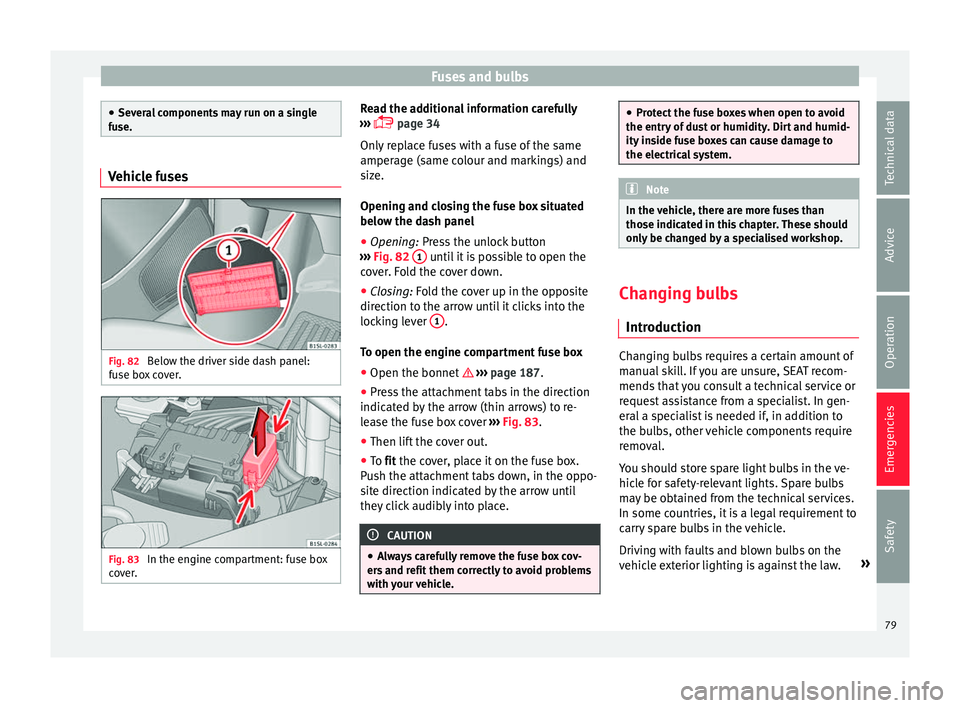
Fig. 82
Below the driver side dash panel:
f u
se bo
x cover. Fig. 83
In the engine compartment: fuse box
c o
v
er. Read the additional information carefully
› ›
›
page 34
Only replace fuses with a fuse of the same
amperage (same colour and markings) and
size.
Opening and closing the fuse box situated
below the dash panel
● Opening: Pres
s the unlock button
››› Fig. 82 1 until it is possible to open the
c o
v
er. Fold the cover down.
● Closing: Fold the cover up in the opposite
direction t
o the arrow until it clicks into the
locking lever 1 .
T o open the en
gine c
ompartment fuse box
● Open the bonnet ›››
page 187.
● Press the attachment tabs in the direction
indicated b
y the arrow (thin arrows) to re-
lease the fuse box cover ››› Fig. 83.
● Then lift the cover out.
● To fit the cover, place it on the fuse box.
Pu
sh the attachment tabs down, in the oppo-
site direction indicated by the arrow until
they click audibly into place. CAUTION
● Alw a
ys carefully remove the fuse box cov-
ers and refit them correctly to avoid problems
with your vehicle. ●
Prot ect
the fuse boxes when open to avoid
the entry of dust or humidity. Dirt and humid-
ity inside fuse boxes can cause damage to
the electrical system. Note
In the vehicle, there are more fuses than
tho se indic at
ed in this chapter. These should
only be changed by a specialised workshop. Changing bulbs
Intr oduction Changing bulbs requires a certain amount of
m
anual
sk
ill. If you are unsure, SEAT recom-
mends that you consult a technical service or
request assistance from a specialist. In gen-
eral a specialist is needed if, in addition to
the bulbs, other vehicle components require
removal.
You should store spare light bulbs in the ve-
hicle for safety-relevant lights. Spare bulbs
may be obtained from the technical services.
In some countries, it is a legal requirement to
carry spare bulbs in the vehicle.
Driving with faults and blown bulbs on the
vehicle exterior lighting is against the law. »
79
Technical data
Advice
Operation
Emergencies
Safety
Page 91 of 232
General instrument panel
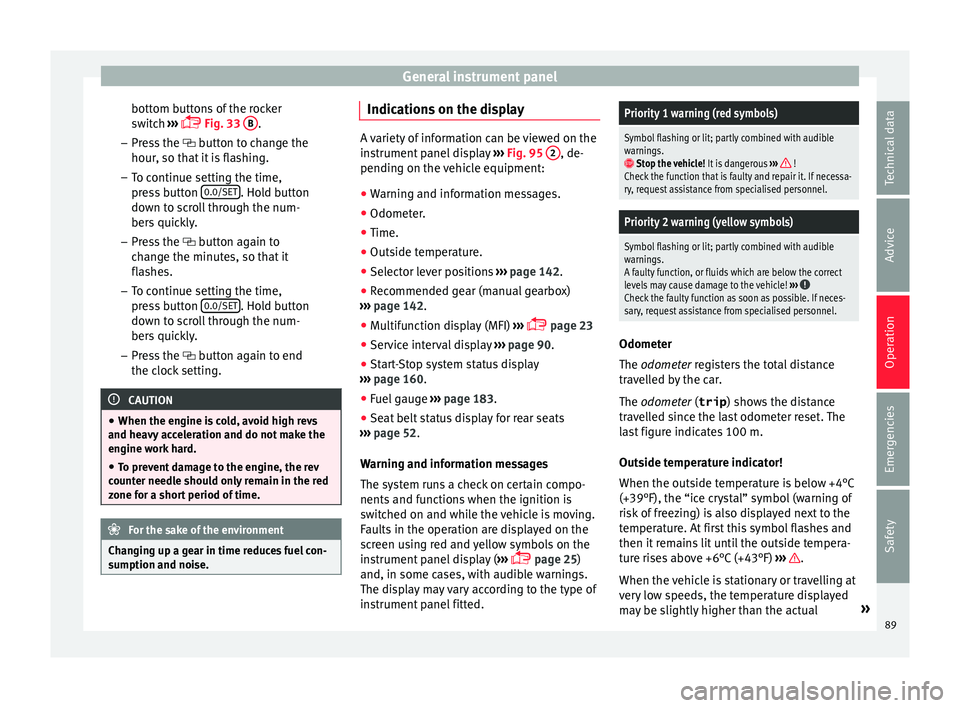
bottom buttons of the rocker
sw it
c
h ›››
Fig. 33
B .
– Pr e
s
s the button to change the
hour, so that it is flashing.
– To continue setting the time,
press button 0.0/SET . Hold button
do wn t
o s
croll through the num-
bers quickly.
– Press the button again to
change the minutes, so that it
flashes.
– To continue setting the time,
press button 0.0/SET . Hold button
do wn t
o s
croll through the num-
bers quickly.
– Press the button again to end
the clock setting. CAUTION
● When the engine i s
cold, avoid high revs
and heavy acceleration and do not make the
engine work hard.
● To prevent damage to the engine, the rev
count
er needle should only remain in the red
zone for a short period of time. For the sake of the environment
Changing up a gear in time reduces fuel con-
sumption and noi se. Indications on the display
A variety of information can be viewed on the
ins
trument
panel display ››› Fig. 95 2 , de-
pending on the v
ehicle equipment:
● Warning and information messages.
● Odometer.
● Time.
● Outside temperature.
● Selector lever positions ›››
page 142.
● Recommended gear (manual gearbox)
›› ›
page 142.
● Multifunction display (MFI) ›››
page 23
● Service interval display ›››
page 90 .
● Start-Stop system status display
›››
page 160.
● Fuel gauge ›››
page 183.
● Seat belt status display for rear seats
›››
page 52.
Warning and information messages
The system runs a check on certain compo-
nents and functions when the ignition is
switched on and while the vehicle is moving.
Faults in the operation are displayed on the
screen using red and yellow symbols on the
instrument panel display ( ›››
page 25)
and, in some cases, with audible warnings.
The display may vary according to the type of
instrument panel fitted.
Priority 1 warning (red symbols)
Symbol flashing or lit; partly combined with audible
warnings.
Stop the vehicle! It is dangerous ››› !
Check the function that is faulty and repair it. If necessa-
ry, request assistance from specialised personnel.
Priority 2 warning (yellow symbols)
Symbol flashing or lit; partly combined with audible
warnings.
A faulty function, or fluids which are below the correct
levels may cause damage to the vehicle! ›››
Check the faulty function as soon as possible. If neces-
sary, request assistance from specialised personnel. Odometer
The odomet
er
r
egisters the total distance
travelled by the car.
The odometer (trip ) shows the distance
travelled since the last odometer reset. The
last figure indicates 100 m.
Outside temperature indicator!
When the outside temperature is below +4°C
(+39°F), the “ice crystal” symbol (warning of
risk of freezing) is also displayed next to the
temperature. At first this symbol flashes and
then it remains lit until the outside tempera-
ture rises above +6°C (+43°F) ››› .
When the v
ehic
le is stationary or travelling at
very low speeds, the temperature displayed
may be slightly higher than the actual »
89
Technical data
Advice
Operation
Emergencies
Safety
Page 92 of 232

Operation
outside temperature as a result of heat com-
in g fr
om the en
gine.
The temperatures measured range from
-40°C to +50°C (-40°F to +122°F).
Selector lever position
The range of engaged gears of the selector
lever is shown on the side of the lever, and
on the instrument panel display. In positions
D and M, and with the Tiptronic, the corre-
sponding gear is also indicated on the dis-
play.
Recommended gear* (manual gearbox)
The recommended gear to save fuel can be
displayed on the instrument panel display
while you are driving ››› page 142.
Seat belt status display for the rear seats*
The seat belt status display on the instru-
ment panel display informs the driver, when
the ignition is switched on, whether any pas-
sengers in the rear seats have fastened their
seat belts ››› page 52.
Start-Stop system status display
The instrument panel display shows informa-
tion on the current status ››› page 160. WARNING
If the warning lamps are ignored, the vehicle
ma y
stall in traffic, or may cause accidents
and severe injuries.
● Never ignore the warning lamps.
● Stop the vehicle safely as soon as possible.
● A faulty vehicle represents a risk of acci-
dent for the driv
er and for other road users. If
necessary, switch on the hazard warning
lamps and put out the warning triangle to ad-
vise other drivers.
● Park the vehicle away from traffic and en-
sure th
at no highly flammable materials are
under the vehicle that could come into con-
tact with the exhaust system (e.g. dry grass,
fuel). WARNING
Even though outside temperatures are above
freez in
g, some roads and bridges may be icy.
● At outside temperatures above +4°C
(+39°F), even when the “ice c
rystal” symbol
is not visible, there may still be patches of ice
on the road.
● Do not rely on the outside temperature in-
dicator! CAUTION
Failure to heed the warning lamps when they
appe ar m
ay result in faults in the vehicle. Note
● Differ ent
versions of the instrument panel
are available and therefore the versions and
instructions on the display may vary.
● When several warnings are active at the
same time, the symbol
s are shown succes-
sively for a few seconds and will stay on until
the fault is rectified. Service interval display
The inspection message appears on the in-
s
trument
p
anel display ›››
Fig. 95 2 .
S EA
T di
stinguishes between services with en-
gine oil change (Oil Change Service) and
services without engine oil change (Inspec-
tion Service). The service interval display only
gives information for service dates which in-
volve an engine oil change. The dates of the
remaining services (e.g. the next Inspection
Service or change of brake fluid) are listed on
the label attached to the door strut, or in the
Maintenance Programme.
The set service intervals have been specified
with the service dependent on time/distance
travelled.
Inspection reminder
If the inspection period is due to expire
shortly, Inspection reminder appears when
starting the ignition abbreviated to
and a
90
Page 93 of 232
General instrument panel
warning in km . The number of
k ilometres
shown is the maximum number that may be
driven until the next service.
Service due
After the service date, an audible warning is
given when the ignition is switched on and
the abbreviation displayed on the screen
flashes for a few seconds. Note
The service message disappears after a few
second s, when the en
gine is started or when
OK is pressed on the windscreen wiper lever.
Note
In vehicles whose batteries have been dis-
connect ed f
or a long period of time, it will not
be possible to calculate the next service date.
Therefore the service interval display may not
be correct. In this case, bear in mind the max-
imum service intervals permitted in the
››› Booklet Maintenance Programme. 91
Technical data
Advice
Operation
Emergencies
Safety
Page 94 of 232
Operation
Opening and closing V ehic
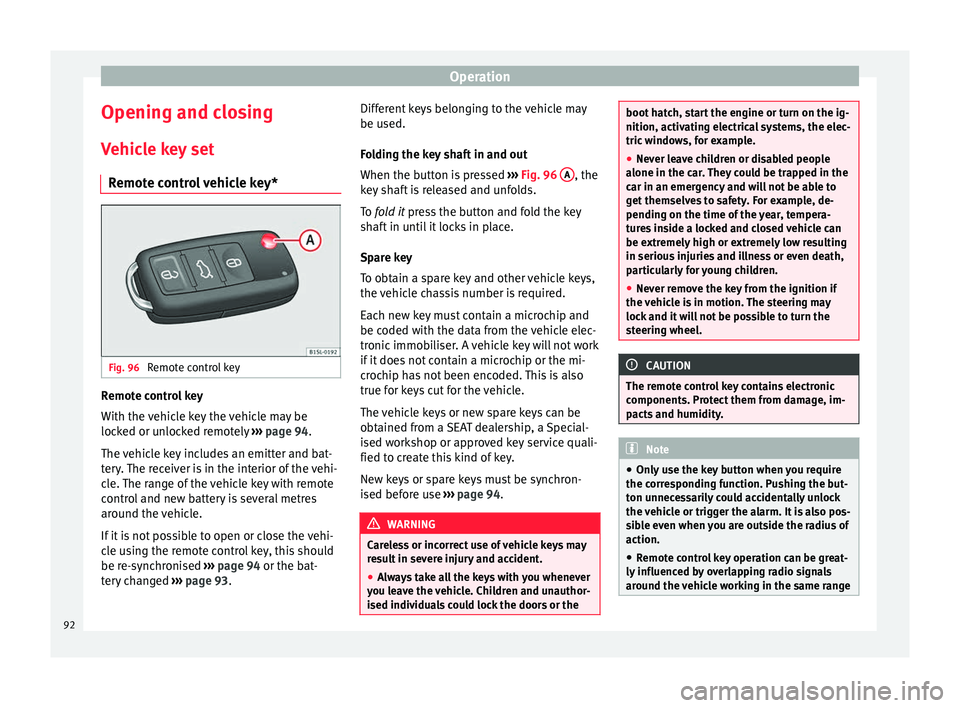
l
e key set
Remote control vehicle key* Fig. 96
Remote control key Remote control key
W
ith the
v
ehicle key the vehicle may be
locked or unlocked remotely ››› page 94.
The vehicle key includes an emitter and bat-
tery. The receiver is in the interior of the vehi-
cle. The range of the vehicle key with remote
control and new battery is several metres
around the vehicle.
If it is not possible to open or close the vehi-
cle using the remote control key, this should
be re-synchronised ››› page 94 or the bat-
tery changed ››› page 93. Different keys belonging to the vehicle may
be used.
Fo
lding the key shaft in and out
When the button is pressed ››› Fig. 96 A , the
k ey
sh
aft is released and unfolds.
To fold it press the button and fold the key
shaft in until it locks in place.
Spare key
To obtain a spare key and other vehicle keys,
the vehicle chassis number is required.
Each new key must contain a microchip and
be coded with the data from the vehicle elec-
tronic immobiliser. A vehicle key will not work
if it does not contain a microchip or the mi-
crochip has not been encoded. This is also
true for keys cut for the vehicle.
The vehicle keys or new spare keys can be
obtained from a SEAT dealership, a Special-
ised workshop or approved key service quali-
fied to create this kind of key.
New keys or spare keys must be synchron-
ised before use ››› page 94. WARNING
Careless or incorrect use of vehicle keys may
re s
ult in severe injury and accident.
● Always take all the keys with you whenever
you le
ave the vehicle. Children and unauthor-
ised individuals could lock the doors or the boot hatch, start the engine or turn on the ig-
nition, activatin
g el
ectrical systems, the elec-
tric windows, for example.
● Never leave children or disabled people
alone in the car
. They could be trapped in the
car in an emergency and will not be able to
get themselves to safety. For example, de-
pending on the time of the year, tempera-
tures inside a locked and closed vehicle can
be extremely high or extremely low resulting
in serious injuries and illness or even death,
particularly for young children.
● Never remove the key from the ignition if
the vehic
le is in motion. The steering may
lock and it will not be possible to turn the
steering wheel. CAUTION
The remote control key contains electronic
component s. Pr
otect them from damage, im-
pacts and humidity. Note
● Only u
se the key button when you require
the corresponding function. Pushing the but-
ton unnecessarily could accidentally unlock
the vehicle or trigger the alarm. It is also pos-
sible even when you are outside the radius of
action.
● Remote control key operation can be great-
ly influenced b
y overlapping radio signals
around the vehicle working in the same range 92
Page 109 of 232
Lights and visibility
●
In some v ehic
les, the brake lights will flash
when braking abruptly at speeds of approxi-
mately 80 km/h (50 mph) to warn vehicles
travelling behind. If braking continues, the
hazard warning lights system will automati-
cally be turned on at a speed of less than ap-
proximately 10 km/h (6 mph). The brake
lights remain lit. Upon accelerating, the haz-
ard warning lights will be automatically
turned off. Adjusting the headlights
In those countries where vehicles drive on
the other s
ide of
the r
oad to the home coun-
try, the asymmetric dipped beam may dazzle
drivers of oncoming vehicles.
For this reason, stickers may be needed to
cover the headlights when driving abroad.
For further information, please refer to a spe-
cialised workshop. SEAT recommends visiting
a technical service. Note
The use of stickers to cover headlights is only
permitted o v
er a short period. To modify the
direction of the headlamps more permanent-
ly, please take the vehicle to a specialised
workshop. SEAT recommends taking your car
in for technical service. Headlight range control, lighting of
the in
s
trument
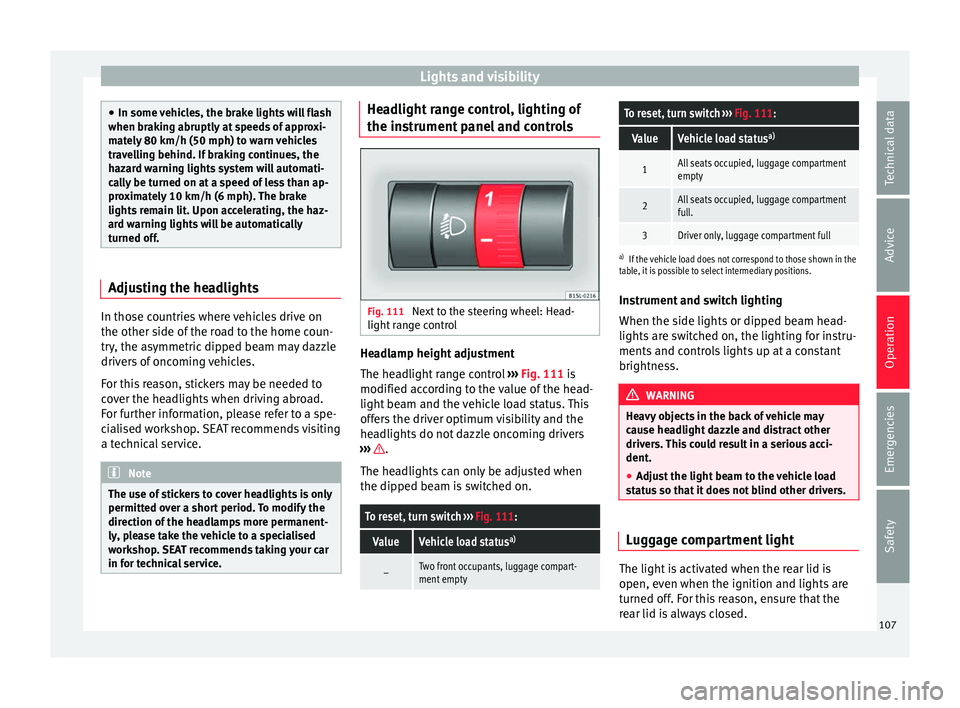
panel and controls Fig. 111
Next to the steering wheel: Head-
light r
an
ge control Headlamp height adjustment
The he
a
dlight
range control ››› Fig. 111 is
modified according to the value of the head-
light beam and the vehicle load status. This
offers the driver optimum visibility and the
headlights do not dazzle oncoming drivers
››› .
The he a
dlights
can only be adjusted when
the dipped beam is switched on.
To reset, turn switch ››› Fig. 111:
ValueVehicle load status a)
–Two front occupants, luggage compart-
ment empty
To reset, turn switch
››› Fig. 111:
ValueVehicle load status a)
1All seats occupied, luggage compartment
empty
2All seats occupied, luggage compartment
full.
3Driver only, luggage compartment full
a)
If the vehicle load does not correspond to those shown in the
table, it is possible to select intermediary positions.
Instrument and switch lighting
When the side lights or dipped beam head-
lights are switched on, the lighting for instru-
ments and controls lights up at a constant
brightness. WARNING
Heavy objects in the back of vehicle may
cau se he
adlight dazzle and distract other
drivers. This could result in a serious acci-
dent.
● Adjust the light beam to the vehicle load
stat
us so that it does not blind other drivers. Luggage compartment light
The light is activated when the rear lid is
open, ev
en when the ignition and lights
ar
e
turned off. For this reason, ensure that the
rear lid is always closed. 107
Technical data
Advice
Operation
Emergencies
Safety
Page 111 of 232
Lights and visibility
●
Alw a
ys replace damaged or worn blades or
blades which do not clean the windscreen
correctly. CAUTION
In icy conditions, always check that the wiper
b la
des are not frozen to the glass before us-
ing the wipers for the first time. In cold
weather, it may help to leave the vehicle
parked with the wipers in service position
››› page 45. CAUTION
If the ignition is switched off while the wind-
sc r
een wipers are on, the windscreen wipers
carry on wiping at the same level when the
ignition is switched back on. Ice, snow and
other obstacles may damage the windscreen
wiper and the respective motor.
● If necessary, remove snow and ice from the
winds
creen wipers before starting your jour-
ney.
● Carefully lift the frozen windscreen wipers
from the gla
ss. SEAT recommends a de-icer
spray for this operation. Note
● The wind s
creen wipers will only work when
the ignition is switched on.
● The interval wipe speed varies according to
the vehic
le speed. The faster the vehicle is moving, the more often the windscreen is
cl
e
aned.
● The rear wiper is automatically switched on
when the winds
creen wiper is on and the car
is in reverse gear. Windscreen wiper functions
Windscreen wiper performance in different sit-
uations
If the vehicle is at a
standstillThe activated position provision-
ally changes to the previous posi-
tion.
For intermittent wip-
ersIntervals between wipes depend
on the vehicle's speed. The high-
er the vehicle speed the shorter
the intervals.
Note
The wiper will try to wipe away any obstacles
that ar
e on the windscreen. The wiper will
stop moving if the obstacle blocks its path.
Remove the obstacle and switch the wiper
back on again. Rain and light sensor
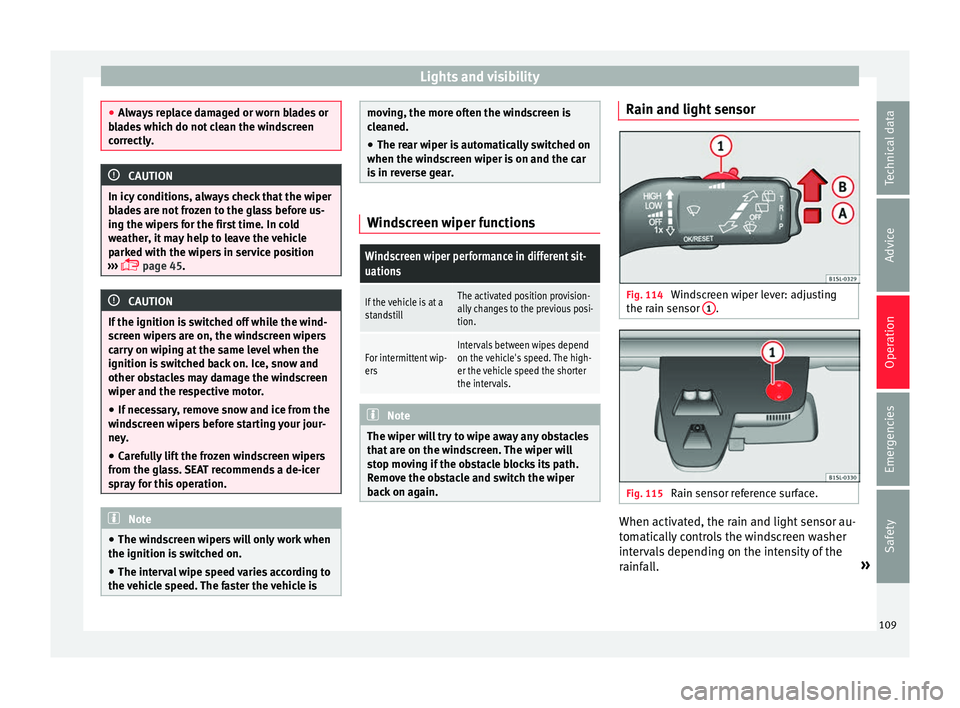
Fig. 114
Windscreen wiper lever: adjusting
the r ain sen
sor 1 .
Fig. 115
Rain sensor reference surface. When activated, the rain and light sensor au-
t
om
atic
ally controls the windscreen washer
intervals depending on the intensity of the
rainfall. »
109
Technical data
Advice
Operation
Emergencies
Safety
Page 135 of 232
Driving
Maximum cooling power or heating power in
the c a
se of
Climatronic
When driving, the maximum cooling power or
heating power can be adjusted by pressing
the 1 or
2
› ››
Fig. 144
b
utton repeatedly.
The temperature is not regulated.
● Maximum cooling power: adjus
t the tem-
perature below +16°C (+60°F). The display
then shows LO.
● Maximum heating power: adjus
t the tem-
perature above +29°C (+84°F). The display
then shows HI.
Dust and pollen filter
The dust and pollen filter should be changed
regularly in order to maintain air conditioner
performance.
If the vehicle is used frequently in areas
where the outside air is highly polluted, it
may be necessary to change the filter before
the next scheduled service.
Water under the vehicle
If the humidity and temperature outside the
vehicle are high, condensation can drip off
the evaporator in the cooling system and
form a small pool underneath the vehicle.
This is normal and does not indicate a leak! Driving
St op
pin
g and starting the en-
gine
Switching on the ignition and starting
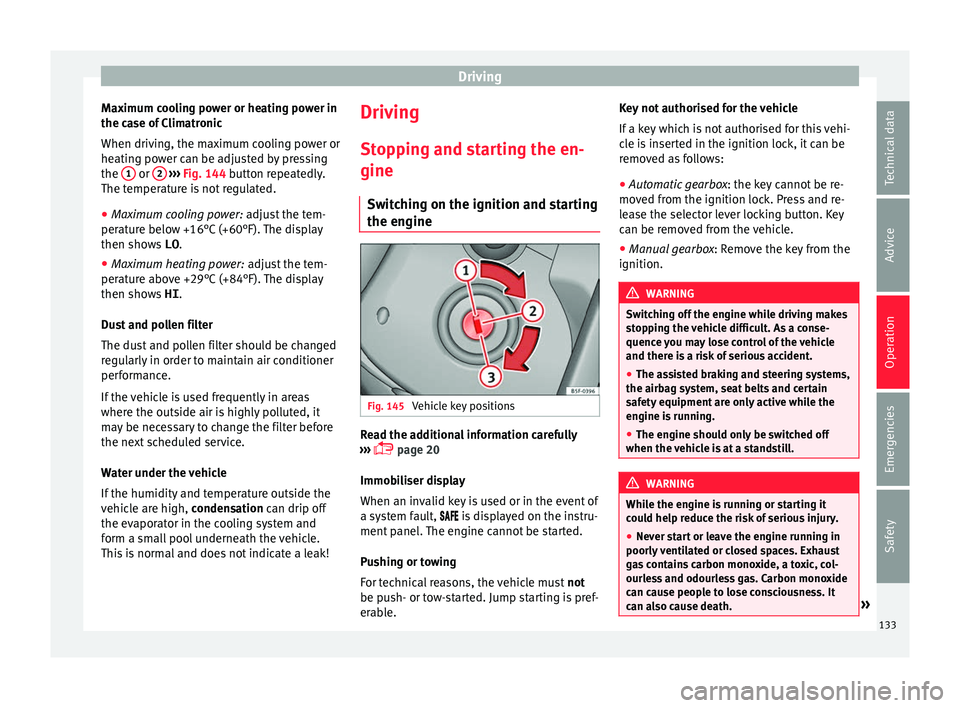
the engine Fig. 145
Vehicle key positions Read the additional information carefully
› ›
›
page 20
Immobiliser display
When an invalid key is used or in the event of
a system fault, is displayed on the instru-
ment panel. The engine cannot be started.
Pushing or towing
For technical reasons, the vehicle must not
be push- or tow-started. Jump starting is pref-
erable. Key not authorised for the vehicle
If a key
which is not authorised for this vehi-
cle is inserted in the ignition lock, it can be
removed as follows:
● Automatic gearbox : the key c
annot be re-
moved from the ignition lock. Press and re-
lease the selector lever locking button. Key
can be removed from the vehicle.
● Manual gearbox: Remov
e the key from the
ignition. WARNING
Switching off the engine while driving makes
st op
ping the vehicle difficult. As a conse-
quence you may lose control of the vehicle
and there is a risk of serious accident.
● The assisted braking and steering systems,
the airbag sys
tem, seat belts and certain
safety equipment are only active while the
engine is running.
● The engine should only be switched off
when the vehic
le is at a standstill. WARNING
While the engine is running or starting it
cou l
d help reduce the risk of serious injury.
● Never start or leave the engine running in
poorly v
entilated or closed spaces. Exhaust
gas contains carbon monoxide, a toxic, col-
ourless and odourless gas. Carbon monoxide
can cause people to lose consciousness. It
can also cause death. » 133
Technical data
Advice
Operation
Emergencies
Safety
Page 144 of 232
Operation
braking distance or even result in the total
fai
lur
e of the brake system.
● Reduce speed or change down a gear when
faced w
ith steep and long slopes. This allows
you to use the engine braking effect and to
reduce the strain on the brake system. Other-
wise, the brakes may overheat and fail. Only
use the brakes to reduce speed or to stop. Note
Make use, when having the front brake pads
c hec k
ed, and have the rear pads checked al-
so. The thickness of the brake pads should be
checked visually and regularly, by looking
through the openings in the wheel rims or
from underneath the vehicle. If necessary, re-
move the wheels to check them thoroughly.
SEAT recommends taking your car in for tech-
nical service. Changing gear
Intr oduction When reverse gear is engaged and the igni-
tion i
s
sw
itched on the following takes place:
● Reverse lights light up.
● The rear wiper blade performs one move-
ment when the wind
screen wiper is activa-
ted. ●
If nece
ssary, connect the parking distance
warning system. WARNING
Rapid acceleration can cause loss of traction
and skid din
g, especially on slippery ground.
This could cause loss of control of the vehicle
resulting in an accident and considerable
damage.
● Use rapid acceleration only when visibility,
weather
, road conditions and traffic permit. WARNING
Do not allow the brakes to “rub” for a pro-
long ed period of
time, or brake frequently or
for long periods of time. Continuous braking
heats up the brakes. This could significantly
reduce braking power, increase braking dis-
tance or even result in the total failure of the
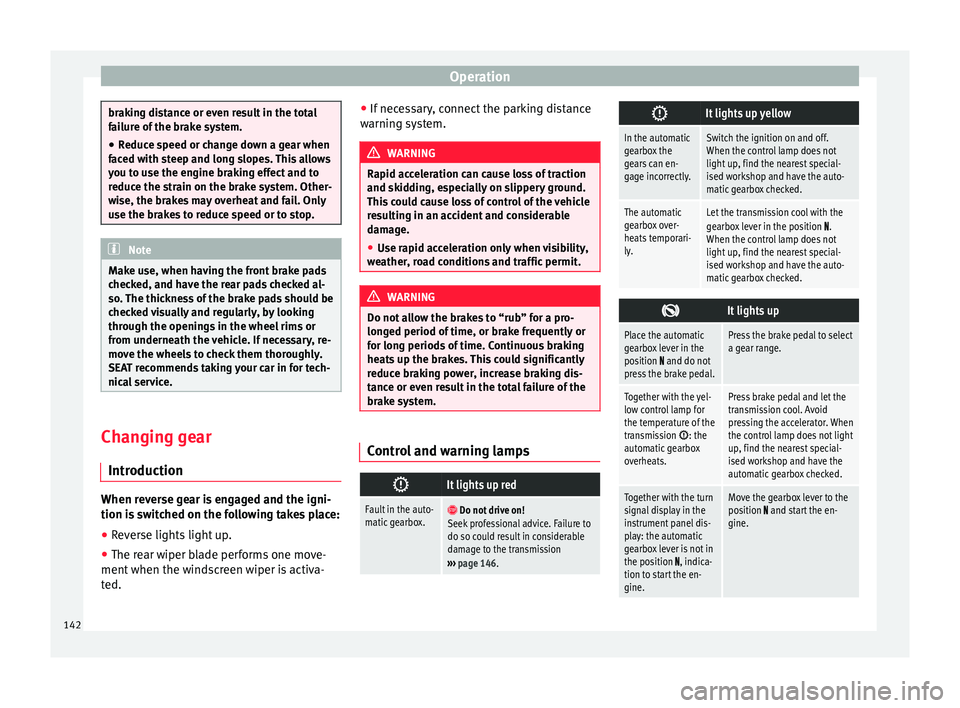
brake system. Control and warning lamps
It lights up red
Fault in the auto-
matic gearbox.
Do not drive on!
Seek professional advice. Failure to
do so could result in considerable
damage to the transmission
››› page 146.
It lights up yellow
In the automatic
gearbox the
gears can en-
gage incorrectly.Switch the ignition on and off.
When the control lamp does not
light up, find the nearest special-
ised workshop and have the auto-
matic gearbox checked.
The automatic
gearbox over-
heats temporari-
ly.Let the transmission cool with the
gearbox lever in the position .
When the control lamp does not
light up, find the nearest special-
ised workshop and have the auto-
matic gearbox checked.
It lights up
Place the automatic
gearbox lever in the
position
and do not
press the brake pedal.
Press the brake pedal to select
a gear range.
Together with the yel-
low control lamp for
the temperature of the
transmission
: the
automatic gearbox
overheats.
Press brake pedal and let the
transmission cool. Avoid
pressing the accelerator. When
the control lamp does not light
up, find the nearest special-
ised workshop and have the
automatic gearbox checked.
Together with the turn
signal display in the
instrument panel dis-
play: the automatic
gearbox lever is not in
the position
, indica-
tion to start the en-
gine.
Move the gearbox lever to the
position and start the en-
gine. 142