phone Seat Toledo 2013 User Guide
[x] Cancel search | Manufacturer: SEAT, Model Year: 2013, Model line: Toledo, Model: Seat Toledo 2013Pages: 258, PDF Size: 3.94 MB
Page 85 of 258

83
Communication
If the system is waiting for a voice command the dialogue may be ended as
follows:
● with the CANCEL voice command;
● pressing the 1
⇒ Fig. 41 button briefly on the multi-function steer-
ing wheel.
Basic voice commands
Voice commandAction
HELPAfter this command, the system repeats all the possi-
ble commands.
CALL [XYZ]This command is used to call a contact in the phone
book.
PHONE BOOKAfter this command you can hear the phone book, cor-
rect or delete a name tag for a contact, etc.
CALL LISTLists of the number selected, missed calls, etc.
DIAL NUMBERAfter this command you can enter a phone number to
call the desired person.
REDIALAfter this command the system dials the last number.
MUSICMusic playback from the mobile phone or other paired
telephone.
OTHER OPTIONSAfter this command, the system offers other com-
mands depending on the context.
SETTINGSSelect the setting for Bluetooth ®
, dialogue, etc.CANCELThe dialogue ends.
Note
● An incoming call will end the dialogue immediately.
● Voice control is only possible in vehicles equipped with a multi-function
steering wheel with telephone control (High version).
Safety FirstOperating instructionsPractical TipsTechnical specifications
Page 91 of 258
89
Opening and closing
Manual locking
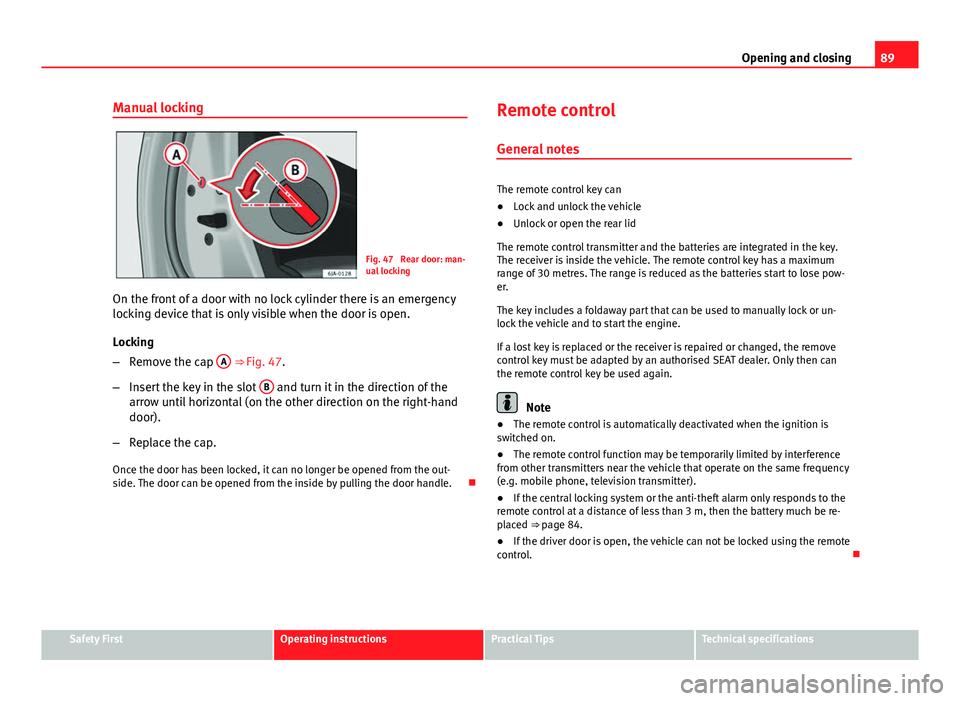
Fig. 47 Rear door: man-
ual locking
On the front of a door with no lock cylinder there is an emergency
locking device that is only visible when the door is open.
Locking
– Remove the cap A
⇒ Fig. 47.
– Insert the key in the slot B
and turn it in the direction of the
arrow until horizontal (on the other direction on the right-hand
door).
– Replace the cap.
Once the door has been locked, it can no longer be opened from the out-
side. The door can be opened from the inside by pulling the door handle. Remote control
General notes
The remote control key can
● Lock and unlock the vehicle
● Unlock or open the rear lid
The remote control transmitter and the batteries are integrated in the key.
The receiver is inside the vehicle. The remote control key has a maximum
range of 30 metres. The range is reduced as the batteries start to lose pow-
er.
The key includes a foldaway part that can be used to manually lock or un-
lock the vehicle and to start the engine.
If a lost key is replaced or the receiver is repaired or changed, the remove
control key must be adapted by an authorised SEAT dealer. Only then can
the remote control key be used again.
Note
● The remote control is automatically deactivated when the ignition is
switched on.
● The remote control function may be temporarily limited by interference
from other transmitters near the vehicle that operate on the same frequency
(e.g. mobile phone, television transmitter).
● If the central locking system or the anti-theft alarm only responds to the
remote control at a distance of less than 3 m, then the battery much be re-
placed ⇒ page 84.
● If the driver door is open, the vehicle can not be locked using the remote
control.
Safety FirstOperating instructionsPractical TipsTechnical specifications
Page 127 of 258
125
Seats and storage
WARNING
Do not place heavy objects in the pockets. Risk of injury!
CAUTION
Do not place overly large objects in the pockets (e.g. bottles) or objects with
sharp edges. Risk of damage to the pockets and the upholstery.
Net pockets on back of front backrests
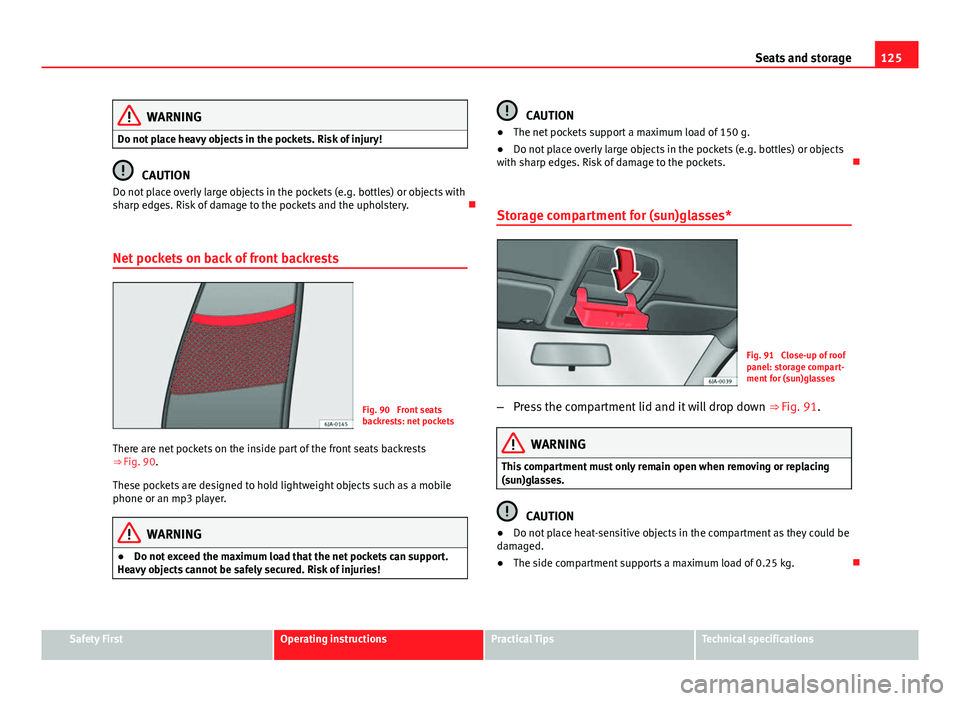
Fig. 90 Front seats
backrests: net pockets
There are net pockets on the inside part of the front seats backrests
⇒ Fig. 90.
These pockets are designed to hold lightweight objects such as a mobile
phone or an mp3 player.
WARNING
● Do not exceed the maximum load that the net pockets can support.
Heavy objects cannot be safely secured. Risk of injuries!
CAUTION
● The net pockets support a maximum load of 150 g.
● Do not place overly large objects in the pockets (e.g. bottles) or objects
with sharp edges. Risk of damage to the pockets.
Storage compartment for (sun)glasses*
Fig. 91 Close-up of roof
panel: storage compart-
ment for (sun)glasses
– Press the compartment lid and it will drop down ⇒ Fig. 91.
WARNING
This compartment must only remain open when removing or replacing
(sun)glasses.
CAUTION
● Do not place heat-sensitive objects in the compartment as they could be
damaged.
● The side compartment supports a maximum load of 0.25 kg.
Safety FirstOperating instructionsPractical TipsTechnical specifications
Page 128 of 258
126Seats and storage
Storage compartments in centre console
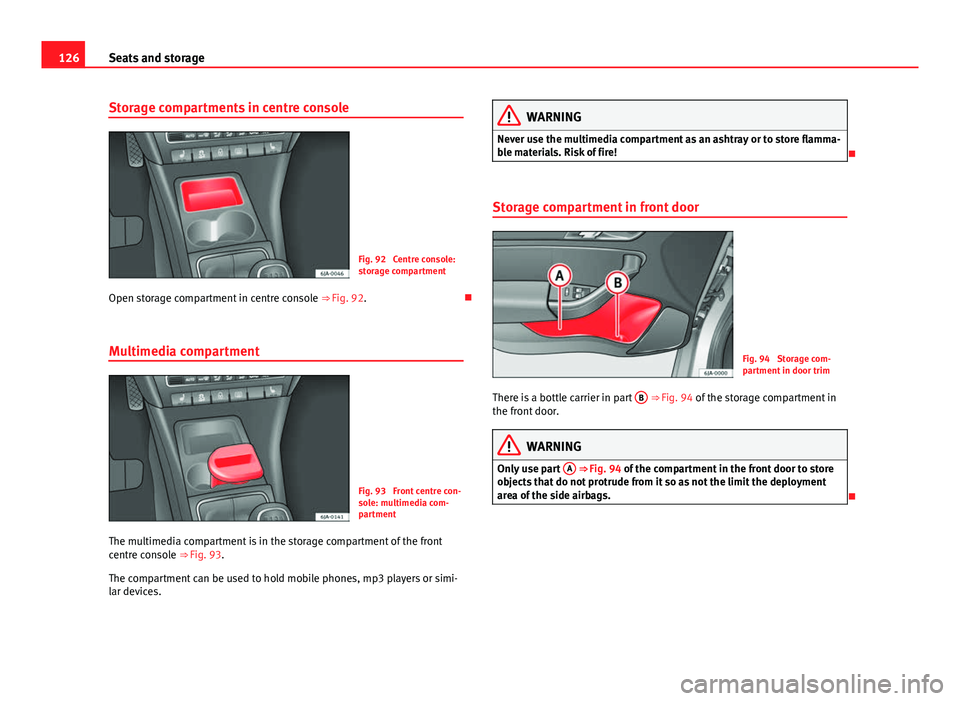
Fig. 92 Centre console:
storage compartment
Open storage compartment in centre console ⇒ Fig. 92.
Multimedia compartment
Fig. 93 Front centre con-
sole: multimedia com-
partment
The multimedia compartment is in the storage compartment of the front
centre console ⇒ Fig. 93.
The compartment can be used to hold mobile phones, mp3 players or simi-
lar devices.
WARNING
Never use the multimedia compartment as an ashtray or to store flamma-
ble materials. Risk of fire!
Storage compartment in front door
Fig. 94 Storage com-
partment in door trim
There is a bottle carrier in part B
⇒ Fig. 94 of the storage compartment in
the front door.
WARNING
Only use part A
⇒ Fig. 94 of the compartment in the front door to store
objects that do not protrude from it so as not the limit the deployment
area of the side airbags.