lights Seat Toledo 2013 Owner's Guide
[x] Cancel search | Manufacturer: SEAT, Model Year: 2013, Model line: Toledo, Model: Seat Toledo 2013Pages: 258, PDF Size: 3.94 MB
Page 89 of 258
87
Opening and closing
If the Safe lock is out of service, the control lamp on the driver door will
flash quickly for 2 seconds before switching off for 30 seconds and then
flashing at a slower rate.
The Safe lock is re-activated on unlocking and locking the vehicle again.
If the vehicle is locked and the Safe lock is deactivated, the vehicle can be
opened from inside by pulling on the door handle.
WARNING
Do not leave people or animals in locked vehicles with the Safe lock acti-
vated: the doors and windows cannot then be opened from the inside.
Doors locked in this manner could delay assistance in an emergency.
Risk of death!
Note
● The anti-theft alarm switches on automatically when the vehicle is
locked, even if the Safe lock is deactivated. The Vehicle interior monitoring,
however, is not activated.
● Given that the Safe function will be activated on locking the vehicle,
CHECK DEADLOCK will be shown on the general instrument panel display. On
vehicles equipped with an informative display, Caution SAFE! On-board docu-
mentation! will be indicated. Unlocking the vehicle with the key
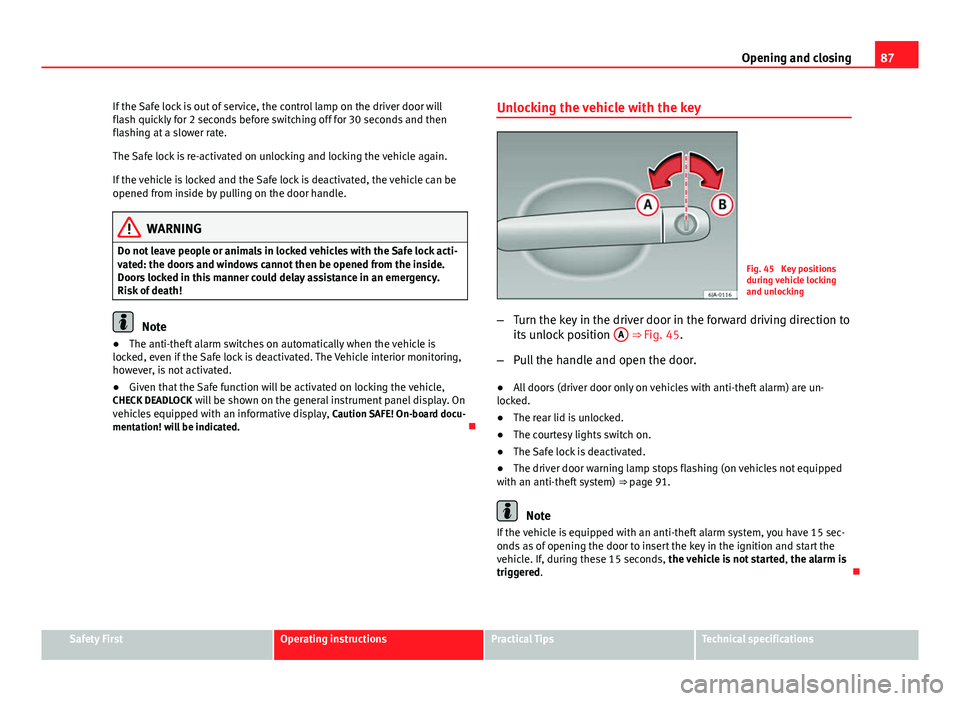
Fig. 45 Key positions
during vehicle locking
and unlocking
– Turn the key in the driver door in the forward driving direction to
its unlock position A
⇒ Fig. 45.
– Pull the handle and open the door.
● All doors (driver door only on vehicles with anti-theft alarm) are un-
locked.
● The rear lid is unlocked.
● The courtesy lights switch on.
● The Safe lock is deactivated.
● The driver door warning lamp stops flashing (on vehicles not equipped
with an anti-theft system) ⇒ page 91.
Note
If the vehicle is equipped with an anti-theft alarm system, you have 15 sec-
onds as of opening the door to insert the key in the ignition and start the
vehicle. If, during these 15 seconds, the vehicle is not started , the alarm is
triggered.
Safety FirstOperating instructionsPractical TipsTechnical specifications
Page 90 of 258
88Opening and closing
Locking the vehicle with the key
–Turn the key in the driver door lock cylinder in the reverse direc-
tion to its lock position B ⇒ Fig. 45.
● The doors and the rear lid are locked.
● The courtesy lights switch off.
● The Safe lock is immediately activated.
● Warning lamp on the driver door starts to flash.
Note
The vehicle doors cannot be locked if the driver door is open.
Central lock button
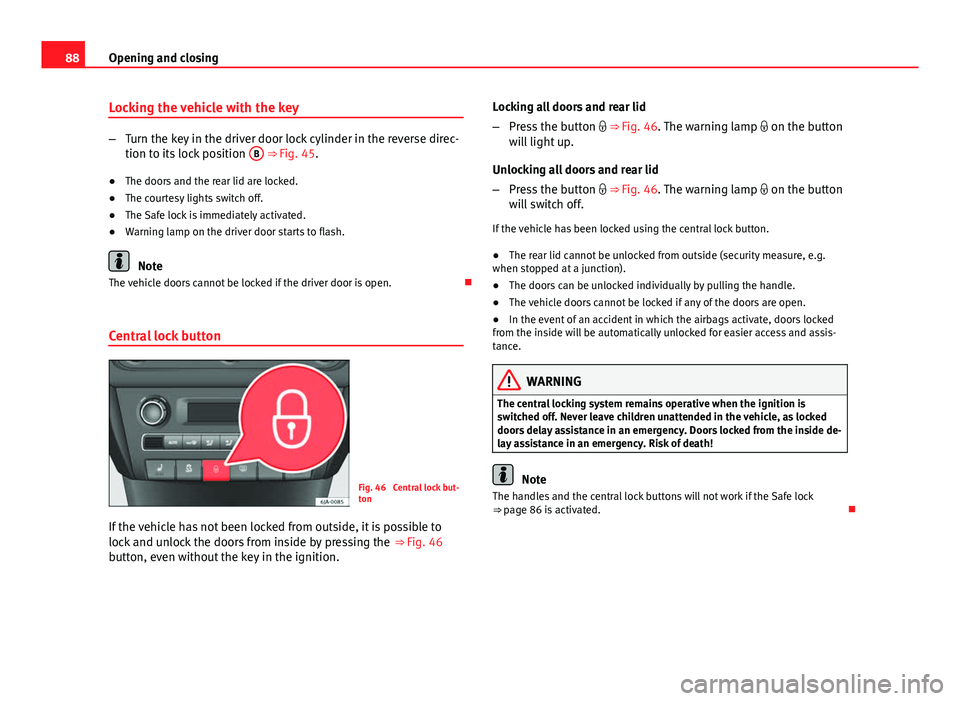
Fig. 46 Central lock but-
ton
If the vehicle has not been locked from outside, it is possible to
lock and unlock the doors from inside by pressing the ⇒ Fig. 46
button, even without the key in the ignition. Locking all doors and rear lid
–
Press the button ⇒ Fig. 46. The warning lamp on the button
will light up.
Unlocking all doors and rear lid
– Press the button ⇒ Fig. 46. The warning lamp on the button
will switch off.
If the vehicle has been locked using the central lock button.
● The rear lid cannot be unlocked from outside (security measure, e.g.
when stopped at a junction).
● The doors can be unlocked individually by pulling the handle.
● The vehicle doors cannot be locked if any of the doors are open.
● In the event of an accident in which the airbags activate, doors locked
from the inside will be automatically unlocked for easier access and assis-
tance.
WARNING
The central locking system remains operative when the ignition is
switched off. Never leave children unattended in the vehicle, as locked
doors delay assistance in an emergency. Doors locked from the inside de-
lay assistance in an emergency. Risk of death!
Note
The handles and the central lock buttons will not work if the Safe lock
⇒ page 86 is activated.
Page 96 of 258
94Opening and closing
Opening the rear lid
–Pull on the release lever and lift the rear lid ⇒ Fig. 50. The rear
lid will automatically open.
Closing the rear lid
– Hold the rear lid by one of the two handles on the interior lining
and close it, pushing slightly.
This system may or may not be operative, depending on the situation of the
vehicle.
If the rear lid is locked then it cannot be opened, however if it is unlocked
then the opening system is operative and the rear lid may be opened.
To lock/unlock, press the button
or the button
1 on the remote control
key.
A warning appears on the instrument panel display if the rear lid is open or
not properly closed.* An audible warning is also given if the rear lid is
opened while the vehicle is moving faster than 6 km/h (4 mph).*
WARNING
● Always close the rear lid properly. Risk of accident or injury.
● The rear lid must not be opened when the reverse or rear fog lights
are lit. This may damage the tail lights
● Do not close the rear lid by pushing it down with your hand on the
rear window. The glass could smash. Risk of injury!
● Ensure the rear lid is locked after closing it. If not, it may open unex-
pectedly while driving.
WARNING (Continued)
● Never allow children to play in or around the vehicle. A locked vehicle
can be subjected to extremely high and low temperatures, depending on
the time of year, thus causing serious injuries/illness. It could even have
fatal consequences. Close and lock both the rear lid and all the other
doors when you are not using the vehicle.
● Closing the rear lid without observing and ensuring it is clear could
cause serious injury to you and to third parties. Make sure that no one is
in the path of the rear lid.
● Never drive with the rear lid open or half-closed, exhaust gases may
penetrate into the interior of the vehicle. Danger of poisoning!
● If you only open the rear lid, do not leave the key inside. The vehicle
will not be opened if the key is left inside.
Manual release of the rear lid
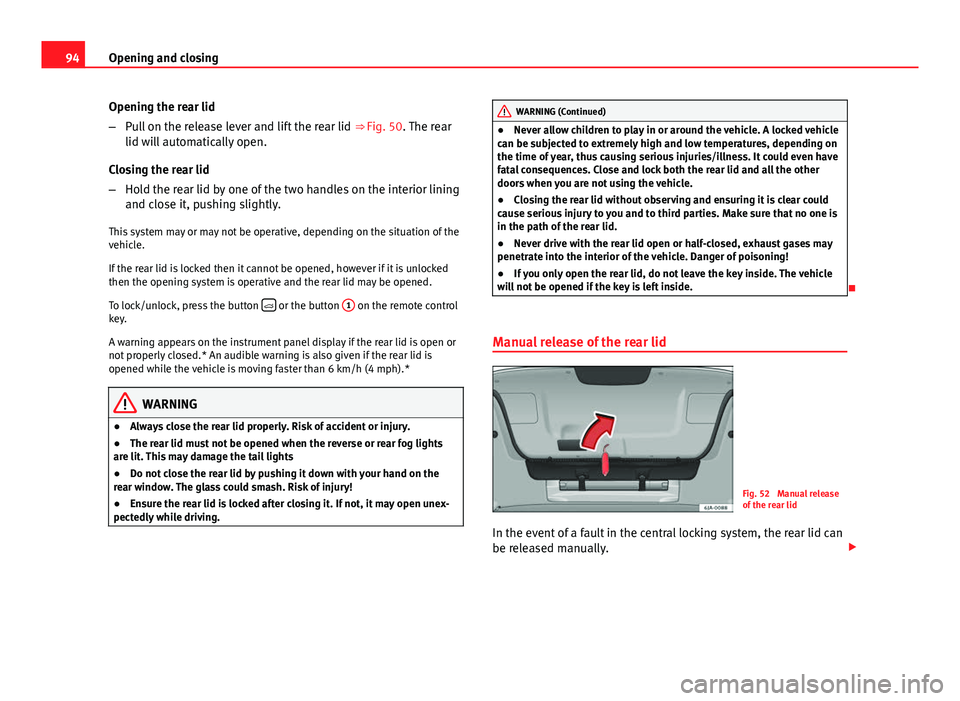
Fig. 52 Manual release
of the rear lid
In the event of a fault in the central locking system, the rear lid can
be released manually.
Page 99 of 258
97
Lights and visibility
Lights and visibility
Lights Introduction
The location of the controls of right-hand drive cars differs slightly from the
location shown here ⇒ Fig. 54 ⇒ page 97. However, the symbols indicat-
ing the respective positions of the controls remain the same.
WARNING
Never drive with only the side lights on! The side lights are not bright
enough to illuminate the road ahead and to ensure that other road users
are able to see you. Always use your dipped beam headlights if it is dark
or if visibility is poor.
CAUTION
● Use the lights in line with local law.
● However, drivers always remain responsible for correctly adjusting and
using the lights.
Note
● An audible warning will be heard when the light control is set to and
you remove the ignition key and open the door. Once the driver door is
closed (ignition off), the audible warning will stop, whereas the side lights
will remain on to light up the stationary vehicle if necessary.
● Depending on weather conditions (cold or wet), the lights may mist up
temporarily on the inside. This is particularly the case in the event of a dif-
ference in temperature between the inside and in front of the light. By
switching on the lights, the area through which the beam of light is projec- ted will quickly be demisted, although the edges may remain misted. The
real lights and turn signals can mist up. This has no influence on the useful
life of the lighting system.
Switching lights on and off
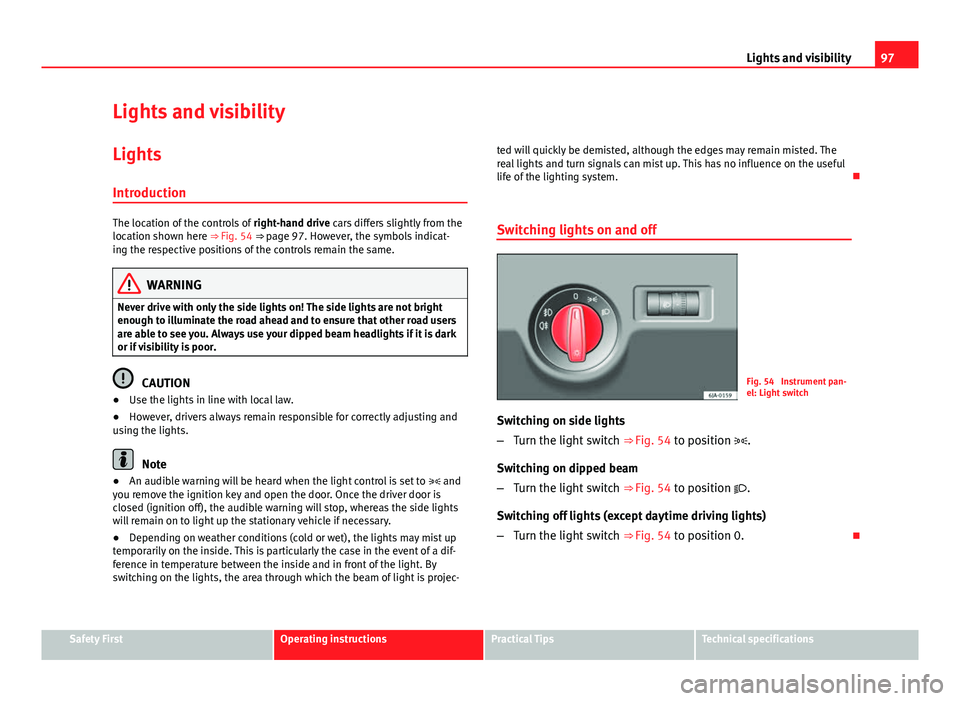
Fig. 54 Instrument pan-
el: Light switch
Switching on side lights
– Turn the light switch ⇒ Fig. 54 to position .
Switching on dipped beam
– Turn the light switch ⇒ Fig. 54 to position .
Switching off lights (except daytime driving lights)
– Turn the light switch ⇒ Fig. 54 to position 0.
Safety FirstOperating instructionsPractical TipsTechnical specifications
Page 100 of 258
98Lights and visibility
DAY LIGHT Function*
Switching on daytime driving lights
Turn the light switch ⇒ Fig. 54 ⇒ page 97 to position 0.
Switching off daytime driving lights in vehicles with the START-
STOP system
– Switch the ignition off.
– Move the turn signal lever ⇒ Fig. 57 towards the steering wheel,
pressing it down and keeping it in this position.
– Switch on the ignition – wait for the left turn signal to flash 4
times.
– Switch off the ignition – wait until you hear the audible warning
to confirm that the daytime driving lights have been switched
off.
– Release the turn signal lever.
Switching on daytime driving lights in vehicles with the START-
STOP system
– Switch the ignition off.
– Move the turn signal lever ⇒ Fig. 57 towards the steering wheel,
pressing it up and keeping it in this position.
– Switch on the ignition – wait for the right turn signal to flash 4
times. –
Switch off the ignition – wait until you hear the audible warning
to confirm that the daytime driving lights have been switched
on.
– Release the turn signal lever.
Deactivation of the daytime running light function 1)
● The daytime running light function is deactivated by removing the corre-
sponding fuse ⇒ page 219.
Activation of the daytime running light function 1)
● The daytime running light function is activated by placing the corre-
sponding fuse ⇒ page 219.
Note
The daytime driving lights work when the ignition is switched on.
Front fog lights*
Fig. 55 Instrument pan-
el: light switch
1)
This does not apply to vehicles equipped with the START-STOP system.
Page 101 of 258

99
Lights and visibility
Switching on front fog lights
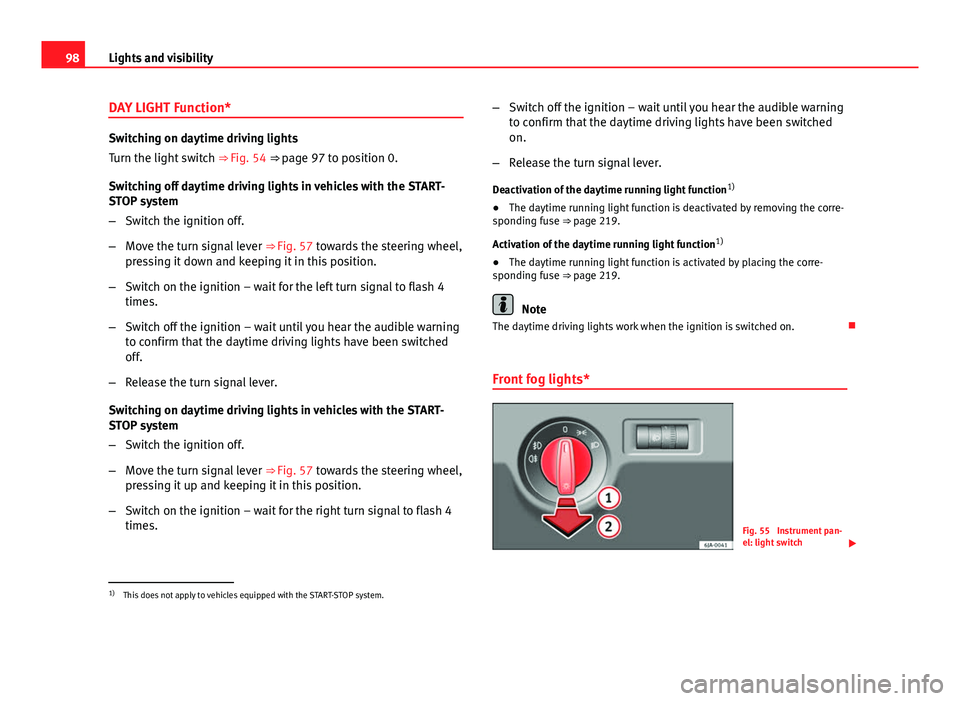
– First turn the light switch ⇒ Fig. 55 to position or .
– Pull on the light switch to position 1
.
The ⇒ page 69 warning lamp lights up on the general instrument panel if
the front fog lights are switched on.
Rear fog light
Switching on the rear fog light
– First turn the light switch ⇒ Fig. 55 ⇒ page 98 to position or
.
– Pull on the light switch to position 2
.
If the vehicle is not equipped with front fog lights ⇒ page 98, the rear fog
light is switched on by turning the switch to position and pulling it to po-
sition 2
. This type of switch only has one position.
The warning lamp lights up on the general instrument panel ⇒ page 69 if
the front fog lights are switched on.
If you are towing a trailer or caravan equipped with a rear fog light on a vehi-
cle with a factory-fitted towing bracket or one installed using parts from the
original SEAT parts catalogue , only the rear fog light on the trailer or cara-
van will light up. Range control of main lights
Fig. 56 Instrument pan-
el: light range control
– Turn the control ⇒ Fig. 56 to set the lights to the required set-
ting.
Positions
The control positions roughly correspond to the following vehicle load con-
ditions. Two front occupants, luggage compartment empty.
All seats occupied, luggage compartment empty.
All seats occupied, luggage compartment fully loaded.
Driver only, luggage compartment fully loaded.
CAUTION
Always adjust the range of the lights so that:
● Your vehicle does not dazzle others, particularly oncoming traffic
● The range of the headlights is sufficient for safe driving
-
123
Safety FirstOperating instructionsPractical TipsTechnical specifications
Page 102 of 258
100Lights and visibility
Note
Make sure you set the range of the main lights when the dipped beam
headlights are switched on.
Turn signal and main beam lever
Fig. 57 Turn signal and
main beam headlight lev-
er
The turn signal and main beam headlight lever also operates the
parking lights and the headlight flasher.
Right and left-hand turn signal
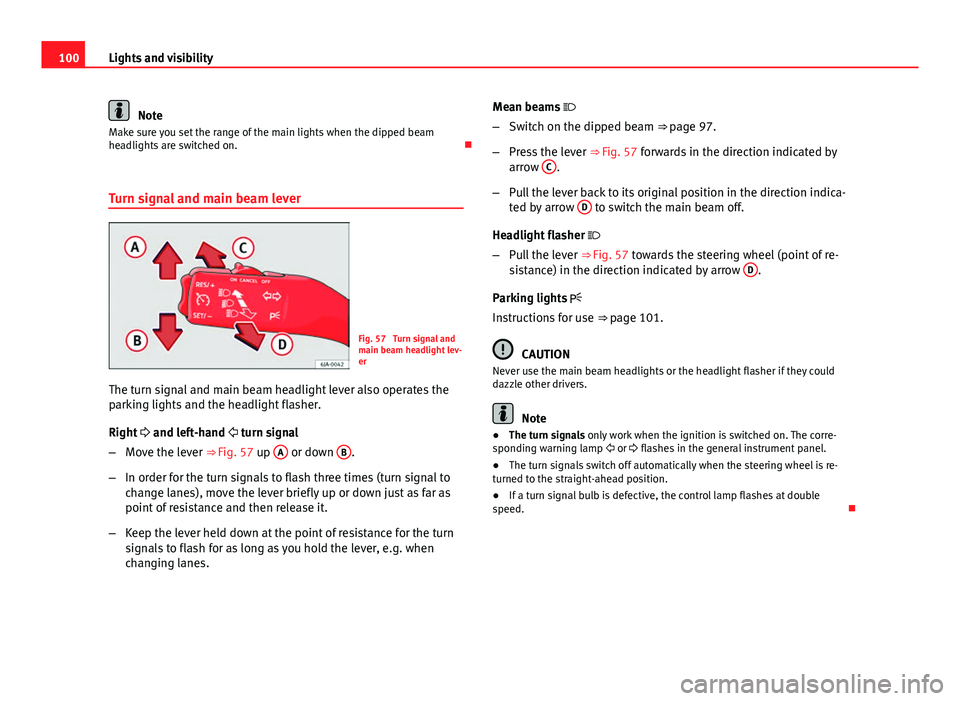
– Move the lever ⇒ Fig. 57 up A
or down B.
– In order for the turn signals to flash three times (turn signal to
change lanes), move the lever briefly up or down just as far as
point of resistance and then release it.
– Keep the lever held down at the point of resistance for the turn
signals to flash for as long as you hold the lever, e.g. when
changing lanes. Mean beams
– Switch on the dipped beam ⇒ page 97.
– Press the lever ⇒ Fig. 57 forwards in the direction indicated by
arrow C
.
– Pull the lever back to its original position in the direction indica-
ted by arrow D
to switch the main beam off.
Headlight flasher
– Pull the lever ⇒ Fig. 57 towards the steering wheel (point of re-
sistance) in the direction indicated by arrow D
.
Parking lights
Instructions for use ⇒ page 101.
CAUTION
Never use the main beam headlights or the headlight flasher if they could
dazzle other drivers.
Note
● The turn signals only work when the ignition is switched on. The corre-
sponding warning lamp or flashes in the general instrument panel.
● The turn signals switch off automatically when the steering wheel is re-
turned to the straight-ahead position.
● If a turn signal bulb is defective, the control lamp flashes at double
speed.
Page 103 of 258
101
Lights and visibility
Parking lights*
Parking lights
– Switch the ignition off.
– Move the turn signal lever ⇒ Fig. 57 ⇒ page 100 up or down to
turn on the right or left-hand parking lights respectively.
Parking light on both sides
– Turn the light switch ⇒ Fig. 54 ⇒ page 97 to position and
engage the steering lock.
Note
● The parking lights only work when the ignition is switched on.
● The parking light will not come on automatically on switching the igni-
tion off if the left or right-hand turn signal is left on.
Front fog lights with CORNER function*
Front fog lights with CORNER function provide better lighting of the area
around the car when driving through a corner or parking, etc.
Front fog lights with CORNER function switch on depending on how far you
turn the steering wheel or whether or not the turn signals 1)
are switched on,
if the following conditions are met:
● the vehicle is stationary, the ignition is switched on or you are moving at
a speed less than 40 km/h (25 mph)
● The daytime driving light is switched off ●
The dipped beam is switched on
● The fog lights are switched off
● Reverse gear is not engaged
Hazard warning light switch
Fig. 58 Instrument pan-
el: switch for hazard
warning lights
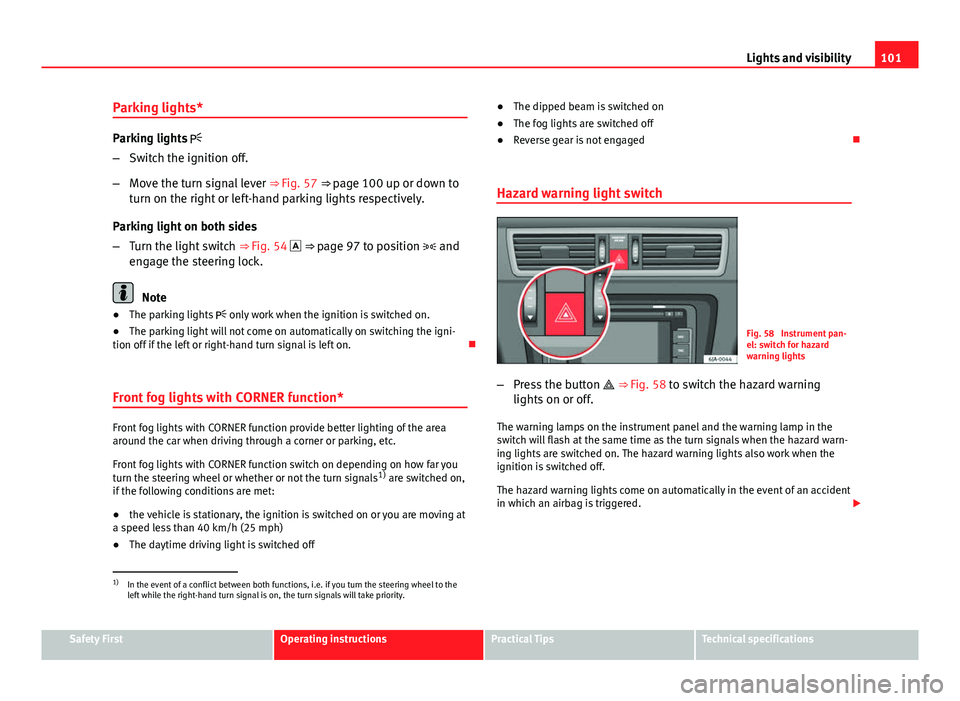
– Press the button ⇒ Fig. 58 to switch the hazard warning
lights on or off.
The warning lamps on the instrument panel and the warning lamp in the
switch will flash at the same time as the turn signals when the hazard warn-
ing lights are switched on. The hazard warning lights also work when the
ignition is switched off.
The hazard warning lights come on automatically in the event of an accident
in which an airbag is triggered.
1)
In the event of a conflict between both functions, i.e. if you turn the steering wheel to the
left while the right-hand turn signal is on, the turn signals will take priority.
Safety FirstOperating instructionsPractical TipsTechnical specifications
Page 104 of 258
102Lights and visibility
Note
Switch on the hazard warning lights to warn other road users, for example:
● When reaching the tail end of a traffic jam
● If the vehicle has a technical fault or you are involved in an emergency
situation.
Interior lights
Interior lighting – version 1
Fig. 59 Interior lighting
– version 1
Switching on the interior light
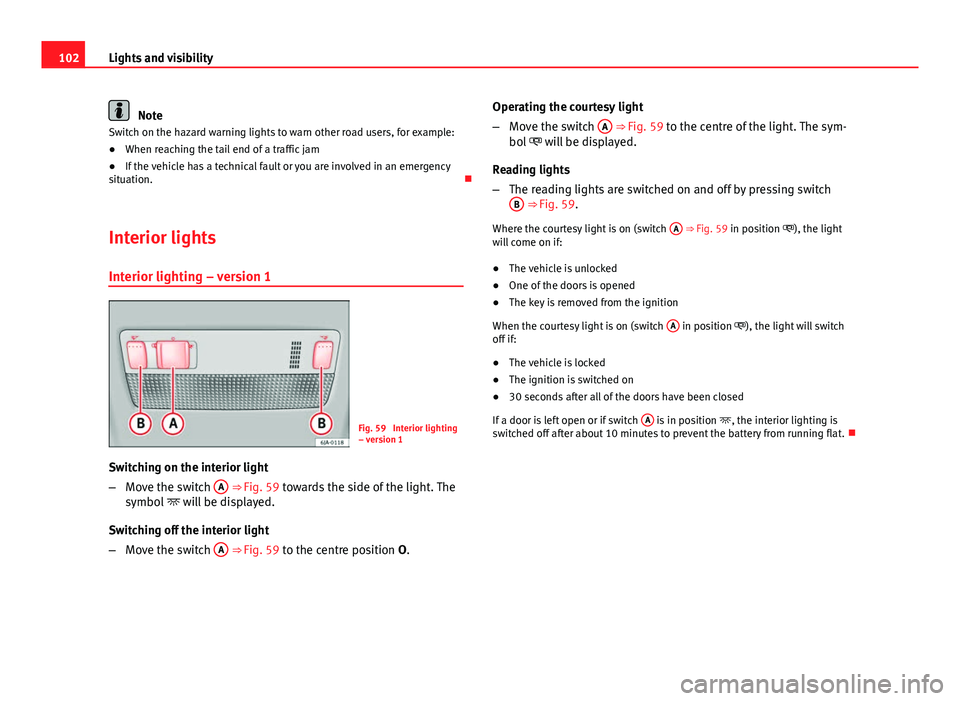
– Move the switch A
⇒ Fig. 59 towards the side of the light. The
symbol will be displayed.
Switching off the interior light
– Move the switch A
⇒
Fig. 59 to the centre position O
. Operating the courtesy light
–
Move the switch A
⇒ Fig. 59 to the centre of the light. The sym-
bol will be displayed.
Reading lights
– The reading lights are switched on and off by pressing switch
B
⇒ Fig. 59.
Where the courtesy light is on (switch A
⇒ Fig. 59 in position ), the light
will come on if:
● The vehicle is unlocked
● One of the doors is opened
● The key is removed from the ignition
When the courtesy light is on (switch A
in position ), the light will switch
off if:
● The vehicle is locked
● The ignition is switched on
● 30 seconds after all of the doors have been closed
If a door is left open or if switch A
is in position
, the interior lighting is
switched off after about 10 minutes to prevent the battery from running flat.
Page 105 of 258
103
Lights and visibility
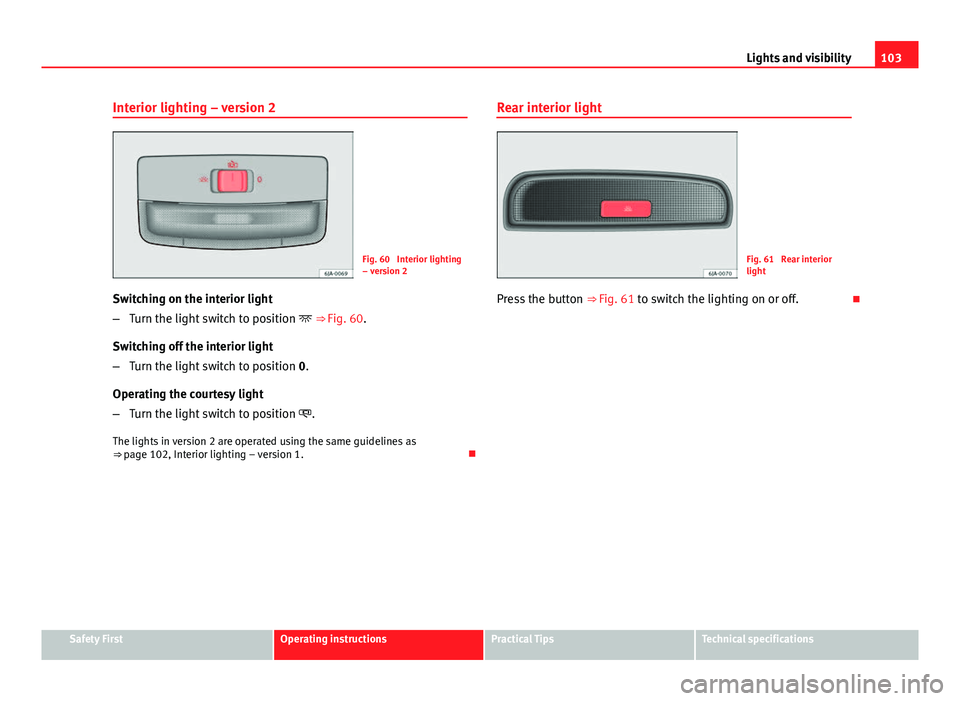
Interior lighting – version 2
Fig. 60 Interior lighting
– version 2
Switching on the interior light
– Turn the light switch to position ⇒ Fig. 60.
Switching off the interior light
– Turn the light switch to position 0.
Operating the courtesy light
– Turn the light switch to position .
The lights in version 2 are operated using the same guidelines as
⇒ page 102, Interior lighting – version 1. Rear interior lightFig. 61 Rear interior
light
Press the button ⇒ Fig. 61 to switch the lighting on or off.
Safety FirstOperating instructionsPractical TipsTechnical specifications