light Seat Toledo 2013 Workshop Manual
[x] Cancel search | Manufacturer: SEAT, Model Year: 2013, Model line: Toledo, Model: Seat Toledo 2013Pages: 258, PDF Size: 3.94 MB
Page 124 of 258
122Seats and storage
WARNING
● Take care when using the cigarette lighter! Carelessness or negli-
gence when using the cigarette lighter can cause burns and serious inju-
ries.
● The cigarette lighter also works when the ignition is off and when the
ignition key is removed. Therefore, never leave children unsupervised in
the vehicle.
Note
● The 12 volt power socket of the cigarette lighter can also be used as a
power source for electrical appliances ⇒ page 122, 12 V power socket.
● Additional information ⇒ page 204, Accessories, modifications and
spare parts.
12 V power socket
Fig. 86 Centre console:
12V power socket
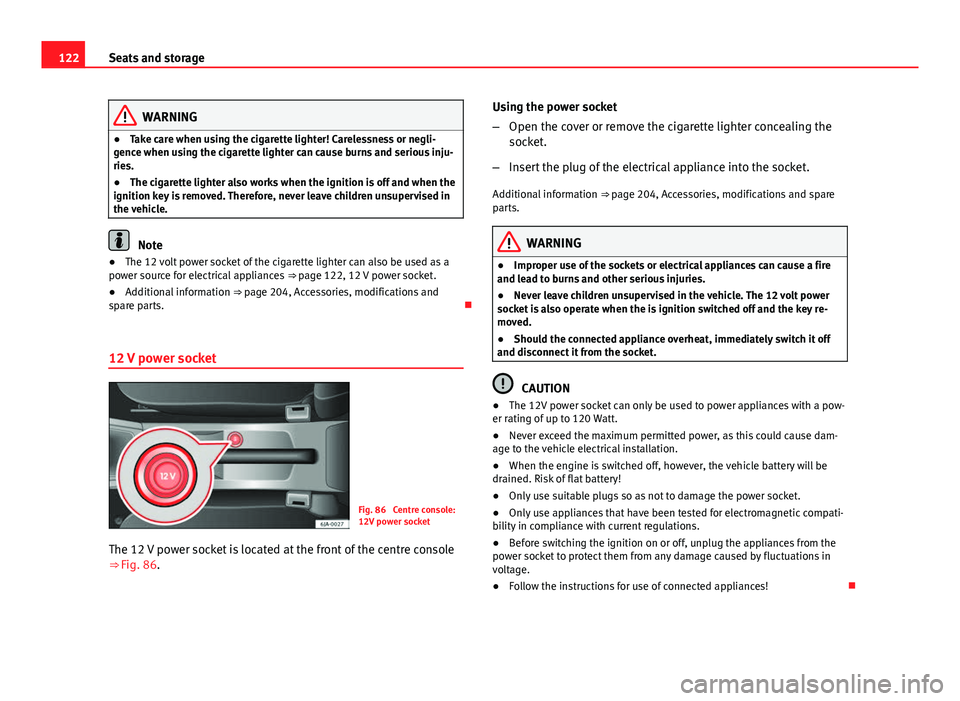
The 12 V power socket is located at the front of the centre console
⇒ Fig. 86. Using the power socket
–
Open the cover or remove the cigarette lighter concealing the
socket.
– Insert the plug of the electrical appliance into the socket.
Additional information ⇒ page 204, Accessories, modifications and spare
parts.
WARNING
● Improper use of the sockets or electrical appliances can cause a fire
and lead to burns and other serious injuries.
● Never leave children unsupervised in the vehicle. The 12 volt power
socket is also operate when the is ignition switched off and the key re-
moved.
● Should the connected appliance overheat, immediately switch it off
and disconnect it from the socket.
CAUTION
● The 12V power socket can only be used to power appliances with a pow-
er rating of up to 120 Watt.
● Never exceed the maximum permitted power, as this could cause dam-
age to the vehicle electrical installation.
● When the engine is switched off, however, the vehicle battery will be
drained. Risk of flat battery!
● Only use suitable plugs so as not to damage the power socket.
● Only use appliances that have been tested for electromagnetic compati-
bility in compliance with current regulations.
● Before switching the ignition on or off, unplug the appliances from the
power socket to protect them from any damage caused by fluctuations in
voltage.
● Follow the instructions for use of connected appliances!
Page 125 of 258
123
Seats and storage
Storage compartment
Summary
The following storage areas are available in the vehicle:
Passenger side glove compartment⇒ page 123Compartment for reflective vest⇒ page 124Storage compartments in front seats⇒ page 124Net pockets on back of front backrests⇒ page 125Storage compartment for (sun)glasses⇒ page 125Storage compartments in centre console⇒ page 126Multimedia compartment⇒ page 126Storage compartments in doors⇒ page 126Storage compartment in luggage compartment⇒ page 127
WARNING
● Never place any objects on the instrument panel. These objects could
be flown around the interior while the vehicle is moving (on accelerating
or turning) and distract you. Risk of accident!
● Make sure objects remain in the centre console or other compart-
ments while the vehicle is moving. Otherwise, this would prevent you
from braking, changing gear or accelerating. Risk of accident!
Passenger side glove compartment
Fig. 87 Instrument pan-
el: passenger side glove
compartment
Fig. 88 Storage: cooling
control
Opening and closing passenger side glove compartment
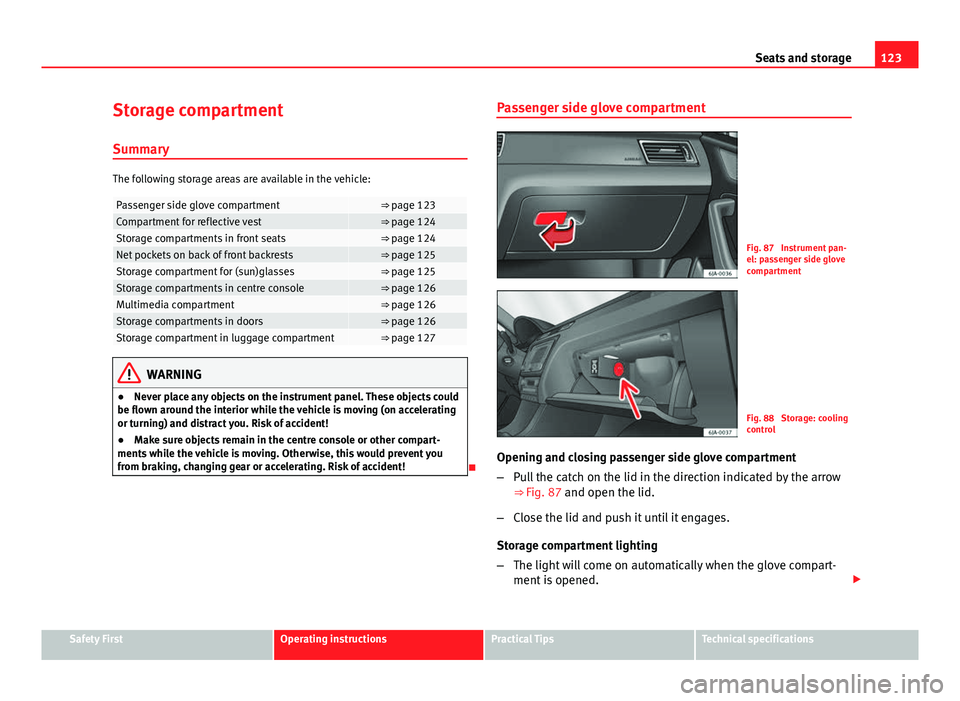
– Pull the catch on the lid in the direction indicated by the arrow
⇒
Fig. 87 and open the lid.
– Close the lid and push it until it engages.
Storage compartment lighting
– The light will come on automatically when the glove compart-
ment is opened.
Safety FirstOperating instructionsPractical TipsTechnical specifications
Page 126 of 258
124Seats and storage
–The light will go out when the glove compartment is closed.
Glove compartment cooling*
Open or close the air outlet by turning the thumbwheel ⇒ Fig. 88.
If the air outlet is open and the air conditioning is on, the cooled air will be
released into the glove compartment.
If the air outlet is open and the air conditioning is off, outdoor air (not con-
ditioned) will be released into the glove compartment.
The air outlet should be closed if the air conditioning is being used in heat-
ing mode or where glove compartment cooling is not in use.
WARNING
For safety reasons, all storage compartments must be closed while the
vehicle is moving.
Note
A maximum 1 litre bottle can be stored in the glove compartment. Compartment for reflective vest
Fig. 89 Driver seat: stor-
age compartment
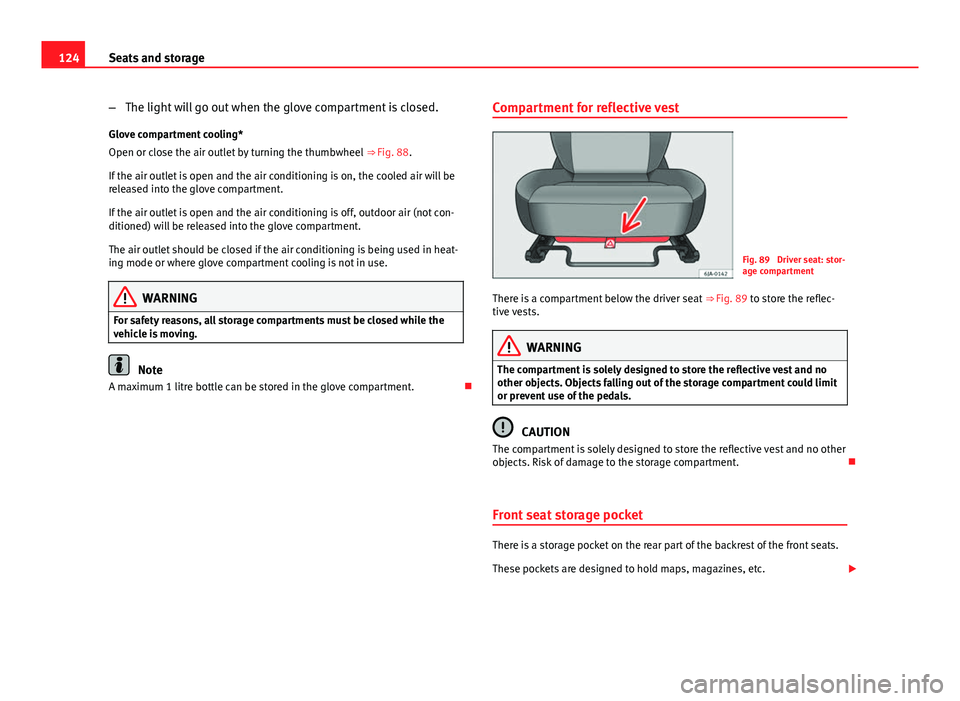
There is a compartment below the driver seat ⇒ Fig. 89 to store the reflec-
tive vests.
WARNING
The compartment is solely designed to store the reflective vest and no
other objects. Objects falling out of the storage compartment could limit
or prevent use of the pedals.
CAUTION
The compartment is solely designed to store the reflective vest and no other
objects. Risk of damage to the storage compartment.
Front seat storage pocket
There is a storage pocket on the rear part of the backrest of the front seats.
These pockets are designed to hold maps, magazines, etc.
Page 127 of 258
125
Seats and storage
WARNING
Do not place heavy objects in the pockets. Risk of injury!
CAUTION
Do not place overly large objects in the pockets (e.g. bottles) or objects with
sharp edges. Risk of damage to the pockets and the upholstery.
Net pockets on back of front backrests
Fig. 90 Front seats
backrests: net pockets
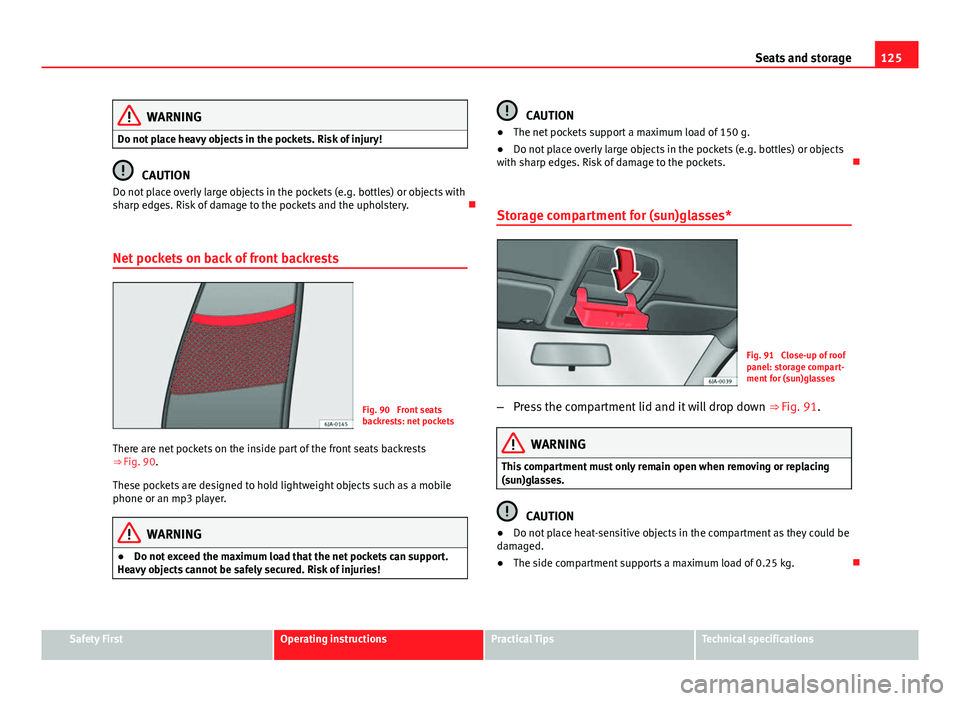
There are net pockets on the inside part of the front seats backrests
⇒ Fig. 90.
These pockets are designed to hold lightweight objects such as a mobile
phone or an mp3 player.
WARNING
● Do not exceed the maximum load that the net pockets can support.
Heavy objects cannot be safely secured. Risk of injuries!
CAUTION
● The net pockets support a maximum load of 150 g.
● Do not place overly large objects in the pockets (e.g. bottles) or objects
with sharp edges. Risk of damage to the pockets.
Storage compartment for (sun)glasses*
Fig. 91 Close-up of roof
panel: storage compart-
ment for (sun)glasses
– Press the compartment lid and it will drop down ⇒ Fig. 91.
WARNING
This compartment must only remain open when removing or replacing
(sun)glasses.
CAUTION
● Do not place heat-sensitive objects in the compartment as they could be
damaged.
● The side compartment supports a maximum load of 0.25 kg.
Safety FirstOperating instructionsPractical TipsTechnical specifications
Page 129 of 258
127
Seats and storage
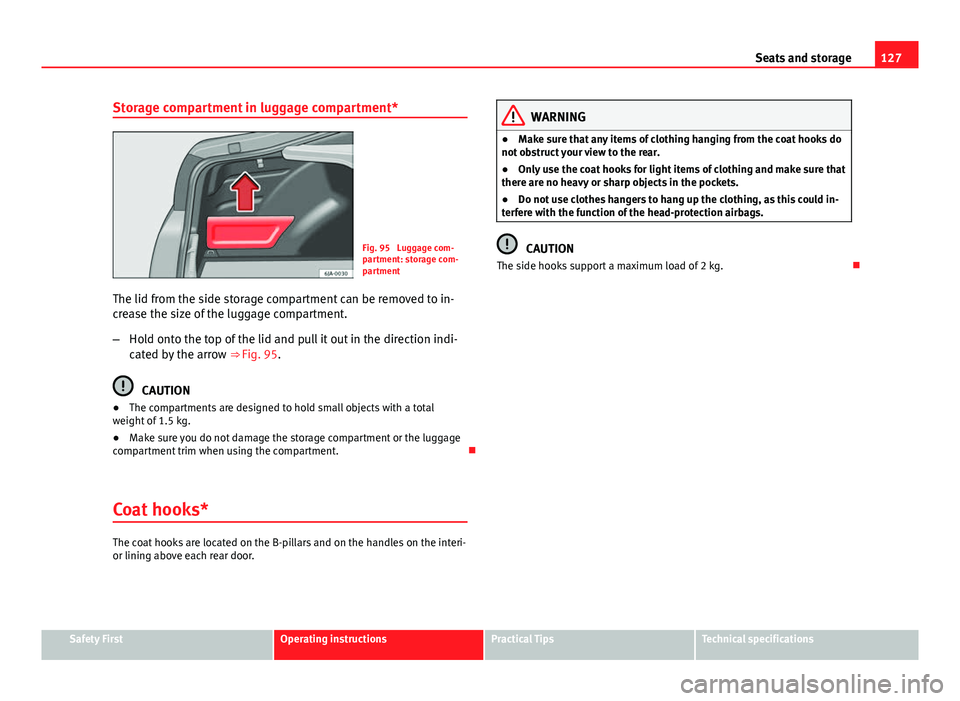
Storage compartment in luggage compartment*
Fig. 95 Luggage com-
partment: storage com-
partment
The lid from the side storage compartment can be removed to in-
crease the size of the luggage compartment.
– Hold onto the top of the lid and pull it out in the direction indi-
cated by the arrow ⇒ Fig. 95.
CAUTION
● The compartments are designed to hold small objects with a total
weight of 1.5 kg.
● Make sure you do not damage the storage compartment or the luggage
compartment trim when using the compartment.
Coat hooks*
The coat hooks are located on the B-pillars and on the handles on the interi-
or lining above each rear door.
WARNING
● Make sure that any items of clothing hanging from the coat hooks do
not obstruct your view to the rear.
● Only use the coat hooks for light items of clothing and make sure that
there are no heavy or sharp objects in the pockets.
● Do not use clothes hangers to hang up the clothing, as this could in-
terfere with the function of the head-protection airbags.
CAUTION
The side hooks support a maximum load of 2 kg.
Safety FirstOperating instructionsPractical TipsTechnical specifications
Page 133 of 258
131
Heating and air conditioning
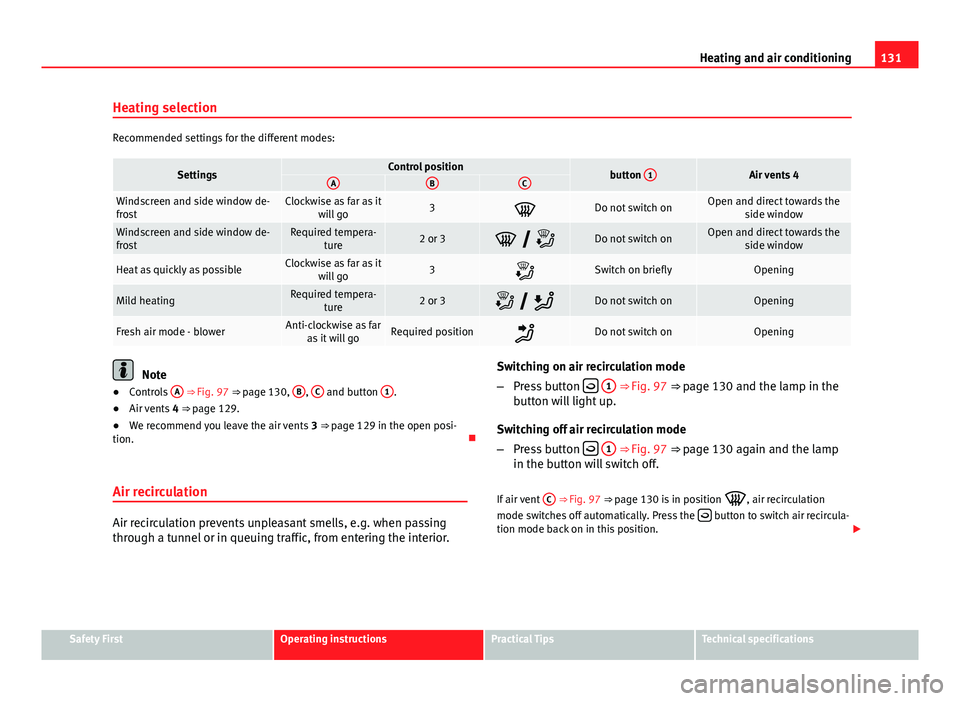
Heating selection
Recommended settings for the different modes:
SettingsControl positionbutton 1Air vents 4ABC
Windscreen and side window de-
frostClockwise as far as it
will go3Do not switch onOpen and direct towards the side window
Windscreen and side window de-
frostRequired tempera-ture2 or 3 Do not switch onOpen and direct towards the side window
Heat as quickly as possibleClockwise as far as itwill go3Switch on brieflyOpening
Mild heatingRequired tempera- ture2 or 3 Do not switch onOpening
Fresh air mode - blowerAnti-clockwise as faras it will goRequired positionDo not switch onOpening
Note
● Controls A ⇒ Fig. 97 ⇒ page 130, B, C and button 1.
● Air vents 4 ⇒ page 129.
● We recommend you leave the air vents 3 ⇒ page 129 in the open posi-
tion.
Air recirculation
Air recirculation prevents unpleasant smells, e.g. when passing
through a tunnel or in queuing traffic, from entering the interior. Switching on air recirculation mode
–
Press button
1 ⇒ Fig. 97 ⇒ page 130 and the lamp in the
button will light up.
Switching off air recirculation mode
– Press button
1 ⇒ Fig. 97 ⇒ page 130 again and the lamp
in the button will switch off.
If air vent C
⇒ Fig. 97 ⇒
page 130 is in position
, air recirculation
mode switches off automatically. Press the button to switch air recircula-
tion mode back on in this position.
Safety FirstOperating instructionsPractical TipsTechnical specifications
Page 135 of 258
133
Heating and air conditioning
Switching cooling on and off
– Press button A/C
2 ⇒ Fig. 98 and the lamp in the button will
light up.
– Press the A/C
2 button again and the LED in the button will
switch off.
Note
● If the air distribution is directed towards the windows, all, of the heating
power is used to defrost the windscreen. No warm air is directed to the foot-
well area. This could limit heating comfort.
● The A/C
button lamp lights up after the system has been switched on,
even if not all of the conditions for cooling system operations are met. Cool-
ing is indicated as available once all of the conditions are met ⇒ page 132,
General notes.
Safety FirstOperating instructionsPractical TipsTechnical specifications
Page 136 of 258
134Heating and air conditioning
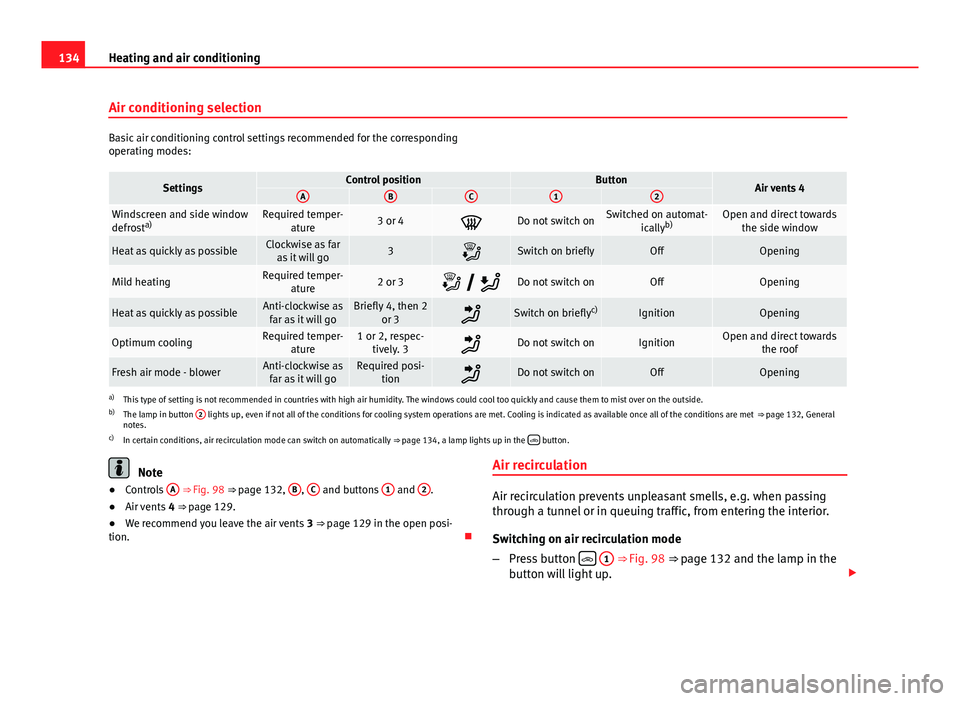
Air conditioning selection
Basic air conditioning control settings recommended for the corresponding
operating modes:
SettingsControl positionButtonAir vents 4ABC12
Windscreen and side window
defrosta)Required temper-
ature3 or 4Do not switch onSwitched on automat- icallyb)Open and direct towards
the side window
Heat as quickly as possibleClockwise as faras it will go3Switch on brieflyOffOpening
Mild heatingRequired temper- ature2 or 3 Do not switch onOffOpening
Heat as quickly as possibleAnti-clockwise as
far as it will goBriefly 4, then 2 or 3Switch on briefly c)IgnitionOpening
Optimum coolingRequired temper-
ature1 or 2, respec-tively. 3Do not switch onIgnitionOpen and direct towards the roof
Fresh air mode - blowerAnti-clockwise asfar as it will goRequired posi- tionDo not switch onOffOpening
a)This type of setting is not recommended in countries with high air humidity. The windows could cool too quickly and cause them to mist over on the outside.
b) The lamp in button 2 lights up, even if not all of the conditions for cooling system operations are met. Cooling is indicated as available once all of the conditions are met
⇒ page 132, General
notes.
c) In certain conditions, air recirculation mode can switch on automatically ⇒ page 134, a lamp lights up in the
button.
Note
● Controls A ⇒ Fig. 98 ⇒ page 132, B, C and buttons 1 and 2.
● Air vents 4 ⇒ page 129.
● We recommend you leave the air vents 3 ⇒ page 129 in the open posi-
tion. Air recirculationAir recirculation prevents unpleasant smells, e.g. when passing
through a tunnel or in queuing traffic, from entering the interior.
Switching on air recirculation mode
–
Press button
1 ⇒ Fig. 98 ⇒ page 132 and the lamp in the
button will light up.
Page 137 of 258
135
Heating and air conditioning
Switching off air recirculation mode
– Press button
1 ⇒ Fig. 98 ⇒ page 132 again and the lamp
in the button will switch off.
If air distribution control C
⇒ Fig. 98 ⇒
page 132 is in position , air recir-
culation mode switches off automatically Press the button to switch air
recirculation mode back on in this position.
WARNING
Never use the air recirculation system for too long, as it prevents fresh air
from entering the vehicle and “used” air can cause tiredness, reduce your
attention span and cause the windows to mist over. This increases the
risk of an accident. Switch off the air recirculation system as soon as the
windows begin to mist over.
Climatronic* (automatic air conditioning) General notes
Climatronic automatically maintains a comfortable temperature. To do so, it
automatically regulates the supplied air temperature and the blower and air
distribution levels. The system also allows for the effect of sunlight, so there
is no need for manual adjustment. Automatic operations ⇒ page 136 guar-
antee maximum comfort any time of year.
Climatronic description
Cooling only works if the following conditions are met:
● The engine is running
● the outside temperature is above +2 °C (+36 °F)
● AC
18 ⇒ Fig. 99 ⇒ page 136 on. In order to ensure engines subject to heavy loads are cooled, the air condi-
tioning compressor is switched off in the event of high coolant tempera-
tures.
Recommended setting for all seasons
●
Set the required temperature, we recommend +22 °C (72 °F).
● Press the AUTO
button 12 ⇒
Fig. 99 ⇒ page 136.
● Adjust vents 3 ⇒ page 129 and 4 so that the air flow is directed slightly
upwards.
Change between degrees Centigrade and degrees Fahrenheit
Keep the AUTO
and AC buttons
⇒ Fig. 99 ⇒ page 136 pressed down at the
same time. The data is displayed on the screen in the units required.
Note
A visit to the specialised service once a year is recommended to clean the
Climatronic system.
Safety FirstOperating instructionsPractical TipsTechnical specifications
Page 138 of 258

136Heating and air conditioning
Controls
Fig. 99 Climatronic: controls
Buttons/controls
Interior temperature setting
Display Selected interior temperature
Degrees Centigrade or Fahrenheit
Automatic air conditioning mode
Defrost or demist windscreen
Air flow direction
Air recirculation
Cooling on/off
Selected blower speed
Buttons/controls Set blower speed
Interior temperature sensor
1
23456789
1011
Automatic mode
Defrost or demist windscreen
Air distribution to windows
Air distribution to upper body
Air distribution to footwells
Air recirculation
Cooling on/off
Note
The interior temperature sensor 11 ⇒ Fig. 99 ⇒
page 136 is at the bottom.
Do not cover it with stickers or the like, as this could have a negative effect
on Climatronic operations.
Automatic mode
Automatic mode is used to maintain a constant temperature and
demist the windows inside the vehicle.
Switching on automatic mode
– Adjust to temperatures from +18 °C (+64 °F) to +29 °C (+84 °F).
– Adjust vents 3 ⇒ page 129 and 4 so that the air flow is directed
slightly upwards.
– Press the AUTO
button 12 ⇒
Fig. 99 and AUTO displayed on the
screen.
Automatic mode is switched off by pressing the air distribution buttons or
increasing or decreasing the blower speed. However, the temperature re-
mains regulated.
12
131415161718