headlight Seat Toledo 2015 User Guide
[x] Cancel search | Manufacturer: SEAT, Model Year: 2015, Model line: Toledo, Model: Seat Toledo 2015Pages: 248, PDF Size: 5.06 MB
Page 103 of 248
Instruments and warning lamps
Report No.: electronic stability
control (ESC)
or Report No.: Traction control
system (ASR)
Go t o a t
ec
hnical service.
Further information ››› page 167, Electronic
stability control (ESC) .Note
If the battery is disconnected and connected
again, the y
ellow warning lamp lights up
when the ignition is switched on. This warn-
ing lamp must switch off after covering a
short distance. Traction control system (ASR)*
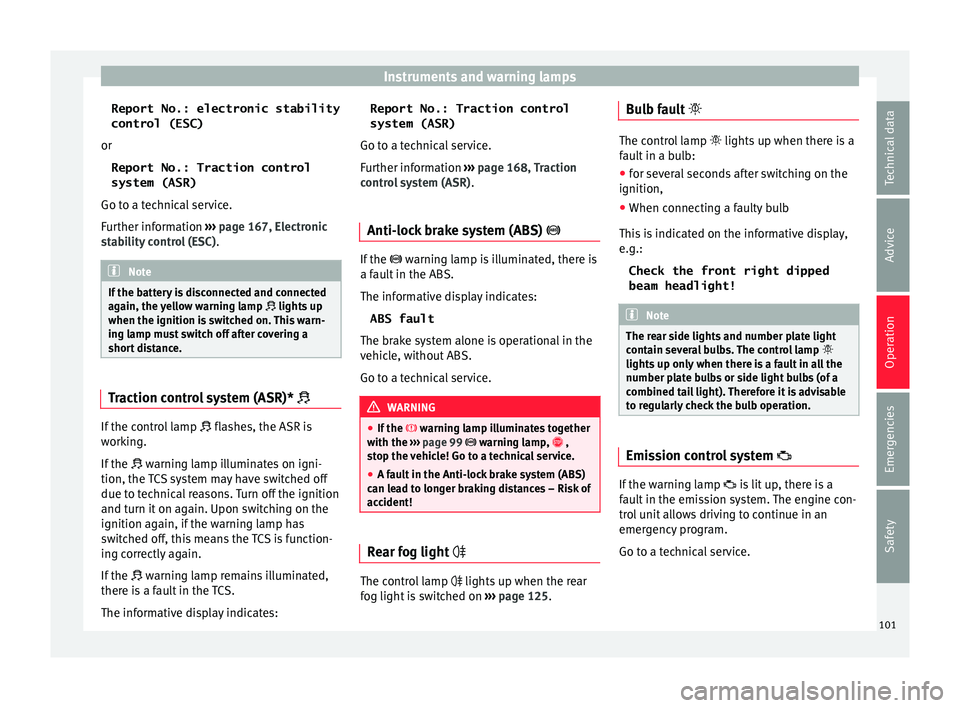
If the control lamp
fla
she
s, the ASR is
working.
If the warning lamp illuminates on igni-
tion, the TCS system may have switched off
due to technical reasons. Turn off the ignition
and turn it on again. Upon switching on the
ignition again, if the warning lamp has
switched off, this means the TCS is function-
ing correctly again.
If the warning lamp remains illuminated,
there is a fault in the TCS.
The informative display indicates: Report No.: Traction control
system (ASR)
Go to a tec
hnical service.
Further information ››› page 168, Traction
control system (ASR) .
Anti-lock brake system (ABS) If the
warning lamp is illuminated, there is
a f au
lt in the ABS.
The informative display indicates: ABS fault
The brake system alone is operational in the
vehicle, without ABS.
Go to a technical service. WARNING
● If the w
arning lamp illuminates together
with the ››› page 99 warning lamp, ,
stop the vehicle! Go to a technical service.
● A fault in the Anti-lock brake system (ABS)
can le
ad to longer braking distances – Risk of
accident! Rear fog light
The control lamp
lights up when the r
e
ar
fog light is switched on ›››
page 125. Bulb fault
The control lamp
lights up when ther e i
s a
fault in a bulb:
● for several seconds after switching on the
ignition,
● When connecting a faulty bulb
This i
s indicated on the informative display,
e.g.:
Check the front right dipped
beam headlight! Note
The rear side lights and number plate light
cont ain sev
eral bulbs. The control lamp
lights up only when there is a fault in all the
number plate bulbs or side light bulbs (of a
combined tail light). Therefore it is advisable
to regularly check the bulb operation. Emission control system
If the warning lamp
is
lit
up, there is a
fault in the emission system. The engine con-
trol unit allows driving to continue in an
emergency program.
Go to a technical service.
101
Technical data
Advice
Operation
Emergencies
Safety
Page 106 of 248
Operation
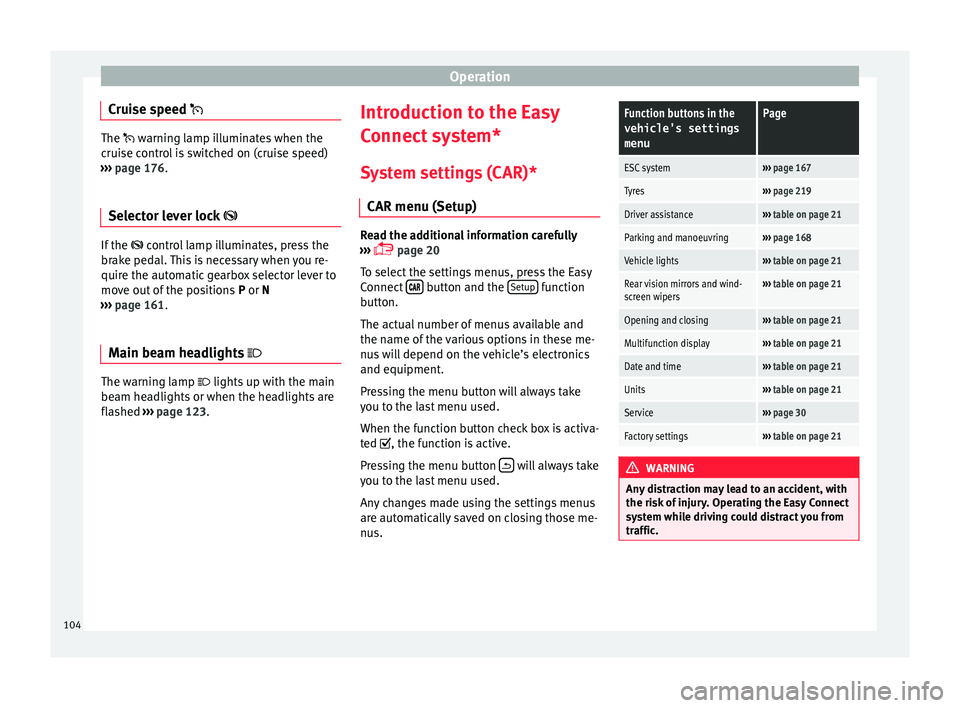
Cruise speed The warning lamp illuminates when the
c
rui
se control is switched on (cruise speed)
››› page 176.
Selector lever lock If the
control lamp illuminates, press the
br ak
e pedal. This is necessary when you re-
quire the automatic gearbox selector lever to
move out of the positions P or N
››› page 161.
Main beam headlights The warning lamp lights
up w
ith the m
ain
beam headlights or when the headlights are
flashed ›››
page 123. Introduction to the Easy
C
onnect
sy
stem*
System settings (CAR)* CAR menu (Setup) Read the additional information carefully
›› ›
page 20
To select the settings menus, press the Easy
Connect button and the
Set
up function
b utt
on.
The act
ual number of menus available and
the name of the various options in these me-
nus will depend on the vehicle’s electronics
and equipment.
Pressing the menu button will always take
you to the last menu used.
When the function button check box is activa-
ted , the function is active.
Pressing the menu button will always take
y ou t
o the l
ast menu used.
Any changes made using the settings menus
are automatically saved on closing those me-
nus.
Function buttons in the vehicle’s settings
menuPage
ESC system››› page 167
Tyres››› page 219
Driver assistance››› table on page 21
Parking and manoeuvring››› page 168
Vehicle lights››› table on page 21
Rear vision mirrors and wind-
screen wipers››› table on page 21
Opening and closing››› table on page 21
Multifunction display››› table on page 21
Date and time››› table on page 21
Units››› table on page 21
Service››› page 30
Factory settings››› table on page 21 WARNING
Any distraction may lead to an accident, with
the risk of
injury. Operating the Easy Connect
system while driving could distract you from
traffic. 104
Page 123 of 248
Lights and visibility
If an obstacle is present, the closing mecha-
ni sm w
i
ll stop and the window will roll back a
few centimetres.
If an obstacle prevents closing for the next
10 seconds, the closing mechanism will once
again stop and the window will roll back an-
other few centimetres.
If in the next 10 seconds you attempt to close
the window after it has rolled back the sec-
ond time, only the closing mechanism will be
stopped even if the obstacle is still present.
The roll-back function is still connected.
The roll-back function will only be disconnec-
ted if you once again attempt to close the
window in the following 10 seconds. In this
case, the window will close at full force .
If you wait for a further 10 seconds, the roll-
back function will be once again connected. Lights and visibility
Light s
Intr oduction Read the additional information carefully
›› ›
page 18
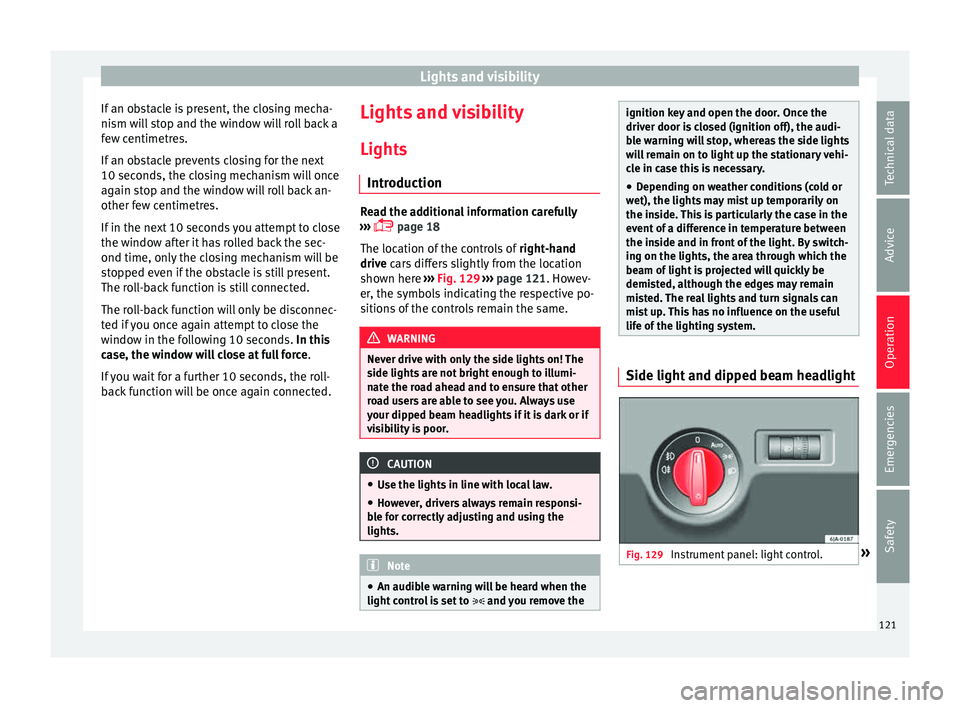
The location of the controls of right-hand
drive cars differs slightly from the location
shown here ››› Fig. 129 ››› page 121. Howev-
er, the symbols indicating the respective po-
sitions of the controls remain the same. WARNING
Never drive with only the side lights on! The
side light s
are not bright enough to illumi-
nate the road ahead and to ensure that other
road users are able to see you. Always use
your dipped beam headlights if it is dark or if
visibility is poor. CAUTION
● Use the light s
in line with local law.
● However, drivers always remain responsi-
ble f
or correctly adjusting and using the
lights. Note
● An audibl e w
arning will be heard when the
light control is set to and you remove the ignition key and open the door. Once the
driver door i
s
closed (ignition off), the audi-
ble warning will stop, whereas the side lights
will remain on to light up the stationary vehi-
cle in case this is necessary.
● Depending on weather conditions (cold or
wet), the lights
may mist up temporarily on
the inside. This is particularly the case in the
event of a difference in temperature between
the inside and in front of the light. By switch-
ing on the lights, the area through which the
beam of light is projected will quickly be
demisted, although the edges may remain
misted. The real lights and turn signals can
mist up. This has no influence on the useful
life of the lighting system. Side light and dipped beam headlight
Fig. 129
Instrument panel: light control. » 121Technical data
Advice
Operation
Emergencies
Safety
Page 124 of 248
Operation
Switching on side lights – Turn the light switch ››
› Fig. 129 to position
.
Switching on dipped beam
– Turn the light switch ›››
Fig. 129 to position
.
Switching off lights (except daytime driving
lights) – Turn the light switch ›››
Fig. 129 to position
0.
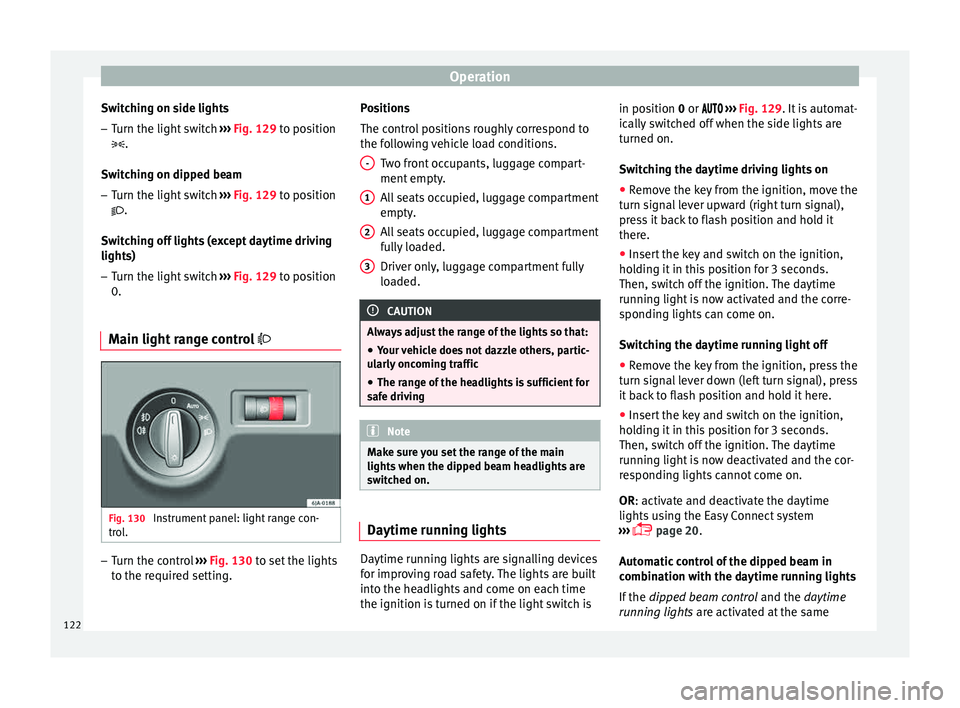
Main light range control Fig. 130
Instrument panel: light range con-
tr o
l
. –
Turn the control ››
›
Fig. 130 to set the lights
to the required setting. Positions
The contro
l positions roughly correspond to
the following vehicle load conditions.
Two front occupants, luggage compart-
ment empty.
All seats occupied, luggage compartment
empty.
All seats occupied, luggage compartment
fully loaded.
Driver only, luggage compartment fully
loaded. CAUTION
Always adjust the range of the lights so that:
● Your vehicle does not dazzle others, partic-
ul arly
oncoming traffic
● The range of the headlights is sufficient for
safe driv
ing Note
Make sure you set the range of the main
lights when the dip
ped beam headlights are
switched on. Daytime running lights
Daytime running lights are signalling devices
f
or impr o
ving road safety. The lights are built
into the headlights and come on each time
the ignition is turned on if the light switch is - 1
2
3 in position 0 or
›
›
› Fig. 129. It is automat-
ically switched off when the side lights are
turned on.
Switching the daytime driving lights on
● Remove the key from the ignition, move the
turn sign
al lever upward (right turn signal),
press it back to flash position and hold it
there.
● Insert the key and switch on the ignition,
holdin
g it in this position for 3 seconds.
Then, switch off the ignition. The daytime
running light is now activated and the corre-
sponding lights can come on.
Switching the daytime running light off
● Remove the key from the ignition, press the
turn sign
al lever down (left turn signal), press
it back to flash position and hold it here.
● Insert the key and switch on the ignition,
holdin
g it in this position for 3 seconds.
Then, switch off the ignition. The daytime
running light is now deactivated and the cor-
responding lights cannot come on.
OR: activate and deactivate the daytime
lights using the Easy Connect system
››› page 20.
Automatic control of the dipped beam in
combination with the daytime running lights
If the dipped beam control and the daytime
running lights are activated at the same
122
Page 125 of 248
Lights and visibility
time, the dipped beams and the instrument
p anel
lightin
g will automatically come on as
required (e.g. when entering a tunnel) and
the daytime running lights will switch off.
When the automatic dipped beam control
switches off the dipped beams (e.g. when
coming out of a tunnel), the daytime running
lights come back on. WARNING
The rear lights do not come on with the day-
time drivin g light
. A vehicle which does not
have the rear lights on may not be visible to
other drivers in the darkness, if it is raining
or in conditions of poor visibility. Note
Please observe any relevant legal require-
ments whic
h may apply in your country. Turn signal and main beam lever
Fig. 131
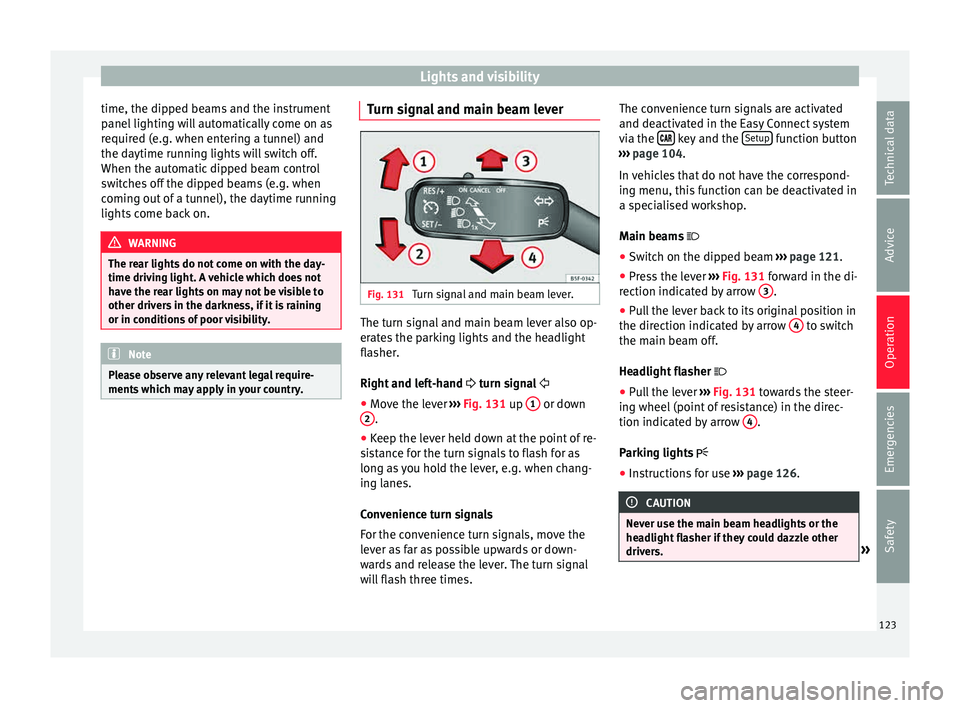
Turn signal and main beam lever. The turn signal and main beam lever also op-
er
at
e
s the parking lights and the headlight
flasher.
Right and left-hand turn signal
● Move the lever ›››
Fig. 131 up 1 or down
2 .
● Keep the lever held down at the point of re-
s i
s
tance for the turn signals to flash for as
long as you hold the lever, e.g. when chang-
ing lanes.
Convenience turn signals
For the convenience turn signals, move the
lever as far as possible upwards or down-
wards and release the lever. The turn signal
will flash three times. The convenience turn signals are activated
and deactivat
ed in the Easy Connect system
via the key and the
Set
up function button
› ›
›
page 104.
In vehicles that do not have the correspond-
ing menu, this function can be deactivated in
a specialised workshop.
Main beams
● Switch on the dipped beam ›››
page 121.
● Press the lever ›››
Fig. 131 forward in the di-
rection indicated by arrow 3 .
● Pull the lever back to its original position in
the dir ection indic
at
ed by arrow 4 to switch
the m ain be
am off
.
Headlight flasher
● Pull the lever ›››
Fig. 131 towards the steer-
ing wheel (point of resistance) in the direc-
tion indicated by arrow 4 .
P ark
in
g lights
● Instructions for use ›››
page 126. CAUTION
Never use the main beam headlights or the
hea dlight
flasher if they could dazzle other
drivers. » 123
Technical data
Advice
Operation
Emergencies
Safety
Page 126 of 248
Operation
Note
● If the c on
venience turn signals are operat-
ing (three flashes) and the other convenience
turn signals are switched on, the active part
stops flashing and only flashes once in the
new part selected.
● The turn signals only work when the igni-
tion is sw
itched on. The corresponding warn-
ing lamp or flashes in the general instru-
ment panel.
● The turn signals switch off automatically
when the steerin
g wheel is returned to the
straight-ahead position.
● If a turn signal bulb is defective, the control
lamp fla
shes at double speed. Automatic dipped beam control
If the light switch is in this position
› ›
› Fig. 129, the side lights, headlights and
the number plate lights will turn on or off au-
tomatically.
The light is adjusted according to the data re-
corded by the light sensor that is installed
between the windscreen and the inside rear
view mirror.
If the light switch is in position , the sym-
bol located next to the light switch will il-
luminate. If the light illuminates automatical-
ly, symbol located next to the light switch
will also illuminate. Automatic headlights in case of rain
If the light sw
itch is in position and is
connected to the automatic wipe in case of
rain for more than 10 seconds or wipe (posi-
tion 2 or
3 ) for longer than 15 seconds,
› ›
›
page 129 then the side lights and head-
lights will automatically switch on.
The light automatically switches off if more
than 4 minutes have elapsed and the auto-
matic wipe or wipe (position 2 or
3 ) have
not been sw
it
ched on. CAUTION
Do not cover the windscreen light sensor with
stic k
ers or similar objects; this could impair
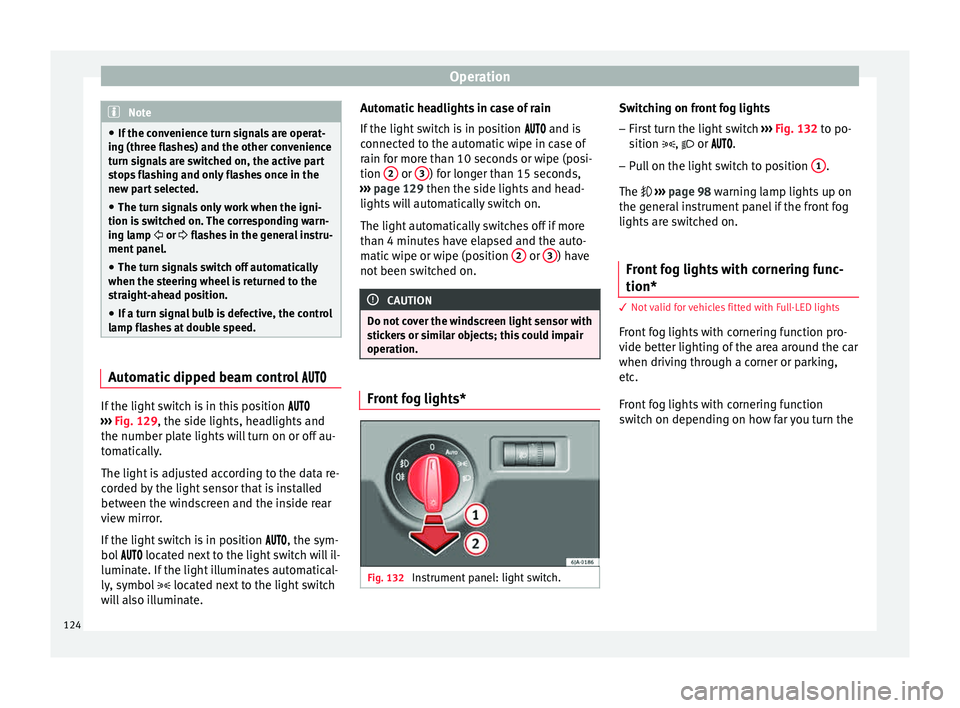
operation. Front fog lights*
Fig. 132
Instrument panel: light switch. Switching on front fog lights
– First turn the light switch ›
››
Fig. 132 to po-
sition , or .
– Pull on the light switch to position 1 .
The ››
›
page 98 warning lamp lights up on
the general instrument panel if the front fog
lights are switched on.
Front fog lights with cornering func-
tion* 3 Not
valid for vehicles fitted with Full-LED lights
Fr
ont fog lights with cornering function pro-
vide better lighting of the area around the car
when driving through a corner or parking,
etc.
Front fog lights with cornering function
switch on depending on how far you turn the
124
Page 127 of 248
Lights and visibility
steering wheel or whether or not the turn sig-
n al
s1)
ar
e switched on, if the following condi-
tions are met:
● The vehicle is stationary, the ignition is
switc
hed on or you are moving at a speed of
less than 40 km/h (25 mph);
● The daytime driving light is switched off
● The dipped beam is switched on
● The fog lights are switched off
● Reverse gear is not engaged
Rear fog light Switching on the rear fog light
– First turn the light switch ››
›
Fig. 132
››› page 124 to position , or .
– Pull on the light switch to position 2 .
If the
v
ehicle is not equipped with front fog
lights ››› page 124, the rear fog light is
switched on by turning the switch to position
or and pulling it to position 2 . This
type of sw
it
ch only has one position.
The ›››
page 98 warning lamp lights up on
the general instrument panel if the rear fog
lights are switched on. If you are towing a trailer or caravan equip-
ped with a re
ar fog light on a vehicle with a
factory-fitted towing bracket or one installed
using parts from the original SEAT parts
catalogue, only the rear fog light on the trail-
er or caravan will light up.
Function “Coming Home”/“Leaving
Home”* This function makes it possible, under poor
v
i
s
ibility conditions, to automatically turn on
the lights for a brief period of time after the
vehicle has been parked or when approach-
ing the vehicle.
The function is automatically turned on if the
following conditions are met:
● The light switch is in position
››
› page 124.
● The visibility around the vehicle is reduced.
● The ignition is switched off.
To turn on thi
s function, switch on the head-
light flasher prior to exiting the vehicle.
The light is adjusted according to the data re-
corded by the light sensor that is installed between the windscreen and the inside rear
view mirror
.
The function automatically turns on the side
lights and headlights, the lighting for the en-
try area on the exterior mirrors and the num-
ber plate light.
“Coming Home” function
The light is automatically switched on when
the driver door is opened (for 60 seconds af-
ter the ignition is switched off).
The lights is switched off when all the doors
and the boot lid are closed.
If a door or the boot lid remains open, the
light will switch off after 60 seconds.
“Leaving Home” function
The light is automatically switched on when
the vehicle is unlocked using the remote con-
trol.
The light is switched off after 10 seconds or
when the vehicle is locked. 1)
In the event of a conflict between both functions,
i.e. if
you turn the steering wheel to the left while the
right-hand turn signal is on, the turn signals will take
priority. 125
Technical data
Advice
Operation
Emergencies
Safety
Page 128 of 248
Operation
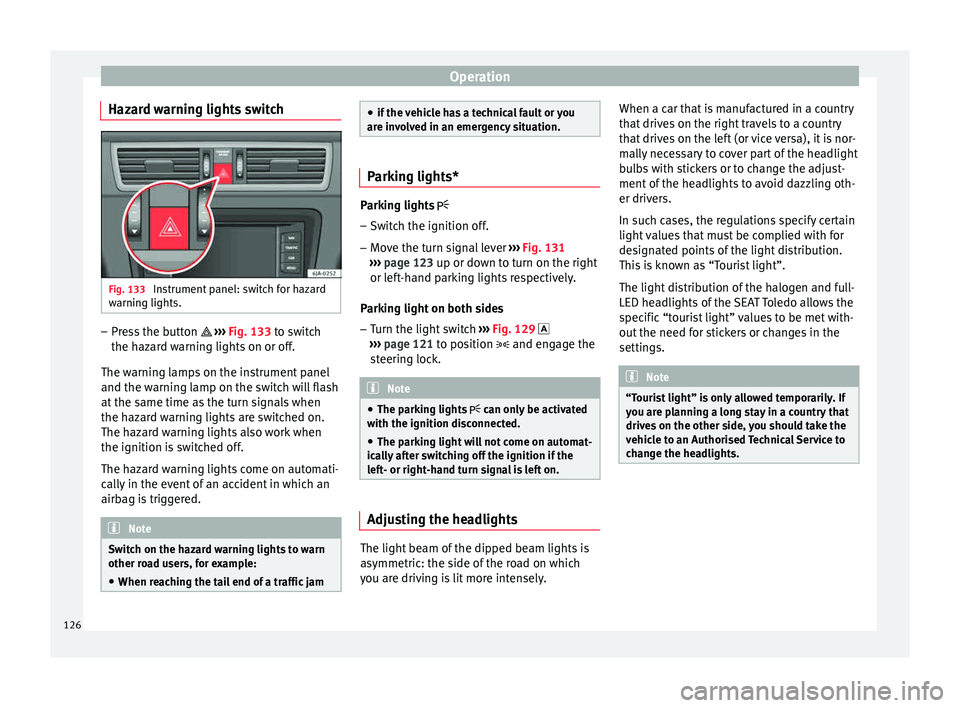
Hazard warning lights switch Fig. 133
Instrument panel: switch for hazard
w arnin
g lights. –
Press the button ››
›
Fig. 133 to switch
the hazard warning lights on or off.
The warning lamps on the instrument panel
and the warning lamp on the switch will flash
at the same time as the turn signals when
the hazard warning lights are switched on.
The hazard warning lights also work when
the ignition is switched off.
The hazard warning lights come on automati-
cally in the event of an accident in which an
airbag is triggered. Note
Switch on the hazard warning lights to warn
other ro a
d users, for example:
● When reaching the tail end of a traffic jam ●
if the v
ehicle has a technical fault or you
are involved in an emergency situation. Parking lights*
Parking lights
– Switch the ignition off.
– Move the turn signal lever ›››
Fig. 131
››› page 123 up or down to turn on the right
or left-hand parking lights respectively.
Parking light on both sides
– Turn the light switch ›››
Fig. 129
››› page 121 to position and engage the
steering lock. Note
● The park in
g lights can only be activated
with the ignition disconnected.
● The parking light will not come on automat-
ical
ly after switching off the ignition if the
left- or right-hand turn signal is left on. Adjusting the headlights
The light beam of the dipped beam lights is
a
symmetric: the s
ide of
the road on which
you are driving is lit more intensely. When a car that is manufactured in a country
that driv
es on the right travels to a country
that drives on the left (or vice versa), it is nor-
mally necessary to cover part of the headlight
bulbs with stickers or to change the adjust-
ment of the headlights to avoid dazzling oth-
er drivers.
In such cases, the regulations specify certain
light values that must be complied with for
designated points of the light distribution.
This is known as “Tourist light”.
The light distribution of the halogen and full-
LED headlights of the SEAT Toledo allows the
specific “tourist light” values to be met with-
out the need for stickers or changes in the
settings. Note
“Tourist light” is only allowed temporarily. If
you ar e p
lanning a long stay in a country that
drives on the other side, you should take the
vehicle to an Authorised Technical Service to
change the headlights. 126
Page 129 of 248
Lights and visibility
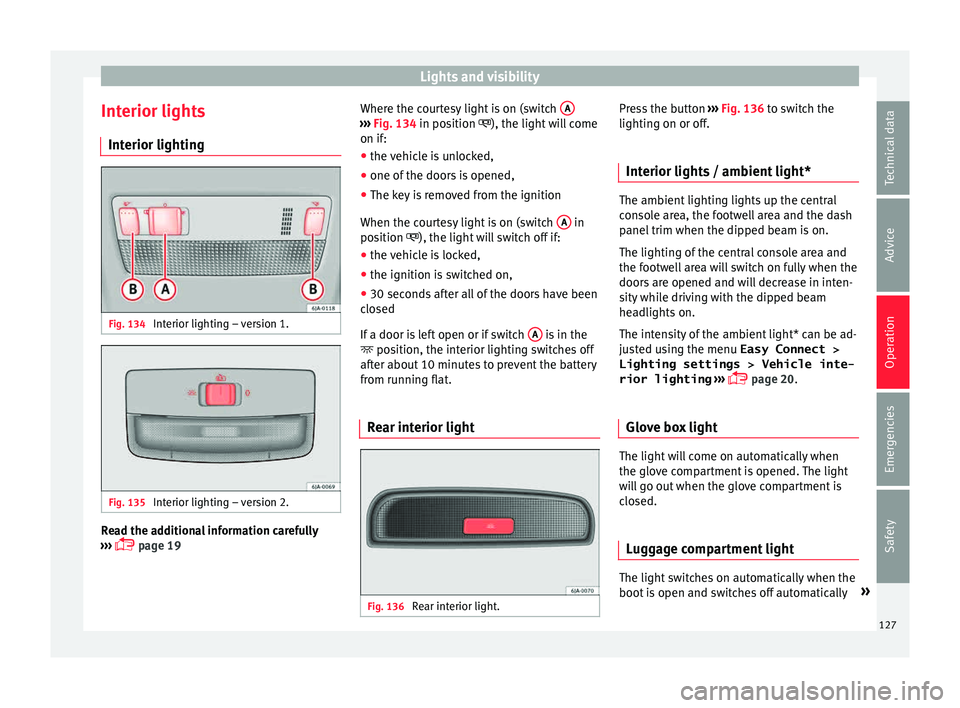
Interior lights Int erior lightin
gFig. 134
Interior lighting – version 1. Fig. 135
Interior lighting – version 2. Read the additional information carefully
› ›
›
page 19 Where the courtesy light is on (switch
A ›››
Fig. 134 in po s
ition
), the light will come
on if:
● the vehicle is unlocked,
● one of the doors is opened,
● The key is removed from the ignition
When the court
esy light is on (switch A in
po s
ition
), the light will switch off if:
● the vehicle is locked,
● the ignition is switched on,
● 30 seconds after all of the doors have been
closed
If
a door is left open or if switch A is in the
po s
ition, the int
erior lighting switches off
after about 10 minutes to prevent the battery
from running flat.
Rear interior light Fig. 136
Rear interior light. Press the button
››
›
Fig. 136 to switch the
lighting on or off.
Interior lights / ambient light* The ambient lighting lights up the central
con
so
le area, the footwell area and the dash
panel trim when the dipped beam is on.
The lighting of the central console area and
the footwell area will switch on fully when the
doors are opened and will decrease in inten-
sity while driving with the dipped beam
headlights on.
The intensity of the ambient light* can be ad-
justed using the menu Easy Connect > Lighting settings > Vehicle inte-
rior lighting ›››
page 20.
Glove box light The light will come on automatically when
the glo
v
e c
ompartment is opened. The light
will go out when the glove compartment is
closed.
Luggage compartment light The light switches on automatically when the
boot
i
s
open and switches off automatically »
127
Technical data
Advice
Operation
Emergencies
Safety
Page 132 of 248
Operation
Slow wipe
– Push the lever up to position 2›››
Fig. 140.
C ontinuou
s
wipe
– Push the lever up to position 3›››
Fig. 140.
Aut om
atic
windscreen wash and wipe
– Pull the lever towards the steering wheel,
position 5
› ››
Fig. 140
, and the w
indscreen
washer and wipers are switched on.
– Release the lever. The washer will stop and
the winds
creen wipers will keep running for
1-3 wipes (depending on the windscreen
washer operating time).
Rear window wiper*
– Press the lever forward to position 6›››
Fig. 140 and the re ar w
indow wiper will
run every 6 seconds.
Automatic rear window wash and wipe* – Press the lever fully forward to position 7›››
Fig. 140 and the re ar w
indow wiper and
washer switch on at the same time.
– Release the lever. The rear window washer
wi l
l stop and the rear window wipers will
keep running for 1-3 wipes (depending on
the jet operating time). When released, the
lever remains in position 6 .Switching off the wipers
– Move the lever to position 0
› ››
Fig. 140
. WARNING
The rain sensor may not detect enough rain
to sw it
ch on the wipers.
● If necessary, switch on the wipers manually
when water on the w
indscreen obstructs visi-
bility. Note
Do not put stickers on the windscreen in front
of the r
ain sensor*. This may cause sensor
disruption or faults. Headlight washers*
The headlight washers operate briefly if the
dip
ped he
a
dlights or headlights are on and
the lever is moved to position 5
› ›
›
Fig. 140.
The headlight washer system also operates
every 10 windscreen wash cycles.
Clean off stubborn dirt (insects, etc.) from the
headlights at regular intervals, for instance
when filling the fuel tank. Please observe the
following indications ›››
page 197, Head-
lights.
To ensure the system works properly in win-
ter, keep the nozzle holders free of snow and
remove any ice with a de-icer spray. CAUTION
Never pull on the nozzle holders. Risk of
dam ag
e to the system! Rear vision mirrors
Re ar
view mirror with manual anti-
dazzle device Basic settings
– Push the lever at the bottom of the mirror
for w
ard.
Rear vision mirror anti-dazzle setting – Pull the lever at the bottom of the mirror to-
ward
s you.
Exterior mirrors Read the additional information carefully
› ›
›
page 13
Before beginning any journey, adjust the rear
view mirrors for a good rear visibility. WARNING
● Con v
ex (wide-angle) rear vision mirrors give
a larger field of vision. However, they make
objects appear smaller and further away than
they really are. For this reason, you should 130