lights Seat Toledo 2015 Workshop Manual
[x] Cancel search | Manufacturer: SEAT, Model Year: 2015, Model line: Toledo, Model: Seat Toledo 2015Pages: 248, PDF Size: 5.06 MB
Page 167 of 248
Driving
ahead. The braking effect achieved in this
w a
y
helps to reduce the wear of brakes and
tyres; emissions and fuel consumption are
reduced to zero (disconnection due to iner-
tia).
Change gear early to save energy
An effective way of saving fuel is to change
up quickly through the gears. Running the
engine at high rpm in the lower gears uses
an unnecessary amount of fuel.
Manual gearbox: shift up from first to second
gear as soon as possible. We recommend
that, whenever possible, you change to a
higher gear upon reaching 2000 rpm. Follow
the “recommended gear” indication that ap-
pears on the instrument panel
››› page 24.
Avoid driving at high speed
We advise you not to drive at the top speed
permitted by the vehicle. Fuel consumption,
exhaust emissions and noise levels all in-
crease very rapidly at higher speeds. Driving
at moderate speeds will help to save fuel.
Avoid idling
It is worthwhile switching off the engine
when waiting in a traffic jam, at level cross-
ings or at traffic lights with a long red phase.
The fuel saved after only 30 - 40 seconds is greater than the amount of fuel needed to re-
star
t the engine.
The engine takes a long time to warm up
when it is idling. Mechanical wear and pollu-
tant emissions are also especially high dur-
ing this initial warm-up phase. It is therefore
best to drive off immediately after starting
the engine. Avoid running the engine at high
speed.
Periodic maintenance
Periodic maintenance work guarantees that,
before beginning a journey, you will not con-
sume more than the required amount of fuel.
A well-serviced engine gives you the benefit
of improved fuel efficiency as well as maxi-
mum reliability and an enhanced resale val-
ue.
A badly serviced engine can consume up to
10% more fuel than necessary.
Avoid short journeys
To reduce the consumption and emission of
polluting exhaust gases, the engine and the
exhaust gas filtration systems should reach
the optimum operating temperature.
With the engine cold, fuel consumption is
proportionally higher. The engine does not
warm up and fuel consumption does not nor-
malise until having driven approximately four
kilometres (2.5 miles). This is why we recom- mend avoiding short trips whenever possi-
ble.
M
aintain the correct tyre pressures
Bear in mind that keeping the tyres at an ad-
equate pressure saves fuel. If the tyre pres-
sure is just one bar (14.5 psi/100 kPa) too
low, fuel consumption can increase by as
much as 5%. Due to the greater rolling resist-
ance, under-inflation also increases tyre wear
wear and impairs handling.
The tyre pressures should always be checked
when the tyres are cold.
Do not use winter tyres all year round as they
increase fuel consumption by up to 10%.
Avoid unnecessary weight
Given that every kilo of extra weight will in-
crease the fuel consumption, it is advisable
to always check the luggage compartment to
make sure that no unnecessary loads are be-
ing transported.
A roof rack is often left in place for the sake
of convenience, even when it is no longer
needed. At a speed of 100 km/h (62 mph)
and 120 km/h (75 mph) your vehicle will use
about 12% more fuel as a result of the extra
wind resistance caused by the roof rack even
when it is not in use. »
165
Technical data
Advice
Operation
Emergencies
Safety
Page 178 of 248
Operation
Side lines: e xt
en sion of the vehicle (the
approximate width of the vehicle plus the
rear view mirrors) on the road surface.
End of the side lines: the area marked in
green ends approximately 2 m behind
the vehicle on the road surface.
Intermediate line: indicates a distance of
approximately 1 m behind the vehicle on
the road surface.
Red horizontal line: indicates a safe dis-
tance of approximately 40 cm at the rear
of the vehicle on the road surface.
Parking manoeuvre
● Place the vehicle in front of the parking
spac
e and engage reverse gear (manual
gearbox) or move the selector to the R posi-
tion (automatic gearbox).
● Reverse slowly, and turn the steering wheel
so that the s
ide orientation lines lead to-
wards the parking space.
● Guide the vehicle into the parking space so
that the s
ide orientation lines run parallel to
it.
cruise speed (Cruise control)*
Introduction Read the additional information carefully
› ››
page 31
1
2
3
4 The cruise control system allows you to drive
at
a c
on
stant speed of 30 km/h (19 mph) or
higher without having to press the accelera-
tor. However, the speed is only maintained
within the margin permitted by the engine
power and the braking effect of the engine.
The warning lamp lights up on the general
instrument panel if cruise control is switched
on. WARNING
● For s af
ety reasons the cruise control sys-
tem must not be used in dense traffic or
where roads conditions are poor (e.g. due to
ice, aquaplaning, loose grit, snow). – Risk of
accident!
● The programmed speed can only be re-es-
tabli
shed if it is not too high for current traf-
fic conditions.
● Always switch the cruise control system off
after u
sing it in order to avoid involuntary
use. CAUTION
● The crui se c
ontrol cannot maintain a con-
stant speed when the vehicle is moving
downhill. The vehicle tends to accelerate un-
der its own weight. Therefore, shift down or
use the brake pedal in good time to slow the
vehicle. Note
● In v ehic
les with an automatic gearbox, the
cruise control system cannot be switched on
if the selector lever is in position P, N or R.
● In vehicles with a manual gearbox, the
cruise c
ontrol cannot be switched on if first
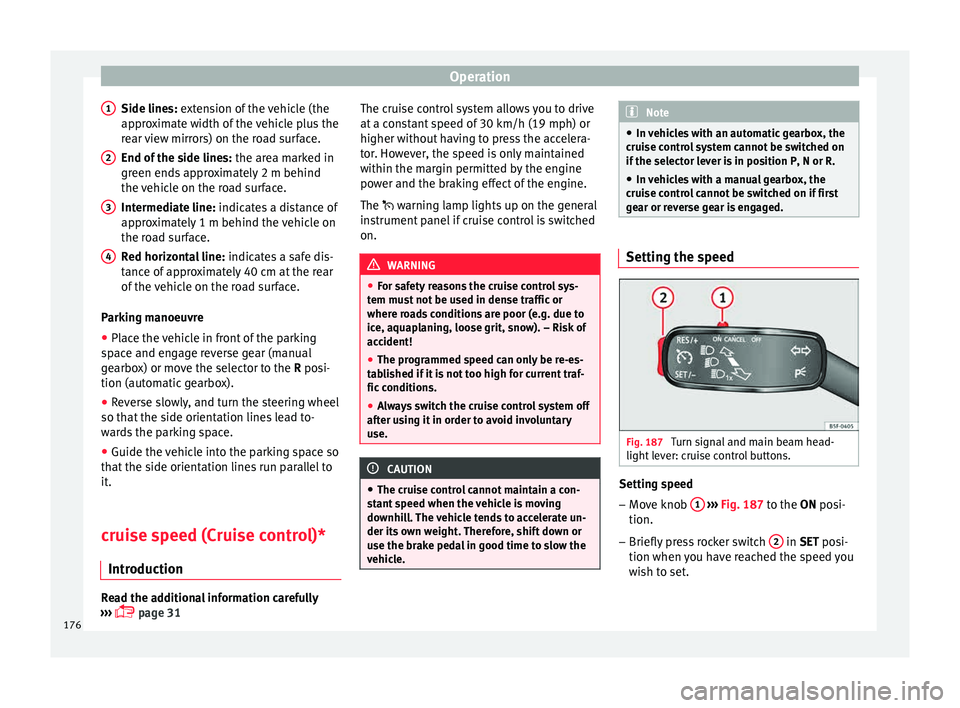
gear or reverse gear is engaged. Setting the speed
Fig. 187
Turn signal and main beam head-
light l
ev
er: cruise control buttons. Setting speed
– Move knob 1
› ›
› Fig. 187
to the ON posi-
tion.
– Briefly press rocker switch 2 in S
ET posi-
tion when y
ou have reached the speed you
wish to set.
176
Page 181 of 248
Driver assistance systems
appear on the instrument panel display
. WARNING
Observe the safety warnings ››› in Warning
and indication l amp
s on page 98. Note
When the Front Assist is connected, the indi-
cation s
on the instrument panel screen may
be concealed by warnings from other func-
tions, such as an incoming call. Radar sensor
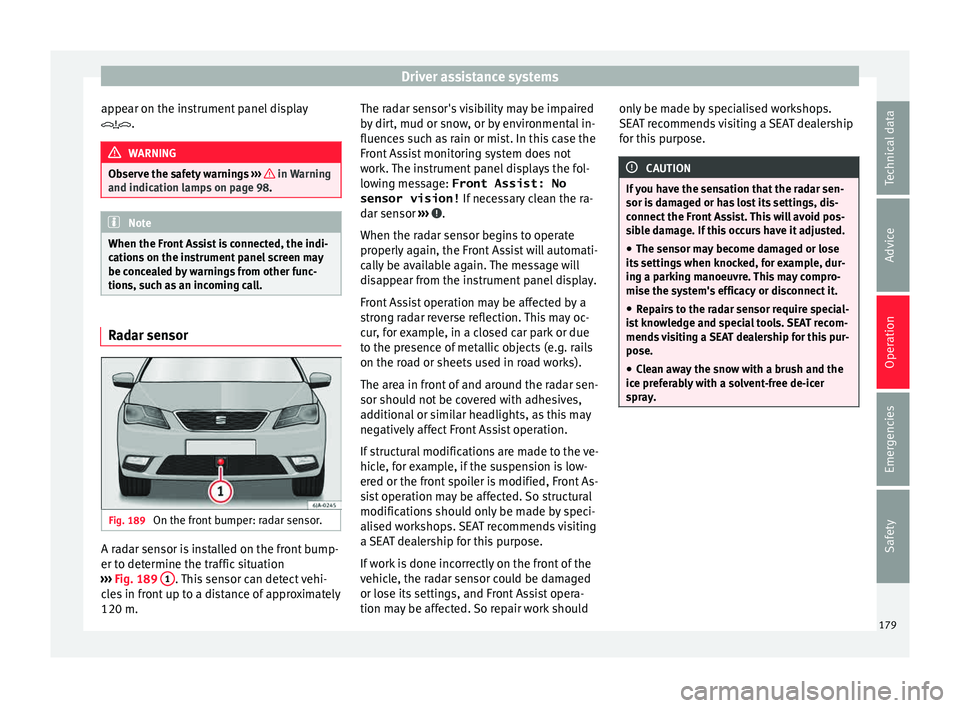
Fig. 189
On the front bumper: radar sensor. A radar sensor is installed on the front bump-
er t
o det
ermine the tr
affic situation
››› Fig. 189 1 . This sensor can detect vehi-
c l
e
s in front up to a distance of approximately
120 m. The radar sensor's visibility may be impaired
by dir
t, mud or snow, or by environmental in-
fluences such as rain or mist. In this case the
Front Assist monitoring system does not
work. The instrument panel displays the fol-
lowing message: Front Assist: No sensor vision! If necessary clean the ra-
dar sensor ››› .
When the r a
d
ar sensor begins to operate
properly again, the Front Assist will automati-
cally be available again. The message will
disappear from the instrument panel display.
Front Assist operation may be affected by a
strong radar reverse reflection. This may oc-
cur, for example, in a closed car park or due
to the presence of metallic objects (e.g. rails
on the road or sheets used in road works).
The area in front of and around the radar sen-
sor should not be covered with adhesives,
additional or similar headlights, as this may
negatively affect Front Assist operation.
If structural modifications are made to the ve-
hicle, for example, if the suspension is low-
ered or the front spoiler is modified, Front As-
sist operation may be affected. So structural
modifications should only be made by speci-
alised workshops. SEAT recommends visiting
a SEAT dealership for this purpose.
If work is done incorrectly on the front of the
vehicle, the radar sensor could be damaged
or lose its settings, and Front Assist opera-
tion may be affected. So repair work should only be made by specialised workshops.
SEAT r
ecommends visiting a SEAT dealership
for this purpose. CAUTION
If you have the sensation that the radar sen-
sor is d
amaged or has lost its settings, dis-
connect the Front Assist. This will avoid pos-
sible damage. If this occurs have it adjusted.
● The sensor may become damaged or lose
its settin
gs when knocked, for example, dur-
ing a parking manoeuvre. This may compro-
mise the system's efficacy or disconnect it.
● Repairs to the radar sensor require special-
ist
knowledge and special tools. SEAT recom-
mends visiting a SEAT dealership for this pur-
pose.
● Clean away the snow with a brush and the
ice pref
erably with a solvent-free de-icer
spray. 179
Technical data
Advice
Operation
Emergencies
Safety
Page 183 of 248
Driver assistance systems
● If it
int
ervenes several times unnecessarily.
● If the radar sensor is covered temporarily
with some kind of
accessory, such as an ad-
ditional headlight or the like.
● When the vehicle is to be loaded on a lorry,
ferry
or train. WARNING
If the Front Assist is not switched off in the
sit uation
s described, serious accidents and
injuries may occur.
● Switch off the Front Assist in critical situa-
tions. System limitations
The Front Assist Monitoring System has cer-
t
ain ph
y
sical limitations inherent in the sys-
tem. Thus, in certain circumstances some of
the system's reactions may be inopportune
or be delayed from the driver's standpoint.
So pay attention in order to intervene if nec-
essary.
The following conditions may cause the Front
Assist Monitoring System not to react or do
so too late:
● On taking tight bends.
● Pressing the accelerator all the way down.
● If the Front Assist is switched off or dam-
aged. ●
If the ASR ha
s been manually disconnec-
ted.
● If the ESC is controlling.
● If several brake lights of the vehicle or elec-
trically
connected trailer are damaged.
● If the radar sensor is dirty or covered.
● If there are metal objects, e.g. rails on the
roa
d or sheets used in road works.
● If the vehicle is reversing.
● If the vehicle over-accelerates.
● In case of snow or heavy rain.
● In case of narrow vehicles, such as motor-
bike
s.
● Misaligned vehicles.
● Vehicles crossing the other's path.
● Vehicles approaching in the opposite direc-
tion.
● Special loads and accessories of other ve-
hicle
s that jut out over the sides, backwards
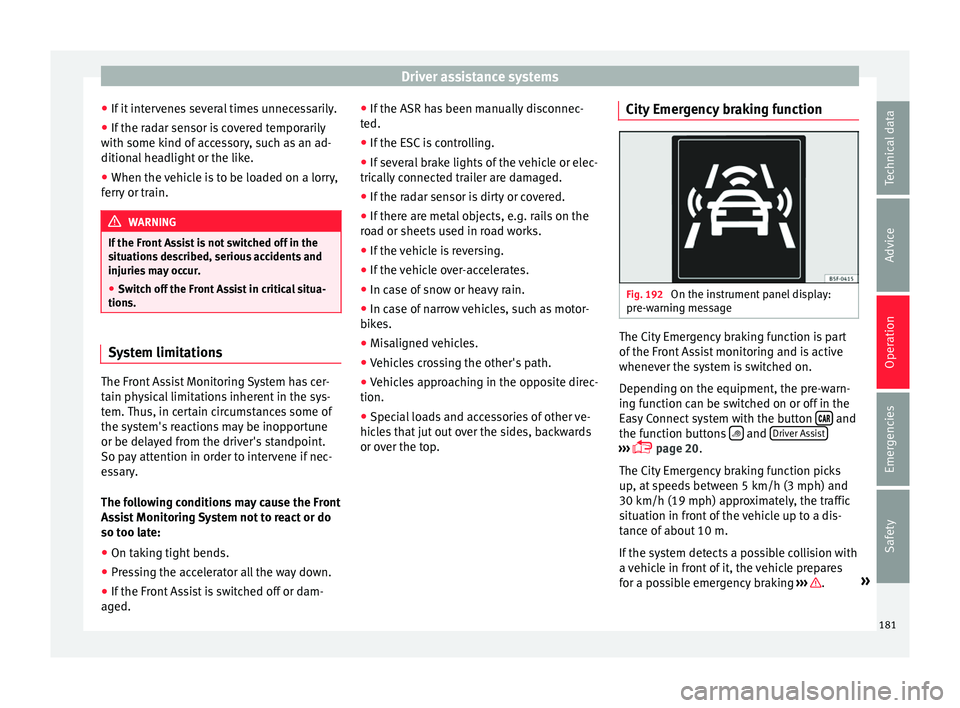
or over the top. City Emergency braking function Fig. 192
On the instrument panel display:
pr e-w
arnin
g message The City Emergency braking function is part
of
the Fr
ont
Assist monitoring and is active
whenever the system is switched on.
Depending on the equipment, the pre-warn-
ing function can be switched on or off in the
Easy Connect system with the button and
the f u
nction b
uttons and
Driv
er As
s ist ›››
pag
e 20.
The C ity Emergency braking function picks
up, at speeds between 5 km/h (3 mph) and
30 km/h (19 mph) approximately, the traffic
situation in front of the vehicle up to a dis-
tance of about 10 m.
If the system detects a possible collision with
a vehicle in front of it, the vehicle prepares
for a possible emergency braking ››› .
»
181
Technical data
Advice
Operation
Emergencies
Safety
Page 184 of 248
Operation
If the driver fails to react to a possible colli-
s ion, the sy
s
tem may brake the vehicle auto-
matically, by progressively increasing braking
effect driving to reduce speed in the event of
a collision. The system can thus help to re-
duce the consequences of an accident.
Status display
Automatic deceleration by means of the City
Emergency braking function is displayed on
the instrument panel by means of the pre-
warning ››› Fig. 192 1)
. WARNING
The smart technology included in the City
Emerg ency
braking function cannot defy the
laws of physics. The driver is always respon-
sible for braking in time.
● Adapt your speed and safe distance to the
vehicl
e in front of you at all times to suit visi-
bility, weather, road and traffic conditions.
● The City Emergency braking function alone
cannot pr
event accidents or serious injury.
● In complex driving situations, the City
Emergency
braking function may issue unnec-
essary warnings and intervene inopportunely
in braking, such as in work areas or if there
are metal rails. ●
If the oper ation of
the City Emergency brak-
ing function is impaired, for example, by dirt
or because the radar sensor has lost its set-
tings, the system may issue unnecessary
warnings and intervene inopportunely in the
braking.
● During driving, the City Emergency braking
function doe
s not react to people or animals
or vehicles crossing your path or which ap-
proach you head-on in the same lane. Note
● When the C ity Emer
gency braking function
causes a braking, the brake pedal is “hard-
er”.
● Automatic interventions on the brakes by
the City Emer
gency braking function may be
interrupted by pressing the clutch, accelera-
tor or moving the wheel.
● The City Emergency braking function can
brake the
vehicle until it stops completely.
However, the brake system does not halt the
vehicle permanently. Use the foot brake!
● If several inopportune intervenes occur,
switc
h off the Front Assist and with it the City
Emergency braking function. Take it to a spe-
cialised workshop, SEAT recommends visiting
a SEAT dealership. ●
If numer ou
s unnecessary interventions oc-
cur, the City Emergency braking function may
switch off automatically. Start-Stop System*
Operatin g Fig. 193
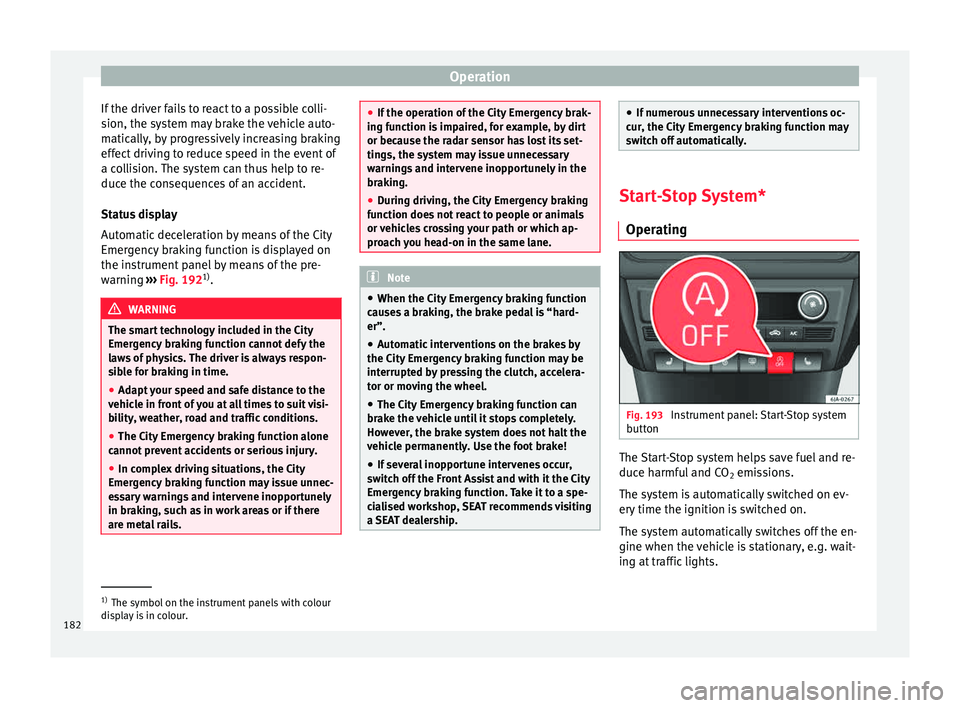
Instrument panel: Start-Stop system
b utt
on The Start-Stop system helps save fuel and re-
duc
e h
armf
ul and CO2 emissions.
The system is automatically switched on ev-
ery time the ignition is switched on.
The system automatically switches off the en-
gine when the vehicle is stationary, e.g. wait-
ing at traffic lights. 1)
The symbol on the instrument panels with colour
dis p
lay is in colour.
182
Page 188 of 248
Operation
Trailer weight Trailer weight
The comb
ined
vehicle and trailer must be
balanced. To do so use the maximum permit-
ted towing bracket load. An insufficient
weight exerted by the trailer drawbar on the
ball joint of the towing bracket will have a
negative impact upon the response of the ve-
hicle-trailer assembly on the road.
Weight distribution
Distribute loads in the trailer so that heavy
objects are as near to the axle as possible.
Ensure that the objects do not move.
If the towing vehicle is empty and the trailer
loaded then the load distribution is incorrect.
However, if these conditions cannot be avoi-
ded, drive very slowly.
Tyre pressure values
Correct the tyre pressure in your vehicle to
“total load” ›››
page 216, Useful life of tyres .
Trailer weight
Never exceed the authorised trailer weight
under any circumstances ›››
page 221, Tech-
nical specifications .
The trailer weights listed are only applicable
for altitudes up to 1000 m above sea level.
Due to lower air density, engine power de-
creases depending on the increase in alti- tude, this also reduces climbing ability,
which r
equir
es a reduction of the weight of
the vehicle with a trailer by 10% for every
1000 m increase in altitude. The weight of
the assembly is calculated by adding the ve-
hicle weight (loaded) to the trailer weight
(loaded). Always drive with special care when
towing a trailer.
The towed load and support load information
that is displayed on the towing bracket man-
ufacturers label are only values for the verifi-
cation of the device. The correct figures for
your specific vehicle, which are usually lower
than these figures, are given in the documen-
tation of your vehicle. WARNING
● Exc eedin
g the maximum established load
per axle and the maximum towing bracket
load in addition to the maximum permitted
load or the load of the vehicle + trailer as-
sembly can cause accidents and serious inju-
ries.
● A sliding load can considerably affect the
stab
ility and safety of the vehicle + trailer as-
sembly, resulting in accidents and serious in-
juries. Driving with a trailer
Exterior mirrors
Check
whether
you can see enough of the
road behind the trailer with the standard rear
vision mirrors. If this is not the case, you
should have additional exterior mirrors fitted.
Observe the relevant statutory requirements
of the country you are in.
Headlights
Before starting a journey, also check the
headlight beam settings with the trailer
hitched up. Adjust the headlight range set-
tings if necessary ›››
page 122, Main light
range control .
Driving speed
For your own safety do not drive faster than
the maximum permitted speed indicated on
the trailer.
At all times, immediately reduce speed if you
detect the slightest swaying movement of the
trailer. Never try to “return the trailer to a
straight position” by accelerating.
Brakes
Brake in due course! If the trailer has an over-
run brake, apply the brakes gently at first and
then, firmly. This will prevent the jerking that
can be caused by locking of trailer wheels.
Change to a lower gear in good time before
186
Page 189 of 248
Towing bracket device
descending a slope in order to take advant-
ag e of
the en
gine brake.
The trailer is incorporated into the vehicle's
anti-theft alarm system:
● When the vehicle has a factory-fitted anti-
theft al
arm and a towing bracket.
● When the trailer is electrically connected to
the vehic
le via the towing bracket socket.
● When the vehicle electrical device and the
tow
ing bracket are operational.
● When the vehicle is locked and the vehi-
cle's
anti-theft alarm device is activated.
Once the electrical connection is interrupted
with the vehicle trailer locked, the alarm
sounds.
Always switch off the vehicle anti-theft alarm
device before connecting or disconnecting a
trailer. The vehicle anti-theft alarm device
could cause the alarm to sound ››› page 117,
Anti-theft alarm system*.
Engine overheating
In the event that the coolant temperature
gauge needle moves to the right section of
the scale or to the red area, immediately re-
duce speed. If the control lamp flashes on
the general instrument panel, stop the vehi-
cle and switch off the engine. Wait several
minutes and check the coolant level in the
tank ››› page 208. Please observe the following indications
›››
page 100, Coolant level and temperature
.
The coolant temperature can be reduced by
switching on the heating. WARNING
● Adjus t
your speed to suit the road and traf-
fic conditions.
● An electrical installation that is connected
incorrectly
or by non-specialised personnel
can prevent the connection of the current to
the trailer and cause faults in the operation of
the electrical system throughout the entire
vehicle, leading to accidents and serious in-
jury.
● All electrical work must be carried out only
by s
pecialised services.
● Never directly connect the trailer electrical
device t
o the electrical sockets of the reverse
driving lights or other sources of electrical
current. CAUTION
● Av oid c
orners, and sudden and sharp brak-
ing.
● Once the trailing arm has been removed,
plac
e the corresponding cover on the hole of
the fastening point. This prevents dirt from
entering the hole – see the trailer system as-
sembly manual. Note
● In the event of
frequent journeys with a
trailer, we recommend also having the vehi-
cle inspected in between the service inter-
vals.
● When connecting and disconnecting the
trail
er, the handbrake must be applied.
● For technical reasons, trailers with LED re-
verse light
s cannot be incorporated into the
vehicle anti-theft alarm system. Towing bracket device for trail-
er
Intr oduction If the vehicle is equipped with a towing
br
ac
k
et device from the factory or is a genu-
ine SEAT accessory, it meets all national tech-
nical and legal requirements for towing.
Your vehicle is fitted with a 13-pin power
socket for the electrical connection between
the trailer and the vehicle. If the towing
bracket is equipped with a 7-pin connector,
you can use the corresponding available
adaptor that is a genuine SEAT accessory.
The towing device has a maximum vertical
load of 50 kg. »
187
Technical data
Advice
Operation
Emergencies
Safety
Page 199 of 248
Care and maintenance
Plastic parts Exterior plastic parts will come clean using a
damp c
loth. If
this is not sufficient, plastic
parts can also be treated with special sol-
vent-free plastic cleaning detergents .
Do not use paint cleaners, polishes or wax on
plastic parts.
Windows and mirrors Remove snow and ice from windows and rear
v
i
s
ion mirrors with a plastic scraper only. To
avoid damaging the surface of the glass, the
scraper should only be pushed in one direc-
tion and not moved to and fro.
The windows should also be cleaned on the
inside at regular intervals.
Use a separate cloth or chamois to dry the
windows and rear vision mirrors.
Do not use the chamois used to polish the
bodywork to dry the windows. Waxing and
polishing residues could cause smears on
the glass and hinder visibility. CAUTION
● Never u se hot
or boiling water to remove
snow and ice from the windows. Risk of crack-
ing glass! ●
Mak e s
ure you do not damage the paint-
work on the vehicle on removing snow and
ice from the windows and rear vision mirrors.
● Do not remove the snow or ice dirty with
thick p
articles, e.g. gravel, sand or road salt,
from windows and mirrors. Risk of damage to
the glass and mirror surfaces. Headlights
Use soap and clean, hot water to clean the
front
he
adlights. CAUTION
● Never rub the he a
dlights to dry them and
do not use sharp objects to clean the plastic
glass material. These could damage the pro-
tective paint and cause the headlights to
crack.
● Do not use aggressive cleaning products or
chemica
l solvents to clean the glass. This
could damage the headlights. Care of rubber seals
The weatherstrips on doors and windows will
r
em
ain p
liable and last longer if they are oc-
casionally treated with a suitable rubber care
product. This will prevent premature ageing
and leaks. If they are properly cared for, the seals will be less likely to freeze up in the
winter
.
Door lock cylinder Special products must be used to defrost
lock
cylinder
s. Note
● Mak e s
ure, when washing the vehicle, that
the least amount of water possible enters the
lock cylinders.
● We recommend the use of products from
the selection of
SEAT Original Accessories to
care for the door lock cylinder. Wheels
Wheel trims
If
y
ou wash the vehicle regularly, you should
also thoroughly wash the wheel trim. Regu-
larly remove any brake dust and road salt
from the wheels, otherwise the wheel materi-
al could be damaged. Repair any damage to
the wheel paintwork immediately.
Alloy wheels
After thorough washing, treat the wheels
with a protective product for alloy wheels. Do
not use abrasive products to care for the
wheels. »
197
Technical data
Advice
Operation
Emergencies
Safety
Page 212 of 248
Advice
The brake fluid reservoir is located in the en-
gine c omp
ar
tment of the vehicle.
– Switch the ignition off.
– Open the bonnet ›››
page 203.
– Check the brake fluid level in the reservoir
›››
Fig. 209. It should be between the “MIN”
and “MAX” marks.
The fluid level drops slightly after a period of
time due to automatic compensation for
brake pad wear. This is quite normal.
However, if the level goes down noticeably in
a short time, or drops below the “MIN” mark,
there may be a leak in the brake system. If
the brake fluid level in the reservoir is too
low, this will be indicated by the warning
lamp illuminating on the instrument panel
››› page 99, Brake system . WARNING
● If the fluid l ev
el has dropped below the MIN
mark, do not continue driving. Risk of acci-
dent! Go to a technical service.
● Heavy use of the brakes may cause a va-
pour lock if
the brake fluid is left in the brake
system for too long. This would seriously af-
fect the efficiency of the brakes and the safe-
ty of the vehicle. Changing the brake fluid
Brake fluid absorbs moisture. Therefore, it
gra
dual
ly absorbs moisture from the atmos-
phere. If the water content in the brake fluid
is too high, the brake system could corrode.
The water content also reduces the boiling
point of the brake fluid.
The brake fluid must comply with one of the
following standards or specifications:
● VW 50114
● FMVSS 116 DOT4 CAUTION
Brake fluid damages the vehicle paintwork. Windscreen washer
top
pin
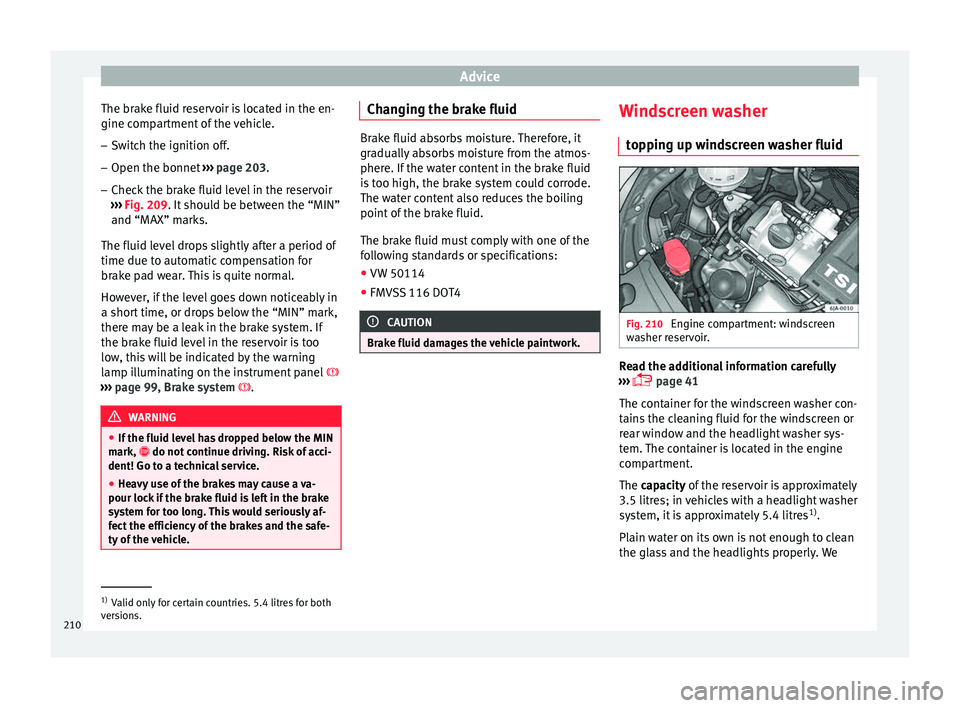
g up windscreen washer fluid Fig. 210
Engine compartment: windscreen
w a
sher r
eservoir. Read the additional information carefully
› ›
›
page 41
The container for the windscreen washer con-
tains the cleaning fluid for the windscreen or
rear window and the headlight washer sys-
tem. The container is located in the engine
compartment.
The capacity of the reservoir is approximately
3.5 litres; in vehicles with a headlight washer
system, it is approximately 5.4 litres 1)
.
Plain water on its own is not enough to clean
the glass and the headlights properly. We 1)
Valid only for certain countries. 5.4 litres for both
ver s
ions.
210
Page 213 of 248
Checking and refilling levels
therefore recommend using clean water with
a gl a
s
s cleaning product to eliminate any
stubborn dirt (with an anti-freeze additive in
winter).
Although your vehicle has heated windscreen
washer jets, anti-freeze should always be
added to the water in winter.
Ethanol can be used where glass cleaner with
anti-freeze is unavailable. The concentration
of ethanol must be no greater than 15 %.
However, remember that anti-freeze in this
proportion only protects down to -5°C
(+23°F). CAUTION
● Never mi x
the windscreen washing water
with anti-freeze used for the cooling system
or other additives.
● If the vehicle is equipped with a headlight
washer sy
stem, only mix in with the water a
detergent that does not damage polycarbon-
ates. Note
When topping up the fluid, do not move the
filt er fr
om the container opening, as this
could contaminate the fluid hoses and lead to
a windscreen washer malfunction. Battery
Intr oduction Read the additional information carefully
›› ›
page 41.
Warning symbols on the battery
Sym bolMeaning
Always wear safety glasses!
Battery acid is extremely corrosive. Always wear
gloves and hearing protection!
Keep open flames, sparks, uncovered lights
and lit cigarettes away when working on the
battery!
A highly explosive mixture of gases is released
when the battery is under charge!
Keep children away from the battery!
Incorrect handling of the vehicle battery
c
ou
l
d lead to damage. We therefore recom-
mend all work on the vehicle battery be per-
formed by an authorised SEAT dealer.
Always be aware of the danger of injury and
scalding as well as the risk of accident or fire
when working on the battery and the electri-
cal system. Therefore, always observe the
warnings and follow all general safety pre-
cautions. WARNING
● Batt er
y acid is very corrosive, therefore, the
battery must be handled with the utmost
care. Wear protective gloves and protect your
eyes and skin when handling batteries. The
corrosive fumes in the air irritate and inflame
the respiratory tract and cause conjunctivitis.
It corrodes tooth enamel. Causes deep and
difficult-to-heal wounds when it comes in
contact with the skin. Repeated contact with
diluted acids causes skin disease (inflamma-
tion, ulcers and fissures). When in contact
with water, acids dilute and develop a great
deal of heat.
● Do not tilt the battery, as acid could leak
out of the
vapour vents. Protect your eyes
with glasses or a protective helmet! Risk of
blindness! If acid should splash into the
eyes, rinse the affected eye immediately for
several minutes using clean water. Then seek
medical care immediately.
● Neutralize any acid splashes on the skin or
clothing w
ith soap solution as quickly as pos-
sible and rinse off with plenty of water. If acid
is swallowed by mistake, consult a doctor im-
mediately.
● Keep children away from the battery.
● Hydrogen is released and a highly explo-
sive mi
xture of gases is generated when the
battery is under charge. Sparks when discon-
necting or releasing cable terminals with the
ignition switched on could also cause an ex-
plosion. » 211
Technical data
Advice
Operation
Emergencies
Safety