change time Seat Toledo 2016 Owner's Guide
[x] Cancel search | Manufacturer: SEAT, Model Year: 2016, Model line: Toledo, Model: Seat Toledo 2016Pages: 248, PDF Size: 5.82 MB
Page 150 of 248
Operation
● Pr e
s
s the AUTO button
13
› ››
Fig. 171
.
● Adju
st vents 3 and 4 ›››
page 143 so that
the air flow is directed slightly upwards.
Change between degrees Centigrade and de-
grees Fahrenheit
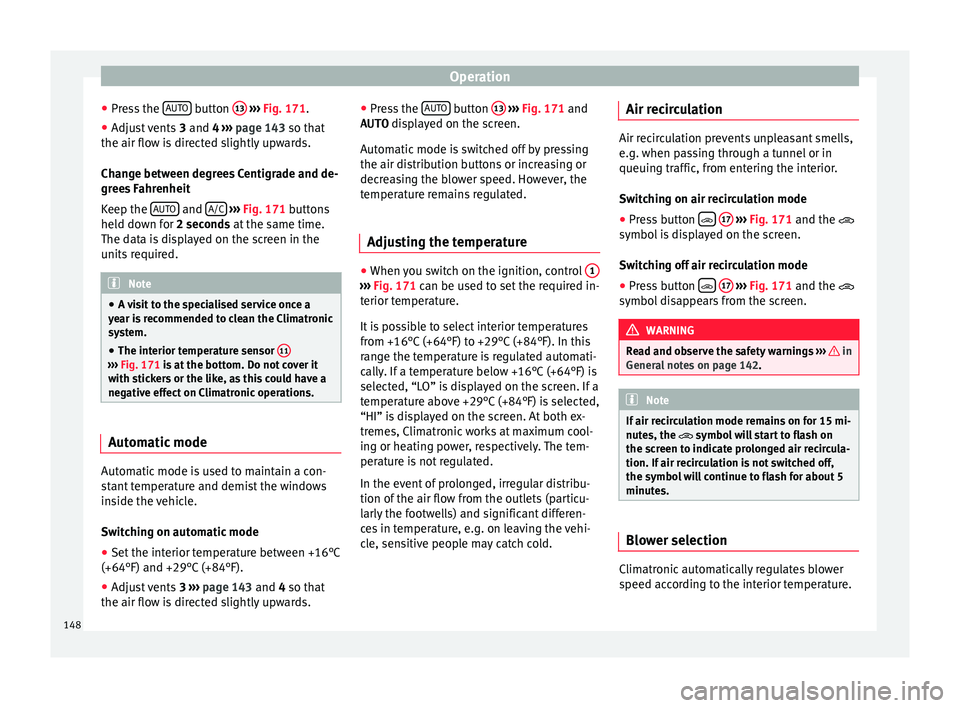
Keep the AUTO and
A/C
› ››
Fig. 171
b
uttons
held down for 2 seconds at the same time.
The data is displayed on the screen in the
units required. Note
● A v i
sit to the specialised service once a
year is recommended to clean the Climatronic
system.
● The interior temperature sensor 11›››
Fig. 171 is at
the bottom. Do not cover it
with stickers or the like, as this could have a
negative effect on Climatronic operations. Automatic mode
Automatic mode is used to maintain a con-
s
t
ant
temperature and demist the windows
inside the vehicle.
Switching on automatic mode
● Set the interior temperature between +16°C
(+64°F) and +29°C (+84°F).
● Adjus
t vents 3 ›››
page 143 and 4 so that
the air flow is directed slightly upwards. ●
Pres
s the AUTO button
13
› ››
Fig. 171
and
AUTO di
splayed on the screen.
Automatic mode is switched off by pressing
the air distribution buttons or increasing or
decreasing the blower speed. However, the
temperature remains regulated.
Adjusting the temperature ●
When you switch on the ignition, control 1 ›››
Fig. 171 can be u sed t
o set the required in-
terior temperature.
It is possible to select interior temperatures
from +16°C (+64°F) to +29°C (+84°F). In this
range the temperature is regulated automati-
cally. If a temperature below +16°C (+64°F) is
selected, “LO” is displayed on the screen. If a
temperature above +29°C (+84°F) is selected,
“HI” is displayed on the screen. At both ex-
tremes, Climatronic works at maximum cool-
ing or heating power, respectively. The tem-
perature is not regulated.
In the event of prolonged, irregular distribu-
tion of the air flow from the outlets (particu-
larly the footwells) and significant differen-
ces in temperature, e.g. on leaving the vehi-
cle, sensitive people may catch cold. Air recirculation Air recirculation prevents unpleasant smells,
e.g. when p
a
ssing through a tunnel or in
queuing traffic, from entering the interior.
Switching on air recirculation mode
● Press button
17
››› Fig. 171 and the
symbol is displayed on the screen.
Switching off air recirculation mode
● Press button
17
› ›
› Fig. 171
and the
symbol disappears from the screen. WARNING
Read and observe the safety warnings ›››
in
Genera l
notes on page 142. Note
If air recirculation mode remains on for 15 mi-
nute s, the
symbol will start to flash on
the screen to indicate prolonged air recircula-
tion. If air recirculation is not switched off,
the symbol will continue to flash for about 5
minutes. Blower selection
Climatronic automatically regulates blower
s
peed ac
c
ording to the interior temperature.
148
Page 156 of 248
Operation
Brakes Wear
The rat
e of
wear of the brake pads depends
on the driving style and on the way in which
the vehicle is used. The brake pads will wear
more quickly if you use your vehicle frequent-
ly in urban traffic and short trips or drive in a
sporty style. Under these demanding condi-
tions, visit your specialised service, even be-
fore the scheduled service date, so that the
thickness of the brake pads can be meas-
ured.
Wet roads or road salt
If brakes are wet or frozen, or if you are driv-
ing on roads which have been gritted with
salt, braking power may set in later than nor-
mal. Dry the brakes as soon as possible by
braking repeatedly.
Corrosion
Long periods of inactivity and little use can
lead to rust on the brake discs and dirt on the
brake pads. Where the brake system is sub-
jected to light stress or in the case of corro-
sion, clean the brake discs by braking fully
several times at a high speed.
Brake system fault
If you notice that the braking distance sud-
denly increases and the brake pedal can be
pressed down more fully, there may be a fault in the brake system. Visit a specialised serv-
ice immedi
at
ely and adjust your driving style
to the extent of the damage and to limit the
effect of the brakes.
Low brake fluid level
Insufficient brake fluid could cause faults in
the brake system. The brake fluid level is con-
trolled electronically ››› page 153, Control
lamp.
Brake servo
The brake servo supplements the pressure
you exert on the brake pedal. The brake servo
only works when the engine is running.
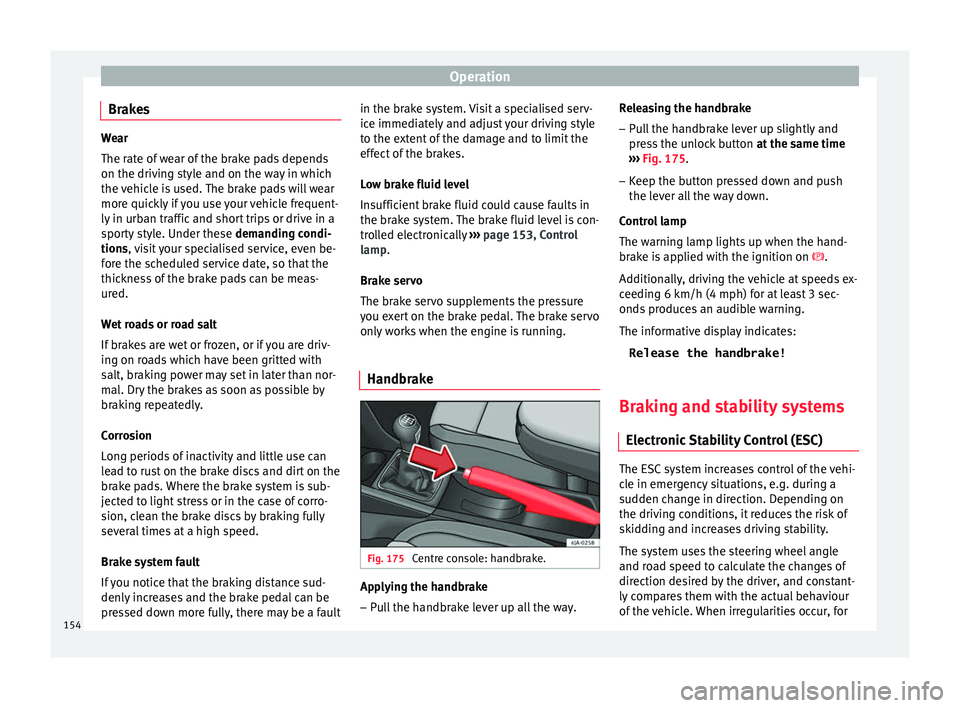
Handbrake Fig. 175
Centre console: handbrake. Applying the handbrake
– Pull the handbrake lever up all the way. Releasing the handbrake
– Pull the handbrake lever up slightly and
pr e
s
s the unlock button at the same time
››› Fig. 175.
– Keep the button pressed down and push
the lever al
l the way down.
Control lamp
The warning lamp lights up when the hand-
brake is applied with the ignition on .
Additionally, driving the vehicle at speeds ex-
ceeding 6 km/h (4 mph) for at least 3 sec-
onds produces an audible warning.
The informative display indicates: Release the handbrake!
Braking and stability systems Electronic
Stability Control (ESC) The ESC system increases control of the vehi-
c
l
e in emer
gency situations, e.g. during a
sudden change in direction. Depending on
the driving conditions, it reduces the risk of
skidding and increases driving stability.
The system uses the steering wheel angle
and road speed to calculate the changes of
direction desired by the driver, and constant-
ly compares them with the actual behaviour
of the vehicle. When irregularities occur, for
154
Page 165 of 248

Driving
engine at high rpm in the lower gears uses
an u nnec
e
ssary amount of fuel.
Manual gearbox: shift up from first to second
gear as soon as possible. We recommend
that, whenever possible, you change to a
higher gear upon reaching 2000 rpm. Follow
the “recommended gear” indication that ap-
pears on the instrument panel
››› page 25.
Avoid driving at high speed
We advise you not to drive at the top speed
permitted by the vehicle. Fuel consumption,
exhaust emissions and noise levels all in-
crease very rapidly at higher speeds. Driving
at moderate speeds will help to save fuel.
Avoid idling
It is worthwhile switching off the engine
when waiting in a traffic jam, at level cross-
ings or at traffic lights with a long red phase.
The fuel saved after only 30 - 40 seconds is
greater than the amount of fuel needed to re-
start the engine.
The engine takes a long time to warm up
when it is idling. Mechanical wear and pollu-
tant emissions are also especially high dur-
ing this initial warm-up phase. It is therefore
best to drive off immediately after starting
the engine. Avoid running the engine at high
speed. Periodic maintenance
Periodic m
aintenance work guarantees that,
before beginning a journey, you will not con-
sume more than the required amount of fuel.
A well-serviced engine gives you the benefit
of improved fuel efficiency as well as maxi-
mum reliability and an enhanced resale val-
ue.
A badly serviced engine can consume up to
10% more fuel than necessary.
Avoid short journeys
To reduce the consumption and emission of
polluting exhaust gases, the engine and the
exhaust gas filtration systems should reach
the optimum operating temperature.
With the engine cold, fuel consumption is
proportionally higher. The engine does not
warm up and fuel consumption does not nor-
malise until having driven approximately four
kilometres (2.5 miles). This is why we recom-
mend avoiding short trips whenever possi-
ble.
Maintain the correct tyre pressures
Bear in mind that keeping the tyres at an ad-
equate pressure saves fuel. If the tyre pres-
sure is just one bar (14.5 psi/100 kPa) too
low, fuel consumption can increase by as
much as 5%. Due to the greater rolling resist-
ance, under-inflation also increases tyre wear
wear and impairs handling. The tyre pressures should always be checked
when the tyre
s are cold.
Do not use winter tyres all year round as they
increase fuel consumption by up to 10%.
Avoid unnecessary weight
Given that every kilo of extra weight will in-
crease the fuel consumption, it is advisable
to always check the luggage compartment to
make sure that no unnecessary loads are be-
ing transported.
A roof rack is often left in place for the sake
of convenience, even when it is no longer
needed. At a speed of 100 km/h (62 mph)
and 120 km/h (75 mph) your vehicle will use
about 12% more fuel as a result of the extra
wind resistance caused by the roof rack even
when it is not in use.
Save electricity
The engine activates the alternator, which
produces electricity. With the need for elec-
tricity, fuel consumption also increases. Be-
cause of this, always turn off electrical devi-
ces when you do not need them. Examples of
devices that use a lot of electricity are: the
fan at high speeds, the rear window heating
and the seat heaters*. Note
● If y
ou vehicle has Start-Stop, it is not rec-
ommended to switch this function off. » 163
Technical data
Advice
Operation
Emergencies
Safety
Page 171 of 248
Driver assistance systems
The approximate measurement range of the
sen sor
s
is:
1.20 m
0.90 m
1.60 m
0.90 m
As you approach the obstacle, the time inter-
val between the audible warnings will be re-
duced. When you reach around 0.30 m the
warning will be constant: do not continue to
move forward (or backward)!
If you maintain separation from the obstacle,
the volume of the warning begins to reduce
after four seconds (does not affect the tone
of the constant warning).
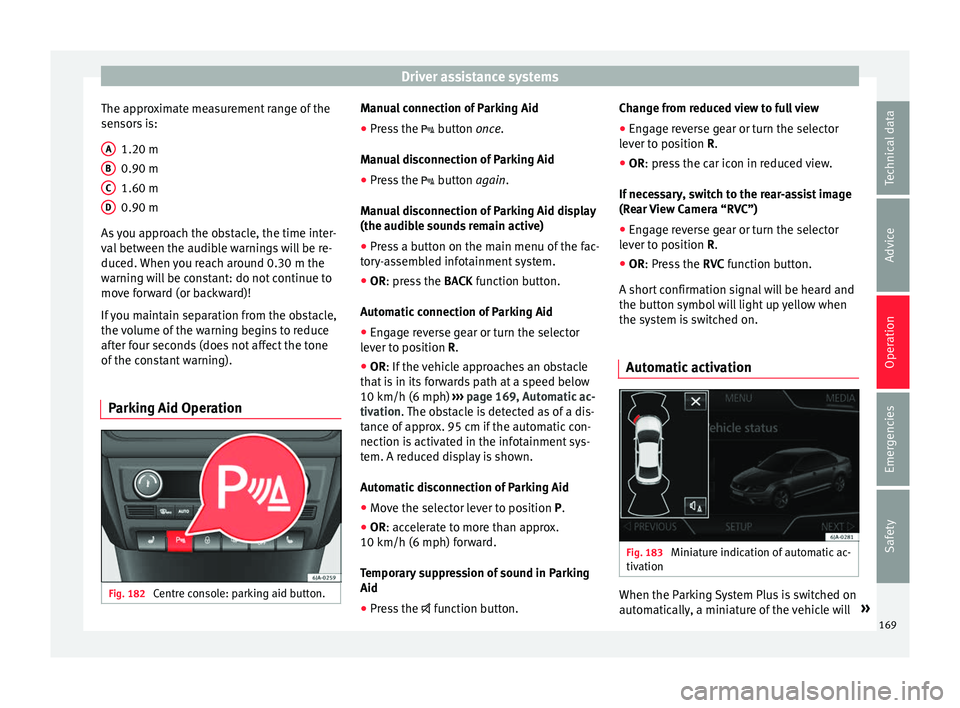
Parking Aid Operation Fig. 182
Centre console: parking aid button. A
B
C
D Manual connection of Parking Aid
●
Press the butt
on
once.
Manual disconnection of Parking Aid
● Press the button
again.
Manual disconnection of Parking Aid display
(the audible sounds remain active)
● Press a button on the main menu of the fac-
tory
-assembled infotainment system.
● OR: press the BACK fu
nction button.
Automatic connection of Parking Aid ● Engage reverse gear or turn the selector
lever t
o position R.
● OR: If the vehicle approaches an obstacle
that
is in its forwards path at a speed below
10 km/h (6 mph) ››› page 169, Automatic ac-
tivation. The obstacle is detected as of a dis-
tance of approx. 95 cm if the automatic con-
nection is activated in the infotainment sys-
tem. A reduced display is shown.
Automatic disconnection of Parking Aid
● Move the selector lever to position P.
● OR: accelerate to more than approx.
10 km/h (6 mph) for
ward.
Temporary suppression of sound in Parking
Aid
● Press the function b
utton. Change from reduced view to full view
●
Engage reverse gear or turn the selector
lever t
o position R.
● OR: press the car icon in reduced view.
If nec
essary, switch to the rear-assist image
(Rear View Camera “RVC”)
● Engage reverse gear or turn the selector
lever t
o position R.
● OR: Press the RVC fu
nction button.
A short confirmation signal will be heard and
the button symbol will light up yellow when
the system is switched on.
Automatic activation Fig. 183
Miniature indication of automatic ac-
tiv ation When the Parking System Plus is switched on
aut
om
atic
ally, a miniature of the vehicle will »
169
Technical data
Advice
Operation
Emergencies
Safety
Page 174 of 248
Operation
●
Some ob j
ects may, due to the resolution of
the display screen - not be displayed in a sat-
isfactory manner or may not be displayed at
all. Take special care with thin posts, fences,
railings or trees that might not be displayed
on screen and could damage the vehicle.
● The rear assist has blind spots where it is
not pos
sible to represent people or objects
(small children, animals and certain objects
cannot be detected in its field of vision). Mon-
itor the vehicle's surrounding area at all
times.
● Keep the camera lens clean, free of ice and
snow
, and do not cover it.
● The system is not a replacement for driver
awar
eness. Supervise the parking operation
at all times, as well as the vehicle's surround-
ing area. Adapt your speed and driving style
at all times to suit visibility, weather, road
and traffic conditions.
● Do not be distracted from the traffic by
looking at
the screen.
● The images on the rear assist screen are
only tw
o-dimensional. Due to a lack of spatial
depth, protruding parts or holes in the road,
for example, are more difficult to detect or
may not be seen at all.
● Vehicle load modifies the representation of
the orientation lines
displayed. The width
represented by the lines diminishes with ve-
hicle load. Pay special attention to the vehi-
cle's surroundings when the inside of the ve-
hicle of the luggage compartment is carrying
a heavy load. ●
In the fo l
lowing situations, the objects or
other vehicles shown in the navigation sys-
tem display appear to be further away or
closer than they really are: Pay special atten-
tion:
–On moving from a horizontal plane to a
slope.
– On moving from a slope to a horizontal
plane.
– If the vehicle is heavily loaded at the
rear.
– When the vehicle approaches objects
that are not on the ground surface or are
jutting out from it. These objects may al-
so be outside the camera's angle of vi-
sion when reversing. Note
● It i s
important to take great care and pay
special attention if you are not yet familiar
with the system.
● Rear assist will not be available if the vehi-
cle's
rear lid is open. Instructions for use
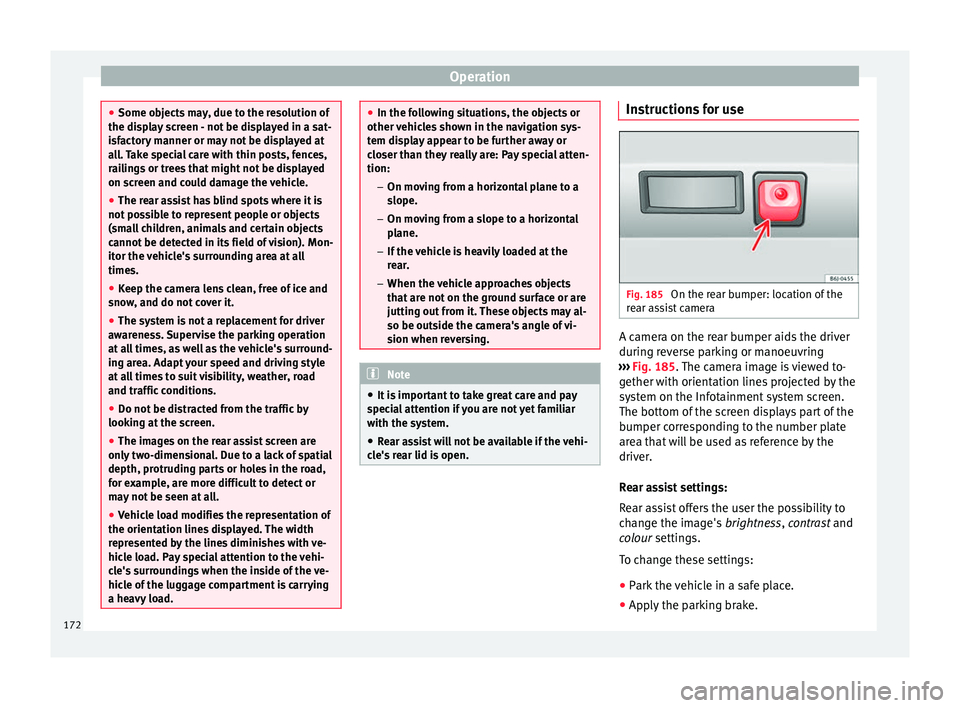
Fig. 185
On the rear bumper: location of the
r e
ar a
ssist camera A camera on the rear bumper aids the driver
durin
g r
ev
erse parking or manoeuvring
››› Fig. 185. The camera image is viewed to-
gether with orientation lines projected by the
system on the Infotainment system screen.
The bottom of the screen displays part of the
bumper corresponding to the number plate
area that will be used as reference by the
driver.
Rear assist settings:
Rear assist offers the user the possibility to
change the image's brightness, contrast and
colour settings.
To change these settings:
● Park the vehicle in a safe place.
● Apply the parking brake.
172
Page 187 of 248

Towing bracket device
Driving with a trailer Exterior mirrors
Check
whether
you can see enough of the
road behind the trailer with the standard rear
vision mirrors. If this is not the case, you
should have additional exterior mirrors fitted.
Observe the relevant statutory requirements
of the country you are in.
Headlights
Before starting a journey, also check the
headlight beam settings with the trailer
hitched up. Adjust the headlight range set-
tings if necessary ›››
page 117, Main light
range control .
Driving speed
For your own safety do not drive faster than
the maximum permitted speed indicated on
the trailer.
At all times, immediately reduce speed if you
detect the slightest swaying movement of the
trailer. Never try to “return the trailer to a
straight position” by accelerating.
Brakes
Brake in due course! If the trailer has an over-
run brake, apply the brakes gently at first and
then, firmly. This will prevent the jerking that
can be caused by locking of trailer wheels.
Change to a lower gear in good time before descending a slope in order to take advant-
age of
the en
gine brake.
The trailer is incorporated into the vehicle's
anti-theft alarm system:
● When the vehicle has a factory-fitted anti-
theft al
arm and a towing bracket.
● When the trailer is electrically connected to
the vehic
le via the towing bracket socket.
● When the vehicle electrical device and the
tow
ing bracket are operational.
● When the vehicle is locked and the vehi-
cle's
anti-theft alarm device is activated.
Once the electrical connection is interrupted
with the vehicle trailer locked, the alarm
sounds.
Always switch off the vehicle anti-theft alarm
device before connecting or disconnecting a
trailer. The vehicle anti-theft alarm device
could cause the alarm to sound ››› page 112,
Anti-theft alarm system*.
Engine overheating
In the event that the coolant temperature
gauge needle moves to the right section of
the scale or to the red area, immediately re-
duce speed. If the control lamp flashes on
the general instrument panel, stop the vehi-
cle and switch off the engine. Wait several
minutes and check the coolant level in the
tank ››› page 208. Please observe the following indications
›››
page 208, Control lamp .
The coolant temperature can be reduced by
switching on the heating. WARNING
● Adjus t
your speed to suit the road and traf-
fic conditions.
● An electrical installation that is connected
incorrectly
or by non-specialised personnel
can prevent the connection of the current to
the trailer and cause faults in the operation of
the electrical system throughout the entire
vehicle, leading to accidents and serious in-
jury.
● All electrical work must be carried out only
by s
pecialised services.
● Never directly connect the trailer electrical
device t
o the electrical sockets of the reverse
driving lights or other sources of electrical
current. CAUTION
● Av oid c
orners, and sudden and sharp brak-
ing.
● Once the trailing arm has been removed,
plac
e the corresponding cover on the hole of
the fastening point. This prevents dirt from
entering the hole – see the trailer system as-
sembly manual. » 185
Technical data
Advice
Operation
Emergencies
Safety
Page 200 of 248
Advice
The dye used in many garments, for example
d ark
j
eans, is not always sufficiently colour-
fast. Seat upholstery (fabric and leather), es-
pecially when light-coloured, may visibly dis-
colour if the dye comes out of clothing, even
in normal conditions. This is not an uphols-
tery defect but indicates that the dye in the
item of clothing is not solid enough.
Heated seat upholstery Do not clean the seat upholstery with
damp
pr oduct
s, as this could damage the seat
heating system.
Clean the upholstery with special products,
e.g. dry foam, etc.
Natural leather Leather should be looked after from time to
time, dependin
g on its
u
se.
Normal cleaning
Moisten a cotton or woollen cloth with water
and wipe over the leather surfaces.
More stubborn dirt
Do not let water soak through the leather or
penetrate the seams.
Dry it with a soft, dry cloth. Removing stains
Remov
e fresh water-based stains such as cof-
fee, tea, juices, blood, etc. with an absorbent
cloth or kitchen roll. Use the special deter-
gent to clean dried-on stains.
Remove fresh fat-based stains such as but-
ter, mayonnaise, chocolate, etc. with an ab-
sorbent cloth or paper towel or use the spe-
cial detergent if the stain has not yet soaked
through the surface.
Use a grease-dissolving product to treat
dried-in, fat-based stains.
Treat less common stains such as ball-pen
and other inks, felt-tip pens, nail polish,
emulsion paint, shoe cream etc. with a spe-
cial leather stain remover.
Leather care
The leather should be treated regularly
(about twice a year) with a leather-care prod-
uct.
Apply the protective product very sparingly.
Dry the leather with a soft, dry cloth. CAUTION
● Av oid e
xposing leather to direct sunlight
for long periods so that it does not lose its
colour. If the car is left for a prolonged period
outdoors, cover the leather so that it does
not lose its colour. ●
Sharp-edg ed o
bjects on clothing, such as
zips, rivets or belts can leave permanent
scratches and rough marks on the surface of
the leather.
● Use of a mechanical steering wheel lock
can dam
age the leather surface of the steer-
ing wheel. Note
● Use a s uit
able impregnating cream with ul-
tra-violet protection at regular intervals and
after cleaning. The cream will nourish and
moisturise the leather, keep it supple and
able to breathe. In addition, it will also help
to protect the surface of the leather.
● Clean the leather every 2 to 3 months and
remov
e fresh dirt as necessary.
● Preserve the colour of the leather. A special
colour
ed cream for leather will renew the col-
our of more heavily worn areas as required.
● Leather is a natural material with specific
propertie
s. During vehicle use, the appear-
ance of parts of the leather covers may
change; folds or wrinkles may appear as a re-
sult of their use. Seat belts
Keep the seat belts clean!
W
a
sh soi
led seat belts with mild, soapy wa-
ter, removing any heavier dirt with a soft
brush.
198
Page 207 of 248
Checking and refilling levels
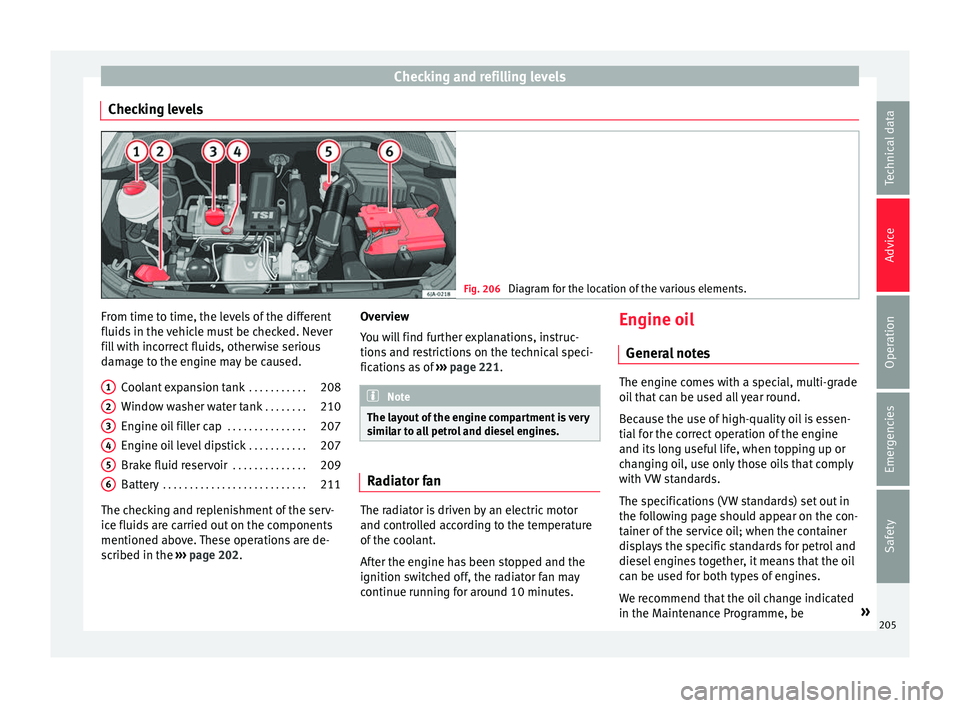
Checking levels Fig. 206
Diagram for the location of the various elements. From time to time, the levels of the different
fluid
s
in the
vehicle must be checked. Never
fill with incorrect fluids, otherwise serious
damage to the engine may be caused.
Coolant expansion tank . . . . . . . . . . .208
Window washer water tank . . . . . . . .210
Engine oil filler cap . . . . . . . . . . . . . . .207
Engine oil level dipstick . . . . . . . . . . .207
Brake fluid reservoir . . . . . . . . . . . . . .209
Battery . . . . . . . . . . . . . . . . . . . . . . . . . . . 211
The checking and replenishment of the serv-
ice fluids
are carried out on the components
mentioned above. These operations are de-
scribed in the ››› page 202.
1 2
3
4
5
6 Overview
Y
ou w
i
ll find further explanations, instruc-
tions and restrictions on the technical speci-
fications as of ››› page 221. Note
The layout of the engine compartment is very
simi l
ar to all petrol and diesel engines. Radiator fan
The radiator is driven by an electric motor
and c
ontr
o
lled according to the temperature
of the coolant.
After the engine has been stopped and the
ignition switched off, the radiator fan may
continue running for around 10 minutes. Engine oil
General
notes The engine comes with a special, multi-grade
oil
th
at can be used all year round.
Because the use of high-quality oil is essen-
tial for the correct operation of the engine
and its long useful life, when topping up or
changing oil, use only those oils that comply
with VW standards.
The specifications (VW standards) set out in
the following page should appear on the con-
tainer of the service oil; when the container
displays the specific standards for petrol and
diesel engines together, it means that the oil
can be used for both types of engines.
We recommend that the oil change indicated
in the Maintenance Programme, be »
205
Technical data
Advice
Operation
Emergencies
Safety
Page 208 of 248
Advice
performed by a technical service or special-
i sed w
ork
shop.
The correct oil specifications for your engine
are listed in the ›››
page 40.
Service intervals
Service intervals can be flexible (LongLife
service) or fixed (dependent on time/dis-
tance travelled).
If the PR code that appears on the back of the
Maintenance Programme booklet is PR QI6,
this means that your vehicle has the LongLife
service programmed. If it lists the codes QI1,
QI2, QI3, QI4 or QI7, the interval service is
dependent on time/distance travelled.
Flexible service intervals (LongLife service
intervals*)
Special oils and processes have been devel-
oped which, depending on the characteris-
tics and individual driving profiles, enable
the extension of the oil change service (Long-
Life service intervals).
Because this oil is essential for extending the
service intervals, it must only be used ob-
serving the following indications:
● Avoid mixing it with oil for fixed service in-
terv
als.
● Only in exceptional circumstances, if the
engine oi l
level is too low ››› page 207 and
LongLife oil is not available, it is permitted to top up (once) with oil for
fixed ser
vice inter-
vals ›››
page 40 (up to a maximum of 0.5
litres).
Fixed service intervals*
If your vehicle does not have the “LongLife
service interval” or it has been disabled (by
request), you may use oils for fixed service
intervals, which also appear in
››› page 40. In this case, your vehicle
must be serviced after a fixed interval of 1
year/15,000 km (10,000 miles)(whatever
comes first) ››› Booklet Maintenance Pro-
gramme.
● In exceptional circumstances, if the engine
oil l
evel is too low ››› page 207 and you can-
not obtain the oil specified for your vehicle,
you can add a small quantity of oil conform-
ing to the specification ACEA A2 or ACEA A3
(petrol engines) or ACEA B3 or ACEA B4 (die-
sel engines) (up to 0.5 l).
Vehicles with diesel particulate filter*
The Maintenance Programme states whether
your vehicle is fitted with a diesel particulate
filter.
Only VW 507 00 engine oil, with reduced ash
formation, may be used in diesel engines
equipped with particulate filter. Using other
types of oil will cause a higher soot concen-
tration and reduce the life of the DPF. There-
fore: ●
Avoid mi
xing this oil with other engine oils.
● Only in exceptional circumstances, if the
engine oil
level is too low ››› page 207 and
you cannot obtain the oil specified for your
vehicle, you can use a small quantity of oil
(once) conforming to the VW 506 00,
VW 506 01, VW 505 00, VW 505 01 or
ACEA B3/ACEA B4 specification. (up to 0.5 l). Note
Before a long trip, we recommend finding an
engine oi l
that conforms to the correspond-
ing VW specifications and recommend keep-
ing it in the vehicle. This way, the correct en-
gine oil will always be available for a top-up if
needed. Control lamp
The control lamp
fla
she
s red (oil pressure
low)
The informative display indicates:
Oil pressure. Switch off the en-
gine! Instruction Manual!
Stop the vehicle, switch off the engine and
check the engine oil level ›››
page 207
If the symbol flashes although the oil level is
correct, do not drive on . Do not even run
the engine at idle speed!
Go to a technical service.
206
Page 219 of 248
Wheels and tyres
Unusual vibration or the car pulling to one
s ide m
a
y indicate that one of the tyres is
damaged. Reduce speed immediately and
stop if you suspect that a wheel may have
been damaged! Check the tyres for damage
(blisters, cracks, etc.). If no external damage
is visible, drive slowly and carefully to the
nearest Official Service and have the vehicle
inspected.
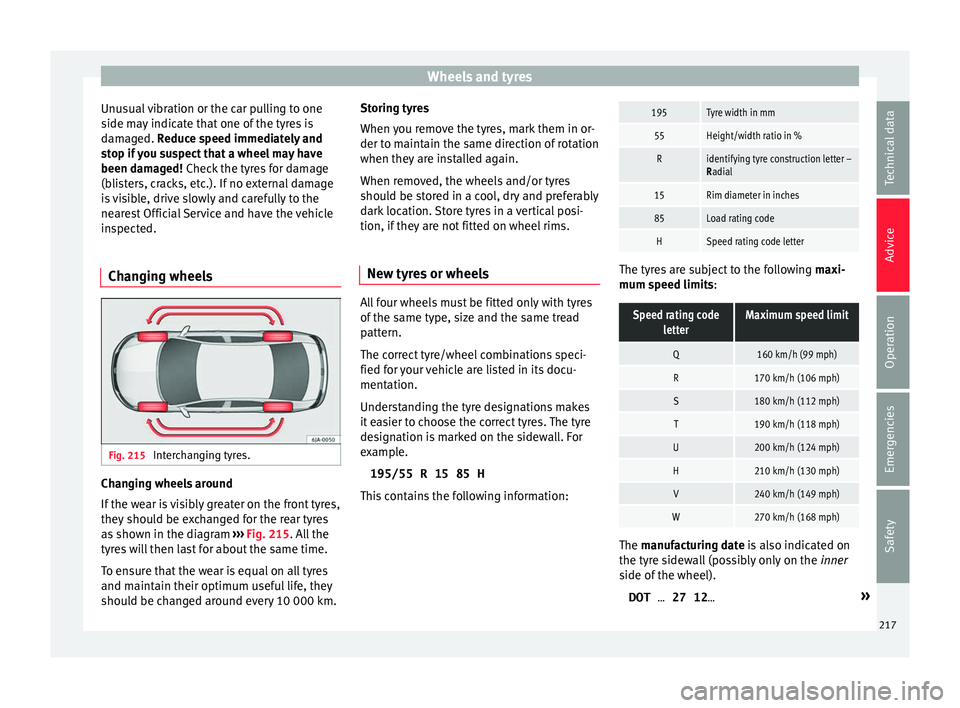
Changing wheels Fig. 215
Interchanging tyres. Changing wheels around
If
the w
e
ar is visibly greater on the front tyres,
they should be exchanged for the rear tyres
as shown in the diagram ››› Fig. 215. All the
tyres will then last for about the same time.
To ensure that the wear is equal on all tyres
and maintain their optimum useful life, they
should be changed around every 10 000 km. Storing tyres
When you r
emove the tyres, mark them in or-
der to maintain the same direction of rotation
when they are installed again.
When removed, the wheels and/or tyres
should be stored in a cool, dry and preferably
dark location. Store tyres in a vertical posi-
tion, if they are not fitted on wheel rims.
New tyres or wheels All four wheels must be fitted only with tyres
of
the s
ame type, s
ize and the same tread
pattern.
The correct tyre/wheel combinations speci-
fied for your vehicle are listed in its docu-
mentation.
Understanding the tyre designations makes
it easier to choose the correct tyres. The tyre
designation is marked on the sidewall. For
example.
195/55 R 15 85 H
This contains the following information:
195Tyre width in mm
55Height/width ratio in %
Ridentifying tyre construction letter –
Radial
15Rim diameter in inches
85Load rating code
HSpeed rating code letter The tyres are subject to the following
maxi-
mum s
peed limits:
Speed rating codeletterMaximum speed limit
Q160 km/h (99 mph)
R170 km/h (106 mph)
S180 km/h (112 mph)
T190 km/h (118 mph)
U200 km/h (124 mph)
H210 km/h (130 mph)
V240 km/h (149 mph)
W270 km/h (168 mph) The m
anufacturing date is also indicated on
the ty r
e sidewall (possibly only on the inner
side of the wheel).
DOT … 27 12… »
217
Technical data
Advice
Operation
Emergencies
Safety