keyless Seat Toledo 2016 Owner's manual
[x] Cancel search | Manufacturer: SEAT, Model Year: 2016, Model line: Toledo, Model: Seat Toledo 2016Pages: 248, PDF Size: 5.82 MB
Page 83 of 248

Fuses and bulbs
●
Prot ect
the fuse boxes when open to pre-
vent the entry of dust or humidity as they can
damage the electrical system.
● Always carefully remove the fuse box cov-
ers and r
efit them correctly to avoid problems
with your vehicle. Note
● One c omponent m
ay have more than one
fuse.
● Several components may run on a single
fuse.
● In the
vehicle, there are more fuses than
those indicat
ed in this chapter. These should
only be changed by a specialised workshop.
● Positions not containing a fuse do not ap-
pear in the fo
llowing tables.
● Some of the equipment listed in the tables
below pert
ain only to certain versions of the
model or are optional extras.
● Please note that the above lists, while cor-
rect at
the time of printing, are subject to
change. Fuses in the dash panel
Fig. 85
Diagram of the fuse box to the
l ef
t/right
of the steering wheel Read the additional information carefully
› ›
›
page 43
Only replace fuses with a fuse of the same
amperage (same colour and markings) and
size.
Fuse placement
No.Consumer
1Left light
2Central locking, windscreen wipers, with Keyless
Access
3Ignition system relay
4Right light
5Electric windows - Driver
No.Consumer
6Central control unit - Interior lights
7Horn
8Towing bracket - Left light
9
Controls on steering column (without Keyless Ac-
cess only), engine control unit (without Keyless
Access only), automatic gearbox control unit
(without Keyless Access only), automatic gear-
box lever (without Keyless Access only), ESP
control unit (without Keyless Access only), trailer
hook control unit (without Keyless Access only),
electric power steering (without Keyless Access
only)
10Rear left window
11Headlight washer unit
12Radio and navigation display
13Preparation as taxi
14
Control lever under steering wheel, light switch,
traction locking with ignition key (automatic
transmission), headlight flasher, SmartGate con-
trol device, rain/light sensor, rear camera
15Air conditioning system control unit, automatic
gearbox selector lever, diagnostics connection
16Instrument panel
17Alarm sensor, horn
22Windscreen washer system (without Keyless Ac-
cess)
23Heated front seats» 81
Technical data
Advice
Operation
Emergencies
Safety
Page 84 of 248
EmergenciesNo.Consumer
24Air conditioning fan, heating, control unit for air
conditioning, heating
26Front seat heating switch.
27Rear window wiper
29Airbag
30
Electric windows, reversing light switch, air con-
ditioning control unit, Park Assist control unit,
exterior mirror, power supply for middle button
bar, power supply for the side button bar, interi-
or mirror
31Fuel pump, radiator fan control unit, cruise con-
trol, relay coil for the windscreen and rear win-
dow washer system, switch for the lights
32Diagnostics socket, headlight range regulator,
control lever under the steering wheel, ambient
lighting regulator
33Ignition relay coil, clutch pedal switch
34Heatable washer jets of windscreen washer
36USB charging socket
37Radar
39Additional electric heating
41Rear window heater
42Electric windows - passenger
43Towing bracket - Connector contact
No.Consumer
4412 V connection in the interior, 12 V connection
in the boot
45Rear right window
46Windshield and front window washing system,
control lever under the steering wheel
47Towing bracket - Connector contact
48Towing bracket - Right hand light
49Fuel pump control unit
50Radio
51Heat for exterior mirrors
52Keyless Access
53Steering lock (Keyless Access)
54ABS/ESC control unit
56Diagnosis
59Full LED
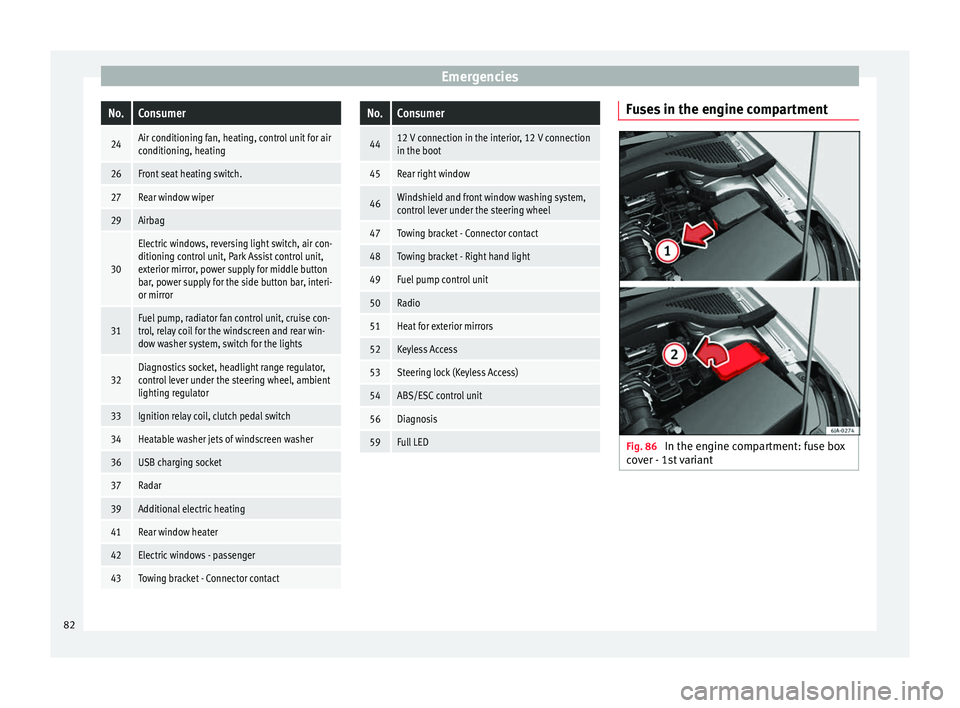
Fuses in the engine compartment
Fig. 86
In the engine compartment: fuse box
c o
v
er - 1st variant 82
Page 109 of 248
Opening and closing
Note
If it is not possible to unlock or lock the vehi-
cl e w
ith the remote control key once the bat-
tery has been replaced, it will need to be re-
synchronised ››› page 105. Central locking system
Genera l
notesAll of
the doors, the boot lid and the fuel cap
fl ap w
ill1)
unlock at the same time when the
central locking system is used.
Warning lamp on the driver door
Once the doors are locked, the warning lamp
will flash quickly for 2 seconds and then at a
slower rate.
If the vehicle is locked with Safe lock engag-
ed ›››
page 108, the warning lamp on the
driver door will flash quickly for 2 seconds
before switching off for 30 seconds and then
flashing at a slower rate.
If the warning lamp flashes quickly for 2 sec-
onds and then remains switched on before
flashing at a slower rate after 30 seconds,
there is a fault in the interior monitor and tow-away protection system
›››
page 113. Go
to a technical service.
Individualised settings Unlocking single doors
This
option
al function unlocks the driver door
only. The other doors remain locked and are
only unlocked when the next command is giv-
en (unlock).
Automatic unlock and lock
The doors and the rear lid are locked auto-
matically when the vehicle reaches a speed
of about 15 km/h (9 mph).
The doors unlock automatically when the key
is removed from the ignition. Additionally,
the driver or front passenger can unlock the
doors by pressing the ›››
page 109 central
lock button or by pulling the front door han-
dle. WARNING
Locking the doors prevents intruders from
gettin g int
o the car, e.g. while waiting at in-
tersections. However, it can also delay assis-
tance in the event of an accident. Risk of
death! Note
● Activ ation of
the single door setting can be
requested at your SEAT dealer.
● In the event of an accident in which the air-
bags
deploy, the doors will be automatically
unlocked for easier access and assistance.
● If the central locking system should fail to
work at
any time, only the driver door can be
locked or unlocked using the key
››› page 108. All other doors and the boot
hatch can be operated manually.
– Manual release ›››
page 10.
– Manual release of the rear lid
››› page 10. 1)
Valid for vehicles with a keyless fuel tank cap.
107
Technical data
Advice
Operation
Emergencies
Safety
Page 110 of 248
Operation
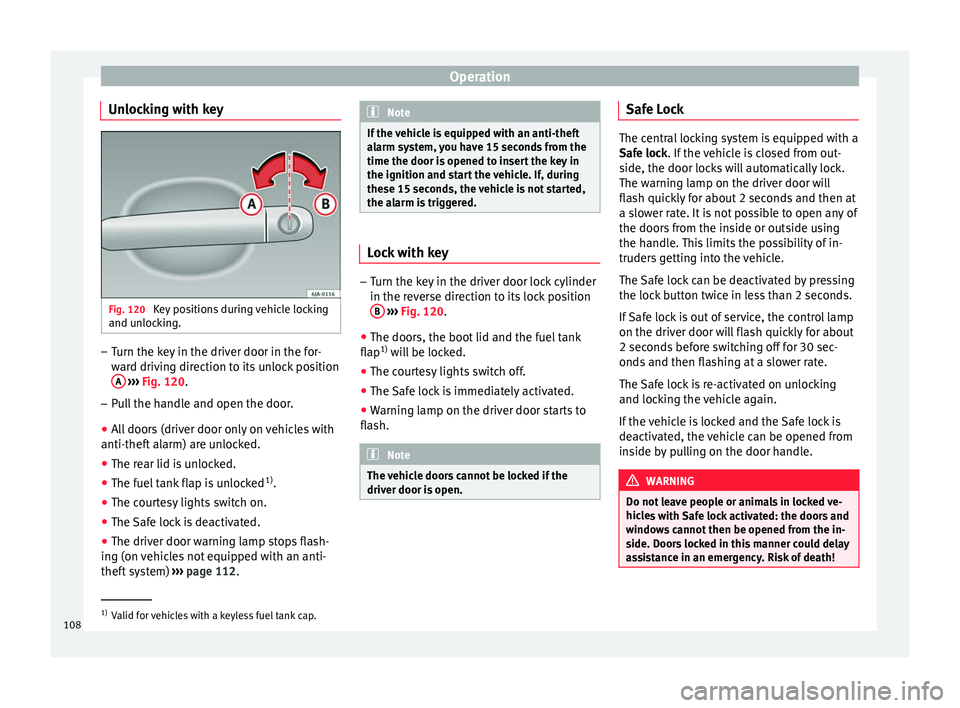
Unlocking with key Fig. 120
Key positions during vehicle locking
and u n
loc
king. –
Turn the key in the driver door in the for-
war
d driv
ing direction to its unlock position
A
› ›
›
Fig. 120.
– Pull the handle and open the door.
● All doors (driver door only on vehicles with
anti-theft al
arm) are unlocked.
● The rear lid is unlocked.
● The fuel tank flap is unlocked 1)
.
● The courtesy lights switch on.
● The Safe lock is deactivated.
● The driver door warning lamp stops flash-
ing (on v
ehicles not equipped with an anti-
theft system) ›››
page 112. Note
If the vehicle is equipped with an anti-theft
al arm sy
stem, you have 15 seconds from the
time the door is opened to insert the key in
the ignition and start the vehicle. If, during
these 15 seconds, the vehicle is not started,
the alarm is triggered. Lock with key
–
Turn the key in the driver door lock cylinder
in the rev er
se direction to its lock position
B
› ›
›
Fig. 120.
● The doors, the boot lid and the fuel tank
flap 1)
wi
ll be locked.
● The courtesy lights switch off.
● The Safe lock is immediately activated.
● Warning lamp on the driver door starts to
flash. Note
The vehicle doors cannot be locked if the
driver door i s
open. Safe Lock
The central locking system is equipped with a
Safe loc
k
. If the vehicle is closed from out-
side, the door locks will automatically lock.
The warning lamp on the driver door will
flash quickly for about 2 seconds and then at
a slower rate. It is not possible to open any of
the doors from the inside or outside using
the handle. This limits the possibility of in-
truders getting into the vehicle.
The Safe lock can be deactivated by pressing
the lock button twice in less than 2 seconds.
If Safe lock is out of service, the control lamp
on the driver door will flash quickly for about
2 seconds before switching off for 30 sec-
onds and then flashing at a slower rate.
The Safe lock is re-activated on unlocking
and locking the vehicle again.
If the vehicle is locked and the Safe lock is
deactivated, the vehicle can be opened from
inside by pulling on the door handle. WARNING
Do not leave people or animals in locked ve-
hicl e
s with Safe lock activated: the doors and
windows cannot then be opened from the in-
side. Doors locked in this manner could delay
assistance in an emergency. Risk of death! 1)
Valid for vehicles with a keyless fuel tank cap.
108
Page 111 of 248
Opening and closing
Note
● The anti-theft a
larm switches on automati-
cally when the vehicle is locked, even if the
Safe lock is deactivated. The Vehicle interior
monitoring, however, is not activated.
● Given that the Safe function will be activa-
ted on lock
ing the vehicle, CHECK DEADLOCK
will be shown on the general instrument pan-
el display. On vehicles equipped with an in-
formative display, Caution SAFE! On- board documentation! Central locking button
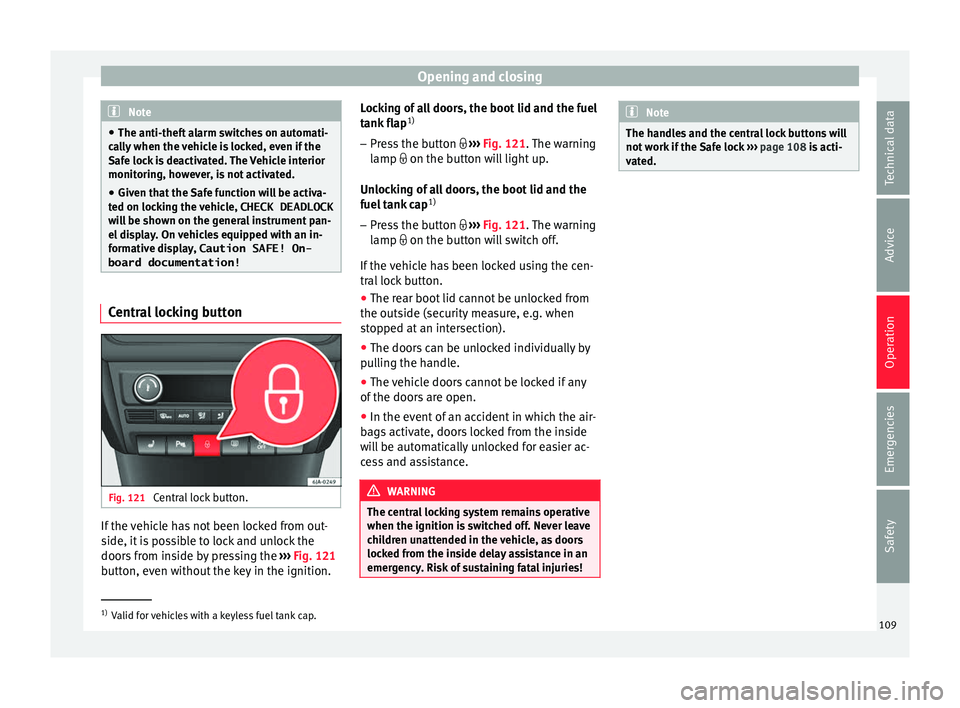
Fig. 121
Central lock button. If the vehicle has not been locked from out-
s
ide, it
i
s possible to lock and unlock the
doors from inside by pressing the ›››
Fig. 121
button, even without the key in the ignition. Locking of all doors, the boot lid and the fuel
tank fl
ap1)
– Press the button ›››
Fig. 121. The warning
lamp on the button will light up.
Unlocking of all doors, the boot lid and the
fuel tank cap 1)
– Press the button ›››
Fig. 121. The warning
lamp on the button will switch off.
If the vehicle has been locked using the cen-
tral lock button.
● The rear boot lid cannot be unlocked from
the outside (security
measure, e.g. when
stopped at an intersection).
● The doors can be unlocked individually by
pul
ling the handle.
● The vehicle doors cannot be locked if any
of the doors
are open.
● In the event of an accident in which the air-
bags
activate, doors locked from the inside
will be automatically unlocked for easier ac-
cess and assistance. WARNING
The central locking system remains operative
when the ignition is sw
itched off. Never leave
children unattended in the vehicle, as doors
locked from the inside delay assistance in an
emergency. Risk of sustaining fatal injuries! Note
The handles and the central lock buttons will
not w ork
if the Safe lock ››› page 108 is acti-
vated. 1)
Valid for vehicles with a keyless fuel tank cap.
109
Technical data
Advice
Operation
Emergencies
Safety
Page 112 of 248

Operation
Unlocking and locking the vehicle
w ith K
eyl
ess Access Fig. 122
Keyless Access locking and ignition
sy s
t
em: in the proximity of the car. Fig. 123
Keyless Access locking and ignition
sy s
t
em: sensor surface A for unlocking in-
s ide the door h
andl
e and sensor surface Bfor locking on the exterior of the handle.
Keyless Access is a key-free locking and igni-
tion sy
s
t
em to unlock and lock the vehicle
without actively using its key. For this, only a valid vehicle key is required to be in an area
near
››
› Fig. 122 the vehicle and one of the
sensor surfaces to be touched on the door
handles ››› Fig. 123.
General information
If a valid key is located in the proximity of the
car ››› Fig. 122, the Keyless Access lock and
ignition system gives the key entry as soon
as one of the sensor surfaces on the door
handles is touched or the push button on the
boot hatch is operated. The following fea-
tures are then available without having to
use the vehicle key actively:
● Keyless-Entry: unlocking of the vehicle with
the handle
s on the four doors or the button
located on the boot hatch.
● Keyless-Go: engine ignition and driving. For
this t
o occur, there has to be a valid key in-
side the vehicle and the ››› page 151.
● Keyless-Exit: unlocking of the vehicle with
one of the four door h
andle.
The central locking and locking systems oper-
ate in the same way as a normal locking and
unlocking system. Only the controls change.
Unlocking the vehicle is confirmed with a
double flash of the indicator lights; locking
by a single flash.
The vehicle will lock again after a few sec-
onds if you unlock the vehicle but fail to open
any door or boot hatch. Unlocking and opening the doors (Keyless-
Entry)
●
Grip the door handl
e. In doing this, the
sensor sur
face ››› Fig. 123 A (arrow) is
t ouc
hed on the h
andle and the vehicle un-
locks.
● Open the door.
On vehic
les without a "safe" security sys-
tem: shutting and locking doors (Keyless-Ex-
it)
● Switch the ignition off.
● Close the driver's door.
● Touch the surface sensor B onc
e (arrow)
on the door h andl
e. The door being operated
must be closed.
On vehicles with a "safe" security system:
shutting and locking doors (Keyless-Exit)
● Switch the ignition off.
● Close the driver's door.
● Touch the surface sensor B onc
e (arrow)
on the door h andl
e. The vehicle locks with
the "safe" security system ››› page 108. The
door being operated must be closed.
● Touch the sensor surface B twic
e (arrow)
on the door h andl
e to lock the vehicle with-
out the "safe" security system ›››
page 108.
110
Page 113 of 248

Opening and closing
Unlocking and locking the boot hatch
When the v
ehic
le is locked, the hatch auto-
matically unlocks on opening if ››› Fig. 122
there is a valid vehicle key in the proximity.
Open or close the hatch normally
››› page 113.
After closing, the hatch locks automatically.
In the following instances, the rear lid does
not lock automatically after closing:
● If the entire vehicle is unlocked.
● If the key used last is inside the vehicle. All
vehicl
e indicator lights flash four times. The
vehicle will lock again after a few seconds if
no door or boot hatch are opened.
Locking the vehicle with a second key
If there is a vehicle key inside the vehicle and
it is locked from the outside with a second
vehicle key, the key inside the vehicle is
blocked for engine ignition ››› page 149. In
order to enable engine ignition, the button on the key inside the vehicle needs to be
pr
e
s
sed ››› page 104.
Automatically disabling sensors
If the vehicle is not locked or unlocked for a
long period of time, the proximity sensor on
the passenger door is automatically disa-
bled.
If the exterior sensor on the door handle is
often activated unusually with the vehicle locked (e.g. by the branches of a bush rub-
bing ag
ainst it), all proximity sensors are dis-
abled for a time. If this only happens with the
exterior sensor on the driver's door, only this
sensor is disabled.
Sensors will again be enabled:
● After a time.
● OR: if the vehicle is unlocked with the but-
ton on the key.
● OR: if the boot is opened.
C on
venience functions
To close all electric windows, the sun roof
and electric tilting panoramic roof with the
convenience feature, keep your finger for a
few seconds on the lock sensor surface
››› Fig. 123 B located on the exterior part of
the driv er or p
a
ssenger door handle until the
windows and roof close.
Opening the doors by touching the sensor
surface on the handle takes place in accord-
ance with the settings activated on the menu
Configuration - Convenience . CAUTION
The sensor surfaces on the door handles
cou l
d engage if hit with a water jet or high
pressure steam if there is a valid vehicle key
in the nearby area. If at least one of the win-
dows is open and the sensor surface B on
one of the h andl
e permanently activates, all windows will close. If the water jet or steam
is
briefly
moved away from the sensor sur-
face A on one of the handles and then poin-
ted at it
again, all the windows will probably
open ››› page 111, Convenience functions. Note
● If the v
ehicle battery has little or no charge,
or the vehicle key battery is almost or entire-
ly out of charge, it is likely that the vehicle
will not be able to be lock or unlocked with
the Keyless Access system. The vehicle can
be unlocked or locked manually
››› page 9.
● If there is no valid key inside the vehicle or
the syst
em fails to detect one, a warning will
display on the dash panel screen. This could
happen if any other radio frequency signal in-
terferes with the key signal (e.g. from a mo-
bile device accessory) or if the key is covered
by another object (e.g. an aluminium case).
● If the sensors are very dirty, e.g. have a lay-
er of sa
lt, how the sensors on the door han-
dles operate may be affected. If this is the
case, wash the vehicle ››› page 193.
● If the vehicle is equipped with an automatic
gearbo
x, it may only be locked in the gear
stick is in position P. 111
Technical data
Advice
Operation
Emergencies
Safety
Page 153 of 248
Driving
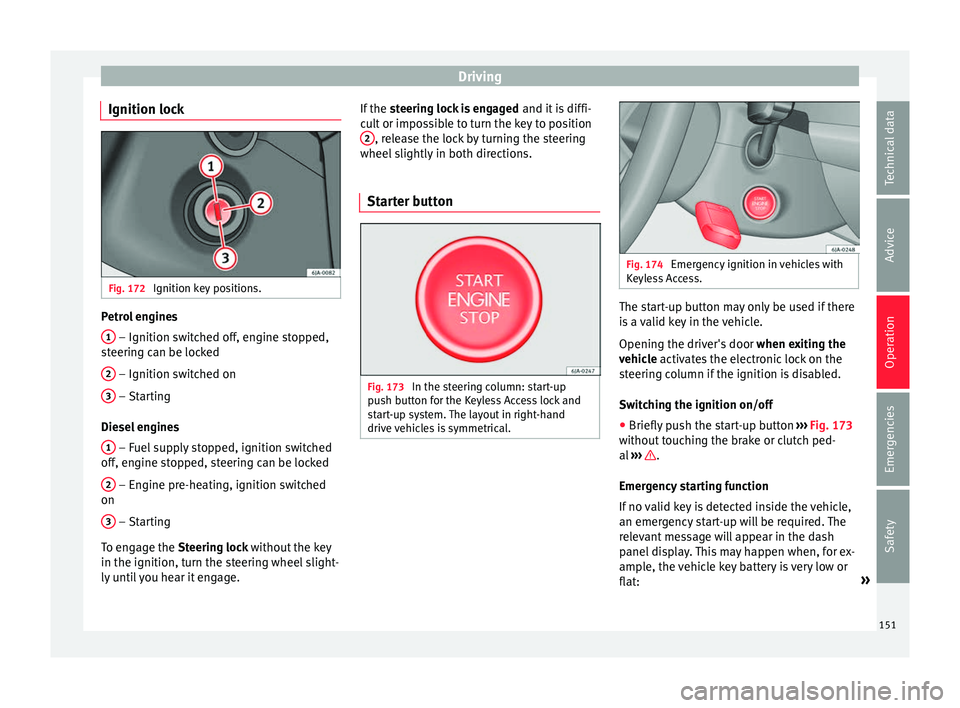
Ignition lock Fig. 172
Ignition key positions. Petrol engines
1 – Ignition switched off, engine stopped,
s t
eerin
g can be locked
2 – Ignition switched on
3 – Starting
Die sel
en
gines
1 – Fuel supply stopped, ignition switched
off , en
gine s
topped, steering can be locked
2 – Engine pre-heating, ignition switched
on
3 – Starting
T o en
g
age the Steering lock without the key
in the ignition, turn the steering wheel slight-
ly until you hear it engage. If the
steering lock is engaged and it i
s diffi-
cult or impossible to turn the key to position 2 , release the lock by turning the steering
wheel s
lightly
in both directions.
Starter button Fig. 173
In the steering column: start-up
p u
sh b
utton for the Keyless Access lock and
start-up system. The layout in right-hand
drive vehicles is symmetrical. Fig. 174
Emergency ignition in vehicles with
Keyl e
ss Access. The start-up button may only be used if there
i
s
a
valid key in the vehicle.
Opening the driver's door when exiting the
vehicle activates the electronic lock on the
steering column if the ignition is disabled.
Switching the ignition on/off
● Briefly push the start-up button ›››
Fig. 173
without touching the brake or clutch ped-
al ››› .
Emer g
ency
starting function
If no valid key is detected inside the vehicle,
an emergency start-up will be required. The
relevant message will appear in the dash
panel display. This may happen when, for ex-
ample, the vehicle key battery is very low or
flat: »
151
Technical data
Advice
Operation
Emergencies
Safety
Page 154 of 248
Operation
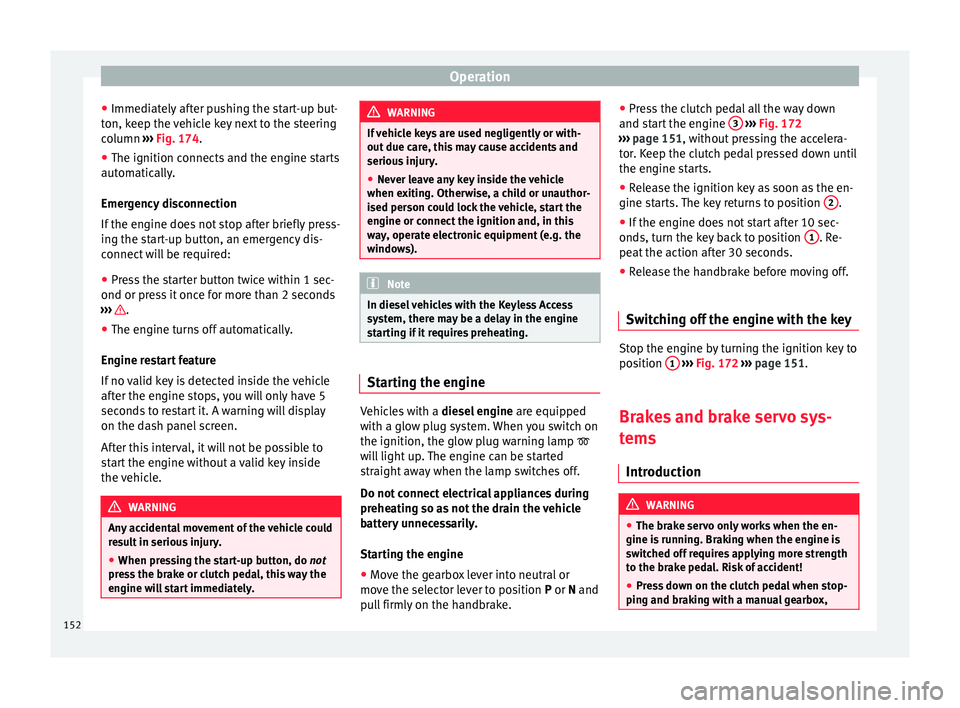
● Immedi at
ely
after pushing the start-up but-
ton, keep the vehicle key next to the steering
column ››› Fig. 174.
● The ignition connects and the engine starts
automatic
ally.
Emergency disconnection
If the engine does not stop after briefly press-
ing the start-up button, an emergency dis-
connect will be required:
● Press the starter button twice within 1 sec-
ond or pres
s it once for more than 2 seconds
››› .
● The engine turns off automatically.
En gine r
e
start feature
If no valid key is detected inside the vehicle
after the engine stops, you will only have 5
seconds to restart it. A warning will display
on the dash panel screen.
After this interval, it will not be possible to
start the engine without a valid key inside
the vehicle. WARNING
Any accidental movement of the vehicle could
re s
ult in serious injury.
● When pressing the start-up button, do not
pre
ss the brake or clutch pedal, this way the
engine will start immediately. WARNING
If vehicle keys are used negligently or with-
out due c ar
e, this may cause accidents and
serious injury.
● Never leave any key inside the vehicle
when exitin
g. Otherwise, a child or unauthor-
ised person could lock the vehicle, start the
engine or connect the ignition and, in this
way, operate electronic equipment (e.g. the
windows). Note
In diesel vehicles with the Keyless Access
sys t
em, there may be a delay in the engine
starting if it requires preheating. Starting the engine
Vehicles with a
diesel
en
gine are equipped
with a glow plug system. When you switch on
the ignition, the glow plug warning lamp
will light up. The engine can be started
straight away when the lamp switches off.
Do not connect electrical appliances during
preheating so as not the drain the vehicle
battery unnecessarily.
Starting the engine
● Move the gearbox lever into neutral or
move the sel
ector lever to position P or N and
pull firmly on the handbrake. ●
Pres
s the clutch pedal all the way down
and start the engine 3
› ››
Fig. 172
› ›
› page 151, without pressing the accelera-
tor. Keep the clutch pedal pressed down until
the engine starts.
● Release the ignition key as soon as the en-
gine star
ts. The key returns to position 2 .
● If the engine does not start after 10 sec-
ond s, t
urn the k
ey back to position 1 . Re-
pe at
the action af
ter 30 seconds.
● Release the handbrake before moving off.
Switching off the engine with the key Stop the engine by turning the ignition key to
po
s
ition 1
› ›
› Fig. 172
››› page 151.
Brakes and brake servo sys-
tems Introduction WARNING
● The brak e ser
vo only works when the en-
gine is running. Braking when the engine is
switched off requires applying more strength
to the brake pedal. Risk of accident!
● Press down on the clutch pedal when stop-
ping and brak
ing with a manual gearbox,152
Page 202 of 248
Advice
– Chec k
th
at the fuel flap is correctly closed.
Vehicles with a keyless fuel cap (the side
flap will unlock using the central locking sys-
tem)
– Once the vehicle has been unlocked using
the central
locking button, press the fuel
flap in the direction of the arrow 1›››
Fig. 203.
– Open the cover in the direction indicated
by
the arr
ow 2 .
– Unscrew the tank cap anti-clockwise and
pl
ac
e it on top of the tank flap ››› Fig. 203
.
– Insert the pump nozzle into the fuel feed
tube as
far as it will go.
The fuel tank is full as soon as the automatic
filler nozzle cuts out ››› .
– Remove the pump nozzle from the fuel feed
tube and p
l
ace it back on the pump.
– Screw the tank cap clockwise until it clicks
into pl
ace.
– Close the tank flap. Make sure you hear it
click
into place.
– Check that the fuel flap is properly closed. WARNING
Observe all relevant statutory regulations on
tran s
porting spare fuel canisters. For safety reasons, we do not recommend carrying a
sp
ar
e canister in the vehicle. The canister
could be damaged in an accident and fuel
may leak. Risk of fire! CAUTION
● Sw itc
h off the auxiliary heater (heater and
independent heater) before filling the tank.
● The fuel tank is full as soon as the automat-
ic fil
ler nozzle cuts out. Do not continue fill-
ing, as this will fill the expansion chamber.
● Never completely empty the tank! An irreg-
ular f
uel supply can cause ignition faults,
which can result in damage to a substantial
amount of engine parts and the exhaust sys-
tem.
● If any fuel is spilt onto the paintwork of the
vehicl
e, it should be removed immediately.
Risk of damage to paintwork! Note
There is no emergency mechanism for the
manua l
release of the fuel tank flap. If neces-
sary, request assistance from specialised per-
sonnel. Note
The fuel tank capacity is around 55 litres, of
which 7 litr e
s are the reserve. Types of petrol
The correct grade of petrol is listed inside the
fuel
t
ank flap.
The vehicle is equipped with a catalytic con-
verter and must only be run on unleaded pet-
rol. The petrol must comply with European
Standard EN 228 or German standard DIN
51626-1 and must be unleaded. You can re-
fuel with a maximum ethanol proportion of
10 % (E10). The types of petrol are differenti-
ated by their octane rating (RON).
The following titles appear on the corre-
sponding adhesive on the fuel tank flap:
Super unleaded 95 octane or normal 91 oc-
tane unleaded petrol
We recommend you use super 95 octane pet-
rol. If this is not available: normal 91 octane
petrol, with a slight decrease in power.
Super unleaded petrol with a minimum of 95
octanes
You should use super petrol with a minimum
of 95 octanes.
If super is not available, in an emergency you
may refuel with normal 91 octane petrol. In
this case only use moderate engine speeds
and a light throttle. Refuel with super as soon
as possible.
200