instrument cluster SKODA CITIGO 2017 User Guide
[x] Cancel search | Manufacturer: SKODA, Model Year: 2017, Model line: CITIGO, Model: SKODA CITIGO 2017Pages: 172, PDF Size: 24.54 MB
Page 42 of 172
Oil temperature - if the temperature is lower than 50 °C or if there is a fault in
the system for checking the oil temperature, the symbols are displayed.
Warning of excessive speed - It is possible to set a speed limit.WARNINGEven at temperatures of around +4 °C, black ice may still be on the road
surface! You should therefore not only rely on the outside temperature dis- play for accurate information as to whether there is ice on the road.
Warning at excessive speeds
The system offers the possibility to set a speed limit beyond which an acoustic
warning signal will sound and the following warning message (MAXI DOT Dis-
play) and the symbol appears in the display of the instrument cluster.
Adjust the speed limit while the vehicle is stationary
›
Select the menu item
Speed warning at
or and confirm.
›
Set the desired speed limit.
›
Confirm the set value, or wait several seconds; your settings will be saved
automatically.
Adjusting the speed limit while the vehicle is moving
›
Select the menu item
Speed warning at
or and confirm.
›
Drive at the desired speed.
›
Confirm the current speed as the speed limit.
The set speed limit can be manually adjusted later if needed.
Reset speed limit
›
Select the menu item
Speed warning at
or and confirm.
›
By confirming the speed stored in the memory, the speed limit is reset.
The set driving mode remains stored even after switching the ignition on and
off. If the break in a journey exceeds 2 hours, the pre-set speed limit is deacti-
vated.
MemoryFig. 25
Memory display: MAXI DOT display / Segment Display
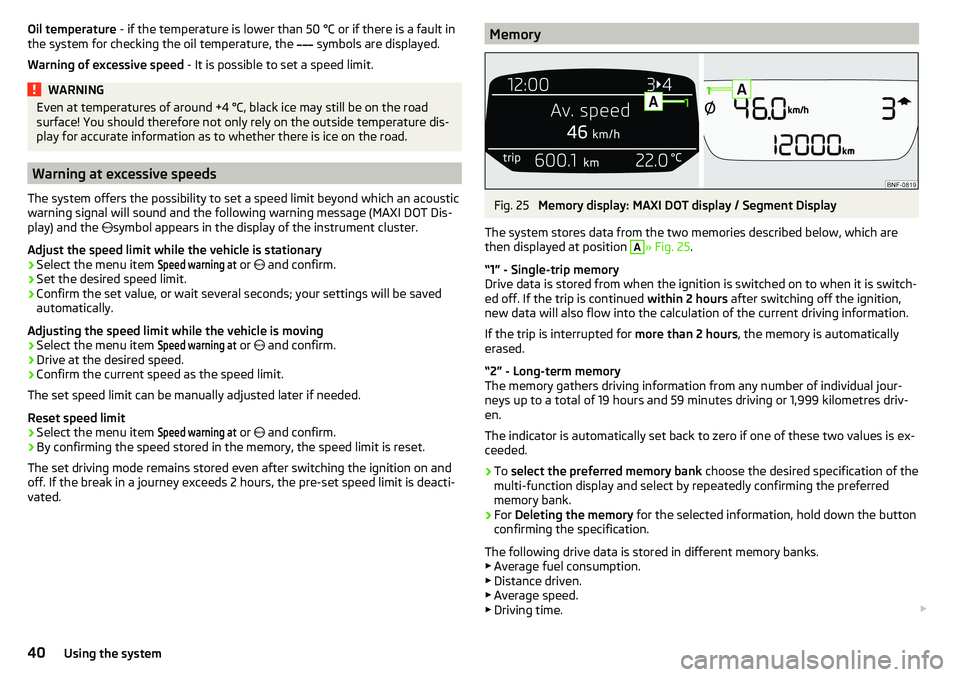
The system stores data from the two memories described below, which are
then displayed at position
A
» Fig. 25 .
“1” - Single-trip memory
Drive data is stored from when the ignition is switched on to when it is switch-
ed off. If the trip is continued within 2 hours after switching off the ignition,
new data will also flow into the calculation of the current driving information.
If the trip is interrupted for more than 2 hours, the memory is automatically
erased.
“2” - Long-term memory
The memory gathers driving information from any number of individual jour-
neys up to a total of 19 hours and 59 minutes driving or 1,999 kilometres driv-
en.
The indicator is automatically set back to zero if one of these two values is ex-
ceeded.
›
To select the preferred memory bank choose the desired specification of the
multi-function display and select by repeatedly confirming the preferred
memory bank.
›
For Deleting the memory for the selected information, hold down the button
confirming the specification.
The following drive data is stored in different memory banks.
▶ Average fuel consumption.
▶ Distance driven.
▶ Average speed.
▶ Driving time.
40Using the system
Page 46 of 172
Vehicle unlocking / locking with the door opening leverFig. 28
Door opening lever
Read and observe
and on page 43 first.
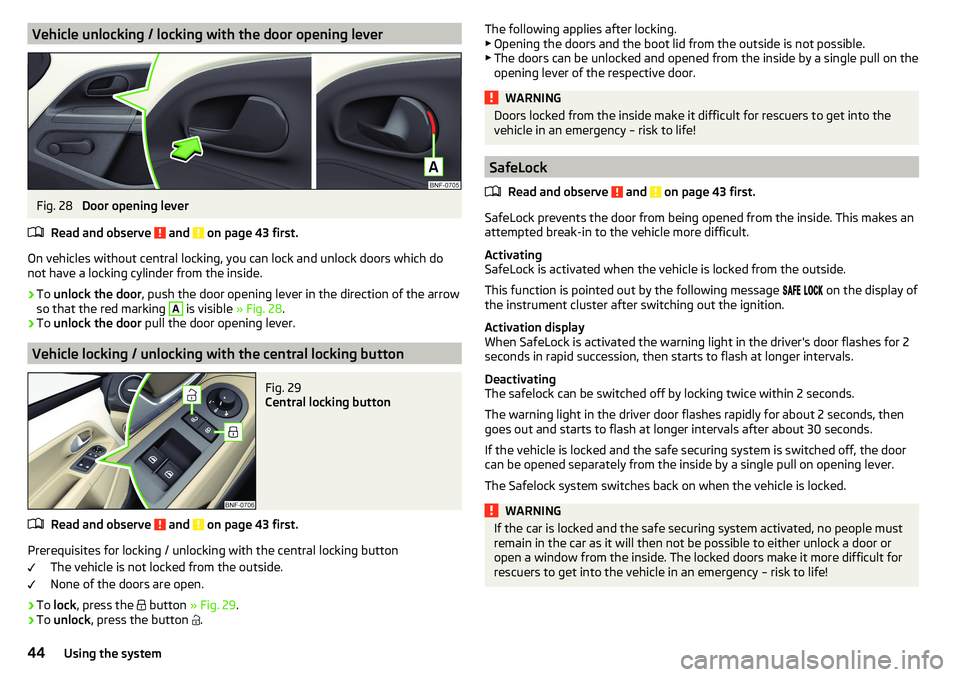
On vehicles without central locking, you can lock and unlock doors which do
not have a locking cylinder from the inside.
›
To unlock the door , push the door opening lever in the direction of the arrow
so that the red marking
A
is visible » Fig. 28.
›
To unlock the door pull the door opening lever.
Vehicle locking / unlocking with the central locking button
Fig. 29
Central locking button
Read and observe and on page 43 first.
Prerequisites for locking / unlocking with the central locking button
The vehicle is not locked from the outside.
None of the doors are open.
›
To lock , press the
button » Fig. 29 .
›
To unlock , press the button
.
The following applies after locking.
▶ Opening the doors and the boot lid from the outside is not possible.
▶ The doors can be unlocked and opened from the inside by a single pull on the
opening lever of the respective door.WARNINGDoors locked from the inside make it difficult for rescuers to get into the
vehicle in an emergency – risk to life!
SafeLock
Read and observe
and on page 43 first.
SafeLock prevents the door from being opened from the inside. This makes an
attempted break-in to the vehicle more difficult.
Activating
SafeLock is activated when the vehicle is locked from the outside.
This function is pointed out by the following message
on the display of
the instrument cluster after switching out the ignition.
Activation display
When SafeLock is activated the warning light in the driver's door flashes for 2
seconds in rapid succession, then starts to flash at longer intervals.
Deactivating
The safelock can be switched off by locking twice within 2 seconds.
The warning light in the driver door flashes rapidly for about 2 seconds, then
goes out and starts to flash at longer intervals after about 30 seconds.
If the vehicle is locked and the safe securing system is switched off, the door
can be opened separately from the inside by a single pull on opening lever.
The Safelock system switches back on when the vehicle is locked.
WARNINGIf the car is locked and the safe securing system activated, no people must
remain in the car as it will then not be possible to either unlock a door or
open a window from the inside. The locked doors make it more difficult for
rescuers to get into the vehicle in an emergency – risk to life!44Using the system
Page 53 of 172
Automatic driving light controlFig. 40
Light switch: AUTO position
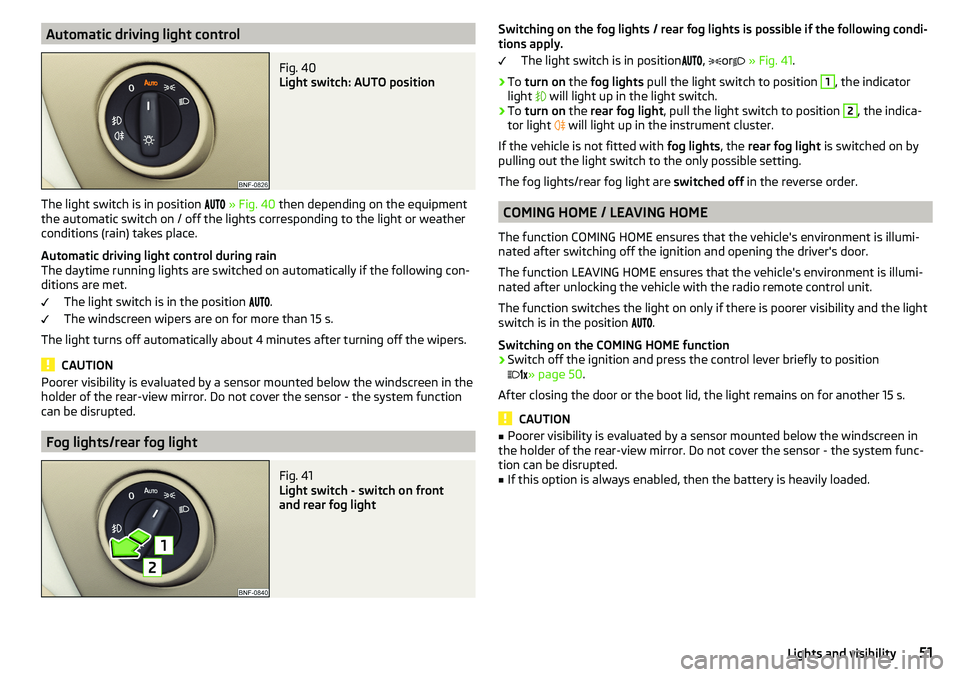
The light switch is in position
» Fig. 40 then depending on the equipment
the automatic switch on / off the lights corresponding to the light or weather
conditions (rain) takes place.
Automatic driving light control during rain
The daytime running lights are switched on automatically if the following con-
ditions are met.
The light switch is in the position .
The windscreen wipers are on for more than 15 s.
The light turns off automatically about 4 minutes after turning off the wipers.
CAUTION
Poorer visibility is evaluated by a sensor mounted below the windscreen in the
holder of the rear-view mirror. Do not cover the sensor - the system function
can be disrupted.
Fog lights/rear fog light
Fig. 41
Light switch - switch on front
and rear fog light
Switching on the fog lights / rear fog lights is possible if the following condi-
tions apply.
The light switch is in position
,
or
» Fig. 41 .›
To turn on the fog lights pull the light switch to position
1
, the indicator
light
will light up in the light switch.
›
To turn on the rear fog light , pull the light switch to position
2
, the indica-
tor light
will light up in the instrument cluster.
If the vehicle is not fitted with fog lights, the rear fog light is switched on by
pulling out the light switch to the only possible setting.
The fog lights/rear fog light are switched off in the reverse order.
COMING HOME / LEAVING HOME
The function COMING HOME ensures that the vehicle's environment is illumi-
nated after switching off the ignition and opening the driver's door.
The function LEAVING HOME ensures that the vehicle's environment is illumi-
nated after unlocking the vehicle with the radio remote control unit.
The function switches the light on only if there is poorer visibility and the light
switch is in the position .
Switching on the COMING HOME function
›
Switch off the ignition and press the control lever briefly to position
» page 50
.
After closing the door or the boot lid, the light remains on for another 15 s.
CAUTION
■ Poorer visibility is evaluated by a sensor mounted below the windscreen in
the holder of the rear-view mirror. Do not cover the sensor - the system func-
tion can be disrupted.■
If this option is always enabled, then the battery is heavily loaded.
51Lights and visibility
Page 54 of 172
Hazard warning light systemFig. 42
Button for hazard warning light
system
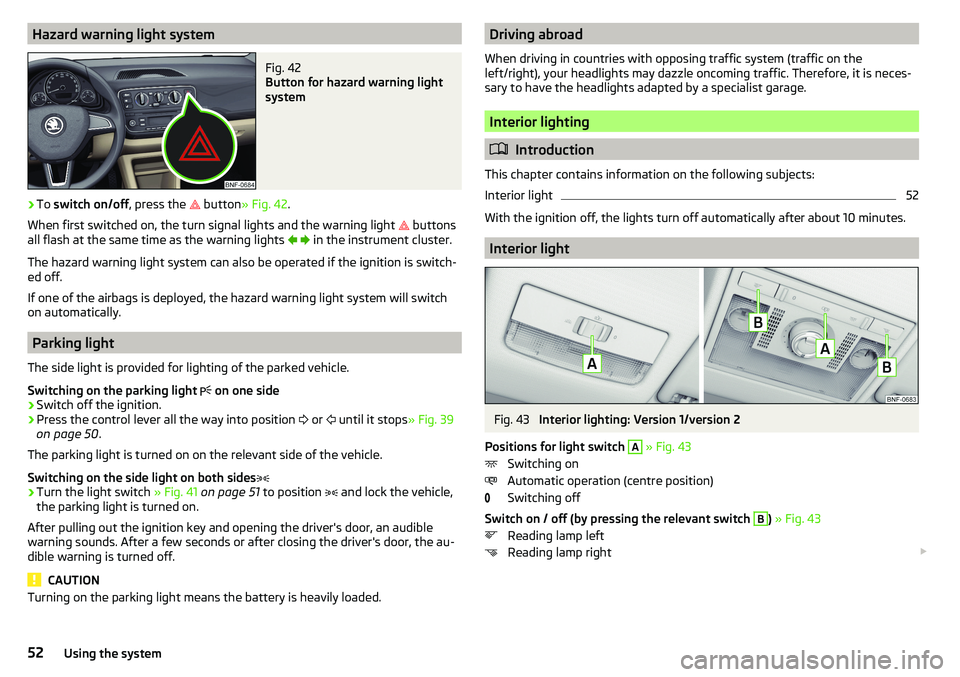
›
To switch on/off , press the
button
» Fig. 42 .
When first switched on, the turn signal lights and the warning light buttons
all flash at the same time as the warning lights
in the instrument cluster.
The hazard warning light system can also be operated if the ignition is switch-
ed off.
If one of the airbags is deployed, the hazard warning light system will switch
on automatically.
Parking light
The side light is provided for lighting of the parked vehicle.
Switching on the parking light on one side
›
Switch off the ignition.
›
Press the control lever all the way into position
or
until it stops
» Fig. 39
on page 50 .
The parking light is turned on on the relevant side of the vehicle.
Switching on the side light on both sides
›
Turn the light switch » Fig. 41 on page 51 to position
and lock the vehicle,
the parking light is turned on.
After pulling out the ignition key and opening the driver's door, an audible
warning sounds. After a few seconds or after closing the driver's door, the au-
dible warning is turned off.
CAUTION
Turning on the parking light means the battery is heavily loaded.Driving abroad
When driving in countries with opposing traffic system (traffic on the
left/right), your headlights may dazzle oncoming traffic. Therefore, it is neces-
sary to have the headlights adapted by a specialist garage.
Interior lighting
Introduction
This chapter contains information on the following subjects:
Interior light
52
With the ignition off, the lights turn off automatically after about 10 minutes.
Interior light
Fig. 43
Interior lighting: Version 1/version 2
Positions for light switch
A
» Fig. 43
Switching on
Automatic operation (centre position)
Switching off
Switch on / off (by pressing the relevant switch
B
) » Fig. 43
Reading lamp left
Reading lamp right
52Using the system
Page 96 of 172
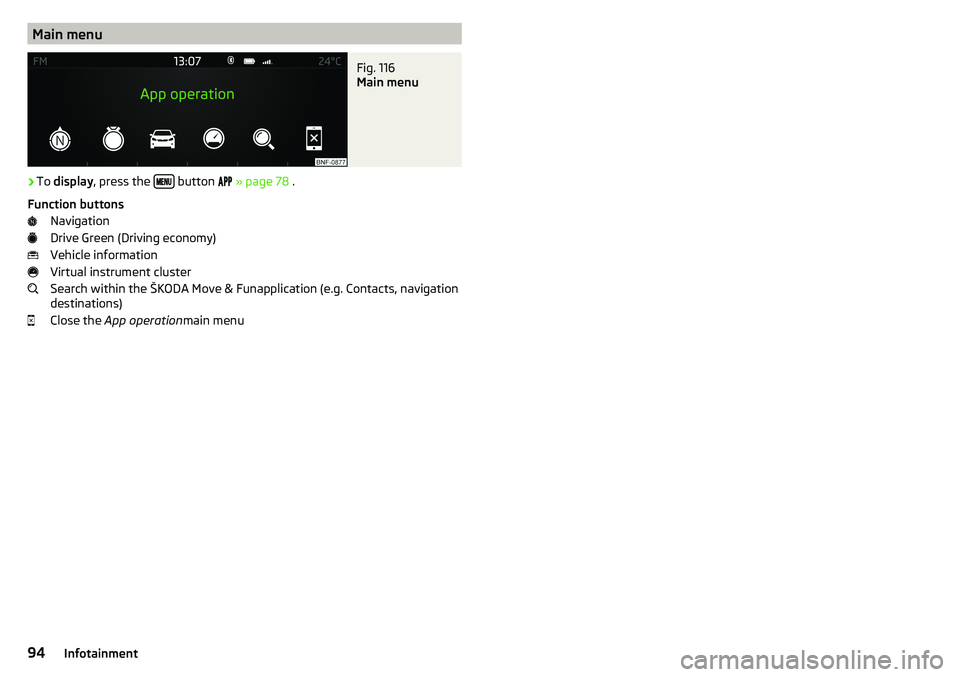
Main menuFig. 116
Main menu
›
To display , press the button
» page 78 .
Function buttons Navigation
Drive Green (Driving economy)
Vehicle information
Virtual instrument cluster
Search within the ŠKODA Move & Funapplication (e.g. Contacts, navigation
destinations)
Close the App operation main menu
94Infotainment
Page 100 of 172
Brakes and Parking
Introduction
This chapter contains information on the following subjects:
Handbrake
98
Parking
99
The wear and tear on the brake pads is dependent on the operating condi-
tions and driving style. In difficult conditions (e.g. urban, sporty driving), the
condition of the brakes should be checked between services by a specialist ga-
rage.
Brake response can be slower if the brakes are covered in moisture or, in win-
ter, have a layer of ice or salt on them . The brakes should be cleaned and
dried by applying the brakes many times over »
.
Corrosion on the brake discs and dirt on the brake pads can occur if the vehicle
has been parked for a long period and if you do not make much use of the
braking system. The brakes are cleaned by applying the brakes several times
over »
.
Before negotiating a long or steep gradient , reduce speed and shift down a
gear. As a result, the braking effect of the engine will be used, reducing the
load on the brakes. If, nevertheless, there is a need for additional braking, it
should be carried out at intervals.
Emergency braking warning - If it is necessary to brake hard, the system may
cause the brake lights to automatically flash, to alert the traffic behind.
New brake pads must first be ““run in”” because these do not initially have the
best possible braking effect. Drive especially carefully for the first 200 km or
so.
If the brake fluid level is too low, it can cause faults in the braking system ;
the warning light will light up in the instrument cluster » page 32
,
Braking
system . If the warning light does not light up, yet the stopping distance is per-
ceived to be longer than before, the driving style should be adapted in view of
the unknown cause of the problem, and braking kept to a minimum - seek the
help of a specialist garage without delay.
The brake booster increases the pressure generated with the brake pedal. The
brake booster only operates when the engine is running.
WARNING■ Greater physical effort is required for braking when the engine is switch-
ed off – risk of accident!■
When braking in a vehicle with manual transmission, when the vehicle is
in gear and at low revs, the clutch pedal must be depressed. Otherwise, the
functionality of the brake system may be impaired – risk of accident!
■
Do not depress the brake pedal, if there is no requirement to slow down.
This causes the brakes to overheat and can also result in a longer braking
distance and excessive wear - risk of accident!
■
Only brake for the purpose of drying and cleaning the brake discs if the
traffic conditions permit this. Do not place any other road users in jeopardy.
■
Recommendations for new brake pads should be followed.
■
When stopping and parking, the parking brake should always be applied
firmly, otherwise the vehicle could move off - risk of accident!
■
If a front spoiler, full wheel trim, etc. is mounted retrospectively, it must
be ensured that the air supply to the front wheel brakes is not reduced.
Otherwise, the front brakes could be in danger of overheating – risk of acci-
dent!
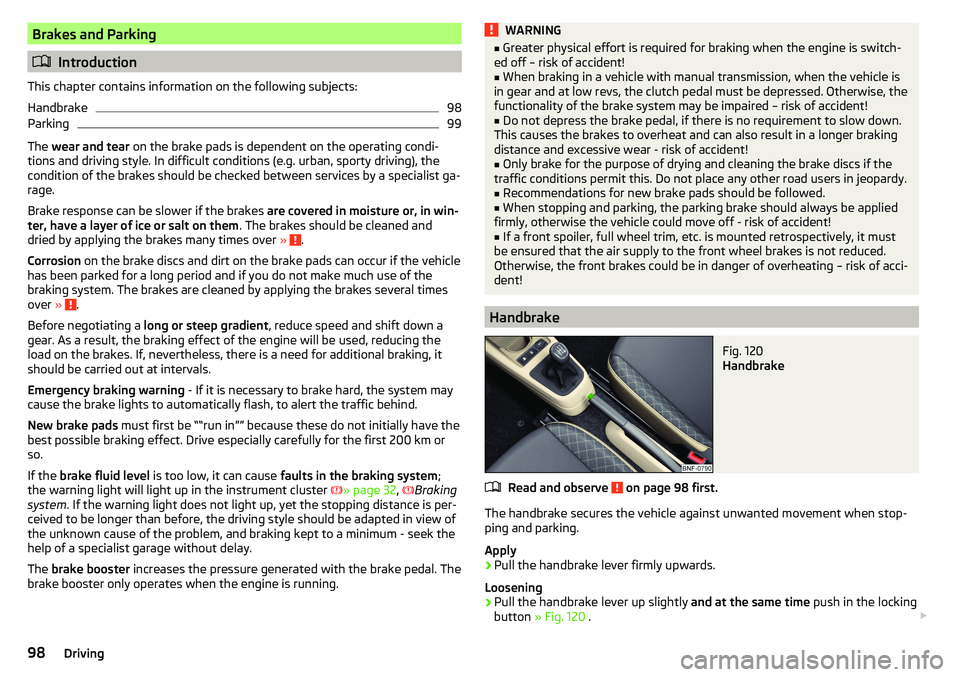
Handbrake
Fig. 120
Handbrake
Read and observe on page 98 first.
The handbrake secures the vehicle against unwanted movement when stop- ping and parking.
Apply
›
Pull the handbrake lever firmly upwards.
Loosening
›
Pull the handbrake lever up slightly and at the same time push in the locking
button » Fig. 120 .
98Driving
Page 103 of 172
With driving mode set, the vehicle will not start up
If the vehicle does not start off, the problem may be that the selector lever is
not completely in the selected position. In such an instance, press the brake
pedal and put the selector lever into the required position.
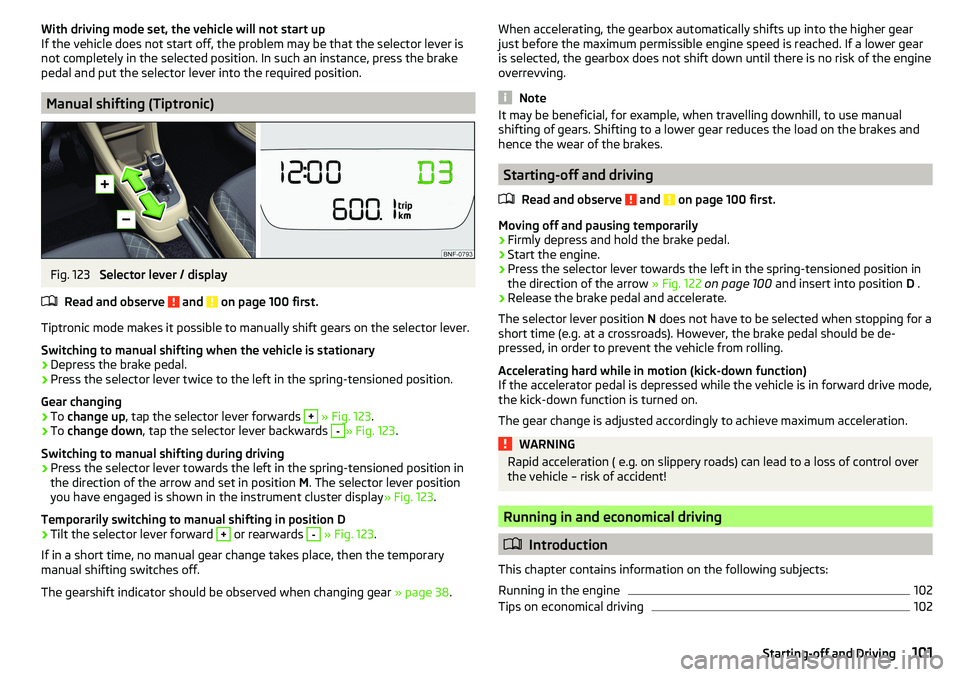
Manual shifting (Tiptronic)
Fig. 123
Selector lever / display
Read and observe
and on page 100 first.
Tiptronic mode makes it possible to manually shift gears on the selector lever. Switching to manual shifting when the vehicle is stationary
›
Depress the brake pedal.
›
Press the selector lever twice to the left in the spring-tensioned position.
Gear changing
›
To change up , tap the selector lever forwards
+
» Fig. 123 .
›
To change down , tap the selector lever backwards
-
» Fig. 123.
Switching to manual shifting during driving
›
Press the selector lever towards the left in the spring-tensioned position in
the direction of the arrow and set in position M. The selector lever position
you have engaged is shown in the instrument cluster display » Fig. 123.
Temporarily switching to manual shifting in position D
›
Tilt the selector lever forward
+
or rearwards
-
» Fig. 123 .
If in a short time, no manual gear change takes place, then the temporary
manual shifting switches off.
The gearshift indicator should be observed when changing gear » page 38.
When accelerating, the gearbox automatically shifts up into the higher gear
just before the maximum permissible engine speed is reached. If a lower gear
is selected, the gearbox does not shift down until there is no risk of the engine
overrevving.
Note
It may be beneficial, for example, when travelling downhill, to use manual
shifting of gears. Shifting to a lower gear reduces the load on the brakes and
hence the wear of the brakes.
Starting-off and driving
Read and observe
and on page 100 first.
Moving off and pausing temporarily
›
Firmly depress and hold the brake pedal.
›
Start the engine.
›
Press the selector lever towards the left in the spring-tensioned position in
the direction of the arrow » Fig. 122 on page 100 and insert into position D .
›
Release the brake pedal and accelerate.
The selector lever position N does not have to be selected when stopping for a
short time (e.g. at a crossroads). However, the brake pedal should be de-
pressed, in order to prevent the vehicle from rolling.
Accelerating hard while in motion (kick-down function)
If the accelerator pedal is depressed while the vehicle is in forward drive mode,
the kick-down function is turned on.
The gear change is adjusted accordingly to achieve maximum acceleration.
WARNINGRapid acceleration ( e.g. on slippery roads) can lead to a loss of control over
the vehicle – risk of accident!
Running in and economical driving
Introduction
This chapter contains information on the following subjects:
Running in the engine
102
Tips on economical driving
102101Starting-off and Driving
Page 106 of 172
WARNINGThe general information relating to the use of assistance systems must be
observed » page 103, in section Introduction .
Stability Control (ESC)
Read and observe
on page 104 first.
The ESC improves vehicle stability when driving at the limit (e.g. if the vehiclestarts to skid) by braking individual wheels to maintain the desired direction.
If there is a TCS intervention, the indicator light flashes in the instrument
cluster.
Anti-lock braking system (ABS)
Read and observe
on page 104 first.
ABS prevents the wheels locking when braking. Thus helping the driver to
maintain control of the vehicle.
The intervention of the ABS is noticeable from the pulsating movements of
the brake pedal which is accompanied by noises.
When the ABS system is active, do not brake periodically or reduce the pres-
sure on the brake pedal.
Engine drag torque control (MSR)
Read and observe
on page 104 first.
MSR counteracts the tendency of the drive wheels to lock during downshifts
or sudden deceleration (e.g. on icy or an otherwise slippery road surface).
If the drive wheels should lock, then the engine speed is automatically in-
creased. This reduces the braking effect of the engine and the wheels can ro-
tate freely again.
Traction control (TCS)
Read and observe
on page 104 first.
TCS prevents the spinning of the wheels on the drive axle. TCS reduces the
drive power transmitted to the wheels that are spinning. Thus, for example,
driving on road surfaces with low grip is made easier.
If there is a TCS intervention, the warning light flashes in the instrument
cluster.
Electronic Differential Lock (EDL)
Read and observe
on page 104 first.
EDL prevents the turning of the respective wheel of the driven axle. EDL
brakes a spinning wheel if required and transfers the drive power force to the
other drive wheel. Driving becomes easier on road surfaces with different trac-
tion under each wheel of the driven axle.
The EDL switches off automatically in order to avoid excessive heat generation
on the brake of the wheel being braked. Once the brakes have cooled down,
there is an automatic re-activation of EDL.
Brake Assist (HBA)
Read and observe
on page 104 first.
HBA increases the braking effect and helps to shorten the braking distance.The HBA is activated by very quick operation of the brake pedal. In order to
achieve the shortest possible braking distance, the brake pedal must be ap-
plied firmly until the vehicle has come to a standstill.
The HBA function is automatically switched off when the brake pedal is re-
leased.
Hill Start Assist (HHC)
Read and observe
on page 104 first.
When moving off on a gradient, HHC allows you to move your foot from thebrake pedal to the accelerator pedal without the vehicle rolling downhill.
The vehicle is braked by the system for about 2 seconds after releasing the
brake pedal.
The HHC is active on gradients upwards up 5 % if the driver door is closed. HHC
is always only active on slopes when in forward or reverse start off.
104Driving
Page 109 of 172
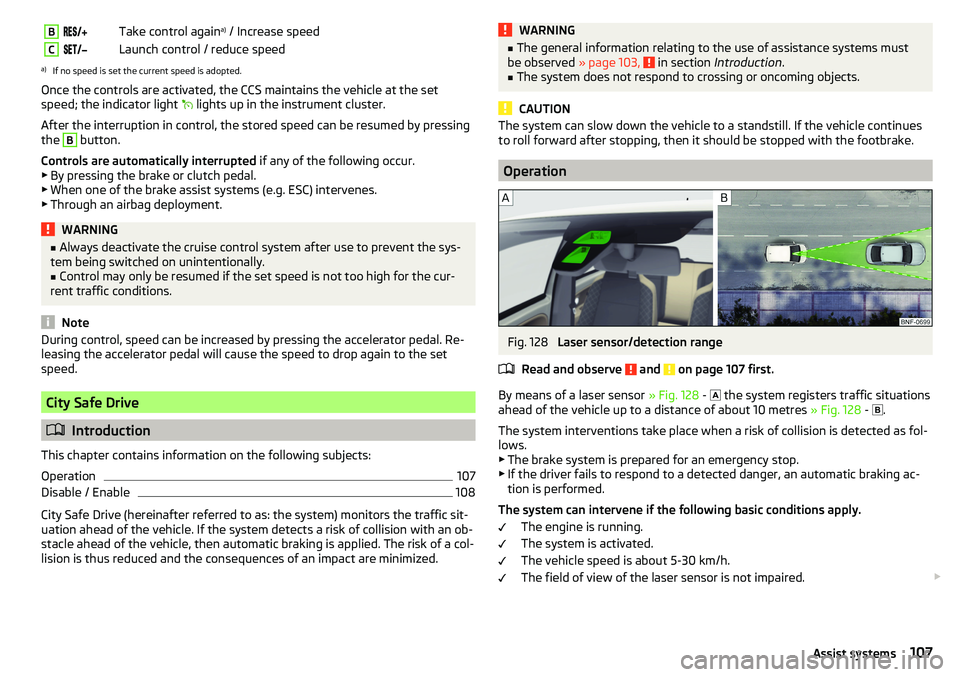
BTake control againa)
/ Increase speedCLaunch control / reduce speeda)
If no speed is set the current speed is adopted.
Once the controls are activated, the CCS maintains the vehicle at the set
speed; the indicator light
lights up in the instrument cluster.
After the interruption in control, the stored speed can be resumed by pressing
the
B
button.
Controls are automatically interrupted if any of the following occur.
▶ By pressing the brake or clutch pedal.
▶ When one of the brake assist systems (e.g. ESC) intervenes.
▶ Through an airbag deployment.
WARNING■ Always deactivate the cruise control system after use to prevent the sys-
tem being switched on unintentionally.■
Control may only be resumed if the set speed is not too high for the cur-
rent traffic conditions.
Note
During control, speed can be increased by pressing the accelerator pedal. Re-
leasing the accelerator pedal will cause the speed to drop again to the set
speed.
City Safe Drive
Introduction
This chapter contains information on the following subjects:
Operation
107
Disable / Enable
108
City Safe Drive (hereinafter referred to as: the system) monitors the traffic sit-
uation ahead of the vehicle. If the system detects a risk of collision with an ob-
stacle ahead of the vehicle, then automatic braking is applied. The risk of a col-
lision is thus reduced and the consequences of an impact are minimized.
WARNING■ The general information relating to the use of assistance systems must
be observed » page 103, in section Introduction .■
The system does not respond to crossing or oncoming objects.
CAUTION
The system can slow down the vehicle to a standstill. If the vehicle continues
to roll forward after stopping, then it should be stopped with the footbrake.
Operation
Fig. 128
Laser sensor/detection range
Read and observe
and on page 107 first.
By means of a laser sensor » Fig. 128 -
the system registers traffic situations
ahead of the vehicle up to a distance of about 10 metres » Fig. 128 -
.
The system interventions take place when a risk of collision is detected as fol- lows.
▶ The brake system is prepared for an emergency stop.
▶ If the driver fails to respond to a detected danger, an automatic braking ac-
tion is performed.
The system can intervene if the following basic conditions apply. The engine is running.
The system is activated.
The vehicle speed is about 5-30 km/h.
The field of view of the laser sensor is not impaired.
107Assist systems
Page 110 of 172
The system can, for example, be affected in the following situations or not
be available. ▶ When visibility is poor, (e.g. fog, heavy rain, thick snowfall).
▶ Driving around “sharp” bends.
▶ When fully pressing down the accelerator pedal.
▶ When the laser sensor is dirty or obscured.
▶ When the vehicles are very dirty and have a low level of reflection.
If the system is not available or there is a system malfunction, the message
and the warning light appears on the display of the instrument cluster
flashes in a slow sequence.WARNINGDo not cover the windscreen in the area of the laser sensor. This can lead
to impaired function of the sensor - risk of accidents!WARNINGThe laser beam from the laser sensor can cause serious eye injuries. The la-
ser beam is not visible to the human eye.■
Never use optical devices, e.g. a range-finder camera or magnifying glass
to look into the laser sensor.
■
The laser beam can also be active when the system is disabled or is not
available.
CAUTION
■ Remove any snow from the windscreen in the area of the laser sensor using
a hand brush and any ice with a solvent-free de-icing spray.■
If the laser sensor range on the windscreen has scratches, cracks, etc., re-
place the windscreen.
Note
■ If an automatic brake intervention is triggered by the system, the pressure in
the brake system increases and the brake pedal cannot be operated with the
normal pedal stroke.■
Automatic braking interventions by the emergency brake function can be ter-
minated by pressing the clutch or the accelerator or by moving the steering
wheel.
Disable / EnableFig. 129
Button for the City Safe Drive
system
Read and observe and on page 107 first.
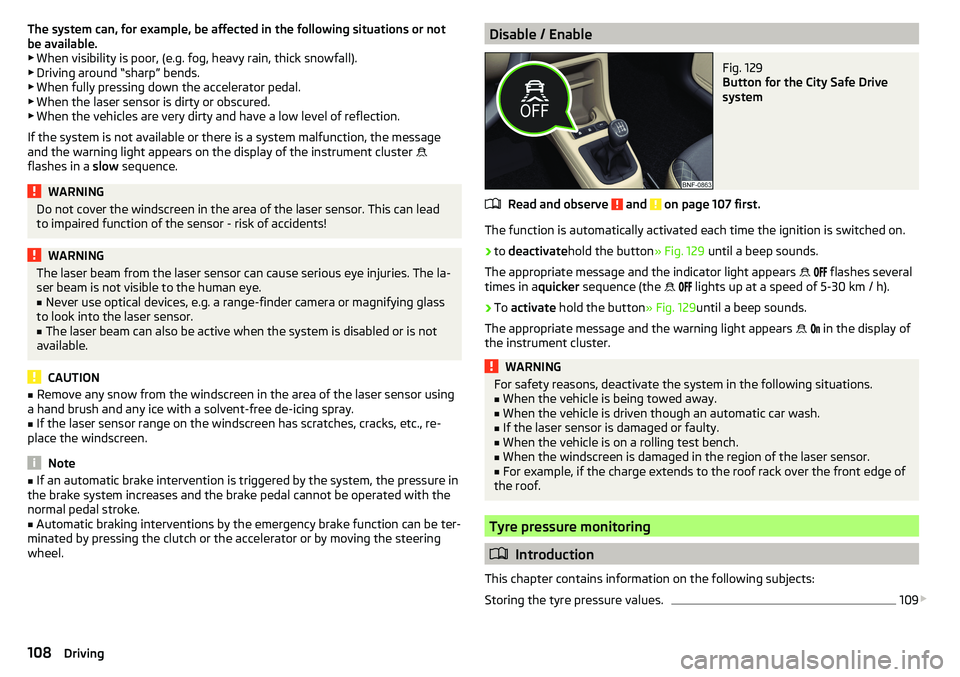
The function is automatically activated each time the ignition is switched on.
›
to deactivate hold the button » Fig. 129 until a beep sounds.
The appropriate message and the indicator light appears
flashes several
times in a quicker sequence (the
lights up at a speed of 5-30 km / h).
›
To
activate hold the button » Fig. 129until a beep sounds.
The appropriate message and the warning light appears
in the display of
the instrument cluster.
WARNINGFor safety reasons, deactivate the system in the following situations.■When the vehicle is being towed away.■
When the vehicle is driven though an automatic car wash.
■
If the laser sensor is damaged or faulty.
■
When the vehicle is on a rolling test bench.
■
When the windscreen is damaged in the region of the laser sensor.
■
For example, if the charge extends to the roof rack over the front edge of
the roof.
Tyre pressure monitoring
Introduction
This chapter contains information on the following subjects:
Storing the tyre pressure values.
109
108Driving