tow SKODA CITIGO 2017 User Guide
[x] Cancel search | Manufacturer: SKODA, Model Year: 2017, Model line: CITIGO, Model: SKODA CITIGO 2017Pages: 172, PDF Size: 24.54 MB
Page 65 of 172
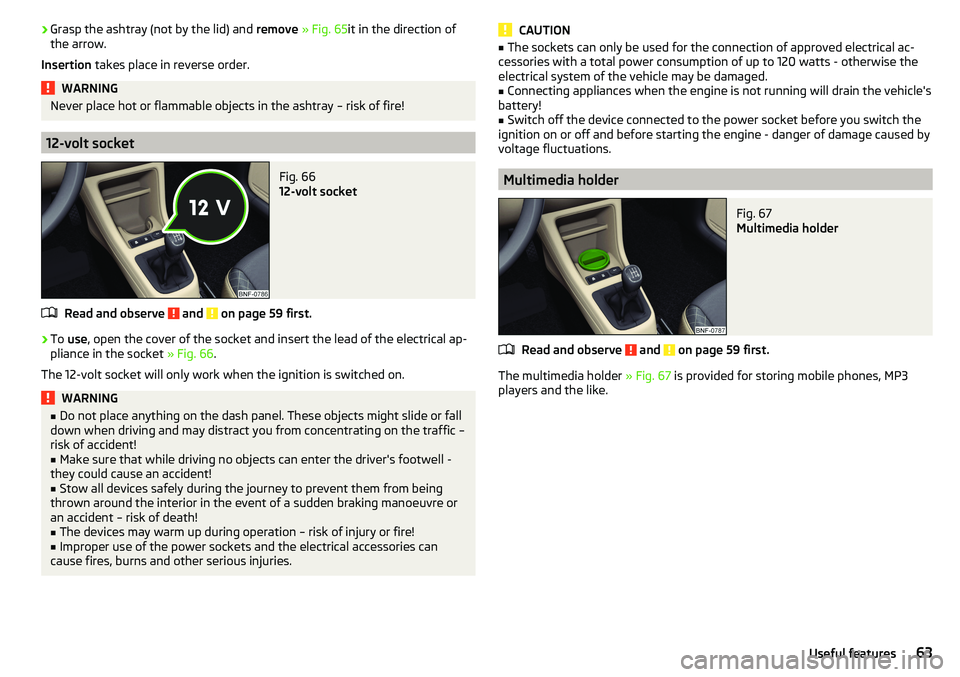
›Grasp the ashtray (not by the lid) and
remove » Fig. 65 it in the direction of
the arrow.
Insertion takes place in reverse order.WARNINGNever place hot or flammable objects in the ashtray – risk of fire!
12-volt socket
Fig. 66
12-volt socket
Read and observe and on page 59 first.
›
To use , open the cover of the socket and insert the lead of the electrical ap-
pliance in the socket » Fig. 66.
The 12-volt socket will only work when the ignition is switched on.
WARNING■ Do not place anything on the dash panel. These objects might slide or fall
down when driving and may distract you from concentrating on the traffic –
risk of accident!■
Make sure that while driving no objects can enter the driver's footwell -
they could cause an accident!
■
Stow all devices safely during the journey to prevent them from being
thrown around the interior in the event of a sudden braking manoeuvre or
an accident – risk of death!
■
The devices may warm up during operation – risk of injury or fire!
■
Improper use of the power sockets and the electrical accessories can
cause fires, burns and other serious injuries.
CAUTION■ The sockets can only be used for the connection of approved electrical ac-
cessories with a total power consumption of up to 120 watts - otherwise the
electrical system of the vehicle may be damaged.■
Connecting appliances when the engine is not running will drain the vehicle's
battery!
■
Switch off the device connected to the power socket before you switch the
ignition on or off and before starting the engine - danger of damage caused by
voltage fluctuations.
Multimedia holder
Fig. 67
Multimedia holder
Read and observe and on page 59 first.
The multimedia holder » Fig. 67 is provided for storing mobile phones, MP3
players and the like.
63Useful features
Page 66 of 172
Storage compartment on the front passenger side - version 1Fig. 68
Storage compartment on the
front passenger side
Read and observe and on page 59 first.
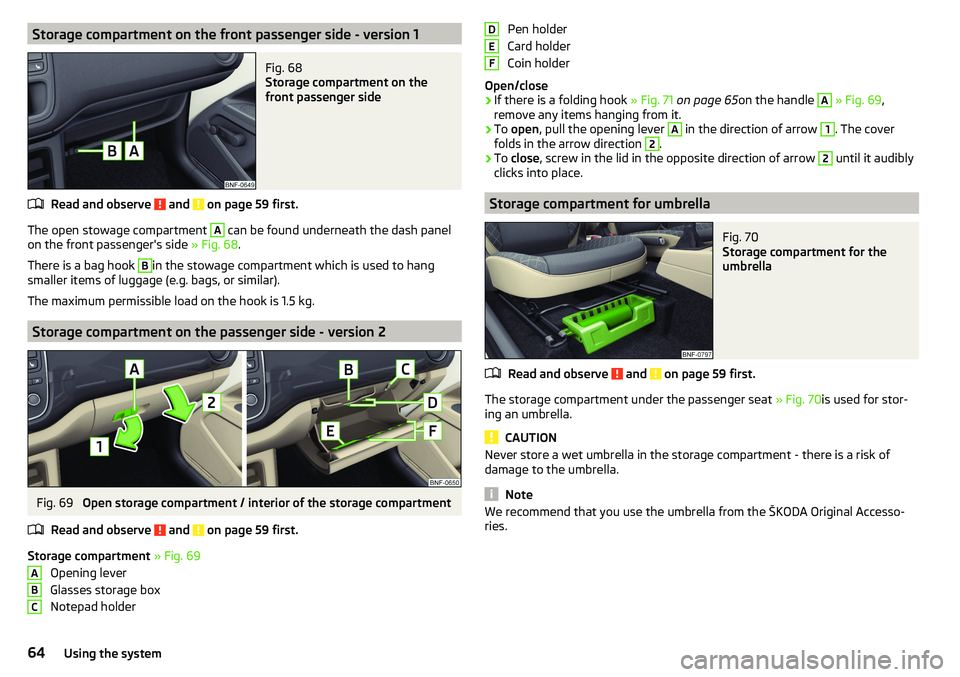
The open stowage compartment
A
can be found underneath the dash panel
on the front passenger's side » Fig. 68.
There is a bag hook
B
in the stowage compartment which is used to hang
smaller items of luggage (e.g. bags, or similar).
The maximum permissible load on the hook is 1.5 kg.
Storage compartment on the passenger side - version 2
Fig. 69
Open storage compartment / interior of the storage compartment
Read and observe
and on page 59 first.
Storage compartment » Fig. 69
Opening lever
Glasses storage box
Notepad holder
ABCPen holder
Card holder
Coin holder
Open/close›
If there is a folding hook » Fig. 71 on page 65 on the handle
A
» Fig. 69 ,
remove any items hanging from it.
›
To open , pull the opening lever
A
in the direction of arrow
1
. The cover
folds in the arrow direction
2
.
›
To close , screw in the lid in the opposite direction of arrow
2
until it audibly
clicks into place.
Storage compartment for umbrella
Fig. 70
Storage compartment for the
umbrella
Read and observe and on page 59 first.
The storage compartment under the passenger seat » Fig. 70is used for stor-
ing an umbrella.
CAUTION
Never store a wet umbrella in the storage compartment - there is a risk of
damage to the umbrella.
Note
We recommend that you use the umbrella from the ŠKODA Original Accesso-
ries.DEF64Using the system
Page 68 of 172
Stowage compartments in front of the rear seatsFig. 74
Storage compartment
Read and observe and on page 59 first.
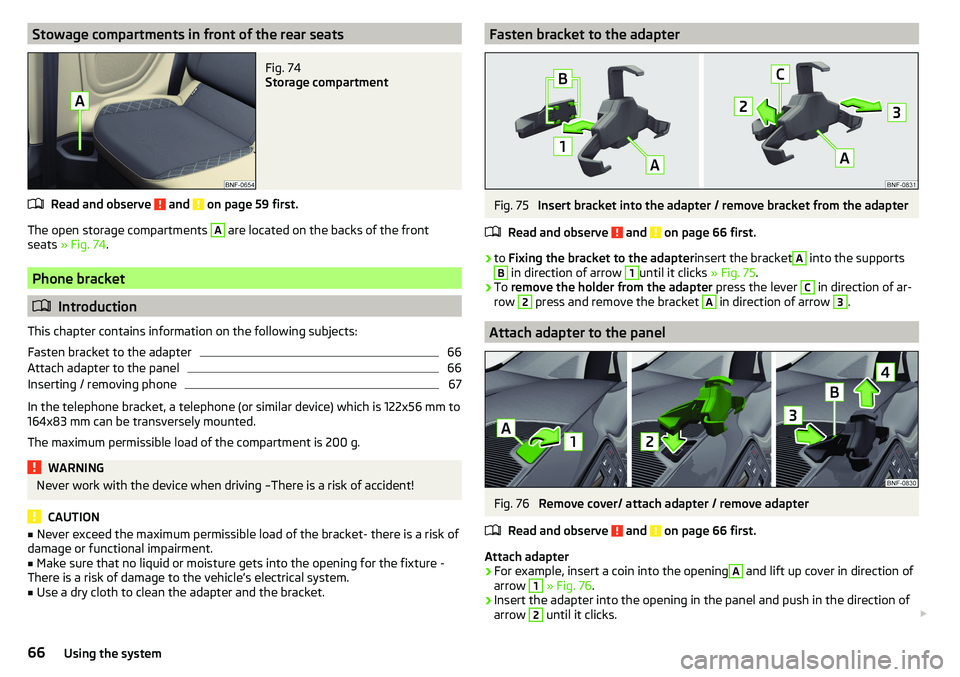
The open storage compartments
A
are located on the backs of the front
seats » Fig. 74 .
Phone bracket
Introduction
This chapter contains information on the following subjects:
Fasten bracket to the adapter
66
Attach adapter to the panel
66
Inserting / removing phone
67
In the telephone bracket, a telephone (or similar device) which is 122x56 mm to
164x83 mm can be transversely mounted.
The maximum permissible load of the compartment is 200 g.
WARNINGNever work with the device when driving –There is a risk of accident!
CAUTION
■ Never exceed the maximum permissible load of the bracket- there is a risk of
damage or functional impairment.■
Make sure that no liquid or moisture gets into the opening for the fixture -
There is a risk of damage to the vehicle’s electrical system.
■
Use a dry cloth to clean the adapter and the bracket.
Fasten bracket to the adapterFig. 75
Insert bracket into the adapter / remove bracket from the adapter
Read and observe
and on page 66 first.
›
to Fixing the bracket to the adapter insert the bracket
A
into the supports
B
in direction of arrow
1
until it clicks » Fig. 75.
›
To remove the holder from the adapter press the lever
C
in direction of ar-
row
2
press and remove the bracket
A
in direction of arrow
3
.
Attach adapter to the panel
Fig. 76
Remove cover/ attach adapter / remove adapter
Read and observe
and on page 66 first.
Attach adapter
›
For example, insert a coin into the opening
A
and lift up cover in direction of
arrow
1
» Fig. 76 .
›
Insert the adapter into the opening in the panel and push in the direction of
arrow
2
until it clicks.
66Using the system
Page 103 of 172
With driving mode set, the vehicle will not start up
If the vehicle does not start off, the problem may be that the selector lever is
not completely in the selected position. In such an instance, press the brake
pedal and put the selector lever into the required position.
Manual shifting (Tiptronic)
Fig. 123
Selector lever / display
Read and observe
and on page 100 first.
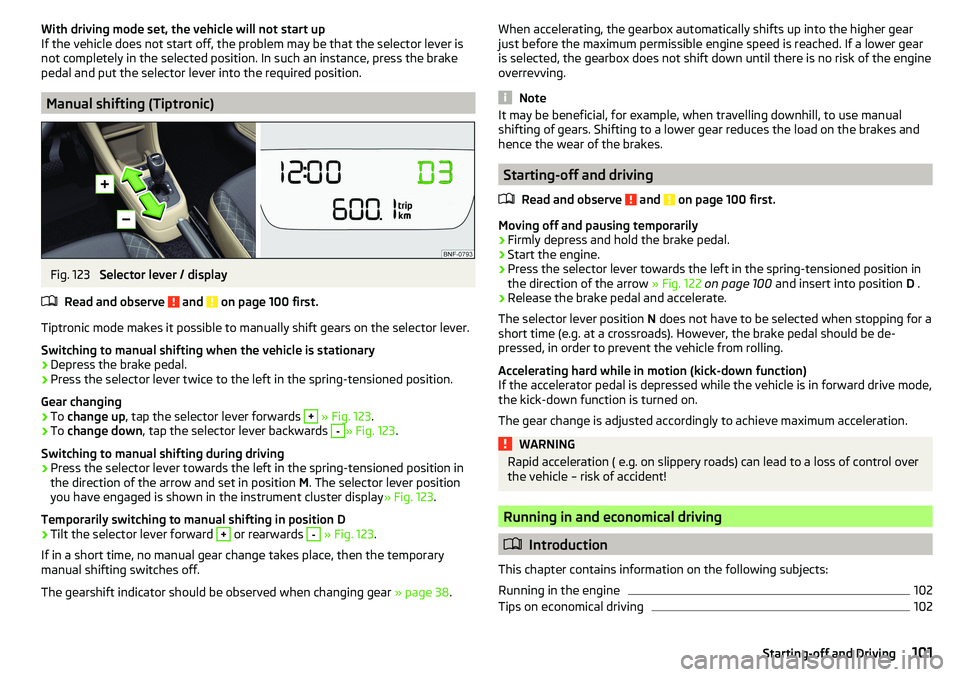
Tiptronic mode makes it possible to manually shift gears on the selector lever. Switching to manual shifting when the vehicle is stationary
›
Depress the brake pedal.
›
Press the selector lever twice to the left in the spring-tensioned position.
Gear changing
›
To change up , tap the selector lever forwards
+
» Fig. 123 .
›
To change down , tap the selector lever backwards
-
» Fig. 123.
Switching to manual shifting during driving
›
Press the selector lever towards the left in the spring-tensioned position in
the direction of the arrow and set in position M. The selector lever position
you have engaged is shown in the instrument cluster display » Fig. 123.
Temporarily switching to manual shifting in position D
›
Tilt the selector lever forward
+
or rearwards
-
» Fig. 123 .
If in a short time, no manual gear change takes place, then the temporary
manual shifting switches off.
The gearshift indicator should be observed when changing gear » page 38.
When accelerating, the gearbox automatically shifts up into the higher gear
just before the maximum permissible engine speed is reached. If a lower gear
is selected, the gearbox does not shift down until there is no risk of the engine
overrevving.
Note
It may be beneficial, for example, when travelling downhill, to use manual
shifting of gears. Shifting to a lower gear reduces the load on the brakes and
hence the wear of the brakes.
Starting-off and driving
Read and observe
and on page 100 first.
Moving off and pausing temporarily
›
Firmly depress and hold the brake pedal.
›
Start the engine.
›
Press the selector lever towards the left in the spring-tensioned position in
the direction of the arrow » Fig. 122 on page 100 and insert into position D .
›
Release the brake pedal and accelerate.
The selector lever position N does not have to be selected when stopping for a
short time (e.g. at a crossroads). However, the brake pedal should be de-
pressed, in order to prevent the vehicle from rolling.
Accelerating hard while in motion (kick-down function)
If the accelerator pedal is depressed while the vehicle is in forward drive mode,
the kick-down function is turned on.
The gear change is adjusted accordingly to achieve maximum acceleration.
WARNINGRapid acceleration ( e.g. on slippery roads) can lead to a loss of control over
the vehicle – risk of accident!
Running in and economical driving
Introduction
This chapter contains information on the following subjects:
Running in the engine
102
Tips on economical driving
102101Starting-off and Driving
Page 107 of 172
Parking aid (ParkPilot)
Introduction
This chapter contains information on the following subjects:
Function
105
Display in the swing radio display
106
The parking aid (hereinafter referred to only as a system) draws attention via
acoustic signals and an indication in the swing radio when manoeuvring
around obstacles in the vicinity of the vehicle.
WARNING■ The general information relating to the use of assistance systems must
be observed » page 103, in section Introduction .■
Moving persons or objects may not be recognized by the system sensors.
■
Under certain circumstances, surfaces of certain objects and types of
clothing cannot reflect the system signals. There is a danger that such ob-
jects or people may not be recognised by the system sensors.
■
External noise sources may affect the signals of the system sensors.
There is a danger that obstacles may not be recognised by the system sen-
sors.
■
Before reversing, you should make sure that there are no small obstacles
- such as rocks, small posts or similar - behind your vehicle. Such obstacles
may not be recognised by the system sensors.
CAUTION
■ Keep the system sensors » Fig. 125 on page 105 clean and free from snow
and ice, and do not cover them with any objects of any kind, otherwise the
functioning of the system may be restricted.■
In adverse weather conditions (heavy rain, water vapour, very low or high
temperatures, etc.), the functioning of the system may be impaired - “incorrect
recognition of obstacles”.
■
Accessories additionally installed on the vehicle rear, such as bicycle carriers,
can impair the system function.
FunctionFig. 125
Fitting the sensors / Range of the sensors
Read and observe
and on page 105 first.
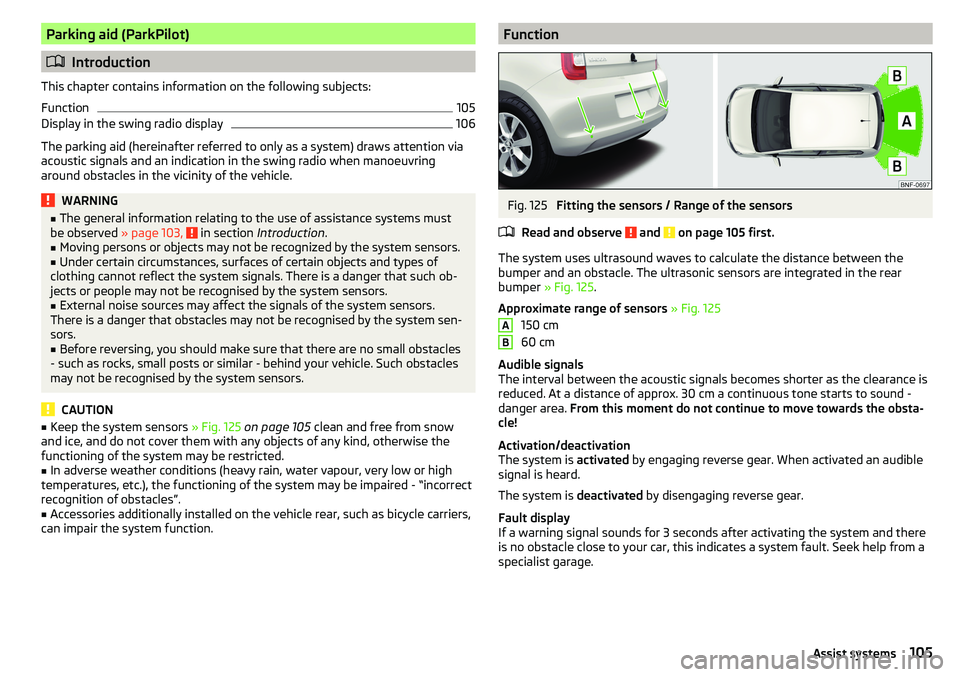
The system uses ultrasound waves to calculate the distance between the
bumper and an obstacle. The ultrasonic sensors are integrated in the rear
bumper » Fig. 125 .
Approximate range of sensors » Fig. 125
150 cm
60 cm
Audible signals
The interval between the acoustic signals becomes shorter as the clearance is
reduced. At a distance of approx. 30 cm a continuous tone starts to sound -
danger area. From this moment do not continue to move towards the obsta-
cle!
Activation/deactivation
The system is activated by engaging reverse gear. When activated an audible
signal is heard.
The system is deactivated by disengaging reverse gear.
Fault display
If a warning signal sounds for 3 seconds after activating the system and there
is no obstacle close to your car, this indicates a system fault. Seek help from a
specialist garage.
AB105Assist systems
Page 110 of 172
The system can, for example, be affected in the following situations or not
be available. ▶ When visibility is poor, (e.g. fog, heavy rain, thick snowfall).
▶ Driving around “sharp” bends.
▶ When fully pressing down the accelerator pedal.
▶ When the laser sensor is dirty or obscured.
▶ When the vehicles are very dirty and have a low level of reflection.
If the system is not available or there is a system malfunction, the message
and the warning light appears on the display of the instrument cluster
flashes in a slow sequence.WARNINGDo not cover the windscreen in the area of the laser sensor. This can lead
to impaired function of the sensor - risk of accidents!WARNINGThe laser beam from the laser sensor can cause serious eye injuries. The la-
ser beam is not visible to the human eye.■
Never use optical devices, e.g. a range-finder camera or magnifying glass
to look into the laser sensor.
■
The laser beam can also be active when the system is disabled or is not
available.
CAUTION
■ Remove any snow from the windscreen in the area of the laser sensor using
a hand brush and any ice with a solvent-free de-icing spray.■
If the laser sensor range on the windscreen has scratches, cracks, etc., re-
place the windscreen.
Note
■ If an automatic brake intervention is triggered by the system, the pressure in
the brake system increases and the brake pedal cannot be operated with the
normal pedal stroke.■
Automatic braking interventions by the emergency brake function can be ter-
minated by pressing the clutch or the accelerator or by moving the steering
wheel.
Disable / EnableFig. 129
Button for the City Safe Drive
system
Read and observe and on page 107 first.
The function is automatically activated each time the ignition is switched on.
›
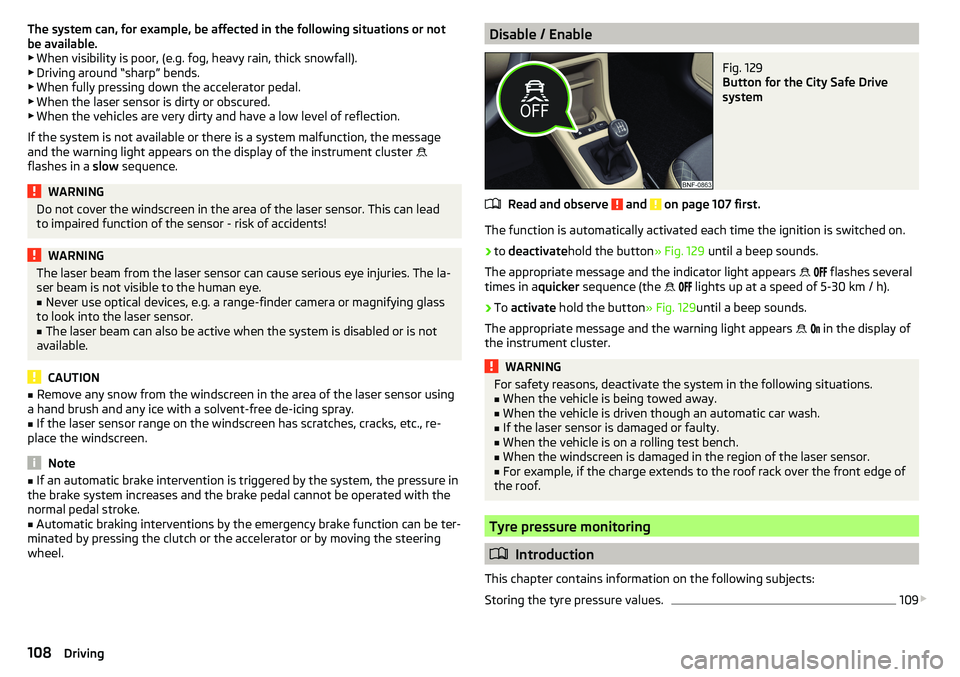
to deactivate hold the button » Fig. 129 until a beep sounds.
The appropriate message and the indicator light appears
flashes several
times in a quicker sequence (the
lights up at a speed of 5-30 km / h).
›
To
activate hold the button » Fig. 129until a beep sounds.
The appropriate message and the warning light appears
in the display of
the instrument cluster.
WARNINGFor safety reasons, deactivate the system in the following situations.■When the vehicle is being towed away.■
When the vehicle is driven though an automatic car wash.
■
If the laser sensor is damaged or faulty.
■
When the vehicle is on a rolling test bench.
■
When the windscreen is damaged in the region of the laser sensor.
■
For example, if the charge extends to the roof rack over the front edge of
the roof.
Tyre pressure monitoring
Introduction
This chapter contains information on the following subjects:
Storing the tyre pressure values.
109
108Driving
Page 114 of 172
WARNING (Continued)■Do not manipulate individual parts of the airbag system, as this might re-
sult in the airbag being deployed.■
If the airbag has been deployed, the airbag system must be replaced.
WARNINGThe airbag system operates using pressure sensors located in the front
doors. For this reason, no adjustments may be carried out to the doors or
door panels (e.g. installation of additional loudspeakers). Resulting damage
can impair the functioning of the airbag system - risk of accidents and fatal
injuries! The following guidelines must therefore be observed.■
Any work on the front doors and their door panels must be carried out by
a specialist garage.
■
Never drive the vehicle with the inner door panels removed or with open-
ings in the panelling.
Trailer operation
Read and observe
on page 110 first.
The vehicle is not approved for towing a trailer. The vehicle is not factory-
equipped with a towing device and it cannot be retrofitted with a towing de-
vice.
WARNINGNever attach a towing device to the vehicle.
Acceptance and recycling of used vehicles
Read and observe
on page 110 first.
All new ŠKODA vehicles are 95% recyclable.
Service intervals
Introduction
This chapter contains information on the following subjects:
Overview of service intervals
113
Fixed service intervals QI1 - QI4
113
Digital Service Plan
113
The service interval display in the display of the instrument cluster will remind
you to carry out every service stipulated by the manufacturer at the right time
in order to prevent you from forgetting any » page 42.
The completion of services can be verified through the printed verification
from the digital service schedule and the respective receipts.
The specified service intervals are tailored to normal operating conditions.
In the case of aggravated operating conditions, it will be necessary to have
some service work carried out before the date of the next regular service or
between the specified service intervals. This applies mainly to the cleaning or
the replacement of the air filter insert in regions with heavy dust pollution as
well as checking and replacing the toothed belt, but also to vehicles with die-
sel particle filters, which can put greater strain on the engine oil.
The following is taken to mean aggravated operating conditions: ▶ Frequent short trips.
▶ Longer periods of engine idling (e.g. taxis).
▶ Operation in areas with heavy dust pollution.
▶ Predominantly stop-and-go traffic as is e.g. often the case in city driving.
▶ Operation predominantly during winter.
You will be told at the specialist garage whether the operating conditions of
your vehicle may make it necessary for service work to be carried out between
the normal service intervals.
Different service charges may apply according to the particular scope of work
required, the vehicle type and specification, and your vehicle’s condition.
Note
■ The customer is responsible for covering the cost of all services including
changing or replenishing the oil, even during the warranty period, unless sta-
ted otherwise in the ŠKODA AUTO warranty terms or other agreements.■
You will be informed about the service checks and actions at each service by
the specialist garage.
112General Maintenance
Page 135 of 172
Do-it-yourself
Emergency equipment and self-help
Emergency equipment
Introduction
This chapter contains information on the following subjects:
Positioning of the warning triangle
133
Location of reflective vest
133
Vehicle tool kit
133
Positioning of the warning triangle
Fig. 145
Positioning of the warning trian-
gle - natural gas vehicles
The following information applies to the warning triangle from the ŠKODA
Original Accessories.
For natural gas vehicles, the warning triangle can be stowed in a box under the
floor covering in the luggage compartment » Fig. 145.
Location of reflective vestFig. 146
Storage compartment for the re-
flective vest
The reflective vest can be stored in a holder under the driver's seat » Fig. 146.
Vehicle tool kit
Fig. 147
Vehicle tool kit
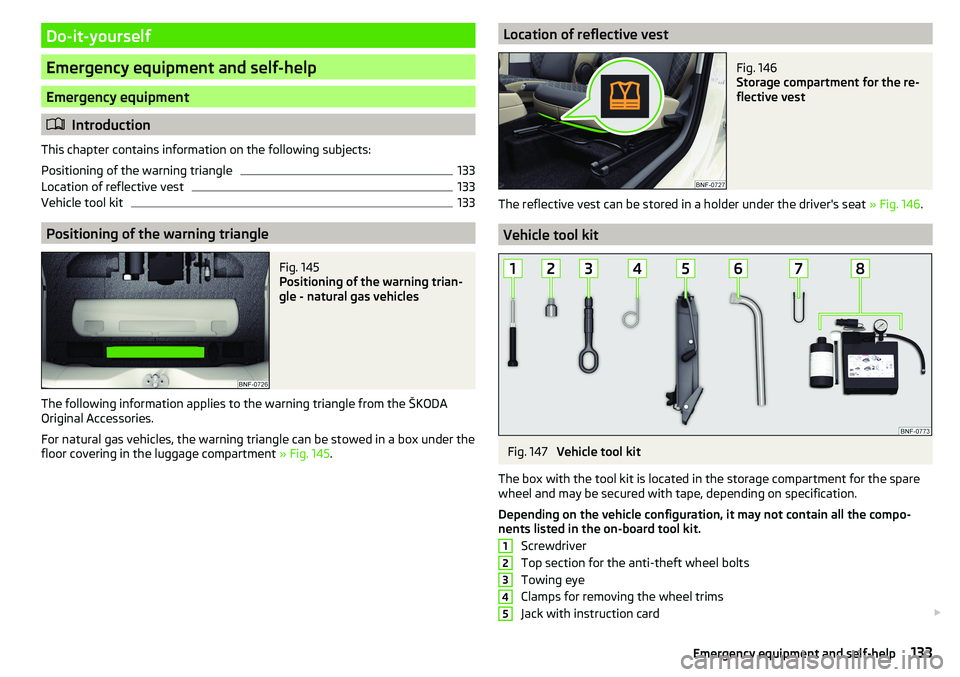
The box with the tool kit is located in the storage compartment for the spare
wheel and may be secured with tape, depending on specification.
Depending on the vehicle configuration, it may not contain all the compo-
nents listed in the on-board tool kit.
Screwdriver
Top section for the anti-theft wheel bolts
Towing eye
Clamps for removing the wheel trims
Jack with instruction card
12345133Emergency equipment and self-help
Page 136 of 172
Wheel wrench
Extraction pliers for the wheel bolt caps
Breakdown kitWARNING■ The factory-supplied lifting jack is only intended for your model of vehicle.
Under no circumstances attempt to lift other vehicles or loads with it –
there is a risk of injury.■
Always stow the tool safely in the box and make sure that it is attached
with the belt to the spare wheel - otherwise it could cause injury to the oc-
cupants if breaking suddenly or colliding with another vehicle.
CAUTION
Screw the jack back to its starting position prior to putting it back in its box -
risk of damage to the box.
Note
The declaration of conformity is included with the jack or the log folder.
Changing a wheel
Preliminary work
For safety's sake, the following instructions must be observed before
changing a wheel on the road.
›
As far as possible park the vehicle as far as possible away from the traffic
flow - choose a place with a flat and firm surface.
›
Switch off the engine.
›
For vehicles with manual transmission select 1st gear .
›
For vehicles with
automated transmission shift the lever to position D or R.
›
Firmly apply the handbrake.
›
Switch on the hazard warning lights and set up the warning triangle at the
prescribed distance.
›
Have all the occupants get out . The passengers should not stand on the
road while the wheel is being changed (they should remain behind a crash
barrier, for instance).
Changing a wheel
›
Take out the emergency or spare wheel » page 135.
›
Remove the full wheel trim » page 135 or caps » page 135 .
678›Loosen the wheel bolts
» page 136 » .›Jack up the vehicle until the wheel that needs changing, is clear of the
ground » page 136 .›
Unscrew the wheel bolts and place them on a clean surface (cloth, paper,
etc.).
›
Remove the wheel carefully.
›
Attach the spare wheel and slightly screw on the wheel bolts.
›
Lower the vehicle.
›
Tighten the wheel bolts opposite each other using the wheel wrench (“pull- ing crossways”) » page 136.
›
Replace the wheel trim » page 135 and caps » page 135 .
When fitting unidirectional tyres, ensure that the direction of rotation is cor-
rect » page 129 .
All bolts must be clean and must turn easily. If screws are corroded and diffi-
cult to move, these must be replaced.
WARNING■ Undo the wheel bolts just a little (about one turn), provided the vehicle
has not yet been jacked up. Otherwise the wheel could come loose and fall
off – risk of injury.■
Under no circumstances must the bolts be greased or oiled - cause an ac-
cident.
Subsequent steps
After changing the wheel, the following work must be carried out.
›
Stow the replaced wheel in the well under the floor covering of the luggage
compartment and secure it with a nut.
›
Stow the tool kit in the space provided and secure using the band.
›
Check tyre pressure on the mounted wheel and adjust if necessary and, with
vehicles with tyre pressure monitoring, save the tyre pressure values in the
system » page 109 .
›
Have the tightening torque of the wheel bolts checked as soon as possible.
The prescribed tightening torque is 110 Nm.
Replace the damaged wheel or consult a specialist garage about repair op-
tions.
134Do-it-yourself
Page 137 of 172
WARNINGTightening torque which is too high can damage the threads and this can
result in permanent deformation of the contact surfaces on the rim. Where
tightening torque is too low, the wheels may become loose while driving -
risk of accident. Therefore drive cautiously and only at a moderate speed
until the tightening torque has been checked.
Removing/stowing the emergency or spare wheel
Fig. 148
Take out the wheel
The wheel is located in a well under the floor covering in the luggage compart-
ment and is fixed in place with a screw.
Take out the wheel
›
Lift up the floor in the luggage compartment.
›
Loosen the retaining belt and take out the box with the tool kit.
›
Unscrew the nut in the direction of arrow » Fig. 148 and take out the wheel.
Stow the wheel
›
Place the wheel into the wheel well with the wheel rim pointing downward.
›
Pull the fixing band through the opposite holes in the wheel rim.
›
Screw the nut in the opposite direction to the arrow until it stops » Fig. 148.
›
Place the box with the tool kit back inside the wheel and secure it with the
tape.
›
Fold back the floor in the luggage compartment.
Full wheel trim
Remove trim
›
Hang the clamps for removing the full wheel trims on the edge of the full
wheel trim.
›
Push the wheel wrench through the clamp, support on the tyre and pull off
the wheel trim.
Install trim›Press the wheel trim onto the wheel rim at the designated valve opening.›
Then press the trim into the wheel rim until its entire circumference locks
correctly in place.
The position of the anti-theft wheel bolt is indicated by means of a symbol on
the back of the wheel trim supplied ex-factory or from the ŠKODA Original Ac-
cessories. If using the anti-theft wheel bolt it should be fitted at this point
»
.
WARNINGIf wheel trims are fitted, an adequate flow of air must be assured in order
to cool the brake system - otherwise there is a risk of an accident.
CAUTION
■ If the wheel trim is positioned outside the position marked for the anti-theft
wheel bolt, there is a risk of damaging the wheel cover.■
Only use manual pressure and do not hit the full wheel trim – there is a risk
of damaging the trim.
Note
We recommend that you use wheel trims from ŠKODA Original Accessories.
Wheel bolts
Fig. 149
Remove the cap
›
To remove the cap insert the extraction pliers as far as they will go on the
cap and pulling them out in the direction of arrow » Fig. 149.
›
To install , insert the cap onto the wheel bolt as far as it will go.
135Emergency equipment and self-help