locking SKODA FABIA 2009 2.G / 5J Owner's Guide
[x] Cancel search | Manufacturer: SKODA, Model Year: 2009, Model line: FABIA, Model: SKODA FABIA 2009 2.G / 5JPages: 259, PDF Size: 31.99 MB
Page 56 of 259
Lights and Visibility55
Using the system
Safety
Driving Tips
General Maintenance
Breakdown assistance
Technical Data
– Push the lever forwards - the main beam and warning light in the
instrument cluster come on.
– Pull the lever back into the initial position in order to switch the main
beam off again.
Headlight flasher
– Pull on the lever of the steering wheel (sprung position) - the main
beam and warning light in the instrument cluster come on.
Parking light
– Switch off the ignition.
– Push the lever up or down - the right-hand or left-hand parking light
is switched on.Information concerning the function of the lights.•
The turn signal system only operates when the ignition is switched on. The
corresponding indicator light
or in the instrument cluster also flashes.
•
The turn signal is automatically cancelled after negotiating a curve.
•
The side light and rear light on the appropriate side of the vehicle are switched
on when the parking light is selected. The parking light function only operates if
the ignition is switched off.
•
An acoustic warning signal will sound when the driver's door is opened if the
lever is not in the middle position after removing the ignition key. The acoustic
warning signal will stop just as soon as the driver's door is closed.Caution
Use main beam or the headlight flasher only if this does not risk dazzling other road
users.
Note
Use only in accordance with the legal requirements the described lighting and
signal systems.
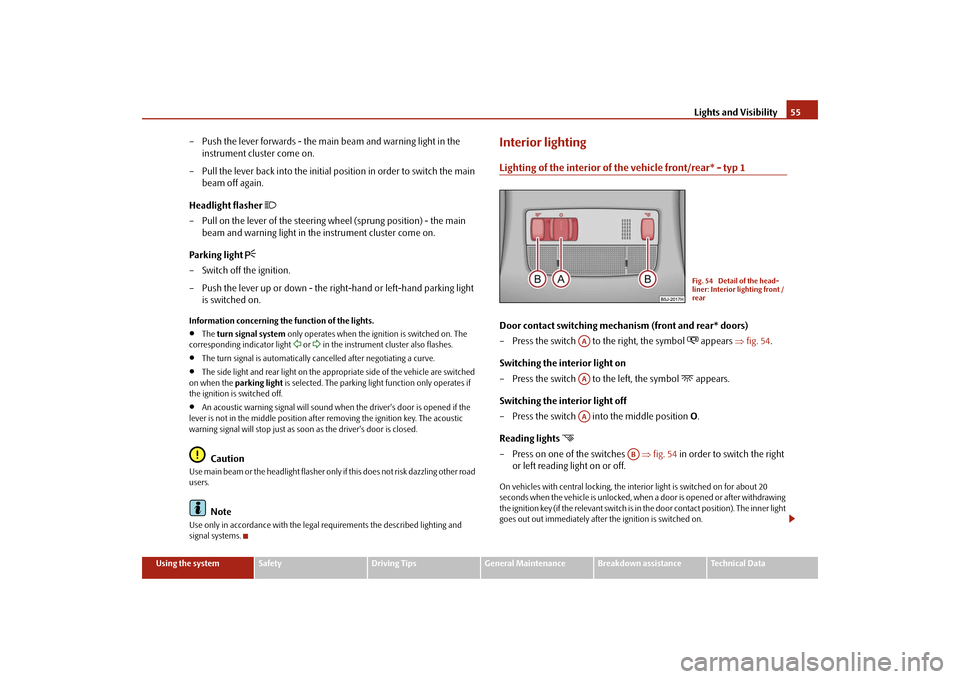
Interior lightingLighting of the interior of the vehicle front/rear* - typ 1Door contact switching mechanism (front and rear* doors)
– Press the switch to the right, the symbol
appears ⇒fig. 54.
Switching the interior light on
– Press the switch to the left, the symbol
appears.
Switching the interior light off
– Press the switch into the middle position O.
Reading lights
– Press on one of the switches ⇒fig. 54 in order to switch the right
or left reading light on or off.On vehicles with central locking, the interior light is switched on for about 20
seconds when the vehicle is unlocked, when a door is opened or after withdrawing
the ignition key (if the relevant switch is in the door contact position). The inner light
goes out out immediately after the ignition is switched on.
Fig. 54 Detail of the head-
liner: Interior lighting front /
rear
AAAAAA
AB
s3f4.1.book Page 55 Thursday, June 18, 2009 11:07 AM
Page 57 of 259
Lights and Visibility 56A time delay switch* causes the inner lighting on vehicles without a central locking
system stays on for a few seconds after the doors have been closed. The inner light
goes out out immediately after the ignition is switched on.
The interior lighting is switched off after about 30 minutes when a door has been
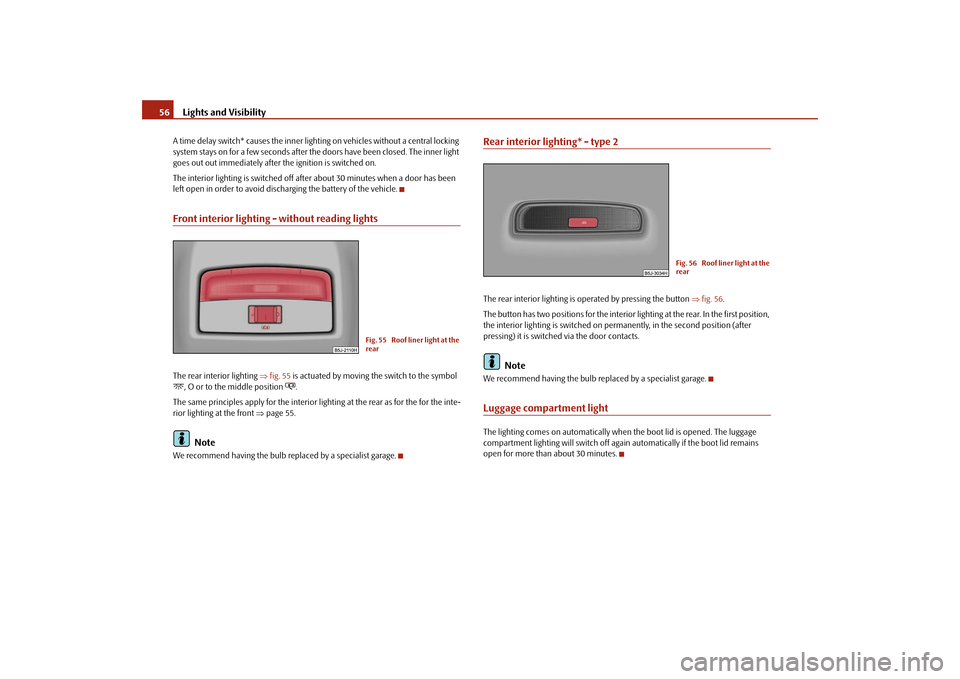
left open in order to avoid discharging the battery of the vehicle.Front interior lighting - without reading lightsThe rear interior lighting ⇒fig. 55 is actuated by moving the switch to the symbol , O or to the middle position
.
The same principles apply for the interior lighting at the rear as for the for the inte-
rior lighting at the front ⇒page 55.
Note
We recommend having the bulb replaced by a specialist garage.
Rear interior lighting* - type 2The rear interior lighting is operated by pressing the button ⇒fig. 56.
The button has two positions for the interior lighting at the rear. In the first position,
the interior lighting is switched on permanently, in the second position (after
pressing) it is switched via the door contacts.
Note
We recommend having the bulb replaced by a specialist garage.Luggage compartment lightThe lighting comes on automatically when the boot lid is opened. The luggage
compartment lighting will switch off again automatically if the boot lid remains
open for more than about 30 minutes.
Fig. 55 Roof liner light at the
rear
Fig. 56 Roof liner light at the
rear
s3f4.1.book Page 56 Thursday, June 18, 2009 11:07 AM
Page 60 of 259
Lights and Visibility59
Using the system
Safety
Driving Tips
General Maintenance
Breakdown assistance
Technical Data The windscreen wipers and the windscreen washer system only operate if the igni-
tion is switched on.
The rear window will be wiped again if the window wipers are on when reverse gear
is selected.
The windscreen washer nozzles are heated* when the ignition is switched on.
Top up with wash liquid ⇒page 197.
WARNING
•
Properly maintained windscreen wiper blades are essential for clear visi-
bility and safe driving ⇒page 59.
•
Do not use the windscreen washer system at low temperatures, without
heating the windscreen beforehand. Otherwise the window cleaner could
freeze on the windscreen and restrict the view to the front.
•
In the event of a freezing up of the windscreen, first of all eliminate the ice
⇒page 176 and then operate the windscreen wiper otherwise the wind-
screen wiper blades could be damaged.Caution
In frosty weather, please first of all check whether the windscreen wiper blades are
not frozen to the windscreen before switching them on. Switching on windscreen
wipers when the blades are frozen to the windscreen may result in damage both to
the blades and the motor of the windscreen wipers!Headlight cleaning system*The headlights are being cleaned after the windscreen washer system has been
operated for the fifth time, the low beam or main beam are switched on as well as
the windscreen wiper lever is held in the position ⇒page 58, fig. 60 for about 1
second.
You should remove stubborn dirt (such as insect residues) from the headlight
lenses at regular intervals, for example when refuelling. Please refer to the following
guidelines ⇒page 176, “The headlight lenses”.You should remove any snow from the fixtures of the washer nozzles and clear ice
in winter with a de-icing spray in order to ensure proper operation of the cleaning
system.
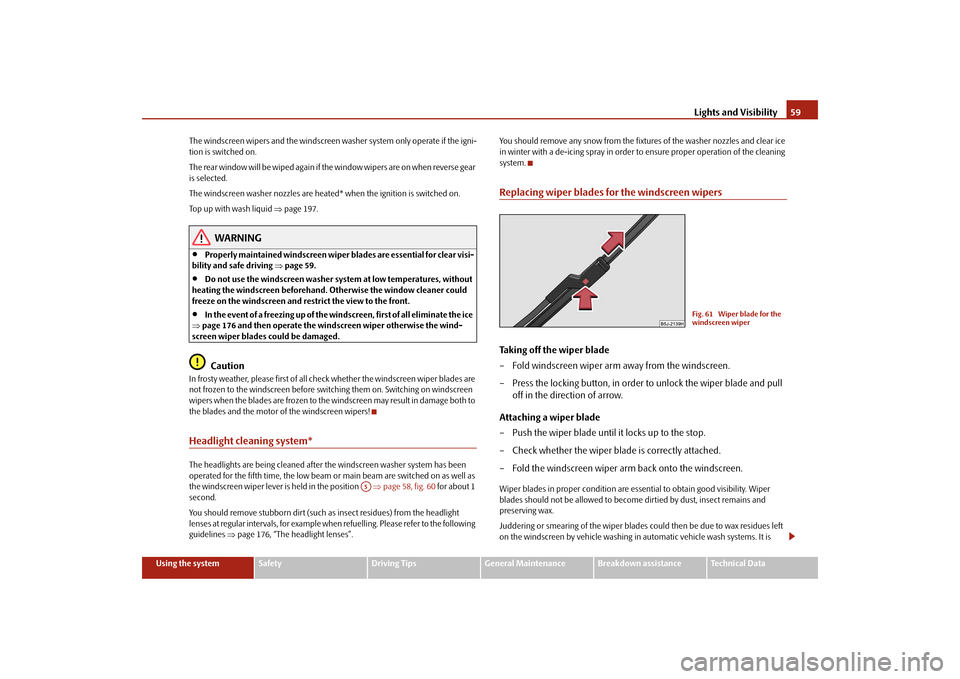
Replacing wiper blades for the windscreen wipersTaking off the wiper blade
– Fold windscreen wiper arm away from the windscreen.
– Press the locking button, in order to unlock the wiper blade and pull
off in the direction of arrow.
Attaching a wiper blade
– Push the wiper blade until it locks up to the stop.
– Check whether the wiper blade is correctly attached.
– Fold the windscreen wiper arm back onto the windscreen.Wiper blades in proper condition are essential to obtain good visibility. Wiper
blades should not be allowed to become dirtied by dust, insect remains and
preserving wax.
Juddering or smearing of the wiper blades could then be due to wax residues left
on the windscreen by vehicle washing in automatic vehicle wash systems. It is
A5
Fig. 61 Wiper blade for the
windscreen wiper
s3f4.1.book Page 59 Thursday, June 18, 2009 11:07 AM
Page 61 of 259
Lights and Visibility 60therefore important to degrease the lips of the wiper blades after every pass
through an automatic vehicle wash system.
WARNING
•
If the windscreen wipers are handled carelessly, there is a risk of damage
to the windscreen.
•
You should clean the wiper blades regularly with a windscreen cleaner in
order to avoid any smears. Clean a wiper blade with a sponge or cloth if it is
very dirty, for example from insect residues.
•
Replace the wiper blades once or twice a year for safety reasons. The
wiper blades are available from specialist garages.
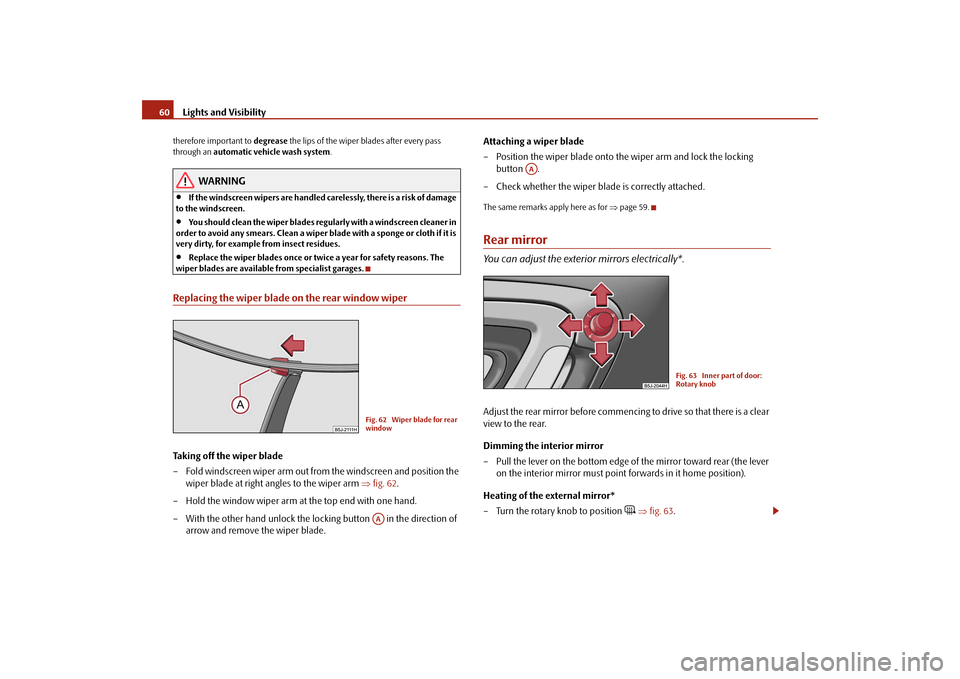
Replacing the wiper blade on the rear window wiperTaking off the wiper blade
– Fold windscreen wiper arm out from the windscreen and position the
wiper blade at right angles to the wiper arm ⇒fig. 62.
– Hold the window wiper arm at the top end with one hand.
– With the other hand unlock the locking button in the direction of
arrow and remove the wiper blade.Attaching a wiper blade
– Position the wiper blade onto the wiper arm and lock the locking
button .
– Check whether the wiper blade is correctly attached.
The same remarks apply here as for ⇒page 59.Rear mirrorYou can adjust the exterior mirrors electrically*.Adjust the rear mirror before commencing to drive so that there is a clear
view to the rear.
Dimming the interior mirror
– Pull the lever on the bottom edge of the mirror toward rear (the lever
on the interior mirror must point forwards in it home position).
Heating of the external mirror*
– Turn the rotary knob to position
⇒fig. 63.
Fig. 62 Wiper blade for rear
windowAA
AA
Fig. 63 Inner part of door:
Rotary knob
s3f4.1.book Page 60 Thursday, June 18, 2009 11:07 AM
Page 65 of 259
Seats and Storage 64
– Move the head restraint downwards if required by pressing the locking
button ⇒fig. 66 and by pressing with the other hand the head
restraint downwards.
Removing and installing a head restraint
– Pull the head restraint out of the seat backrest as far as the stop.
– Press the locking button in the direction of arrow ⇒fig. 66 and pull
the head restraint out.
– To re-insert the head restraint, push it down into the seat backrest far
enough until you hear the locking button engage.The position of the front, rear outer head restraints and the rear middle head
restraint* is adjustable for height.
The head restraints must be adjusted to match the size of the seat occupant.
Correctly adjusted head restraints together with the seat belts offer effective
protection for the occupants ⇒page 128.
WARNING
•
The head restraints must be correctly adjusted in order to offer effective
protection for the occupants in the event of an accident.
•
Do not drive under any circumstance with removed head restraints - risk
of injury!
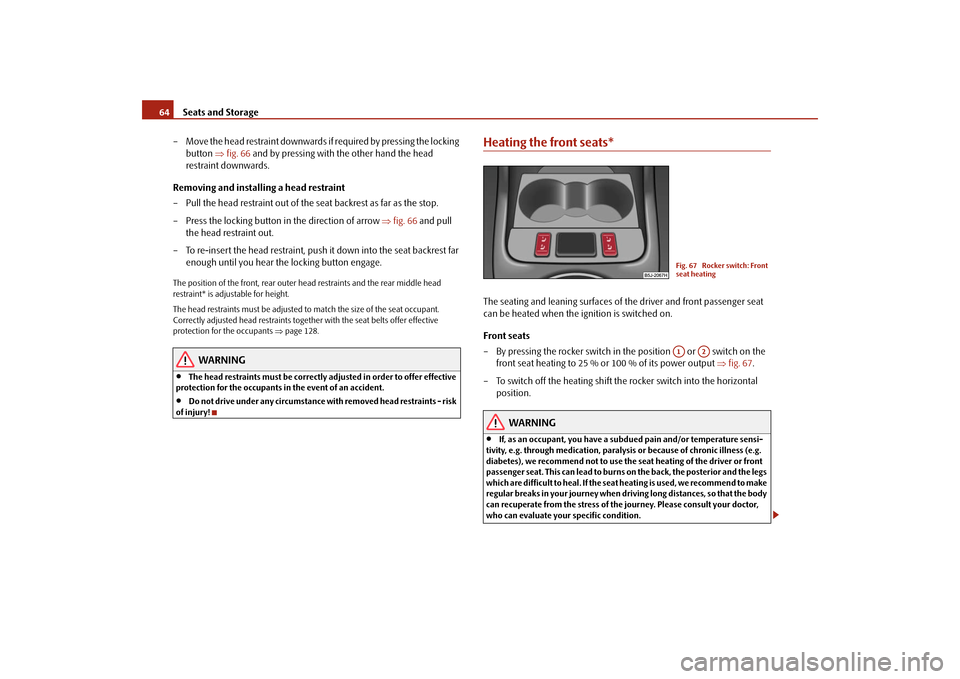
Heating the front seats*The seating and leaning surfaces of the driver and front passenger seat
can be heated when the ignition is switched on.
Front seats
– By pressing the rocker switch in the position or switch on the
front seat heating to 25 % or 100 % of its power output ⇒fig. 67.
– To switch off the heating shift the rocker switch into the horizontal
position.
WARNING
•
If, as an occupant, you have a subdued pain and/or temperature sensi-
tivity, e.g. through medication, paralysis or because of chronic illness (e.g.
diabetes), we recommend not to use the seat heating of the driver or front
passenger seat. This can lead to burns on the back, the posterior and the legs
which are difficult to heal. If the seat heating is used, we recommend to make
regular breaks in your journey when driving long distances, so that the body
can recuperate from the stress of the journey. Please consult your doctor,
who can evaluate your specific condition.
Fig. 67 Rocker switch: Front
seat heatingA1
A2
s3f4.1.book Page 64 Thursday, June 18, 2009 11:07 AM
Page 73 of 259
Seats and Storage 72
Removing
– Have the foldable luggage compartment cover removed to transport
bulky goods by pressing the slider from the side in the direction of
arrow and removing the cover in the direction of arrow
⇒page 71, fig. 81.
WARNING
No objects should be placed on the luggage compartment cover, the vehicle
occupants could be endangered if there is sudden braking or the vehicle
collides with something.
Caution
Please ensure that the heating elements of the rear window heater and the foldable
luggage compartment cover are not damaged as a result of objects transported in
this area.Variable loading floor* (Combi)Remove variable loading floor
The variable loading floor makes it easier to handle bulky goods and
creates an even luggage compartment floor when the rear seats are
folded forward. The maximum permissable surface load of the variable
loading floor is 75 kg.
Remove variable loading floor
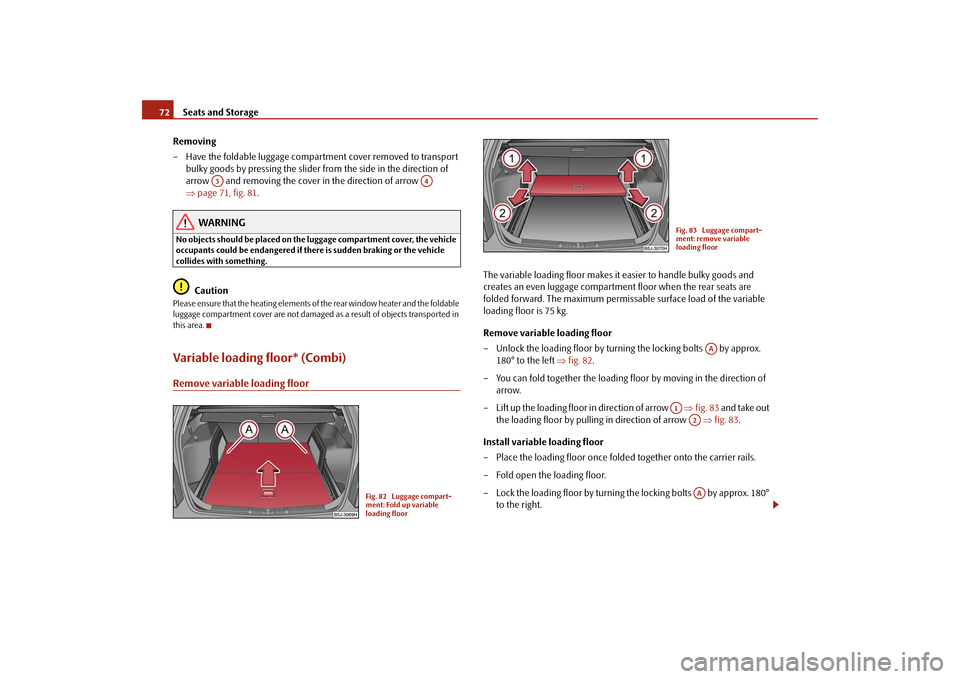
– Unlock the loading floor by turning the locking bolts by approx.
180° to the left ⇒fig. 82.
– You can fold together the loading floor by moving in the direction of
arrow.
– Lift up the loading floor in direction of arrow ⇒fig. 83 and take out
the loading floor by pulling in direction of arrow ⇒fig. 83.
Install variable loading floor
– Place the loading floor once folded together onto the carrier rails.
– Fold open the loading floor.
– Lock the loading floor by turning the locking bolts by approx. 180°
to the right.
A3
A4
Fig. 82 Luggage compart-
ment: Fold up variable
loading floor
Fig. 83 Luggage compart-
ment: remove variable
loading floor
AA
A1
A2AA
s3f4.1.book Page 72 Thursday, June 18, 2009 11:07 AM
Page 75 of 259
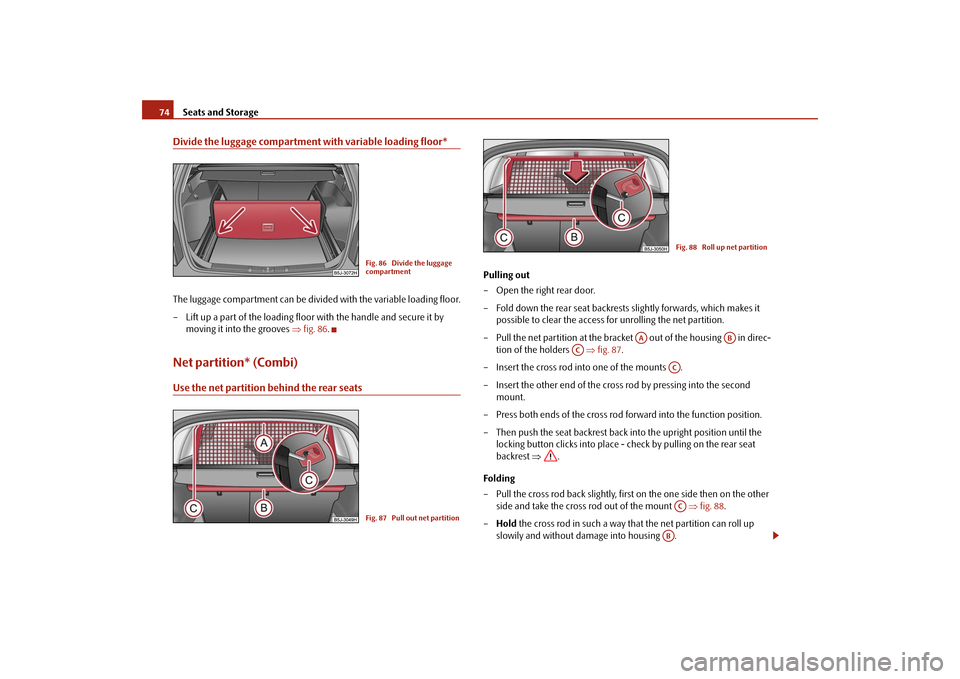
Seats and Storage 74Divide the luggage compartment with variable loading floor*The luggage compartment can be divided with the variable loading floor.
– Lift up a part of the loading floor with the handle and secure it by
moving it into the grooves ⇒fig. 86.Net partition* (Combi)Use the net partition behind the rear seats
Pulling out
– Open the right rear door.
– Fold down the rear seat backrests slightly forwards, which makes it
possible to clear the access for unrolling the net partition.
– Pull the net partition at the bracket out of the housing in direc-
tion of the holders ⇒fig. 87.
– Insert the cross rod into one of the mounts .
– Insert the other end of the cross rod by pressing into the second
mount.
– Press both ends of the cross rod forward into the function position.
– Then push the seat backrest back into the upright position until the
locking button clicks into place - check by pulling on the rear seat
backrest ⇒.
Folding
– Pull the cross rod back slightly, first on the one side then on the other
side and take the cross rod out of the mount ⇒fig. 88.
–Hold the cross rod in such a way that the net partition can roll up
slowily and without damage into housing .
Fig. 86 Divide the luggage
compartmentFig. 87 Pull out net partition
Fig. 88 Roll up net partition
AA
AB
AC
ACAC
AB
s3f4.1.book Page 74 Thursday, June 18, 2009 11:07 AM
Page 101 of 259
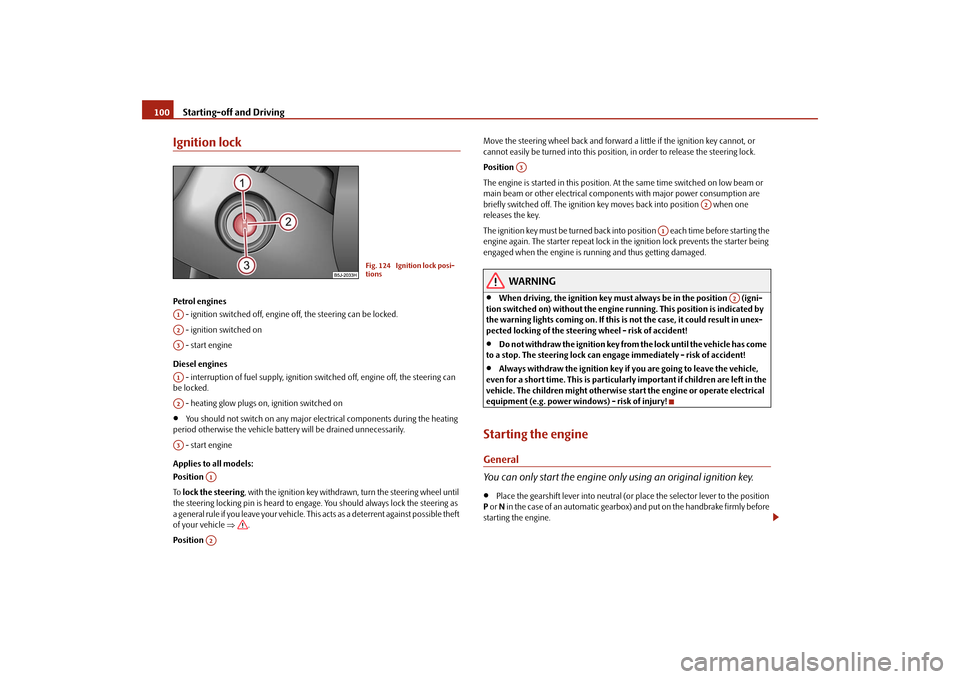
Starting-off and Driving 100Ignition lockPetrol engines
- ignition switched off, engine off, the steering can be locked.
- ignition switched on
- start engine
Diesel engines
- interruption of fuel supply, ignition switched off, engine off, the steering can
be locked.
- heating glow plugs on, ignition switched on•
You should not switch on any major electrical components during the heating
period otherwise the vehicle battery will be drained unnecessarily.
- start engine
Applies to all models:
Position
To lock the steering, with the ignition key withdrawn, turn the steering wheel until
the steering locking pin is heard to engage. You should always lock the steering as
a general rule if you leave your vehicle. This acts as a deterrent against possible theft
of your vehicle ⇒.
Position Move the steering wheel back and forward a little if the ignition key cannot, or
cannot easily be turned into this position, in order to release the steering lock.
Position
The engine is started in this position. At the same time switched on low beam or
main beam or other electrical components with major power consumption are
briefly switched off. The ignition key moves back into position when one
releases the key.
The ignition key must be turned back into position each time before starting the
engine again. The starter repeat lock in the ignition lock prevents the starter being
engaged when the engine is running and thus getting damaged.
WARNING
•
When driving, the ignition key must always be in the position (igni-
tion switched on) without the engine running. This position is indicated by
the warning lights coming on. If this is not the case, it could result in unex-
pected locking of the steering wheel - risk of accident!
•
Do not withdraw the ignition key from the lock until the vehicle has come
to a stop. The steering lock can engage immediately - risk of accident!
•
Always withdraw the ignition key if you are going to leave the vehicle,
even for a short time. This is particularly important if children are left in the
vehicle. The children might otherwise start the engine or operate electrical
equipment (e.g. power windows) - risk of injury!
Starting the engineGeneral
You can only start the engine only using an original ignition key.•
Place the gearshift lever into neutral (or place the selector lever to the position
P or N in the case of an automatic gearbox) and put on the handbrake firmly before
starting the engine.
Fig. 124 Ignition lock posi-
tions
A1A2A3A1A2A3
A1A2
A3
A2
A1
A2
s3f4.1.book Page 100 Thursday, June 18, 2009 11:07 AM
Page 104 of 259
Starting-off and Driving103
Using the system
Safety
Driving Tips
General Maintenance
Breakdown assistance
Technical Data
Note
•
One should not lay the hand on the shift lever while driving the vehicle. The
pressure of the hand will be transferred to the gearshift forks in the gearbox. This
can, over a period of time, lead to early wear of the gearshift forks.
•
Depress the clutch pedal fully when changing gears, in order to avoid unneces-
sary wear and damage.
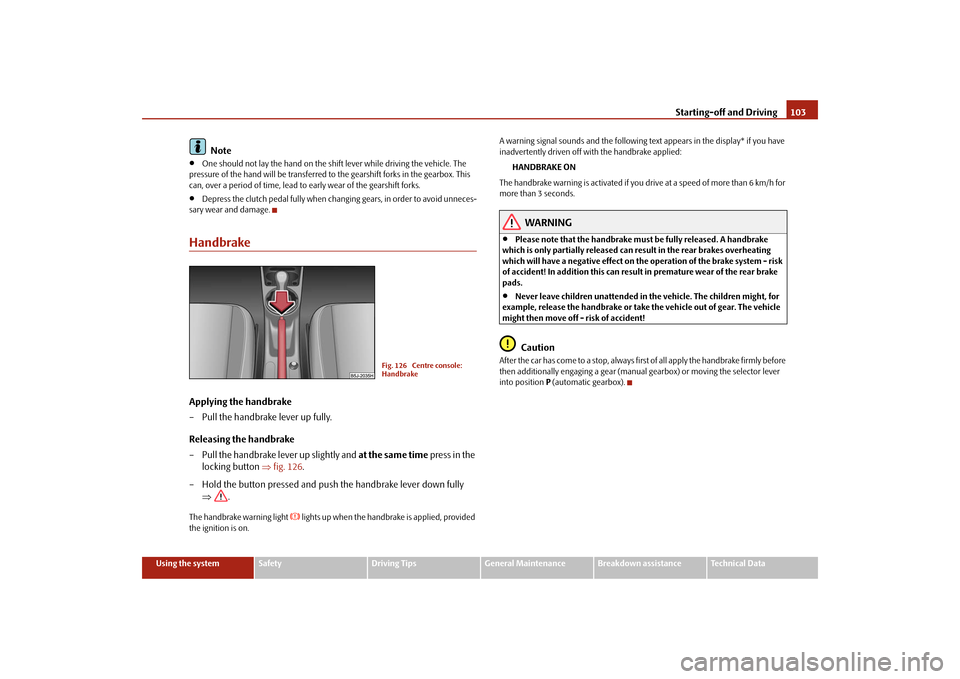
HandbrakeApplying the handbrake
– Pull the handbrake lever up fully.
Releasing the handbrake
– Pull the handbrake lever up slightly and at the same time press in the
locking button ⇒fig. 126.
– Hold the button pressed and push the handbrake lever down fully
⇒.The handbrake warning light
lights up when the handbrake is applied, provided
the ignition is on.A warning signal sounds and the following text appears in the display* if you have
inadvertently driven off with the handbrake applied:
HANDBRAKE ON
The handbrake warning is activated if you drive at a speed of more than 6 km/h for
more than 3 seconds.
WARNING
•
Please note that the handbrake must be fully released. A handbrake
which is only partially released can result in the rear brakes overheating
which will have a negative effect on the operation of the brake system - risk
of accident! In addition this can result in premature wear of the rear brake
pads.
•
Never leave children unattended in the vehicle. The children might, for
example, release the handbrake or take the vehicle out of gear. The vehicle
might then move off - risk of accident!Caution
After the car has come to a stop, always first of all apply the handbrake firmly before
then additionally engaging a gear (manual gearbox) or moving the selector lever
into position P (automatic gearbox).
Fig. 126 Centre console:
Handbrake
s3f4.1.book Page 103 Thursday, June 18, 2009 11:07 AM
Page 119 of 259

Communication 118The digits zero to nine are permitted. The system detects no continuous digit
combinations such as twenty-three, but only individually spoken digits (two, three).
After each order of digits (separation through brief voice pause) the detected digits
are repeated.
Notes for entering the PIN code•
When entering a PIN code with more than 8 digits, the system indicates “The
PIN is too long”.
•
When entering an incorrect PIN code, the system indicates “The PIN is incor-
rect”.
•
If the incorrect PIN code has been entered three times consecutively, the card
is blocked. With the aid of the personal unblocking code PUK (Personal Unblock
Key), the SIM card can be unblocked. The unblocking code can only be entered
via the phone keypad and not through the voice control.
Example for entering the PIN code
You can interrupt the dialogue at any time by pressing the PTT button or with the
voice command CANCEL.
Dial number– Press the PTT button.
– Give the command DIAL NUMBER after the signal tone.
After giving this command, the system requests the entry of a telephone number.
The telephone number can be entered as an interconnected spoken row of digits
(complete number), in the form of order of digits (separation through a brief voice
pause) or through individually spoken digits. After each order of digits (separation
through brief voice pause) the detected digits are repeated.
The digits zero to nine are permitted. The system detects no continuous digit
combinations such as twenty-three, but only individually spoken digits (two, three).
If you enter more than 20 digits, the system announces: “The number is too long”.
Additionally for international calls a Plus (+) has to be entered in front of the 20
digits.
Example when entering a telephone number
You can interrupt the dialogue at any time by pressing the PTT button or with the
voice command CANCEL.Repeat last call– Press the PTT button.
– Give the command REDIAL after the signal tone.
Voice command
Announcement
ENTER PIN/PIN CODE
“The PIN please”
e.g. ZERO ONE TWO THREE
“Zero One Two Three”
If no entry is put in, the following announcement is made after about 5 seconds.
“Possible commands are: store, repeat,
back, delete or more digits”
STORE
“The PIN is saved”
(end of dialogue)
Voice command
Announcement
DIAL NUMBER
“The number please”
e.g. ZERO SIX ZERO THREE
“Zero Six Zero Three”
If no entry is put in, the following announcement is made after about 5 seconds.
“Possible commands are: dial, repeat,
back, delete or more digits”
FIVE SEVEN TWO
“Five Seven Two”
DIAL
“The number is being dialed”
s3f4.1.book Page 118 Thursday, June 18, 2009 11:07 AM