ignition SKODA FABIA 2010 2.G / 5J Owner's Manual
[x] Cancel search | Manufacturer: SKODA, Model Year: 2010, Model line: FABIA, Model: SKODA FABIA 2010 2.G / 5JPages: 244, PDF Size: 29.53 MB
Page 4 of 244
Contents3
Using the system
Safety
Driving Tips
General Maintenance
Breakdown assistance
Technical Data
ContentsLayout of this Owner's Manual
(explanations)
. . . . . . . . . . . . . . . . . . . . . . . . . .
Using the system
. . . . . . . . . . . . . . . . . . . . . .
Cockpit
. . . . . . . . . . . . . . . . . . . . . . . . . . . . . . . . . . . . . . . .
General view . . . . . . . . . . . . . . . . . . . . . . . . . . . . . . . . .
Quick Reference Guide
. . . . . . . . . . . . . . . . . . . . . . .
Basic functions and important information . . . . .
Instruments and warning lights
. . . . . . . . . . . . . . .
Overview of the instrument cluster . . . . . . . . . . . . .
Engine revolutions counter . . . . . . . . . . . . . . . . . . . .
Speedometer . . . . . . . . . . . . . . . . . . . . . . . . . . . . . . . .
Coolant temperature gauge* . . . . . . . . . . . . . . . . . .
Fuel gauge* . . . . . . . . . . . . . . . . . . . . . . . . . . . . . . . . . .
Counter for distance driven . . . . . . . . . . . . . . . . . . .
Service Interval Display . . . . . . . . . . . . . . . . . . . . . . .
Digital clock . . . . . . . . . . . . . . . . . . . . . . . . . . . . . . . . . .
Shift recommendation for changing gears* . . . . .
Multi-functional indicator (onboard computer)*
MAXI DOT display (information display)* . . . . . . .
Auto Check Control . . . . . . . . . . . . . . . . . . . . . . . . . . .
Warning lights . . . . . . . . . . . . . . . . . . . . . . . . . . . . . . . .
Unlocking and locking
. . . . . . . . . . . . . . . . . . . . . . . .
Key . . . . . . . . . . . . . . . . . . . . . . . . . . . . . . . . . . . . . . . . . .
Locking / Unlocking . . . . . . . . . . . . . . . . . . . . . . . . . . .
Child safety lock . . . . . . . . . . . . . . . . . . . . . . . . . . . . . .
Central locking system* . . . . . . . . . . . . . . . . . . . . . . .
Remote control* . . . . . . . . . . . . . . . . . . . . . . . . . . . . . .
Anti-theft alarm system* . . . . . . . . . . . . . . . . . . . . . .
Interior monitor* and Towing protection monitoring*
Electrical power windows* . . . . . . . . . . . . . . . . . . . .
Electric sliding/tilting roof* . . . . . . . . . . . . . . . . . . . .
Lights and Visibility
. . . . . . . . . . . . . . . . . . . . . . . . . . . .
Lights . . . . . . . . . . . . . . . . . . . . . . . . . . . . . . . . . . . . . . . .
Interior lighting . . . . . . . . . . . . . . . . . . . . . . . . . . . . . . .
Visibility . . . . . . . . . . . . . . . . . . . . . . . . . . . . . . . . . . . . . .
Windshield wiper and wash system . . . . . . . . . . . . .
Rear mirror . . . . . . . . . . . . . . . . . . . . . . . . . . . . . . . . . . .
Seats and Storage
. . . . . . . . . . . . . . . . . . . . . . . . . . . . . .
Front seats . . . . . . . . . . . . . . . . . . . . . . . . . . . . . . . . . . . .
Head restraints . . . . . . . . . . . . . . . . . . . . . . . . . . . . . . . .
Heating the front seats* . . . . . . . . . . . . . . . . . . . . . . .
Rear seats . . . . . . . . . . . . . . . . . . . . . . . . . . . . . . . . . . . .
Pedals . . . . . . . . . . . . . . . . . . . . . . . . . . . . . . . . . . . . . . . .
luggage compartment . . . . . . . . . . . . . . . . . . . . . . . . .
Variable loading floor in the luggage compartment*
(Combi) . . . . . . . . . . . . . . . . . . . . . . . . . . . . . . . . . . . . . .
Net partition* (Combi) . . . . . . . . . . . . . . . . . . . . . . . .
Bicycle holder in the luggage compartment* . . . .
The roof rack* . . . . . . . . . . . . . . . . . . . . . . . . . . . . . . . .
Front cup holder . . . . . . . . . . . . . . . . . . . . . . . . . . . . . .
Rear cup holder* . . . . . . . . . . . . . . . . . . . . . . . . . . . . . .
Parking ticket holder . . . . . . . . . . . . . . . . . . . . . . . . . . .
Ashtray* . . . . . . . . . . . . . . . . . . . . . . . . . . . . . . . . . . . . . .
Cigarette lighter* and power sockets* . . . . . . . . . .
Storage compartments . . . . . . . . . . . . . . . . . . . . . . . .
Heating and air conditioning system
. . . . . . . . . .
Air outlet vents . . . . . . . . . . . . . . . . . . . . . . . . . . . . . . . .
Recirculated air mode . . . . . . . . . . . . . . . . . . . . . . . . .
Heating . . . . . . . . . . . . . . . . . . . . . . . . . . . . . . . . . . . . . .
Climatic (semi-automatic air conditioning system)*
Climatronic* (automatic air conditioning) . . . . . . .
Starting-off and Driving
. . . . . . . . . . . . . . . . . . . . . . .
Setting steering wheel position . . . . . . . . . . . . . . . . .
Ignition lock . . . . . . . . . . . . . . . . . . . . . . . . . . . . . . . . . .
Starting the engine . . . . . . . . . . . . . . . . . . . . . . . . . . . .
Switching off the engine . . . . . . . . . . . . . . . . . . . . . . .Shifting (manual gearbox) . . . . . . . . . . . . . . . . . . . . .
Handbrake . . . . . . . . . . . . . . . . . . . . . . . . . . . . . . . . . . .
Parking aid* . . . . . . . . . . . . . . . . . . . . . . . . . . . . . . . . . .
Cruise control system (CCS)* . . . . . . . . . . . . . . . . . .
“START-STOP”* . . . . . . . . . . . . . . . . . . . . . . . . . . . . . . .
Automatic gearbox
. . . . . . . . . . . . . . . . . . . . . . . . . . . .
Automatic gearbox* . . . . . . . . . . . . . . . . . . . . . . . . . .
Communication
. . . . . . . . . . . . . . . . . . . . . . . . . . . . . . .
Multifunction steering wheel* . . . . . . . . . . . . . . . . .
Universal telephone preinstallation GSM II* . . . . .
Voice control . . . . . . . . . . . . . . . . . . . . . . . . . . . . . . . . .
Music playback via Bluetooth® . . . . . . . . . . . . . . . .
Inputs AUX-IN* and MDI* . . . . . . . . . . . . . . . . . . . . .
Safety
. . . . . . . . . . . . . . . . . . . . . . . . . . . . . . . . . . . . . . .
Passive Safety
. . . . . . . . . . . . . . . . . . . . . . . . . . . . . . . . .
Basic information . . . . . . . . . . . . . . . . . . . . . . . . . . . . .
Correct seated position . . . . . . . . . . . . . . . . . . . . . . .
Seat belts
. . . . . . . . . . . . . . . . . . . . . . . . . . . . . . . . . . . . . .
Why seat belts? . . . . . . . . . . . . . . . . . . . . . . . . . . . . . . .
The physical principle of a frontal collision . . . . . .
Important safety information regarding the use of seat
belts . . . . . . . . . . . . . . . . . . . . . . . . . . . . . . . . . . . . . . . . .
How are seat belts correctly fastened? . . . . . . . . . .
Belt tensioner . . . . . . . . . . . . . . . . . . . . . . . . . . . . . . . .
Airbag system
. . . . . . . . . . . . . . . . . . . . . . . . . . . . . . . . .
Description of the airbag system . . . . . . . . . . . . . . .
Front airbags . . . . . . . . . . . . . . . . . . . . . . . . . . . . . . . . .
Side airbags* . . . . . . . . . . . . . . . . . . . . . . . . . . . . . . . . .
Head airbags* . . . . . . . . . . . . . . . . . . . . . . . . . . . . . . . .
Deactivating airbags . . . . . . . . . . . . . . . . . . . . . . . . . .
67991010151515161616171718181922232635353636374142434446
48485354555759596061616363676870727373747474758080808183868989899091
92929394959898104104105110111111113113113114117117117118119120122122123125127128
s3j8.a.book Page 3 Tuesday, April 20, 2010 1:10 PM
Page 10 of 244
Cockpit
9
Using the system
Safety
Driving Tips
General Maintenance
Breakdown assistance
Technical Data
CockpitGeneral viewThis overview will help you to quic
kly familiarise yourself with the
displays and the control elements.
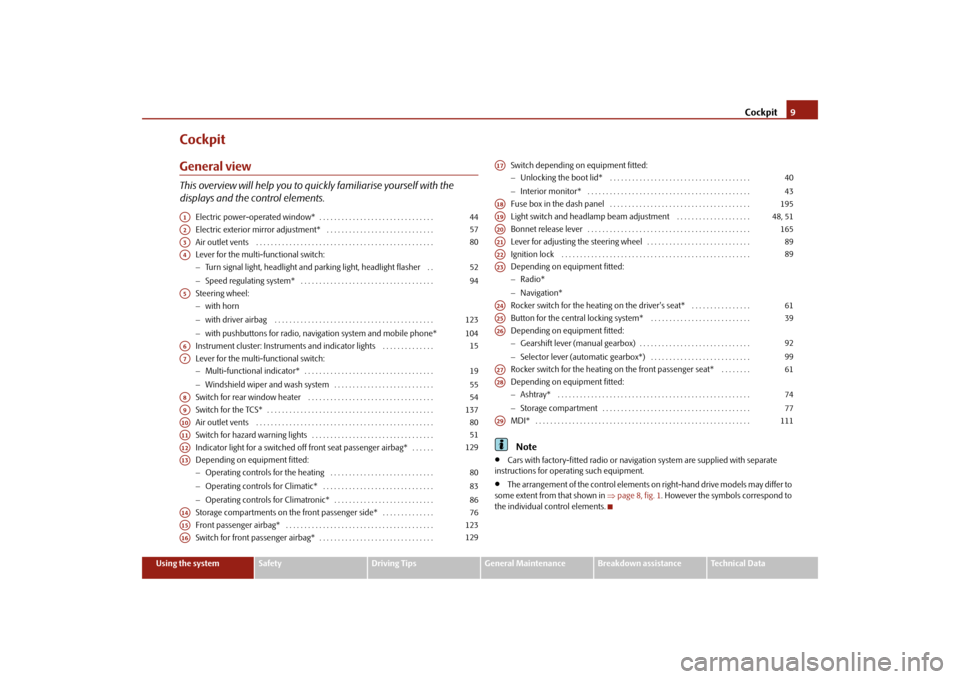
Electric power-operated window* . . . . . . . . . . . . . . . . . . . . . . . . . . . . . . . Electric exterior mirror adjustment* . . . . . . . . . . . . . . . . . . . . . . . . . . . . . Air outlet vents . . . . . . . . . . . . . . . . . . . . . . . . . . . . . . . . . . . . . . . . . . . . . . . . Lever for the multi-functional switch: Turn signal light, headlight and parking light, headlight flasher . . Speed regulating system* . . . . . . . . . . . . . . . . . . . . . . . . . . . . . . . . . . . . Steering wheel: with horn with driver airbag . . . . . . . . . . . . . . . . . . . . . . . . . . . . . . . . . . . . . . . . . . . with pushbuttons for radio, navi
gation system and mobile phone*
Instrument cluster: Instruments and indicator lights . . . . . . . . . . . . . . Lever for the multi-functional switch: Multi-functional indicator* . . . . . . . . . . . . . . . . . . . . . . . . . . . . . . . . . . . Windshield wiper and wash system . . . . . . . . . . . . . . . . . . . . . . . . . . . Switch for rear window heater . . . . . . . . . . . . . . . . . . . . . . . . . . . . . . . . . . Switch for the TCS* . . . . . . . . . . . . . . . . . . . . . . . . . . . . . . . . . . . . . . . . . . . . . Air outlet vents . . . . . . . . . . . . . . . . . . . . . . . . . . . . . . . . . . . . . . . . . . . . . . . .Switch for hazard warning lights . . . . . . . . . . . . . . . . . . . . . . . . . . . . . . . . . Indicator light for a switched off front seat passenger airbag* . . . . . . Depending on equipment fitted: Operating controls for the heating . . . . . . . . . . . . . . . . . . . . . . . . . . . . Operating controls for Climatic* . . . . . . . . . . . . . . . . . . . . . . . . . . . . . . Operating controls for Climatronic* . . . . . . . . . . . . . . . . . . . . . . . . . . . Storage compartments on the front passenger side* . . . . . . . . . . . . . .Front passenger airbag* . . . . . . . . . . . . . . . . . . . . . . . . . . . . . . . . . . . . . . . . Switch for front passenger airbag* . . . . . . . . . . . . . . . . . . . . . . . . . . . . . . .
Switch depending on equipment fitted: Unlocking the boot lid* . . . . . . . . . . . . . . . . . . . . . . . . . . . . . . . . . . . . . . Interior monitor* . . . . . . . . . . . . . . . . . . . . . . . . . . . . . . . . . . . . . . . . . . . . Fuse box in the dash panel . . . . . . . . . . . . . . . . . . . . . . . . . . . . . . . . . . . . . . Light switch and headlamp beam adjustment . . . . . . . . . . . . . . . . . . . .Bonnet release lever . . . . . . . . . . . . . . . . . . . . . . . . . . . . . . . . . . . . . . . . . . . . Lever for adjusting the steering wheel . . . . . . . . . . . . . . . . . . . . . . . . . . . . Ignition lock . . . . . . . . . . . . . . . . . . . . . . . . . . . . . . . . . . . . . . . . . . . . . . . . . . .Depending on equipment fitted: Radio* Navigation* Rocker switch for the heating on the driver's seat* . . . . . . . . . . . . . . . .Button for the central locking system* . . . . . . . . . . . . . . . . . . . . . . . . . . . Depending on equipment fitted: Gearshift lever (manual gearbox) . . . . . . . . . . . . . . . . . . . . . . . . . . . . . . Selector lever (automatic gearbox*) . . . . . . . . . . . . . . . . . . . . . . . . . . . Rocker switch for the heating on the front passenger seat* . . . . . . . . Depending on equipment fitted: Ashtray* . . . . . . . . . . . . . . . . . . . . . . . . . . . . . . . . . . . . . . . . . . . . . . . . . . . . Storage compartment . . . . . . . . . . . . . . . . . . . . . . . . . . . . . . . . . . . . . . . . MDI* . . . . . . . . . . . . . . . . . . . . . . . . . . . . . . . . . . . . . . . . . . . . . . . . . . . . . . . . . .Note
Cars with factory-fitted radio or naviga
tion system are supplied with separate
instructions for operating such equipment.
The arrangement of the control elements on right-hand drive models may differ to
some extent from that shown in
page 8, fig. 1
. However the symbols correspond to
the individual control elements.
A1
44
A2
57
A3
80
A4
5294
A5
123104
A6
15
A7
1955
A8
54
A9
137
A10
80
A11
51
A12
129
A13
808386
A14
76
A15
123
A16
129
A17
4043
A18
195
A19
48, 51
A20
165
A21
89
A22
89
A23A24
61
A25
39
A26
9299
A27
61
A28
7477
A29
111
s3j8.a.book Page 9 Tuesday, April 20, 2010 1:10 PM
Page 17 of 244
Instruments and warning lights
16Shift into the next higher gear or select th
e selector lever position D of the automatic
gearbox before reaching the red zone of the rev counter scale. Avoid high engine speeds du
ring the driving time and before the engine has been
warmed up to operating temperature
page 145.
For the sake of the environment
Shif ting to a highe r g ear in g ood tim e hel p
s to reduce the fuel
consumption, minimises
operating noise levels, protects the environment and contributes to a longer life and reliability of the engine.SpeedometerWarning against excessive speeds* An acoustic warning signal will sound when
the vehicle speed exceeds 120 kilometres
per hour. The acoustic warning signal will switch off again when the vehicle speed goes below this speed limit.
Note
This function is only
valid for some countries.
Coolant temperature gauge*The coolant temperature gauge
page 15, fig. 15
operates only when the ignition
is switched on. In order to avoid any damage to the engine,
please pay attention to the following notes
regarding the temperature ranges. Cold range If the pointer is in the left-hand area of the scale it means that the engine has not yet reached its operating temperatur
e. Avoid running at high engine speeds, at full throttle
and at severe engine loads.
The operating range The engine has reached its operating temperature as soon as the pointer moves into the mid-range of the scale. The pointer may
also move further to the right at high
engine loads and high outside temperatures. This is not critical provided the warning symbol
in the instrument cl
uster does not flash.
If the symbol
in the instrument cluster flashes it means that either the coolant
temperature
is too high or the coolant
level
is too low. Observe the guidelines
page 29, “Coolant temperature/coolant quantity
”.
WARNING
Pay attention to the warning notes
page 166, “Working in the engine
compartment” before opening the bonn
et and inspecting the coolant level.
Caution
Additional headlights and other attached components in front of the fresh air inlet impair the cooling effi
ciency of the coolant. There is
then a risk of the engine over-
heating at high outside temper
atures and high engine loads.
Fuel gauge*The fuel gauge
page 15, fig. 15
only operates when the ignition is switched on.
The fuel tank has a capacity of
about 45 litres. The warning symbol
in the instrument
cluster lights up when the pointer reaches the reserve marking. There are now about 7 litres of fuel remaining in the tank.
This symbol is a reminder for you,
that you must
refuel
.
The following will be displayed in the information display*:
Please refuel!
An audible signal sounds as an additional warning signal.On some vehicles, the fuel gauge is shown
in the display of the instrument cluster.
A4
A7
s3j8.a.book Page 16 Tuesday, April 20, 2010 1:10 PM
Page 18 of 244
Instruments and warning lights
17
Using the system
Safety
Driving Tips
General Maintenance
Breakdown assistance
Technical Data
Caution
Never run the fuel tank completely empty!
The irregular supply of the fuel system can
lead to irregular runni
ng of the engine. Unburnt fuel may get into the exhaust system
and damage the catalytic converter.Counter for distance drivenThe counter for the distance driven is loca
ted in the bottom area of the display. The
distance which you have driven
with your vehicle is shown
in kilometres (km). In some
countries the measuring
unit “mile”
is used.
Reset button If you hold the reset button
page 15, fig. 15
pressed for about 1 second, the trip
counter is set back to zero. Trip counter for distance driven The trip counter indicates the distance which
you have driven since it was last reset -
in steps of 100 metres or 1/10 of a mile. Counter for distance driven The counter for distance driven indicates th
e total distance in kilometers or miles
which the vehicle has been driven. Fa u l t d i s p l a y If there is a fault in the instru
ment cluster, the constant text
Error
appears in the display.
Have the fault rectified as soon as
possible by a specialist workshop.
WARNING
Never seek to adjust the trip counter for
distance driven while driving for safety
reasons!
Note
If vehicles which are fitted with the inform
ation display* the display of the second
speed is activated in mph or km/h, this driving speed is indicated instead of the counter for the total distance driven.
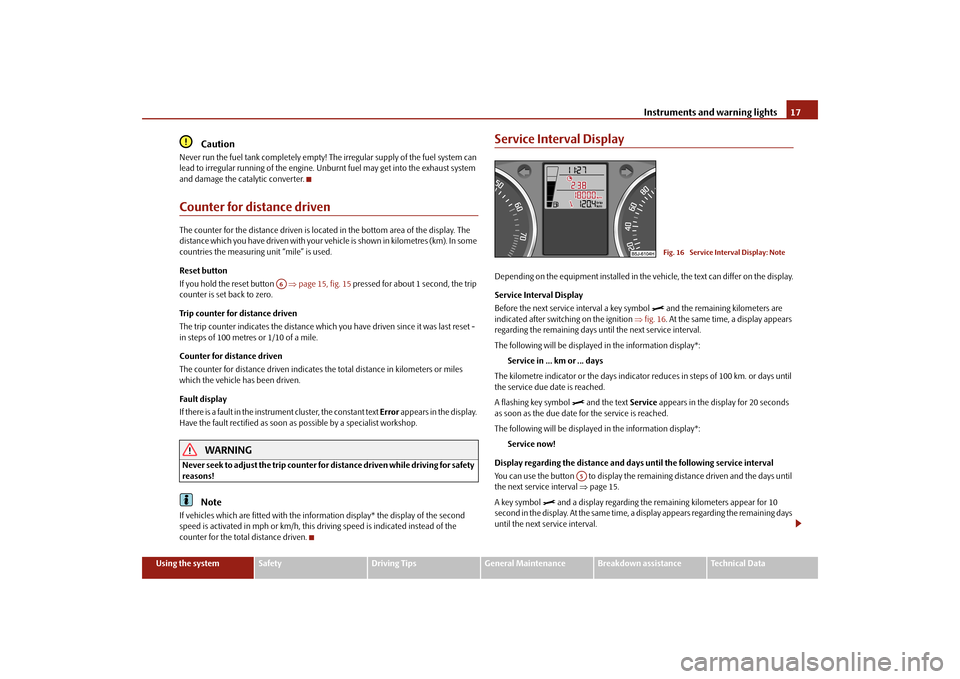
Service Interval DisplayDepending on the equipment installed in the vehicle, the text can differ on the display. Service Interval Display Before the next service interval a key symbol
and the remaining kilometers are
indicated after switching on the ignition
fig. 16
. At the same time, a display appears
regarding the remaining days until the next service interval. The following will be displayed in the information display*:
Service in ... km or ... days
The kilometre indicator or the days indicator reduces in steps of 100 km. or days until the service due date is reached. A flashing key symbol
and the text
Service
appears in the display for 20 seconds
as soon as the due date for the service is reached. The following will be displayed in the information display*:
Service now!
Display regarding the distance and days
until the following service interval
You can use the button to display the rema
ining distance driven and the days until
the next service interval
page 15.
A key symbol
and a display regarding the remaining kilometers appear for 10
second in the display. At the same time, a display appears regarding the remaining days until the next service interval.
A6
Fig. 16 Service Interval Display: Note
A5
s3j8.a.book Page 17 Tuesday, April 20, 2010 1:10 PM
Page 20 of 244
Instruments and warning lights
19
Using the system
Safety
Driving Tips
General Maintenance
Breakdown assistance
Technical Data
In order to minimise the fuel consumptio
n, a recommendation for shifting into
another gear is indicated in the display. If the control unit recognises that it is a
ppropriate to change the gear, an arrow is
shown in the display. The arrow points up or down, depending on whether it is recom- mended to shift into a higher or lower gear. At the same time, the recommended gear is indicated instead of the currently engaged gear .Multi-functional indicator (onboard computer)*IntroductionThe multi-functional indicator appears in the display
fig. 18
or in the information
display
page 22 depending on the equipm
ent fitted to your vehicle.
The multi-functional indicator offers
you a range of us
eful information:
On vehicles which are fitted out with information display*, it is possible to switch off the display of some information.
Note
In certain national versions th
e displays appear in the Imperial system of measures.
If the display of the second speed is acti
vated in mph, the current speed* is not
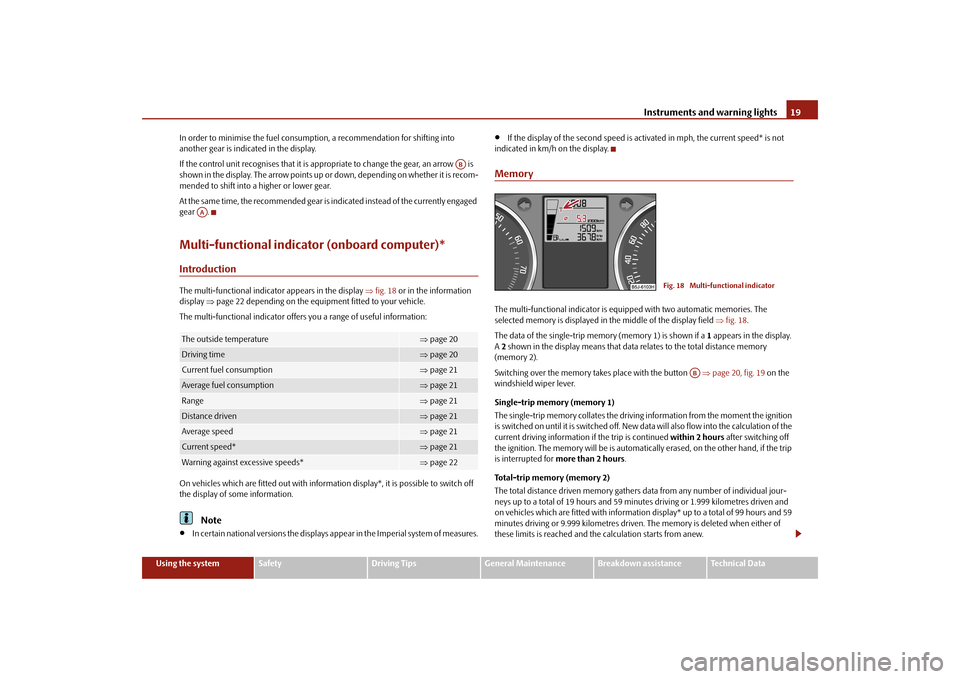
indicated in km/h on the display.MemoryThe multi-functional indicator is equi
pped with two automatic memories. The
selected memory is displayed in
the middle of the display field
fig. 18
.
The data of the single-trip memory (memory 1) is shown if a
1 appears in the display.
A 2 shown in the display means that data
relates to the total distance memory
(memory 2). Switching over the memory takes place with the button
page 20, fig. 19
on the
windshield wiper lever. Single-trip memory (memory 1) The single-trip memory collates the driving information from the moment the ignition is switched on until it is switched off. New data will also flow into the calculation of the current driving information if the trip is continued
within 2 hours
after switching off
the ignition. The memory will be is automatica
lly erased, on the other hand, if the trip
is interrupted for
more than 2 hours
.
Total-trip memory (memory 2) The total distance driven memory gathers
data from any number of individual jour-
neys up to a total of 19 hours and 59 minutes driving or 1.999 kilometres driven and on vehicles which are fitted with informatio
n display* up to a total of 99 hours and 59
minutes driving or 9.999 kilometres driven. The memory is deleted when either of these limits is reached and the calculation starts from anew.
The outside temperature
page 20
Driving time
page 20
Current fuel consumption
page 21
Average fuel consumption
page 21
Range
page 21
Distance driven
page 21
Average speed
page 21
Current speed*
page 21
Warning against excessive speeds*
page 22
AB
AA
Fig. 18 Multi-functional indicator
AB
s3j8.a.book Page 19 Tuesday, April 20, 2010 1:10 PM
Page 21 of 244
Instruments and warning lights
20The total-trip memory will not, contrary to
the single-trip memory, be deleted after a
period of interr
uption of driving of 2 hours.
Note
All information in the memory
1 and
2 is erased if the battery of the vehicle is
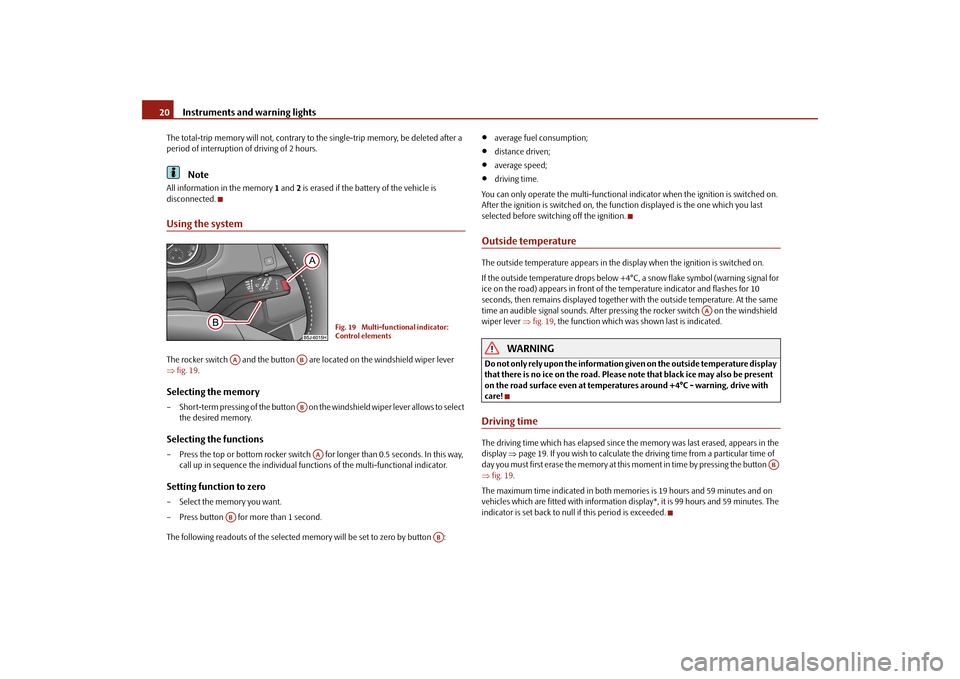
disconnected.Using the systemThe rocker switch and the button are
located on the windshield wiper lever
fig. 19
.
Selecting the memory– Short-term pressing of the button on the windshield wiper lever allows to select
the desired memory.
Selecting the functions– Press the top or bottom rocker switch
for longer than 0.5 seconds. In this way,
call up in sequence the individual func
tions of the multi-functional indicator.
Setting function to zero– Select the memory you want. – Press button for more than 1 second. The following readouts of the selected memory will be set to zero by button :
average fuel consumption;
distance driven;
average speed;
driving time.
You can only operate the multi-functional in
dicator when the igniti
on is switched on.
After the ignition is switched on, the function displayed is the one which you last selected before switch
ing off the ignition.
Outside temperatureThe outside temperature appears in the display when the ignition is switched on. If the outside temperature drops below +4°C,
a snow flake symbol (warning signal for
ice on the road) appears in front of the temperature indicator and flashes for 10 seconds, then remains displayed together with the outside temperature. At the same time an audible signal sounds.
After pressing the rocker switch on the windshield
wiper lever
fig. 19
, the function which was shown last is indicated.
WARNING
Do not only rely upon the information
given on the outside temperature display
that there is no ice on the road. Please note that black ice may also be present on the road surface even at temperatur
es around +4°C - warning, drive with
care!Driving timeThe driving time which has elapsed since the memory was last erased, appears in the display
page 19. If you wish to calculate the dr
iving time from a particular time of
day you must first erase the memory at this moment in time by pressing the button fig. 19
.
The maximum time indicated in both memories is 19 hours and 59 minutes and on vehicles which are fitted with information display*, it is 99 hours and 59 minutes. The indicator is set back to null
if this period is exceeded.
Fig. 19 Multi-functional indicator: Control elements
AA
ABAB
AA
AB
AB
AA
AB
s3j8.a.book Page 20 Tuesday, April 20, 2010 1:10 PM
Page 23 of 244
Instruments and warning lights
22Warning against excessive speeds*This function enables you to set a speed limit, e.g. if you drive in town. A text in the display is intended to draw your attention
to the fact that you have exceeded the set
speed limit.Warning against excessive speeds– Select the menu point
Speed warning --- km/h.
.
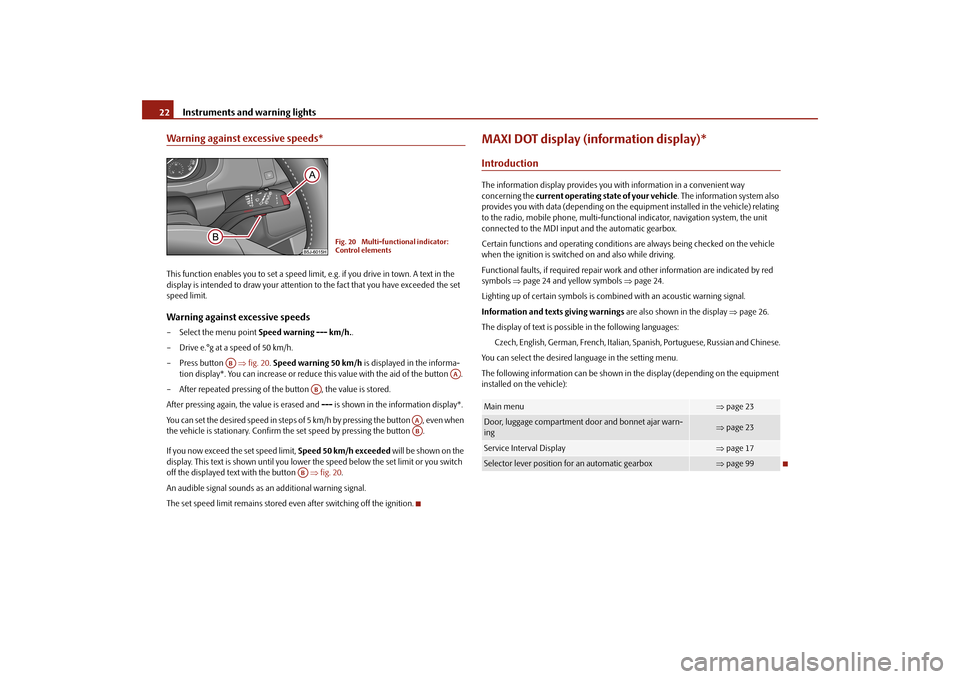
– Drive e.°g at a speed of 50 km/h.– Press button
fig. 20
. Speed warning 50 km/h
is displayed in the informa-
tion display*. You can increase or reduce
this value with the aid of the button .
– After repeated pressing of the button , the value is stored.After pressing again, the value is erased and
--- is shown in the information display*.
You can set the desired speed in steps of 5 km/h by pressing the button , even when the vehicle is stationary. Confirm the
set speed by pressing the button .
If you now exceed the set speed limit,
Speed 50 km/h exceeded
will be shown on the
display. This text is shown until you lower the speed below the set limit or you switch off the displayed text with the button
fig. 20
.
An audible signal sounds as an additional warning signal.The set speed limit remains stored even after switching off the ignition.
MAXI DOT display (information display)*IntroductionThe information display provides you with information in a convenient way concerning the
current operating state of your vehicle
. The information system also
provides you with data (depending on the equipment installed in the vehicle) relating to the radio, mobile phone,
multi-functional indicator, navigation system, the unit
connected to the MDI input and the automatic gearbox. Certain functions and operatin
g conditions are always being checked on the vehicle
when the ignition is switched on and also while driving. Functional faults, if required repair work
and other information are indicated by red
symbols
page 24 and yellow symbols
page 24.
Lighting up of certain symbols is comb
ined with an acoustic warning signal.
Information and text
s giving warnings
are also shown in the display
page 26.
The display of text is possible in the following languages:
Czech, English, German, French, Italian,
Spanish, Portuguese, Russian and Chinese.
You can select the desired language in the setting menu.The following information can be shown in
the display (depending on the equipment
installed on the vehicle):
Fig. 20 Multi-functional indicator: Control elements
AB
AA
AB
AAAB
AB
Main menu
page 23
Door, luggage compartment door and bonnet ajar warn- ing
page 23
Service Interval Display
page 17
Selector lever position for an automatic gearbox
page 99
s3j8.a.book Page 22 Tuesday, April 20, 2010 1:10 PM
Page 24 of 244
Instruments and warning lights
23
Using the system
Safety
Driving Tips
General Maintenance
Breakdown assistance
Technical Data
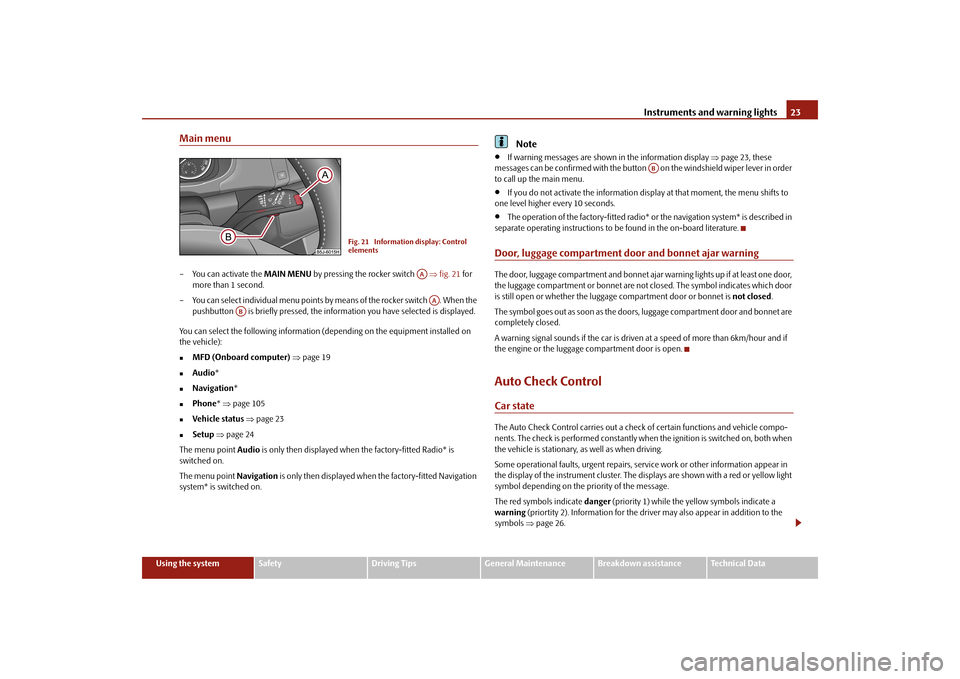
Main menu– You can activate the
MAIN MENU
by pressing the rocker switch
fig. 21
for
more than 1 second.
– You can select individual menu points by means of the rocker switch . When the
pushbutton is briefly pressed, the info
rmation you have sele
cted is displayed.
You can select the following information (d
epending on the equipment installed on
the vehicle):
MFD (Onboard computer)
page 19
Audio
*
Navigation
*
Phone
* page 105
Vehicle status
page 23
Setup
page 24
The menu point
Audio
is only then displayed when
the factory-fitted Radio* is
switched on. The menu point
Navigation
is only then displayed when the factory-fitted Navigation
system* is switched on.
Note
If warning messages are shown in the information display
page 23, these
messages can be confirmed with the button on the windshield wiper lever in order to call up the main menu.
If you do not activate the information disp
lay at that moment, the menu shifts to
one level higher every 10 seconds.
The operation of the factory-fitted radio*
or the navigation system* is described in
separate operating instructions to be
found in the on-board literature.
Door, luggage compartment door and bonnet ajar warningThe door, luggage compartment and bonnet ajar
warning lights up if at least one door,
the luggage compartment or bonnet are not closed. The symbol indicates which door is still open or whether the luggage
compartment door or bonnet is
not closed
.
The symbol goes out as soon as the doors,
luggage compartment door and bonnet are
completely closed. A warning signal sounds if the car is driven at a speed of more than 6km/hour and if the engine or the luggage compartment door is open.Auto Check ControlCar stateThe Auto Check Control carries out a chec
k of certain functions and vehicle compo-
nents. The check is performed constantly when
the ignition is switched on, both when
the vehicle is stationary, as well as when driving. Some operational faults, urgent repairs, se
rvice work or other information appear in
the display of the instrument cluster. The di
splays are shown with a red or yellow light
symbol depending on the priority of the message. The red symbols indicate
danger
(priority 1) while the yellow symbols indicate a
warning
(priortity 2). Information for the driver
may also appear in addition to the
symbols
page 26.
Fig. 21 Information display: Control elements
AAAA
AB
AB
s3j8.a.book Page 23 Tuesday, April 20, 2010 1:10 PM
Page 29 of 244
Instruments and warning lights
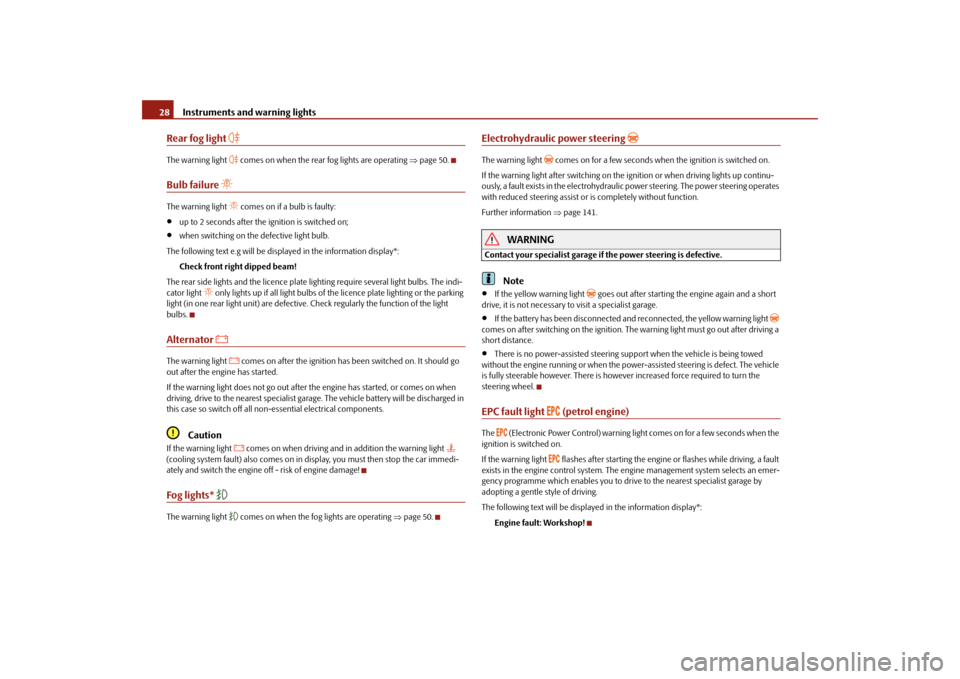
28Rear fog light
The warning light
comes on when the rear fog lights are operating
page 50.
Bulb failure
The warning light
comes on if a bulb is faulty:
up to 2 seconds after the ignition is switched on;
when switching on the defective light bulb.
The following text e.g will be disp
layed in the information display*:
Check front right dipped beam!
The rear side lights and the licence plate li
ghting require several light bulbs. The indi-
cator light
only lights up if all light bulbs of
the licence plate lighting or the parking
light (in one rear light unit) are defective. Check regularly the function of the light bulbs.Alternator
The warning light
comes on after the ignition has
been switched on. It should go
out after the engine has started. If the warning light does not go out after
the engine has started, or comes on when
driving, drive to the nearest specialist garage. The vehicle battery will be discharged in this case so switch off all non-
essential electrical components.
Caution
If the warning light
comes on when driving and in addition the warning light
(cooling system fault) also comes on in di
splay, you must then stop the car immedi-
ately and switch the engine off - risk of engine damage!Fog lights*
The warning light
comes on when the fog lights are operating
page 50.
Electrohydraulic power steering
The warning light
comes on for a few seconds when the ignition is switched on.
If the warning light after switching on the ignition or when driving lights up continu- ously, a fault exists in the electrohydraulic power steering. The power steering operates with reduced steering assist or is completely without function. Further information
page 141.
WARNING
Contact your specialist
garage if the power steering is defective.
Note
If the yellow warning light
goes out after starting the engine again and a short
drive, it is not necessary to visit a specialist garage.
If the battery has been di
sconnected and reconnected, the yellow warning light
comes on after switching on the ignition. Th
e warning light must go out after driving a
short distance.
There is no power-assisted steering su
pport when the vehicle is being towed
without the engine running or when the power-assisted steering is defect. The vehicle is fully steerable however. There is however increased force required to turn the steering wheel.EPC fault light
(petrol engine)
The
(Electronic Power Control) warning light comes on for a few seconds when the
ignition is switched on. If the warning light
flashes after starting the engine
or flashes while driving, a fault
exists in the engine control system. The en
gine management system selects an emer-
gency programme which enables you to drive to the nearest specialist garage by adopting a gentle style of driving. The following text will be displayed in the information display*:
Engine fault: Workshop!
s3j8.a.book Page 28 Tuesday, April 20, 2010 1:10 PM
Page 30 of 244
Instruments and warning lights
29
Using the system
Safety
Driving Tips
General Maintenance
Breakdown assistance
Technical Data
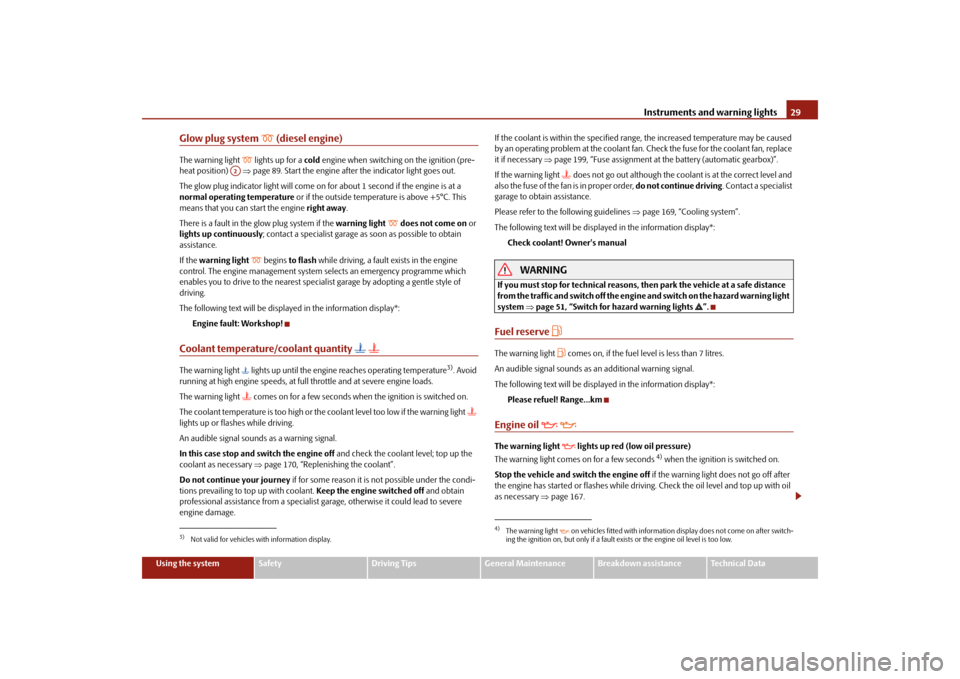
Glow plug system
(diesel engine)
The warning light
lights up for a
cold
engine when switching on the ignition (pre-
heat position)
page 89. Start the engine after the indicator light goes out.
The glow plug indicato
r light will come on for about 1
second if the engine is at a
normal operating temperature
or if the outside temperature is above +5°C. This
means that you can start the engine
right away
.
There is a fault in the glow plug system if the
warning light
does not come on
or
lights up continuously
; contact a specialist garage as soon as possible to obtain
assistance. If the
warning light
begins
to flash
while driving, a fault exists in the engine
control. The engine management system
selects an emergency programme which
enables you to drive to the nearest specialist garage by adopting a gentle style of driving. The following text will be displayed in the information display*:
Engine fault: Workshop!
Coolant temperature/coolant quantity
The warning light
lights up until the engine reaches operating temperature
3). Avoid
running at high engine speeds, at full
throttle and at se
vere engine loads.
The warning light
comes on for a few seconds when
the ignition is switched on.
The coolant temperature is too high or the
coolant level too low if the warning light
lights up or flashes while driving. An audible signal sounds as a warning signal.In this case stop and switch the engine off
and check the coolant level; top up the
coolant as necessary
page 170, “Replenishing the coolant”.
Do not continue your journey
if for some reason it is not possible under the condi-
tions prevailing to top up with coolant.
Keep the engine switched off
and obtain
professional assistance from a specialist garage, otherwise it could lead to severe engine damage.
If the coolant is within the specified range, the increased temperature may be caused by an operating problem at the coolant fan.
Check the fuse for the coolant fan, replace
it if necessary
page 199, “Fuse assignment at th
e battery (automatic gearbox)”.
If the warning light
does not go out although the coolant is at the correct level and
also the fuse of the fan is in proper order,
do not continue driving
. Contact a specialist
garage to obtain assistance. Please refer to the following guidelines
page 169, “Cooling system”.
The following text will be displayed in the information display*:
Check coolant! Owner's manual
WARNING
If you must stop for technical reasons, then park the vehicle at a safe distance from the traffic and switch off the engine and switch on the hazard warning light system
page 51, “Switch for hazard warning lights
”.
Fuel reserve
The warning light
comes on, if the fuel level is less than 7 litres.
An audible signal sounds as an additional warning signal.The following text will be displayed in the information display*:
Please refuel! Range...km
Engine oil
The warning light
lights up red (low oil pressure)
The warning light comes on for a few seconds
4) when the ignition is switched on.
Stop the vehicle and switch the engine off
if the warning light does not go off after
the engine has started or flashes while driving. Check the oil level and top up with oil as necessary
page 167.
3)Not valid for vehicles with information display.
A2
4)The warning light
on vehicles fitted with information
display does not come on after switch-
ing the ignition on, but only if a fault exists or the engine oil level is too low.
s3j8.a.book Page 29 Tuesday, April 20, 2010 1:10 PM