steering SKODA FABIA 2014 3.G / NJ User Guide
[x] Cancel search | Manufacturer: SKODA, Model Year: 2014, Model line: FABIA, Model: SKODA FABIA 2014 3.G / NJPages: 216, PDF Size: 30.7 MB
Page 38 of 216
If the warning light is illuminated , this indicates a partial failure of the Pow-
er Steering and the steering forces can be greater. Seek assistance from a spe-
cialist garage immediately.
Steering lock (engine start push-button)
A long as the warning light
flashes , the steering lock cannot be released.
The following message is shown in the information cluster display. Move the steering wheel!
MOVE STEERING WHEEL
› Move the steering wheel slightly back and forth, thereby facilitating unlock-
ing the steering lock.
If the steering does also not unlock then, the help of a specialist garage is re-
quired.
If the warning light
flashes and a beep sounds, the electric steering lock is
faulty.
The following message is shown in the information cluster display. Steering lock: Workshop!
STEERING WORKSHOP
Seek assistance from a specialist garage immediately.
If the warning light
flashes and a beep sounds, the electric steering lock is
faulty.
The following message is shown in the information cluster display. Steering lock faulty. Stop!
STOP! VEHICLE STEERING FAULTY
Park the vehicle, and
stop driving . After switching off the ignition, it is no
longer possible to lock the steering, to activate the electrical components (e.g.
radio etc), to switch on the ignition again and to start the engine. Seek help
from a specialist garage.
Note
If the vehicle's battery has been disconnected and reconnected, the indicator
light comes on after switching on the ignition. The warning light should go
out after driving a short distance. If, after the motor is restarted and a short
drive, the indicator light
does not go out, there is a system error. Seek assis-
tance from a specialist garage immediately.Stability Control (ESC) / Traction Control (ASR)
Read and observe
on page 34 first.
If the warning light
flashes , the ESC or the ASR is just intervening at that
time.
If the warning light
lights up , there is an error in the ESC or the ASR.
The following message is shown in the information cluster display. Error: Electronic Stability Control (ESC)
ESC ERROR
Error: Traction control
ASR ERROR
Seek assistance from a specialist garage immediately.
If the warning light comes on after starting the engine, the TCS may be
switched off for technical reasons.
›
Switch the ignition off and on again.
If the warning light does not illuminate after you switch the engine back on,
the ASR is fully functional again.
Further information » page 115, Electronic Stability Control (ESC) or
» page 115 , Traction Control System (TCS) .
Note
The warning light comes on after the ignition is switched on if the vehicle's
battery has been disconnected and reconnected. If the indicator light does not
go out after moving a short distance, this means that there is an error in the
system. Seek assistance from a specialist garage immediately.
Traction control system (TCS) off
Read and observe
on page 34 first.
If the warning light
is illuminated , the TCS is switched off.
Activating/deactivating TCS » page 115, Traction Control System (TCS) .
35Instruments and warning lights
Page 40 of 216
Tyre pressureRead and observe
on page 34 first.
The warning light
is illuminated
If the warning light
comes on while driving, it means one of the tyres has
undergone a pressure change.
An audible signal sounds as a warning signal.
›
Immediately reduce speed and avoid sudden steering and braking manoeu-
vres.
›
Stop the vehicle, turn the ignition off and check the tyres and their inflation
pressure » page 162 .
›
Correct the tyre pressure, if necessary or replace the affected wheel
» page 170 or use the repair kit » page 173.
›
Store the tyre pressure values in the system
» page 127.
The indicator light flashes for about 1 min. and remains lit
If the warning light flashes for approximately 1 min. and stays on, there may
be a fault in the system of tyre pressure monitoring.
›
Stop the vehicle, turn the ignition off and start the engine again.
If the warning light flashes again after the engine has started, there is a
system error.
Seek help from a specialist garage.
The following reasons can also apply if the warning light is illuminated.
› The vehicle is loaded on one side. Distribute loads as evenly as possible.
› The wheels of one axle are loaded more heavily (e.g. when towing a trailer or
when driving uphill or downhill).
› Snow chains are fitted.
› A wheel has been changed.
Store the tyre pressure values in the system » page 127.
CAUTION
Under certain circumstances (e.g. sporty style of driving, wintry or unpaved
roads) the warning light in the instrument cluster can be delayed or does
not light up at all.NoteThe warning light comes on after the ignition is switched on if the vehicle's
battery has been disconnected and reconnected. If the indicator light does not
go out after moving a short distance, this means that there is an error in the
system. Seek help from a specialist garage.
Fuel reserve
Read and observe
on page 34 first.
When the warning light
is illuminated , this means there is a fuel reserve of
under around 7 litres left.
The following message is shown in the information cluster display. Please refuel. Range: ... km
PLEASE REFUEL RANGE …
An audible signal sounds as a warning signal.
CAUTION
Never drive until the fuel tank is completely empty! The irregular supply of fuel
can cause misfiring. This can result in considerable damage to parts of the en-
gine and the exhaust system.
Note
The text in the display goes out after refuelling and driving a short distance.
Turning signal system
Read and observe
on page 34 first.
Either the left or the right
warning light
flashes depending on the position
of the turn signal lever.
If there is a fault in the turn signal system, the warning light flashes at twice
its normal rate. This does not apply when towing a trailer.
When the hazard warning light system is switched on, this will cause all of the
turn signal lights as well as both warning lights to flash.
Trailer turn signal lights
Read and observe
on page 34 first.
If the warning light
flashes , the trailer turn signal lights are turned on.
37Instruments and warning lights
Page 46 of 216
Information system
Driver information system
Introduction
This chapter contains information on the following subjects:
Using the information system
43
Outside temperature
44
Gear recommendation
44
Door, luggage compartment or bonnet warning
44
Auto-check control
44
MAXI DOT display
45
The information system provides the driver with alerts and messages about in-
dividual vehicle systems.
These alerts and messages appear in display
2
of the instrument cluster
» Fig. 20 on page 30 or » Fig. 21 on page 30 (hereafter only in the display).
The information system provides the following information and instructions
(depending on vehicle equipment).
› Driving data (multifunction display)
» page 45.
› Data relating to the Maxi DOT display
» page 45.
› Service interval display
» page 48.
› Fatigue detection
» page 126.
› Selector lever positions for an automatic transmission
» page 111.
› Information and alerts in the Assist systems
» page 115.
WARNINGConcentrate fully at all times on your driving! As the driver you are fully re-
sponsible for the operation of your vehicle.Using the information systemFig. 26
Buttons/dial: the operating lever/the multifunction steering
wheel
Read and observe
on page 43 first.
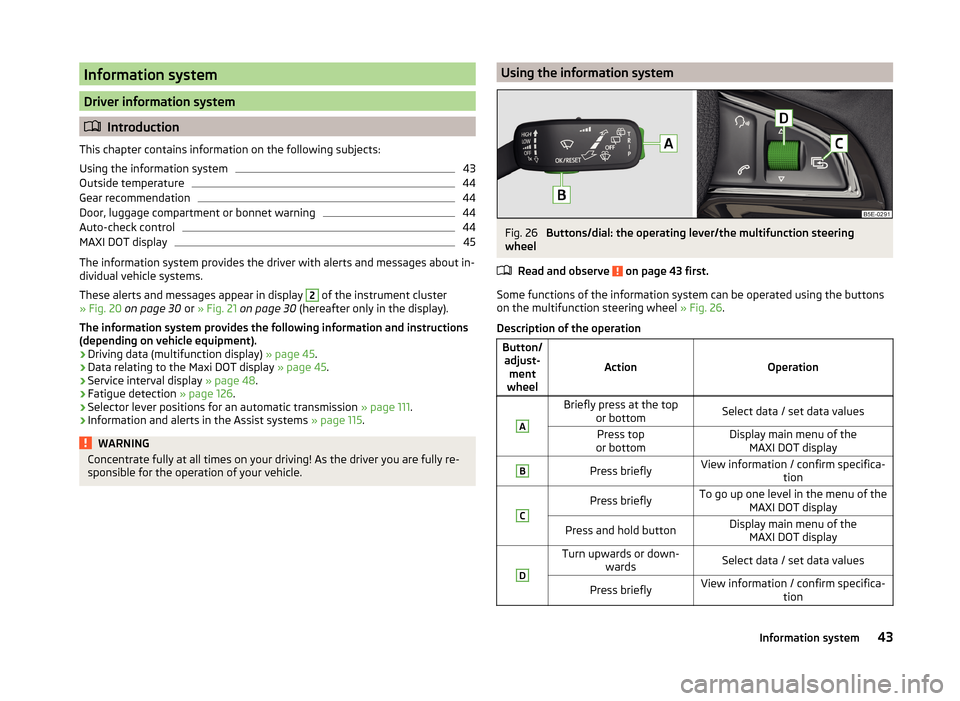
Some functions of the information system can be operated using the buttons
on the multifunction steering wheel » Fig. 26.
Description of the operation
Button/ adjust- ment
wheel
ActionOperation
ABriefly press at the top or bottomSelect data / set data valuesPress top
or bottomDisplay main menu of the MAXI DOT displayBPress brieflyView information / confirm specifica- tionCPress brieflyTo go up one level in the menu of theMAXI DOT displayPress and hold buttonDisplay main menu of theMAXI DOT displayDTurn upwards or down- wardsSelect data / set data valuesPress brieflyView information / confirm specifica- tion43Information system
Page 64 of 216
Turn switchSwitching off lights (except daytime running lights)Switching lights on and off automatically » page 62
Switching on the parking light or parking lights » page 65
Switch on low beam
Pull switch Switch on the front fog lamp » page 63
Switch on the rear fog light » page 63
Headlight beam range regulation
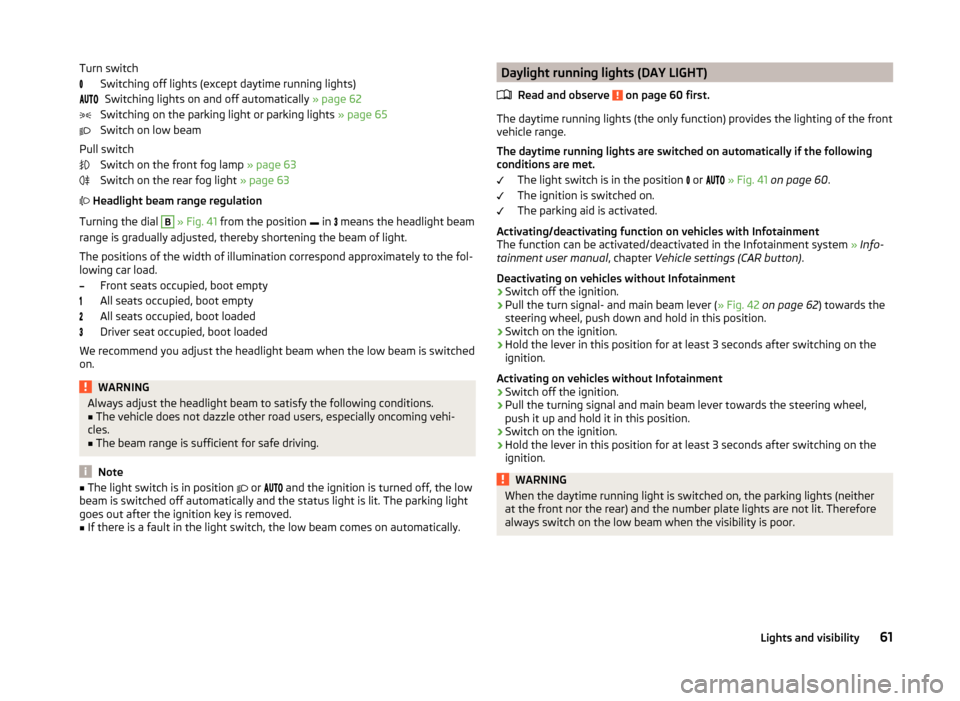
Turning the dial B
» Fig. 41 from the position
in
means the headlight beam
range is gradually adjusted, thereby shortening the beam of light.
The positions of the width of illumination correspond approximately to the fol-
lowing car load.
Front seats occupied, boot empty
All seats occupied, boot empty
All seats occupied, boot loaded
Driver seat occupied, boot loaded
We recommend you adjust the headlight beam when the low beam is switched
on.
WARNINGAlways adjust the headlight beam to satisfy the following conditions.■The vehicle does not dazzle other road users, especially oncoming vehi-
cles.■
The beam range is sufficient for safe driving.
Note
■ The light switch is in position or and the ignition is turned off, the low
beam is switched off automatically and the status light is lit. The parking light
goes out after the ignition key is removed.■
If there is a fault in the light switch, the low beam comes on automatically.
Daylight running lights (DAY LIGHT)
Read and observe
on page 60 first.
The daytime running lights (the only function) provides the lighting of the frontvehicle range.
The daytime running lights are switched on automatically if the following
conditions are met.
The light switch is in the position
or
» Fig. 41 on page 60 .
The ignition is switched on.
The parking aid is activated.
Activating/deactivating function on vehicles with Infotainment
The function can be activated/deactivated in the Infotainment system » Info-
tainment user manual , chapter Vehicle settings (CAR button) .
Deactivating on vehicles without Infotainment
›
Switch off the ignition.
›
Pull the turn signal- and main beam lever ( » Fig. 42 on page 62 ) towards the
steering wheel, push down and hold in this position.
›
Switch on the ignition.
›
Hold the lever in this position for at least 3 seconds after switching on the
ignition.
Activating on vehicles without Infotainment
›
Switch off the ignition.
›
Pull the turning signal and main beam lever towards the steering wheel,
push it up and hold it in this position.
›
Switch on the ignition.
›
Hold the lever in this position for at least 3 seconds after switching on the
ignition.
WARNINGWhen the daytime running light is switched on, the parking lights (neither
at the front nor the rear) and the number plate lights are not lit. Therefore
always switch on the low beam when the visibility is poor.61Lights and visibility
Page 74 of 216
Switch off mirror control
Mirror heater
Folding in the exterior mirrors
The whole exterior mirror can be manually folded towards the side windows.
To restore it to its original position, fold back from the side window until it au-
dibly clicks into place.WARNINGDo not touch the exterior mirror surfaces if the exterior mirror heater is
switched on - risk of burns.
Note
■ The mirror heater only operates when the engine is running and up to an
outside temperature of +35 ℃.■
If the electrical mirror setting fails at any time, the mirrors can be adjusted by
hand by pressing on the edge of the mirror surface.
Seats and headrests
Seats and headrests
Introduction
This chapter contains information on the following subjects:
Adjusting the front seats
72
Headrests - adjusting height
72
Headrests - removing and installing
73
The driver's seat should be adjusted in such a way that the pedals can be fully
pressed to the floor with slightly bent legs.
The seat backrest on the driver's seat should be adjusted in such a way that the upper point of the steering wheel can be easily reached with slightly bent
arms.
Correct adjustment of the seats is particularly important for the following rea-
sons.
› Reaching the controls safely and quickly.
› A relaxed and fatigue-free body position.
› Achieving the maximum protection offered by the seat belts and the airbag
system.
WARNING■ Only adjust the driver's seat when the vehicle is stationary – risk of acci-
dent.■
Caution when adjusting the seat! You may suffer crushing injuries as a re-
sult of adjusting the seat without paying proper attention.
■
Never carry more people than the number of seats in the vehicle.
■
Do not transport any objects on the front passenger seat other than ob-
jects intended for this purpose (e.g. child safety seat) – risk of accident.
Note
After a certain time, play can develop within the adjustment mechanism for
the backrest angle.71Seats and headrests
Page 106 of 216
Driving
Starting-off and driving
Starting and stopping the engine using the key
Introduction
This chapter contains information on the following subjects:
Electronic immobilizer
103
Lock / unlock steering lock
103
Turn ignition on / off and start the engine
104
Stopping the engine
104
With the key in the ignition, the ignition can be switched on and off and the
engine can be started / stopped.
WARNING■ While driving with the engine stopped, the ignition must always be
switched on » page 104, Turn ignition on / off and start the engine .
■ With the ignition off, the steering may lock » page 103 - danger of an
accident!■
Do not withdraw the ignition key from the ignition lock until the vehicle
has come to a stop » page 109, Parking . Otherwise the steering wheel
could lock – risk of accident.
■
Never leave the key in the vehicle when you exit the vehicle. Unauthor-
ized persons, children for example, could lock the car, turn on the ignition
or start the engine - risk of injury and accidents!
■
Never leave the vehicle unattended with the engine running - risk of acci-
dent, damage or theft!
■
Never switch off the engine before the vehicle has come to a halt – risk of
accident.
WARNING■ Never (e.g. in garages) run the engine in a closed place - risk of poisoning
and death!■
Do not leave any items (e.g. cleaning cloths or tools) in the engine com-
partment. There is a fire hazard and the risk of engine damage.
■
Never cover the engine with additional insulation material (e.g. with a
blanket) – risk of fire.
CAUTION■ Only start the engine when the engine and the vehicle are stationary - risk of
starter and engine damage!■
Do not push-start the engine – there is a risk of damaging the engine and
the catalytic converter. The battery from another vehicle can be used as a
jump-start aid » page 176.
Note
Do not warm up the engine while the vehicle is stationary. If possible, start
your journey as soon as the engine has started. Through this, the engine rea-
ches its operating temperature faster.
Electronic immobilizer
Read and observe
and on page 103 first.
The electronic immobilizer makes a possible attempted theft or unauthorizeduse of your vehicle more difficult.
An electronic chip is integrated in the head of the key. The immobilizer is deac-
tivated with the aid of this chip when the key is inserted in the ignition lock.
The electronic immobilizer is automatically activated when the ignition key is
withdrawn from the lock.
The engine will not start if an unauthorized ignition key is used.
The following message is shown in the information cluster display. Immobilizer active.
IMMOBILIZER ACTIVE
Lock / unlock steering lock
Read and observe
and on page 103 first.
The steering lock (steering lock) deters any attempted theft of your vehicle.
Locking
›
Withdraw the ignition key.
›
Turn the steering wheel to the left or right until the steering lock clicks into
place.
Unlocking
›
Insert the key into the ignition lock.
›
Switch on the ignition » page 104.
103Starting-off and driving
Page 107 of 216
The vehicle is unlocked.
If the ignition switch cannot be turned on, turn the steering wheel back and
forth slightly to unlock the steering lock.
Turn ignition on / off and start the engine
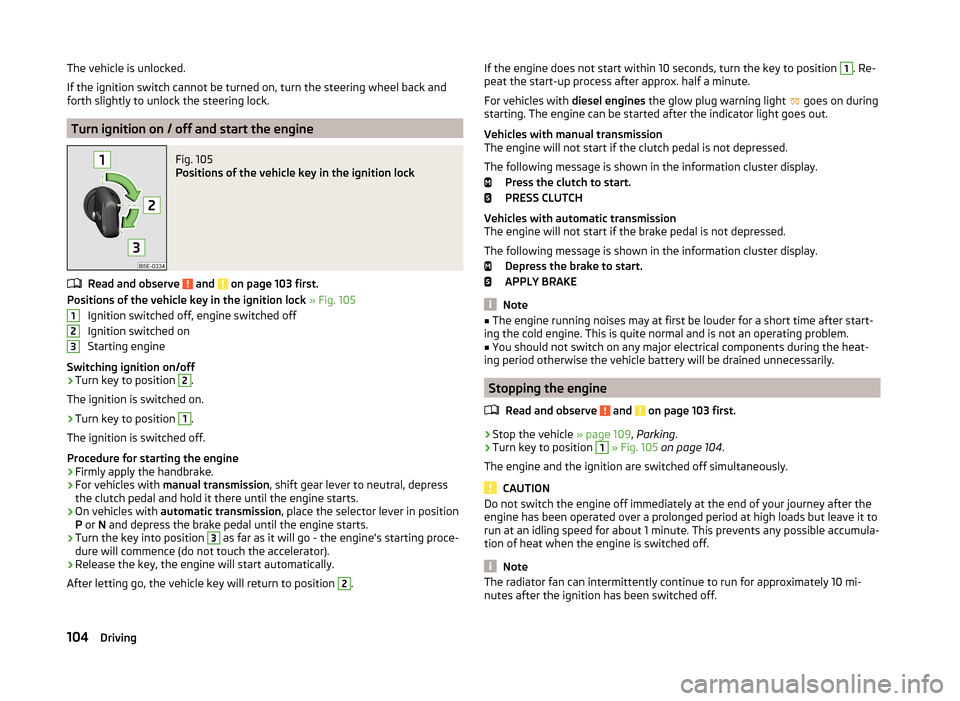
Fig. 105
Positions of the vehicle key in the ignition lock
Read and observe and on page 103 first.
Positions of the vehicle key in the ignition lock » Fig. 105
Ignition switched off, engine switched off
Ignition switched on
Starting engine
Switching ignition on/off
›
Turn key to position
2
.
The ignition is switched on.
›
Turn key to position
1
.
The ignition is switched off.
Procedure for starting the engine
›
Firmly apply the handbrake.
›
For vehicles with manual transmission , shift gear lever to neutral, depress
the clutch pedal and hold it there until the engine starts.
›
On vehicles with automatic transmission , place the selector lever in position
P or N and depress the brake pedal until the engine starts.
›
Turn the key into position
3
as far as it will go - the engine's starting proce-
dure will commence (do not touch the accelerator).
›
Release the key, the engine will start automatically.
After letting go, the vehicle key will return to position
2
.
123If the engine does not start within 10 seconds, turn the key to position 1. Re-
peat the start-up process after approx. half a minute.
For vehicles with diesel engines the glow plug warning light
goes on during
starting. The engine can be started after the indicator light goes out.
Vehicles with manual transmission
The engine will not start if the clutch pedal is not depressed.
The following message is shown in the information cluster display. Press the clutch to start.
PRESS CLUTCH
Vehicles with automatic transmission
The engine will not start if the brake pedal is not depressed.
The following message is shown in the information cluster display. Depress the brake to start.
APPLY BRAKE
Note
■ The engine running noises may at first be louder for a short time after start-
ing the cold engine. This is quite normal and is not an operating problem.■
You should not switch on any major electrical components during the heat-
ing period otherwise the vehicle battery will be drained unnecessarily.
Stopping the engine
Read and observe
and on page 103 first.
›
Stop the vehicle » page 109, Parking .
›
Turn key to position
1
» Fig. 105 on page 104 .
The engine and the ignition are switched off simultaneously.
CAUTION
Do not switch the engine off immediately at the end of your journey after the
engine has been operated over a prolonged period at high loads but leave it to
run at an idling speed for about 1 minute. This prevents any possible accumula-
tion of heat when the engine is switched off.
Note
The radiator fan can intermittently continue to run for approximately 10 mi-
nutes after the ignition has been switched off.104Driving
Page 108 of 216
Start or stop the engine by pressing button
Introduction
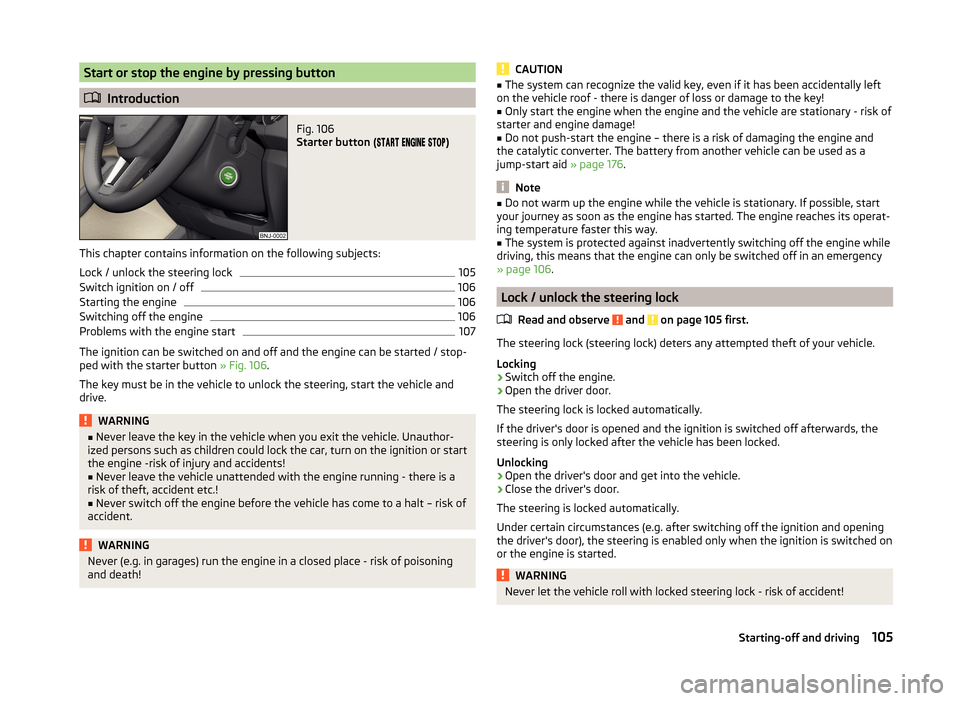
Fig. 106
Starter button (
)
This chapter contains information on the following subjects:
Lock / unlock the steering lock
105
Switch ignition on / off
106
Starting the engine
106
Switching off the engine
106
Problems with the engine start
107
The ignition can be switched on and off and the engine can be started / stop-
ped with the starter button » Fig. 106.
The key must be in the vehicle to unlock the steering, start the vehicle and
drive.
WARNING■ Never leave the key in the vehicle when you exit the vehicle. Unauthor-
ized persons such as children could lock the car, turn on the ignition or start
the engine -risk of injury and accidents!■
Never leave the vehicle unattended with the engine running - there is a
risk of theft, accident etc.!
■
Never switch off the engine before the vehicle has come to a halt – risk of
accident.
WARNINGNever (e.g. in garages) run the engine in a closed place - risk of poisoning
and death!CAUTION■ The system can recognize the valid key, even if it has been accidentally left
on the vehicle roof - there is danger of loss or damage to the key!■
Only start the engine when the engine and the vehicle are stationary - risk of
starter and engine damage!
■
Do not push-start the engine – there is a risk of damaging the engine and
the catalytic converter. The battery from another vehicle can be used as a
jump-start aid » page 176.
Note
■
Do not warm up the engine while the vehicle is stationary. If possible, start
your journey as soon as the engine has started. The engine reaches its operat-
ing temperature faster this way.■
The system is protected against inadvertently switching off the engine while
driving, this means that the engine can only be switched off in an emergency
» page 106 .
Lock / unlock the steering lock
Read and observe
and on page 105 first.
The steering lock (steering lock) deters any attempted theft of your vehicle.
Locking
›
Switch off the engine.
›
Open the driver door.
The steering lock is locked automatically.
If the driver's door is opened and the ignition is switched off afterwards, the
steering is only locked after the vehicle has been locked.
Unlocking
›
Open the driver's door and get into the vehicle.
›
Close the driver's door.
The steering is locked automatically.
Under certain circumstances (e.g. after switching off the ignition and opening
the driver's door), the steering is enabled only when the ignition is switched on
or the engine is started.
WARNINGNever let the vehicle roll with locked steering lock - risk of accident!105Starting-off and driving
Page 109 of 216
Switch ignition on / offRead and observe
and on page 105 first.
›
Press the button » Fig. 106 on page 105 briefly.
The ignition is switched on or off.
On vehicles fitted with a manual transmission, the clutch pedal must not be
depressed while switching the ignition on or off, otherwise the system would
try to start.
On vehicles fitted with a automatic transmission, the brake pedal must not be
depressed while switching the ignition on or off, otherwise the system would
try to start.
If the driver's door is opened while the ignition is on, an audible signal sounds
and the following message appears in the instrument cluster display.
Ignition on!
IGNITION STILL ON
When leaving the vehicle always switch off the ignition.
Starting the engine
Read and observe
and on page 105 first.
Procedure for starting the engine
›
Firmly apply the handbrake.
›
For vehicles with manual transmission , shift gear stick to neutral, depress
the clutch pedal and hold it there until the engine starts.
›
On vehicles with automatic transmission , place the selector lever in position
P or N and depress the brake pedal until the engine starts.
›
Press the starter button » Fig. 106 on page 105 briefly – the engine starts au-
tomatically.
In vehicles with diesel engines the glow plug warning light
lights up after
pressing the button. The engine can be started after the indicator light goes
out.
Note
■ The engine running noises may louder at first be louder for a short time after
starting the cold engine. This is quite normal and is not an operating problem.■
You should not switch on any major electrical components during the heat-
ing period otherwise the vehicle battery will be drained unnecessarily.
Switching off the engine
Read and observe
and on page 105 first.
Switching off
›
Stop the vehicle » page 109, Parking .
›
Press the button » Fig. 106 on page 105 briefly.
The engine and the ignition are switched off simultaneously.
Emergency shutdown
If necessary and in exceptional cases, the engine may even be turned off while driving.
›
Press the starter button » Fig. 106 on page 105 for longer than 1 second or
twice within 1 second.
After the emergency stop of the engine, the steering lock will remain un-
locked.
CAUTION
Do not switch the engine off immediately at the end of your journey after the
engine has been operated over a prolonged period at high loads but leave it to
run at an idling speed for about 1 minute. This prevents any possible accumula-
tion of heat when the engine is switched off.
Note
The radiator fan can intermittently continue to run for approximately 10 mi-
nutes after the ignition has been switched off.106Driving
Page 126 of 216

NoteThe system can be impaired or may not be available, for example when driving
in “sharp ”curves or with an ESC engagement » page 115.
Proximity warning (dangerous proximity)
Read and observe
and on page 122 first.
If a safe distance to the vehicle ahead is not maintained, the display of the in-
strument cluster shows the symbol
» Fig. 124 on page 122 -
.
Immediately increase the proximity if the current traffic situation allows you
to do so!
The proximity at which the warning is displayed depends on the current speed.
The warning may occur when driving between about 60 km/h and 210 km/h.
Warning and automatic braking
Read and observe
and on page 122 first.
Emergency braking at low speed
In a driving speed range of about 5 km/h to about 30 km/h the automatic brak-
ing action is not preceded by a warning. With an immediate impact hazard au-
tomatic braking is done with the breaking force increasing in stages.
With automatic braking the symbol appears » Fig. 124
on page 122 -
in the
display.
Advance warning
If the system detects a risk of collision, the symbol » Fig. 124
on page 122 -
appears in the display and you will hear an acoustic signal.
At the same time, the braking system is prepared for possible emergency brak- ing.
The pre-warning display can occur in the following situations. › If there is a risk of collision with a moving obstacle in a driving speed range of
about 30 km/h to about 210 km/h.
› There is a risk of a collision with a stationary moving obstacle in a vehicle
speed range of approximately 30 km/h to about 85 km/h.
With a warning the brake pedal must be pressed or the moving obstacle is to
be avoided!
Acute alert
If the driver does not react to the advance warning, the system briefly applies
the brake automatically via an active brake intervention to draw attention to
the potential danger of a collision again.
Automatic Braking
If the driver fails to respond to the acute warning, the system starts to apply
the brakes automatically with increasing stopping power in several stages.
Brake assist
If the driver brakes inadequate with an impending collision, the system auto-
matically increases braking force.
The braking assistance only occurs as long as the brake pedal is being firmly
pressed down.
Note
■ If an automatic brake intervention is triggered by the system, the pressure in
the brake system increases and the brake pedal cannot be operated with the
normal pedal stroke.■
The automatic braking interventions can be cancelled by pressing the accel-
erator pedal or by steering intervention.
Activating/deactivating
Read and observe
and on page 122 first.
The function is automatically activated each time the ignition is switched on.
The system should only be disabled in exceptional cases »
.
The activation or deactivation of the system can be done in one of two ways.
› In the menu item
Assist systemsthe display of the instrument cluster
» page 45 , MAXI DOT display .
› In Infotainment
» Operating instructions for Infotainment , chapter Vehicle
settings (CAR button) .
The following functions can be activated or deactivated separately in infotain-
ment.
› Distance warning
› Advance warning
Upon deactivation of these functions remains disabled even after switching
off and switching on the ignition.
123Assist systems