SKODA KAMIQ 2020 Owner´s Manual
KAMIQ 2020
SKODA
SKODA
https://www.carmanualsonline.info/img/3/38021/w960_38021-0.png
SKODA KAMIQ 2020 Owner´s Manual
Page 110 of 194
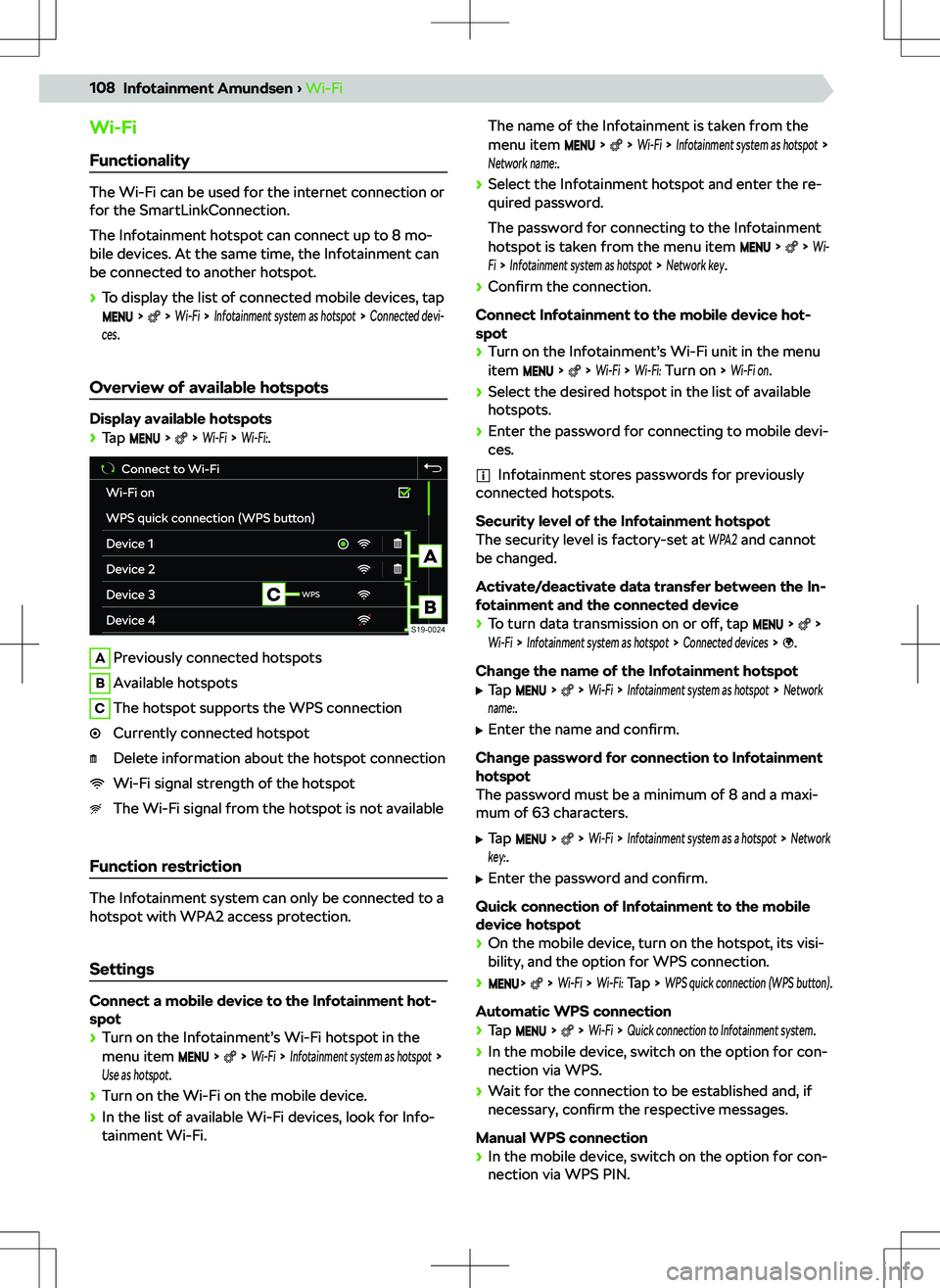
Wi-FiFunctionality
The Wi-Fi can be used for the internet connection or
for the SmartLinkConnection.
The Infotainment hotspot can connect up to 8 mo-
bile devices. At the same time, the Infotainment can
be connected to another hotspot.
Page 111 of 194
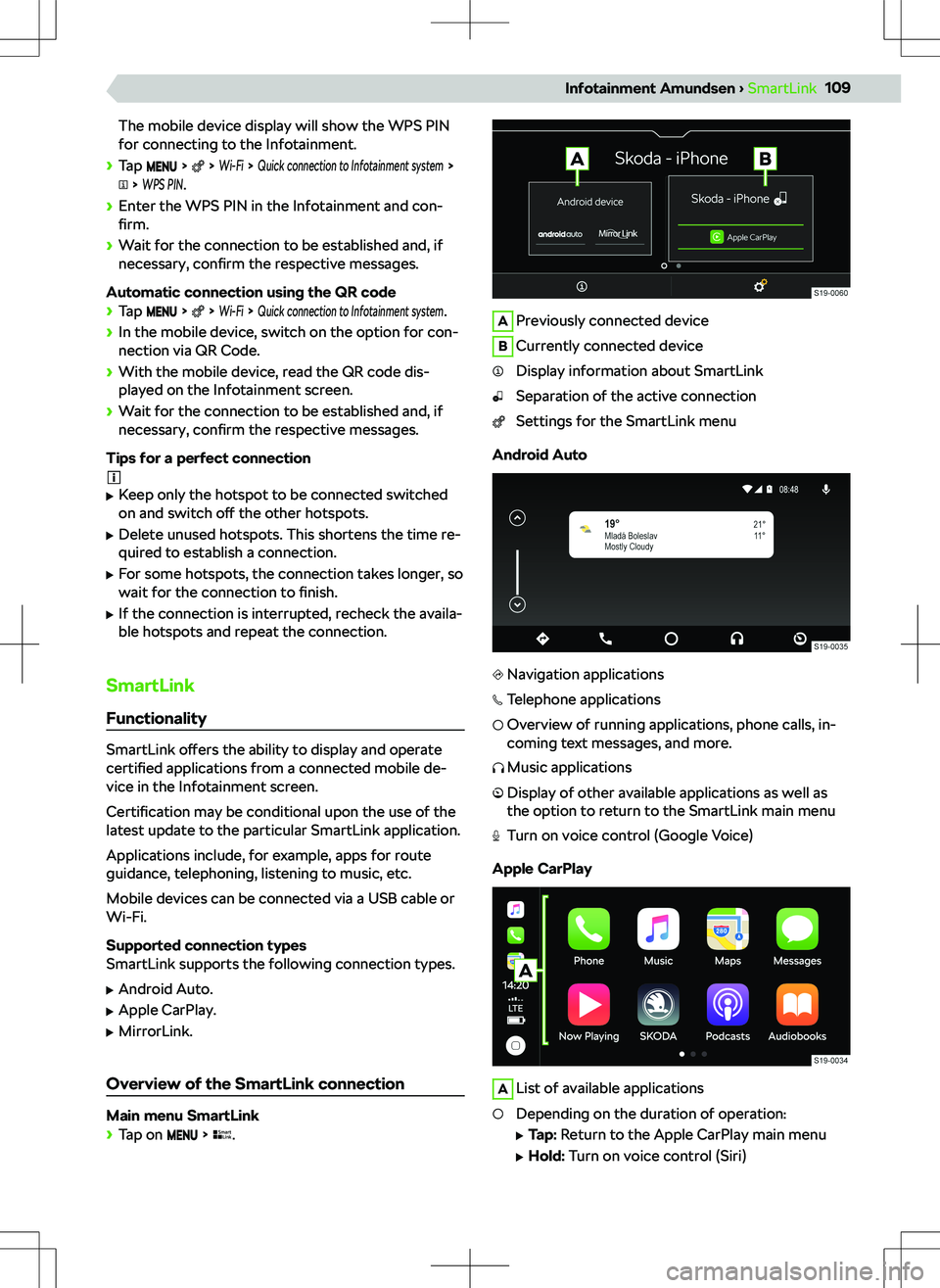
The mobile device display will show the WPS PINfor connecting to the Infotainment.
Page 133 of 194
Narrow or staggered vehicle
ACC detects a narrow or staggered vehicle only
when it is in the area covered by the radar.
Lane change by another vehicle
A vehicle that changes to the lane a short distance
away may not be recognized by the ACC in time.
Stationary vehicle
If a vehicle in front turns and there is a stationary ve-
hicle in front of this vehicle, the ACC will not respond
to the stationary vehicle.
Vehicles with special load or special bodies
A load or superstructure that protrudes outside the
vehicle might not be detected by the ACC.
Settings
In the Infotainment system, in the menu:
Page 136 of 194
Park Assist systems
Park Pilot parking aid Functionality
If an obstacle is detected, the Infotainment will dis-
play a visible message and an audible signal will
sound.
The interval between the signals becomes shorter as
the clearance is reduced. At a distance of less than
30 cm from the obstacle, a continuous tone sounds.
If the driver does not respond to the warning, the
system triggers automatic emergency braking at
speeds below 8 km/h in order to reduce the impact.
Automatic braking can be activated and deactivated
in the infotainment.
Display
The recorded areas vary according to the equipment.
ARoute controlled at the current steering angleAcoustic signals on/o
Page 137 of 194
Rear view camera
Functionality
When reversing, the area behind the vehicle is dis-
played in the Infotainment screen complete with ori-
entation lines.
The camera is equipped with a cleaning system.
Cleaning takes place automatically when the rear
window is washed.
Orientation lines and functional surfaces
Orientation lines
ADistance about 40 cmBDistance about 100 cmCDistance about 200 cm
The distance between the side lines corresponds ap-
proximately to the vehicle width including mirrors.
Function surfaces
Brightness, contrast and colour settings of the
screenTurns o
Page 170 of 194
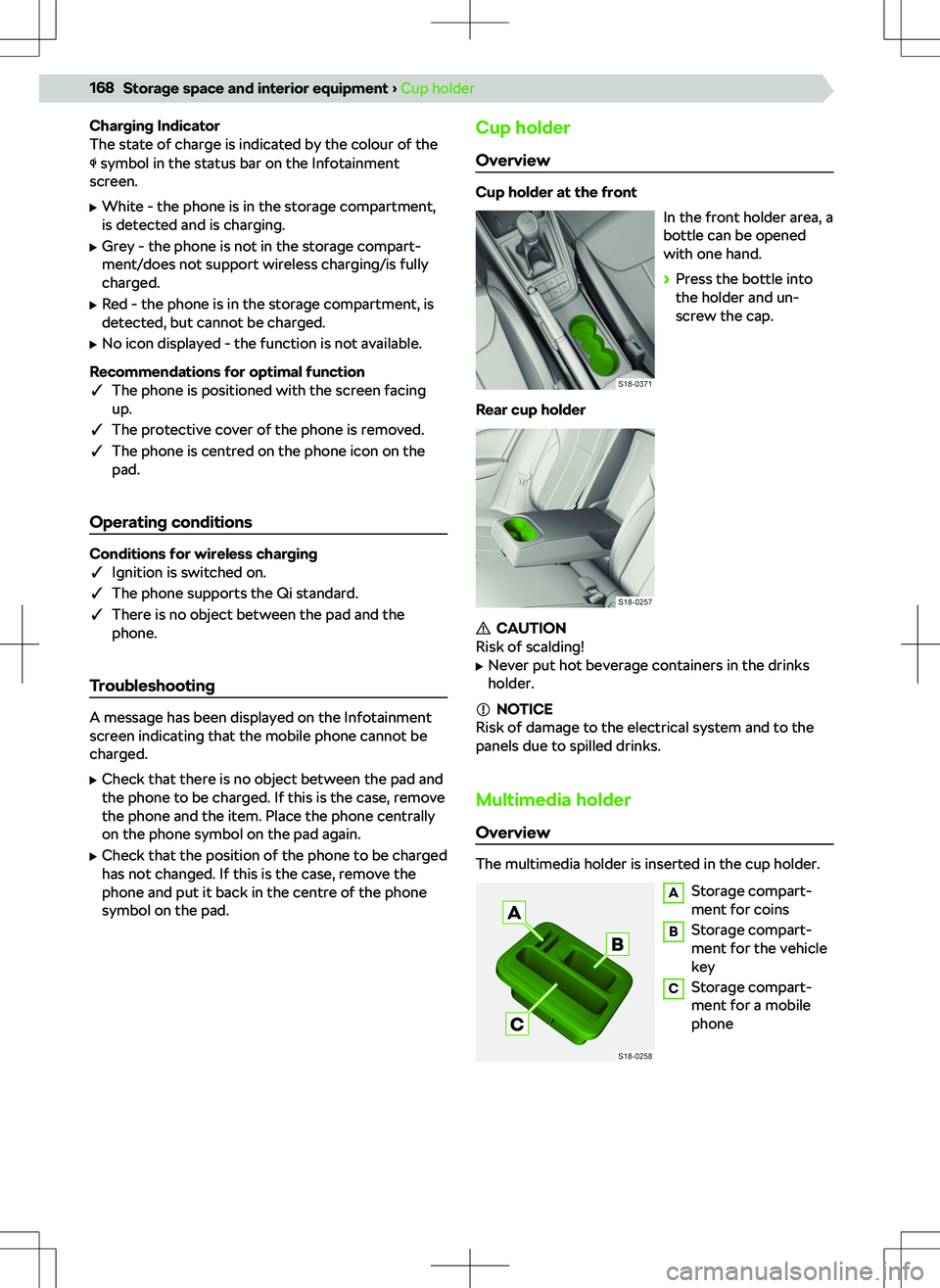
Charging Indicator
The state of charge is indicated by the colour of the
symbol in the status bar on the Infotainment
screen.
Page 188 of 194
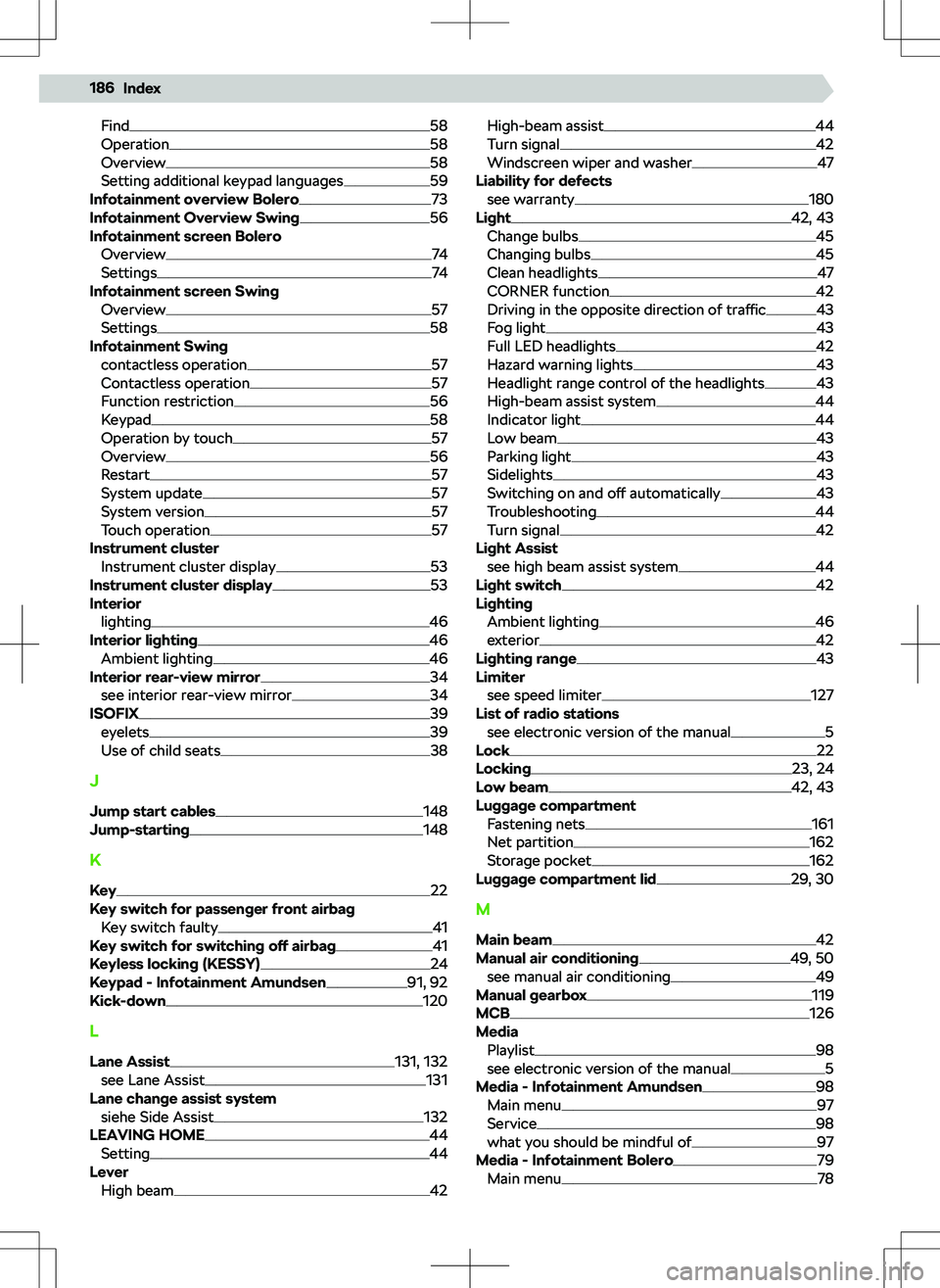
Find58
Operation58
Overview58
Setting additional keypad languages59
Infotainment overview Bolero73
Infotainment Overview Swing56
Infotainment screen Bolero
Overview
74
Settings74
Infotainment screen Swing Overview
57
Settings58
Infotainment Swing contactless operation
57
Contactless operation57
Function restriction56
Keypad58
Operation by touch57
Overview56
Restart57
System update57
System version57
Touch operation57
Instrument cluster Instrument cluster display
53
Instrument cluster display53
Interior lighting
46
Interior lighting46
Ambient lighting46
Interior rear-view mirror34
see interior rear-view mirror34
ISOFIX39
eyelets39
Use of child seats38
J
Jump start cables
148
Jump-starting148
K Key
22
Key switch for passenger front airbag Key switch faulty
41
Key switch for switching off airbag41
Keyless locking (KESSY)24
Keypad - Infotainment Amundsen91, 92
Kick-down120
L
Lane Assist
131, 132
see Lane Assist131
Lane change assist system siehe Side Assist
132
LEAVING HOME44
Setting44
Lever High beam
42
High-beam assist44
Turn signal42
Windscreen wiper and washer47
Liability for defects see warranty
180
Light42, 43
Change bulbs45
Changing bulbs45
Clean headlights47
CORNER function42
Driving in the opposite direction of traffic43
Fog light43
Full LED headlights42
Hazard warning lights43
Headlight range control of the headlights43
High-beam assist system44
Indicator light44
Low beam43
Parking light43
Sidelights43
Switching on and o
Page 189 of 194
Operation78
things to be considered78
Media - Infotainment Swing62, 63
Main menu62
Service62
what you should be mindful of62
Mirror
see exterior mirror
34
MirrorLink Infotainment Amundsen
109
Infotainment Bolero85
Infotainment Swing68
see electronic version of the manual5
Mirrors Set functions
35
Mobile Device Management - Infotainment
Amundsen
103, 104
Mobile Device Management - Infotainment Bolero
81 , 82
Display main menu81
Overview81
Mobile Device Management - Infotainment Swing
65
Overview64
Show main menu64
MSR125
Multi-Collision Brake see MCB
126
Multimedia holder168
N
Navigation see electronic version of the manual
5
Navigation - Infotainment Amundsen113, 115
Page 190 of 194
Storage compartment under the front seat167
Storage compartments164
Storage pockets164
Ticket holder164
R
Radio see electronic version of the manual
5
Radio - Infotainment Amundsen94, 95
Find stations manually95
SCAN function95
Select station95
Radio - Infotainment Bolero76
Display main menu76
List of available stations76
Main menu overview76
SCAN function76
Search for stations manually76
Select station76
Radio - Infotainment Swing60
Find stations manually60
List of available stations59
Main menu overview59
SCAN function60
Select station60
Show main menu59
Rear fog light43
Rear seats Folding down
31
Rear Traffic Alert135, 136
Rear vehicle area8
Rear View Camera Operation
135
Recirculated air mode49, 50
Re
Page 191 of 194
Set the MENU menuInfotainment Bolero73
Infotainment Swing56
Set tyre pressure values157
Side Assist132, 133
Sidelights see Parking light
43