gearbox SKODA OCTAVIA 2006 Owner´s Manual
[x] Cancel search | Manufacturer: SKODA, Model Year: 2006, Model line: OCTAVIA, Model: SKODA OCTAVIA 2006Pages: 218, PDF Size: 5.48 MB
Page 2 of 218
Layout of this Owner's Manual
(explanations)
This Owner's Manual has been systematically designed to make it easy for you to
search for and obtain the information you require.
Chapters, table of contents and subject index
The text of the Owner's manual is divided into relatively short sections which are
combined into easy-to-read chapters. The chapter you are reading at any particular
moment is always specified on the bottom right of the page.
The Table of contents is arranged according to the chapters and the detailed Sub-
ject index at the end of the Owner's Manual helps you to rapidly find the informa-
tion you are looking for.
Direction indications
All direction indications such as
“left”, “right”, “front”, “rear” relate to the direction of
travel of the vehicle.
Units of measurement
All values are expressed in metric units.
Explanation of symbols
Denotes a reference to a section with important information and safety
advice in a chapter.
Denotes the end of a section.
Denotes the continuation of a section on the next page.
Indicates situations where the vehicle must be stopped as soon as possi-
ble.
® Denotes a registered trademark.
Notes WARNING
The most important notes are marked with the heading WARNING. These
WARNING notes draw your attention to a serious risk of accident or injury.CAUTION
A Caution note draws your attention to the possibility of damage to your vehicle
(e.g. damage to gearbox), or points out general risks of an accident. For the sake of the environment
An Environmental note draws your attention to environmental protection aspects.
This is where you will, for example, find tips aimed at reducing your fuel consump-
tion. Note
A normal Note draws your attention to important information about the operation
of your vehicle.
Page 5 of 218
Table of Contents
Abbreviations
Using the system
Cockpit 7
Overview 6
Instruments and warning lights 8
Instrument cluster 8
Multifunction display (onboard computer) 12
MAXI DOT (information display) 15
Warning lights 18
Unlocking and locking 26
Vehicle key 26
Child safety lock 27
Central locking system 27
Remote control 30
Anti-theft alarm system 31
Boot lid 33
Electric power windows 34
Electric sliding/tilting roof 37
Lights and visibility 39
Lights 39
Interior light 45
Visibility 47
Windscreen wipers and washers 48
Rear window 51
Seats and Stowage 54
Front seats 54
Seat heaters 57
Head restraints 58
Rear seats 59
Boot 60Variable loading floor in the boot 64
Net partition (Combi) 65
Roof rack system 66
Cup holder 68
Ashtray 68
Cigarette lighter, 12-volt power socket 69
Storage compartments 70
Clothes hooks 77
Parking ticket holder 77
Heating and air conditioning system 79
Heating and air conditioning system 79
Air outlet vents 80
Heating 80
Air conditioning system (manual air conditioning
system) 82
Climatronic (automatic air conditioning
system) 85
Auxiliary heating (auxiliary heating and
ventilation) 87
Starting-off and Driving 91
Starting and stopping the engine 91
Brakes and brake assist systems 93
Shifting (manual gearbox) 97
pedals 97
Parking aid 98
Cruise control system (CCS) 99
START/STOP 100
Automatic gearbox 102
Automatic gearbox 102
Communication 107
Mobile phones and two-way radio systems 107
Operating the phone on the multifunction
steering wheel 108
Symbols in the information display 109
Phone Phonebook 109
Universal telephone preinstallation GSM II 109
Universal telephone preinstallation GSM IIl 112Voice control 116
Multimedia 118
Safety
Passive Safety 121
General information 121
Correct seated position 122
Seat belts 125
Seat belts 125
Airbag system 129
Description of the airbag system 129
Front airbags 130
Side airbags 131
Head airbags 132
Deactivating airbags 133
Transporting children safely 135
Child seat 135
Driving Tips
Driving and the Environment 139
The first 1 500 km 139
Catalytic converter 139
Economical and environmentally friendly
driving 140
Environmental compatibility 142
Driving abroad 143
Avoiding damage to your vehicle 143
Driving through water on the street 144
Towing a trailer 145
Towing a trailer 145
General Maintenance
Taking care of and cleaning the vehicle 148
Taking care of your vehicle 148
3
Table of Contents
Page 7 of 218
Abbreviations
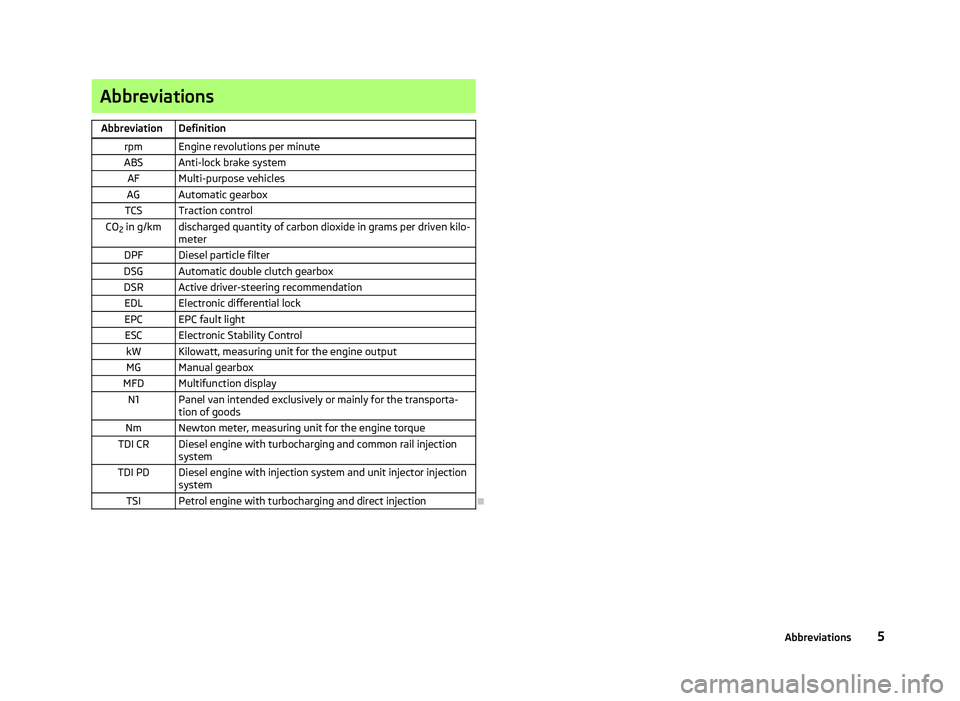
Abbreviation Definition rpm Engine revolutions per minute
ABS Anti-lock brake system AF Multi-purpose vehicles
AG Automatic gearbox
TCS Traction control
CO 2 in g/km discharged quantity of carbon dioxide in grams per driven kilo-
meter
DPF Diesel particle filter
DSG Automatic double clutch gearbox
DSR Active driver-steering recommendation EDL Electronic differential lock
EPC EPC fault light ESC Electronic Stability Control kW Kilowatt, measuring unit for the engine outputMG Manual gearbox
MFD Multifunction display N1 Panel van intended exclusively or mainly for the transporta- tion of goods
Nm Newton meter, measuring unit for the engine torque
TDI CR Diesel engine with turbocharging and common rail injection system
TDI PD Diesel engine with injection system and unit injector injection system
TSI Petrol engine with turbocharging and direct injection Ð 5
Abbreviations
Page 9 of 218
Using the system
Cockpit
Overview
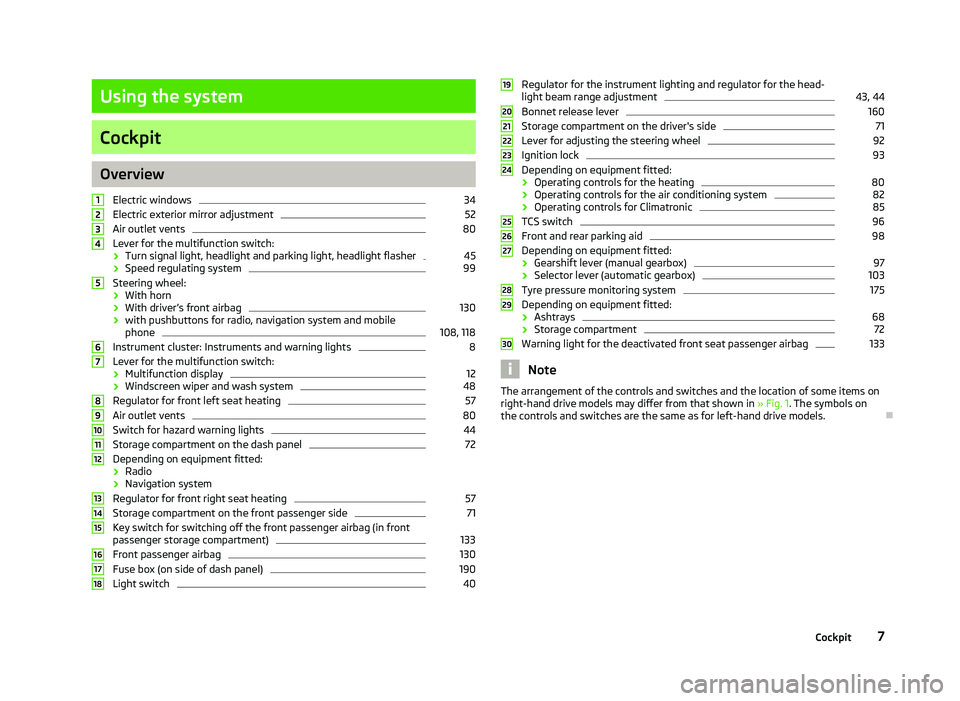
Electric windows 34
Electric exterior mirror adjustment 52
Air outlet vents 80
Lever for the multifunction switch:
› Turn signal light, headlight and parking light, headlight flasher 45
› Speed regulating system 99
Steering wheel:
› With horn
› With driver’s front airbag 130
› with pushbuttons for radio, navigation system and mobile
phone 108, 118
Instrument cluster: Instruments and warning lights 8
Lever for the multifunction switch:
› Multifunction display 12
› Windscreen wiper and wash system 48
Regulator for front left seat heating 57
Air outlet vents 80
Switch for hazard warning lights 44
Storage compartment on the dash panel 72
Depending on equipment fitted:
› Radio
› Navigation system
Regulator for front right seat heating 57
Storage compartment on the front passenger side 71
Key switch for switching off the front passenger airbag (in front
passenger storage compartment) 133
Front passenger airbag 130
Fuse box (on side of dash panel) 190
Light switch 401
2
3
4
5
6
7
8
9
10
11
12
13
14
15
16
17
18 Regulator for the instrument lighting and regulator for the head-
light beam range adjustment 43, 44
Bonnet release lever 160
Storage compartment on the driver's side 71
Lever for adjusting the steering wheel 92
Ignition lock 93
Depending on equipment fitted:
› Operating controls for the heating 80
› Operating controls for the air conditioning system 82
› Operating controls for Climatronic 85
TCS switch 96
Front and rear parking aid 98
Depending on equipment fitted:
› Gearshift lever (manual gearbox) 97
› Selector lever (automatic gearbox) 103
Tyre pressure monitoring system 175
Depending on equipment fitted:
› Ashtrays 68
› Storage compartment 72
Warning light for the deactivated front seat passenger airbag 133
Note
The arrangement of the controls and switches and the location of some items on
right-hand drive models may differ from that shown in »
Fig. 1. The symbols on
the controls and switches are the same as for left-hand drive models. Ð 19
20
21
22
23
24
25
26
27
28
29
30
7
Cockpit
Page 11 of 218
Engine revolutions counter
First read and observe the introductory information and safety warn-
ings on page 8.
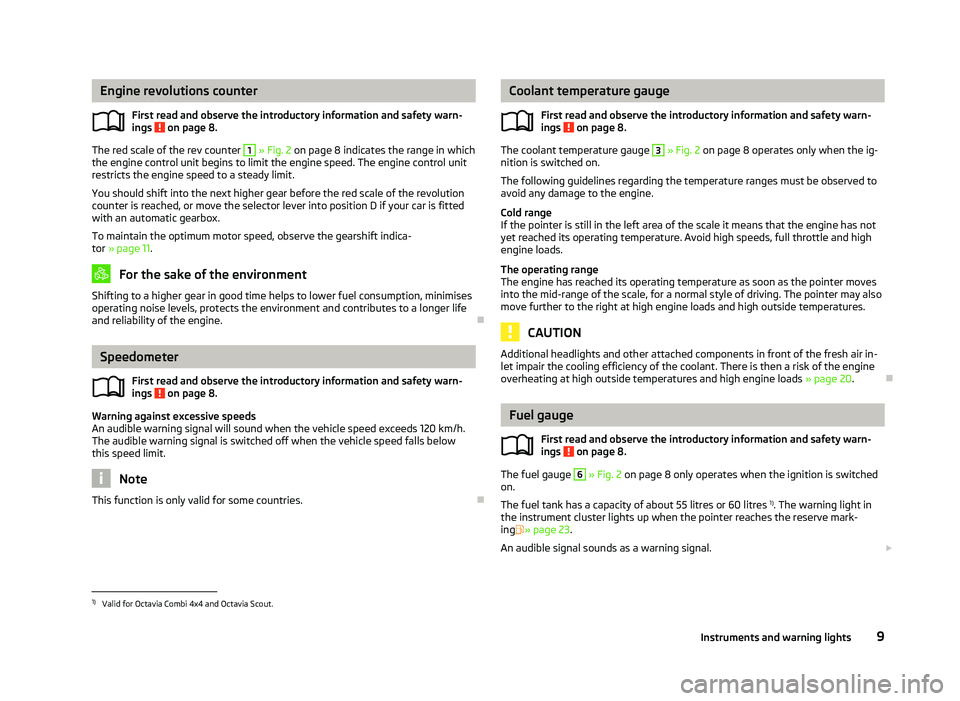
The red scale of the rev counter 1
» Fig. 2 on page 8 indicates the range in which
the engine control unit begins to limit the engine speed. The engine control unit
restricts the engine speed to a steady limit.
You should shift into the next higher gear before the red scale of the revolution
counter is reached, or move the selector lever into position D if your car is fitted
with an automatic gearbox.
To maintain the optimum motor speed, observe the gearshift indica-
tor » page 11. For the sake of the environment
Shifting to a higher gear in good time helps to lower fuel consumption, minimises
operating noise levels, protects the environment and contributes to a longer life
and reliability of the engine. ÐSpeedometer
First read and observe the introductory information and safety warn-
ings on page 8.
Warning against excessive speeds
An audible warning signal will sound when the vehicle speed exceeds 120 km/h.
The audible warning signal is switched off when the vehicle speed falls below
this speed limit.
Note
This function is only valid for some countries. Ð
ä
ä Coolant temperature gauge
First read and observe the introductory information and safety warn-
ings on page 8.
The coolant temperature gauge 3
» Fig. 2 on page 8 operates only when the ig-
nition is switched on.
The following guidelines regarding the temperature ranges must be observed to
avoid any damage to the engine.
Cold range
If the pointer is still in the left area of the scale it means that the engine has not
yet reached its operating temperature. Avoid high speeds, full throttle and high
engine loads.
The operating range
The engine has reached its operating temperature as soon as the pointer moves
into the mid-range of the scale, for a normal style of driving. The pointer may also
move further to the right at high engine loads and high outside temperatures. CAUTION
Additional headlights and other attached components in front of the fresh air in-
let impair the cooling efficiency of the coolant. There is then a risk of the engine
overheating at high outside temperatures and high engine loads »
page 20.Ð Fuel gauge
First read and observe the introductory information and safety warn-
ings on page 8.
The fuel gauge 6
» Fig. 2 on page 8 only operates when the ignition is switched
on.
The fuel tank has a capacity of about 55 litres or 60 litres 1)
. The warning light in
the instrument cluster lights up when the pointer reaches the reserve mark-
ing » page 23.
An audible signal sounds as a warning signal. £
ä
ä
1)
Valid for Octavia Combi 4x4 and Octavia Scout.
9
Instruments and warning lights
Page 17 of 218
›
Press the button B
or D
to accept the current speed as the speed limit (the
value flashes).
If you wish to change the set speed limit, it is changed in 5
km/h intervals (e.g. the
accepted speed of 47 km/h increases to 50 km/h or decreases to 45 km/h).
› Press again the button B
or D
to confirm the speed limit, or wait approx. 5
seconds and the setting is saved automatically (the value stops flashing).
Change or delete speed limit
› With the button A
» Fig. 6
on page
13 or, if applicable, the adjustment wheelD
, select the menu item
Warning against excessive speeds .
› Pressing the button B
or D
deletes the speed limit.
› Pressing the button B
or D
again activates change mode for the speed limit.
If the set speed limit is exceeded, an audible signal will sound as a warning. At
the same time the message Warning against excessive speeds appears on the
display with the set limit value.
The set speed limit value remains stored even after switching off the ignition. ÐMAXI DOT (information display)
ä
Introduction
This chapter contains information on the following subjects:
Main menu 15
Settings 16
Door, boot lid and bonnet warning 17
Auto Check Control 17
The information display provides you with information on the current operating
state of your vehicle . The information system also provides you with data (de-
pending on the equipment installed in the vehicle) relating to the radio, mobile
phone, multi-functional indicator, navigation system, the unit connected to the
MDI input and the automatic gearbox » page 102.WARNING
Concentrate fully at all times on your driving! As the driver you are fully re-
sponsible for the operation of your vehicle. CAUTION
Pull out the ignition key if coming in contact with the display (e.g. when cleaning)
to prevent any possible damage. Ð Main menu
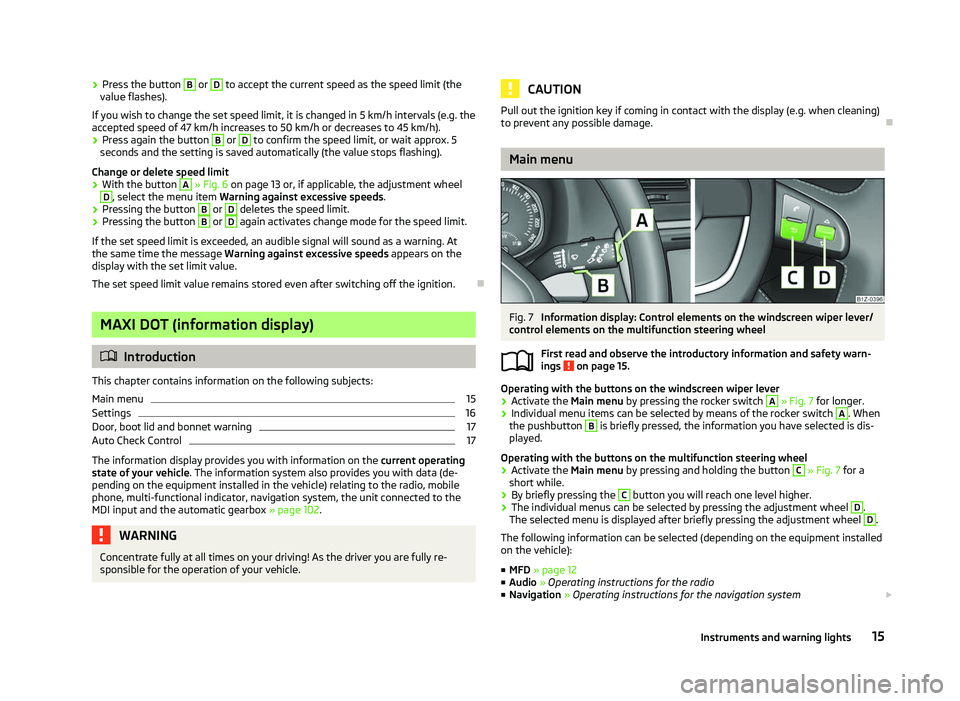
Fig. 7
Information display: Control elements on the windscreen wiper lever/
control elements on the multifunction steering wheel
First read and observe the introductory information and safety warn-
ings on page 15.
Operating with the buttons on the windscreen wiper lever
›
Activate the Main menu
by pressing the rocker switch A
» Fig. 7 for longer.
› Individual menu items can be selected by means of the rocker switch A
. When
the pushbutton B
is briefly pressed, the information you have selected is dis-
played.
Operating with the buttons on the multifunction steering wheel
› Activate the Main menu
by pressing and holding the button C
» Fig. 7
for a
short while.
› By briefly pressing the C
button you will reach one level higher.
› The individual menus can be selected by pressing the adjustment wheel D
.
The selected menu is displayed after briefly pressing the adjustment wheel D
.
The following information can be selected (depending on the equipment installed
on the vehicle):
■ MFD » page 12
■ Audio » Operating instructions for the radio
■ Navigation » Operating instructions for the navigation system £
ä
15
Instruments and warning lights
Page 19 of 218
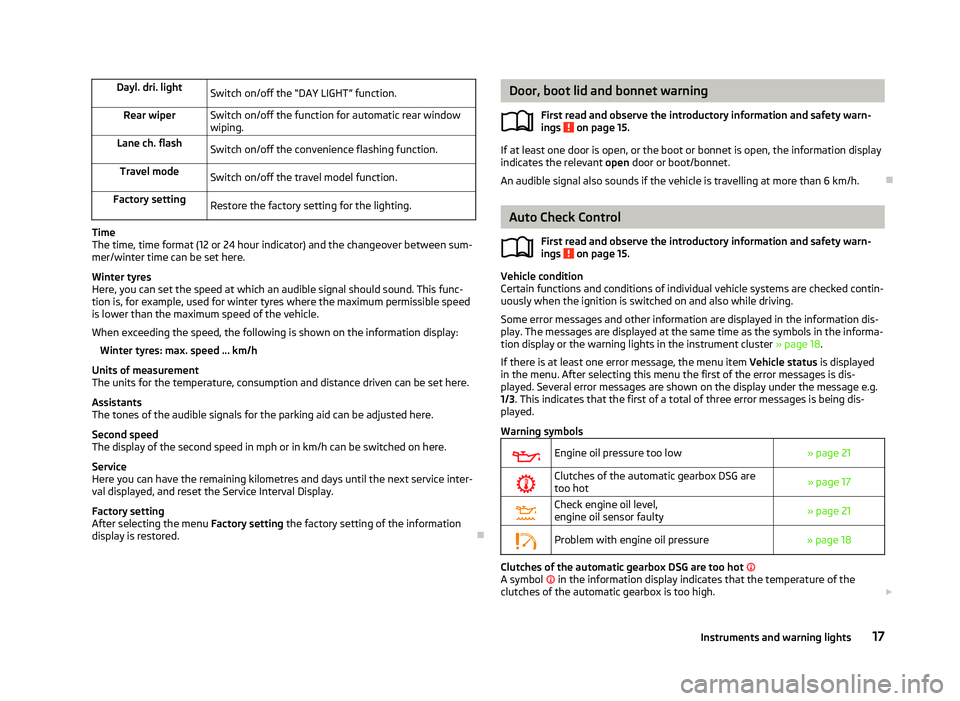
Dayl. dri. light
Switch on/off the “DAY LIGHT” function.
Rear wiper Switch on/off the function for automatic rear window
wiping.
Lane ch. flash Switch on/off the convenience flashing function.
Travel mode Switch on/off the travel model function.
Factory setting Restore the factory setting for the lighting.Time
The time, time format (12 or 24 hour indicator) and the changeover between sum-
mer/winter time can be set here.
Winter tyres
Here, you can set the speed at which an audible signal should sound. This func-
tion is, for example, used for winter tyres where the maximum permissible speed
is lower than the maximum speed of the vehicle.
When exceeding the speed, the following is shown on the information display:
Winter tyres:
max. speed ... km/h
Units of measurement
The units for the temperature, consumption and distance driven can be set here.
Assistants
The tones of the audible signals for the parking aid can be adjusted here.
Second speed
The display of the second speed in mph or in km/h can be switched on here.
Service
Here you can have the remaining kilometres and days until the next service inter-
val displayed, and reset the Service Interval Display.
Factory setting
After selecting the menu Factory setting the factory setting of the information
display is restored. Ð Door, boot lid and bonnet warning
First read and observe the introductory information and safety warn-
ings on page 15.
If at least one door is open, or the boot or bonnet is open, the information display
indicates the relevant
open door or boot/bonnet.
An audible signal also sounds if the vehicle is travelling at more than 6
km/h.Ð Auto Check Control
First read and observe the introductory information and safety warn-
ings on page 15.
Vehicle condition
Certain functions and conditions of individual vehicle systems are checked contin-
uously when the ignition is switched on and also while driving.
Some error messages and other information are displayed in the information dis-
play. The messages are displayed at the same time as the symbols in the informa-
tion display or the warning lights in the instrument cluster » page 18.
If there is at least one error message, the menu item Vehicle status is displayed
in the menu. After selecting this menu the first of the error messages is dis-
played. Several error messages are shown on the display under the message e.g.
1/3. This indicates that the first of a total of three error messages is being dis-
played.
Warning symbols
Engine oil pressure too low
» page 21
Clutches of the automatic gearbox DSG are
too hot » page 17
Check engine oil level,
engine oil sensor faulty
» page 21
Problem with engine oil pressure
» page 18 Clutches of the automatic gearbox DSG are too hot
A symbol in the information display indicates that the temperature of the
clutches of the automatic gearbox is too high. £
ä
ä
17
Instruments and warning lights
Page 20 of 218
The following is displayed in the information display:
Gearbox overheated. Stop! Owner's man.!
Stop the vehicle, switch off the engine, and wait until the symbol disappears -
risk of gearbox damage! You can continue your journey as soon as the symbol dis-
appears.
Problem with the engine oil pressure
If the symbol is shown in the information display, you must have your vehicle
checked immediately by a
ŠKODA specialist garage. The information about the
maximum permissible engine speed is displayed together with this symbol. WARNING
If you have to stop for technical reasons, then park the vehicle at a safe dis-
tance from the traffic, switch off the engine and activate the hazard warning
light system » page 44. Note
As long as the operational faults are not rectified, the symbols are always indica-
ted again. After they are displayed for the first time, the symbols continue to be
indicated without any extra messages for the driver. ÐWarning lights
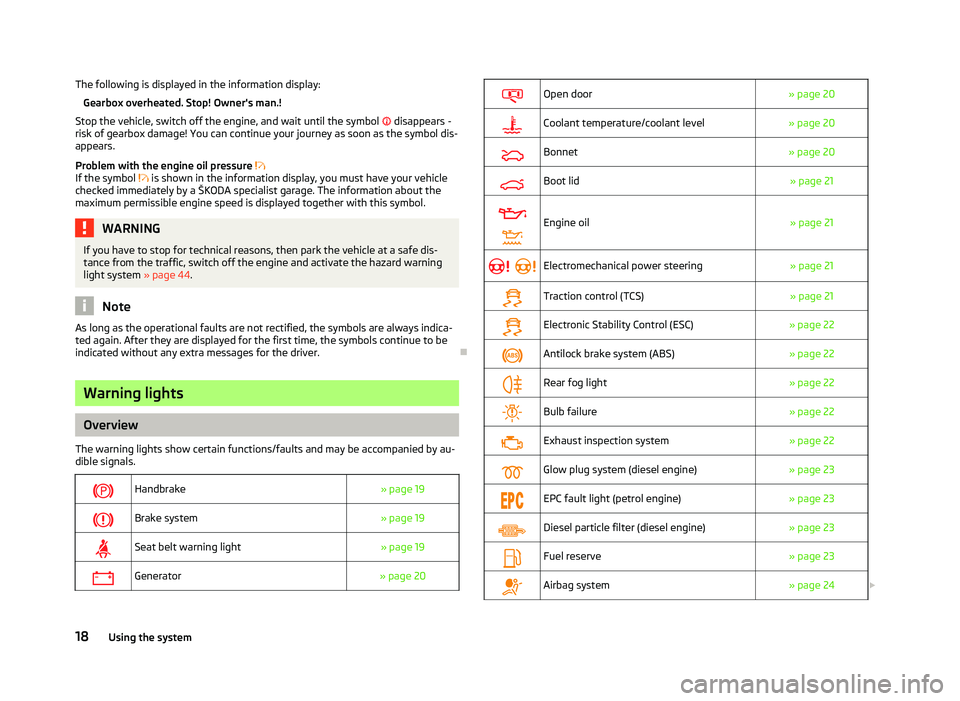
Overview
The warning lights show certain functions/faults and may be accompanied by au-
dible signals.
Handbrake
» page 19
Brake system
» page 19
Seat belt warning light
» page 19
Generator
» page 20
Open door
» page 20
Coolant temperature/coolant level
» page 20
Bonnet
» page 20
Boot lid
» page 21
Engine oil
» page 21
Electromechanical power steering
» page 21
Traction control (TCS)
» page 21
Electronic Stability Control (ESC)
» page 22
Antilock brake system (ABS)
» page 22
Rear fog light
» page 22
Bulb failure
» page 22
Exhaust inspection system
» page 22
Glow plug system (diesel engine)
» page 23
EPC fault light (petrol engine)
» page 23
Diesel particle filter (diesel engine)
» page 23
Fuel reserve
» page 23
Airbag system
» page 24£18
Using the system
Page 25 of 218
Seek help from a ŠKODA specialist garage.
ÐGlow plug system
(diesel engine)
The warning light comes on after the ignition has been switched on. The en-
gine can be started immediately after the pre-glow warning light goes out.
There is a fault in the glow plug system if the warning light does not come on
at all or lights up continuously .
If the warning light begins to flash while driving, a fault exists in the engine
control. The engine control unit allows the vehicle to run in emergency mode.
Seek help from a
ŠKODA specialist garage. ÐEPC
fault light (petrol engine)
If the warning light
lights up, there is a fault in the engine control. The engine
control unit allows the vehicle to run in emergency mode.
Seek help from a ŠKODA specialist garage. ÐDiesel particulate filter
(diesel engine)
The diesel particulate filter separates the soot particles from the exhaust. The
soot particles collect in the diesel particulate filter where they are burnt on a reg-
ular basis.
If the warning light lights up, soot has accumulated in the diesel particulate
filter.
To clean the diesel particle filter, the vehicle should be driven at an even speed of
at least 60 km/h » at engine speeds of 1 800 - 2 500 rpm for at least 15 mi-
nutes or until the warning light goes out with the 4th or 5th
gear engaged (auto-
matic gearbox: position S) when the traffic situation permits it.
The warning light only goes out after the diesel particulate filter has been
successfully cleaned.
If the filter is not properly cleaned, the warning light does not go out and the
warning light begins to flash.
The following is displayed in the information display: Diesel particulate filter Owner's manual! Seek help from a ŠKODA specialist garage. WARNING
■ The diesel particle filter achieves very high temperatures. Therefore do not
park in areas where the hot filter can come into direct contact with dry grass
or other combustible materials - risk of fire!
■ Always adjust your speed to suit weather, road, region and traffic condi-
tions. The recommendations indicated by the warning light must not tempt
you to disregard the national regulations for road traffic. CAUTION
As long as the warning light lights up, one must take into account an in-
creased fuel consumption and in certain circumstances a power reduction of the
engine. Note
■ To assist the combustion process of the soot particles, we recommend that reg-
ularly driving over short distances should be avoided. ■ Using diesel fuel with an increased sulphur content can considerably reduce the
life of the diesel particle filter. A
ŠKODA specialist garage will be able to tell you
which countries use only diesel fuel with high sulphur content. Ð Fuel reserve
The warning light will come on if the fuel level is less than 9 litres.
An audible signal sounds as a warning signal.
The following is displayed in the information display: Please refuel! Range ... km Note
The text in the information display goes out only after refuelling and driving a
short distance. Ð
23
Instruments and warning lights
Page 96 of 218
Antilock brake system (ABS) 96
Traction control system (TCS) 96
Electronic Differential Lock (EDS and XDS) 97
WARNING
■ The brake booster only operates when the engine is running. Greater physi-
cal effort for braking is required when the engine is switched off - risk of acci-
dent!
■ Depress the clutch pedal when stopping or braking a vehicle with a petrol
engine and manual transmission in the low rev range. If you fail to do so, the
functionality of the brake booster can be impaired - risk of accident!
■ If a front spoiler, full wheel trim, etc. is mounted retrospectively, it must be
ensured that the air supply to the front wheel brakes is not reduced. Other-
wise, the functionality of the brake system could be impaired - risk of acci-
dent! ■ Please note that the handbrake must be fully released. A handbrake which
is only partially released can result in the rear brakes overheating, which can
have a negative effect on the operation of the brake system - risk of accident!
■ Never leave children unattended in the vehicle. The children might, for ex-
ample, release the handbrake or take the vehicle out of gear. The vehicle
might then move off - risk of accident!
■ A lack of fuel can cause irregular engine running or cause the engine to shut
down. The brake assist systems would then be without function - risk of acci-
dent! ■ Adjust the speed and driving style to the current visibility, weather, road and
traffic conditions. The increased safety offered by the brake assist systems
must not tempt you to take greater risks than otherwise - risk of an accident!
■ The normal braking system is still fully functional if there is an ABS fault.
Visit a ŠKODA specialist garage immediately and adjust your style of driving
according to the damage to the ABS as you will not know how great the dam-
age is and the limitation it is placing on the braking efficiency. CAUTION
■ Observe the recommendations on the new brake pads » page 139.
■ Never let the brakes slip with light pressure on the pedal if braking is not neces-
sary. This causes the brakes to overheat and can also result in a longer braking
distance and excessive wear.
■ All four wheels must be fitted with the same tyres approved by the manufactur-
er to ensure the brake assist systems operate correctly. Note
■ If the brakes are applied in full and the control unit for the braking system con-
siders the situation to be dangerous for the following traffic, the brake light
flashes automatically. After the speed was reduced below around 10 km/h or the
vehicle was stopped, the brake light stops flashing and the hazard warning light
system switches on. The hazard warning light system is switched off automatical-
ly after accelerating or driving off again. ■ Before negotiating a steep downhill section, reduce the speed, shift down into
the next lower gear (manual gearbox) or select a lower drive position (automatic
gearbox). As a result, the braking effect of the engine will be used, reducing the
load on the brakes. Any additional braking should be completed intermittently,
not continuously. ■ Changes to the vehicle (e.g. to the engine, brakes, chassis or another combina-
tion of tyres and wheels) can influence the functionality of the brake assist sys-
tems »
page 177, Accessories, changes and replacement of parts .
■ If a fault occurs in the ABS system, the ESC, ASR and EDL also do not work. A
warning light »
page 22 comes on if a fault occurs in the ABS system. Ð Information for braking
First read and observe the introductory information and safety warn-
ings on page 93.
Wear-and-tear
The wear of the brake pads is dependent on the operating conditions and driving
style. The brake pads wear more quickly if a lot of journeys are completed in
towns and over short distances or if a very sporty style of driving is adopted. If
operated under severe conditions, the thickness of the brake pads must be
checked by a ŠKODA specialist garage before the next service appointment.
Wet roads or road salt
The performance of the brakes can be delayed as the brake discs and brake pads
may be moist or have a coating of ice or layer of salt on them in winter. The
brakes are cleaned and dried by applying the brakes several times.
Corrosion
Corrosion on the brake discs and dirt on the bake pads occur if the vehicle has
been parked for a long period and if you do not make much use of the braking
system. If the brake system is not used much or if there is corrosion on the sur-
face, we recommend cleaning the brake discs by firmly applying the brakes from a
fairly high speed. £
ä
94 Using the system