ignition SKODA OCTAVIA 2009 2.G / (1Z) Owner's Manual
[x] Cancel search | Manufacturer: SKODA, Model Year: 2009, Model line: OCTAVIA, Model: SKODA OCTAVIA 2009 2.G / (1Z)Pages: 304, PDF Size: 19.56 MB
Page 4 of 304
Contents3
Using the system
Safety
Driving Tips
General Maintenance
Breakdown assistance
Technical Data
ContentsLayout of this Owner's Manual
(explanations)
. . . . . . . . . . . . . . . . . . . . . . . . . .
Using the system
. . . . . . . . . . . . . . . . . . . . . .
Cockpit
. . . . . . . . . . . . . . . . . . . . . . . . . . . . . . . . . . . . . . . .
Overview . . . . . . . . . . . . . . . . . . . . . . . . . . . . . . . . . . . .
The brief instruction
. . . . . . . . . . . . . . . . . . . . . . . . . .
Basic functions and important information . . . . .
Instruments and Indicator/Warning Lights
. . .
General view of the instrument cluster . . . . . . . . .
Engine revolutions counter . . . . . . . . . . . . . . . . . . . .
Speedometer . . . . . . . . . . . . . . . . . . . . . . . . . . . . . . . .
Coolant temperature gauge . . . . . . . . . . . . . . . . . . .
Fuel gauge . . . . . . . . . . . . . . . . . . . . . . . . . . . . . . . . . . .
Counter for distance driven . . . . . . . . . . . . . . . . . . .
Service Interval Display . . . . . . . . . . . . . . . . . . . . . . .
Digital clock . . . . . . . . . . . . . . . . . . . . . . . . . . . . . . . . . .
Multi-functional indicator (onboard computer)*
Information display* . . . . . . . . . . . . . . . . . . . . . . . . . .
Auto Check Control* . . . . . . . . . . . . . . . . . . . . . . . . . .
Warning lights . . . . . . . . . . . . . . . . . . . . . . . . . . . . . . . .
Unlocking and locking
. . . . . . . . . . . . . . . . . . . . . . . .
Key . . . . . . . . . . . . . . . . . . . . . . . . . . . . . . . . . . . . . . . . . .
Changing the battery of the radio remote control
Electronic immobiliser . . . . . . . . . . . . . . . . . . . . . . . .
Child safety lock . . . . . . . . . . . . . . . . . . . . . . . . . . . . . .
Central locking system . . . . . . . . . . . . . . . . . . . . . . . .
Remote control* . . . . . . . . . . . . . . . . . . . . . . . . . . . . . .
Synchonisation of the remote control . . . . . . . . . .
Anti-theft alarm system* . . . . . . . . . . . . . . . . . . . . . . Power windows* . . . . . . . . . . . . . . . . . . . . . . . . . . . . .
Electric sliding/tilting roof* . . . . . . . . . . . . . . . . . . . .
Lights and Visibility
. . . . . . . . . . . . . . . . . . . . . . . . . . .
Lights . . . . . . . . . . . . . . . . . . . . . . . . . . . . . . . . . . . . . . . .
Interior lighting . . . . . . . . . . . . . . . . . . . . . . . . . . . . . . .
Visibility . . . . . . . . . . . . . . . . . . . . . . . . . . . . . . . . . . . . .
Windshield wiper and wash system . . . . . . . . . . . .
Rear-view mirror . . . . . . . . . . . . . . . . . . . . . . . . . . . . .
Seats and Stowage
. . . . . . . . . . . . . . . . . . . . . . . . . . . .
Front seats . . . . . . . . . . . . . . . . . . . . . . . . . . . . . . . . . . .
Adjusting front seats electrically* . . . . . . . . . . . . . .
Head restraints . . . . . . . . . . . . . . . . . . . . . . . . . . . . . . .
Middle rear head restraint . . . . . . . . . . . . . . . . . . . . .
Rear seats . . . . . . . . . . . . . . . . . . . . . . . . . . . . . . . . . . . .
Pedals . . . . . . . . . . . . . . . . . . . . . . . . . . . . . . . . . . . . . . .
luggage compartment . . . . . . . . . . . . . . . . . . . . . . . .
Net partition (Combi)* . . . . . . . . . . . . . . . . . . . . . . . .
The roof rack* . . . . . . . . . . . . . . . . . . . . . . . . . . . . . . . .
Cup holder . . . . . . . . . . . . . . . . . . . . . . . . . . . . . . . . . . .
Note holder . . . . . . . . . . . . . . . . . . . . . . . . . . . . . . . . . .
Ashtray* . . . . . . . . . . . . . . . . . . . . . . . . . . . . . . . . . . . . .
Cigarette lighter*, power sockets . . . . . . . . . . . . . . .
Storage compartments . . . . . . . . . . . . . . . . . . . . . . . .
Overview . . . . . . . . . . . . . . . . . . . . . . . . . . . . . . . . . . . .
Storage compartment on the front passenger side
Cooling of storage compartment on front
passenger side* . . . . . . . . . . . . . . . . . . . . . . . . . . . . . .
Storage compartment on the driver's side . . . . . .
Storage compartment on the dash panel* . . . . . .
Storage compartment in front centre console* . .
Storage net on the front centre console* . . . . . . .
Storage compartment for spectacles* . . . . . . . . . .
Storage compartment in the front doors . . . . . . . . Storage compartment below front passenger
seat* . . . . . . . . . . . . . . . . . . . . . . . . . . . . . . . . . . . . . . . .
Front seat armrest with storage compartment* .
Rear seat armrest with storage compartment* . .
Storage compartment in rear centre console* . .
Seat backrest with opening for skis* . . . . . . . . . . . .
Through-loading bag (Unibag)* . . . . . . . . . . . . . . .
Side compartment* . . . . . . . . . . . . . . . . . . . . . . . . . .
Storage compartment behind the rear seats*
(Combi) . . . . . . . . . . . . . . . . . . . . . . . . . . . . . . . . . . . . .
Clothes hooks* . . . . . . . . . . . . . . . . . . . . . . . . . . . . . .
Heating and air conditioning system
. . . . . . . . .
Air outlet vents . . . . . . . . . . . . . . . . . . . . . . . . . . . . . . .
Heating . . . . . . . . . . . . . . . . . . . . . . . . . . . . . . . . . . . . . .
Climatic* (semi-automatic air conditioning
system) . . . . . . . . . . . . . . . . . . . . . . . . . . . . . . . . . . . . . .
Climatronic* (automatic air conditioning) . . . . . .
Auxiliary heating (auxiliary heating and
ventilation)* . . . . . . . . . . . . . . . . . . . . . . . . . . . . . . . . .
Starting-off and Driving
. . . . . . . . . . . . . . . . . . . . . .
Setting steering wheel position . . . . . . . . . . . . . . . .
Ignition lock . . . . . . . . . . . . . . . . . . . . . . . . . . . . . . . . .
Starting the engine . . . . . . . . . . . . . . . . . . . . . . . . . . .
Switching off the engine . . . . . . . . . . . . . . . . . . . . . .
Shifting (manual gearbox) . . . . . . . . . . . . . . . . . . . . .
Handbrake . . . . . . . . . . . . . . . . . . . . . . . . . . . . . . . . . . .
Rear parking aid* . . . . . . . . . . . . . . . . . . . . . . . . . . . . .
Front and rear parking aid* . . . . . . . . . . . . . . . . . . . .
Cruise control system (CCS)* . . . . . . . . . . . . . . . . . .
Automatic gearbox
. . . . . . . . . . . . . . . . . . . . . . . . . . .
Automatic gearbox* . . . . . . . . . . . . . . . . . . . . . . . . . . 6
7
9
9
11
11
17
17
18
18
18
18
19
20
21
21
26
28
31
42
42
42
43
44
44
49
50
5152
55
58
58
65
67
69
72
75
75
76
79
80
81
84
84
91
93
95
96
96
98
99
99
99
100
100
101
101
101
102
102103
103
104
104
105
105
106
107
107
108
108
109
111
115
119
122
122
123
124
125
125
126
127
128
129
132
132
se0.1.book Page 3 Friday, April 10, 2009 3:19 PM
Page 10 of 304
Cockpit
9
Using the system
Safety
Driving Tips
General Maintenance
Breakdown assistance
Technical Data
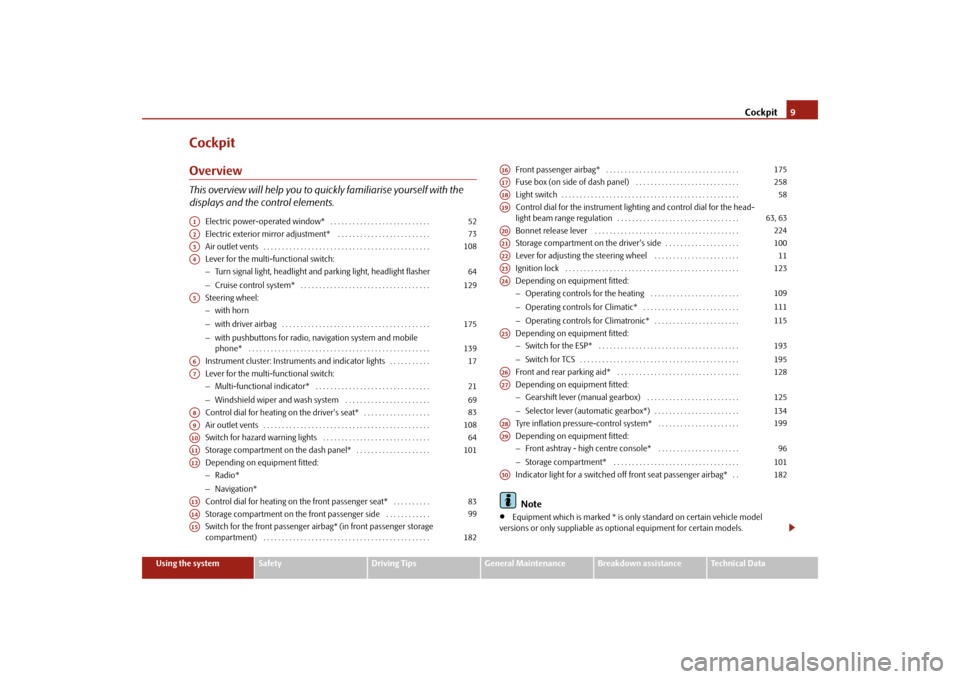
CockpitOverviewThis overview will help you to quickly familiarise yourself with the displays and the control elements.
Electric power-operated window* . . . . . . . . . . . . . . . . . . . . . . . . . . . Electric exterior mirror adjustment* . . . . . . . . . . . . . . . . . . . . . . . . . Air outlet vents . . . . . . . . . . . . . . . . . . . . . . . . . . . . . . . . . . . . . . . . . . . . . Lever for the multi-functional switch:− Turn signal light, headlight and parking light, headlight flasher − Cruise control system* . . . . . . . . . . . . . . . . . . . . . . . . . . . . . . . . . . . Steering wheel: − with horn − with driver airbag . . . . . . . . . . . . . . . . . . . . . . . . . . . . . . . . . . . . . . . . − with pushbuttons for radio, na
vigation system and mobile
phone* . . . . . . . . . . . . . . . . . . . . . . . . . . . . . . . . . . . . . . . . . . . . . . . . . Instrument cluster: Instrum
ents and indicator lights . . . . . . . . . . .
Lever for the multi-functional switch:− Multi-functional indicator* . . . . . . . . . . . . . . . . . . . . . . . . . . . . . . . − Windshield wiper and wash system . . . . . . . . . . . . . . . . . . . . . . . Control dial for heating on the driver's seat* . . . . . . . . . . . . . . . . . . Air outlet vents . . . . . . . . . . . . . . . . . . . . . . . . . . . . . . . . . . . . . . . . . . . . . Switch for hazard warning lights . . . . . . . . . . . . . . . . . . . . . . . . . . . . . Storage compartment on the dash panel* . . . . . . . . . . . . . . . . . . . . Depending on equipment fitted:− Radio* − Navigation* Control dial for heating on the front passenger seat* . . . . . . . . . . Storage compartment on the front passenger side . . . . . . . . . . . . Switch for the front passenger airbag* (in front passenger storage compartment) . . . . . . . . . . . . . . . . . . . . . . . . . . . . . . . . . . . . . . . . . . . . .
Front passenger airbag* . . . . . . . . . . . . . . . . . . . . . . . . . . . . . . . . . . . . Fuse box (on side of dash panel) . . . . . . . . . . . . . . . . . . . . . . . . . . . . Light switch . . . . . . . . . . . . . . . . . . . . . . . . . . . . . . . . . . . . . . . . . . . . . . . . Control dial for the instrument lighting and control dial for the head- light beam range regulation . . . . . . . . . . . . . . . . . . . . . . . . . . . . . . . . . Bonnet release lever . . . . . . . . . . . . . . . . . . . . . . . . . . . . . . . . . . . . . . . Storage compartment on the driver's side . . . . . . . . . . . . . . . . . . . . Lever for adjusting the steering wheel . . . . . . . . . . . . . . . . . . . . . . . Ignition lock . . . . . . . . . . . . . . . . . . . . . . . . . . . . . . . . . . . . . . . . . . . . . . . Depending on equipment fitted:− Operating controls for the heating . . . . . . . . . . . . . . . . . . . . . . . . − Operating controls for Climatic* . . . . . . . . . . . . . . . . . . . . . . . . . . − Operating controls for Climatronic* . . . . . . . . . . . . . . . . . . . . . . . Depending on equipment fitted: − Switch for the ESP* . . . . . . . . . . . . . . . . . . . . . . . . . . . . . . . . . . . . . . − Switch for TCS . . . . . . . . . . . . . . . . . . . . . . . . . . . . . . . . . . . . . . . . . . . Front and rear parking aid* . . . . . . . . . . . . . . . . . . . . . . . . . . . . . . . . . Depending on equipment fitted: − Gearshift lever (manual gearbox) . . . . . . . . . . . . . . . . . . . . . . . . . − Selector lever (automatic gearbox*) . . . . . . . . . . . . . . . . . . . . . . . Tyre inflation pressure-control system* . . . . . . . . . . . . . . . . . . . . . . Depending on equipment fitted: − Front ashtray - high centre console* . . . . . . . . . . . . . . . . . . . . . . − Storage compartment* . . . . . . . . . . . . . . . . . . . . . . . . . . . . . . . . . . Indicator light for a switched off front seat passenger airbag* . . Note
•
Equipment which is marked * is only standard on certain vehicle model
versions or only suppliable as op
tional equipment for certain models.
A1
52
A2
73
A3
108
A4
64 129
A5
175 139
A6
17
A7
21 69
A8
83
A9
108
A10
64
A11
101
A12A13
83
A14
99
A15
182
A16
175
A17
258
A18
58
A19
63, 63
A20
224
A21
100
A22
11
A23
123
A24
109111115
A25
193195
A26
128
A27
125134
A28
199
A29
96101
A30
182
se0.1.book Page 9 Friday, April 10, 2009 3:19 PM
Page 19 of 304
Instruments and Indicator/Warning Lights
18
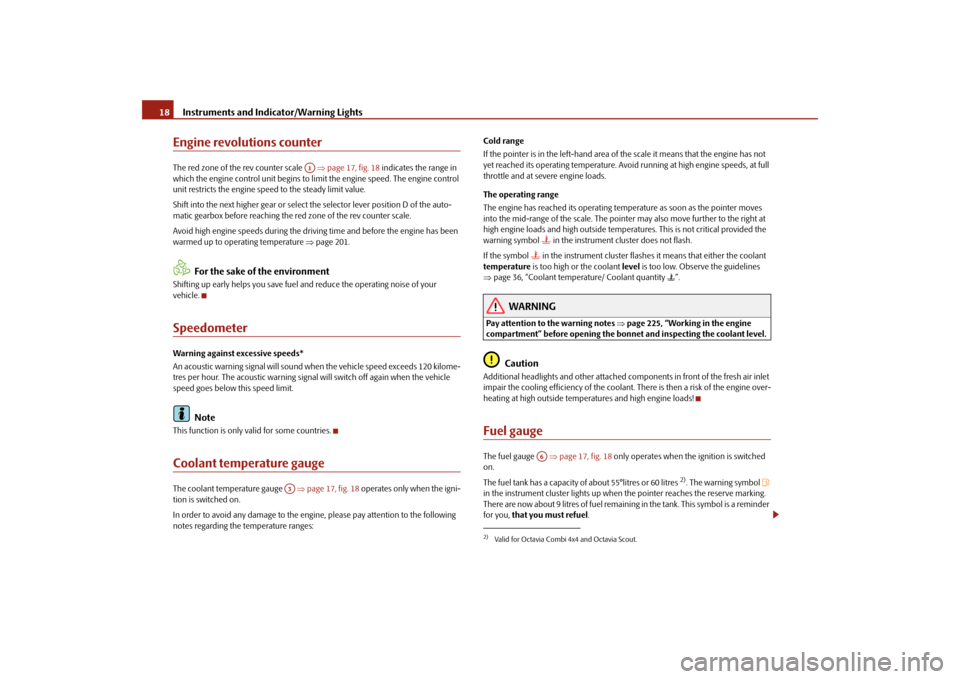
Engine revolutions counterThe red zone of the rev counter scale
⇒page 17, fig. 18
indicates the range in
which the engine control unit begins to li
mit the engine speed. The engine control
unit restricts the engine speed to the steady limit value. Shift into the next higher gear or select
the selector lever position D of the auto-
matic gearbox before reaching the red zone of the rev counter scale. Avoid high engine speeds during the driv
ing time and before the engine has been
warmed up to operating temperature
⇒page 201.
For the sake of the environment
Shifting up early helps you save fuel and reduce the operating noise of your vehicle.SpeedometerWarning against excessive speeds* An acoustic warning signal will sound when the vehicle speed exceeds 120 kilome- tres per hour. The acoustic warning signal
will switch off ag
ain when the vehicle
speed goes below this speed limit.
Note
This function is only valid for some countries.Coolant temperature gaugeThe coolant temperature gauge
⇒page 17, fig. 18
operates only when the igni-
tion is switched on. In order to avoid any damage to the engine
, please pay attentio
n to the following
notes regarding the temperature ranges:
Cold range If the pointer is in the left-hand area of the scale it means that the engine has not yet reached its operating temperature. Avoi
d running at high engine speeds, at full
throttle and at severe engine loads. The operating range The engine has reached its operating temperature as soon as the pointer moves into the mid-range of the scale. The pointe
r may also move further to the right at
high engine loads and high outside temper
atures. This is not critical provided the
warning symbol
in the instrument cluster does not flash.
If the symbol
in the instrument cluster flashes it means that either the coolant
temperature
is too high or the coolant
level
is too low. Observe the guidelines
⇒ page 36, “Coolant temperature/ Coolant quantity
”.
WARNING
Pay attention to the warning notes
⇒page 225, “Working in the engine
compartment” before opening the bonnet and inspecting the coolant level.
Caution
Additional headlights and other attached co
mponents in front of the fresh air inlet
impair the cooling efficiency of the coolant. There is then a risk of the engine over-heating at high outside temperatures and high engine loads!Fuel gaugeThe fuel gauge
⇒page 17, fig. 18
only operates when th
e ignition is switched
on. The fuel tank has a capacity of about 55°litres or 60 litres
2). The warning symbol
in the instrument cluster li
ghts up when the pointer reaches the reserve marking.
There are now about 9 litres of fuel remaining in the tank. This symbol is a reminder for you,
that you must refuel
.
A1
A3
2)Valid for Octavia Combi 4x4 and Octavia Scout.
A6
se0.1.book Page 18 Friday, April 10, 2009 3:19 PM
Page 21 of 304
Instruments and Indicator/Warning Lights
20
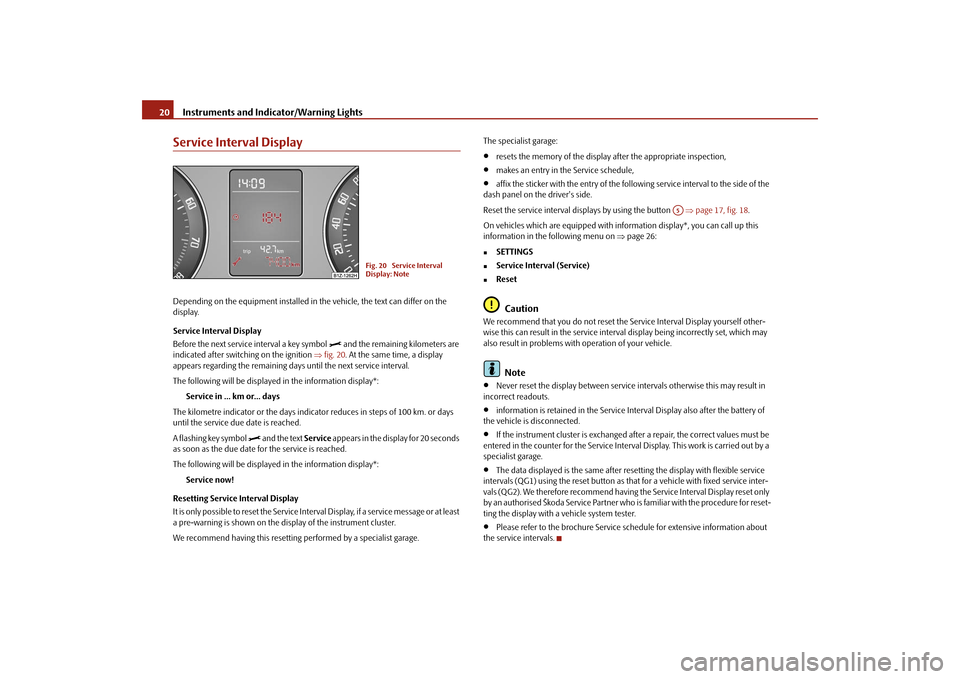
Service Interval DisplayDepending on the equipment installed in the vehicle, the text can differ on the display. Service Interval Display Before the next service interval a key symbol
and the remaining kilometers are
indicated after switching on the ignition
⇒fig. 20
. At the same time, a display
appears regarding the remaining days until the next service interval. The following will be displayed in the information display*:
Service in ... km or... days
The kilometre indicator or the days indica
tor reduces in steps of 100 km. or days
until the service due date is reached. A flashing key symbol
and the text
Service
appears in the display for 20 seconds
as soon as the due date for the service is reached. The following will be displayed in the information display*:
Service now!
Resetting Service Interval Display It is only possible to reset the Service Interval Display, if a service message or at least a pre-warning is shown on the display of the instrument cluster. We recommend having this resetting
performed by a specialist garage.
The specialist garage:•
resets the memory of the display after the appropriate inspection,
•
makes an entry in the Service schedule,
•
affix the sticker with the entry of the following service interval to the side of the
dash panel on the driver's side. Reset the service interval displays by using the button
⇒page 17, fig. 18
.
On vehicles which are equipped with in
formation display*, you can call up this
information in the following menu on
⇒page 26:
„
SETTINGS
„
Service Interval (Service)
„
ResetCaution
We recommend that you do not reset the
Service Interval Disp
lay yourself other-
wise this can result in the service interval display being incorrectly set, which may also result in problems with
operation of your vehicle.
Note
•
Never reset the display between service intervals otherwise this may result in
incorrect readouts.•
information is retained in the Service Interval Display also after the battery of
the vehicle is disconnected.•
If the instrument cluster is exchanged afte
r a repair, the correct values must be
entered in the counter for the Service Interva
l Display. This work is carried out by a
specialist garage.•
The data displayed is the same after resetting the display with flexible service
intervals (QG1) using the reset button as th
at for a vehicle with fixed service inter-
vals (QG2). We therefore recommend having
the Service Interval Display reset only
by an authorised Škoda Service Partner who is familiar with the procedure for reset- ting the display with a vehicle system tester.•
Please refer to the brochure Service schedule for extensive information about
the service intervals.
Fig. 20 Service Interval Display: Note
A5
se0.1.book Page 20 Friday, April 10, 2009 3:19 PM
Page 23 of 304
Instruments and Indicator/Warning Lights
22
Single-trip memory (memory 1) The single-trip memory collates the driving information from the moment the igni- tion is switched on until it
is switched off. New data will
also flow into the calcula-
tion of the current driving information if the trip is continued
within 2 hours
after
switching off the ignition. The memory will
be is automatically erased, on the other
hand, if the trip is interrupted for
more than 2 hours
.
Total-trip memory (memory 2) The total distance driven memory gathers
data from any number of individual jour-
neys up to a total of 99 hours and 59 minutes driving or 9.999 kilometres driven. The memory is deleted when either of these limits is reached and the calculation starts from anew. The total-trip memory will not, contrary
to the single-trip memory, be deleted after
a period of interruption
of driving of 2 hours.
Note
All information in the memory
1 and
2 is erased if the battery of the vehicle is
disconnected.Operating with the buttons on the windshield wiper lever
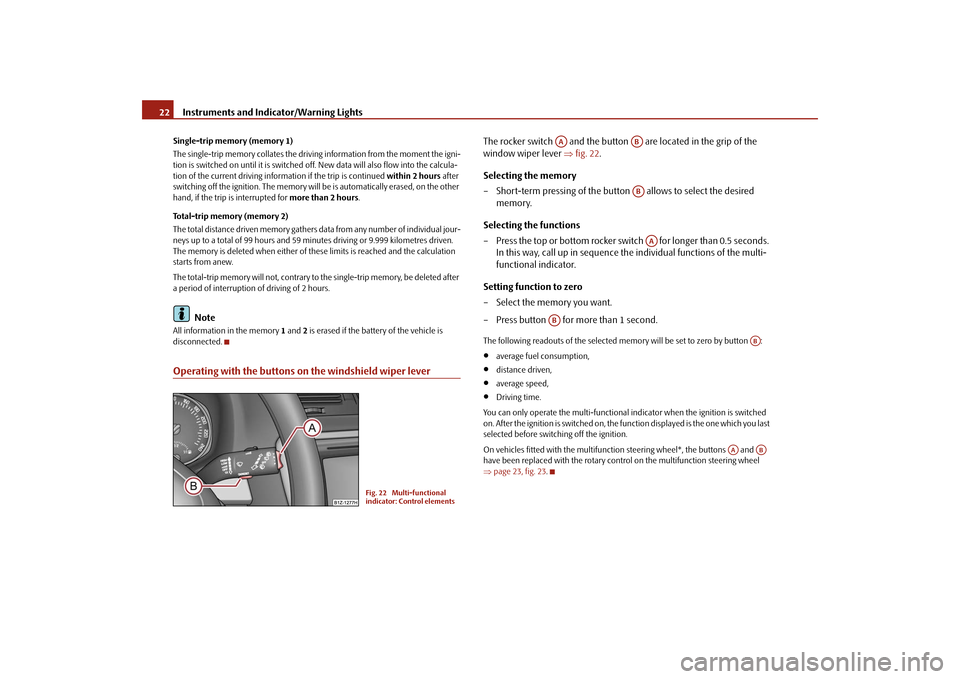
The rocker switch and the button are located in the grip of the window wiper lever
⇒
fig. 22
.
Selecting the memory – Short-term pressing of the button
allows to select the desired
memory.
Selecting the functions – Press the top or bottom rocker switch for longer than 0.5 seconds.
In this way, call up in sequence the individual functions of the multi-functional indicator.
Setting function to zero – Select the memory you want. – Press button for more than 1 second.The following readouts of the selected memory will be set to zero by button :•
average fuel consumption,
•
distance driven,
•
average speed,
•
Driving time.
You can only operate the multi-functional
indicator when the ignition is switched
on. After the ignition is switched on, the fu
nction displayed is the one which you last
selected before switching off the ignition. On vehicles fitted with the multifunction steering wheel*, the buttons and have been replaced with the rotary cont
rol on the multifunction steering wheel
⇒ page 23, fig. 23
.
Fig. 22 Multi-functional indicator: Control elements
AA
ABABAA
AB
AB
AA
AB
se0.1.book Page 22 Friday, April 10, 2009 3:19 PM
Page 24 of 304

Instruments and Indicator/Warning Lights
23
Using the system
Safety
Driving Tips
General Maintenance
Breakdown assistance
Technical Data
Operating with the buttons on the multifunction steering wheel*Switching over and resetting is performed with the handwheel ⇒
fig. 23
.
Selecting the memory – Short-term pressing of the button
allows to select the desired
memory.
Selecting the functions – By pressing the button , you can call up the menu of the multi-func-
tional indicator.
– Turn the handwheel upwards or downwards. In this way, call up in
sequence the individual functions of the multi-functional indicator.
– Short-term pressing of the button
allows to select the highlighted
function.
Setting function to zero – Select the memory you want. – Press the button for more than 1 second.
The following readouts of the selected memo
ry will be set to zero with the button
:•
average fuel consumption,
•
distance driven,
•
average speed,
•
Driving time.
You can only operate the multi-functional
indicator when the ignition is switched
on. After the ignition is switched on, the f
unction displayed is the one which you last
selected before switching off the ignition.Outside temperatureThe outside temperature appears in the disp
lay when the ignition is switched on.
If the outside temperature drops below +4 °C
, a snow flake symbol (warning signal
for ice on the road) appears before the temperature indicator
⇒fig. 24
and a
warning signal sounds. After pressing the rocker switch at the windshield wiper lever
⇒page 22, fig. 22
or the button at the multifunction steering wheel
⇒ fig. 23
, the function shown last is indicated.
Fig. 23 Multi-functional indicator: Operating with the buttons on the multifunction steering wheel
AD
AD
AC
AD
AD
AD
AD
Fig. 24 The outside tempera-tureAA
AC
se0.1.book Page 23 Friday, April 10, 2009 3:19 PM
Page 26 of 304
Instruments and Indicator/Warning Lights
25
Using the system
Safety
Driving Tips
General Maintenance
Breakdown assistance
Technical Data
Average speedThe average speed since the memory was last erased is shown in the display in km/hour
⇒page 21. If you wish to determine the average vehicle speed over a
certain period of time you must set the me
mory to zero at the start of the measure-
ment using the button on
the windshield wiper lever
⇒page 22, fig. 22
or with
the handwheel on the mult
ifunction stee
ring wheel*
⇒page 23, fig. 23
.
A zero appears in the display for the first 100 m you drive after erasing the memory.The indicated value will be updated every 5 seconds while you are driving.Current speed*The current speed which is identical to the display of the speedometer, is indicated on the display
⇒page 17, fig. 18
.
Warning against excessive speeds*
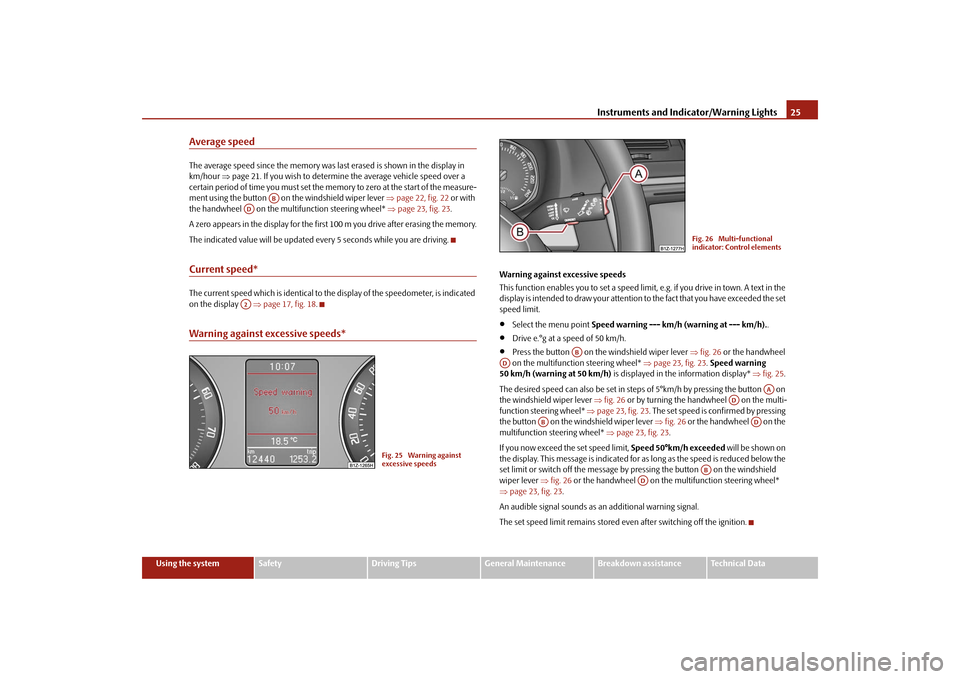
Warning against excessive speeds This function enables you to set a speed limit, e.g. if you drive in town. A text in the display is intended to draw yo
ur attention to the fact that
you have exceeded the set
speed limit.•
Select the menu point
Speed warning --- km/h (warning at --- km/h).
.
•
Drive e.°g at a speed of 50 km/h.
•
Press the button on the windshield wiper lever
⇒fig. 26
or the handwheel
on the multifunction steering wheel*
⇒page 23, fig. 23
. Speed warning
50 km/h (warning at 50 km/h)
is displayed in the information display*
⇒fig. 25
.
The desired speed can also be set in steps of 5°km/h by pressing the button on the windshield wiper lever
⇒fig. 26
or by turning the handwheel on the multi-
function stee
ring wheel*
⇒page 23, fig. 23
. The set speed is confirmed by pressing
the button on the windshield wiper lever
⇒fig. 26
or the handwheel on the
multifunction steering wheel*
⇒page 23, fig. 23
.
If you now exceed th
e set speed limit,
Speed 50°km/h exceeded
will be shown on
the display. This message is indicated for as long as the speed is reduced below the set limit or switch off the message by pr
essing the button on the windshield
wiper lever
⇒fig. 26
or the handwheel on the multifunction steering wheel*
⇒ page 23, fig. 23
.
An audible signal sounds as an additional warning signal.The set speed limit remains stored even after switching off the ignition.
AB
ADA2
Fig. 25 Warning against excessive speeds
Fig. 26 Multi-functional indicator: Control elements
AB
AD
AA
AD
AB
AD
AB
AD
se0.1.book Page 25 Friday, April 10, 2009 3:19 PM
Page 27 of 304
Instruments and Indicator/Warning Lights
26
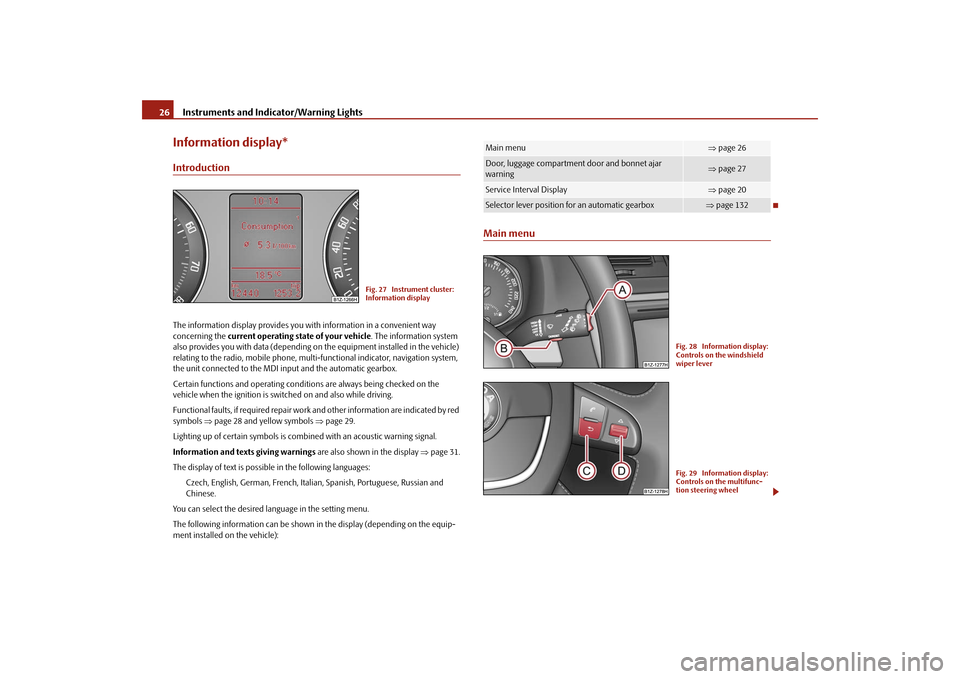
Information display*IntroductionThe information display provides you with information in a convenient way concerning the
current operating state of your vehicle
. The information system
also provides you with data (depending on
the equipment installed in the vehicle)
relating to the radio, mobile phone, mult
i-functional indicator, navigation system,
the unit connected to the MDI input and the automatic gearbox. Certain functions and operating conditio
ns are always being checked on the
vehicle when the ignition is switched on and also while driving. Functional faults, if required repair work
and other information are indicated by red
symbols
⇒page 28 and yellow symbols
⇒page 29.
Lighting up of certain symbols is comb
ined with an acoustic warning signal.
Information and text
s giving warnings
are also shown in the display
⇒page 31.
The display of text is possible in the following languages:
Czech, English, German, French, Italia
n, Spanish, Portuguese, Russian and
Chinese.
You can select the desired language in the setting menu.The following information can be shown in
the display (depending on the equip-
ment installed on the vehicle):
Main menu
Fig. 27 Instrument cluster: Information display
Main menu
⇒ page 26
Door, luggage compartment door and bonnet ajar warning
⇒ page 27
Service Interval Display
⇒page 20
Selector lever position for an automatic gearbox
⇒page 132
Fig. 28 Information display: Controls on the windshield wiper leverFig. 29 Information display: Controls on the multifunc-tion steering wheel
se0.1.book Page 26 Friday, April 10, 2009 3:19 PM
Page 29 of 304
Instruments and Indicator/Warning Lights
28
which door is still open or whether the luggage compartment door or bonnet is
not
closed
⇒fig. 30
.
The symbol goes out as soon as the doors, luggage compartment door and bonnet are completely closed. A warning signal sounds if the car is driven at a speed of more than 6km/hour and if the engine or the luggage compartment door is open.Auto Check Control*Car stateThe Auto Check Control carries out a check of certain functions and vehicle compo-nents. The check is performed constantly wh
en the ignition is switched on, both
when the vehicle is stationary, as well as when driving. Some operational faults, urgent repairs,
service work or other information appear
in the display of the instrument cluster. The displays are shown with a red or yellow light symbol depending on the priority of the message. The red symbols indicate
danger
(priority 1) while the yellow symbols indicate a
warning
(priortity 2). Information for the driver
may also appear in addition to the
symbols
⇒page 31.
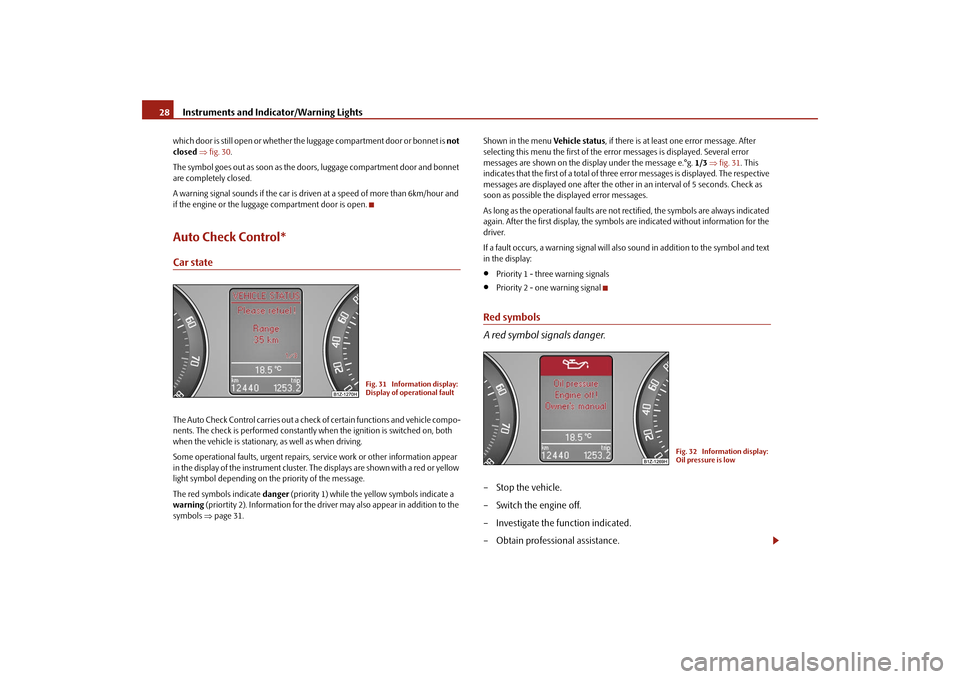
Shown in the menu
Vehicle status
, if there is at least one error message. After
selecting this menu the first of the error messages is displayed. Several error messages are shown on the display under the message e.°g.
1/3
⇒fig. 31
. This
indicates that the first of a total of three error messages is displayed. The respective messages are displayed one after the other in an interval of 5 seconds. Check as soon as possible the displayed error messages. As long as the operational faults are not rectified, the symbols are always indicated again. After the first display, the symbol
s are indicated without information for the
driver. If a fault occurs, a warning signal will also sound in addition to the symbol and text in the display:•
Priority 1 - three warning signals
•
Priority 2 - one warning signal
Red symbols A red symbol signals danger.– Stop the vehicle. – Switch the engine off. – Investigate the function indicated.– Obtain professional assistance.
Fig. 31 Information display: Display of operational fault
Fig. 32 Information display: Oil pressure is low
se0.1.book Page 28 Friday, April 10, 2009 3:19 PM
Page 34 of 304
Instruments and Indicator/Warning Lights
33
Using the system
Safety
Driving Tips
General Maintenance
Breakdown assistance
Technical Data
WARNING
•
If you do not pay attention to the warning lights coming on and the corre-
sponding descriptions and warning notes, this may result in severe body injuries or major vehicle damage.•
The engine compartment of your car is
a hazardous area. There is a risk
of injuries, scalding, accidents and
fire when working in the engine
compartment, e.g. inspecting and replenis
hing oil and other fluids. It is also
essential to observe all warnings
⇒page 225, “Working in the engine
compartment”.
Note
•
The arrangement of the indicator lights depends on the model version. The
symbols shown in the following functional description are to be found as indicator lights in the instrument cluster.•
Operational faults are shown in the instrument cluster as red symbols (priority
1 - danger) or yellow symb
ols (priority 2 - warning).
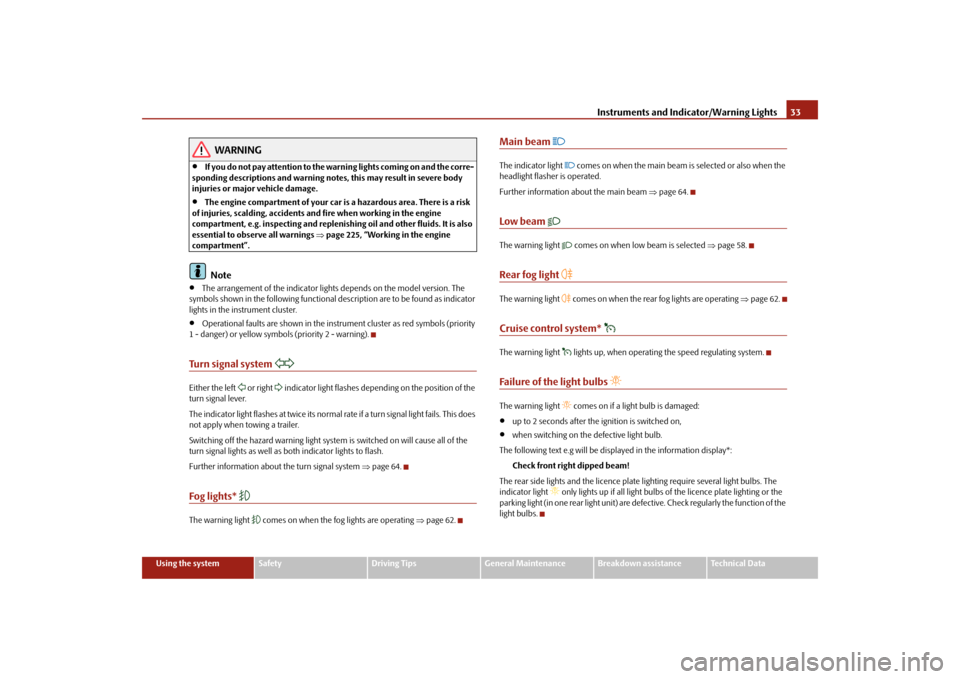
Turn signal system
Either the left
or right
indicator light flashes depending on the position of the
turn signal lever. The indicator light flashes at twice its normal ra
te if a turn signal light fails. This does
not apply when towing a trailer. Switching off the hazard warning light system is switched on will cause all of the turn signal lights as well as
both indicator lights to flash.
Further information about
the turn signal system
⇒page 64.
Fog lights*
The warning light
comes on when the fog lights are operating
⇒page 62.
Main beam
The indicator light
comes on when the main beam is selected or also when the
headlight flasher is operated. Further information about the main beam
⇒page 64.
Low beam
The warning light
comes on when low beam is selected
⇒page 58.
Rear fog light
The warning light
comes on when the rear fog lights are operating
⇒page 62.
Cruise control system*
The warning light
lights up, when operating the speed regulating system.
Failure of the light bulbs
The warning light
comes on if a light bulb is damaged:
•
up to 2 seconds after the ignition is switched on,
•
when switching on the defective light bulb.
The following text e.g will be displayed in the information display*:
Check front right dipped beam!
The rear side lights and the licence plate
lighting require several light bulbs. The
indicator light
only lights up if all light bulbs
of the licence plate lighting or the
parking light (in one rear light unit) are defe
ctive. Check regularly the function of the
light bulbs.
se0.1.book Page 33 Friday, April 10, 2009 3:19 PM