ECO mode SKODA OCTAVIA 2013 3.G / (5E) Owner's Guide
[x] Cancel search | Manufacturer: SKODA, Model Year: 2013, Model line: OCTAVIA, Model: SKODA OCTAVIA 2013 3.G / (5E)Pages: 287, PDF Size: 18.55 MB
Page 116 of 287
Switching the windscreen heater on/off » page 64
Climatronic set in the Infotainment » Operating instructions for Infotain-
ment
Switch the temperature setting in Dual mode on/off » page 113
Switching automatic mode on » page 113
Switching the cooling system on/off » page 113
Note
Do not stick anything onto or cover the interior temperature sensor 11 » Fig. 110
as this could impair the functioning of the Climatronic.
Automatic mode
First read and observe the introductory information given on page 112.
Automatic mode works in three modes - moderate, medium, and intensive.Setting the individual operating modes » Operating instructions for Infotainment ,
chapter Vehicle settings .
Climatronic is set to the medium setting at the factory.
Recommended setting for all periods of the year
›
Set the desired temperature, we recommend 22 °C.
›
Press the button
» Fig. 110 on page 112.
›
Set the air outlet vents 3 and 4 » Fig. 106 on page 107 so that the air flow is
directed slightly upwards.
After the automatic mode is switched on, Climatronic works in the last selected
mode.
The currently selected mode is displayed in the Infotainment display. Automatic mode can be switched off by pressing one of the buttons for the air
distribution or by increasing/decreasing the blower speed.
Switching the cooling system on/off
First read and observe the introductory information given on page 112.
›
Press the symbol button
.
The warning light in the button lights up.›
Press the symbol button
again.
The warning light in the button goes out.
After the cooling system is switched off, only the ventilation function remains ac-
tive whereby the minimum temperature that can be reached is the outside tem-
perature.
Setting temperature
First read and observe the introductory information given on page 112.
The interior temperature for the left and right side can be set separately or to-
gether.
For both sides
›
Turn the control dial
A
» Fig. 110 on page 112 to the left or right to increase or
decrease the temperature.
The warning light in the symbol button
does not light up.
For the right side
›
Turn the control dial
D
» Fig. 110 on page 112 to the left or right to increase or
decrease the temperature.
The warning light in the symbol button
lights up.
If the warning light in the symbol button
is lit, the temperature for both sides
cannot be set with the control dial
A
. This function can be resumed by pressing
the symbol button
. The warning light in the button goes out.
The interior temperature can be set between +16 ℃ and +29 ℃. The interior tem-
perature is regulated automatically within this range.
If a temperature lower than +16 ℃ is selected, a blue symbol lights up on the cor-
responding control dial.
If a temperature higher than +29 ℃ is selected, a red symbol lights up on the cor-
responding control dial.
At both end positions, Climatronic runs at maximum cooling/heating output and
the temperature is automatically not regulated.
113Heating and air-conditioning
Page 117 of 287
CAUTIONLengthy and uneven distribution of the air flow out of the vents (especially
around the feet) and large differences in temperature, for example, when getting
out of the vehicle, can cause susceptible individuals to catch a cold.
Automatic recirculation mode
First read and observe the introductory information given on page 112.
Recirculated air mode prevents polluted air outside the vehicle from getting into
the vehicle, for example when driving through a tunnel or when standing in a
traffic jam.
If a considerable increase in concentration of pollutants is recognised by the air
quality sensor, recirculated air mode will temporarily be switched off.
If the concentration of pollutants decreases to the normal level, the air distribu-
tion control is automatically switched off so that fresh air can be guided into the
vehicle interior.
In recirculated air mode air is sucked out of the interior of the vehicle and then
fed back into the interior. When the automatic air distribution control is switched on, an air quality sensor measures the concentration of pollutants in the drawn in
air.
If the air quality sensor does not switch on automatic recirculated air mode when
there is an unpleasant smell, you can switch in on manually.
Switching on/off
›
Press the symbol button
.
The warning light below the button lights up.
›
Press the symbol button
again; the warning light below the button goes out;
if necessary, press the symbol button
again.
Switching on and off is also possible in the Infotainment » Operating instructions
for Infotainment , chapter Vehicle settings .
WARNINGNever leave recirculated air mode switched on over a longer period of time, as
“stale air” can cause driver and passenger fatigue, reduce attention levels and
also cause the windows to mist up. The risk of having an accident increases.
Switch off recirculated air mode as soon as the windows start to mist up.
Note
■ If the windscreen mists up, press the symbol button . Press the symbol
button when the windscreen is demisted.■
The automatic air distribution control operates only if the outside temperature
is higher than approx. 2 °C.
Controlling blower
First read and observe the introductory information given on page 112.
The blower stage can be manually adapted to suit your particular needs.
›
Turn the control dial
C
» Fig. 110 on page 112 to the left or right to increase or
decrease the temperature.
If the blower speed is reduced to a minimum, Climatronic is switched off.
The set blower speed is displayed in the control dial
C
when the respective num-
ber of warning lights illuminate.
WARNING■ “Stale air” may result in fatigue in the driver and occupants, reduce attention
levels and also cause the windows to mist up. The risk of having an accident
increases.■
Do not switch off the Climatronic system for longer than necessary.
■
Switch on the Climatronic system as soon as the windows mist up.
114Using the system
Page 131 of 287
Before moving into mode R from mode P or N, depress the brake pedal while si-
multaneously pressing the lock button » Fig. 121.N
– Neutral
The power transmission to the drive wheels is interrupted in this mode.
D
/
S
- mode for driving forward (Normal program) / mode for driving forward
(Sport program)
Switch between the modes by moving the selector lever to the sprung position
» Fig. 120 if necessary, by selecting the driving mode » page 161.
In mode D or S, the forward gears are shifted automatically depending on the en-
gine load, the operation of the accelerator pedal, the vehicle speed, and the se-
lected driving mode » page 161.
If you select the driving mode Sport or Normal, and move the selector lever to the
position D/S, the transmission is set automatically to mode S or D.
In mode S , the forward gears are shifted automatically up and down at higher
engine speeds than in mode D.
E
– Economical driving mode
If you select the driving mode Eco » page 161, and move the selector lever to the
position D/S, the transmission is set automatically to mode E. This mode cannot
be selected with the selector lever.
In mode E , the forward gears are shifted automatically up and down at lower
engine speeds than in mode D.
Releasing selector lever from mode P or N (selector lever lock) The selector lever is locked in mode P and N to prevent that the forward driving is
selected accidentally, thereby setting the vehicle in motion. The indicator
light
» page 21 illuminates in the instrument cluster.
The selector lever is released by depressing the brake pedal while while simulta-
neously pressing the lock button » Fig. 121.
The selector lever is not locked when quickly moving across the position N (e.g.
from R to D/S ). This, for example, helps to rock out a vehicle that is stuck, e.g. in a
bank of snow. The selector lever lock will click into place if the lever is in the posi-
tion N for more than approx. 2 seconds without the brake pedal being depressed.
The selector lever is locked only when the vehicle is stationary and at speeds up
to 5 km/h.
Defective selector lever lock
If the selector lever lock is defective or its power supply is interrupted (e.g. dis-
charged vehicle battery, blown fuse), the selector lever can no longer be moved
out of position P in the normal manner, and the vehicle can no longer be moved.
The selector lever must be unlocked specially » page 249.
Note
If you want to move the selector lever from mode P to mode D/S or vice versa,
move the selector lever quickly. This prevents that you accidentally select mode R
or N.
Manual shifting of gears (Tiptronic)
Fig. 122
Selector lever/multi-function steering wheel
First read and observe the introductory information and safety warn- ings
on page 126.
Tiptronic mode makes it possible to manually shift gears with the selector lever or
multifunction steering wheel. This mode can be selected both while stopping and
while driving.
The currently selected gear is indicated in the display » Fig. 120 on page 127 .
The gearshift indicator must be observed when changing gear » page 27.
Switching to manual shifting
›
Push the gear selector from position D/S towards the right, or left in a right-
hand drive vehicle.
Shifting up gears
›
Push the selector lever forwards
+
» Fig. 122 .
128Driving
Page 132 of 287
›Pull the right-hand paddle
+
» Fig. 122 briefly towards the steering wheel.
Shifting down gears›
Push the selector lever backwards
-
» Fig. 122 .
›
Pull the left-hand paddle -
» Fig. 122 briefly towards the steering wheel.
Temporarily switching to manual shifting in position D/S
›
Pull one of the -/+ paddles
» Fig. 122 briefly towards the steering wheel .
If you do not pull one of the rocker switches -
/+ for more than 1 Minute, manual
shifting of gears is deactivated. You can also deactivate the temporary switch to
manual shifting by pulling the right rocker switch +
towards the steering wheel
for more than 1 second.
When accelerating, the gearbox automatically shifts up into the higher gear just
before the maximum permissible engine speed is reached.
If a lower gear is selected, the gearbox does not shift down until there is no riskof the engine overrevving.
Note
It may be beneficial, for example, when travelling downhill, to use manual shifting
of gears. Shifting to a lower gear reduces the load on the brakes and hence the
wear of the brakes » page 125.
Starting-off and driving
First read and observe the introductory information and safety warn-
ings
on page 126.
Starting off
›
Start the engine.
›
Firmly depress and hold the brake pedal.
›
Press and hold the lock button » Fig. 121 on page 127.
›
Move the selector lever into the desired position » page 127 and then release
the lock button.
›
Release the brake pedal and accelerate.
Stop
›
Depress the brake pedal and bring the vehicle to a stop.
›
Keep holding the brake pedal until driving is resumed.
The selector lever position N does not have to be selected when stopping for a
short time, such as at a cross roads.
Parking›
Depress the brake pedal and bring the vehicle to a stop.
›
Firmly apply the handbrake.
›
Press and hold the lock button » Fig. 121 on page 127.
›
Move the selector lever into the position P and then release the lock button.
Driving in neutral position in mode E (freewheel)
›
Move the selector lever into the position D/S.
›
Select the Eco driving mode » page 161, Driving mode .
›
Take the foot off the accelerator pedal.
The vehicle moves without the braking effect of the engine.
The gear is selected again automatically, when you briefly depress the brake ped-
al or pull the left rocker switch -
towards the steering wheel
» page 128, Manual
shifting of gears (Tiptronic) .
Launch control 1)
The launch control function allows the vehicle in mode S or Tiptronic to reach its
maximum acceleration when starting off.
›
Disable the TCS » page 137, Brake assist systems .
›
START STOP deactivate » page 160, Manually activating/deactivating the sys-
tem .
›
Fully depress and hold the brake pedal with your left foot.
›
Fully depress the accelerator pedal with your right foot.
›
Release the brake pedal.
The vehicle starts off with maximum acceleration.
Reactivate the TCS and START-STOP when the desired speed has been reached.
Kickdown
The kickdown function allows you to achieve the maximum acceleration of your
vehicle while driving.
When the accelerator pedal is fully depressed, the kickdown function is activated
in any forward driving mode.
The gearbox shifts down one or more gears depending on the vehicle speed and engine speed, and the vehicle accelerates.
1)
This function is only valid for some engines.
129Starting-off and Driving
Page 139 of 287
›Never stop in the water, do not reverse and do not switch the engine off.›Deactivate the START-STOP system before driving through water
» page 158.WARNING■
Driving through water, mud, sludge etc. can reduce the braking power and
extend the braking distance – risk of accident!■
Avoid abrupt and sudden braking immediately after water crossings.
■
After driving through bodies of water, the brakes must be cleaned and dried
as soon as possible by intermittent braking. Only apply the brakes for the pur-
pose of drying and cleaning the brake discs if the traffic conditions permit this.
Do not place any other road users in jeopardy.
CAUTION
■ When driving through bodies of water, some parts of the vehicle such as the
engine, gearbox, chassis or electrics can be severely damaged.■
Oncoming vehicles can generate water waves which can exceed the permissible
water level for your vehicle.
■
Potholes, mud or rocks can be hidden under the water making it difficult or im-
possible to drive through the body of water.
■
Do not drive through salt water. The salt can lead to corrosion. Any vehicle parts
that have come into contact with salt water must be rinsed immediately with
fresh water.
Note
After driving through water, we recommend having the vehicle checked by a spe-
cialist garage.
Driving abroad
Introduction
This chapter contains information on the following subjects:
Unleaded petrol
136
Headlights
136In certain countries it is also possible that the ŠKODA Partner network is limited
or has not been established yet. This is the reason why procuring certain spare
parts may be somewhat complicated and specialist garages may only be able to
make limited repairs.
Unleaded petrol
First read and observe the introductory information given on page 136.
A vehicle fitted with a petrol engine must always be refuelled with unleaded pet-rol » page 213 . Information regarding the locations of filling stations that offer
unleaded petrol is, for example, provided by the automobile associations.
Headlights
First read and observe the introductory information given on page 136.
The low beam of your headlights is set asymmetrically. It illuminates the side ofthe road on which the vehicle is being driven to a greater extent.
When driving in countries in which the traffic drives on the other side of the roadthan in your home country, the asymmetrical low beam may dazzle oncoming
drivers. In order to avoid this, the headlights must be adjusted at a specialist ga-
rage.
You can adjust the Xenon headlights yourself by setting the "tourist light" mode
in Infotainment » Operating instructions for Infotainment , chapter Vehicle set-
tings (button CAR) .
Note
You can find out more information on adjusting the headlights at a specialist ga-
rage.
136Driving
Page 147 of 287
If the driver changes the parking mode while searching for a parking space, the
symbol button must be pressed again.
Note
If the symbol (km / h) is shown in the display , the vehicle speed should be
reduced below 40 km / hr (parallel parking) or below 20 km / hr (Transverse park- ing) .
Parking
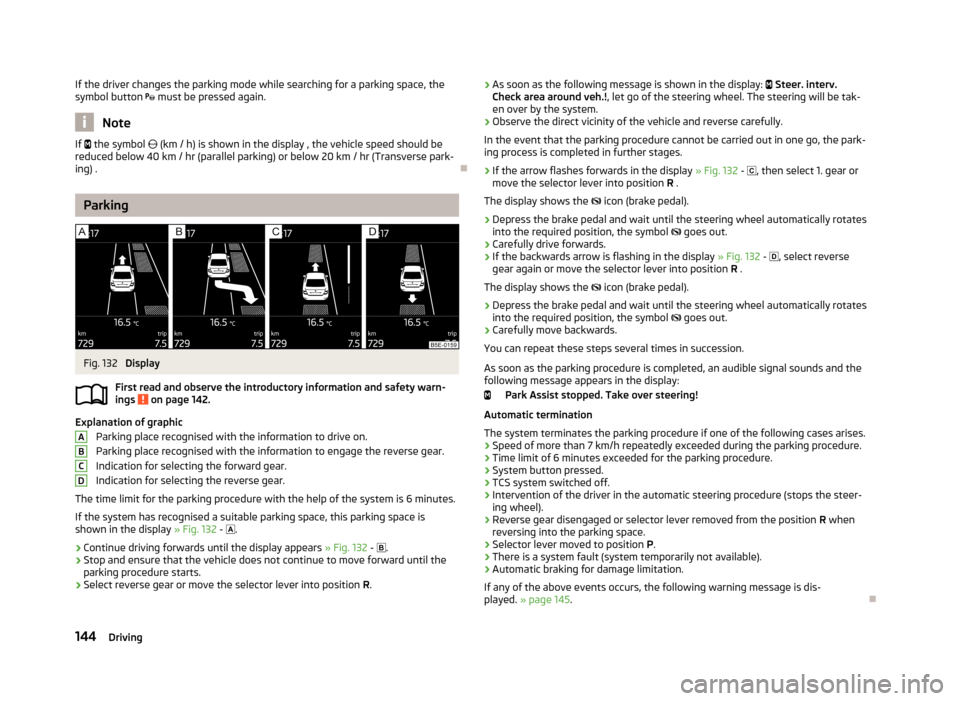
Fig. 132
Display
First read and observe the introductory information and safety warn- ings
on page 142.
Explanation of graphic
Parking place recognised with the information to drive on.
Parking place recognised with the information to engage the reverse gear.
Indication for selecting the forward gear.
Indication for selecting the reverse gear.
The time limit for the parking procedure with the help of the system is 6 minutes. If the system has recognised a suitable parking space, this parking space is
shown in the display » Fig. 132 -
.
›
Continue driving forwards until the display appears » Fig. 132 -
.
›
Stop and ensure that the vehicle does not continue to move forward until the
parking procedure starts.
›
Select reverse gear or move the selector lever into position R.
ABCD› As soon as the following message is shown in the display:
Steer. interv.
Check area around veh.! , let go of the steering wheel. The steering will be tak-
en over by the system.›
Observe the direct vicinity of the vehicle and reverse carefully.
In the event that the parking procedure cannot be carried out in one go, the park- ing process is completed in further stages.
›
If the arrow flashes forwards in the display » Fig. 132 - , then select 1. gear or
move the selector lever into position R .
The display shows the icon (brake pedal).
›
Depress the brake pedal and wait until the steering wheel automatically rotates
into the required position, the symbol goes out.
›
Carefully drive forwards.
›
If the backwards arrow is flashing in the display » Fig. 132 -
, select reverse
gear again or move the selector lever into position R .
The display shows the
icon (brake pedal).
›
Depress the brake pedal and wait until the steering wheel automatically rotates
into the required position, the symbol
goes out.
›
Carefully move backwards.
You can repeat these steps several times in succession.
As soon as the parking procedure is completed, an audible signal sounds and the
following message appears in the display:
Park Assist stopped. Take over steering!
Automatic termination
The system terminates the parking procedure if one of the following cases arises.
› Speed of more than 7 km/h repeatedly exceeded during the parking procedure.
› Time limit of 6 minutes exceeded for the parking procedure.
› System button pressed.
› TCS system switched off.
› Intervention of the driver in the automatic steering procedure (stops the steer-
ing wheel).
› Reverse gear disengaged or selector lever removed from the position
R when
reversing into the parking space.
› Selector lever moved to position
P.
› There is a system fault (system temporarily not available).
› Automatic braking for damage limitation.
If any of the above events occurs, the following warning message is dis-
played. » page 145 .
144Driving
Page 162 of 287
Note■If the driver's seat belt is removed for more than approx. 30 seconds or the driv-
er's door is opened during stop mode on vehicles with manual transmission or au- tomatic transmission (when the selector lever in position P), the engine must be
started manually » page 121.■
After manually starting the engine on vehicles with manual transmission, auto-
matic engine shut down is not possible until the vehicle has travelled the re-
quired minimum distance for START-STOPP mode.
■
If on vehicles with automatic transmission, the selector lever D/S or N is selec-
ted after moving in reverse, the vehicle will first need to achieve a speed greater
than 10 km/h before automatic engine shut down takes place again.
■
Changes to the outdoor temperature can have an effect on the internal temper-
ature of the vehicle battery even after several hours. If the vehicle remains out-
doors for a long time in minus temperatures or in direct sunlight, it can take sev-
eral hours until the internal temperature of the vehicle battery reaches a suitable
temperature for proper operation of the START STOP system.
■
If the Climatronic is running in automatic mode, it is possible that under certain
conditions the engine may not switch off automatically.
Starting/shutting down the engine
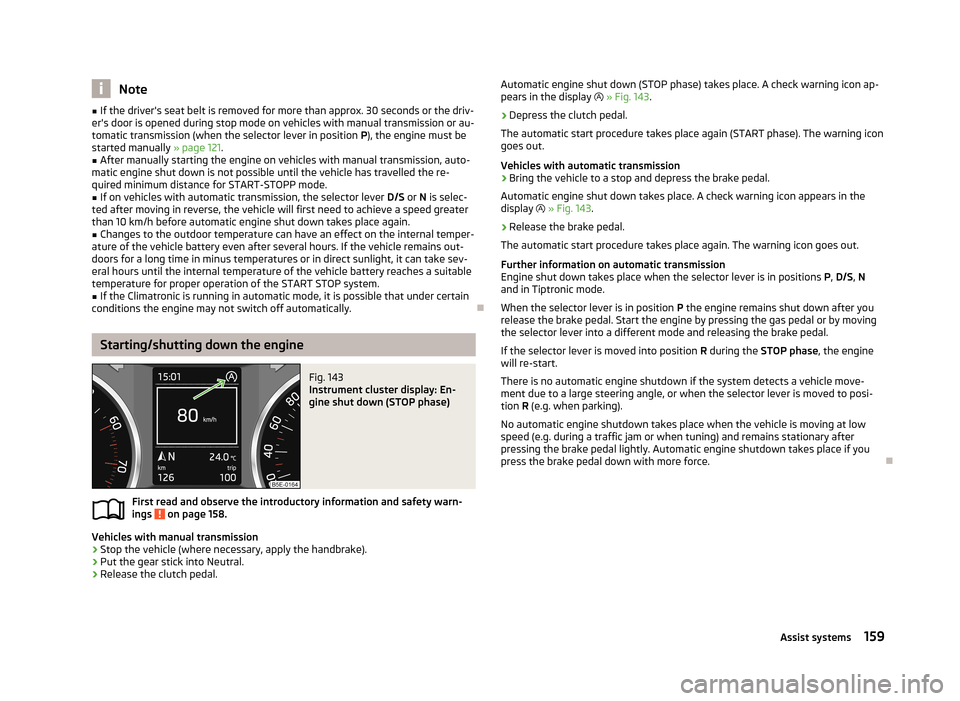
Fig. 143
Instrument cluster display: En-
gine shut down (STOP phase)
First read and observe the introductory information and safety warn- ings on page 158.
Vehicles with manual transmission
›
Stop the vehicle (where necessary, apply the handbrake).
›
Put the gear stick into Neutral.
›
Release the clutch pedal.
Automatic engine shut down (STOP phase) takes place. A check warning icon ap-
pears in the display » Fig. 143 .›
Depress the clutch pedal.
The automatic start procedure takes place again (START phase). The warning icon
goes out.
Vehicles with automatic transmission
›
Bring the vehicle to a stop and depress the brake pedal.
Automatic engine shut down takes place. A check warning icon appears in the display » Fig. 143 .
›
Release the brake pedal.
The automatic start procedure takes place again. The warning icon goes out.
Further information on automatic transmissionEngine shut down takes place when the selector lever is in positions P, D/S , N
and in Tiptronic mode.
When the selector lever is in position P the engine remains shut down after you
release the brake pedal. Start the engine by pressing the gas pedal or by moving
the selector lever into a different mode and releasing the brake pedal.
If the selector lever is moved into position R during the STOP phase , the engine
will re-start.
There is no automatic engine shutdown if the system detects a vehicle move-
ment due to a large steering angle, or when the selector lever is moved to posi-
tion R (e.g. when parking).
No automatic engine shutdown takes place when the vehicle is moving at low speed (e.g. during a traffic jam or when tuning) and remains stationary after
pressing the brake pedal lightly. Automatic engine shutdown takes place if you press the brake pedal down with more force.
159Assist systems
Page 163 of 287
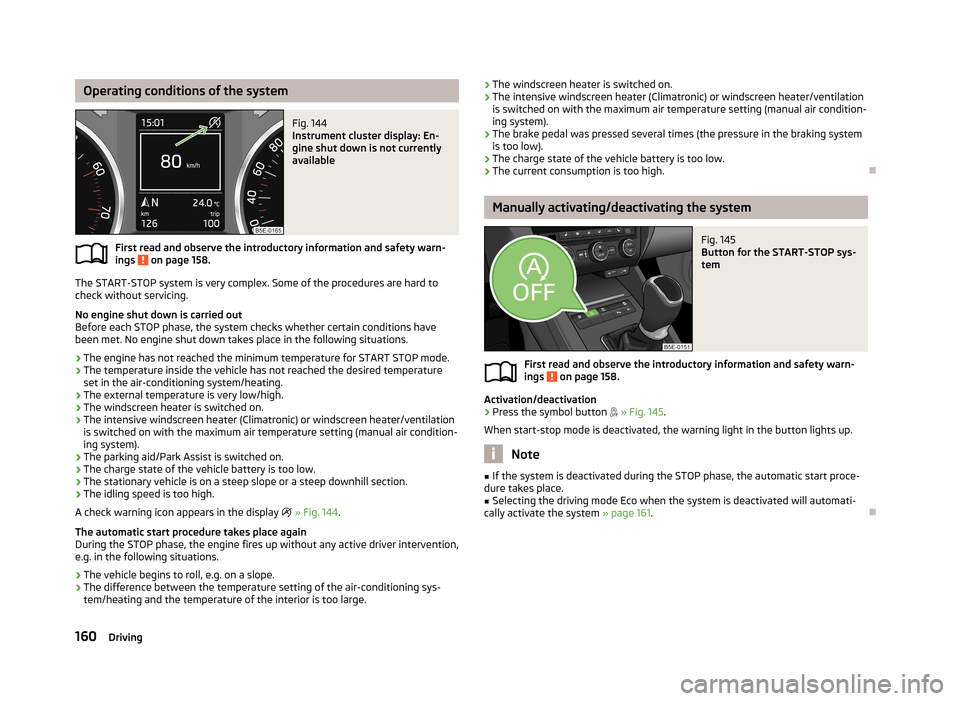
Operating conditions of the systemFig. 144
Instrument cluster display: En-
gine shut down is not currently
available
First read and observe the introductory information and safety warn-
ings on page 158.
The START-STOP system is very complex. Some of the procedures are hard to
check without servicing.
No engine shut down is carried out
Before each STOP phase, the system checks whether certain conditions have
been met. No engine shut down takes place in the following situations.
› The engine has not reached the minimum temperature for START STOP mode.
› The temperature inside the vehicle has not reached the desired temperature
set in the air-conditioning system/heating.
› The external temperature is very low/high.
› The windscreen heater is switched on.
› The intensive windscreen heater (Climatronic) or windscreen heater/ventilation
is switched on with the maximum air temperature setting (manual air condition-
ing system).
› The parking aid/Park Assist is switched on.
› The charge state of the vehicle battery is too low.
› The stationary vehicle is on a steep slope or a steep downhill section.
› The idling speed is too high.
A check warning icon appears in the display
» Fig. 144 .
The automatic start procedure takes place again
During the STOP phase, the engine fires up without any active driver intervention,
e.g. in the following situations.
› The vehicle begins to roll, e.g. on a slope.
› The difference between the temperature setting of the air-conditioning sys-
tem/heating and the temperature of the interior is too large.
› The windscreen heater is switched on.
› The intensive windscreen heater (Climatronic) or windscreen heater/ventilation
is switched on with the maximum air temperature setting (manual air condition-
ing system).
› The brake pedal was pressed several times (the pressure in the braking system
is too low).
› The charge state of the vehicle battery is too low.
› The current consumption is too high.
Manually activating/deactivating the system
Fig. 145
Button for the START-STOP sys-
tem
First read and observe the introductory information and safety warn-
ings on page 158.
Activation/deactivation
›
Press the symbol button
» Fig. 145 .
When start-stop mode is deactivated, the warning light in the button lights up.
Note
■ If the system is deactivated during the STOP phase, the automatic start proce-
dure takes place.■
Selecting the driving mode Eco when the system is deactivated will automati-
cally activate the system » page 161.
160Driving
Page 164 of 287
Information messagesFirst read and observe the introductory information and safety warn-
ings
on page 158.
The messages and information are indicated in the instrument cluster display.
Start the engine manually!
START MANUALLY
The driver sees this message when the conditions for the automatic start proce-
dure are not met during the STOP phase. The engine must be started manual-
ly » page 121 .
Error: start-stop system
START STOP ERROR
Error in the START-STOP system. Seek help from a specialist garage.
Driving mode
Introduction
This chapter contains information on the following subjects:
Selecting driving mode
161
Normal Mode
162
Sportmode
162
Ecomode
162
Individualmode
163
Selecting the driving mode allows you to adjust a range of different driving pa-
rameters for the vehicle.
The set driving mode remains stored even after switching the ignition on and off.
WARNING■ Setting the driving mode while driving can distract you from other traffic –
risk of accident.■
Concentrate fully at all times on your driving! As the driver you are fully re-
sponsible for the operation of your vehicle.
■
Adjust the speed and driving style to the current visibility, weather, road and
traffic conditions.
Note
The driver can change some vehicle functions irrespective of the selected driving
mode. For instance, in the driving mode Eco, the driver can switch the automatic
transmission to the mode S.
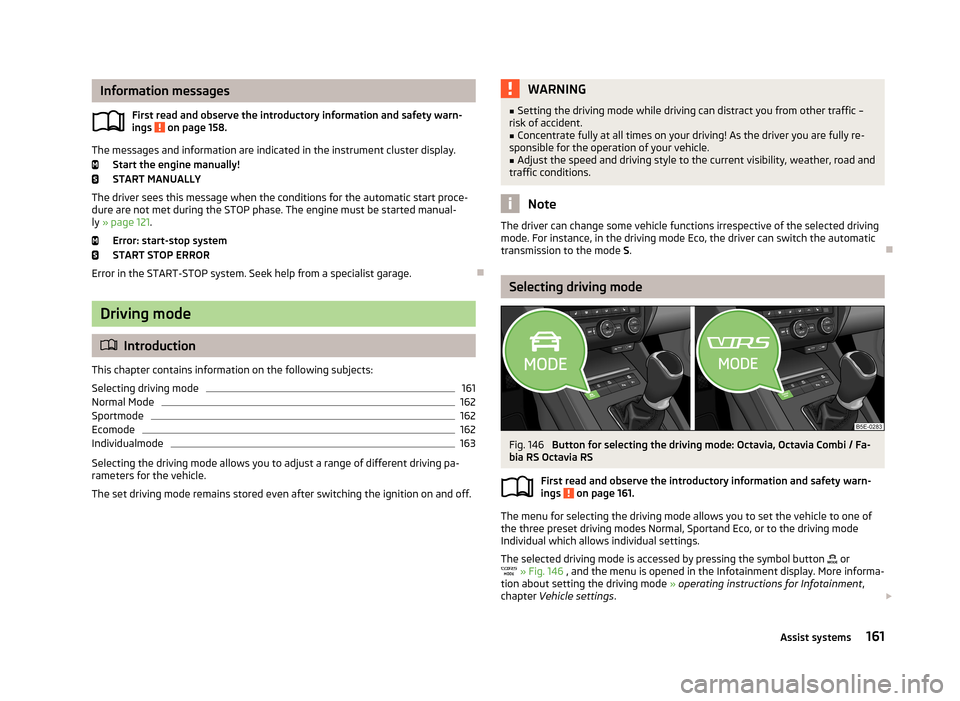
Selecting driving mode
Fig. 146
Button for selecting the driving mode: Octavia, Octavia Combi / Fa-
bia RS Octavia RS
First read and observe the introductory information and safety warn-ings
on page 161.
The menu for selecting the driving mode allows you to set the vehicle to one of
the three preset driving modes Normal, Sportand Eco, or to the driving mode
Individual which allows individual settings.
The selected driving mode is accessed by pressing the symbol button
or
» Fig. 146 , and the menu is opened in the Infotainment display. More informa-
tion about setting the driving mode » operating instructions for Infotainment ,
chapter Vehicle settings .
161Assist systems
Page 165 of 287
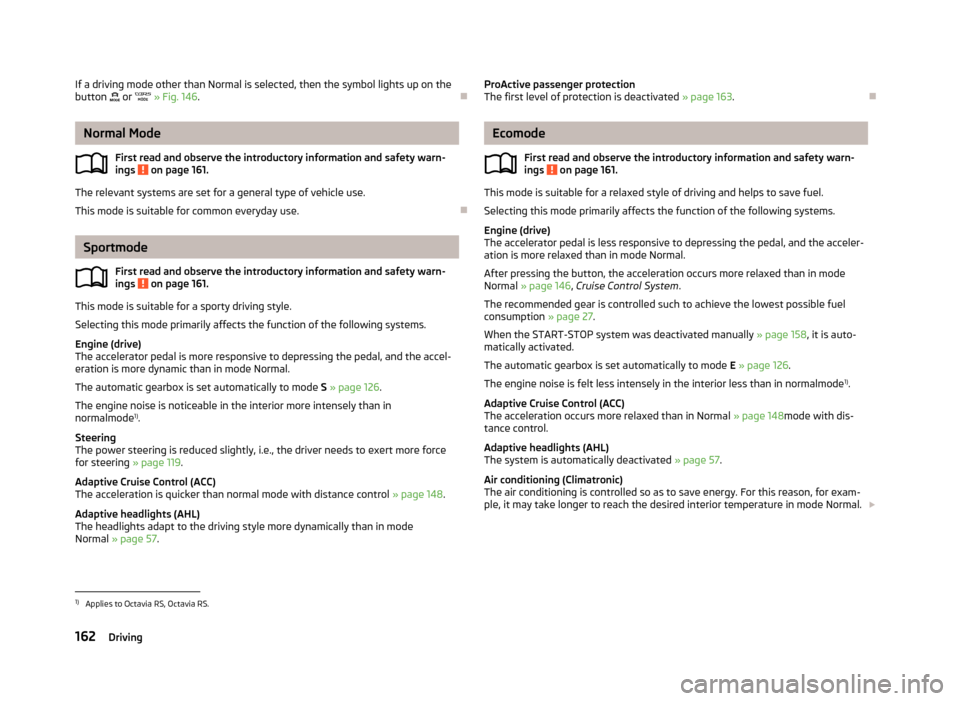
If a driving mode other than Normal is selected, then the symbol lights up on the
button or » Fig. 146 .
Normal Mode
First read and observe the introductory information and safety warn-ings
on page 161.
The relevant systems are set for a general type of vehicle use.
This mode is suitable for common everyday use.
Sportmode
First read and observe the introductory information and safety warn-ings
on page 161.
This mode is suitable for a sporty driving style.
Selecting this mode primarily affects the function of the following systems.
Engine (drive)
The accelerator pedal is more responsive to depressing the pedal, and the accel-
eration is more dynamic than in mode Normal.
The automatic gearbox is set automatically to mode S » page 126 .
The engine noise is noticeable in the interior more intensely than in
normalmode 1)
.
Steering
The power steering is reduced slightly, i.e., the driver needs to exert more force for steering » page 119.
Adaptive Cruise Control (ACC)
The acceleration is quicker than normal mode with distance control » page 148.
Adaptive headlights (AHL)
The headlights adapt to the driving style more dynamically than in mode
Normal » page 57 .
ProActive passenger protection
The first level of protection is deactivated » page 163.
Ecomode
First read and observe the introductory information and safety warn-
ings
on page 161.
This mode is suitable for a relaxed style of driving and helps to save fuel.
Selecting this mode primarily affects the function of the following systems.
Engine (drive)
The accelerator pedal is less responsive to depressing the pedal, and the acceler-
ation is more relaxed than in mode Normal.
After pressing the button, the acceleration occurs more relaxed than in mode
Normal » page 146 , Cruise Control System .
The recommended gear is controlled such to achieve the lowest possible fuel consumption » page 27.
When the START-STOP system was deactivated manually » page 158, it is auto-
matically activated.
The automatic gearbox is set automatically to mode E » page 126 .
The engine noise is felt less intensely in the interior less than in normalmode 1)
.
Adaptive Cruise Control (ACC)
The acceleration occurs more relaxed than in Normal » page 148mode with dis-
tance control.
Adaptive headlights (AHL)
The system is automatically deactivated » page 57.
Air conditioning (Climatronic)
The air conditioning is controlled so as to save energy. For this reason, for exam-
ple, it may take longer to reach the desired interior temperature in mode Normal.
1)
Applies to Octavia RS, Octavia RS.
162Driving