interior lights SKODA OCTAVIA 2013 3.G / (5E) Owner's Manual
[x] Cancel search | Manufacturer: SKODA, Model Year: 2013, Model line: OCTAVIA, Model: SKODA OCTAVIA 2013 3.G / (5E)Pages: 287, PDF Size: 18.55 MB
Page 6 of 287
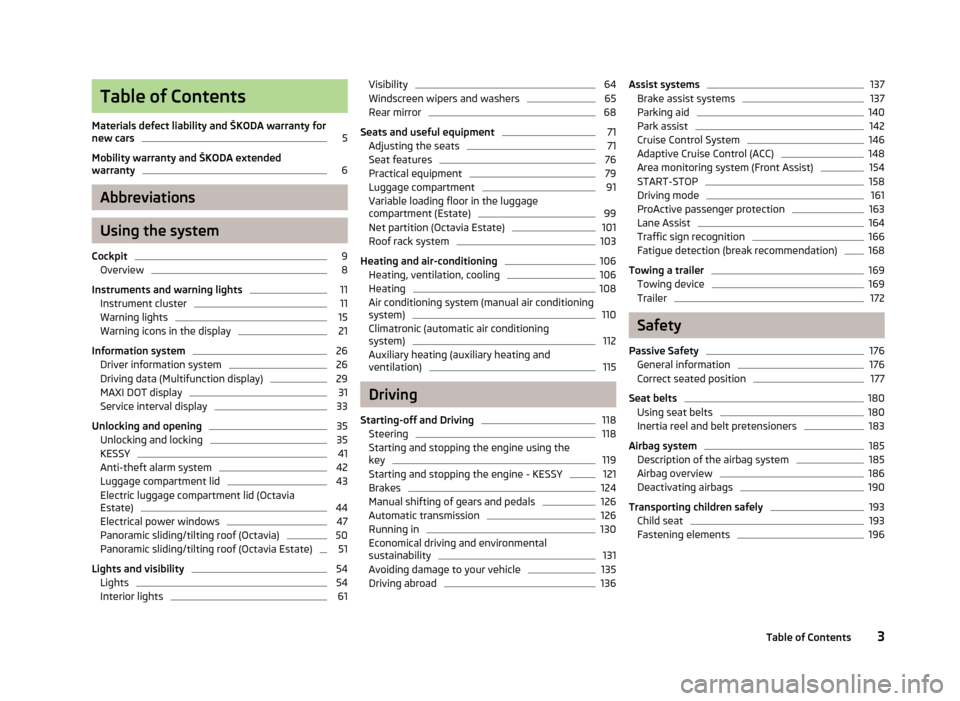
Table of Contents
Materials defect liability and ŠKODA warranty for
new cars5
Mobility warranty and ŠKODA extended
warranty
6
Abbreviations
Using the system
Cockpit
9
Overview
8
Instruments and warning lights
11
Instrument cluster
11
Warning lights
15
Warning icons in the display
21
Information system
26
Driver information system
26
Driving data (Multifunction display)
29
MAXI DOT display
31
Service interval display
33
Unlocking and opening
35
Unlocking and locking
35
KESSY
41
Anti-theft alarm system
42
Luggage compartment lid
43
Electric luggage compartment lid (Octavia
Estate)
44
Electrical power windows
47
Panoramic sliding/tilting roof (Octavia)
50
Panoramic sliding/tilting roof (Octavia Estate)
51
Lights and visibility
54
Lights
54
Interior lights
61Visibility64Windscreen wipers and washers65
Rear mirror
68
Seats and useful equipment
71
Adjusting the seats
71
Seat features
76
Practical equipment
79
Luggage compartment
91
Variable loading floor in the luggage
compartment (Estate)
99
Net partition (Octavia Estate)
101
Roof rack system
103
Heating and air-conditioning
106
Heating, ventilation, cooling
106
Heating
108
Air conditioning system (manual air conditioning
system)
110
Climatronic (automatic air conditioning system)
112
Auxiliary heating (auxiliary heating and ventilation)
115
Driving
Starting-off and Driving
118
Steering
118
Starting and stopping the engine using the key
119
Starting and stopping the engine - KESSY
121
Brakes
124
Manual shifting of gears and pedals
126
Automatic transmission
126
Running in
130
Economical driving and environmental
sustainability
131
Avoiding damage to your vehicle
135
Driving abroad
136Assist systems137Brake assist systems137
Parking aid
140
Park assist
142
Cruise Control System
146
Adaptive Cruise Control (ACC)
148
Area monitoring system (Front Assist)
154
START-STOP
158
Driving mode
161
ProActive passenger protection
163
Lane Assist
164
Traffic sign recognition
166
Fatigue detection (break recommendation)
168
Towing a trailer
169
Towing device
169
Trailer
172
Safety
Passive Safety
176
General information
176
Correct seated position
177
Seat belts
180
Using seat belts
180
Inertia reel and belt pretensioners
183
Airbag system
185
Description of the airbag system
185
Airbag overview
186
Deactivating airbags
190
Transporting children safely
193
Child seat
193
Fastening elements
1963Table of Contents
Page 38 of 287
Unlocking and opening
Unlocking and locking
Introduction
This chapter contains information on the following subjects:
Vehicle key
36
Unlocking/locking with the key
36
Unlocking/locking with the remote control
37
Unlocking/locking – KESSY
38
Safe securing system
38
Individual settings
39
Locking/unlocking the vehicle from the inside
39
Child safety lock
40
Opening/closing a door
40
Your car is equipped with a central locking system. The central locking system allows you to lock and unlock all doors, the fuel filler
flap and luggage compartment lid at the same time based on the current setting 1)
.
The safe securing system » page 38 is integrated in the central locking system.
Once the car is locked from the outside, the door locks are automatically blocked
by the safe securing system »
.
The following is true after unlocking 1)
› The doors, the boot lid and the fuel filler flap are unlocked.
› The interior light operated via the door contact illuminates.
› The safe securing system is switched off.
› The indicator light in the driver door stops flashing.
› The exterior mirrors are folded back into the driving position 2)
.
› The anti-theft alarm system is deactivated.
The following is true after locking 1)
.
› The doors, the boot lid and the fuel filler flap are locked.
› The interior light operated via the door contact goes out.
› The safe securing system is switched on.
› The warning light in the driver door begins flashing.
› The exterior mirrors are folded back into park 2)
.
› The anti-theft alarm system is activated.
Displaying an error
If the warning light in the driver's door initially flashes quickly for around 2 sec- onds, and then lights up for 30 seconds without interruption before flashing
again slowly, you will need to seek the assistance of a specialist garage.WARNING■ If the car is locked and the safe securing system is activated, there must not
be any person in the car as it is then not possible to open either a door or a window from the inside. The locked doors make it more difficult for rescuers
to get into the vehicle in an emergency – risk of death!■
Locked doors prevent unwanted entry into the vehicle from outside, for ex-
ample at road crossings.
Note
■ In the event of an accident in which the airbags are deployed, the locked doors
are automatically unlocked in order to enable rescuers to gain access to the vehi- cle.■
Only the driver's door can be unlocked or locked using the key if the central
locking system fails » page 36. The other doors and the boot lid can be emer-
gency locked or unlocked. ■ Emergency locking of the door » page 248.
■ Emergency unlocking of the luggage compartment lid » page 249.
1)
Depending on the individual setting » page 39.
2)
Applies only if the function is enabled in the Infotainment » Infotainment manual , chapter Vehicle
settings (press CAR) .
35Unlocking and opening
Page 60 of 287
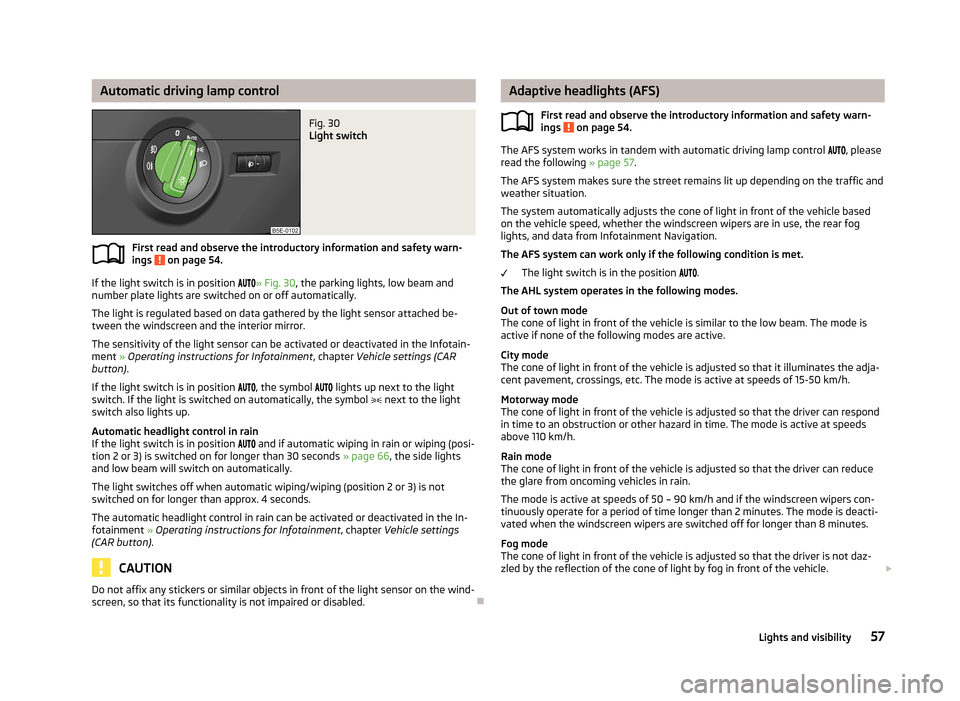
Automatic driving lamp controlFig. 30
Light switch
First read and observe the introductory information and safety warn-
ings on page 54.
If the light switch is in position
» Fig. 30 , the parking lights, low beam and
number plate lights are switched on or off automatically.
The light is regulated based on data gathered by the light sensor attached be- tween the windscreen and the interior mirror.
The sensitivity of the light sensor can be activated or deactivated in the Infotain-
ment » Operating instructions for Infotainment , chapter Vehicle settings (CAR
button) .
If the light switch is in position
, the symbol
lights up next to the light
switch. If the light is switched on automatically, the symbol
next to the light
switch also lights up.
Automatic headlight control in rain
If the light switch is in position
and if automatic wiping in rain or wiping (posi-
tion 2 or 3) is switched on for longer than 30 seconds » page 66, the side lights
and low beam will switch on automatically.
The light switches off when automatic wiping/wiping (position 2 or 3) is not
switched on for longer than approx. 4 seconds.
The automatic headlight control in rain can be activated or deactivated in the In-fotainment » Operating instructions for Infotainment , chapter Vehicle settings
(CAR button) .
CAUTION
Do not affix any stickers or similar objects in front of the light sensor on the wind-
screen, so that its functionality is not impaired or disabled.
Adaptive headlights (AFS)
First read and observe the introductory information and safety warn-ings
on page 54.
The AFS system works in tandem with automatic driving lamp control , please
read the following » page 57.
The AFS system makes sure the street remains lit up depending on the traffic and weather situation.
The system automatically adjusts the cone of light in front of the vehicle based
on the vehicle speed, whether the windscreen wipers are in use, the rear fog
lights, and data from Infotainment Navigation.
The AFS system can work only if the following condition is met. The light switch is in the position
.
The AHL system operates in the following modes.
Out of town mode
The cone of light in front of the vehicle is similar to the low beam. The mode is
active if none of the following modes are active.
City mode
The cone of light in front of the vehicle is adjusted so that it illuminates the adja- cent pavement, crossings, etc. The mode is active at speeds of 15-50 km/h.
Motorway mode
The cone of light in front of the vehicle is adjusted so that the driver can respond in time to an obstruction or other hazard in time. The mode is active at speeds
above 110 km/h.
Rain mode
The cone of light in front of the vehicle is adjusted so that the driver can reduce the glare from oncoming vehicles in rain.
The mode is active at speeds of 50 – 90 km/h and if the windscreen wipers con-tinuously operate for a period of time longer than 2 minutes. The mode is deacti-
vated when the windscreen wipers are switched off for longer than 8 minutes.
Fog mode
The cone of light in front of the vehicle is adjusted so that the driver is not daz-
zled by the reflection of the cone of light by fog in front of the vehicle.
57Lights and visibility
Page 61 of 287
The mode is active at speeds of 15 – 70 km/h and if the rear fog light is switchedon for a period of time longer than 10 seconds. The mode is deactivated when the
rear fig light is switched off for longer than 5 seconds.
Dynamic cornering lights
The cone of light in front of the vehicle is adjusted to the steering angle so that the road in the curve is illuminated. This function is active at speeds greater than
10 km.h and in all AFS modes.
Tourist light (Travel mode)
This mode makes it possible to drive in countries with opposing traffic system (driving on the left/right) without dazzling the oncoming vehicles.
When the “tourist light” mode is active, the above-mentioned modes and the side
swivel of the headlights is deactivated.
The "Tourist light" mode can be configured in the Infotainment » Operating in-
structions for Infotainment , chapter Vehicle settings (CAR button) .WARNINGIf the AFS system is defective, the headlights are automatically lowered to the
emergency position, which prevents a possible dazzling of oncoming traffic. This reduces the cone of light in front of the vehicle. Drive carefully and visit a
specialist garage as soon as possible.
Note
If the Eco driving mode is selected, the AFS system is deactivated » page 161.
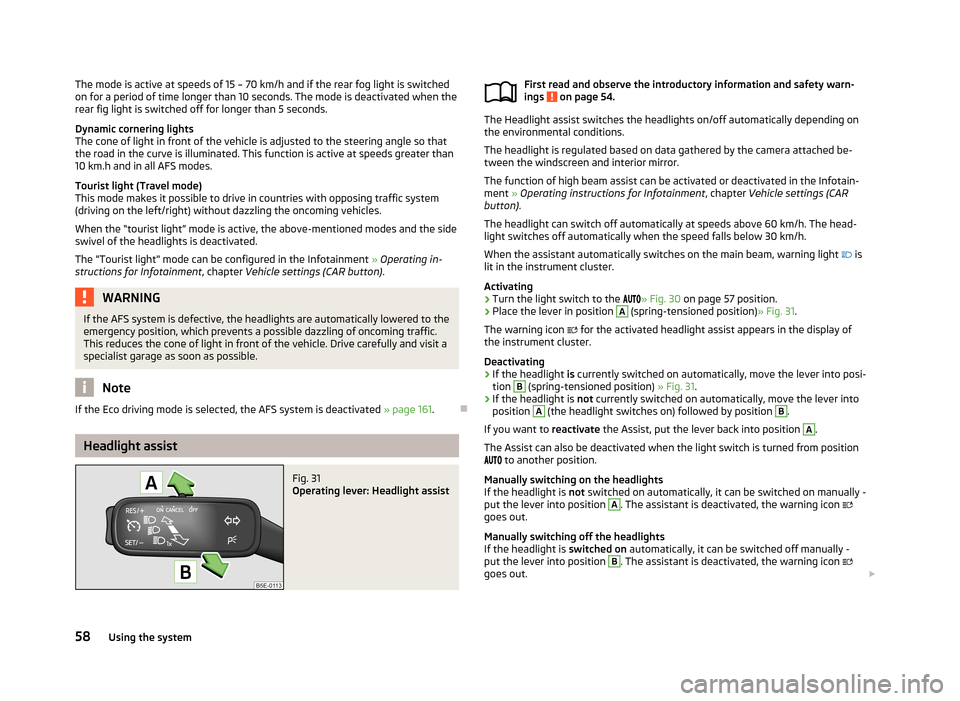
Headlight assist
Fig. 31
Operating lever: Headlight assist
First read and observe the introductory information and safety warn-
ings on page 54.
The Headlight assist switches the headlights on/off automatically depending on
the environmental conditions.
The headlight is regulated based on data gathered by the camera attached be-
tween the windscreen and interior mirror.
The function of high beam assist can be activated or deactivated in the Infotain-ment » Operating instructions for Infotainment , chapter Vehicle settings (CAR
button) .
The headlight can switch off automatically at speeds above 60 km/h. The head-
light switches off automatically when the speed falls below 30 km/h.
When the assistant automatically switches on the main beam, warning light
is
lit in the instrument cluster.
Activating
›
Turn the light switch to the
» Fig. 30 on page 57 position.
›
Place the lever in position
A
(spring-tensioned position) » Fig. 31.
The warning icon
for the activated headlight assist appears in the display of
the instrument cluster.
Deactivating
›
If the headlight is currently switched on automatically, move the lever into posi-
tion
B
(spring-tensioned position) » Fig. 31.
›
If the headlight is not currently switched on automatically, move the lever into
position
A
(the headlight switches on) followed by position
B
.
If you want to reactivate the Assist, put the lever back into position
A
.
The Assist can also be deactivated when the light switch is turned from position
to another position.
Manually switching on the headlights
If the headlight is not switched on automatically, it can be switched on manually -
put the lever into position
A
. The assistant is deactivated, the warning icon
goes out.
Manually switching off the headlights
If the headlight is switched on automatically, it can be switched off manually -
put the lever into position
B
. The assistant is deactivated, the warning icon
goes out.
58Using the system
Page 63 of 287
The vehicle is stopped or moves at a speed of no more than 40 km/h.
The low beam is switched on or the light switch is in the position and the
low beam is switched on.
The daytime running lights are not switched on. The fog lights are not switched on.
The CORNER light is mainly intended to be used for illuminating the nearby envi-
ronment at a broad angle in front of and beside the vehicle. It lights up and goes out gradually.
Note
The two fog lights are switched on when you shift into the reverse gear.
Rear fog light
First read and observe the introductory information and safety warn-
ings
on page 54.
Switching on/off
›
Turn the light switch into position
or
» Fig. 32 on page 59.
›
Pull the light switch to position
2
.
The rear fog light is switched off in the reverse order.
If the vehicle is not fitted with fog lights, the rear fog light is switched on by pull-
ing out the light switch directly to the position
2
. This switch can only be put in-
to one position.
The warning light
lights up in the instrument cluster when the rear fog light is
switched on » page 15.
Only the rear fog light on the trailer lights up if the vehicle has a factory-fitted towing device or a towing device from ŠKODA original accessories and it is driven
with a trailer.
COMING HOME / LEAVING HOME
First read and observe the introductory information and safety warn-ings
on page 54.
COMING HOME/LEAVING HOME (hereafter referred to only as function) makes it possible to automatically switch on the lights for a short time after leaving the
vehicle or when approaching the vehicle in poor visibility.
The function is switched on automatically if the following conditions are met: The light switch is in position » Fig. 30 on page 57.
The visibility in the vehicle environment is reduced.
The ignition is switched off.
The function and duration of the lighting can be activated or deactivated in the Infotainment » Operating instructions for Infotainment , chapter Vehicle settings
(button CAR) .
The light is regulated based on data gathered by the light sensor attached be-
tween the windscreen and the interior mirror » page 57.
The function switches on the parking and low beam lights, the entry lighting in
the exterior mirrors and the licence plate light.
COMING HOME
The light turns on automatically when you open the driver's door.
The light turns off after the preset time when you close all the doors and the boot
lid.
If a door or the boot lid remains open, the light goes out after 60 seconds.
LEAVING HOME
The light turns on automatically after the vehicle is unlocked with the remote
control.
The light turns off after a preset time or after the vehicle is locked.
CAUTION
Do not affix any stickers or similar objects in front of the light sensor on the wind-
screen, so that its functionality is not impaired or disabled. 60Using the system
Page 64 of 287
NoteIf this function is activated constantly, the battery will be heavily discharged par-
ticularly in short-haul traffic.
Hazard warning light system
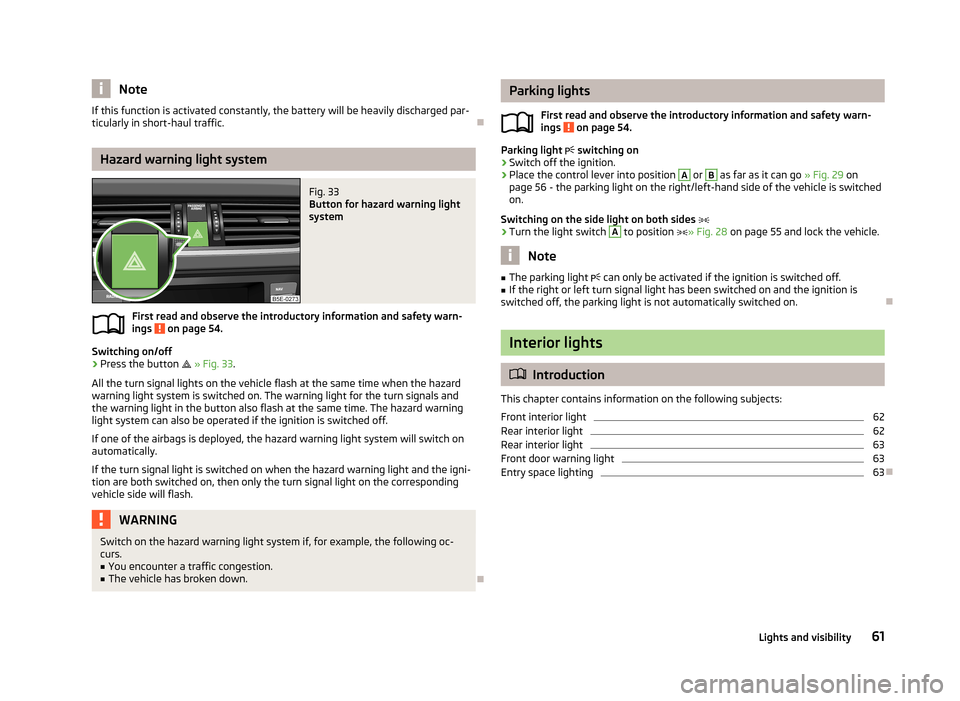
Fig. 33
Button for hazard warning light
system
First read and observe the introductory information and safety warn-
ings on page 54.
Switching on/off
›
Press the button
» Fig. 33 .
All the turn signal lights on the vehicle flash at the same time when the hazard
warning light system is switched on. The warning light for the turn signals and
the warning light in the button also flash at the same time. The hazard warning
light system can also be operated if the ignition is switched off.
If one of the airbags is deployed, the hazard warning light system will switch on
automatically.
If the turn signal light is switched on when the hazard warning light and the igni- tion are both switched on, then only the turn signal light on the corresponding
vehicle side will flash.
WARNINGSwitch on the hazard warning light system if, for example, the following oc-
curs.■
You encounter a traffic congestion.
■
The vehicle has broken down.
Parking lights
First read and observe the introductory information and safety warn-ings
on page 54.
Parking light switching on
›
Switch off the ignition.
›
Place the control lever into position
A
or
B
as far as it can go » Fig. 29 on
page 56 - the parking light on the right/left-hand side of the vehicle is switched
on.
Switching on the side light on both sides
›
Turn the light switch
A
to position » Fig. 28 on page 55 and lock the vehicle.
Note
■
The parking light can only be activated if the ignition is switched off.■If the right or left turn signal light has been switched on and the ignition is
switched off, the parking light is not automatically switched on.
Interior lights
Introduction
This chapter contains information on the following subjects:
Front interior light
62
Rear interior light
62
Rear interior light
63
Front door warning light
63
Entry space lighting
63
61Lights and visibility
Page 65 of 287

Front interior lightFig. 34
Switch for front interior light - 2 versions
Fig. 35
Switch for reading lights - 2 versions
First read and observe the introductory information given on page 61.
Rocker switch positions » Fig. 34 .
switching on
switching off
Operation using the door contact switch (middle position)
For vehicles with interior monitoring there is no icon for the center position (oper-
ation with the door contact switch) » Fig. 34 -
.
Reading lights Switch the reading light on/off » Fig. 35
If light operation with the door contact switch is enabled, the light will come on
when one of the following events occurs:
› The vehicle is unlocked.
› One of the doors or the luggage compartment lid is being opened.
› The ignition key is removed.
If light operation with the door contact switch is enabled, the light will go off
when one of the following events occurs:
› The vehicle is locked.
› The ignition is switched on.
› About 30 seconds after all the doors have been closed.
Note
■
If the interior light remains switched on when the ignition is switched off or if
one of the doors is open, the light will automatically go out after around 10 mi- nutes.■
Two diffuse lights are integrated in the front interior lighting, that illuminate
the gearshift lever and the middle of the dash panel. These are switched on auto-
matically when the parking light is activated. Also, after switching on the ignition when the parking lights are switched on, the door handle lighting comes on.
Rear interior light
Applies to vehicles without a panoramic sliding roof.
Fig. 36
Interior light without reading lights/interior light with reading lights
First read and observe the introductory information given on page 61.
The rear interior light is operated together with the front interior light » page 62.
62Using the system
Page 66 of 287
Switching lamp without reading lights on/off›Press the button » Fig. 36 - .
Switching the reading light on/off›
Press the button or
» Fig. 36 - .
Rear interior light
Applies to vehicles with a panoramic sliding roof.
Fig. 37
Interior lights at the rear
First read and observe the introductory information given on page 61.
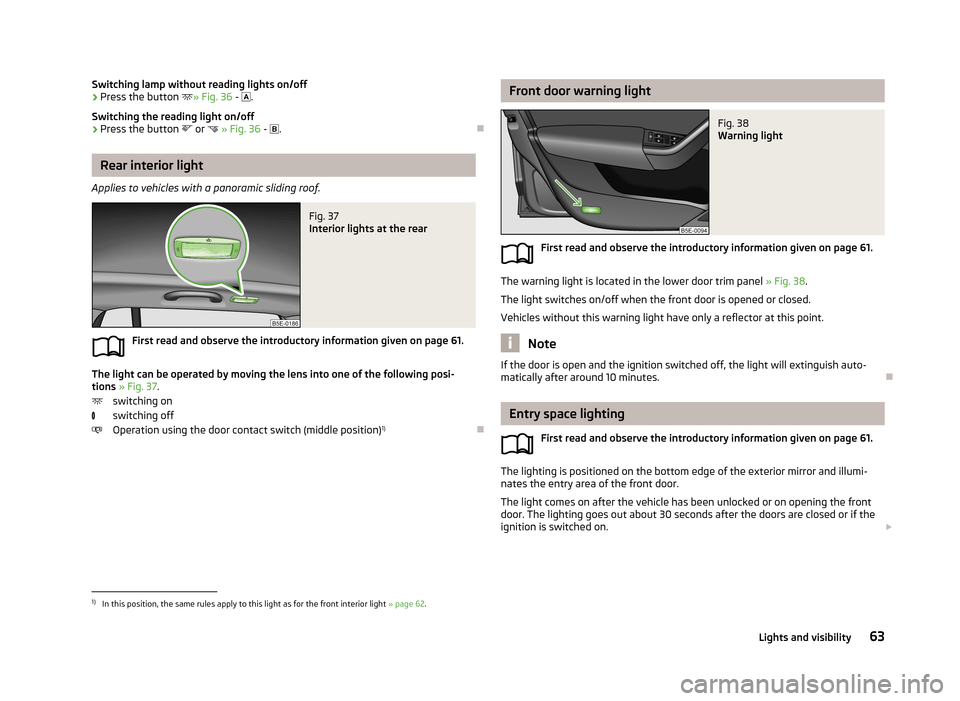
The light can be operated by moving the lens into one of the following posi-
tions » Fig. 37 .
switching on
switching off
Operation using the door contact switch (middle position) 1)
Front door warning lightFig. 38
Warning light
First read and observe the introductory information given on page 61.
The warning light is located in the lower door trim panel
» Fig. 38.
The light switches on/off when the front door is opened or closed.
Vehicles without this warning light have only a reflector at this point.
Note
If the door is open and the ignition switched off, the light will extinguish auto-
matically after around 10 minutes.
Entry space lighting
First read and observe the introductory information given on page 61.
The lighting is positioned on the bottom edge of the exterior mirror and illumi-
nates the entry area of the front door.
The light comes on after the vehicle has been unlocked or on opening the front
door. The lighting goes out about 30 seconds after the doors are closed or if the
ignition is switched on.
1)
In this position, the same rules apply to this light as for the front interior light
» page 62.
63Lights and visibility
Page 72 of 287
Interior mirrorFig. 43
Manual dimming mirror
Fig. 44
Automatic dimming mirror
First read and observe the introductory information and safety warn-
ings
on page 68.
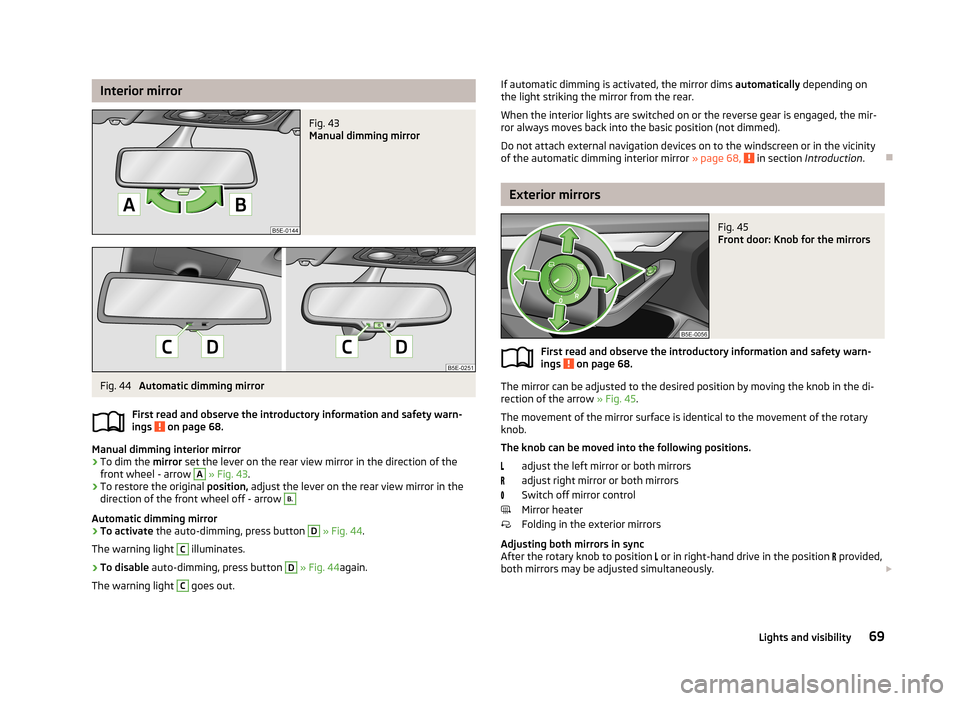
Manual dimming interior mirror
›
To dim the mirror set the lever on the rear view mirror in the direction of the
front wheel - arrow
A
» Fig. 43 .
›
To restore the original position, adjust the lever on the rear view mirror in the
direction of the front wheel off - arrow
B.
Automatic dimming mirror
›
To activate the auto-dimming, press button
D
» Fig. 44 .
The warning light
C
illuminates.
›
To disable auto-dimming, press button
D
» Fig. 44 again.
The warning light
C
goes out.
If automatic dimming is activated, the mirror dims automatically depending on
the light striking the mirror from the rear.
When the interior lights are switched on or the reverse gear is engaged, the mir- ror always moves back into the basic position (not dimmed).
Do not attach external navigation devices on to the windscreen or in the vicinity
of the automatic dimming interior mirror » page 68,
in section Introduction .
Exterior mirrors
Fig. 45
Front door: Knob for the mirrors
First read and observe the introductory information and safety warn-
ings on page 68.
The mirror can be adjusted to the desired position by moving the knob in the di-
rection of the arrow » Fig. 45.
The movement of the mirror surface is identical to the movement of the rotary knob.
The knob can be moved into the following positions.
adjust the left mirror or both mirrors
adjust right mirror or both mirrors
Switch off mirror control
Mirror heater
Folding in the exterior mirrors
Adjusting both mirrors in sync
After the rotary knob to position or in right-hand drive in the position
provided,
both mirrors may be adjusted simultaneously.
69Lights and visibility
Page 113 of 287
Air conditioning system (manual air conditioningsystem)
Introduction
This chapter contains information on the following subjects: Control elements
110
adjusting
111
Recirculated air mode
111
The cooling system only operates if the following conditions are met. The cooling system is switched on » page 110, Control elements .
The engine is running.
The outside temperature above approx. +2 °C.
The blower switch is switched on (positions 1-6).
If the desired interior temperature can also be achieved without activating the cooling system, fresh air mode should be selected.
The cooling system is switched off at a high coolant temperature in order to pro-
vide cooling at a high load of the engine.
CAUTION
■ Under certain circumstances, air at a temperature of about 5 °C can flow out of
the vents when the cooling system is switched on.■
Lengthy and uneven distribution of the air flow out of the vents (especially
around the feet) and large differences in temperature, for example, when getting
out of the vehicle, can cause susceptible individuals to catch a cold.
Note
We recommend that you have the air conditioning system cleaned by a specialist
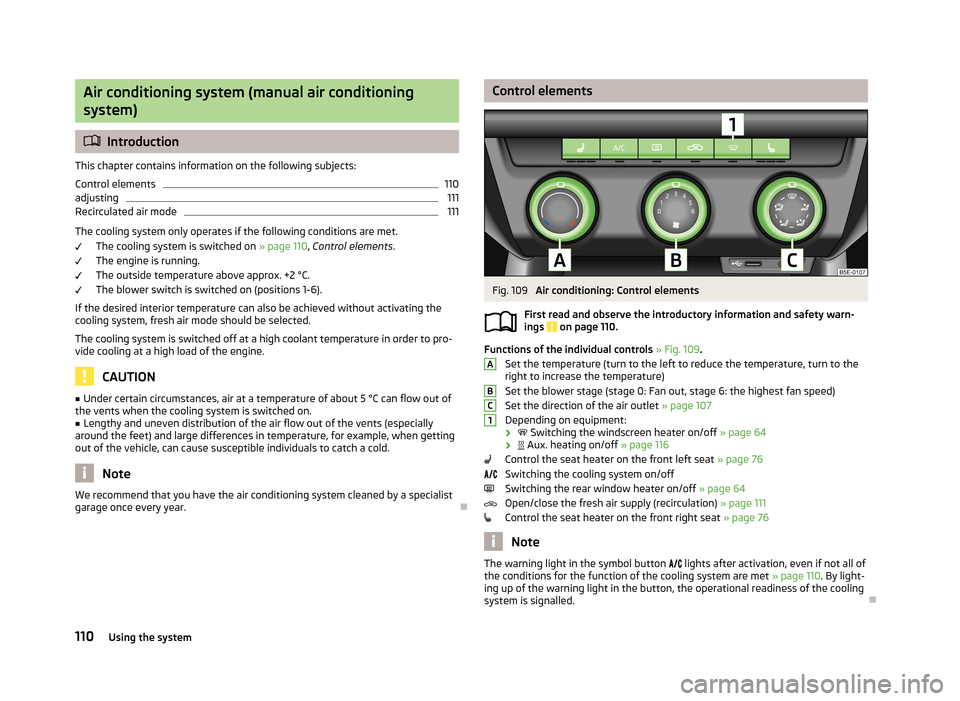
garage once every year.Control elementsFig. 109
Air conditioning: Control elements
First read and observe the introductory information and safety warn- ings
on page 110.
Functions of the individual controls » Fig. 109 .
Set the temperature (turn to the left to reduce the temperature, turn to the
right to increase the temperature)
Set the blower stage (stage 0: Fan out, stage 6: the highest fan speed)
Set the direction of the air outlet » page 107
Depending on equipment:
›
Switching the windscreen heater on/off » page 64
›
Aux. heating on/off » page 116
Control the seat heater on the front left seat » page 76
Switching the cooling system on/off
Switching the rear window heater on/off » page 64
Open/close the fresh air supply (recirculation) » page 111
Control the seat heater on the front right seat » page 76
Note
The warning light in the symbol button
lights after activation, even if not all of
the conditions for the function of the cooling system are met » page 110. By light-
ing up of the warning light in the button, the operational readiness of the cooling system is signalled.
ABC1110Using the system