lock SKODA OCTAVIA 2014 3.G / (5E) User Guide
[x] Cancel search | Manufacturer: SKODA, Model Year: 2014, Model line: OCTAVIA, Model: SKODA OCTAVIA 2014 3.G / (5E)Pages: 280, PDF Size: 35.53 MB
Page 32 of 280
Using the system
Cockpit
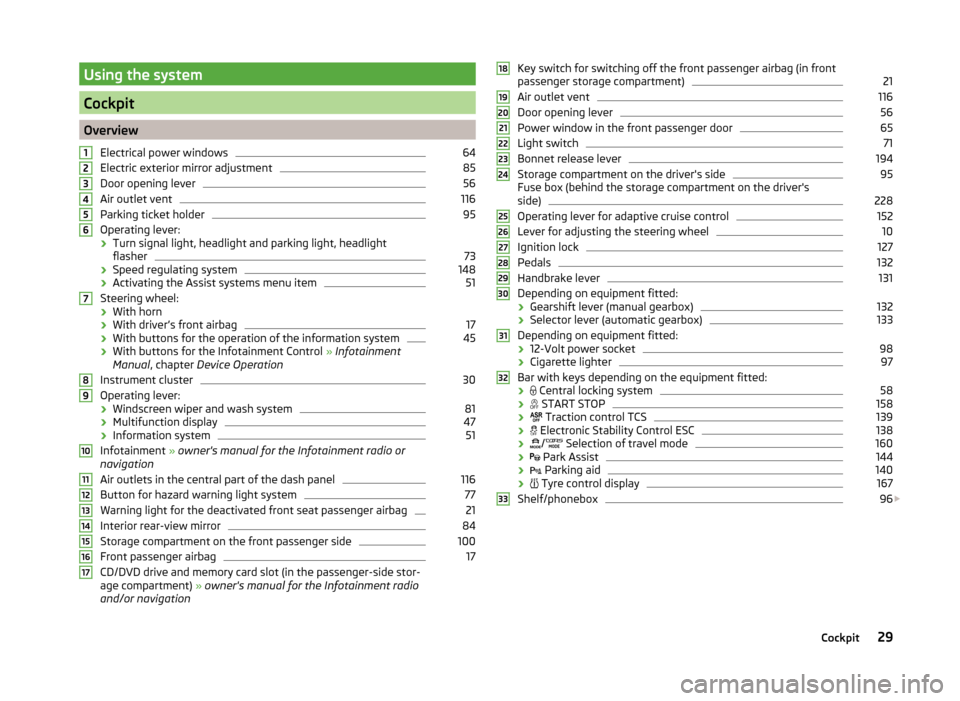
OverviewElectrical power windows
64
Electric exterior mirror adjustment
85
Door opening lever
56
Air outlet vent
116
Parking ticket holder
95
Operating lever:
› Turn signal light, headlight and parking light, headlight
flasher
73
› Speed regulating system
148
›Activating the Assist systems menu item
51
Steering wheel:
› With horn
› With driver’s front airbag
17
›With buttons for the operation of the information system
45
›With buttons for the Infotainment Control
» Infotainment
Manual , chapter Device Operation
Instrument cluster
30
Operating lever: › Windscreen wiper and wash system
81
›Multifunction display
47
›Information system
51
Infotainment
» owner's manual for the Infotainment radio or
navigation
Air outlets in the central part of the dash panel
116
Button for hazard warning light system
77
Warning light for the deactivated front seat passenger airbag
21
Interior rear-view mirror
84
Storage compartment on the front passenger side
100
Front passenger airbag
17
CD/DVD drive and memory card slot (in the passenger-side stor-
age compartment) » owner's manual for the Infotainment radio
and/or navigation
1234567891011121314151617Key switch for switching off the front passenger airbag (in front
passenger storage compartment)21
Air outlet vent
116
Door opening lever
56
Power window in the front passenger door
65
Light switch
71
Bonnet release lever
194
Storage compartment on the driver's side
95
Fuse box (behind the storage compartment on the driver's
side)
228
Operating lever for adaptive cruise control
152
Lever for adjusting the steering wheel
10
Ignition lock
127
Pedals
132
Handbrake lever
131
Depending on equipment fitted:
› Gearshift lever (manual gearbox)
132
›Selector lever (automatic gearbox)
133
Depending on equipment fitted:
› 12-Volt power socket
98
›Cigarette lighter
97
Bar with keys depending on the equipment fitted:
›
Central locking system
58
›
START STOP
158
›
Traction control TCS
139
›
Electronic Stability Control ESC
138
›
/
Selection of travel mode
160
›
Park Assist
144
›
Parking aid
140
›
Tyre control display
167
Shelf/phonebox
96
1819202122232425262728293031323329Cockpit
Page 37 of 280
Viewing the charge level vehicle batteryRead and observe
on page 30 first.
›
Switch off the ignition.
›
Press and hold the button
6
» Fig. 22 on page 31 until the Battery status or
BATTERY SOC is shown in the display.
›
Release button
6
- the current charge level 1)
of the vehicle battery is dis-
played in %.
›
Wait about 4 seconds or press the
6
key, the system returns to the home
setting.
Warning lights
Introduction
This chapter contains information on the following subjects:
Automatic Transmission
35
Handbrake
35
Brake system
35
Seat belt warning light
36
Adaptive Cruise Control (ACC)
36
Central warning light
36
Power steering/steering lock (KESSY system)
36
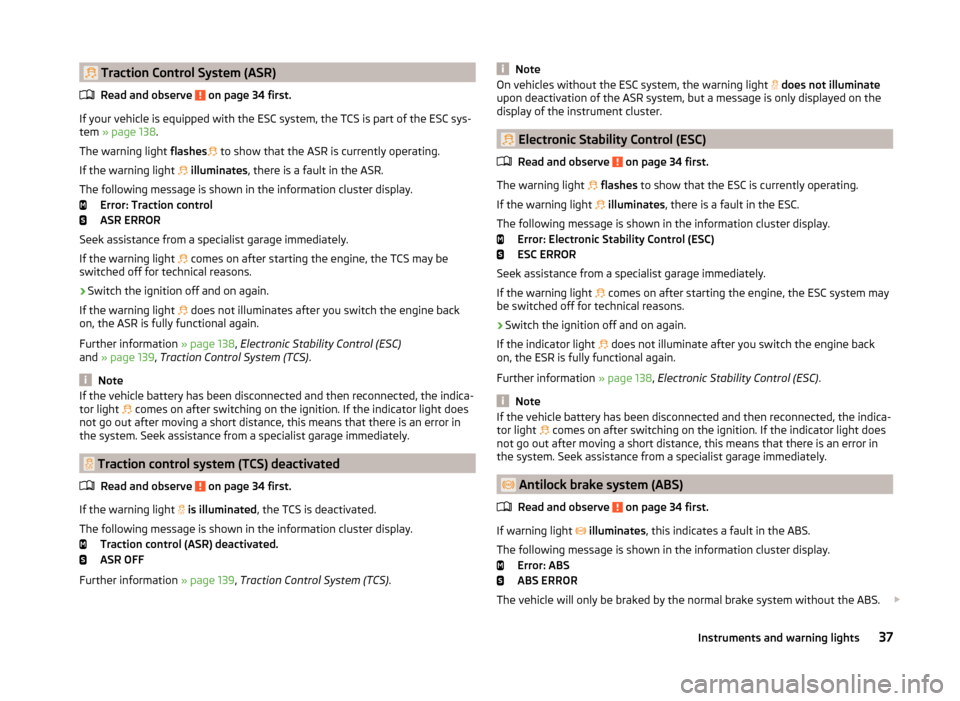
Traction Control System (ASR)
37
Traction control system (TCS) deactivated
37
Electronic Stability Control (ESC)
37
Antilock brake system (ABS)
37
Rear fog light
38
Exhaust inspection system
38
Glow plug system (diesel engine)
38
Engine performance check (petrol engine)
38
Security systems
38
Tyre pressure
39
Brake linings
39
Lane following system (Lane Assist)
39
Turn signal system
39
Trailer turn signal lights40 Fog lights40
Cruise control system
40
Brake pedal (automatic transmission)
40
Natural gas operation
40
Main beam
40
The warning lights indicate certain functions or faults.
Some warning lights can be accompanied by acoustic signals and messages in
the display of the instrument cluster.
After switching on the ignition, some warning lights light up briefly as a func-
tion test.
If the tested systems are OK, the corresponding warning lights go out a few
seconds after switching on the ignition or after starting the engine.
The condition of some features and systems is shown by the warning icons on
the display » page 40.
The warning lights are at the following locations in the instrument clus-
ter » Fig. 22 on page 31 .
› Revolutions counter
1
›Speedometer
3
›Bar with warning lights
5WARNING■
Ignoring illuminated warning lights and related messages or instructions
in the display of the instrument cluster may lead to serious personal injury
or damage to the vehicle.■
If you have to stop for technical reasons, then park the vehicle at a safe
distance from the traffic, switch off the engine and activate the hazard
warning light system » page 77. The warning triangle must be set up at
the prescribed distance - observe the national legal provisions when doing
so.
■
The engine compartment of your car is a hazardous area. While working in
the engine compartment, be sure to observe the following warn-
ings » page 192 , Engine compartment .
1)
Applies to vehicles with START-STOP system.
34Using the system
Page 38 of 280
Automatic TransmissionRead and observe on page 34 first.
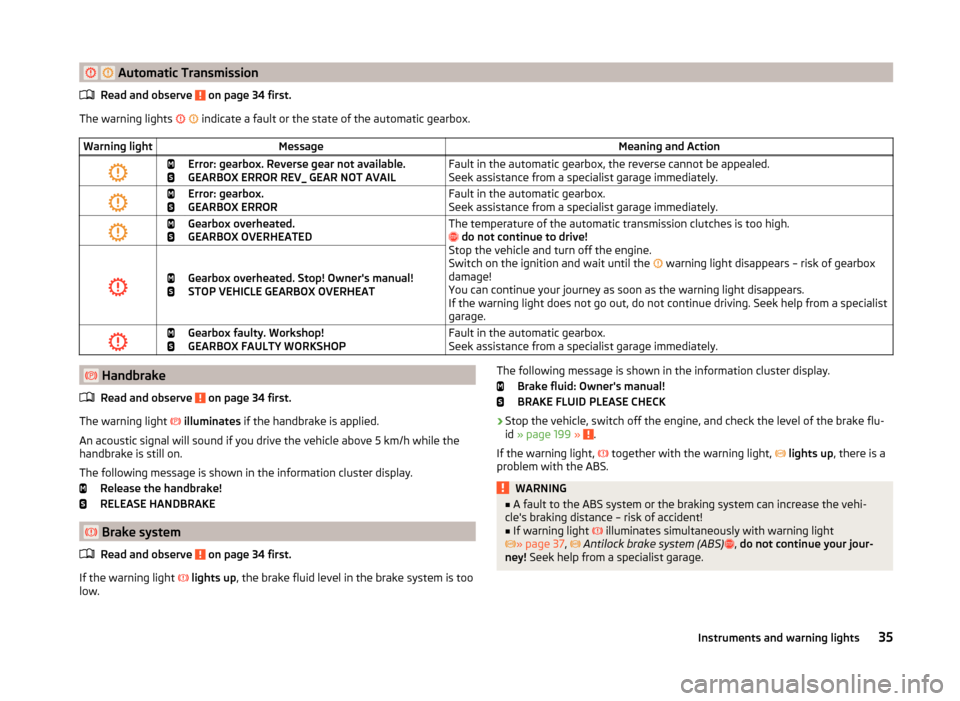
The warning lights
indicate a fault or the state of the automatic gearbox.
Warning lightMessageMeaning and Action
Error: gearbox. Reverse gear not available.
GEARBOX ERROR REV_ GEAR NOT AVAILFault in the automatic gearbox, the reverse cannot be appealed.
Seek assistance from a specialist garage immediately.
Error: gearbox.
GEARBOX ERRORFault in the automatic gearbox.
Seek assistance from a specialist garage immediately.
Gearbox overheated.
GEARBOX OVERHEATEDThe temperature of the automatic transmission clutches is too high.
do not continue to drive!
Stop the vehicle and turn off the engine.
Switch on the ignition and wait until the
warning light disappears – risk of gearbox
damage!
You can continue your journey as soon as the warning light disappears.
If the warning light does not go out, do not continue driving. Seek help from a specialist
garage.
Gearbox overheated. Stop! Owner's manual!
STOP VEHICLE GEARBOX OVERHEAT
Gearbox faulty. Workshop!
GEARBOX FAULTY WORKSHOPFault in the automatic gearbox.
Seek assistance from a specialist garage immediately. Handbrake
Read and observe
on page 34 first.
The warning light
illuminates if the handbrake is applied.
An acoustic signal will sound if you drive the vehicle above 5 km/h while the
handbrake is still on.
The following message is shown in the information cluster display. Release the handbrake!
RELEASE HANDBRAKE
Brake system
Read and observe
on page 34 first.
If the warning light
lights up , the brake fluid level in the brake system is too
low.
The following message is shown in the information cluster display.
Brake fluid: Owner's manual!
BRAKE FLUID PLEASE CHECK›
Stop the vehicle, switch off the engine, and check the level of the brake flu-
id » page 199 » .
If the warning light,
together with the warning light,
lights up , there is a
problem with the ABS.
WARNING■ A fault to the ABS system or the braking system can increase the vehi-
cle's braking distance – risk of accident!■
If warning light
illuminates simultaneously with warning light
» page 37 ,
Antilock brake system (ABS)
, do not continue your jour-
ney! Seek help from a specialist garage.
35Instruments and warning lights
Page 39 of 280
Seat belt warning lightRead and observe
on page 34 first.
The warning light
illuminates as a reminder for the driver and front passen-
ger to fasten seat belts.
The indicator light
goes off after the respective seat belt is fastened.
If the driver or front passenger has not fastened their seat belt and the vehicle
speed is more than 30 km/h, the warning light
flashes and you will hear an
acoustic signal.
If the seat belt is not fastened by the driver or front passenger during the next
approx. 2 seconds, the warning signal is deactivated and the warning light
lights up permanently .
Adaptive Cruise Control (ACC)
Read and observe
on page 34 first.
If the warning light
lights up , the delay of the ACC is not sufficient.
The following message is shown in the information cluster display. Apply the brake!
Further information » page 149, Adaptive Cruise Control (ACC) .
Central warning light
Read and observe
on page 34 first.
When the warning light or
lights up , the additional information in the dis-
play of the instrument cluster » page 40, Warning icons in the display
or » page 47 , Auto-check control must be observed.
Power steering/steering lock (KESSY system)
Read and observe
on page 34 first.
Power steering
If the indicator light
illuminates , this indicates a complete failure of the
power steering and the steering assist has failed (significantly higher steering
forces). Seek assistance from a specialist garage immediately.
If the indicator light illuminates , this indicates a partial failure of the power
steering and the steering forces can be greater. Seek assistance from a spe-
cialist garage immediately.
Steering lock (KESSY system)
As long as the warning light
is flashing , the steering lock cannot be re-
leased.
The following message is shown in the information cluster display. Move the steering wheel!
MOVE STEERING WHEEL
› Move the steering wheel slightly back and forth, thereby facilitating unlock-
ing the steering lock.
If the steering does also not unlock then, the help of a specialist garage is re-
quired.
If the warning light
flashes and a beep sounds, the electric steering lock is
faulty.
The following message is shown in the information cluster display. Steering lock: Workshop!
STEERING WORKSHOP
Seek assistance from a specialist garage immediately.
If the warning light
flashes and a beep sounds, the electric steering lock is
faulty.
The following message is shown in the information cluster display. Steering lock faulty. Stop!
STOP VEHICLE STEERING FAULTY
Park the vehicle,
stop driving . After switching off the ignition, it is then no
longer possible to lock the steering, to activate the electrical components (e.g.
radio, navigation system), to switch on the ignition again and to start the en-
gine. Seek help from a specialist garage.
Note
If the vehicle's battery has been disconnected and reconnected, the warning
light comes on after switching on the ignition. The warning light should go
out after driving a short distance. If warning light
does not go out once the
engine has been restarted and the vehicle has been driven for a short period
of time, this indicates a system error. Seek assistance from a specialist garage
immediately.36Using the system
Page 40 of 280
Traction Control System (ASR)Read and observe
on page 34 first.
If your vehicle is equipped with the ESC system, the TCS is part of the ESC sys-
tem » page 138 .
The warning light flashes
to show that the ASR is currently operating.
If the warning light
illuminates , there is a fault in the ASR.
The following message is shown in the information cluster display. Error: Traction control
ASR ERROR
Seek assistance from a specialist garage immediately.
If the warning light comes on after starting the engine, the TCS may be
switched off for technical reasons.
›
Switch the ignition off and on again.
If the warning light does not illuminates after you switch the engine back
on, the ASR is fully functional again.
Further information » page 138, Electronic Stability Control (ESC)
and » page 139 , Traction Control System (TCS) .
Note
If the vehicle battery has been disconnected and then reconnected, the indica-
tor light comes on after switching on the ignition. If the indicator light does
not go out after moving a short distance, this means that there is an error in
the system. Seek assistance from a specialist garage immediately.
Traction control system (TCS) deactivated
Read and observe
on page 34 first.
If the warning light
is illuminated , the TCS is deactivated.
The following message is shown in the information cluster display. Traction control (ASR) deactivated.
ASR OFF
Further information » page 139, Traction Control System (TCS) .
NoteOn vehicles without the ESC system, the warning light does not illuminate
upon deactivation of the ASR system, but a message is only displayed on the
display of the instrument cluster.
Electronic Stability Control (ESC)
Read and observe
on page 34 first.
The warning light
flashes to show that the ESC is currently operating.
If the warning light
illuminates , there is a fault in the ESC.
The following message is shown in the information cluster display. Error: Electronic Stability Control (ESC)
ESC ERROR
Seek assistance from a specialist garage immediately.
If the warning light comes on after starting the engine, the ESC system may
be switched off for technical reasons.
›
Switch the ignition off and on again.
If the indicator light does not illuminate after you switch the engine back
on, the ESR is fully functional again.
Further information » page 138, Electronic Stability Control (ESC) .
Note
If the vehicle battery has been disconnected and then reconnected, the indica-
tor light comes on after switching on the ignition. If the indicator light does
not go out after moving a short distance, this means that there is an error in
the system. Seek assistance from a specialist garage immediately.
Antilock brake system (ABS)
Read and observe
on page 34 first.
If warning light
illuminates , this indicates a fault in the ABS.
The following message is shown in the information cluster display. Error: ABS
ABS ERROR
The vehicle will only be braked by the normal brake system without the ABS.
37Instruments and warning lights
Page 57 of 280
Unlocking and opening
Unlocking and locking
Introduction
This chapter contains information on the following subjects:
Locking/unlocking using the key via the lock cylinder
55
Unlocking/locking with the remote control key
55
Opening/closing a door
56
Unlocking / locking - KESSY
56
Safe securing system
57
Individual settings
57
Locking and unlocking the vehicle with the central locking button
58
Child safety lock
58
Malfunctions
58
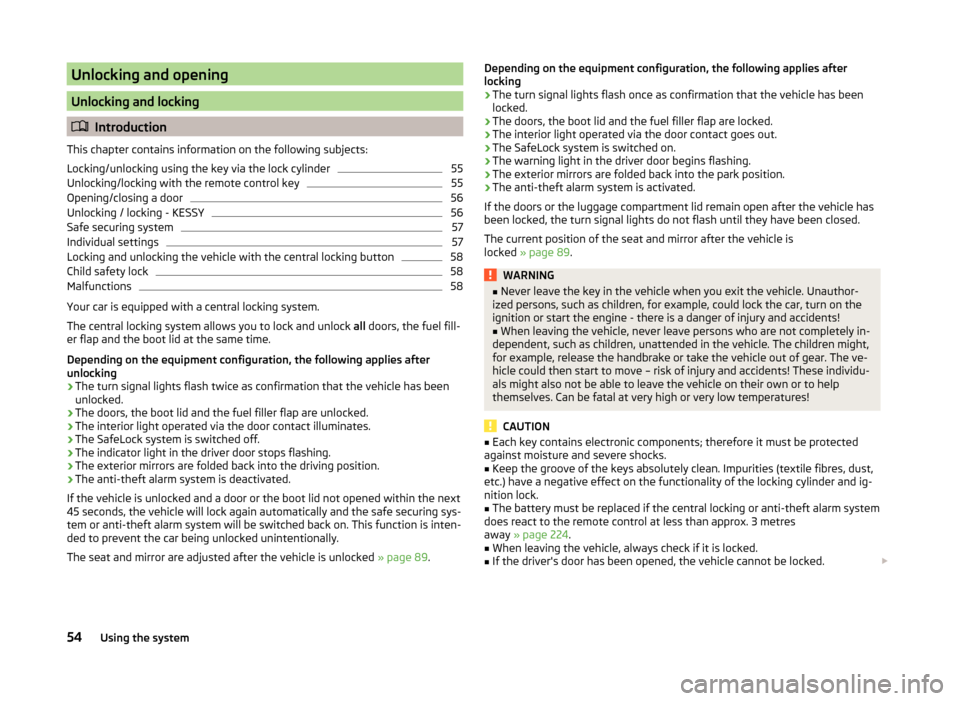
Your car is equipped with a central locking system.
The central locking system allows you to lock and unlock all doors, the fuel fill-
er flap and the boot lid at the same time.
Depending on the equipment configuration, the following applies after
unlocking
› The turn signal lights flash twice as confirmation that the vehicle has been
unlocked.
› The doors, the boot lid and the fuel filler flap are unlocked.
› The interior light operated via the door contact illuminates.
› The SafeLock system is switched off.
› The indicator light in the driver door stops flashing.
› The exterior mirrors are folded back into the driving position.
› The anti-theft alarm system is deactivated.
If the vehicle is unlocked and a door or the boot lid not opened within the next
45 seconds, the vehicle will lock again automatically and the safe securing sys-
tem or anti-theft alarm system will be switched back on. This function is inten-
ded to prevent the car being unlocked unintentionally.
The seat and mirror are adjusted after the vehicle is unlocked » page 89.
Depending on the equipment configuration, the following applies after
locking
› The turn signal lights flash once as confirmation that the vehicle has been
locked.
› The doors, the boot lid and the fuel filler flap are locked.
› The interior light operated via the door contact goes out.
› The SafeLock system is switched on.
› The warning light in the driver door begins flashing.
› The exterior mirrors are folded back into the park position.
› The anti-theft alarm system is activated.
If the doors or the luggage compartment lid remain open after the vehicle has
been locked, the turn signal lights do not flash until they have been closed.
The current position of the seat and mirror after the vehicle is
locked » page 89 .WARNING■
Never leave the key in the vehicle when you exit the vehicle. Unauthor-
ized persons, such as children, for example, could lock the car, turn on the
ignition or start the engine - there is a danger of injury and accidents!■
When leaving the vehicle, never leave persons who are not completely in-
dependent, such as children, unattended in the vehicle. The children might,
for example, release the handbrake or take the vehicle out of gear. The ve-
hicle could then start to move – risk of injury and accidents! These individu-
als might also not be able to leave the vehicle on their own or to help
themselves. Can be fatal at very high or very low temperatures!
CAUTION
■ Each key contains electronic components; therefore it must be protected
against moisture and severe shocks.■
Keep the groove of the keys absolutely clean. Impurities (textile fibres, dust,
etc.) have a negative effect on the functionality of the locking cylinder and ig-
nition lock.
■
The battery must be replaced if the central locking or anti-theft alarm system
does react to the remote control at less than approx. 3 metres
away » page 224 .
■
When leaving the vehicle, always check if it is locked.
■
If the driver's door has been opened, the vehicle cannot be locked.
54Using the system
Page 58 of 280
NoteIn the event of an accident in which the airbags are deployed, the locked doors
are automatically unlocked in order to enable rescuers to gain access to the
vehicle.
Locking/unlocking using the key via the lock cylinder
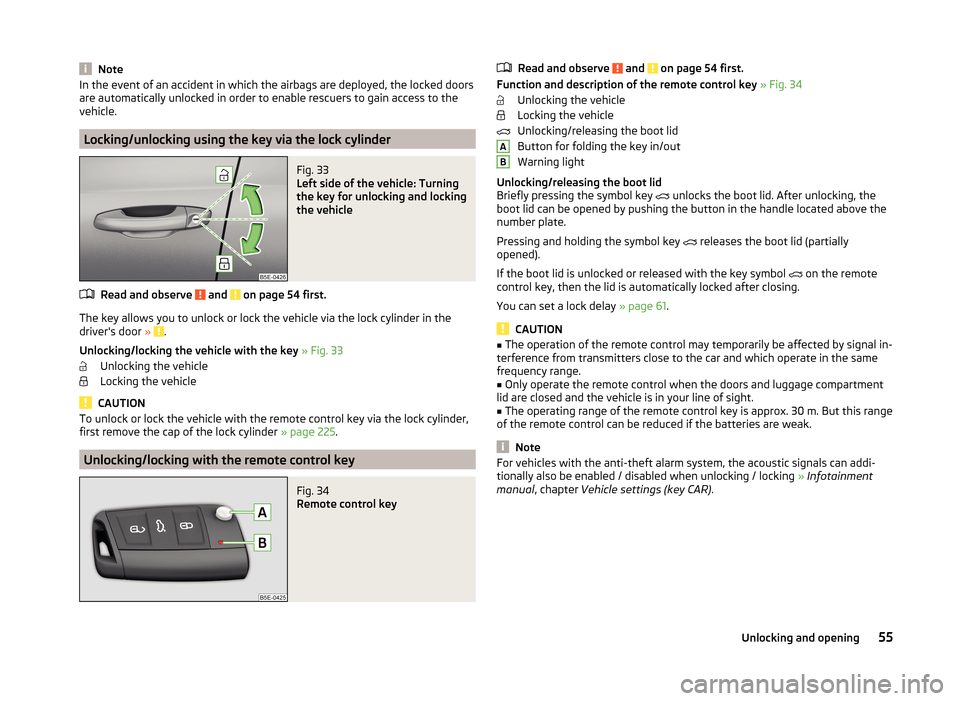
Fig. 33
Left side of the vehicle: Turning
the key for unlocking and locking
the vehicle
Read and observe and on page 54 first.
The key allows you to unlock or lock the vehicle via the lock cylinder in the
driver's door » .
Unlocking/locking the vehicle with the key » Fig. 33
Unlocking the vehicle
Locking the vehicle
CAUTION
To unlock or lock the vehicle with the remote control key via the lock cylinder,
first remove the cap of the lock cylinder » page 225.
Unlocking/locking with the remote control key
Fig. 34
Remote control key
Read and observe and on page 54 first.
Function and description of the remote control key » Fig. 34
Unlocking the vehicle
Locking the vehicle
Unlocking/releasing the boot lid
Button for folding the key in/out
Warning light
Unlocking/releasing the boot lid
Briefly pressing the symbol key
unlocks the boot lid. After unlocking, the
boot lid can be opened by pushing the button in the handle located above the
number plate.
Pressing and holding the symbol key releases the boot lid (partially
opened).
If the boot lid is unlocked or released with the key symbol on the remote
control key, then the lid is automatically locked after closing.
You can set a lock delay » page 61.
CAUTION
■
The operation of the remote control may temporarily be affected by signal in-
terference from transmitters close to the car and which operate in the same
frequency range.■
Only operate the remote control when the doors and luggage compartment
lid are closed and the vehicle is in your line of sight.
■
The operating range of the remote control key is approx. 30 m. But this range
of the remote control can be reduced if the batteries are weak.
Note
For vehicles with the anti-theft alarm system, the acoustic signals can addi-
tionally also be enabled / disabled when unlocking / locking » Infotainment
manual , chapter Vehicle settings (key CAR) .AB55Unlocking and opening
Page 59 of 280
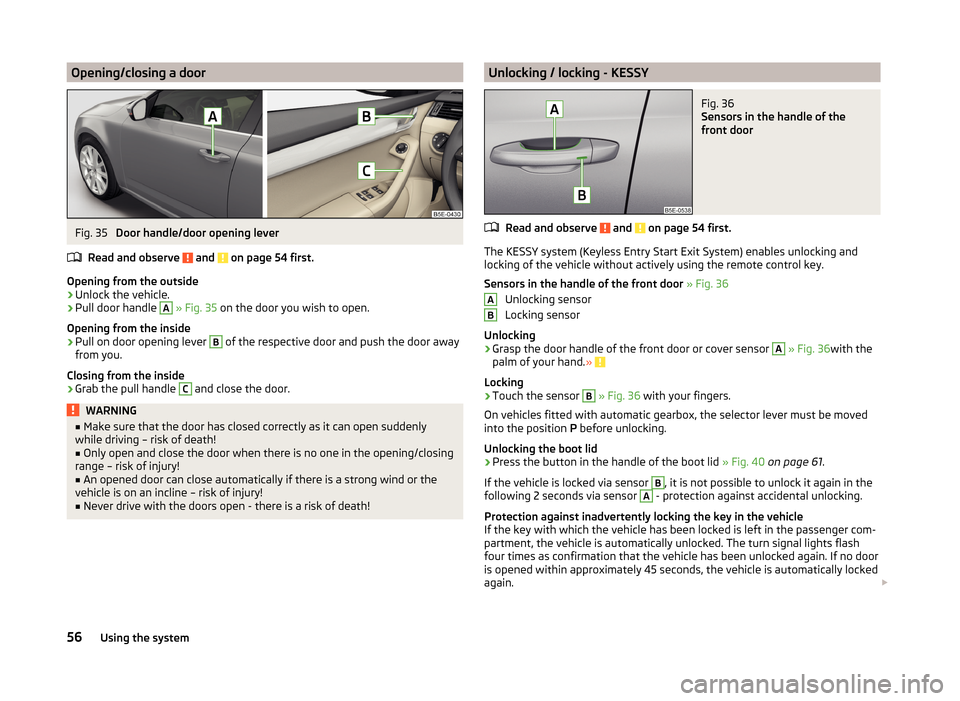
Opening/closing a doorFig. 35
Door handle/door opening lever
Read and observe
and on page 54 first.
Opening from the outside
›
Unlock the vehicle.
›
Pull door handle
A
» Fig. 35 on the door you wish to open.
Opening from the inside
›
Pull on door opening lever
B
of the respective door and push the door away
from you.
Closing from the inside
›
Grab the pull handle
C
and close the door.
WARNING■ Make sure that the door has closed correctly as it can open suddenly
while driving – risk of death!■
Only open and close the door when there is no one in the opening/closing
range – risk of injury!
■
An opened door can close automatically if there is a strong wind or the
vehicle is on an incline – risk of injury!
■
Never drive with the doors open - there is a risk of death!
Unlocking / locking - KESSYFig. 36
Sensors in the handle of the
front door
Read and observe and on page 54 first.
The KESSY system (Keyless Entry Start Exit System) enables unlocking and
locking of the vehicle without actively using the remote control key.
Sensors in the handle of the front door » Fig. 36
Unlocking sensor
Locking sensor
Unlocking
›
Grasp the door handle of the front door or cover sensor
A
» Fig. 36 with the
palm of your hand. »
Locking
›
Touch the sensor
B
» Fig. 36 with your fingers.
On vehicles fitted with automatic gearbox, the selector lever must be moved
into the position P before unlocking.
Unlocking the boot lid
›
Press the button in the handle of the boot lid » Fig. 40 on page 61 .
If the vehicle is locked via sensor
B
, it is not possible to unlock it again in the
following 2 seconds via sensor
A
- protection against accidental unlocking.
Protection against inadvertently locking the key in the vehicle
If the key with which the vehicle has been locked is left in the passenger com-
partment, the vehicle is automatically unlocked. The turn signal lights flash
four times as confirmation that the vehicle has been unlocked again. If no door
is opened within approximately 45 seconds, the vehicle is automatically locked
again.
AB56Using the system
Page 60 of 280
If the key with which the vehicle was locked remains in the boot, the boot lid is
released (partially opened). The turn-signal lights flash four times as an indica-
tion that the boot lid has been released again. The boot lid remains re-
leased (partially opened). The other doors remain locked.
The following message is shown in the information cluster display. Key in vehicle.
KEY IN VEHICLE
Additionally, on vehicles which are fitted with the anti-theft alarm system, an audible signal sounds.
System fault
If there is a fault in the system, the following message will appear in the dis- play of the instrument cluster.
Keyless access system faulty.
KEYLESS ACCESS SYSTEM FAULTY
CAUTION
■ Do not use objects which might prevent direct contact between the hand
and the grip sensor.■
Some types of gloves can impair the function of the grip sensor.
■
There is no automatic locking after leaving the car.
■
The vehicle cannot be locked from the outside if the ignition has not been
turned off.
Safe securing system
Read and observe
and on page 54 first.
The door locks are blocked automatically if the vehicle is locked from the out-
side. The vehicle can not be opened from the inside any more.
This fact is pointed out by the following message on the display of the instru-
ment cluster after switching out the ignition.
Check SAFELOCK! Owner's manual!
CHECK SAFELOCK
Switching off
The safe lock can be switched off in one of the following ways.
›
By locking twice within 2 seconds.
›
By disabling the interior monitoring » page 60, Interior monitor and towing
protection .
If the vehicle is locked and the safe securing system is switched off, the door
can be opened separately from the inside by a single pull on opening lever.
Switching on
Safelock switches on automatically the next time the vehicle is locked.
Switch-off display
The indicator light in the driver door flashes for about 2 seconds fast, goes out
and starts to flash at longer intervals after about 30 seconds.
Switch-on display
The warning light flashes for around 2 seconds in quick succession, afterwards
it begins to flash evenly at longer intervals.WARNINGIf the car is locked and the safe securing system activated, no people must
remain in the car as it will then not be possible to either unlock a door or
open a window from the inside. The locked doors make it more difficult for
rescuers to get into the vehicle in an emergency – risk to life!
Individual settings
Read and observe
and on page 54 first.
The following functions of the central locking system can be set individual-
ly » owner's manual of Infotainment , chapter Vehicle settings (button CAR) .
Opening a single door
This function allows you to unlock only the driver's door and the fuel filler flap.
The other doors and the boot lid remain locked and are only unlocked after be-
ing opened again.
Unlocking a vehicle side door
This function enables you to unlock both doors on the driver's side and the
fuel filler flap. The other doors and the boot lid remain locked and are only un-
locked after being opened again.
Unlock all doors
This function allows you to unlock all doors, the boot lid and the fuel filler flap.
Automatic locking/unlocking
All doors are locked from a speed of around 15 km/h. The button in the handle
of the boot lid is deactivated.
57Unlocking and opening
Page 61 of 280
If the ignition key is withdrawn, the car is then automatically unlocked again. It
is also possible to unlock the vehicle by pressing the central locking button .
Note
For some countries with right-hand steering, the single-door opening function
is set at the factory.
Locking and unlocking the vehicle with the central locking button
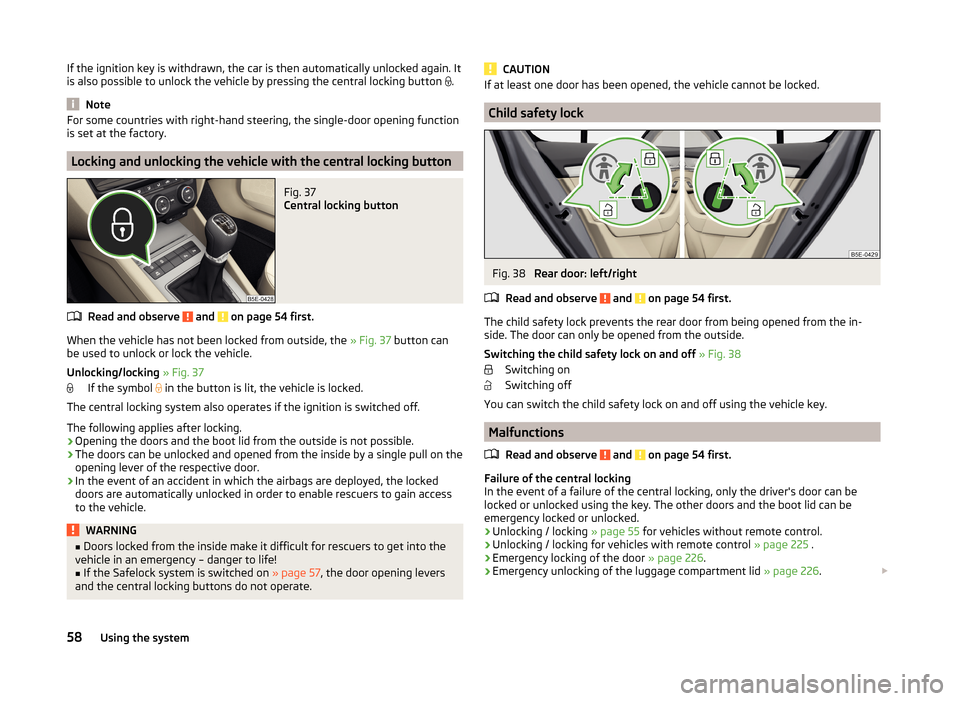
Fig. 37
Central locking button
Read and observe and on page 54 first.
When the vehicle has not been locked from outside, the » Fig. 37 button can
be used to unlock or lock the vehicle.
Unlocking/locking » Fig. 37
If the symbol
in the button is lit, the vehicle is locked.
The central locking system also operates if the ignition is switched off.
The following applies after locking.
› Opening the doors and the boot lid from the outside is not possible.
› The doors can be unlocked and opened from the inside by a single pull on the
opening lever of the respective door.
› In the event of an accident in which the airbags are deployed, the locked
doors are automatically unlocked in order to enable rescuers to gain access
to the vehicle.
WARNING■ Doors locked from the inside make it difficult for rescuers to get into the
vehicle in an emergency – danger to life!■
If the Safelock system is switched on » page 57, the door opening levers
and the central locking buttons do not operate.
CAUTIONIf at least one door has been opened, the vehicle cannot be locked.
Child safety lock
Fig. 38
Rear door: left/right
Read and observe
and on page 54 first.
The child safety lock prevents the rear door from being opened from the in-
side. The door can only be opened from the outside.
Switching the child safety lock on and off » Fig. 38
Switching on
Switching off
You can switch the child safety lock on and off using the vehicle key.
Malfunctions
Read and observe
and on page 54 first.
Failure of the central locking
In the event of a failure of the central locking, only the driver's door can be
locked or unlocked using the key. The other doors and the boot lid can be
emergency locked or unlocked.
› Unlocking / locking
» page 55 for vehicles without remote control.
› Unlocking / locking for vehicles with remote control
» page 225 .
› Emergency locking of the door
» page 226.
› Emergency unlocking of the luggage compartment lid
» page 226.
58Using the system