fuel SKODA OCTAVIA 2015 3.G / (5E) Owner's Manual
[x] Cancel search | Manufacturer: SKODA, Model Year: 2015, Model line: OCTAVIA, Model: SKODA OCTAVIA 2015 3.G / (5E)Pages: 268, PDF Size: 37.54 MB
Page 5 of 268
General Maintenance
Care and maintenance178
Service work, adjustments and technical
alterations
178
Washing vehicle
181
Cleaning vehicle exterior
182
Interior care
186
Inspecting and replenishing
189
Fuel
189
Engine compartment
194
Engine oil
197
Coolant
198
Brake fluid
200
Vehicle battery
201
Wheels
205
Tyres and wheel rims
205
Winter operation
209
Do-it-yourself
Emergency equipment, and self-help
211
Emergency equipment
211
Changing a wheel
213
Puncture repair kit
217
Jump-starting
219
Towing the vehicle
220
Remote control
223
Emergency unlocking/locking
224
Replacing windscreen wiper blades
225
Fuses and light bulbs
226
Fuses
226
Bulbs
230Technical data
Technical data236
Basic vehicle data
236
Vehicle-specific information depending on
engine type
244
Index
3Table of Contents
Page 9 of 268
AbbreviationsAbbreviationDefinitionrpmEngine revolutions per minuteABSAnti-lock brake systemACCAdaptive cruise controlAGAutomatic gearboxAGMVehicle battery typeTCSTraction controlCNGcompressed natural gasCO2Carbon dioxideCOCDeclaration of conformityDPFDiesel particle filterDSGAutomatic double clutch gearboxDSRActive driver-steering recommendationEDLElectronic differential lockECEEconomic Commission for EuropeEPCEPC fault lightESCElectronic Stability ControlRDRim depthEUEuropean UnionG-TECLabelling for natural gas vehiclesGSMGlobal System for Mobile communicationsHBAHydraulic brake assistHHCUphill start assistKESSYkeyless unlocking, starting and lockingkWKilowatt, measuring unit for outputLEDLighting element typeMCBMulti-collision brakeMGManual gearboxMPIGasoline engine with a multi-point fuel injectionN1Panel van intended exclusively or mainly for the transporta-
tion of goodsAbbreviationDefinitionNmNewton meter, measuring unit for the engine torqueTDI CRDiesel engine with turbo charging and common-rail injection
systemTSATrailer stabilisationTSIPetrol engine with turbo charging and direct injectionVINVehicle identification numberWWatt, unit of powerWi-FiWireless data networkXDSFunctional expansion of the electronic differential lock7Abbreviations
Page 17 of 268
System descriptionRead and observe
on page 14 first.
The inflation of the airbag is carried out in a fraction of a second.
When the airbags are deployed they fill with gas and inflate.
A grey white or red, non-harmful gas is released when the airbag is inflated.
This is perfectly normal and is not an indication of a fire in the vehicle.
Depending on the vehicle equipment, the airbag system consists of the
following parts. ▶ Front airbag for the driver and the front passenger » page 15.
▶ Driver’s knee airbag » page 17.
▶ Side airbags » page 17.
▶ Head airbags » page 18.
▶ Airbag warning light in the instrument cluster » page 35.
▶ Key switch for the front passenger airbag » page 19.
▶ Warning light for the front passenger airbag in the middle of the dash panel
» page 19 .
Airbag deployment
Read and observe
on page 14 first.
The airbag system is only functional when the ignition is switched on.
Triggering conditions
It is not possible to generally determine which deployment conditions apply to
the airbag system in every situation. An important role is played by factors
such as the type of object that the vehicle hits (hard/soft), the impact angle, vehicle speed, etc.
A decisive factor for the deployment of the airbags is the deceleration which
occurs. If the vehicle deceleration which occurs and is measured during the
collision remains below the prescribed reference values specified in the control
unit, the airbags are not deployed although the vehicle may well suffer severe
damage to the bodywork as a consequence of the accident.
The following airbags will be deployed in the event of a severe frontal
collision.
▶ Driver’s front airbag.
▶ Front passenger airbag.
▶ Driver’s knee airbag.
The following airbags will be deployed in the event of a severe side collision.
▶ Front side airbag on the side of the accident.
▶ Rear side airbag on the side of the accident.
▶ Head airbags on the side of the accident.
When an airbag is deployed, the following occurs.
▶ The interior light comes on (if the automatic operation of the interior light is
switched on - switch
).
▶ The hazard warning lights are switched on.
▶ All the doors are unlocked.
▶ The fuel supply to the engine is interrupted.
When there is no air bag deployment?
With minor frontal and side collisions, rear collision, overturning of the vehicle
or vehicle roll-over there is no airbag deployment.
Airbag overview
Introduction
This chapter contains information on the following subjects:
Front airbags
15
Driver’s knee airbag
17
Side airbags
17
Head airbags
18
Front airbags
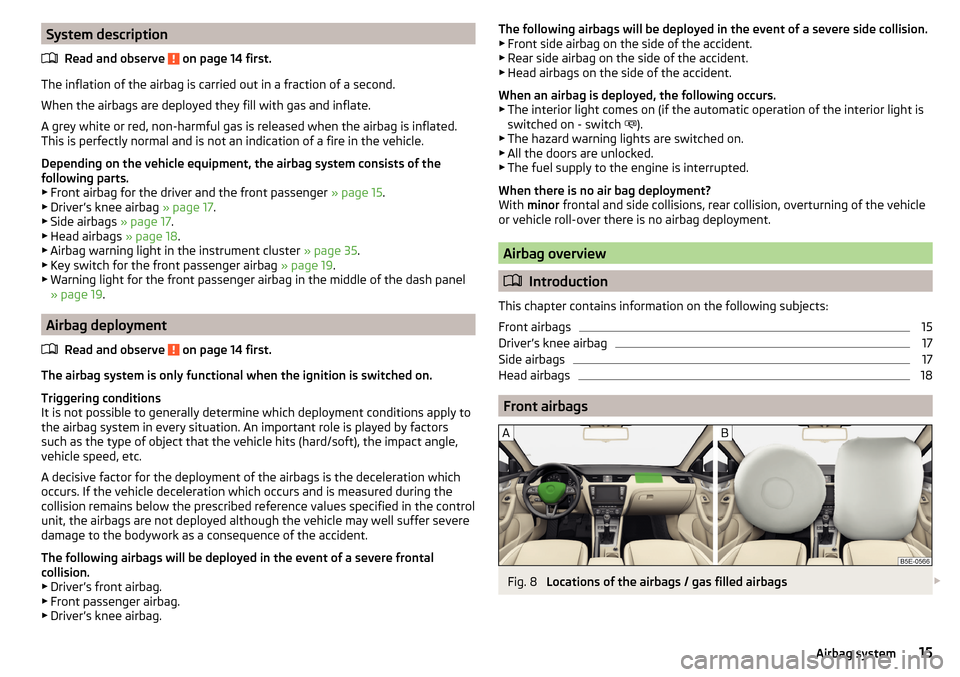
Fig. 8
Locations of the airbags / gas filled airbags
15Airbag system
Page 30 of 268
Instruments and warning lights
Instrument cluster
Introduction
This chapter contains information on the following subjects:
Overview
28
Revolutions counter
29
Display
29
Coolant temperature gauge
29
Fuel reserve display - Natural gas
30
Fuel reserve display - Petrol / Diesel
30
Counter for distance driven
30
Setting the clock
31
The instrument cluster gives the driver basic information such as the current
speed, engine speed, the state of some vehicle systems and the like.
If there is a fault in the instrument cluster, the following message will appear
in the display.
Error: instrument cluster. Workshop!COMBI-INSTRUM_ WORKSHOP
Seek help from a specialist garage.
WARNINGConcentrate fully at all times on your driving! As the driver you are fully re-
sponsible for road safety.
Note
■ If the message SAFE CP appears in the instrument cluster display, the compo-
nent protection for the instrument cluster is active. Further information
» page 180 , Component protection .■
With the ignition switched on the instruments are also illuminated. The
brightness of the instrument illumination is set automatically depending on
the ambient lighting throughout.
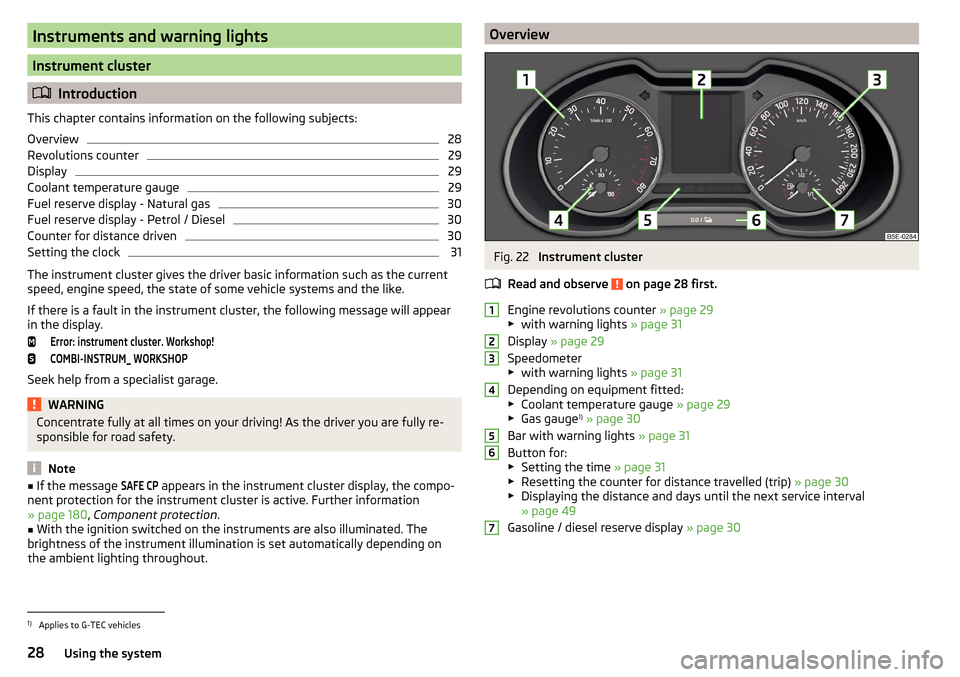
OverviewFig. 22
Instrument cluster
Read and observe
on page 28 first.
Engine revolutions counter » page 29
▶ with warning lights » page 31
Display » page 29
Speedometer
▶ with warning lights » page 31
Depending on equipment fitted:
▶ Coolant temperature gauge » page 29
▶ Gas gauge 1)
» page 30
Bar with warning lights » page 31
Button for: ▶ Setting the time » page 31
▶ Resetting the counter for distance travelled (trip) » page 30
▶ Displaying the distance and days until the next service interval
» page 49
Gasoline / diesel reserve display » page 30
12345671)
Applies to G-TEC vehicles
28Using the system
Page 31 of 268
Revolutions counterRead and observe
on page 28 first.
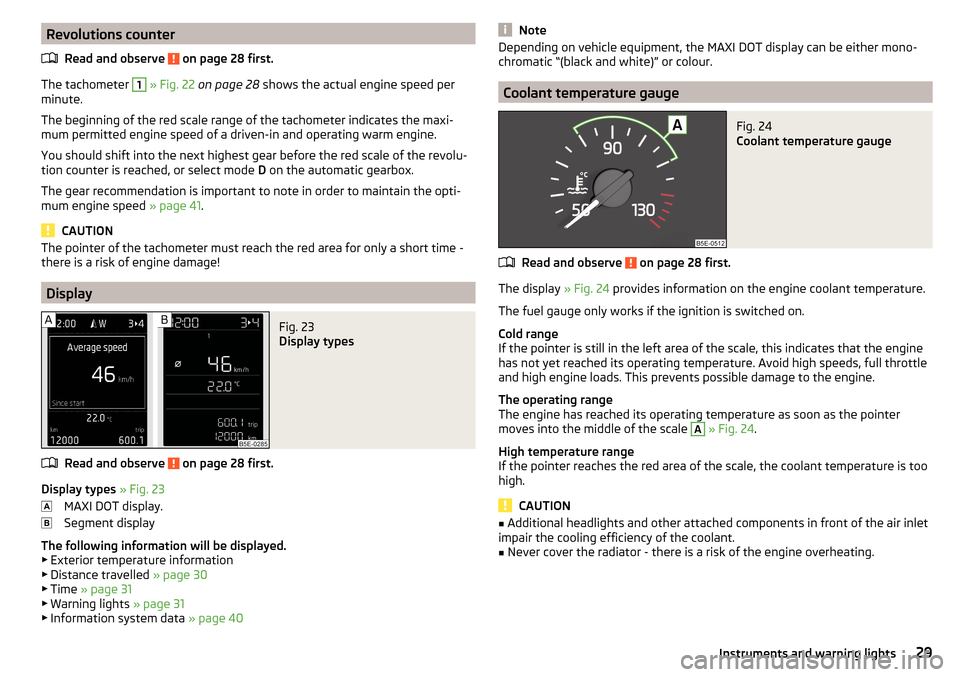
The tachometer
1
» Fig. 22 on page 28 shows the actual engine speed per
minute.
The beginning of the red scale range of the tachometer indicates the maxi-
mum permitted engine speed of a driven-in and operating warm engine.
You should shift into the next highest gear before the red scale of the revolu- tion counter is reached, or select mode D on the automatic gearbox.
The gear recommendation is important to note in order to maintain the opti-
mum engine speed » page 41.
CAUTION
The pointer of the tachometer must reach the red area for only a short time -
there is a risk of engine damage!
Display
Fig. 23
Display types
Read and observe on page 28 first.
Display types » Fig. 23
MAXI DOT display.
Segment display
The following information will be displayed.
▶ Exterior temperature information
▶ Distance travelled » page 30
▶ Time » page 31
▶ Warning lights » page 31
▶ Information system data » page 40
NoteDepending on vehicle equipment, the MAXI DOT display can be either mono-
chromatic “(black and white)” or colour.
Coolant temperature gauge
Fig. 24
Coolant temperature gauge
Read and observe on page 28 first.
The display » Fig. 24 provides information on the engine coolant temperature.
The fuel gauge only works if the ignition is switched on.
Cold range
If the pointer is still in the left area of the scale, this indicates that the engine has not yet reached its operating temperature. Avoid high speeds, full throttle
and high engine loads. This prevents possible damage to the engine.
The operating range
The engine has reached its operating temperature as soon as the pointer
moves into the middle of the scale
A
» Fig. 24 .
High temperature range
If the pointer reaches the red area of the scale, the coolant temperature is too
high.
CAUTION
■ Additional headlights and other attached components in front of the air inlet
impair the cooling efficiency of the coolant.■
Never cover the radiator - there is a risk of the engine overheating.
29Instruments and warning lights
Page 32 of 268
Fuel reserve display - Natural gasFig. 25
Gas gauge
Read and observe on page 28 first.
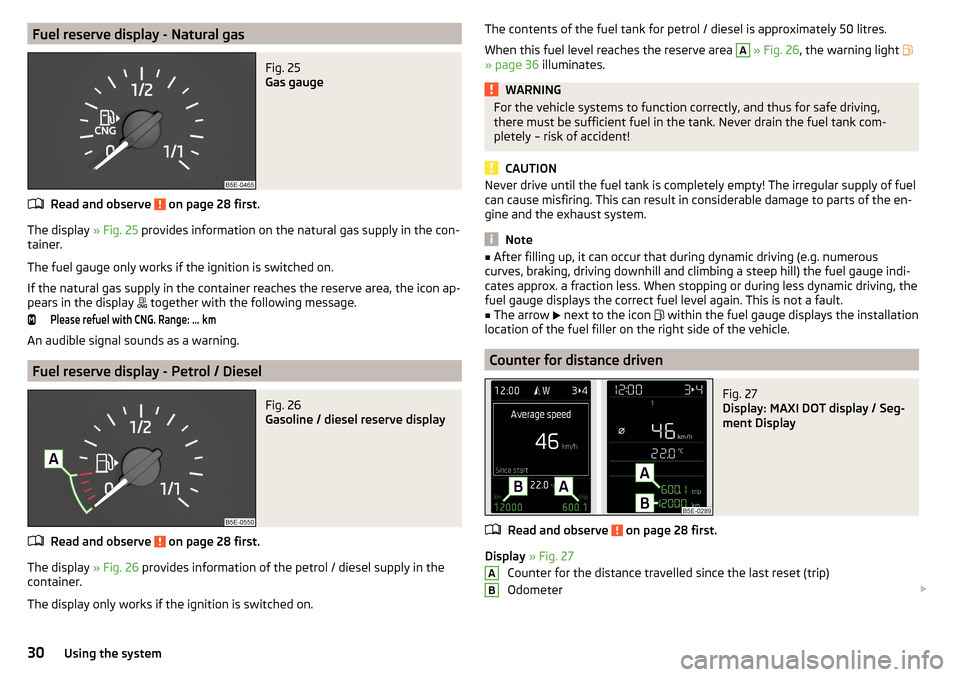
The display » Fig. 25 provides information on the natural gas supply in the con-
tainer.
The fuel gauge only works if the ignition is switched on.
If the natural gas supply in the container reaches the reserve area, the icon ap- pears in the display together with the following message.
Please refuel with CNG. Range: ...
km
An audible signal sounds as a warning.
Fuel reserve display - Petrol / Diesel
Fig. 26
Gasoline / diesel reserve display
Read and observe on page 28 first.
The display
» Fig. 26 provides information of the petrol / diesel supply in the
container.
The display only works if the ignition is switched on.
The contents of the fuel tank for petrol / diesel is approximately 50 litres. When this fuel level reaches the reserve area A
» Fig. 26 , the warning light
» page 36 illuminates.
WARNINGFor the vehicle systems to function correctly, and thus for safe driving,
there must be sufficient fuel in the tank. Never drain the fuel tank com-
pletely – risk of accident!
CAUTION
Never drive until the fuel tank is completely empty! The irregular supply of fuel
can cause misfiring. This can result in considerable damage to parts of the en-
gine and the exhaust system.
Note
■ After filling up, it can occur that during dynamic driving (e.g. numerous
curves, braking, driving downhill and climbing a steep hill) the fuel gauge indi-
cates approx. a fraction less. When stopping or during less dynamic driving, the
fuel gauge displays the correct fuel level again. This is not a fault.■
The arrow
next to the icon
within the fuel gauge displays the installation
location of the fuel filler on the right side of the vehicle.
Counter for distance driven
Fig. 27
Display: MAXI DOT display / Seg-
ment Display
Read and observe on page 28 first.
Display » Fig. 27
Counter for the distance travelled since the last reset (trip)
Odometer
AB30Using the system
Page 33 of 268
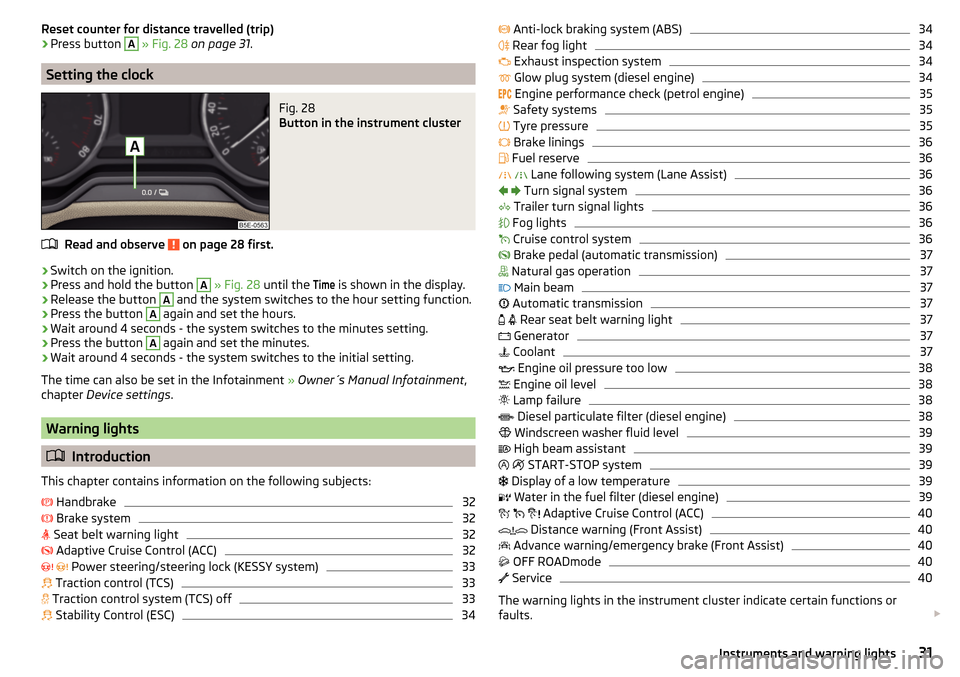
Reset counter for distance travelled (trip)›Press button A » Fig. 28 on page 31 .
Setting the clock
Fig. 28
Button in the instrument cluster
Read and observe on page 28 first.
›
Switch on the ignition.
›
Press and hold the button
A
» Fig. 28 until the
Time
is shown in the display.
›
Release the button
A
and the system switches to the hour setting function.
›
Press the button
A
again and set the hours.
›
Wait around 4 seconds - the system switches to the minutes setting.
›
Press the button
A
again and set the minutes.
›
Wait around 4 seconds - the system switches to the initial setting.
The time can also be set in the Infotainment » Owner´s Manual Infotainment ,
chapter Device settings .
Warning lights
Introduction
This chapter contains information on the following subjects:
Handbrake
32
Brake system
32
Seat belt warning light
32
Adaptive Cruise Control (ACC)
32
Power steering/steering lock (KESSY system)
33
Traction control (TCS)
33
Traction control system (TCS) off
33
Stability Control (ESC)
34
Anti-lock braking system (ABS)34 Rear fog light34
Exhaust inspection system
34
Glow plug system (diesel engine)
34
Engine performance check (petrol engine)
35
Safety systems
35
Tyre pressure
35
Brake linings
36
Fuel reserve
36
Lane following system (Lane Assist)
36
Turn signal system
36
Trailer turn signal lights
36
Fog lights
36
Cruise control system
36
Brake pedal (automatic transmission)
37
Natural gas operation
37
Main beam
37
Automatic transmission
37
Rear seat belt warning light
37
Generator
37
Coolant
37
Engine oil pressure too low
38
Engine oil level
38
Lamp failure
38
Diesel particulate filter (diesel engine)
38
Windscreen washer fluid level
39
High beam assistant
39
START-STOP system
39
Display of a low temperature
39
Water in the fuel filter (diesel engine)
39
Adaptive Cruise Control (ACC)
40
Distance warning (Front Assist)
40
Advance warning/emergency brake (Front Assist)
40
OFF ROADmode
40
Service
40
The warning lights in the instrument cluster indicate certain functions or
faults.
31Instruments and warning lights
Page 38 of 268
Other incidents
The illumination of the warning light can have the following reasons.
▶ The vehicle is loaded on one side. Distribute loads as evenly as possible.
▶ The wheels of one axle are loaded more heavily (e.g. when towing a trailer or
when driving uphill or downhill).
▶ Snow chains are mounted.
▶ A wheel has been changed.
CAUTION
Under certain circumstances (e.g. sporty style of driving, wintry or unpaved
roads) the warning light in the instrument cluster can be delayed or does
not light up at all.
Brake linings
Read and observe
on page 32 first.
illuminates - the brake pads are worn.
Check brake pad!BRAKE PADS PLEASE CHECK
Seek help from a specialist garage.
Fuel reserve
Read and observe
on page 32 first.
illuminates – the fuel level in the fuel tank is at the reserve level (approxi-
mately 6 litres).
Please refuel. Range: ...
kmPLEASE REFUEL RANGE …
km
An audible signal sounds as a warning.
Note
The text in the display goes out after refuelling and driving a short distance.
Lane following system (Lane Assist)
Read and observe
on page 32 first.
The warning lights
indicates the state of the Lane Assist system.
More information about the Lane Assist System » page 160.
Turn signal system
Read and observe
on page 32 first.
flashes – the left turn signal is turned on.
flashes – the right turn signal is turned on.
If there is a fault in the turn signal system, the warning light flashes at twice
its normal rate. This does not apply when towing a trailer.
Switching off the hazard warning light system is switched on will cause all of
the turn signal lights as well as both warning lights to flash.
Trailer turn signal lights
Read and observe
on page 32 first.
flashes – the trailer lights are switched on.
If a trailer is hitched and the warning light is not flashing, one of the trailer
turn signal lights has failed.
An example message in the display of the instrument cluster
Trailer: check left turn signal!TRAILER TURN SIG_ CHECK LEFT
Check the trailer bulbs.
Fog lights
Read and observe
on page 32 first.
illuminates – the fog lights are switched on.
Cruise control system
Read and observe
on page 32 first.
illuminates - the vehicle speed is limited by the speed regulator system
and/or the automatic distance control.
36Using the system
Page 41 of 268
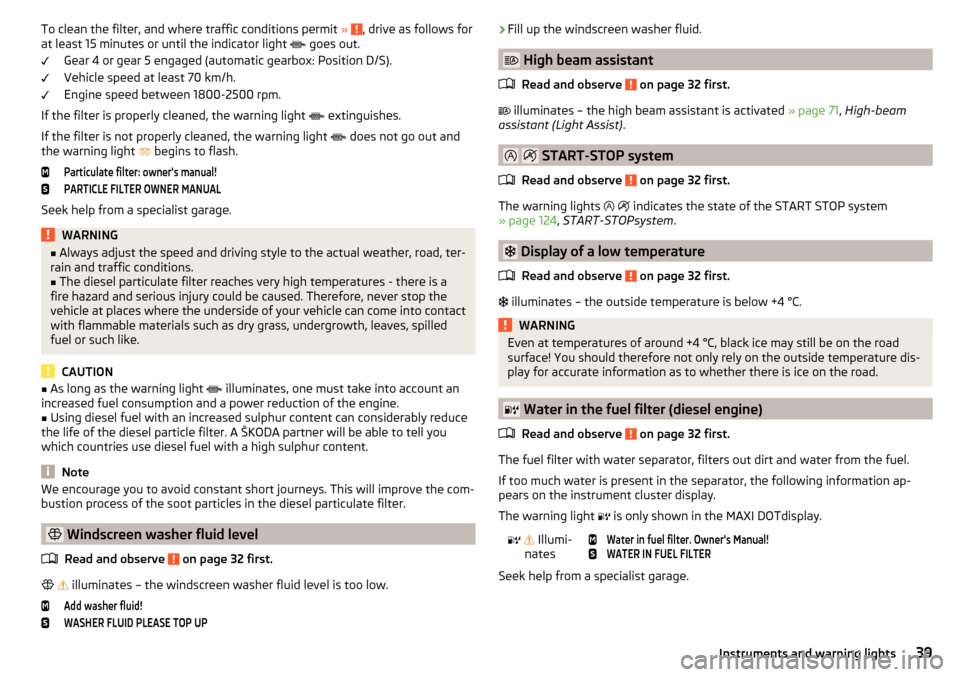
To clean the filter, and where traffic conditions permit » , drive as follows for
at least 15 minutes or until the indicator light goes out.
Gear 4 or gear 5 engaged (automatic gearbox: Position D/S).
Vehicle speed at least 70 km/h.
Engine speed between 1800-2500 rpm.
If the filter is properly cleaned, the warning light
extinguishes.
If the filter is not properly cleaned, the warning light
does not go out and
the warning light
begins to flash.Particulate filter: owner's manual!PARTICLE FILTER OWNER MANUAL
Seek help from a specialist garage.
WARNING■
Always adjust the speed and driving style to the actual weather, road, ter-
rain and traffic conditions.■
The diesel particulate filter reaches very high temperatures - there is a
fire hazard and serious injury could be caused. Therefore, never stop the
vehicle at places where the underside of your vehicle can come into contact
with flammable materials such as dry grass, undergrowth, leaves, spilled
fuel or such like.
CAUTION
■ As long as the warning light illuminates, one must take into account an
increased fuel consumption and a power reduction of the engine.■
Using diesel fuel with an increased sulphur content can considerably reduce
the life of the diesel particle filter. A ŠKODA partner will be able to tell you
which countries use diesel fuel with a high sulphur content.
Note
We encourage you to avoid constant short journeys. This will improve the com-
bustion process of the soot particles in the diesel particulate filter.
Windscreen washer fluid level
Read and observe
on page 32 first.
illuminates – the windscreen washer fluid level is too low.
Add washer fluid!WASHER FLUID PLEASE TOP UP›Fill up the windscreen washer fluid.
High beam assistant
Read and observe
on page 32 first.
illuminates – the high beam assistant is activated » page 71, High-beam
assistant (Light Assist) .
START-STOP system
Read and observe
on page 32 first.
The warning lights
indicates the state of the START STOP system
» page 124 , START-STOPsystem .
Display of a low temperature
Read and observe
on page 32 first.
illuminates – the outside temperature is below +4 °C.
WARNINGEven at temperatures of around +4 °C, black ice may still be on the road
surface! You should therefore not only rely on the outside temperature dis- play for accurate information as to whether there is ice on the road.
Water in the fuel filter (diesel engine)
Read and observe
on page 32 first.
The fuel filter with water separator, filters out dirt and water from the fuel.
If too much water is present in the separator, the following information ap-
pears on the instrument cluster display.
The warning light is only shown in the MAXI DOTdisplay.
Illumi-
nates
Water in fuel filter. Owner's Manual!WATER IN FUEL FILTER
Seek help from a specialist garage.
39Instruments and warning lights
Page 43 of 268
As long as the faults are not rectified the messages are always shown. After
they are displayed for the first time, the warning lights (danger) or (warn-
ing) continue to be indicated without information for the driver.
Overspeed warning at 120 km/h
Read and observe
on page 40 first.
This function only applies to certain countries.
An audible warning signal will sound when the vehicle speed exceeds 120
km/h. The audible warning signal is switched off when the vehicle speed falls
below 120 km/h.
Gear recommendation
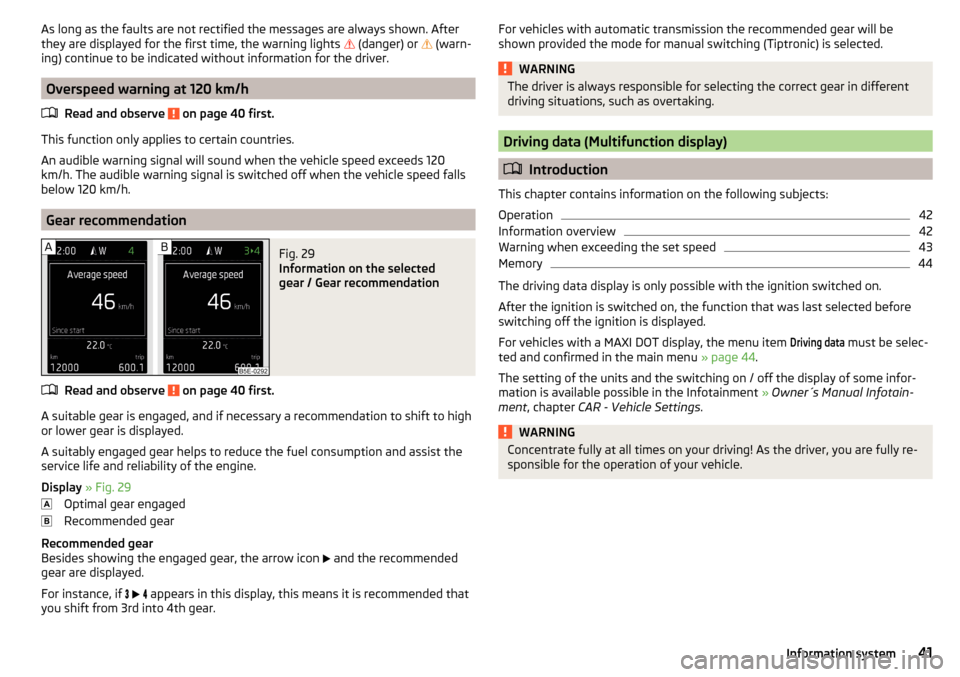
Fig. 29
Information on the selected
gear / Gear recommendation
Read and observe on page 40 first.
A suitable gear is engaged, and if necessary a recommendation to shift to high
or lower gear is displayed.
A suitably engaged gear helps to reduce the fuel consumption and assist the
service life and reliability of the engine.
Display » Fig. 29
Optimal gear engaged
Recommended gear
Recommended gear
Besides showing the engaged gear, the arrow icon and the recommended
gear are displayed.
For instance, if
appears in this display, this means it is recommended that
you shift from 3rd into 4th gear.
For vehicles with automatic transmission the recommended gear will be
shown provided the mode for manual switching (Tiptronic) is selected.WARNINGThe driver is always responsible for selecting the correct gear in different
driving situations, such as overtaking.
Driving data (Multifunction display)
Introduction
This chapter contains information on the following subjects:
Operation
42
Information overview
42
Warning when exceeding the set speed
43
Memory
44
The driving data display is only possible with the ignition switched on.
After the ignition is switched on, the function that was last selected before
switching off the ignition is displayed.
For vehicles with a MAXI DOT display, the menu item
Driving data
must be selec-
ted and confirmed in the main menu » page 44.
The setting of the units and the switching on / off the display of some infor-
mation is available possible in the Infotainment » Owner´s Manual Infotain-
ment , chapter CAR - Vehicle Settings .
WARNINGConcentrate fully at all times on your driving! As the driver, you are fully re-
sponsible for the operation of your vehicle.41Information system