Wheel SKODA OCTAVIA 2016 3.G / (5E) User Guide
[x] Cancel search | Manufacturer: SKODA, Model Year: 2016, Model line: OCTAVIA, Model: SKODA OCTAVIA 2016 3.G / (5E)Pages: 324, PDF Size: 48.85 MB
Page 38 of 324
▶Correct the tyre pressure if necessary or replace the affected wheel
» page 266 or use the repair kit » page 270.
▶ Save the tyre pressure values in the system » page 229.
System fault
flashes for approximately 1 minute and remains lit – there may be a fault in
the tyre pressure monitoring system.
▶ Stop the vehicle, turn the ignition off and start the engine again.
If the warning light
flashes after starting the engine again, there is a system
error.
▶ You can drive on, exercising appropriate caution. Seek assistance from a spe-
cialist garage immediately.
Disconnecting the vehicle battery
If the vehicle's battery has been disconnected and reconnected, the indicator
light comes on after switching on the ignition.
The warning light should go out after driving a short distance.
If, after a short drive, the indicator light does not go out, there is a system er-
ror.
▶ You can drive on, exercising appropriate caution. Seek assistance from a spe-
cialist garage immediately.
Other incidents
The illumination of the warning light can have the following reasons.
▶ The vehicle is loaded on one side. Distribute the load evenly.
▶ The wheels of one axle are loaded more heavily (e.g. when towing a trailer or
when driving uphill or downhill).
▶ Snow chains are mounted.
▶ A wheel has been changed.
CAUTION
Under certain circumstances (e.g. sporty style of driving, wintry or unpaved
roads) the warning light in the instrument cluster can be delayed or does
not light up at all.
Brake linings
Read and observe
on page 33 first.
illuminates - the brake pads are worn.
▶
You can drive on, exercising appropriate caution. Seek assistance from a spe-
cialist garage immediately.
Low fuel - petrol / diesel
Read and observe
on page 33 first.
illuminates – the fuel level in the fuel tank is at the reserve level (approxi-
mately 6 litres).
An audible signal sounds as a warning. ▶ Please refuel » page 249.
Note
The text in the display goes out after refuelling and driving a short distance.
Lane assist (Lane Assist)
Read and observe
on page 33 first.
The warning lights
indicates the state of the Lane Assist system.
More information about the Lane Assist System » page 224.
Turn signal system
Read and observe
on page 33 first.
flashes – the left turn signal is turned on.
flashes – the right turn signal is turned on.
If there is a fault in the turn signal system, the warning light flashes at twice
its normal rate (does not apply when towing).
Switching off the hazard warning light system is switched on will cause all of
the turn signal lights as well as both warning lights to flash.
Trailer turn signal lights
Read and observe
on page 33 first.
flashes – the trailer turn signal lights are switched on.
If a trailer is hitched and the warning light is not flashing, one of the trailer
turn signal lights has failed.
36Using the system
Page 45 of 324
No message/warning messages relating to vehicle status and the num-
ber (if there is only one message, one warning message text is dis-
played)Display information about the status of the START-STOP system Activation / deactivation of notes relating to START-STOP-System
messages in another screen display
Operation of the information system
Operation via the operating lever
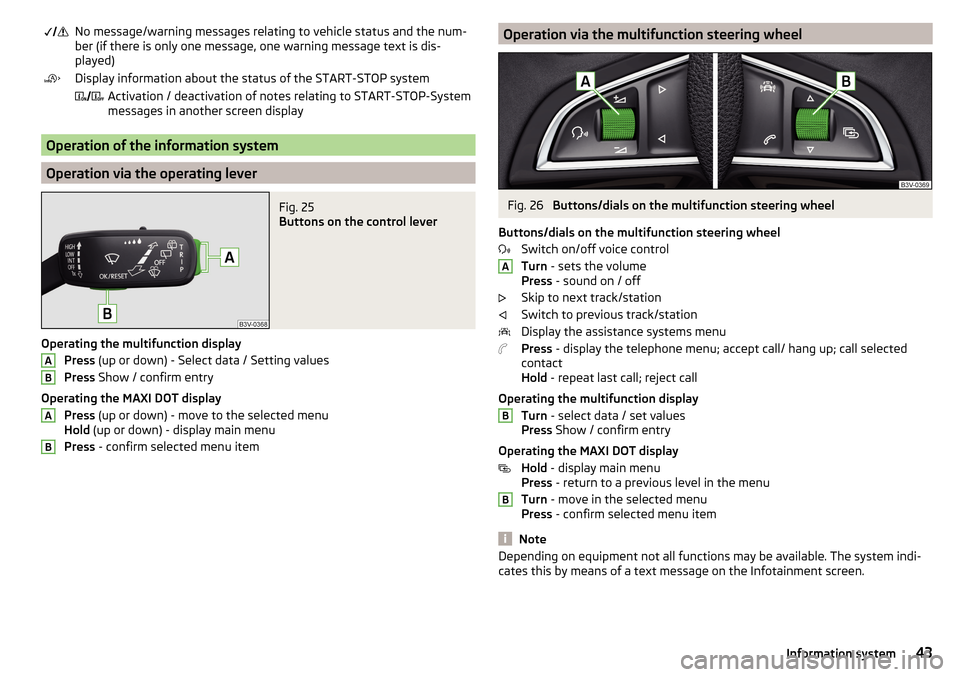
Fig. 25
Buttons on the control lever
Operating the multifunction display
Press (up or down) - Select data / Setting values
Press Show / confirm entry
Operating the MAXI DOT display Press (up or down) - move to the selected menu
Hold (up or down) - display main menu
Press - confirm selected menu item
ABABOperation via the multifunction steering wheelFig. 26
Buttons/dials on the multifunction steering wheel
Buttons/dials on the multifunction steering wheel Switch on/off voice control
Turn - sets the volume
Press - sound on / off
Skip to next track/station
Switch to previous track/station
Display the assistance systems menu
Press - display the telephone menu; accept call/ hang up; call selected
contact
Hold - repeat last call; reject call
Operating the multifunction display Turn - select data / set values
Press Show / confirm entry
Operating the MAXI DOT display Hold - display main menu
Press - return to a previous level in the menu
Turn - move in the selected menu
Press - confirm selected menu item
Note
Depending on equipment not all functions may be available. The system indi-
cates this by means of a text message on the Infotainment screen.ABB43Information system
Page 48 of 324
Long-term ( ) And “2” ( )
The memory gathers driving data from any number of individual journeys up to
a total of 99 hours and 59 minutes driving time or 9 999 kilometres driven.
The indicator is automatically set back to zero if one of the indicated values is
exceeded.Since refuel
(
) or “3” (
)
The driving data is stored in the memory since the last fuel refuelling.
The memory is erased automatically the next time you fill up.
›
To choose the memory bank , confirm the selected indication again and se-
lect the desired memory.
›
To delete the memory bank of the chosen selection, hold down the button
confirming the selection.
The following driving data is stored in different memory banks.
▶ Average fuel consumption.
▶ Distance driven.
▶ Average speed.
▶ Driving time.
Note
Disconnecting the vehicle battery will delete all memory data.
MAXI DOT display
Introduction
This chapter contains information on the following subjects:
Menu item
Navigation46
Menu item
Audio46
Menu item
Telephone47
Menu item
Assist systems47
Menu item
Lap timer
(Stop watch)
47
The MAXI DOT display is a user interface which, depending on the equipment
configuration, provides information about Infotainment, the multifunction dis-
play, the assistance systems etc.
The menus with details can be operated and displayed using the buttons on
the operating lever or the multifunction steering wheel » page 43.
Main menu items (depending on vehicle equipment)
■Driving data
» page 44
■
Assist systems
» page 47
■
Navigation
» page 46
■
Audio
» page 46
■
Telephone
» page 47 ;
■
Vehicle
» page 42
■
Lap timer
» page 47
Note
■
If warning messages are displayed, these messages must first be confirmed
to access the main menu.■
The display language can be set in Infotainment » page 123, Setting the In-
fotainment language and » page 130 , Setting the Infotainment language .
Menu item
Navigation
The following information is displayed in the
Navigation
menu item.
▶ Driving recommendations
▶ Compass
▶ Last destinations
Menu item
Audio
The following information is displayed in the
Audio
menu item.
Radio
▶ Station currently being played (name/frequency).
▶ The selected frequency range (e.g. FM) optionally with the number of the sta-
tion button (e.g. FM 3), if the station is stored in the memory list.
▶ List of available stations (if more than 5 stations can be received).
▶ TP traffic announcements.
Media
▶ Name of the track being played, if necessary, further information regarding
title (e.g. artist, album name), if this information is stored as a so called ID3
tag on the audio source.
46Using the system
Page 67 of 324
Note■If, with a dipped beam, the ignition is turned off, then the dipped beam will
automatically switch off 1)
and the parking lights will come on. The parking
lights are switched off when the ignition key is removed (for vehicles with the
KESSY system, after opening the driver's door).■
If there is a fault in the light switch, the low beam comes on automatically.
Daytime running lights(DAY LIGHT)
Read and observe
on page 64 first.
The daytime running lights (hereinafter only referred to as "function") lightsthe front and rear vehicle area (only valid for some countries).
The lights are switched on automatically if the following conditions are met. The light switch is in the position or
.
The ignition is switched on.
The function is activated.
Activating/deactivating function on vehicles with Infotainment
The function can be deactivated/activated in the Infotainment menu
→
→
Light
.
Deactivating on vehicles without Infotainment
›
Turn off the ignition, pull the indicator / main beam lever towards the steer- ing wheel, push down and hold in this position.
›
Switch on the ignition and hold the lever in the above position until an audi-
ble signal sounds (about 3 s).
Activating on vehicles without Infotainment
›
Turn off the ignition, pull the indicator / main beam lever towards the steer- ing wheel, push down and hold in this position.
›
Switch on the ignition and hold the lever in the above position until an audi-
ble signal sounds (about 3 s).
WARNINGAlways switch on the low beam when visibility is poor.Turn signal and main beamFig. 47
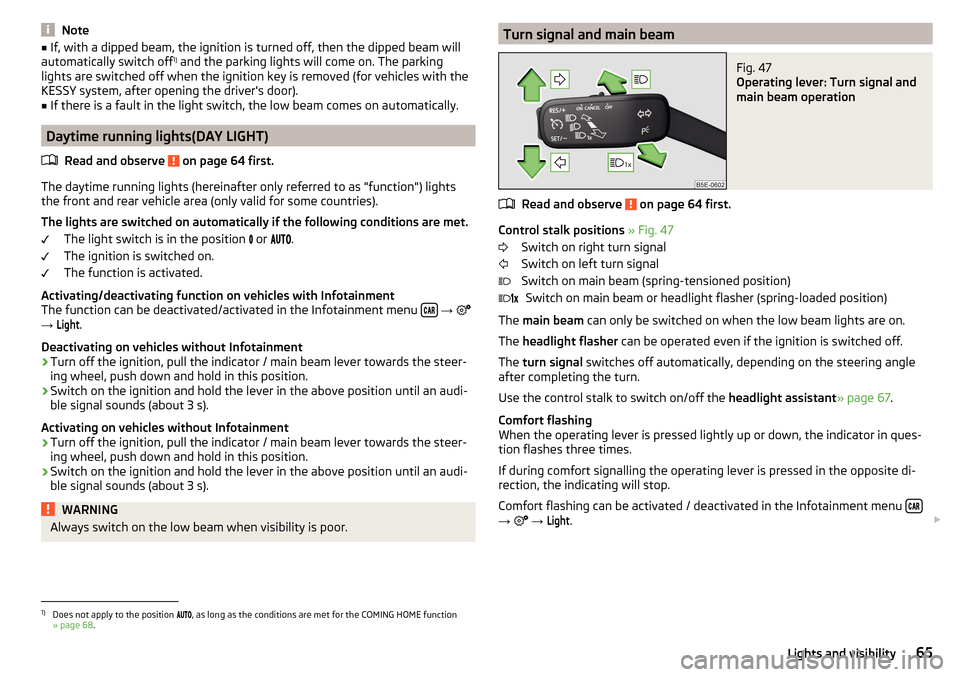
Operating lever: Turn signal and
main beam operation
Read and observe on page 64 first.
Control stalk positions » Fig. 47
Switch on right turn signal
Switch on left turn signal
Switch on main beam (spring-tensioned position) Switch on main beam or headlight flasher (spring-loaded position)
The main beam can only be switched on when the low beam lights are on.
The headlight flasher can be operated even if the ignition is switched off.
The turn signal switches off automatically, depending on the steering angle
after completing the turn.
Use the control stalk to switch on/off the headlight assistant» page 67.
Comfort flashing
When the operating lever is pressed lightly up or down, the indicator in ques-
tion flashes three times.
If during comfort signalling the operating lever is pressed in the opposite di-
rection, the indicating will stop.
Comfort flashing can be activated / deactivated in the Infotainment menu
→
→
Light
.
1)
Does not apply to the position , as long as the conditions are met for the COMING HOME function
» page 68 .
65Lights and visibility
Page 70 of 324
NoteWhile driving with an accessory connected to the trailer socket (e.g. trailer,
bike carrier) only the equipment is illuminated by the fog light. The towing de-
vice must be installed at the factory or from the ŠKODA original accessories.
Fog lights with CORNER function
Read and observe
on page 64 first.
The CORNER function automatically switches on the fog lights on the respec-tive side of the vehicle (e.g. when cornering), if the following conditions are
met.
The turn signal is switched on or the front wheels are turned sharply 1)
.
The vehicle speed is below 40 km/h.
The low beam is switched on.
The fog lights are not switched on.
The two fog lights are switched on when you shift into the reverse gear.
COMING HOME / LEAVING HOME
Read and observe
on page 64 first.
The function COMING HOME ensures that the vehicle's environment is illumi-
nated after switching off the ignition and opening the driver's door.
The function LEAVING HOME ensures that the vehicle's environment is illumi-
nated after unlocking the vehicle with the radio remote control unit.
The function switches the light on only if there is poorer visibility and the light
switch is in the position .
The two functions can be activated/deactivated and set in the Infotainment
menu
→
→
Light
.
CAUTION
■
Poorer visibility is evaluated by a sensor mounted below the windscreen in
the holder of the rear-view mirror. Do not cover the sensor - the system can be
affected.■
If this option is always enabled, then the battery is heavily loaded.
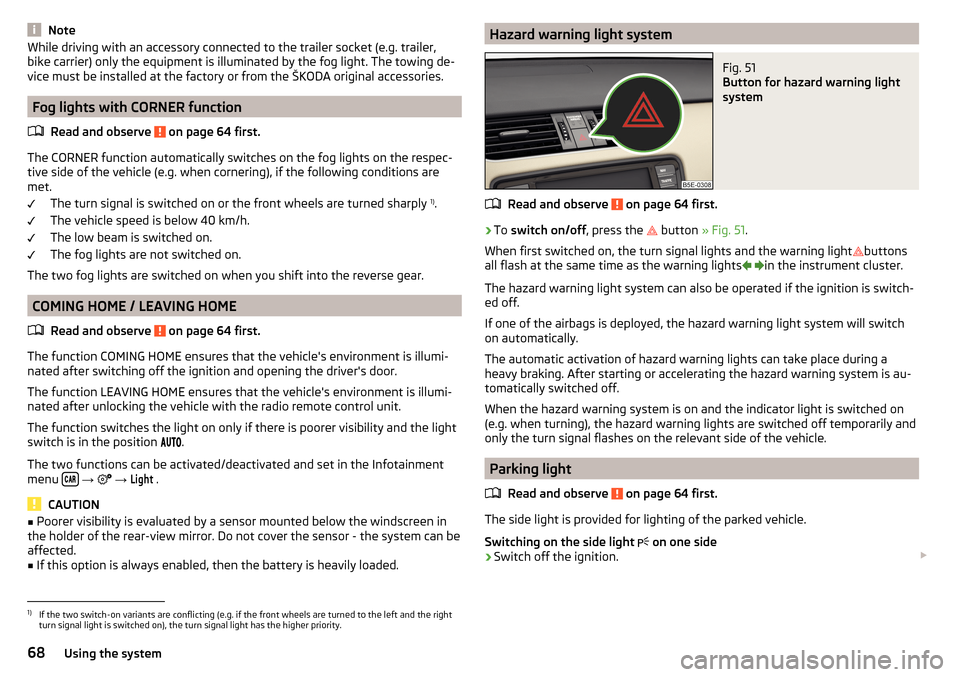
Hazard warning light systemFig. 51
Button for hazard warning light
system
Read and observe on page 64 first.
›
To switch on/off , press the
button
» Fig. 51 .
When first switched on, the turn signal lights and the warning light buttons
all flash at the same time as the warning lights
in the instrument cluster.
The hazard warning light system can also be operated if the ignition is switch-
ed off.
If one of the airbags is deployed, the hazard warning light system will switch
on automatically.
The automatic activation of hazard warning lights can take place during a
heavy braking. After starting or accelerating the hazard warning system is au-
tomatically switched off.
When the hazard warning system is on and the indicator light is switched on
(e.g. when turning), the hazard warning lights are switched off temporarily and
only the turn signal flashes on the relevant side of the vehicle.
Parking light
Read and observe
on page 64 first.
The side light is provided for lighting of the parked vehicle.
Switching on the side light on one side
›
Switch off the ignition.
1)
If the two switch-on variants are conflicting (e.g. if the front wheels are turned to the left and the right
turn signal light is switched on), the turn signal light has the higher priority.
68Using the system
Page 101 of 324
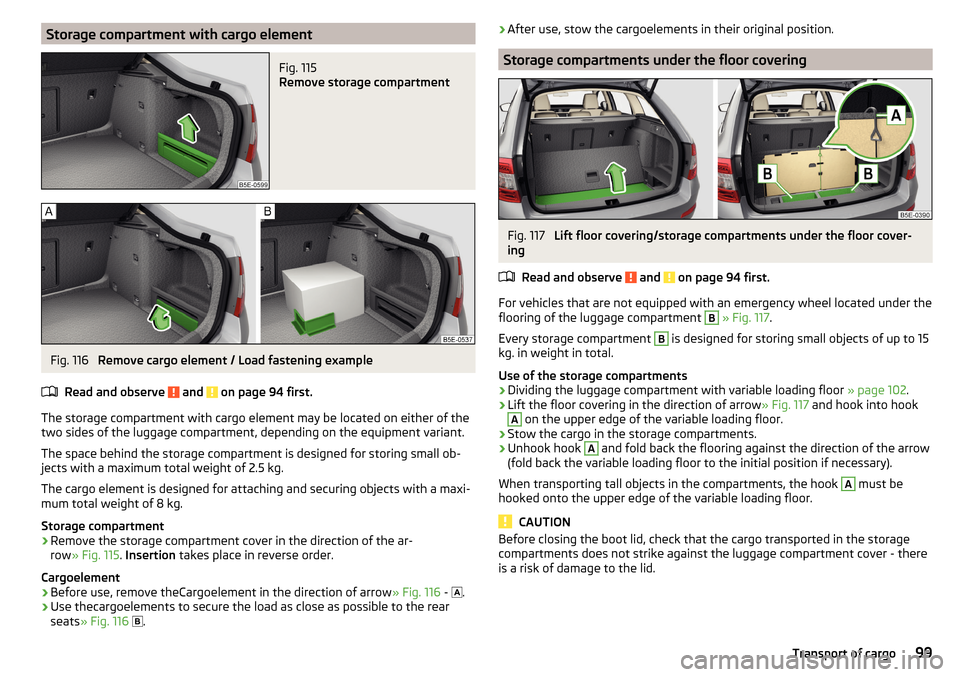
Storage compartment with cargo elementFig. 115
Remove storage compartment
Fig. 116
Remove cargo element / Load fastening example
Read and observe
and on page 94 first.
The storage compartment with cargo element may be located on either of the
two sides of the luggage compartment, depending on the equipment variant.
The space behind the storage compartment is designed for storing small ob-
jects with a maximum total weight of 2.5 kg.
The cargo element is designed for attaching and securing objects with a maxi-
mum total weight of 8 kg.
Storage compartment
›
Remove the storage compartment cover in the direction of the ar-
row » Fig. 115 . Insertion takes place in reverse order.
Cargoelement
›
Before use, remove theCargoelement in the direction of arrow » Fig. 116 -
.
›
Use thecargoelements to secure the load as close as possible to the rear
seats » Fig. 116
.
›After use, stow the cargoelements in their original position.
Storage compartments under the floor covering
Fig. 117
Lift floor covering/storage compartments under the floor cover-
ing
Read and observe
and on page 94 first.
For vehicles that are not equipped with an emergency wheel located under theflooring of the luggage compartment
B
» Fig. 117 .
Every storage compartment
B
is designed for storing small objects of up to 15
kg. in weight in total.
Use of the storage compartments
›
Dividing the luggage compartment with variable loading floor » page 102.
›
Lift the floor covering in the direction of arrow » Fig. 117 and hook into hook
A
on the upper edge of the variable loading floor.
›
Stow the cargo in the storage compartments.
›
Unhook hook
A
and fold back the flooring against the direction of the arrow
(fold back the variable loading floor to the initial position if necessary).
When transporting tall objects in the compartments, the hook
A
must be
hooked onto the upper edge of the variable loading floor.
CAUTION
Before closing the boot lid, check that the cargo transported in the storage
compartments does not strike against the luggage compartment cover - there
is a risk of damage to the lid.99Transport of cargo
Page 118 of 324

Infotainment operation
Infotainment operation
Operation principles and screen areas
Fig. 144
Infotainment Columbus, Amundsen, Bolero: Screen areas/ screen
display
Fig. 145
Infotainment Swing: Screen areas / screen display
Screen display description » Fig. 144 and » Fig. 145 .
Status line with time and outdoor temperature data and other information
Information and the operation of the current menu
Function surfaces of the current menu
Identification of the current menu
Return to the higher-level menu
Sliding regulator
ABCDEFMenu item with “Checkbox”
▶ - Function is switched on
▶ - Function is switched off
/
Open a sub menu of the menu item with the “pop-up window”
Function surfaces
The screen areas which confirm a function or a menu are called “ function sur-
faces ”.
▶ White text - the surface is active and thus selectable
▶ Grey text - the surface is inactive and therefore not selectable
▶ Green frame - currently selected surface
Selecting menu/menu item/function ▶ By moving your finger across the screen in the desired direction (applies to
Infotainment Columbus, Amundsen, Bolero).
▶ By tapping on the function surface or
» Fig. 145 (Applies to Infotainment
Swing).
▶ By turning the knob .
Confirm menu/menu item/function
▶ By tapping on the function surface.
▶ By pressing the knob .
Returning to higher-level menu ▶ By tapping on the function surface .
▶ By tapping on the screen outside of the “pop-up window”.
▶ By pressing the corresponding button next to the screen (e.g. in the menu
Media , by pressing the
button).
Select the menu item / function value ▶ - Selected menu item / function value
▶ - Deselected menu item / function value
Set value ▶ By pressing the function surface with one of the following symbols
.
▶ By touching or moving your finger over the scale.
▶ Turning the knob .
Note
Depending on the equipment fitted, Infotainment can be operated using the
buttons on the multifunction steering wheel. Further information » page 43.GH116Infotainment
Page 122 of 324
▶You are recommended to speak louder at higher speeds, so that the sound of
your voice is not drowned out by the increased ambient noise.
▶ During voice control, limit additional noise in the vehicle, e.g. passengers
talking at the same time.WARNINGThe emergency number should be dialled manually. Your voice commands
may not be recognised in such situations. The telephone connection may
not be established or the connection may take too much time to complete.
CAUTION
■ The messages are generated by Infotainment. Flawless clarity (e.g. road or
city name) cannot always be guaranteed.■
For some Infotainment languages, there is no voice control available. Info-
tainment indicates this fact through a text message that is displayed on the
screen after setting the Infotainment language.
Note
During voice control, no nav. announcements and traffic announcements are
played.
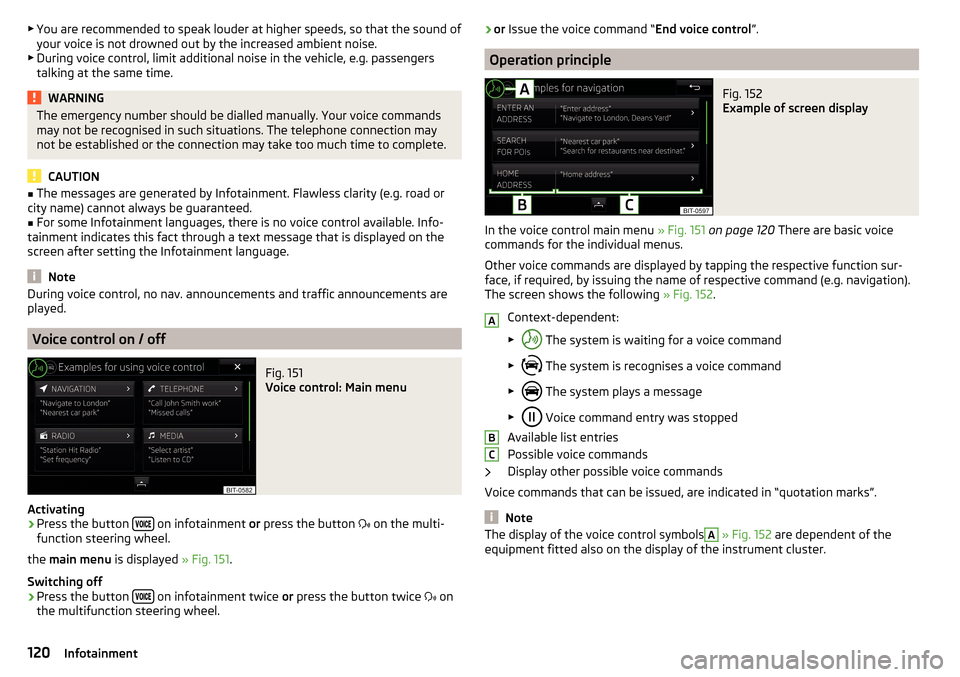
Voice control on / off
Fig. 151
Voice control: Main menu
Activating
›
Press the button on infotainment
or press the button
on the multi-
function steering wheel.
the main menu is displayed » Fig. 151.
Switching off
›
Press the button on infotainment twice
or press the button twice
on
the multifunction steering wheel.
› or
Issue the voice command “ End voice control”.
Operation principle
Fig. 152
Example of screen display
In the voice control main menu » Fig. 151 on page 120 There are basic voice
commands for the individual menus.
Other voice commands are displayed by tapping the respective function sur-
face, if required, by issuing the name of respective command (e.g. navigation).
The screen shows the following » Fig. 152.
Context-dependent:
▶ The system is waiting for a voice command
▶ The system is recognises a voice command
▶ The system plays a message
▶ Voice command entry was stopped
Available list entries
Possible voice commands
Display other possible voice commands
Voice commands that can be issued, are indicated in “quotation marks”.
Note
The display of the voice control symbolsA » Fig. 152 are dependent of the
equipment fitted also on the display of the instrument cluster.ABC120Infotainment
Page 123 of 324
Voice commands
Enter
The voice command must only be issued when the symbol
is displayed and
the input tone has completely faded on the Infotainment screen . The input
tone can be switched on / off. To do this, press
and then
Tap →
Voice con-trol
.
It is not necessary to wait for the end of message playback when Infotainment
is playing a message. The infotainment message can be terminated by press-
ing the button
or the button
on the multifunction steering wheel. Then
a voice command can be issued. The voice control is hereby much faster.
Stop
This allows you more time for the voice command input.
The process for voice command input can by turning the dial stopped.
When stopping, the symbol changes from
.
Restore
The procedure for voice command input can be restarted in one of the follow-
ing ways.
▶ By tapping on the function surface .
▶ by briefly pressing the button
on the multifunction steering wheel.
▶ By pressing the key on the multifunction steering wheel.
Not recognising a voice command
If a voice command is not detected three times in succession from Infotain-
ment, then the voice control is stopped.
Correction of a voice command input
A voice command can be corrected, modified or re-entered by pressing the
button
or the button
on the multifunction steering wheel. However,
this is only possible as long as the symbol appears on the screen.
You do not have to wait until the voice command is recognised by Infotain-
ment.
Voice commands can be used anytime during voice control
Voice commandOperation“ Back ”Return to the previous menu“Help ”reproducing and displaying possible voice com-
mandsVoice commands that can be used while browsing the list entriesVoice commandOperation“ Next page ”
Browse menu / list / directory
“Previous page ”“First page ”“Last page ”
Additional Information
Navigation - applies to Infotainment Columbus
If the set Infotainment language matches with the language of the currently
selected country when entering the destination, then the destination address
is entered in one step .
The voice command “ Navigate” and immediately the city, street and street
number (if it is included in the navigation data) Interest (POI) or a contact with
the previously stored address, can be issued.
Navigation - applies to Infotainment Amundsen, Bolero
To the destination, you are first required to issue the command “enter ad-
dress” and then follow Infotainment instructions.
You can say the house number and a further additional address in the form of
a number where necessary. Infotainment will then offer the number combina-
tion it has found if the house number and the further address supplement,
where appropriate, exists in the street entered.
It is not necessary to spell city and street names if the entered destination is
located in a country that has no voice control available for the language.
Radio
In order for a radio station can be selected using voice command, the station
must be stored in the list of available stations » page 134.
121Infotainment operation
Page 167 of 324
SmartLink
Introductory information
Introduction to the subject
Applies to Infotainment Columbus, Amundsen, Bolero.
Fig. 195
Information on SmartLink on the
ŠKODA websites
Read in the QR code » Fig. 195orenter the following address in the web brows-
er to open the website with information on the SmartLink system.
http://go.skoda.eu/connectivity-smartlink
SmartLink offers the option to display certified applications on an external de-
vice equipped with a USB device on the Infotainment screen and to operate
them.
SmartLink supports the following communication systems. ▶ Android Auto
▶ Apple CarPlay
▶ MirrorLink ®
Using the applications in the connected external device, you can use naviga-
tion to make a call and to listen to music.
For reasons of safety, the operation of some applications while driving is not
possible or only limited.
Depending on the model of the connected external device, some applications
can be started using voice activation, via the Infotainment screen, using the
operating elements on Infotainment, or using the buttons on the multi-func-
tion steering wheel.
The voice control of the connected external device can be activated by holding
the button
or holding the button
on the multifunction steering wheel.
CAUTIONTo establish the connection, it is necessary that the date and time in Infotain-
ment are set correctly. If the date and time setting is based on the GPS signal,
then problems may arise with establishing a connection with a poor GPS signal
reception.
Note
■ During the connection process, information messages may be displayed on
the Infotainment screen, and in the phone display. These messages must be
observed and confirmed if necessary (e.g. Release of data transfer, enabling
the contact import, release of text messages).■
We recommend that you use extension cords from ŠKODA Original Accesso-
ries.
■
With some connected devices, it is necessary that the connected external
device is unlocked over the entire duration of the connection for trouble-free
functioning of the SmartLink function“”.
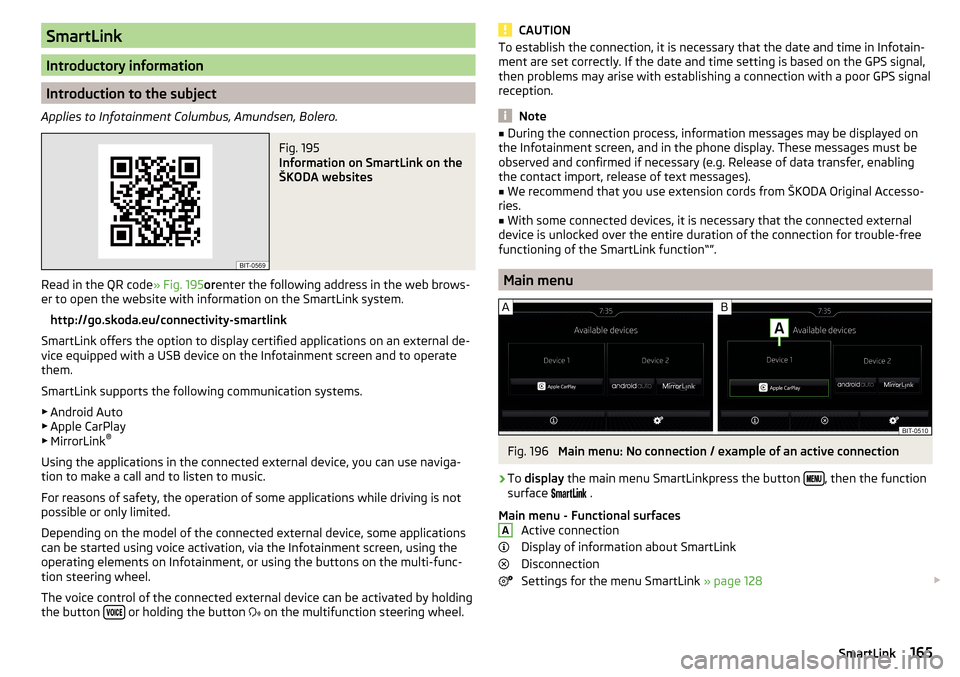
Main menu
Fig. 196
Main menu: No connection / example of an active connection
›
To display the main menu SmartLinkpress the button , then the function
surface
.
Main menu - Functional surfaces Active connection
Display of information about SmartLink
Disconnection
Settings for the menu SmartLink » page 128
A165SmartLink