seats SKODA RAPID 2013 1.G User Guide
[x] Cancel search | Manufacturer: SKODA, Model Year: 2013, Model line: RAPID, Model: SKODA RAPID 2013 1.GPages: 226, PDF Size: 15.16 MB
Page 64 of 226
›Push the waste container to the back in the direction of the arrow 1
» Fig. 51 .›Push the waste container as required in the direction of arrow 2.
Remove the waste container
›
Remove the waste container in the opposite direction to the arrow
1
» Fig. 51 .
Open/close waste container
›
Open the waste container in the direction of the arrow
3
» Fig. 51 .
Closing takes place in reverse order.
Replace bags
›
Remove the waste container from the slot.
›
Push the two catches of the inner frame out of the container body in the direc-
tion of the arrow
4
» Fig. 52 .
›
Pull the bag together with the inner frame down in the direction of arrow
5
.
›
Remove the bag from the inside frame.
›
Pull the new bag through the frame and pull it over the frame in the direction of
arrow
6
.
›
Insert the bag with the frame in the direction of arrow
7
into the container
body.
The two catches of the inner frame must click into place.
WARNING■ Never use the waste container as an ashtray - risk of fire!■Only replace the bag when the vehicle is stationary – risk of accident!
Note
We recommend that you use 20x30 cm bags.
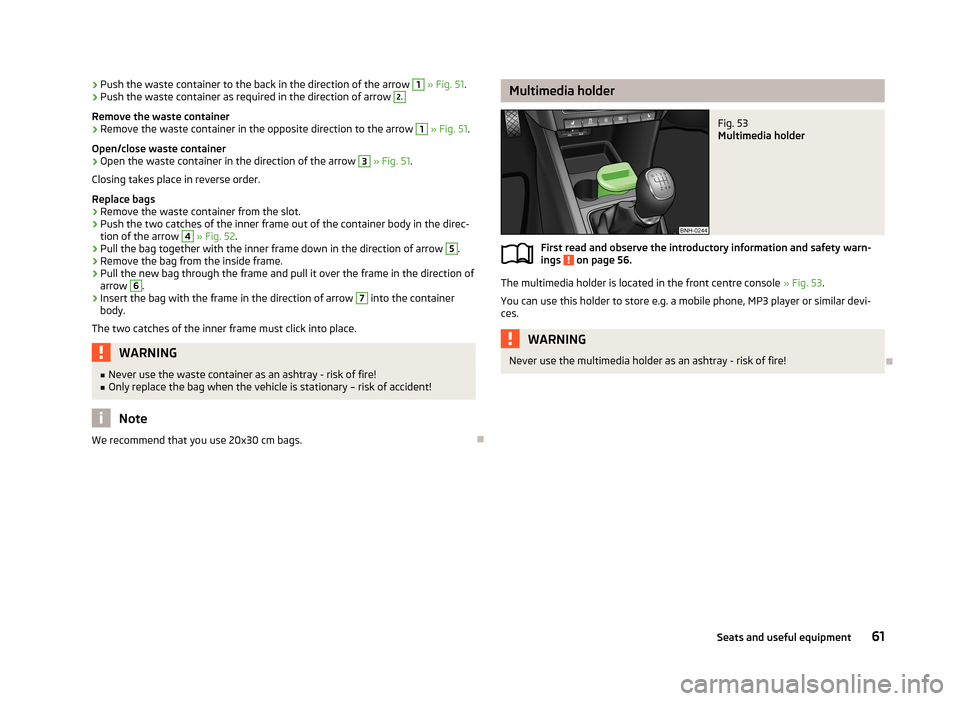
Multimedia holderFig. 53
Multimedia holder
First read and observe the introductory information and safety warn-
ings on page 56.
The multimedia holder is located in the front centre console » Fig. 53.
You can use this holder to store e.g. a mobile phone, MP3 player or similar devi- ces.
WARNINGNever use the multimedia holder as an ashtray - risk of fire!
61Seats and useful equipment
Page 66 of 226
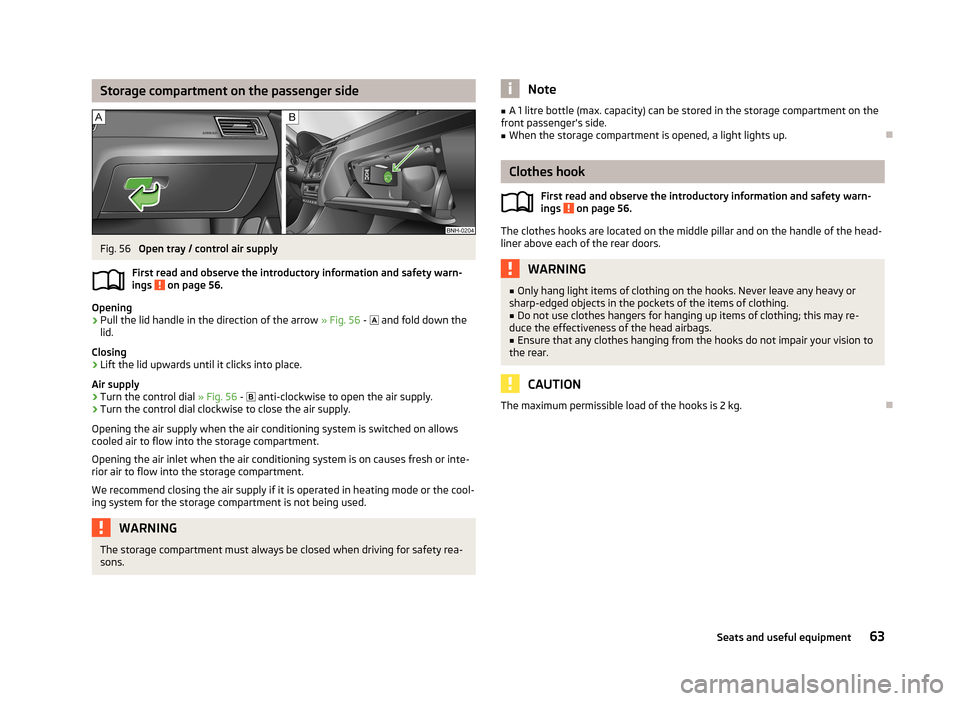
Storage compartment on the passenger sideFig. 56
Open tray / control air supply
First read and observe the introductory information and safety warn- ings
on page 56.
Opening
›
Pull the lid handle in the direction of the arrow » Fig. 56 -
and fold down the
lid.
Closing
›
Lift the lid upwards until it clicks into place.
Air supply
›
Turn the control dial » Fig. 56 -
anti-clockwise to open the air supply.
›
Turn the control dial clockwise to close the air supply.
Opening the air supply when the air conditioning system is switched on allows cooled air to flow into the storage compartment.
Opening the air inlet when the air conditioning system is on causes fresh or inte-rior air to flow into the storage compartment.
We recommend closing the air supply if it is operated in heating mode or the cool- ing system for the storage compartment is not being used.
WARNINGThe storage compartment must always be closed when driving for safety rea-
sons.Note■ A 1 litre bottle (max. capacity) can be stored in the storage compartment on the
front passenger's side.■
When the storage compartment is opened, a light lights up.
Clothes hook
First read and observe the introductory information and safety warn-ings
on page 56.
The clothes hooks are located on the middle pillar and on the handle of the head-
liner above each of the rear doors.
WARNING■ Only hang light items of clothing on the hooks. Never leave any heavy or
sharp-edged objects in the pockets of the items of clothing.■
Do not use clothes hangers for hanging up items of clothing; this may re-
duce the effectiveness of the head airbags.
■
Ensure that any clothes hanging from the hooks do not impair your vision to
the rear.
CAUTION
The maximum permissible load of the hooks is 2 kg.
63Seats and useful equipment
Page 67 of 226
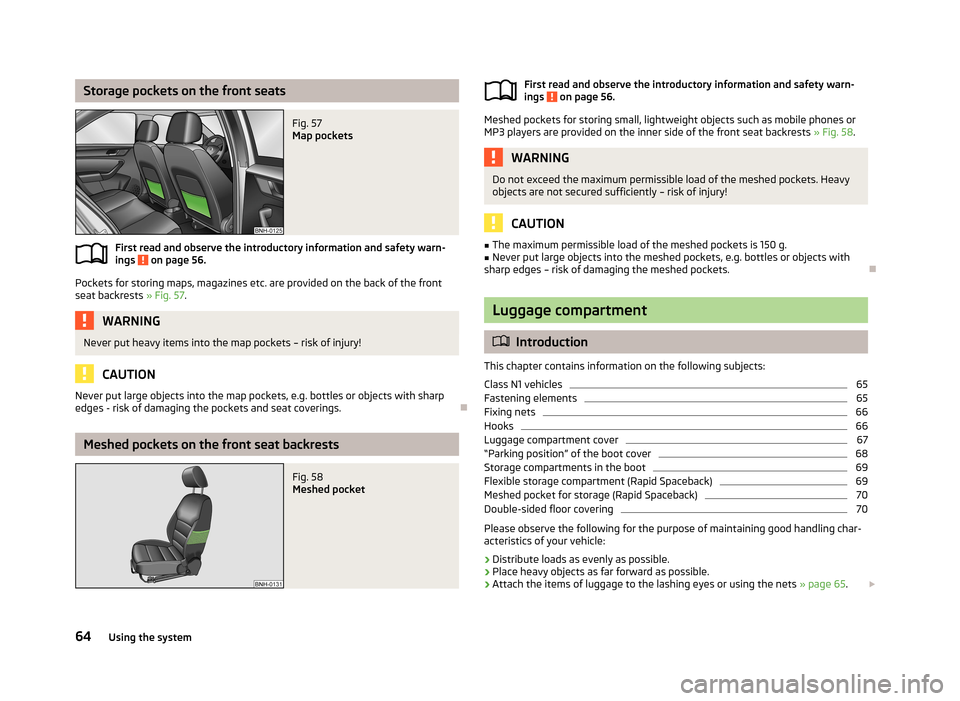
Storage pockets on the front seatsFig. 57
Map pockets
First read and observe the introductory information and safety warn-
ings on page 56.
Pockets for storing maps, magazines etc. are provided on the back of the front
seat backrests » Fig. 57.
WARNINGNever put heavy items into the map pockets – risk of injury!
CAUTION
Never put large objects into the map pockets, e.g. bottles or objects with sharp
edges - risk of damaging the pockets and seat coverings.
Meshed pockets on the front seat backrests
Fig. 58
Meshed pocketFirst read and observe the introductory information and safety warn-
ings on page 56.
Meshed pockets for storing small, lightweight objects such as mobile phones or MP3 players are provided on the inner side of the front seat backrests » Fig. 58.
WARNINGDo not exceed the maximum permissible load of the meshed pockets. Heavy
objects are not secured sufficiently – risk of injury!
CAUTION
■ The maximum permissible load of the meshed pockets is 150 g.■Never put large objects into the meshed pockets, e.g. bottles or objects with
sharp edges – risk of damaging the meshed pockets.
Luggage compartment
Introduction
This chapter contains information on the following subjects:
Class N1 vehicles
65
Fastening elements
65
Fixing nets
66
Hooks
66
Luggage compartment cover
67
“Parking position” of the boot cover
68
Storage compartments in the boot
69
Flexible storage compartment (Rapid Spaceback)
69
Meshed pocket for storage (Rapid Spaceback)
70
Double-sided floor covering
70
Please observe the following for the purpose of maintaining good handling char-
acteristics of your vehicle:
›
Distribute loads as evenly as possible.
›
Place heavy objects as far forward as possible.
›
Attach the items of luggage to the lashing eyes or using the nets » page 65.
64Using the system
Page 68 of 226
In the event of an accident, even small and light objects gain so much kinetic en-
ergy that they can cause severe injuries.
The magnitude of the kinetic energy is dependent on the speed at which the ve-
hicle is travelling and the weight of the object.
Example: In the event of a frontal collision at a speed of 50 km/h, an object with a
weight of 4.5 kg produces an energy, which corresponds to 20 times its own
weight. This means that it results in a weight of approx. 90 kg “ ”.
Luggage compartment light
The light comes on automatically when the boot lid is opened. If the lid remains open for more than 10 minutes, the boot light switches off automatically.WARNING■ Store the objects in the boot and attach them to the lashing eyes.■Loose objects can be thrown forward during a sudden manoeuvre or in case
of an accident and can injure the occupants or other road users.■
Loose objects could hit a deployed airbag and injure occupants – danger of
death!
■
Please note that transporting heavy objects alters the handling properties
of the vehicle due to the displacement of the centre of gravity – risk of acci-
dent! The speed and style of driving must be adjusted accordingly.
■
If the items of luggage or objects are attached to the lashing eyes with un-
suitable or damaged lashing straps, injuries can occur in the event of braking manoeuvres or accidents. To prevent items of luggage from moving around,
always use suitable lashing straps that are firmly attached to the lashing eyes.
■
The transported items must be stowed in such a way that no objects are
able to slip forward on sudden driving or braking manoeuvres – risk of injury!
■
When transporting objects in the luggage compartment that has been en-
larged by folding the rear seats forward, ensure the safety of the passengers
transported on the other rear seats » page 128, Correct seated position for
the passengers in the rear seats .
■
If the rear seat next to the folded forward seat is occupied, ensure maxi-
mum safety, e.g. by placing the goods to be transported in such a way that the
seat is prevented from folding back in case of a rear collision.
■
Do not drive with the luggage compartment lid open or unlatched, other-
wise exhaust gases may get into the interior of the vehicle – risk of poisoning!
■
Do not exceed the permissible axle loads and permissible gross weight of
the vehicle – risk of accident!
■
Do not transport people in the boot!
CAUTIONPlease ensure that the heating elements for the rear window heater are not dam-
aged as a result of abrasive objects.
Note
Tyre pressure must be adjusted to the load » page 176, Service life of tyres .
Class N1 vehicles
First read and observe the introductory information and safety warn-
ings
on page 64.
In class N1 vehicles that are not fitted with a protective grille, a lashing set that
complies with the EN 12195 standard (1-4) must be used for fastening the load.
Proper functioning of the electrical installation is essential for safe vehicle opera- tion. It is important to ensure that the electrical installation is not damaged dur-ing the adjustment process or when the storage area is being loaded and unloa-
ded.
Fastening elements
Fig. 59
Lashing eyes and fastening ele-
ments
First read and observe the introductory information and safety warn- ings on page 64.
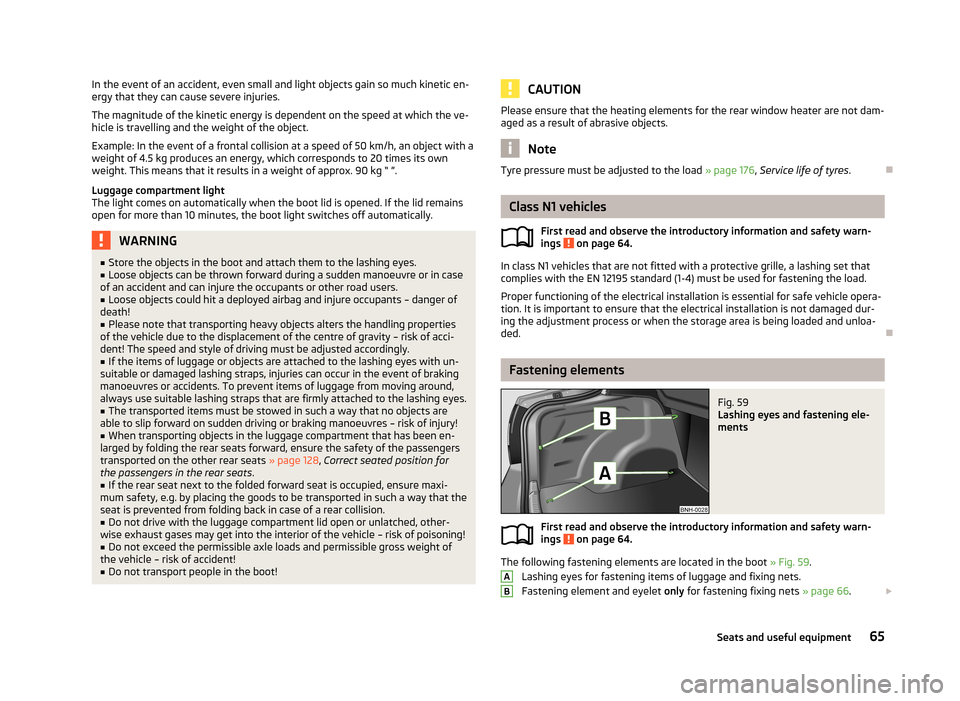
The following fastening elements are located in the boot » Fig. 59.
Lashing eyes for fastening items of luggage and fixing nets.
Fastening element and eyelet only for fastening fixing nets » page 66.
AB65Seats and useful equipment
Page 70 of 226
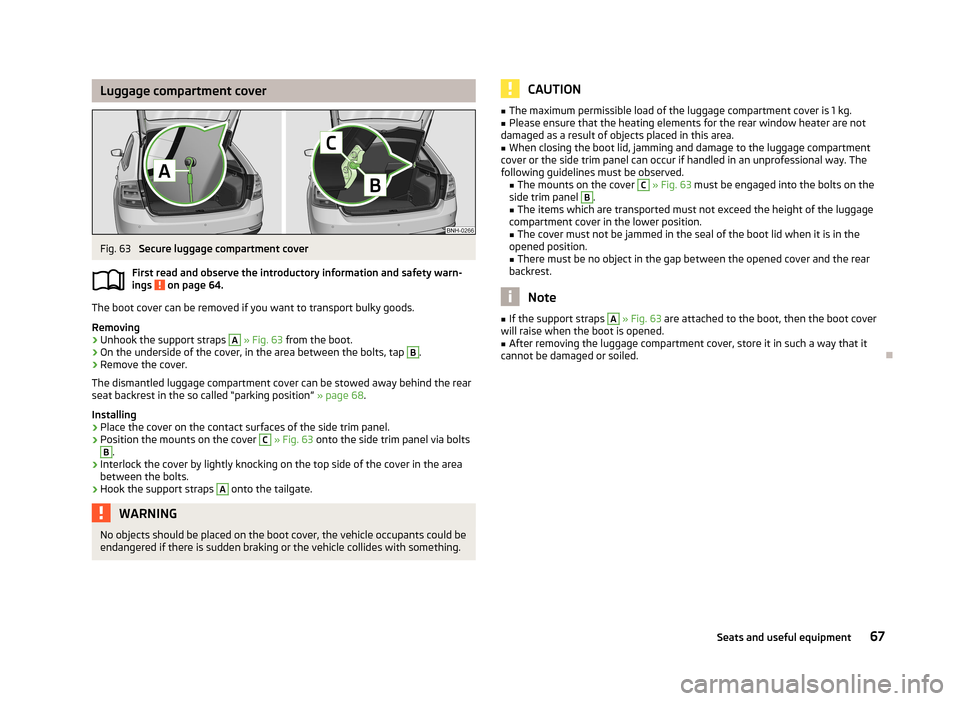
Luggage compartment coverFig. 63
Secure luggage compartment cover
First read and observe the introductory information and safety warn- ings
on page 64.
The boot cover can be removed if you want to transport bulky goods.
Removing
›
Unhook the support straps
A
» Fig. 63 from the boot.
›
On the underside of the cover, in the area between the bolts, tap
B
.
›
Remove the cover.
The dismantled luggage compartment cover can be stowed away behind the rear
seat backrest in the so called “parking position” » page 68.
Installing
›
Place the cover on the contact surfaces of the side trim panel.
›
Position the mounts on the cover
C
» Fig. 63 onto the side trim panel via bolts
B
.
›
Interlock the cover by lightly knocking on the top side of the cover in the area
between the bolts.
›
Hook the support straps
A
onto the tailgate.
WARNINGNo objects should be placed on the boot cover, the vehicle occupants could be
endangered if there is sudden braking or the vehicle collides with something.CAUTION■ The maximum permissible load of the luggage compartment cover is 1 kg.■Please ensure that the heating elements for the rear window heater are not
damaged as a result of objects placed in this area.■
When closing the boot lid, jamming and damage to the luggage compartment
cover or the side trim panel can occur if handled in an unprofessional way. The
following guidelines must be observed. ■ The mounts on the cover
C
» Fig. 63 must be engaged into the bolts on the
side trim panel
B
.
■ The items which are transported must not exceed the height of the luggage
compartment cover in the lower position.
■ The cover must not be jammed in the seal of the boot lid when it is in the
opened position. ■ There must be no object in the gap between the opened cover and the rear
backrest.
Note
■ If the support straps A » Fig. 63 are attached to the boot, then the boot cover
will raise when the boot is opened.■
After removing the luggage compartment cover, store it in such a way that it
cannot be damaged or soiled.
67Seats and useful equipment
Page 72 of 226
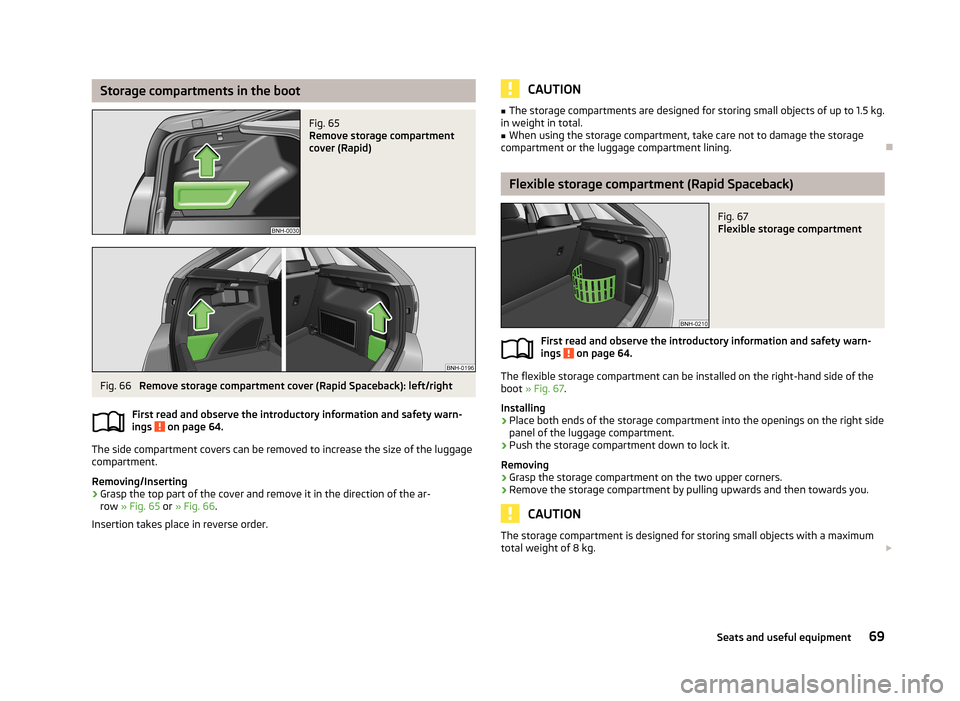
Storage compartments in the bootFig. 65
Remove storage compartment
cover (Rapid)
Fig. 66
Remove storage compartment cover (Rapid Spaceback): left/right
First read and observe the introductory information and safety warn-
ings
on page 64.
The side compartment covers can be removed to increase the size of the luggage
compartment.
Removing/Inserting
›
Grasp the top part of the cover and remove it in the direction of the ar- row » Fig. 65 or » Fig. 66 .
Insertion takes place in reverse order.
CAUTION■ The storage compartments are designed for storing small objects of up to 1.5 kg.
in weight in total.■
When using the storage compartment, take care not to damage the storage
compartment or the luggage compartment lining.
Flexible storage compartment (Rapid Spaceback)
Fig. 67
Flexible storage compartment
First read and observe the introductory information and safety warn-
ings on page 64.
The flexible storage compartment can be installed on the right-hand side of the
boot » Fig. 67 .
Installing
›
Place both ends of the storage compartment into the openings on the right side
panel of the luggage compartment.
›
Push the storage compartment down to lock it.
Removing
›
Grasp the storage compartment on the two upper corners.
›
Remove the storage compartment by pulling upwards and then towards you.
CAUTION
The storage compartment is designed for storing small objects with a maximum
total weight of 8 kg. 69Seats and useful equipment
Page 74 of 226
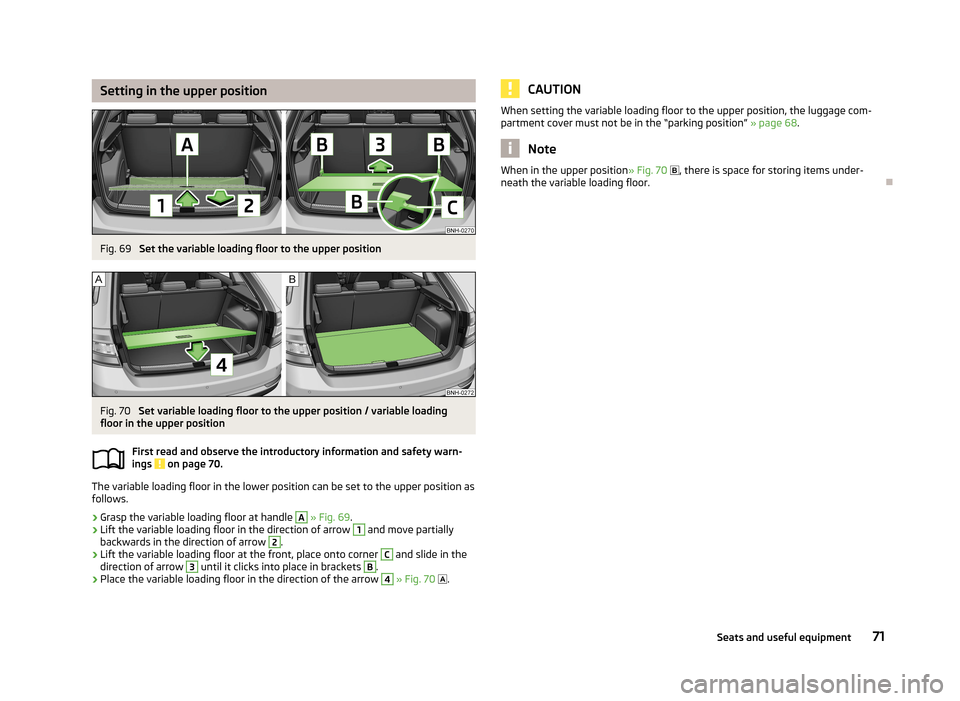
Setting in the upper positionFig. 69
Set the variable loading floor to the upper position
Fig. 70
Set variable loading floor to the upper position / variable loading
floor in the upper position
First read and observe the introductory information and safety warn-
ings
on page 70.
The variable loading floor in the lower position can be set to the upper position as
follows.
›
Grasp the variable loading floor at handle
A
» Fig. 69 .
›
Lift the variable loading floor in the direction of arrow
1
and move partially
backwards in the direction of arrow
2
.
›
Lift the variable loading floor at the front, place onto corner
C
and slide in the
direction of arrow
3
until it clicks into place in brackets
B
.
›
Place the variable loading floor in the direction of the arrow
4
» Fig. 70
.
CAUTIONWhen setting the variable loading floor to the upper position, the luggage com-
partment cover must not be in the “parking position” » page 68.
Note
When in the upper position » Fig. 70 , there is space for storing items under-
neath the variable loading floor.
71Seats and useful equipment
Page 76 of 226
CAUTION■When removing or inserting the variable loading floor, the maximum distance of
15 cm B » Fig. 73 underneath the boot cover must be adhered to - risk of damag-
ing the boot lid seal.■
When inserting the variable loading floor into the vehicle, the luggage compart-
ment cover must not be in the “parking position” » page 68.
Note
After removing the variable cargo floor, place it down in such a way that it cannot
be damaged or soiled.
Folding up/down
Fig. 74
Fold up/fold down variable loading floor
First read and observe the introductory information and safety warn- ings
on page 70.
The variable loading floor can be folded up in both positions (upper and lower).
Folding up
›
Grasp the variable loading floor at handle
A
» Fig. 74 .
›
Lift the variable loading floor in the direction of the arrow
1
until the folding
corners
B
lock into place in area
C
.
Folding down
›
Grasp the variable loading floor in the middle or at handle
A
.
›
Unlock the variable loading floor by pulling it in the direction of the arrow
2
» Fig. 74 .
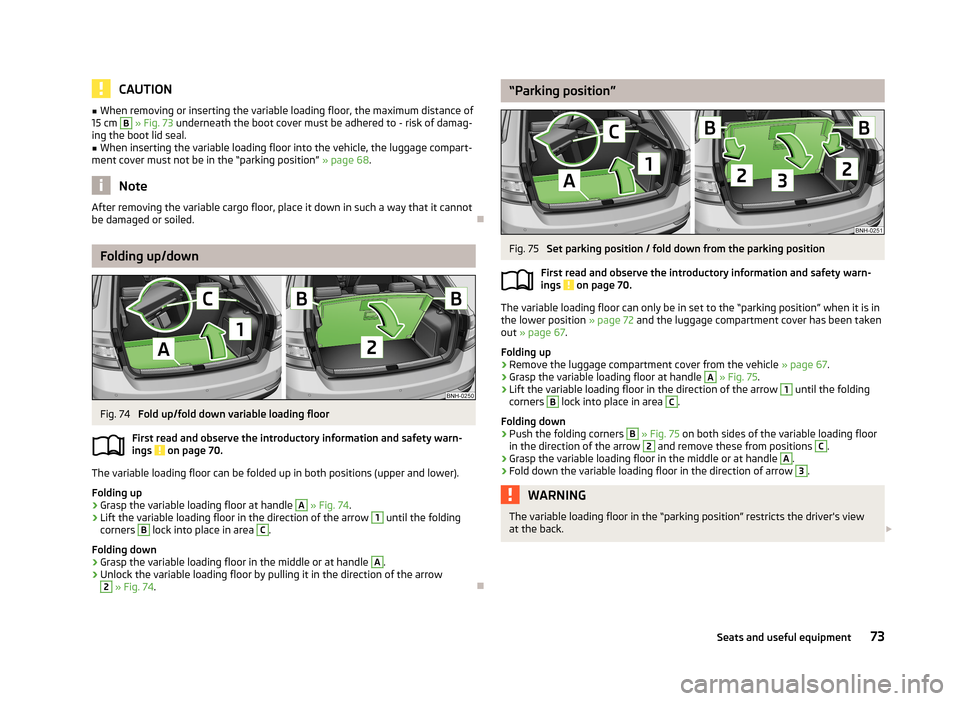
“Parking position”Fig. 75
Set parking position / fold down from the parking position
First read and observe the introductory information and safety warn-
ings
on page 70.
The variable loading floor can only be in set to the “parking position” when it is in the lower position » page 72 and the luggage compartment cover has been taken
out » page 67 .
Folding up
›
Remove the luggage compartment cover from the vehicle » page 67.
›
Grasp the variable loading floor at handle
A
» Fig. 75 .
›
Lift the variable loading floor in the direction of the arrow
1
until the folding
corners
B
lock into place in area
C
.
Folding down
›
Push the folding corners
B
» Fig. 75 on both sides of the variable loading floor
in the direction of the arrow
2
and remove these from positions
C
.
›
Grasp the variable loading floor in the middle or at handle
A
.
›
Fold down the variable loading floor in the direction of arrow
3
.
WARNINGThe variable loading floor in the “parking position” restricts the driver's view
at the back. 73Seats and useful equipment
Page 78 of 226
Roof loadFirst read and observe the introductory information and safety warn-
ings
on page 74.
The maximum permissible roof load (including roof rack system) of 75 kg and the
maximum permissible total weight of the vehicle should not be exceeded.
The full permissible roof load cannot be used if a roof rack system with a lower
load carrying capacity is used. In this case, the roof rack system must only be loa-
ded up to the maximum weight limit specified in the fitting instructions.
75Seats and useful equipment
Page 98 of 226
Button/adjust-ment
wheel » Fig. 86ActionRadio, traffic informationCD/MP3/Navigation
1Turn downwardsReduce the volume2Press brieflySwitch to the next saved radio station
Interruption of the traffic reportChanging to the next title2Press and hold buttonSearch forwardsFast forward3Press brieflySwitch to the previous saved radio station Interruption of the traffic reportChanging to the previous title3Press and holdbuttonSearch backwardsFast rewindNoteThe functions of button 1 » Fig. 86 are different for vehicles fitted with a univer-
sal telephone installation GSM II » page 87.
AUX and MDI inputs
Fig. 87
AUX input/MDI input
First read and observe the introductory information given on page 92.
Depending on the equipment, your vehicle may have AUX or MDI inputs (AUX and
USB) for connecting external audio sources.
The connected external audio sources (e.g. iPod or MP3 player) can then be used
for audio playback on your factory installed radio or radio-navigation system.
Extension cables to connect external sources are available from ŠKODA original
accessories.
For a description of use, refer to the operating instructions for the relevant radio or navigation system.
AUX input
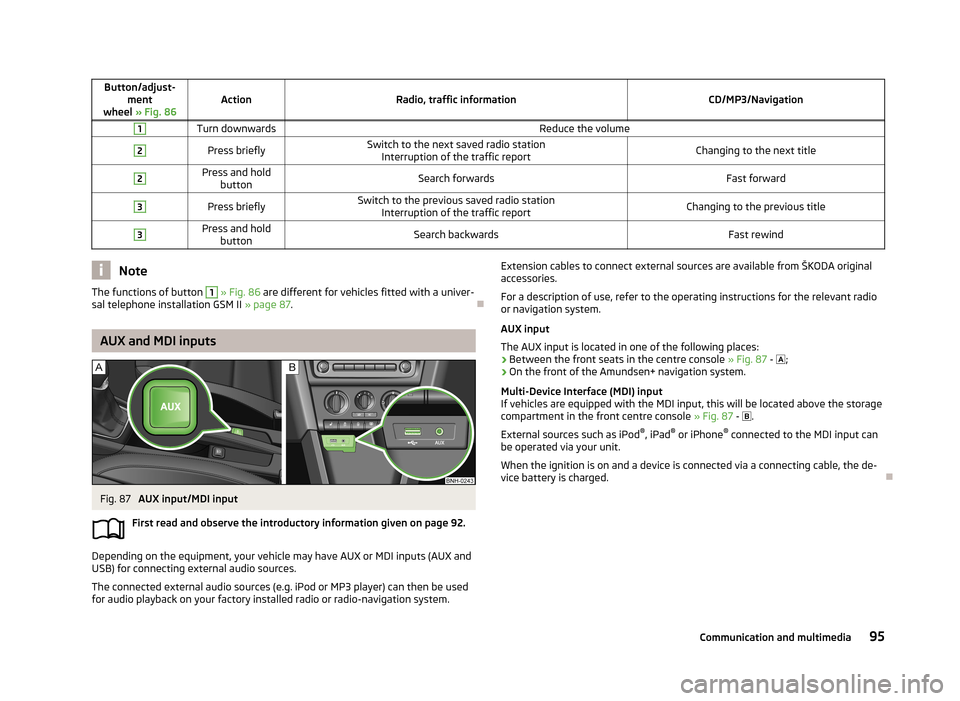
The AUX input is located in one of the following places:
› Between the front seats in the centre console
» Fig. 87 - ;
› On the front of the Amundsen+ navigation system.
Multi-Device Interface (MDI) input
If vehicles are equipped with the MDI input, this will be located above the storage compartment in the front centre console » Fig. 87 -
.
External sources such as iPod ®
, iPad ®
or iPhone ®
connected to the MDI input can
be operated via your unit.
When the ignition is on and a device is connected via a connecting cable, the de-
vice battery is charged.
95Communication and multimedia