lock SKODA RAPID 2014 1.G User Guide
[x] Cancel search | Manufacturer: SKODA, Model Year: 2014, Model line: RAPID, Model: SKODA RAPID 2014 1.GPages: 200, PDF Size: 25.57 MB
Page 32 of 200
Using the system
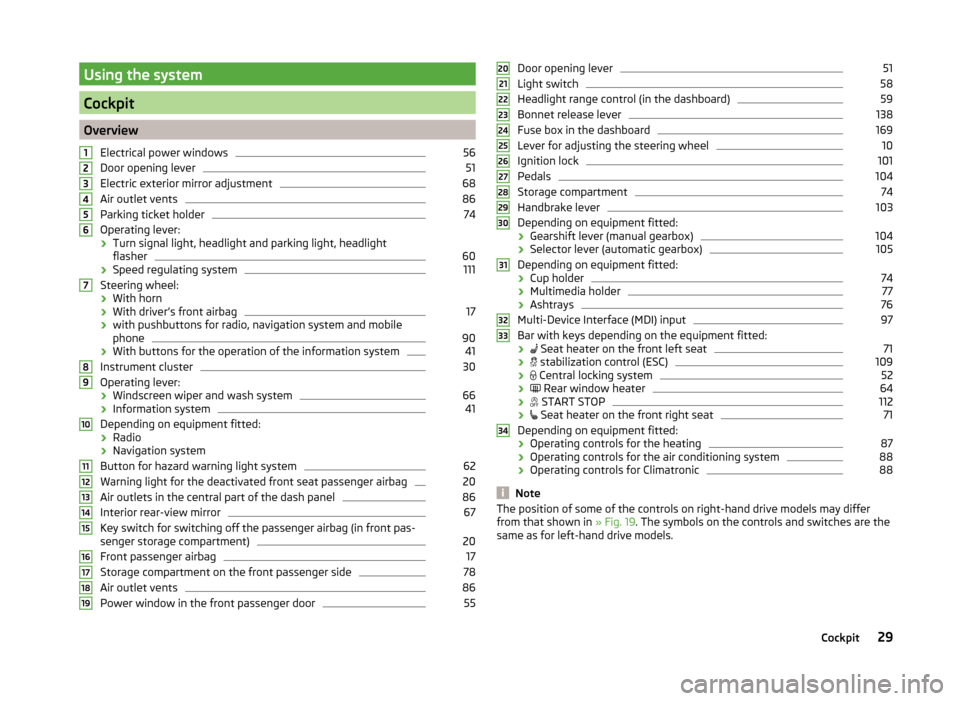
Cockpit
OverviewElectrical power windows
56
Door opening lever
51
Electric exterior mirror adjustment
68
Air outlet vents
86
Parking ticket holder
74
Operating lever:
› Turn signal light, headlight and parking light, headlight
flasher
60
› Speed regulating system
111
Steering wheel:
› With horn
› With driver’s front airbag
17
›with pushbuttons for radio, navigation system and mobile
phone
90
› With buttons for the operation of the information system
41
Instrument cluster
30
Operating lever:
› Windscreen wiper and wash system
66
›Information system
41
Depending on equipment fitted:
› Radio
› Navigation system
Button for hazard warning light system
62
Warning light for the deactivated front seat passenger airbag
20
Air outlets in the central part of the dash panel
86
Interior rear-view mirror
67
Key switch for switching off the passenger airbag (in front pas-
senger storage compartment)
20
Front passenger airbag
17
Storage compartment on the front passenger side
78
Air outlet vents
86
Power window in the front passenger door
5512345678910111213141516171819Door opening lever51
Light switch
58
Headlight range control (in the dashboard)
59
Bonnet release lever
138
Fuse box in the dashboard
169
Lever for adjusting the steering wheel
10
Ignition lock
101
Pedals
104
Storage compartment
74
Handbrake lever
103
Depending on equipment fitted:
› Gearshift lever (manual gearbox)
104
›Selector lever (automatic gearbox)
105
Depending on equipment fitted:
› Cup holder
74
›Multimedia holder
77
›Ashtrays
76
Multi-Device Interface (MDI) input
97
Bar with keys depending on the equipment fitted:
›
Seat heater on the front left seat
71
›
stabilization control (ESC)
109
›
Central locking system
52
›
Rear window heater
64
›
START STOP
112
›
Seat heater on the front right seat
71
Depending on equipment fitted:
› Operating controls for the heating
87
›
Operating controls for the air conditioning system
88
›Operating controls for Climatronic
88
Note
The position of some of the controls on right-hand drive models may differ
from that shown in » Fig. 19. The symbols on the controls and switches are the
same as for left-hand drive models.20212223242526272829303132333429Cockpit
Page 37 of 200
Some error messages and other information are displayed in the MAXI DOT
display. The messages are displayed simultaneously with the icons in the MAXI
DOT display or with the warning lights in the instrument cluster » page 34,
Indicator lights .
The menu item Vehicle status is shown in the main menu of the MAXI DOT
display whenever at least one fault message exists. After selecting this menu,
the first of the error messages is displayed.
If there are several error messages, the display will show 1/3, for example, be-
low the message. This indicates that the first of a total of three error messag-
es is being displayed.
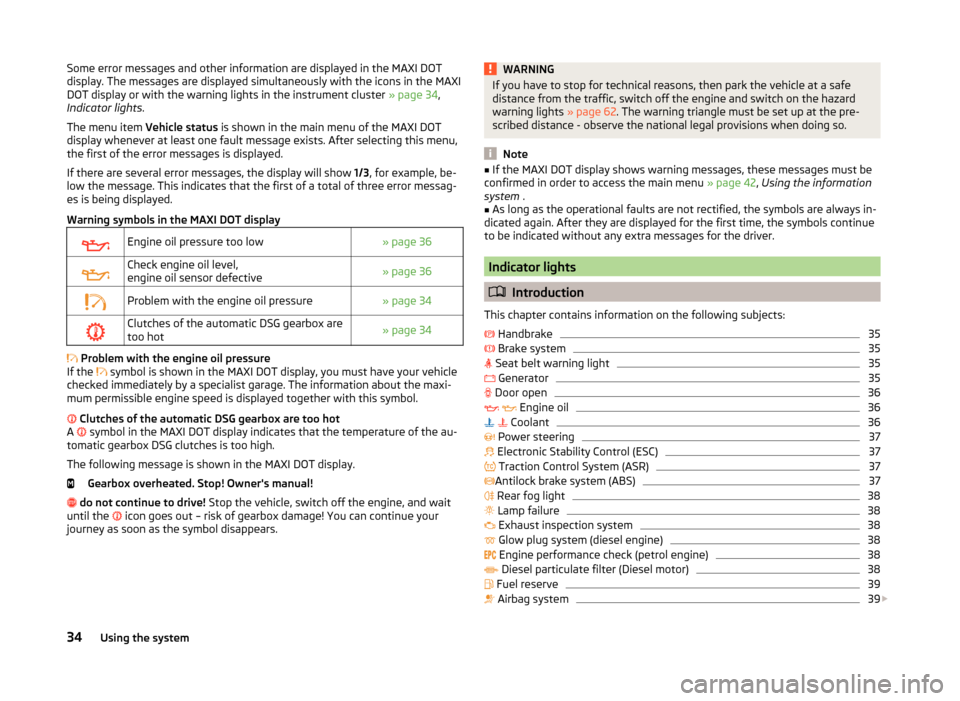
Warning symbols in the MAXI DOT displayEngine oil pressure too low» page 36Check engine oil level,
engine oil sensor defective» page 36Problem with the engine oil pressure» page 34Clutches of the automatic DSG gearbox are
too hot» page 34
Problem with the engine oil pressure
If the symbol is shown in the MAXI DOT display, you must have your vehicle
checked immediately by a specialist garage. The information about the maxi-
mum permissible engine speed is displayed together with this symbol.
Clutches of the automatic DSG gearbox are too hot
A symbol in the MAXI DOT display indicates that the temperature of the au-
tomatic gearbox DSG clutches is too high.
The following message is shown in the MAXI DOT display. Gearbox overheated. Stop! Owner's manual!
do not continue to drive! Stop the vehicle, switch off the engine, and wait
until the icon goes out – risk of gearbox damage! You can continue your
journey as soon as the symbol disappears.
WARNINGIf you have to stop for technical reasons, then park the vehicle at a safe
distance from the traffic, switch off the engine and switch on the hazard
warning lights » page 62. The warning triangle must be set up at the pre-
scribed distance - observe the national legal provisions when doing so.
Note
■ If the MAXI DOT display shows warning messages, these messages must be
confirmed in order to access the main menu » page 42, Using the information
system .■
As long as the operational faults are not rectified, the symbols are always in-
dicated again. After they are displayed for the first time, the symbols continue
to be indicated without any extra messages for the driver.
Indicator lights
Introduction
This chapter contains information on the following subjects:
Handbrake
35
Brake system
35
Seat belt warning light
35
Generator
35
Door open
36
Engine oil
36
Coolant
36
Power steering
37
Electronic Stability Control (ESC)
37
Traction Control System (ASR)
37
Antilock brake system (ABS)
37
Rear fog light
38
Lamp failure
38
Exhaust inspection system
38
Glow plug system (diesel engine)
38
Engine performance check (petrol engine)
38
Diesel particulate filter (Diesel motor)
38
Fuel reserve
39
Airbag system
39
34Using the system
Page 38 of 200
Tyre inflation pressure40 Windscreen washer fluid level40
Turn signal system
40
Fog lights
40
Cruise control system
41
Brake pedal (automatic gearbox)
41
Main beam
41
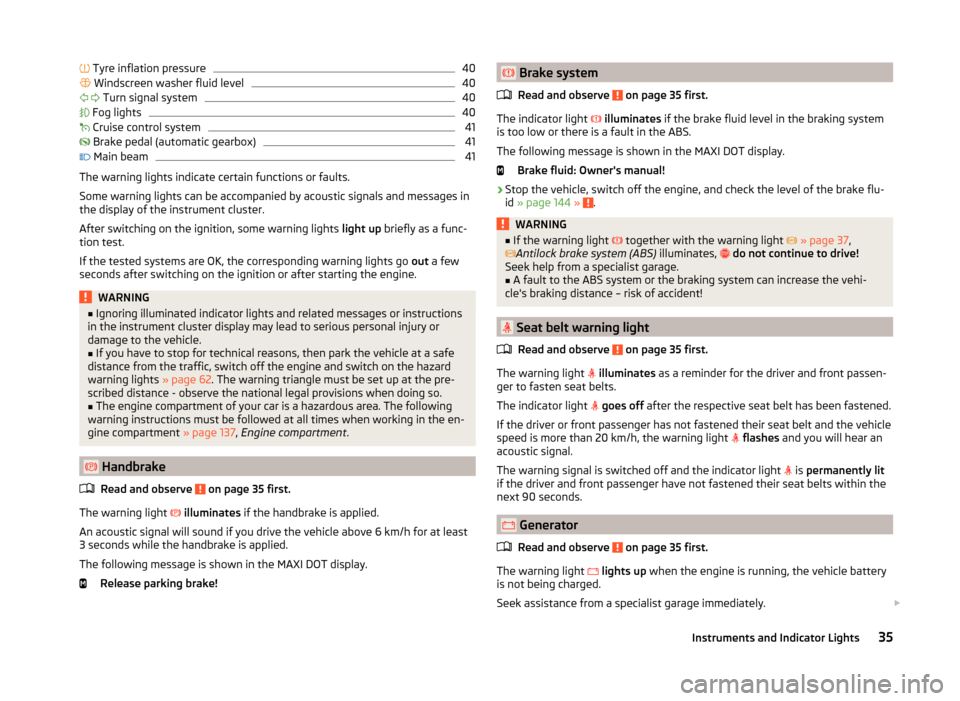
The warning lights indicate certain functions or faults.
Some warning lights can be accompanied by acoustic signals and messages in
the display of the instrument cluster.
After switching on the ignition, some warning lights light up briefly as a func-
tion test.
If the tested systems are OK, the corresponding warning lights go out a few
seconds after switching on the ignition or after starting the engine.
WARNING■ Ignoring illuminated indicator lights and related messages or instructions
in the instrument cluster display may lead to serious personal injury or
damage to the vehicle.■
If you have to stop for technical reasons, then park the vehicle at a safe
distance from the traffic, switch off the engine and switch on the hazard
warning lights » page 62. The warning triangle must be set up at the pre-
scribed distance - observe the national legal provisions when doing so.
■
The engine compartment of your car is a hazardous area. The following
warning instructions must be followed at all times when working in the en-
gine compartment » page 137, Engine compartment .
Handbrake
Read and observe
on page 35 first.
The warning light
illuminates if the handbrake is applied.
An acoustic signal will sound if you drive the vehicle above 6 km/h for at least
3 seconds while the handbrake is applied.
The following message is shown in the MAXI DOT display. Release parking brake!
Brake system
Read and observe
on page 35 first.
The indicator light
illuminates if the brake fluid level in the braking system
is too low or there is a fault in the ABS.
The following message is shown in the MAXI DOT display.
Brake fluid: Owner's manual!
›
Stop the vehicle, switch off the engine, and check the level of the brake flu-
id » page 144 » .
WARNING■
If the warning light together with the warning light » page 37 ,
Antilock brake system (ABS) illuminates, do not continue to drive!
Seek help from a specialist garage.■
A fault to the ABS system or the braking system can increase the vehi-
cle's braking distance – risk of accident!
Seat belt warning light
Read and observe
on page 35 first.
The warning light
illuminates as a reminder for the driver and front passen-
ger to fasten seat belts.
The indicator light
goes off after the respective seat belt has been fastened.
If the driver or front passenger has not fastened their seat belt and the vehicle
speed is more than 20 km/h, the warning light
flashes and you will hear an
acoustic signal.
The warning signal is switched off and the indicator light is
permanently lit
if the driver and front passenger have not fastened their seat belts within the
next 90 seconds.
Generator
Read and observe
on page 35 first.
The warning light
lights up when the engine is running, the vehicle battery
is not being charged.
Seek assistance from a specialist garage immediately.
35Instruments and Indicator Lights
Page 40 of 200
WARNING■Carefully open the coolant expansion bottle. If the engine is hot, the cool-
ing system is pressurized – risk of scalding! It is therefore best to allow the
engine to cool down before removing the cap.■
Do not touch the radiator fan. The radiator fan may switch itself on auto-
matically even if the ignition is off - a danger of injury is present!
CAUTION
■ Additional headlights and other attached components in front of the air inlet
impair the cooling efficiency of the coolant.■
Never cover the radiator - there is a risk of the engine overheating.
Power steering
Read and observe
on page 35 first.
If the indicator light
is illuminated , there is a fault in the power steering sys-
tem.
The power steering operates with reduced steering assist or does not function
at all.
Seek assistance from a specialist garage immediately.
Electronic Stability Control (ESC)
Read and observe
on page 35 first.
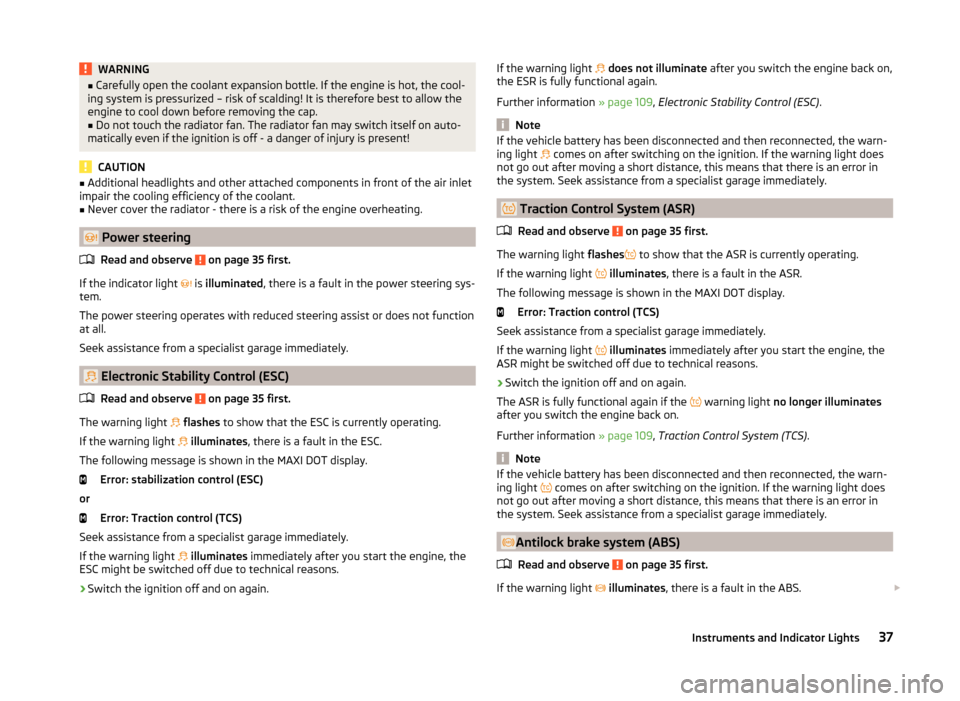
The warning light
flashes to show that the ESC is currently operating.
If the warning light
illuminates , there is a fault in the ESC.
The following message is shown in the MAXI DOT display. Error: stabilization control (ESC)
or Error: Traction control (TCS)
Seek assistance from a specialist garage immediately.
If the warning light
illuminates immediately after you start the engine, the
ESC might be switched off due to technical reasons.
›
Switch the ignition off and on again.
If the warning light does not illuminate after you switch the engine back on,
the ESR is fully functional again.
Further information » page 109, Electronic Stability Control (ESC) .
Note
If the vehicle battery has been disconnected and then reconnected, the warn-
ing light comes on after switching on the ignition. If the warning light does
not go out after moving a short distance, this means that there is an error in
the system. Seek assistance from a specialist garage immediately.
Traction Control System (ASR)
Read and observe
on page 35 first.
The warning light flashes
to show that the ASR is currently operating.
If the warning light
illuminates , there is a fault in the ASR.
The following message is shown in the MAXI DOT display. Error: Traction control (TCS)
Seek assistance from a specialist garage immediately.
If the warning light
illuminates immediately after you start the engine, the
ASR might be switched off due to technical reasons.
›
Switch the ignition off and on again.
The ASR is fully functional again if the warning light
no longer illuminates
after you switch the engine back on.
Further information » page 109, Traction Control System (TCS) .
Note
If the vehicle battery has been disconnected and then reconnected, the warn-
ing light comes on after switching on the ignition. If the warning light does
not go out after moving a short distance, this means that there is an error in
the system. Seek assistance from a specialist garage immediately.
Antilock brake system (ABS)
Read and observe
on page 35 first.
If the warning light
illuminates , there is a fault in the ABS.
37Instruments and Indicator Lights
Page 52 of 200
Information on the oil change service is displayed at first, followed by informa-
tion on the inspection when button 4 is pressed again.
› The number
1 or 2 is displayed in position A
.
› The symbol
and the number of days remaining until the next service inter-
val are displayed in position
B
.
› The symbol
and the number of kilometres remaining until the next service
interval are displayed in position
C
.
Resetting the service interval display
We recommend that the display reset is completed by a specialist garage.
We recommend that you do not reset the service interval display yourself. In-
correctly setting the service interval display could cause problems to the vehi-
cle.
Variable service interval
For vehicles with variable service intervals, after resetting the oil change serv-
ice display, the values of a new service interval are displayed, which are based
on the previous operating conditions of the vehicle.
These values are then continuously matched according to the actual operating
conditions of the vehicle.
Unlocking and opening
Unlocking and locking
Introduction
This chapter contains information on the following subjects:
With the key on the lock cylinder unlock / lock
50
Unlocking/locking with the remote control key
50
Opening/closing a door
51
Safe securing system
51
Individual settings
52
Locking and unlocking the vehicle with the central locking button
52
Child safety lock
53
Malfunctions
53
Your car is equipped with a central locking system.
The central locking system allows you to lock and unlock all doors, the fuel fill-
er flap and boot lid at the same time.
Depending on the equipment configuration, the following is true after
unlocking
› The turn signal lights flash twice as confirmation that the vehicle has been
unlocked.
› The doors, the boot lid and the fuel filler flap are unlocked.
› The interior light, which is switched by the door contact, comes on.
› The SafeLock system is switched off.
› The indicator light in the driver door stops flashing.
› The anti-theft alarm system is deactivated.
If you unlock the vehicle and do not open a door or the boot lid within the next
30 seconds, the vehicle will lock again automatically and the SafeLock system
or anti-theft alarm system will be switched on. This function is intended to
prevent the car being unlocked unintentionally.
Depending on the equipment configuration, the following is true after
locking
› The turn signal lights flash once as confirmation that the vehicle has been
locked.
› The doors, the boot lid and the fuel filler flap are locked.
› The interior lights connected over the door contact go off.
49Unlocking and opening
Page 53 of 200
›The SafeLock system is switched on.
› The warning light in the driver door begins flashing.
› The anti-theft alarm system is activated.
If the doors or the boot lid remain open after the vehicle has been locked, the
turn signal lights do not flash until they have been closed.WARNING■ Never leave the key in the vehicle when you exit the vehicle. Unauthor-
ized persons, such as children, for example, could lock the car, turn on the
ignition or start the engine - there is a danger of injury and accidents!■
When leaving the vehicle, never leave persons who are not completely in-
dependent, such as children, unattended in the vehicle. The children might,
for example, release the handbrake or take the vehicle out of gear. The ve-
hicle could then start to move – risk of injury and accidents! These individu-
als might also not be able to leave the vehicle on their own or to help
themselves. Can be fatal at very high or very low temperatures!
CAUTION
■ Each key contains electronic components; therefore it must be protected
against moisture and severe shocks.■
Keep the groove of the keys absolutely clean. Impurities (textile fibres, dust,
etc.) have a negative effect on the functionality of the locking cylinder and ig-
nition lock.
■
The battery must be replaced if the central locking or anti-theft alarm system
does react to the remote control at less than approx. 3 metres
away » page 166 .
■
When leaving the vehicle, always check if it is locked.
■
If the driver's door has been opened, the vehicle cannot be locked.
Note
In the event of an accident in which the airbags are deployed, the locked doors
are automatically unlocked in order to enable rescuers to gain access to the
vehicle.With the key on the lock cylinder unlock / lockFig. 30
Left side of the vehicle: Turning
the key for unlocking and locking
the vehicle
Read and observe and on page 50 first.
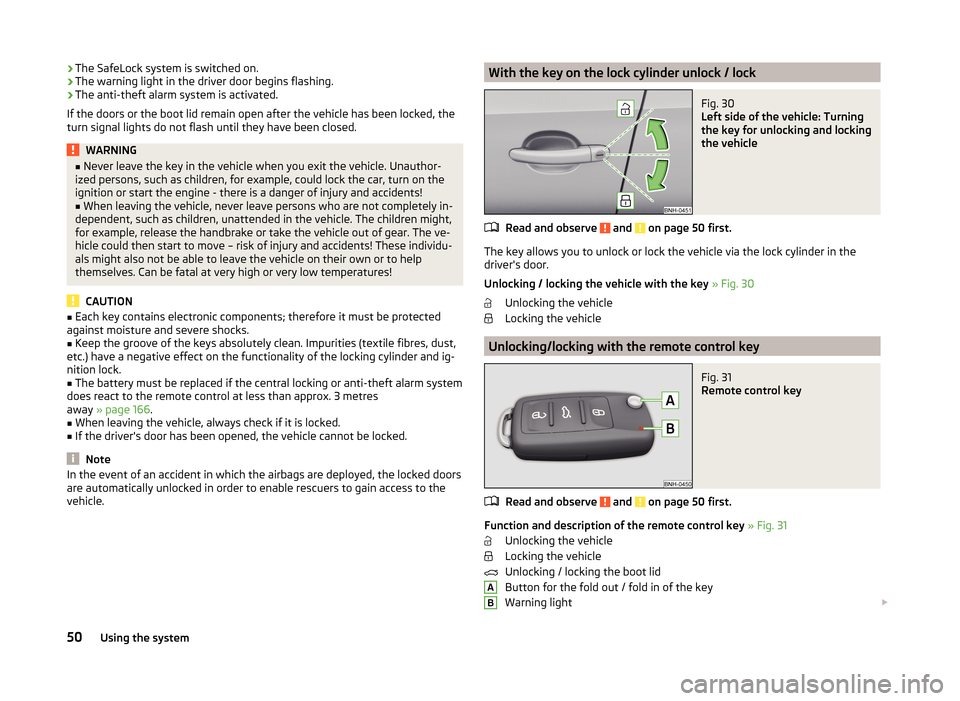
The key allows you to unlock or lock the vehicle via the lock cylinder in the
driver's door.
Unlocking / locking the vehicle with the key » Fig. 30
Unlocking the vehicle
Locking the vehicle
Unlocking/locking with the remote control key
Fig. 31
Remote control key
Read and observe and on page 50 first.
Function and description of the remote control key » Fig. 31
Unlocking the vehicle
Locking the vehicle
Unlocking / locking the boot lid
Button for the fold out / fold in of the key
Warning light
AB50Using the system
Page 54 of 200
Unlocking / locking the boot lid
Briefly pressing the symbol key unlocks the boot lid. After unlocking, the
boot lid can be opened with the button in the handle above the number plate.
Pressing and holding the symbol key
releases the boot lid (partially
opened).
If the boot lid is unlocked or released with the key symbol
on the remote
control key, then the lid is automatically locked after closing.
You can set a lock delay » page 55.
CAUTION
■
Operation of the remote control may temporarily be affected by signal inter-
ference from transmitters close to the car and which operate in the same fre-
quency range (e.g. mobile phone, TV transmitter).■
Only operate the remote control when the doors and boot lid are closed and
the vehicle is in your line of sight.
■
The operating range of the remote control key is approx. 30 m. But this range
of the remote control can be reduced if the batteries are weak.
Note
A ŠKODA partner can also activate/deactivate the acoustic signals on vehicles
with an anti-theft alarm system.
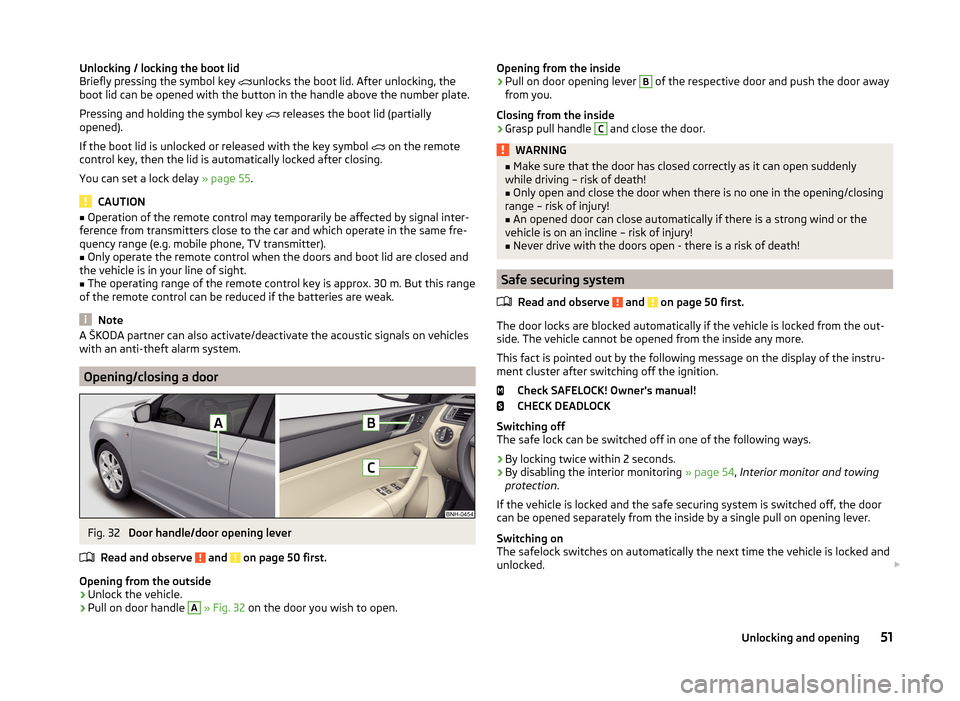
Opening/closing a door
Fig. 32
Door handle/door opening lever
Read and observe
and on page 50 first.
Opening from the outside
›
Unlock the vehicle.
›
Pull on door handle
A
» Fig. 32 on the door you wish to open.
Opening from the inside›Pull on door opening lever B of the respective door and push the door away
from you.
Closing from the inside›
Grasp pull handle
C
and close the door.
WARNING■ Make sure that the door has closed correctly as it can open suddenly
while driving – risk of death!■
Only open and close the door when there is no one in the opening/closing
range – risk of injury!
■
An opened door can close automatically if there is a strong wind or the
vehicle is on an incline – risk of injury!
■
Never drive with the doors open - there is a risk of death!
Safe securing system
Read and observe
and on page 50 first.
The door locks are blocked automatically if the vehicle is locked from the out-side. The vehicle cannot be opened from the inside any more.
This fact is pointed out by the following message on the display of the instru-
ment cluster after switching off the ignition.
Check SAFELOCK! Owner's manual!
CHECK DEADLOCK
Switching off
The safe lock can be switched off in one of the following ways.
›
By locking twice within 2 seconds.
›
By disabling the interior monitoring » page 54, Interior monitor and towing
protection .
If the vehicle is locked and the safe securing system is switched off, the door can be opened separately from the inside by a single pull on opening lever.
Switching on
The safelock switches on automatically the next time the vehicle is locked and
unlocked.
51Unlocking and opening
Page 55 of 200
Switch-off display
The indicator light in the driver door flashes for about 2 seconds fast, goes out
and starts to flash at longer intervals after about 30 seconds.
Switch-on display
The warning light flashes for around 2 seconds in quick succession, afterwards it begins to flash evenly at longer intervals.WARNINGIf the car is locked and the safe securing system activated, no people must
remain in the car as it will then not be possible to either unlock a door or
open a window from the inside. The locked doors make it more difficult for
rescuers to get into the vehicle in an emergency – risk to life!
Individual settings
Read and observe
and on page 50 first.
Opening a single door
The function allows you to unlock only the driver's door and the fuel filler flap. The other doors and the boot lid remain locked and are only unlocked after be-
ing opened again.
Automatic locking/unlocking
All doors are locked from a speed of around 15 km/h. The button in the handle
of the boot lid is deactivated.
If the ignition key is withdrawn, the car is then automatically unlocked again. It
is also possible to unlock the vehicle by pressing the central locking button .
Note
■
Individual settings can be carried out in a specialist workshop.■For some countries with right-hand steering the function of the single door
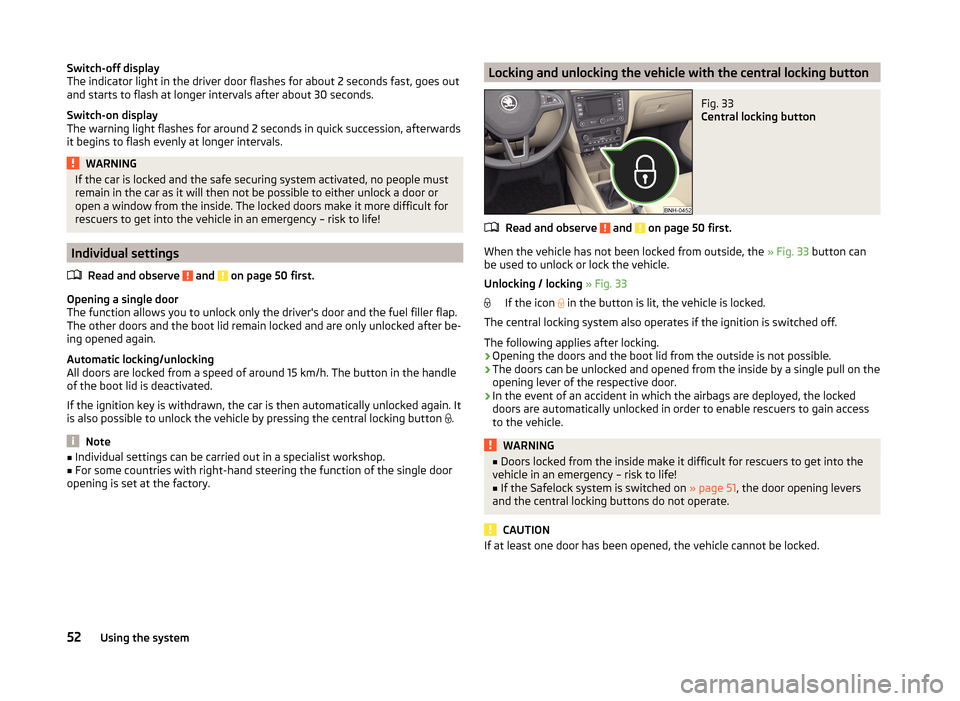
opening is set at the factory.Locking and unlocking the vehicle with the central locking buttonFig. 33
Central locking button
Read and observe and on page 50 first.
When the vehicle has not been locked from outside, the » Fig. 33 button can
be used to unlock or lock the vehicle.
Unlocking / locking » Fig. 33
If the icon in the button is lit, the vehicle is locked.
The central locking system also operates if the ignition is switched off.
The following applies after locking.
› Opening the doors and the boot lid from the outside is not possible.
› The doors can be unlocked and opened from the inside by a single pull on the
opening lever of the respective door.
› In the event of an accident in which the airbags are deployed, the locked
doors are automatically unlocked in order to enable rescuers to gain access
to the vehicle.
WARNING■ Doors locked from the inside make it difficult for rescuers to get into the
vehicle in an emergency – risk to life!■
If the Safelock system is switched on » page 51, the door opening levers
and the central locking buttons do not operate.
CAUTION
If at least one door has been opened, the vehicle cannot be locked.52Using the system
Page 56 of 200
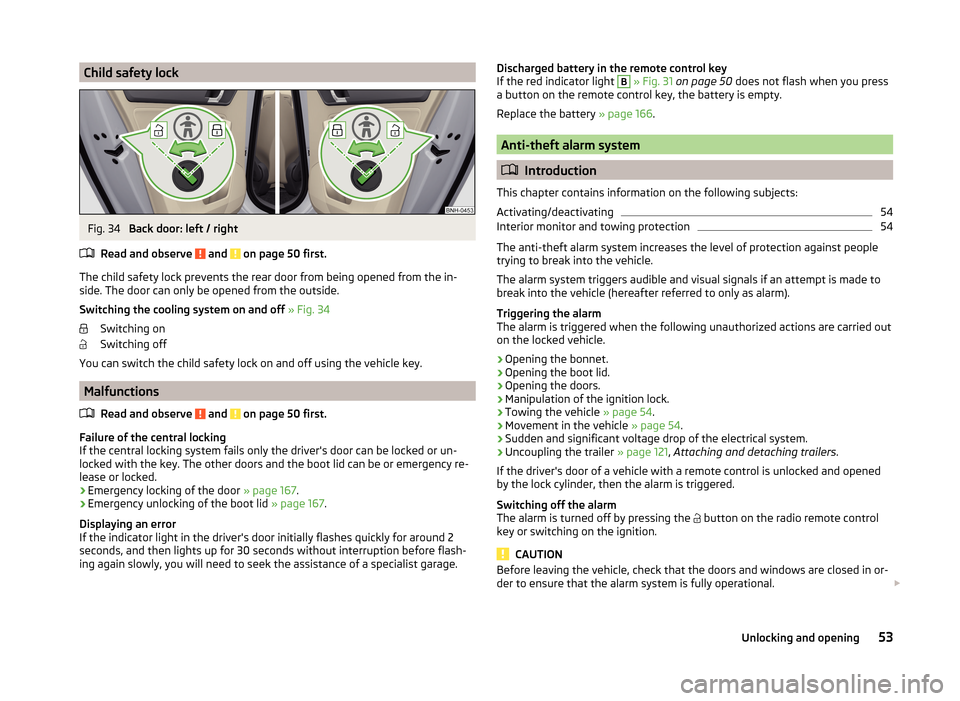
Child safety lockFig. 34
Back door: left / right
Read and observe
and on page 50 first.
The child safety lock prevents the rear door from being opened from the in- side. The door can only be opened from the outside.
Switching the cooling system on and off » Fig. 34
Switching on
Switching off
You can switch the child safety lock on and off using the vehicle key.
Malfunctions
Read and observe
and on page 50 first.
Failure of the central locking
If the central locking system fails only the driver's door can be locked or un-
locked with the key. The other doors and the boot lid can be or emergency re-
lease or locked.
› Emergency locking of the door
» page 167.
› Emergency unlocking of the boot lid
» page 167.
Displaying an error
If the indicator light in the driver's door initially flashes quickly for around 2
seconds, and then lights up for 30 seconds without interruption before flash-
ing again slowly, you will need to seek the assistance of a specialist garage.
Discharged battery in the remote control key
If the red indicator light B » Fig. 31 on page 50 does not flash when you press
a button on the remote control key, the battery is empty.
Replace the battery » page 166.
Anti-theft alarm system
Introduction
This chapter contains information on the following subjects:
Activating/deactivating
54
Interior monitor and towing protection
54
The anti-theft alarm system increases the level of protection against people
trying to break into the vehicle.
The alarm system triggers audible and visual signals if an attempt is made to
break into the vehicle (hereafter referred to only as alarm).
Triggering the alarm
The alarm is triggered when the following unauthorized actions are carried out
on the locked vehicle.
› Opening the bonnet.
› Opening the boot lid.
› Opening the doors.
› Manipulation of the ignition lock.
› Towing the vehicle
» page 54.
› Movement in the vehicle
» page 54.
› Sudden and significant voltage drop of the electrical system.
› Uncoupling the trailer
» page 121, Attaching and detaching trailers .
If the driver's door of a vehicle with a remote control is unlocked and opened by the lock cylinder, then the alarm is triggered.
Switching off the alarm
The alarm is turned off by pressing the button on the radio remote control
key or switching on the ignition.
CAUTION
Before leaving the vehicle, check that the doors and windows are closed in or-
der to ensure that the alarm system is fully operational. 53Unlocking and opening
Page 57 of 200
NoteThe working life of the alarm siren is 5 years.
Activating/deactivatingRead and observe
on page 53 first.
Activating
The alarm system is activated automatically approximately 30 seconds after
the vehicle is locked.
If the vehicle is unlocked and a door or the boot lid not opened within the next
30 seconds, the vehicle will lock again automatically and the safe securing sys-
tem or anti-theft alarm system will be switched back on. This function is inten-
ded to prevent the car being unlocked unintentionally.
Deactivating
The alarm system is deactivated automatically after the vehicle is unlocked. If
the vehicle is not opened within 30 seconds, the alarm system is automatically
activated again.
Interior monitor and towing protection
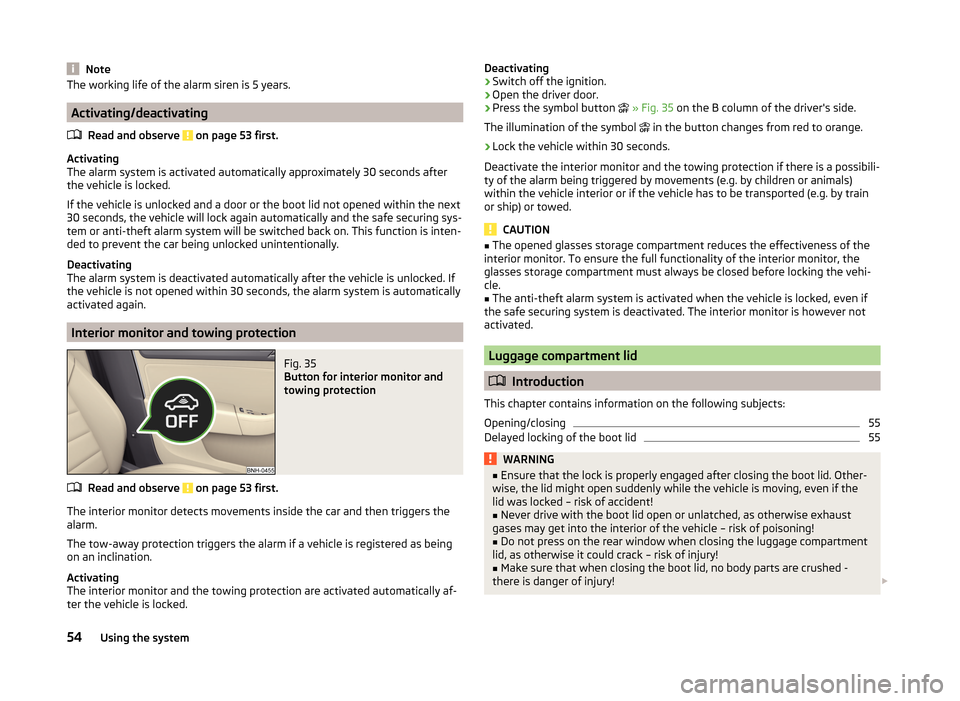
Fig. 35
Button for interior monitor and
towing protection
Read and observe on page 53 first.
The interior monitor detects movements inside the car and then triggers the alarm.
The tow-away protection triggers the alarm if a vehicle is registered as being
on an inclination.
Activating
The interior monitor and the towing protection are activated automatically af-
ter the vehicle is locked.
Deactivating›Switch off the ignition.›
Open the driver door.
›
Press the symbol button
» Fig. 35 on the B column of the driver's side.
The illumination of the symbol
in the button changes from red to orange.
›
Lock the vehicle within 30 seconds.
Deactivate the interior monitor and the towing protection if there is a possibili-
ty of the alarm being triggered by movements (e.g. by children or animals)
within the vehicle interior or if the vehicle has to be transported (e.g. by train
or ship) or towed.
CAUTION
■ The opened glasses storage compartment reduces the effectiveness of the
interior monitor. To ensure the full functionality of the interior monitor, the
glasses storage compartment must always be closed before locking the vehi-
cle.■
The anti-theft alarm system is activated when the vehicle is locked, even if
the safe securing system is deactivated. The interior monitor is however not
activated.
Luggage compartment lid
Introduction
This chapter contains information on the following subjects:
Opening/closing
55
Delayed locking of the boot lid
55WARNING■ Ensure that the lock is properly engaged after closing the boot lid. Other-
wise, the lid might open suddenly while the vehicle is moving, even if the
lid was locked – risk of accident!■
Never drive with the boot lid open or unlatched, as otherwise exhaust
gases may get into the interior of the vehicle – risk of poisoning!
■
Do not press on the rear window when closing the luggage compartment
lid, as otherwise it could crack – risk of injury!
■
Make sure that when closing the boot lid, no body parts are crushed -
there is danger of injury!
54Using the system