lights SKODA RAPID 2016 1.G User Guide
[x] Cancel search | Manufacturer: SKODA, Model Year: 2016, Model line: RAPID, Model: SKODA RAPID 2016 1.GPages: 184, PDF Size: 27.06 MB
Page 36 of 184
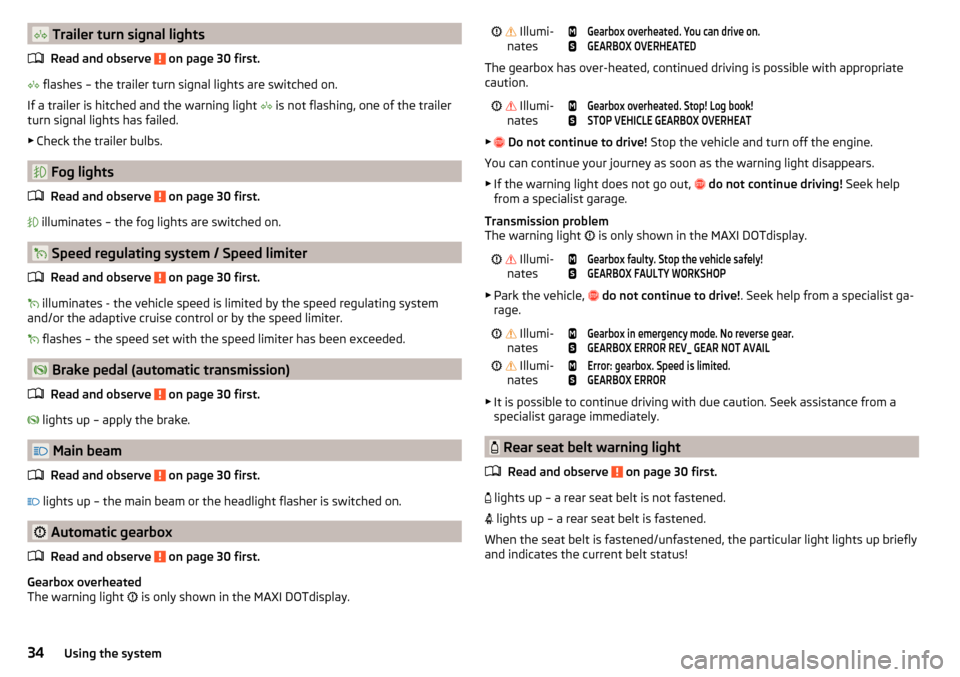
Trailer turn signal lightsRead and observe
on page 30 first.
flashes – the trailer turn signal lights are switched on.
If a trailer is hitched and the warning light
is not flashing, one of the trailer
turn signal lights has failed.
▶ Check the trailer bulbs.
Fog lights
Read and observe
on page 30 first.
illuminates – the fog lights are switched on.
Speed regulating system / Speed limiter
Read and observe
on page 30 first.
illuminates - the vehicle speed is limited by the speed regulating system
and/or the adaptive cruise control or by the speed limiter.
flashes – the speed set with the speed limiter has been exceeded.
Brake pedal (automatic transmission)
Read and observe
on page 30 first.
lights up – apply the brake.
Main beam
Read and observe
on page 30 first.
lights up – the main beam or the headlight flasher is switched on.
Automatic gearbox
Read and observe
on page 30 first.
Gearbox overheated
The warning light is only shown in the MAXI DOTdisplay.
Illumi-
nates
Gearbox overheated. You can drive on.GEARBOX OVERHEATED
The gearbox has over-heated, continued driving is possible with appropriate
caution.
Illumi-
nates
Gearbox overheated. Stop! Log book!STOP VEHICLE GEARBOX OVERHEAT
▶ Do not continue to drive! Stop the vehicle and turn off the engine.
You can continue your journey as soon as the warning light disappears.
▶ If the warning light does not go out,
do not continue driving! Seek help
from a specialist garage.
Transmission problem
The warning light is only shown in the MAXI DOTdisplay.
Illumi-
nates
Gearbox faulty. Stop the vehicle safely!GEARBOX FAULTY WORKSHOP
▶ Park the vehicle,
do not continue to drive! . Seek help from a specialist ga-
rage.
Illumi-
nates
Gearbox in emergency mode. No reverse gear.GEARBOX ERROR REV_ GEAR NOT AVAIL Illumi-
nates
Error: gearbox. Speed is limited.GEARBOX ERROR
▶ It is possible to continue driving with due caution. Seek assistance from a
specialist garage immediately.
Rear seat belt warning light
Read and observe
on page 30 first.
lights up – a rear seat belt is not fastened.
lights up – a rear seat belt is fastened.
When the seat belt is fastened/unfastened, the particular light lights up briefly
and indicates the current belt status!
34Using the system
Page 37 of 184
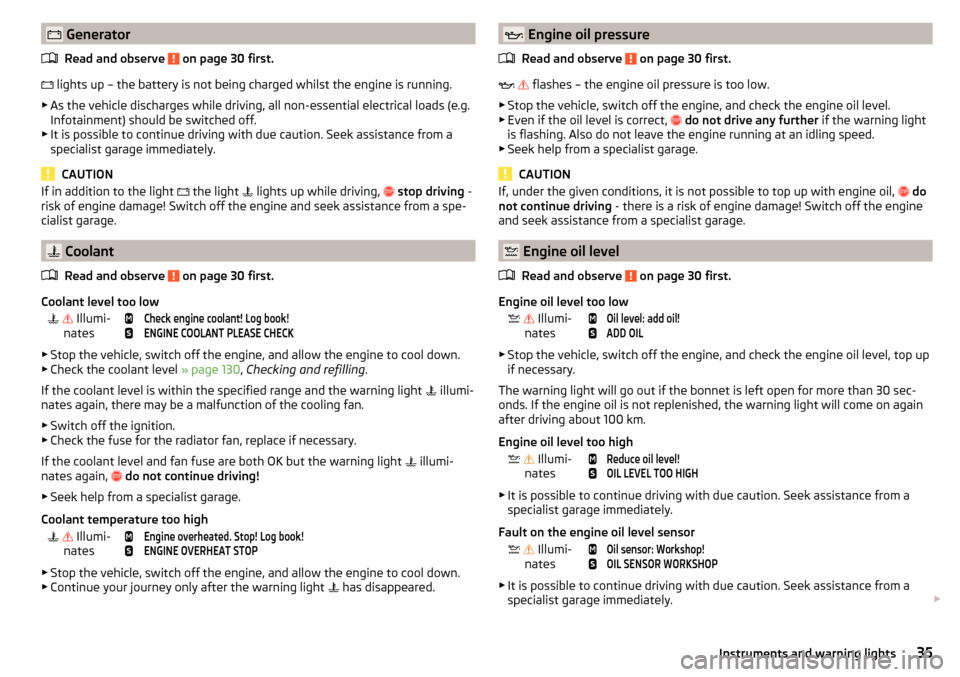
GeneratorRead and observe
on page 30 first.
lights up – the battery is not being charged whilst the engine is running.
▶ As the vehicle discharges while driving, all non-essential electrical loads (e.g.
Infotainment) should be switched off.
▶ It is possible to continue driving with due caution. Seek assistance from a
specialist garage immediately.
CAUTION
If in addition to the light the light lights up while driving, stop driving -
risk of engine damage! Switch off the engine and seek assistance from a spe-
cialist garage.
Coolant
Read and observe
on page 30 first.
Coolant level too low
Illumi-
nates
Check engine coolant! Log book!ENGINE COOLANT PLEASE CHECK
▶ Stop the vehicle, switch off the engine, and allow the engine to cool down.
▶ Check the coolant level » page 130, Checking and refilling .
If the coolant level is within the specified range and the warning light illumi-
nates again, there may be a malfunction of the cooling fan.
▶ Switch off the ignition.
▶ Check the fuse for the radiator fan, replace if necessary.
If the coolant level and fan fuse are both OK but the warning light illumi-
nates again,
do not continue driving!
▶ Seek help from a specialist garage.
Coolant temperature too high
Illumi-
nates
Engine overheated. Stop! Log book!ENGINE OVERHEAT STOP
▶ Stop the vehicle, switch off the engine, and allow the engine to cool down.
▶ Continue your journey only after the warning light has disappeared.
Engine oil pressure
Read and observe
on page 30 first.
flashes – the engine oil pressure is too low.
▶ Stop the vehicle, switch off the engine, and check the engine oil level.
▶ Even if the oil level is correct,
do not drive any further if the warning light
is flashing. Also do not leave the engine running at an idling speed.
▶ Seek help from a specialist garage.
CAUTION
If, under the given conditions, it is not possible to top up with engine oil, do
not continue driving - there is a risk of engine damage! Switch off the engine
and seek assistance from a specialist garage.
Engine oil level
Read and observe
on page 30 first.
Engine oil level too low
Illumi-
nates
Oil level: add oil!ADD OIL
▶ Stop the vehicle, switch off the engine, and check the engine oil level, top up
if necessary.
The warning light will go out if the bonnet is left open for more than 30 sec-
onds. If the engine oil is not replenished, the warning light will come on again
after driving about 100 km.
Engine oil level too high
Illumi-
nates
Reduce oil level!OIL LEVEL TOO HIGH
▶ It is possible to continue driving with due caution. Seek assistance from a
specialist garage immediately.
Fault on the engine oil level sensor
Illumi-
nates
Oil sensor: Workshop!OIL SENSOR WORKSHOP
▶ It is possible to continue driving with due caution. Seek assistance from a
specialist garage immediately.
35Instruments and warning lights
Page 38 of 184
CAUTIONIf, under the given conditions, it is not possible to top up with engine oil, do
not continue driving - there is a risk of engine damage! Switch off the engine
and seek assistance from a specialist garage.
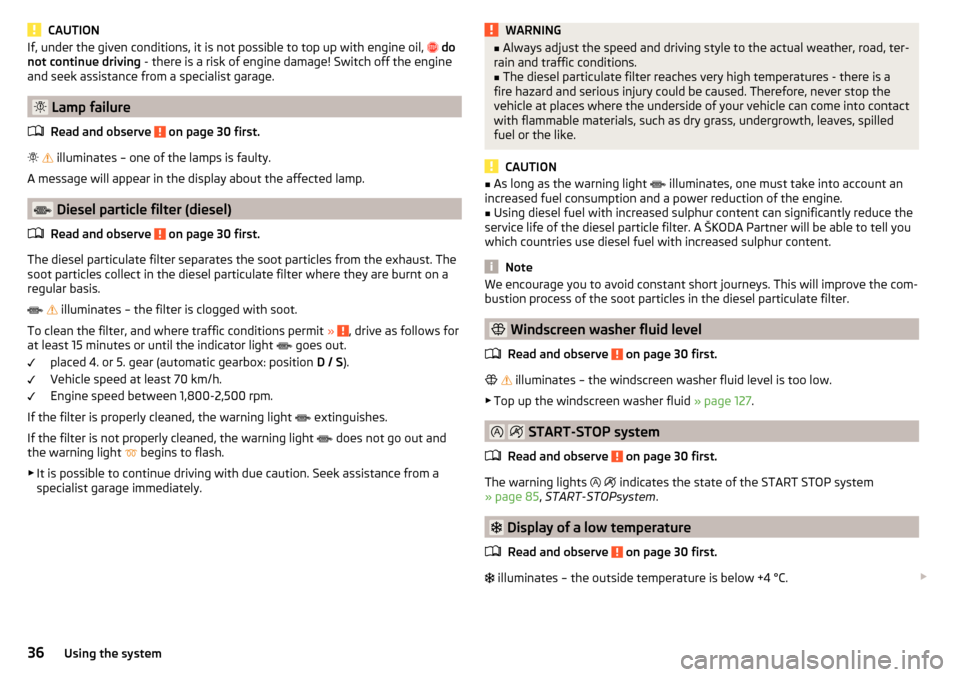
Lamp failure
Read and observe
on page 30 first.
illuminates – one of the lamps is faulty.
A message will appear in the display about the affected lamp.
Diesel particle filter (diesel)
Read and observe
on page 30 first.
The diesel particulate filter separates the soot particles from the exhaust. The soot particles collect in the diesel particulate filter where they are burnt on a
regular basis.
illuminates – the filter is clogged with soot.
To clean the filter, and where traffic conditions permit »
, drive as follows for
at least 15 minutes or until the indicator light goes out.
placed 4. or 5. gear (automatic gearbox: position D / S).
Vehicle speed at least 70 km/h.
Engine speed between 1,800-2,500 rpm.
If the filter is properly cleaned, the warning light extinguishes.
If the filter is not properly cleaned, the warning light does not go out and
the warning light begins to flash.
▶ It is possible to continue driving with due caution. Seek assistance from a
specialist garage immediately.
WARNING■ Always adjust the speed and driving style to the actual weather, road, ter-
rain and traffic conditions.■
The diesel particulate filter reaches very high temperatures - there is a
fire hazard and serious injury could be caused. Therefore, never stop the
vehicle at places where the underside of your vehicle can come into contact
with flammable materials, such as dry grass, undergrowth, leaves, spilled
fuel or the like.
CAUTION
■ As long as the warning light illuminates, one must take into account an
increased fuel consumption and a power reduction of the engine.■
Using diesel fuel with increased sulphur content can significantly reduce the
service life of the diesel particle filter. A ŠKODA Partner will be able to tell you
which countries use diesel fuel with increased sulphur content.
Note
We encourage you to avoid constant short journeys. This will improve the com-
bustion process of the soot particles in the diesel particulate filter.
Windscreen washer fluid level
Read and observe
on page 30 first.
illuminates – the windscreen washer fluid level is too low.
▶ Top up the windscreen washer fluid » page 127.
START-STOP system
Read and observe
on page 30 first.
The warning lights
indicates the state of the START STOP system
» page 85 , START-STOPsystem .
Display of a low temperature
Read and observe
on page 30 first.
illuminates – the outside temperature is below +4 °C.
36Using the system
Page 39 of 184
WARNINGEven at temperatures of around +4 °C, black ice may still be on the road
surface! You should therefore not only rely on the outside temperature dis- play for accurate information as to whether there is ice on the road.
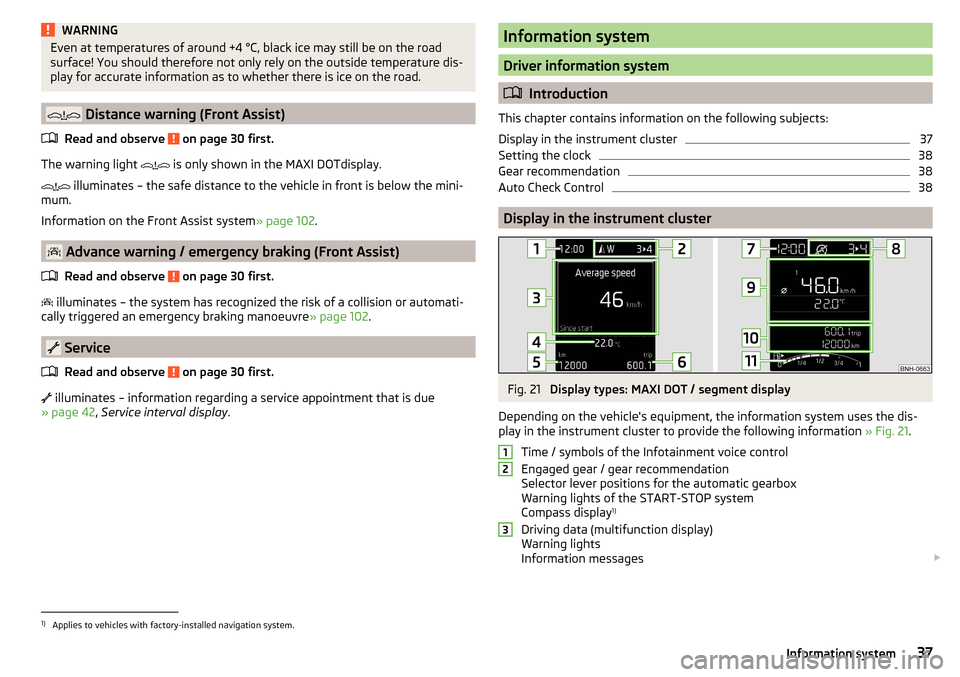
Distance warning (Front Assist)
Read and observe
on page 30 first.
The warning light is only shown in the MAXI DOTdisplay.
illuminates – the safe distance to the vehicle in front is below the mini-
mum.
Information on the Front Assist system » page 102.
Advance warning / emergency braking (Front Assist)
Read and observe
on page 30 first.
illuminates – the system has recognized the risk of a collision or automati-
cally triggered an emergency braking manoeuvre » page 102.
Service
Read and observe
on page 30 first.
illuminates – information regarding a service appointment that is due
» page 42 , Service interval display .
Information system
Driver information system
Introduction
This chapter contains information on the following subjects:
Display in the instrument cluster
37
Setting the clock
38
Gear recommendation
38
Auto Check Control
38
Display in the instrument cluster
Fig. 21
Display types: MAXI DOT / segment display
Depending on the vehicle's equipment, the information system uses the dis- play in the instrument cluster to provide the following information » Fig. 21.
Time / symbols of the Infotainment voice control
Engaged gear / gear recommendation
Selector lever positions for the automatic gearbox
Warning lights of the START-STOP system
Compass display 1)
Driving data (multifunction display)
Warning lights
Information messages
1231)
Applies to vehicles with factory-installed navigation system.
37Information system
Page 40 of 184
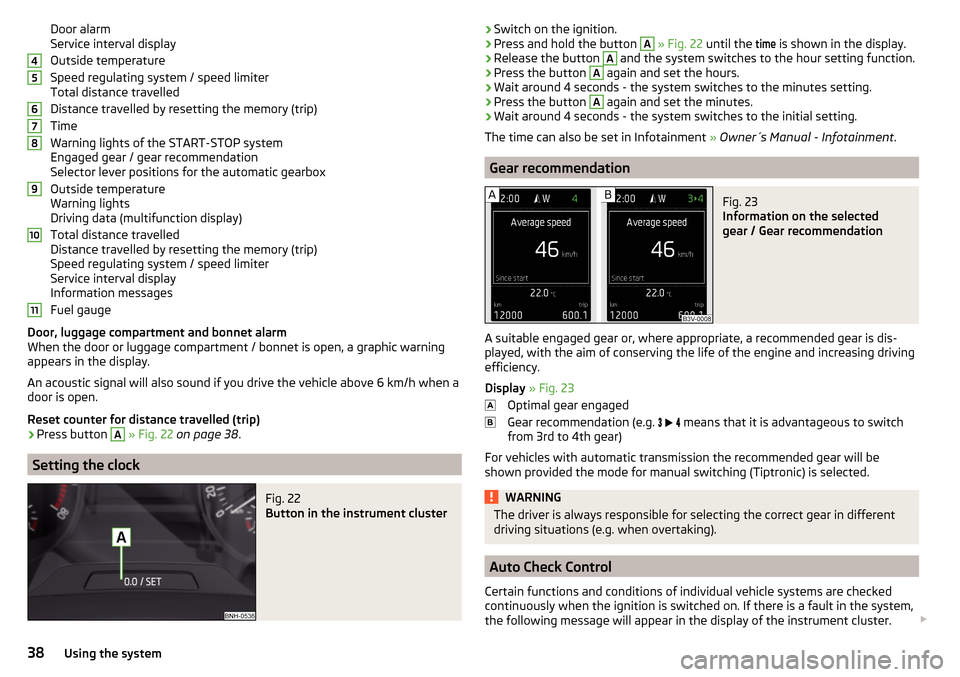
Door alarm
Service interval display
Outside temperature
Speed regulating system / speed limiter
Total distance travelled
Distance travelled by resetting the memory (trip)
Time
Warning lights of the START-STOP system
Engaged gear / gear recommendation
Selector lever positions for the automatic gearbox
Outside temperature
Warning lights
Driving data (multifunction display)
Total distance travelled
Distance travelled by resetting the memory (trip)
Speed regulating system / speed limiter
Service interval display
Information messages
Fuel gauge
Door, luggage compartment and bonnet alarm
When the door or luggage compartment / bonnet is open, a graphic warning
appears in the display.
An acoustic signal will also sound if you drive the vehicle above 6 km/h when a
door is open.
Reset counter for distance travelled (trip)›
Press button
A
» Fig. 22 on page 38 .
Setting the clock
Fig. 22
Button in the instrument cluster
4567891011›Switch on the ignition.›Press and hold the button A
» Fig. 22 until the
time
is shown in the display.›
Release the button
A
and the system switches to the hour setting function.
›
Press the button
A
again and set the hours.
›
Wait around 4 seconds - the system switches to the minutes setting.
›
Press the button
A
again and set the minutes.
›
Wait around 4 seconds - the system switches to the initial setting.
The time can also be set in Infotainment » Owner´s Manual - Infotainment .
Gear recommendation
Fig. 23
Information on the selected
gear / Gear recommendation
A suitable engaged gear or, where appropriate, a recommended gear is dis-
played, with the aim of conserving the life of the engine and increasing driving
efficiency.
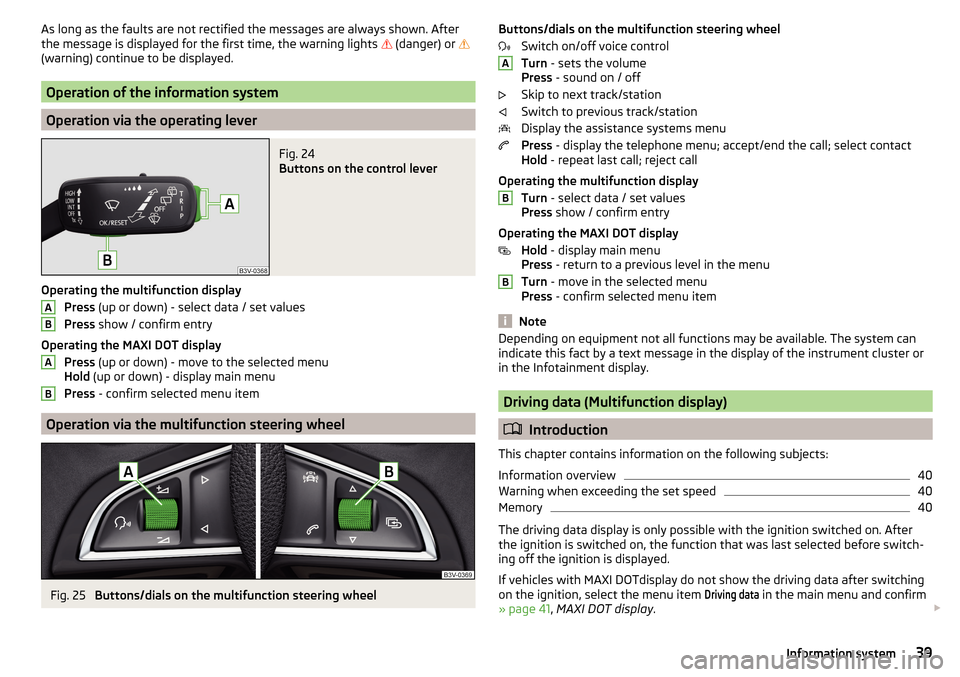
Display » Fig. 23
Optimal gear engaged
Gear recommendation (e.g.
means that it is advantageous to switch
from 3rd to 4th gear)
For vehicles with automatic transmission the recommended gear will be
shown provided the mode for manual switching (Tiptronic) is selected.
WARNINGThe driver is always responsible for selecting the correct gear in different
driving situations (e.g. when overtaking).
Auto Check Control
Certain functions and conditions of individual vehicle systems are checked
continuously when the ignition is switched on. If there is a fault in the system,
the following message will appear in the display of the instrument cluster.
38Using the system
Page 41 of 184
As long as the faults are not rectified the messages are always shown. After
the message is displayed for the first time, the warning lights (danger) or
(warning) continue to be displayed.
Operation of the information system
Operation via the operating lever
Fig. 24
Buttons on the control lever
Operating the multifunction display
Press (up or down) - select data / set values
Press show / confirm entry
Operating the MAXI DOT display Press (up or down) - move to the selected menu
Hold (up or down) - display main menu
Press - confirm selected menu item
Operation via the multifunction steering wheel
Fig. 25
Buttons/dials on the multifunction steering wheel
ABABButtons/dials on the multifunction steering wheel
Switch on/off voice control
Turn - sets the volume
Press - sound on / off
Skip to next track/station
Switch to previous track/station
Display the assistance systems menu
Press - display the telephone menu; accept/end the call; select contact
Hold - repeat last call; reject call
Operating the multifunction display Turn - select data / set values
Press show / confirm entry
Operating the MAXI DOT display Hold - display main menu
Press - return to a previous level in the menu
Turn - move in the selected menu
Press - confirm selected menu item
Note
Depending on equipment not all functions may be available. The system can
indicate this fact by a text message in the display of the instrument cluster or
in the Infotainment display.
Driving data (Multifunction display)
Introduction
This chapter contains information on the following subjects:
Information overview
40
Warning when exceeding the set speed
40
Memory
40
The driving data display is only possible with the ignition switched on. After
the ignition is switched on, the function that was last selected before switch-
ing off the ignition is displayed.
If vehicles with MAXI DOTdisplay do not show the driving data after switching
on the ignition, select the menu item
Driving data
in the main menu and confirm
» page 41 , MAXI DOT display .
ABB39Information system
Page 47 of 184
›Restart SmartGate by tapping on the “Reboot” 1)
interface.
Changing the PIN code for the Wi-Fi Direct connection›
Open the SmartGate web interface » page 44, SmartGate web interface .
›
In the “WiFi Direct PIN:”menu item, enter the new PIN code (6 digits).
›
Confirm the PIN code change by tapping on the “Save” interface.
›
Restart SmartGate by tapping on the “Reboot” 1 )
interface.
Note
If you have forgotten your password for the connection to SmartGate,
SmartGate must be reset to factory settings in a specialised workshop.Unlocking and opening
Unlocking and locking
Introduction
This chapter contains information on the following subjects:
With the key on the lock cylinder unlock / lock
46
Unlocking/locking with the remote control key
46
Unlocking/locking - KESSY
47
Vehicle locking / unlocking with the central locking button
47
SafeLock
48
Individual settings
48
Opening/closing a door
48
Child safety lock
49
Malfunctions
49
The vehicle is equipped with a central locking system which makes it possible
to unlock / lock all the doors, the fuel filler flap and boot lid simultaneously.
The door unlocking can be adjusted individually » page 48.
The unlocking of the vehicle is displayed by the turn signal lights flashing
twice.
If you unlock the vehicle and do not open a door or the boot lid within the next
45 seconds, the vehicle will lock again automatically.
The locking of the vehicle is displayed by the turn signal lights flashing once.
If the driver's door has been opened, the vehicle cannot be locked.
If the doors or the luggage compartment lid remain open after the vehicle has
been locked, the turn signal lights do not flash until they have been closed.
1)
If the “Reboot” interface is not displayed, you must manually restore the web browser display.
45Unlocking and opening
Page 49 of 184
Unlocking/locking - KESSYFig. 31
Vehicle unlocking / vehicle locking
Read and observe
and on page 46 first.
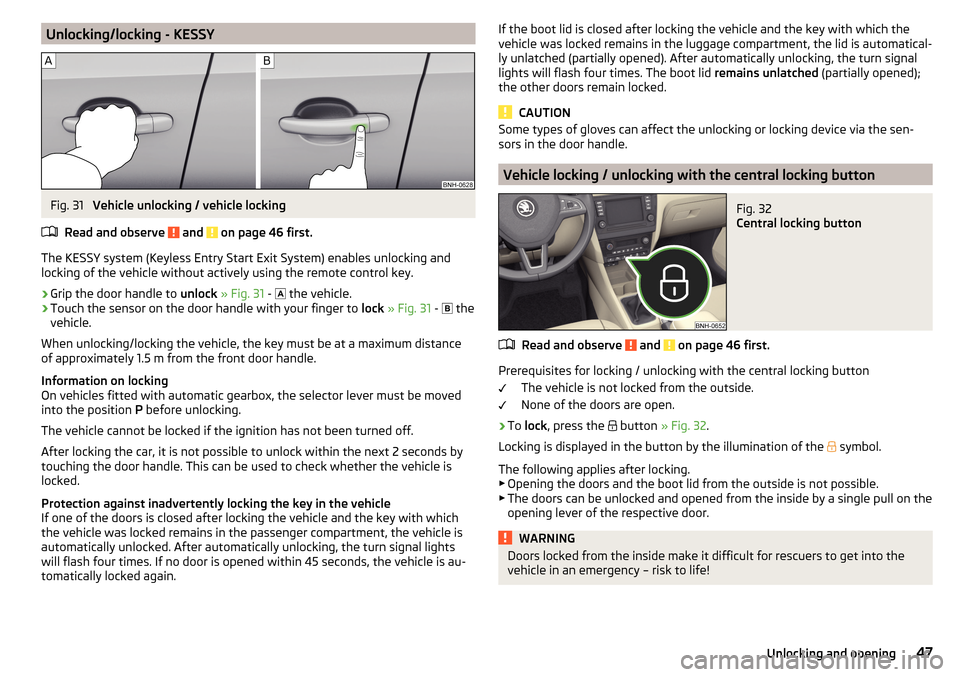
The KESSY system (Keyless Entry Start Exit System) enables unlocking and
locking of the vehicle without actively using the remote control key.
›
Grip the door handle to unlock » Fig. 31 -
the vehicle.
›
Touch the sensor on the door handle with your finger to
lock » Fig. 31 -
the
vehicle.
When unlocking/locking the vehicle, the key must be at a maximum distance
of approximately 1.5 m from the front door handle.
Information on locking
On vehicles fitted with automatic gearbox, the selector lever must be moved
into the position P before unlocking.
The vehicle cannot be locked if the ignition has not been turned off.
After locking the car, it is not possible to unlock within the next 2 seconds by touching the door handle. This can be used to check whether the vehicle is
locked.
Protection against inadvertently locking the key in the vehicle
If one of the doors is closed after locking the vehicle and the key with which
the vehicle was locked remains in the passenger compartment, the vehicle is
automatically unlocked. After automatically unlocking, the turn signal lights
will flash four times. If no door is opened within 45 seconds, the vehicle is au-
tomatically locked again.
If the boot lid is closed after locking the vehicle and the key with which the vehicle was locked remains in the luggage compartment, the lid is automatical-
ly unlatched (partially opened). After automatically unlocking, the turn signal
lights will flash four times. The boot lid remains unlatched (partially opened);
the other doors remain locked.
CAUTION
Some types of gloves can affect the unlocking or locking device via the sen-
sors in the door handle.
Vehicle locking / unlocking with the central locking button
Fig. 32
Central locking button
Read and observe and on page 46 first.
Prerequisites for locking / unlocking with the central locking button
The vehicle is not locked from the outside.
None of the doors are open.
›
To lock , press the
button » Fig. 32 .
Locking is displayed in the button by the illumination of the
symbol.
The following applies after locking. ▶ Opening the doors and the boot lid from the outside is not possible.
▶ The doors can be unlocked and opened from the inside by a single pull on the
opening lever of the respective door.
WARNINGDoors locked from the inside make it difficult for rescuers to get into the
vehicle in an emergency – risk to life!47Unlocking and opening
Page 55 of 184
Force limiterRead and observe
and on page 51 first.
If there is an obstacle, the closing process is stopped and the window goes
down by several centimetres.
If the obstacle prevents the window from being closed during the next 10 sec-
onds, the closing process is interrupted once again and the window goes down
by several centimetres.
If you attempt to close the window again within 10 seconds of the window be-
ing moved down for the second time, even though the obstacle was not yet
been removed, the closing process is only stopped. During this time it is not
possible to automatically close the window. The force limiter is still switched
on.
The force limiter is only not operational if you attempt to close the window
again within the next 10 seconds – the window will now close with full force!
If you wait longer than 10 seconds, the force limiter is switched on again.
WARNINGThe front passenger window with the electric window has no force limiter.
The windows should nevertheless be closed carefully – risk of injury!
Operational faults
Read and observe
and on page 51 first.
Repeatedly opening and closing the window can cause the window mecha-
nism to overheat and become temporarily blocked. You will be able to operate
the window again as soon as the operating mechanism has cooled down.
The electric windows are deactivated after the vehicle battery has been dis-
connected After connecting the vehicle battery, the system is activated as fol-
lows.
›
Switch on the ignition.
›
Pull the top edge of the button and close the window.
›
Release the button.
›
Pull up the respective button and hold for 1 second.
Lights and visibility
Lights
Introduction
This chapter contains information on the following subjects:
Operating the light function
54
Daytime running lights(DAY LIGHT)
54
Turn signal/main beam
55
Automatic driving light control
55
Fog lights/rear fog light
56
Fog lights with the CORNER function
56
COMING HOME / LEAVING HOME
56
Hazard warning light system
57
Parking light
57
Driving abroad
57
Unless otherwise stated, the lights only work when the ignition is switched on.
The layout of the controls on right-hand drive vehicles differs partially from
that shown in this layout » Fig. 40 on page 54 .
WARNINGThe automatic driving lamp control only operates as a support and
does not release the driver from his responsibility to check the lights and, if
necessary, to switch on the light depending on the prevailing light condi-
tions.
Note
The headlights may mist up temporarily. When the light is on, the light-emit-
ting surface demists after a short time.53Lights and visibility
Page 56 of 184
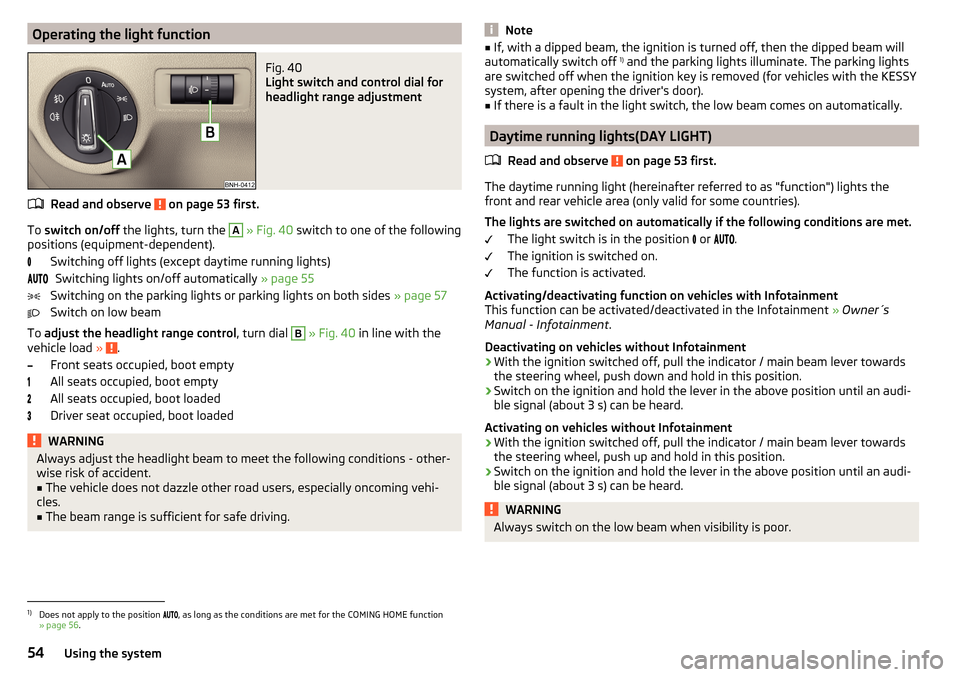
Operating the light functionFig. 40
Light switch and control dial for
headlight range adjustment
Read and observe on page 53 first.
To switch on/off the lights, turn the
A
» Fig. 40 switch to one of the following
positions (equipment-dependent).
Switching off lights (except daytime running lights)Switching lights on/off automatically » page 55
Switching on the parking lights or parking lights on both sides » page 57
Switch on low beam
To adjust the headlight range control , turn dial
B
» Fig. 40 in line with the
vehicle load » .
Front seats occupied, boot empty
All seats occupied, boot empty
All seats occupied, boot loaded
Driver seat occupied, boot loaded
WARNINGAlways adjust the headlight beam to meet the following conditions - other-
wise risk of accident.■
The vehicle does not dazzle other road users, especially oncoming vehi-
cles.
■
The beam range is sufficient for safe driving.
Note■ If, with a dipped beam, the ignition is turned off, then the dipped beam will
automatically switch off 1)
and the parking lights illuminate. The parking lights
are switched off when the ignition key is removed (for vehicles with the KESSY
system, after opening the driver's door).■
If there is a fault in the light switch, the low beam comes on automatically.
Daytime running lights(DAY LIGHT)
Read and observe
on page 53 first.
The daytime running light (hereinafter referred to as "function") lights the
front and rear vehicle area (only valid for some countries).
The lights are switched on automatically if the following conditions are met. The light switch is in the position or
.
The ignition is switched on.
The function is activated.
Activating/deactivating function on vehicles with Infotainment
This function can be activated/deactivated in the Infotainment » Owner´s
Manual - Infotainment .
Deactivating on vehicles without Infotainment
›
With the ignition switched off, pull the indicator / main beam lever towards the steering wheel, push down and hold in this position.
›
Switch on the ignition and hold the lever in the above position until an audi-
ble signal (about 3 s) can be heard.
Activating on vehicles without Infotainment
›
With the ignition switched off, pull the indicator / main beam lever towards the steering wheel, push up and hold in this position.
›
Switch on the ignition and hold the lever in the above position until an audi-
ble signal (about 3 s) can be heard.
WARNINGAlways switch on the low beam when visibility is poor.1)
Does not apply to the position , as long as the conditions are met for the COMING HOME function
» page 56 .
54Using the system