infotainment SKODA RAPID SPACEBACK 2018 User Guide

SKODA RAPID SPACEBACK 2018 User Guide RAPID SPACEBACK 2018 SKODA SKODA https://www.carmanualsonline.info/img/3/58448/w960_58448-0.png SKODA RAPID SPACEBACK 2018 User Guide

Page 101 of 256
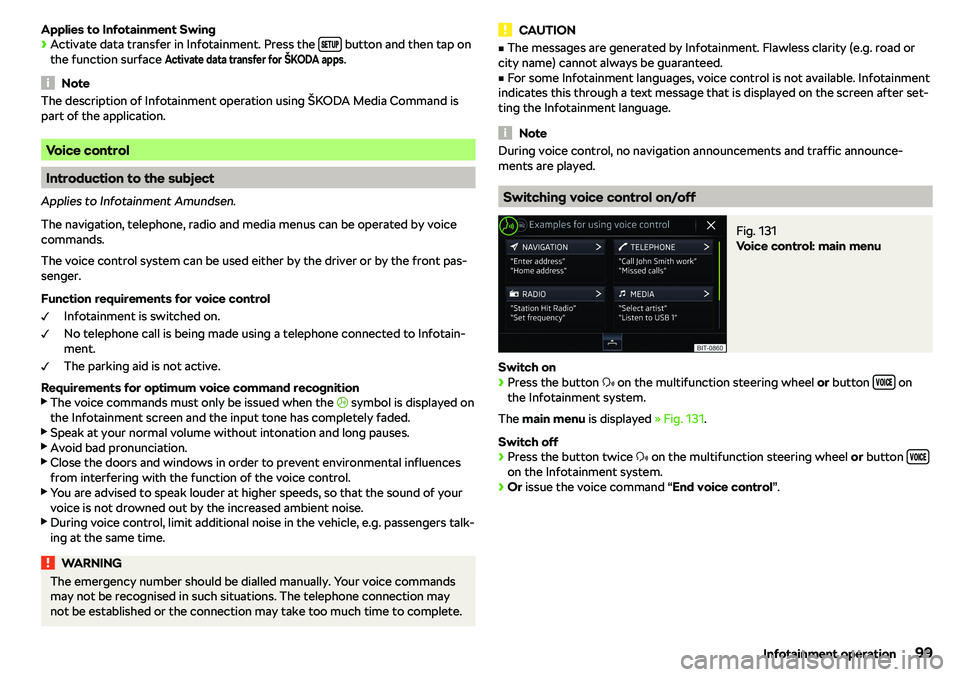
SKODA RAPID SPACEBACK 2018 User Guide Applies to Infotainment Swing

Page 104 of 256

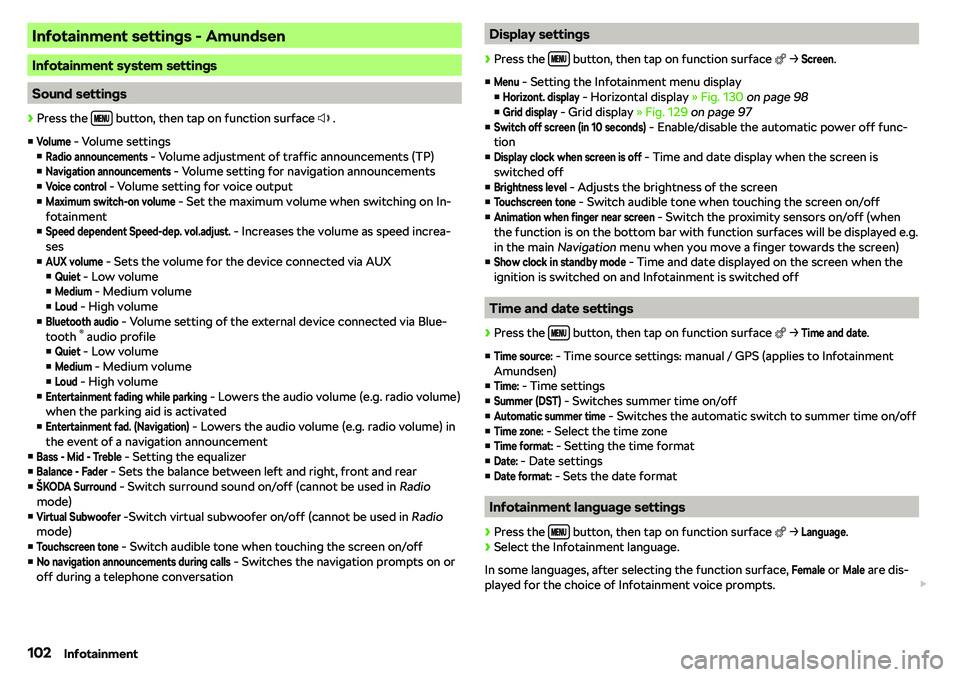
SKODA RAPID SPACEBACK 2018 User Guide Infotainment settings - Amundsen
Infotainment system settings
Sound settings

Page 105 of 256

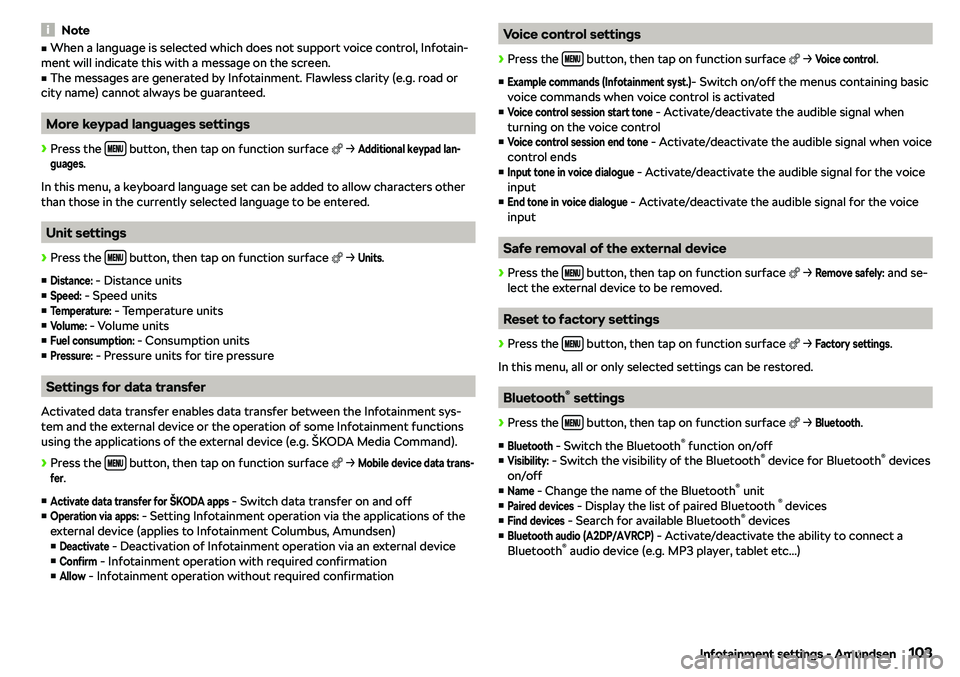
SKODA RAPID SPACEBACK 2018 User Guide NotevWhen a language is selected which does not support voice control, Infotain-
ment will indicate this with a message on the screen.v
The messages are generated by Infotainment. Flawless clarity (

Page 106 of 256

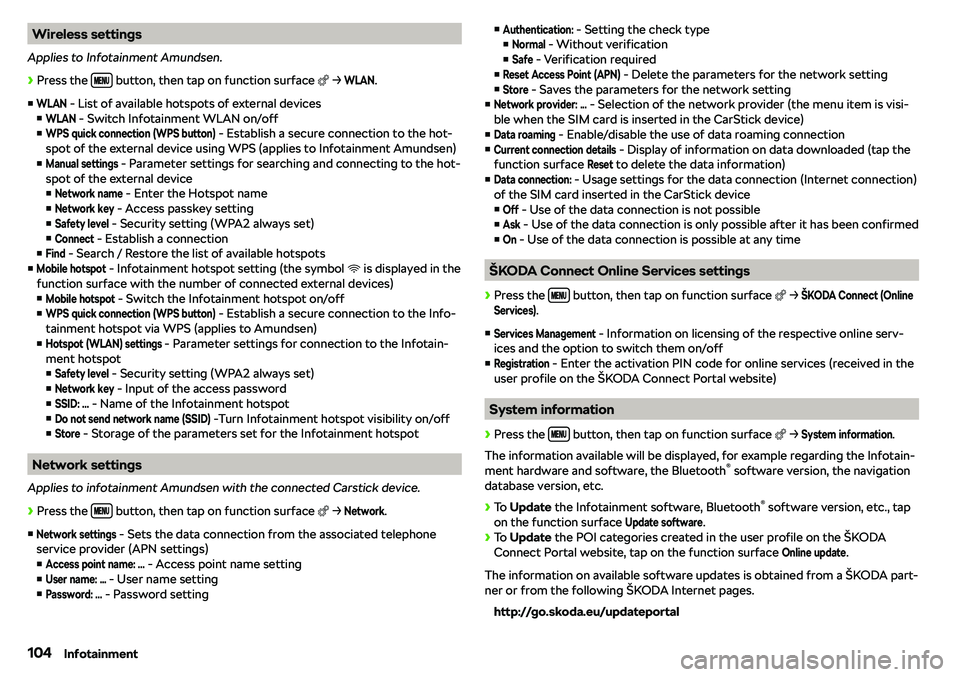
SKODA RAPID SPACEBACK 2018 User Guide Wireless settings
Applies to Infotainment Amundsen.

Page 114 of 256

SKODA RAPID SPACEBACK 2018 User Guide vClock - Time display on the Infotainment display (with the ignition on and the
Infotainment off)
vYes
 - Switches the display on
v
No
 - Switches the display off
v
Restore
 - Reset to factory set

Page 115 of 256

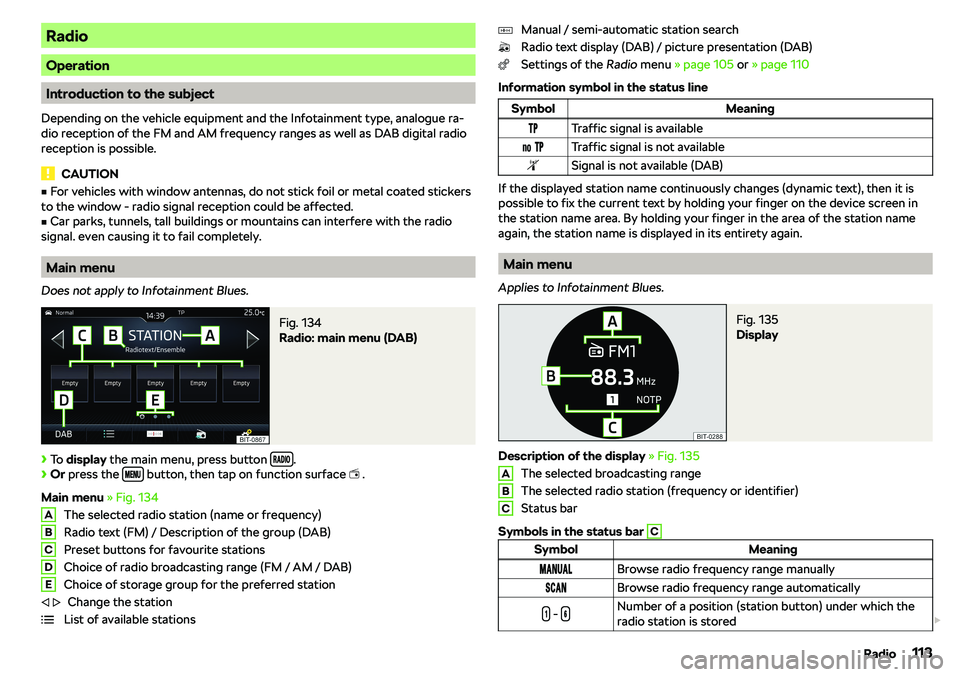
SKODA RAPID SPACEBACK 2018 User Guide Radio
Operation
Introduction to the subject
Depending on the vehicle equipment and the Infotainment type, analogue ra-
dio reception of the FM and AM frequency ranges as well as DAB digital radio
rece

Page 117 of 256

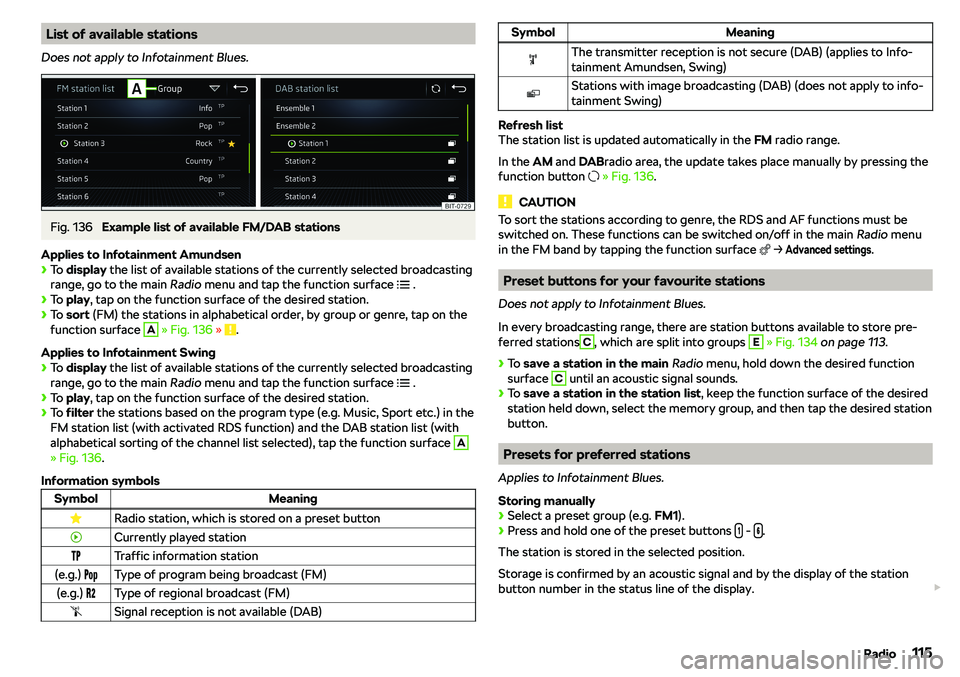
SKODA RAPID SPACEBACK 2018 User Guide List of available stations
Does not apply to Infotainment Blues.Fig. 136 
Example list of available FM/DAB stations
Applies to Infotainment Amundsen

Page 119 of 256

SKODA RAPID SPACEBACK 2018 User Guide Media
Operation
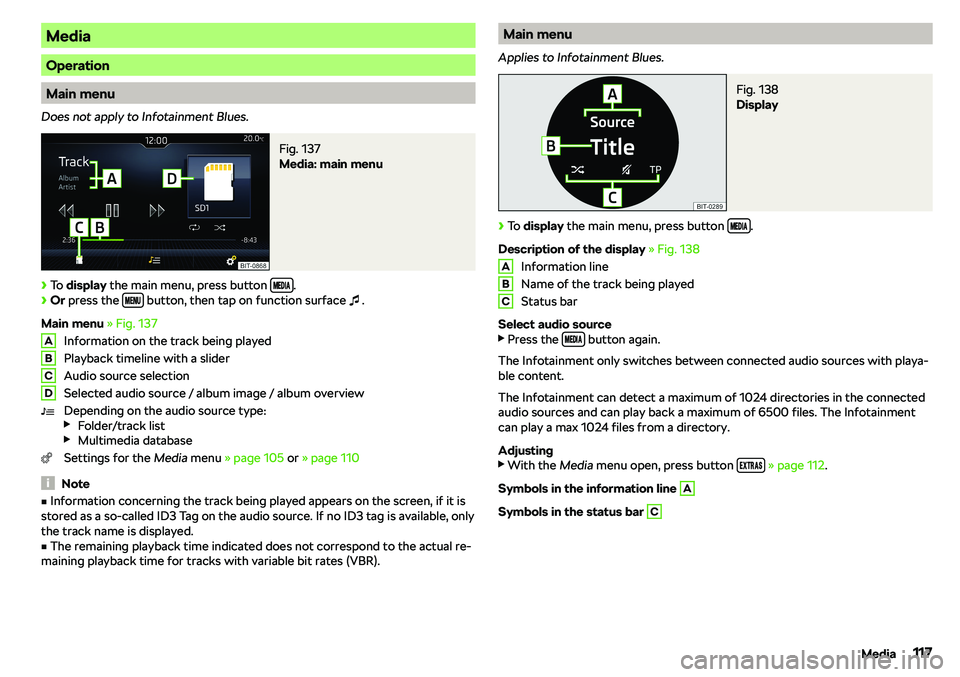
Main menu
Does not apply to Infotainment Blues.
Fig. 137 
Media: main menu

Page 121 of 256

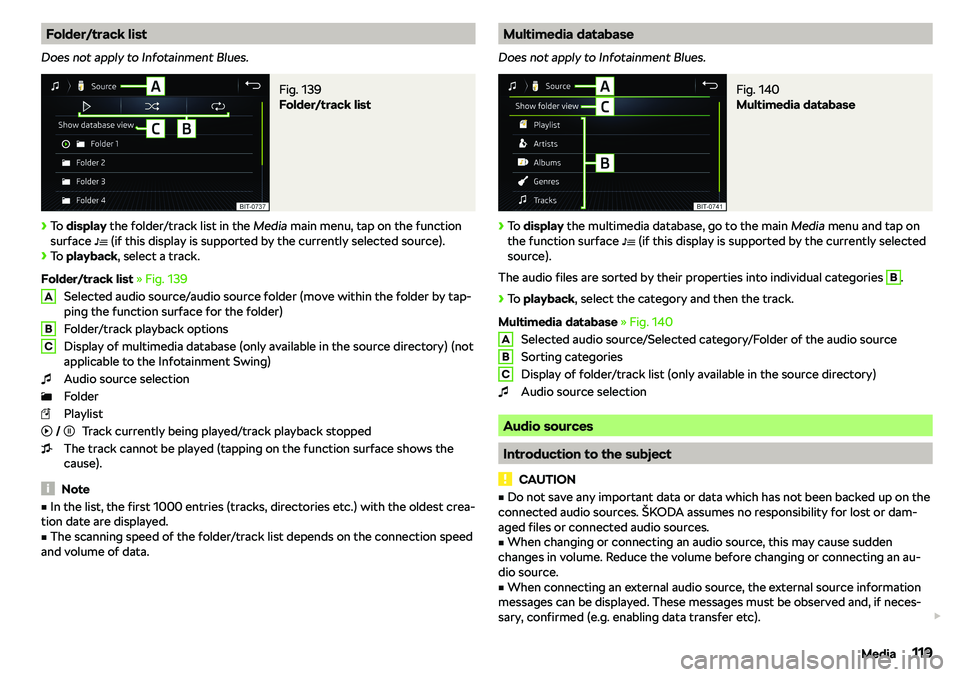
SKODA RAPID SPACEBACK 2018 User Guide Folder/track list
Does not apply to Infotainment Blues.Fig. 139 
Folder/track list

Page 126 of 256

SKODA RAPID SPACEBACK 2018 User Guide Images
Image viewer
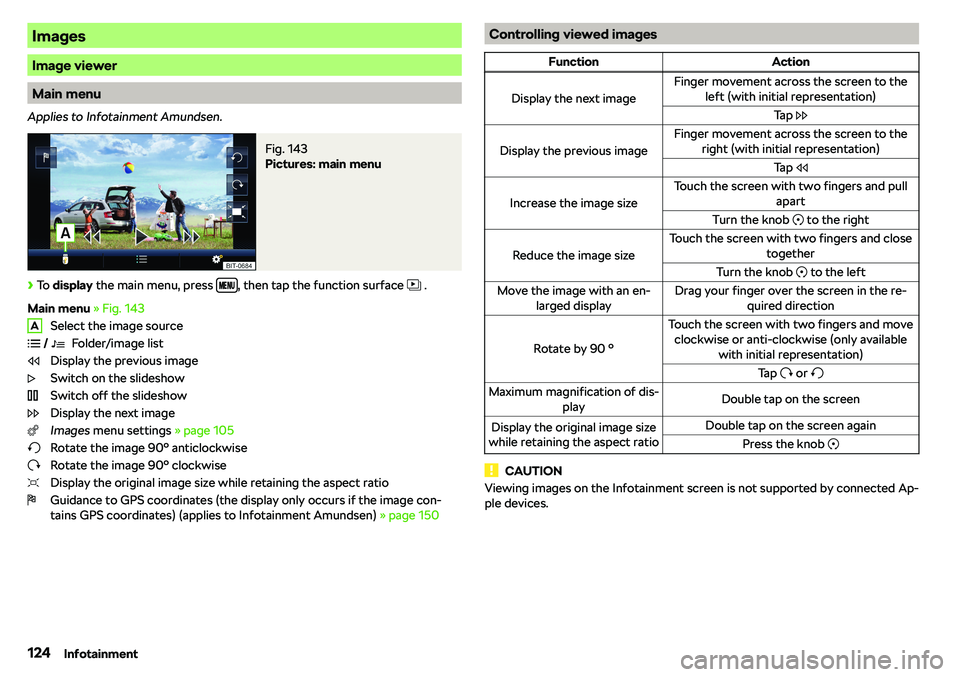
Main menu
Applies to Infotainment Amundsen.
Fig. 143 
Pictures: main menu
Page:   < prev 1-10 11-20 21-30 31-40 next >