buttons SKODA ROOMSTER 2008 1.G User Guide
[x] Cancel search | Manufacturer: SKODA, Model Year: 2008, Model line: ROOMSTER, Model: SKODA ROOMSTER 2008 1.GPages: 248, PDF Size: 46.44 MB
Page 105 of 248

Communication104
Universal telephone preinstallation with voice
control*
The voice control is activated according to equipment installed on the vehicle by pressing the button PTT (push to talk) on the adapter ⇒fig. 112 or the button on the multi-functional module* ⇒page 103.
A phone phonebook is part of the mobile phone preinstallation with voice control. In the phone phonebook there are 1500 free memory locations available. This phone phonebook can be used in line with the mobile telephone.
For vehicles fitted with multi-functional module*, the operation is performed via the function buttons on the module ⇒page 103.
Furthermore the volume can be changed indi vidually at any time with the button for setting the radio or on vehicles fitted with multi-functional module* with func- tion buttons on the steering wheel.
If the system answers with the voice response “ Telephone is not ready”, please check the operating state of the telephone as follows:
•Is the telephone switched on?
•Is the PIN code entered?
Dialogue
The period, in which the telephone system is ready to receive voice commands and carry out the voice commands, is called DIALOGUE. The system gives audible feed-
back and guides you if necessary through the relevant functions. You can start or end the dialogue at any time by pressi ng the PTT button. You can also end the dialogue with the voice command CANCEL.
The dialogue is always automatically ended after carrying out an operation, e.g. after erasing the name from the phonebook.
The dialogue of the incoming call is i mmediately interrupted and you can accept the call by pressing the button .
If a voice command is not detected, the system answers with “ Sorry?” and a new entry can be performed. After the 3rd error the answer “ Cancel” is given and the dialogue is ended.
Optimum understanding of the voice commands depends on the following factors:
•Speak with a normal tone of voice wi thout intonation and excessive voice pauses.
•Avoid insufficient articulation.
•Close the doors, windows and sliding roof, in order to reduce or stop disturbing exterior noise.
•It is recommended to speak louder at higher speeds, so that the tone of your voice is louder than the increased surrounding noise.
•During the dialogue avoid additional nois e in the vehicle, e.g. simultaneously talking occupants.
•Do not speak, if the system makes an announcement.
•The microphone for voice control is directed to the driver and front passenger. Therefore the driver and the front passenger can operate the equipment.
WARNING
Pay attention primarily to the traffic si tuation! As the driver you are fully responsible for the traffic safety. Use the telephone system only to such an extent, so that you are in full control of your vehicle at any time.
Fig. 112 Button for switching on the voice control
NKO A05R 20 MR08.book Page 104 Wednesday, March 28, 2007 9:42 AM
Page 106 of 248
Communication105
Using the systemSafetyDriving TipsGeneral MaintenanceBreakdown assistancePraktikTechnical Data
Caution
Taking the mobile phone out of the adapter during the call can lead to interruption of the connection. When taking out the mobile phone, the connection to the factory-fitted antenna is interrupted, this reduces the quality of the transmitting and receiving signal. This might result additionally in harmful radiation from the mobile phone in the interior of the ve hicle and the charging of the telephone battery is interrupted.
Note
•Please also refer to the additional instructions ⇒page 112, “Mobile phones and two-way radio systems”.
•Please contact your Škoda Service Partner if there are any points which are not clear.
•The voice control of the telephone is only possible for adapters with PTT button. Suitable adapters are available at a Škoda Service Partner.
Inserting the mobile phone and adapter
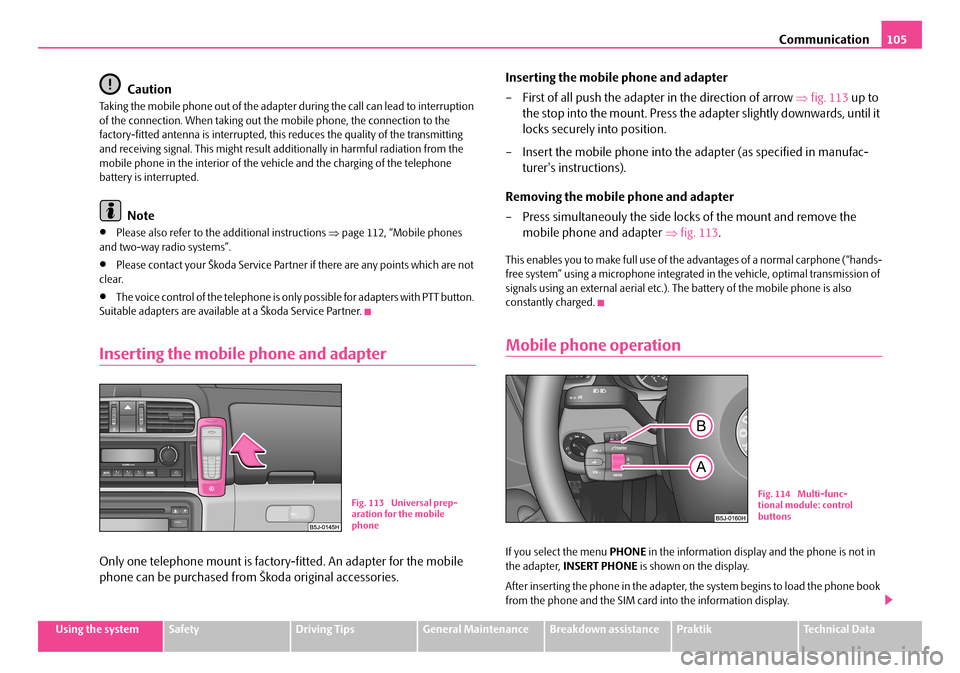
Only one telephone mount is factory-fitted. An adapter for the mobile
phone can be purchased from Škoda original accessories.
Inserting the mobile phone and adapter
– First of all push the adapter in the direction of arrow ⇒fig. 113 up to
the stop into the mount. Press the ad apter slightly downwards, until it
locks securely into position.
– Insert the mobile phone into the adapter (as specified in manufac-
turer's instructions).
Removing the mobile phone and adapter
– Press simultaneouly the side locks of the mount and remove the
mobile phone and adapter ⇒fig. 113.
This enables you to make full use of the advantages of a normal carphone (“hands- free system” using a microphone integrated in the vehicle, optimal transmission of signals using an external aerial etc.). The battery of the mobile phone is also constantly charged.
Mobile phone operation
If you select the menu PHONE in the information display and the phone is not in the adapter, INSERT PHONE is shown on the display.
After inserting the phone in the adapter, the system begins to load the phone book from the phone and the SIM card into the information display.
Fig. 113 Universal prep- aration for the mobile phone
Fig. 114 Multi-func-tional module: control buttons
NKO A05R 20 MR08.book Page 105 Wednesday, March 28, 2007 9:42 AM
Page 107 of 248
Communication106
When inserting the mobile phone the next time only perform an update of the rele- vant phone book. The updating takes a few minutes, first of all the last read phone- book appears on the information displa y. Newly stored telephone numbers are only shown after the updating has ended.
The telephone numbers are loaded from the mobile phone depending on the memory date, beginning with the oldest entry. If the number of telephone numbers exceed 1 500, the newly stored telephone numbers are not loaded from the mobile phone. If several telephon e numbers in the phonebook are under one name, all the telephone numbers with the same name are loaded separately.
If a telephone event (e.g. incoming or outg oing call, dialogue of the voice control) occurs during the updating procedure, the updating is interrupted. After the tele- phone event has ended, the updating starts anew.
The following is shown one after the other on the display:
PLEASE WAIT
LOADING... LAST CALLS
LOADING... ACCEPTED CALLS
LOADING... MISSED CALLS
LOADING... PHONE BOOK
After loading is completed, phone book, la st calls, accepted calls, missed calls and memory appear in the display.
Using the system
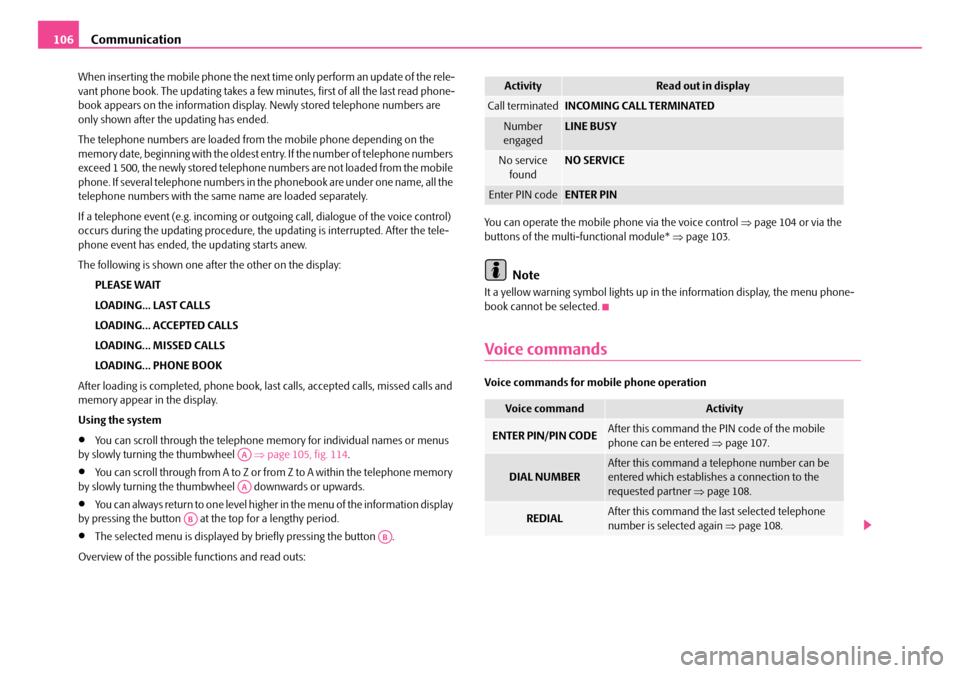
•You can scroll through the telephone me mory for individual names or menus by slowly turning the thumbwheel ⇒page 105, fig. 114.
•You can scroll through from A to Z or from Z to A within the telephone memory by slowly turning the thumbwheel downwards or upwards.
•You can always return to one level higher in the menu of the information display by pressing the button at the top for a lengthy period.
•The selected menu is displayed by briefly pressing the button .
Overview of the possible functions and read outs:
You can operate the mobile phone via the voice control ⇒page 104 or via the buttons of the multi- functional module* ⇒page 103.
Note
It a yellow warning symbol lights up in the information display, the menu phone- book cannot be selected.
Voice commands
Voice commands for mo bile phone operation
AA
AA
AB
AB
ActivityRead out in display
Call terminatedINCOMING CALL TERMINATED
Number engagedLINE BUSY
No service foundNO SERVICE
Enter PIN codeENTER PIN
Voice commandActivity
ENTER PIN/PIN CODEAfter this command the PIN code of the mobile phone can be entered ⇒page 107.
DIAL NUMBERAfter this command a telephone number can be entered which establishe s a connection to the requested partner ⇒page 108.
REDIALAfter this command the last selected telephone number is selected again ⇒page 108.
NKO A05R 20 MR08.book Page 106 Wednesday, March 28, 2007 9:42 AM
Page 115 of 248
Communication114
Loading a CD
– Touch the button and guide the CD (compact disc) into the CD-
case . The CD is automatically loaded onto the next free position in
the CD-changer. The LED in the corresponding button stops
flashing.
Loading all CDs
– Hold the button pressed and guide all CDs one after the other into
the CD-case . The LEDs in the bu ttons are no longer flashing.
Loading a CD to one definite position
– Touch button . The LEDs in the buttons light up at the memory
spaces, which are already assigned and flash in the case of free
memory spaces.
– Touch the desired button and guide the CD into the CD-case .
Ejecting a CD
– Touch the button , in order to eject a CD. For assigned memory
spaces, now the LEDs light up in the buttons .
– Touch the corresponding button . The CD is ejected.
Ejecting all CDs
– Hold the button pressed for more than 2 seconds, in order to eject
the CDs. All CDs in the CD-cha nger are ejected consecutively.
Note
•Always guide the CD into the CD-cas e with the printed side pointing upwards.
•Never push the CD with force into the CD-case as the insertion is performed automatically.
•After loading a CD into the CD-changer, you must wait until the LED of the corresponding button lights up. Then th e CD-case is free to load the next CD.
•If you have selected a position, on which a CD is already located, this CD will be ejected. Take out the ejected CD and load the desired CD.
•The magazine can take up to six standard CDs (diameter 12 cm). Please do not use 8 cm “single CDs”!
•In order to avoid malfunctions of the chan ger, please never use a CD protective foil or stabilizer (obtainable on the market as CD-accessory).
•Described in this Owner's Manual are only the steps required for the operation of the CD-changer.
•You will find further information for this setting menu in the Radio Owner's Manual.
Tips for operating the CD-changer
Please pay attention to the following notes for operating the CD-changer.
•Only clean CDs without scratches and damages should be used, in order to guarantee a proper, high-quality CD-playback.
•Affix no labels to the CDs.
•Always store non-used CDs in the original folding box.
•Never expose CDs to direct sun rays.
•Use a soft, non-fluffy cloth to clean the CDs. Wipe the CD straight-lined from the middle to the outside. Strong dirt must be eliminated with usual CD-cleaner.
•Please never use liquids such as gasoline , paint thinner or disk cleaner, other- wise the surface of the CD could get damaged.
Precaution measures for laser equipment
Laser equipment is classified according to DIN IEC 76 (CO) 6/VDE 0837 in the safety categories 1 - 4.
The Škoda CD-changer correspond s to the safety category 1.
AC
AB
AD
AC
ABAD
ACAD
ADAB
AA
AD
AD
AA
AB
ADAB
NKO A05R 20 MR08.book Page 114 Wednesday, March 28, 2007 9:42 AM