ignition SKODA ROOMSTER 2010 1.G Owner's Manual
[x] Cancel search | Manufacturer: SKODA, Model Year: 2010, Model line: ROOMSTER, Model: SKODA ROOMSTER 2010 1.GPages: 231, PDF Size: 12.91 MB
Page 4 of 231
Contents3
Using the system
Safety
Driving Tips
General Maintenance
Breakdown assistance
Praktik
Technical Data
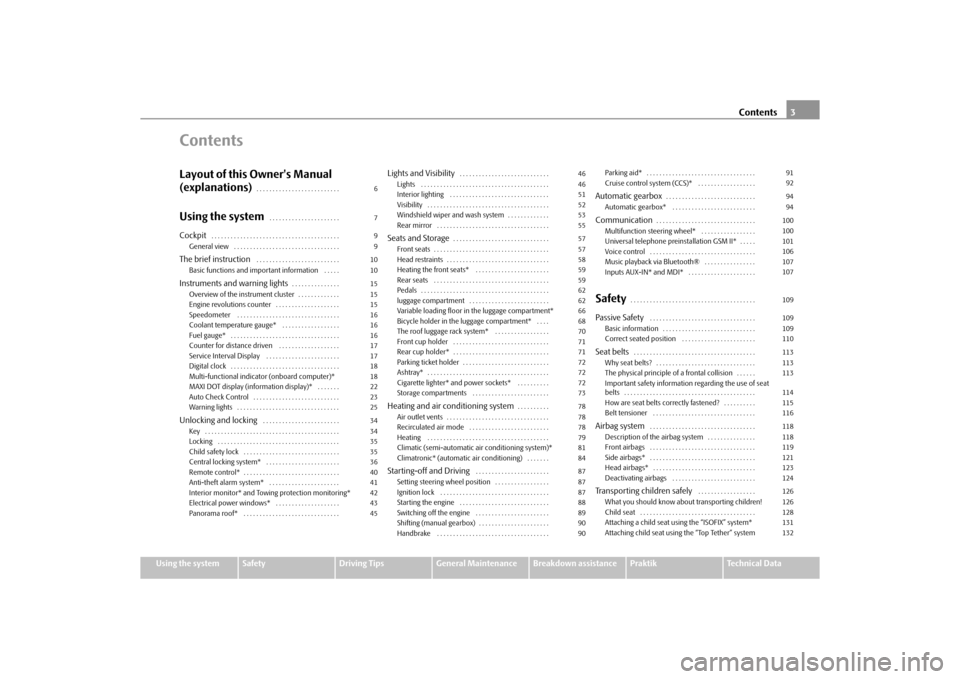
ContentsLayout of this Owner's Manual
(explanations)
. . . . . . . . . . . . . . . . . . . . . . . . . .
Using the system
. . . . . . . . . . . . . . . . . . . . . .
Cockpit
. . . . . . . . . . . . . . . . . . . . . . . . . . . . . . . . . . . . . . . .
General view . . . . . . . . . . . . . . . . . . . . . . . . . . . . . . . . .
The brief instruction
. . . . . . . . . . . . . . . . . . . . . . . . . .
Basic functions and important information . . . . .
Instruments and warning lights
. . . . . . . . . . . . . . .
Overview of the instrument cluster . . . . . . . . . . . . .
Engine revolutions counter . . . . . . . . . . . . . . . . . . . .
Speedometer . . . . . . . . . . . . . . . . . . . . . . . . . . . . . . . .
Coolant temperature gauge* . . . . . . . . . . . . . . . . . .
Fuel gauge* . . . . . . . . . . . . . . . . . . . . . . . . . . . . . . . . . .
Counter for distance driven . . . . . . . . . . . . . . . . . . .
Service Interval Display . . . . . . . . . . . . . . . . . . . . . . .
Digital clock . . . . . . . . . . . . . . . . . . . . . . . . . . . . . . . . . .
Multi-functional indicator (onboard computer)*
MAXI DOT display (information display)* . . . . . . .
Auto Check Control . . . . . . . . . . . . . . . . . . . . . . . . . . .
Warning lights . . . . . . . . . . . . . . . . . . . . . . . . . . . . . . . .
Unlocking and locking
. . . . . . . . . . . . . . . . . . . . . . . .
Key . . . . . . . . . . . . . . . . . . . . . . . . . . . . . . . . . . . . . . . . . .
Locking . . . . . . . . . . . . . . . . . . . . . . . . . . . . . . . . . . . . . .
Child safety lock . . . . . . . . . . . . . . . . . . . . . . . . . . . . . .
Central locking system* . . . . . . . . . . . . . . . . . . . . . . .
Remote control* . . . . . . . . . . . . . . . . . . . . . . . . . . . . . .
Anti-theft alarm system* . . . . . . . . . . . . . . . . . . . . . .
Interior monitor* and Towing protection monitoring*
Electrical power windows* . . . . . . . . . . . . . . . . . . . .
Panorama roof* . . . . . . . . . . . . . . . . . . . . . . . . . . . . . .
Lights and Visibility
. . . . . . . . . . . . . . . . . . . . . . . . . . . .
Lights . . . . . . . . . . . . . . . . . . . . . . . . . . . . . . . . . . . . . . . .
Interior lighting . . . . . . . . . . . . . . . . . . . . . . . . . . . . . . .
Visibility . . . . . . . . . . . . . . . . . . . . . . . . . . . . . . . . . . . . . .
Windshield wiper and wash system . . . . . . . . . . . . .
Rear mirror . . . . . . . . . . . . . . . . . . . . . . . . . . . . . . . . . . .
Seats and Storage
. . . . . . . . . . . . . . . . . . . . . . . . . . . . . .
Front seats . . . . . . . . . . . . . . . . . . . . . . . . . . . . . . . . . . . .
Head restraints . . . . . . . . . . . . . . . . . . . . . . . . . . . . . . . .
Heating the front seats* . . . . . . . . . . . . . . . . . . . . . . .
Rear seats . . . . . . . . . . . . . . . . . . . . . . . . . . . . . . . . . . . .
Pedals . . . . . . . . . . . . . . . . . . . . . . . . . . . . . . . . . . . . . . . .
luggage compartment . . . . . . . . . . . . . . . . . . . . . . . . .
Variable loading floor in the luggage compartment*
Bicycle holder in the luggage compartment* . . . .
The roof luggage rack system* . . . . . . . . . . . . . . . . .
Front cup holder . . . . . . . . . . . . . . . . . . . . . . . . . . . . . .
Rear cup holder* . . . . . . . . . . . . . . . . . . . . . . . . . . . . . .
Parking ticket holder . . . . . . . . . . . . . . . . . . . . . . . . . . .
Ashtray* . . . . . . . . . . . . . . . . . . . . . . . . . . . . . . . . . . . . . .
Cigarette lighter* and power sockets* . . . . . . . . . .
Storage compartments . . . . . . . . . . . . . . . . . . . . . . . .
Heating and air conditioning system
. . . . . . . . . .
Air outlet vents . . . . . . . . . . . . . . . . . . . . . . . . . . . . . . . .
Recirculated air mode . . . . . . . . . . . . . . . . . . . . . . . . .
Heating . . . . . . . . . . . . . . . . . . . . . . . . . . . . . . . . . . . . . .
Climatic (semi-automatic air conditioning system)*
Climatronic* (automatic air conditioning) . . . . . . .
Starting-off and Driving
. . . . . . . . . . . . . . . . . . . . . . .
Setting steering wheel position . . . . . . . . . . . . . . . . .
Ignition lock . . . . . . . . . . . . . . . . . . . . . . . . . . . . . . . . . .
Starting the engine . . . . . . . . . . . . . . . . . . . . . . . . . . . .
Switching off the engine . . . . . . . . . . . . . . . . . . . . . . .
Shifting (manual gearbox) . . . . . . . . . . . . . . . . . . . . . .
Handbrake . . . . . . . . . . . . . . . . . . . . . . . . . . . . . . . . . . . Parking aid* . . . . . . . . . . . . . . . . . . . . . . . . . . . . . . . . . .
Cruise control system (CCS)* . . . . . . . . . . . . . . . . . .
Automatic gearbox
. . . . . . . . . . . . . . . . . . . . . . . . . . . .
Automatic gearbox* . . . . . . . . . . . . . . . . . . . . . . . . . .
Communication
. . . . . . . . . . . . . . . . . . . . . . . . . . . . . . .
Multifunction steering wheel* . . . . . . . . . . . . . . . . .
Universal telephone preinstallation GSM II* . . . . .
Voice control . . . . . . . . . . . . . . . . . . . . . . . . . . . . . . . . .
Music playback via Bluetooth® . . . . . . . . . . . . . . . .
Inputs AUX-IN* and MDI* . . . . . . . . . . . . . . . . . . . . .
Safety
. . . . . . . . . . . . . . . . . . . . . . . . . . . . . . . . . . . . . . .
Passive Safety
. . . . . . . . . . . . . . . . . . . . . . . . . . . . . . . . .
Basic information . . . . . . . . . . . . . . . . . . . . . . . . . . . . .
Correct seated position . . . . . . . . . . . . . . . . . . . . . . .
Seat belts
. . . . . . . . . . . . . . . . . . . . . . . . . . . . . . . . . . . . . .
Why seat belts? . . . . . . . . . . . . . . . . . . . . . . . . . . . . . . .
The physical principle of a frontal collision . . . . . .
Important safety information regarding the use of seat
belts . . . . . . . . . . . . . . . . . . . . . . . . . . . . . . . . . . . . . . . . .
How are seat belts correctly fastened? . . . . . . . . . .
Belt tensioner . . . . . . . . . . . . . . . . . . . . . . . . . . . . . . . .
Airbag system
. . . . . . . . . . . . . . . . . . . . . . . . . . . . . . . . .
Description of the airbag system . . . . . . . . . . . . . . .
Front airbags . . . . . . . . . . . . . . . . . . . . . . . . . . . . . . . . .
Side airbags* . . . . . . . . . . . . . . . . . . . . . . . . . . . . . . . . .
Head airbags* . . . . . . . . . . . . . . . . . . . . . . . . . . . . . . . .
Deactivating airbags . . . . . . . . . . . . . . . . . . . . . . . . . .
Transporting children safely
. . . . . . . . . . . . . . . . . .
What you should know about transporting children!
Child seat . . . . . . . . . . . . . . . . . . . . . . . . . . . . . . . . . . . .
Attaching a child seat using the “ISOFIX” system*
Attaching child seat using the “Top Tether” system
679910101515151616161717181822232534343535364041424345
4646515253555757585959626266687071717272727378787879818487878788899090
91929494100100101106107107109109109110113113113114115116118118119121123124126126128131132
s16g.4.book Page 3 Wednesda y, February 10, 2010 3:53 PM
Page 10 of 231
Cockpit9
Using the system
Safety
Driving Tips
General Maintenance
Breakdown assistance
Praktik
Technical Data
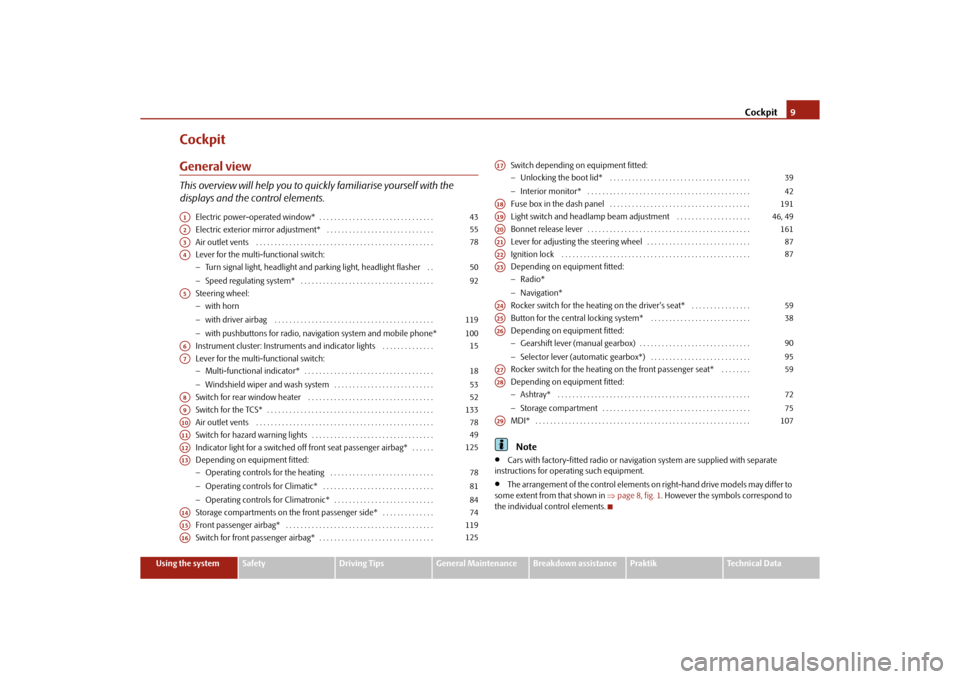
CockpitGeneral viewThis overview will help you to quickly familiarise yourself with the
displays and the control elements.
Electric power-operated window* . . . . . . . . . . . . . . . . . . . . . . . . . . . . . . .
Electric exterior mirror adjustment* . . . . . . . . . . . . . . . . . . . . . . . . . . . . .
Air outlet vents . . . . . . . . . . . . . . . . . . . . . . . . . . . . . . . . . . . . . . . . . . . . . . . .
Lever for the multi-functional switch:
Turn signal light, headlight and parking light, headlight flasher . .
Speed regulating system* . . . . . . . . . . . . . . . . . . . . . . . . . . . . . . . . . . . .
Steering wheel:
with horn
with driver airbag . . . . . . . . . . . . . . . . . . . . . . . . . . . . . . . . . . . . . . . . . . .
with pushbuttons for radio, navi gation system and mobile phone*
Instrument cluster: Instruments and indicator lights . . . . . . . . . . . . . .
Lever for the multi-functional switch:
Multi-functional indicator* . . . . . . . . . . . . . . . . . . . . . . . . . . . . . . . . . . .
Windshield wiper and wash system . . . . . . . . . . . . . . . . . . . . . . . . . . .
Switch for rear window heater . . . . . . . . . . . . . . . . . . . . . . . . . . . . . . . . . .
Switch for the TCS* . . . . . . . . . . . . . . . . . . . . . . . . . . . . . . . . . . . . . . . . . . . . .
Air outlet vents . . . . . . . . . . . . . . . . . . . . . . . . . . . . . . . . . . . . . . . . . . . . . . . .
Switch for hazard warning lights . . . . . . . . . . . . . . . . . . . . . . . . . . . . . . . . .
Indicator light for a switched off front seat passenger airbag* . . . . . .
Depending on equipment fitted:
Operating controls for the heating . . . . . . . . . . . . . . . . . . . . . . . . . . . .
Operating controls for Climatic* . . . . . . . . . . . . . . . . . . . . . . . . . . . . . .
Operating controls for Climatronic* . . . . . . . . . . . . . . . . . . . . . . . . . . .
Storage compartments on the front passenger side* . . . . . . . . . . . . . .
Front passenger airbag* . . . . . . . . . . . . . . . . . . . . . . . . . . . . . . . . . . . . . . . .
Switch for front passenger airbag* . . . . . . . . . . . . . . . . . . . . . . . . . . . . . . . Switch depending on equipment fitted:
Unlocking the boot lid* . . . . . . . . . . . . . . . . . . . . . . . . . . . . . . . . . . . . . .
Interior monitor* . . . . . . . . . . . . . . . . . . . . . . . . . . . . . . . . . . . . . . . . . . . .
Fuse box in the dash panel . . . . . . . . . . . . . . . . . . . . . . . . . . . . . . . . . . . . . .
Light switch and headlamp beam adjustment . . . . . . . . . . . . . . . . . . . .
Bonnet release lever . . . . . . . . . . . . . . . . . . . . . . . . . . . . . . . . . . . . . . . . . . . .
Lever for adjusting the steering wheel . . . . . . . . . . . . . . . . . . . . . . . . . . . .
Ignition lock . . . . . . . . . . . . . . . . . . . . . . . . . . . . . . . . . . . . . . . . . . . . . . . . . . .
Depending on equipment fitted:
Radio*
Navigation*
Rocker switch for the heating on the driver's seat* . . . . . . . . . . . . . . . .
Button for the central locking system* . . . . . . . . . . . . . . . . . . . . . . . . . . .
Depending on equipment fitted:
Gearshift lever (manual gearbox) . . . . . . . . . . . . . . . . . . . . . . . . . . . . . .
Selector lever (automatic gearbox*) . . . . . . . . . . . . . . . . . . . . . . . . . . .
Rocker switch for the heating on the front passenger seat* . . . . . . . .
Depending on equipment fitted:
Ashtray* . . . . . . . . . . . . . . . . . . . . . . . . . . . . . . . . . . . . . . . . . . . . . . . . . . . .
Storage compartment . . . . . . . . . . . . . . . . . . . . . . . . . . . . . . . . . . . . . . . .
MDI* . . . . . . . . . . . . . . . . . . . . . . . . . . . . . . . . . . . . . . . . . . . . . . . . . . . . . . . . . .
Note
Cars with factory-fitted radio or naviga tion system are supplied with separate
instructions for operating such equipment.
The arrangement of the control elements on right-hand drive models may differ to
some extent from that shown in page 8, fig. 1. However the symbols correspond to
the individual control elements.
A1
43
A2
55
A3
78
A4
5092
A5
119100
A6
15
A7
1853
A8
52
A9
133
A10
78
A11
49
A12
125
A13
788184
A14
74
A15
119
A16
125
A17
3942
A18
191
A19
46, 49
A20
161
A21
87
A22
87
A23A24
59
A25
38
A26
9095
A27
59
A28
7275
A29
107
s16g.4.book Page 9 Wednesda y, February 10, 2010 3:53 PM
Page 17 of 231
Instruments and warning lights
16
Shift into the next higher gear or select th e selector lever position D of the automatic
gearbox before reaching the red zone of the rev counter scale.
Avoid high engine speeds du ring the driving time and before the engine has been
warmed up to operating temperature page 141.
For the sake of the environment
Shif ting to a highe r g ear in g ood tim e hel p s to reduce the fuel consumption, minimises
operating noise levels, protects the environment and contributes to a longer life and
reliability of the engine.SpeedometerWarning against excessive speeds*
An acoustic warning signal will sound when the vehicle speed exceeds 120 kilometres
per hour. The acoustic warning signal will switch off again when the vehicle speed goes
below this speed limit.
Note
This function is only valid for some countries.Coolant temperature gauge*The coolant temperature gauge page 15, fig. 15 operates only when the ignition
is switched on.
In order to avoid any damage to the engine, please pay attention to the following notes
regarding the temperature ranges:
Cold range
If the pointer is in the left-hand area of the scale it means that the engine has not yet
reached its operating temperatur e. Avoid running at high engine speeds, at full throttle
and at severe engine loads. The operating range
The engine has reached its operating temperature as soon as the pointer moves into
the mid-range of the scale. The pointer may
also move further to the right at high
engine loads and high outside temperatures. This is not critical provided the warning
symbol
in the instrument cl uster does not flash.
If the symbol in the instrument cluster flashes it means that either the coolant
temperature is too high or the coolant level is too low. Observe the guidelines
page 28, “Coolant temperature/ Coolant quantity ”.
WARNING
Pay attention to the warning notes page 162, “Working in the engine
compartment” before opening the bonn et and inspecting the coolant level.
Caution
Additional headlights and other attached components in front of the fresh air inlet
impair the cooling efficiency of the coolant. There is then a risk of the engine over-
heating at high outside temper atures and high engine loads!Fuel gauge*The fuel gauge page 15, fig. 15 only operates when the ignition is switched on.
The fuel tank has a capacity of about 55 litres. The warning symbol
in the instrument
cluster lights up when the pointer reaches the reserve marking. There are now about 7
litres of fuel remaining in the tank. This symbol is a reminder for you, that you must
refuel .
The following will be displayed in the information display*: Please refuel!
An audible signal sounds as an additional warning signal.
On some vehicles, the fuel gauge is shown in the display of the instrument cluster.
A4
A7
s16g.4.book Page 16 Wednesda y, February 10, 2010 3:53 PM
Page 18 of 231
Instruments and warning lights17
Using the system
Safety
Driving Tips
General Maintenance
Breakdown assistance
Praktik
Technical Data
Caution
Never run the fuel tank completely empty! The irregular supply of the fuel system can
lead to irregular runni ng of the engine. Unburnt fuel may get into the exhaust system
and damage the catalytic converter.Counter for distance drivenThe counter for the distance driven is loca ted in the bottom area of the display. The
distance which you have driven with your vehicle is shown in kilometres (km). In some
countries the measuring unit “mile” is used.
Reset button
If you hold the reset button page 15, fig. 15 pressed for about 1 second, the trip
counter is set back to zero.
Trip counter for distance driven
The trip counter indicates the distance which you have driven since it was last reset -
in steps of 100 metres or 1/10 of a mile.
Counter for distance driven
The counter for distance driven indicates th e total distance in kilometers or miles
which the vehicle has been driven.
Fa u l t d i s p l a y
If there is a fault in the instru ment cluster, the constant text Error appears in the display.
Have the fault rectified as soon as possible by a specialist workshop.
WARNING
Never seek to adjust the trip counter for distance driven while driving for safety
reasons!
Note
If vehicles which are fitted with the inform ation display* the display of the second
speed is activated in mph or km/h, this driving speed is indicated instead of the
counter for the total distance driven.
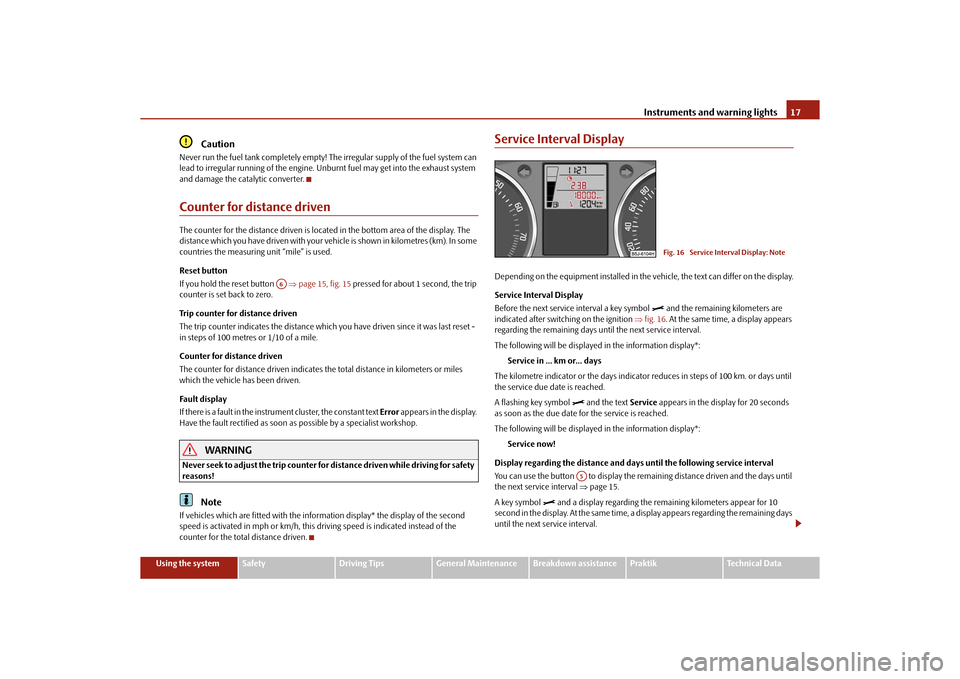
Service Interval DisplayDepending on the equipment installed in the vehicle, the text can differ on the display.
Service Interval Display
Before the next service interval a key symbol
and the remaining kilometers are
indicated after switching on the ignition fig. 16 . At the same time, a display appears
regarding the remaining days until the next service interval.
The following will be displayed in the information display*:
Service in ... km or... days
The kilometre indicator or the days indicator reduces in steps of 100 km. or days until
the service due date is reached.
A flashing key symbol
and the text Service appears in the display for 20 seconds
as soon as the due date for the service is reached.
The following will be displayed in the information display*:
Service now!
Display regarding the distance and days until the following service interval
You can use the button to display the rema ining distance driven and the days until
the next service interval page 15.
A key symbol
and a display regarding the remaining kilometers appear for 10
second in the display. At the same time, a display appears regarding the remaining days
until the next service interval.
A6
Fig. 16 Service Interval Display: Note
A5
s16g.4.book Page 17 Wednesda y, February 10, 2010 3:53 PM
Page 20 of 231
Instruments and warning lights19
Using the system
Safety
Driving Tips
General Maintenance
Breakdown assistance
Praktik
Technical Data
On vehicles which are fitted out with information display*, it is possible to switch off
the display of some information.
Note
In certain national versions th
e displays appear in the Imperial system of measures.
If the display of the second speed is ac tivated in mph, the current speed* is not
indicated in km/h on the display.
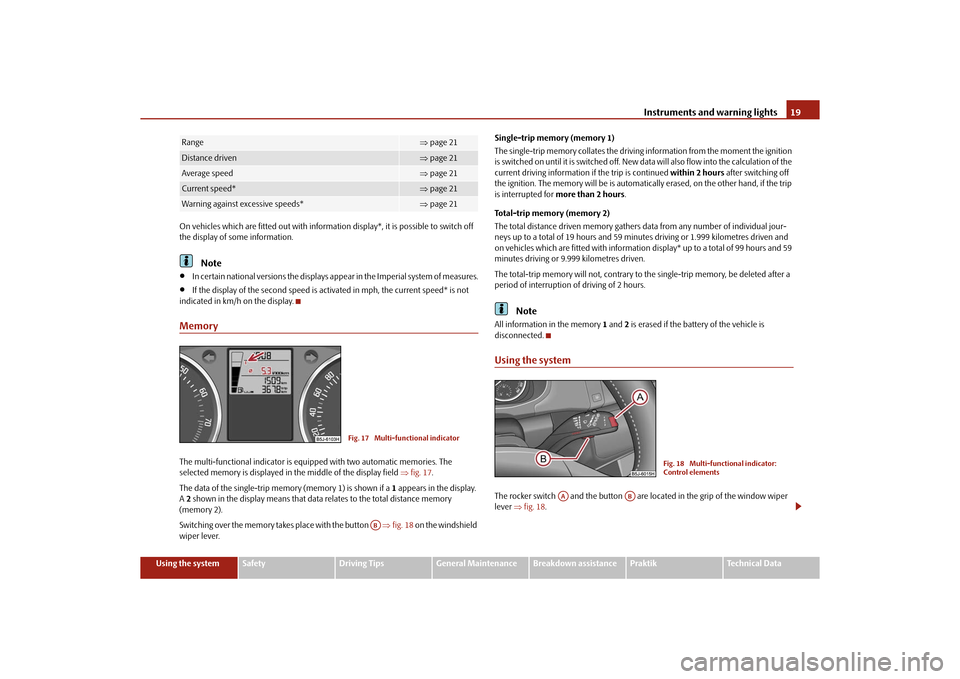
MemoryThe multi-functional indicator is equipped with two automatic memories. The
selected memory is displayed in the middle of the display field fig. 17 .
The data of the single-trip memory (memory 1) is shown if a 1 appears in the display.
A 2 shown in the display means that data relates to the total distance memory
(memory 2).
Switching over the memory takes place with the button fig. 18 on the windshield
wiper lever. Single-trip memory (memory 1)
The single-trip memory collates the driving information from the moment the ignition
is switched on until it is switched off. New data will also flow into the calculation of the
current driving information if the trip is continued
within 2 hours after switching off
the ignition. The memory will be is automatica lly erased, on the other hand, if the trip
is interrupted for more than 2 hours .
Total-trip memory (memory 2)
The total distance driven memory gathers data from any number of individual jour-
neys up to a total of 19 hours and 59 minutes driving or 1.999 kilometres driven and
on vehicles which are fitted with informatio n display* up to a total of 99 hours and 59
minutes driving or 9.999 kilometres driven.
The total-trip memory will not, contrary to the single-trip memory, be deleted after a
period of interruption of driving of 2 hours.
Note
All information in the memory 1 and 2 is erased if the batte ry of the vehicle is
disconnected.Using the systemThe rocker switch and the button are located in the grip of the window wiper
lever fig. 18 .
Range
page 21
Distance driven
page 21
Average speed
page 21
Current speed*
page 21
Warning against excessive speeds*
page 21
Fig. 17 Multi-functional indicator
AB
Fig. 18 Multi-functional indicator:
Control elements
AA
AB
s16g.4.book Page 19 Wednesda y, February 10, 2010 3:53 PM
Page 21 of 231
Instruments and warning lights
20
Selecting the memory
– Short-term pressing of the button on the windshield wiper lever allows to select the desired memory.Selecting the functions– Press the top or bottom rocker switch for longer than 0.5 seconds. In this way,
call up in sequence the individual func tions of the multi-functional indicator.Setting function to zero– Select the memory you want.
– Press button for more than 1 second.
The following readouts of the selected memory will be set to zero by button :
average fuel consumption;
distance driven;
average speed;
Driving time.
You can only operate the multi-functional in dicator when the ignition is switched on.
After the ignition is switched on, the function displayed is the one which you last
selected before switching off the ignition.
Outside temperatureThe outside temperature appears in the disp lay when the ignition is switched on.
If the outside temperature drops below +4°C, a snow flake symbol (warning signal for
ice on the road) appears in front of the temperature indicator and flashes for 10
seconds, then remains displayed together with the outside temperature. At the same
time an audible signal sounds. After pressi ng the rocker switch on the windshield
wiper lever page 19, fig. 18 , the function which was shown last is indicated.
WARNING
Do not only rely upon the information given on the outside temperature display
that there is no ice on the road. Please note that black ice may also be present on the road surface even at temperatur
es around +4°C - warning, drive with
care!
Driving timeThe driving time which has elapsed since the memory was last erased, appears in the
display page 19. If you wish to calculate the dr iving time from a particular time of
day you must first erase the memory at this moment in time by pressing the button
page 19, fig. 18 .
The maximum time indicated in both switch positions is 19 hours and 59 minutes and
on vehicles which are fitted with informatio n display*, it is 99 hours and 59 minutes.
The indicator is set back to nu ll if this period is exceeded.Current fuel consumptionThe current fuel consumption level is shown in the display in litres/100 km. This infor-
mation can help you to adapt your style of driving to the fuel consumption you wish to
achieve.
The display appears in litres/hour if the vehicle is stationary or driving at a low speed.
The indicated value will be updated every 0.5 seconds while you are driving.Average fuel consumptionThe average fuel consumption since the memory was last erased is shown in the
display in litres/100 km page 19. This information can help you to adapt your style
of driving to the fuel cons umption you wish to achieve.
If you wish to determine the average fuel consumption over a certain period of time
you must first erase the memory at the star t of the new measurement using the button
page 19, fig. 18 . A zero appears in the display for the first 300 m you drive after
erasing the memory.
The indicated value will be updated every 5 seconds while you are driving.
AB
AA
AB
AB
AA
WARNING (continued)
AB
AB
s16g.4.book Page 20 Wednesda y, February 10, 2010 3:53 PM
Page 23 of 231
Instruments and warning lights
22
An audible signal sounds as an additional warning signal.
The set speed limit remains stored even after switching off the ignition.MAXI DOT display (information display)*IntroductionThe information display provides you with information in a convenient way
concerning the current operating state of your vehicle . The information system also
provides you with data (depending on the equipment installed in the vehicle) relating
to the radio, mobile phone, multi-function al indicator, navigation system, the unit
connected to the MDI input and the automatic gearbox.
Certain functions and operating conditions are always being checked on the vehicle
when the ignition is switched on and also while driving.
Functional faults, if required repair work and other information are indicated by red
symbols page 23 and yellow symbols page 24.
Lighting up of certain symbols is combined with an acoustic warning signal.
Information and texts giving warnings are also shown in the display page 25.
The display of text is possible in the following languages: Czech, English, German, French, Italian, Spanish, Portuguese, Russian and Chinese.
You can select the desired language in the setting menu.
The following information can be shown in the display (depending on the equipment
installed on the vehicle):
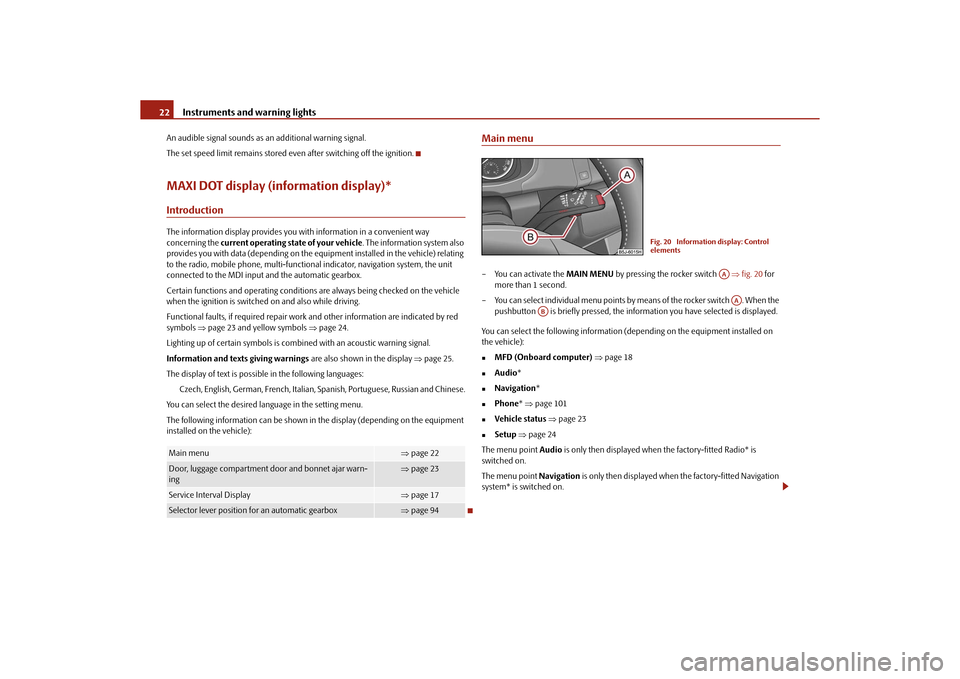
Main menu– You can activate the MAIN MENU by pressing the rocker switch fig. 20 for
more than 1 second.
– You can select indi vidual menu points by means of the rocker switch . When the
pushbutton is briefly pressed, the info rmation you have selected is displayed.
You can select the following information (depending on the equipment installed on
the vehicle):
MFD (Onboard computer) page 18
Audio *
Navigation *
Phone* page 101
Vehicle status page 23
Setup page 24
The menu point Audio is only then displayed when the factory-fitted Radio* is
switched on.
The menu point Navigation is only then displayed when the factory-fitted Navigation
system* is switched on.
Main menu
page 22
Door, luggage compartment door and bonnet ajar warn-
ing
page 23
Service Interval Display
page 17
Selector lever position for an automatic gearbox
page 94
Fig. 20 Information display: Control
elements
AAAA
AB
s16g.4.book Page 22 Wednesda y, February 10, 2010 3:53 PM
Page 24 of 231
Instruments and warning lights23
Using the system
Safety
Driving Tips
General Maintenance
Breakdown assistance
Praktik
Technical Data
Note
If warning messages are shown in the information display page 23, these
messages can be confirmed with the button on the windshield wiper lever in order
to call up the main menu.
If you do not activate the information display at that moment, the menu shifts to
one level higher every 10 seconds.
The operation of the factory-fitted radio* or the navigation system* is described in
separate operating instructions to be found in the on-board literature.
Door, luggage compartment door and bonnet ajar warningThe door, luggage compartment and bonnet ajar warning lights up if at least one door,
the luggage compartment or bonnet are not closed. The symbol indicates which door
is still open or whether the luggage compartment door or bonnet is not closed.
The symbol goes out as soon as the doors, luggage compartment door and bonnet are
completely closed.
A warning signal sounds if the car is driven at a speed of more than 6km/hour and if
the engine or the luggage compartment door is open.Auto Check ControlCar stateThe Auto Check Control carries out a chec k of certain functions and vehicle compo-
nents. The check is performed constantly when the ignition is switched on, both when
the vehicle is stationary, as well as when driving.
Some operational faults, urgent repairs, service work or other information appear in
the display of the instrument cluster. The di splays are shown with a red or yellow light
symbol depending on the priority of the message.
The red symbols indicate danger (priority 1) while the yellow symbols indicate a
warning (priortity 2). Information for the driver may also appear in addition to the
symbols page 25. Shown in the menu
Vehicle status, if there is at least one error message. After selecting
this menu the first of the error messages is displayed. Several error messages are
shown on the display under the message e.g. 1/3 . This indicates that the first of a total
of three error messages is displayed. The respective messages are displayed one after
the other in an interval of 5 seconds. Check as soon as possible the displayed error
messages.
As long as the operational faults are not rectified, the symbols are always indicated
again. After the first display, the symbol s are indicated without information for the
driver.
If a fault occurs, a warning signal will also so und in addition to the symbol and text in
the display:
Priority 1 - three warning signals
Priority 2 - one warning signal
Red symbols
A red symbol signals danger.– Bring the vehicle to a stop.
– Switch the engine off.
– Investigate the function indicated.
– Obtain professional assistance.
Meaning of the red symbols:
Three successive warning signals will sound if a red symbol appears.
AB
Engine oil pressure too low
page 28
Overheated clutches of the automatic gear-
box DSG*
page 94
s16g.4.book Page 23 Wednesda y, February 10, 2010 3:53 PM
Page 28 of 231
Instruments and warning lights27
Using the system
Safety
Driving Tips
General Maintenance
Breakdown assistance
Praktik
Technical Data
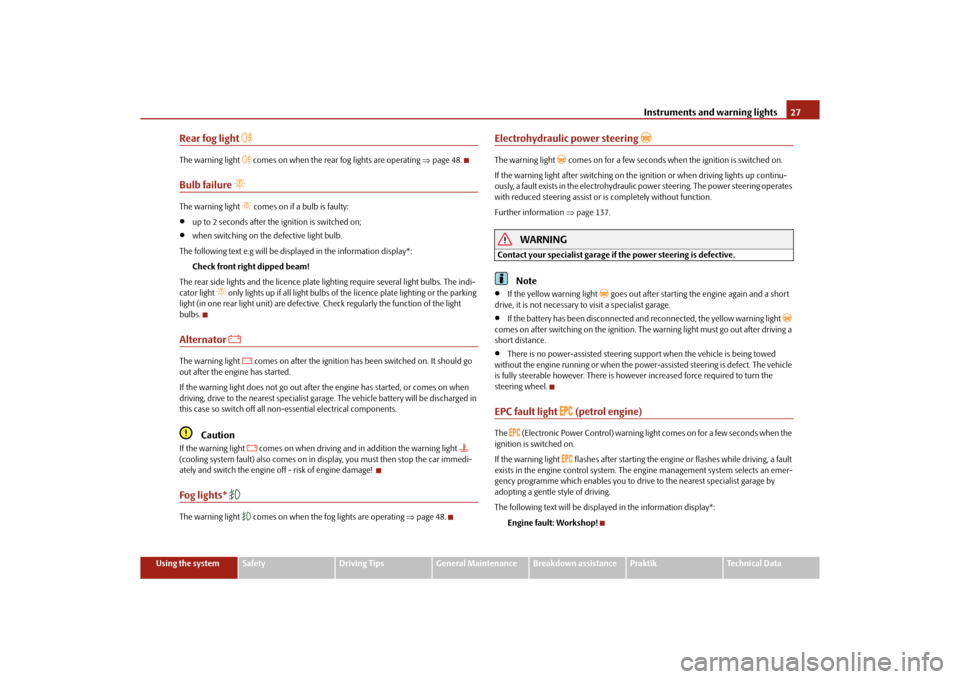
Rear fog light
The warning light
comes on when the rear fog lights are operating page 48.
Bulb failure
The warning light
comes on if a bulb is faulty:
up to 2 seconds after the ignition is switched on;
when switching on the defective light bulb.
The following text e.g will be displayed in the information display*: Check front right dipped beam!
The rear side lights and the licence plate li ghting require several light bulbs. The indi-
cator light
only lights up if all light bulbs of the licence plate lighting or the parking
light (in one rear light unit) are defective. Check regularly the function of the light
bulbs.
Alternator
The warning light
comes on after the ignition has been switched on. It should go
out after the engine has started.
If the warning light does not go out after the engine has started, or comes on when
driving, drive to the nearest specialist garage. The vehicle battery will be discharged in
this case so switch off all non- essential electrical components.
Caution
If the warning light
comes on when driving and in addition the warning light
(cooling system fault) also comes on in di splay, you must then stop the car immedi-
ately and switch the engine off - risk of engine damage!
Fog lights*
The warning light
comes on when the fog lights are operating page 48.
Electrohydraulic power steering
The warning light
comes on for a few seconds when the ignition is switched on.
If the warning light after switching on the ignition or when driving lights up continu-
ously, a fault exists in the electrohydraulic power steering. The power steering operates
with reduced steering assist or is completely without function.
Further information page 137.
WARNING
Contact your specialist garage if the power steering is defective.
Note
If the yellow warning light
goes out after starting the engine again and a short
drive, it is not necessary to visit a specialist garage.
If the battery has been di sconnected and reconnected, the yellow warning light
comes on after switching on the ignition. The warning light must go out after driving a
short distance.
There is no power-assisted steering su pport when the vehicle is being towed
without the engine running or when the powe r-assisted steering is defect. The vehicle
is fully steerable however. There is however increased force required to turn the
steering wheel.
EPC fault light
(petrol engine)
The
(Electronic Power Control) warning light comes on for a few seconds when the
ignition is switched on.
If the warning light
flashes after starting the engine or flashes while driving, a fault
exists in the engine control system. The engine management system selects an emer-
gency programme which enables you to drive to the nearest specialist garage by
adopting a gentle style of driving.
The following text will be displayed in the information display*:
Engine fault: Workshop!
s16g.4.book Page 27 Wednesda y, February 10, 2010 3:53 PM
Page 29 of 231
Instruments and warning lights
28
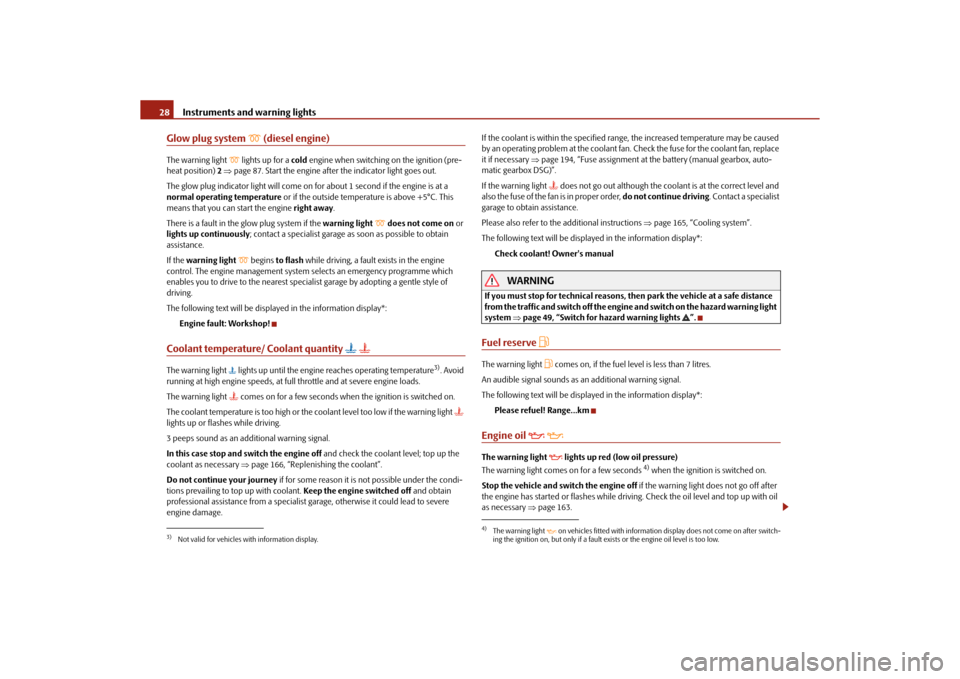
Glow plug system
(diesel engine)
The warning light
lights up for a cold engine when switching on the ignition (pre-
heat position) 2 page 87. Start the engine after the indicator light goes out.
The glow plug indicato r light will come on for about 1 second if the engine is at a
normal operating temperature or if the outside temperature is above +5°C. This
means that you can start the engine right away.
There is a fault in the glow plug system if the warning light
does not come on or
lights up continuously ; contact a specialist garage as soon as possible to obtain
assistance.
If the warning light
begins to flash while driving, a fault exists in the engine
control. The engine management system selects an emergency programme which
enables you to drive to the nearest specialist garage by adopting a gentle style of
driving.
The following text will be displayed in the information display*:
Engine fault: Workshop!
Coolant temperature/ Coolant quantity
The warning light lights up until the engine reaches operating temperature
3). Avoid
running at high engine speeds, at full throttle and at severe engine loads.
The warning light
comes on for a few seconds when the ignition is switched on.
The coolant temperature is too high or the coolant level too low if the warning light
lights up or flashes while driving.
3 peeps sound as an additional warning signal.
In this case stop and switch the engine off and check the coolant level; top up the
coolant as necessary page 166, “Replenishing the coolant”.
Do not continue your journey if for some reason it is not possible under the condi-
tions prevailing to top up with coolant. Keep the engine switched off and obtain
professional assistance from a specialist garage, otherwise it could lead to severe
engine damage. If the coolant is within the specified range, the increased temperature may be caused
by an operating problem at the coolant fan.
Check the fuse for the coolant fan, replace
it if necessary page 194, “Fuse assignment at th e battery (manual gearbox, auto-
matic gearbox DSG)”.
If the warning light
does not go out although the coolant is at the correct level and
also the fuse of the fan is in proper order, do not continue driving. Contact a specialist
garage to obtain assistance.
Please also refer to the additional instructions page 165, “Cooling system”.
The following text will be displayed in the information display*: Check coolant! Owner's manual
WARNING
If you must stop for technical reasons, then park the vehicle at a safe distance
from the traffic and switch off the engine and switch on the hazard warning light
system page 49, “Switch for hazard warning lights ”.Fuel reserve
The warning light
comes on, if the fuel leve l is less than 7 litres.
An audible signal sounds as an additional warning signal.
The following text will be displayed in the information display*: Please refuel! Range...km
Engine oil
The warning light
lights up red (low oil pressure)
The warning light comes on for a few seconds
4) when the ignition is switched on.
Stop the vehicle and switch the engine off if the warning light does not go off after
the engine has started or flashes while driving. Check the oil level and top up with oil
as necessary page 163.
3)Not valid for vehicles with information display.
4)The warning light on vehicles fitted with information display does not come on after switch-
ing the ignition on, but only if a fault exists or the engine oil level is too low.
s16g.4.book Page 28 Wednesda y, February 10, 2010 3:53 PM