ESP SKODA ROOMSTER 2011 1.G Owner's Manual
[x] Cancel search | Manufacturer: SKODA, Model Year: 2011, Model line: ROOMSTER, Model: SKODA ROOMSTER 2011 1.GPages: 212, PDF Size: 3.3 MB
Page 5 of 212
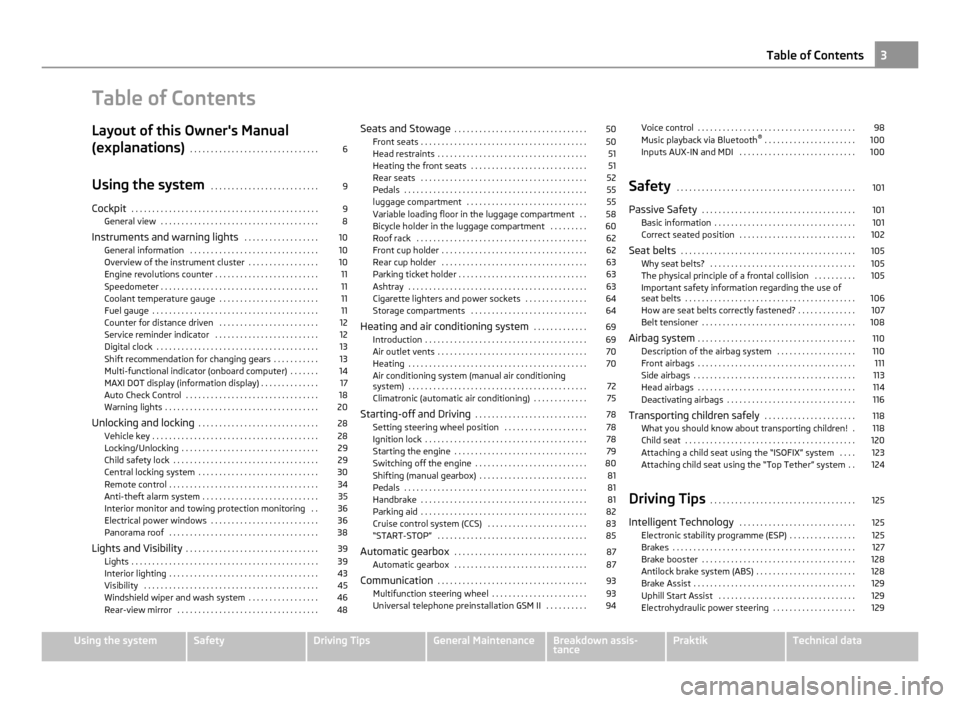
Table of Contents
Layout of this Owner's Manual
(explanations)
. . . . . . . . . . . . . . . . . . . . . . . . . . . . . . . 6
Using the system . . . . . . . . . . . . . . . . . . . . . . . . . . 9
Cockpit . . . . . . . . . . . . . . . . . . . . . . . . . . . . . . . . . . . . . . . . . . . . . 9
General view . . . . . . . . . . . . . . . . . . . . . . . . . . . . . . . . . . . . . . 8
Instruments and warning lights . . . . . . . . . . . . . . . . . . 10
General information . . . . . . . . . . . . . . . . . . . . . . . . . . . . . . . 10
Overview of the instrument cluster . . . . . . . . . . . . . . . . . 10
Engine revolutions counter . . . . . . . . . . . . . . . . . . . . . . . . . 11
Speedometer . . . . . . . . . . . . . . . . . . . . . . . . . . . . . . . . . . . . . . 11
Coolant temperature gauge . . . . . . . . . . . . . . . . . . . . . . . . 11
Fuel gauge . . . . . . . . . . . . . . . . . . . . . . . . . . . . . . . . . . . . . . . . 11
Counter for distance driven . . . . . . . . . . . . . . . . . . . . . . . . 12
Service reminder indicator . . . . . . . . . . . . . . . . . . . . . . . . . 12
Digital clock . . . . . . . . . . . . . . . . . . . . . . . . . . . . . . . . . . . . . . . 13
Shift recommendation for changing gears . . . . . . . . . . . 13
Multi-functional indicator (onboard computer) . . . . . . . 14
MAXI DOT display (information display) . . . . . . . . . . . . . . 17
Auto Check Control . . . . . . . . . . . . . . . . . . . . . . . . . . . . . . . . 18
Warning lights . . . . . . . . . . . . . . . . . . . . . . . . . . . . . . . . . . . . . 20
Unlocking and locking . . . . . . . . . . . . . . . . . . . . . . . . . . . . . 28
Vehicle key . . . . . . . . . . . . . . . . . . . . . . . . . . . . . . . . . . . . . . . . 28
Locking/Unlocking . . . . . . . . . . . . . . . . . . . . . . . . . . . . . . . . . 29
Child safety lock . . . . . . . . . . . . . . . . . . . . . . . . . . . . . . . . . . . 29
Central locking system . . . . . . . . . . . . . . . . . . . . . . . . . . . . . 30
Remote control . . . . . . . . . . . . . . . . . . . . . . . . . . . . . . . . . . . . 34
Anti-theft alarm system . . . . . . . . . . . . . . . . . . . . . . . . . . . . 35
Interior monitor and towing protection monitoring . . 36
Electrical power windows . . . . . . . . . . . . . . . . . . . . . . . . . . 36
Panorama roof . . . . . . . . . . . . . . . . . . . . . . . . . . . . . . . . . . . . 38
Lights and Visibility . . . . . . . . . . . . . . . . . . . . . . . . . . . . . . . . 39
Lights . . . . . . . . . . . . . . . . . . . . . . . . . . . . . . . . . . . . . . . . . . . . . 39
Interior lighting . . . . . . . . . . . . . . . . . . . . . . . . . . . . . . . . . . . . 43
Visibility . . . . . . . . . . . . . . . . . . . . . . . . . . . . . . . . . . . . . . . . . . 45
Windshield wiper and wash system . . . . . . . . . . . . . . . . . 46
Rear-view mirror . . . . . . . . . . . . . . . . . . . . . . . . . . . . . . . . . . 48 Seats and Stowage
. . . . . . . . . . . . . . . . . . . . . . . . . . . . . . . . 50
Front seats . . . . . . . . . . . . . . . . . . . . . . . . . . . . . . . . . . . . . . . . 50
Head restraints . . . . . . . . . . . . . . . . . . . . . . . . . . . . . . . . . . . . 51
Heating the front seats . . . . . . . . . . . . . . . . . . . . . . . . . . . . 51
Rear seats . . . . . . . . . . . . . . . . . . . . . . . . . . . . . . . . . . . . . . . . 52
Pedals . . . . . . . . . . . . . . . . . . . . . . . . . . . . . . . . . . . . . . . . . . . . 55
luggage compartment . . . . . . . . . . . . . . . . . . . . . . . . . . . . . 55
Variable loading floor in the luggage compartment . . 58
Bicycle holder in the luggage compartment . . . . . . . . . 60
Roof rack . . . . . . . . . . . . . . . . . . . . . . . . . . . . . . . . . . . . . . . . . 62
Front cup holder . . . . . . . . . . . . . . . . . . . . . . . . . . . . . . . . . . . 62
Rear cup holder . . . . . . . . . . . . . . . . . . . . . . . . . . . . . . . . . . . 63
Parking ticket holder . . . . . . . . . . . . . . . . . . . . . . . . . . . . . . . 63
Ashtray . . . . . . . . . . . . . . . . . . . . . . . . . . . . . . . . . . . . . . . . . . . 63
Cigarette lighters and power sockets . . . . . . . . . . . . . . . 64
Storage compartments . . . . . . . . . . . . . . . . . . . . . . . . . . . . 64
Heating and air conditioning system . . . . . . . . . . . . . 69
Introduction . . . . . . . . . . . . . . . . . . . . . . . . . . . . . . . . . . . . . . . 69
Air outlet vents . . . . . . . . . . . . . . . . . . . . . . . . . . . . . . . . . . . . 70
Heating . . . . . . . . . . . . . . . . . . . . . . . . . . . . . . . . . . . . . . . . . . . 70
Air conditioning system (manual air conditioning
system) . . . . . . . . . . . . . . . . . . . . . . . . . . . . . . . . . . . . . . . . . . . 72
Climatronic (automatic air conditioning) . . . . . . . . . . . . . 75
Starting-off and Driving . . . . . . . . . . . . . . . . . . . . . . . . . . . 78
Setting steering wheel position . . . . . . . . . . . . . . . . . . . . 78
Ignition lock . . . . . . . . . . . . . . . . . . . . . . . . . . . . . . . . . . . . . . . 78
Starting the engine . . . . . . . . . . . . . . . . . . . . . . . . . . . . . . . . 79
Switching off the engine . . . . . . . . . . . . . . . . . . . . . . . . . . . 80
Shifting (manual gearbox) . . . . . . . . . . . . . . . . . . . . . . . . . . 81
Pedals . . . . . . . . . . . . . . . . . . . . . . . . . . . . . . . . . . . . . . . . . . . . 81
Handbrake . . . . . . . . . . . . . . . . . . . . . . . . . . . . . . . . . . . . . . . . 81
Parking aid . . . . . . . . . . . . . . . . . . . . . . . . . . . . . . . . . . . . . . . . 82
Cruise control system (CCS) . . . . . . . . . . . . . . . . . . . . . . . . 83
“START-STOP” . . . . . . . . . . . . . . . . . . . . . . . . . . . . . . . . . . . . 85
Automatic gearbox . . . . . . . . . . . . . . . . . . . . . . . . . . . . . . . . 87
Automatic gearbox . . . . . . . . . . . . . . . . . . . . . . . . . . . . . . . . 87
Communication . . . . . . . . . . . . . . . . . . . . . . . . . . . . . . . . . . . . 93
Multifunction steering wheel . . . . . . . . . . . . . . . . . . . . . . . 93
Universal telephone preinstallation GSM II . . . . . . . . . . 94 Voice control . . . . . . . . . . . . . . . . . . . . . . . . . . . . . . . . . . . . . . 98
Music playback via Bluetooth
®
. . . . . . . . . . . . . . . . . . . . . . 100
Inputs AUX-IN and MDI . . . . . . . . . . . . . . . . . . . . . . . . . . . . 100
Safety . . . . . . . . . . . . . . . . . . . . . . . . . . . . . . . . . . . . . . . . . . . 101
Passive Safety . . . . . . . . . . . . . . . . . . . . . . . . . . . . . . . . . . . . . 101
Basic information . . . . . . . . . . . . . . . . . . . . . . . . . . . . . . . . . . 101
Correct seated position . . . . . . . . . . . . . . . . . . . . . . . . . . . . 102
Seat belts . . . . . . . . . . . . . . . . . . . . . . . . . . . . . . . . . . . . . . . . . . 105
Why seat belts? . . . . . . . . . . . . . . . . . . . . . . . . . . . . . . . . . . . 105
The physical principle of a frontal collision . . . . . . . . . . 105
Important safety information regarding the use of
seat belts
. . . . . . . . . . . . . . . . . . . . . . . . . . . . . . . . . . . . . . . . . 106
How are seat belts correctly fastened? . . . . . . . . . . . . . . 107
Belt tensioner . . . . . . . . . . . . . . . . . . . . . . . . . . . . . . . . . . . . . 108
Airbag system . . . . . . . . . . . . . . . . . . . . . . . . . . . . . . . . . . . . . . 110
Description of the airbag system . . . . . . . . . . . . . . . . . . . 110
Front airbags . . . . . . . . . . . . . . . . . . . . . . . . . . . . . . . . . . . . . . 111
Side airbags . . . . . . . . . . . . . . . . . . . . . . . . . . . . . . . . . . . . . . . 113
Head airbags . . . . . . . . . . . . . . . . . . . . . . . . . . . . . . . . . . . . . . 114
Deactivating airbags . . . . . . . . . . . . . . . . . . . . . . . . . . . . . . . 116
Transporting children safely . . . . . . . . . . . . . . . . . . . . . . 118
What you should know about transporting children! . 118
Child seat . . . . . . . . . . . . . . . . . . . . . . . . . . . . . . . . . . . . . . . . . 120
Attaching a child seat using the “ISOFIX” system . . . . 123
Attaching child seat using the “Top Tether” system . . 124
Driving Tips . . . . . . . . . . . . . . . . . . . . . . . . . . . . . . . . . . . 125
Intelligent Technology . . . . . . . . . . . . . . . . . . . . . . . . . . . . 125
Electronic stability programme (ESP) . . . . . . . . . . . . . . . . 125
Brakes . . . . . . . . . . . . . . . . . . . . . . . . . . . . . . . . . . . . . . . . . . . . 127
Brake booster . . . . . . . . . . . . . . . . . . . . . . . . . . . . . . . . . . . . . 128
Antilock brake system (ABS) . . . . . . . . . . . . . . . . . . . . . . . . 128
Brake Assist . . . . . . . . . . . . . . . . . . . . . . . . . . . . . . . . . . . . . . . 129
Uphill Start Assist . . . . . . . . . . . . . . . . . . . . . . . . . . . . . . . . . 129
Electrohydraulic power steering . . . . . . . . . . . . . . . . . . . . 129 3
Table of Contents Using the system Safety Driving Tips General Maintenance Breakdown assis-
tance Praktik Technical data
Page 8 of 212
Layout of this Owner's Manual (explanations)
The Owner's Manual has been systematically designed, in order to make it easy
for you to find and absorb the information you require.
Chapters, table of contents and subject index
The text of the Owner's manual is divided into relatively short sections which are
combined into easy-to-read chapters. The chapter you are reading at any particu-
lar moment is highlighted at the bottom right of the page.
The Table of contents is arranged according to the chapters and the detailed Sub-
ject index at the end of the Owner's Manual helps you to rapidly find the informa-
tion you are looking for.
Sections The majority of Sections apply to all models.
Since there is a wide range of different equipment and options available it is clear-
ly unavoidable, despite dividing the contents into sections, that mention may be
made of equipment which is not fitted to your vehicle.
Brief information and instructions Each section has a Heading.
This is followed by Brief information (in large italic lettering), which tells you the
subject which is dealt with in this section.
Most of the illustrations are accompanied by an Instruction (in relatively large let-
ters) which explains to you in a straightforward way the action you have to take.
Work steps which have to be carried out are illustrated with a hyphen.
Direction indications
All direction indications such as
“left”, “right”, “front”, “rear” relate to the direction
of travel of the vehicle.
Explanation of symbols End of a section.
£ The section is continued on the next page.
Notes
All four kinds of notes, which are used in the text, are always stated at the end of
the respective section. WARNING
The most important notes are marked with the heading WARNING. These
WARNING
notes draw your attention to a serious risk of accident or injury.
While reading the text you will frequently encounter a double arrow followed
by a small warning symbol. This symbol is intended to draw your attention to a
WARNING note at the end of the section to which you must pay careful atten-
tion. CAUTION
A Caution note draws your attention to the possibility of damage to your vehicle
(e.g. damage to gearbox), or points out general risks of an accident. For the sake of the environment
An Environmental note draws your attention to environmental protection as-
pects. This is where you will, for example, find tips aimed at reducing your fuel
consumption. Note
A normal Note draws your attention in a general way to important information. 6
Layout of this Owner's Manual (explanations)
Page 12 of 212
Instruments and warning lights
General information WARNING
● Pay attention primarily to the traffic situation! As the driver you are fully
responsible for road safety.
● Operate the controls in the instrument cluster never while driving, only
when the vehicle is stationary!
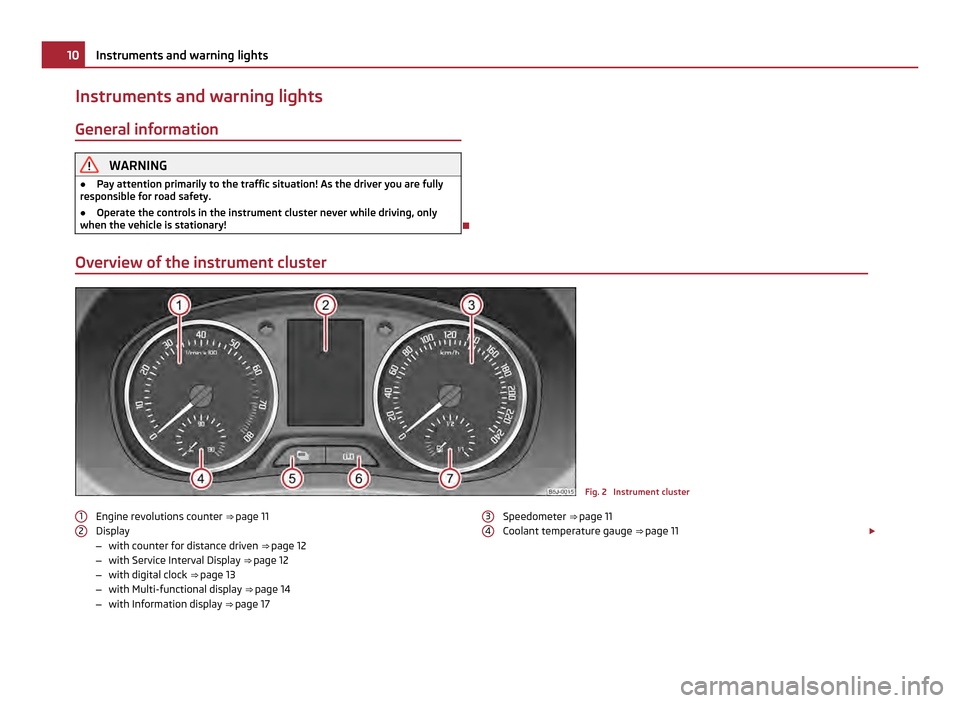
Overview of the instrument cluster Fig. 2 Instrument cluster
Engine revolutions counter ⇒ page 11
Display
– with counter for distance driven ⇒ page 12
– with Service Interval Display ⇒ page 12
– with digital clock ⇒ page 13
– with Multi-functional display ⇒ page 14
– with Information display ⇒ page 17
1 2 Speedometer ⇒
page 11
Coolant temperature gauge ⇒ page 11 £
3 410
Instruments and warning lights
Page 20 of 212
■
Phone ⇒ page 94
■ Vehicle status ⇒ page 94
■ Settings ⇒ page 19
The menu point Audio is only then displayed when the factory-fitted car radio is
switched on.
The menu point Navigation is only then displayed when the factory-fitted radio
navigation system is switched on. Note
● If warning messages are shown in the information display ⇒ page 18, these
messages can be confirmed with the button B on the windshield wiper lever in
order to call up the main menu.
● If you do not activate the information display at that moment, the menu shifts
to one level higher every 10 seconds.
● The operation of the factory-fitted car stereo or radio navigation system is de-
scribed in separate operating instructions to be found in the on-board literature.
Door, luggage compartment door and bonnet ajar warning The door, luggage compartment and bonnet ajar warning lights up if at least one
door, the luggage compartment or bonnet are not closed. The symbol indicates
which door is still open or whether the luggage compartment door or bonnet is
not closed
.
The symbol goes out as soon as the doors, luggage compartment door and bonnet
are completely closed.
A warning signal sounds if the car is driven at a speed of more than 6km/hour and
if the engine or the luggage compartment door is open.
Auto Check Control
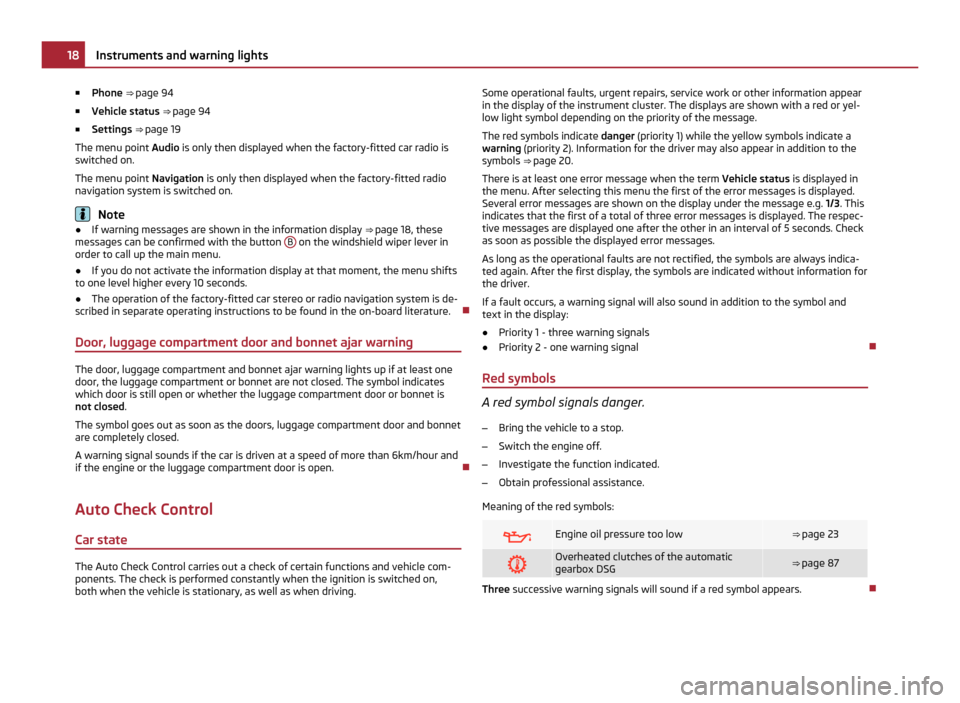
Car state The Auto Check Control carries out a check of certain functions and vehicle com-
ponents. The check is performed constantly when the ignition is switched on,
both when the vehicle is stationary, as well as when driving. Some operational faults, urgent repairs, service work or other information appear
in the display of the instrument cluster. The displays are shown with a red or yel-
low light symbol depending on the priority of the message.
The red symbols indicate danger (priority 1) while the yellow symbols indicate a
warning (priority 2). Information for the driver may also appear in addition to the
symbols ⇒
page 20.
There is at least one error message when the term Vehicle status is displayed in
the menu. After selecting this menu the first of the error messages is displayed.
Several error messages are shown on the display under the message e.g. 1/3. This
indicates that the first of a total of three error messages is displayed. The respec-
tive messages are displayed one after the other in an interval of 5 seconds. Check
as soon as possible the displayed error messages.
As long as the operational faults are not rectified, the symbols are always indica-
ted again. After the first display, the symbols are indicated without information for
the driver.
If a fault occurs, a warning signal will also sound in addition to the symbol and
text in the display:
● Priority 1 - three warning signals
● Priority 2 - one warning signal
Red symbols A red symbol signals danger.
– Bring the vehicle to a stop.
– Switch the engine off.
– Investigate the function indicated.
– Obtain professional assistance.
Meaning of the red symbols: Engine oil pressure too low ⇒ page 23
Overheated clutches of the automatic
gearbox DSG
⇒ page 87
Three successive warning signals will sound if a red symbol appears.
18
Instruments and warning lights
Page 21 of 212
Yellow symbols
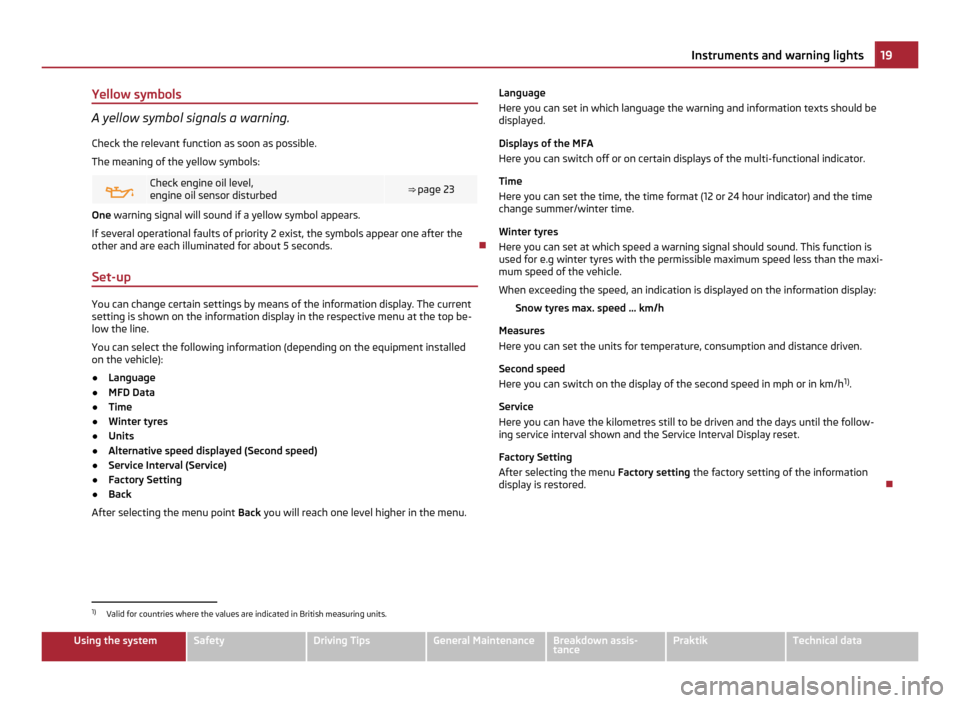
A yellow symbol signals a warning.
Check the relevant function as soon as possible.
The meaning of the yellow symbols: Check engine oil level,
engine oil sensor disturbed
⇒
page 23 One warning signal will sound if a yellow symbol appears.
If several operational faults of priority 2 exist, the symbols appear one after the
other and are each illuminated for about 5 seconds.
Set-up You can change certain settings by means of the information display. The current
setting is shown on the information display in the respective menu at the top be-
low the line.
You can select the following information (depending on the equipment installed
on the vehicle):
●
Language
● MFD Data
● Time
● Winter tyres
● Units
● Alternative speed displayed (Second speed)
● Service Interval (Service)
● Factory Setting
● Back
After selecting the menu point Back you will reach one level higher in the menu. Language
Here you can set in which language the warning and information texts should be
displayed.
Displays of the MFA
Here you can switch off or on certain displays of the multi-functional indicator.
Time
Here you can set the time, the time format (12 or 24 hour indicator) and the time
change summer/winter time.
Winter tyres
Here you can set at which speed a warning signal should sound. This function is
used for e.g winter tyres with the permissible maximum speed less than the maxi-
mum speed of the vehicle.
When exceeding the speed, an indication is displayed on the information display:
Snow tyres max. speed ... km/h
Measures
Here you can set the units for temperature, consumption and distance driven.
Second speed
Here you can switch on the display of the second speed in mph or in km/h 1)
.
Service
Here you can have the kilometres still to be driven and the days until the follow-
ing service interval shown and the Service Interval Display reset.
Factory Setting
After selecting the menu Factory setting the factory setting of the information
display is restored. 1)
Valid for countries where the values are indicated in British measuring units. 19
Instruments and warning lights Using the system Safety Driving Tips General Maintenance Breakdown assis-
tance Praktik Technical data
Page 23 of 212
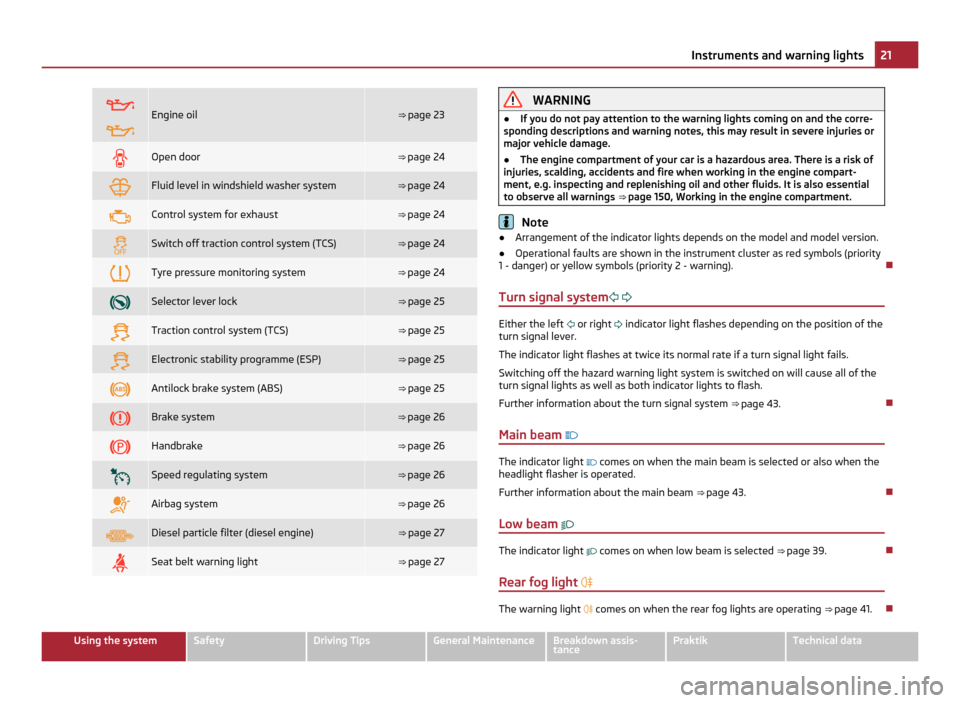
Engine oil ⇒
page 23 Open door ⇒ page 24
Fluid level in windshield washer system ⇒ page 24
Control system for exhaust ⇒ page 24
Switch off traction control system (TCS) ⇒ page 24
Tyre pressure monitoring system ⇒ page 24
Selector lever lock ⇒
page 25 Traction control system (TCS) ⇒
page 25 Electronic stability programme (ESP) ⇒
page 25 Antilock brake system (ABS) ⇒
page 25 Brake system ⇒
page 26 Handbrake ⇒
page 26 Speed regulating system ⇒
page 26 Airbag system ⇒
page 26 Diesel particle filter (diesel engine) ⇒ page 27
Seat belt warning light ⇒ page 27 WARNING
● If you do not pay attention to the warning lights coming on and the corre-
sponding descriptions and warning notes, this may result in severe injuries or
major vehicle damage.
● The engine compartment of your car is a hazardous area. There is a risk of
injuries, scalding, accidents and fire when working in the engine compart-
ment, e.g. inspecting and replenishing oil and other fluids. It is also essential
to observe all warnings ⇒
page 150, Working in the engine compartment. Note
● Arrangement of the indicator lights depends on the model and model version.
● Operational faults are shown in the instrument cluster as red symbols (priority
1 - danger) or yellow symbols (priority 2 - warning).
Turn signal system Either the left
or right
indicator light flashes depending on the position of the
turn signal lever.
The indicator light flashes at twice its normal rate if a turn signal light fails.
Switching off the hazard warning light system is switched on will cause all of the
turn signal lights as well as both indicator lights to flash.
Further information about the turn signal system ⇒
page 43.
Main beam The indicator light
comes on when the main beam is selected or also when the
headlight flasher is operated.
Further information about the main beam ⇒
page 43.
Low beam The indicator light
comes on when low beam is selected
⇒ page 39
.
Rear fog light The warning light
comes on when the rear fog lights are operating
⇒
page 41. 21
Instruments and warning lights Using the system Safety Driving Tips General Maintenance Breakdown assis-
tance Praktik Technical data
Page 27 of 212
WARNING
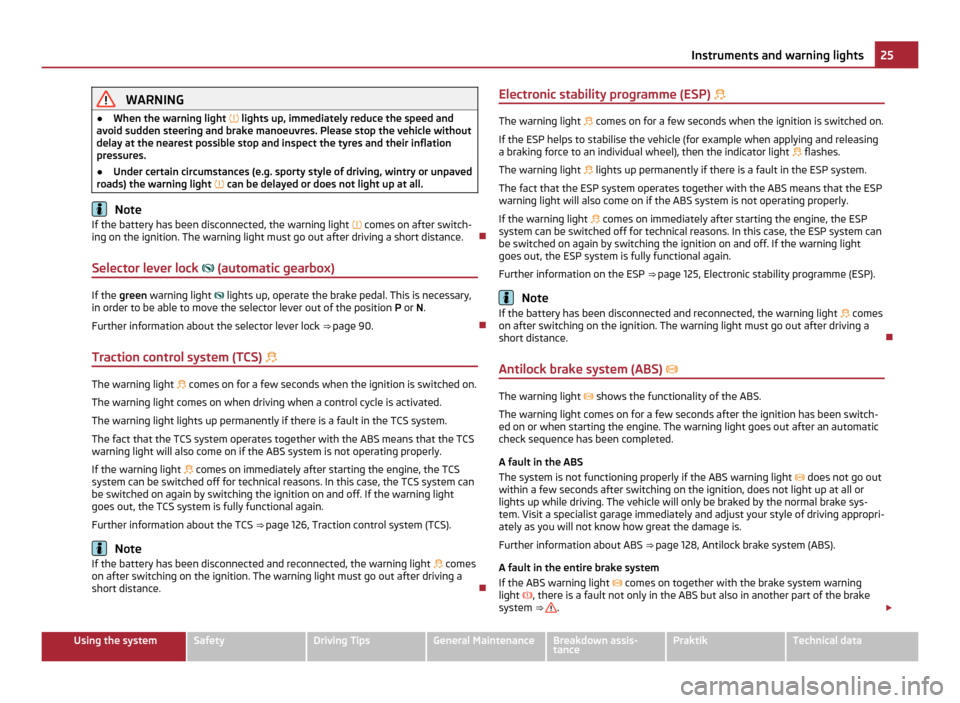
● When the warning light lights up, immediately reduce the speed and
avoid sudden steering and brake manoeuvres. Please stop the vehicle without
delay at the nearest possible stop and inspect the tyres and their inflation
pressures.
● Under certain circumstances (e.g. sporty style of driving, wintry or unpaved
roads) the warning light can be delayed or does not light up at all.Note
If the battery has been disconnected, the warning light comes on after switch-
ing on the ignition. The warning light must go out after driving a short distance.
Selector lever lock (automatic gearbox) If the
green warning light
lights up, operate the brake pedal. This is necessary,
in order to be able to move the selector lever out of the position P or N.
Further information about the selector lever lock ⇒ page 90
.
Traction control system (TCS) The warning light
comes on for a few seconds when the ignition is switched on.
The warning light comes on when driving when a control cycle is activated.
The warning light lights up permanently if there is a fault in the TCS system.
The fact that the TCS system operates together with the ABS means that the TCS
warning light will also come on if the ABS system is not operating properly.
If the warning light comes on immediately after starting the engine, the TCS
system can be switched off for technical reasons. In this case, the TCS system can
be switched on again by switching the ignition on and off. If the warning light
goes out, the TCS system is fully functional again.
Further information about the TCS ⇒ page 126, Traction control system (TCS)
.Note
If the battery has been disconnected and reconnected, the warning light comes
on after switching on the ignition. The warning light must go out after driving a
short distance. Electronic stability programme (ESP)
The warning light
comes on for a few seconds when the ignition is switched on.
If the ESP helps to stabilise the vehicle (for example when applying and releasing
a braking force to an individual wheel), then the indicator light flashes.
The warning light lights up permanently if there is a fault in the ESP system.
The fact that the ESP system operates together with the ABS means that the ESP
warning light will also come on if the ABS system is not operating properly.
If the warning light comes on immediately after starting the engine, the ESP
system can be switched off for technical reasons. In this case, the ESP system can
be switched on again by switching the ignition on and off. If the warning light
goes out, the ESP system is fully functional again.
Further information on the ESP ⇒
page 125, Electronic stability programme (ESP). Note
If the battery has been disconnected and reconnected, the warning light comes
on after switching on the ignition. The warning light must go out after driving a
short distance.
Antilock brake system (ABS) The warning light
shows the functionality of the ABS.
The warning light comes on for a few seconds after the ignition has been switch-
ed on or when starting the engine. The warning light goes out after an automatic
check sequence has been completed.
A fault in the ABS
The system is not functioning properly if the ABS warning light does not go out
within a few seconds after switching on the ignition, does not light up at all or
lights up while driving. The vehicle will only be braked by the normal brake sys-
tem. Visit a specialist garage immediately and adjust your style of driving appropri-
ately as you will not know how great the damage is.
Further information about ABS ⇒ page 128
, Antilock brake system (ABS).
A fault in the entire brake system
If the ABS warning light comes on together with the brake system warning
light , there is a fault not only in the ABS but also in another part of the brake
system ⇒ .
£ 25
Instruments and warning lights Using the system Safety Driving Tips General Maintenance Breakdown assis-
tance Praktik Technical data
Page 38 of 212
Interior monitor and towing protection monitoring
The interior monitor and the towing protection monitoring detect
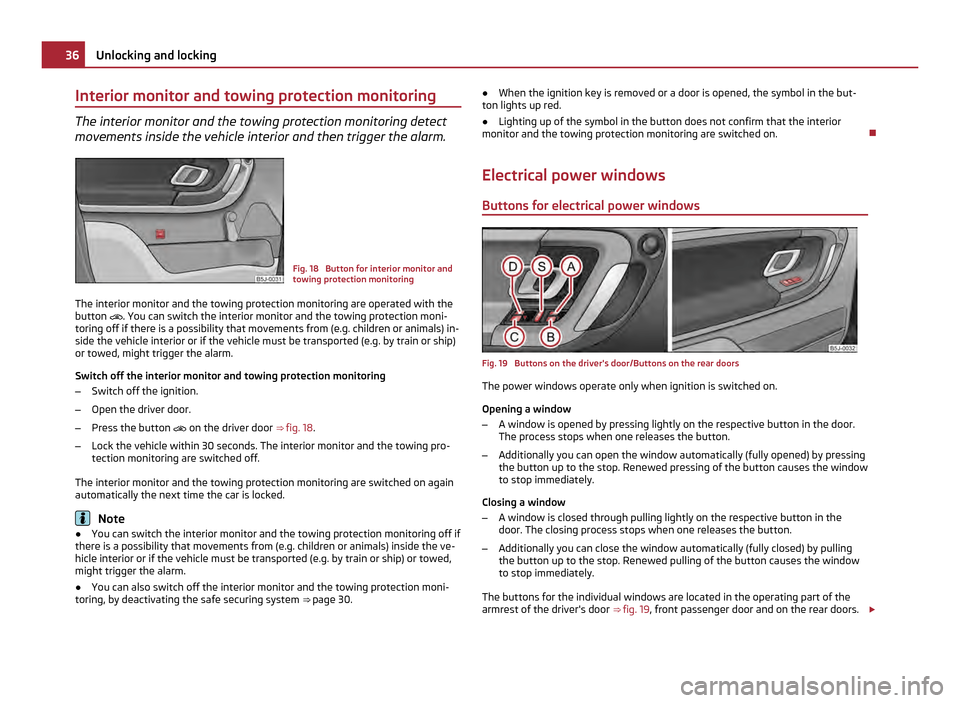
movements inside the vehicle interior and then trigger the alarm. Fig. 18 Button for interior monitor and
towing protection monitoring
The interior monitor and the towing protection monitoring are operated with the
button . You can switch the interior monitor and the towing protection moni-
toring off if there is a possibility that movements from (e.g. children or animals) in-
side the vehicle interior or if the vehicle must be transported (e.g. by train or ship)
or towed, might trigger the alarm.
Switch off the interior monitor and towing protection monitoring
– Switch off the ignition.
– Open the driver door.
– Press the button
on the driver door ⇒ fig. 18 .
– Lock the vehicle within 30 seconds. The interior monitor and the towing pro-
tection monitoring are switched off.
The interior monitor and the towing protection monitoring are switched on again
automatically the next time the car is locked. Note
● You can switch the interior monitor and the towing protection monitoring off if
there is a possibility that movements from (e.g. children or animals) inside the ve-
hicle interior or if the vehicle must be transported (e.g. by train or ship) or towed,
might trigger the alarm.
● You can also switch off the interior monitor and the towing protection moni-
toring, by deactivating the safe securing system ⇒
page 30.●
When the ignition key is removed or a door is opened, the symbol in the but-
ton lights up red.
● Lighting up of the symbol in the button does not confirm that the interior
monitor and the towing protection monitoring are switched on.
Electrical power windows Buttons for electrical power windows Fig. 19 Buttons on the driver's door/Buttons on the rear doors
The power windows operate only when ignition is switched on.
Opening a window
– A window is opened by pressing lightly on the respective button in the door.
The process stops when one releases the button.
– Additionally you can open the window automatically (fully opened) by pressing
the button up to the stop. Renewed pressing of the button causes the window
to stop immediately.
Closing a window
– A window is closed through pulling lightly on the respective button in the
door. The closing process stops when one releases the button.
– Additionally you can close the window automatically (fully closed) by pulling
the button up to the stop. Renewed pulling of the button causes the window
to stop immediately.
The buttons for the individual windows are located in the operating part of the
armrest of the driver's door ⇒
fig. 19, front passenger door and on the rear doors. £36
Unlocking and locking
Page 40 of 212
Opening a window
–
Hold the key in the locking cylinder of the driver's door in the unlock position
or press the unlock button of the radio remote control until all the windows
are opened.
Closing a window
– Hold the key in the locking cylinder of the driver's door in the lock position or
press the lock button of the radio remote control until all the windows are
closed.
You can interrupt the opening or closing operation of the windows immediately by
releasing the key or the lock button. WARNING
The system is fitted with a force limiter ⇒ page 37. If there is an obstacle, the
closing process is stopped and the window goes down by several centimetres.
You should then take particular care when closing the windows! You may oth-
erwise suffer severe injuries as a result of getting an arm, for example, jam-
med in the window!
Operational faults Automatically operated power windows do not operate
If the battery of the car has been disconnected and then reconnected, the auto-
matically operated power windows do not operate. The system must be activated.
Proceed as follows in order to re-establish the function:
●
switch on the ignition,
● slightly pull on the upper edge of the relevant button and hold it until the win-
dow is closed,
● release the switch,
● you must pull the respective switch again in upward direction for approx. 3
seconds.
Operation in winter
Ice accumulating on the surface of the windows during the winter may result in a
greater resistance when closing the windows and the window may stop and move
back several centimetres It is necessary to put the force limiter out of operation in order to close the win-
dow ⇒ page 37
, Force limiter of the power windows. WARNING
The system is fitted with a force limiter ⇒ page 37. If there is an obstacle, the
closing process is stopped and the window goes down by several centimetres.
You should then take particular care when closing the windows! You may oth-
erwise suffer severe injuries as a result of getting an arm, for example, jam-
med in the window! CAUTION
● Keep the window glass clean to ensure correct function of the electric win-
dows.
● In the event of a freezing up of the windshield, first of all eliminate the ice
⇒
page 143 and then operate the power windows otherwise the power window
mechanism could be damaged.
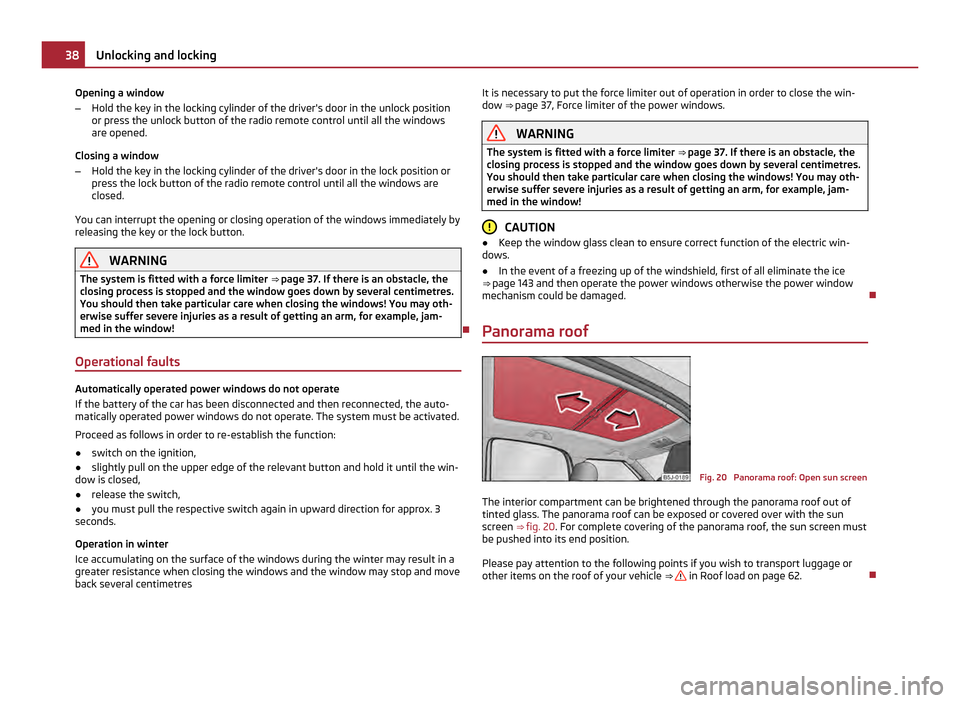
Panorama roof Fig. 20 Panorama roof: Open sun screen
The interior compartment can be brightened through the panorama roof out of
tinted glass. The panorama roof can be exposed or covered over with the sun
screen ⇒
fig. 20. For complete covering of the panorama roof, the sun screen must
be pushed into its end position.
Please pay attention to the following points if you wish to transport luggage or
other items on the roof of your vehicle ⇒ in Roof load on page 62.
38
Unlocking and locking
Page 44 of 212
The warning light
lights up in the instrument cluster when the rear fog light is
switched on ⇒ page 20.
Only the rear fog light of the trailer lights up if the vehicle is fitted with a towing
device from ŠKODA Original Accessories and when you are towing a trailer which
is fitted with the rear fog light. CAUTION
The rear fog light should only be switched on if visibility is particularly poor (con-
form with any varying legal provisions) to avoid dazzling vehicles behind your ve-
hicle.
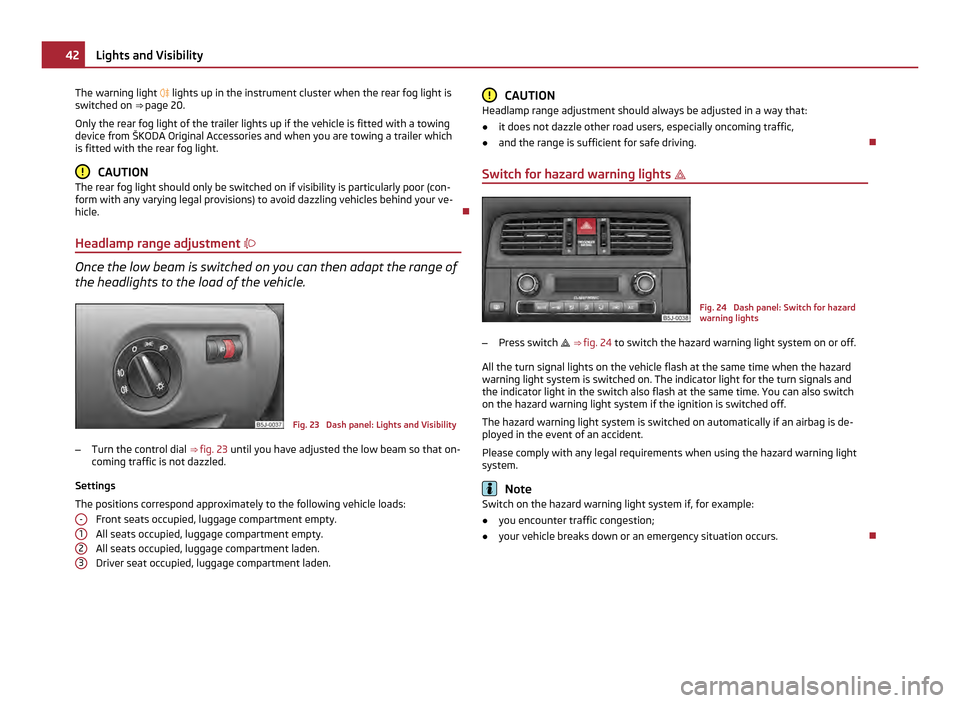
Headlamp range adjustment Once the low beam is switched on you can then adapt the range of
the headlights to the load of the vehicle.
Fig. 23 Dash panel: Lights and Visibility
– Turn the control dial ⇒
fig. 23 until you have adjusted the low beam so that on-
coming traffic is not dazzled.
Settings
The positions correspond approximately to the following vehicle loads: Front seats occupied, luggage compartment empty.
All seats occupied, luggage compartment empty.
All seats occupied, luggage compartment laden.
Driver seat occupied, luggage compartment laden.
- 1
2
3 CAUTION
Headlamp range adjustment should always be adjusted in a way that:
● it does not dazzle other road users, especially oncoming traffic,
● and the range is sufficient for safe driving.
Switch for hazard warning lights Fig. 24 Dash panel: Switch for hazard
warning lights
– Press switch ⇒ fig. 24 to switch the hazard warning light system on or off.
All the turn signal lights on the vehicle flash at the same time when the hazard
warning light system is switched on. The indicator light for the turn signals and
the indicator light in the switch also flash at the same time. You can also switch
on the hazard warning light system if the ignition is switched off.
The hazard warning light system is switched on automatically if an airbag is de-
ployed in the event of an accident.
Please comply with any legal requirements when using the hazard warning light
system. Note
Switch on the hazard warning light system if, for example:
● you encounter traffic congestion;
● your vehicle breaks down or an emergency situation occurs. 42
Lights and Visibility