fuel SKODA SUPERB 2008 2.G / (B6/3T) Owner's Manual
[x] Cancel search | Manufacturer: SKODA, Model Year: 2008, Model line: SUPERB, Model: SKODA SUPERB 2008 2.G / (B6/3T)Pages: 272, PDF Size: 18.25 MB
Page 1 of 272

SIMPLY CLEVER
ŠkodaSuperb
OWNER'S MANUALHow you can contribute to a cleaner environment
The fuel consumption of your Škoda - and thus the level of pollutants contained
in the exhaust - is also determined by how you drive.
The noise level and wear and tear are also influenced by how you personally
handle your vehicle. This Owner ´s Manual tells you how to drive you\
r Škoda to
achieve the minimum impact on the environment, and how to save money at
the same time. Look up „Environment“ in the Index to find out more.
Please also refer to all the texts identified with a C
in this Owner ´s Manual.
Make your contribution - for the sake of the environment.
www.skoda-auto.com
Návod k obsluze
Superb anglicky 03.08
3T0 012 003 C
Superb anglicky 03.08
NKO B6.indd 1
NKO B6.indd 1 21.4.2008 9:02:38
21.4.2008 9:02:38
Page 4 of 272
Contents3
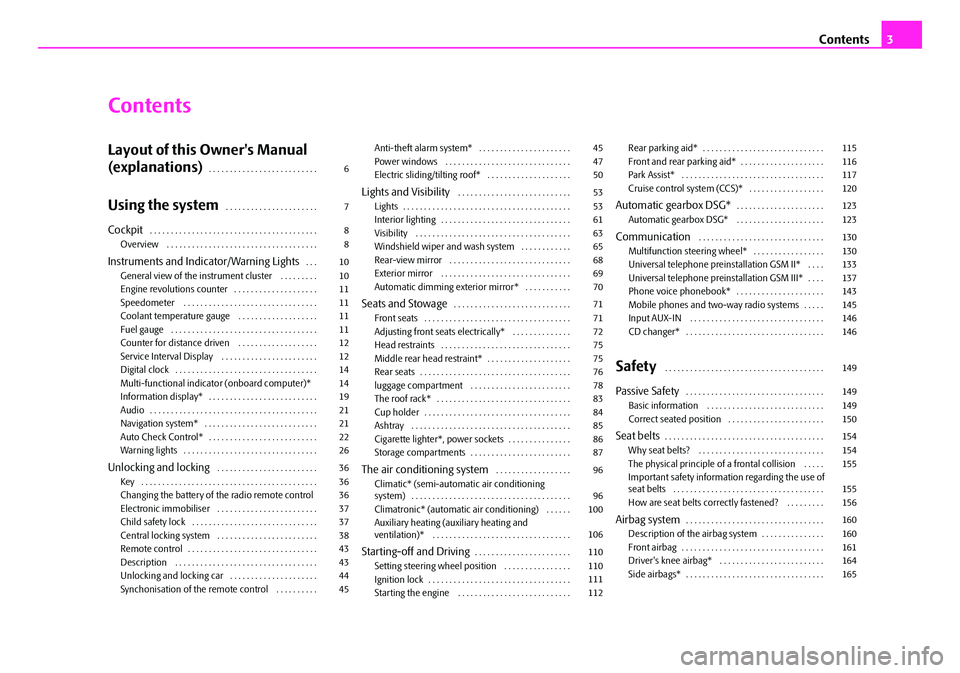
Contents
Layout of this Owner's Manual
(explanations)
. . . . . . . . . . . . . . . . . . . . . . . . . .
Using the system. . . . . . . . . . . . . . . . . . . . . .
Cockpit. . . . . . . . . . . . . . . . . . . . . . . . . . . . . . . . . . . . . . . .
Overview . . . . . . . . . . . . . . . . . . . . . . . . . . . . . . . . . . . .
Instruments and Indicator/Warning Lights. . .
General view of the instrument cluster . . . . . . . . .
Engine revolutions counter . . . . . . . . . . . . . . . . . . . .
Speedometer . . . . . . . . . . . . . . . . . . . . . . . . . . . . . . . .
Coolant temperature gauge . . . . . . . . . . . . . . . . . . .
Fuel gauge . . . . . . . . . . . . . . . . . . . . . . . . . . . . . . . . . . .
Counter for distance driven . . . . . . . . . . . . . . . . . . .
Service Interval Display . . . . . . . . . . . . . . . . . . . . . . .
Digital clock . . . . . . . . . . . . . . . . . . . . . . . . . . . . . . . . . .
Multi-functional indicato r (onboard computer)*
Information display* . . . . . . . . . . . . . . . . . . . . . . . . . .
Audio . . . . . . . . . . . . . . . . . . . . . . . . . . . . . . . . . . . . . . . .
Navigation system* . . . . . . . . . . . . . . . . . . . . . . . . . . .
Auto Check Control* . . . . . . . . . . . . . . . . . . . . . . . . . .
Warning lights . . . . . . . . . . . . . . . . . . . . . . . . . . . . . . . .
Unlocking and locking . . . . . . . . . . . . . . . . . . . . . . . .
Key . . . . . . . . . . . . . . . . . . . . . . . . . . . . . . . . . . . . . . . . . .
Changing the battery of the radio remote control
Electronic immobiliser . . . . . . . . . . . . . . . . . . . . . . . .
Child safety lock . . . . . . . . . . . . . . . . . . . . . . . . . . . . . .
Central locking system . . . . . . . . . . . . . . . . . . . . . . . .
Remote control . . . . . . . . . . . . . . . . . . . . . . . . . . . . . . .
Description . . . . . . . . . . . . . . . . . . . . . . . . . . . . . . . . . .
Unlocking and locking car . . . . . . . . . . . . . . . . . . . . .
Synchonisation of the remote control . . . . . . . . . . Anti-theft alarm system* . . . . . . . . . . . . . . . . . . . . . .
Power windows . . . . . . . . . . . . . . . . . . . . . . . . . . . . . .
Electric sliding/tilting roof* . . . . . . . . . . . . . . . . . . . .
Lights and Visibility . . . . . . . . . . . . . . . . . . . . . . . . . . .
Lights . . . . . . . . . . . . . . . . . . . . . . . . . . . . . . . . . . . . . . . .
Interior lighting . . . . . . . . . . . . . . . . . . . . . . . . . . . . . . .
Visibility . . . . . . . . . . . . . . . . . . . . . . . . . . . . . . . . . . . . .
Windshield wiper and wash system . . . . . . . . . . . .
Rear-view mirror . . . . . . . . . . . . . . . . . . . . . . . . . . . . .
Exterior mirror . . . . . . . . . . . . . . . . . . . . . . . . . . . . . . .
Automatic dimming exterior mirror* . . . . . . . . . . .
Seats and Stowage. . . . . . . . . . . . . . . . . . . . . . . . . . . .
Front seats . . . . . . . . . . . . . . . . . . . . . . . . . . . . . . . . . . .
Adjusting front seats electrically* . . . . . . . . . . . . . .
Head restraints . . . . . . . . . . . . . . . . . . . . . . . . . . . . . . .
Middle rear head restraint* . . . . . . . . . . . . . . . . . . . .
Rear seats . . . . . . . . . . . . . . . . . . . . . . . . . . . . . . . . . . . .
luggage compartment . . . . . . . . . . . . . . . . . . . . . . . .
The roof rack* . . . . . . . . . . . . . . . . . . . . . . . . . . . . . . . .
Cup holder . . . . . . . . . . . . . . . . . . . . . . . . . . . . . . . . . . .
Ashtray . . . . . . . . . . . . . . . . . . . . . . . . . . . . . . . . . . . . . .
Cigarette lighter*, power sockets . . . . . . . . . . . . . . .
Storage compartments . . . . . . . . . . . . . . . . . . . . . . . .
The air conditioning system . . . . . . . . . . . . . . . . . .
Climatic* (semi-automat ic air conditioning
system) . . . . . . . . . . . . . . . . . . . . . . . . . . . . . . . . . . . . . .
Climatronic* (automatic air conditioning) . . . . . .
Auxiliary heating (auxiliary heating and
ventilation)* . . . . . . . . . . . . . . . . . . . . . . . . . . . . . . . . .
Starting-off and Driving. . . . . . . . . . . . . . . . . . . . . . .
Setting steering wheel position . . . . . . . . . . . . . . . .
Ignition lock . . . . . . . . . . . . . . . . . . . . . . . . . . . . . . . . . .
Starting the engine . . . . . . . . . . . . . . . . . . . . . . . . . . . Rear parking aid* . . . . . . . . . . . . . . . . . . . . . . . . . . . . .
Front and rear parking aid* . . . . . . . . . . . . . . . . . . . .
Park Assist* . . . . . . . . . . . . . . . . . . . . . . . . . . . . . . . . . .
Cruise control system (CCS)* . . . . . . . . . . . . . . . . . .
Automatic gearbox DSG*. . . . . . . . . . . . . . . . . . . . .
Automatic gearbox DSG* . . . . . . . . . . . . . . . . . . . . .
Communication . . . . . . . . . . . . . . . . . . . . . . . . . . . . . .
Multifunction steering wheel* . . . . . . . . . . . . . . . . .
Universal telephone preinstallation GSM II* . . . .
Universal telephone preinstallation GSM III* . . . .
Phone voice phonebook* . . . . . . . . . . . . . . . . . . . . .
Mobile phones and two-way radio systems . . . . .
Input AUX-IN . . . . . . . . . . . . . . . . . . . . . . . . . . . . . . . .
CD changer* . . . . . . . . . . . . . . . . . . . . . . . . . . . . . . . . .
Safety . . . . . . . . . . . . . . . . . . . . . . . . . . . . . . . . . . . . . .
Passive Safety . . . . . . . . . . . . . . . . . . . . . . . . . . . . . . . . .
Basic information . . . . . . . . . . . . . . . . . . . . . . . . . . . .
Correct seated position . . . . . . . . . . . . . . . . . . . . . . .
Seat belts. . . . . . . . . . . . . . . . . . . . . . . . . . . . . . . . . . . . . .
Why seat belts? . . . . . . . . . . . . . . . . . . . . . . . . . . . . . .
The physical principle of a frontal collision . . . . .
Important safety information regarding the use of
seat belts . . . . . . . . . . . . . . . . . . . . . . . . . . . . . . . . . . . .
How are seat belts correctly fastened? . . . . . . . . .
Airbag system. . . . . . . . . . . . . . . . . . . . . . . . . . . . . . . . .
Description of the airbag system . . . . . . . . . . . . . . .
Front airbag . . . . . . . . . . . . . . . . . . . . . . . . . . . . . . . . . .
Driver's knee airbag* . . . . . . . . . . . . . . . . . . . . . . . . .
Side airbags* . . . . . . . . . . . . . . . . . . . . . . . . . . . . . . . . .
6
7
8
8
10
10
11
11
11
11
12
12
14
14
19
21
21
22
26
36
36
36
37
37
38
43
43
44
45 45
47
50
53
53
61
63
65
68
69
70
71
71
72
75
75
76
78
83
84
85
86
87
96
96
100
106
110
110
111
112 115
116
117
120
123
123
130
130
133
137
143
145
146
146
149
149
149
150
154
154
155
155
156
160
160
161
164
165
NKO B6 20.book Page 3 Wednesday, March 26, 2008 3:15 PM
Page 5 of 272
Contents
4
Head airbags* . . . . . . . . . . . . . . . . . . . . . . . . . . . . . . . .
Deactivating an airbag . . . . . . . . . . . . . . . . . . . . . . . .
Transporting children safely . . . . . . . . . . . . . . . . . .
What you should know about transporting children!
Child seat . . . . . . . . . . . . . . . . . . . . . . . . . . . . . . . . . . . .
Attaching a child seat using the “ISOFIX” system .
Attaching child seat using the “Top Tether” system
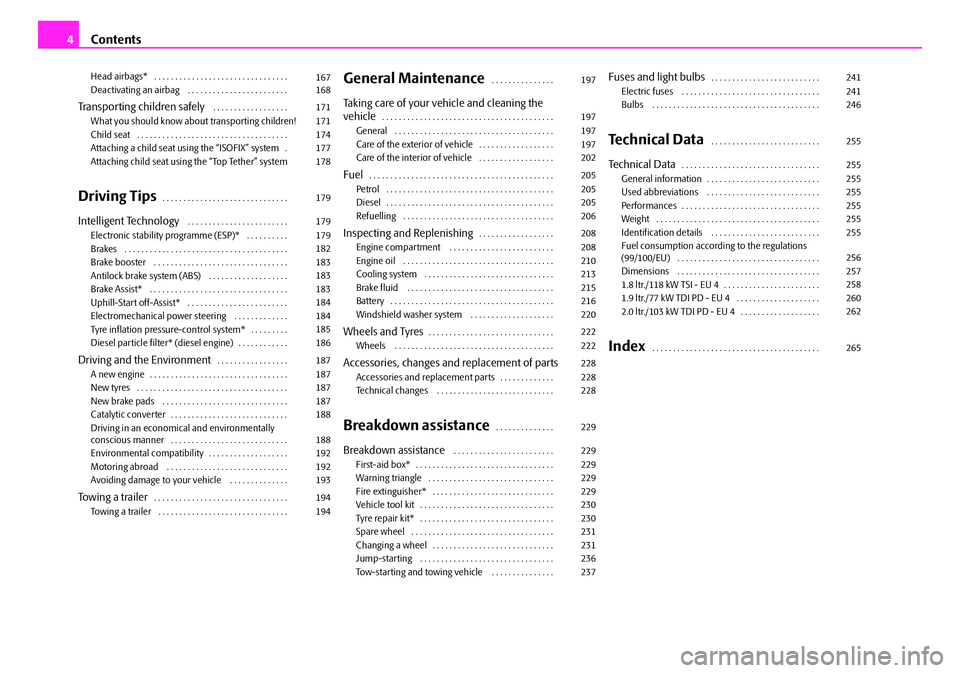
Driving Tips. . . . . . . . . . . . . . . . . . . . . . . . . . . . . .
Intelligent Technology . . . . . . . . . . . . . . . . . . . . . . . .
Electronic stability programme (ESP)* . . . . . . . . . .
Brakes . . . . . . . . . . . . . . . . . . . . . . . . . . . . . . . . . . . . . . .
Brake booster . . . . . . . . . . . . . . . . . . . . . . . . . . . . . . . .
Antilock brake system (ABS) . . . . . . . . . . . . . . . . . . .
Brake Assist* . . . . . . . . . . . . . . . . . . . . . . . . . . . . . . . . .
Uphill-Start off-Assist* . . . . . . . . . . . . . . . . . . . . . . . .
Electromechanical power steering . . . . . . . . . . . . .
Tyre inflation pressure-control system* . . . . . . . . .
Diesel particle filter* (diesel engine) . . . . . . . . . . . .
Driving and the Environment. . . . . . . . . . . . . . . . .
A new engine . . . . . . . . . . . . . . . . . . . . . . . . . . . . . . . . .
New tyres . . . . . . . . . . . . . . . . . . . . . . . . . . . . . . . . . . . .
New brake pads . . . . . . . . . . . . . . . . . . . . . . . . . . . . . .
Catalytic converter . . . . . . . . . . . . . . . . . . . . . . . . . . . .
Driving in an economical and environmentally
conscious manner . . . . . . . . . . . . . . . . . . . . . . . . . . . .
Environmental compatibility . . . . . . . . . . . . . . . . . . .
Motoring abroad . . . . . . . . . . . . . . . . . . . . . . . . . . . . .
Avoiding damage to your vehicle . . . . . . . . . . . . . .
To w i n g a t r a i l e r. . . . . . . . . . . . . . . . . . . . . . . . . . . . . . . .
Towing a trailer . . . . . . . . . . . . . . . . . . . . . . . . . . . . . . .
General Maintenance. . . . . . . . . . . . . . .
Taking care of your vehicle and cleaning the
vehicle. . . . . . . . . . . . . . . . . . . . . . . . . . . . . . . . . . . . . . . . .
General . . . . . . . . . . . . . . . . . . . . . . . . . . . . . . . . . . . . . .
Care of the exterior of vehicle . . . . . . . . . . . . . . . . . .
Care of the interior of vehicle . . . . . . . . . . . . . . . . . .
Fuel. . . . . . . . . . . . . . . . . . . . . . . . . . . . . . . . . . . . . . . . . . . .
Petrol . . . . . . . . . . . . . . . . . . . . . . . . . . . . . . . . . . . . . . . .
Diesel . . . . . . . . . . . . . . . . . . . . . . . . . . . . . . . . . . . . . . . .
Refuelling . . . . . . . . . . . . . . . . . . . . . . . . . . . . . . . . . . . .
Inspecting and Replenishing. . . . . . . . . . . . . . . . . .
Engine compartment . . . . . . . . . . . . . . . . . . . . . . . . .
Engine oil . . . . . . . . . . . . . . . . . . . . . . . . . . . . . . . . . . . .
Cooling system . . . . . . . . . . . . . . . . . . . . . . . . . . . . . . .
Brake fluid . . . . . . . . . . . . . . . . . . . . . . . . . . . . . . . . . . .
Battery . . . . . . . . . . . . . . . . . . . . . . . . . . . . . . . . . . . . . . .
Windshield washer system . . . . . . . . . . . . . . . . . . . .
Wheels and Tyres. . . . . . . . . . . . . . . . . . . . . . . . . . . . . .
Wheels . . . . . . . . . . . . . . . . . . . . . . . . . . . . . . . . . . . . . .
Accessories, changes and replacement of partsAccessories and replacement parts . . . . . . . . . . . . .
Technical changes . . . . . . . . . . . . . . . . . . . . . . . . . . . .
Breakdown assistance. . . . . . . . . . . . . .
Breakdown assistance . . . . . . . . . . . . . . . . . . . . . . . .
First-aid box* . . . . . . . . . . . . . . . . . . . . . . . . . . . . . . . . .
Warning triangle . . . . . . . . . . . . . . . . . . . . . . . . . . . . . .
Fire extinguisher* . . . . . . . . . . . . . . . . . . . . . . . . . . . . .
Vehicle tool kit . . . . . . . . . . . . . . . . . . . . . . . . . . . . . . . .
Tyre repair kit* . . . . . . . . . . . . . . . . . . . . . . . . . . . . . . . .
Spare wheel . . . . . . . . . . . . . . . . . . . . . . . . . . . . . . . . . .
Changing a wheel . . . . . . . . . . . . . . . . . . . . . . . . . . . . .
Jump-starting . . . . . . . . . . . . . . . . . . . . . . . . . . . . . . . .
Tow-starting and towing vehicle . . . . . . . . . . . . . . .
Fuses and light bulbs. . . . . . . . . . . . . . . . . . . . . . . . . .
Electric fuses . . . . . . . . . . . . . . . . . . . . . . . . . . . . . . . . .
Bulbs . . . . . . . . . . . . . . . . . . . . . . . . . . . . . . . . . . . . . . . .
Technical Data . . . . . . . . . . . . . . . . . . . . . . . . . .
Technical Data. . . . . . . . . . . . . . . . . . . . . . . . . . . . . . . . .
General information . . . . . . . . . . . . . . . . . . . . . . . . . . .
Used abbreviations . . . . . . . . . . . . . . . . . . . . . . . . . . .
Performances . . . . . . . . . . . . . . . . . . . . . . . . . . . . . . . . .
Weight . . . . . . . . . . . . . . . . . . . . . . . . . . . . . . . . . . . . . . .
Identification details . . . . . . . . . . . . . . . . . . . . . . . . . .
Fuel consumption according to the regulations
(99/100/EU) . . . . . . . . . . . . . . . . . . . . . . . . . . . . . . . . . .
Dimensions . . . . . . . . . . . . . . . . . . . . . . . . . . . . . . . . . .
1.8 ltr./118 kW TSI - EU 4 . . . . . . . . . . . . . . . . . . . . . . .
1.9 ltr./77 kW TDI PD - EU 4 . . . . . . . . . . . . . . . . . . . .
2.0 ltr./103 kW TDI PD - EU 4 . . . . . . . . . . . . . . . . . . .
Index . . . . . . . . . . . . . . . . . . . . . . . . . . . . . . . . . . . . . . . .
167
168
171
171
174
177
178
179
179
179
182
183
183
183
184
184
185
186
187
187
187
187
188
188
192
192
193
194
194 197
197
197
197
202
205
205
205
206
208
208
210
213
215
216
220
222
222
228
228
228
229
229
229
229
229
230
230
231
231
236
237241
241
246
255
255
255
255
255
255
255
256
257
258
260
262
265
NKO B6 20.book Page 4 Wednesday, March 26, 2008 3:15 PM
Page 7 of 272
Layout of this Owner's Manual (explanations)
6
Layout of this Owner's Manual (explanations)
The Owner's Manual has been systematically designed, in order to make it easy for
you to find and absorb the information you require.
Chapters, table of contents and subject index
The text of the manual are divided into re latively short sections which are combined
into easy-to-read chapters. The chapter you are reading at any particular moment
is highlighted at the bottom right of the page.
The Table of contents is arranged according to the chapters and the detailed
Subject index at the end of the Owner's Manual helps you to rapidly find the infor-
mation you are looking for.
Sections
The majority of Sections apply to all models.
Since there is a wide range of different equipment and options available it is clearly
unavoidable, despite dividing the contents into sections, that mention may be
made of equipment which is not fitted to your vehicle.
Equipment which is marked * is only standa rd on certain vehicle model versions or
only suppliable as optional equipment for certain models.
Brief information and instructions
Each section has a Heading.
This is followed by Brief information (in large italic lettering), which tells you the
subject which is dealt with in this section.
Most of the illustrations are accompanied by an Instruction (in relatively large
letters) which explains to you in a straig htforward way the action you have to take.
Work steps which have to be carried out are illustrated with a hyphen.
Notes
All four kinds of notes, which are used in the text, are always stated at the end of the
respective section.
WARNING
The most important notes are marked with the heading WARNING. These
WARNING notes draw your attention to a serious risk of accident or injury.
While reading the text you will frequently encounter a double arrow
followed by a small warning symbol. This symbol is intended to draw your
attention to a WARNING note at the end of the section to which you must pay
careful attention.
Caution
A Caution note draws your attention to the po ssibility of damage to your vehicle
(e.g. damage to gearbox), or points out general risks of an accident.
For the sake of the environment
An Environmental note draws your attention to environmental protection aspects.
This is where you will, for example, find tips aimed at reducing your fuel consump-
tion.
Note
A normal Note draws your attention in a general way to important information.
Direction indications
All direction indications such as “left”, “right”, “front”, “rear” relate to the direction
of travel of the vehicle.
NKO B6 20.book Page 6 Wednesday, March 26, 2008 3:15 PM
Page 11 of 272
Instruments and Indicator/Warning Lights
10
Instruments and Indicator/Warning Lights
General view of the instrument cluster
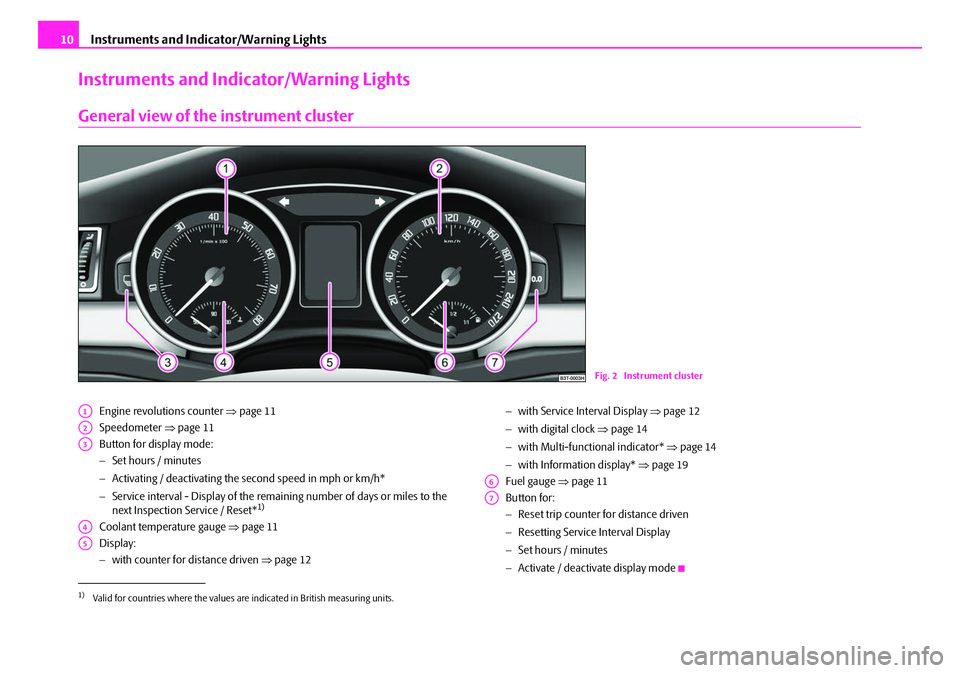
Engine revolutions counter ⇒ page 11
Speedometer ⇒page 11
Button for display mode:
− Set hours / minutes
− Activating / deactivating the second speed in mph or km/h*
− Service interval - Display of the remaining number of days or miles to the
next Inspection Service / Reset*
1)
Coolant temperature gauge ⇒page 11
Display:
− with counter for distance driven ⇒page 12 −
with Service Interval Display ⇒page 12
− with digital clock ⇒ page 14
− with Multi-functional indicator* ⇒page 14
− with Information display* ⇒page 19
Fuel gauge ⇒page 11
Button for:
− Reset trip counter for distance driven
− Resetting Service Interval Display
− Set hours / minutes
− Activate / deactivate display mode
Fig. 2 Instrument cluster
1)Valid for countries where the values are indicated in British measuring units.
A1
A2
A3
A4
A5
A6
A7
NKO B6 20.book Page 10 Wednesday, March 26, 2008 3:15 PM
Page 12 of 272
Instruments and Indicator/Warning Lights11
Using the systemSafetyDriving TipsGeneral MaintenanceBreakdown assistanceTechnical Data
Engine revolutions counter
The red zone of the rev counter scale ⇒page 10, fig. 2 indicates the range in
which the engine control unit begins to li mit the engine speed. The engine control
unit restricts the engine speed to the steady limit value.
Shift into the next higher gear or select the selector lever position D of the auto-
matic gearbox before reaching the red zone of the rev counter scale.
Avoid high engine speeds during the driving time and before the engine has been
warmed up to operating temperature ⇒page 187.
For the sake of the environment
Shifting up early helps yo u save fuel and reduce the operating noise of your
vehicle.
Speedometer
Warning against excessive speeds*
An acoustic warning signal will sound wh en the vehicle speed exceeds 120 kilome-
tres per hour. The acoustic warning signal will switch off again when the vehicle
speed goes below this speed limit.
Note
This function is only valid for some countries.
Coolant temperature gauge
The coolant temperature gauge ⇒page 10, fig. 2 operates only when the igni-
tion is switched on.
In order to avoid any damage to the engine , please pay attention to the following
notes regarding the temperature ranges: Cold range
If the pointer is in the left-hand area of
the scale it means that the engine has not
yet reached its operating temp erature. Avoid running at high engine speeds, at full
throttle and at severe engine loads.
The operating range
The engine has reached its operating temperature as soon as the pointer moves
into the mid-range of the scale. The pointe r may also move further to the right at
high engine loads and high outside temperatures. This is not critical provided the
warning symbol
in the instrument cluster does not flash.
If the symbol
in the instrument cluster flashes it means that either the coolant
temperature is too high or the coolant level is too low. Observe the guidelines
⇒ page 31, “Coolant temperature/ Coolant quantity ”.
WARNING
Pay attention to the warning notes ⇒page 209, “Working in the engine
compartment” before opening the bonn et and inspecting the coolant level.
Caution
Additional headlights and other attached co mponents in front of the fresh air inlet
impair the cooling efficiency of the coolant. There is then a risk of the engine over-
heating at high outside temper atures and high engine loads!
Fuel gauge
The fuel gauge ⇒page 10, fig. 2 only operates when the ignition is switched on.
The fuel tank has a capacity of ab out 60 litres. The warning symbol
in the instru-
ment cluster lights up when the pointer reaches the reserve marking. There are now
about 9 litres of fuel remaining in the tank. This symbol is a reminder for you, that
you must refuel .
The following will be displayed in the information display*: Please refuel! (Please refuel!)
A1
A4
A6
NKO B6 20.book Page 11 Wednesday, March 26, 2008 3:15 PM
Page 13 of 272
Instruments and Indicator/Warning Lights
12
An audible signal sounds as an additional warning signal.
Caution
Never run the fuel tank completely empty! An irregular fuel supply can result in
poor ignition or misfiring. Unburnt fuel may get into the exhaust system and
damage the cata lytic converter.
Note
After refuelling, the fuel gauge may drop by approx. a fraction during dynamic
driving (e.g. numerous curves, braking, up hill and downhill). When stopping the
vehicle or during less dyna mic driving, the fuel gauge indicates again the correct
fuel quantity. This occurrence is not a fault.
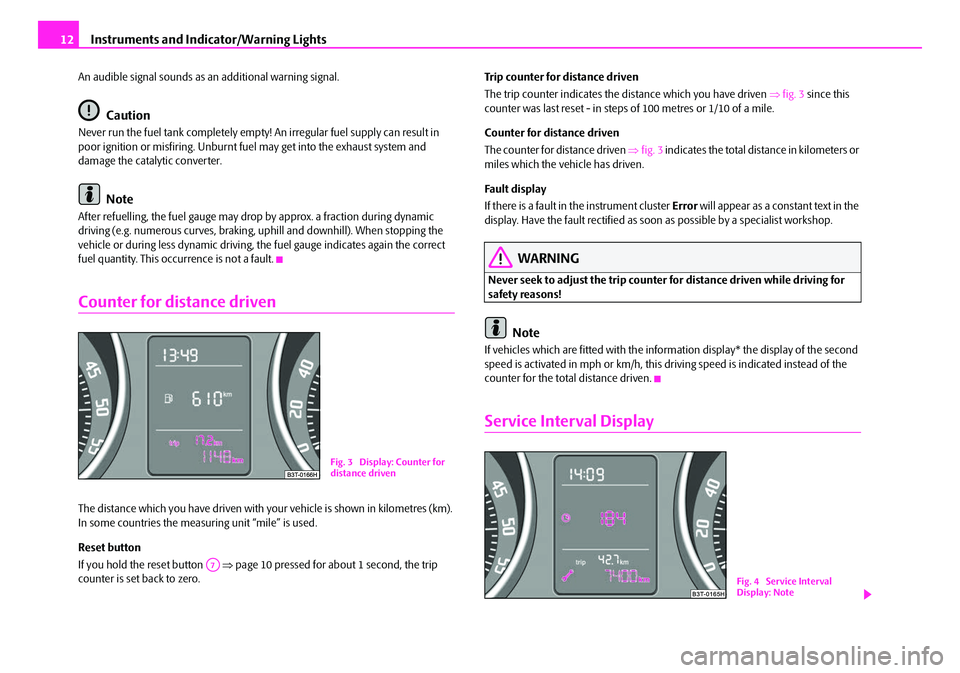
Counter for distance driven
The distance which you have driven with your vehicle is shown in kilometres (km).
In some countries the meas uring unit “mile” is used.
Reset button
If you hold the reset button ⇒page 10 pressed for about 1 second, the trip
counter is set back to zero. Trip counter for distance driven
The trip counter indicates the distance which you have driven
⇒fig. 3 since this
counter was last reset - in steps of 100 metres or 1/10 of a mile.
Counter for distance driven
The counter for distance driven ⇒fig. 3 indicates the total distance in kilometers or
miles which the vehicle has driven.
Fa u l t d i s p l a y
If there is a fault in the instrument cluster Error will appear as a constant text in the
display. Have the fault rectified as soon as possible by a specialist workshop.
WARNING
Never seek to adjust the trip counter for distance driven while driving for
safety reasons!
Note
If vehicles which are fitted with the inform ation display* the display of the second
speed is activated in mph or km/h, this driving speed is indicated instead of the
counter for the total distance driven.
Service Interval Display
Fig. 3 Display: Counter for
distance driven
A7
Fig. 4 Service Interval
Display: Note
NKO B6 20.book Page 12 Wednesday, March 26, 2008 3:15 PM
Page 15 of 272
Instruments and Indicator/Warning Lights
14
•The data displayed is the same after resetting the display with flexible service
intervals (QG1) using the reset button as th at for a vehicle with fixed service inter-
vals (QG2). We therefore recommend having the Service Interval Display reset only
by a Škoda Service Partner who is familiar with the procedure for resetting the
display with a vehicle system tester.
•Please refer to the brochure Service schedule for extensive information about
the service intervals.
Digital clock
The time is set with the buttons and ⇒page 10, fig. 2 .
Select the display which you wish to ch ange with the button and carry out the
change with the button .
On vehicles which are fitted with informatio n display*, the setting of the time in the
menu Time (Clock) can be carried out ⇒page 23.
WARNING
The clock should not be adjusted while driving for safety reasons but only
when the vehicle is stationary!
Multi-functional indica tor (onboard computer)*
Introduction
The multi-functional indicator appears in the display ⇒page 15, fig. 5 or in the
information display ⇒page 19 depending on the equipment fitted to your vehicle.
The multi-functional indicator offers you a range of useful information. On vehicles which are fitted out with information display*, it is possible to switch
off the display of some information.
Caution
Pull out the ignition key while having cont
act with the display (for example when
cleaning) in order to prevent any damage.
Note
•In certain national versions the displays appear in the Imperial system of meas-
ures.
•If the display of the second speed is activated in mph, the current speed* is not
indicated in km/h on the display.
The outside temperature⇒ page 17
Driving time⇒page 17
Current fuel consumption⇒page 17
A3A7
A3A7
Average fuel consumption⇒page 17
Range⇒page 17
Distance driven⇒page 18
Average speed⇒page 18
Current speed*⇒page 18
Warning against excessive speeds*⇒page 18
NKO B6 20.book Page 14 Wednesday, March 26, 2008 3:15 PM
Page 17 of 272

Instruments and Indicator/Warning Lights
16
Setting function to zero
– Select the memory you want.
– Press button for more than 1 second.
The following readouts of the selected me mory will be set to zero by button :
•average fuel consumption,
•distance driven,
•average speed,
•driving time.
You can only operate the multi-functional indicator when the ignition is switched
on. After the ignition is switched on, the f unction displayed is the one which you last
selected before switch ing off the ignition.
On vehicles fitted with the multifunction steering wheel*, the buttons and
have been replaced with the rotary cont rol on the multifunction steering wheel
⇒ fig. 7 .
Operating with the buttons on the multifunction steering wheel*
Switching over and resetting is performed with the handwheel
⇒fig. 7 . Selecting the memory
– Short-term pressing of the button
allows to select the desired
memory.
Selecting the functions
– By pressing the button , you can call up the menu of the multi-func- tional indicator.
– Turn the handwheel upwards or down wards. In this way, call up in
sequence the individual functions of the multi-functional indicator.
– Short-term pressing of the button allows to select the highlighted function.
Setting function to zero
– Select the memory you want.
– Press the button for more than 1 second.
The following readouts of the selected memo ry will be set to zero with the button
:
•average fuel consumption,
•distance driven,
•average speed,
•driving time.
You can only operate the multi-functional indicator when the ignition is switched
on. After the ignition is switched on, the fu nction displayed is the one which you last
selected before switching off the ignition.
AB
AB
AAAB
Fig. 7 Multi-functional indi-
cator: Operating with the
buttons on the multifunction
steering wheel
AD
AD
AC
AD
AD
AD
AD
NKO B6 20.book Page 16 Wednesday, March 26, 2008 3:15 PM
Page 18 of 272

Instruments and Indicator/Warning Lights17
Using the systemSafetyDriving TipsGeneral MaintenanceBreakdown assistanceTechnical Data
Outside temperature
The outside temperature appears in the display when the ignition is switched on.
If the outside temperature drops below +4 °C, a snow flake symbol (warning signal
for ice on the road) appears before the temperature indicator ⇒fig. 8 and a
warning signal sounds. After pressing the rocker switch at the windshield wiper
lever ⇒page 15, fig. 6 or the button at the multifunction steering wheel
⇒ page 16, fig. 7 , the function shown last is indicated.
WARNING
Do not only rely upon the information given on the outside temperature
display that there is no ice on the road. Please note that black ice may also be
present on the road surface even at temperatures around +4 °C - warning,
drive with care!
Driving time
The driving time which has elapsed since the memory was last erased, appears in
the display. If you wish to measure the driv ing time as of a particular time, you must
set the memory to zero at this moment in time by pressing the button on the
windshield wiper lever ⇒page 15, fig. 6 or the handwheel on the multifunction
steering wheel* ⇒page 16, fig. 7 for longer than 1 second. The maximum distance indicated in both memories is 99 hours and 59 minutes.
The indicator is set back to nu
ll if this period is exceeded.
Current consumption
The current fuel consumption level is shown in the display in litres/100 km. This
information can help you to adapt your styl e of driving to the fuel consumption you
wish to achieve.
The display appears in litres/hour if the vehicle is stationary or driving at a low
speed.
The indicated value will be updated every 0,5 seconds while you are driving.
Average fuel consumption
The average fuel consumption since the me mory was last erased is shown in the
display in litres/100 km ⇒page 15. This information can help you to adapt your
style of driving to the fuel co nsumption you wish to achieve.
If you wish to determine the average fuel consumption over a cert ain period of time
you must set the memory to zero at the start of the measurement using the button on the windshield wiper lever ⇒page 15, fig. 6 or with the handwheel on
the multifunction steering wheel* ⇒page 16, fig. 7 . A zero appears in the display
for the first 100 m you drive after erasing the memory.
The indicated value will be updated every 5 seconds while you are driving.
Note
The amount of fuel consum ed will not be indicated.
Range
The estimated range in kilometres is shown on the display. It indicates the distance
you can still drive with your vehicle based on the present level of fuel in the tank for
the same style of driving.
Fig. 8 The outside tempera-
ture
AAAC
ABAD
ABAD
NKO B6 20.book Page 17 Wednesday, March 26, 2008 3:15 PM