roof SKODA SUPERB 2010 2.G / (B6/3T) User Guide
[x] Cancel search | Manufacturer: SKODA, Model Year: 2010, Model line: SUPERB, Model: SKODA SUPERB 2010 2.G / (B6/3T)Pages: 287, PDF Size: 16.59 MB
Page 59 of 287

Unlocking and locking
58
Opening and closing the sun screenYou can open or close the sun screen se parately with the aid of the buttons fig. 44 .Opening– Briefly press the button fig. 44 in order to fully open.
– Press the button and hold it pressed in order to open in the desired position.
The opening process stops when one releases the button.Closing– Briefly press the button fig. 44 in order to fully close.
– Press the button and hold it pressed in order to close in the desired position.
The closing process stops when one releases the button.Convenience operationThe panoramic sliding roof and the sun screen can also be operated from the outside
using the remote control key or when using the KESSY* system with the aid of the
sensor page 40, fig. 26.Closing the panoramic sliding roof– Hold down the lock button on the remote control key, or when using the KESSY*
system keep your finger on the sensor page 40, fig. 26 , until the panoramic
sliding roof is closed. The panoramic sliding roof and the sun screen are closed
together. After releasing the button, or lifting your
finger off the sensor when using the
KESSY* system, the closing process is immediately interrupted.
Tilting the panoramic sliding roof– Hold down the unlock button on the remote control key until the panoramic sliding roof is tilted. When tilting the panoramic sliding roof, the sun screen opens at the
same time.
Note
The force limiter also operates for convenience closing.
The panoramic sliding roof can only be tilted but not opened when the conven-
ience operating feature is being used.
Emergency operationFig. 45 Detail of the headliner: Points fo r positioning screwdriver / emergency operationYou can close and/or open the panoramic slid ing roof by hand if the system is defec-
tive.
– Position the flat blade of a screwdriver carefully against the rear edge of the cover of the electrical drive fig. 45 .
–Pull the cover down.
– Insert an Allen key, Group 4, up to the stop into the opening and close or open the panoramic sliding roof.
Fig. 44 Buttons for sun screen
AE
AE
AF
AF
A1
A1
A1
AA
AB
s3fg.2.book Page 58 Friday, April 30, 2010 12:17 PM
Page 60 of 287

Unlocking and locking59
Using the system
Safety
Driving Tips
General Maintenance
Breakdown assistance
Technical Data
– Press on the cover again by first of all inserting the plastic lugs and then pushing the
cover up.
– Have the malfunction rectified by a specialist garage.
Note
After each emergency operation, it is necessary to initialise the roof page 59, “Initial-
ising the panoramic sliding roof”.Initialising the panoramic sliding roofAfter disconnecting and reconnecting the batt ery, the panoramic sliding roof and the
sun screen must be initialised.
After initialising the panoramic sliding roof, press down the switch on the recess and
push it forwards for approx. 10 seconds.
Press the switch page 58, fig. 44 for approx. 10 seconds in order to initialise the
sun screen.
If the panoramic sliding roof or the sun scre en is not fully closed while disconnecting
and reconnecting the battery, first of all the panoramic sliding roof or the sun screen
must be closed page 57, “Closing the panoramic sliding roof” page 58, “Opening
and closing the sun screen”. Only then the initialisation can be performed.
AF
s3fg.2.book Page 59 Friday, April 30, 2010 12:17 PM
Page 70 of 287
Lights and Visibility69
Using the system
Safety
Driving Tips
General Maintenance
Breakdown assistance
Technical Data
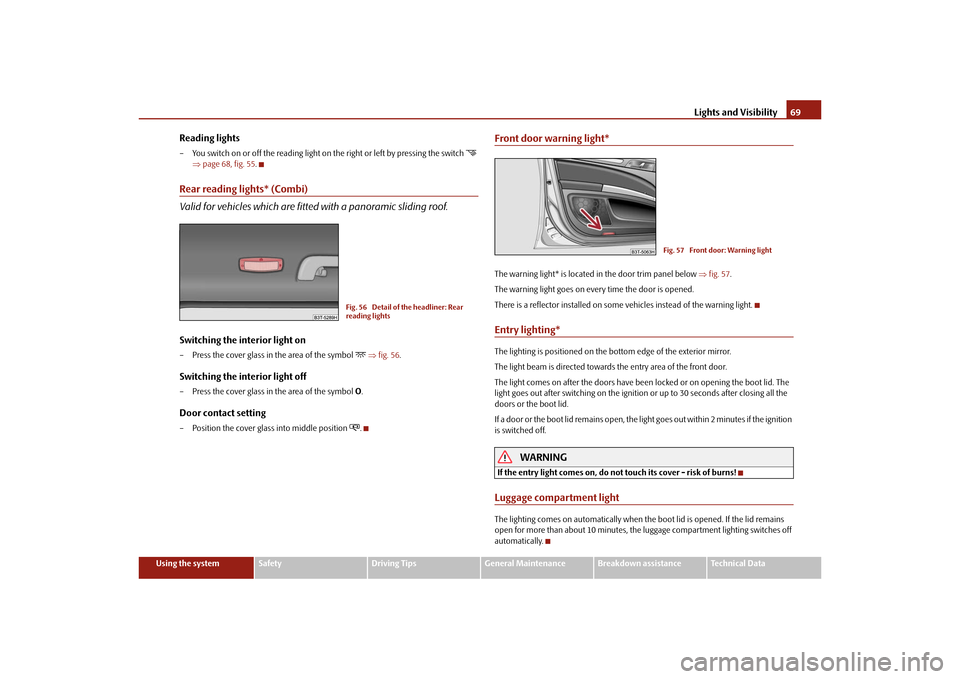
Reading lights– You switch on or off the reading light on the right or left by pressing the switch
page 68, fig. 55 .
Rear reading lights* (Combi)
Valid for vehicles which are fitte d with a panoramic sliding roof.Switching the interior light on– Press the cover glass in the area of the symbol
fig. 56 .
Switching the interior light off– Press the cover glass in the area of the symbol O.Door contact setting– Position the cover glass into middle position
.
Front door warning light*The warning light* is located in the door trim panel below fig. 57 .
The warning light goes on every time the door is opened.
There is a reflector installed on some vehicles instead of the warning light.Entry lighting*The lighting is positioned on the bottom edge of the exterior mirror.
The light beam is directed towards the entry area of the front door.
The light comes on after the doors have been locked or on opening the boot lid. The
light goes out after switching on the ignition or up to 30 seconds after closing all the
doors or the boot lid.
If a door or the boot lid remains open, the light goes out within 2 minutes if the ignition
is switched off.
WARNING
If the entry light comes on, do not touch its cover - risk of burns!Luggage compartment lightThe lighting comes on automatically when th e boot lid is opened. If the lid remains
open for more than about 10 minutes, the luggage compartment lighting switches off
automatically.
Fig. 56 Detail of the headliner: Rear
reading lights
Fig. 57 Front door: Warning light
s3fg.2.book Page 69 Friday, April 30, 2010 12:17 PM
Page 98 of 287
Seats and Stowage97
Using the system
Safety
Driving Tips
General Maintenance
Breakdown assistance
Technical Data
– Push the net partition housing in the oppo
site direction of arrow as far as the
stop.
– Fold the rear seats back into their original position.
WARNING
Pay attention that the rear seat backrest is correctly interlocked. It is only then
that the three-point seat belt for the middle seat can reliably fulfil its function.The roof rack*DescriptionPay attention to the following points if you wish to transport luggage or other items on
the roof of your vehicle:
A special roof luggage rack system was de veloped for the vehicle, that is why you
should only use a roof luggage rack which has been released for use by Škoda Auto.
The base carrier is the basis for a complete roof luggage rack system. Separate
additional holders are required for safety reasons for transporting luggage, bikes, surf-
boards, skis and boats.
The basic version of the roof luggage rack system and further components are
obtainable as accessories from the authorised Škoda Service Partners.Caution
If you use other roof rack systems or if the roof bars are not properly fitted, then any
damage which may result to your car is not covered by the warranty agreements. It is
therefore essential to pay attention to the fitting instructions supplied with the roof
luggage rack system.
On models fitted with a power sliding/ti lting roof or a panoramic sliding roof,
ensure that the opened sliding/tilting roof or the panoramic sliding roof does not strike
any items of luggage transported on the roof.
Ensure that the opened boot lid does not collide with the roof load.
For the sake of the environment
The increased aerodynamic drag results in a higher fuel consumption. One should
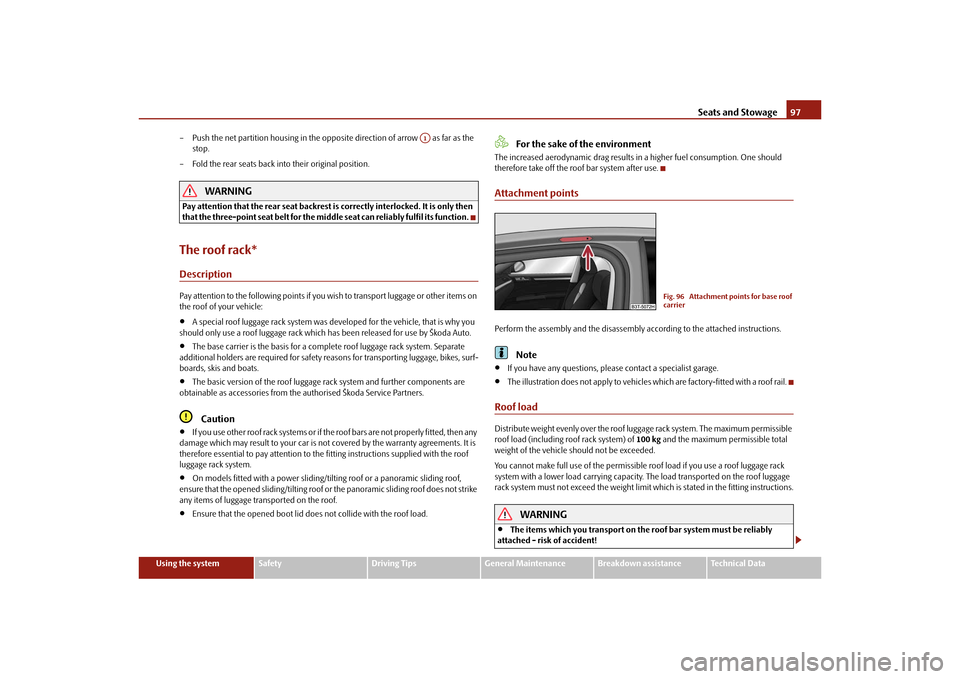
therefore take off the roof bar system after use.Attachment pointsPerform the assembly and the disassembly according to the attached instructions.
Note
If you have any questions, please contact a specialist garage.
The illustration does not apply to vehicles which are factory-fitted with a roof rail.
Roof loadDistribute weight evenly over the roof luggage rack system. The maximum permissible
roof load (including roof rack system) of 100 kg and the maximum permissible total
weight of the vehicle should not be exceeded.
You cannot make full use of th e permissible roof load if you use a roof luggage rack
system with a lower load carr ying capacity. The load transported on the roof luggage
rack system must not exceed the weight limit which is stated in the fitting instructions.
WARNING
The items which you transport on the roof bar system must be reliably
attached - risk of accident!
A1
Fig. 96 Attachment points for base roof
carrier
s3fg.2.book Page 97 Friday, April 30, 2010 12:17 PM
Page 99 of 287
Seats and Stowage
98
You must on no account exceed the pe rmissible roof load, the permissible
axle loads and the permissible gross weight of your vehicle - risk of accident!
Please note that the handling properties of your vehicle change when you
transport heavy or bulky items on the roof bar system as a result of the
displacement of the centre of gravity an d the increased wind attack area - risk
of accident! You must absolutely adapt your style of driving and the speed of
the vehicle to the sp ecific circumstances.
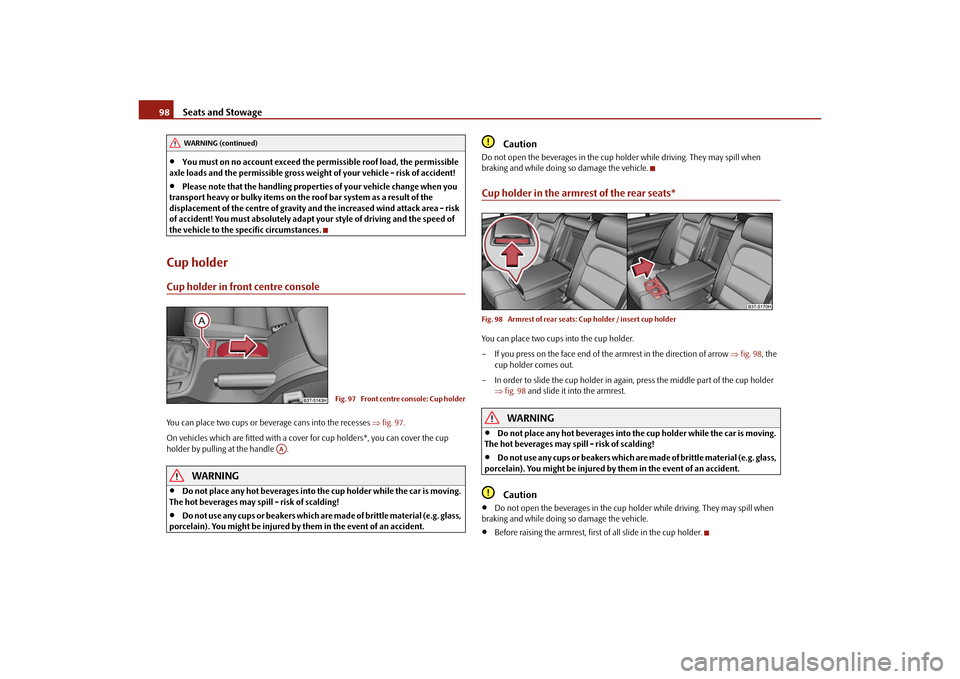
Cup holderCup holder in front centre consoleYou can place two cups or beverage cans into the recesses fig. 97 .
On vehicles which are fitted with a cove r for cup holders*, you can cover the cup
holder by pulling at the handle .
WARNING
Do not place any hot beverages into th e cup holder while the car is moving.
The hot beverages may spill - risk of scalding!
Do not use any cups or beakers which are made of brittle material (e.g. glass,
porcelain). You might be injured by them in the event of an accident.
Caution
Do not open the beverages in the cup holder while driving. They may spill when
braking and while doing so damage the vehicle.Cup holder in the armrest of the rear seats*Fig. 98 Armrest of rear seats: Cup holder / insert cup holderYou can place two cups into the cup holder.
– If you press on the face end of the armrest in the direction of arrow fig. 98 , the
cup holder comes out.
– In order to slide the cup holder in again, press the middle part of the cup holder fig. 98 and slide it into the armrest.
WARNING
Do not place any hot beverages into the cup holder while the car is moving.
The hot beverages may spill - risk of scalding!
Do not use any cups or beak ers which are made of brittle material (e.g. glass,
porcelain). You might be injured by them in the event of an accident.Caution
Do not open the beverages in the cup holder while driving. They may spill when
braking and while doing so damage the vehicle.
Before raising the armrest, first of all slide in the cup holder.
WARNING (continued)
Fig. 97 Front centre console: Cup holder
AA
s3fg.2.book Page 98 Friday, April 30, 2010 12:17 PM
Page 114 of 287
Air conditioning system113
Using the system
Safety
Driving Tips
General Maintenance
Breakdown assistance
Technical Data
Note
We recommend that you leave the air outlet vents 3 page 110, fig. 119 in the
opened position.Recirculated air mode
In recirculated air mode air is sucked out of the interior of the vehicle
and then fed back into the interior.Recirculated air mode prevents polluted air outside the vehicle from getting into the
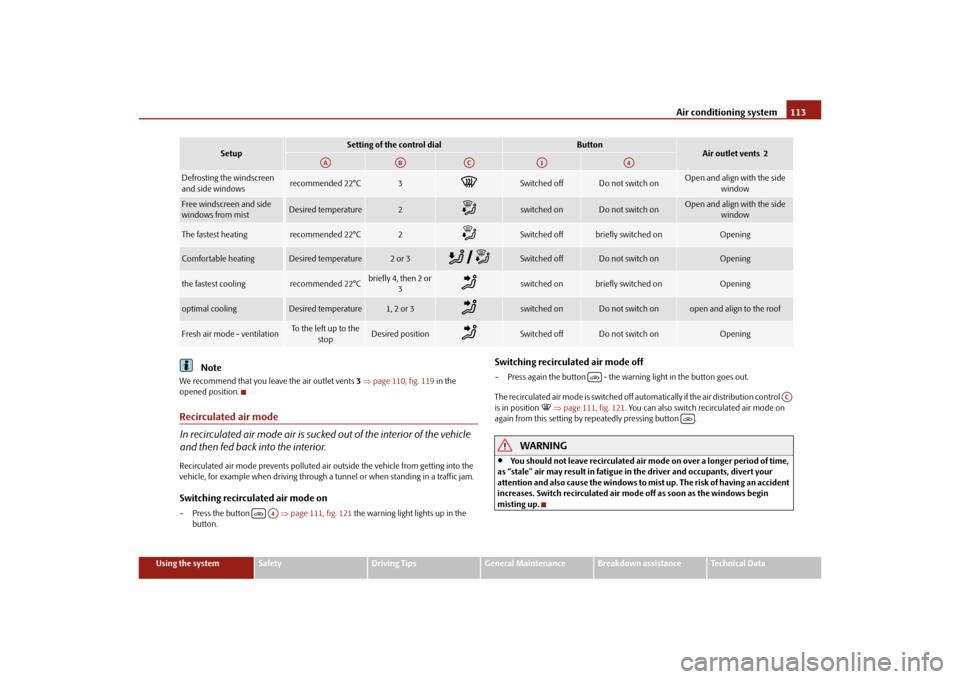
vehicle, for example when driving through a tunnel or when standi ng in a traffic jam.Switching recirculated air mode on– Press the button page 111, fig. 121 the warning light lights up in the
button.
Switching recirculated air mode off– Press again the button - the wa rning light in the button goes out.
The recirculated air mode is switched off automatically if the air distribution control
is in position
page 111, fig. 121 . You can also switch recirculated air mode on
again from this setting by repeatedly pressing button .
WARNING
You should not leave recirculated air mode on over a longer period of time,
as “stale” air may result in fatigue in the driver and occupants, divert your
attention and also cause the windows to mist up. The risk of having an accident
increases. Switch recirculated air mo de off as soon as the windows begin
misting up.
Setup
Setting of the control dial
Button
Air outlet vents 2
Defrosting the windscreen
and side windows
recommended 22°C
3
Switched off
Do not switch on
Open and align with the side window
Free windscreen and side
windows from mist
Desired temperature
2
switched on
Do not switch on
Open and align with the side window
The fastest heating
recommended 22°C
2
Switched off
briefly switched on
Opening
Comfortable heating
Desired temperature
2 or 3
Switched off
Do not switch on
Opening
the fastest cooling
recommended 22°C
briefly4, then 2or
3
switched on
briefly switched on
Opening
optimal cooling
Desired temperature
1, 2 or 3
switched on
Do not switch on
open and align to the roof
Fresh air mode - ventilation
To the left up to the stop
Desired position
Switched off
Do not switch on
Opening
AA
AB
AC
A1
A4
A4
AC
s3fg.2.book Page 113 Friday, April 30, 2010 12:17 PM
Page 115 of 287
Air conditioning system
114
Climatronic* (automatic air conditioning)Description
The Climatronic system is a combination of an automatic heating, fresh
air and cooling system which provides optimal comfort for the occu-
pants of the car.The Climatronic maintains fu lly automatically a convenience temperature. This is
achieved by automatically varying the temper ature of the outflowing air, the blower
stages and the air distribution. The system also takes into account sunlight which elim-
inates the need to alter the settings manually. The automatic mode page 115
ensures maximum wellbeing of the occupants at all times of the year.
Description of Climatronic system
The cooling operates only if the following conditions are met:
engine running,
outside temperature above approx. +2°C,
switched on.
The AC compressor is switched off at a hi gh coolant temperature in order to provide
cooling at a high load of the engine.
Recommended setting for all periods of the year:
Set the desired temperature, we recommend 22°C.
Press the button fig. 122 .
Move the air outlet vents 2 and 3 so that the air flow is directed slightly upwards.
Aeration of the vehicle when ignition is switched off*
On vehicles fitted with power sliding/tilting roof with solar cells* the fresh air blower is
automatically switched over to “solar mo de” if the sun rays are sufficient after
switching off the ignition. The solar cells on the sliding/tilting roof deliver power for the
fresh air blower. This supplies the interior of the car with fresh air.
For an optimum ventilation, the air outlet vents 2 and 3 page 110, fig. 119 must be
opened.
The ventilation functions only when the sliding/tilting roof is closed.
Note
On vehicles equipped with a factory-fitted radio* or navigation*, the information of
the Climatronic is also shown on the display. This function can be switched off, see
operating instructions of the radio* or the navigation system*.Overview of the control elements
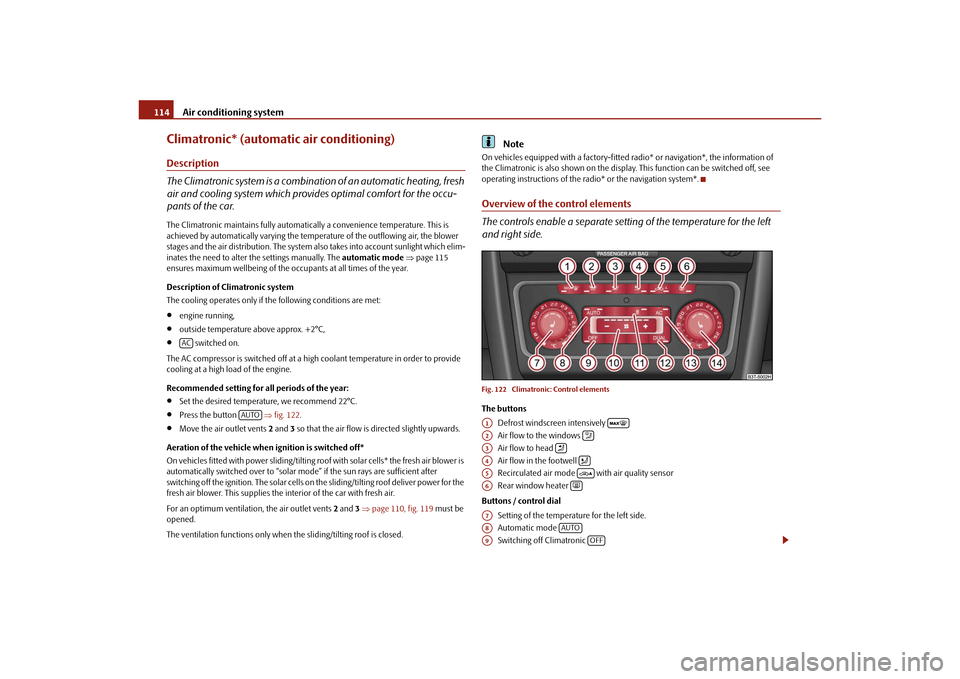
The controls enable a separate setting of the temperature for the left
and right side.Fig. 122 Climatronic: Control elementsThe buttons
Defrost windscreen intensively
Air flow to the windows
Air flow to head
Air flow in the footwell
Recirculated air mode with air quality sensor
Rear window heater
Buttons / control dial Setting of the temperature for the left side.
Automatic mode
Switching off Climatronic
AC
AUTO
A1
A2
A3
A4
A5
A6
A7A8
AUTO
A9
OFF
s3fg.2.book Page 114 Friday, April 30, 2010 12:17 PM
Page 151 of 287
Communication
150
the handwheel. You can select the numbers 0 - 9, the symbols +,
, # and the func-
tions Delete, Call, Cancel .
Call register
In the menu point Call register, you can select the following menu points:
Missed calls
Received calls
Last calls
Voice mailbox
In the menu Voice mailbox , it is possible to set the number of the voice mailbox and
then dial the number.
Bluetooth
In the menu Bluetooth you can select the following menu points:
User - the overview of the stored users
New user - Search for new telephones which are in the reception range
Visibility - Switching on the visibility of the telephone unit for other devices
Media player
Active device
Paired devices
Search
Phone name - the possibility to change the name of the telephone unit (pre-set
SKODA UHV)
Settings
In the menu Settings you can select the following menu points:
Phone book
Update
List
Surname
First name
Ring tone Back
Return in the basic menu of the telephone.
Voice controlDialogueThe period, in which the telephone system is ready to receive voice commands and
carry out the voice commands, is called DIALOGUE. The system gives audible feedback
and guides you if necessary th
rough the relevant functions.
Switch on voice control (dialogue)
You can start or end the dialogue at any time by pressing the PTT button
on the
adapter* page 148, fig. 143 or on the multifunction steering wheel* page 148.
If the system does not recognise your command, it repeats the first part of the aid and
thus a new entry is possible. After the 2nd error the system repeats the second part of
the aid. After the 3rd error the answer “ Cancel” is given and the dialogue is ended.
Switching off voice control (dialogue)
You can end the dialogue at any ti me by pressing the PTT button
on the adapter*
page 148, fig. 143 or on the multifunction steering wheel* page 148 or with the
voice command CANCEL.
Only the message just repeated can be ended by briefly pressing the PTT button
during the message.
When receiving an incoming call, the dialog ue is immediately interrupted and you can
accept the call by pressing the button
on the multifunction steering wheel* or by
pressing the button for receiving a call directly on your telephone.
Optimum understanding of the voice commands depends on the following
factors:
Speak with a normal tone of voice withou t intonation and excessive voice pauses.
Avoid insufficient articulation.
Close the doors, windows and sliding roof, in order to reduce or stop disturbing
exterior noise.
s3fg.2.book Page 150 Friday, April 30, 2010 12:17 PM
Page 158 of 287

Communication157
Using the system
Safety
Driving Tips
General Maintenance
Breakdown assistance
Technical Data
Volume
Phone settings
Select operator
Automatic
Manual
Network mode
Off time
SIM mode - applies to telephones with the rSAP profile in which two SIM cards
can be inserted - there is the possibility to select which SIM card may be connected
with the hands-free system and the possibility to select the name for the SIM card
SIM mode 1
SIM mode 2
GPRS - You can ask a network provider about the settings of the access point for an
internet connection
Switch off ph. - switching off the telephone unit (telephone remains connected)
Back
Return in the main menu of the information display.
Voice controlDialogueThe period, in which the telephone system is ready to receive voice commands and
carry out the voice commands, is called DI ALOGUE. The system gives audible feedback
and guides you if necessary through the relevant functions.
The volume can be changed at any time with the control button of the radio* or the
navigation system* or with the buttons on the multifunction steering wheel*.
Switch on voice control (dialogue)
You can start the dialogue at any time by pressing the PTT button
on the multifunc-
tion steering wheel* page 154. If the system does not recognise your command, it repeats the first part of the aid and
thus a new entry is possible. After the 2nd error the system repeats the second part of
the aid. After the 3rd error the answer “
Cancel” is given and the dialogue is ended.
Switching off voice control (dialogue)
You can end the dialogue at any time by pr essing the PTT button on the multifunction
steering wheel* page 154 or with the voice command CANCEL.
Only the message just repeated can be ended by briefly pressing the PTT button
during the message.
The dialogue of the incoming call is immediately interrupted and you can accept the
call by pressing the button
on the multifunction steering wheel*.
Optimum understanding of the voice commands depends on the following
factors:
Speak with a normal tone of voice withou t intonation and excessive voice pauses.
Avoid insufficient articulation.
Close the doors, windows and sliding roof, in order to reduce or stop disturbing
exterior noise.
It is recommended to speak louder at higher speeds, so that the tone of your voice
is louder than the increased surrounding noise.
During the dialogue avoid additional noise in the vehicle, e.g. simultaneously
talking occupants.
Do not speak, if the system makes an announcement.
The microphone for voice control is inserted in the moulded headliner and
directed to the driver and front passenger. Therefore the driver and the front passenger
can operate the equipment.
Voice commandsThe voice control is possible in the following languages:
German, English, French, Italian, Spanish, Portuguese and Czech.
s3fg.2.book Page 157 Friday, April 30, 2010 12:17 PM
Page 200 of 287

Driving and the Environment199
Using the system
Safety
Driving Tips
General Maintenance
Breakdown assistance
Technical Data
Checking tyre inflation pressures
Tyres which are correctly inflated save fuel.Always ensure that your tyres are inflated to the correct pressure at all times. The rolling
resistance will be increased if the tyre filling pressure is too low. This will not only
increase fuel consumption but also tyre we ar and the driving behaviour will worsen.
Always check the inflation pr essure of the tyres when cold.
Do not drive with winter tyres all year round for this costs about 10 % more fuel.
Winter tyres are also louder.No unnecessary ballast
Transporting ballast costs fuel.The fact that every kilogram of extra weight increases your fuel consumption means
that it is worth taking a look in the luggage compartment to avoid transporting any
unnecessary ballast.
It is particularly in town traffic, when one is accelerating quite often, that the vehicle
weight will have a significant effect upon the fuel consumption. A rule of thumb here
is that an increase in weight of 100 kilograms will cause an increase in fuel consump-
tion of about 1 litre/100 kilometres.
You may frequently also leave a roof rack fitted on just out of convenience, although
you no longer need it. The increased aerodyna mic drag of your vehicle causes it to use
about 10% more fuel than normal at a speed of 100 - 120 km/h, even when you are not
carrying a load on the roof.Saving electricity
Generating electricity costs fuel.– Switch off electrical components as soon as you no longer need them.
When the engine is running, the alternator generates and supplies electrical power.
The greater the load on the alternator as a result of having a large number of electrical
components switched on, the more fuel will be consumed for operating the
alternator.
Keeping a log of your fuel consumptionIf you really wish to keep a close check on your fuel consumption, it is best to enter
the figures in a logbook. This does not take much time but is a very worthwhile exer-
cise. It enables you to detect any change (p ositive and negative) at an early stage and
to take any appropriate action.
If you find that your fuel consumption is too high, you should reflect on how, where
and in what conditions you have driven the vehicle since you last refuelled.Environmental compatibilityEnvironmental protection has played a major role in the design, selection of materials
and manufacture of your new Škoda. Particular emphasis has been paid to a number
of aspects, including.
Design measures
joints designed to be easily detached,
simplified disassembly due to the modular structure system,
improved purity of different classes of materials,
Identification of all plastic parts in accordance with VDA Recommendation 260,
Reduced fuel consumption and exhaust emission CO
2,
Minimum fuel leakage during accidents,
Reduced noise.
Choice of materials
extensive use of recyclable material,
Air conditioning filled with CFC-free refrigerant,
no cadmium,
no asbestos,
Reduction in the “vaporisation” of plastics.
Manufacture
solvent-free cavity protection,
s3fg.2.book Page 199 Friday, April 30, 2010 12:17 PM