steering SKODA SUPERB 2013 2.G / (B6/3T) Owner's Manual
[x] Cancel search | Manufacturer: SKODA, Model Year: 2013, Model line: SUPERB, Model: SKODA SUPERB 2013 2.G / (B6/3T)Pages: 274, PDF Size: 17.31 MB
Page 6 of 274
Table of Contents
Materials defect liability and ŠKODA warranty for
new cars5
Mobility warranty and ŠKODA extended
warranty
6
Abbreviations
Using the system
Cockpit
9
Overview
8
Instruments and Indicator Lights
10
Instrument cluster
10
Warning Lights
14
Information system
23
Driver information system
23
Multifunction display (MFA)
25
MAXI DOT display
28
Service Interval Display
30
Unlocking and opening
32
Unlocking and locking
32
KESSY
37
Anti-theft alarm system
38
Luggage compartment lid
39
Electric boot lid (Superb Combi)
41
Electric power windows
44
Electric sliding/tilting roof
47
Panoramic sliding roof (Superb Combi)
48
Lights and visibility
51
Lights
51
Interior lights
57
Visibility
59Windscreen wipers and washers61Rear mirror63
Seats and useful equipment
66
Adjusting the seats
66
Seat features
70
Practical equipment
74
Luggage compartment
84
Removable light (Superb Combi)
90
Variable loading floor in the luggage
compartment (Estate)
92
Extending variable loading floor with integrated
aluminium rails and faseting elements (Superb Combi)
92
Net partition (Superb Combi)
95
Roof rack system
96
Air conditioning system
98
Heating, ventilation and cooling
98
Air conditioning system (manual air conditioningsystem)
100
Climatronic (automatic air conditioningsystem)
103
Auxiliary heating (auxiliary heating andventilation)
107
Communication and multimedia
110
General information
110
Universal telephone preinstallation GSM II
113
Universal telephone preinstallation GSM IIl
115
WLAN
119
Voice control
122
Multimedia
126
Driving
Starting-off and Driving
130
Steering
130
Starting and stopping the engine using the key
131
Starting and stopping the engine - KESSY
133Brakes137Manual gear changing and pedals138
Automatic transmission
139
Running in
142
Economical driving and environmental
sustainability
143
Avoiding damage to your vehicle
147
Driving abroad
148
Assist systems
150
Brake assist systems
150
Parking aid
152
Park assist
153
Cruise Control System
157
START-STOP
159
Fatigue detection (break recommendation)
161
Towing a trailer
162
Towing device
162
Trailer
165
Safety
Passive Safety
169
General information
169
Correct seated position
170
Seat belts
173
Using seat belts
173
Inertia reels and belt tensioners
176
Airbag system
178
Description of the airbag system
178
Airbag overview
179
Deactivating airbags
183
Transporting children safely
186
Child seat
186
Fastening systems
1883Table of Contents
Page 10 of 274
AbbreviationsAbbreviationDefinitionrpmEngine revolutions per minuteABSAnti-lock brake systemAFMulti-purpose vehiclesAHLAdaptive headlightsAGAutomatic gearboxAPNAccess Point Name - the name of an access point for the WiFi
networkTCSTraction controlCO 2 in g/kmdischarged quantity of carbon dioxide in grams per driven kilo-
meterDPFDiesel particle filterDSGAutomatic double clutch gearboxDSRActive driver-steering recommendationEDLElectronic differential lockECEEconomic Commission for EuropeEPCEPC fault lightESCElectronic Stability ControlEUEuropean UnionFSIStratified petrol direct injectionGSMGroupe Spécial Mobile - a digital network of mobile devices for the transmission of voice and dataHFPHands-free profile - connection of a mobile device by means of
its Bluetooth ®
profilekWKilowatt, measuring unit for the engine outputMGManual gearboxMFDMultifunction displayN1Panel van intended exclusively or mainly for the transporta-
tion of goodsNmNewton meter, measuring unit for the engine torqueAbbreviationDefinitionPINPersonal Identification Number - personal identification num-
ber for the connection of electronic devices using Bluetooth ®
or WiFirSAPRemote SIM Access Profile - remote transmission of SIM dataSSPsimple security pairing - connection of two devices using Blue-
tooth ®
profileTDI CRDiesel engine with turbocharging and common rail injection
systemTDI PDDiesel engine with injection system and unit injector injection systemTSIPetrol engine with turbocharging and direct injectionUMTSUniversal Mobile Telecommunication System - the next evolu-
tion of the GSM network (3G)WLANWireless Local Area Network - wireless connection of elec- tronic devices for data transfer (WiFi)
7Abbreviations
Page 12 of 274
Using the system
Cockpit
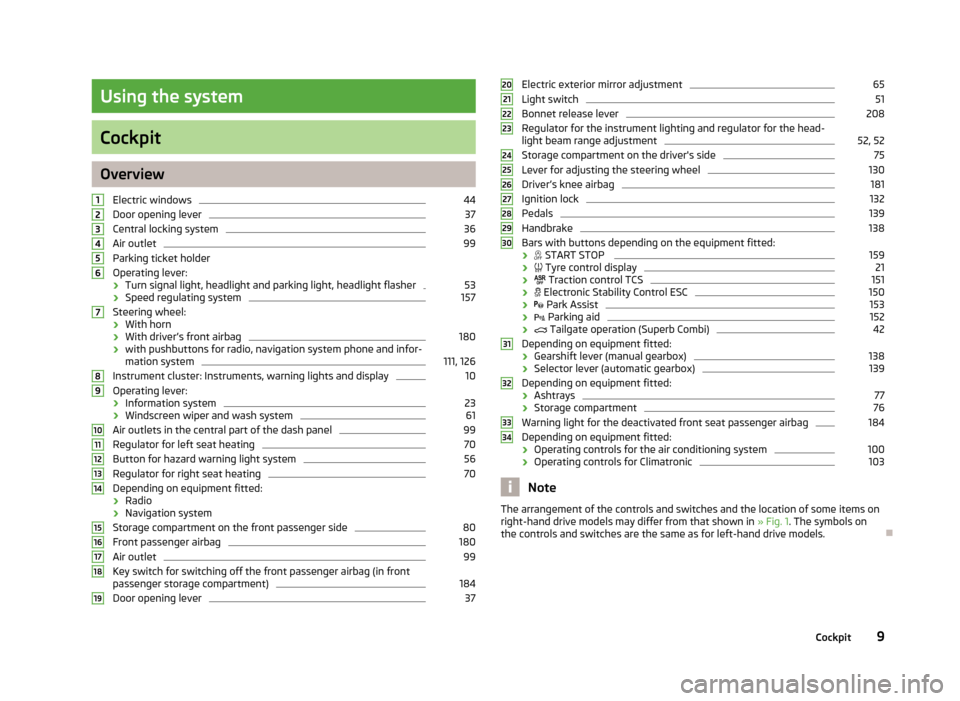
OverviewElectric windows
44
Door opening lever
37
Central locking system
36
Air outlet
99
Parking ticket holder
Operating lever:
› Turn signal light, headlight and parking light, headlight flasher
53
›
Speed regulating system
157
Steering wheel:
› With horn
› With driver’s front airbag
180
›with pushbuttons for radio, navigation system phone and infor-
mation system
111, 126
Instrument cluster: Instruments, warning lights and display
10
Operating lever:
› Information system
23
›Windscreen wiper and wash system
61
Air outlets in the central part of the dash panel
99
Regulator for left seat heating
70
Button for hazard warning light system
56
Regulator for right seat heating
70
Depending on equipment fitted:
› Radio
› Navigation system
Storage compartment on the front passenger side
80
Front passenger airbag
180
Air outlet
99
Key switch for switching off the front passenger airbag (in front
passenger storage compartment)
184
Door opening lever
3712345678910111213141516171819Electric exterior mirror adjustment65Light switch51
Bonnet release lever
208
Regulator for the instrument lighting and regulator for the head- light beam range adjustment
52, 52
Storage compartment on the driver's side
75
Lever for adjusting the steering wheel
130
Driver’s knee airbag
181
Ignition lock
132
Pedals
139
Handbrake
138
Bars with buttons depending on the equipment fitted:
›
START STOP
159
›
Tyre control display
21
›
Traction control TCS
151
›
Electronic Stability Control ESC
150
›
Park Assist
153
›
Parking aid
152
›
Tailgate operation (Superb Combi)
42
Depending on equipment fitted:
› Gearshift lever (manual gearbox)
138
›
Selector lever (automatic gearbox)
139
Depending on equipment fitted:
› Ashtrays
77
›
Storage compartment
76
Warning light for the deactivated front seat passenger airbag
184
Depending on equipment fitted:
› Operating controls for the air conditioning system
100
›Operating controls for Climatronic
103
Note
The arrangement of the controls and switches and the location of some items on
right-hand drive models may differ from that shown in » Fig. 1. The symbols on
the controls and switches are the same as for left-hand drive models.2021222324252627282930313233349Cockpit
Page 17 of 274
The menu item Vehicle status is shown in the main menu of the MAXI DOT dis-
play whenever at least one fault message exists. After selecting this menu, the
first of the error messages is displayed. Several error messages are shown on the
display under the message e.g. 1/3. This indicates that the first of a total of three
error messages is being displayed.
Warning symbols in the MAXI DOT displayEngine oil pressure too low» page 16Clutches of the automatic gearbox are too hot» page 14Check engine oil level,
engine oil sensor faulty» page 18Thickness of brake pads» page 21Problem with engine oil pressure» page 14
Problem with the engine oil pressure
If the
symbol is shown in the MAXI DOT display, you must have your vehicle
checked immediately by a specialist garage. The information about the maximum
permissible engine speed is displayed together with this symbol.
Clutches of the automatic gearbox are too hot
A
symbol in the MAXI DOT display indicates that the temperature of the auto-
matic gearbox clutches is too high.
The following message is shown in the MAXI DOT display.
Gearbox overheated. Stop! Log book!
do not continue to drive! Stop the vehicle, switch off the engine, and wait until
the
icon goes out – risk of gearbox damage! You can continue your journey as
soon as the symbol disappears.
WARNINGIf you have to stop for technical reasons, then park the vehicle at a safe dis-
tance from the traffic, switch off the engine and activate the hazard warning
light system » page 56.Note■
If the MAXI DOT display shows warning messages, these messages must be
confirmed in order to access the main menu » page 23 .■
As long as the operational faults are not rectified, the symbols are always indi-
cated again. After they are displayed for the first time, the symbols continue to be indicated without any extra messages for the driver.
Warning Lights
Introduction
This chapter contains information on the following subjects:
Handbrake
15
Brake system
15
Seat belt warning light
15
Generator
16
Open door
16
Engine oil pressure
16
Coolant
16
Bonnet
17
Boot lid
17
Power steering/steering lock (KESSY system)
17
Engine oil level
18
Traction Control System (ASR)
18
Electronic Stability Control (ESC)
18
Antilock brake system (ABS)
19
The rear fog light
19
Bulb failure
19
Adaptive headlights
19
Exhaust inspection system
19
Glow plug system (diesel engine)
19
EPC fault light (petrol engine)
20
Diesel particulate filter (diesel engine)
20
Fuel reserve
20
Airbag system
21
Tyre pressure
21
14Using the system
Page 20 of 274
WARNING■If you have to stop for technical reasons, then park the vehicle at a safe dis-
tance from the traffic, switch off the engine and activate the hazard warning
light system » page 56.■
Carefully open the coolant expansion bottle. If the engine is hot, the cooling
system is pressurized - risk of scalding! It is therefore best to allow the engine to cool down before removing the cap.
■
Do not touch the radiator fan. The radiator fan may switch itself on auto-
matically even if the ignition is off.
Bonnet
First read and observe the introductory information and safety warn-ings
on page 14.
The indicator light
comes on if the bonnet is unlocked.
WARNINGIf you have to stop for technical reasons, then park the vehicle at a safe dis-
tance from the traffic, switch off the engine and activate the hazard warning
light system » page 56.
Boot lid
First read and observe the introductory information and safety warn-
ings
on page 14.
The indicator light
comes on if the boot lid is opened.
WARNINGIf you have to stop for technical reasons, then park the vehicle at a safe dis-
tance from the traffic, switch off the engine and activate the hazard warning
light system » page 56.
Power steering/steering lock (KESSY system)
First read and observe the introductory information and safety warn-
ings
on page 14.
Power steering
If the indicator light lights up, this indicates a partial failure of the power steer-
ing and the steering forces can be greater. Seek help from a specialist garage.
If the indicator light lights up, this indicates a complete failure of the power
steering and the steering assist has failed (significantly higher steering forces).
Seek help from a specialist garage.
Steering lock (KESSY system)
› While the indicator light
is flashing, the steering lock cannot be released. Fur-
ther information » page 37, KESSY .
› If the warning light
flashes, a signal tone sounds, and the following message
appears in the MAXI DOT-display Steering column lock: Workshop!) , the electri-
cal steering lock is faulty. Seek help from a specialist garage.
› If the warning light
flashes, a beep sounds and in the MAXI DOT display the
message Steering lock defective appears, then the electric steering lock is bro-
ken. Park the car,
do not continue the journey . After switching off the igni-
tion, it is then no longer possible to lock the steering, to activate the electrical
components (e.g. radio, navigation system), to switch on the ignition again and to start the engine. Seek help from a specialist garage.
WARNINGIf you have to stop for technical reasons, then park the vehicle at a safe dis-
tance from the traffic, switch off the engine and activate the hazard warning
light system » page 56.
Note
If the vehicle battery has been disconnected and reconnected, the yellow indica-
tor light comes on after switching on the ignition. The indicator light must go
out after driving a short distance. Visit a specialist garage if the yellow warning
light stays on after having started the engine again and driving a short dis-
tance.
17Instruments and Indicator Lights
Page 26 of 274
Information system
Driver information system
Introduction
This chapter contains information on the following subjects:
Using the information system
23
Ice warning
24
Gear recommendation
24
Door, boot lid or bonnet warning
25
Compass display
25
The information system provides the driver with alerts and messages about in-
dividual vehicle systems. This information and advice is shown in the instrument
cluster display or indicated by the lighting up of the corresponding warning light
in the instrument cluster.
The information system provides the following information.
› Ice warning
» page 24.
› Recommended gear
» page 24.
› Door, boot lid or bonnet warning
» page 25.
› Compass display
» page 25.
› Multi-function display (MFA)
» page 25.
› Warning against excessive speed
» page 27.
› MAXI DOT display
» page 28.
› Service interval display
» page 30.
› Auto Check Control
» page 13.
› Selector lever positions for an automatic gearbox
» page 140.WARNINGConcentrate fully at all times on your driving! As the driver, you are fully re-
sponsible for the operation of your vehicle.
Using the information system
Fig. 8
Buttons/dial: on the operating lever / on the multifunction steering
wheel
First read and observe the introductory information and safety warn-
ings on page 23.
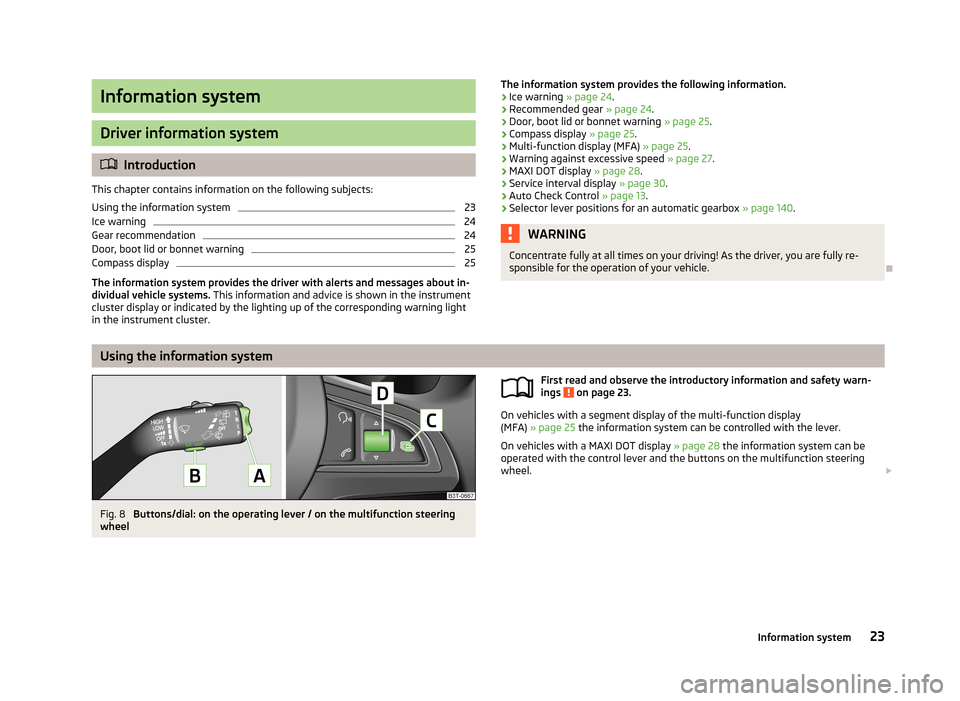
On vehicles with a segment display of the multi-function display
(MFA) » page 25 the information system can be controlled with the lever.
On vehicles with a MAXI DOT display » page 28 the information system can be
operated with the control lever and the buttons on the multifunction steering
wheel.
23Information system
Page 36 of 274
Vehicle keyFig. 12
Remote control key
First read and observe the introductory information and safety warn-ings on page 32.
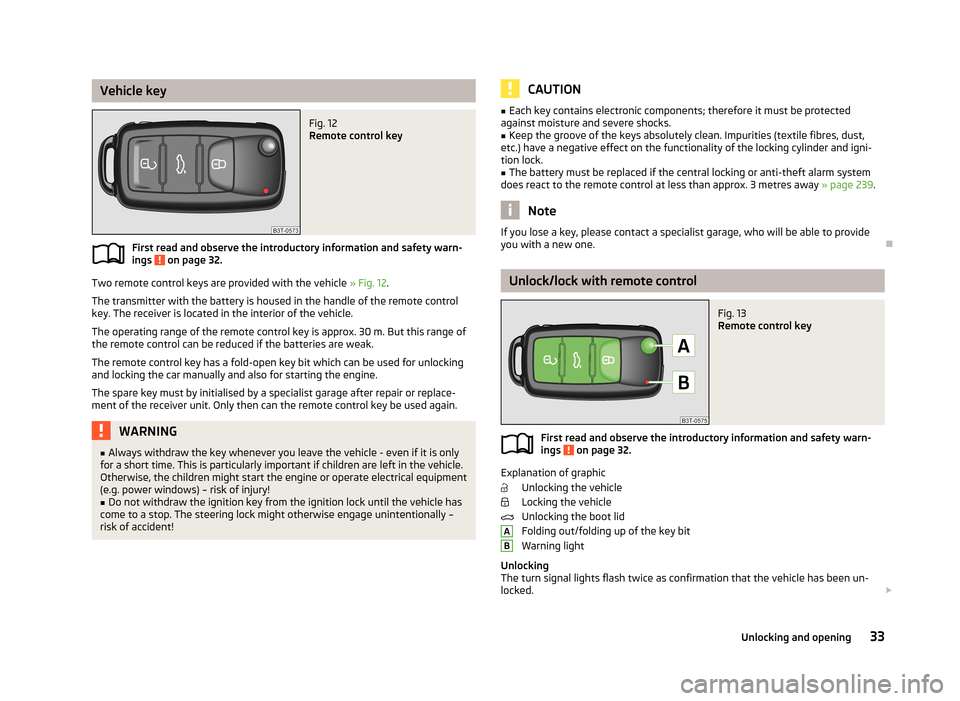
Two remote control keys are provided with the vehicle » Fig. 12.
The transmitter with the battery is housed in the handle of the remote control
key. The receiver is located in the interior of the vehicle.
The operating range of the remote control key is approx. 30 m. But this range ofthe remote control can be reduced if the batteries are weak.
The remote control key has a fold-open key bit which can be used for unlocking
and locking the car manually and also for starting the engine.
The spare key must by initialised by a specialist garage after repair or replace-
ment of the receiver unit. Only then can the remote control key be used again.
WARNING■ Always withdraw the key whenever you leave the vehicle - even if it is only
for a short time. This is particularly important if children are left in the vehicle.
Otherwise, the children might start the engine or operate electrical equipment
(e.g. power windows) – risk of injury!■
Do not withdraw the ignition key from the ignition lock until the vehicle has
come to a stop. The steering lock might otherwise engage unintentionally –
risk of accident!
CAUTION■ Each key contains electronic components; therefore it must be protected
against moisture and severe shocks.■
Keep the groove of the keys absolutely clean. Impurities (textile fibres, dust,
etc.) have a negative effect on the functionality of the locking cylinder and igni-
tion lock.
■
The battery must be replaced if the central locking or anti-theft alarm system
does react to the remote control at less than approx. 3 metres away » page 239.
Note
If you lose a key, please contact a specialist garage, who will be able to provide
you with a new one.
Unlock/lock with remote control
Fig. 13
Remote control key
First read and observe the introductory information and safety warn-
ings on page 32.
Explanation of graphic
Unlocking the vehicle
Locking the vehicle
Unlocking the boot lid
Folding out/folding up of the key bit Warning light
Unlocking
The turn signal lights flash twice as confirmation that the vehicle has been un-
locked.
AB33Unlocking and opening
Page 54 of 274
Lights and visibility
Lights
Introduction
This chapter contains information on the following subjects:
Parking and low beam lights
51
Daylight running lights (DAY LIGHT)
52
Turn signal and main beam
53
Automatic driving lamp control
53
Adaptive headlights (AFS)
54
Fog lights
55
Fog lights with the CORNERfunction
55
Rear fog light
55
COMING HOME / LEAVING HOME
55
Hazard warning light system
56
Parking lights
57
Unless otherwise stated, the lights only work when the ignition is switched on.
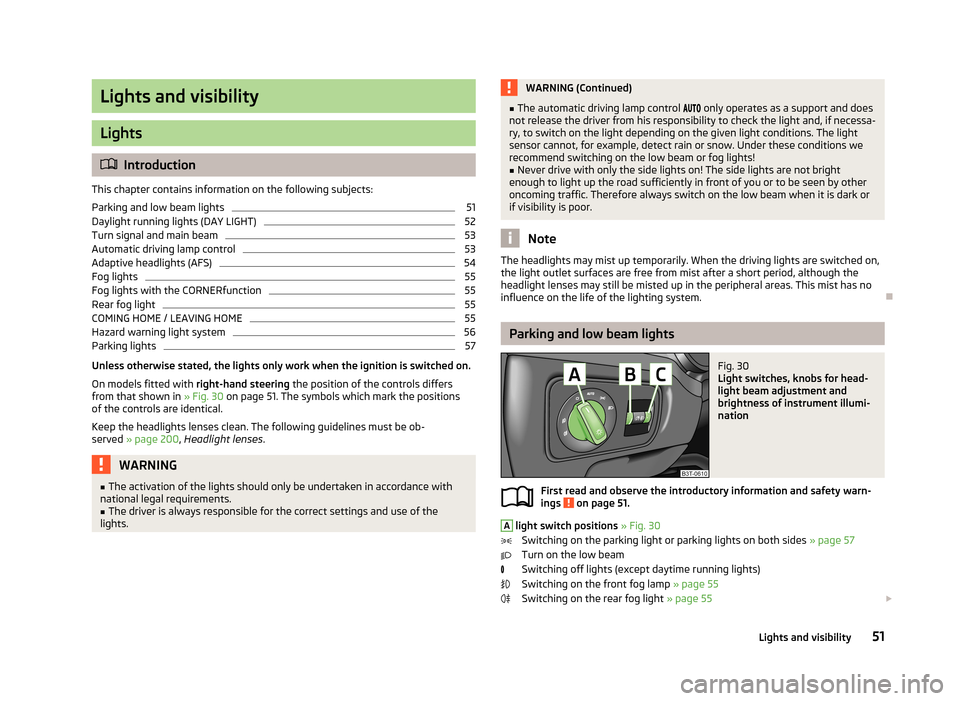
On models fitted with right-hand steering the position of the controls differs
from that shown in » Fig. 30 on page 51. The symbols which mark the positions
of the controls are identical.
Keep the headlights lenses clean. The following guidelines must be ob-
served » page 200 , Headlight lenses .
WARNING■
The activation of the lights should only be undertaken in accordance with
national legal requirements.■
The driver is always responsible for the correct settings and use of the
lights.
WARNING (Continued)■ The automatic driving lamp control only operates as a support and does
not release the driver from his responsibility to check the light and, if necessa-
ry, to switch on the light depending on the given light conditions. The light
sensor cannot, for example, detect rain or snow. Under these conditions we
recommend switching on the low beam or fog lights!■
Never drive with only the side lights on! The side lights are not bright
enough to light up the road sufficiently in front of you or to be seen by other
oncoming traffic. Therefore always switch on the low beam when it is dark or
if visibility is poor.
Note
The headlights may mist up temporarily. When the driving lights are switched on,
the light outlet surfaces are free from mist after a short period, although the
headlight lenses may still be misted up in the peripheral areas. This mist has no
influence on the life of the lighting system.
Parking and low beam lights
Fig. 30
Light switches, knobs for head-
light beam adjustment and
brightness of instrument illumi-
nation
First read and observe the introductory information and safety warn- ings on page 51.
A
light switch positions » Fig. 30
Switching on the parking light or parking lights on both sides » page 57
Turn on the low beam
Switching off lights (except daytime running lights) Switching on the front fog lamp » page 55
Switching on the rear fog light » page 55
51Lights and visibility
Page 55 of 274
Lights and visibility
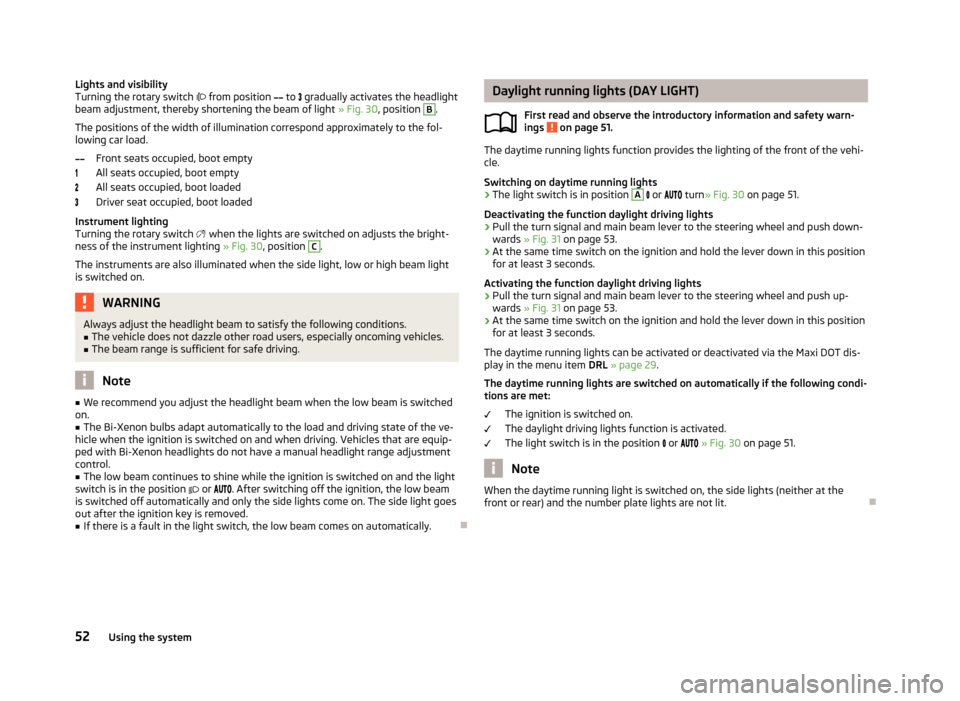
Turning the rotary switch from position to gradually activates the headlight
beam adjustment, thereby shortening the beam of light » Fig. 30, position B
.
The positions of the width of illumination correspond approximately to the fol-
lowing car load.
Front seats occupied, boot empty
All seats occupied, boot empty
All seats occupied, boot loaded
Driver seat occupied, boot loaded
Instrument lighting
Turning the rotary switch
when the lights are switched on adjusts the bright-
ness of the instrument lighting » Fig. 30, position
C
.
The instruments are also illuminated when the side light, low or high beam light is switched on.
WARNINGAlways adjust the headlight beam to satisfy the following conditions.■The vehicle does not dazzle other road users, especially oncoming vehicles.■
The beam range is sufficient for safe driving.
Note
■ We recommend you adjust the headlight beam when the low beam is switched
on.■
The Bi-Xenon bulbs adapt automatically to the load and driving state of the ve-
hicle when the ignition is switched on and when driving. Vehicles that are equip- ped with Bi-Xenon headlights do not have a manual headlight range adjustment
control.
■
The low beam continues to shine while the ignition is switched on and the light
switch is in the position or . After switching off the ignition, the low beam
is switched off automatically and only the side lights come on. The side light goes
out after the ignition key is removed.
■
If there is a fault in the light switch, the low beam comes on automatically.
Daylight running lights (DAY LIGHT)
First read and observe the introductory information and safety warn-
ings
on page 51.
The daytime running lights function provides the lighting of the front of the vehi-
cle.
Switching on daytime running lights
›
The light switch is in position
A
or turn » Fig. 30 on page 51.
Deactivating the function daylight driving lights
›
Pull the turn signal and main beam lever to the steering wheel and push down-
wards » Fig. 31 on page 53.
›
At the same time switch on the ignition and hold the lever down in this position
for at least 3 seconds.
Activating the function daylight driving lights
›
Pull the turn signal and main beam lever to the steering wheel and push up- wards » Fig. 31 on page 53.
›
At the same time switch on the ignition and hold the lever down in this position
for at least 3 seconds.
The daytime running lights can be activated or deactivated via the Maxi DOT dis-
play in the menu item DRL » page 29 .
The daytime running lights are switched on automatically if the following condi- tions are met:
The ignition is switched on.
The daylight driving lights function is activated.
The light switch is in the position
or
» Fig. 30 on page 51.
Note
When the daytime running light is switched on, the side lights (neither at the
front or rear) and the number plate lights are not lit.
52Using the system
Page 57 of 274
The light switches off when automatic wiping/wiping (position 2 or 3) is not
switched on for longer than approx. 4 seconds.
CAUTION
Do not affix any stickers or similar objects in front of the light sensor on the wind-
screen, so that its functionality is not impaired or disabled.
Adaptive headlights (AFS)
First read and observe the introductory information and safety warn-ings
on page 51.
The AFS system makes sure the street remains lit up depending on the traffic and weather situation.
The system automatically adjusts the cone of light in front of the vehicle to the driving speed or the use of the wiper.
The AFS system works in tandem with automatic driving lamp control
, please
read the following » page 53.
The AFS system can work only if the following condition is met. The light switch is in the position
.
The AHL system operates in the following modes.
Out of town mode
The cone of light in front of the vehicle is similar to the low beam. The mode is
active if none of the following modes are active.
City mode
The light cone in front of the vehicle is adjusted so that this and the adjacent
sidewalks, intersections, pedestrian crossings, etc. are illuminated. The mode is
active at speeds of 15-50 km / h.
Motorway mode
The cone of light in front of the vehicle is adjusted so that the driver can respond in time to an obstruction or other hazard in time. The mode is activated gradually
from a speed of 90 km/h. It is most effective at speeds above 120 km/h.
Rain mode
The cone of light in front of the vehicle is adjusted so that the driver can reduce
the glare from oncoming vehicles in rain.
The mode is active at speeds of 15 – 70 km/h and if the windscreen wipers contin-
uously operate for a period of time longer than 2 minutes. The mode is deactiva-
ted when the windscreen wipers are switched off for longer than 8 minutes.
Dynamic cornering lights
The cone of light in front of the vehicle is adjusted to the steering angle so that the road in the curve is illuminated. This function is active at speeds greater than
10 km.h and in all AFS modes.
Tourist lights (Travel mode)
This mode makes it possible to drive in countries with opposing traffic system (driving on the left/right) without dazzling the oncoming vehicles.
When this mode is active, the above-mentioned modes and the side swivel of the
headlights is deactivated.
This mode can be enabled or disabled via the Maxi DOT display in the Travel
mode » page 29 menu option.WARNINGIf the AFS system is defective, the headlights are automatically lowered to the
emergency position, which prevents a possible dazzling of oncoming traffic.
This reduces the cone of light in front of the vehicle. Drive carefully and visit a
specialist garage as soon as possible.
Note
When the “Tourist light” mode is active, the warning icon flashes for about 10
seconds each time the ignition is switched on.
54Using the system