door lock SKODA YETI 2017 Owner´s Manual
[x] Cancel search | Manufacturer: SKODA, Model Year: 2017, Model line: YETI, Model: SKODA YETI 2017Pages: 200, PDF Size: 28.93 MB
Page 55 of 200

Opening / closing the boot lidFig. 36
Opening / closing tailgate
Read and observe
on page 52 first.
›
To open the lid, press
--
--
» Fig. 36 button A in the direction of arrow 1.
›
Raise the lid in the direction of the arrow
2
.
›
To close , grab the mount
B
and pull in the direction of arrow
3
.
Note
Button A » Fig. 36 is disabled when starting off or driving at a speed of over 5
km/h. The button is reactivated when the vehicle has stopped and a door is
opened.
Delayed locking of the boot lid
Read and observe
on page 52 first.
If the boot lid is unlocked with the button on the key, then the boot lid is
automatically locked after closing.
The period after which the boot lid is locked automatically can be extended by
a specialist garage.
CAUTION
There is a risk of unwanted entry into the vehicle before the boot lid is locked
automatically.Window operation
Introduction
This chapter contains information on the following subjects:
Mechanical windows
54
Electric window
54
Opening the windows in the front passenger door and in the rear doors
54
Force limiter
55
Window convenience operation
55
Operational faults
55
The windows can be operated mechanically by the winder attached to the re-
spective door panel.
The windows can be operated electrically from the following locations; all win-
dows from the driver's seat and also via the buttons for the windows in the
passenger door or the rear doors.
WARNING■ Always close the window carefully and in a controlled manner. Otherwise
these could cause severe crushing injuries.■
The system is fitted with a force limiter » page 55. If there is an obsta-
cle, the closing process is stopped and the window goes down by several
centimetres. However, the windows should be closed carefully – risk of in-
jury.
CAUTION
■ Keep the windows clean (free of ice and similar) to ensure the correct func-
tionality of the electric windows.■
Always close the electric windows before disconnecting the battery.
Note
If the windows are opened, dust as well as other dirt can get into the vehicle
and in addition the wind noise is more at certain speeds.53Unlocking and opening
Page 57 of 200

›or:
press the button underneath to the stop, the window automatically opens
fully. Renewed pressing of the button causes the window to stop.›
To open , lightly press the button above and hold it until the window has
moved into the desired position.
›
or: press the button above to the stop, the window automatically opens fully.
Renewed pressing of the button causes the window to stop.
Force limiter
Read and observe
and on page 53 first.
The electric windows are fitted with a force limiter.
If there is an obstacle, the closing process is stopped and the window goes
down by several centimetres.
If the obstacle prevents the window from being closed during the next 10 sec-
onds, the closing process is interrupted once again and the window goes down
by several centimetres.
If you attempt to close the window again within 10 seconds of the window be-
ing moved down for the second time, even though the obstacle was not yet
been removed, the closing process is only stopped. During this time it is not
possible to automatically close the window. The force limiter is still switched
on.
The force limiter is only not operational if you attempt to close the window
again within the next 10 seconds – the window will now close with full force!
If you wait longer than 10 seconds, the force limiter is switched on again.
Window convenience operation
Read and observe
and on page 53 first.
The convenience operation for the window offers the option to open/close all
the windows at once (or only the window in the driver's door). The setting, ac-
tivation and deactivation for the window convenience operation is in the MAXI
DOT display in the
Window op.
menu item. » page 43.
Opening
›
Press and hold the button on the key.
›
Or
Hold the key in the unlock position in the driver's door lock.
›
Or: Hold the central locking button in the area of the symbol
» Fig. 32 on
page 49 .
›Or
Switch off the ignition, open the driver's door and hold the key A until it
stops in the open position » Fig. 38 on page 54 .
Closing›
Press and hold the
button on the key.
›
Or Hold the key in the lock position in the driver's door lock.
›
Or: Hold the central locking button in the area of the symbol
» Fig. 32 on
page 49 .
›
Or Switch off the ignition, open the driver's door and hold the key
A
until it
stops in the closed position » Fig. 38 on page 54 .
›
In the KESSY system, hold your finger on the sensor on the outside of the
door handle of the front door » Fig. 31 on page 49 .
The convenience operation will only function correctly if all the windows auto- matically open/close properly.
Convenience opening or closing the window using the key in the driver's door
locking cylinder is only possible within 45 seconds of locking the vehicle.
The movement of the window is stopped immediately when the respective
button is released.
Operational faults
Read and observe
and on page 53 first.
Repeatedly opening and closing the window can cause the window mecha-
nism to overheat and become temporarily blocked. You will be able to operate
the window again as soon as the operating mechanism has cooled down.
The electric windows are deactivated after the vehicle battery has been dis-
connected. After connecting the vehicle battery, the system is activated as fol-
lows.
Window in the driver's door
›
Switch on the ignition.
›
Pull the top edge of the button and close the window.
›
Release the button.
›
Pull up the respective button and hold for 1 second.
Windows in the other doors
›
Switch on the ignition.
›
Press the respective key above and close the window.
›
Release the button.
›
Pull up the respective button above and hold for 1 second.
55Unlocking and opening
Page 59 of 200
WARNINGIf the tilt / slide sunroof is closed, by pulling on the recess of the switch in
the direction of arrow 2, » Fig. 40 on page 56 and the closing process is
hindered by an obstacle, then at the third attempt at closing, the force limi-
tation will cease to function (if less than 5 s passes between the individual
attempts to close). The tilt / slide sunroof closes with full force - There is a
risk of injury.
Convenience operation of sliding / tilting roof
Read and observe
and on page 56 first.
The convenience operation makes it possible to open or close the sliding/tilt-ing roof using the key or the KESSY system via the sensor in the door handle of
the front door.
›
To open out , press and hold the
button on the key.
›
Or
Hold the key in the unlock position in the driver's door lock.
›
To close , press and hold the
button on the key. In the KESSY system, hold
your finger on the sensor on the outside of the front door handle » Fig. 31 on
page 49 .
›
Or Hold the key in the lock position in the driver's door lock.
By interrupting the locking process, the closing operation is interrupted.
Activate operation of the tilt / slide sunroof
Read and observe
and on page 56 first.
If the tilt / slide sunroof stops working (e.g. after disconnecting and connecting
the battery), then the operation must be reactivated.
›
Turn on the ignition and set the switch to position
» Fig. 40 on page 56 .
›
Press the switch on the recess E down and pull forwards.
The tilt / slide sunroof opens and closes again after around 10 seconds.
›
Release the lever.
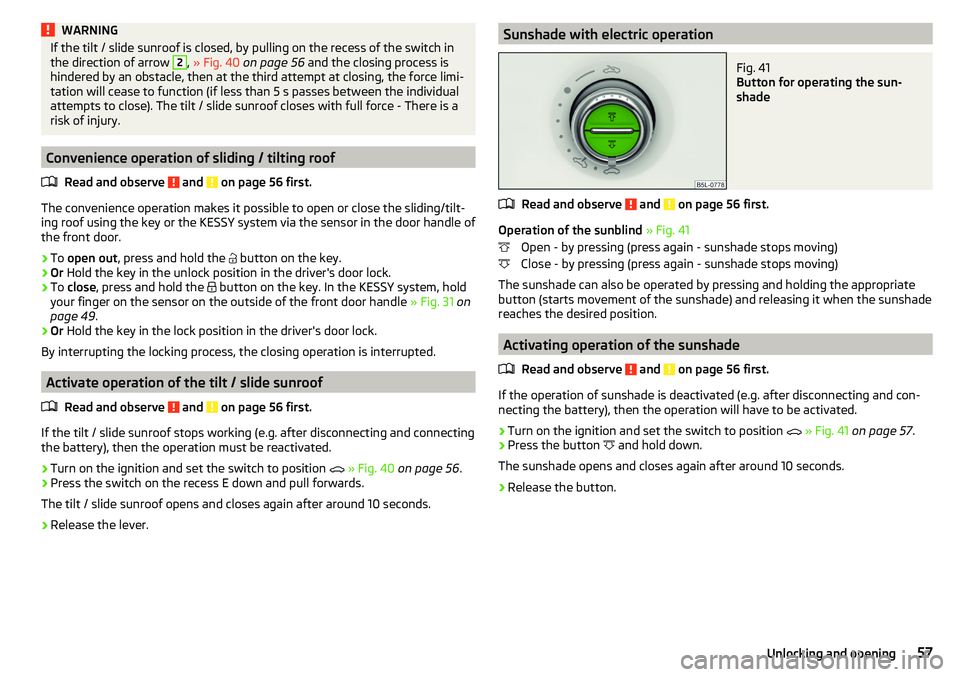
Sunshade with electric operationFig. 41
Button for operating the sun-
shade
Read and observe and on page 56 first.
Operation of the sunblind » Fig. 41
Open - by pressing (press again - sunshade stops moving)
Close - by pressing (press again - sunshade stops moving)
The sunshade can also be operated by pressing and holding the appropriate
button (starts movement of the sunshade) and releasing it when the sunshade
reaches the desired position.
Activating operation of the sunshade
Read and observe
and on page 56 first.
If the operation of sunshade is deactivated (e.g. after disconnecting and con-necting the battery), then the operation will have to be activated.
›
Turn on the ignition and set the switch to position
» Fig. 41 on page 57 .
›
Press the button
and hold down.
The sunshade opens and closes again after around 10 seconds.
›
Release the button.
57Unlocking and opening
Page 63 of 200
Fog lights with the CORNER functionRead and observe
on page 58 first.
The CORNER function automatically switches on the fog lights on the respec-tive side of the vehicle (e.g. when cornering), if the following conditions are ful-
filled.
The turn signal is switched on or the front wheels are turned sharply 1)
.
The vehicle speed is below 40 km/h.
The low beam is switched on.
The fog lights are not switched on.
The two fog lights are switched on when you shift into the reverse gear.
COMING HOME / LEAVING HOME
Read and observe
on page 58 first.
The function COMING HOME ensures that the vehicle's environment is illumi-
nated after switching off the ignition and opening the driver's door.
The function LEAVING HOME ensures that the vehicle's environment is illumi-
nated after unlocking the vehicle with the radio remote control unit.
The function switches the light on only if there is poorer visibility and the light
switch is in the position .
The functions and settings of the illumination time can be via the MAXI DOT
display in the menu items
Coming Home
or
Leaving Home
activated / deactivated
and set up » page 43, Menu item
Settings
.
CAUTION
■
Poorer visibility is evaluated by a sensor mounted below the windscreen in
the holder of the rear-view mirror. Do not cover the sensor - the system func-
tion can be disrupted.■
If this option is always enabled, then the battery is heavily loaded.
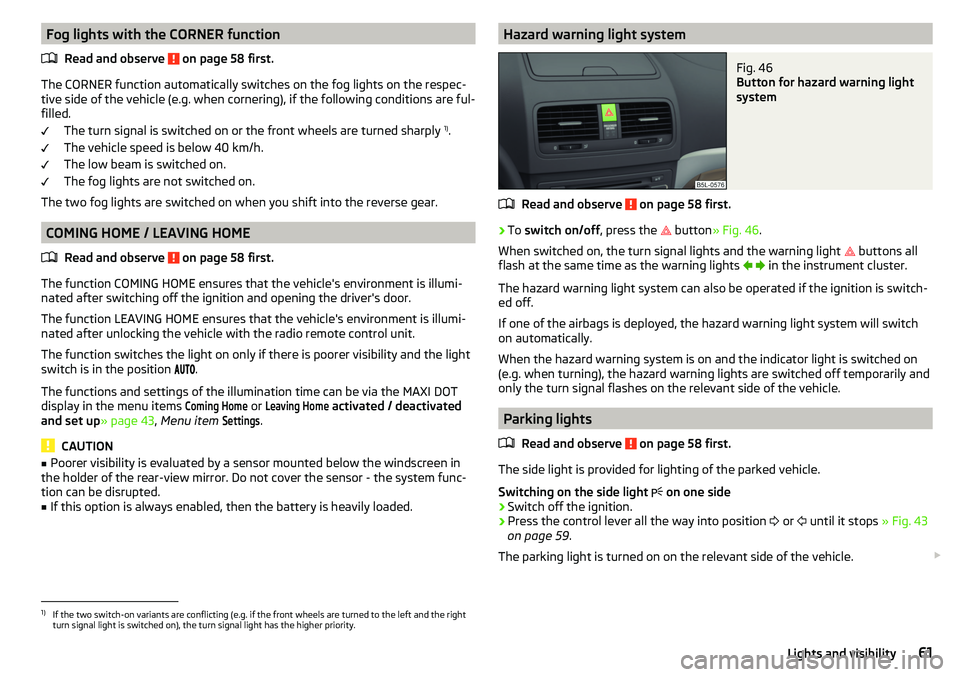
Hazard warning light systemFig. 46
Button for hazard warning light
system
Read and observe on page 58 first.
›
To switch on/off , press the
button
» Fig. 46 .
When switched on, the turn signal lights and the warning light buttons all
flash at the same time as the warning lights
in the instrument cluster.
The hazard warning light system can also be operated if the ignition is switch-
ed off.
If one of the airbags is deployed, the hazard warning light system will switch
on automatically.
When the hazard warning system is on and the indicator light is switched on
(e.g. when turning), the hazard warning lights are switched off temporarily and
only the turn signal flashes on the relevant side of the vehicle.
Parking lights
Read and observe
on page 58 first.
The side light is provided for lighting of the parked vehicle.
Switching on the side light on one side
›
Switch off the ignition.
›
Press the control lever all the way into position
or
until it stops
» Fig. 43
on page 59 .
The parking light is turned on on the relevant side of the vehicle.
1)
If the two switch-on variants are conflicting (e.g. if the front wheels are turned to the left and the right
turn signal light is switched on), the turn signal light has the higher priority.
61Lights and visibility
Page 64 of 200
Switching on the side light on both sides ›Switch on the ignition and turn the light switch to position » page 58 , the
parking lights are turned on.›
Switch off the ignition and lock the car.
After pulling out the ignition key and opening the driver's door, an audible
warning sounds. After a few seconds or after closing the driver's door, the au-
dible warning is turned off.
CAUTION
■ Turning on the parking light means the battery is heavily loaded.■The parking lights may switch off automatically due to a low battery charge.
If the two-sided parking lights are switched on when the ignition is off, the
parking lights will not switch on automatically!
Driving abroad
Read and observe
on page 58 first.
When driving in countries with opposing traffic system (traffic on the
left/right), your headlights may dazzle oncoming traffic. Therefore, it is neces-
sary to have the headlights adapted by a specialist garage.
You can adjust the settings of the Xenon headlights for a reverse traffic sys-
tem in the menu of the MAXI DOT display under the
Travel mode
menu
item » page 43 , Menu item
Settings
. In this mode, no automatic beam adjust-
ment is made ahead of the vehicle. When switching on the ignition the warn-
ing light flashes for 10 seconds.
Interior lighting
Introduction
This chapter contains information on the following subjects:
Front interior light
62
Interior lighting, rear
63
The inner lighting also works if the ignition is switched off. With the ignition
switched off, the lights will automatically switch off after approximately after
10 minutes.
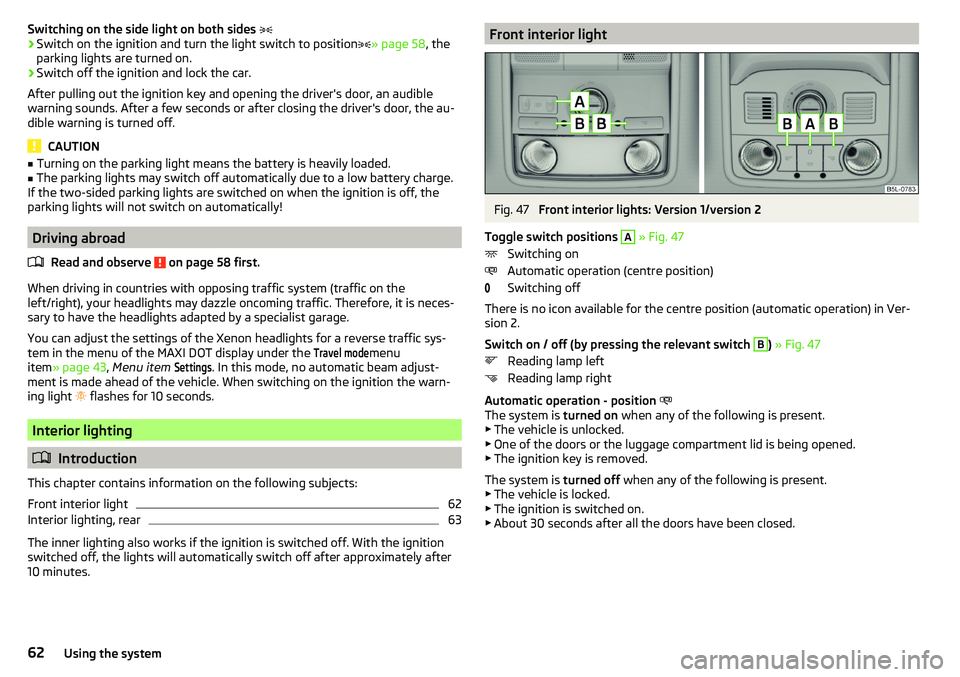
Front interior lightFig. 47
Front interior lights: Version 1/version 2
Toggle switch positions
A
» Fig. 47
Switching on
Automatic operation (centre position)
Switching off
There is no icon available for the centre position (automatic operation) in Ver-
sion 2.
Switch on / off (by pressing the relevant switch
B
) » Fig. 47
Reading lamp left
Reading lamp right
Automatic operation - position
The system is turned on when any of the following is present.
▶ The vehicle is unlocked.
▶ One of the doors or the luggage compartment lid is being opened.
▶ The ignition key is removed.
The system is turned off when any of the following is present.
▶ The vehicle is locked.
▶ The ignition is switched on.
▶ About 30 seconds after all the doors have been closed.
62Using the system
Page 72 of 200
Retrieving the saved setting
The retrieval is possible when turned the ignition is switched on and the vehi-
cle speed is less than 5 km/h or when the ignition key is inserted in the igni-
tion lock.›
Hold the desired memory button
B
» Fig. 57 .
Stopping the ongoing adjustment
›
Press any button on the driver's seat or the
button on the remote control
key.
Note
Every time you save new seat and exterior mirror settings for driving forwards,
you must also save the front passenger mirror setting for reversing again.
Memory function of the remote control key
Read and observe
on page 68 first.
Every time the vehicle is locked, the driver´s seat and exterior mirror settingsare saved and assigned to the key with which the vehicle was locked.
After the following unlocking of the vehicle with the same key, the driver´s
seat and exterior mirrors that are saved to this key will be adopted.
Activating the function
›
Unlock the vehicle with the corresponding remote control key and open the
driver door.
›
Press and hold any memory button
B
» Fig. 57 on page 69 .
›
After the seat has assumed the position stored under this button, at the
same time press the button on the remote control key within 10 seconds.
Activation is confirmed by an acoustic signal.
Storing front passenger´s exterior mirror settings for reversing
Above the MAXI DOT display in the
Mirror down
menu item, the lowering func-
tion for the mirror on the passenger side must be enabled for reversing
» page 43 , Menu item
Settings
.
›
Unlock the vehicle with the remote control key and switch on the ignition.
›
Turn the rotary knob for the exterior mirror control to the position for the
front passenger mirror area » page 67.
›
Engage reverse gear.
›
Adjust the front passenger's mirror to the desired position.
›
Disengage reverse gear. The adjusted position of the exterior mirror is stored
in the remote control key memory.
Deactivating the function›Unlock the vehicle with the remote control key.›
Press and hold down the
A
» Fig. 57 on page 69 button. At the same time,
press the
button on the remote control key within 10 seconds. Deactivation
is confirmed by an acoustic signal.
Stopping the ongoing adjustment
›
Press any button on the driver's seat or the
button on the remote control
key.
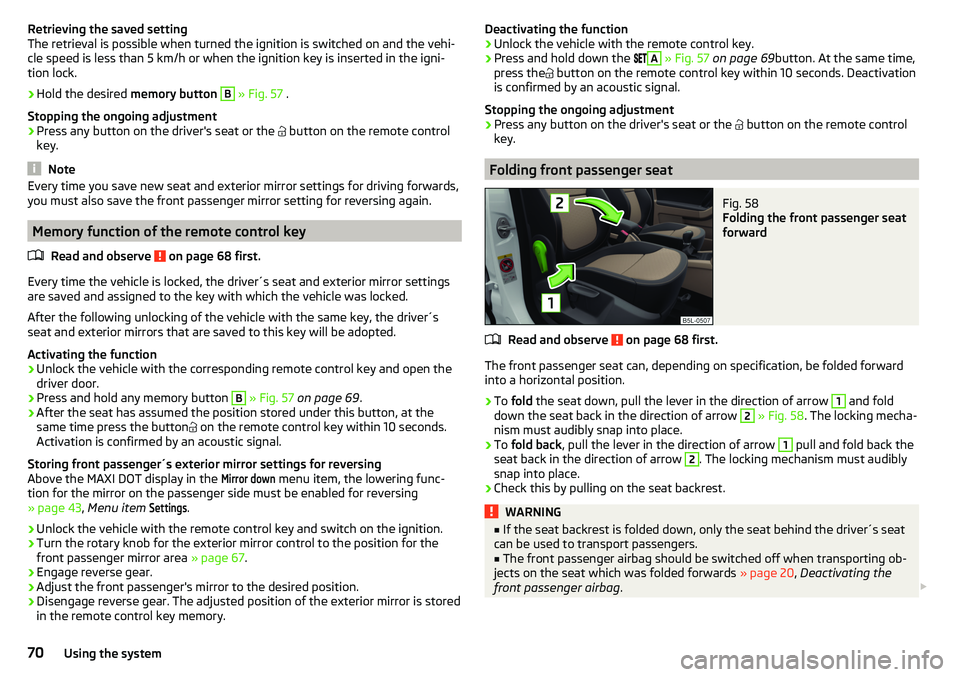
Folding front passenger seat
Fig. 58
Folding the front passenger seat
forward
Read and observe on page 68 first.
The front passenger seat can, depending on specification, be folded forward into a horizontal position.
›
To fold the seat down, pull the lever in the direction of arrow
1
and fold
down the seat back in the direction of arrow
2
» Fig. 58 . The locking mecha-
nism must audibly snap into place.
›
To fold back , pull the lever in the direction of arrow
1
pull and fold back the
seat back in the direction of arrow
2
. The locking mechanism must audibly
snap into place.
›
Check this by pulling on the seat backrest.
WARNING■ If the seat backrest is folded down, only the seat behind the driver´s seat
can be used to transport passengers.■
The front passenger airbag should be switched off when transporting ob-
jects on the seat which was folded forwards » page 20, Deactivating the
front passenger airbag .
70Using the system
Page 77 of 200
Useful features
Interior fittings
Introduction
This chapter contains information on the following subjects:
Ticket holder
75
Storage compartment on the dash panel
76
stowage compartments in the doors
76
Storage compartment in the front centre console
76
USB and AUX input
77
Cup holders
77
Cigarette lighter
78
Ashtray
78
12-volt socket
79
Waste container
80
Multimedia holder
80
Storage compartment under the front arm rest
81
storage net in the front centre console
81
Glasses compartment
81
Storage compartment on the front passenger side
82
Storage compartment for umbrella
82
Clothes hook
82
Storage pockets on the backs of the front seats
83
Storage compartment in the rear centre console
83
Folding table on the front seat backrest
83
Folding table on the middle seat backrest
84
Removable through-loading bag
84WARNING■ Do not place anything on the dashboard. These objects might slide or fall
down when driving and may distract you from concentrating on the traffic –
risk of accident!■
Make sure that while driving no objects can enter the driver's footwell -
There is a risk of an accident!
WARNING (Continued)■ Do not carry any objects on the front passenger seat except objects de-
signed for this purpose (e.g. child seats) – risk of accident!■
No objects should be placed in the storage compartments nor in the
drinks holders; the vehicle occupants could be endangered if there is sud-
den braking or the vehicle collides with something.
■
For safety reasons, lockable storage compartments should be closed
while driving - there is a risk of injury from the opened lid or through the
loose objects in the compartment.
■
Make sure no objects protrude from the storage compartments - There is
a risk of injury!
■
Do not exceed the permissible loads for the storage compartments, pock-
ets and nets - There is a risk of injury and a risk of damage to the compart-
ments, pockets and nets!
■
Ash, cigarettes, cigars and the like should only be stored in the ashtray -
There is a risk of fire/burns!
■
The storage compartments, multimedia holder and waste container are
not a substitute for the ashtray and must not be used for such purposes –
There is a risk of fire!
CAUTION
Do not place any large or sharp objects in the storage compartments, pockets
and nets -There is a risk of damage to the compartments, pockets and nets.
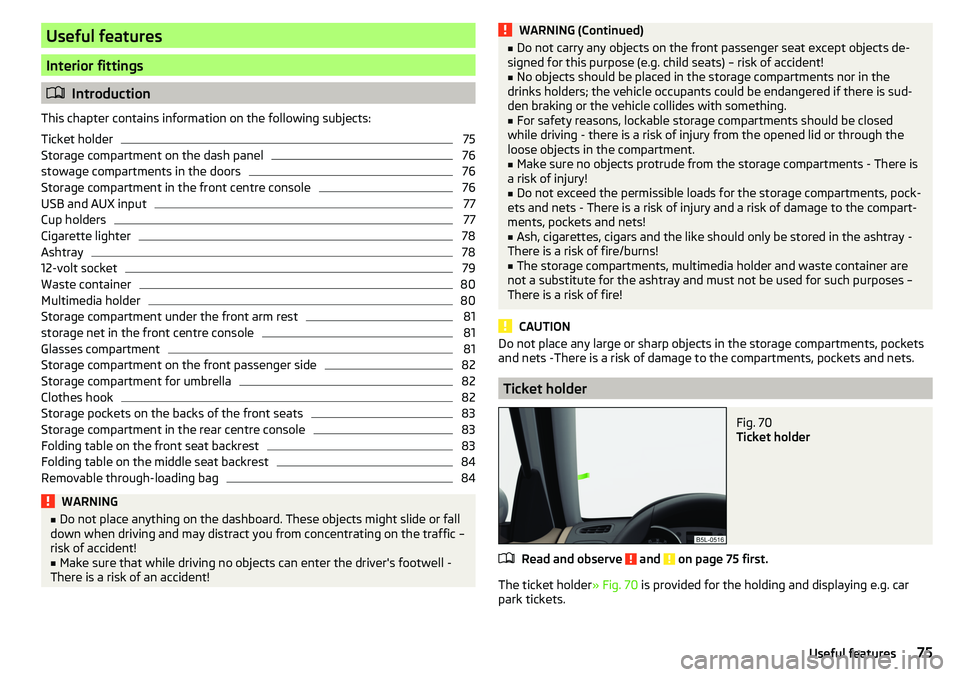
Ticket holder
Fig. 70
Ticket holder
Read and observe and on page 75 first.
The ticket holder » Fig. 70 is provided for the holding and displaying e.g. car
park tickets.
75Useful features
Page 78 of 200
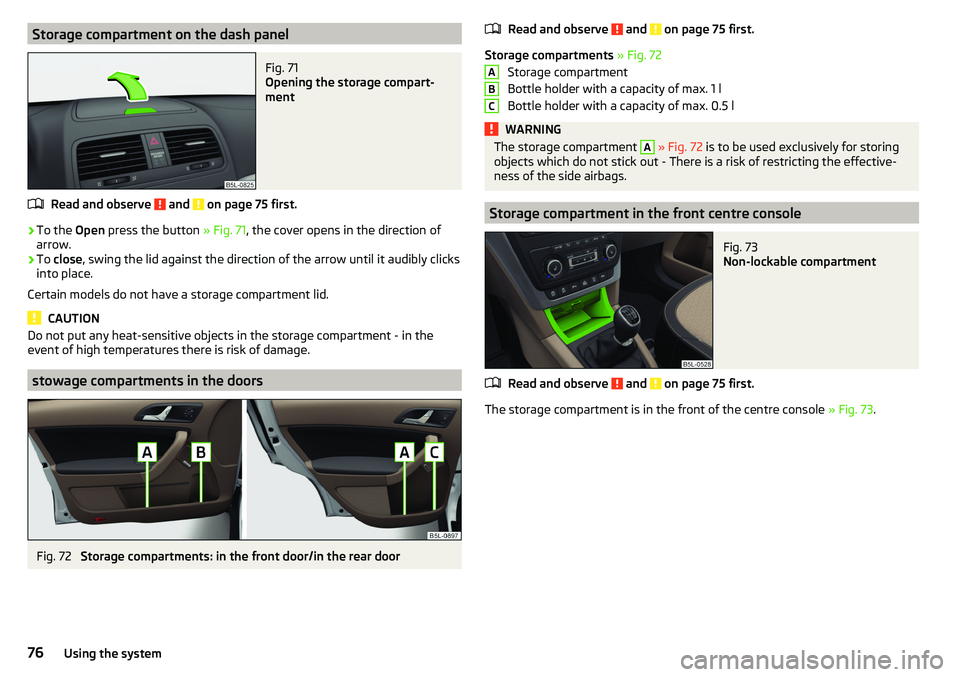
Storage compartment on the dash panelFig. 71
Opening the storage compart-
ment
Read and observe and on page 75 first.
›
To the Open press the button » Fig. 71, the cover opens in the direction of
arrow.
›
To close , swing the lid against the direction of the arrow until it audibly clicks
into place.
Certain models do not have a storage compartment lid.
CAUTION
Do not put any heat-sensitive objects in the storage compartment - in the
event of high temperatures there is risk of damage.
stowage compartments in the doors
Fig. 72
Storage compartments: in the front door/in the rear door
Read and observe and on page 75 first.
Storage compartments » Fig. 72
Storage compartment
Bottle holder with a capacity of max. 1 l
Bottle holder with a capacity of max. 0.5 l
WARNINGThe storage compartment A » Fig. 72 is to be used exclusively for storing
objects which do not stick out - There is a risk of restricting the effective-
ness of the side airbags.
Storage compartment in the front centre console
Fig. 73
Non-lockable compartment
Read and observe and on page 75 first.
The storage compartment is in the front of the centre console » Fig. 73.
ABC76Using the system
Page 82 of 200
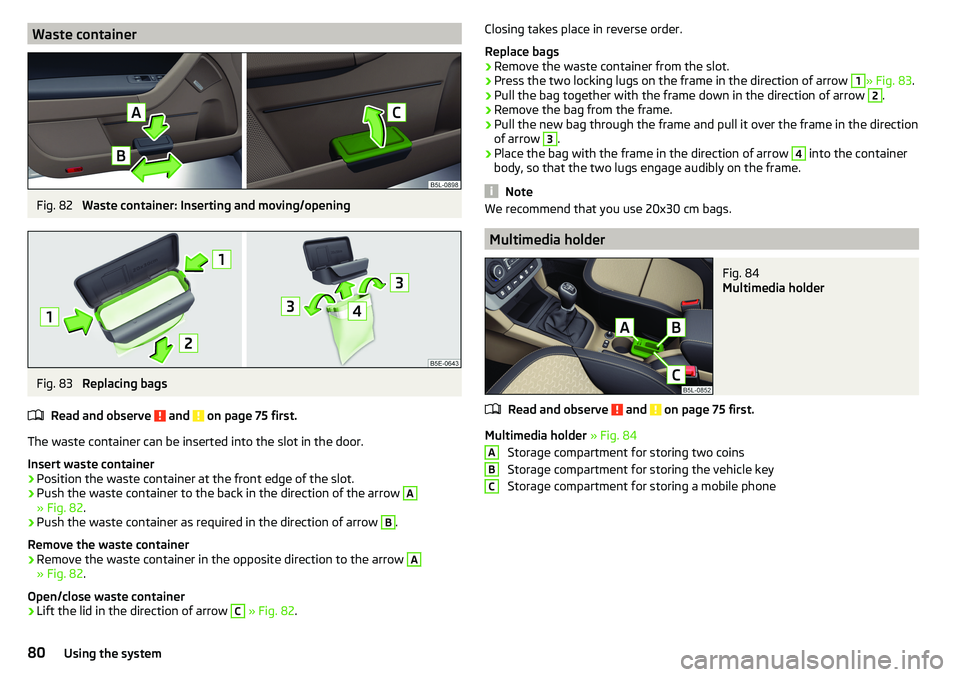
Waste containerFig. 82
Waste container: Inserting and moving/opening
Fig. 83
Replacing bags
Read and observe
and on page 75 first.
The waste container can be inserted into the slot in the door.
Insert waste container
›
Position the waste container at the front edge of the slot.
›
Push the waste container to the back in the direction of the arrow
A
» Fig. 82 .
›
Push the waste container as required in the direction of arrow
B
.
Remove the waste container
›
Remove the waste container in the opposite direction to the arrow
A
» Fig. 82 .
Open/close waste container
›
Lift the lid in the direction of arrow
C
» Fig. 82 .
Closing takes place in reverse order.
Replace bags›
Remove the waste container from the slot.
›
Press the two locking lugs on the frame in the direction of arrow
1
» Fig. 83 .
›
Pull the bag together with the frame down in the direction of arrow
2
.
›
Remove the bag from the frame.
›
Pull the new bag through the frame and pull it over the frame in the direction
of arrow
3
.
›
Place the bag with the frame in the direction of arrow
4
into the container
body, so that the two lugs engage audibly on the frame.
Note
We recommend that you use 20x30 cm bags.
Multimedia holder
Fig. 84
Multimedia holder
Read and observe and on page 75 first.
Multimedia holder » Fig. 84
Storage compartment for storing two coins
Storage compartment for storing the vehicle key
Storage compartment for storing a mobile phone
ABC80Using the system
Page 102 of 200
Driving
Starting-off and Driving
Starting and stopping the engine
Introduction
This chapter contains information on the following subjects:
Electronic immobiliser and steering lock
100
Switch on/off ignition
101
Starting / stopping the engine
101
Problems with the engine start - vehicles with starter button
102
Depending on equipment fitted, it is possible to switch the ignition on/off and
start/stop the engine with the key in the ignition or using the starter button .
WARNING■
Never switch off the engine before the vehicle is stationary – There is a
risk of accident!■
While driving with the engine stopped the ignition must always be
switched on. Otherwise, the steering may lock - There is a risk of an acci-
dent!
■
Do not withdraw the ignition key from the ignition lock until the vehicle
has come to a stop » page 105, Parking . Otherwise, the steering may lock -
danger of an accident!
■
Never leave the vehicle unattended with the engine running - there is a
risk of theft etc!
■
Never (e.g. in garages) run the engine in a closed place - there is a risk of
poisoning and death!
CAUTION
■ Only start the engine when the engine and the vehicle are stationary - there
is a risk of starter and engine damage!■
Do not push-start the engine – There is a risk of damaging the engine and
the catalytic converter! The battery from another vehicle can be used as a
jump-start aid.
■
On vehicles with the starter button, pay attention to where the key is loca-
ted. The system can recognize the valid key, even if it has been accidentally
left on the vehicle roof - there is danger of loss or damage to the key!
NoteDo not warm up the engine while the vehicle is stationary. If possible, start
your journey as soon as the engine has started. Through this, the engine rea-
ches its operating temperature faster.
Electronic immobiliser and steering lock
Read and observe
and on page 100 first.
The electronic immobilizer (hereafter referred to as immobilizer) makes the
theft or unauthorised use of your vehicle more difficult.
Immobilizer
The immobilizer allows the engine to start provided an original vehicle key only
is used.
Malfunction of the immobilizer
If a component in the immobiliser key fails, it is not possible to start the en-
gine. A corresponding message appears in the display of the instrument clus-
ter to explain the immobiliser is active.
To start, use the other vehicle key or seek help from a specialist garage.
Steering lock - lock
›
On vehicles with ignition lock, remove the key and turn the steering wheel
until the steering lock engages.
›
On vehicles with a starter button, switch off the ignition and open the driv-
er's door. If the driver's door is opened and the ignition is switched off after-
wards, the steering is only locked automatically after the vehicle has been
locked.
Steering lock - unlock
›
On vehicles with ignition lock, insert the key into the ignition and turn on the
ignition. If this is not possible, then move the steering wheel slightly back
and forth, as a result of which the steering lock should unlock.
›
On vehicles with starter button, get into the car and close the driver's door.
Under certain circumstances, the steering lock can be unlocked only when
the ignition is switched on or the engine is started.
WARNINGNever let the vehicle roll with locked steering lock - there is a risk of acci-
dent!100Driving