engine SKODA YETI 2017 Owner´s Manual
[x] Cancel search | Manufacturer: SKODA, Model Year: 2017, Model line: YETI, Model: SKODA YETI 2017Pages: 200, PDF Size: 28.93 MB
Page 34 of 200
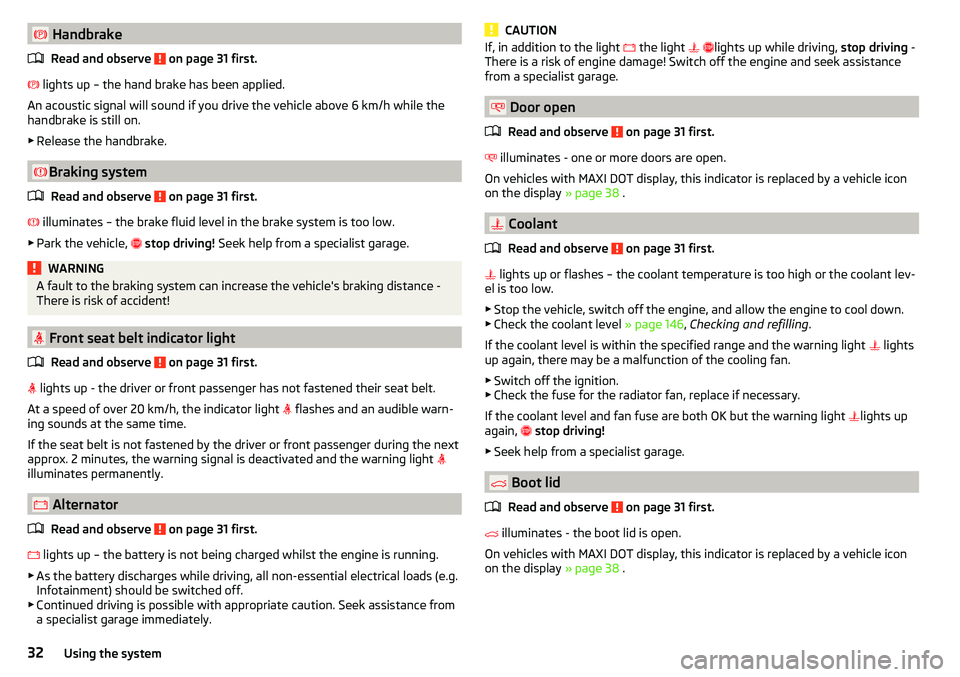
HandbrakeRead and observe
on page 31 first.
lights up – the hand brake has been applied.
An acoustic signal will sound if you drive the vehicle above 6 km/h while the
handbrake is still on.
▶ Release the handbrake.
Braking system
Read and observe
on page 31 first.
illuminates – the brake fluid level in the brake system is too low.
▶ Park the vehicle,
stop driving! Seek help from a specialist garage.
WARNINGA fault to the braking system can increase the vehicle's braking distance -
There is risk of accident!
Front seat belt indicator light
Read and observe
on page 31 first.
lights up - the driver or front passenger has not fastened their seat belt.
At a speed of over 20 km/h, the indicator light flashes and an audible warn-
ing sounds at the same time.
If the seat belt is not fastened by the driver or front passenger during the next
approx. 2 minutes, the warning signal is deactivated and the warning light
illuminates permanently.
Alternator
Read and observe
on page 31 first.
lights up – the battery is not being charged whilst the engine is running.
▶ As the battery discharges while driving, all non-essential electrical loads (e.g.
Infotainment) should be switched off.
▶ Continued driving is possible with appropriate caution. Seek assistance from
a specialist garage immediately.
CAUTIONIf, in addition to the light the light lights up while driving, stop driving -
There is a risk of engine damage! Switch off the engine and seek assistance
from a specialist garage.
Door open
Read and observe
on page 31 first.
illuminates - one or more doors are open.
On vehicles with MAXI DOT display, this indicator is replaced by a vehicle icon
on the display » page 38 .
Coolant
Read and observe
on page 31 first.
lights up or flashes – the coolant temperature is too high or the coolant lev-
el is too low.
▶ Stop the vehicle, switch off the engine, and allow the engine to cool down.
▶ Check the coolant level » page 146, Checking and refilling .
If the coolant level is within the specified range and the warning light lights
up again, there may be a malfunction of the cooling fan.
▶ Switch off the ignition.
▶ Check the fuse for the radiator fan, replace if necessary.
If the coolant level and fan fuse are both OK but the warning light lights up
again,
stop driving!
▶ Seek help from a specialist garage.
Boot lid
Read and observe
on page 31 first.
illuminates - the boot lid is open.
On vehicles with MAXI DOT display, this indicator is replaced by a vehicle icon
on the display » page 38 .
32Using the system
Page 35 of 200
Power steering / steering lock (KESSY system)
Read and observe
on page 31 first.
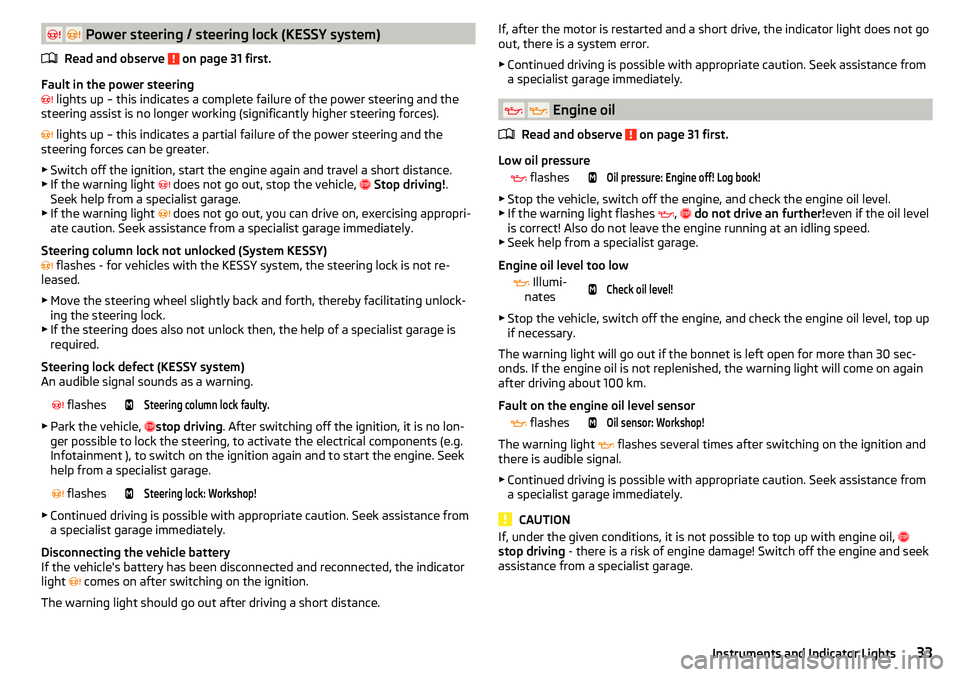
Fault in the power steering
lights up – this indicates a complete failure of the power steering and the
steering assist is no longer working (significantly higher steering forces).
lights up – this indicates a partial failure of the power steering and the
steering forces can be greater.
▶ Switch off the ignition, start the engine again and travel a short distance.
▶ If the warning light
does not go out, stop the vehicle,
Stop driving! .
Seek help from a specialist garage.
▶ If the warning light does not go out, you can drive on, exercising appropri-
ate caution. Seek assistance from a specialist garage immediately.
Steering column lock not unlocked (System KESSY)
flashes - for vehicles with the KESSY system, the steering lock is not re-
leased.
▶ Move the steering wheel slightly back and forth, thereby facilitating unlock-
ing the steering lock.
▶ If the steering does also not unlock then, the help of a specialist garage is
required.
Steering lock defect (KESSY system)
An audible signal sounds as a warning.
flashesSteering column lock faulty.
▶
Park the vehicle, stop driving
. After switching off the ignition, it is no lon-
ger possible to lock the steering, to activate the electrical components (e.g.
Infotainment ), to switch on the ignition again and to start the engine. Seek
help from a specialist garage.
flashesSteering lock: Workshop!
▶
Continued driving is possible with appropriate caution. Seek assistance from
a specialist garage immediately.
Disconnecting the vehicle battery
If the vehicle's battery has been disconnected and reconnected, the indicator
light comes on after switching on the ignition.
The warning light should go out after driving a short distance.
If, after the motor is restarted and a short drive, the indicator light does not go
out, there is a system error.
▶ Continued driving is possible with appropriate caution. Seek assistance from
a specialist garage immediately.
Engine oil
Read and observe
on page 31 first.
Low oil pressure
flashesOil pressure: Engine off! Log book!
▶
Stop the vehicle, switch off the engine, and check the engine oil level.
▶ If the warning light flashes ,
do not drive an further! even if the oil level
is correct! Also do not leave the engine running at an idling speed.
▶ Seek help from a specialist garage.
Engine oil level too low
Illumi-
nates
Check oil level!
▶ Stop the vehicle, switch off the engine, and check the engine oil level, top up
if necessary.
The warning light will go out if the bonnet is left open for more than 30 sec-
onds. If the engine oil is not replenished, the warning light will come on again
after driving about 100 km.
Fault on the engine oil level sensor
flashesOil sensor: Workshop!
The warning light
flashes several times after switching on the ignition and
there is audible signal.
▶ Continued driving is possible with appropriate caution. Seek assistance from
a specialist garage immediately.
CAUTION
If, under the given conditions, it is not possible to top up with engine oil,
stop driving - there is a risk of engine damage! Switch off the engine and seek
assistance from a specialist garage.33Instruments and Indicator Lights
Page 36 of 200
Stability control (ESC) / Traction control (TCS)Read and observe
on page 31 first.
If your vehicle is equipped with the ESC system, the TCS is part of the ESC sys-
tem.
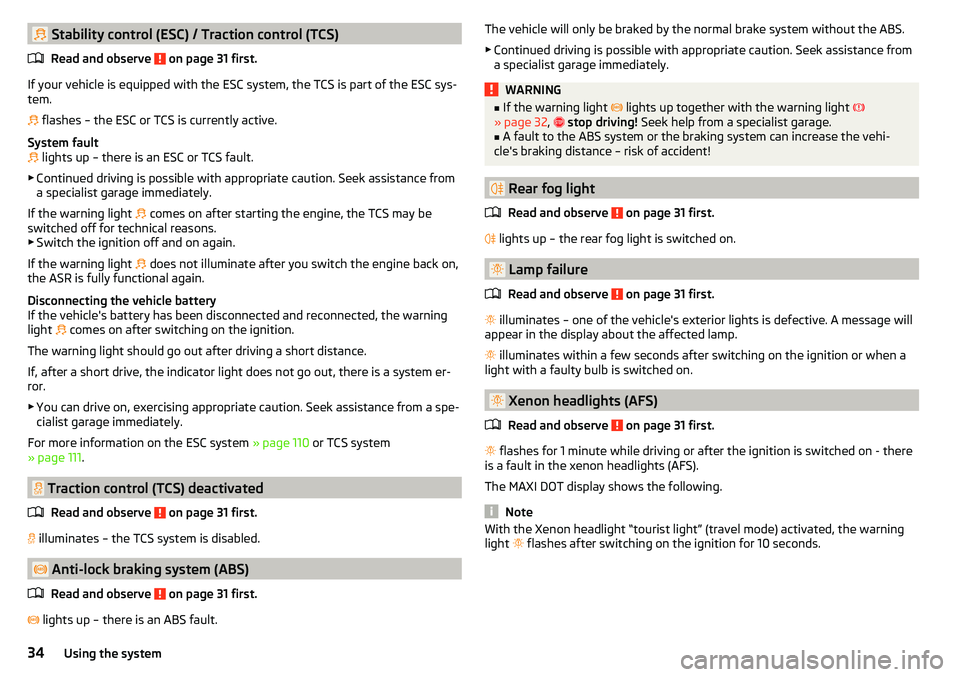
flashes – the ESC or TCS is currently active.
System fault
lights up – there is an ESC or TCS fault.
▶ Continued driving is possible with appropriate caution. Seek assistance from
a specialist garage immediately.
If the warning light comes on after starting the engine, the TCS may be
switched off for technical reasons. ▶ Switch the ignition off and on again.
If the warning light does not illuminate after you switch the engine back on,
the ASR is fully functional again.
Disconnecting the vehicle battery
If the vehicle's battery has been disconnected and reconnected, the warning light comes on after switching on the ignition.
The warning light should go out after driving a short distance.
If, after a short drive, the indicator light does not go out, there is a system er- ror.
▶ You can drive on, exercising appropriate caution. Seek assistance from a spe-
cialist garage immediately.
For more information on the ESC system » page 110 or TCS system
» page 111 .
Traction control (TCS) deactivated
Read and observe
on page 31 first.
illuminates – the TCS system is disabled.
Anti-lock braking system (ABS)
Read and observe
on page 31 first.
lights up – there is an ABS fault.
The vehicle will only be braked by the normal brake system without the ABS.
▶ Continued driving is possible with appropriate caution. Seek assistance from
a specialist garage immediately.WARNING■ If the warning light lights up together with the warning light
» page 32 , stop driving! Seek help from a specialist garage.■
A fault to the ABS system or the braking system can increase the vehi-
cle's braking distance – risk of accident!
Rear fog light
Read and observe
on page 31 first.
lights up – the rear fog light is switched on.
Lamp failure
Read and observe
on page 31 first.
illuminates – one of the vehicle's exterior lights is defective. A message will
appear in the display about the affected lamp.
illuminates within a few seconds after switching on the ignition or when a
light with a faulty bulb is switched on.
Xenon headlights (AFS)
Read and observe
on page 31 first.
flashes for 1 minute while driving or after the ignition is switched on - there
is a fault in the xenon headlights (AFS).
The MAXI DOT display shows the following.
Note
With the Xenon headlight “tourist light” (travel mode) activated, the warning
light flashes after switching on the ignition for 10 seconds.34Using the system
Page 37 of 200
Emission control systemRead and observe
on page 31 first.
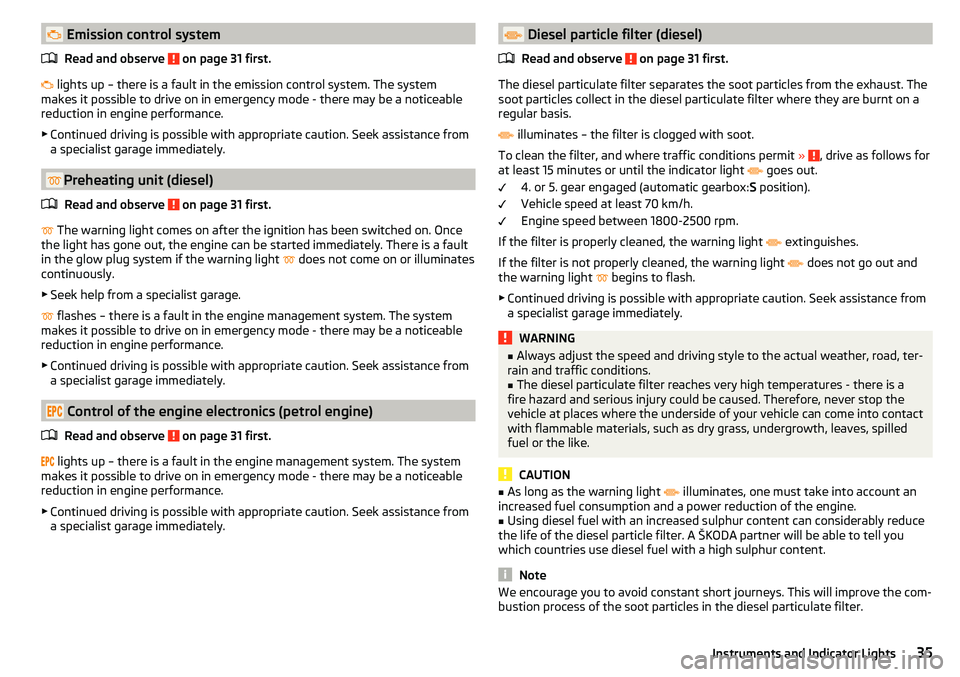
lights up – there is a fault in the emission control system. The system
makes it possible to drive on in emergency mode - there may be a noticeable
reduction in engine performance.
▶ Continued driving is possible with appropriate caution. Seek assistance from
a specialist garage immediately.
Preheating unit (diesel)
Read and observe
on page 31 first.
The warning light comes on after the ignition has been switched on. Once
the light has gone out, the engine can be started immediately. There is a fault
in the glow plug system if the warning light does not come on or illuminates
continuously.
▶ Seek help from a specialist garage.
flashes – there is a fault in the engine management system. The system
makes it possible to drive on in emergency mode - there may be a noticeable
reduction in engine performance.
▶ Continued driving is possible with appropriate caution. Seek assistance from
a specialist garage immediately.
Control of the engine electronics (petrol engine)
Read and observe
on page 31 first.
lights up – there is a fault in the engine management system. The system
makes it possible to drive on in emergency mode - there may be a noticeable
reduction in engine performance.
▶ Continued driving is possible with appropriate caution. Seek assistance from
a specialist garage immediately.
Diesel particle filter (diesel)
Read and observe
on page 31 first.
The diesel particulate filter separates the soot particles from the exhaust. The
soot particles collect in the diesel particulate filter where they are burnt on a
regular basis.
illuminates – the filter is clogged with soot.
To clean the filter, and where traffic conditions permit »
, drive as follows for
at least 15 minutes or until the indicator light
goes out.
4. or 5. gear engaged (automatic gearbox: S position).
Vehicle speed at least 70 km/h.
Engine speed between 1800-2500 rpm.
If the filter is properly cleaned, the warning light extinguishes.
If the filter is not properly cleaned, the warning light does not go out and
the warning light begins to flash.
▶ Continued driving is possible with appropriate caution. Seek assistance from
a specialist garage immediately.
WARNING■ Always adjust the speed and driving style to the actual weather, road, ter-
rain and traffic conditions.■
The diesel particulate filter reaches very high temperatures - there is a
fire hazard and serious injury could be caused. Therefore, never stop the
vehicle at places where the underside of your vehicle can come into contact
with flammable materials, such as dry grass, undergrowth, leaves, spilled
fuel or the like.
CAUTION
■ As long as the warning light illuminates, one must take into account an
increased fuel consumption and a power reduction of the engine.■
Using diesel fuel with an increased sulphur content can considerably reduce
the life of the diesel particle filter. A ŠKODA partner will be able to tell you
which countries use diesel fuel with a high sulphur content.
Note
We encourage you to avoid constant short journeys. This will improve the com-
bustion process of the soot particles in the diesel particulate filter.35Instruments and Indicator Lights
Page 38 of 200
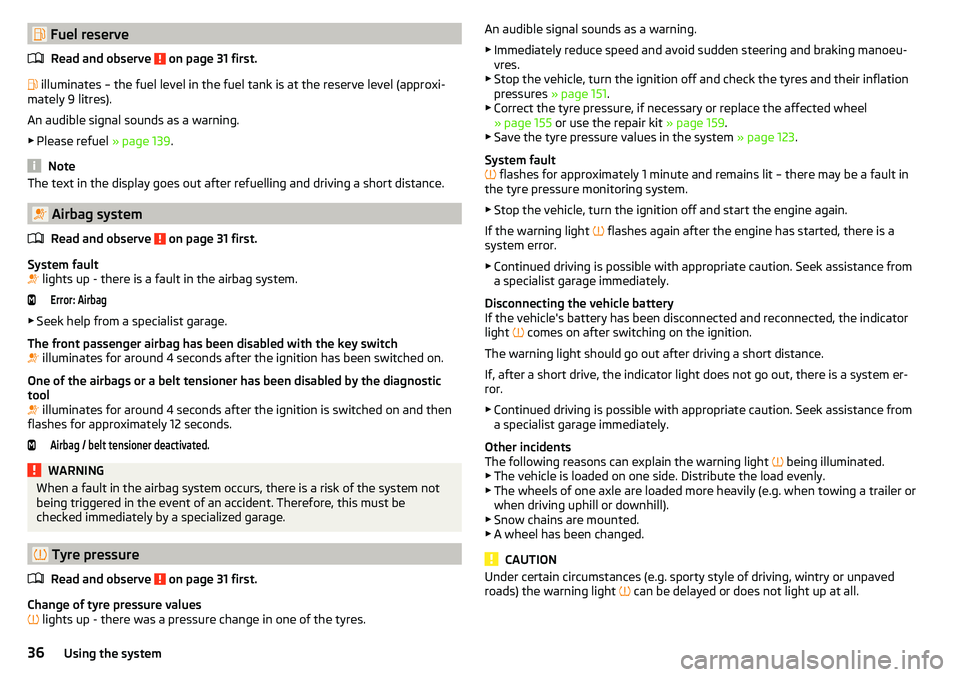
Fuel reserveRead and observe
on page 31 first.
illuminates – the fuel level in the fuel tank is at the reserve level (approxi-
mately 9 litres).
An audible signal sounds as a warning. ▶ Please refuel » page 139.
Note
The text in the display goes out after refuelling and driving a short distance.
Airbag system
Read and observe
on page 31 first.
System fault
lights up - there is a fault in the airbag system.
Error: Airbag
▶
Seek help from a specialist garage.
The front passenger airbag has been disabled with the key switch
illuminates for around 4 seconds after the ignition has been switched on.
One of the airbags or a belt tensioner has been disabled by the diagnostic
tool
illuminates for around 4 seconds after the ignition is switched on and then
flashes for approximately 12 seconds.
Airbag / belt tensioner deactivated.WARNINGWhen a fault in the airbag system occurs, there is a risk of the system not
being triggered in the event of an accident. Therefore, this must be
checked immediately by a specialized garage.
Tyre pressure
Read and observe
on page 31 first.
Change of tyre pressure values
lights up - there was a pressure change in one of the tyres.
An audible signal sounds as a warning.
▶ Immediately reduce speed and avoid sudden steering and braking manoeu-
vres.
▶ Stop the vehicle, turn the ignition off and check the tyres and their inflation
pressures » page 151.
▶ Correct the tyre pressure, if necessary or replace the affected wheel
» page 155 or use the repair kit » page 159.
▶ Save the tyre pressure values in the system » page 123.
System fault
flashes for approximately 1 minute and remains lit – there may be a fault in
the tyre pressure monitoring system.
▶ Stop the vehicle, turn the ignition off and start the engine again.
If the warning light flashes again after the engine has started, there is a
system error.
▶ Continued driving is possible with appropriate caution. Seek assistance from
a specialist garage immediately.
Disconnecting the vehicle battery
If the vehicle's battery has been disconnected and reconnected, the indicator
light comes on after switching on the ignition.
The warning light should go out after driving a short distance.
If, after a short drive, the indicator light does not go out, there is a system er-
ror.
▶ Continued driving is possible with appropriate caution. Seek assistance from
a specialist garage immediately.
Other incidents
The following reasons can explain the warning light being illuminated.
▶ The vehicle is loaded on one side. Distribute the load evenly.
▶ The wheels of one axle are loaded more heavily (e.g. when towing a trailer or
when driving uphill or downhill).
▶ Snow chains are mounted.
▶ A wheel has been changed.
CAUTION
Under certain circumstances (e.g. sporty style of driving, wintry or unpaved
roads) the warning light can be delayed or does not light up at all.36Using the system
Page 41 of 200

Setting the timeFig. 22
Buttons in the instrument clus-
ter
Use buttons
A
and
B
to set the time » Fig. 22.
The choice to change the display (hours or minutes).
The change of the displayed value.
In vehicles equipped with the MAXI DOT display, it is also possible to set the
Time
in the Time menu » page 43, Menu item
Settings
.
Display of the second speedometer
The display can show the current speed in mph 1)
. This feature is provided for
driving in countries with different speed units.
MAXI DOT display
The display of the second speedometer can be set in the
Alt. speed dis.
menu
item » page 43 , Menu item
Settings
.
Segment display
›
Press button
A
» Fig. 22 on page 39 repeatedly, until the odometer display
flashes.
›
Press the
B
button while the display flashes.
The second speedometer is displayed instead of the odometer. The display of the second speedometer is switched offin the same manner as it is switched
on.
Display of AdBlue range
The display shows the distance in km that can still be driven with the remain-
ing AdBlue tank capacity.
ABMAXI DOT display
The display of AdBlue range is part of the multi-function display » page 41,
Information overview .
Segment display›
Press button
A
» Fig. 22 on page 39 repeatedly until instead of total kilome-
tres travelled, the AdBlue Range is displayed.
›
Wait around 5 seconds - the system switches to the initial setting.
Gear recommendation
Fig. 23
Information on the selected gear / Gear recommendation
A suitable engaged gear or, where appropriate, a recommended gear is dis-
played, with the aim of conserving the life of the engine and increasing driving
efficiency.
For vehicles with automatic transmission the recommended gear will be
shown provided the mode for manual switching (Tiptronic) is selected.
Display
MAXI DOT display » Fig. 23
Optimal gear engaged
Gear recommendation (e.g.
means that it is advantageous to switch
from 3. to 4. gear)
Segment display » Fig. 23
Optimal gear engaged
Recommended gear
- Recommends that you change up to a
higher gear
1)
For models with the speedometer in mph, the second speedometer is displayed in km/h.
39Information system
Page 48 of 200

connection to SmartGate using Wi-Fi
This type of connection is intended for external devices running Android and
iOS operating systems.
Connecting to an Android external device›
Switch on the ignition.
›
Switch on Wi-Fi in the external device that is to be connected and search for
available Wi-Fi networks (see Owner's Manual for the external device).
›
In the menu of the detected networks, select the “SmartGate_...” 1)
menu item.
›
Enter the password (vehicle identification number using uppercase let-
ters » page 47 ).
›
In the external device that is to be connected to, start the SmartGate appli-
cation.
›
Then follow the instructions in the manual, which is included in the
SmartGate application.
With SmartGate, a maximum of four external devices can be connected simul-
taneously using Wi-Fi, with as many launched ŠKODA applications as required.
Connecting to an external iOS device
›
Switch on the ignition.
›
Switch on Wi-Fi in the external device that is to be connected and search for
available Wi-Fi networks (see Owner's Manual for the external device).
›
In the menu of the detected networks, select the “SmartGate_...” 1 )
menu item.
›
Enter the password (vehicle identification number using uppercase let-
ters » page 47 ).
With SmartGate, a maximum of four external devices can be connected simul-
taneously using Wi-Fi. In these external devices, up to four ŠKODA applications
can be started simultaneously.
Disconnection
The connection can be switched off in one of the following ways.
›
Switch off the ignition for longer than 5 seconds (for vehicles with a starter
button, switch off the engine and open the driver's door).
›
End the connection in the SmartGate application.
›
Switch off Wi-Fi in the connected external device.
Automatic connection
If the communication device has already had a connection with SmartGate,
then the connection is automatically restored under the following conditions.
The ignition is switched on.
Wi-Fi is switched on in the external device that is to be connected to.
The external device that is to be connected to stores the password re-
quired for the connection check.
Connection to SmartGate using Wi-Fi direct
This type of connection is intended for external devices running the Android
operating system.
Connection set-up
›
Switch on the ignition.
›
In the external device that is to be connected to, start the SmartGate appli- cation.
›
In the application, change the connection type to Wi-Fi direct.
›
Then follow the instructions in the manual, which is included in the
SmartGate application.
The password for the connection to SmartGate _... 1 )
includes the last six digits
of the vehicle identification number » page 47.
With SmartGate, a maximum of two external devices can be connected simul-
taneously using Wi-Fi direct, with as many launched ŠKODA applications as re-
quired.
If you want to connect to SmartGate in a different vehicle, you must make a
new connection in the SmartGate application.
Disconnection
The connection can be switched off in one of the following ways.
›
Switch off the ignition for longer than 5 seconds (for vehicles with a starter
button, switch off the engine and open the driver's door).
›
End the connection in the SmartGate application.
›
Switch off Wi-Fi in the connected external device.
Automatic connection
If the external device once had a connection with SmartGate, then the connec-
tion is automatically restored after the ignition is started.
1)
The last 6 characters of the VIN vehicle identification number of your vehicle are displayed at position ....
46Using the system
Page 50 of 200
WARNING■Never leave the key in the vehicle when you exit the vehicle. Unauthor-
ised persons (e.g. children) could lock the car, turn on the ignition or start
the engine - There is risk of injury and accidents!■
When leaving the vehicle, never leave people who are not completely in-
dependent, such as children, unattended in the vehicle. These individuals
might not be able to exit the vehicle by themselves or to help themselves.
Can be fatal at very high or very low temperatures!
CAUTION
■ Each key contains electronic components; therefore it must be protected
against moisture and severe shocks.■
Keep the key grooves clean. Impurities (textile fibres, dust etc.) have a nega-
tive effect on the functionality of the locking cylinder and ignition lock.
Unlock / lock using key and lock
Fig. 29
Left side of the vehicle: Turning
the key for unlocking and locking
the vehicle
Read and observe and on page 48 first.
Unlocking/locking the vehicle with the key » Fig. 29
Unlocking the vehicle
Locking the vehicle
CAUTION
If the locking cylinder is provided with a cap, the cap must be removed before-
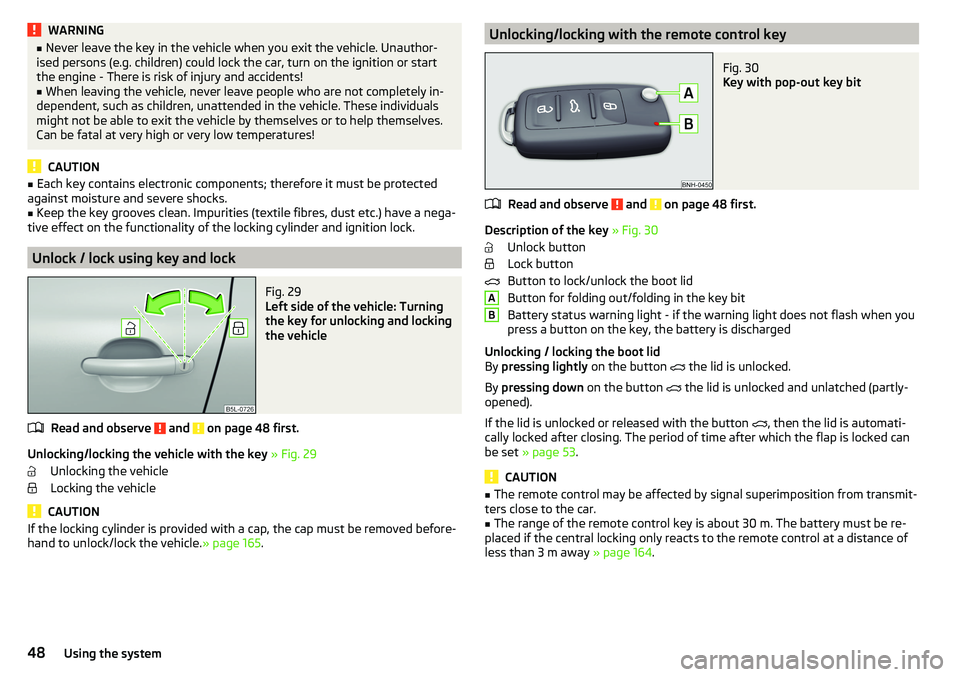
hand to unlock/lock the vehicle. » page 165.Unlocking/locking with the remote control keyFig. 30
Key with pop-out key bit
Read and observe and on page 48 first.
Description of the key » Fig. 30
Unlock button
Lock button
Button to lock/unlock the boot lid
Button for folding out/folding in the key bit
Battery status warning light - if the warning light does not flash when you
press a button on the key, the battery is discharged
Unlocking / locking the boot lid
By pressing lightly on the button
the lid is unlocked.
By pressing down on the button
the lid is unlocked and unlatched (partly-
opened).
If the lid is unlocked or released with the button , then the lid is automati-
cally locked after closing. The period of time after which the flap is locked can
be set » page 53 .
CAUTION
■
The remote control may be affected by signal superimposition from transmit-
ters close to the car.■
The range of the remote control key is about 30 m. The battery must be re-
placed if the central locking only reacts to the remote control at a distance of
less than 3 m away » page 164.
AB48Using the system
Page 65 of 200
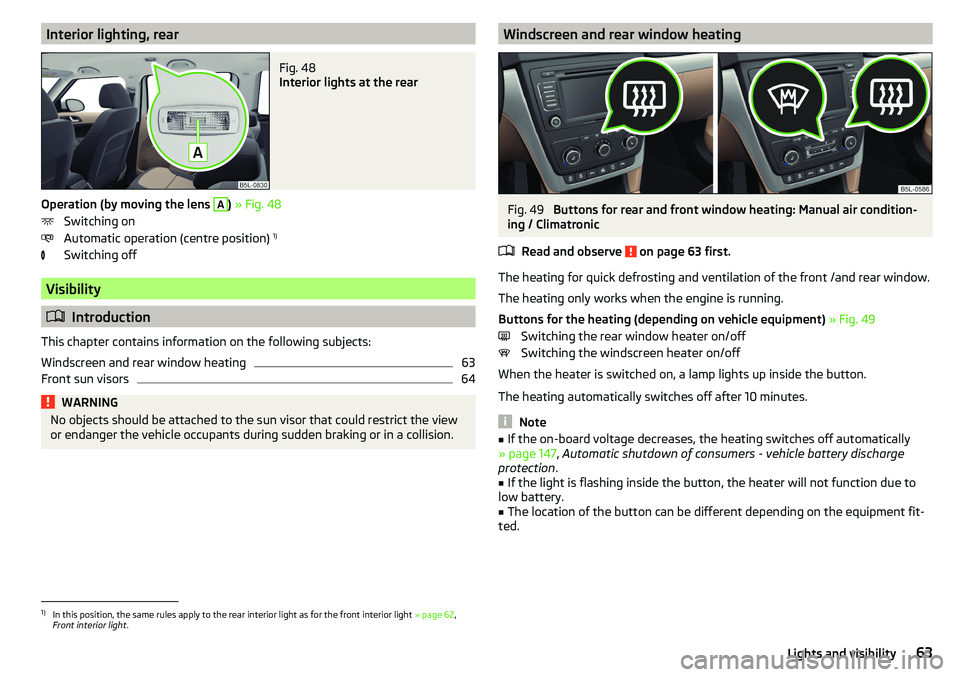
Interior lighting, rearFig. 48
Interior lights at the rear
Operation (by moving the lens
A
) » Fig. 48
Switching on
Automatic operation (centre position) 1)
Switching off
Visibility
Introduction
This chapter contains information on the following subjects:
Windscreen and rear window heating
63
Front sun visors
64WARNINGNo objects should be attached to the sun visor that could restrict the view
or endanger the vehicle occupants during sudden braking or in a collision.Windscreen and rear window heatingFig. 49
Buttons for rear and front window heating: Manual air condition-
ing / Climatronic
Read and observe
on page 63 first.
The heating for quick defrosting and ventilation of the front /and rear window.
The heating only works when the engine is running.
Buttons for the heating (depending on vehicle equipment) » Fig. 49
Switching the rear window heater on/off Switching the windscreen heater on/off
When the heater is switched on, a lamp lights up inside the button.
The heating automatically switches off after 10 minutes.
Note
■ If the on-board voltage decreases, the heating switches off automatically
» page 147 , Automatic shutdown of consumers - vehicle battery discharge
protection .■
If the light is flashing inside the button, the heater will not function due to
low battery.
■
The location of the button can be different depending on the equipment fit-
ted.
1)
In this position, the same rules apply to the rear interior light as for the front interior light » page 62,
Front interior light .
63Lights and visibility
Page 68 of 200
Headlight cleaning systemRead and observe
and on page 64 first.
The headlights are cleaned with every first and after every fifth spraying of the
windscreen under the following conditions.
The ignition is switched on.
The low beam is switched on.
The outside temperature is about -12° C to +39° C.
To ensure the correct functioning of the system, even in winter, this needs to be regularly cleared of snow and ice (e.g. using the de-icing spray).
Rear view mirror
Introduction
This chapter contains information on the following subjects:
Interior mirror dimming
66
Mirrors
67WARNINGExterior mirrors increase the field of view, however, they make objects ap-
pear smaller and further away. Therefore, use the interior mirror whenever
possible, for assessing the distances to the vehicles following behind.WARNING■ The mirrors with automatic dimming contain electrolyte fluid which may
leak if the mirror glass is broken - this can irritate skin, eyes and the respi-
ratory system.■
If your eyes or skin come into contact with the electrolytic fluid, immedi-
ately wash the affected area for a few minutes long with a lot of water. If
necessary get medical assistance.
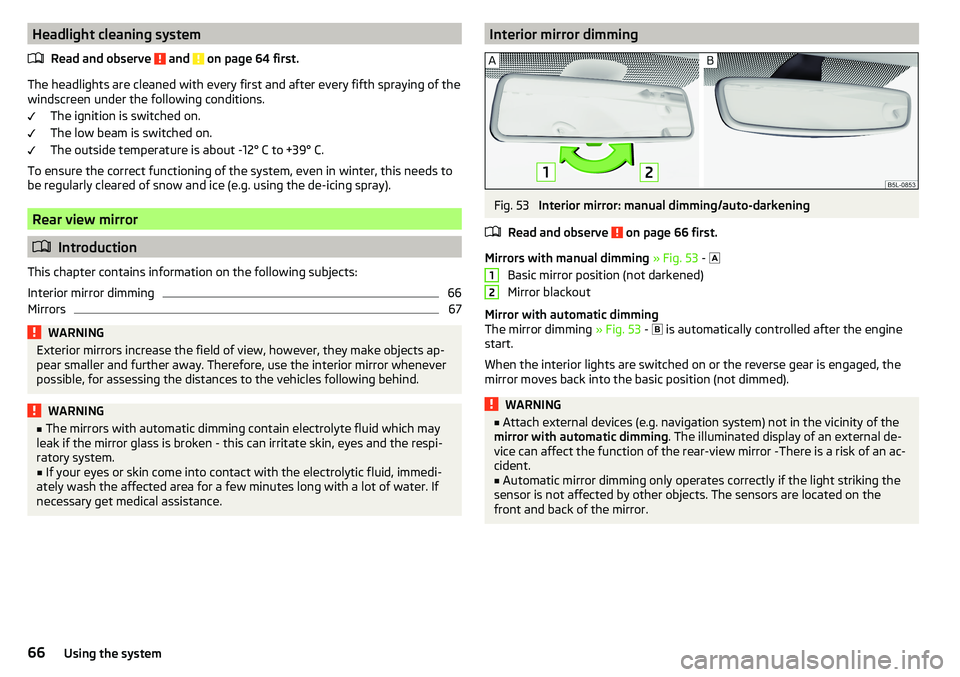
Interior mirror dimmingFig. 53
Interior mirror: manual dimming/auto-darkening
Read and observe
on page 66 first.
Mirrors with manual dimming » Fig. 53 -
Basic mirror position (not darkened)
Mirror blackout
Mirror with automatic dimming
The mirror dimming » Fig. 53 -
is automatically controlled after the engine
start.
When the interior lights are switched on or the reverse gear is engaged, the
mirror moves back into the basic position (not dimmed).
WARNING■ Attach external devices (e.g. navigation system) not in the vicinity of the
mirror with automatic dimming . The illuminated display of an external de-
vice can affect the function of the rear-view mirror -There is a risk of an ac-
cident.■
Automatic mirror dimming only operates correctly if the light striking the
sensor is not affected by other objects. The sensors are located on the
front and back of the mirror.
1266Using the system