service SKODA YETI 2017 Owner´s Manual
[x] Cancel search | Manufacturer: SKODA, Model Year: 2017, Model line: YETI, Model: SKODA YETI 2017Pages: 200, PDF Size: 28.93 MB
Page 146 of 200
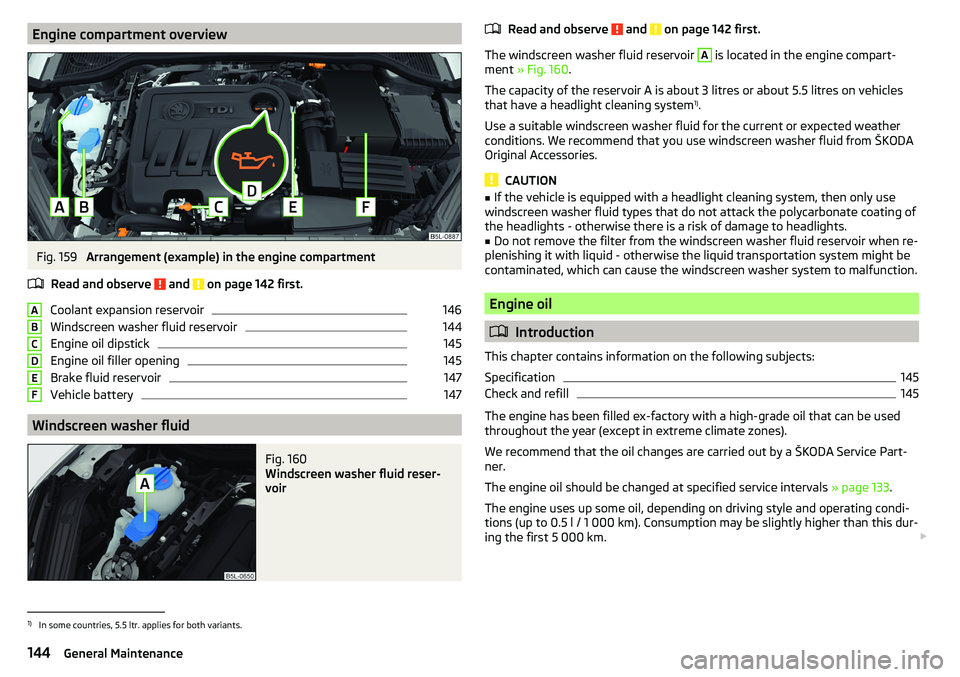
Engine compartment overviewFig. 159
Arrangement (example) in the engine compartment
Read and observe
and on page 142 first.
Coolant expansion reservoir
146
Windscreen washer fluid reservoir
144
Engine oil dipstick
145
Engine oil filler opening
145
Brake fluid reservoir
147
Vehicle battery
147
Windscreen washer fluid
Fig. 160
Windscreen washer fluid reser-
voir
ABCDEFRead and observe and on page 142 first.
The windscreen washer fluid reservoir
A
is located in the engine compart-
ment » Fig. 160 .
The capacity of the reservoir A is about 3 litres or about 5.5 litres on vehicles
that have a headlight cleaning system 1)
.
Use a suitable windscreen washer fluid for the current or expected weather
conditions. We recommend that you use windscreen washer fluid from ŠKODA
Original Accessories.
CAUTION
■ If the vehicle is equipped with a headlight cleaning system, then only use
windscreen washer fluid types that do not attack the polycarbonate coating of
the headlights - otherwise there is a risk of damage to headlights.■
Do not remove the filter from the windscreen washer fluid reservoir when re-
plenishing it with liquid - otherwise the liquid transportation system might be
contaminated, which can cause the windscreen washer system to malfunction.
Engine oil
Introduction
This chapter contains information on the following subjects:
Specification
145
Check and refill
145
The engine has been filled ex-factory with a high-grade oil that can be used
throughout the year (except in extreme climate zones).
We recommend that the oil changes are carried out by a ŠKODA Service Part- ner.
The engine oil should be changed at specified service intervals » page 133.
The engine uses up some oil, depending on driving style and operating condi-
tions (up to 0.5 l / 1 000 km). Consumption may be slightly higher than this dur-
ing the first 5 000 km.
1)
In some countries, 5.5 ltr. applies for both variants.
144General Maintenance
Page 147 of 200
WARNINGThe following instructions must be followed at all times when working on
the engine compartment » page 142.
CAUTION
Do not add any additives to the engine oil - There is a risk of engine damage.
Note
We recommend that you use oils from ŠKODA Original Accessories.
Specification
Read and observe
and on page 145 first.
The specifications (VW standards) stated in the following can be indicated sep-arately or together with other specifications on the bottle.
Vehicles with variable service intervals
Petrol enginesSpecification1.2 l/81 kW TSI
VW 504 00
1.4 l/92, 110 kW TSI1.8 ltr./112 kW TSIDiesel enginesSpecification2.0 l/81, 103, 110 kW TDI CRVW 507 00
Vehicles with fixed service intervals
Petrol enginesSpecification1.2 l/81 kW TSI
VW 502 00
1.4 l/92, 110 kW TSI1.6 l./81 kW MPI
1.8 ltr./112 kW TSI
VW 502 00applies to Russia
SAE 0W-30 VW 502 00 / 505 00Diesel enginesSpecification2.0 l/81, 103, 110 kW TDI CRVW 507 00
Engine oil VW 505 01 can optionally be used in diesel engines without a DPF.
CAUTION■
If no prescribed engine oil is available, then max. 0.5 l oil of the following
specifications can be refilled. ■Petrol engines: ACEA A3/ACEA B4 or API SN, (API SM);
■ Diesel engines: ACEA C3 or API CJ-4.
Check and refill
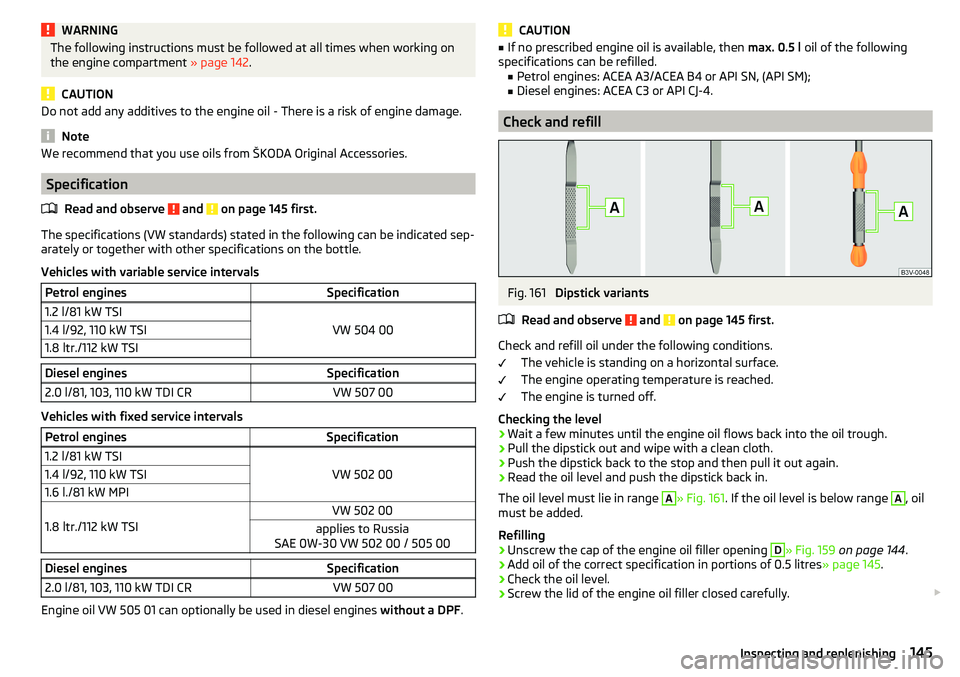
Fig. 161
Dipstick variants
Read and observe
and on page 145 first.
Check and refill oil under the following conditions. The vehicle is standing on a horizontal surface.
The engine operating temperature is reached.
The engine is turned off.
Checking the level
›
Wait a few minutes until the engine oil flows back into the oil trough.
›
Pull the dipstick out and wipe with a clean cloth.
›
Push the dipstick back to the stop and then pull it out again.
›
Read the oil level and push the dipstick back in.
The oil level must lie in range
A
» Fig. 161 . If the oil level is below range
A
, oil
must be added.
Refilling
›
Unscrew the cap of the engine oil filler opening
D
» Fig. 159 on page 144 .
›
Add oil of the correct specification in portions of 0.5 litres » page 145.
›
Check the oil level.
›
Screw the lid of the engine oil filler closed carefully.
145Inspecting and replenishing
Page 149 of 200
CAUTION■If the expansion tank is empty, do not top up with coolant. The system could
aerate - There is a risk of engine damage! Stop driving! Switch off the en-
gine and seek assistance from a specialist garage.■
Do not fill the coolant above the mark
A
» Fig. 162 . The coolant could, when
heated, be expelled from the cooling system - There is a risk of damage to the
engine parts.
■
If it is not possible to add coolant,
stop driving! Switch off the engine and
seek assistance from a specialist garage.
■
A coolant additive which does not correspond to the correct specification can
reduce the anti-corrosion effect of the cooling system - risk of damage to the
cooling system and the engine.
■
If non-distilled (non-demineralised) water has been used to top up, the cool-
ant should be replaced by a specialist garage - There is a risk of engine dam-
age.
■
A loss of coolant indicates leaks in the cooling system -There is a risk of en-
gine damage. Top up with coolant and then seek assistance from a specialist
garage.
Note
Too low coolant level is indicated in the instrument cluster by the warning
light and shown by the message » page 32. We still recommend inspecting
the coolant level directly at the reservoir from time to time.
Brake fluid
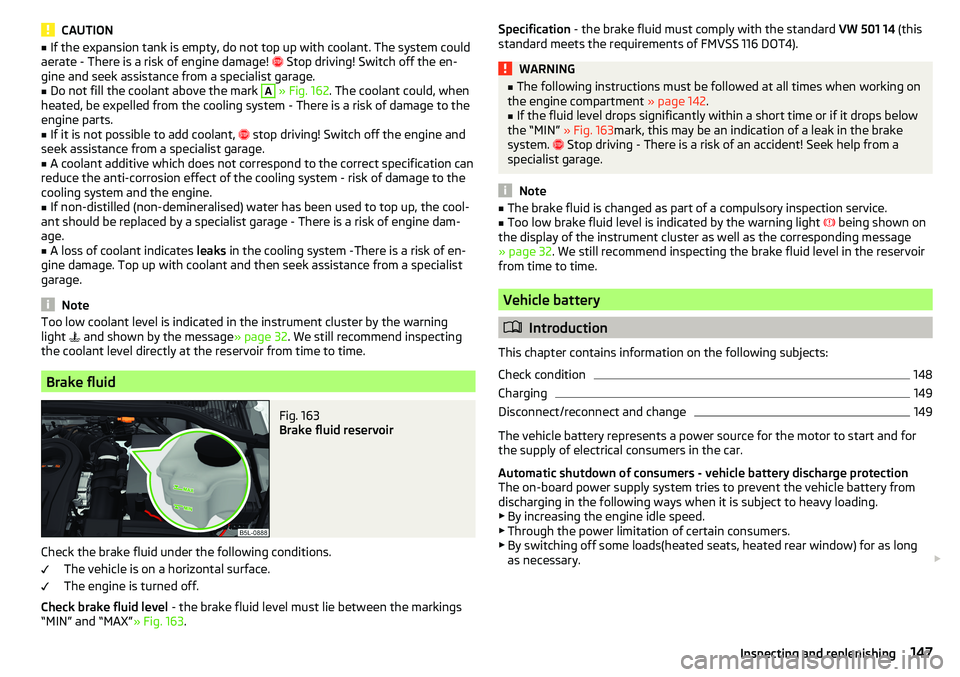
Fig. 163
Brake fluid reservoir
Check the brake fluid under the following conditions.
The vehicle is on a horizontal surface.
The engine is turned off.
Check brake fluid level - the brake fluid level must lie between the markings
“MIN” and “MAX” » Fig. 163.
Specification - the brake fluid must comply with the standard VW 501 14 (this
standard meets the requirements of FMVSS 116 DOT4).WARNING■ The following instructions must be followed at all times when working on
the engine compartment » page 142.■
If the fluid level drops significantly within a short time or if it drops below
the “MIN” » Fig. 163mark, this may be an indication of a leak in the brake
system.
Stop driving - There is a risk of an accident! Seek help from a
specialist garage.
Note
■ The brake fluid is changed as part of a compulsory inspection service.■Too low brake fluid level is indicated by the warning light being shown on
the display of the instrument cluster as well as the corresponding message
» page 32 . We still recommend inspecting the brake fluid level in the reservoir
from time to time.
Vehicle battery
Introduction
This chapter contains information on the following subjects:
Check condition
148
Charging
149
Disconnect/reconnect and change
149
The vehicle battery represents a power source for the motor to start and for the supply of electrical consumers in the car.
Automatic shutdown of consumers - vehicle battery discharge protection
The on-board power supply system tries to prevent the vehicle battery from
discharging in the following ways when it is subject to heavy loading. ▶ By increasing the engine idle speed.
▶ Through the power limitation of certain consumers.
▶ By switching off some loads(heated seats, heated rear window) for as long
as necessary.
147Inspecting and replenishing
Page 150 of 200
Warning symbols on the vehicle batterySymbolMeaningAlways wear eye protection.Battery acid is severely caustic. Always wear gloves and eye pro-
tection.Keep fire, sparks, open flames and lit cigarettes well clear of the
vehicle battery.When charging the vehicle battery, a highly explosive gas mixture
is produced.Keep children away from the vehicle battery.WARNINGBattery acid is highly corrosive - There is a risk of injury, chemical burns or
poisoning! Corrosive vapours in the air irritate and damage the respiratory
tract and the eyes. The following guidelines must be observed.■
Always wear protective gloves, eye and skin protection when handling
the vehicle battery.
■
If your eyes or skin come into contact with the electrolytic fluid, immedi-
ately wash the affected area for a few minutes long with a lot of water.
Seek medical assistance without delay.
■
Keep the vehicle battery away from people who are not completely inde-
pendent (e.g. children).
■
Do not tilt the battery otherwise battery electrolyte may flow out of the
battery vent openings.
WARNINGWorking on the car battery may cause an explosion, fire, injury or chemical
burns! The following guidelines must be observed.■
Do not smoke, use open flames or light or transmitting devices.
■
A discharged vehicle battery may freeze slightly. Never charge up a fro-
zen or thawed vehicle battery. Replace a frozen vehicle battery.
■
Never use a damaged vehicle battery.
■
Do not connect the battery terminals, bridging the two poles will cause a
short circuit.
CAUTIONEnsure that battery acid does not come into contact with the bodywork –
There is a risk of damage to the paintwork.
Note
■ We recommend having all work on the vehicle battery carried out by a spe-
cialist garage.■
You should replace batteries older than 5 years.
Check condition
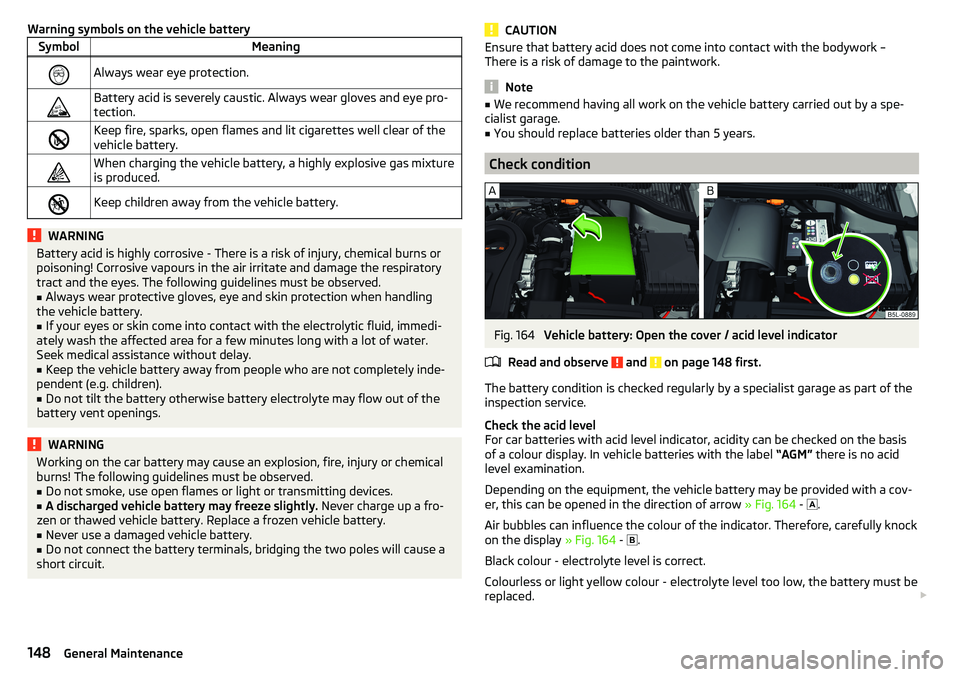
Fig. 164
Vehicle battery: Open the cover / acid level indicator
Read and observe
and on page 148 first.
The battery condition is checked regularly by a specialist garage as part of the
inspection service.
Check the acid level
For car batteries with acid level indicator, acidity can be checked on the basis
of a colour display. In vehicle batteries with the label “AGM” there is no acid
level examination.
Depending on the equipment, the vehicle battery may be provided with a cov-
er, this can be opened in the direction of arrow » Fig. 164 -
.
Air bubbles can influence the colour of the indicator. Therefore, carefully knock
on the display » Fig. 164 -
.
Black colour - electrolyte level is correct.
Colourless or light yellow colour - electrolyte level too low, the battery must be replaced.
148General Maintenance
Page 168 of 200

Selector lever-emergency unlockingFig. 188
Remove / release the selector lever
›
Firmly apply the handbrake.
›
Insert a slot screwdriver or similar tool into the gap in the arrow area
1
» Fig. 188 and lift the cover in arrow direction
2
.
›
Press on the yellow plastic part in the direction of arrow
3
, simultaneously
press the lock button in the selector lever handle and put the lever in posi-
tion N.
If the selector lever is moved again to position P, it is once again blocked.
CAUTION
Make sure when lifting not to damage cover parts by the screwdriver in the
shift lever environment.
Replacing windscreen wiper blades
Introduction
This chapter contains information on the following subjects:
Replacing the windscreen wiper blades
166
Replacing the rear window wiper blade
167WARNINGReplace the windscreen wiper blades once or twice a year for safety rea-
sons.Replacing the windscreen wiper bladesFig. 189
Setting the service position for
the wiper arms
Fig. 190
Changing the windscreen wiper blade
Read and observe
on page 166 first.
Before replacing the windscreen wiper blades, close the bonnet and put the
windscreen wiper arms into the service position.
Setting the service position
›
Switch the ignition on and off again.
›
Push the lever in the direction of arrow » Fig. 189 within 10 seconds and hold
for approximately 2 seconds.
Removing the wiper blade
›
Lift the wiper arm from the windscreen in the direction of
1
» Fig. 190 .
›
Tilt the wiper blade to the stop in the same direction.
›
Grip the wiper arm and press securing latch
A
down in the direction of arrow
2
.
›
Remove the wiper blade in the direction of the arrow
3
.
166Do-it-yourself
Page 170 of 200

Fuses in the dashboardFig. 193
Distribution board cover.
Read and observe and on page 167 first.
The fuses are located on the left side of the dash panel behind a cover.
Replacing fuses
›
Remove the ignition key, turn off the lights and all electrical consumers.
›
Insert a screwdriver into the opening in the cover in the direction of the ar-
row » Fig. 193 .
›
Remove the cover of the fuse box and remove.
›
Remove the plastic clip from the holder in the fuse box cover in the dash
panel.
›
Use the clip to pull the fuse out, then insert a new fuse.
›
Re-insert the cover of the fuse box .
›
Replace the bracket at the original position.
Fuse arrangement in the dashboard
Fig. 194
Fuses
Read and observe and on page 167 first.No.Consumer1Heating of the gearbox vent (diesel engine)
Automatic gearbox2Towing hitch - left light3Trailer device - electrical outlet4Instrument cluster control lever under the steering wheel, camera5Air blower for heating, radiator fan, air conditioning system, Clima-
tronic6Rear window wiper7emergency call8Towing hitch - right light9Interior lighting, rear fog light10Rain sensor, light switch, diagnostic socket11Left side front headlight12Right side front headlight13Radio14Central control system, engine management system15Light switch16All-wheel drive17KESSY, steering lock18Diagnostic connector, engine control system, brake sensor, four-
wheel drive, START-STOP19ABS, ESP, switch for tyre air pressure control, parking aid, switch for
OFF ROAD mode, START STOP button20Airbag21Variable Service Interval - WIV, reversing lamps, dimmable mirrors,
pressure sensor, telephone preparation, air mass meter, headlamp
levelling and swivelling headlights22Instrument cluster, electromechanical power steering, databus23Central locking, boot lid24Electric windows - Rear25Rear window heater, auxiliary heating and ventilation26Power socket in the boot 168Do-it-yourself
Page 186 of 200
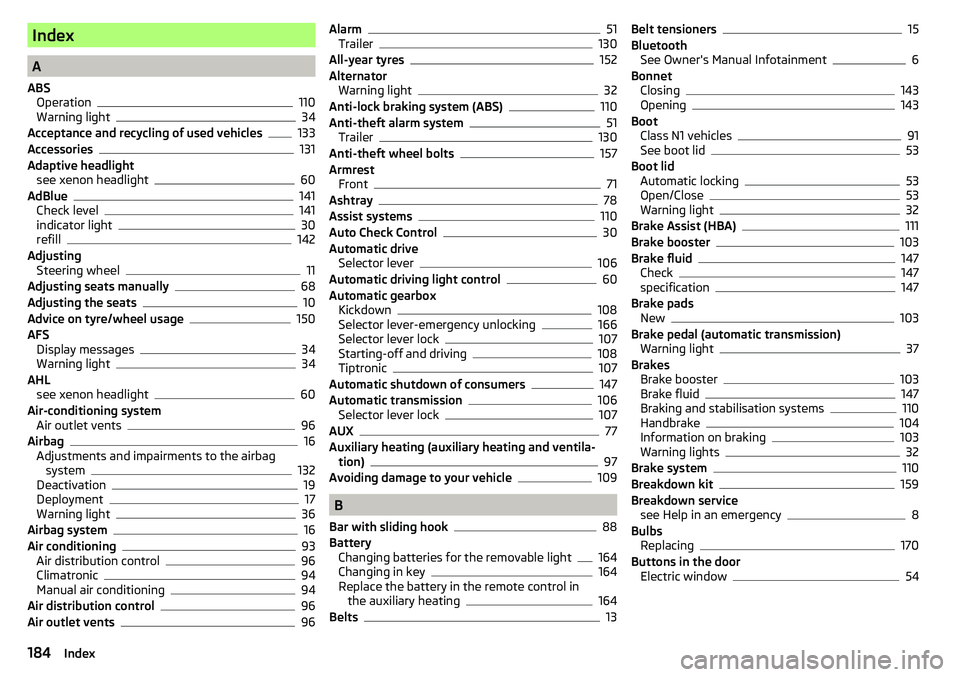
Index
A
ABS Operation
110
Warning light34
Acceptance and recycling of used vehicles
133
Accessories131
Adaptive headlight see xenon headlight
60
AdBlue141
Check level141
indicator light30
refill142
Adjusting Steering wheel
11
Adjusting seats manually68
Adjusting the seats10
Advice on tyre/wheel usage150
AFS Display messages
34
Warning light34
AHL see xenon headlight
60
Air-conditioning system Air outlet vents
96
Airbag
16
Adjustments and impairments to the airbag system
132
Deactivation19
Deployment17
Warning light36
Airbag system16
Air conditioning93
Air distribution control96
Climatronic94
Manual air conditioning94
Air distribution control96
Air outlet vents96
Alarm51
Trailer130
All-year tyres152
Alternator Warning light
32
Anti-lock braking system (ABS)110
Anti-theft alarm system51
Trailer130
Anti-theft wheel bolts157
Armrest Front
71
Ashtray78
Assist systems110
Auto Check Control30
Automatic drive Selector lever
106
Automatic driving light control60
Automatic gearbox Kickdown
108
Selector lever-emergency unlocking166
Selector lever lock107
Starting-off and driving108
Tiptronic107
Automatic shutdown of consumers147
Automatic transmission106
Selector lever lock107
AUX77
Auxiliary heating (auxiliary heating and ventila- tion)
97
Avoiding damage to your vehicle109
B
Bar with sliding hook
88
Battery Changing batteries for the removable light
164
Changing in key164
Replace the battery in the remote control in the auxiliary heating
164
Belts13
Belt tensioners15
Bluetooth See Owner's Manual Infotainment
6
Bonnet Closing
143
Opening143
Boot Class N1 vehicles
91
See boot lid53
Boot lid Automatic locking
53
Open/Close53
Warning light32
Brake Assist (HBA)111
Brake booster103
Brake fluid147
Check147
specification147
Brake pads New
103
Brake pedal (automatic transmission) Warning light
37
Brakes Brake booster
103
Brake fluid147
Braking and stabilisation systems110
Handbrake104
Information on braking103
Warning lights32
Brake system110
Breakdown kit159
Breakdown service see Help in an emergency
8
Bulbs Replacing
170
Buttons in the door Electric window
54
184Index
Page 187 of 200
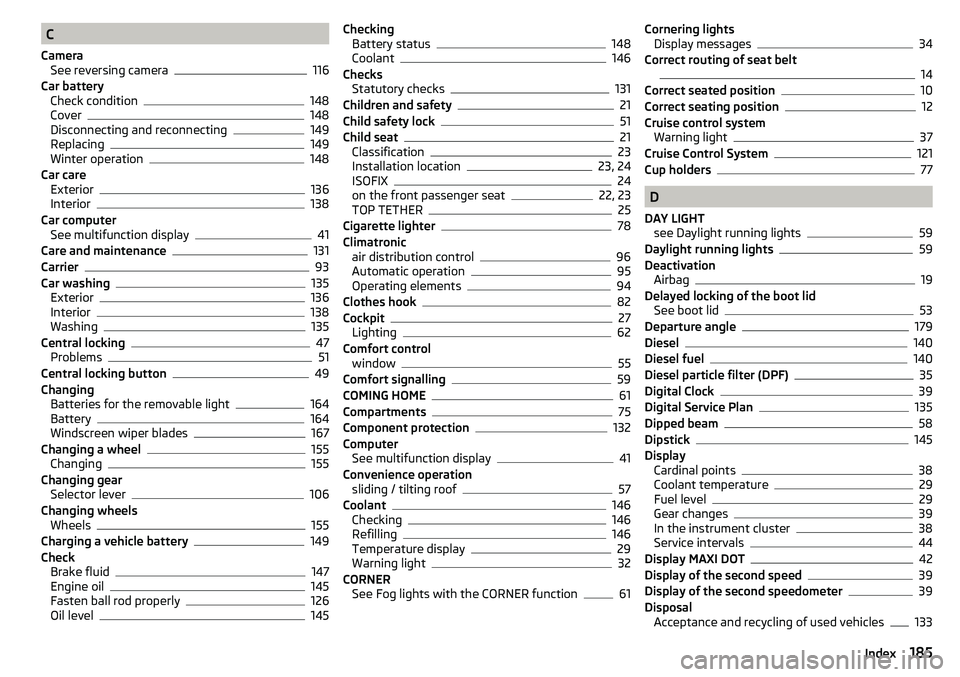
C
Camera See reversing camera
116
Car battery Check condition
148
Cover148
Disconnecting and reconnecting149
Replacing149
Winter operation148
Car care Exterior
136
Interior138
Car computer See multifunction display
41
Care and maintenance131
Carrier93
Car washing135
Exterior136
Interior138
Washing135
Central locking47
Problems51
Central locking button49
Changing Batteries for the removable light
164
Battery164
Windscreen wiper blades167
Changing a wheel155
Changing155
Changing gear Selector lever
106
Changing wheels Wheels
155
Charging a vehicle battery149
Check Brake fluid
147
Engine oil145
Fasten ball rod properly126
Oil level145
Checking Battery status148
Coolant146
Checks Statutory checks
131
Children and safety21
Child safety lock51
Child seat21
Classification23
Installation location23, 24
ISOFIX24
on the front passenger seat22, 23
TOP TETHER25
Cigarette lighter78
Climatronic air distribution control
96
Automatic operation95
Operating elements94
Clothes hook82
Cockpit27
Lighting62
Comfort control window
55
Comfort signalling59
COMING HOME61
Compartments75
Component protection132
Computer See multifunction display
41
Convenience operation sliding / tilting roof
57
Coolant146
Checking146
Refilling146
Temperature display29
Warning light32
CORNER See Fog lights with the CORNER function
61
Cornering lightsDisplay messages34
Correct routing of seat belt
14
Correct seated position10
Correct seating position12
Cruise control system Warning light
37
Cruise Control System121
Cup holders77
D
DAY LIGHT see Daylight running lights
59
Daylight running lights59
Deactivation Airbag
19
Delayed locking of the boot lid See boot lid
53
Departure angle179
Diesel140
Diesel fuel140
Diesel particle filter (DPF)35
Digital Clock39
Digital Service Plan135
Dipped beam58
Dipstick145
Display Cardinal points
38
Coolant temperature29
Fuel level29
Gear changes39
In the instrument cluster38
Service intervals44
Display MAXI DOT42
Display of the second speed39
Display of the second speedometer39
Disposal Acceptance and recycling of used vehicles
133
185Index
Page 189 of 200
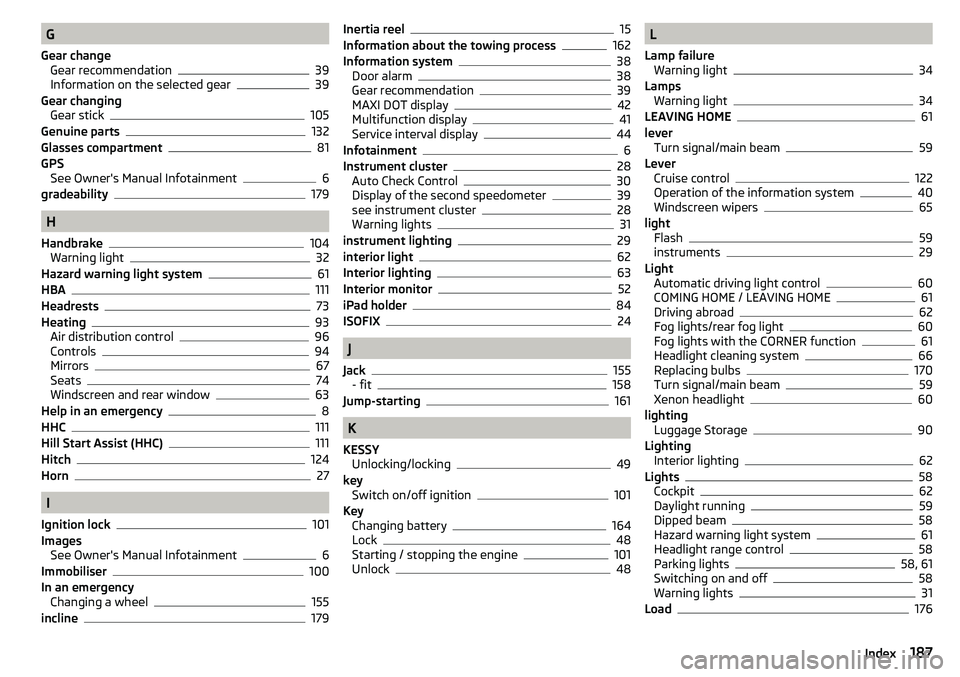
G
Gear change Gear recommendation
39
Information on the selected gear39
Gear changing Gear stick
105
Genuine parts132
Glasses compartment81
GPS See Owner's Manual Infotainment
6
gradeability179
H
Handbrake
104
Warning light32
Hazard warning light system61
HBA111
Headrests73
Heating93
Air distribution control96
Controls94
Mirrors67
Seats74
Windscreen and rear window63
Help in an emergency8
HHC111
Hill Start Assist (HHC)111
Hitch124
Horn27
I
Ignition lock
101
Images See Owner's Manual Infotainment
6
Immobiliser100
In an emergency Changing a wheel
155
incline179
Inertia reel15
Information about the towing process162
Information system38
Door alarm38
Gear recommendation39
MAXI DOT display42
Multifunction display41
Service interval display44
Infotainment6
Instrument cluster28
Auto Check Control30
Display of the second speedometer39
see instrument cluster28
Warning lights31
instrument lighting29
interior light62
Interior lighting63
Interior monitor52
iPad holder84
ISOFIX24
J
Jack
155
- fit158
Jump-starting161
K
KESSY Unlocking/locking
49
key Switch on/off ignition
101
Key Changing battery
164
Lock48
Starting / stopping the engine101
Unlock48
L
Lamp failure Warning light
34
Lamps Warning light
34
LEAVING HOME61
lever Turn signal/main beam
59
Lever Cruise control
122
Operation of the information system40
Windscreen wipers65
light Flash
59
instruments29
Light Automatic driving light control
60
COMING HOME / LEAVING HOME61
Driving abroad62
Fog lights/rear fog light60
Fog lights with the CORNER function61
Headlight cleaning system66
Replacing bulbs170
Turn signal/main beam59
Xenon headlight60
lighting Luggage Storage
90
Lighting Interior lighting
62
Lights58
Cockpit62
Daylight running59
Dipped beam58
Hazard warning light system61
Headlight range control58
Parking lights58, 61
Switching on and off58
Warning lights31
Load176
187Index
Page 192 of 200
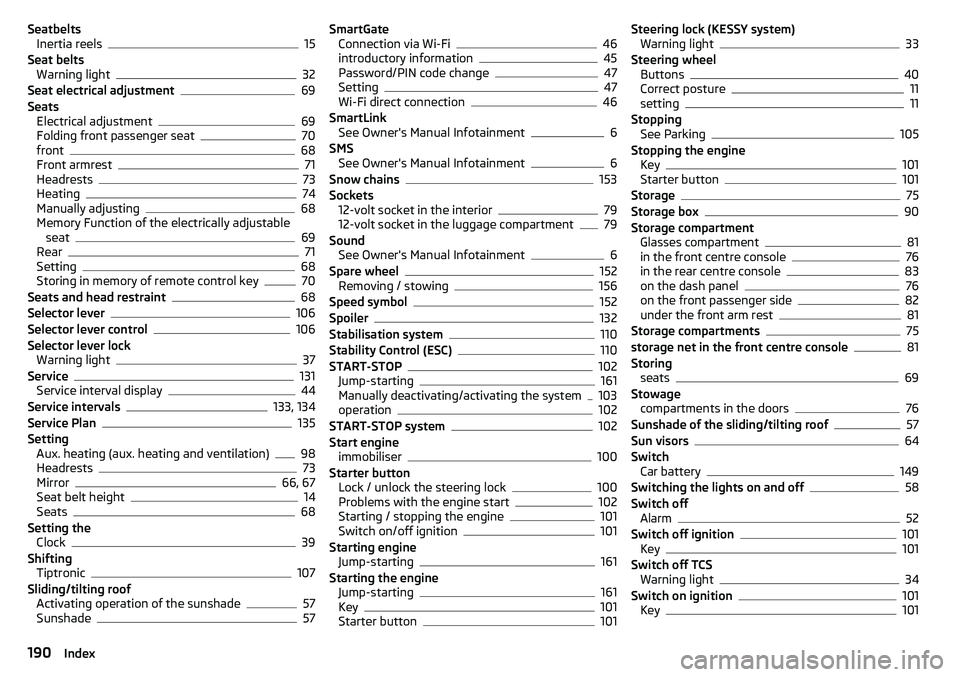
SeatbeltsInertia reels15
Seat belts Warning light
32
Seat electrical adjustment69
Seats Electrical adjustment
69
Folding front passenger seat70
front68
Front armrest71
Headrests73
Heating74
Manually adjusting68
Memory Function of the electrically adjustable seat
69
Rear71
Setting68
Storing in memory of remote control key70
Seats and head restraint68
Selector lever106
Selector lever control106
Selector lever lock Warning light
37
Service131
Service interval display44
Service intervals133, 134
Service Plan135
Setting Aux. heating (aux. heating and ventilation)
98
Headrests73
Mirror66, 67
Seat belt height14
Seats68
Setting the Clock
39
Shifting Tiptronic
107
Sliding/tilting roof Activating operation of the sunshade
57
Sunshade57
SmartGate Connection via Wi-Fi46
introductory information45
Password/PIN code change47
Setting47
Wi-Fi direct connection46
SmartLink See Owner's Manual Infotainment
6
SMS See Owner's Manual Infotainment
6
Snow chains153
Sockets 12-volt socket in the interior
79
12-volt socket in the luggage compartment79
Sound See Owner's Manual Infotainment
6
Spare wheel152
Removing / stowing156
Speed symbol152
Spoiler132
Stabilisation system110
Stability Control (ESC)110
START-STOP102
Jump-starting161
Manually deactivating/activating the system103
operation102
START-STOP system102
Start engine immobiliser
100
Starter button Lock / unlock the steering lock
100
Problems with the engine start102
Starting / stopping the engine101
Switch on/off ignition101
Starting engine Jump-starting
161
Starting the engine Jump-starting
161
Key101
Starter button101
Steering lock (KESSY system) Warning light33
Steering wheel Buttons
40
Correct posture11
setting11
Stopping See Parking
105
Stopping the engine Key
101
Starter button101
Storage75
Storage box90
Storage compartment Glasses compartment
81
in the front centre console76
in the rear centre console83
on the dash panel76
on the front passenger side82
under the front arm rest81
Storage compartments75
storage net in the front centre console81
Storing seats
69
Stowage compartments in the doors
76
Sunshade of the sliding/tilting roof57
Sun visors64
Switch Car battery
149
Switching the lights on and off58
Switch off Alarm
52
Switch off ignition101
Key101
Switch off TCS Warning light
34
Switch on ignition101
Key101
190Index