warning lights SKODA YETI 2017 Owner´s Manual
[x] Cancel search | Manufacturer: SKODA, Model Year: 2017, Model line: YETI, Model: SKODA YETI 2017Pages: 200, PDF Size: 28.93 MB
Page 4 of 200
Table of Contents
materials defect liability and ŠKODA warranty
for new cars4
On-board literature
6
Notes
7
Structure of the Owner's Manual and further
information
8
Abbreviations
Safety
Passive Safety
10
General information
10
Correct and safe seated position
10
Seat belts
13
Using seat belts
13
Inertia reels and belt tensioners
15
Airbag system
16
Description of the airbag system
16
Airbag deactivation
19
Transporting children safely
21
Child seat
21
Fastening systems
24
Using the system
Cockpit
27
Overview
26
Instruments and Indicator Lights
28
Instrument cluster
28
Warning lights
31
Information system
38
Driver information system
38
Operation of the information system
40Multifunction display (MFD)41MAXI DOT display42
Service interval display
44
SmartGate
45
Unlocking and opening
47
Unlocking and locking
47
Anti-theft alarm system
51
Luggage compartment lid
52
Window operation
53
Panorama sliding/tilting roof
56
Lights and visibility
58
Lights
58
Interior lighting
62
Visibility
63
Windscreen wipers and washers
64
Rear view mirror
66
Seats and head restraints
68
Front seats
68
Rear seats
71
Headrests
73
Front seat heating
74
Useful features
75
Interior fittings
75
Tablet holder
84
Transport of cargo
86
Luggage Storage and Transport
86
Variable loading floor in the luggage
compartment (Estate)
91
Transportation on the roof rack
93
Heating and ventilation
93
Heating, manual air conditioning system,
Climatronic
93
Auxiliary heating (auxiliary heating and
ventilation)
97Driving
Starting-off and Driving100
Starting and stopping the engine
100
START-STOPsystem
102
Brakes and parking
103
Manual gear changing and pedals
105
Automatic transmission
106
Running in and economical driving
108
Avoiding damage to your vehicle
109
Assist systems
110
General information
110
Braking and stabilisation systems
110
OFF ROAD Mode
112
Parking aid (ParkPilot)
114
Reversing camera
116
Park Assist
118
Cruise Control System
121
Fatigue detection
122
Tyre pressure monitoring
123
Towing device and trailer
124
Hitch
124
Using the towing device
128
General Maintenance
Care and maintenance
131
Service work, adjustments and technical
alterations
131
Service intervals
133
Cleaning and care
135
Inspecting and replenishing
139
Fuel
139
AdBlue ®
And its refilling
141
Engine compartment
142
Engine oil
144
Coolant
1462Table of Contents
Page 20 of 200
The following airbags will be deployed in the event of a severe side collision.
▶ Front side airbag.
▶ Rear side airbag.
▶ Head airbag.
When an airbag is deployed, the following events occur.
▶ The hazard warning lights are switched on.
▶ All doors are unlocked.
▶ The fuel supply to the engine is interrupted.
▶ The interior light comes on (if the automatic operation of the interior light is
switched on - position
).
When there is no air bag deployment?
With minor frontal and side collisions, rear collision, overturning of the vehicle
or vehicle roll-over there is no airbag deployment.
Safety instructions
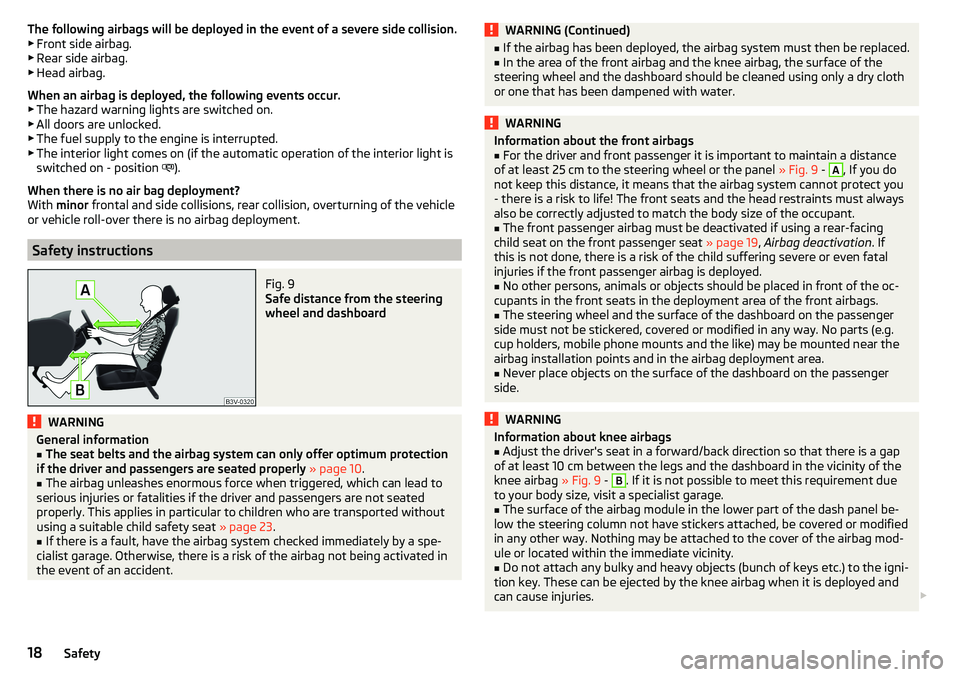
Fig. 9
Safe distance from the steering
wheel and dashboard
WARNINGGeneral information■The seat belts and the airbag system can only offer optimum protection
if the driver and passengers are seated properly » page 10 .■
The airbag unleashes enormous force when triggered, which can lead to
serious injuries or fatalities if the driver and passengers are not seated
properly. This applies in particular to children who are transported without
using a suitable child safety seat » page 23.
■
If there is a fault, have the airbag system checked immediately by a spe-
cialist garage. Otherwise, there is a risk of the airbag not being activated in
the event of an accident.
WARNING (Continued)■ If the airbag has been deployed, the airbag system must then be replaced.■In the area of the front airbag and the knee airbag, the surface of the
steering wheel and the dashboard should be cleaned using only a dry cloth
or one that has been dampened with water.WARNINGInformation about the front airbags■For the driver and front passenger it is important to maintain a distance
of at least 25 cm to the steering wheel or the panel » Fig. 9 - A
, If you do
not keep this distance, it means that the airbag system cannot protect you
- there is a risk to life! The front seats and the head restraints must always
also be correctly adjusted to match the body size of the occupant.
■
The front passenger airbag must be deactivated if using a rear-facing
child seat on the front passenger seat » page 19, Airbag deactivation . If
this is not done, there is a risk of the child suffering severe or even fatal
injuries if the front passenger airbag is deployed.
■
No other persons, animals or objects should be placed in front of the oc-
cupants in the front seats in the deployment area of the front airbags.
■
The steering wheel and the surface of the dashboard on the passenger
side must not be stickered, covered or modified in any way. No parts (e.g.
cup holders, mobile phone mounts and the like) may be mounted near the
airbag installation points and in the airbag deployment area.
■
Never place objects on the surface of the dashboard on the passenger
side.
WARNINGInformation about knee airbags■Adjust the driver's seat in a forward/back direction so that there is a gap
of at least 10 cm between the legs and the dashboard in the vicinity of the
knee airbag » Fig. 9 - B
. If it is not possible to meet this requirement due
to your body size, visit a specialist garage.
■
The surface of the airbag module in the lower part of the dash panel be-
low the steering column not have stickers attached, be covered or modified
in any other way. Nothing may be attached to the cover of the airbag mod-
ule or located within the immediate vicinity.
■
Do not attach any bulky and heavy objects (bunch of keys etc.) to the igni-
tion key. These can be ejected by the knee airbag when it is deployed and
can cause injuries.
18Safety
Page 22 of 200
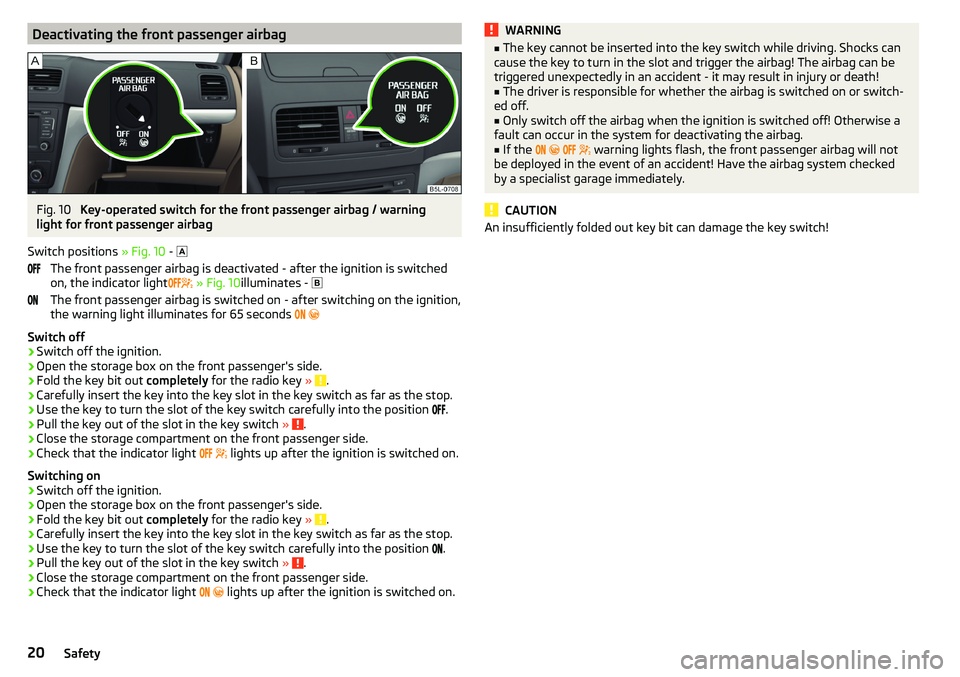
Deactivating the front passenger airbagFig. 10
Key-operated switch for the front passenger airbag / warning
light for front passenger airbag
Switch positions » Fig. 10 -
The front passenger airbag is deactivated - after the ignition is switched
on, the indicator light
» Fig. 10 illuminates -
The front passenger airbag is switched on - after switching on the ignition,
the warning light illuminates for 65 seconds
Switch off
›
Switch off the ignition.
›
Open the storage box on the front passenger's side.
›
Fold the key bit out completely for the radio key » .
›
Carefully insert the key into the key slot in the key switch as far as the stop.
›
Use the key to turn the slot of the key switch carefully into the position
.
›
Pull the key out of the slot in the key switch
» .
›
Close the storage compartment on the front passenger side.
›
Check that the indicator light
lights up after the ignition is switched on.
Switching on
›
Switch off the ignition.
›
Open the storage box on the front passenger's side.
›
Fold the key bit out completely for the radio key » .
›
Carefully insert the key into the key slot in the key switch as far as the stop.
›
Use the key to turn the slot of the key switch carefully into the position
.
›
Pull the key out of the slot in the key switch
» .
›
Close the storage compartment on the front passenger side.
›
Check that the indicator light
lights up after the ignition is switched on.
WARNING■
The key cannot be inserted into the key switch while driving. Shocks can
cause the key to turn in the slot and trigger the airbag! The airbag can be
triggered unexpectedly in an accident - it may result in injury or death!■
The driver is responsible for whether the airbag is switched on or switch-
ed off.
■
Only switch off the airbag when the ignition is switched off! Otherwise a
fault can occur in the system for deactivating the airbag.
■
If the
warning lights flash, the front passenger airbag will not
be deployed in the event of an accident! Have the airbag system checked
by a specialist garage immediately.
CAUTION
An insufficiently folded out key bit can damage the key switch!20Safety
Page 30 of 200

Instruments and Indicator Lights
Instrument cluster
Introduction
Fig. 17
Instrument cluster
This chapter contains information on the following subjects:
Rev counter
28
Coolant temperature gauge
29
Fuel gauge
29
Lighting of the instrument cluster
29
Auto Check Control
30
Engine revolutions counter » page 28
▶ with warning lights » page 31
Speedometer
▶ with warning lights » page 31
Operation key:
▶ Setting the time » page 39
▶ Switching the display for the second speedometer on/off 1)
» page 39
123▶
Displaying the distance and days until the next service interval 1)
» page 44
▶ Show AdBlue range 1)
» page 39
Coolant temperature gauge » page 29
Display » page 38
Fuel gauge » page 29
Operation key: ▶ Reset counter for distance travelled (trip) » page 38
▶ Setting the time
▶ Enable / disable the mode selected using the3
button
Rev counter
The tachometer
1
» Fig. 17 on page 28 shows the actual engine speed per mi-
nute.
The beginning of the tachometer red scale range indicates the maximum per-
mitted speed for an engine that has been driven-in and has reached operating
temperature.
You should shift into the next highest gear before the red scale of the revolu-
tion counter is reached, or select mode D / S on the automatic gearbox.
The gear recommendation is important to note in order to maintain the opti-
mum engine speed » page 39.
CAUTION
The rev counter pointer may only move into the red area for a short time - oth-
erwise there is a risk of engine damage!45671)
Applies to vehicles with a segment display.
28Using the system
Page 31 of 200

Coolant temperature gaugeFig. 18
Coolant temperature gauge
The display » Fig. 18 only works if the ignition is switched on.
Cold range - the pointer is in the range
A
, the engine has not yet reached its
operating temperature. Avoid high speeds and high engine loads.
Operating range - the pointer is in the range
B
.
High temperature range - the pointer is in the range
C
. The coolant tempera-
ture is too high. The warning light » page 32
illuminates in the instrument
cluster .
Fuel gauge
Fig. 19
Fuel gauge
The display » Fig. 19 only works if the ignition is switched on.
The tank capacity is 55 litres or approximately 60 litres for Yeti 4x4.
If the fuel level reaches the reserve level
A
» Fig. 19 , the warning light
illu-
minates in the instrument cluster » page 36.
WARNINGFor the vehicle systems to function correctly, and thus for safe driving,
there must be sufficient fuel in the tank. Never drain the fuel tank com-
pletely – risk of accident!
CAUTION
Never drive until the fuel tank is completely empty! Irregular supply of fuel can
cause misfiring, which can result in damage to parts of the engine and the ex-
haust system.
Note
After filling up, it can occur that during dynamic driving (e.g. numerous curves,
braking, driving downhill and climbing a steep hill) the fuel gauge indicates a
fraction less.
Lighting of the instrument cluster
Fig. 20
Controller for instrument cluster
lighting
The brightness of the of the instrument cluster lighting can be adjusted indi-
vidually when the dipped beam / parking light is switched.
›
To Control of lighting brightness the regulator of the instrument cluster
turn » Fig. 20 .
Note
On vehicles with MAXI DOT display, the brightness of the instrument lighting is
set automatically. A manual brightness adjustment can therefore only have a
limited effect.29Instruments and Indicator Lights
Page 32 of 200
Auto Check Control
Vehicle condition
Certain functions and conditions of individual vehicle systems are checked
continuously when the ignition is switched on. If there is a system failure, the
relevant message is displayed in the MAXI DOTDisplay, in conjunction with in-
dicator lights, if necessary, indicator light illumination takes place in the instru-
ment cluster » page 31, Warning lights .
The menu item Vehicle status
is shown in the main menu of the MAXI DOT dis-
play whenever at least one fault message exists. After selecting this menu,
the first of the error messages is displayed.
Several error messages are shown on the display under the message e.g. 1/3.
This indicates that the first of a total of three error messages is being dis-
played.
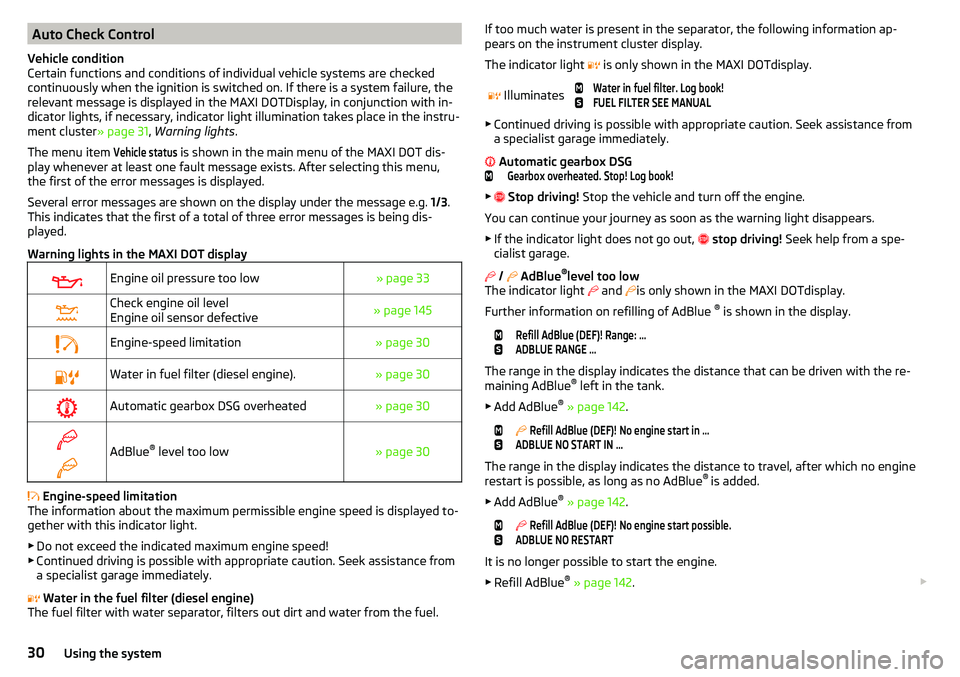
Warning lights in the MAXI DOT display
Engine oil pressure too low» page 33Check engine oil level
Engine oil sensor defective» page 145Engine-speed limitation» page 30Water in fuel filter (diesel engine).» page 30Automatic gearbox DSG overheated» page 30
AdBlue ®
level too low» page 30
Engine-speed limitation
The information about the maximum permissible engine speed is displayed to-
gether with this indicator light.
▶ Do not exceed the indicated maximum engine speed!
▶ Continued driving is possible with appropriate caution. Seek assistance from
a specialist garage immediately.
Water in the fuel filter (diesel engine)
The fuel filter with water separator, filters out dirt and water from the fuel.
If too much water is present in the separator, the following information ap-
pears on the instrument cluster display.
The indicator light is only shown in the MAXI DOTdisplay.
Illuminates
Water in fuel filter. Log book!FUEL FILTER SEE MANUAL
▶ Continued driving is possible with appropriate caution. Seek assistance from
a specialist garage immediately.
Automatic gearbox DSG
Gearbox overheated. Stop! Log book!
▶
Stop driving! Stop the vehicle and turn off the engine.
You can continue your journey as soon as the warning light disappears.
▶ If the indicator light does not go out,
stop driving! Seek help from a spe-
cialist garage.
/
AdBlue ®
level too low
The indicator light and
is only shown in the MAXI DOTdisplay.
Further information on refilling of AdBlue ®
is shown in the display.
Refill AdBlue (DEF)! Range: ...ADBLUE RANGE …
The range in the display indicates the distance that can be driven with the re-
maining AdBlue ®
left in the tank.
▶ Add AdBlue ®
» page 142 .
Refill AdBlue (DEF)! No engine start in …ADBLUE NO START IN …
The range in the display indicates the distance to travel, after which no engine
restart is possible, as long as no AdBlue ®
is added.
▶ Add AdBlue ®
» page 142 .
Refill AdBlue (DEF)! No engine start possible.ADBLUE NO RESTART
It is no longer possible to start the engine.
▶ Refill AdBlue ®
» page 142 .
30Using the system
Page 33 of 200
WARNINGIf you have to stop for technical reasons, then park the vehicle at a safe
distance from the traffic, switch off the engine and switch on the hazard
warning light system » page 61. Place the warning triangle at the prescri-
bed distance.
Note
■ If the MAXI DOT display shows warning messages, these messages must be
confirmed in order to access the main menu » page 40 .■
As long as the operational faults are not rectified, the warning lights are al-
ways indicated again. After they are displayed for the first time, the warning
lights continue to be indicated without any extra messages for the driver.
Warning lights
Introduction
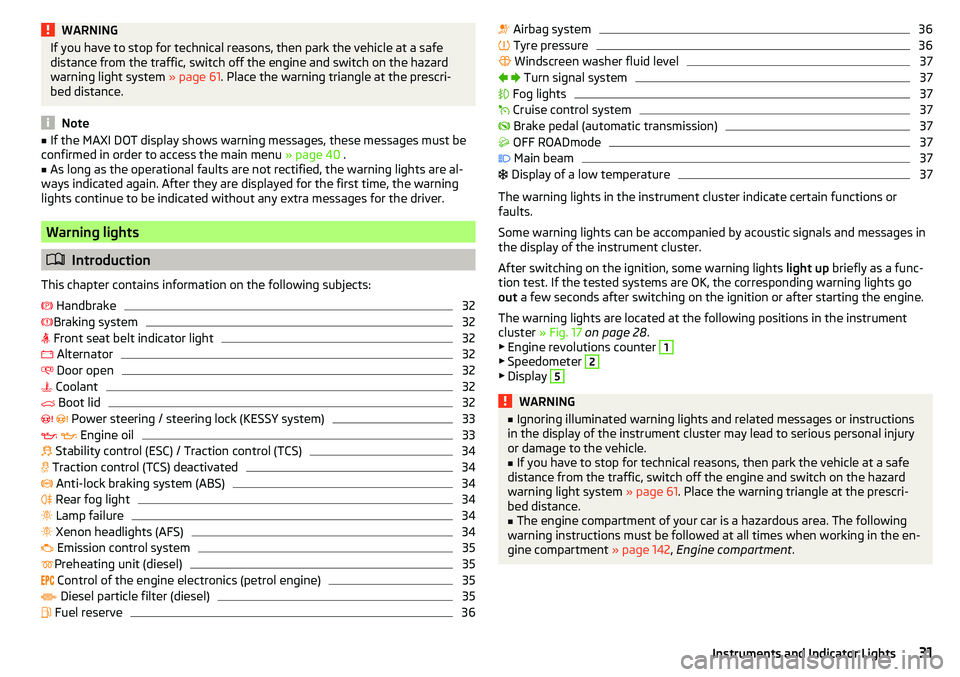
This chapter contains information on the following subjects:
Handbrake
32
Braking system
32
Front seat belt indicator light
32
Alternator
32
Door open
32
Coolant
32
Boot lid
32
Power steering / steering lock (KESSY system)
33
Engine oil
33
Stability control (ESC) / Traction control (TCS)
34
Traction control (TCS) deactivated
34
Anti-lock braking system (ABS)
34
Rear fog light
34
Lamp failure
34
Xenon headlights (AFS)
34
Emission control system
35
Preheating unit (diesel)
35
Control of the engine electronics (petrol engine)
35
Diesel particle filter (diesel)
35
Fuel reserve
36 Airbag system36 Tyre pressure36
Windscreen washer fluid level
37
Turn signal system
37
Fog lights
37
Cruise control system
37
Brake pedal (automatic transmission)
37
OFF ROADmode
37
Main beam
37
Display of a low temperature
37
The warning lights in the instrument cluster indicate certain functions or
faults.
Some warning lights can be accompanied by acoustic signals and messages in
the display of the instrument cluster.
After switching on the ignition, some warning lights light up briefly as a func-
tion test. If the tested systems are OK, the corresponding warning lights go
out a few seconds after switching on the ignition or after starting the engine.
The warning lights are located at the following positions in the instrument
cluster » Fig. 17 on page 28 .
▶ Engine revolutions counter
1
▶Speedometer
2
▶Display
5WARNING■ Ignoring illuminated warning lights and related messages or instructions
in the display of the instrument cluster may lead to serious personal injury
or damage to the vehicle.■
If you have to stop for technical reasons, then park the vehicle at a safe
distance from the traffic, switch off the engine and switch on the hazard
warning light system » page 61. Place the warning triangle at the prescri-
bed distance.
■
The engine compartment of your car is a hazardous area. The following
warning instructions must be followed at all times when working in the en-
gine compartment » page 142, Engine compartment .
31Instruments and Indicator Lights
Page 34 of 200
HandbrakeRead and observe
on page 31 first.
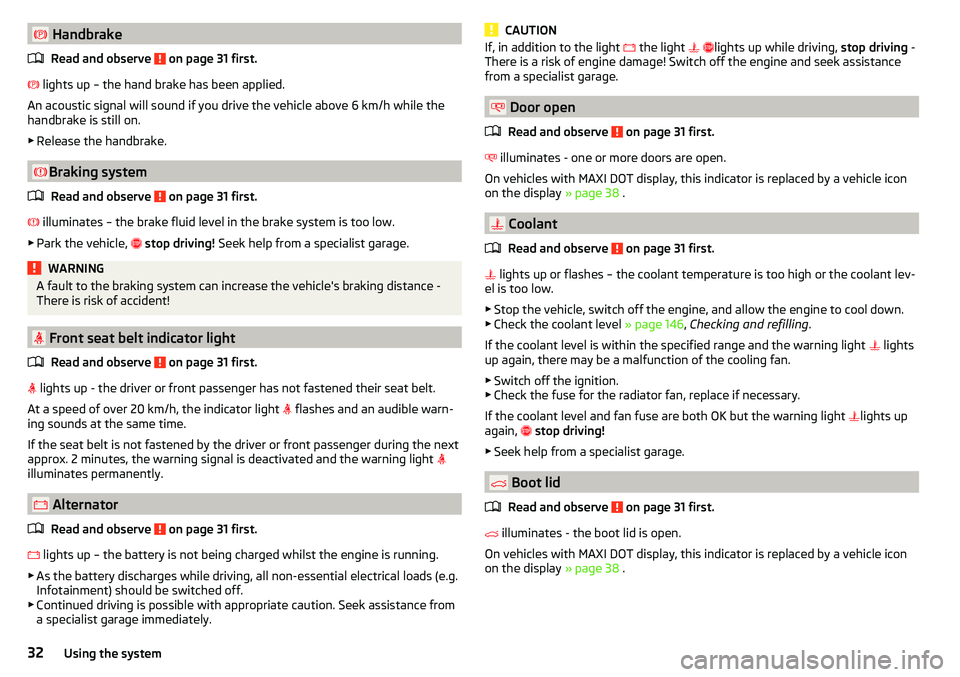
lights up – the hand brake has been applied.
An acoustic signal will sound if you drive the vehicle above 6 km/h while the
handbrake is still on.
▶ Release the handbrake.
Braking system
Read and observe
on page 31 first.
illuminates – the brake fluid level in the brake system is too low.
▶ Park the vehicle,
stop driving! Seek help from a specialist garage.
WARNINGA fault to the braking system can increase the vehicle's braking distance -
There is risk of accident!
Front seat belt indicator light
Read and observe
on page 31 first.
lights up - the driver or front passenger has not fastened their seat belt.
At a speed of over 20 km/h, the indicator light flashes and an audible warn-
ing sounds at the same time.
If the seat belt is not fastened by the driver or front passenger during the next
approx. 2 minutes, the warning signal is deactivated and the warning light
illuminates permanently.
Alternator
Read and observe
on page 31 first.
lights up – the battery is not being charged whilst the engine is running.
▶ As the battery discharges while driving, all non-essential electrical loads (e.g.
Infotainment) should be switched off.
▶ Continued driving is possible with appropriate caution. Seek assistance from
a specialist garage immediately.
CAUTIONIf, in addition to the light the light lights up while driving, stop driving -
There is a risk of engine damage! Switch off the engine and seek assistance
from a specialist garage.
Door open
Read and observe
on page 31 first.
illuminates - one or more doors are open.
On vehicles with MAXI DOT display, this indicator is replaced by a vehicle icon
on the display » page 38 .
Coolant
Read and observe
on page 31 first.
lights up or flashes – the coolant temperature is too high or the coolant lev-
el is too low.
▶ Stop the vehicle, switch off the engine, and allow the engine to cool down.
▶ Check the coolant level » page 146, Checking and refilling .
If the coolant level is within the specified range and the warning light lights
up again, there may be a malfunction of the cooling fan.
▶ Switch off the ignition.
▶ Check the fuse for the radiator fan, replace if necessary.
If the coolant level and fan fuse are both OK but the warning light lights up
again,
stop driving!
▶ Seek help from a specialist garage.
Boot lid
Read and observe
on page 31 first.
illuminates - the boot lid is open.
On vehicles with MAXI DOT display, this indicator is replaced by a vehicle icon
on the display » page 38 .
32Using the system
Page 35 of 200
Power steering / steering lock (KESSY system)
Read and observe
on page 31 first.
Fault in the power steering
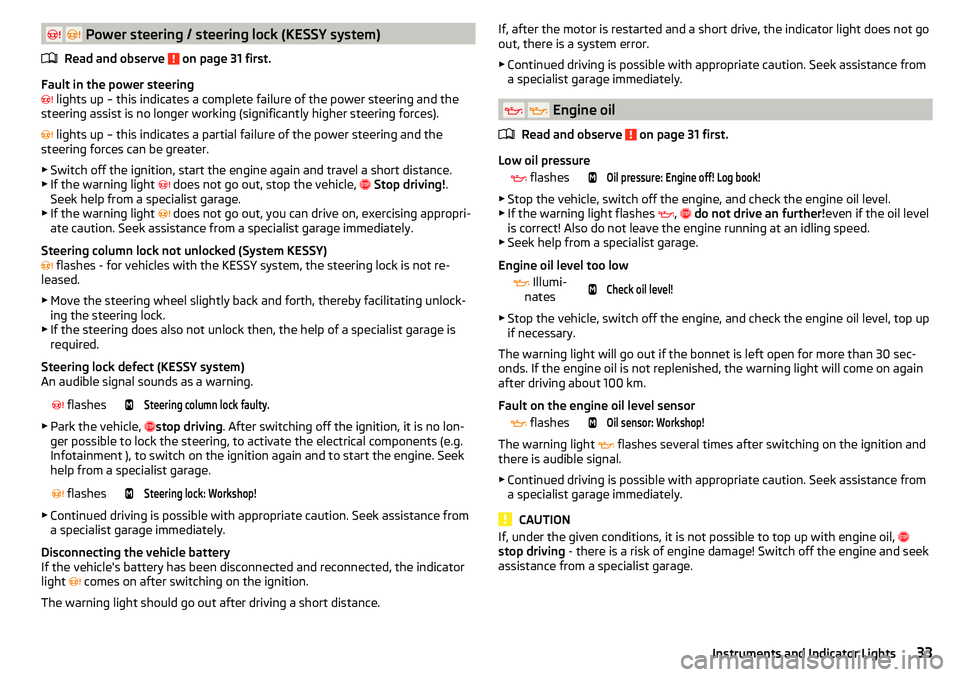
lights up – this indicates a complete failure of the power steering and the
steering assist is no longer working (significantly higher steering forces).
lights up – this indicates a partial failure of the power steering and the
steering forces can be greater.
▶ Switch off the ignition, start the engine again and travel a short distance.
▶ If the warning light
does not go out, stop the vehicle,
Stop driving! .
Seek help from a specialist garage.
▶ If the warning light does not go out, you can drive on, exercising appropri-
ate caution. Seek assistance from a specialist garage immediately.
Steering column lock not unlocked (System KESSY)
flashes - for vehicles with the KESSY system, the steering lock is not re-
leased.
▶ Move the steering wheel slightly back and forth, thereby facilitating unlock-
ing the steering lock.
▶ If the steering does also not unlock then, the help of a specialist garage is
required.
Steering lock defect (KESSY system)
An audible signal sounds as a warning.
flashesSteering column lock faulty.
▶
Park the vehicle, stop driving
. After switching off the ignition, it is no lon-
ger possible to lock the steering, to activate the electrical components (e.g.
Infotainment ), to switch on the ignition again and to start the engine. Seek
help from a specialist garage.
flashesSteering lock: Workshop!
▶
Continued driving is possible with appropriate caution. Seek assistance from
a specialist garage immediately.
Disconnecting the vehicle battery
If the vehicle's battery has been disconnected and reconnected, the indicator
light comes on after switching on the ignition.
The warning light should go out after driving a short distance.
If, after the motor is restarted and a short drive, the indicator light does not go
out, there is a system error.
▶ Continued driving is possible with appropriate caution. Seek assistance from
a specialist garage immediately.
Engine oil
Read and observe
on page 31 first.
Low oil pressure
flashesOil pressure: Engine off! Log book!
▶
Stop the vehicle, switch off the engine, and check the engine oil level.
▶ If the warning light flashes ,
do not drive an further! even if the oil level
is correct! Also do not leave the engine running at an idling speed.
▶ Seek help from a specialist garage.
Engine oil level too low
Illumi-
nates
Check oil level!
▶ Stop the vehicle, switch off the engine, and check the engine oil level, top up
if necessary.
The warning light will go out if the bonnet is left open for more than 30 sec-
onds. If the engine oil is not replenished, the warning light will come on again
after driving about 100 km.
Fault on the engine oil level sensor
flashesOil sensor: Workshop!
The warning light
flashes several times after switching on the ignition and
there is audible signal.
▶ Continued driving is possible with appropriate caution. Seek assistance from
a specialist garage immediately.
CAUTION
If, under the given conditions, it is not possible to top up with engine oil,
stop driving - there is a risk of engine damage! Switch off the engine and seek
assistance from a specialist garage.33Instruments and Indicator Lights
Page 36 of 200
Stability control (ESC) / Traction control (TCS)Read and observe
on page 31 first.
If your vehicle is equipped with the ESC system, the TCS is part of the ESC sys-
tem.
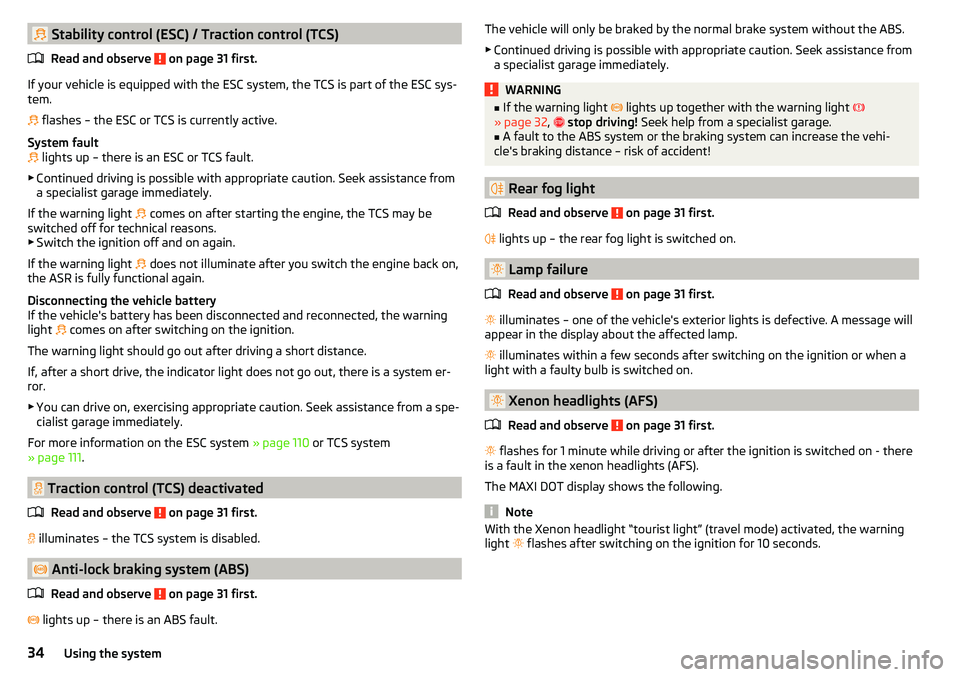
flashes – the ESC or TCS is currently active.
System fault
lights up – there is an ESC or TCS fault.
▶ Continued driving is possible with appropriate caution. Seek assistance from
a specialist garage immediately.
If the warning light comes on after starting the engine, the TCS may be
switched off for technical reasons. ▶ Switch the ignition off and on again.
If the warning light does not illuminate after you switch the engine back on,
the ASR is fully functional again.
Disconnecting the vehicle battery
If the vehicle's battery has been disconnected and reconnected, the warning light comes on after switching on the ignition.
The warning light should go out after driving a short distance.
If, after a short drive, the indicator light does not go out, there is a system er- ror.
▶ You can drive on, exercising appropriate caution. Seek assistance from a spe-
cialist garage immediately.
For more information on the ESC system » page 110 or TCS system
» page 111 .
Traction control (TCS) deactivated
Read and observe
on page 31 first.
illuminates – the TCS system is disabled.
Anti-lock braking system (ABS)
Read and observe
on page 31 first.
lights up – there is an ABS fault.
The vehicle will only be braked by the normal brake system without the ABS.
▶ Continued driving is possible with appropriate caution. Seek assistance from
a specialist garage immediately.WARNING■ If the warning light lights up together with the warning light
» page 32 , stop driving! Seek help from a specialist garage.■
A fault to the ABS system or the braking system can increase the vehi-
cle's braking distance – risk of accident!
Rear fog light
Read and observe
on page 31 first.
lights up – the rear fog light is switched on.
Lamp failure
Read and observe
on page 31 first.
illuminates – one of the vehicle's exterior lights is defective. A message will
appear in the display about the affected lamp.
illuminates within a few seconds after switching on the ignition or when a
light with a faulty bulb is switched on.
Xenon headlights (AFS)
Read and observe
on page 31 first.
flashes for 1 minute while driving or after the ignition is switched on - there
is a fault in the xenon headlights (AFS).
The MAXI DOT display shows the following.
Note
With the Xenon headlight “tourist light” (travel mode) activated, the warning
light flashes after switching on the ignition for 10 seconds.34Using the system